Title here
Summary here

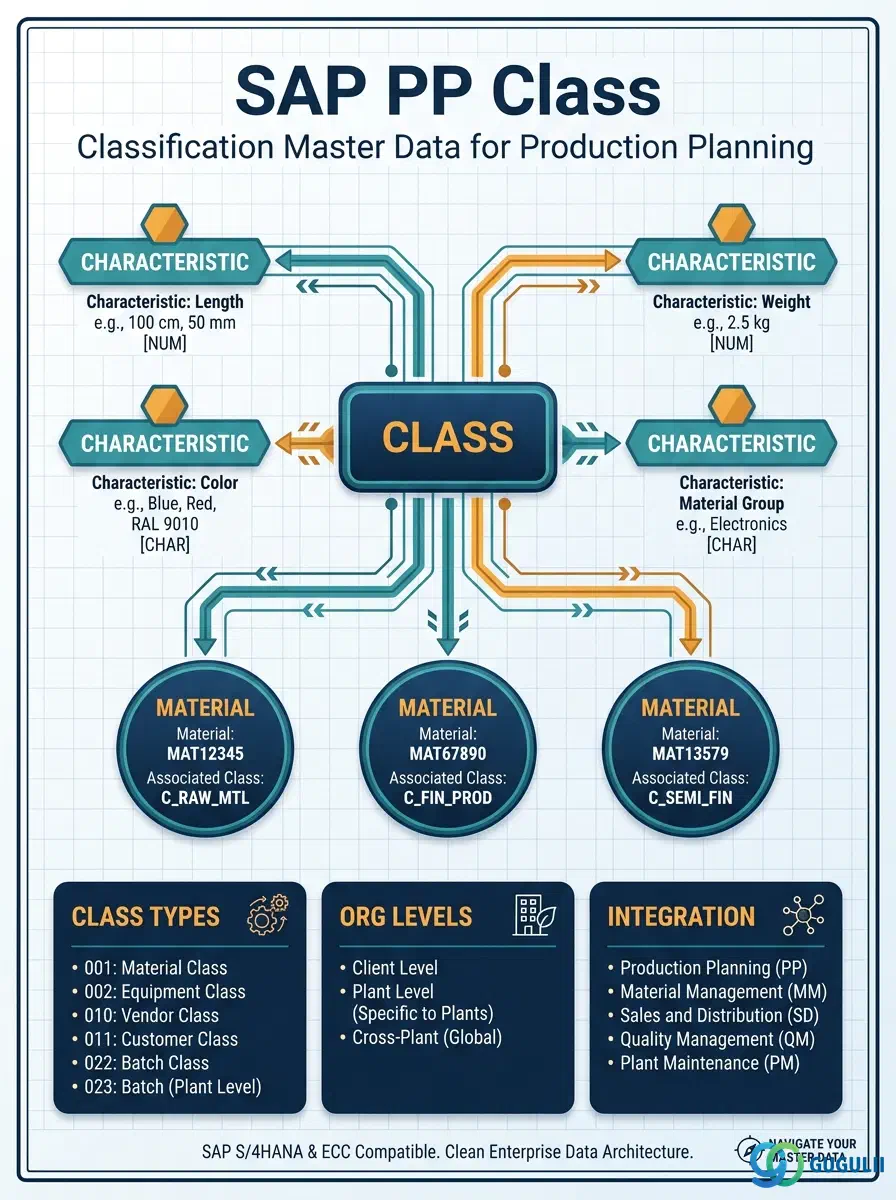
The Class is the master data object that defines a classification category and groups SAP objects — primarily materials — by shared properties. It acts as the container in the Classification System (CA), holding Characteristics that describe the attributes relevant to a given group. In Production Planning, Classes are used to enable material search by attribute, manage variant configuration for make-to-order products, and support reporting groupings beyond the standard material type hierarchy. This article covers Class core concepts across all modules in Part 1, and PP-specific field details in Part 2.
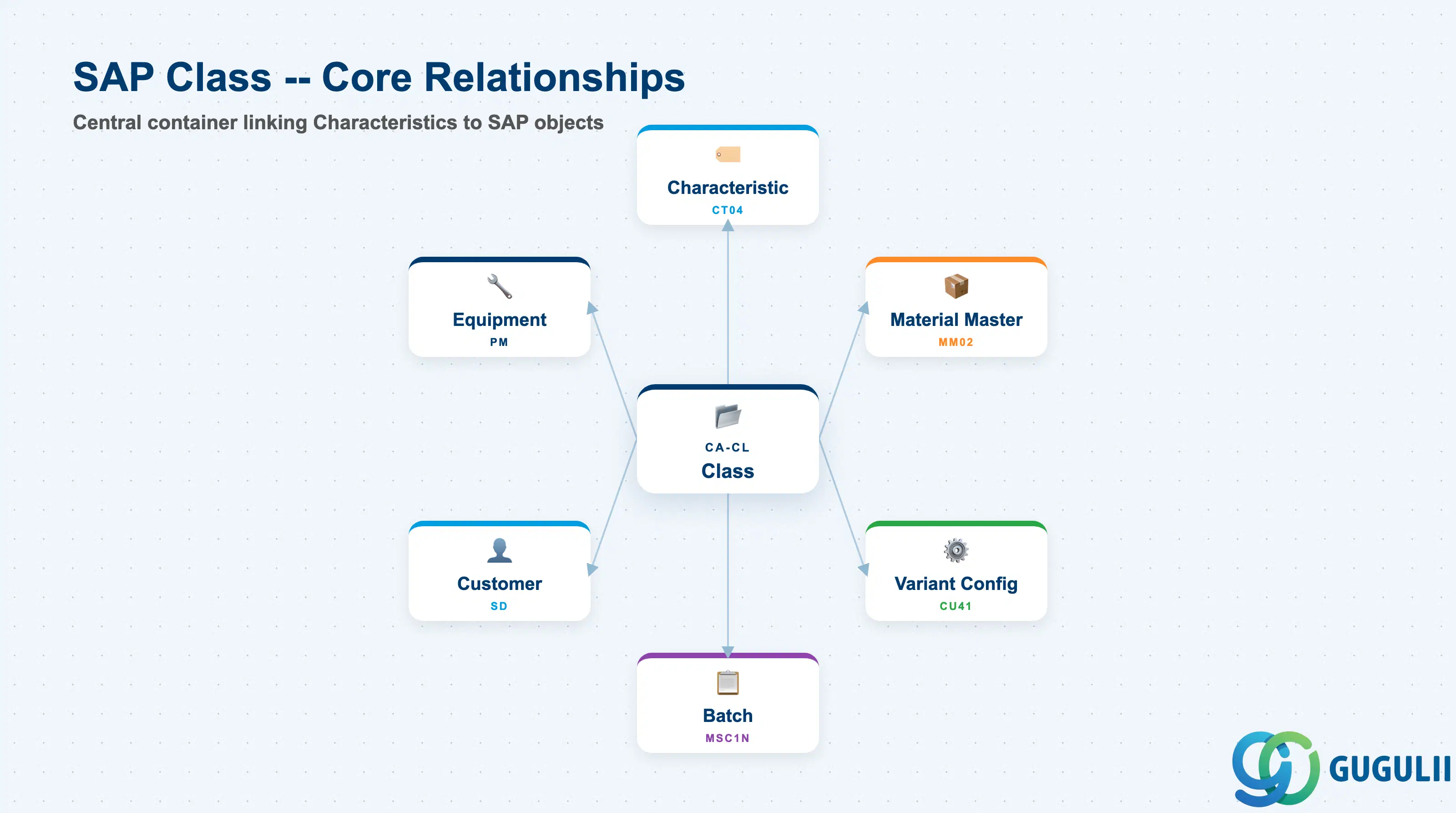
A Class is a named category that bundles a set of Characteristics and can be assigned to SAP objects such as materials, batches, customers, equipment, or documents. The Classification System (transaction CL01) is a cross-application framework used throughout S/4HANA; its scope far exceeds PP, but PP is the module that most commonly establishes Classes as part of production master data setup.
| Aspect | Details |
|---|---|
| Role | Groups SAP objects by shared attributes; enables attribute-based search, variant configuration, and reporting |
| Modules using it | PP (Classification setup, variant configuration), MM (material search, batch classification), QM (inspection characteristics), PM (equipment/functional location classification), SD (customer classification, variant configuration) |
| Transactions | CL01 (Create) / CL02 (Change) / CL03 (Display) / CL20N (Assign class to objects) / CL30N (Find objects in class) |
| Key Tables | KLAH (Class header), KSML (Characteristic assignment to class), AUSP (Characteristic values on objects), INOB (Object — class link) |
| S/4HANA note | Classification data model is unchanged from ECC. Fiori app “Manage Classes” (F2286) is available for basic maintenance; complex variant configuration work still uses transaction-based tools (CU41, CU50). |
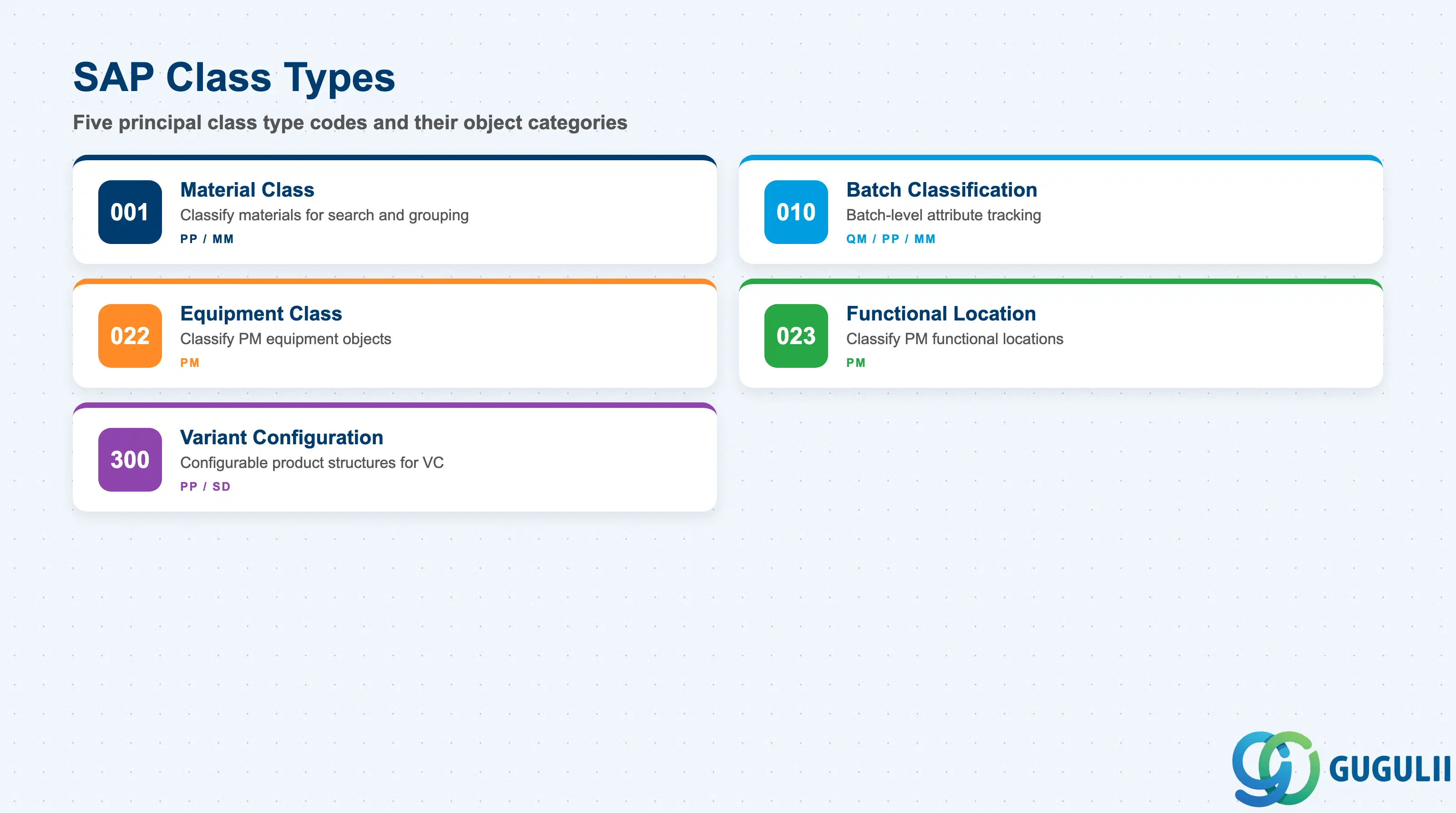
The Class Type determines which SAP object category can be assigned to the class and which business scenarios are enabled. Selecting the wrong Class Type creates an incompatible assignment that the system will reject at object classification time.
| Class Type | Code | Use Case | Key Behavior |
|---|---|---|---|
| Material Class | 001 | Classify materials for search, grouping, and variant configuration | Most common in PP/MM. Objects assigned are material numbers (MARA). Enables material attribute search (CL30N) and VC configuration profiles. |
| Batch Classification | 010 | Classify batch-managed materials with batch-specific attribute values | Used in QM, PP, and MM for batch-level traceability. Characteristics can carry values at the individual batch level, not just at the material level. |
| Equipment Class | 022 | Classify PM equipment objects | Common in PM and asset management. Enables equipment attribute search and structured maintenance data. |
| Functional Location Class | 023 | Classify PM functional locations | Used alongside Equipment Class to organize plant topology. |
| Variant Configuration Class | 300 | Define configurable product structures in SD/PP | Special class type for VC. Configuration profiles (CU41) reference Class 300 to determine which characteristics are relevant for order configuration. Not interchangeable with Class Type 001. |
Design principle: Class Type must be aligned with the object category during blueprint. A Class of Type 001 can never be assigned to a batch; Class Type 010 is required for that purpose. For variant configuration, Class Type 300 must be created in addition to — not instead of — Type 001 material classes.
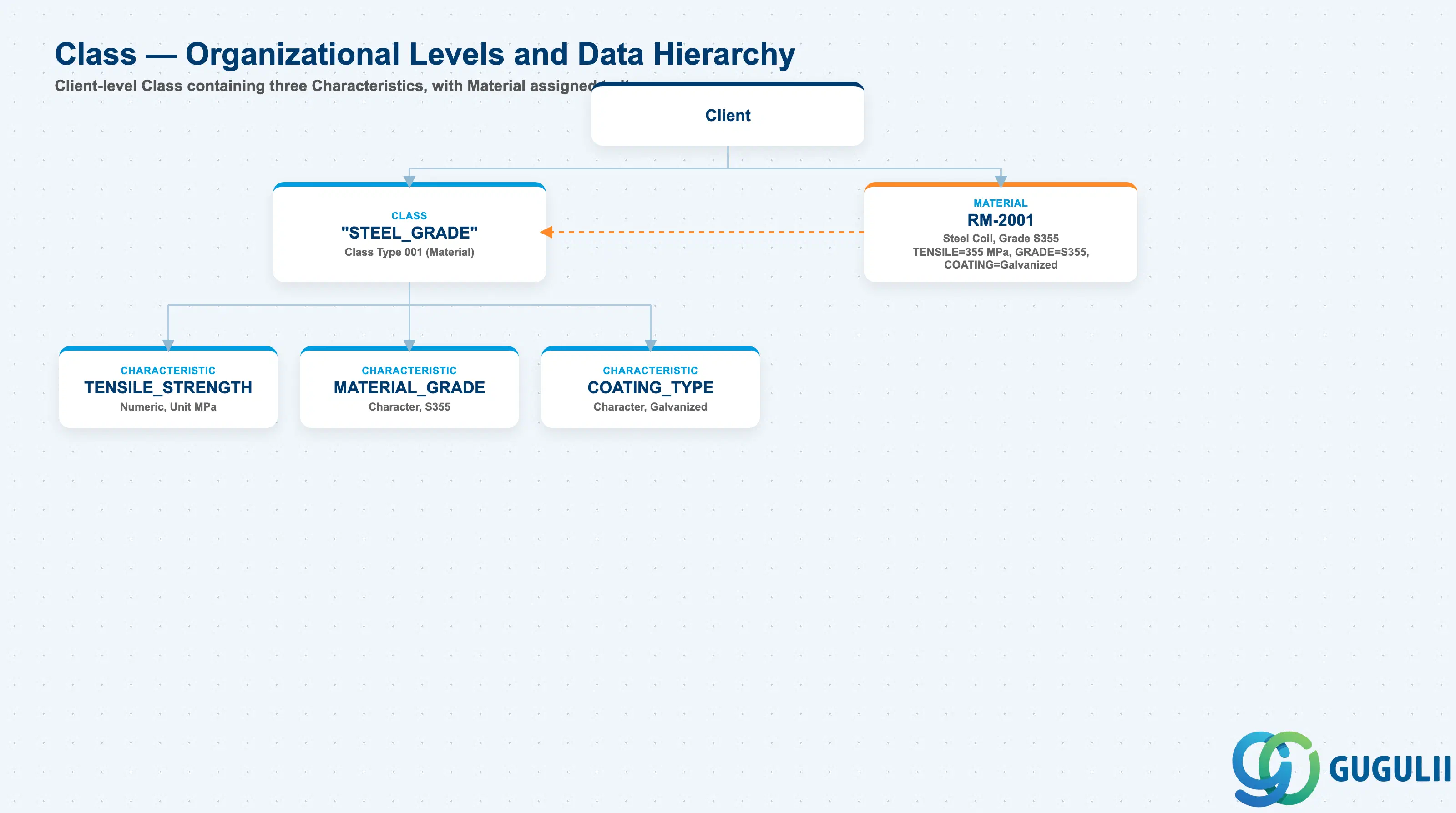
Data hierarchy with a concrete example
Client
   │
   ├── Class "STEEL_GRADE"
   │      Class Type 001 (Material)
   │      │
   │      ├── Characteristic "TENSILE_STRENGTH"
   │      │      Numeric, Unit MPa
   │      ├── Characteristic "MATERIAL_GRADE"
   │      │      Character, S355
   │      └── Characteristic "COATING_TYPE"
   │             Character, Galvanized
   │
   └── Material RM-2001
          Steel Coil, Grade S355
          ── assigned to ──> Class "STEEL_GRADE"
          TENSILE_STRENGTH = 355 MPa
          MATERIAL_GRADE = S355
          COATING_TYPE = Galvanized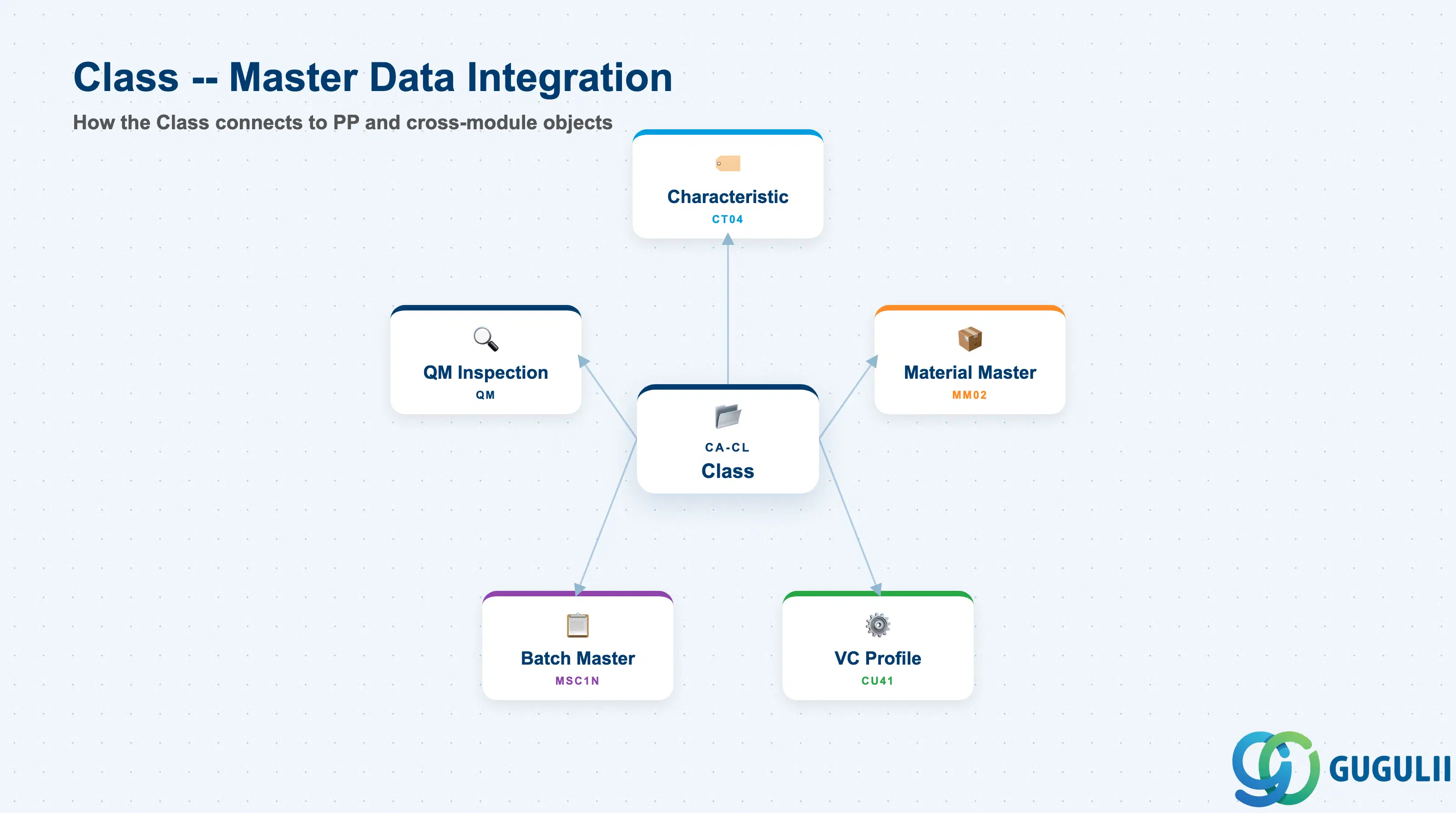
The Class does not stand alone. It is the container that links Characteristics to SAP objects, and its design decisions cascade into variant configuration, material search, and quality management.
| Object | Relationship | Practical Notes |
|---|---|---|
| Characteristic (CT04) | Characteristics are assigned to the Class via KSML | A Class without Characteristics carries no attribute information. The Characteristic defines the data type, allowed values, and search behavior; the Class determines which object category uses them together. |
| Material Master | Materials are classified into a Class via CL20N or MM02 (Classification view) | The Classification view in the Material Master (MM02) is the most common entry point for assigning a material to one or more classes. A material can belong to multiple classes of the same or different types. |
| Production Version | In variant configuration, the configuration profile references a Class 300 | The VC configuration profile (CU41) links the configurable material to a Class 300 object class, from which the system derives the dependency rules governing BOM item and Routing operation selection. |
| Batch Master (MSC1N) | Batch Classification uses a Class of Type 010 to store batch-level values | In pharmaceutical or process industries, batch characteristics (e.g., potency, expiry date) are stored as classification values on the individual batch, enabling batch-level traceability and search. |
| QM Inspection Characteristics | QM can map inspection results to classification characteristics | Allows quality results to be stored in a structured, searchable form rather than free text — enabling cross-batch or cross-material quality reporting. |
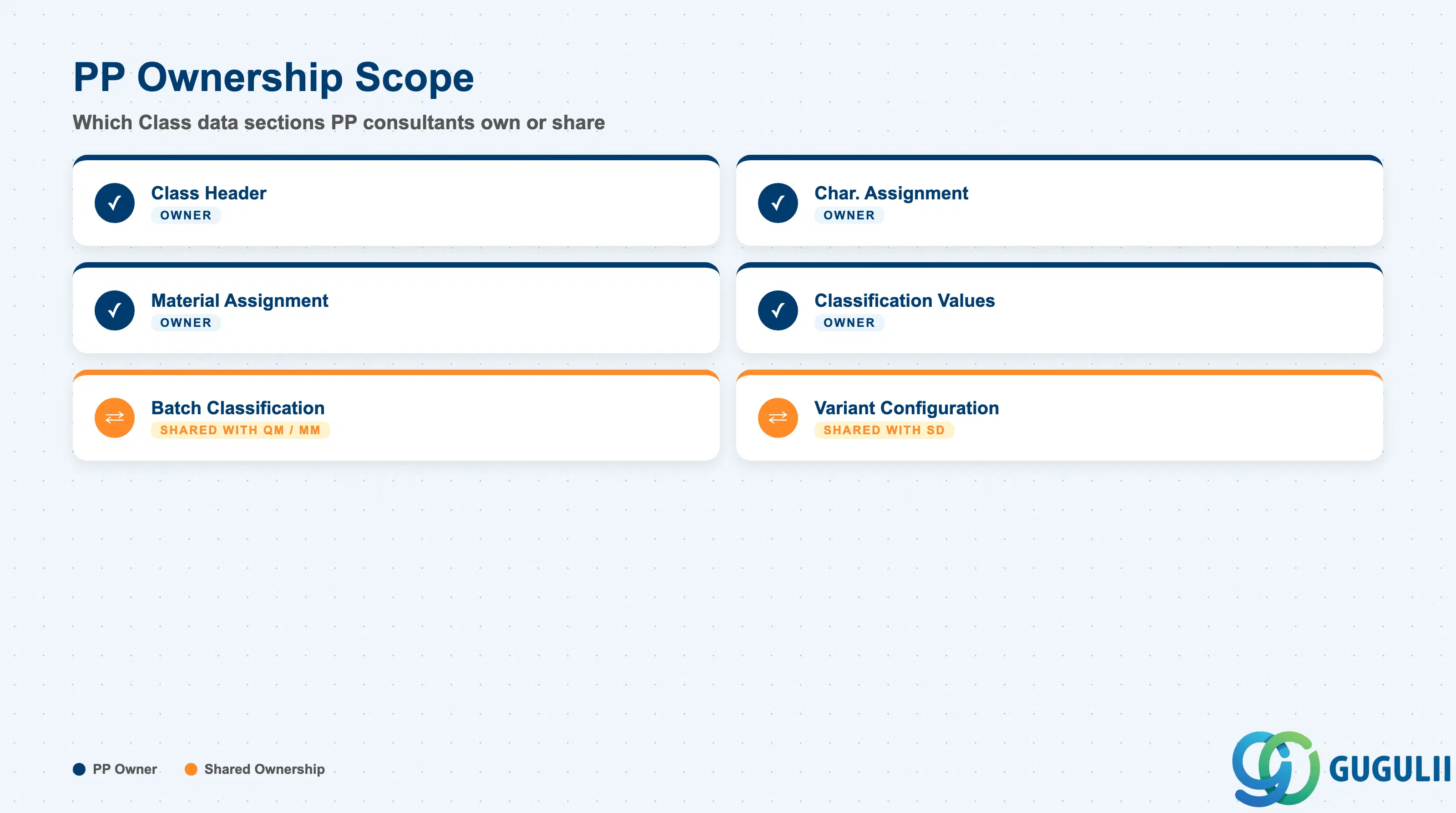
| Data Section | PP Involvement | Notes |
|---|---|---|
| Class Header (KLAH) | ◎ Owner | Class name, type, status, validity, and description are defined by PP during Classification setup |
| Characteristic Assignment (KSML) | ◎ Owner | PP defines which Characteristics belong to the class; Characteristics themselves are maintained in the companion article PP-A06-02 |
| Material Assignment | ◎ Owner | PP assigns materials to classes during master data migration and ongoing maintenance |
| Classification Values (AUSP) | ◎ Owner | PP populates characteristic values on each classified material |
| Batch Classification | ○ Shared with QM / MM | Batch-level classification design is shared with QM (inspection) and MM (batch management); PP provides production-context requirements |
| Variant Configuration | ○ Shared with SD | Class 300 for VC is co-owned by PP (production BOM/Routing dependency rules) and SD (sales order configuration); requires joint blueprint |
Legend: ◎ = Owner / Critical, ○ = Direct involvement
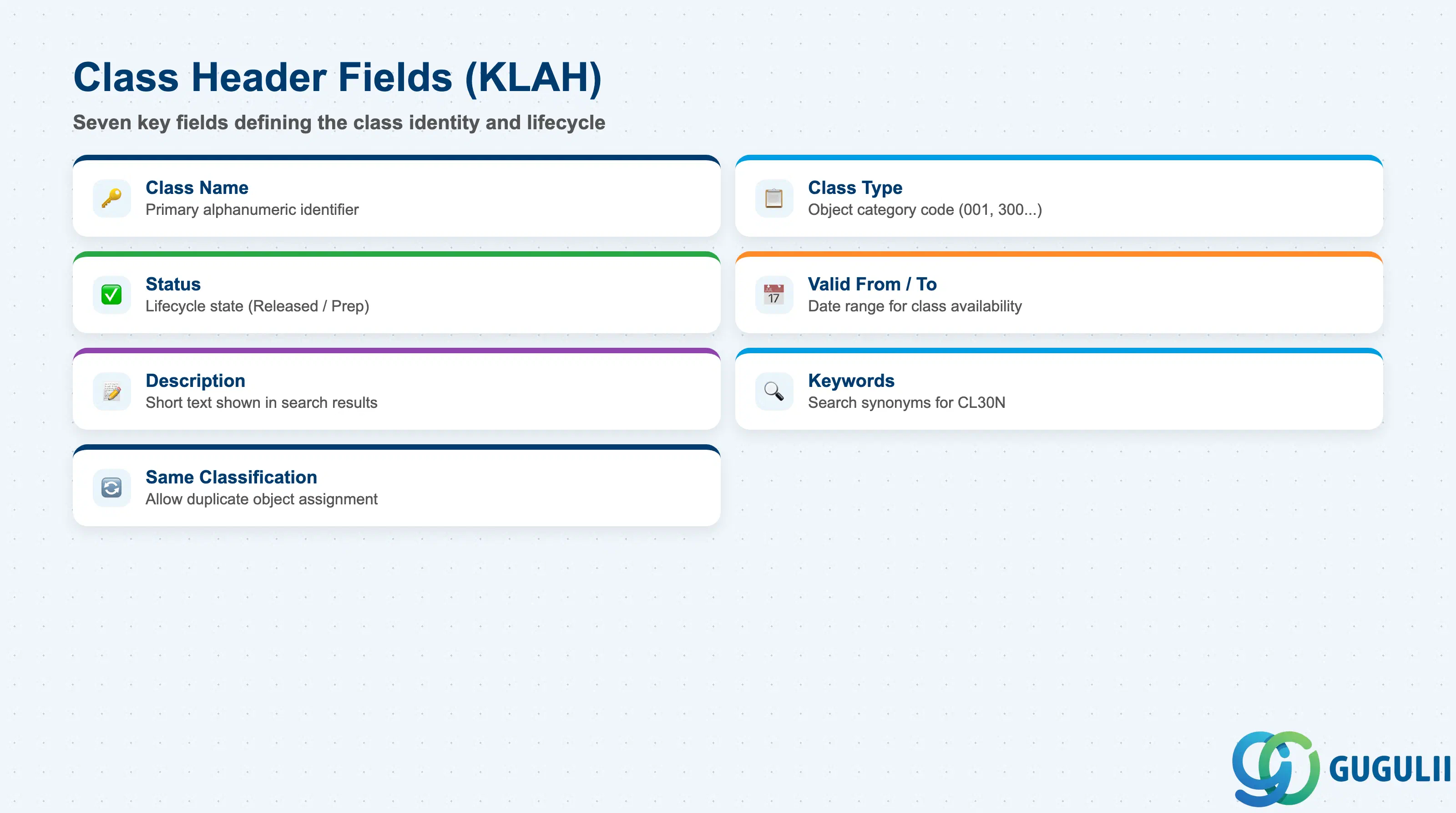
The Class Header is the top-level definition of the classification category. It must be created and released before any Characteristics can be assigned or objects classified.
| Field | Description | Practical Usage |
|---|---|---|
| Class Name | Alphanumeric key identifying the class | Acts as the primary identifier. Naming conventions are critical at blueprint — common patterns are functional prefix + running number (e.g., PP_MACH_001 for machine-type materials). Poor naming conventions create maintenance debt in large classification landscapes. |
| Class Type | Numeric code determining which object category this class applies to | See Section 1.2. Must be set at creation and cannot be changed afterward. For PP standard classification, Type 001 (Material) is the default. For VC, Type 300 must be used separately. |
| Status | Lifecycle status of the class (1 = Released, 0 = In Preparation) | Only Released classes can be used in object assignment and search. A common go-live issue is migration data loading into classes still in status 0. Set to 1 before production data migration. |
| Valid From / Valid To | Date range for class validity | Controls the period during which the class can be used for classification. Leave Valid To blank for open-ended classes. Use date ranges only when a classification scheme is planned to be retired and replaced. |
| Description | Short text description of the class | Displayed in classification screens and search results. Should be self-explanatory to business users — not just system architects. Translations to local languages (e.g., Japanese) can be maintained for user-facing display. |
| Keywords | Additional search terms associated with the class | Enables finding the class by synonym or alternative terminology in CL30N searches. Useful when business teams use different names for the same concept across departments or plants. |
| Same Classification | Flag controlling whether multiple assignments of the same object are allowed | When checked, the same object (e.g., same material) can be classified in the same class multiple times with different characteristic values. Rarely used in PP standard classification; relevant for batch or document classification scenarios. |
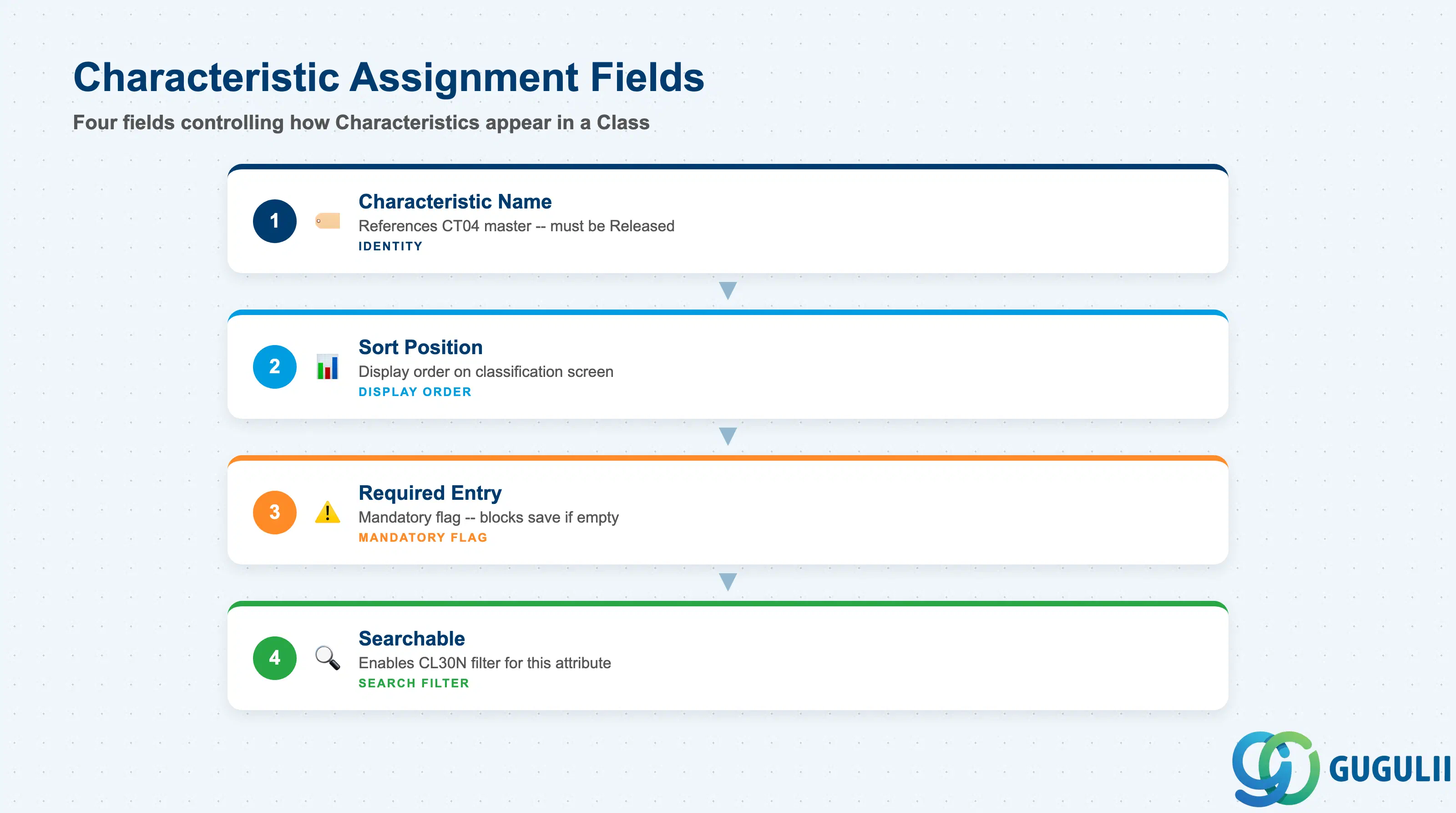
The Characteristic Assignment section defines which Characteristics are bundled into this Class and in what order they appear on classification screens. This is maintained in transaction CL02 (change class) under the “Characteristics” tab.
| Field | Description | Practical Usage |
|---|---|---|
| Characteristic Name | Internal name of the Characteristic to be included | References the Characteristic master defined in CT04 (see PP-A06-02). Only Characteristics with status “Released” can be added. Attempting to add an unreleased Characteristic causes a system error at save. |
| Sort Position | Display order of the Characteristic within the class screen | Determines the left-to-right / top-to-bottom sequence on the classification entry screen. Group related characteristics together (e.g., all dimensional attributes before weight attributes) to reduce user errors and improve data entry speed. |
| Required Entry | Flag marking the Characteristic as mandatory for classification | When set, the system prevents saving an object classification record unless a value is provided for this Characteristic. Use for attributes that are genuinely critical — over-use of required flags creates maintenance friction during mass data uploads. |
| Searchable | Flag enabling this Characteristic to be used as a search criterion in CL30N | Controls whether business users can filter objects by this attribute in the Find Objects in Class transaction. Set for all Characteristics that will drive operational search (e.g., material type, dimension range). Characteristics not flagged as searchable still store values but cannot be used as filter criteria. |
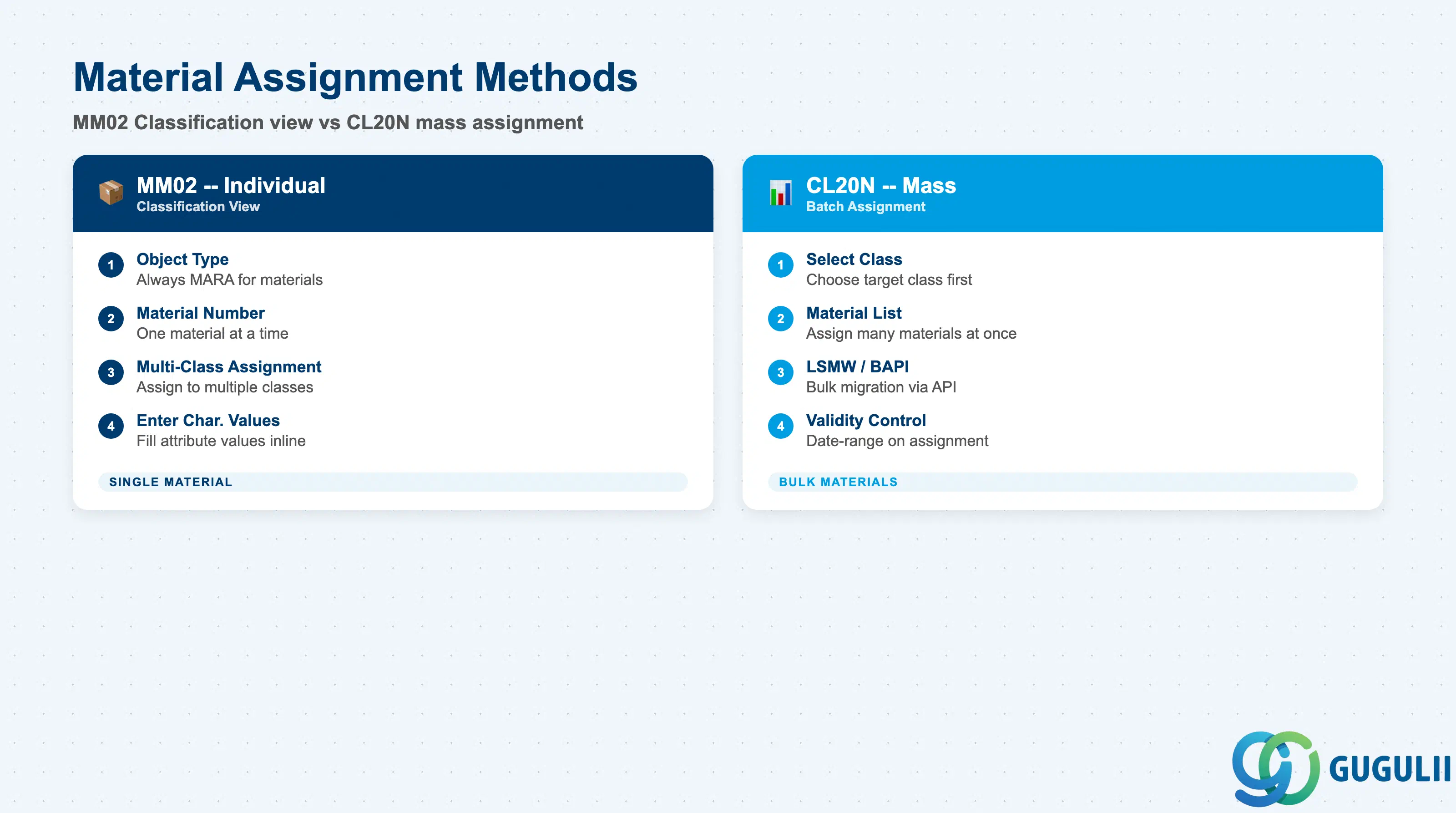
Material Assignment records which specific materials belong to this Class. In PP, this is the step that makes a material searchable by its classification attributes and eligible for variant configuration.
| Field | Description | Practical Usage |
|---|---|---|
| Object Type | Category of the SAP object being classified (e.g., MARA = Material) | Always MARA for material classification. The class type (001) enforces this — the system only accepts material numbers for Type 001 classes. |
| Object Key (Material Number) | The MATNR of the material being assigned to the class | Entry point via MM02 (Classification view) or CL20N (mass assignment). For initial data migration, CL20N or LSMW/BAPI_OBJCL_CREATE is used for bulk assignment — individual MM02 entry is impractical for large material catalogs. |
| Multiple Class Assignment | A material can belong to more than one class | A material may be assigned to a process-capability class, a dimensional class, and a material-type class simultaneously. Each assignment stores its own characteristic values. Avoid redundant overlapping classes that store the same attribute in multiple places — this creates data inconsistency risk. |
| Validity (if applicable) | Date-range on the object assignment | Available for certain class types. For standard Material Class 001, assignment is typically open-ended (no validity date). For Batch Classification, the batch’s own shelf-life dates govern validity rather than the class assignment. |
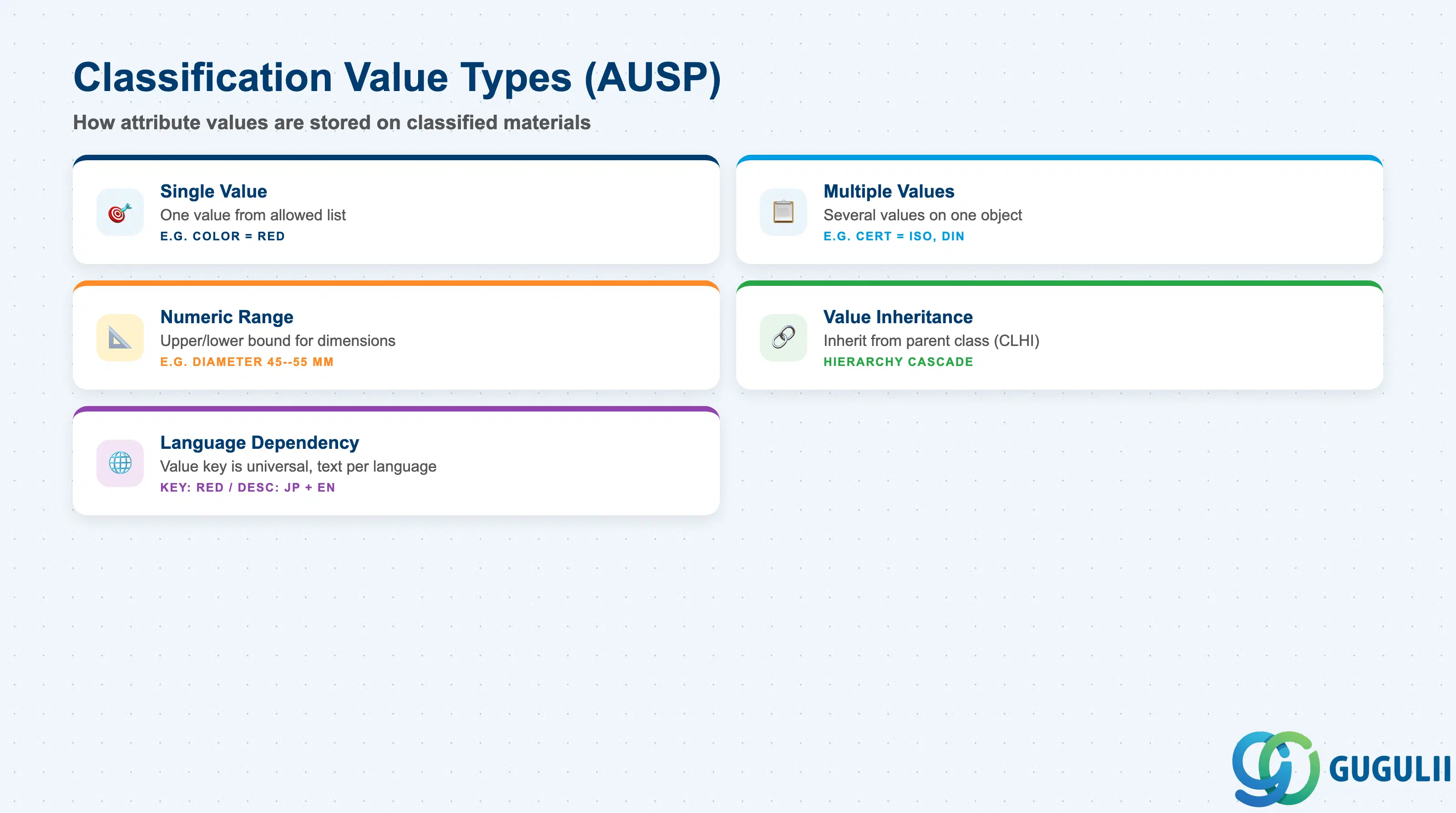
Classification Values are the actual attribute values stored on each classified material — for example, “Color = RED” or “Weight = 2.5 kg.” They are maintained on the individual material’s Classification view in MM02, or in bulk via CL20N.
| Field | Description | Practical Usage |
|---|---|---|
| Characteristic Value (Single) | A single allowed value for a Characteristic on this material | For Characteristics defined with a fixed value list (e.g., Surface Finish = POLISHED / MATTE / RAW), enter one of the predefined allowed values. The system validates against the allowed value list defined in CT04 — entries outside the list are rejected. |
| Characteristic Value (Multiple) | Multiple allowed values assigned simultaneously | A Characteristic can hold more than one value on a single object if the Characteristic is defined as multi-value (CT04 setting). Example: a material certified for multiple industry standards can carry each standard code as a separate value. |
| Numeric Value / Range | Numeric entry with optional upper/lower bound | For Characteristics with numeric data type (e.g., Diameter = 50 mm). Numeric range assignment (e.g., 45–55 mm) is possible when the Characteristic allows interval values. Used in CL30N to filter materials by dimensional range — a key scenario in make-to-order environments. |
| Characteristic Value Inheritance | Values can be inherited from a superior class in a class hierarchy | When a class hierarchy is defined (CLHI), lower-level classes can inherit characteristic values from parent classes. Relevant in complex variant configuration or equipment hierarchy scenarios; less common in standard PP Classification. |
| Value Language Dependency | Description text of the value is language-dependent | The value key itself (e.g., RED) is language-independent, but the description displayed on screen is maintained per logon language. Ensure all relevant languages are maintained before go-live in multi-language deployments (e.g., JP + EN). |
| ID | Category | Title |
|---|---|---|
| pp-001 | Overview | What is SAP PP? |
| ID | Category | Title |
|---|---|---|
| pp-a01 | Overview | SAP PP Master Data: Overview, Hierarchy & Relationships |
| pp-a02-01 | Master Data | SAP PP Material Master |
| pp-a02-02 | Master Data | SAP PP MRP Controller |
| pp-a03-01 | Master Data | SAP PP Work Center |
| pp-a04-01 | Master Data | SAP PP Bill of Materials (BOM) |
| pp-a04-02 | Master Data | SAP PP Routing |
| pp-a05-01 | Master Data | SAP PP Production Version |
| pp-a06-01 | Master Data | SAP PP Class 📍 |
| pp-a06-02 | Master Data | SAP PP Characteristic |
| ID | Category | Title |
|---|---|---|
| pp-b01 | Overview | SAP PP Transactions: Process Flow, Hierarchy & Relationships |