Title here
Summary here

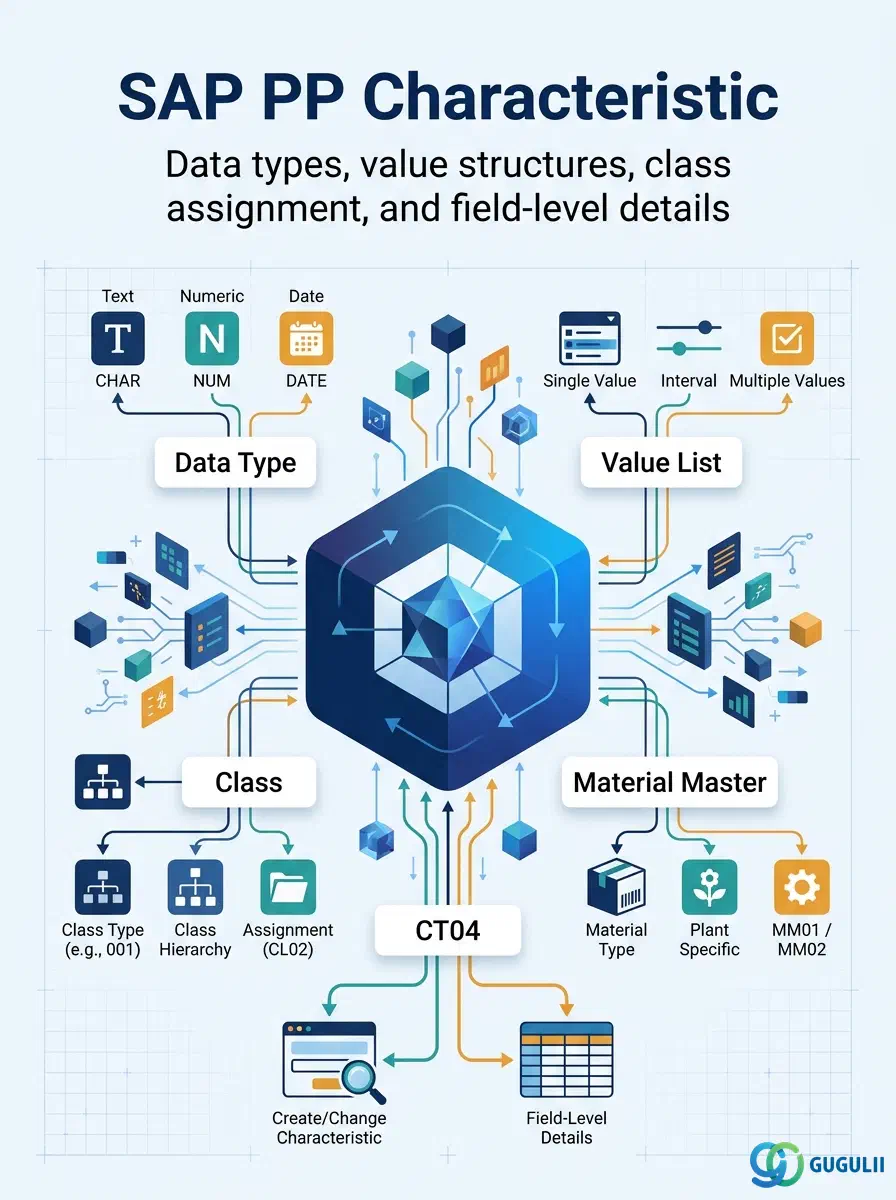
The Characteristic is the master data object that defines a single classifiable attribute — its data type, allowed values, and search relevance. In the SAP Classification system, a Characteristic is assigned to a Class (PP-A06-01), and the Class is in turn assigned to a Material Master. Together, these three objects enable consultants to search, group, and filter materials by any attribute that the standard Material Master fields do not capture. This article describes the Characteristic from first principles, then maps every field PP consultants configure in transaction CT04.
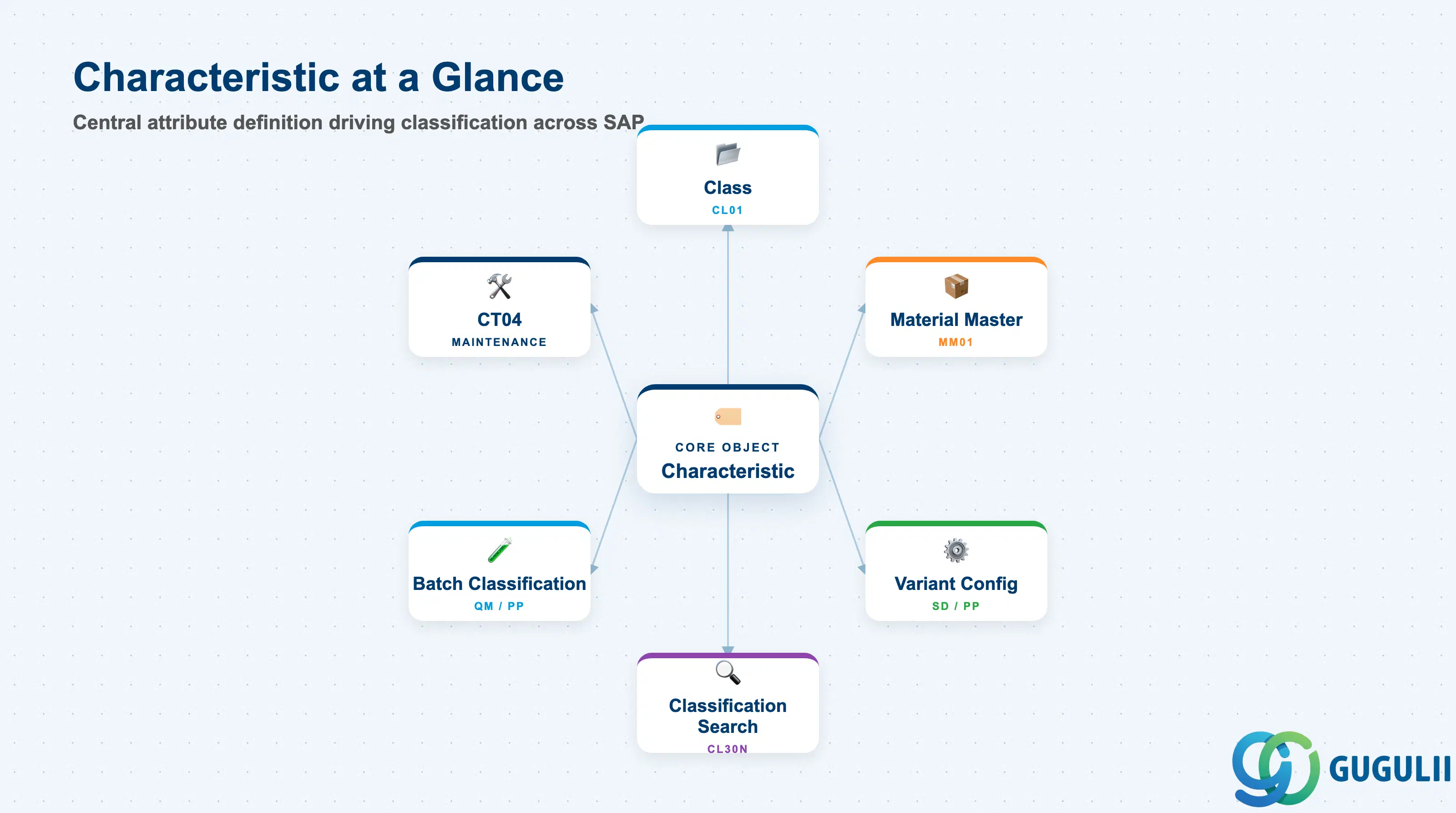
A Characteristic is a named attribute definition — analogous to a metadata field schema — that specifies what values an object can carry. By itself it holds no value; value is assigned when the Characteristic is attached to a specific object instance (e.g., a material or a batch). The Characteristic defines the rules: what type of value is allowed, what the units are, and whether a restricted list of values applies.
| Aspect | Details |
|---|---|
| Role | Defines a classifiable attribute: its data type, allowed values, unit of measure, and search relevance |
| Modules using it | PP (Classification for materials, production variants), MM (material search and grouping), QM (batch classification, inspection characteristics), SD (Variant Configuration — characteristic-value combinations drive configurable products), PM (equipment classification) |
| Transactions | CT04 (Create/Change/Display Characteristic), CL20N (Assign Class to Object), CL30N (Find Objects in Class), CT04-Mass (mass characteristic maintenance) |
| Key Tables | CABN (Characteristic Basic Data), CAWN (Characteristic Values — restricted value list), CAWNT (Characteristic Value Descriptions), KLAH (Class Header), KSSK (Class-to-Object Assignment) |
| S/4HANA note | Classification data model unchanged from ECC. Fiori app “Manage Characteristics” (F3045) is available for CT04 functions. Characteristic search is embedded in Manage Products (F1602). |
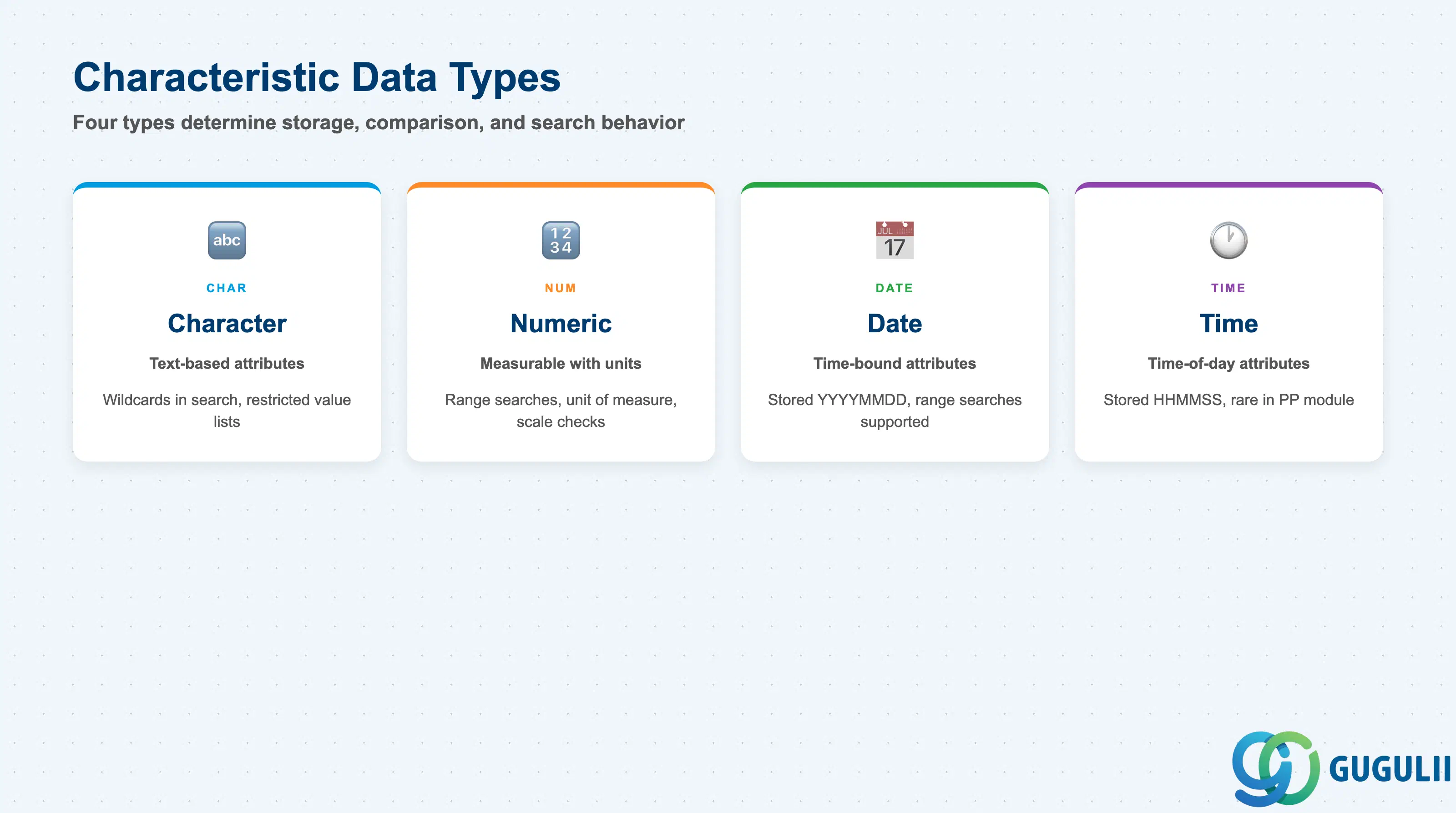
The Data Type of a Characteristic is the most consequential design decision: it determines how values are stored, compared, and searched. Choosing the wrong data type forces a recreation of the Characteristic — existing assignments cannot be migrated automatically.
| Data Type | Code | Use Case | Key Behavior |
|---|---|---|---|
| Character | CHAR | Text-based attributes (color, grade, model code, country of origin) | Case-sensitive by default; wildcards supported in CL30N searches; allows restricted value lists |
| Numeric | NUM | Measurable attributes with units (weight, tensile strength, voltage, diameter) | Supports unit of measure; range searches (from/to) in classification; scale-based value checks |
| Date | DATE | Time-bound attributes (manufacture date, certification expiry, inspection date) | Stores as YYYYMMDD; range searches supported; common in batch classification (QM/PP integration) |
| Time | TIME | Time-of-day attributes (rare in PP; more common in PM/QM shift logs) | Stored as HHMMSS; range searches supported |
Design principle: Use CHAR for all coded or free-text attributes. Use NUM for any attribute that will be used in range searches, calculations, or variant configuration pricing conditions. Avoid creating CHAR characteristics for numeric values — they sort lexicographically, not numerically, breaking range queries.
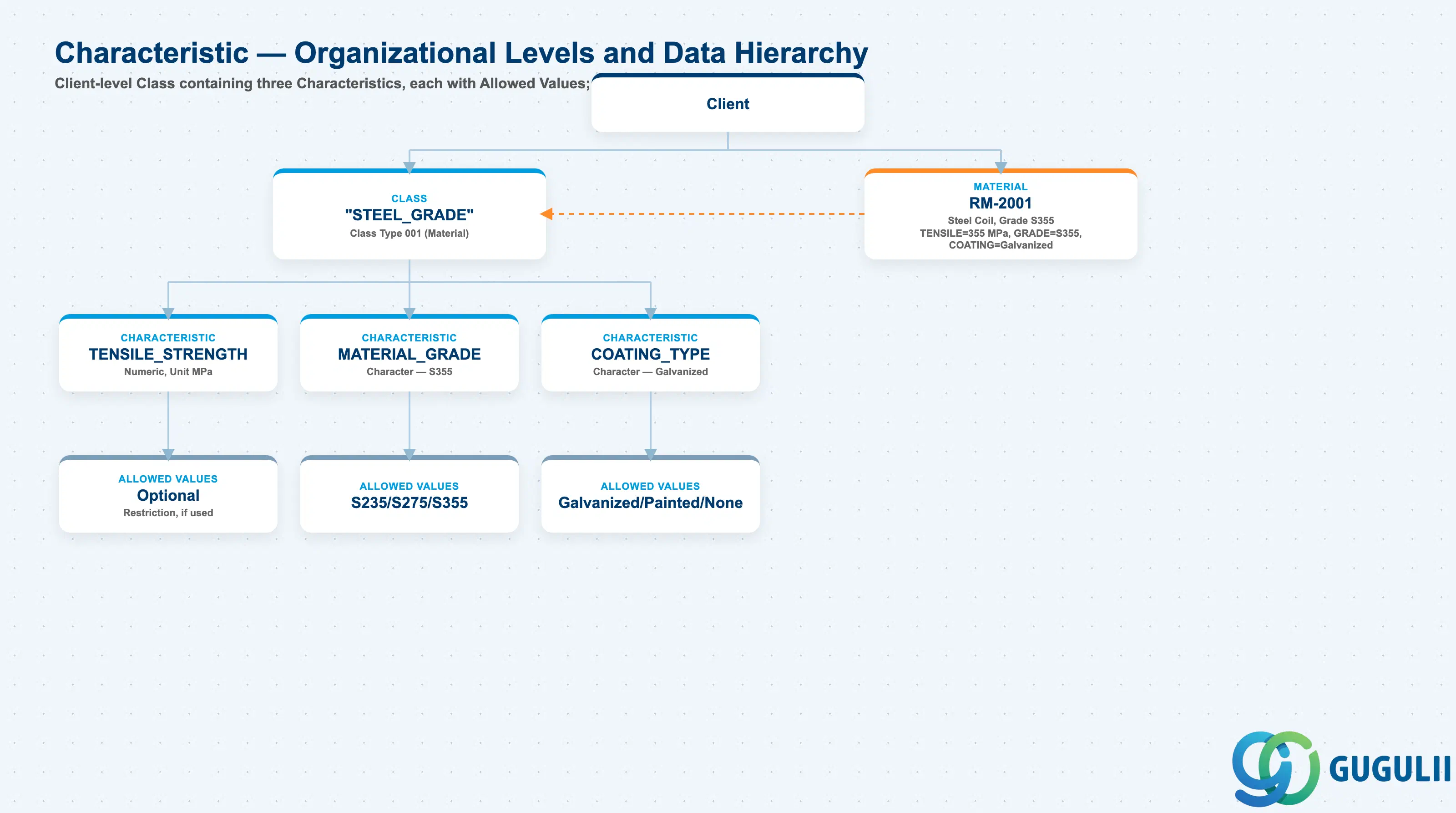
Data hierarchy with a concrete example
Client
   │
   ├── Class "STEEL_GRADE"
   │      Class Type 001 (Material)
   │      │
   │      ├── Characteristic "TENSILE_STRENGTH"
   │      │      Numeric, Unit MPa
   │      │      └── Allowed Values: optional restriction
   │      │
   │      ├── Characteristic "MATERIAL_GRADE"
   │      │      Character — S355
   │      │      └── Allowed Values: S235 / S275 / S355
   │      │
   │      └── Characteristic "COATING_TYPE"
   │             Character — Galvanized
   │             └── Allowed Values: Galvanized / Painted / None
   │
   └── Material RM-2001
          Steel Coil, Grade S355
          ── assigned to ──> Class "STEEL_GRADE"
          TENSILE_STRENGTH = 355 MPa
          MATERIAL_GRADE = S355
          COATING_TYPE = Galvanized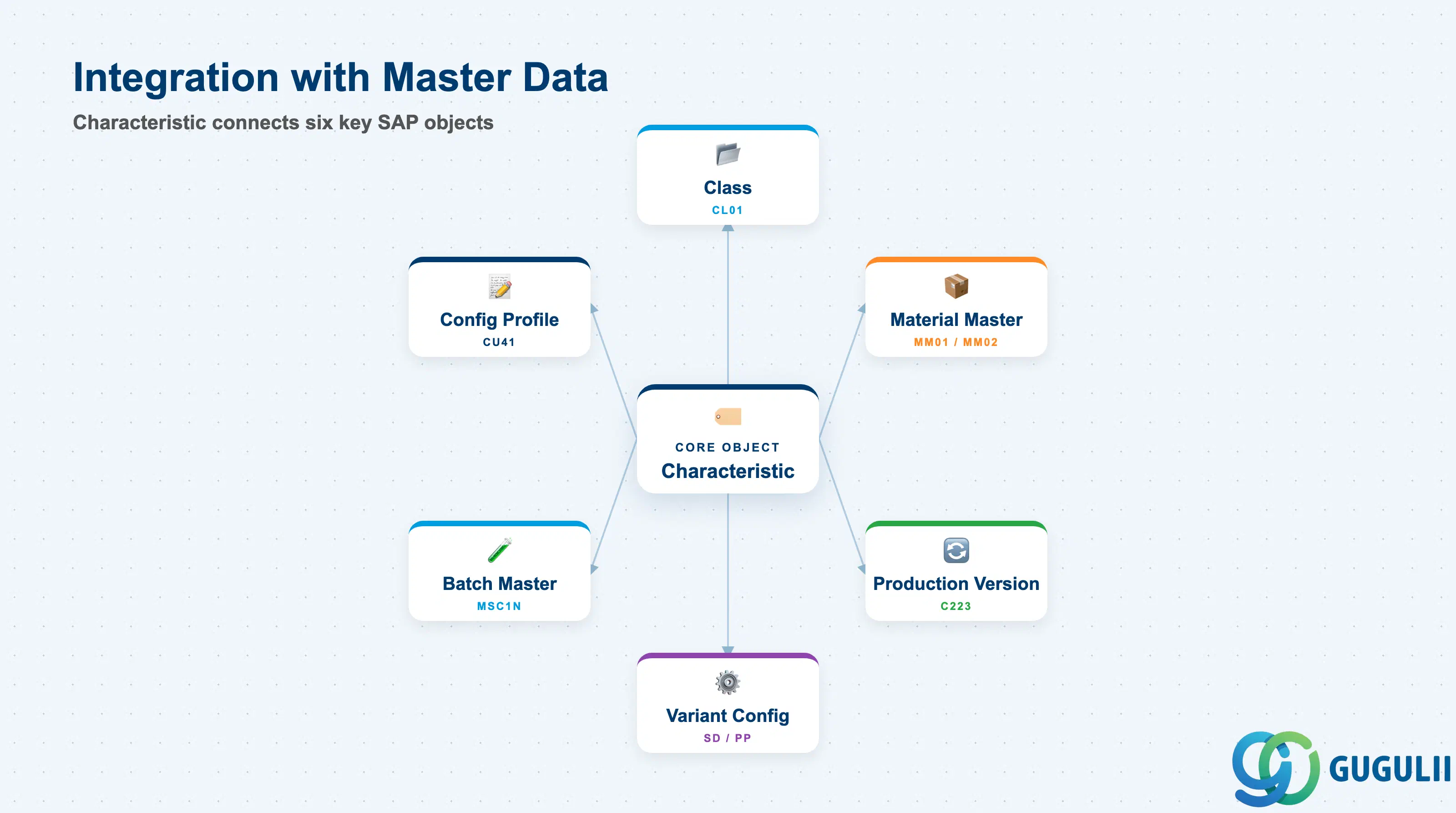
The Characteristic does not stand alone. Its value is realized only through its assignment to a Class, and the Class’s assignment to objects such as the Material Master.
| Object | Relationship | Practical Notes |
|---|---|---|
| Class (CL01) | A Characteristic is assigned to one or more Classes | One Characteristic can appear in multiple Classes. Changes to a Characteristic definition (e.g., adding a restricted value) affect all Classes that contain it — and all objects assigned to those Classes. |
| Material Master (MM01/MM02) | Class is assigned to material; Characteristic values are entered per material | The Classification View in MM01 is the point of entry for Characteristic values. Ensure the Material Master Classification View is selected during material creation. |
| Production Version (C223) | Classification-driven production version selection in Variant Configuration | In VC-driven production, Characteristics and their values drive the configuration profile, which in turn selects the correct BOM/Routing combination via the Production Version. |
| Variant Configuration (SD/PP) | Characteristics are the “attributes” in the VC model | A configurable material (KMAT) uses Characteristics to capture customer option selections (e.g., color=RED, engine=2.0L). These drive BOM explosion and Routing selection via dependency rules. |
| Batch Master (MSC1N) | Class type 023 Characteristics carry batch-specific attribute values | In industries where batch attributes differ (pharmaceutical, chemical, food), batch-level Characteristics store values like concentration, pH, or expiry date — critical for batch search in MRP and QM. |
| Configuration Profile (CU41) | Groups Characteristics into a configurable object definition | The Configuration Profile defines which Characteristics are user-selectable and in which sequence they appear during Sales Order entry or production planning. |
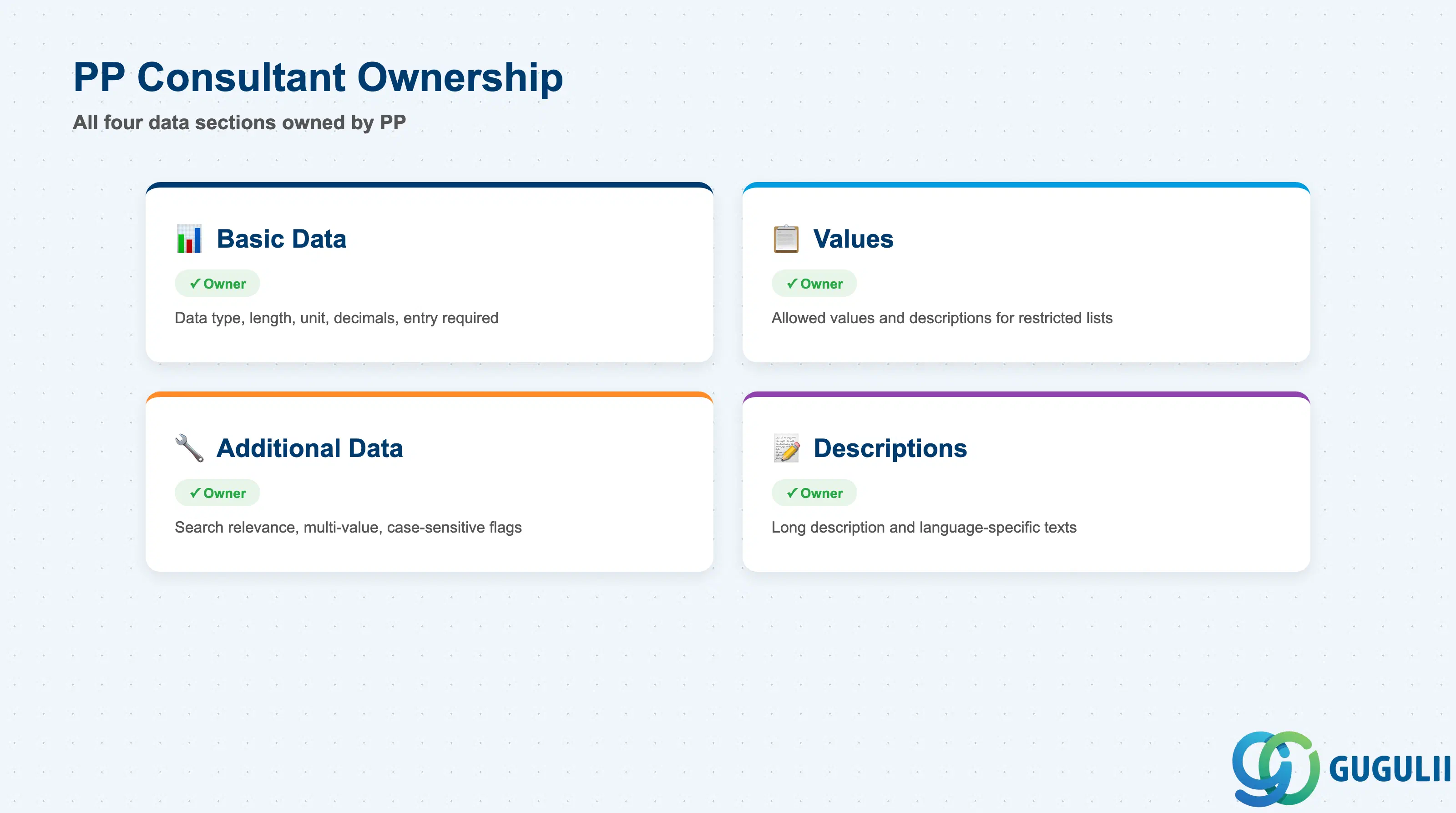
| Data Section | PP Involvement | Notes |
|---|---|---|
| Basic Data | ◎ Owner | Data type, length, unit of measure, number of decimal places, entry required flag |
| Values (Restricted Value List) | ◎ Owner | Allowed values and their descriptions when a restricted list is used |
| Additional Data | ◎ Owner | Search relevance, multi-value flag, case-sensitive flag, negative values allowed |
| Descriptions | ◎ Owner | Long description and language-specific descriptions of the Characteristic and its values |
Legend: ◎ = Owner / Critical, ○ = Direct involvement
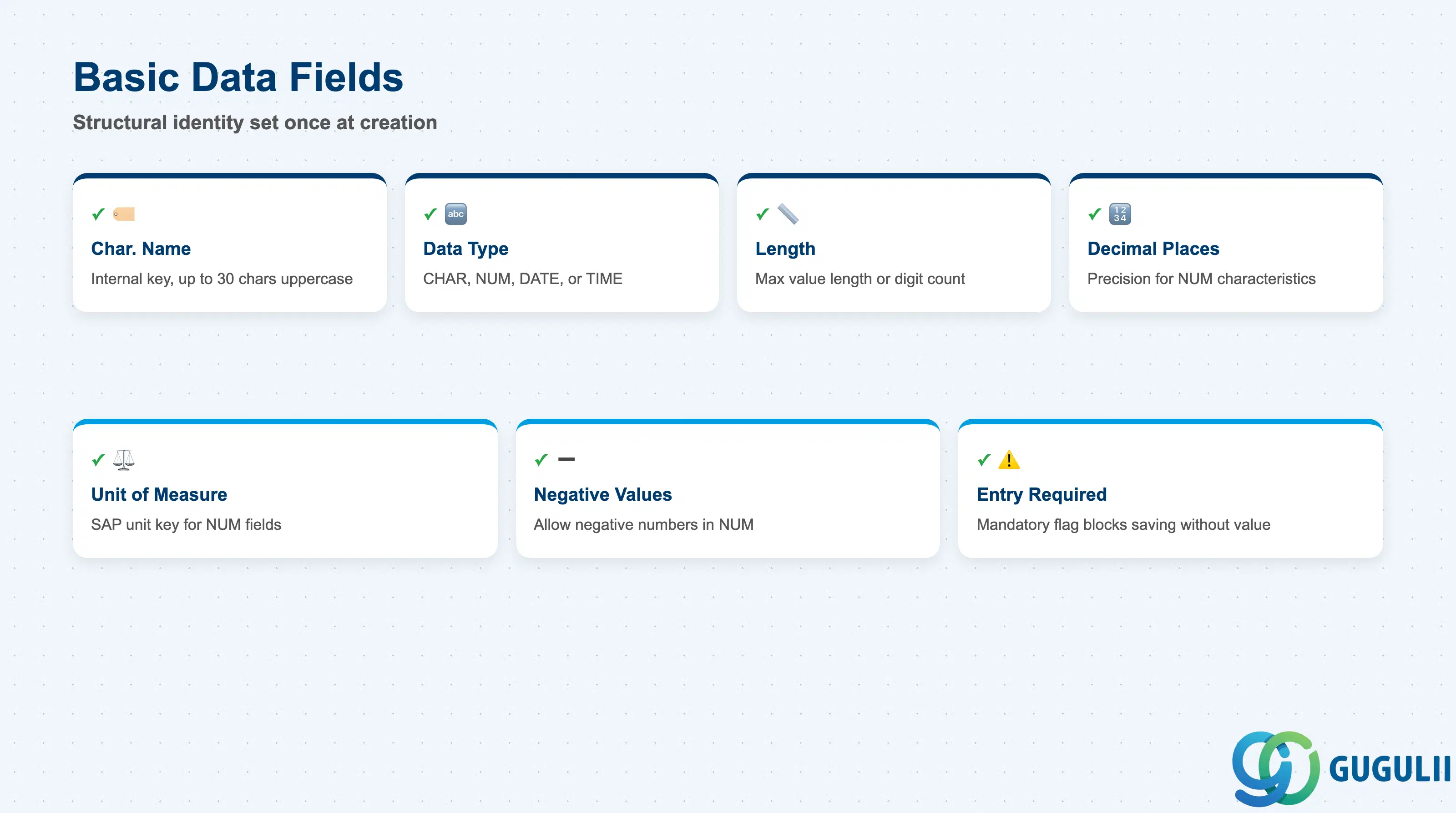
The Basic Data tab (CT04, first screen) defines the structural identity of the Characteristic. These fields are set once at creation; most cannot be changed after values have been assigned to objects without significant data remediation effort.
| Field | Description | Practical Usage |
|---|---|---|
| Characteristic Name (ATNAM) | Internal name key — up to 30 characters, uppercase | Use a structured naming convention such as PP_COLOR, PP_TENSILE_STR, PP_GRADE to group PP-owned characteristics in search and reporting. Avoid spaces; use underscores. Name changes require deletion and recreation — choose carefully during blueprint. |
| Data Type (ATFOR) | CHAR, NUM, DATE, or TIME — see Section 1.2 | Lock this decision in blueprint with the process owner. A CHAR-type characteristic cannot be used in range searches. A NUM-type characteristic cannot hold free-text values. Wrong data type is the most common Classification rework driver. |
| Number of Characters / Length | Maximum length of the value (CHAR) or digit count (NUM) | For CHAR: size the field generously — shortening later is not possible without data loss. For NUM: set to accommodate the expected precision. Example: for weight in kg with 3 decimal places, length = 7, decimals = 3. |
| Number of Decimal Places | Decimal precision for NUM characteristics | Set to 0 for whole-number attributes (e.g., number of threads). Set to 2–4 for precise engineering measurements. Mismatched decimal settings between the characteristic and the measurement instrument tolerance sheet is a common QM integration issue. |
| Unit of Measure (MSEHI) | SAP unit key for NUM characteristics | Must exist in UOM Customizing (T006). For PP, common units: KG, G, MM, CM, M, BAR, PA, %. Leave blank for dimensionless numeric ratios (e.g., percentage concentration stored without unit). |
| Negative Values Allowed | Allows negative numbers in NUM characteristics | Enable for temperature (e.g., °C can be negative), pressure delta, or deviation metrics. Default is off — do not enable unless the process explicitly requires negative values, as it opens the door to data entry errors. |
| Entry Required | Mandatory flag — value must be entered when the class is assigned | Use selectively. If set on a characteristic and the material is assigned to the class, MM01 will block saving without a value. Useful for critical classification attributes; overuse creates master data creation bottlenecks. |
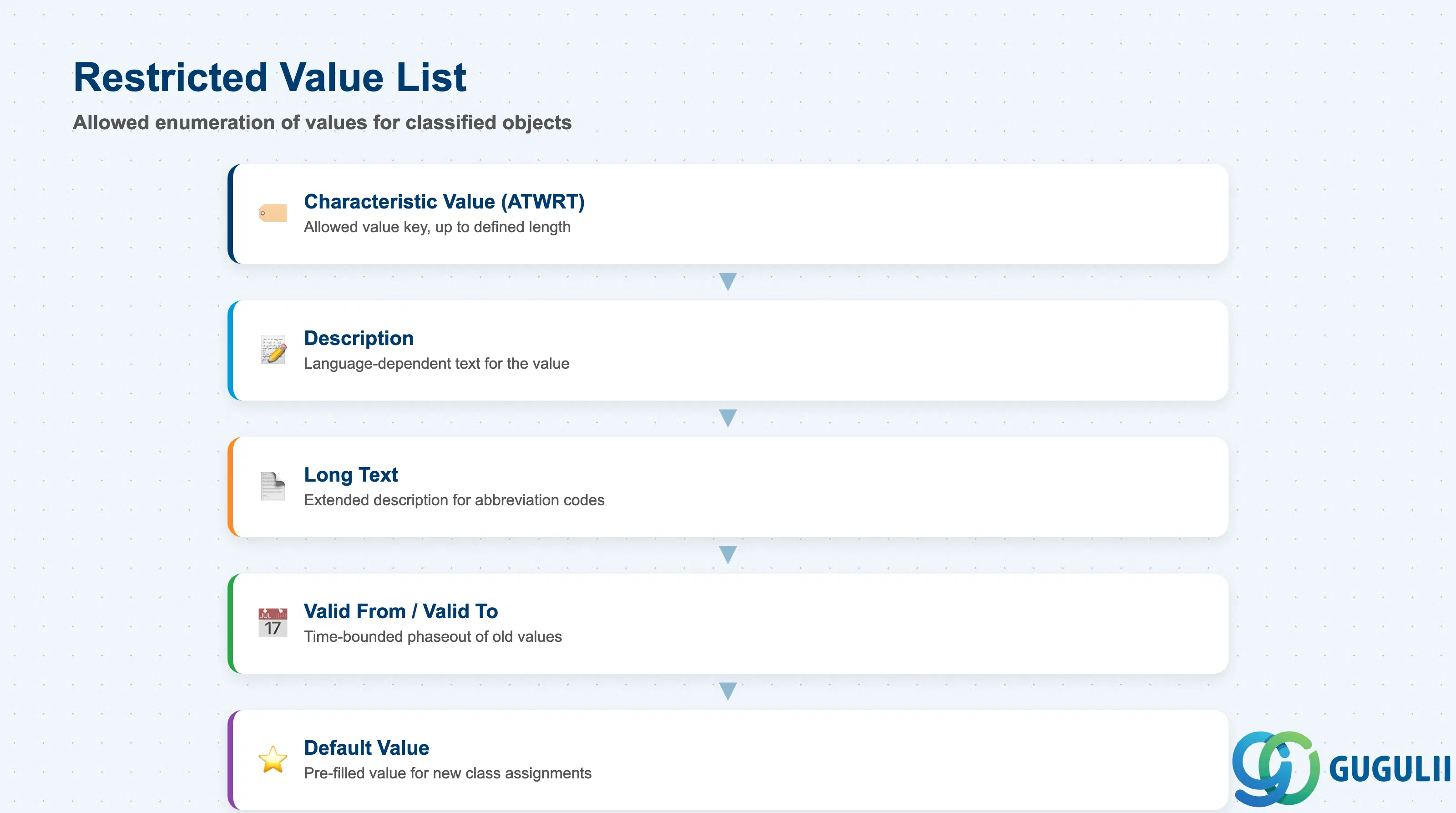
When the Restriction Indicator is set on the Basic Data tab, the Values tab (CT04) becomes active. This tab defines the allowed enumeration of values — only entries in this list can be assigned to classified objects.
| Field | Description | Practical Usage |
|---|---|---|
| Characteristic Value (ATWRT) | The allowed value key — up to the length defined in Basic Data | For CHAR types: define concise, stable codes (RED, BLUE, A-GRADE, B-GRADE). For NUM types with restriction: define discrete allowed numbers (e.g., 50, 100, 200 for standard batch sizes). Codes should be stable — deleting a value that is already assigned to objects produces errors. |
| Description | Language-dependent text for the value | Enter descriptions in all project languages. Descriptions appear in the Classification search UI and in Variant Configuration option selection during Sales Order entry. A missing description causes blank display in user-facing screens. |
| Long Text | Extended description for the value | Optional but useful for CHAR values where the code is an abbreviation. Example: value = “A1”, long text = “Grade A1 — surface finish Ra ≤ 0.8 μm.” Referenced by quality engineers and displayed in some reporting outputs. |
| Valid From / Valid To | Validity period for the value | Allows time-bounded phaseout of old values. Set Valid To when a grade code is discontinued to prevent new assignments while retaining historical data. Expired values still display on existing classified objects but cannot be assigned to new ones. |
| Default Value | Pre-filled value when class is assigned to a new object | Use to reduce data entry effort for the most common value. Example: for a COLOR characteristic, default = “NATURAL” for raw materials. Overridable by the user during classification entry. |
Prerequisite: The Restriction Indicator in the Basic Data tab must be set before the Values tab activates. Once values have been assigned to classified objects, removing the restriction requires a full recheck of existing assignments — plan this carefully if discovered late in the project.
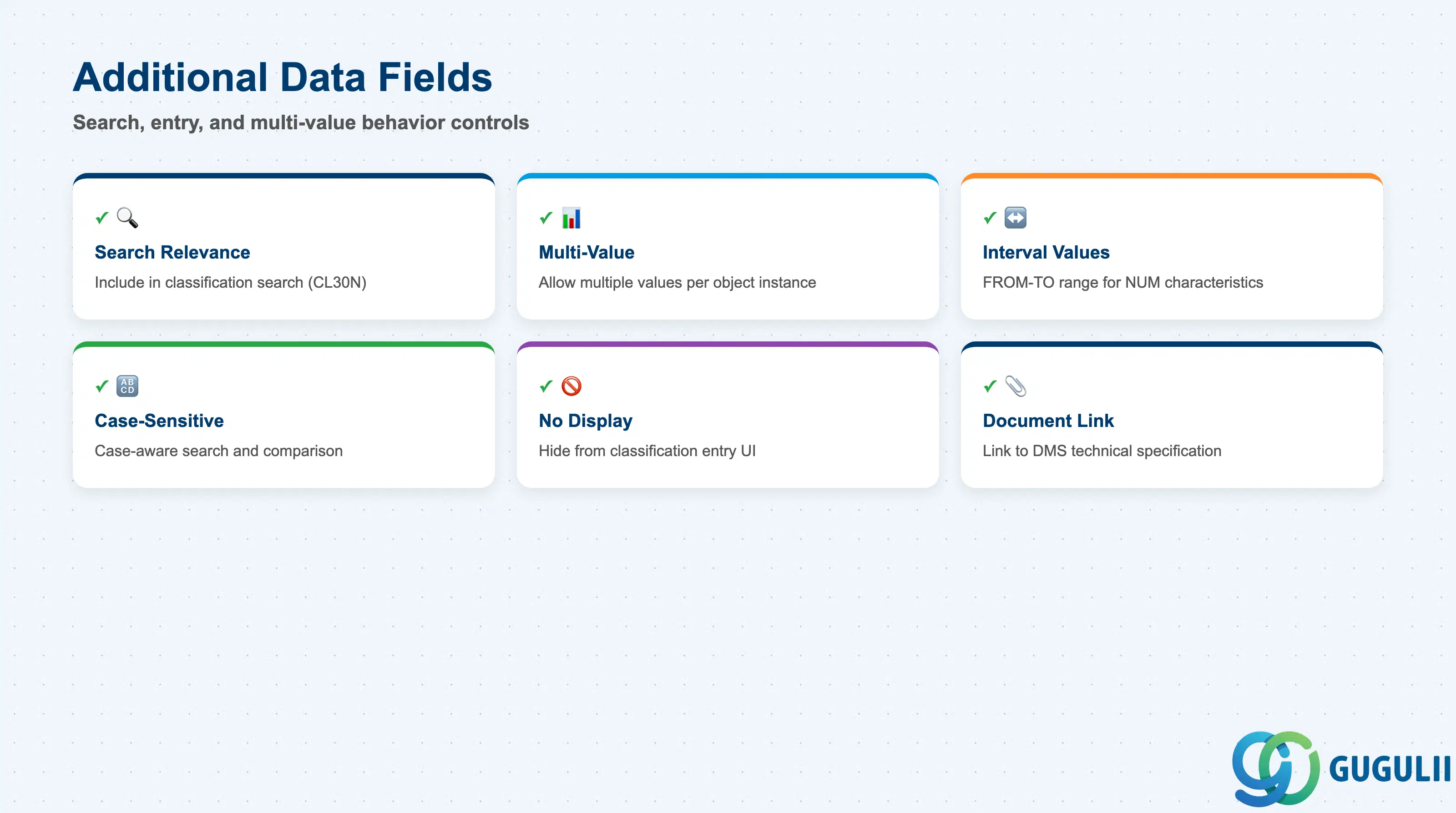
The Additional Data tab controls how the Characteristic behaves in search, user entry, and multi-value scenarios. These settings are often overlooked during initial setup and later become a source of search and user experience issues.
| Field | Description | Practical Usage |
|---|---|---|
| Search Relevance (ATKLA=1) | Marks the Characteristic as included in classification search (CL30N / Fiori) | Set to “Relevant for search” for any characteristic that process users will use to find materials. Without this flag, the characteristic is invisible in classification search — materials can be classified but cannot be found by that attribute. Essential for characteristics used in procurement or variant selection. |
| Multi-Value Allowed | Permits assignment of more than one value to a single object instance | Enable for attributes where a material genuinely has multiple valid values — e.g., APPLICABLE_STANDARD = [ISO9001, AS9100] simultaneously. Do not enable by default; multi-value characteristics complicate MRP logic in Variant Configuration and require explicit handling in dependency rules. |
| Interval Values Allowed (NUM only) | Allows FROM–TO range assignment rather than a single value | Useful when a material is certified for a range (e.g., operating temperature = -20°C to +85°C). The assigned range is then searchable: “find all materials that cover operating temperature -10°C.” Requires careful design of range overlap logic in CL30N. |
| Case-Sensitive (CHAR only) | Values are treated as case-sensitive during search and comparison | Leave unchecked unless the characteristic codes are intentionally case-differentiated (rare). Case-sensitive characteristics cause search mismatches when users enter values in mixed case — a common data quality issue. |
| No Display | Hides the characteristic from the classification entry UI | Use only for system-generated or automatically populated characteristics. Hiding a characteristic that process users need to maintain is a frequent misconfiguration during system integration testing. |
| Document | Links the characteristic to a DMS document | Optional. Used in engineering environments where the characteristic definition is tied to a technical specification document. PP rarely uses this; more common in QM and Engineering. |
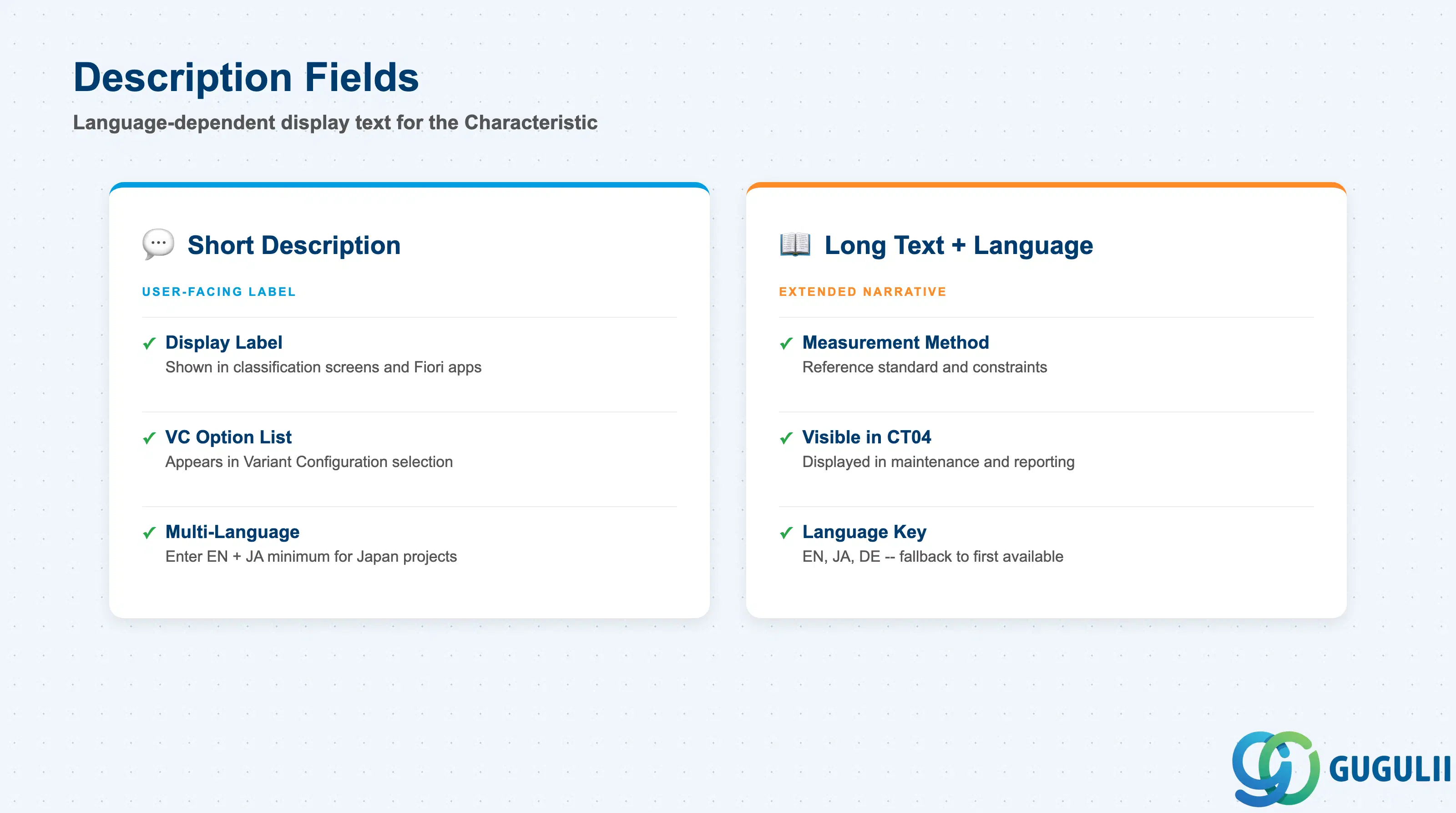
The Descriptions tab (CT04) holds the language-dependent display text for the Characteristic itself. This is distinct from the value descriptions in the Values tab — it describes what the Characteristic measures, not what its values mean.
| Field | Description | Practical Usage |
|---|---|---|
| Short Description | Language-specific label displayed in classification screens, Fiori apps, and VC option lists | Enter descriptions in all project languages during the master data build sprint. English and Japanese are the minimum for Japan-targeted projects. The short description is the primary user-facing label — make it unambiguous: “Surface Roughness (Ra)” is better than “Roughness.” |
| Long Text | Extended narrative description of what the Characteristic measures | Include measurement method, reference standard, and any constraints. Example: “Tensile Strength measured per JIS Z 2241 at 23°C. Values outside 200–800 MPa require engineering approval.” Long texts are visible in CT04 and some reporting outputs but not in standard classification entry screens. |
| Language | SAP language key (EN, JA, DE, etc.) | Each language adds a separate row. The system displays the description in the user’s logon language. If a logon-language translation is missing, the system falls back to the first available language — creating apparent “wrong language” displays for multilingual project teams. |
Prerequisite: At minimum, create descriptions in EN (English) and JA (Japanese) before the Characteristic is used in production. Missing language entries are one of the most common issues raised during go-live readiness reviews for Japan-based implementations.
| ID | Category | Title |
|---|---|---|
| pp-001 | Overview | What is SAP PP? |
| ID | Category | Title |
|---|---|---|
| pp-a01 | Overview | SAP PP Master Data: Overview, Hierarchy & Relationships |
| pp-a02-01 | Master Data | SAP PP Material Master |
| pp-a02-02 | Master Data | SAP PP MRP Controller |
| pp-a03-01 | Master Data | SAP PP Work Center |
| pp-a04-01 | Master Data | SAP PP Bill of Materials (BOM) |
| pp-a04-02 | Master Data | SAP PP Routing |
| pp-a05-01 | Master Data | SAP PP Production Version |
| pp-a06-01 | Master Data | SAP PP Class |
| pp-a06-02 | Master Data | SAP PP Characteristic 📍 |
| ID | Category | Title |
|---|---|---|
| pp-b01 | Overview | SAP PP Transactions: Process Flow, Hierarchy & Relationships |