Title here
Summary here

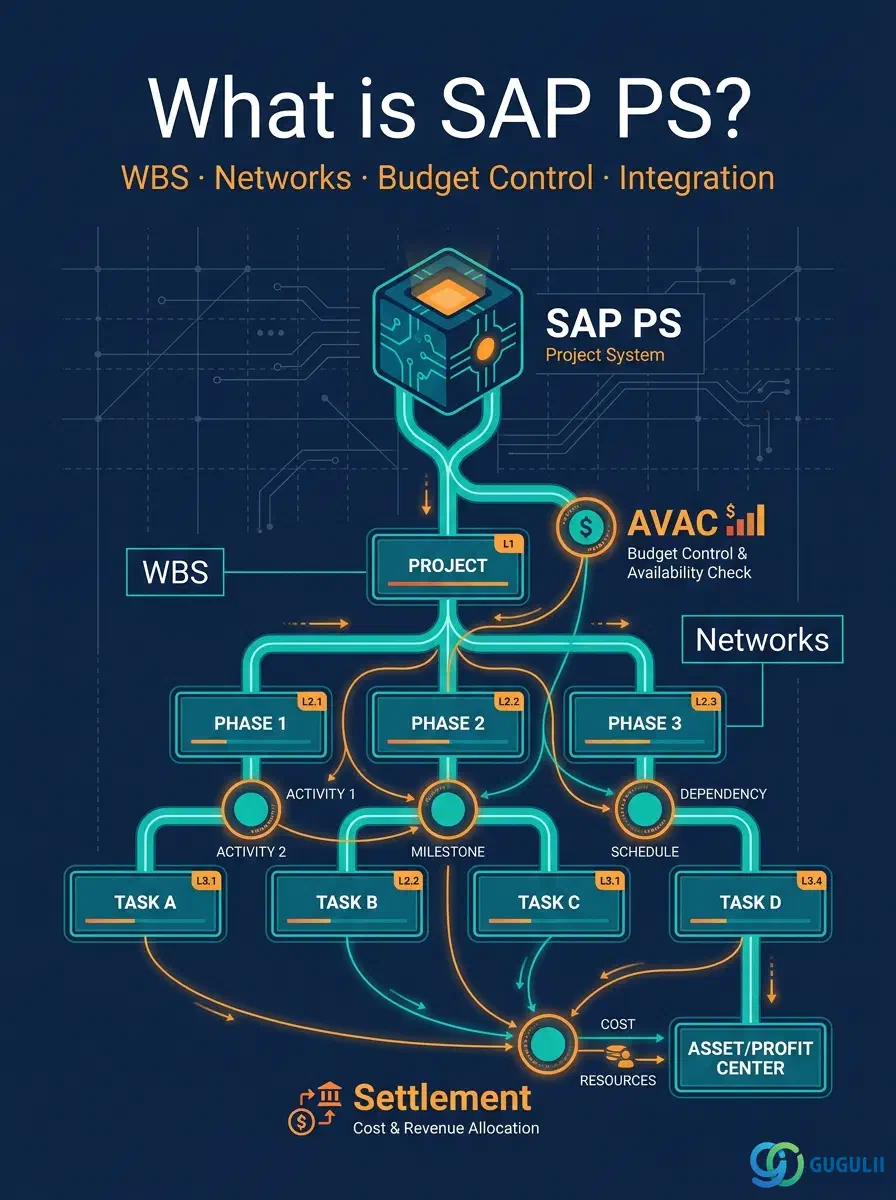
SAP Project System (PS) is the project management component within SAP ERP and SAP S/4HANA. It supports the entire project lifecycle: initiating the project structure, planning costs and revenues, managing budgets, executing work, invoicing customers, and closing the project through period-end settlement.
PS serves two broad project categories:
| Project Type | Description | Primary Billing / Settlement |
|---|---|---|
| Internal / Investment | Cost-collecting projects (IT, infrastructure, capital expenditure) | Settlement to CO cost centers or FI-AA fixed assets (via AuC) |
| External / Customer | Revenue-generating projects billed to a customer | SD sales order → milestone billing or resource-related billing |
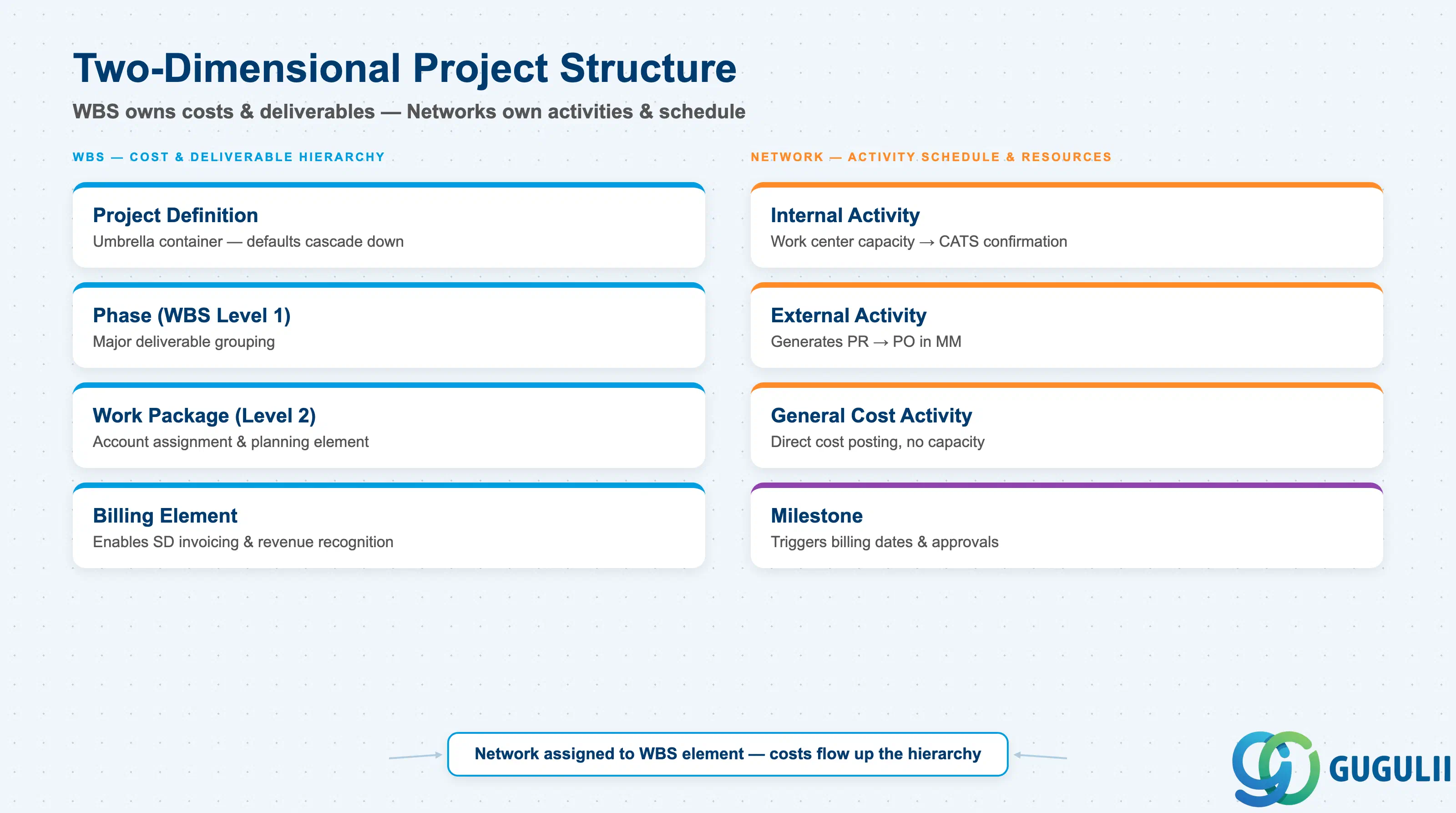
The structural backbone of a PS project has two complementary dimensions.
Project Definition is the umbrella container. It carries default data — controlling area, company code, scheduling parameters — that cascades down to child WBS elements and networks.
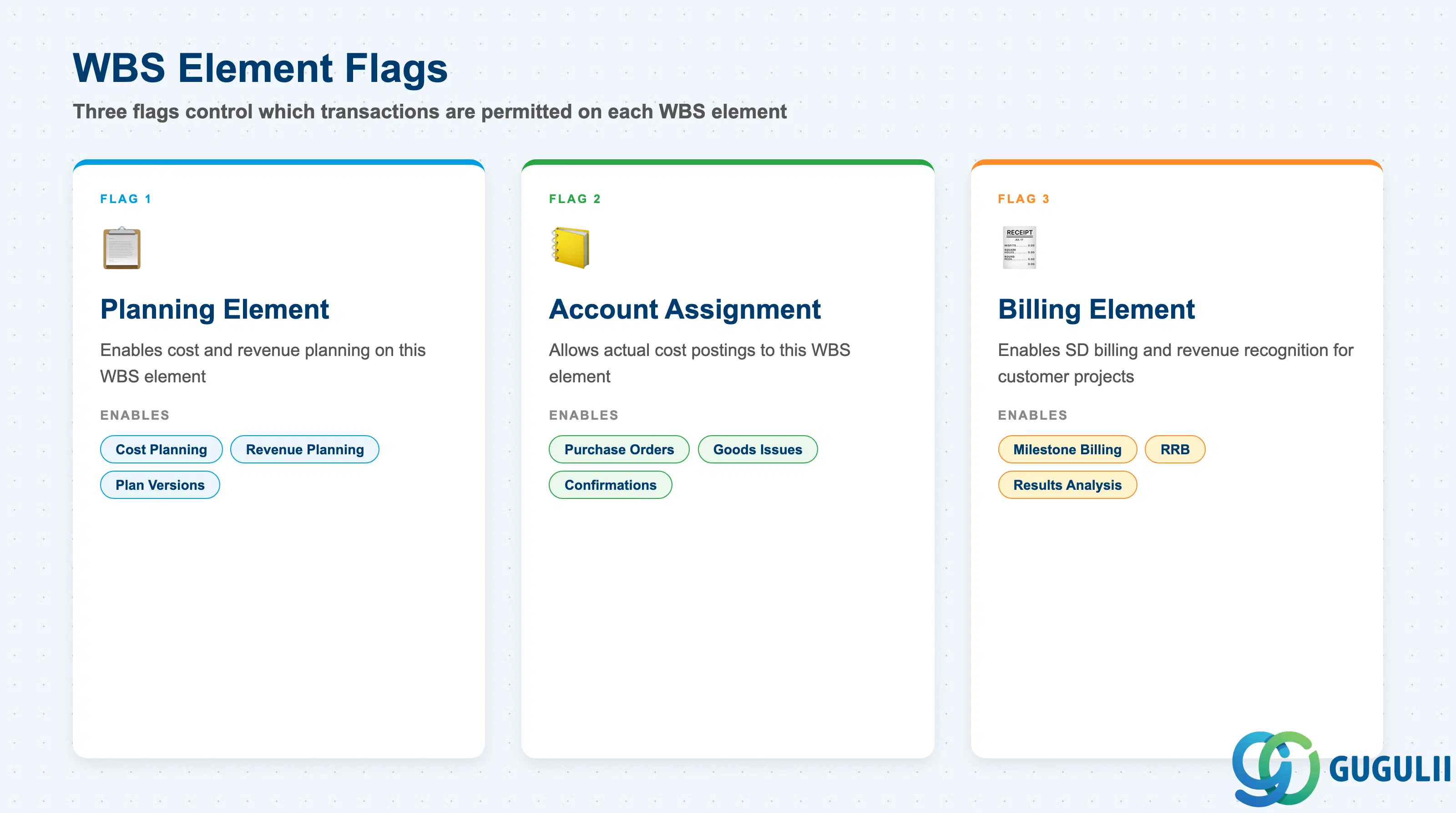
WBS Elements (Work Breakdown Structure) are the hierarchical, deliverable-oriented building blocks of the project. Each WBS element is a cost object: commitments, actuals, revenues, and budget are tracked at this level. Key flags on WBS elements control which transactions are allowed:
WBS hierarchies can be designed to 99 levels, though three to five levels are typical in practice. A representative structure might be: Project → Phase → Work Package → Activity.
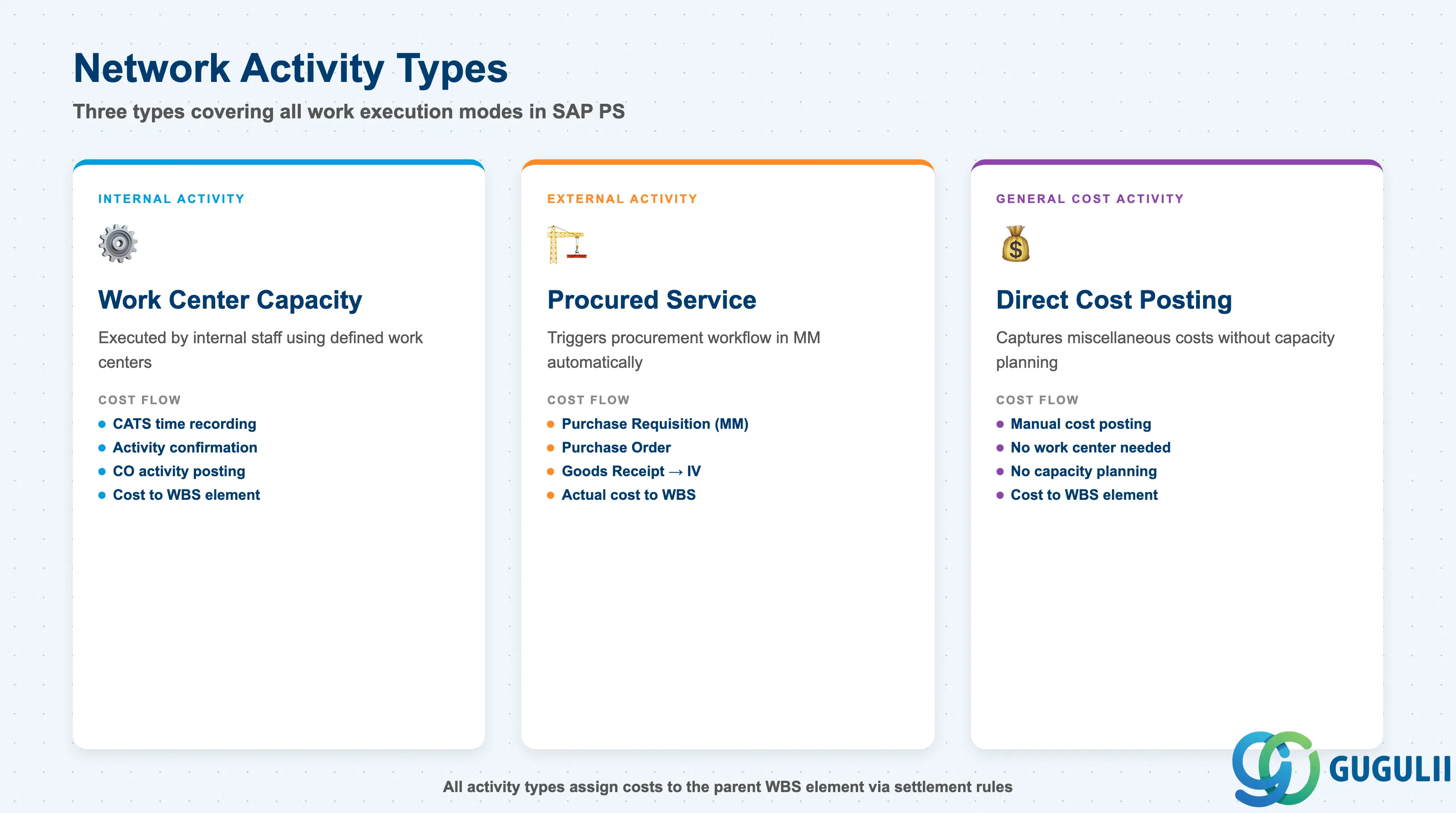
Networks add the time and resource dimension. A network consists of Activities and Activity Elements. Three activity types exist:
Milestones in networks are events attached to activities. They serve as triggers for billing dates (milestone billing), scheduling constraints, and approval checkpoints. When a milestone is confirmed as completed, any billing plan date linked to it becomes active in SD.
Networks are assigned to WBS elements, creating a two-dimensional structure where the WBS provides cost hierarchy and accountability while the network provides the activity-level schedule.
PS supports several planning approaches, and they can be combined within a single project:
Cost Planning at WBS Level — planners enter cost values directly on WBS elements in total or per period. This is the fastest approach for high-level estimation. The planning can be broken down by cost element (material, labor, overhead).
Network-Based Cost Planning — when internal activities are planned with work quantity and work center rates, the system calculates cost automatically based on CO activity types and rates. External activities are costed from the price on the service PO or conditions.
Revenue Planning — for customer projects, revenues are planned either directly on WBS billing elements (manual) or derived from SD sales order items that are assigned to the WBS. Revenue planning integrates with Results Analysis (RA) to compute project margins.
Planning Versions — PS supports multiple planning versions, allowing scenario comparison (baseline, optimistic, pessimistic). The operative plan is version 0.
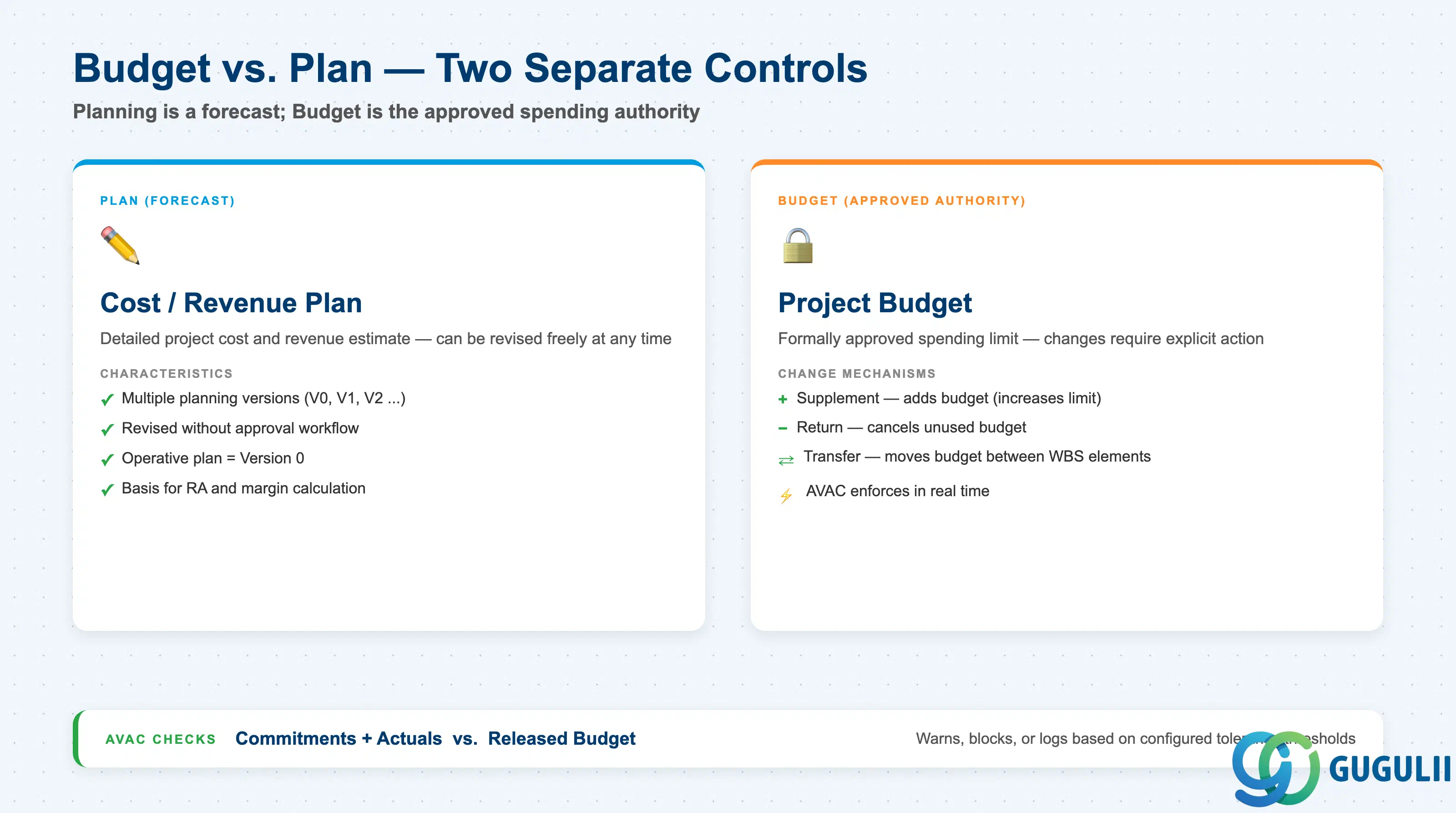
Planning and budgeting are conceptually separate in PS:
Budget is managed on the WBS hierarchy. The original budget is entered at the top level and distributed downward. Budget can also be allocated to individual WBS elements directly.
Budget Release controls how much of the approved budget is available to spend at a given time. This is relevant for phased projects where full authorization is not granted upfront. Only the released portion is checked by Availability Control.
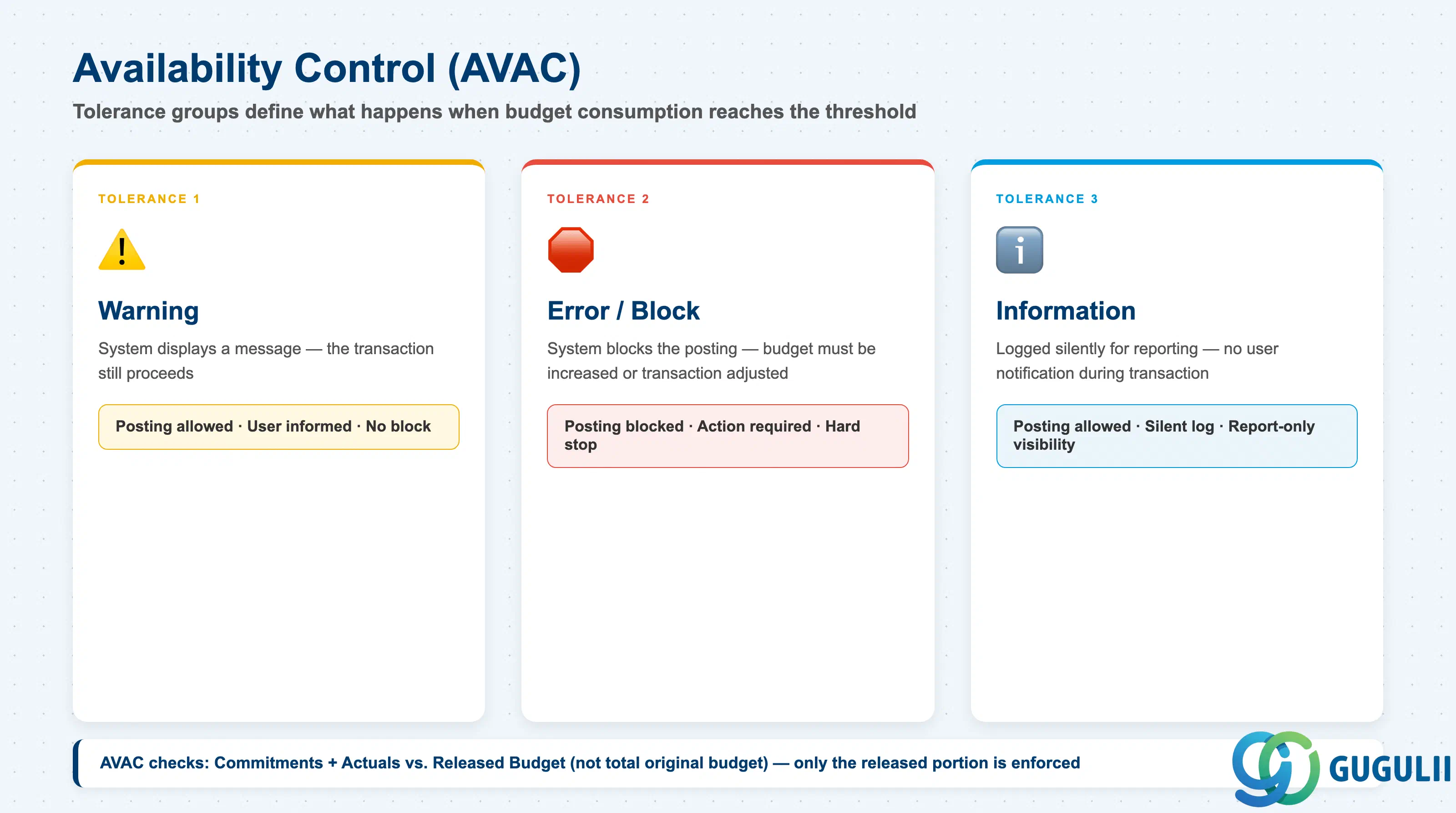
Availability Control (AVAC) is the enforcement mechanism. It compares budget consumption (commitments + actuals) against the released budget. Configuration defines tolerance groups with three action types:
| Tolerance | Action |
|---|---|
| Tolerance 1 | Warning — the system displays a message but does not block the transaction |
| Tolerance 2 | Error — the system blocks the posting until budget is increased or the transaction is adjusted |
| Tolerance 3 | Information — logged for reporting without user notification |
Budget changes are managed via:
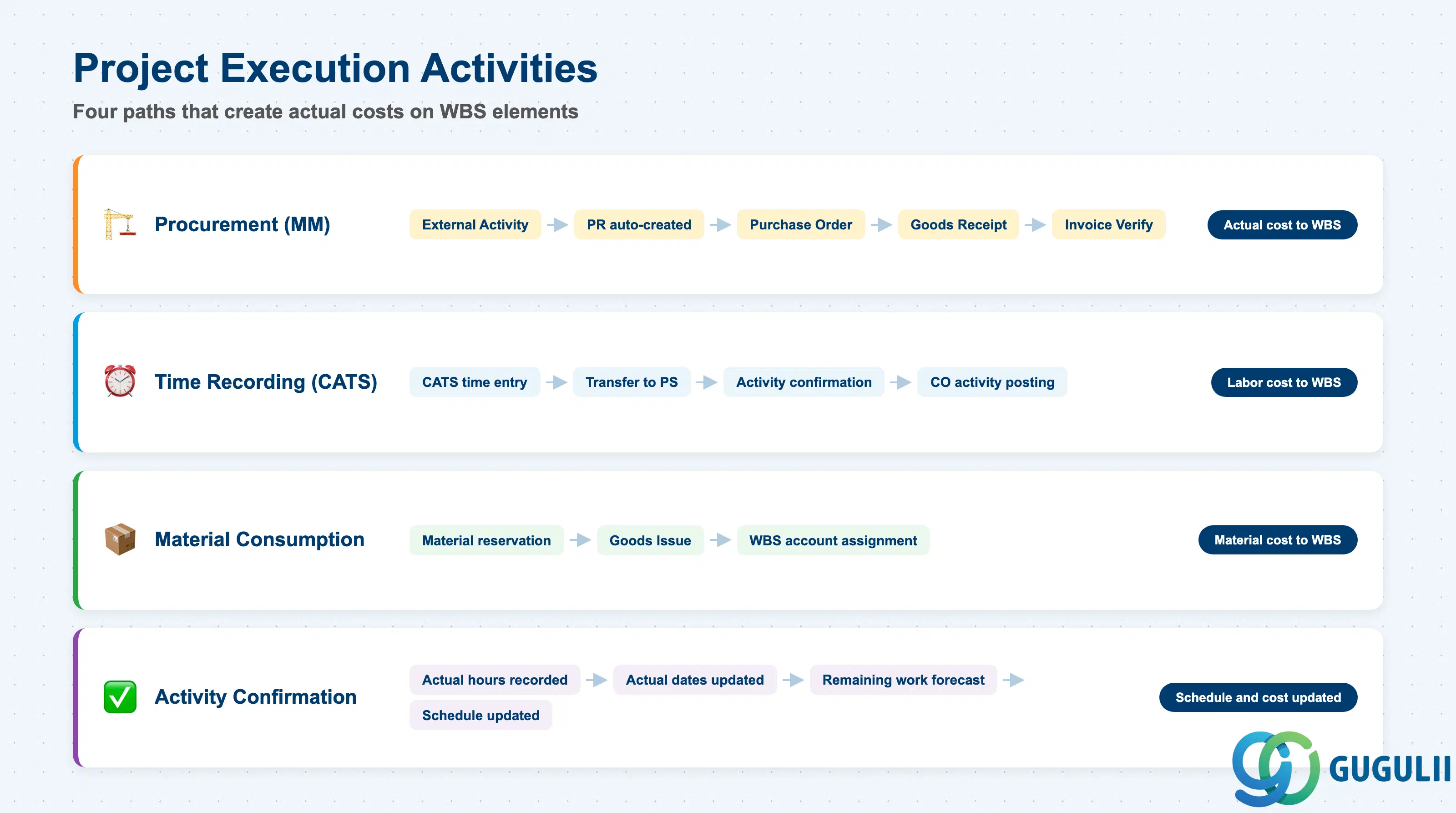
Execution activities create actual costs against the project structure:
Procurement (MM Integration) — external activities generate PRs automatically; material components on activities create reservations or trigger MRP. Goods receipts against project POs post actual material costs to WBS elements.
Time Recording (CATS) — employees record working time against WBS elements or network activities using the Cross-Application Time Sheet (CATS). Confirmed hours are transferred to activity confirmation which triggers CO actual activity posting.
Activity Confirmation — confirms actual work performed on network activities: actual hours, final confirmation, forecast remaining work, actual dates. Confirmations update scheduling and cost roll-ups.
Goods Movements — goods issued from warehouse to a WBS element (goods issue with account assignment to WBS) post material consumption costs to the project.
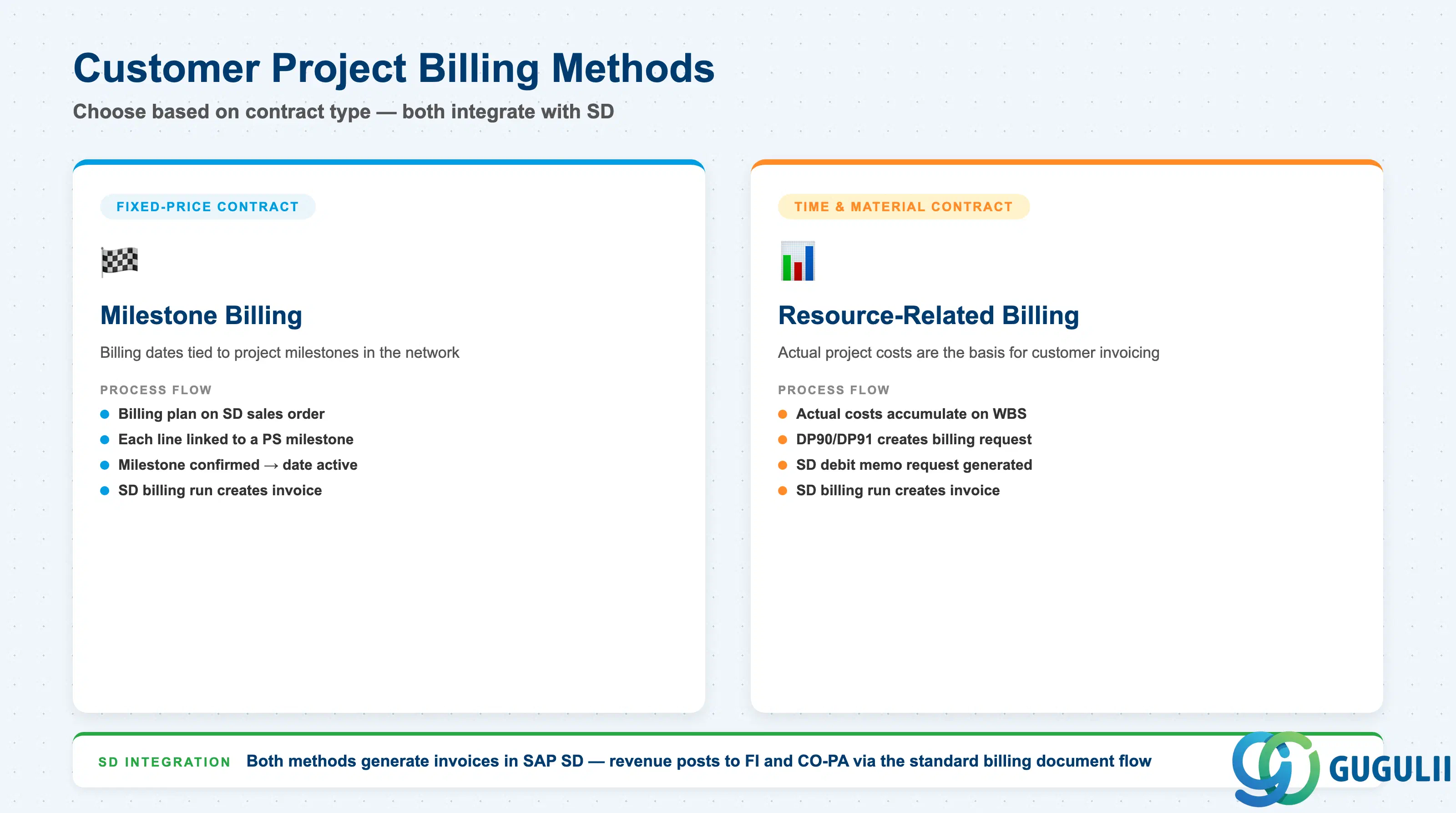
Milestone Billing ties customer invoices to project milestones. A billing plan is created on the SD sales order item, and each line in the billing plan corresponds to a PS milestone. When the milestone is confirmed in the project, the billing date becomes relevant, and the SD billing run creates the invoice. This model is standard for fixed-price contracts.
Resource-Related Billing (RRB) bills based on actual project costs. The process uses transactions DP90 (RRB request) or DP91 (milestone request) to create a billing request document in SD, which then passes through the standard SD invoice workflow. RRB is standard for time-and-material contracts.
Results Analysis (RA) is the period-end mechanism for revenue recognition on customer projects. RA calculates:
RA postings are made to FI/CO at period-end and reversed at the start of the next period (periodic RA).
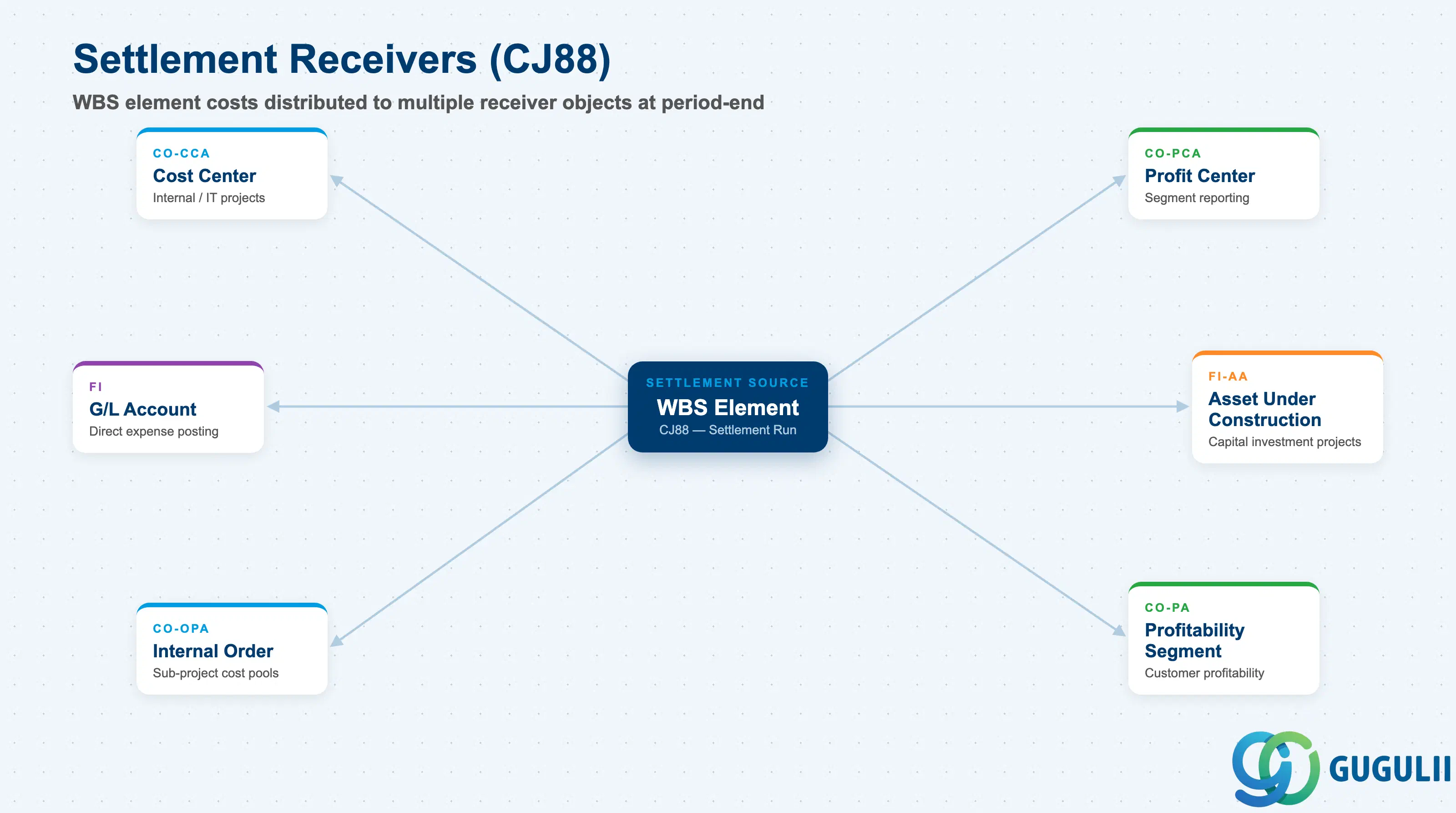
Settlement (CJ88) distributes accumulated project costs (and revenues) from WBS elements to receiver objects. Common settlement receivers:
| Receiver | Module | Use Case |
|---|---|---|
| Cost Center | CO-CCA | Internal projects (IT, admin) |
| Profit Center | CO-PCA | Profitability reporting |
| G/L Account | FI | Direct expense capitalization |
| Asset Under Construction (AuC) | FI-AA | Capital investment projects |
| Internal Order | CO-OPA | Cost collection for sub-projects |
| Profitability Segment | CO-PA | Customer profitability analysis |
Settlement rules on each WBS element define the receiver, the settlement share (percentage or equivalence number), and the validity period.
Overhead Calculation (CJ44) applies CO overhead surcharges based on costing sheets configured in CO to project actual costs at period-end.
Project Technical Completion (TECO) freezes the project: no new actual costs can be posted after TECO. Final settlement distributes all remaining WBS balances to receivers. Project Close (CLSD) status is the final administrative lock.
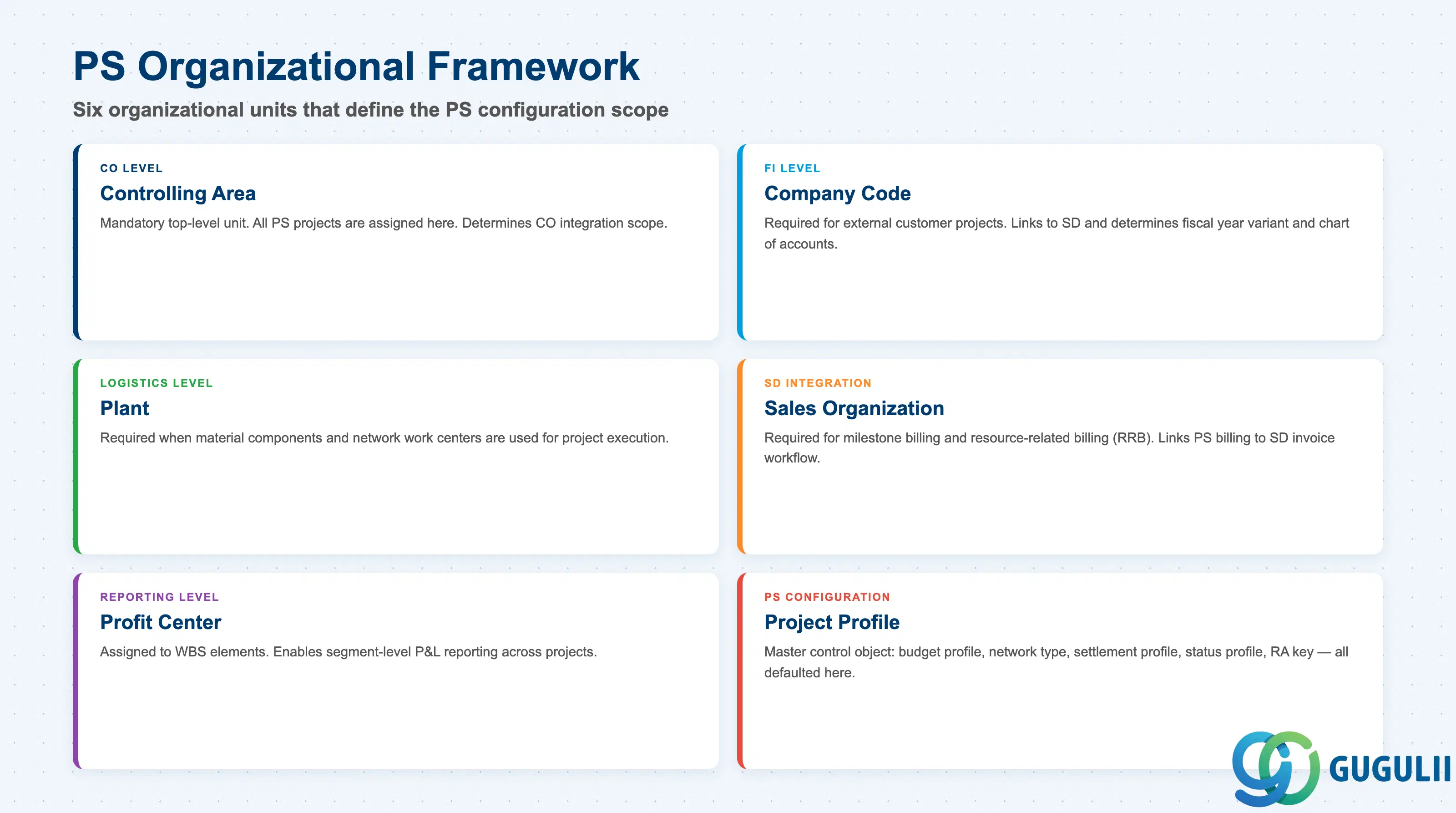
PS sits within the SAP controlling and logistics organizational framework:
| Organizational Unit | Relevance to PS |
|---|---|
| Controlling Area | Mandatory top-level CO unit; all PS projects assigned here |
| Company Code | Required for external customer projects (links to SD); also determines fiscal year variant and chart of accounts |
| Plant | Required when material components and network work centers are used |
| Sales Organization / Distribution Channel | Required for SD integration (milestone billing, RRB) |
| Profit Center | Assigned to WBS elements for segment reporting |
| Functional Area | Optional; used for cost-of-sales accounting |
Project Profile (PS configuration) is the master control object. It sets defaults for:
Network Profile / Network Type control scheduling algorithm (forward, backward, or current-date-based), capacity planning relevance, and how activity costs are calculated.
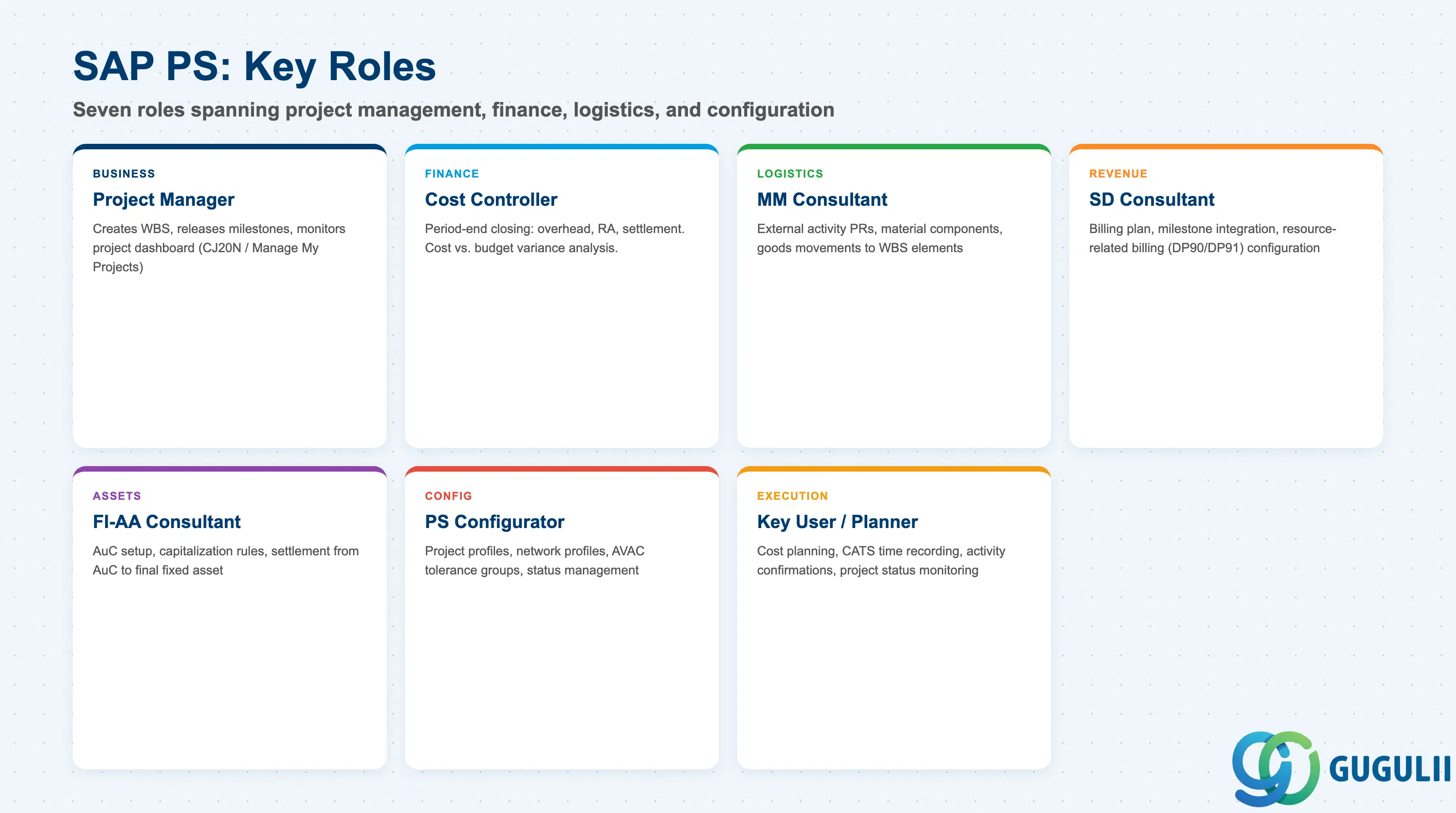
| Role | Primary PS Activities |
|---|---|
| Project Manager | Create project definition and WBS, plan structure, release milestones, monitor project dashboard (CJ20N / Fiori: Manage My Projects) |
| Cost Controller / CO Consultant | Period-end closing (overhead, RA, settlement), analyze cost vs. budget variance, configure settlement rules |
| PS/Basis Configurator | Project profiles, network profiles, availability control tolerance groups, status management |
| MM Consultant | External activity purchase requisition handling, material components, goods movements |
| SD Consultant | Billing plan setup, milestone integration, resource-related billing DP90/DP91 configuration |
| FI-AA Consultant | Asset Under Construction (AuC) setup, capitalization rules, AuC settlement to final assets |
| Key User / Planner | Enter cost plans, record time via CATS, update activity confirmations, monitor project status |
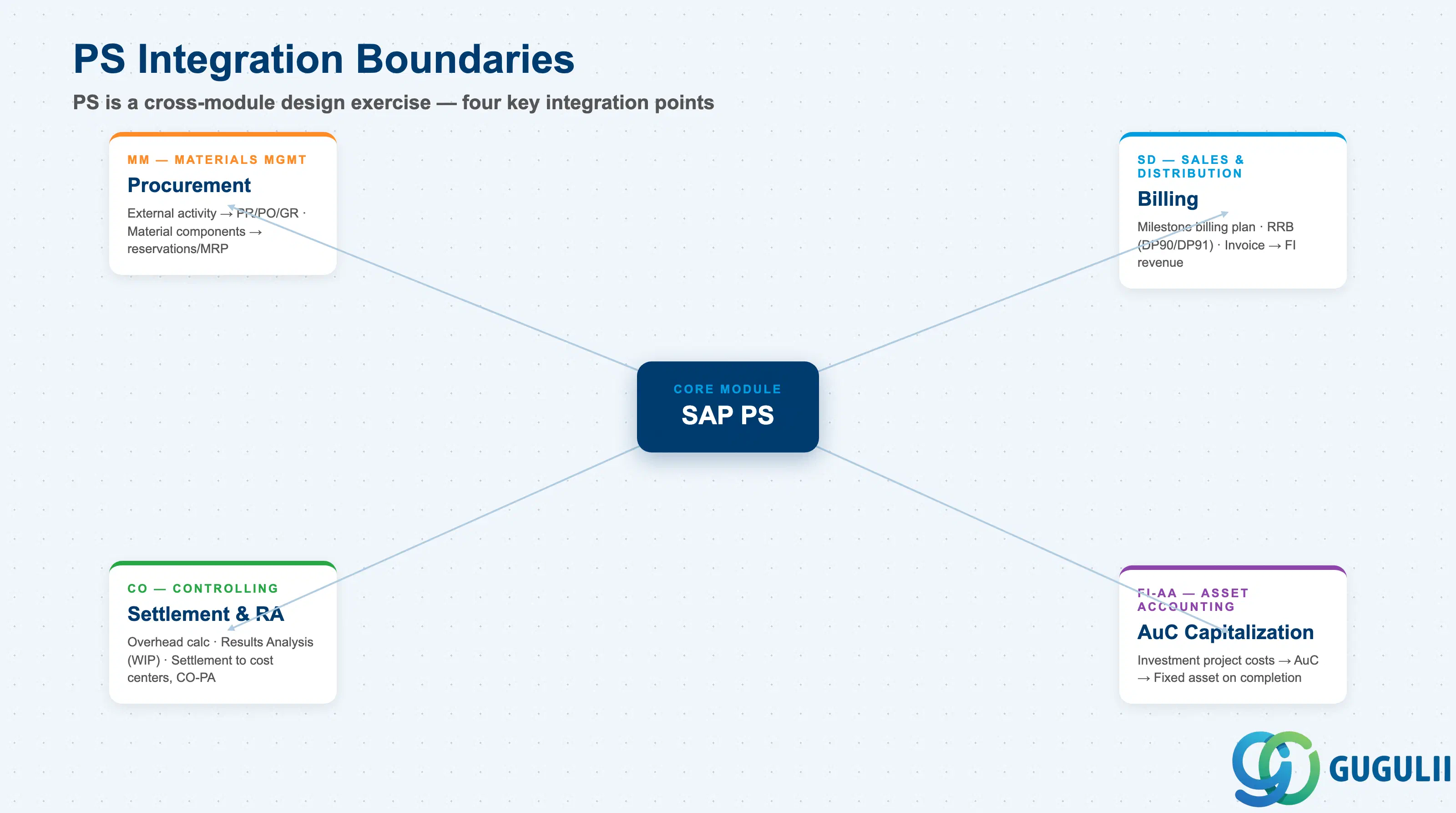
SAP PS provides a single system of record for complex projects that span multiple SAP modules. The two-dimensional project structure (WBS + Network) separates cost accountability from activity scheduling. Budget Management with Availability Control enforces financial discipline by alerting or blocking overruns in real time.
Requirements definition for PS is fundamentally a cross-module design exercise. Decisions about WBS structure, billing method, settlement receivers, and AuC paths directly determine how the MM, SD, CO, and FI-AA modules must be configured. The scope of integration — and the order in which dependencies are resolved — is the central challenge for project consultants at the requirements definition stage.
In SAP S/4HANA, the core PS model is unchanged, but actual data flows through the Universal Journal (ACDOCA), reporting is available via Fiori Embedded Analytics in real time, and the classic CJ20N Project Builder coexists with new Fiori apps.
| ID | Category | Title |
|---|---|---|
| ps-001 | Overview | What is SAP PS? 📍 |
| ID | Category | Title |
|---|---|---|
| ps-a01 | Overview | SAP PS Master Data: Overview, Hierarchy & Relationships |
| ps-a02-01 | Master Data | SAP PS Material Master |
| ps-a03-01 | Master Data | SAP PS Project Profile |
| ps-a03-02 | Master Data | SAP PS Network Profile |
| ps-a03-03 | Master Data | SAP PS Milestone Group |
| ps-a04-01 | Master Data | SAP PS Project Definition |
| ps-a04-02 | Master Data | SAP PS WBS Element |
| ps-a04-03 | Master Data | SAP PS WBS Element (AuC) |
| ps-a04-04 | Master Data | SAP PS WBS Hierarchy |
| ps-a05-01 | Master Data | SAP PS Network |
| ps-a05-02 | Master Data | SAP PS Activity |
| ps-a05-03 | Master Data | SAP PS Activity Element |
| ps-a05-04 | Master Data | SAP PS Milestone |
| ID | Category | Title |
|---|---|---|
| ps-b01 | Overview | SAP PS Transactions: Process Flow, Hierarchy & Relationships |