Title here
Summary here

The Milestone Group is a Customizing-level template that classifies Milestone behavior in SAP Project System. Every Milestone created on an Activity references a Milestone Group, which determines whether that Milestone drives billing, controls scheduling, or measures earned value progress. Defined once in Customizing via transaction OPSR and reused across all projects in the system, the Milestone Group is a Phase 1 prerequisite that must be designed before Milestones can be meaningfully configured. This article covers its types, structure, field-level details, and integration with SD billing plans.
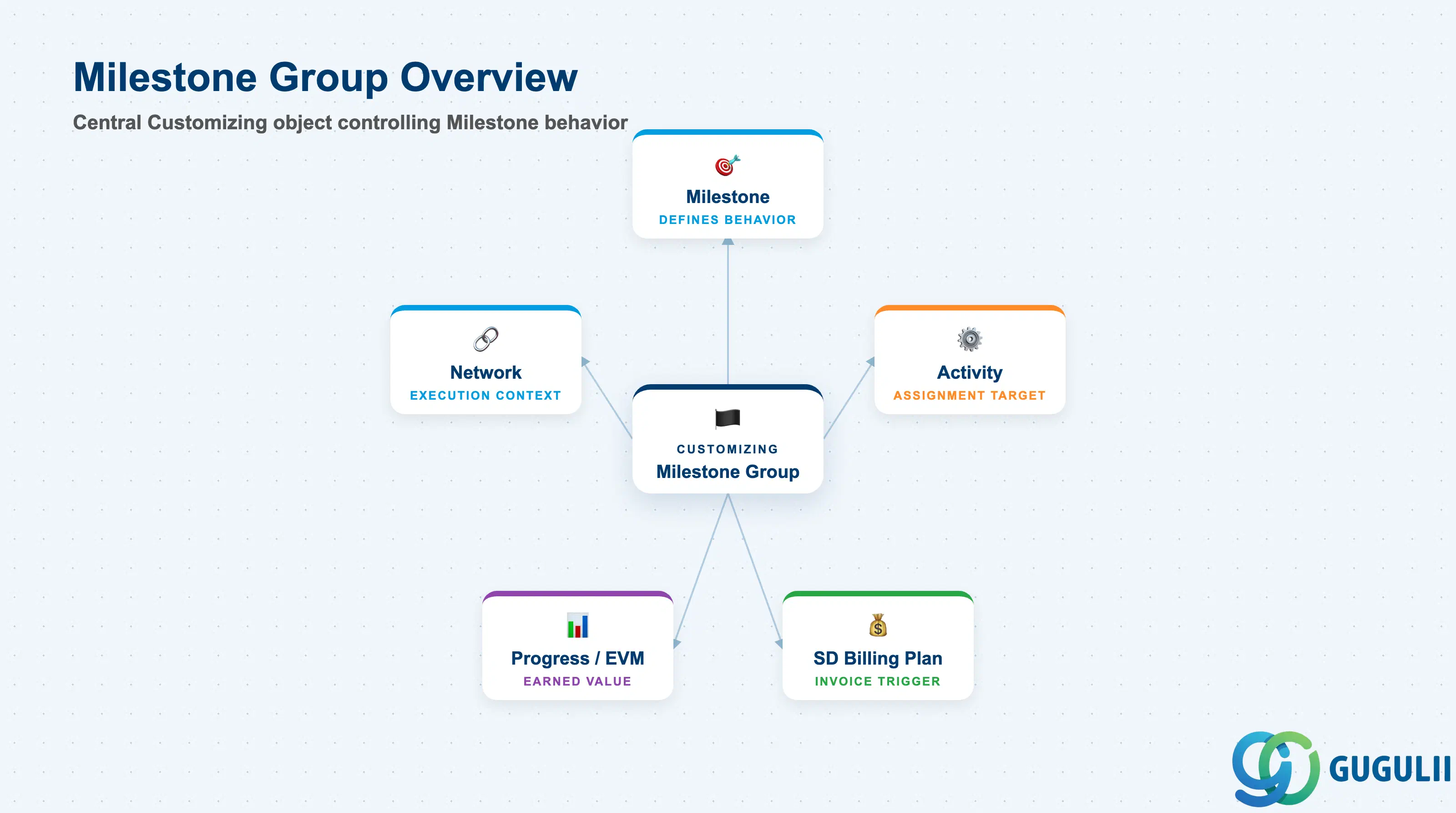
A Milestone Group is a category definition that controls how individual Milestones behave within a project network. Just as a Control Key governs Activity processing, a Milestone Group governs Milestone purpose — whether it triggers a billing event, marks a scheduling key date, or records earned value. Without a Milestone Group, Milestones cannot be associated with SD billing plans or used as formal progress measurement points.
| Aspect | Details |
|---|---|
| Role | Defines the usage category and behavior of Milestones assigned to Activities; prerequisite for SD milestone billing |
| Modules using it | PS (primary owner — Customizing and project execution), SD (milestone billing plan integration via billing milestones) |
| Transactions | OPSR (Create/Change/Display Milestone Group — Customizing) / CN21, CN22, CN23 (assign to Milestone on Activity) |
| Key Tables | T422 (Milestone Group definitions) |
| S/4HANA note | Milestone Group Customizing is unchanged from ECC. Fiori apps for project management (Manage Projects, Project Control) consume Milestone data but group maintenance remains in Customizing via OPSR. |
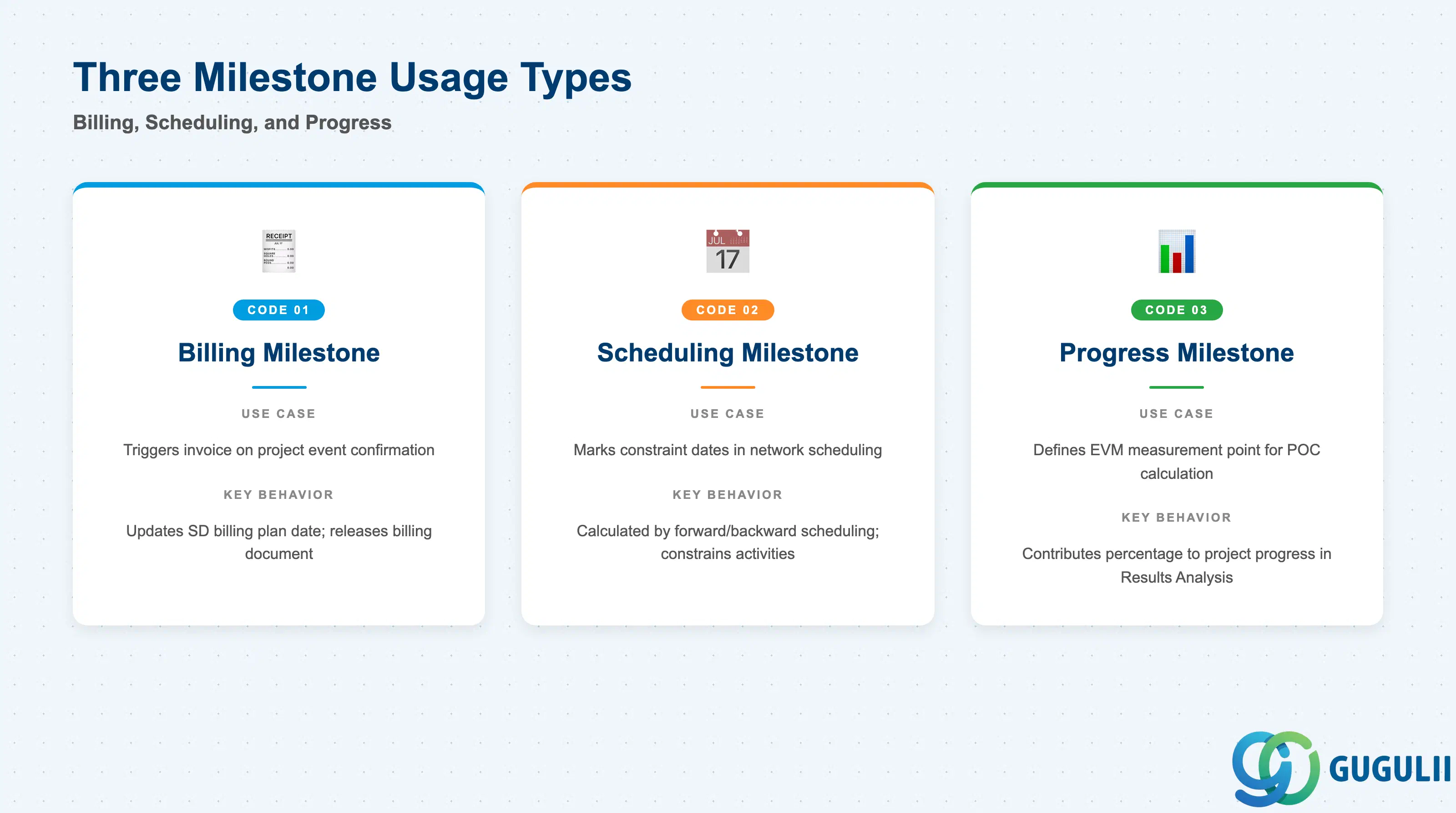
The usage type embedded in a Milestone Group determines what system functions are activated when a Milestone is reached and confirmed. Choosing the wrong usage type is a common blueprint mistake that surfaces only at billing time, making it critical to define Milestone Group categories during requirements analysis.
| Usage Type | Code | Use Case | Key Behavior |
|---|---|---|---|
| Billing Milestone | 01 | Customer project: triggers invoice generation at a defined project event | Confirmation of the Milestone updates the billing plan date in the linked SD Sales Order; billing document is then released from the billing plan |
| Scheduling Milestone | 02 | Date-driven scheduling: marks key constraint dates in network scheduling | Acts as a scheduling point in the Activity network; the Milestone date is calculated by forward/backward scheduling and constrains dependent Activities |
| Progress Milestone | 03 | Earned value management: defines a measurement point for POC calculation | Milestone confirmation contributes a defined percentage to the overall project progress (POC = Percentage of Completion); used in Results Analysis for revenue recognition |
Design principle: A single Milestone Group should represent one usage type only. Mixing billing and progress functions in one group creates ambiguity in SD billing plan updates and EVM reporting. Define separate groups — e.g., “BILL” for billing milestones and “PROG” for progress milestones — even within the same project type.
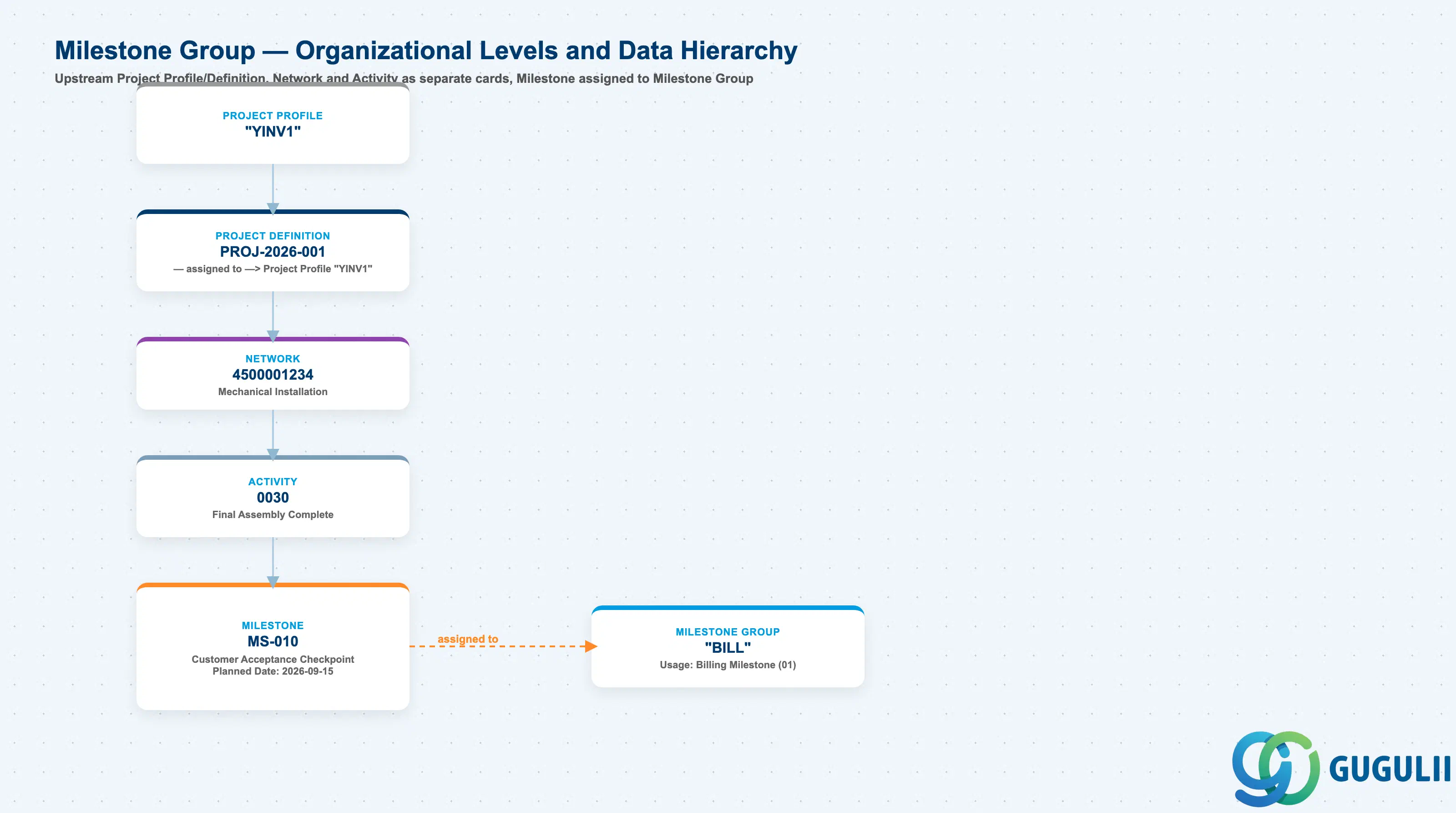
Data hierarchy with a concrete example
Client
   │
   ├── Project Profile "YINV1"
   │
   ├── Milestone Group "BILL"
   │      Usage: Billing Milestone (01)
   │
   └── Project Definition PROJ-2026-001
          ── assigned to ──> Project Profile "YINV1"
          │
          └── Network 4500001234
                 Mechanical Installation
                 │
                 └── Activity 0030
                        Final Assembly Complete
                        │
                        └── Milestone MS-010
                               Customer Acceptance Checkpoint
                               ── assigned to ──> Milestone Group "BILL"
                               Planned Date: 2026-09-15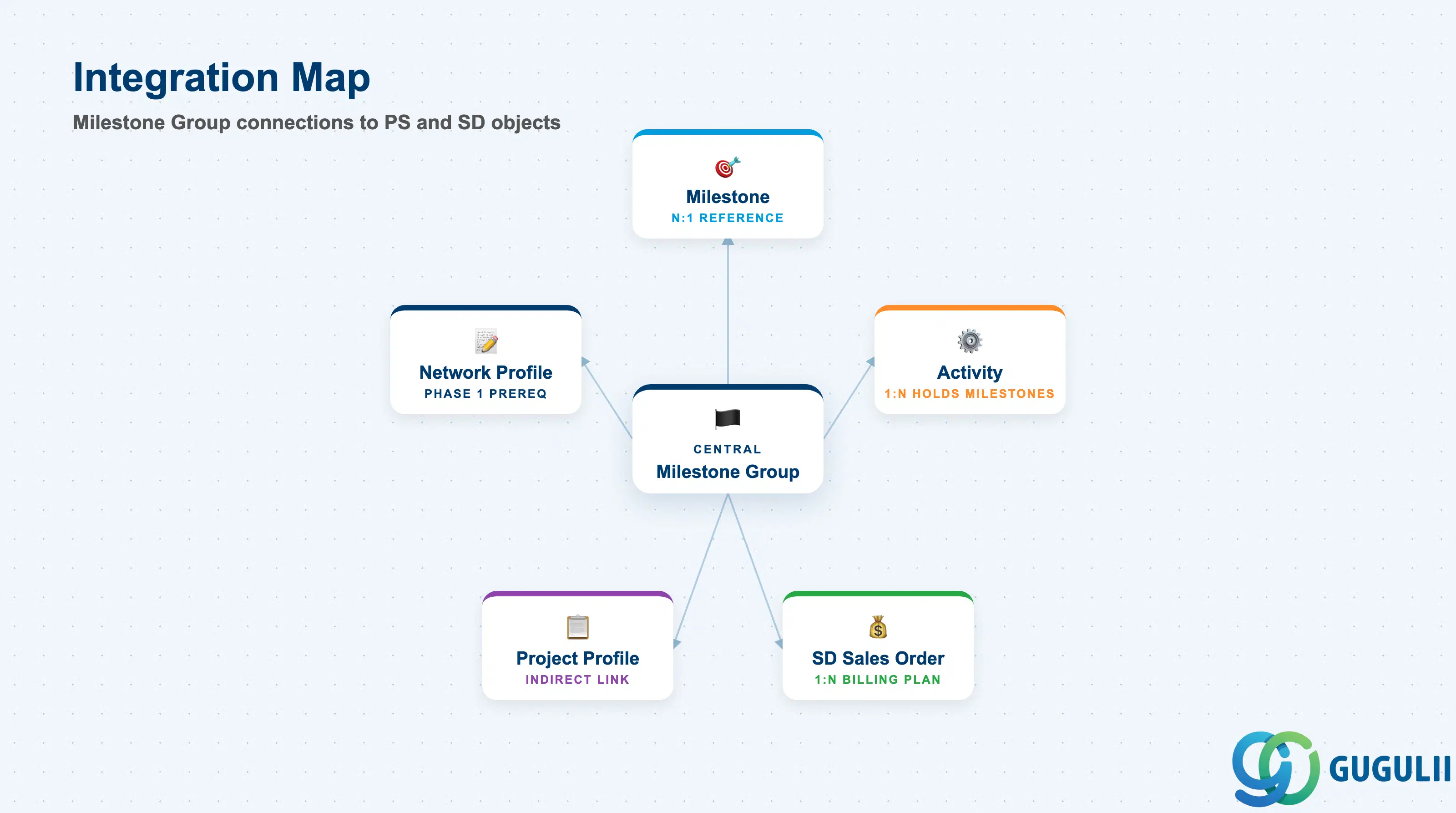
The Milestone Group does not stand alone — it is the classification layer that connects the project execution world (Networks, Activities, Milestones) to the revenue recognition and billing world (SD Sales Orders, Billing Plans). Its correct configuration is what makes milestone billing and EVM reporting possible.
| Object | Relationship | Practical Notes |
|---|---|---|
| Milestone | N:1 — many Milestones reference one Milestone Group | The Milestone inherits its behavioral category (billing/scheduling/progress) from the group; without a valid group, the Milestone cannot be saved |
| Activity | 1:N — one Activity holds multiple Milestones (each with a group) | Billing Milestones and Progress Milestones can coexist on the same Activity; keep them in separate groups for clean reporting |
| Network Profile | Indirect — Network Profile links to Network; Milestones live on Activities within Networks | Milestone Group is independent of Network Profile but both are Phase 1 prerequisites; design them together |
| SD Sales Order (Billing Plan) | 1:N — one Billing Milestone updates one Billing Plan line | When a Billing Milestone is confirmed (CN27), the system updates the billing plan date on the assigned SD item; invoice release follows from VF01/VF04 |
| Project Profile | Indirect — Project Profile governs whether milestone billing is active at the project level | Project type “Customer Project” (Kundenauftrag) is the typical prerequisite for milestone billing; verify Project Profile allows SD integration |
| Data Section | PS Involvement | Notes |
|---|---|---|
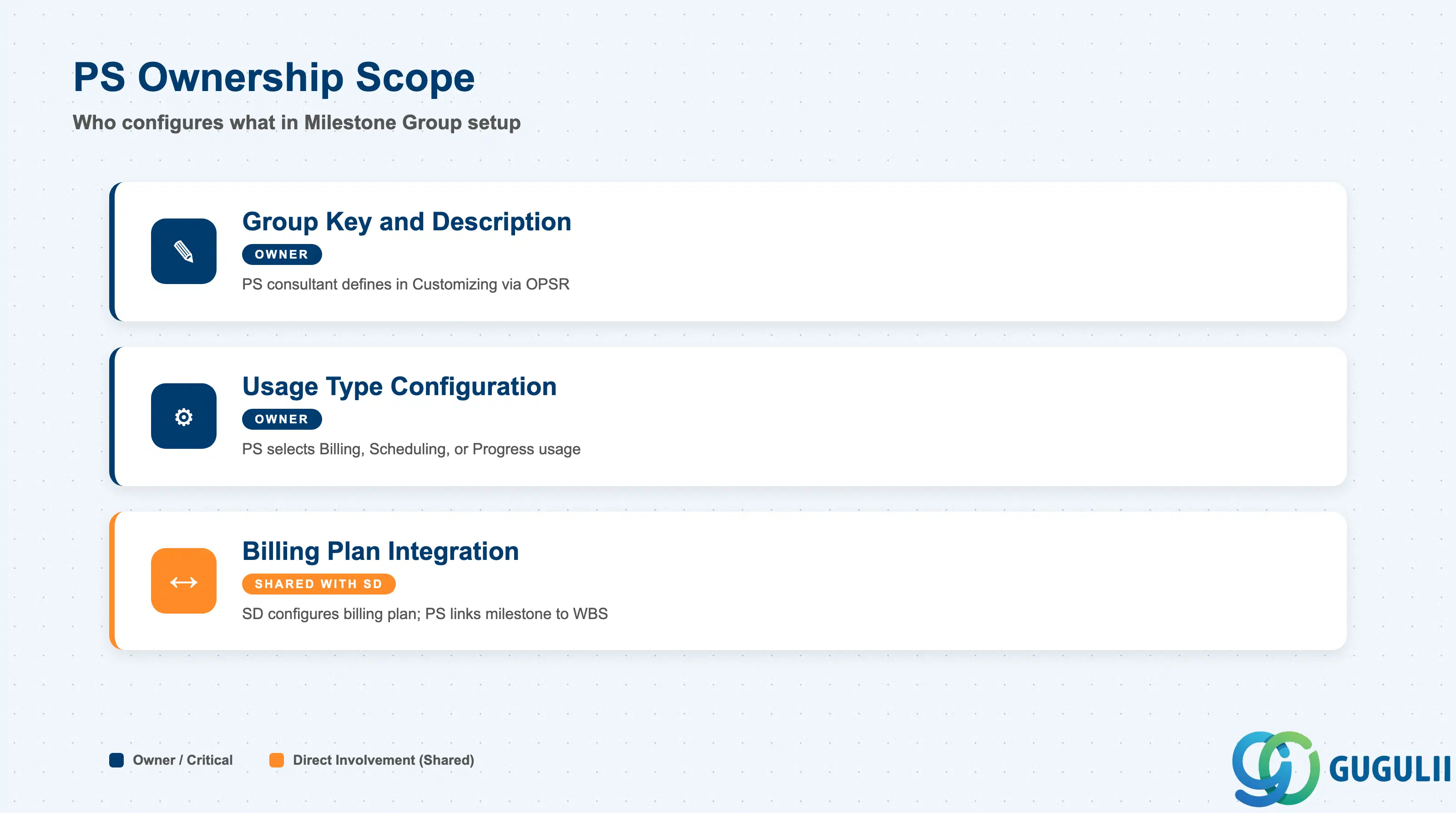
| Milestone Group Key and Description | ◎ Owner | Defined by PS consultant in Customizing; naming convention should reflect usage type (e.g., BILL, PROG, SCHED) |
| Usage Type Configuration | ◎ Owner | PS consultant selects Billing, Scheduling, or Progress usage; SD consultant confirms billing plan behavior before go-live |
| Billing Plan Integration Settings | ○ Shared with SD | SD consultant configures the billing plan type and billing rule; PS consultant links the Billing Milestone to the correct WBS Billing Element |
Legend: ◎ = Owner / Critical, ○ = Direct involvement
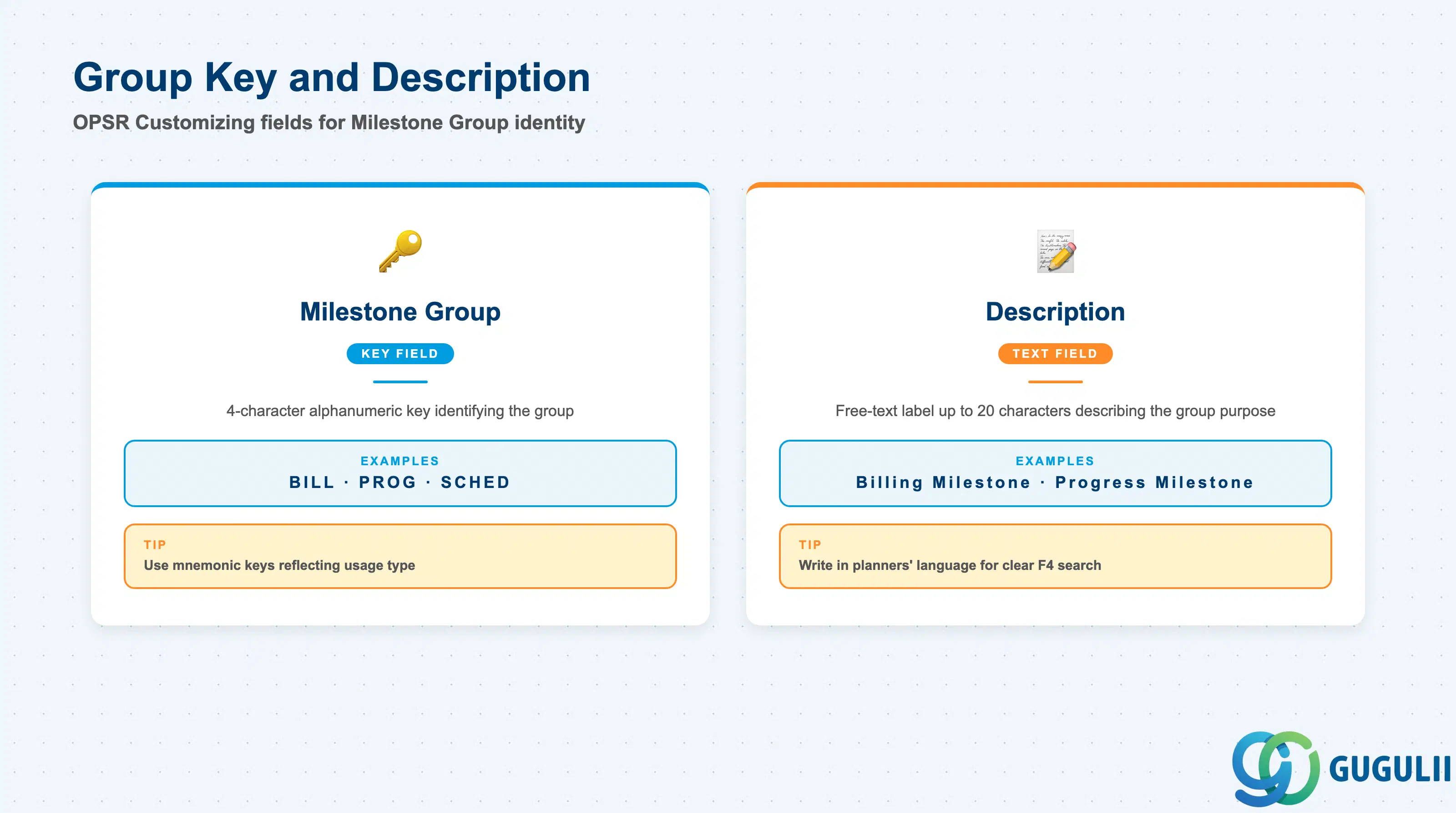
The Milestone Group key and its description are the core identification fields entered in Customizing transaction OPSR. The key is a short alphanumeric code that appears in every Milestone record across the system; its description is the label shown in F4 search help when planners assign a group to a Milestone on an Activity.
| Field | Description | Practical Usage |
|---|---|---|
| Milestone Group | 4-character alphanumeric key identifying the group (e.g., BILL, PROG, SCHED) | Choose mnemonic keys that reflect the usage type. Avoid generic codes like “M001” — planners will not remember what the group means without opening the description. Agree on the naming convention during blueprint and document it in the configuration guide. |
| Description | Free-text label (up to 20 characters) describing the group’s purpose | Write the description in the language of the project planners (e.g., “Billing Milestone,” “Progress Milestone”). The description appears in all Milestone entry screens and in standard PS reports; a clear description reduces incorrect group assignments. |
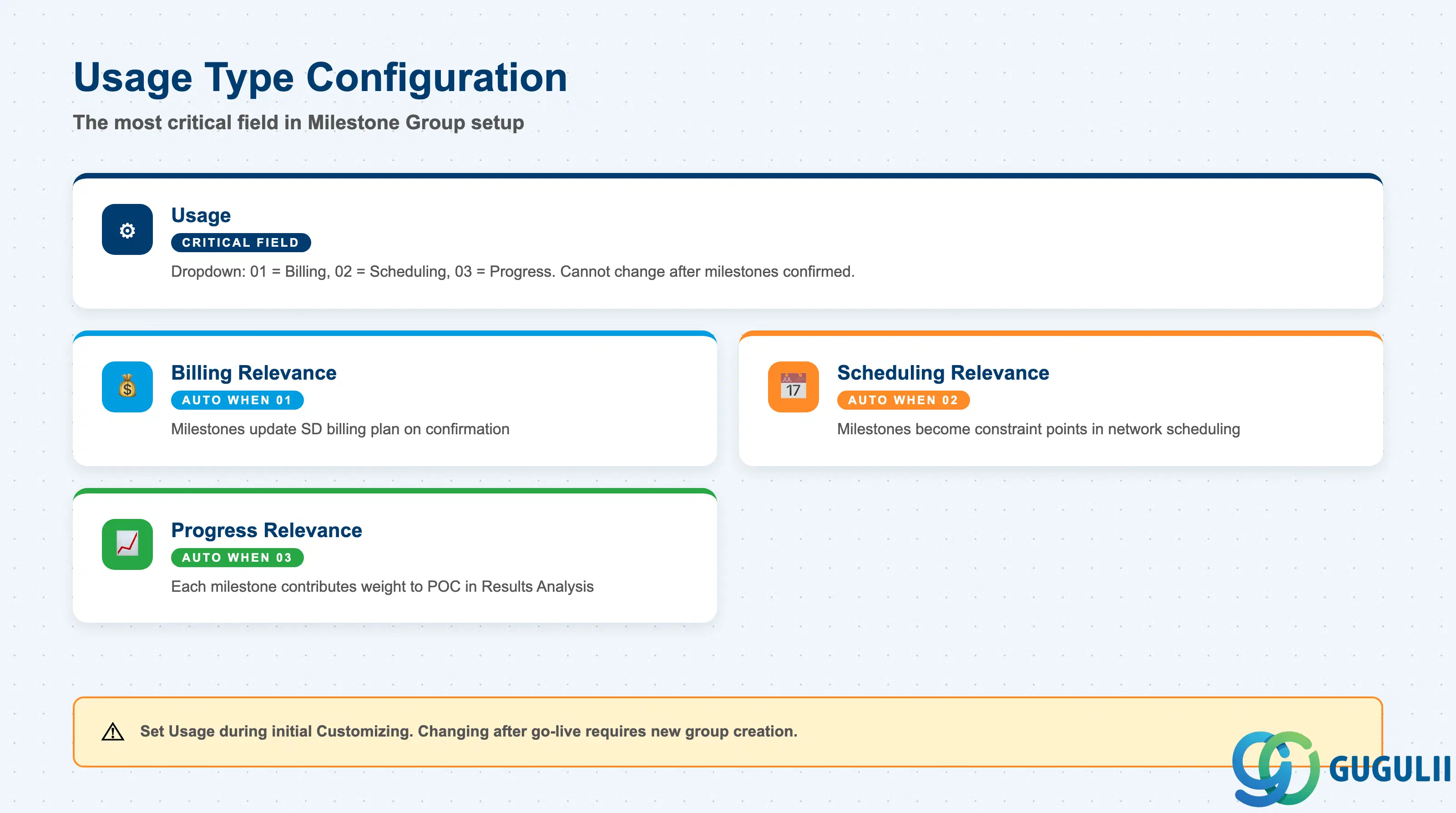
The Usage Type is the single most functionally significant field in the Milestone Group. It activates system logic that connects confirmed Milestones to SD billing plans, scheduling calculations, or EVM progress measurements. This field cannot be changed after Milestones referencing the group have been confirmed; changing it in a live system requires creating a new group.
| Field | Description | Practical Usage |
|---|---|---|
| Usage | Dropdown controlling Milestone behavior: 01 = Billing, 02 = Scheduling, 03 = Progress | Always set Usage during initial Customizing and transport to Production before any project goes live. If a project team creates Milestones using the wrong group, retroactive correction requires deleting and re-creating Milestones — a disruptive change on a live project. Budget planning for a customer project in Japan typically requires at least one BILL group for the contractual payment milestones and one PROG group for monthly EVM reporting. |
| Billing Relevance | Activated automatically when Usage = 01 (Billing) | Confirms that this group’s Milestones will update the SD billing plan when confirmed. Verify this indicator is active by testing the full cycle in the development system: create Milestone on Activity → assign to Sales Order billing plan line → confirm Milestone via CN27 → check billing plan date updates in VA02. |
| Scheduling Relevance | Activated automatically when Usage = 02 (Scheduling) | Milestones in this group become constraint points in network scheduling. Used in conjunction with scheduling-dependent Activity relationships (Finish-to-Start with lag) to model contractual delivery sequences. |
| Progress Relevance | Activated automatically when Usage = 03 (Progress) | Each Milestone in this group is assigned a weight (percentage) that contributes to the overall POC calculation in Results Analysis (KKA2). Set the cumulative weight of all Progress Milestones in a project to 100% to ensure correct revenue recognition. |
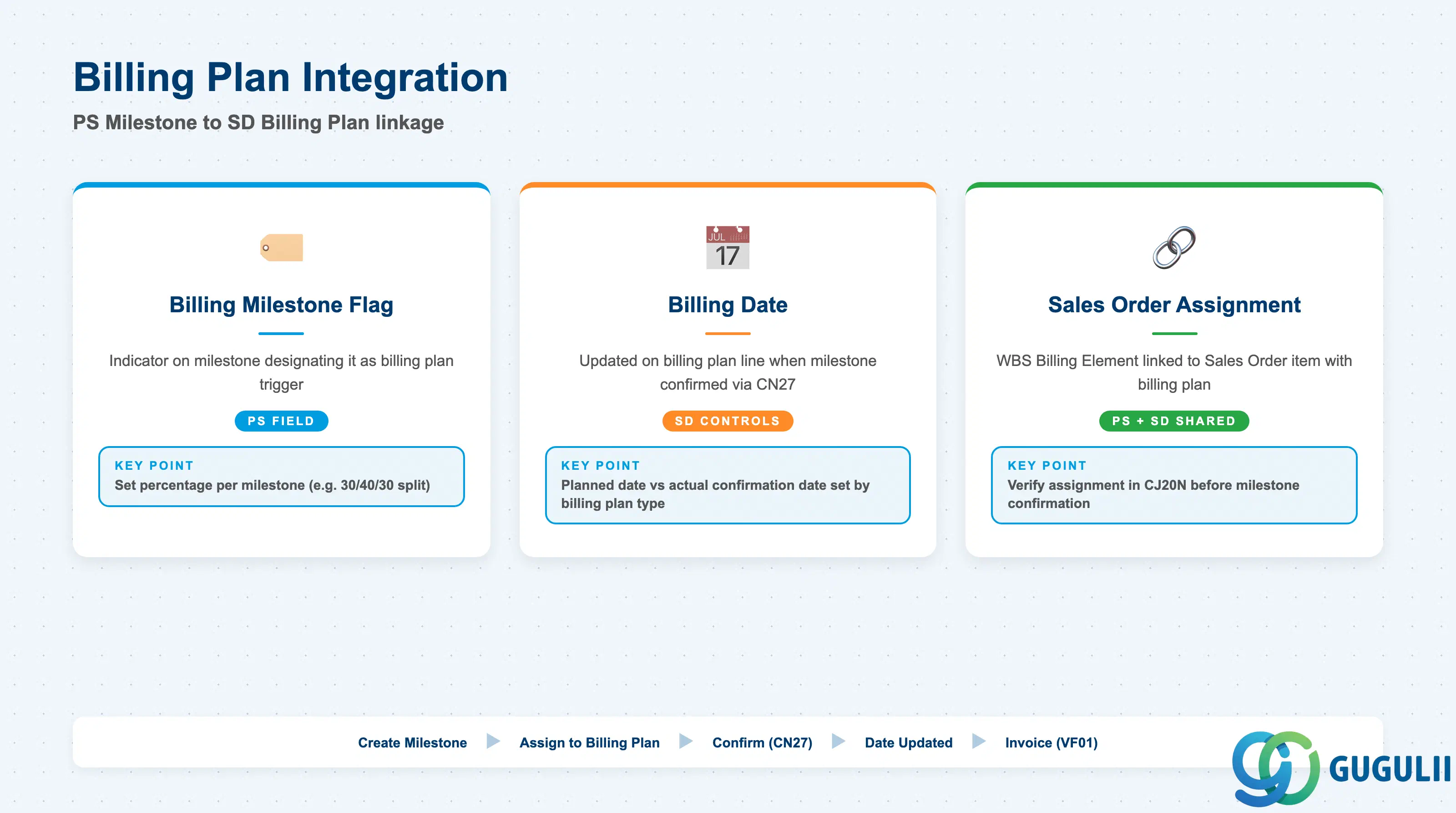
Billing Plan Integration is where PS and SD configuration converges. The Milestone Group alone does not complete billing setup — the SD consultant must configure a compatible billing plan type and billing rule on the Sales Order item. PS consultants own the Milestone side; SD consultants own the billing plan side. Both must be tested together end-to-end before User Acceptance Testing.
| Field | Description | Practical Usage |
|---|---|---|
| Billing Milestone Flag | Indicator on the Milestone (not the group) that designates it as the trigger for a specific billing plan line | On each Milestone, set the billing-relevant flag and enter the percentage or fixed amount it represents in the SD billing plan. For a customer project with three payment milestones (30% on design approval, 40% on delivery, 30% on acceptance), create three Billing Milestones each with the corresponding percentage and link them to the three billing plan lines. |
| Billing Date | Date field on the Billing Plan line that is updated when the Milestone is confirmed | In Customizing, decide whether the billing date should be the planned Milestone date or the actual confirmation date (controlled by the billing plan type in SD). For contractual billing in Japan, the actual confirmation date is typically preferred — it aligns with the inspection and acceptance workflow and avoids premature invoicing. |
| Sales Order Assignment | WBS Billing Element linked to a Sales Order item bearing the billing plan | The WBS Element must carry the “Billing Element” indicator and be assigned to the Sales Order item in the project structure. Verify the assignment in CJ20N (Project Builder) before Milestone confirmation; missing the assignment is the most common reason milestone billing fails in integration testing. |
| ID | Category | Title |
|---|---|---|
| ps-001 | Overview | What is SAP PS? |
| ID | Category | Title |
|---|---|---|
| ps-a01 | Overview | SAP PS Master Data: Overview, Hierarchy & Relationships |
| ps-a02-01 | Master Data | SAP PS Material Master |
| ps-a03-01 | Master Data | SAP PS Project Profile |
| ps-a03-02 | Master Data | SAP PS Network Profile |
| ps-a03-03 | Master Data | SAP PS Milestone Group 📍 |
| ps-a04-01 | Master Data | SAP PS Project Definition |
| ps-a04-02 | Master Data | SAP PS WBS Element |
| ps-a04-03 | Master Data | SAP PS WBS Element (AuC) |
| ps-a04-04 | Master Data | SAP PS WBS Hierarchy |
| ps-a05-01 | Master Data | SAP PS Network |
| ps-a05-02 | Master Data | SAP PS Activity |
| ps-a05-03 | Master Data | SAP PS Activity Element |
| ps-a05-04 | Master Data | SAP PS Milestone |
| ID | Category | Title |
|---|---|---|
| ps-b01 | Overview | SAP PS Transactions: Process Flow, Hierarchy & Relationships |