Title here
Summary here

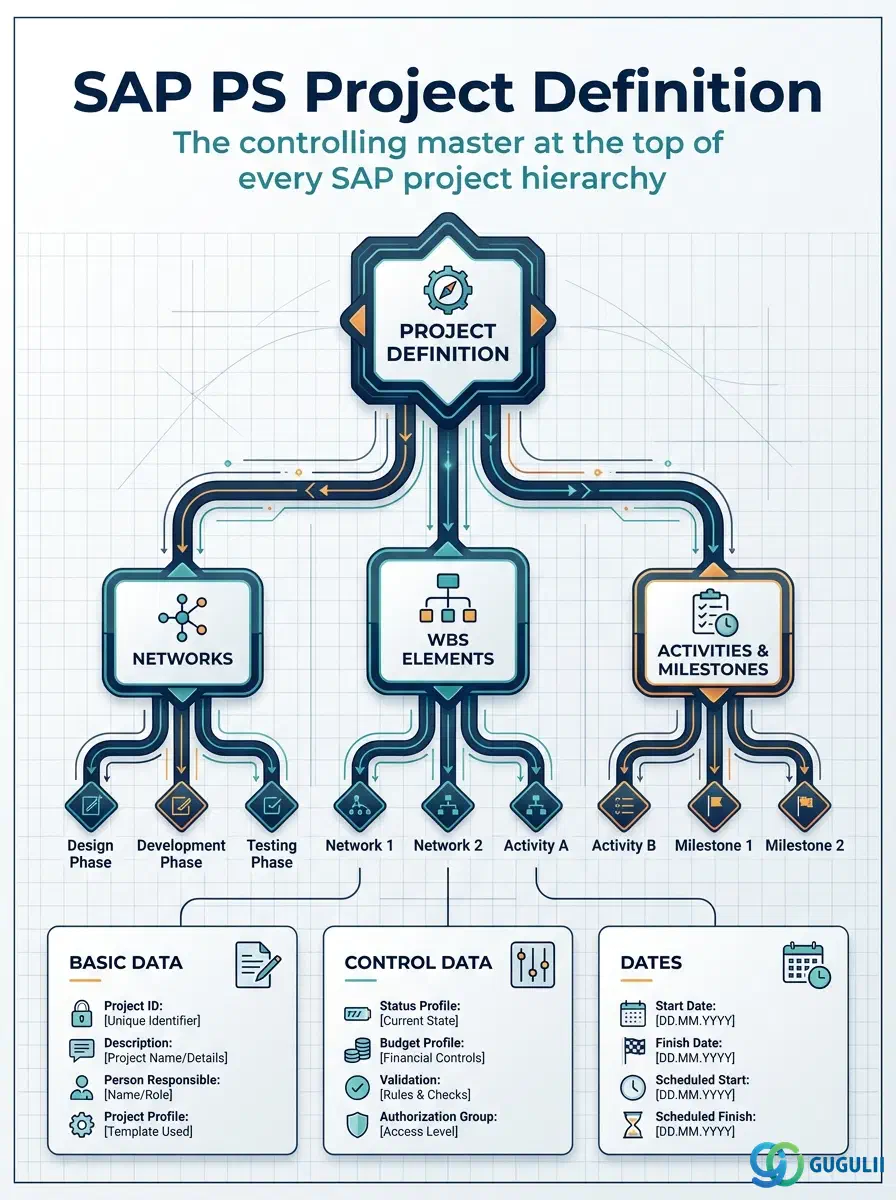
The Project Definition is the header master data object that represents the entire project in SAP Project System. It stores the project-level control parameters, scheduling dates, and organizational assignments that cascade down to every WBS Element and Network beneath it. Created from a Project Profile (Phase 1 Customizing), the Project Definition acts as the mandatory root of the PS master data hierarchy — nothing in Phase 2 or Phase 3 can exist without it. The rest of this article covers its types, org-level scope, field-by-field detail, and integration with CO and FI.
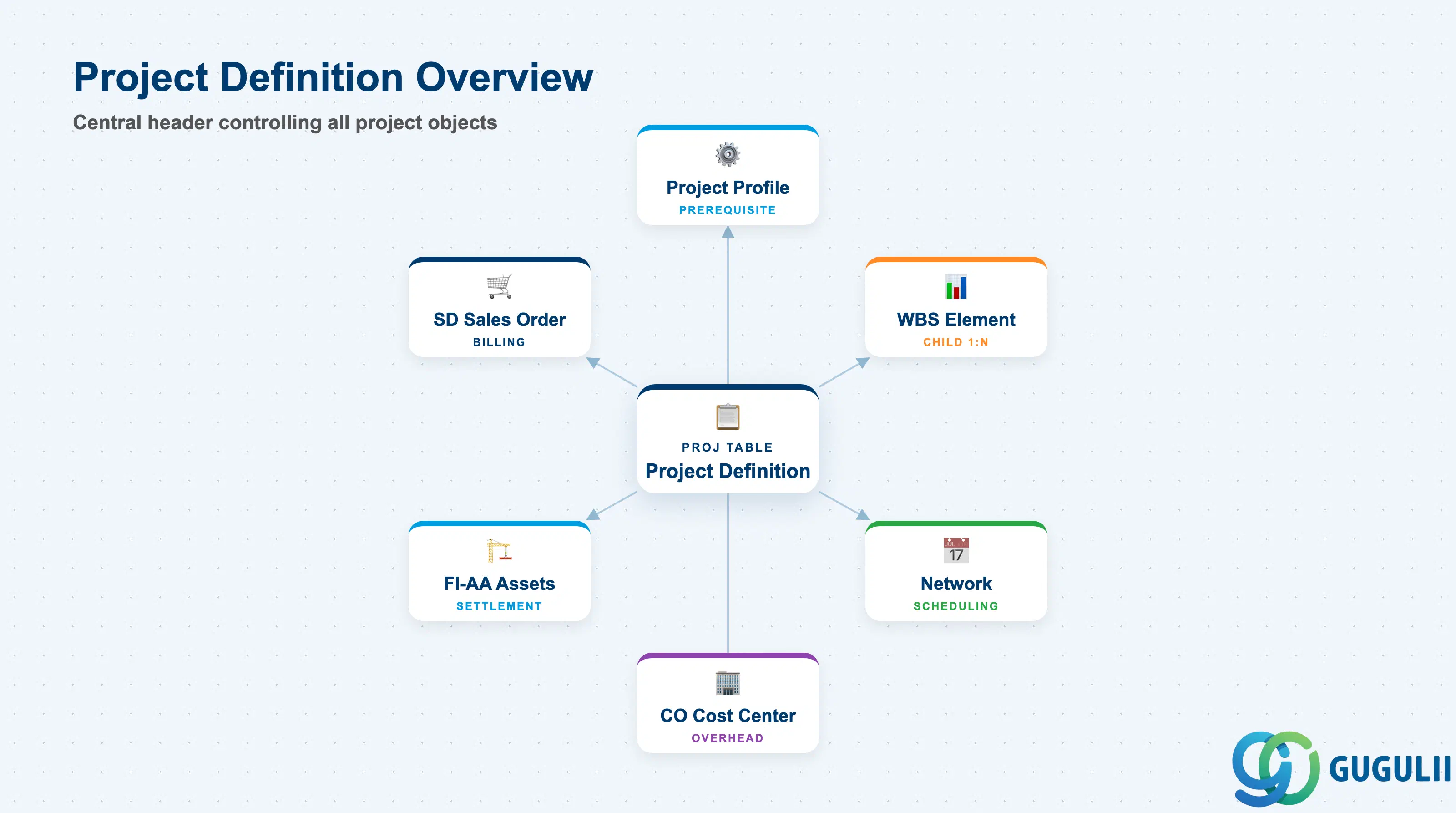
The Project Definition is a single header record that identifies and controls a project as a whole — it is not a cost object in itself, but it sets the rules under which all cost objects (WBS Elements, Networks, Activities) underneath it operate. Every project in SAP PS has exactly one Project Definition.
| Aspect | Details |
|---|---|
| Role | Top-level project header: sets project type, date range, planning and budget profiles, and currency |
| Modules using it | PS (primary owner — planning, execution, closing), CO (cost collection via WBS), FI-AA (investment project settlement to AuC), SD (customer project billing via WBS) |
| Transactions | CJ06 (Create Project Definition only) / CJ07 (Change) / CJ08 (Display) / CJ20N (Project Builder — combined creation of Definition + WBS) |
| Key Tables | PROJ (Project Definition header) / PRPS (WBS Element, child of PROJ) |
| S/4HANA note | Project Definition structure unchanged from ECC. Fiori app “Manage Projects” (F2373) supports creation and editing. Project Builder (CJ20N) remains the primary tool for complex hierarchy creation. |
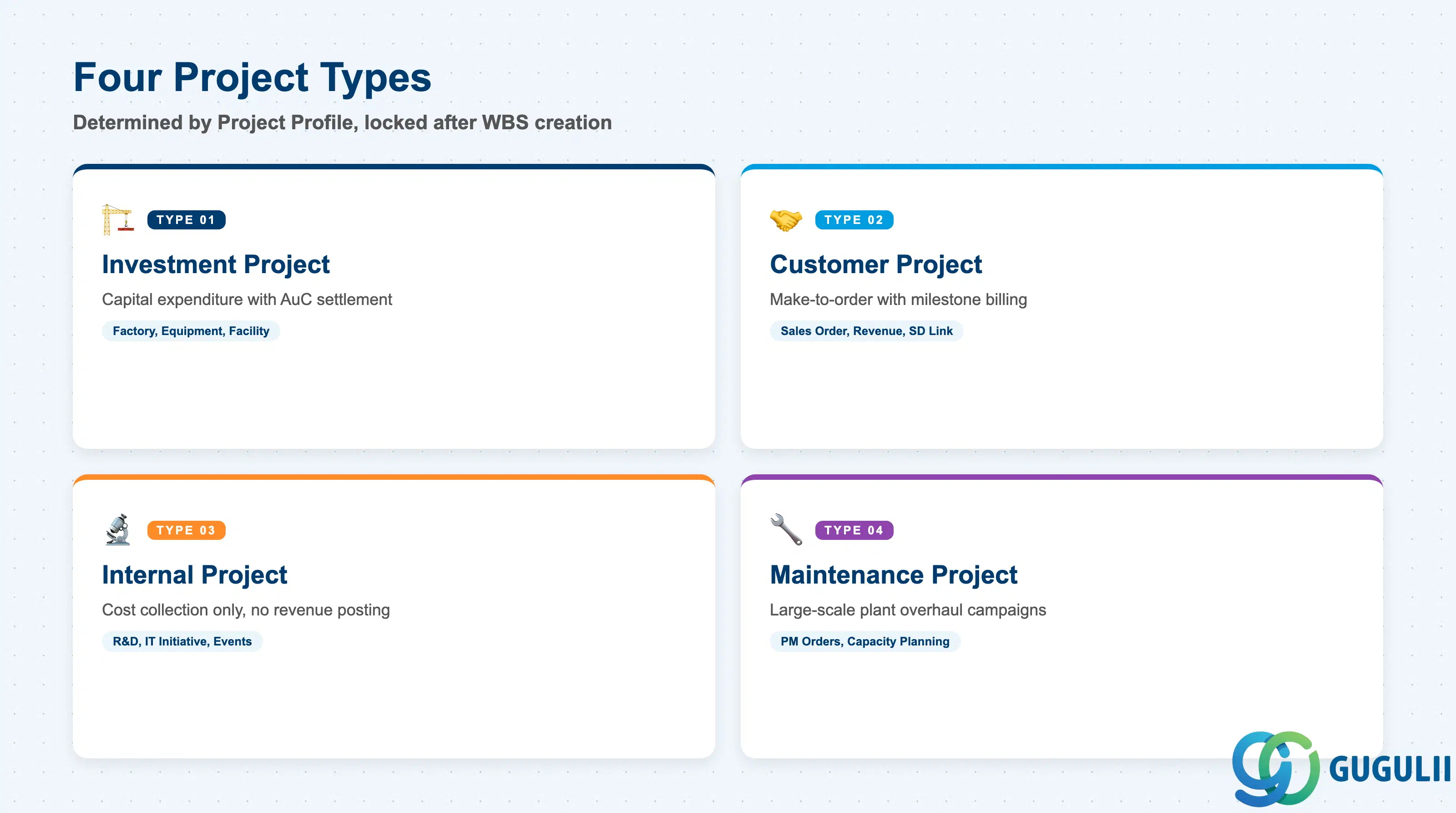
The Project Type, inherited from the Project Profile, determines the business scenario the project serves and activates or restricts certain downstream functions. Choosing the wrong type at the start forces a project deletion and re-creation — it cannot be changed after WBS Elements are created.
| Project Type | Code | Use Case | Key Behavior |
|---|---|---|---|
| Investment Project | 01 | Capital expenditure: factory construction, equipment acquisition | Enables AuC WBS Elements; settlement to Fixed Assets via IM module |
| Customer Project | 02 | Make-to-order / project-based sales with milestone billing | Enables billing WBS Elements; links to Sales Order items via SD |
| Internal Project | 03 | R&D, IT initiatives, internal events | Cost collection only; no revenue posting; settles to cost centers or G/L |
| Maintenance Project | 04 | Large-scale plant maintenance or overhaul campaigns | Links to PM orders; cost and capacity planning for maintenance work |
Design principle: Project Type is locked once WBS Elements are created. Determine the correct type in the blueprint phase and enforce it via Project Profile assignment.
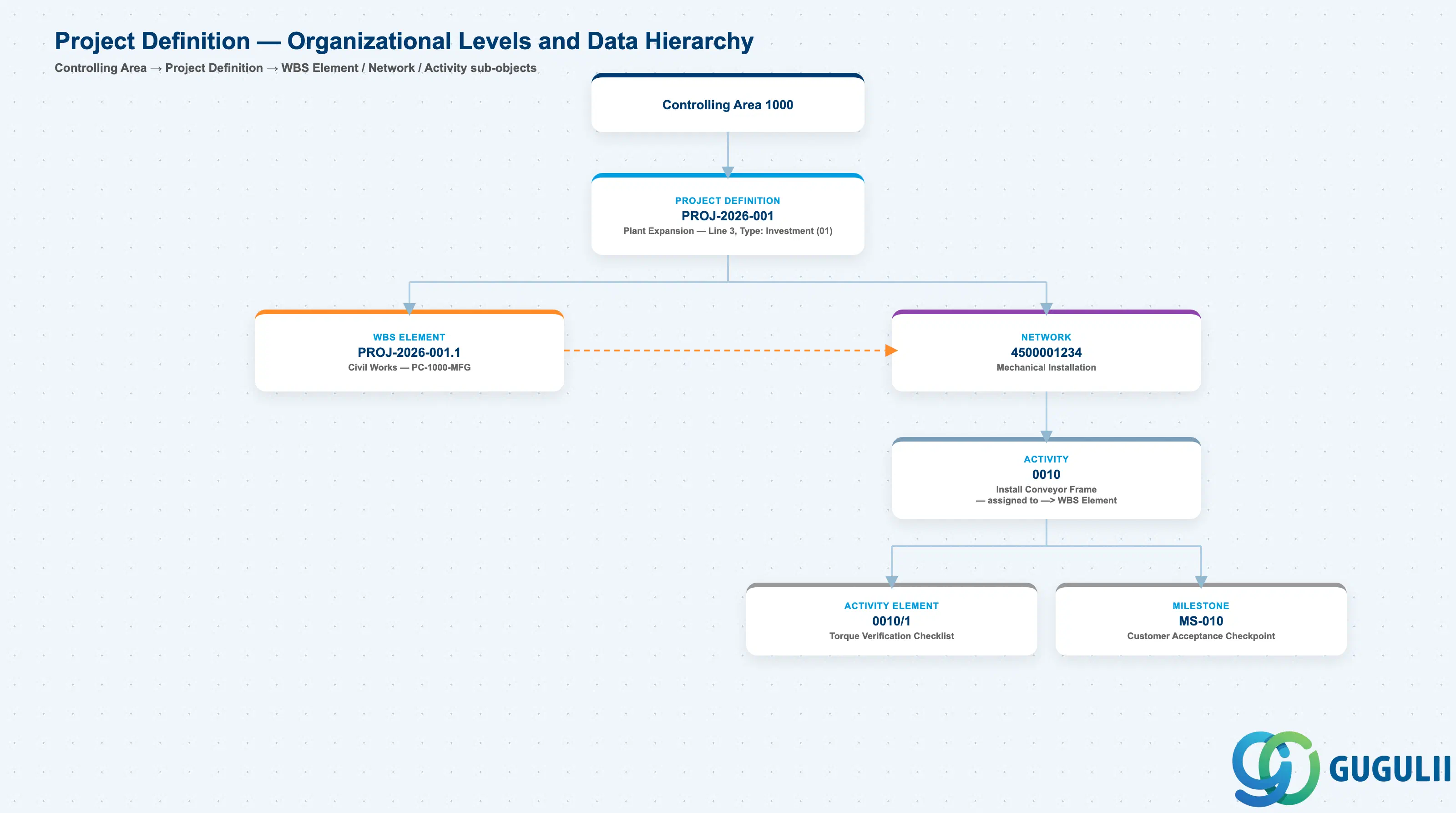
Data hierarchy with a concrete example
Controlling Area 1000
   │
   └── Project Definition PROJ-2026-001
          Plant Expansion — Line 3 Capacity Increase
          Type: Investment (01), 2026-01-01 – 2027-06-30
          │
          ├── WBS Element PROJ-2026-001.1
          │      Civil Works — Profit Center PC-1000-MFG
          │      ── linked via ──> Network Activity (below)
          │
          └── Network 4500001234
                 Mechanical Installation
                 │
                 └── Activity 0010
                        Install Conveyor Frame
                        ── assigned to ──> WBS Element PROJ-2026-001.1
                        │
                        ├── Activity Element 0010/1
                        │      Torque Verification Checklist
                        │
                        ├── Milestone MS-010
                        │      Customer Acceptance Checkpoint
                        │
                        └── ── consumes ──> BOM Item 0010 (Component RM-2001)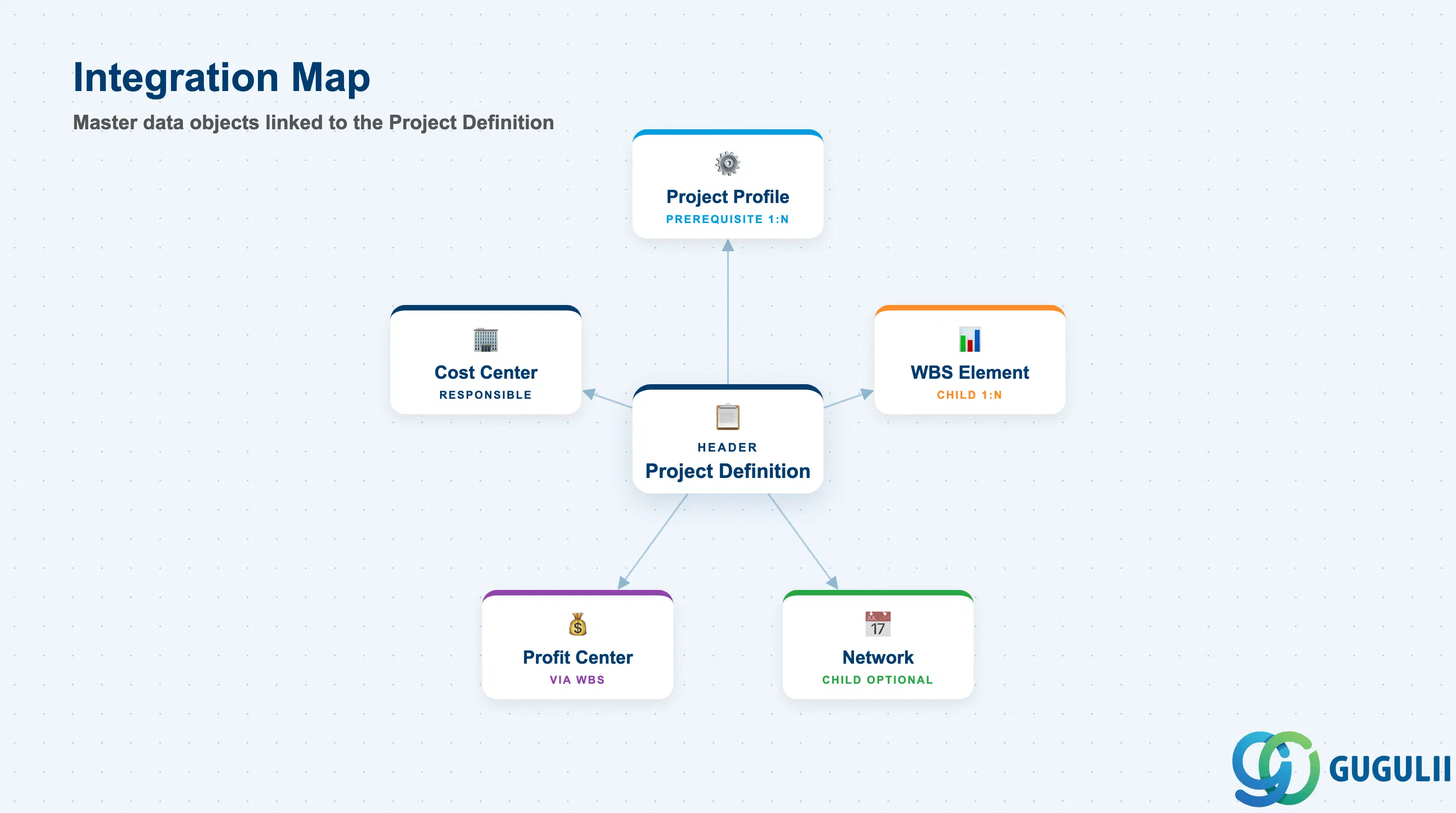
The Project Definition does not stand alone — it derives its control parameters from the Project Profile and propagates constraints downward to every WBS Element and Network it governs.
| Object | Relationship | Practical Notes |
|---|---|---|
| Project Profile | Prerequisite (1:N) — one Profile spawns many Project Definitions | Project type, planning profile, budget profile, and status profile all default from here. Do not create a Project Definition without a correctly configured profile. |
| WBS Element | Child (1:N) — one Project Definition to many WBS Elements | The Project Definition’s project number forms the first segment of every WBS code. Naming conventions must be aligned before any WBS creation. |
| Network | Child (1:N) — optional; requires a Network Profile | Networks attach to the Project Definition (and optionally to WBS Elements). Requires Network Profile to be set in the Project Profile. |
| Profit Center | Referenced from WBS Elements (mandatory in S/4HANA) | Project Definition itself does not carry a Profit Center field — it is set at WBS level. However, the Responsible Cost Center on the Project Definition assists with overhead calculation. |
| CO Cost Center | Responsible Cost Center (header reference) | Primarily used for overhead allocation and responsibility reporting. Not the actual cost collection receiver. |
| Data Section | PS Involvement | Notes |
|---|---|---|
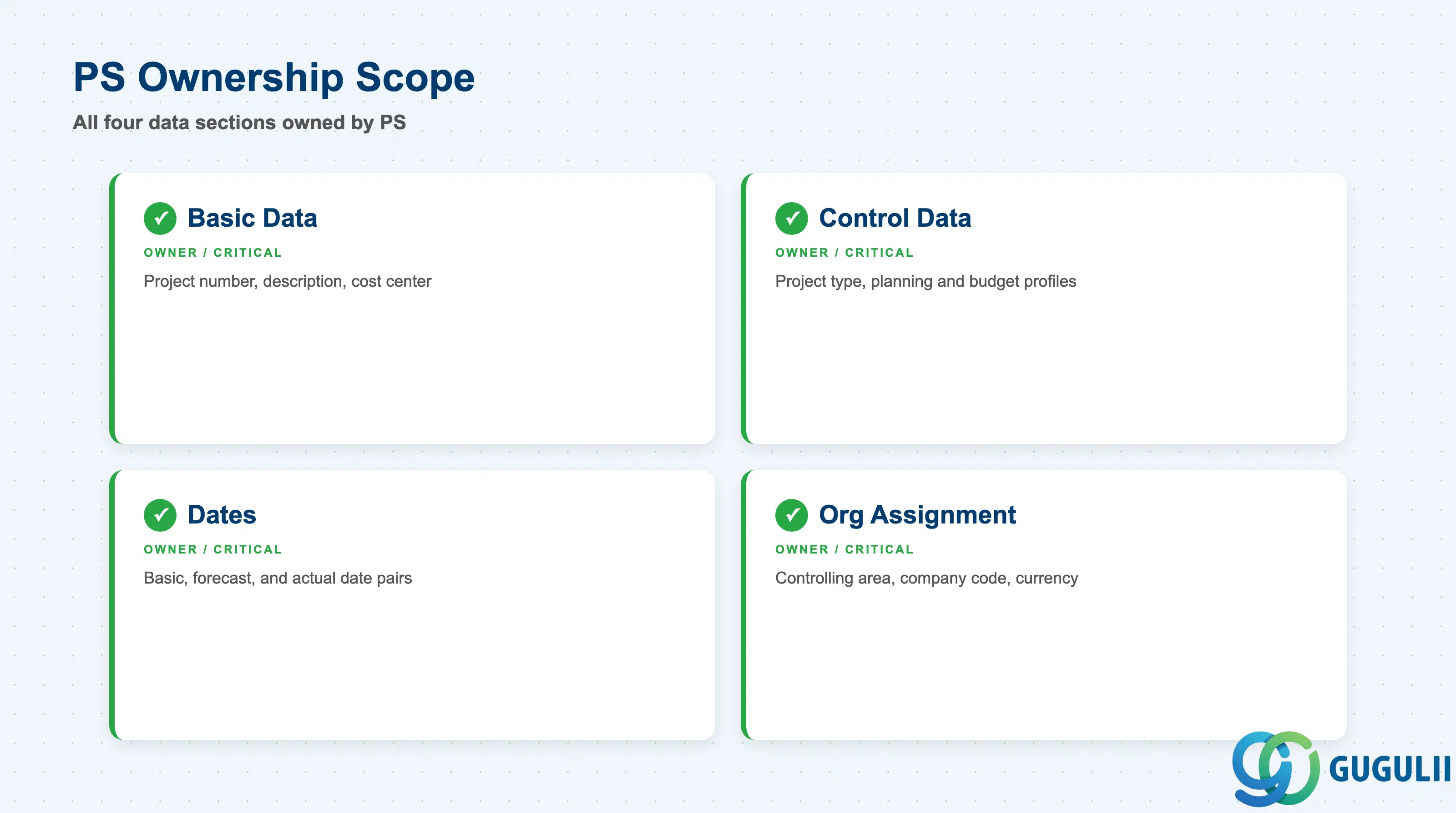
| Basic Data | ◎ Owner | Project number, description, responsible cost center — set by PS consultant and project manager |
| Control Data | ◎ Owner | Project type, planning profile, budget profile, status profile — inherited from Project Profile but editable at header |
| Dates | ◎ Owner | Basic start/end dates, forecast dates, actual dates — form the scheduling frame for all child objects |
| Organizational Assignment | ◎ Owner | Controlling area, company code, currency — set via Project Profile; locked after WBS creation |
Legend: ◎ = Owner / Critical
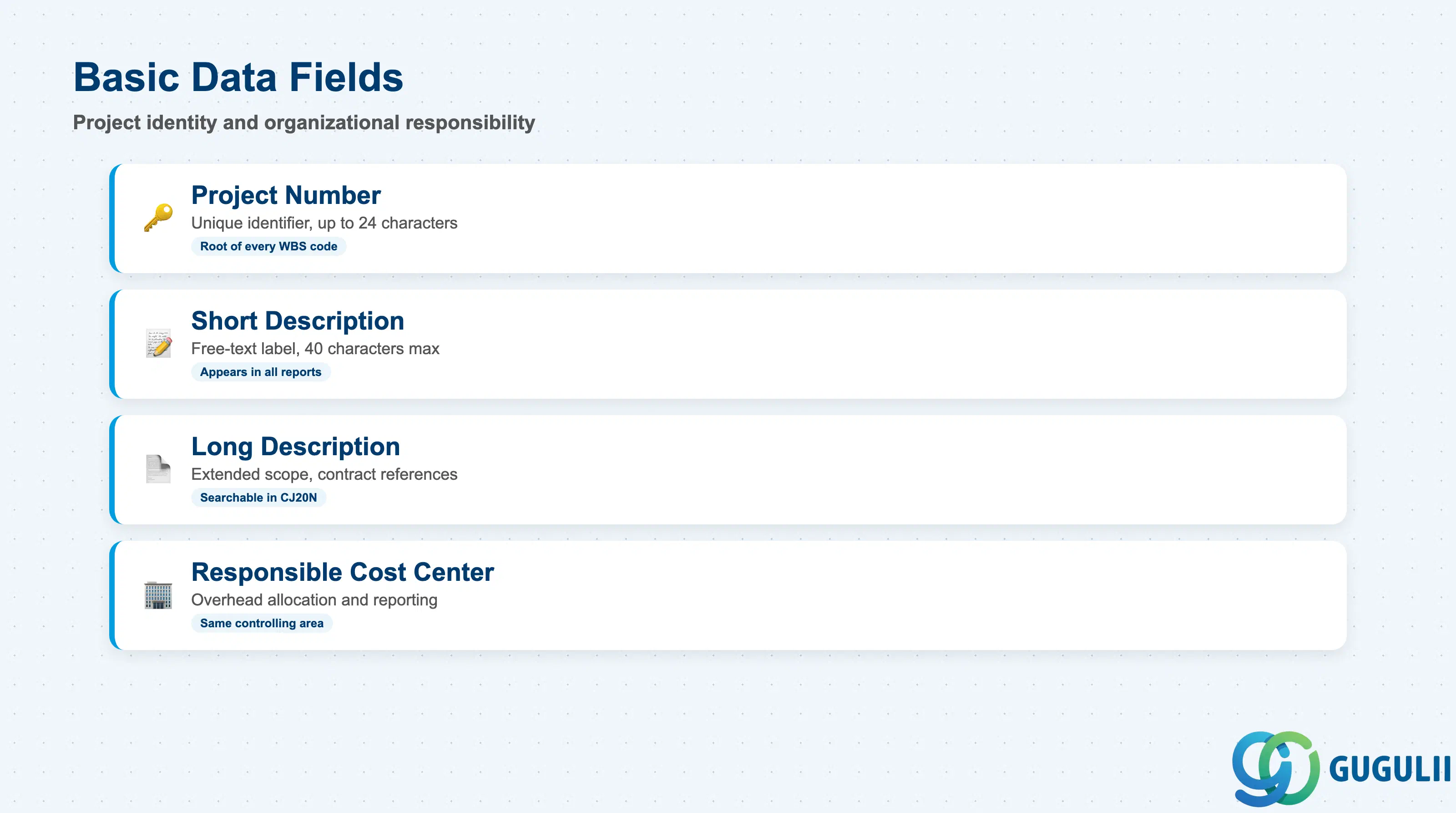
Basic Data fields identify the project and assign its primary organizational responsibility. The project number is the key that links all PS objects and appears as the root of every WBS code — a well-designed naming convention here pays dividends across the entire project lifecycle.
| Field | Description | Practical Usage |
|---|---|---|
| Project Number | Unique identifier for the project (up to 24 characters) | This number becomes the first segment of every WBS Element code, so define a naming convention before any projects are created. Common patterns include plant code + year + sequential number (e.g., JP01-2026-0001). Once created, the project number cannot be changed. |
| Project Description (Short) | Free-text description of the project (40 chars) | Appears in all project reports and selection lists. Keep it consistent with how the project is referenced in contracts and management reporting — inconsistent naming causes confusion during multi-project reporting. |
| Project Description (Long) | Extended description field | Use for scope definition statements, contract references, or internal approval numbers. Not visible in most standard project reports but searchable via CJ20N. |
| Responsible Cost Center | Cost center assigned as the project’s organizational owner | Used in overhead calculation (template allocation) and in responsibility reports. Must belong to the same controlling area as the project. For global projects, set this to the PMO cost center rather than a specific department. |
| Profit Center | Not stored on Project Definition — set at WBS Element level | In S/4HANA, Profit Center assignment is mandatory on each WBS Element. Ensure the project naming convention supports clear Profit Center mapping at design time. |
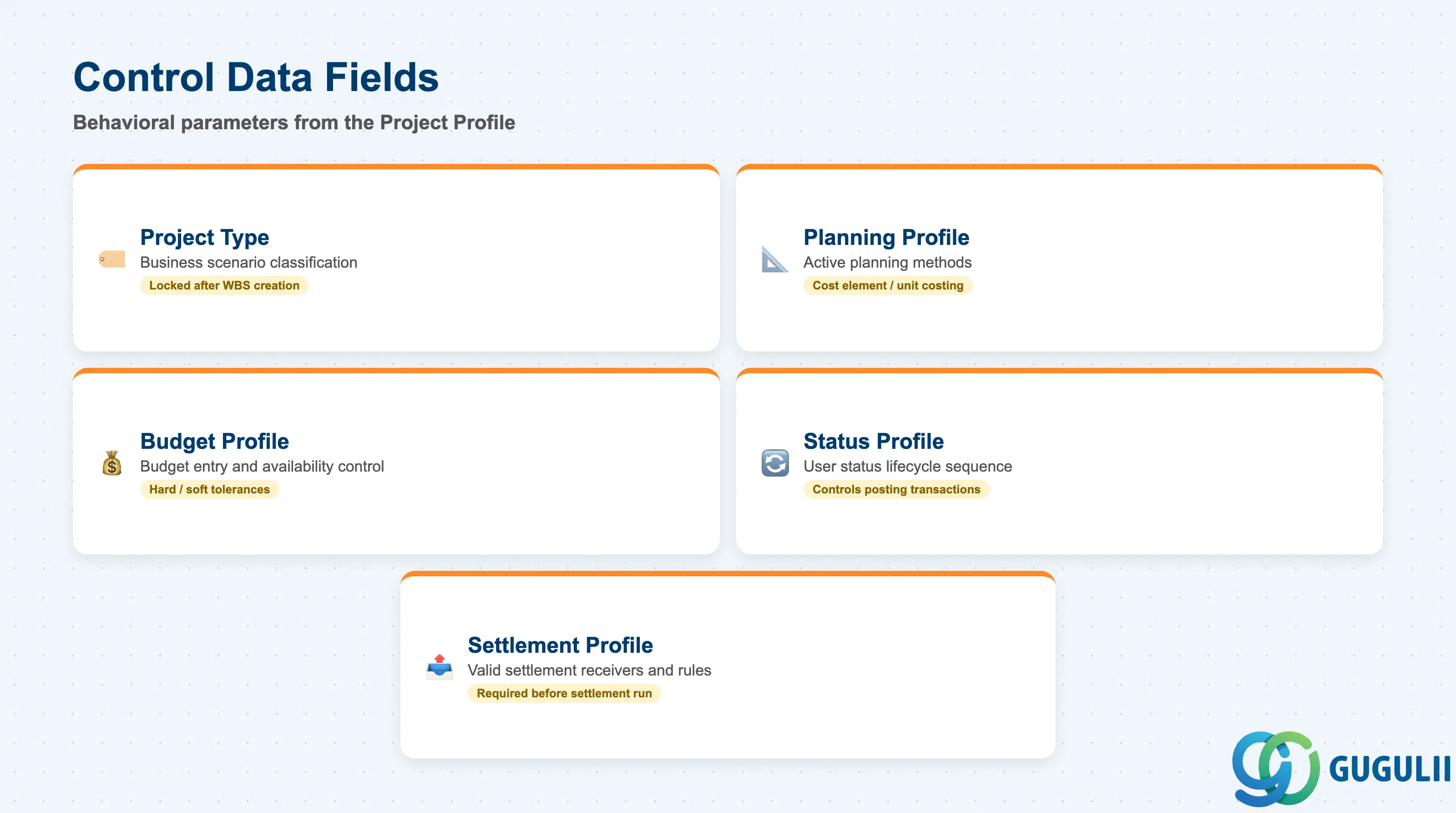
Control Data fields drive the behavioral characteristics of the project — they determine which planning functions are available, whether budget checks are enforced, and which user statuses the project can pass through. Most of these default from the Project Profile but can be overridden at the Project Definition level for exceptional cases.
| Field | Description | Practical Usage |
|---|---|---|
| Project Type | Classifies the project business scenario (01 Investment, 02 Customer, 03 Internal, 04 Maintenance) | Determines which downstream objects and functions are available. Investment projects require AuC WBS setup and IM linkage. Customer projects require billing WBS elements. Locked after WBS creation. |
| Planning Profile | Controls which planning methods are active (cost element planning, overall planning, unit costing) | Define one Planning Profile per project scenario in Customizing. An investment project profile typically activates hierarchy planning; a customer project profile may activate detailed unit costing. Wrong profile causes planning data to be invisible or incorrectly aggregated. |
| Budget Profile | Governs how project budgets are entered and monitored (overall vs. annual, with or without availability control) | Availability control (budget tolerance checks) is activated or deactivated here. For projects with strict capex controls, use an annual budget profile with hard tolerances. For R&D projects, a softer profile with warning messages only is more practical. |
| Status Profile | Defines the allowed user status sequence for the project lifecycle (e.g., In Planning → Approved → In Execution → Completed) | User statuses can restrict posting transactions — for example, preventing actual costs from posting until the project reaches “Approved” status. Align the status profile design with project governance requirements during blueprint. |
| Settlement Profile | Determines valid settlement receivers and rules for project cost settlement | Must be set before any settlement run. For investment projects, the settlement profile must allow settlement to Assets under Construction. For internal projects, settlement to cost centers or G/L accounts is typical. |
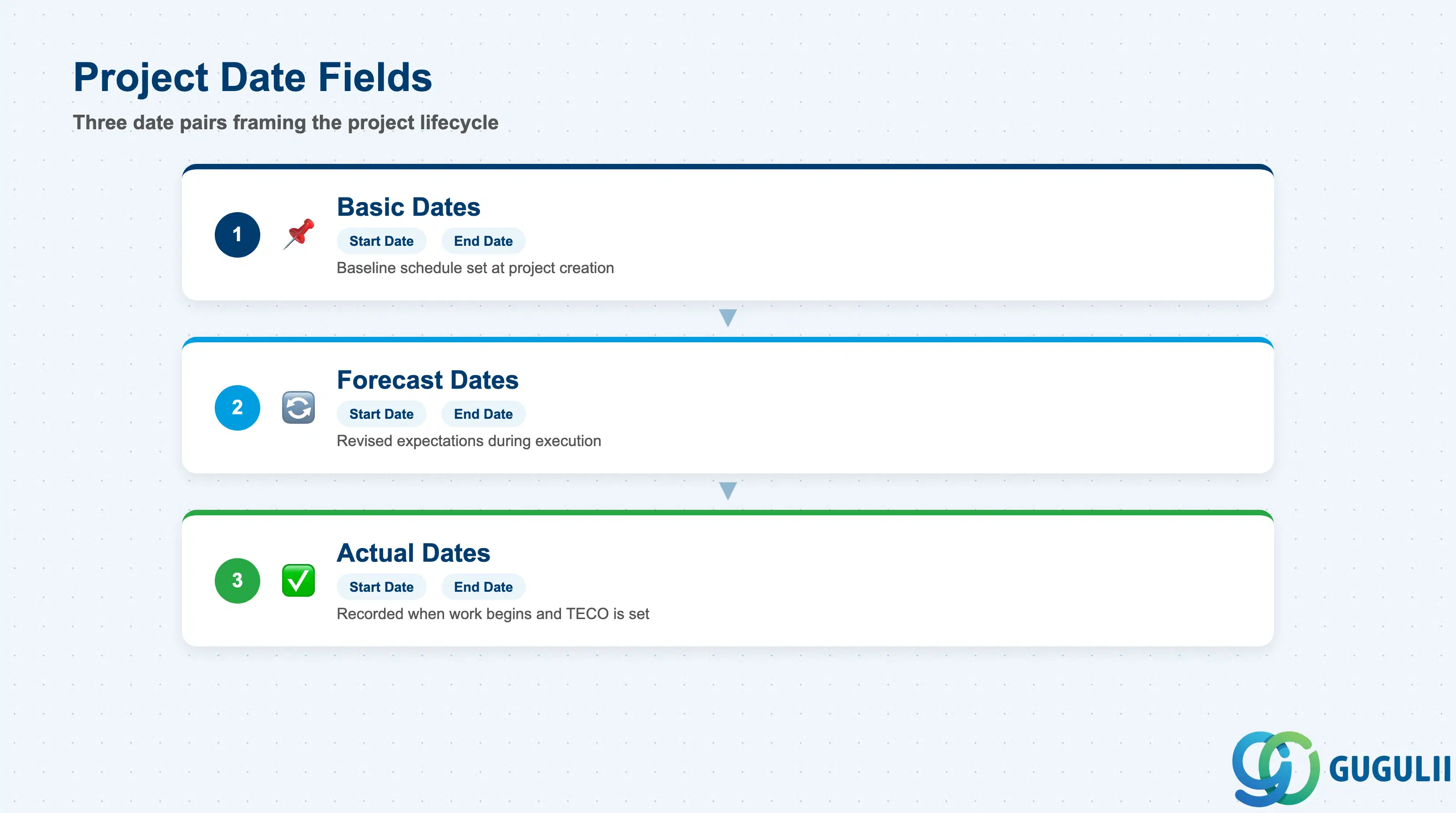
The Project Definition holds the outermost date frame for the entire project. WBS Element and Network dates must fall within this frame — the system issues a warning (configurable to an error) if child object dates exceed the Project Definition’s boundary dates. Accurate date maintenance at header level is therefore critical for scheduling integrity.
| Field | Description | Practical Usage |
|---|---|---|
| Basic Start Date | Planned project start date at the time of creation | Forms the baseline for forward scheduling. Set this to the planned mobilization date. For investment projects, align with the capital approval date. |
| Basic End Date | Planned project finish date at the time of creation | Must encompass the latest end date of all WBS Elements and Networks. If child object dates extend beyond this field, scheduling warnings appear across all reports. |
| Forecast Start Date | Revised start date reflecting current expectations | Update this field when the actual start slips from the basic date. Keeping forecast dates current is essential for accurate schedule performance analysis in the project information system (PS reporting). |
| Forecast End Date | Revised finish date reflecting current expectations | The most operationally significant date field — project managers and PMO use this to track schedule slippage. Populate and maintain this throughout execution, not just at project close. |
| Actual Start Date | Date the project work actually commenced | Can be entered manually or derived from the earliest actual start of child objects. Used in earned value management (EVM) calculations and in delay analysis. |
| Actual End Date | Date the project was technically completed | Populated when TECO (Technical Completion) status is set. Required for settlement and project archiving. Leave blank until the project is genuinely complete. |
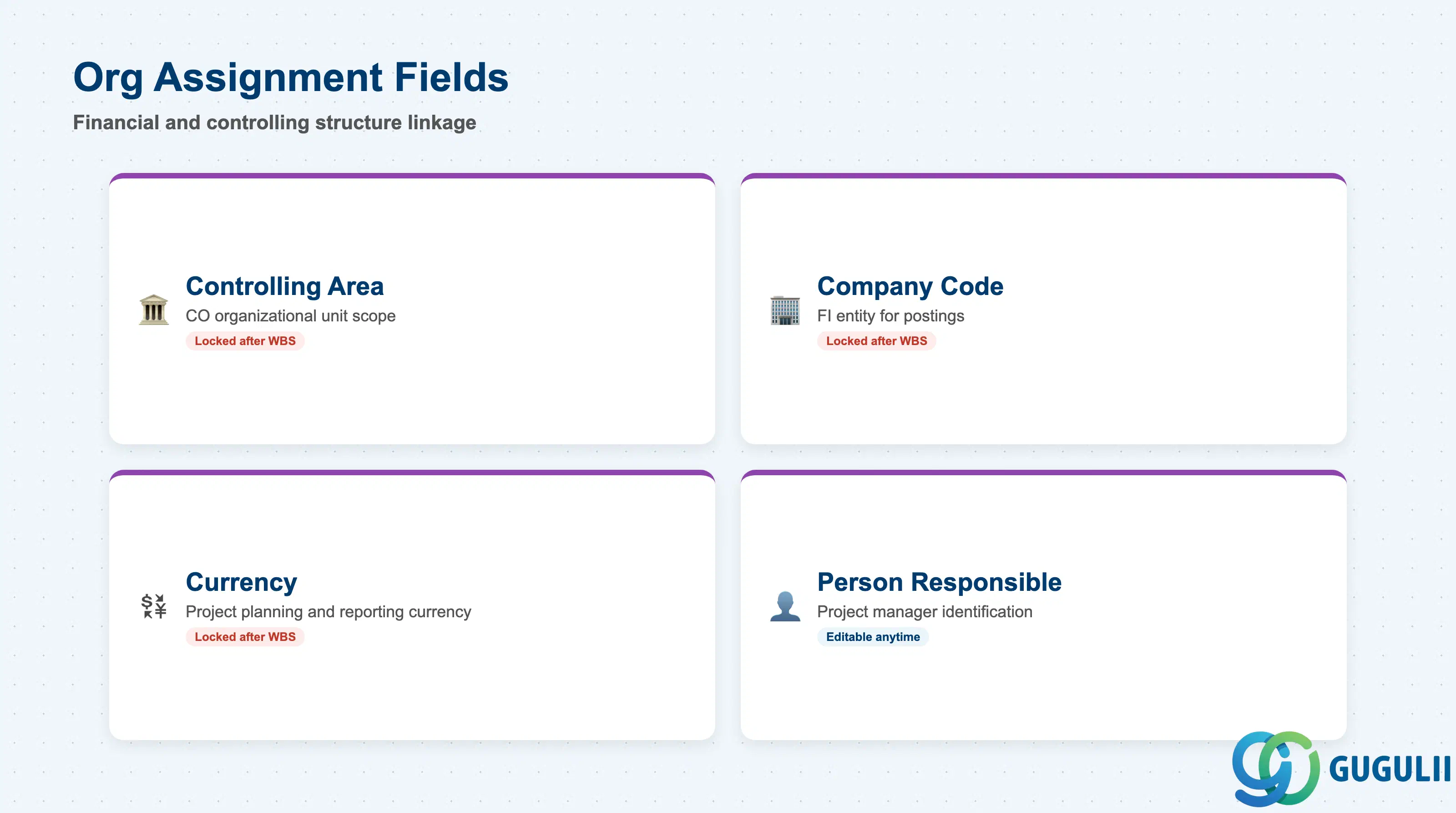
Organizational Assignment fields link the project to the SAP system’s financial and controlling structure. These fields are typically inherited from the Project Profile and locked as soon as WBS Elements are created — changing them later requires a new project.
| Field | Description | Practical Usage |
|---|---|---|
| Controlling Area | The CO organizational unit within which the project operates | Inherited from the Project Profile via Customizing. All WBS Elements, Networks, and Activities under this project must belong to the same controlling area. In multi-company group projects, choose the lead company’s controlling area and use intercompany settlement for cross-company costs. |
| Company Code | The FI company code associated with the project | Defaults from the controlling area → company code assignment. For projects spanning multiple company codes, the Project Definition carries the leading company code; cross-company assignments are handled at WBS Element level via intercompany settlement rules. |
| Currency | Project currency for cost and revenue planning and reporting | Defaults from the company code but can be overridden to a group or contract currency. In projects with significant foreign-currency procurement (e.g., an automotive supplier importing components), set the project currency to the contract currency to simplify plan-vs.-actual analysis. |
| Person Responsible | Name or personnel number of the project manager | Appears in project selection lists and responsibility reports. Keeping this field current as project managers change is important for access control and reporting by manager. |
| ID | Category | Title |
|---|---|---|
| ps-001 | Overview | What is SAP PS? |
| ID | Category | Title |
|---|---|---|
| ps-a01 | Overview | SAP PS Master Data: Overview, Hierarchy & Relationships |
| ps-a02-01 | Master Data | SAP PS Material Master |
| ps-a03-01 | Master Data | SAP PS Project Profile |
| ps-a03-02 | Master Data | SAP PS Network Profile |
| ps-a03-03 | Master Data | SAP PS Milestone Group |
| ps-a04-01 | Master Data | SAP PS Project Definition 📍 |
| ps-a04-02 | Master Data | SAP PS WBS Element |
| ps-a04-03 | Master Data | SAP PS WBS Element (AuC) |
| ps-a04-04 | Master Data | SAP PS WBS Hierarchy |
| ps-a05-01 | Master Data | SAP PS Network |
| ps-a05-02 | Master Data | SAP PS Activity |
| ps-a05-03 | Master Data | SAP PS Activity Element |
| ps-a05-04 | Master Data | SAP PS Milestone |
| ID | Category | Title |
|---|---|---|
| ps-b01 | Overview | SAP PS Transactions: Process Flow, Hierarchy & Relationships |