Title here
Summary here

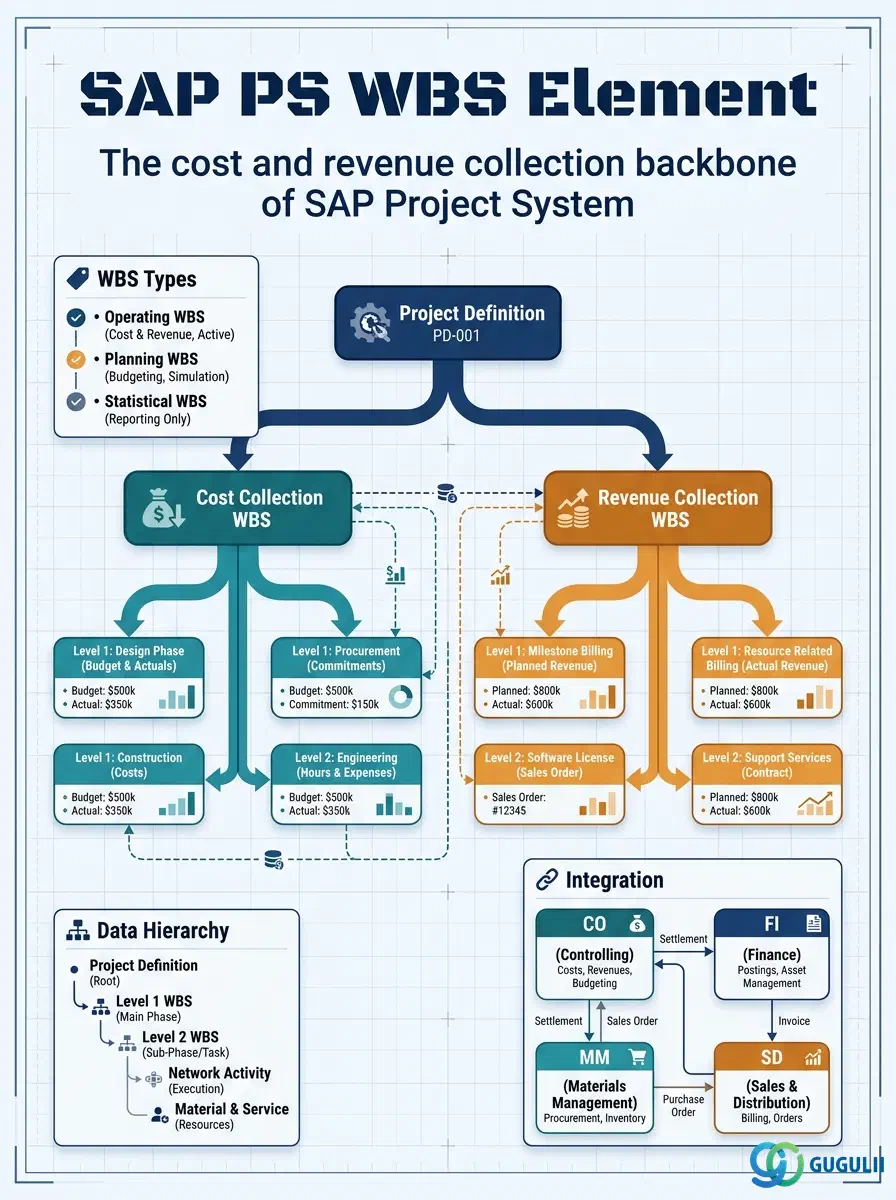
The WBS Element (Work Breakdown Structure Element) is the fundamental cost and revenue collection unit in SAP Project System. Created beneath a Project Definition, each WBS Element represents a distinct deliverable, phase, or responsibility area within the project — and can carry planned costs, budgets, actual postings, revenues, and settlement rules. A hierarchy of WBS Elements forms the Work Breakdown Structure that structures the project for reporting and control. The rest of this article covers its five types, data hierarchy, integration with CO, FI, and SD, and every field PS consultants must configure.
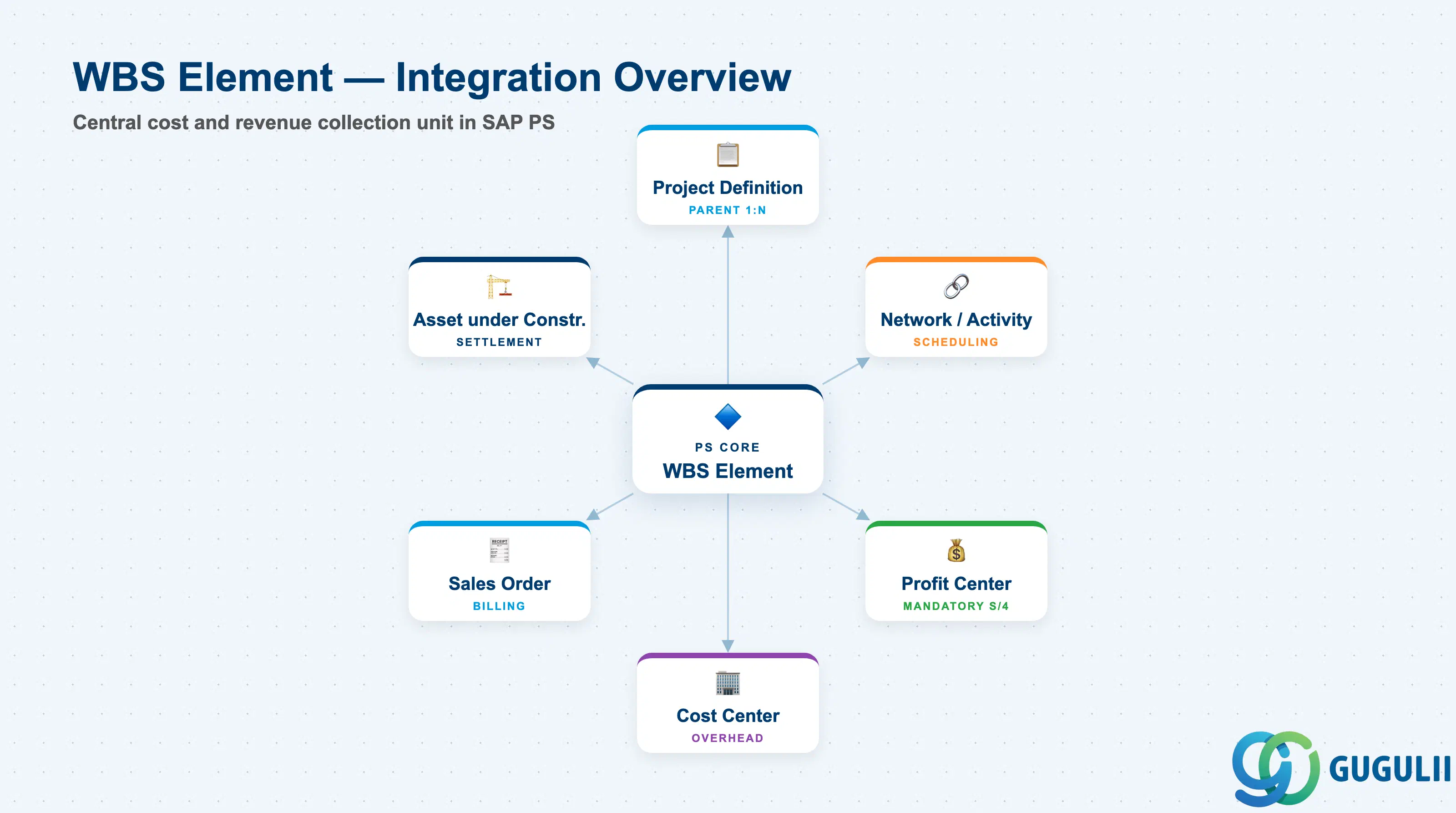
A WBS Element is a node in the project’s hierarchical decomposition that simultaneously serves as an organizational unit (identifying who is responsible for a deliverable) and a financial object (collecting planned costs, actual costs, revenues, and budget). Unlike many master data objects in SAP, a WBS Element is both a structural element and an account assignment object — the same record controls the project tree and receives financial postings.
| Aspect | Details |
|---|---|
| Role | Primary cost and revenue collection unit within a project; structural node of the Work Breakdown Structure hierarchy |
| Modules using it | PS (primary owner — planning, execution, settlement), CO (cost collection via internal orders analogy, Profit Center accounting), FI-AA (AuC WBS for investment project capitalization), SD (billing WBS for milestone and resource-related billing) |
| Transactions | CJ11 (Create WBS Element) / CJ12 (Change) / CJ13 (Display) / CJ20N (Project Builder — create hierarchy interactively) / CN41 (WBS list report) |
| Key Tables | PRPS (WBS Element master data) / PROJ (parent Project Definition) / PRHI (WBS hierarchy — parent-child relationships) |
| S/4HANA note | Profit Center assignment on each WBS Element became mandatory in S/4HANA (not optional as in ECC). Universal Journal (ACDOCA) consolidates WBS actuals with the Profit Center dimension directly. Fiori app “Manage Projects” (F2373) supports WBS creation and editing. |
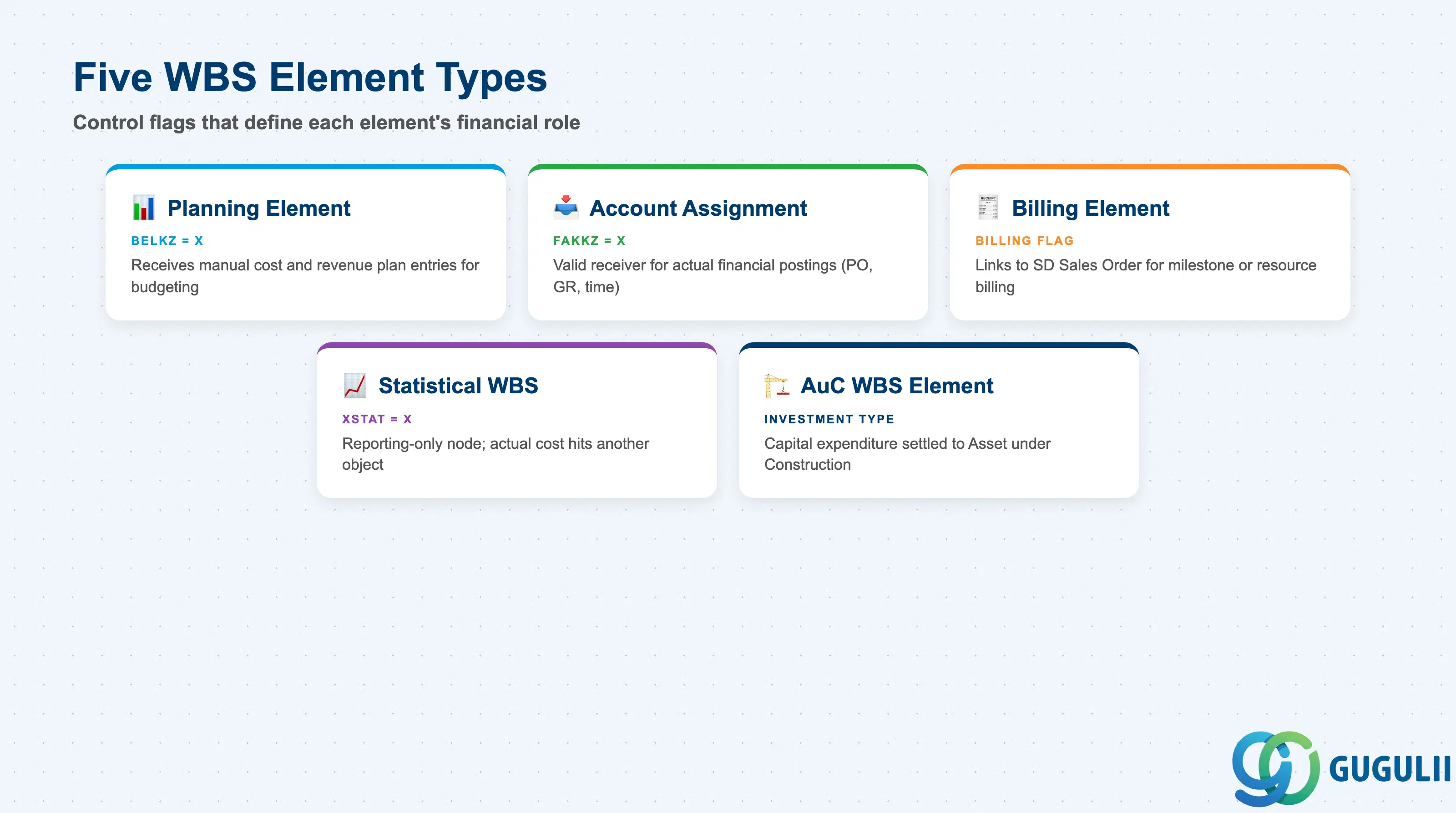
WBS Elements are differentiated by three boolean control flags — Planning Element, Account Assignment Element, and Billing Element — and by one special-purpose variant (AuC). A single WBS Element can hold multiple flags simultaneously (e.g., a WBS that is both a Planning Element and an Account Assignment Element). Understanding which combination to apply at each hierarchy level is one of the first structural decisions in a PS project blueprint.
| Type | Code / Flag | Use Case | Key Behavior |
|---|---|---|---|
| Planning Element | PSPRI.BELKZ = X | WBS nodes where cost and revenue plans are entered | Cost element planning, unit costing, and hierarchy planning roll up through Planning Elements. Nodes without this flag cannot receive manual plan entries. |
| Account Assignment Element | PRPS.FAKKZ = X | WBS nodes that receive actual cost and revenue postings | Purchase orders, goods receipts, time confirmations, and manual journal entries can only be posted to Account Assignment Elements. Typically set on lower-level WBS nodes. |
| Billing Element | PRPS.FAKKZ = X (Billing) | WBS nodes linked to Sales Order items for customer billing | Required for milestone billing and resource-related billing. Connects the WBS to the SD billing plan. Only relevant for Customer Project type. |
| Statistical WBS Element | PRPS.XSTAT = X | Nodes used for reporting and analysis only | Actual postings are made statistically — the WBS appears in reports but the real cost hits another object (e.g., a cost center). Used for parallel reporting hierarchies. |
| AuC WBS Element | PRPS.PSPRI (Investment) | Capital expenditure projects: capitalization to Fixed Assets | Receives actual project costs during construction phase; settled to an Asset under Construction (AuC) and ultimately to a final Fixed Asset via FI-AA. Requires Investment Project type. |
Design principle: Assign Account Assignment Element flag only to the lowest meaningful level of the hierarchy — posting to mid-level WBS nodes prevents granular cost analysis at the leaf level.
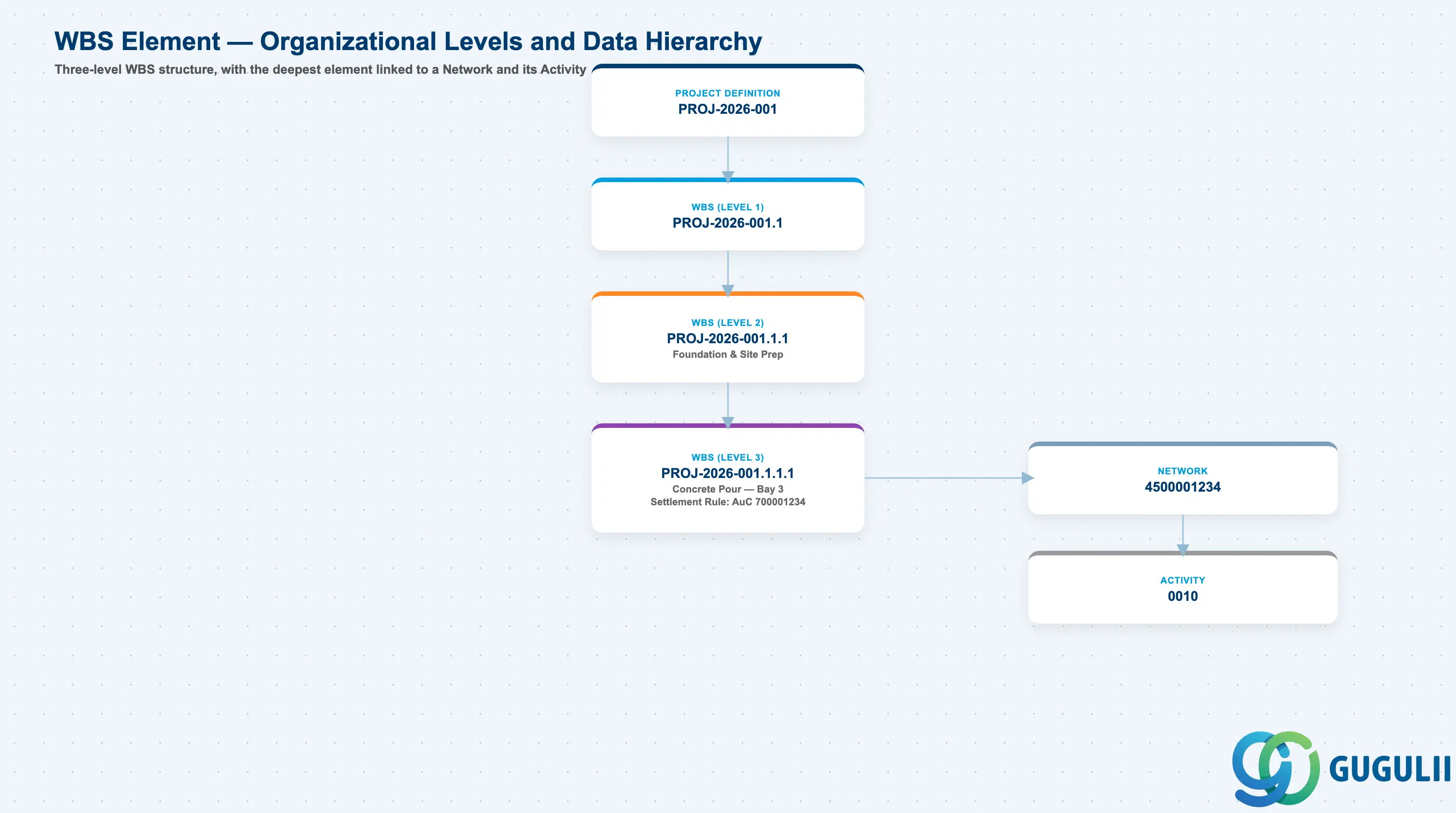
Data hierarchy with a concrete example
Controlling Area 1000
   │
   └── Project Definition PROJ-2026-001
          Plant Expansion — Line 3 Capacity Increase
          │
          └── WBS Element PROJ-2026-001.1 (Level 1 — Summary)
                 Civil Works
                 Profit Center PC-1000-MFG
                 │
                 └── WBS Element PROJ-2026-001.1.1 (Level 2 — Phase)
                        Foundation & Site Prep
                        Responsible Cost Center 4100-CONSTR
                        │
                        └── WBS Element PROJ-2026-001.1.1.1 (Level 3 — Deliverable)
                               Concrete Pour — Bay 3
                               Account Assignment + Billing Element
                               Settlement Rule: AuC 700001234
                               ── linked via ──> Network 4500001234, Activity 0010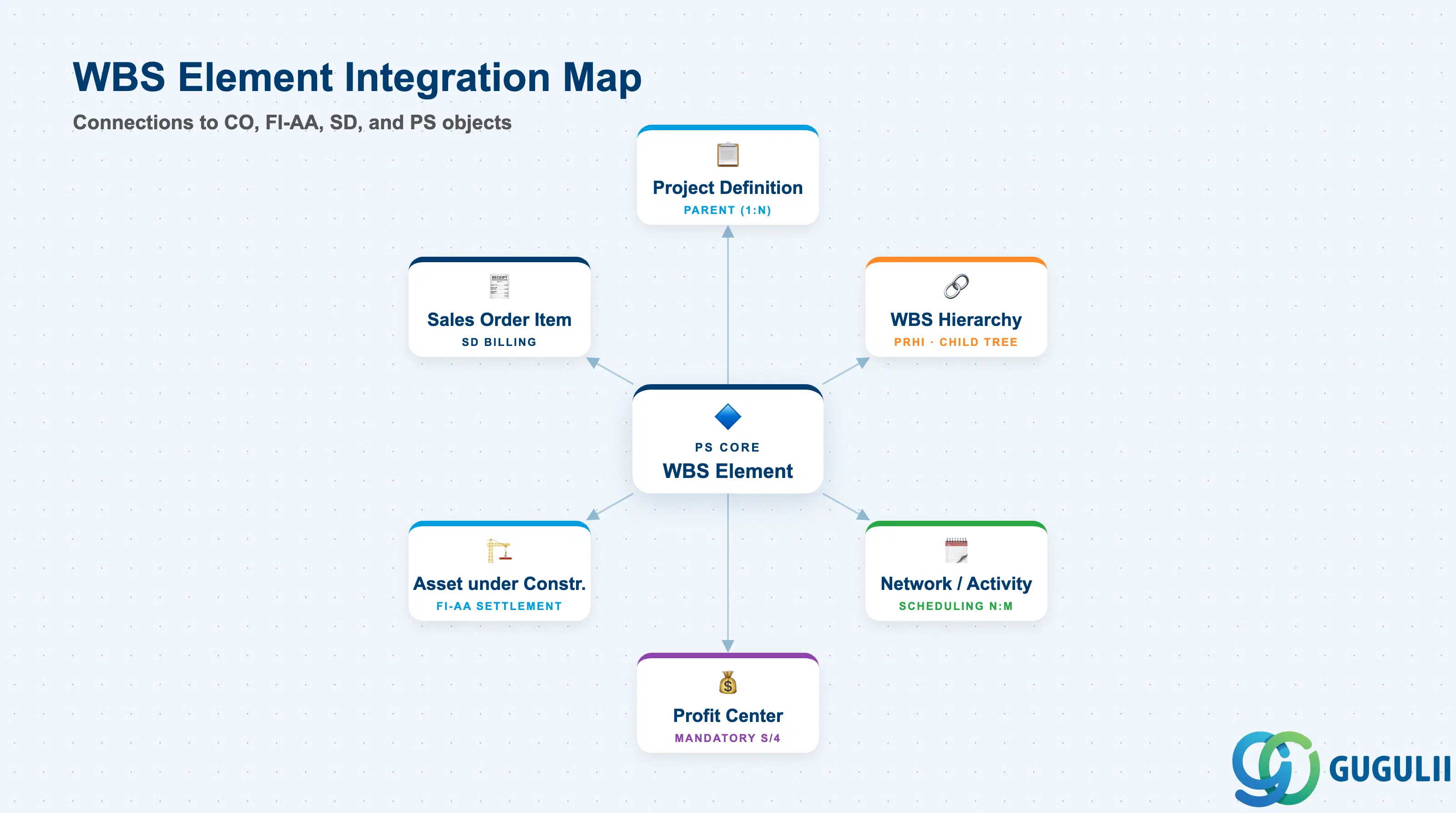
The WBS Element is the most integration-intensive master data object in SAP PS. It connects upward to the Project Definition, sideways to Networks (for scheduling), and downward to CO, FI-AA, and SD objects that receive the financial results of project execution.
| Object | Relationship | Practical Notes |
|---|---|---|
| Project Definition | Parent (1:N) — one Project Definition to many WBS Elements | The WBS Element code is composed of the Project Definition number plus element-specific segments. The Project Definition’s project type constrains which WBS Element types are allowed (e.g., Billing Elements only in Customer projects). |
| WBS Hierarchy | Child structure (PRHI) — WBS Elements linked in a tree | Parent-child relationships are stored in PRHI and managed automatically. Deep hierarchies (5+ levels) can slow down reporting; design a flat-enough structure for performance. |
| Network / Activity | Associated (N:M via assignment) — Networks attach to WBS Elements for scheduling | Activity actual costs roll up to the assigned WBS Element. A WBS Element can have multiple Networks assigned; costs from all assigned Networks aggregate to the WBS. |
| Profit Center | Referenced (mandatory in S/4HANA) | Every non-statistical WBS Element requires a Profit Center assignment. This drives Profit Center accounting and is critical for segment reporting and legal entity consolidation. |
| Asset under Construction (FI-AA) | Settlement receiver for AuC WBS Elements | Investment project WBS Elements settle to an AuC object during the project and to final Fixed Assets upon completion. The settlement rule on the WBS Element controls this flow. |
| Sales Order Item (SD) | Referenced from Billing WBS Elements | For Customer projects, the Billing WBS Element is referenced in the Sales Order item, linking milestone dates and billing amounts to the SD billing plan. |
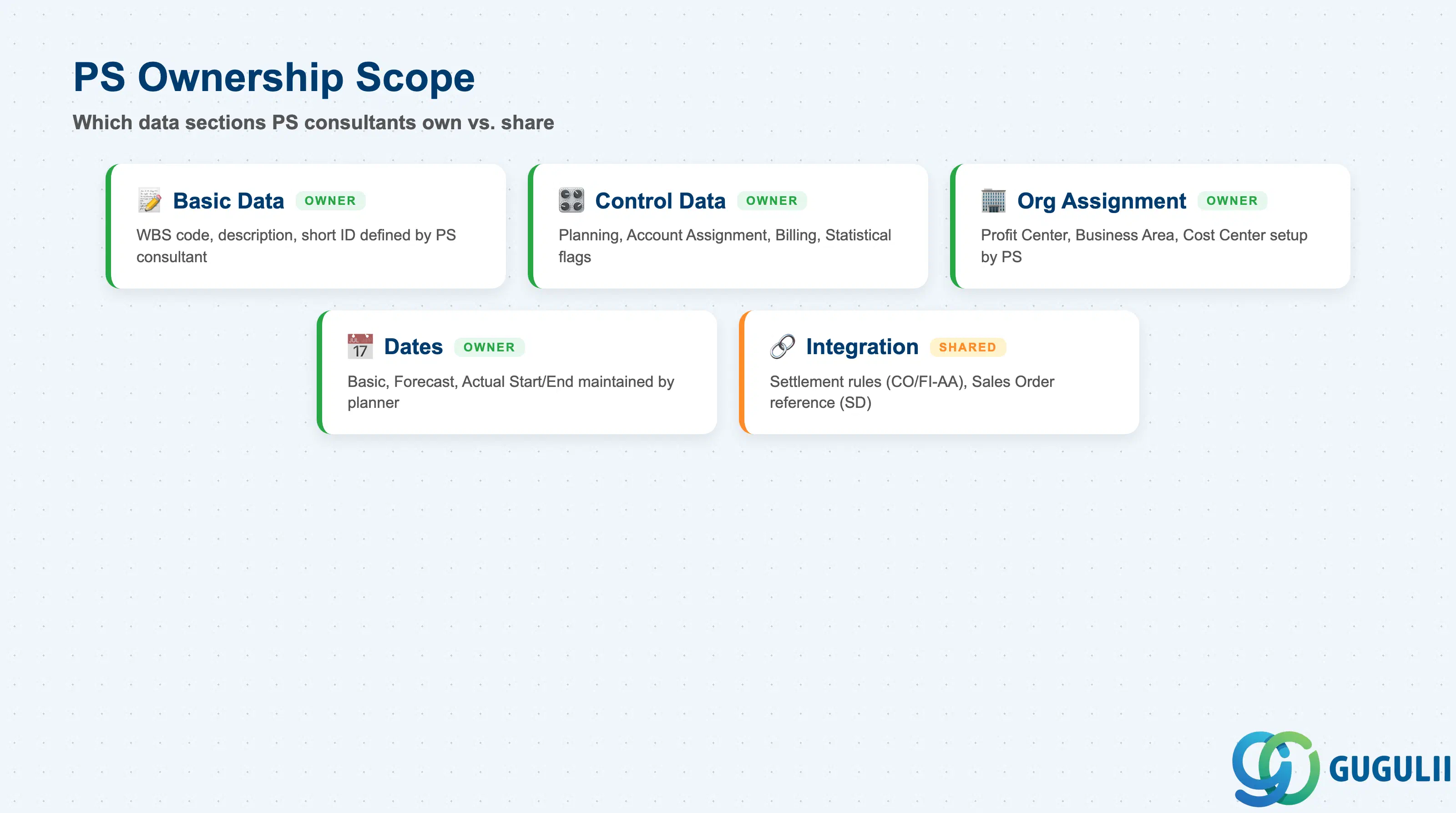
| Data Section | PS Involvement | Notes |
|---|---|---|
| Basic Data | ◎ Owner | WBS code, description, short ID — defined by PS consultant and project manager |
| Control Data | ◎ Owner | Planning/Account Assignment/Billing flags, Statistical flag — structural decisions made during blueprint |
| Organizational Assignment | ◎ Owner | Profit Center, Business Area, Responsible Cost Center — PS owns setup; CO validates |
| Dates | ◎ Owner | Basic, Forecast, and Actual Start/End dates — project planner maintains throughout lifecycle |
| Integration Assignments | ○ Shared with CO / FI-AA / SD | Settlement rules (CO/FI-AA), Sales Order reference (SD) — PS configures; consuming modules verify |
Legend: ◎ = Owner / Critical, ○ = Direct involvement
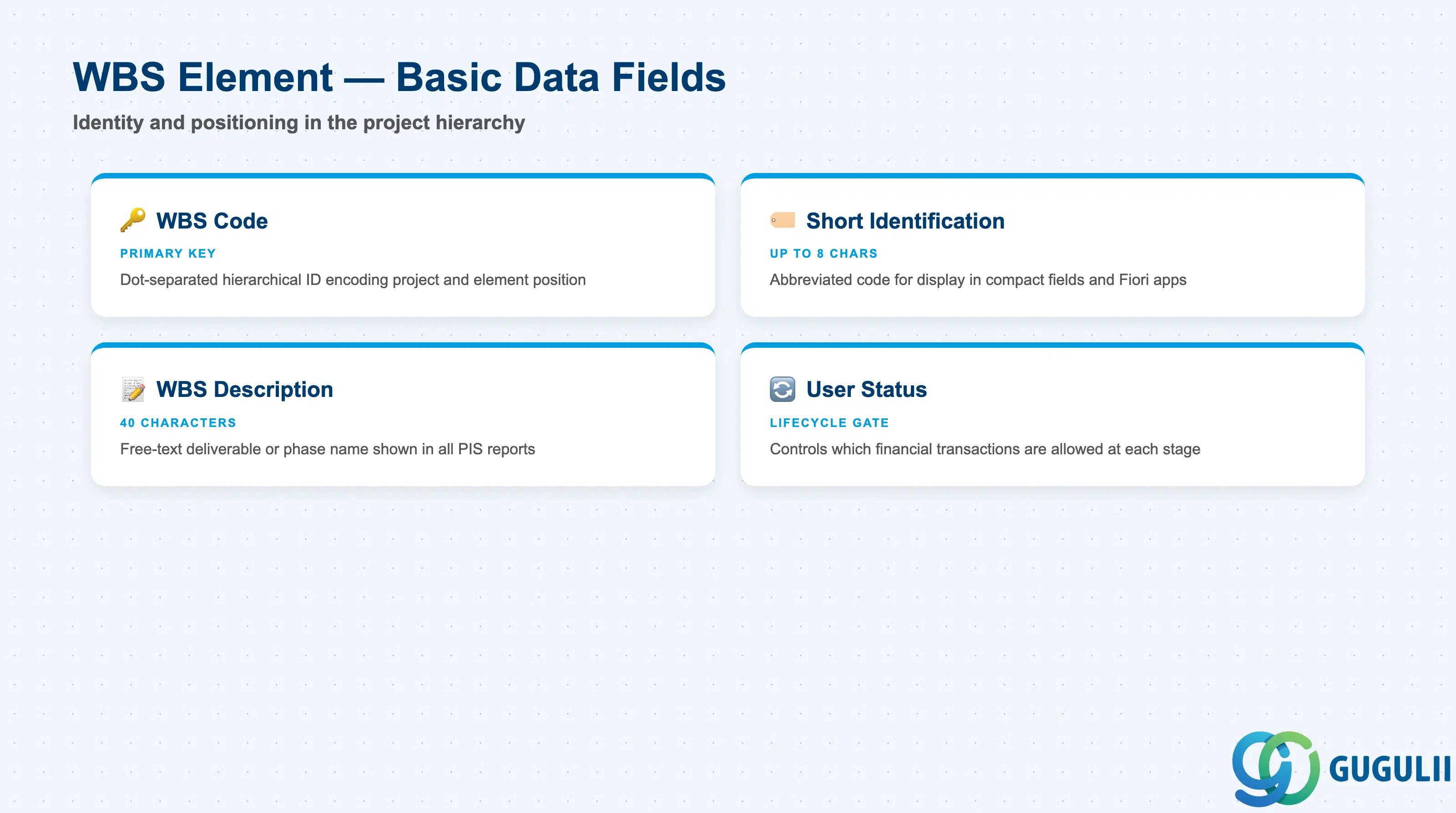
Basic Data fields identify the WBS Element and position it in the project hierarchy. The WBS code is the primary key — it encodes the project number and the element’s hierarchical position in a dot-notation string that appears on every project report, purchase order, and journal entry referencing this element.
| Field | Description | Practical Usage |
|---|---|---|
| WBS Code | Hierarchical identifier using project number + element segments, typically dot-separated (e.g., JP01-2026-0001.1.2) | The code implicitly conveys hierarchy depth. Define a naming convention that encodes phase, workpackage, and deliverable in the segment structure — post-go-live renames are not possible once postings exist. |
| Short Identification | Abbreviated WBS code for display in shorter fields and reports (up to 8 characters) | Used in network activity assignments and some Fiori apps. Keep it unique within the project and intuitively mapped to the full WBS code to avoid confusion during execution. |
| WBS Description | Free-text description of the deliverable or phase this element represents (40 characters) | Appears in all project information system (PIS) reports. Write descriptions that are meaningful to project managers and finance teams alike — avoid purely technical jargon or internal codes that external auditors cannot interpret. |
| User Status | Current user-defined lifecycle status of the WBS Element (e.g., In Planning, Released, TECO) | User statuses can block or permit financial transactions. For example, preventing actual postings until the WBS reaches “Released” status enforces governance controls. Align status transitions with the project governance process documented in the blueprint. |
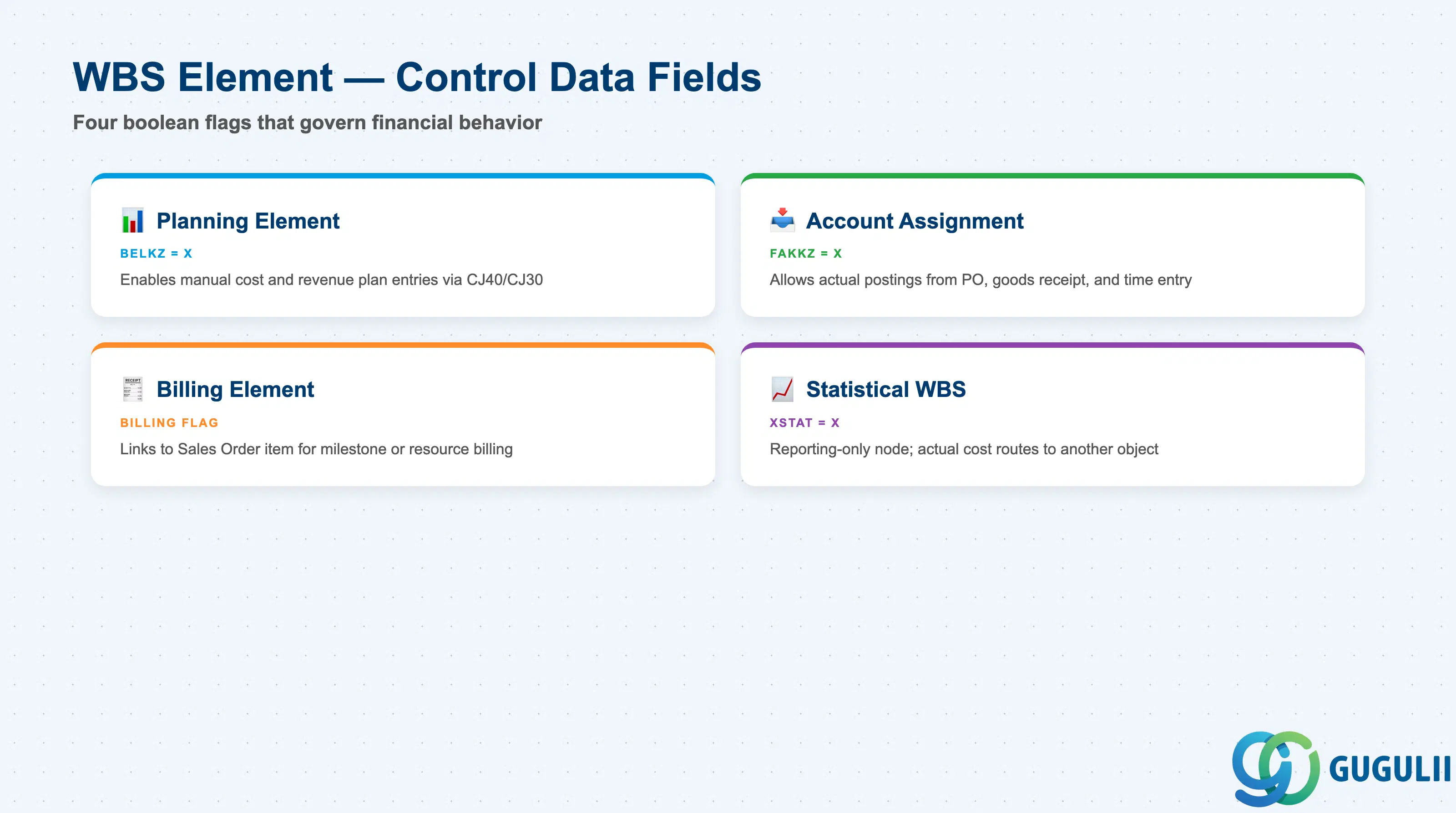
Control Data flags determine the financial role each WBS Element plays. These four boolean switches govern which transactions can be posted to the element and how its data is used in planning, billing, and settlement. Setting them incorrectly at the start forces a manual correction process that risks data inconsistencies.
| Field | Description | Practical Usage |
|---|---|---|
| Planning Element Flag | Marks this WBS Element as eligible to receive manual cost and revenue plan entries | Set this flag on all WBS Elements where project managers or cost planners will enter budgets or cost plans. Without it, planning transactions (CJ40, CJ30) skip the element. Summary-level elements should carry this flag for hierarchy cost roll-up. |
| Account Assignment Element Flag | Marks this WBS Element as a valid receiver for actual financial postings | Only elements with this flag active can be referenced in purchase orders, goods receipts, CATS time entries, and journal entries. Set it exclusively on the lowest posting level to maintain reporting granularity. |
| Billing Element Flag | Marks this WBS Element as a billing reference for SD Sales Order items | Applicable only in Customer Project type. The Billing Element is referenced in the Sales Order item to trigger milestone billing or resource-related billing. At most one Billing Element per billing-relevant hierarchy branch. |
| Statistical WBS Flag | Designates the element as a reporting-only node — actual costs are posted statistically | Use when you need a cross-cutting reporting dimension (e.g., by project phase across multiple projects) without routing actual cost flows through the WBS. Real cost postings go to another object; the WBS receives a statistical shadow posting. |
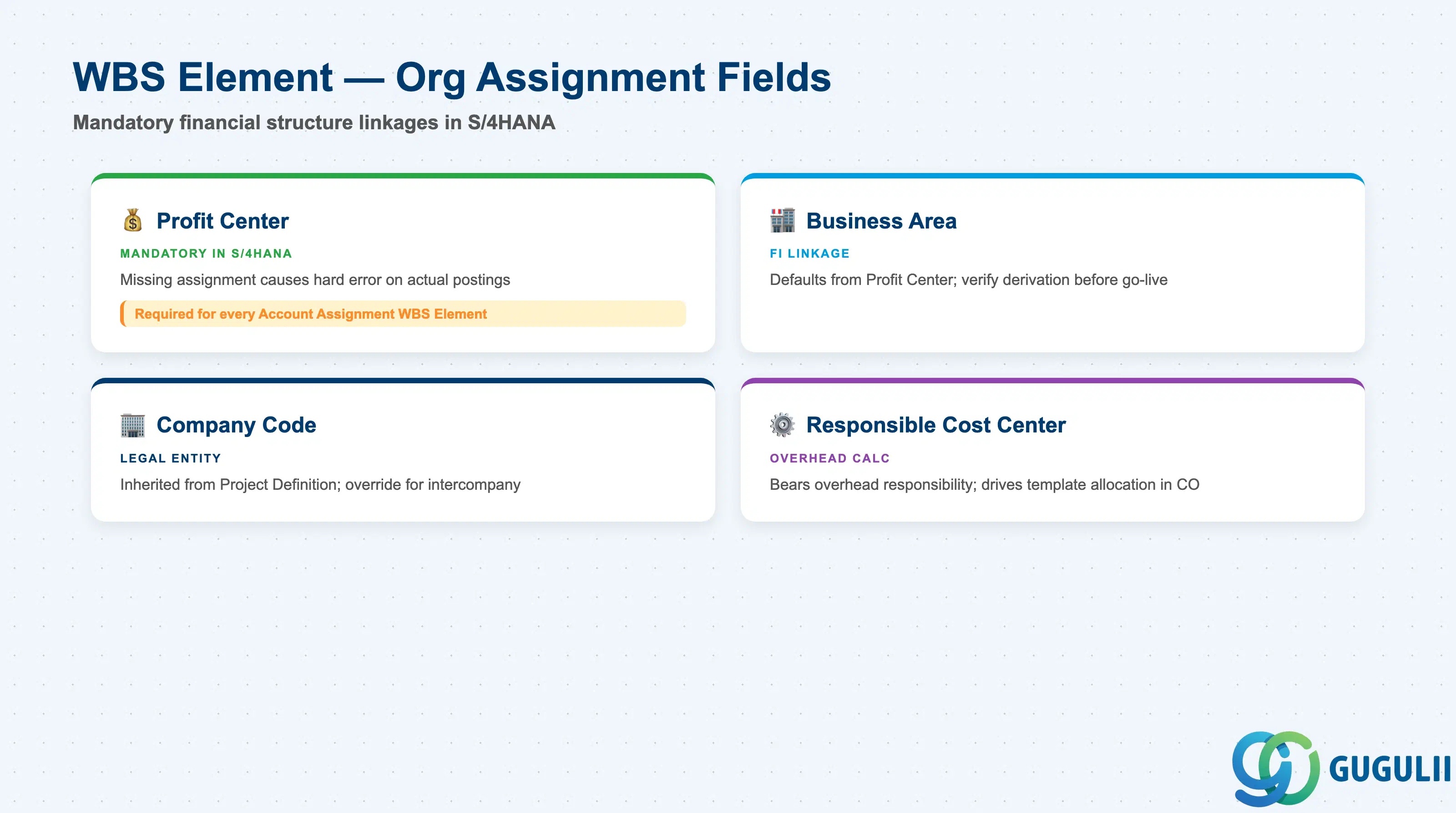
Organizational Assignment fields link each WBS Element to the financial structures of the enterprise. In S/4HANA, these assignments became stricter than in ECC — Profit Center assignment is no longer optional, and its absence will block actual postings. These fields must be planned as part of the project template design, not filled in ad hoc during execution.
| Field | Description | Practical Usage |
|---|---|---|
| Profit Center | The Profit Center responsible for this WBS Element’s costs and revenues (mandatory in S/4HANA) | Every account assignment WBS Element must carry a Profit Center. In S/4HANA, the Universal Journal posts to the Profit Center dimension directly — a missing assignment causes a hard error on actual postings. For multi-profit-center projects, assign Profit Centers at the lowest WBS level that maps to a single business segment. |
| Business Area | FI Business Area linked to this WBS Element | Required when Business Area accounting is active. Defaults from the Profit Center master data in many configurations but can be set independently on the WBS. Verify the derivation logic in Customizing before go-live. |
| Company Code | The legal entity associated with this WBS Element | Defaults from the Project Definition but can be overridden at WBS level for intercompany project scenarios. Changing the Company Code after actual postings have been made is not permitted — design the cross-company WBS structure in the blueprint. |
| Responsible Cost Center | Cost center that bears overhead responsibility for this WBS Element | Used in template allocation (overhead calculation) and in responsibility reports in CO. Set this to the department or team delivering the WBS scope. Changing it mid-project affects overhead calculation for past periods if retroactive recalculation is not run. |
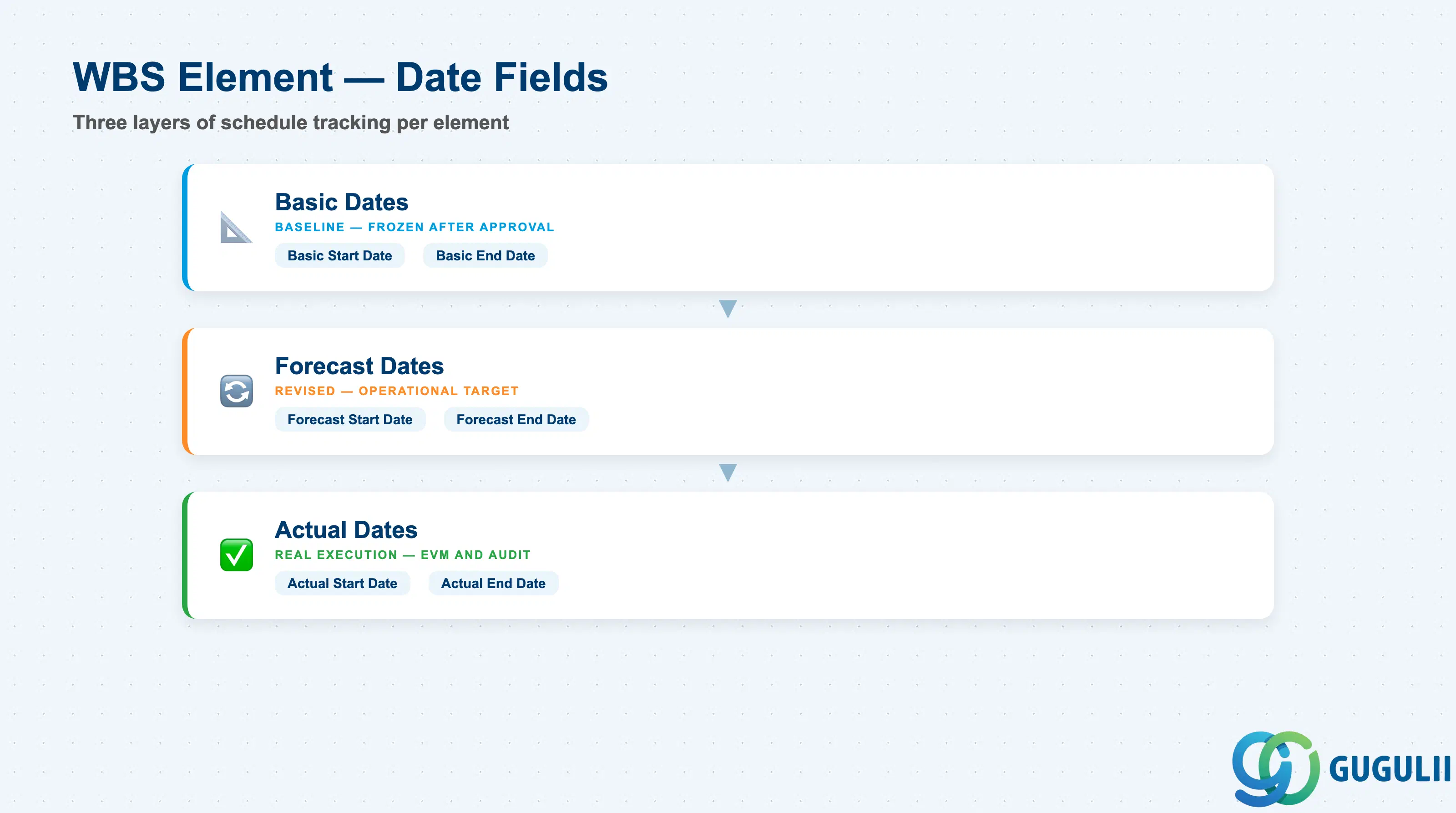
Each WBS Element carries its own set of Basic, Forecast, and Actual dates that represent the schedule at element level. These dates must fall within the boundary dates of the parent Project Definition. Network scheduling can automatically update WBS Element dates when Networks are assigned — the scheduling direction (forward or backward) is controlled by the Network Profile.
| Field | Description | Practical Usage |
|---|---|---|
| Basic Start Date | Planned start date of this deliverable or phase at project baseline | Set this during initial project planning. Together with the Basic End Date, it forms the scheduling baseline that is compared against actuals in variance reporting. Do not change Basic dates after the baseline is frozen — use Forecast dates for revisions. |
| Basic End Date | Planned finish date of this deliverable or phase at project baseline | Used in the standard Gantt chart (CJ20N) and in the Schedule Performance Index (SPI) calculation in EVM. Milestones attached to Activities on this WBS will check against this date. |
| Forecast Start Date | Revised expected start date based on current project status | Update when the actual start has slipped from the basic date. Forecast dates drive the current schedule view in the PS Information System and in Fiori project monitoring apps. |
| Forecast End Date | Revised expected finish date — the operational schedule target for this element | The most actively maintained date field during project execution. Project managers and controllers use this date for delay quantification and resource reallocation decisions. |
| Actual Start Date | Date on which work on this deliverable actually began | Can be set manually or derived from the earliest actual start date of assigned Activities. Used in Earned Value Management (EVM) and in delay cause analysis during project audits. |
| Actual End Date | Date on which this deliverable was actually completed | Set when the WBS Element receives TECO (Technical Completion) status or when the last actual posting is made. Required for settlement processing and project archiving. |
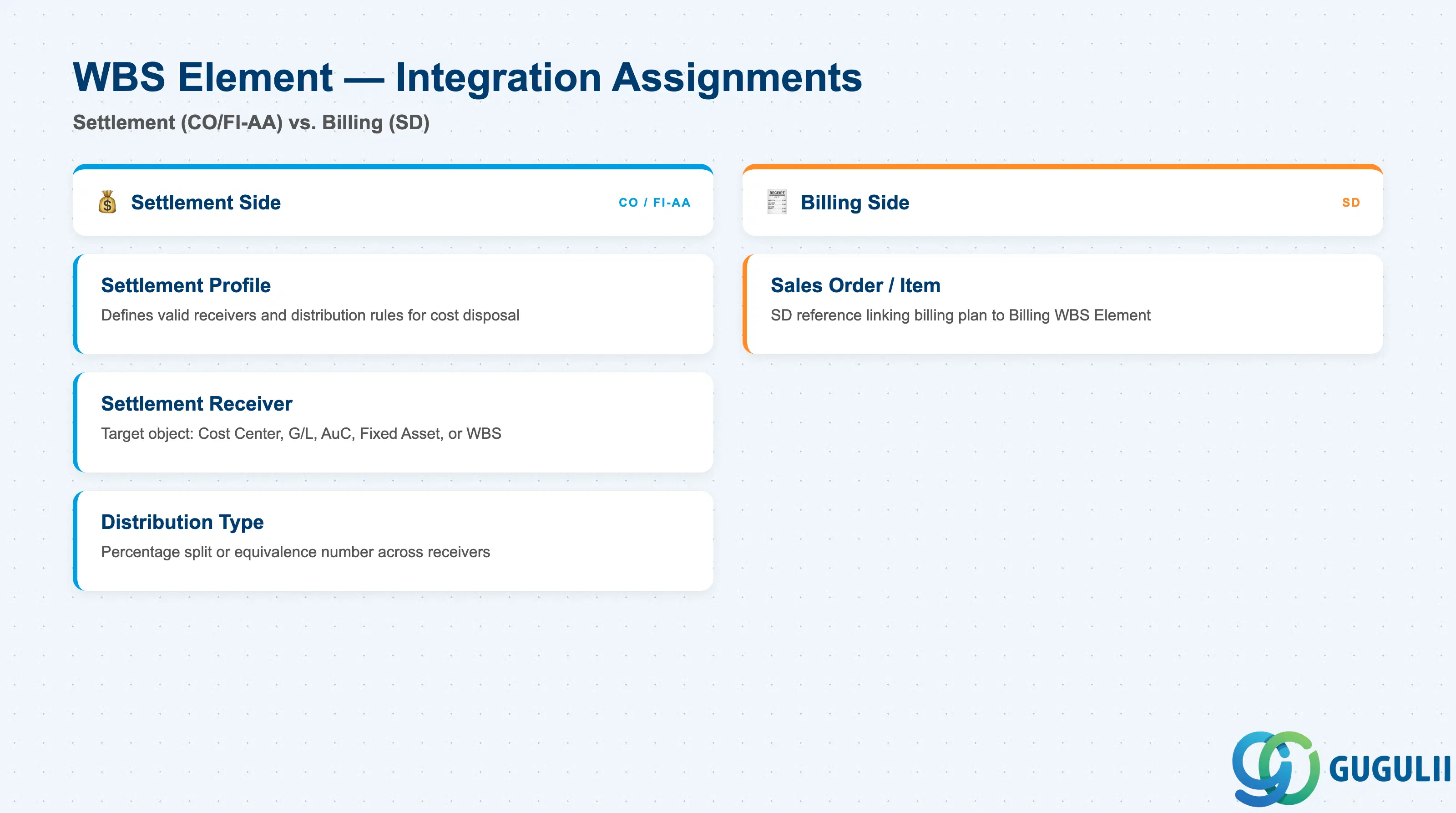
Integration Assignments are the fields that connect the WBS Element to downstream cost disposal and revenue collection objects. They are set by the PS consultant in coordination with CO, FI-AA, and SD teams — errors here cause settlement failures, missing revenue postings, or incorrect capitalization.
| Field | Description | Practical Usage |
|---|---|---|
| Settlement Profile | Defines valid settlement receivers and distribution rules for this WBS Element’s costs | Must be configured in Customizing and assigned to the WBS Element before any settlement run. For investment projects, the profile must allow settlement to Assets under Construction. For internal projects, settlement to cost centers or G/L accounts is typical. Mismatched profiles cause hard errors in the period-end settlement transaction (CJ88). |
| Settlement Rule — Receiver | The object that receives the WBS Element’s accumulated costs during settlement (Cost Center, G/L Account, Asset under Construction, Fixed Asset, or another WBS) | Define a settlement rule on every Account Assignment WBS Element before go-live. The rule specifies the receiver type, receiver object, and percentage split. For AuC WBS Elements, the receiver is the Asset under Construction created in FI-AA. Periodically check that settlement rules are still valid — receiver objects can be deactivated. |
| Settlement Rule — Distribution Type | Determines how settlement amounts are split across multiple receivers (by percentage or equivalence number) | Percentage-based rules are simpler to audit. Equivalence numbers are useful when settlement shares change with each period. Document the business rationale for multi-receiver settlement rules in the project blueprint so that auditors can trace the logic. |
| Sales Order / Item (Billing WBS) | Reference to the SD Sales Order item for Customer Project billing WBS Elements | Set automatically when a Sales Order item is assigned to the WBS Element in VA01/VA02. This link activates the billing plan on the SD side and allows milestone confirmations to trigger billing documents. Verify that the Sales Order currency matches the Project Definition currency to avoid exchange rate discrepancies in revenue recognition. |
| ID | Category | Title |
|---|---|---|
| ps-001 | Overview | What is SAP PS? |
| ID | Category | Title |
|---|---|---|
| ps-a01 | Overview | SAP PS Master Data: Overview, Hierarchy & Relationships |
| ps-a02-01 | Master Data | SAP PS Material Master |
| ps-a03-01 | Master Data | SAP PS Project Profile |
| ps-a03-02 | Master Data | SAP PS Network Profile |
| ps-a03-03 | Master Data | SAP PS Milestone Group |
| ps-a04-01 | Master Data | SAP PS Project Definition |
| ps-a04-02 | Master Data | SAP PS WBS Element 📍 |
| ps-a04-03 | Master Data | SAP PS WBS Element (AuC) |
| ps-a04-04 | Master Data | SAP PS WBS Hierarchy |
| ps-a05-01 | Master Data | SAP PS Network |
| ps-a05-02 | Master Data | SAP PS Activity |
| ps-a05-03 | Master Data | SAP PS Activity Element |
| ps-a05-04 | Master Data | SAP PS Milestone |
| ID | Category | Title |
|---|---|---|
| ps-b01 | Overview | SAP PS Transactions: Process Flow, Hierarchy & Relationships |