Title here
Summary here

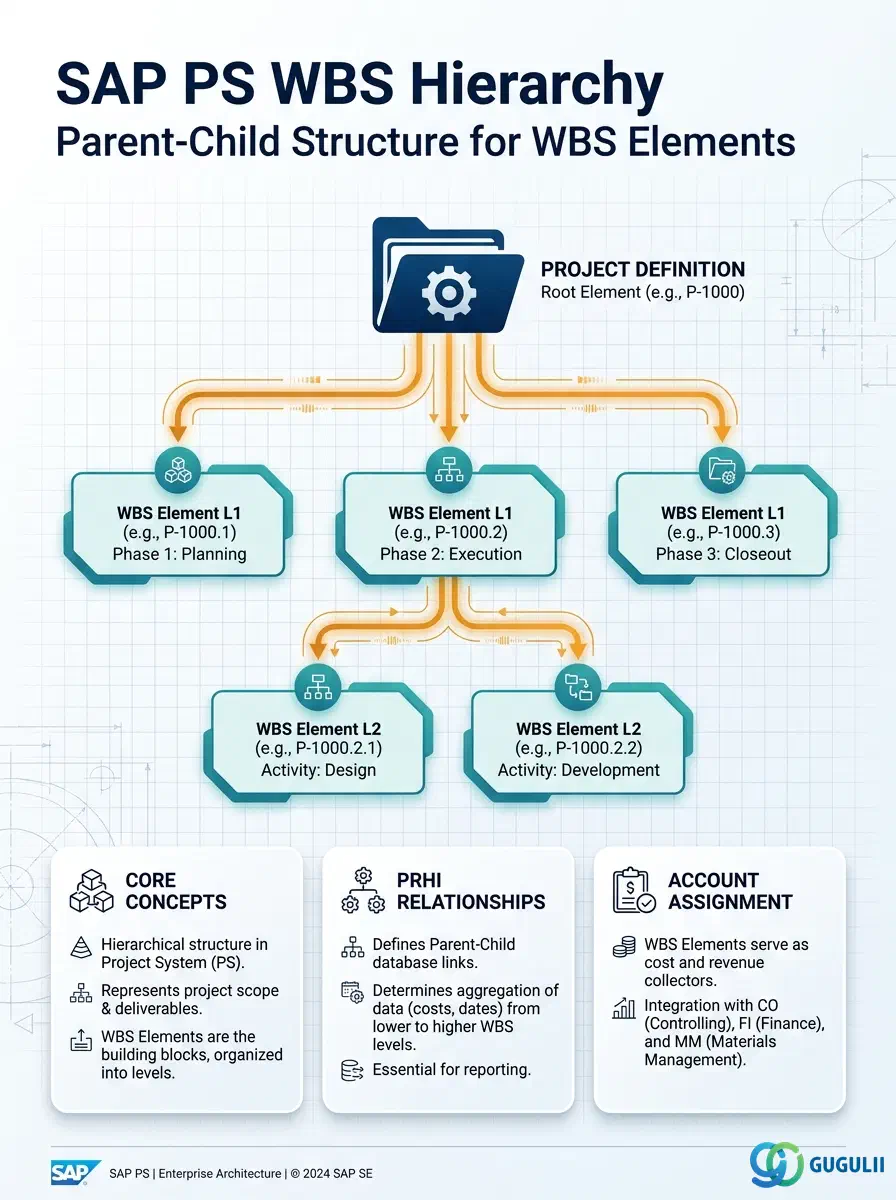
The WBS Hierarchy is the structural backbone of every SAP Project System project. It captures the parent-child relationships between WBS Elements within a Project Definition, forming the hierarchical breakdown structure that drives cost aggregation, budget distribution, and status reporting up and down the project tree. This article covers the hierarchy’s conceptual role, its database representation in table PRHI, the organizational dimensions it spans, and the field-level detail that PS consultants must understand when designing and maintaining project structures in S/4HANA.
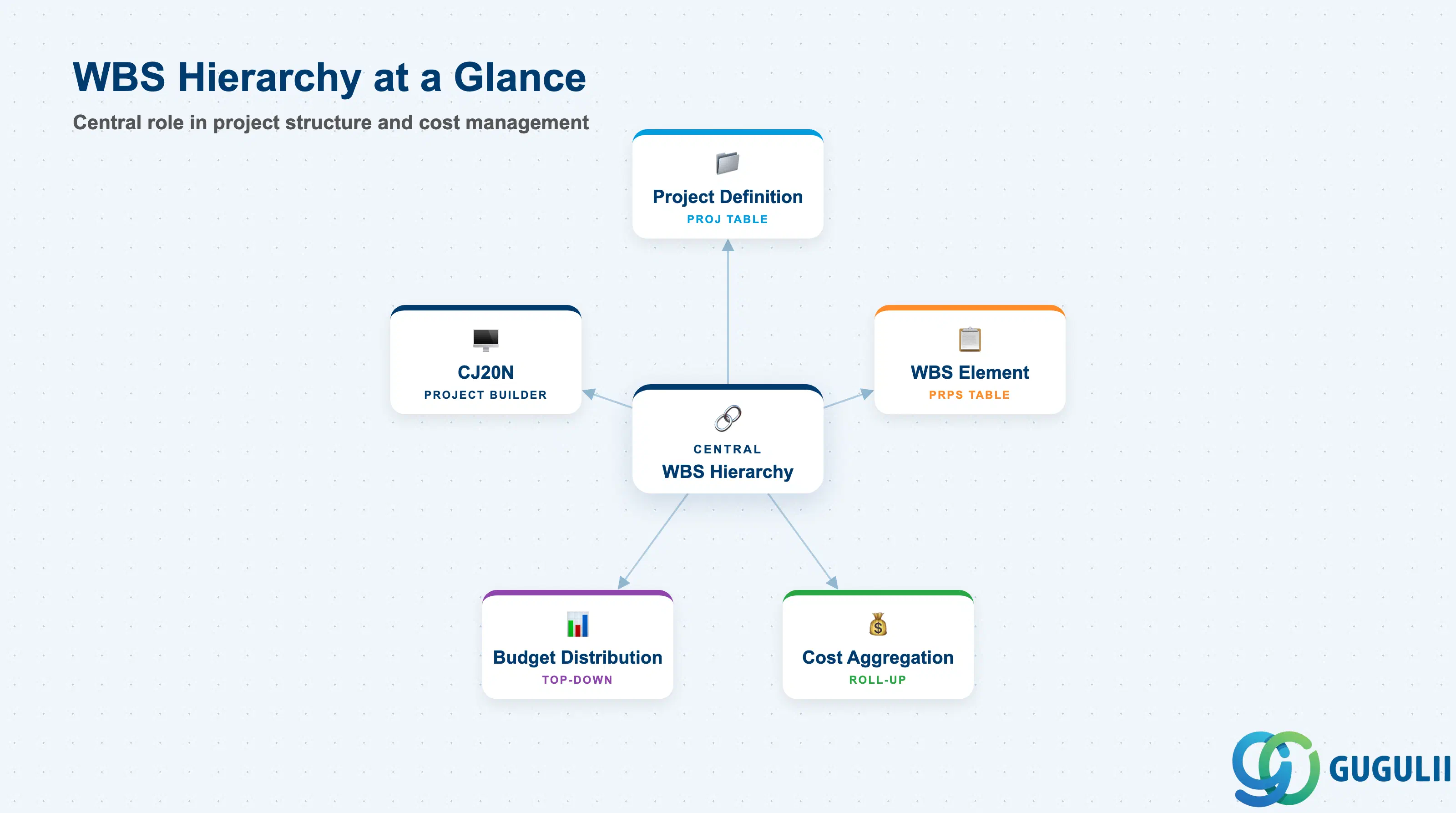
The WBS Hierarchy is not a standalone master data record in the conventional sense. It is the set of parent-child linkages between individual WBS Elements, persisted in table PRHI, that collectively define the tree-shaped breakdown structure of a project. While WBS Elements (table PRPS) carry the cost, revenue, and status data, the WBS Hierarchy carries the structural relationships — which element is the parent of which, and at what level in the tree each element sits.
| Aspect | Details |
|---|---|
| Role | Defines parent-child relationships between WBS Elements, enabling hierarchical cost roll-up, budget distribution top-down, and multi-level status aggregation |
| Modules using it | PS (primary — project planning and execution), CO (cost and revenue aggregation up the WBS tree), FI-AA (investment projects — AuC settlement follows the hierarchy), SD (billing element identification via WBS tree traversal) |
| Transactions | CJ20N (Project Builder — primary hierarchy editor), CJ11/CJ12/CJ13 (WBS Element create/change/display), CJ02 (Project Builder — simplified) |
| Key Tables | PRHI (WBS Hierarchy — parent-child relationships), PRPS (WBS Element master data), PROJ (Project Definition) |
| S/4HANA note | Hierarchy management is unchanged from ECC. CJ20N remains the standard tool. In S/4HANA, Fiori app “Manage Projects” (F4356) offers a modern hierarchy view but does not replace CJ20N for full structural edits. Profit Center assignment (mandatory in S/4HANA) is set at the WBS Element level and rolls through the hierarchy. |
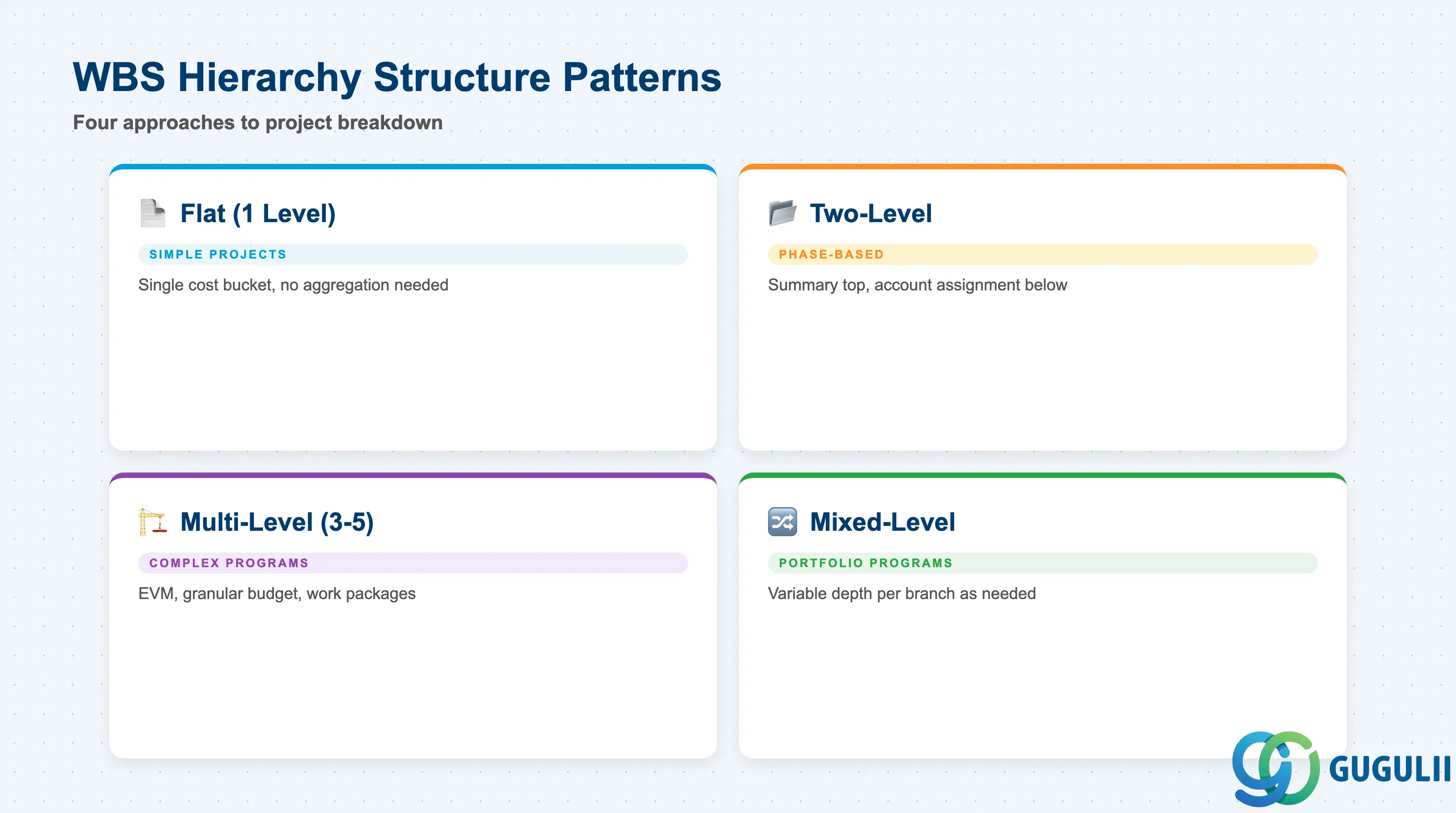
The WBS Hierarchy can take any tree shape that the Project Profile allows, but real-world PS implementations converge on a small number of structural patterns. Choosing the right depth and branching strategy at blueprint time is critical — hierarchy changes after project execution begins (actual costs posted) require careful CJFN (restructure) steps and can trigger cost re-assignment workflows.
| Structure Pattern | Levels | Use Case | Key Behavior |
|---|---|---|---|
| Flat (1 level) | 1 | Simple internal projects with a single cost bucket | All costs and revenues post to one WBS Element; no aggregation needed. Suitable for R&D expense projects or small internal initiatives. |
| Two-level | 2 | Phase-based projects (e.g., Design / Build / Test) | Top-level element is summary-only (account assignment disabled); lower level elements are account assignment elements. Common for mid-size customer projects. |
| Multi-level | 3–5 | Complex programs with sub-phases and work packages | Supports detailed earned value management (EVM), granular budget distribution, and work package-level procurement. Typical in large engineering, construction, and automotive capital projects. |
| Mixed-level | Variable | Portfolio programs with sub-projects | Top levels are summary; specific branches go deep only where needed. Used in investment programs where one phase (e.g., civil works) needs more granularity than others. |
Design principle: Hierarchy depth should reflect the actual reporting and cost-collection needs — not organizational vanity. Each additional level multiplies settlement rules, budget distribution steps, and period-end processing time. Limit depth to what the controlling and finance teams can realistically maintain.
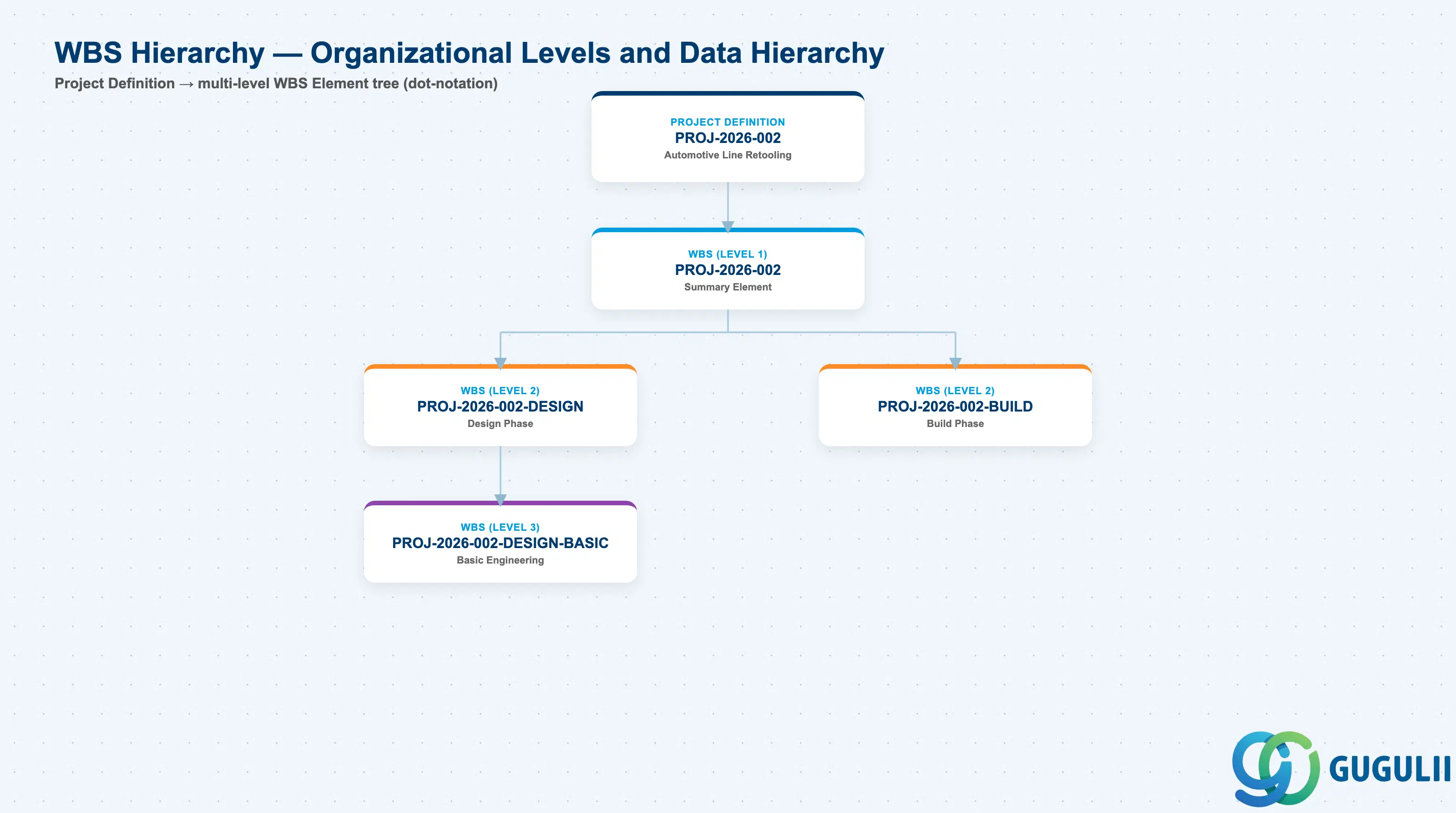
Data hierarchy with a concrete example
Project Definition PROJ-2026-002
   Automotive Line Retooling
   │
   └── WBS Element PROJ-2026-002 (Level 1 — Summary)
          │
          ├── WBS Element PROJ-2026-002-DESIGN (Level 2)
          │      Design Phase
          │      │
          │      └── WBS Element PROJ-2026-002-DESIGN-BASIC (Level 3)
          │             Basic Engineering
          │
          └── WBS Element PROJ-2026-002-BUILD (Level 2)
                 Build Phase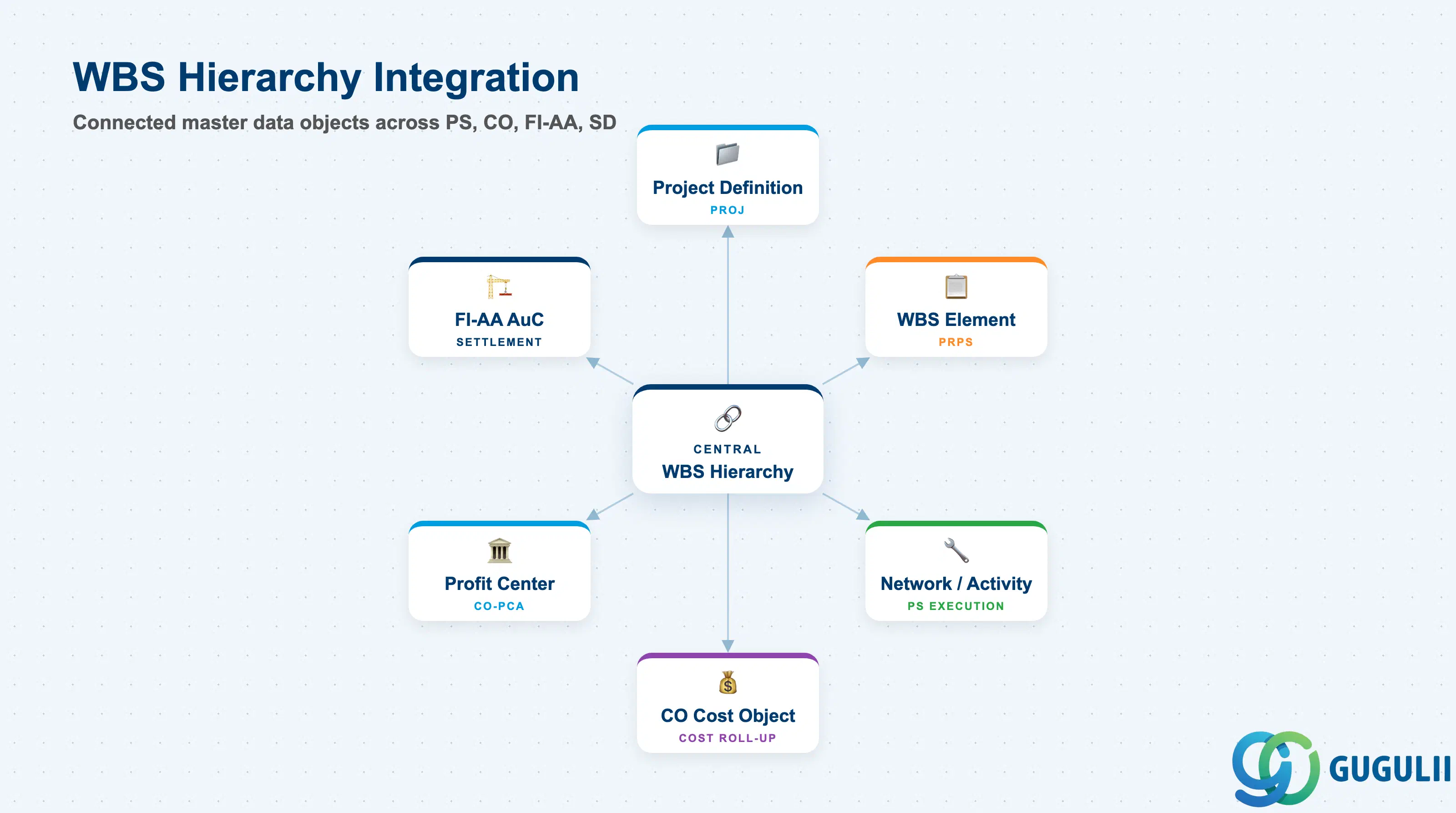
The WBS Hierarchy is structurally coupled to nearly every other PS master data object. Changes to the hierarchy ripple through cost aggregation, budget management, and settlement processing.
| Object | Relationship | Practical Notes |
|---|---|---|
| Project Definition (PROJ) | WBS Hierarchy is always scoped to one Project Definition | The Project Definition (CJ06) sets the controlling area, company code, and project currency — all WBS Elements in the hierarchy inherit this context. A project cannot span multiple controlling areas. |
| WBS Element (PRPS) | Hierarchy is built from WBS Element nodes | Every node in the PRHI hierarchy is a WBS Element record. Deleting a WBS Element that has PRHI child links is blocked by the system — children must be deleted or re-parented first. |
| WBS Element [AuC] (PRPS with AuC flag) | AuC elements participate in the hierarchy as standard nodes | Investment projects may include AuC WBS Elements at specific hierarchy levels. Their position in the hierarchy determines the settlement path to fixed assets (FI-AA). |
| Network / Activity | Networks are assigned to WBS Elements in the hierarchy | A Network is linked to one WBS Element. The WBS hierarchy determines where network costs roll up. Assigning a Network to a summary-level WBS Element (rather than a leaf) causes cost to accumulate at a higher level than intended. |
| CO Cost Object | Each WBS Element (account assignment element) is a CO cost object | Costs posted to account assignment elements in the hierarchy roll up through PRHI parent links in CO reporting. Summary WBS Elements display aggregated actuals without receiving direct postings. |
| Profit Center (CO-PCA) | Profit Center assigned per WBS Element | In S/4HANA, every WBS Element must carry a Profit Center assignment. The hierarchy structure influences which Profit Center captures costs at each reporting level — cross-Profit Center hierarchies require careful document splitting configuration. |
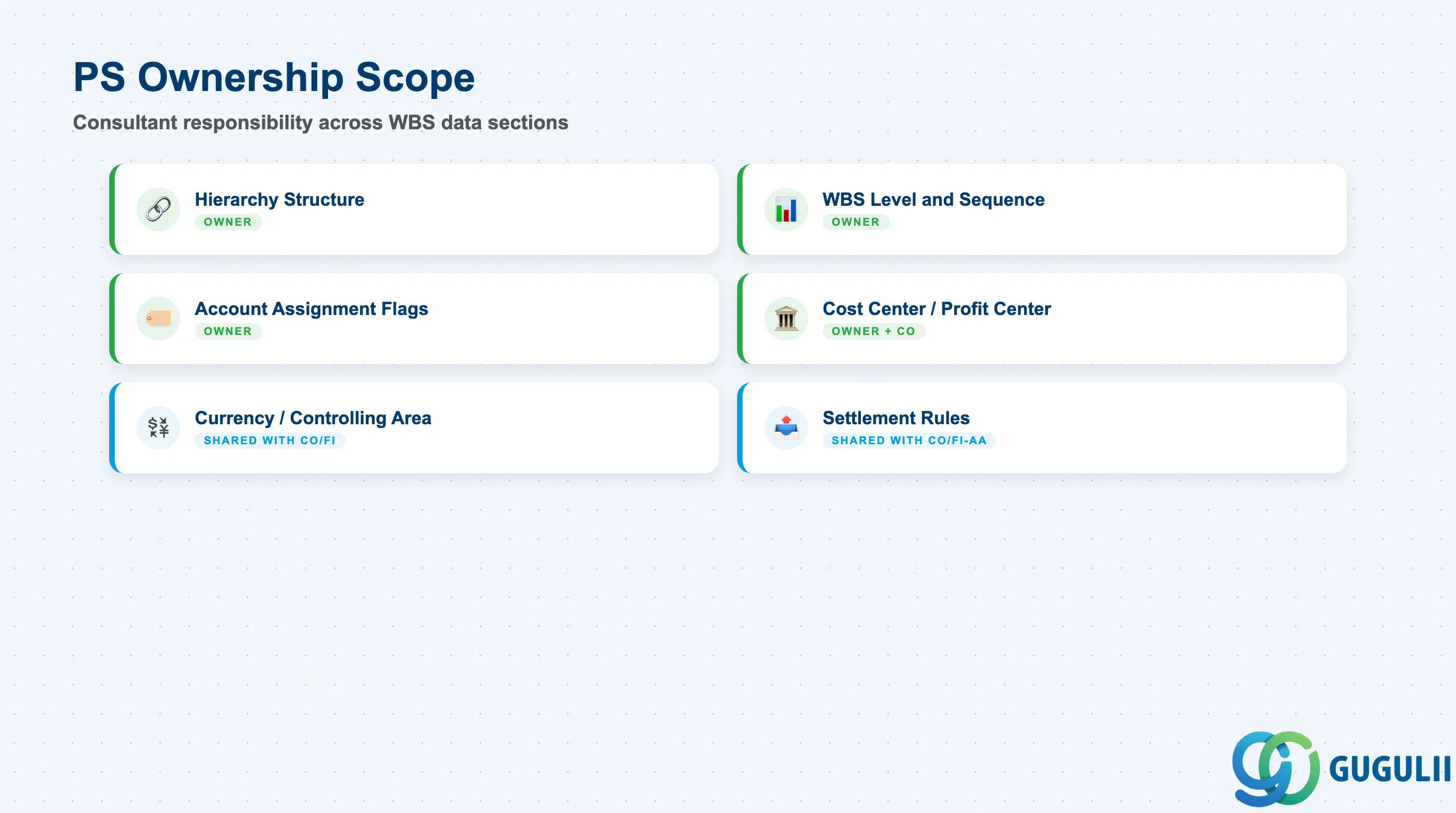
| Data Section | PS Involvement | Notes |
|---|---|---|
| Hierarchy Structure (PRHI) | ◎ Owner | Parent-child links defined by PS consultant in CJ20N or CJ11/CJ12 |
| WBS Level and Sequence (PRPS — STUFE, PSPHI) | ◎ Owner | Level number and sequence within parent are set as hierarchy is built |
| Account Assignment Indicators | ◎ Owner | Planning Element, Account Assignment Element, Billing Element flags on each node |
| Responsible Cost Center and Profit Center | ◎ Owner (with CO) | Set per WBS Element; CO validates Profit Center assignment in S/4HANA |
| Project Currency and Controlling Area | ○ Shared with CO/FI | Inherited from Project Definition; PS sets the hierarchy, CO owns the currency/area configuration |
| Settlement Rules | ○ Shared with CO/FI-AA | Settlement receiver (cost center, fixed asset, etc.) defined per WBS Element; hierarchy position determines settlement sequence |
Legend: ◎ = Owner / Critical, ○ = Direct involvement
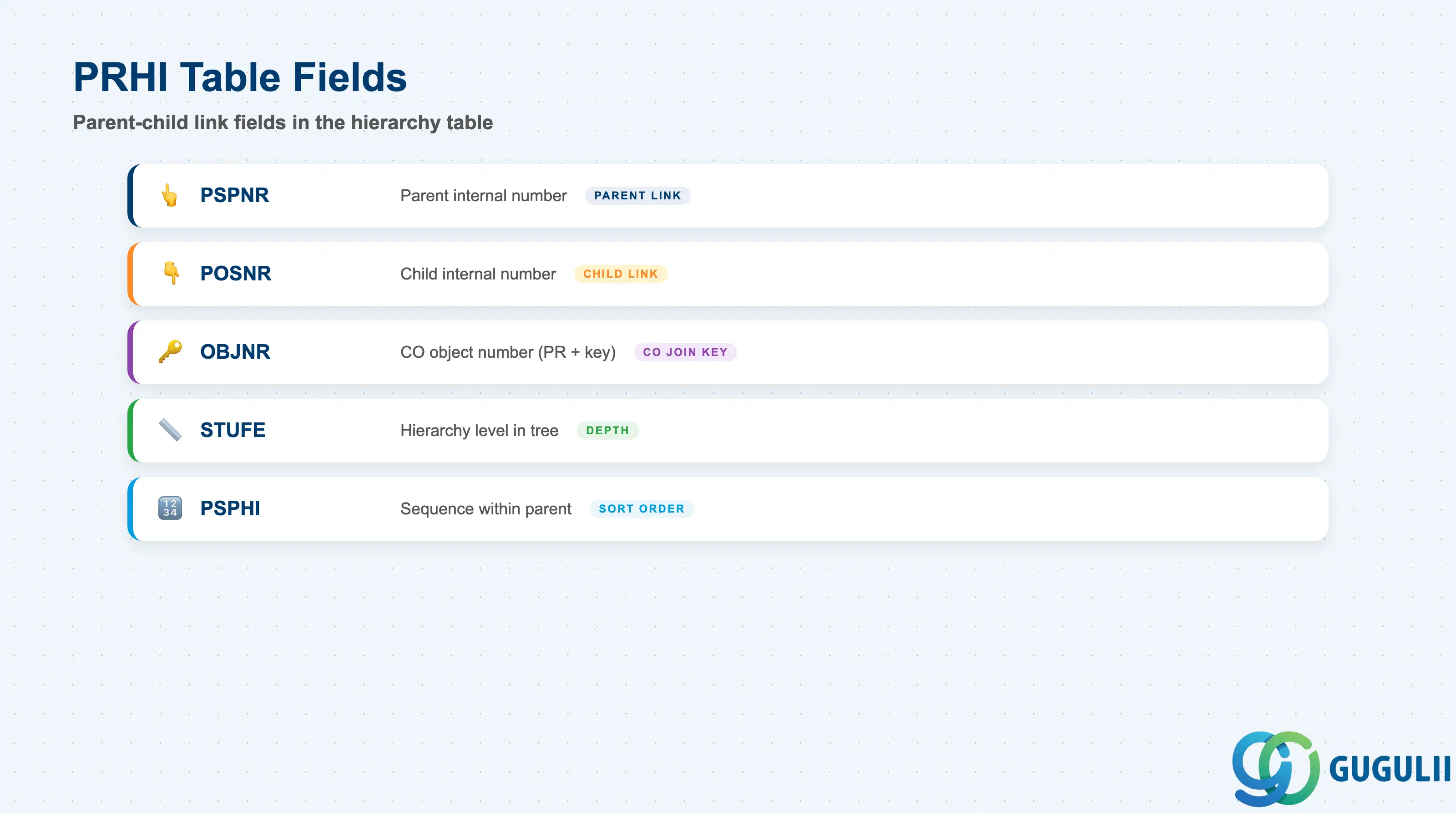
Table PRHI is the relational backbone of the WBS Hierarchy. Every parent-child relationship in the project structure is represented as exactly one PRHI record. PS consultants do not edit PRHI directly — it is maintained by CJ20N, CJ11, and CJ12 — but understanding its structure is essential for hierarchy reports and custom ABAP queries.
| Field | Description | Practical Usage |
|---|---|---|
| PSPNR (Parent Internal Number) | Internal number of the parent WBS Element | Maps to PRPS-PSPNR of the parent element. Used in ABAP joins to build the full hierarchy tree from PRHI. Custom reports that traverse multi-level hierarchies loop on this field recursively or use the PS hierarchy functions (e.g., function module HRIQ_GET_WBS_SUBTREE). |
| POSNR (Child Internal Number) | Internal number of the child WBS Element | Maps to PRPS-PSPNR of the child element. One PRHI row exists per parent-child pair. If a WBS Element has three children, three PRHI rows exist with the same PSPNR and three different POSNR values. |
| OBJNR (Object Number) | CO object number of the WBS Element | Format: PR + leading zeros + PSPNR (e.g., PR000000001234). Used in CO tables (COEP, COSS, COSP) to join WBS Element actuals with the hierarchy structure. Critical for custom FI/CO hierarchy reporting. |
| STUFE (Hierarchy Level) | Level number in the project tree | Level 1 = top-level WBS Element (just below Project Definition). Increments with each parent-child step. Used in CJ20N display indentation and in PS standard reports (CNS41, S_ALR_87013533) to filter by level. |
| PSPHI (Hierarchy Pointer) | Sequence number within the parent | Controls the display order of sibling WBS Elements under the same parent. Determines the left-to-right or top-to-bottom ordering in CJ20N and Gantt views. Resequencing siblings requires CJ20N drag-and-drop or CJ02 — no direct table update. |
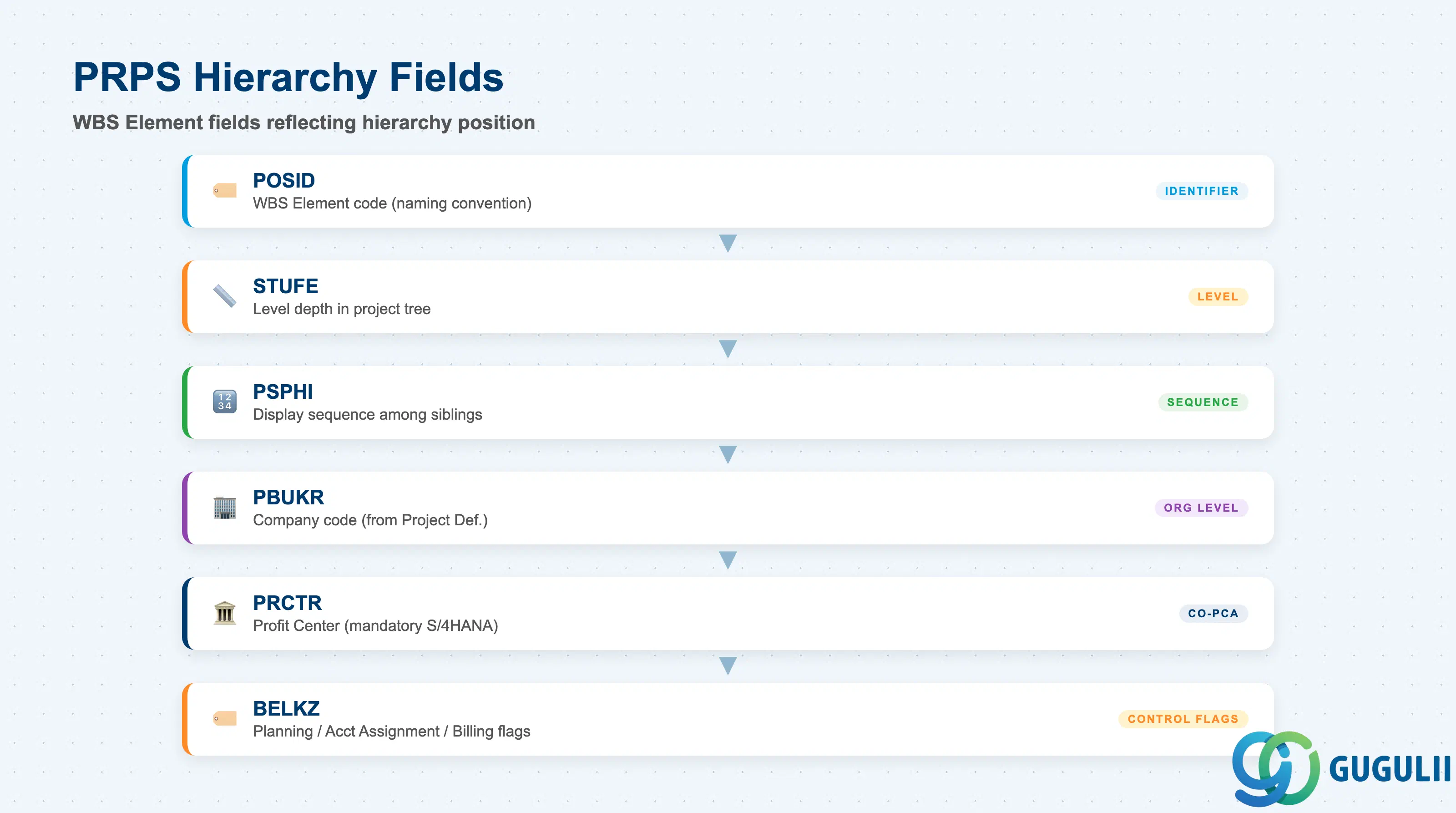
Although the hierarchy structure is held in PRHI, several fields in the WBS Element table PRPS directly reflect and govern the hierarchy position. These fields are set automatically as the hierarchy is built in CJ20N, but PS consultants must understand them for reporting design and hierarchy restructuring.
| Field | Description | Practical Usage |
|---|---|---|
| POSID (WBS Element Code) | Alphanumeric code identifying the WBS Element | The human-readable identifier shown in CJ20N, project reports, and CO documents. Naming conventions (e.g., PROJECT-PHASE-WP) should be defined at blueprint. POSID is referenced in purchasing orders, time recordings (CATS), and goods movements — changing it mid-project requires a renaming transaction and downstream master data cleanup. |
| STUFE (Hierarchy Level in PRPS) | Level of this WBS Element in the project tree | Stored redundantly in PRPS (mirroring the depth derived from PRHI) for efficient reporting. Level 1 elements are direct children of the Project Definition. Used in mass-reporting transactions (CNS41, CJI3) to filter or subtotal by level. |
| PSPHI (Sequence within Parent) | Display sequence number among siblings | Determines the order in which sibling WBS Elements appear in CJ20N and Gantt charts. Gaps in the sequence are harmless — the system renumbers on save. |
| PBUKR (Company Code) | Company code of the WBS Element | Inherited from the Project Definition. In S/4HANA multi-company projects (rare in PS), each WBS Element can technically carry its own company code — but this complicates intercompany posting design and should be avoided unless the project spans legal entities by design. |
| PRCTR (Profit Center) | Profit Center assigned to the WBS Element | Mandatory in S/4HANA. Every account assignment WBS Element must carry a valid Profit Center. Parent summary elements should also carry a Profit Center to ensure consistent CO-PCA document splitting. Mismatched Profit Centers within the same hierarchy branch cause errors in profit center-based financial statements. |
| BELKZ (Account Assignment Indicator) | Flags: Planning Element / Account Assignment Element / Billing Element | Three independent flags that control cost planning input, actual cost posting permission, and SD billing relevance. Only Account Assignment Elements (BELKZ includes account assignment flag) receive actual cost postings. Summary-only nodes should have all three flags off to prevent accidental direct postings. |
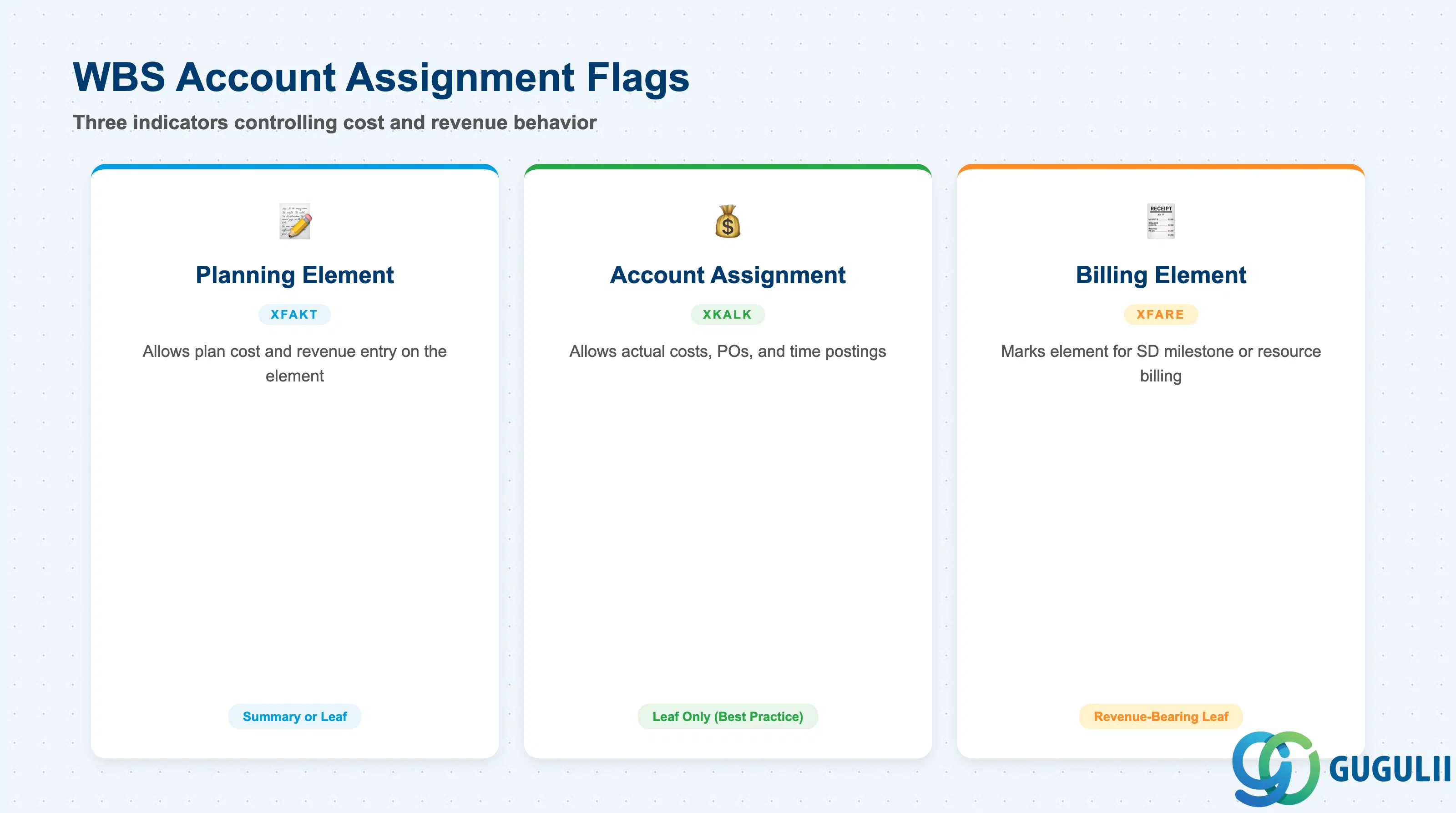
The three account assignment indicators on each WBS Element determine its role in the project hierarchy. PS consultants must assign these deliberately at each hierarchy level — incorrect flag combinations are a leading root cause of posting errors and budget availability check failures in live projects.
| Indicator | Field | Description | Practical Usage |
|---|---|---|---|
| Planning Element | XFAKT (Plan flag) | Allows cost and revenue plan values to be entered directly on this WBS Element | Set on all elements where project controllers input planned costs. On summary elements in a top-down budgeting approach, set this flag to allow plan entry at the summary level. On multi-level hierarchies using bottom-up planning, set only on leaf-level work packages. Mixing approaches within the same project requires careful reconciliation logic. |
| Account Assignment Element | XKALK (Actual posting flag) | Allows actual costs, revenues, purchase orders, and time recordings to be posted to this WBS Element | The most important flag in the hierarchy. Only WBS Elements with this flag active are valid account assignment objects for purchasing documents, goods movements, CATS time recordings, and journal entries. In a well-designed hierarchy, only leaf-level work packages carry this flag. Setting it on summary nodes allows accidental direct postings that bypass the intended cost breakdown. |
| Billing Element | XFARE (SD billing flag) | Marks this WBS Element as relevant for SD billing (customer project billing via milestone or resource-related billing) | Set on WBS Elements that are the settlement receiver for revenue from SD sales orders. In milestone billing projects, the Billing Element drives the billing plan in SD. Only one WBS Element per SD line item can be the billing element. In projects without SD integration, leave this flag off on all elements. |
Prerequisite: The Account Assignment Element flag requires that the WBS Element’s status profile (set in the Project Profile) allows account assignment. If the system status AVAI (available for account assignment) is not active, postings are blocked even when the flag is set.
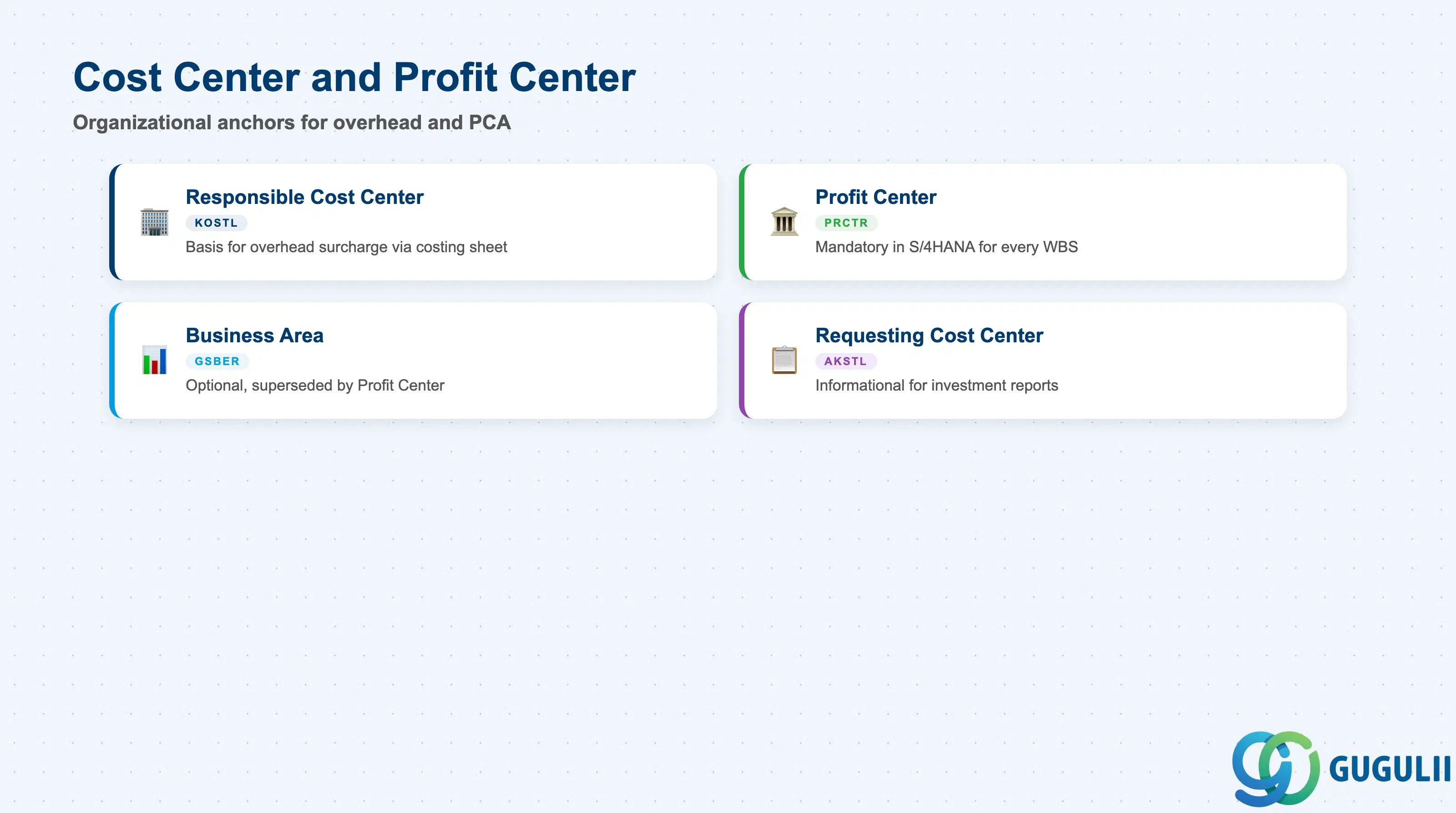
The Responsible Cost Center and Profit Center fields on each WBS Element define the organizational anchors for overhead allocation and profit center accounting. In S/4HANA these are no longer optional — the Profit Center is mandatory on every WBS Element that posts actual values, and the Responsible Cost Center is required for overhead surcharge calculation via CO costing sheets.
| Field | Description | Practical Usage |
|---|---|---|
| Responsible Cost Center (KOSTL) | Cost center responsible for the project work at this WBS Element | Used as the basis for overhead surcharge calculation (CO costing sheet / overhead key). In engineering projects, the responsible cost center is typically the project team’s home department. Incorrect assignment causes overhead rates from the wrong department to be applied, distorting project cost analysis. |
| Profit Center (PRCTR) | Profit Center for profit center accounting (CO-PCA) | Mandatory in S/4HANA for every WBS Element. Drives the Profit Center document posted alongside every actual cost entry. For projects spanning multiple business segments, each hierarchy branch should carry the Profit Center of the responsible business unit. Mixing Profit Centers within a settlement chain requires intercompany profit center clearing configuration. |
| Business Area (GSBER) | Business area for segment reporting | Optional in S/4HANA (superseded by Profit Center in most implementations). If Business Area reporting is still active in the system, ensure it is consistent with the Profit Center assignment on each WBS Element — mismatches cause reconciliation differences in financial segment reports. |
| Requesting Cost Center (AKSTL) | The cost center that requested or initiated the project | Informational field used in investment management reporting. In investment projects, the Requesting Cost Center appears on settlement documents and IM Appropriation Request reports. Does not drive overhead calculation — that is controlled by Responsible Cost Center. |
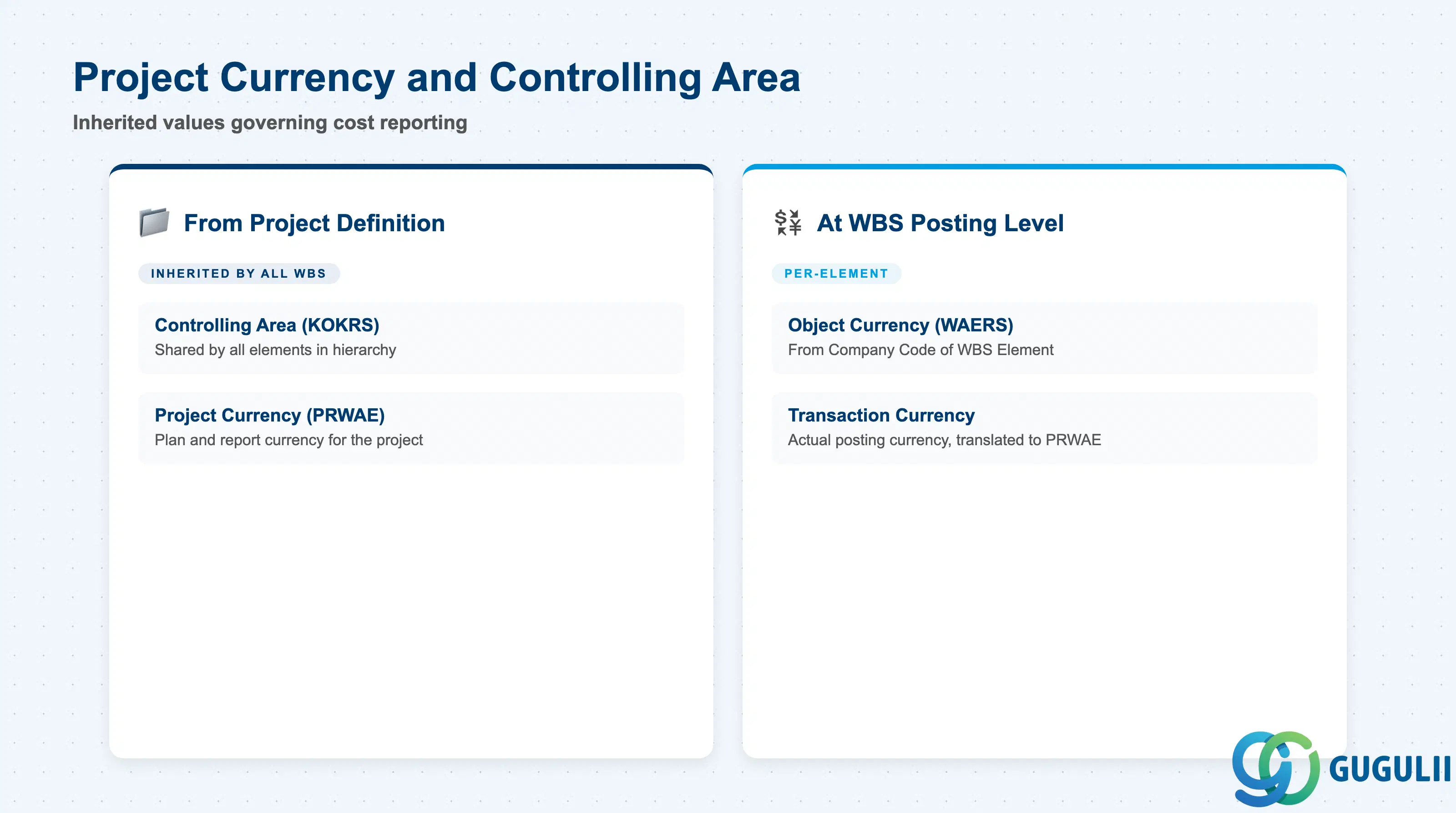
Project Currency and Controlling Area are defined at the Project Definition level and inherited by every WBS Element in the hierarchy. PS consultants must understand how these inherited values interact with the WBS Hierarchy to avoid currency and area mismatches during cost reporting and period-end processing.
| Field | Description | Practical Usage |
|---|---|---|
| Controlling Area (KOKRS) | Controlling area inherited from Project Definition | All WBS Elements in the hierarchy operate within the same Controlling Area. Cross-controlling-area projects are not supported in standard PS. In multi-entity implementations where entities belong to different Controlling Areas, separate Project Definitions (and thus separate hierarchies) are required per area — a significant structural constraint to resolve at blueprint. |
| Project Currency (PRWAE) | Currency in which project costs and revenues are planned and reported | Set in the Project Definition and inherited by all WBS Elements. Actual postings in transaction currency are translated to project currency using exchange rates configured in FI. For global projects with procurement in multiple currencies, confirm the exchange rate type (e.g., average rate M, spot rate P) with FI before the project goes live — mid-project rate type changes are not recommended. |
| Object Currency (WAERS) | Company code currency for the WBS Element | Determined by the Company Code assigned to the WBS Element (PBUKR), which in turn is inherited from the Project Definition. When project currency differs from company code currency, all CO postings are stored in both currencies. Reports must specify which currency dimension to display to avoid confusion between project-currency and company-code-currency values. |
Key design decision: If a project spans multiple company codes (cross-company projects), each company code must belong to the same Controlling Area. The Project Definition’s company code is the primary code — cross-company postings are settled via intercompany clearing accounts. Validate this with FI at blueprint before hierarchy design is finalized.
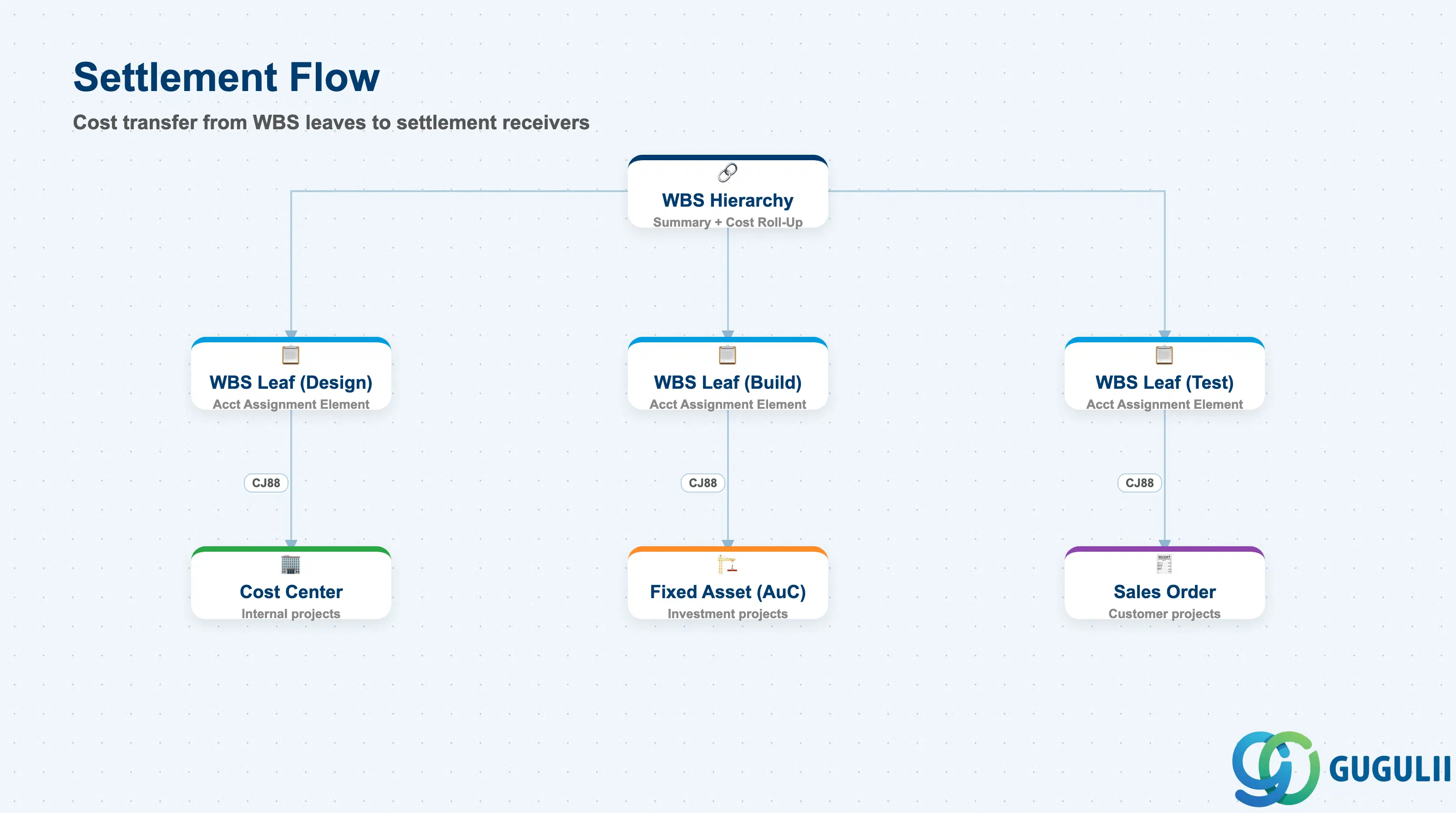
Settlement rules determine where the costs and revenues collected on each WBS Element are transferred at period-end (typically via transaction CJ88 or CJB1). The WBS Hierarchy position of an element directly determines the settlement sequence — leaf elements settle first, then summary elements settle the aggregated balance. PS consultants define settlement rules in CJ20N or CJ11; CO/FI-AA review the rules for compliance with asset accounting and cost center policies.
| Field | Description | Practical Usage |
|---|---|---|
| Settlement Receiver | Target object for cost/revenue settlement (Cost Center, G/L Account, Fixed Asset, Orders, Network, etc.) | The most critical settlement field. For investment projects, leaf WBS Elements settle to AuC (Asset under Construction); on project completion, the AuC is settled to a final fixed asset via AIAB/AIBU. For internal projects, settlement typically flows to a Cost Center. For customer projects with revenue, settlement receiver is usually a Sales Order item. |
| Settlement Percentage (%) | Portion of the WBS Element balance settled to each receiver | Allows split settlement across multiple receivers (e.g., 60% to Asset A, 40% to Asset B). Percentages across all receivers for one WBS Element must total 100% — otherwise CJ88 generates an error. Split settlement is common in jointly-owned capital projects. |
| Settlement Type | Full settlement (FUL) or periodic settlement (PER) | FUL settles the entire balance in one run; PER settles the period’s delta only. Investment projects typically use FUL at project close. Projects with ongoing period-end allocations use PER to settle periodic costs incrementally. The type must be consistent with the CO settlement profile configured in the Project Profile. |
| Valid-To Date | End date of the settlement rule | Controls when the settlement rule expires. For long-running projects, set this to the expected project completion date. An expired settlement rule causes CJ88 to fail with a “no valid settlement rule” error — a common period-end support ticket. |
Prerequisite: Settlement rules reference the Settlement Profile assigned in the Project Profile (OPSA). The Settlement Profile defines which receiver categories are allowed and whether manual or automatic creation is required. If the settlement receiver category is not permitted by the Settlement Profile, the rule cannot be saved.
| ID | Category | Title |
|---|---|---|
| ps-001 | Overview | What is SAP PS? |
| ID | Category | Title |
|---|---|---|
| ps-a01 | Overview | SAP PS Master Data: Overview, Hierarchy & Relationships |
| ps-a02-01 | Master Data | SAP PS Material Master |
| ps-a03-01 | Master Data | SAP PS Project Profile |
| ps-a03-02 | Master Data | SAP PS Network Profile |
| ps-a03-03 | Master Data | SAP PS Milestone Group |
| ps-a04-01 | Master Data | SAP PS Project Definition |
| ps-a04-02 | Master Data | SAP PS WBS Element |
| ps-a04-03 | Master Data | SAP PS WBS Element (AuC) |
| ps-a04-04 | Master Data | SAP PS WBS Hierarchy 📍 |
| ps-a05-01 | Master Data | SAP PS Network |
| ps-a05-02 | Master Data | SAP PS Activity |
| ps-a05-03 | Master Data | SAP PS Activity Element |
| ps-a05-04 | Master Data | SAP PS Milestone |
| ID | Category | Title |
|---|---|---|
| ps-b01 | Overview | SAP PS Transactions: Process Flow, Hierarchy & Relationships |