Title here
Summary here

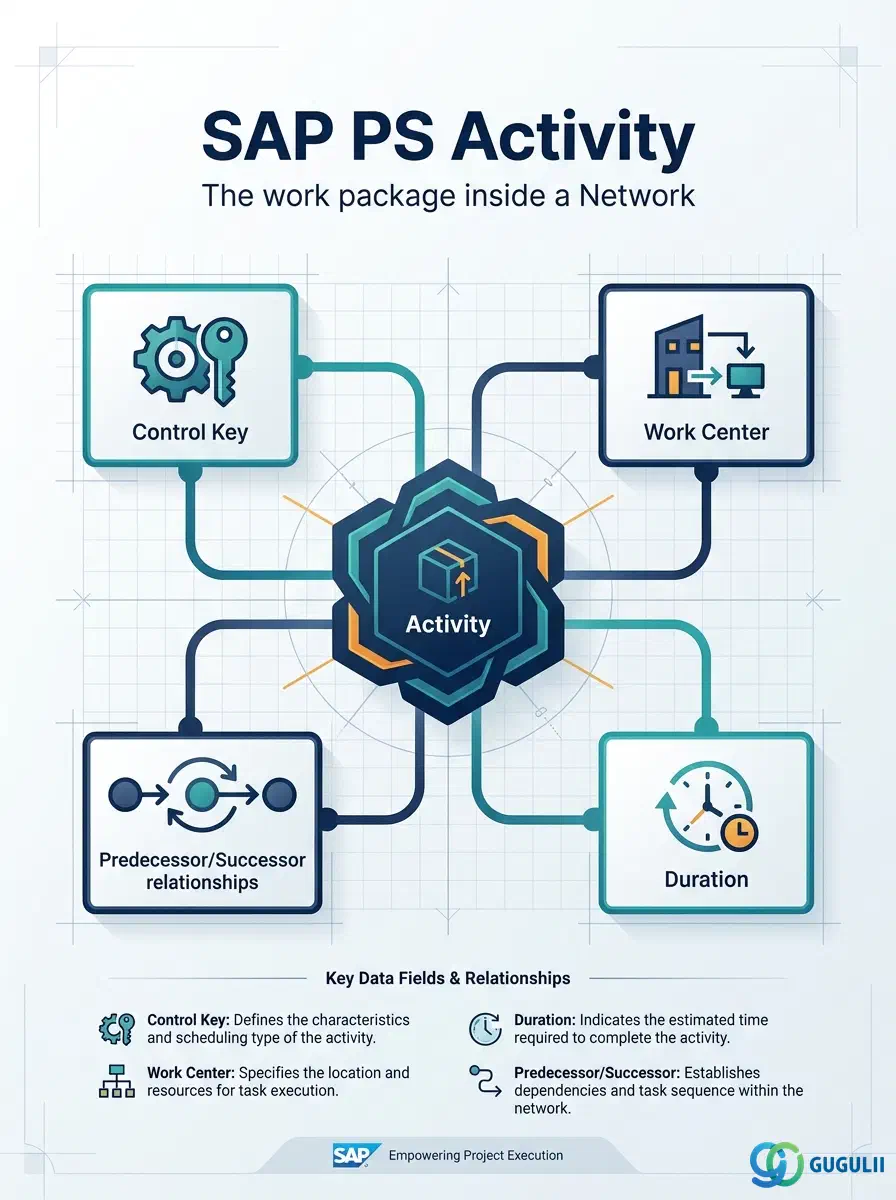
The Activity (table AFVC) is the individual work package within a Network. Where the Network defines the overall framework for scheduling and cost collection, the Activity holds the operational detail — the Control Key that governs its processing type, the Work Center that supplies capacity, the planned duration and dates, and the predecessor/successor relationships that form the project schedule. Every internal manufacturing operation, external service purchase, and cost-only posting in a network-based project flows through an Activity. This article covers Activity concepts applicable across all SAP modules that consume PS Networks, then dives into the field-level detail that PS consultants configure and maintain.
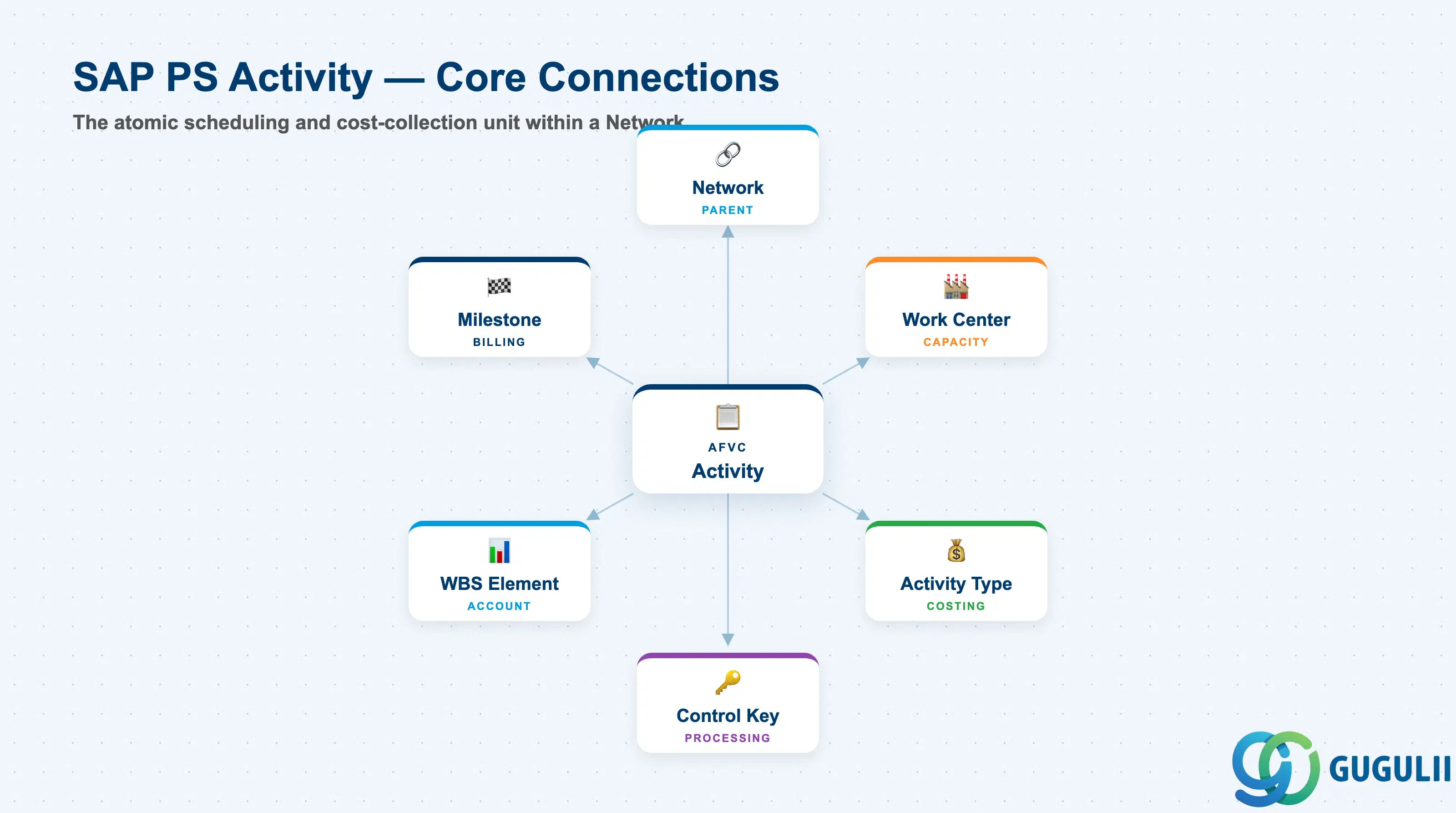
An Activity is the atomic scheduling and cost-collection unit within an SAP PS Network. While the Network groups activities into a schedulable sequence, the Activity itself specifies what work is done, by whom (Work Center), how long it takes (duration), and how it is processed (Control Key). Activities carry predecessor and successor relationships that drive the critical-path calculation performed by the PS scheduling engine.
| Aspect | Details |
|---|---|
| Role | Defines individual work packages within a Network: duration, work center, control key, relationships, and cost drivers |
| Modules using it | PS (primary owner — scheduling, capacity, cost planning), PP (Work Center capacity load), CO (actual cost posting via Activity Type), MM (purchase requisition auto-generation for PS02 external processing), SD (via Milestone billing triggers on activities) |
| Transactions | CN21 (Create Network with Activities) / CN22 (Change) / CN23 (Display) / CN27 (Network Overview) / CJ20N (Project Builder — graphical editing) |
| Key Tables | AFVC (Activity data), AFVV (Scheduling quantities and dates), AFVU (User fields), PRPS (WBS Element — optional assignment) |
| S/4HANA note | Activity data model is unchanged from ECC. Scheduling logic (forward/backward/capacity leveling) runs in the same engine. Fiori app “Manage Projects” (F3412) provides a modern UI for network/activity planning; CN21/CN22/CN23 remain available for power users. |
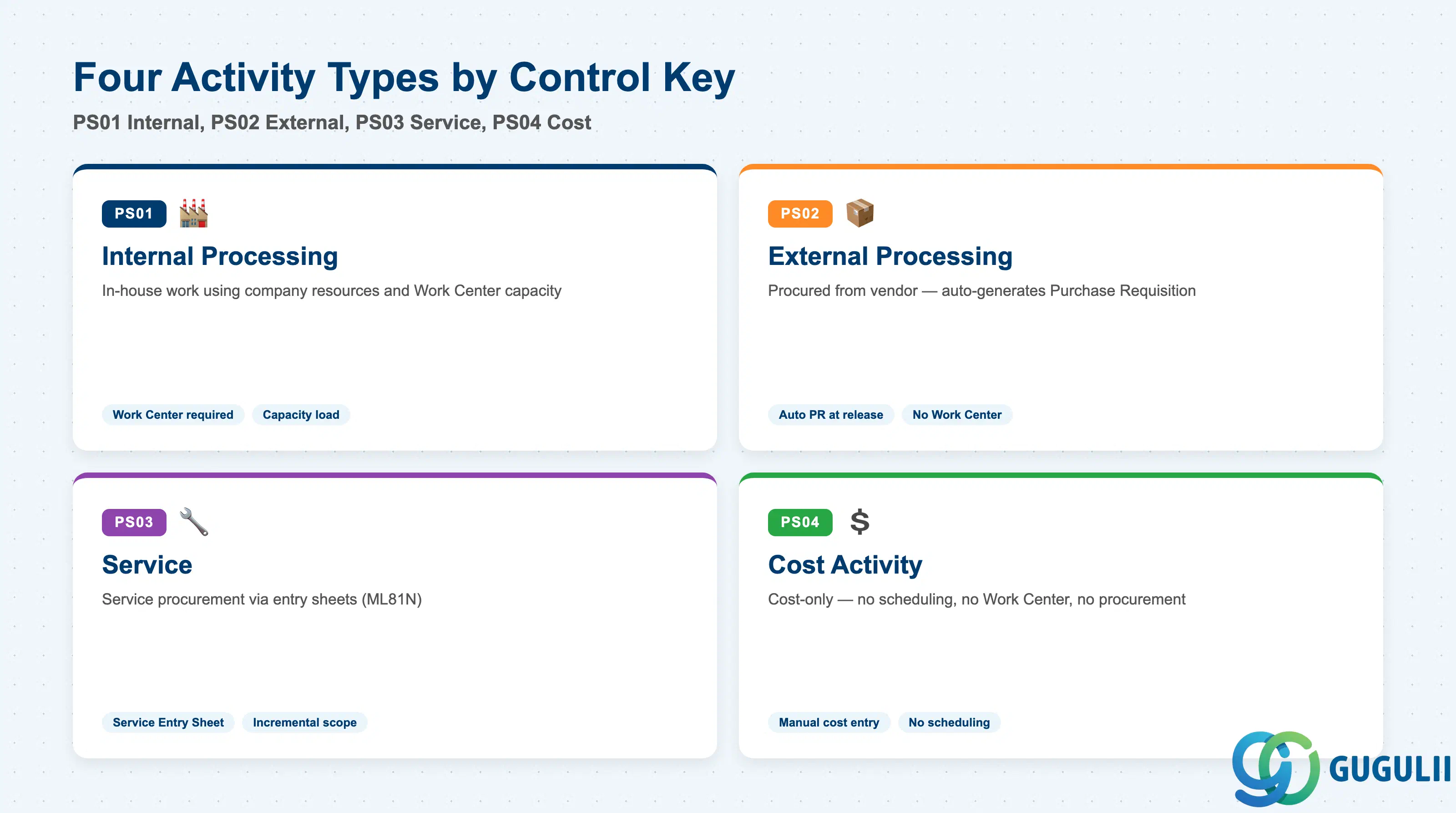
The Control Key is the most critical configuration decision for an Activity. It determines whether work is performed internally (using a Work Center), procured externally (generating a Purchase Requisition automatically), or tracked as a cost-only entry. Selecting the wrong Control Key causes incorrect procurement behavior and scheduling errors.
| Control Key | Code | Use Case | Key Behavior |
|---|---|---|---|
| Internal Processing | PS01 | Work performed in-house using company resources (engineering, manufacturing, inspection) | Requires a Work Center assignment. Duration and capacity requirements are derived from Activity Type and formulas. Capacity load is visible in PP capacity planning. |
| External Processing | PS02 | Work procured from an external vendor (subcontracting, commissioned services) | Automatically generates a Purchase Requisition when the Network is released. No Work Center required. Purchase price is the cost driver. |
| Service | PS03 | Service procurement managed via service entry sheets | Generates a Purchase Requisition for a service item. Actual cost is confirmed via ML81N (Service Entry Sheet). Used when scope of services is defined and approved incrementally. |
| Cost Activity | PS04 | Cost-only entry — no scheduling duration, no Work Center, no procurement | Used to plan and post costs that do not correspond to physical work (e.g., license fees, travel estimates, provisions). Does not participate in scheduling. |
Design principle: Define the Control Key assignment rules in the blueprint phase. PS02 (External) activities require purchasing master data (vendor, PIR, or contract) to be available at release time; missing source data causes the PR to be created without a source, triggering manual buyer intervention.
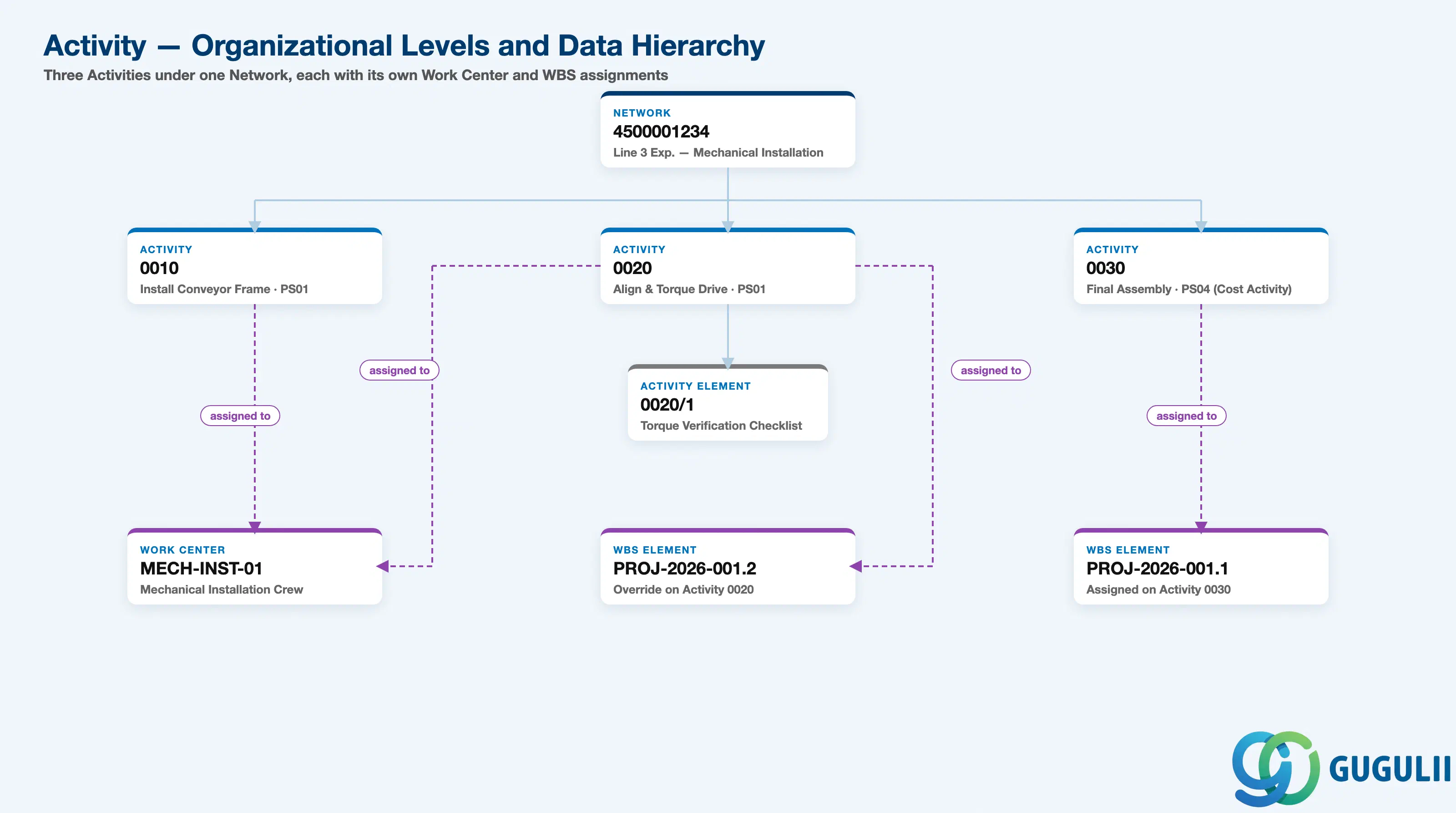
Data hierarchy with a concrete example
Network 4500001234
   Line 3 Expansion — Mechanical Installation
   │
   ├── Activity 0010
   │      Install Conveyor Frame
   │      Control Key PS01 (Internal)
   │      ── assigned to ──> Work Center MECH-INST-01
   │      (inherits WBS Element from Network header)
   │
   ├── Activity 0020
   │      Align & Torque Conveyor Drive
   │      Control Key PS01 (Internal)
   │      ── assigned to ──> Work Center MECH-INST-01
   │      ── assigned to ──> WBS Element PROJ-2026-001.2 (override)
   │      │
   │      └── Activity Element 0020/1
   │             Torque Verification Checklist
   │
   └── Activity 0030
          Final Assembly Complete
          Control Key PS04 (Cost Activity — no Work Center)
          ── assigned to ──> WBS Element PROJ-2026-001.1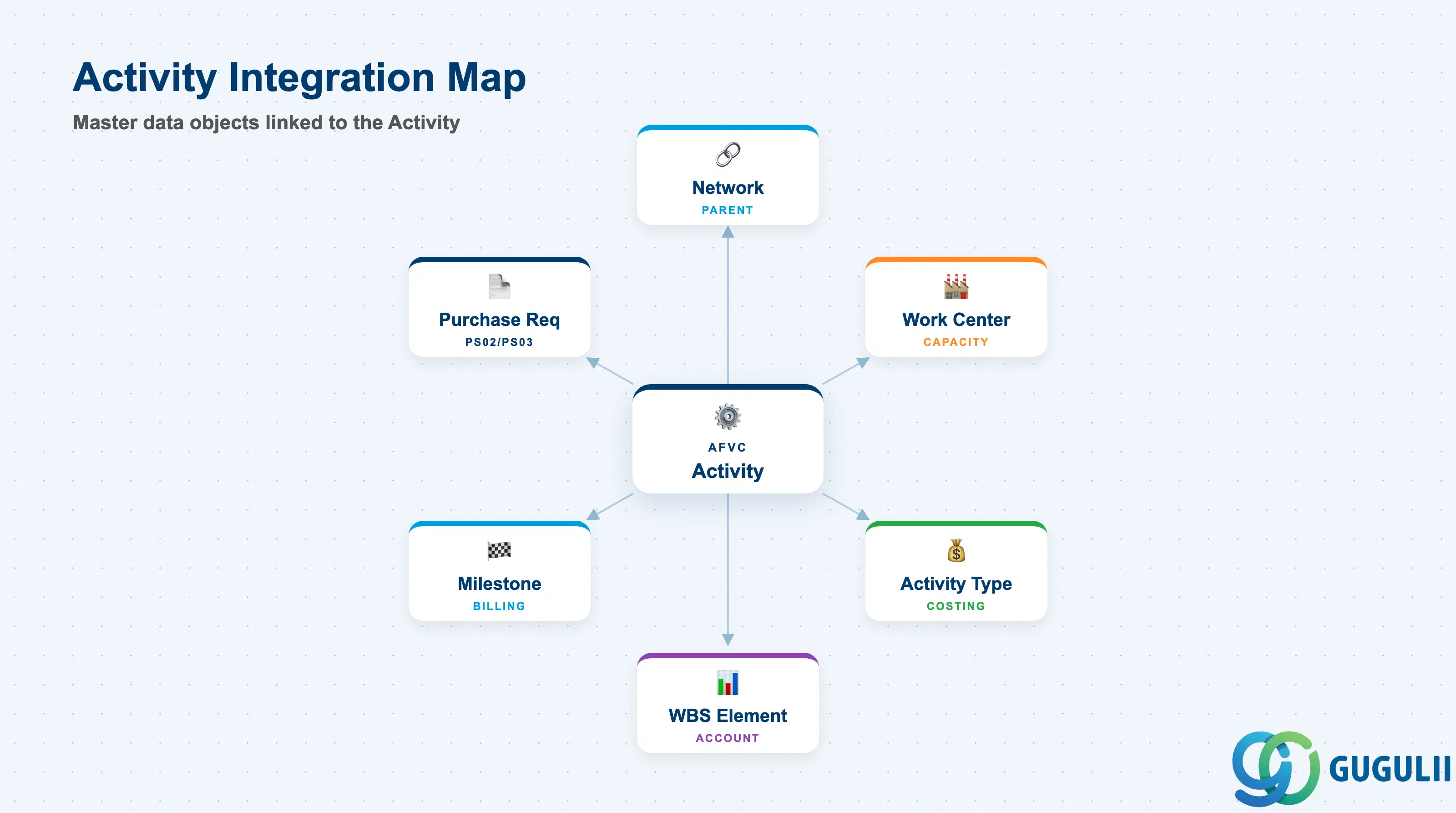
The Activity integrates with a broad set of PS, CO, PP, and MM master data objects. Each integration point must be designed and tested during the blueprint and realization phases.
| Object | Relationship | Practical Notes |
|---|---|---|
| Network (AFKO) | Activity is a child of the Network | Activities cannot exist without a parent Network. Deleting a Network cascades to all its Activities. |
| Work Center (CR01) | Assigned to PS01 and PS02 Activities | Work Center supplies the capacity category, costing formulas, and the Cost Center link for activity-type-based costing. Missing Work Center on a PS01 Activity causes scheduling to fail. |
| Activity Type (KL01) | Referenced via Work Center → Cost Center link | CO uses the Activity Type + rate to calculate the planned and actual cost for internal Activities. Activity Type must be maintained in the cost center’s annual plan (KP26). |
| WBS Element (CJ11) | Optional account assignment on the Activity | When a WBS Element is assigned, actual postings (confirmations, PRs, GRs) are collected to that WBS Element. Enables granular cost tracking per work package. |
| Milestone (CN21) | Milestone assigned to an Activity | Milestones inherit the Activity’s date and trigger billing plan updates (SD) or progress confirmations when the Activity is confirmed. |
| Purchase Requisition | Auto-generated for PS02/PS03 Activities at Network release | PR is created with the Plant and Account Assignment (WBS or Network) from the Activity. Purchasing must ensure source data is available to convert PRs to POs without delay. |
| Material Component | Material assigned to an Activity for issue | Material components (RESB table) link materials to Activities for goods issue. Required for PS-driven MRP and material availability checks. |
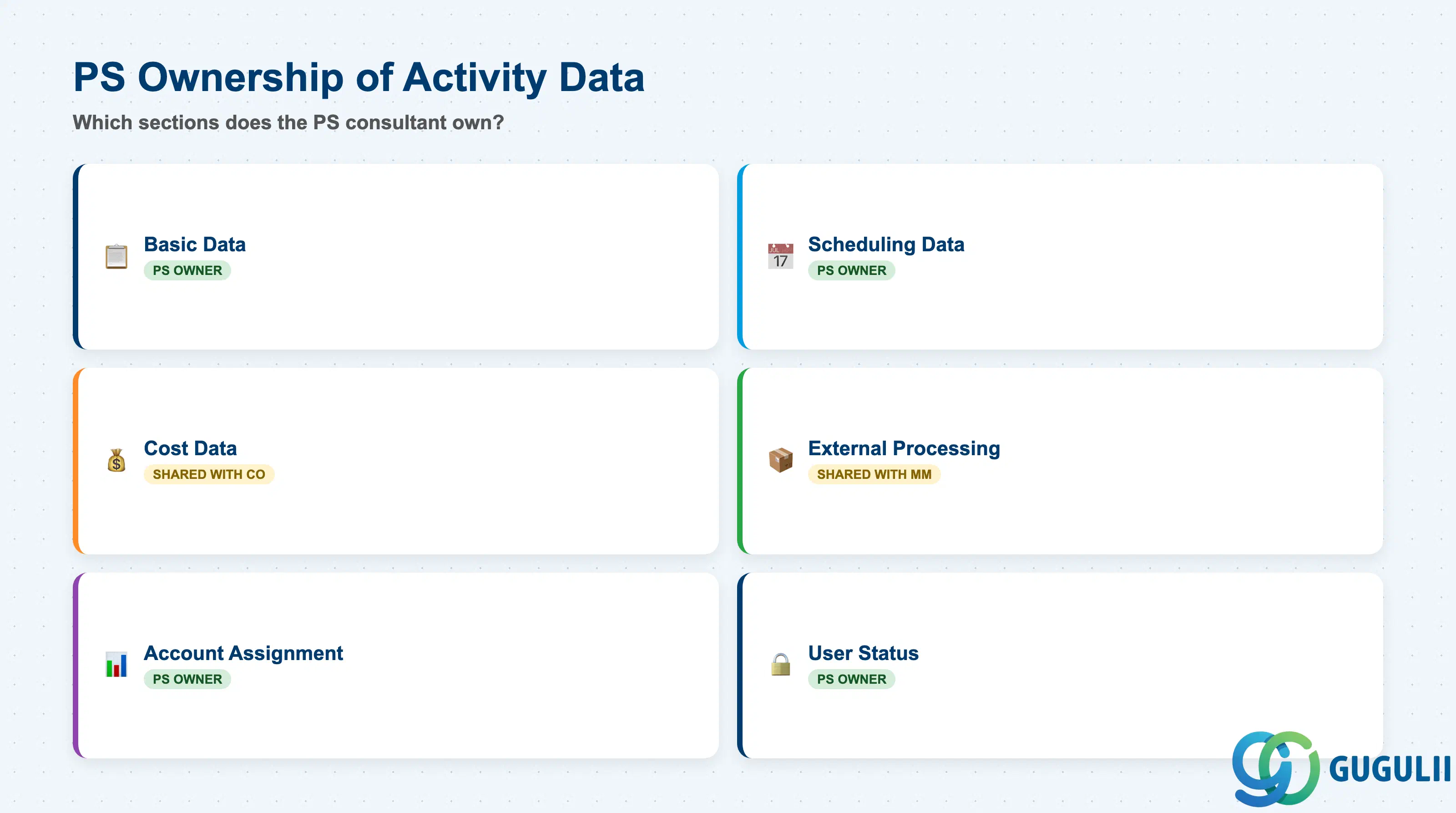
| Data Section | PS Involvement | Notes |
|---|---|---|
| Basic Data (Control Key, Description, Work Center) | ◎ Owner | Core Activity identification and processing type |
| Scheduling Data (Duration, Dates, Relationships) | ◎ Owner | Drives the network scheduling and critical path |
| Cost Data (Activity Type, Planned Costs) | ◎ Owner / Shared with CO | PS sets Activity Type; CO maintains rates and cost center plans |
| External Processing Data (Purchase Data) | ◎ Owner / Shared with MM | PS configures PS02 Activities; MM owns vendor sourcing |
| Account Assignment (WBS Element, Network) | ◎ Owner | Determines where actual costs are posted |
| User Status | ◎ Owner | Controls processing steps and availability for confirmation |
Legend: ◎ = Owner / Critical, ○ = Direct involvement
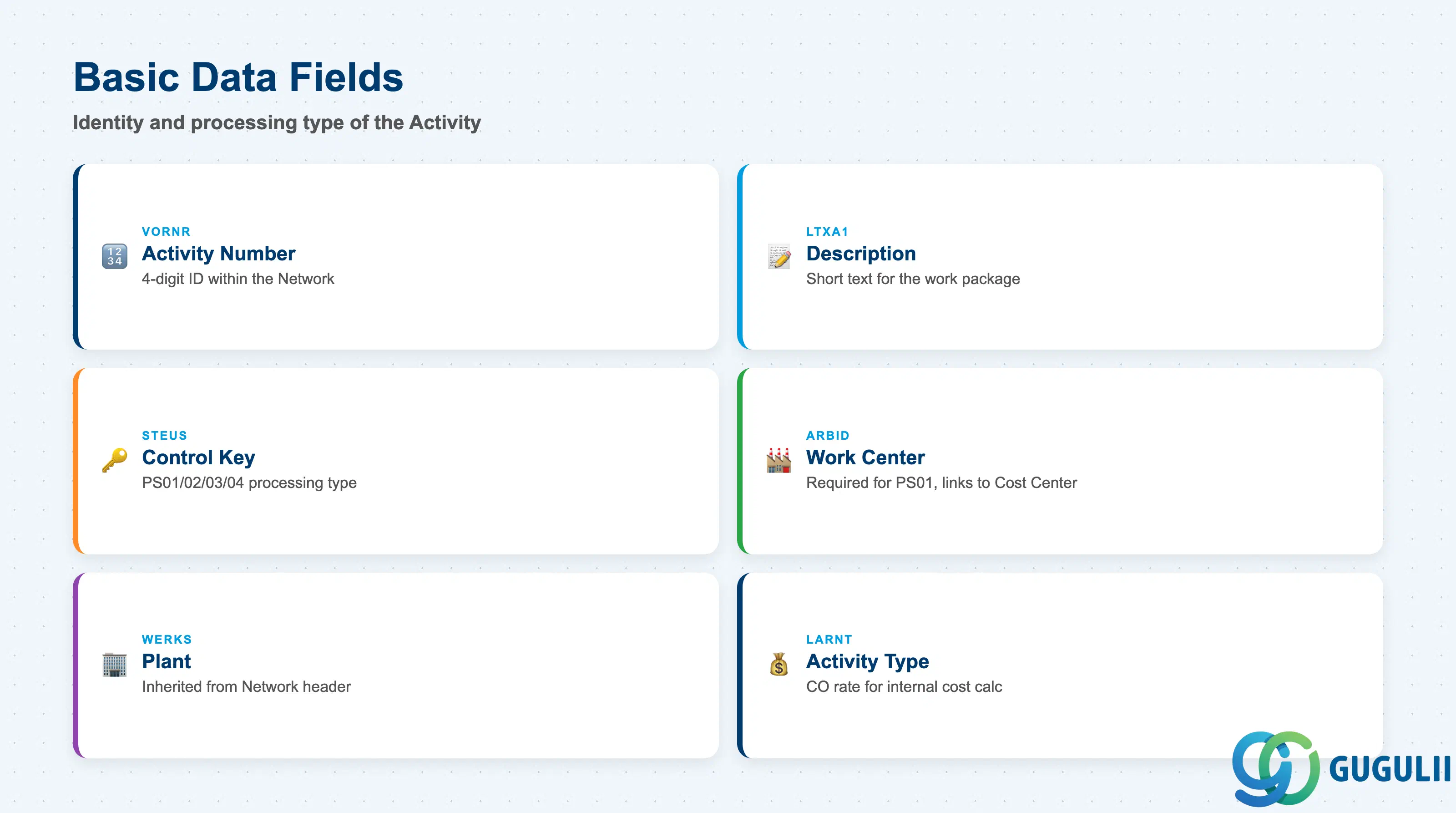
Basic Data defines the identity and processing type of the Activity. These fields are set when the Activity is first created and drive all downstream behavior — scheduling, procurement, and costing.
| Field | Description | Practical Usage |
|---|---|---|
| Activity Number (VORNR) | 4-digit sequential identifier within the Network | Uniquely identifies the Activity within its Network. Referenced in predecessor/successor relationships and in confirmation transactions (CN25, CNF1). Renumbering Activities after relationships are established is risky — agree on a numbering convention during blueprint (e.g., 0010, 0020, 0030). |
| Activity Description (LTXA1) | Short text for the work package | Appears on project overviews, Gantt charts, and PS reports. Keep concise but descriptive enough to identify the work without opening the Activity detail. Example: “Detailed Engineering — Civil” rather than “Engineering.” |
| Control Key (STEUS) | Processing type: PS01, PS02, PS03, PS04 | The single most important field on the Activity. Determines procurement behavior, scheduling relevance, and capacity planning participation. Set once and treat as immutable — changing the Control Key on a released Activity requires reversing confirmations and open PRs. |
| Work Center (ARBID) | Internal resource responsible for the Activity | Required for PS01. Links to Cost Center and Activity Type for CO costing. The Work Center’s capacity category determines how capacity load is calculated and displayed in PP capacity planning (CM21). |
| Plant (WERKS) | Plant inherited from the Network header | Cannot be changed at Activity level. Determines the Work Center lookup scope and the Plant on auto-generated PRs (PS02/PS03). |
| Activity Type (LARNT) | CO Activity Type for internal processing | Used with the Work Center formula to calculate planned internal cost (hours × rate). Must be planned in the Cost Center’s annual activity plan (KP26) for the fiscal year; missing plan rates result in planned cost = 0. |
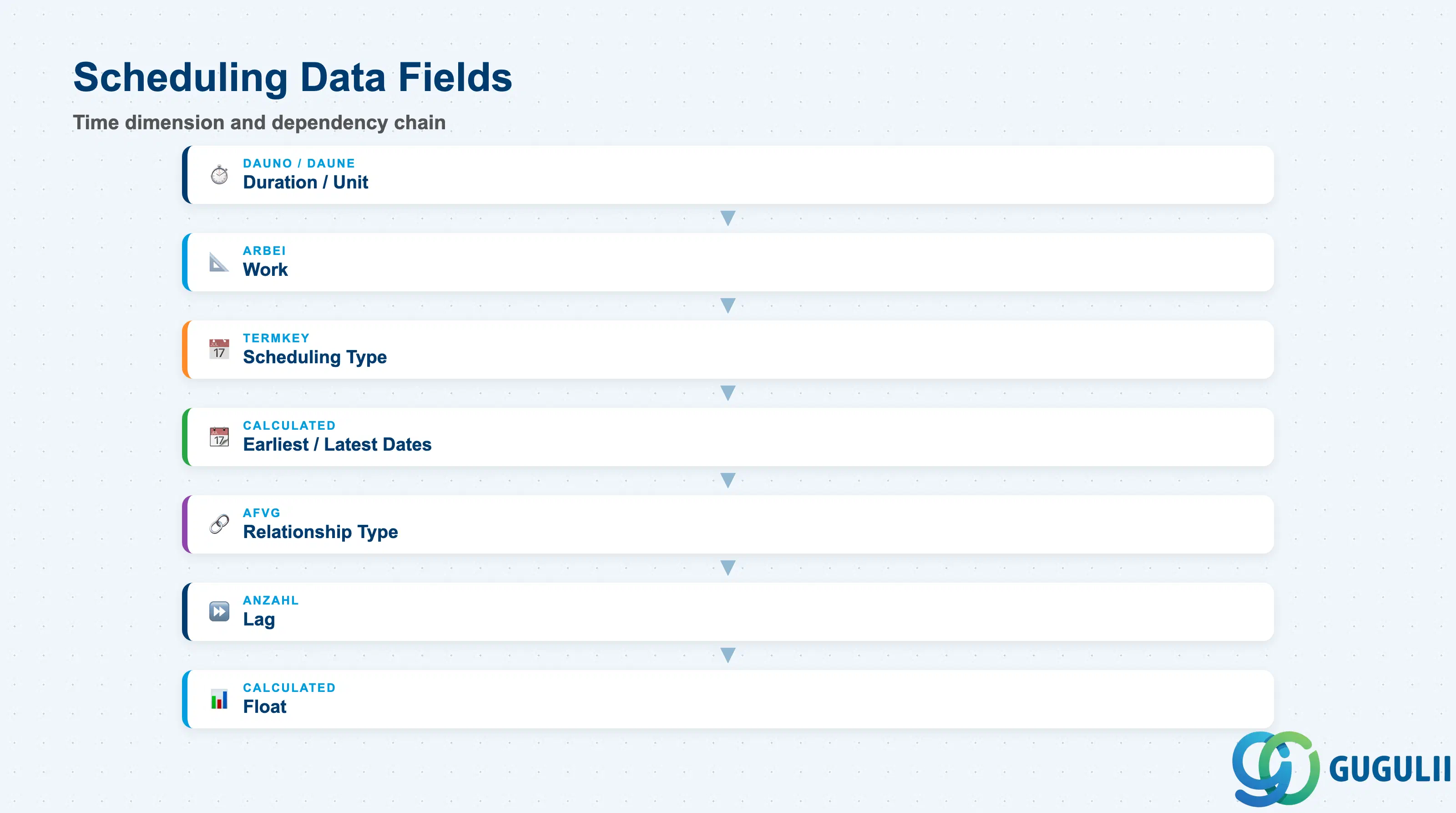
Scheduling Data defines the time dimension of each Activity and the dependency chain that drives the network’s critical path calculation. These fields are the primary inputs for PS project scheduling (CN24, CN25).
| Field | Description | Practical Usage |
|---|---|---|
| Duration (DAUNO) | Planned calendar duration of the Activity | The primary scheduling input. Duration is in the unit defined by DAUNE (typically days). Duration drives the Activity’s start and finish dates. Do not confuse Duration with Work — an Activity can have 40h Work performed over 5 days by one person (Duration=5 days) or over 2.5 days by two people. |
| Duration Unit (DAUNE) | Unit of the duration value | Typically days (T) for project-level Activities. Can be hours (H) for fine-grained scheduling. Confirm the unit convention during blueprint — mixing units across Activities in the same network can produce unexpected scheduling results. |
| Work (ARBEI) | Planned work quantity | Total effort in hours (or other unit) required for the Activity. Used to calculate capacity load on the Work Center. Work ≠ Duration when multiple resources are assigned or when the Work Center calendar efficiency < 100%. |
| Scheduling Type (TERMKEY) | How the Activity is scheduled | Controls whether PS schedules this Activity forward (from start date), backward (from finish date), or uses a fixed date. Most Activities use the Network-level scheduling type; override at Activity level only for exceptions such as fixed delivery date constraints. |
| Earliest Start Date | System-calculated earliest possible start | Calculated during forward scheduling from the Network basic start date. Read-only output of the scheduling run. The gap between Earliest Start and Latest Start is the total float. |
| Latest Finish Date | System-calculated latest allowable finish | Calculated during backward scheduling from the Network basic finish date. Activities where Latest Finish = Earliest Finish have zero float and lie on the critical path. |
| Relationship Type | Finish-to-Start (FS), Start-to-Start (SS), Finish-to-Finish (FF), Start-to-Finish (SF) | FS (Finish-to-Start) is the standard. SS and FF are used for overlapping Activities (fast-tracking). SF is rare. Maintain relationships between Activity numbers using AFVG (relationship table). In CJ20N, relationships are drawn graphically. |
| Lag (ANZAHL) | Time offset on a relationship | Adds a delay or overlap to a relationship. Example: FS + 2 days means the successor can start 2 calendar days after the predecessor finishes. Used for curing times, regulatory review periods, or resource mobilization windows. |
| Float (calculated) | Difference between Latest and Earliest dates | Indicates scheduling buffer. Zero float = critical path. Use float analysis to prioritize resource allocation and identify activities requiring immediate action during project execution. |
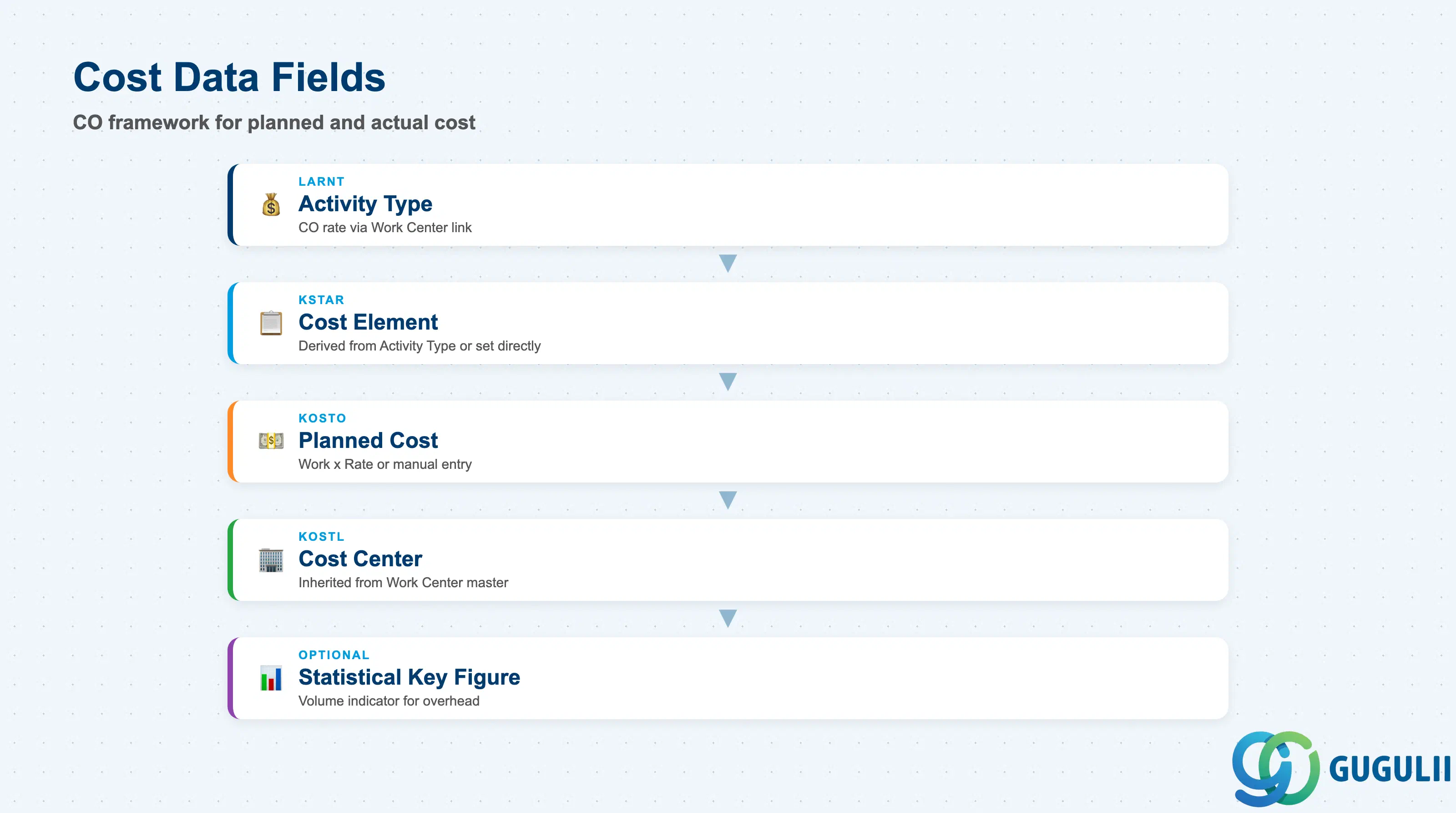
Cost Data links each Activity to the CO framework for planned and actual cost calculation. PS owns the Activity Type assignment; CO owns the rates and cost center planning.
| Field | Description | Practical Usage |
|---|---|---|
| Activity Type (LARNT) | CO Activity Type linked to the Work Center | Determines the cost element and rate for internal processing. In CO, each Work Center is linked to a Cost Center, and the Activity Type is planned at a rate per unit (KP26). The planned cost of a PS01 Activity = Work × Rate. Always validate that Activity Types referenced on Activities are planned for the current fiscal year before locking baselines. |
| Cost Element (KSTAR) | Primary cost element for direct cost posting | For PS04 (Cost Activities) and PS02/PS03, the Cost Element is maintained directly on the Activity. For PS01, the Cost Element is derived from the Activity Type. Confirm the cost element assignment with CO during blueprint to ensure correct P&L and project cost reporting. |
| Planned Cost (KOSTO) | System-calculated or manually entered planned cost | For PS01: calculated from Work × Activity Type Rate. For PS02: derived from the PO/PR price. For PS04: entered manually. Planned costs feed the project cost plan used in budget availability control (PS budget profile). |
| Cost Center (KOSTL) | Cost Center for internal resource costing | Inherited from the Work Center master. Actual confirmations debit the PS Network/WBS and credit the Cost Center. In CO reconciliation (KKAG), any discrepancy between PS actual cost and CO cost center credit indicates a confirmation error. |
| Statistical Key Figure | Optional volume indicator | Used for distributing overhead costs or for PS reporting. Not commonly required for standard PS configurations. |
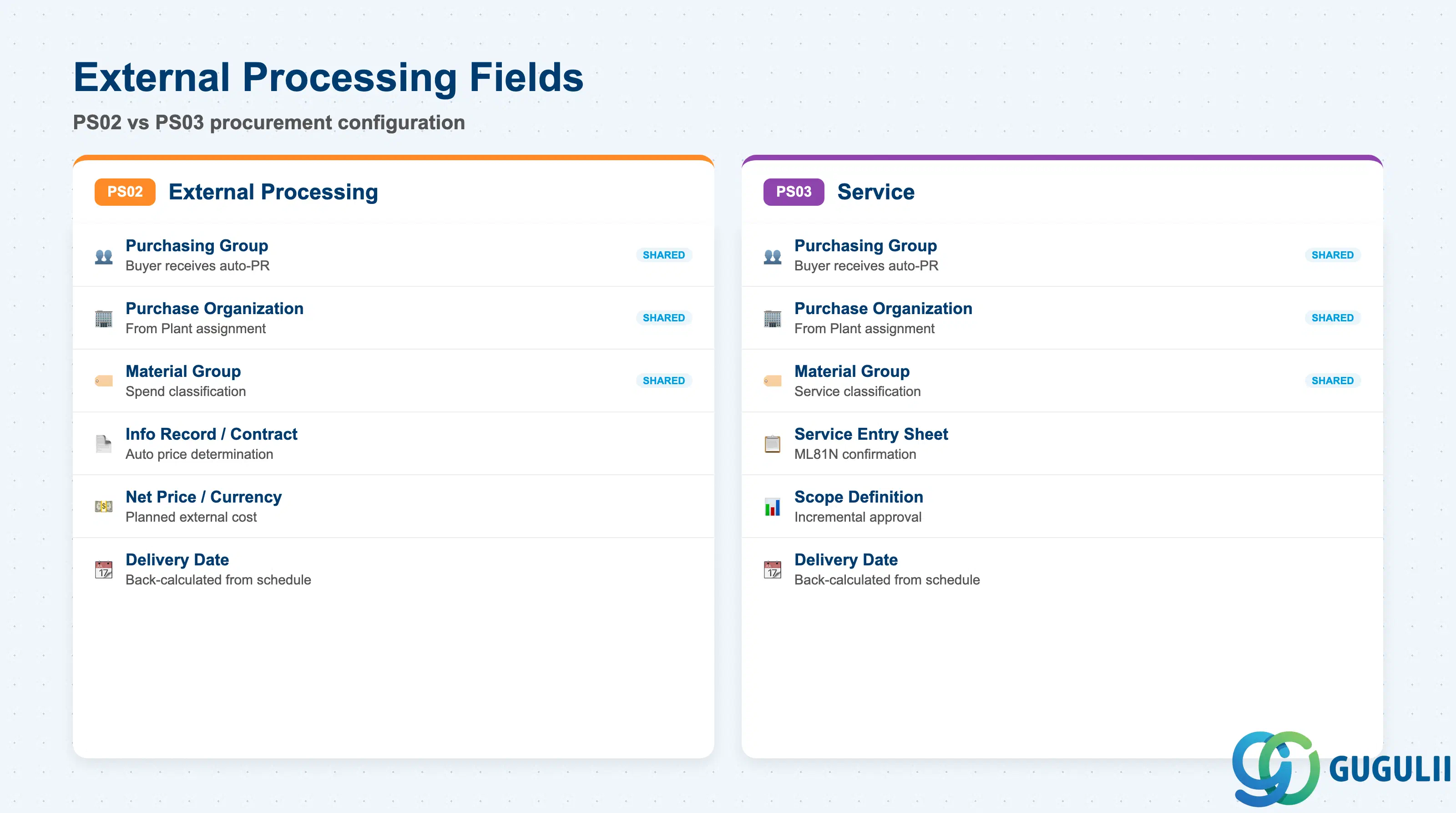
External Processing Data applies only to PS02 (External Processing) and PS03 (Service) Activities. These fields control the automatic Purchase Requisition generated at Network release.
| Field | Description | Practical Usage |
|---|---|---|
| Purchasing Group (EKGRP) | Responsible purchasing group | Determines which buyer receives the auto-generated PR. Configure a default purchasing group on the Network Profile or Activity type to avoid PRs landing in an unmonitored queue. |
| Purchase Organization (EKORG) | Purchasing Organization for the PR | Inherited from the Plant’s purchasing organization assignment. Overridable on the Activity if a different Purchasing Org is responsible for the service or external work. |
| Material Group (MATKL) | Material group for the purchased service/work | Used on the PR line to classify the external service for spend reporting and account determination. Agree on a standard Material Group coding convention for PS services with Procurement during blueprint. |
| Info Record / Contract (KONNR) | Reference to purchasing master data | When populated, the PR is created with the reference to the Info Record or Outline Agreement, enabling automatic price determination at PR-to-PO conversion. Leave blank if open-market procurement is expected; the buyer then manually assigns a source at PO creation. |
| Net Price (PREIS) | Planned price for external work | Estimated price entered on the Activity. Used to calculate planned external costs in the project cost plan. Should reflect the contracted or budgeted rate; inflated values distort the project budget baseline. |
| Price Unit (PEINH) | Quantity basis for the price | Reference quantity for the net price (e.g., per 1 unit, per hour). Ensures correct PR valuation and planned cost calculation. |
| Currency (WAERS) | Currency of the planned price | Typically the local currency of the Plant. For cross-border external processing (e.g., vendor in a different country), use the vendor currency and confirm FX hedging treatment with FI during blueprint. |
| Delivery Date (BDTER) | Expected date for external service completion | Appears on the auto-generated PR. The scheduling engine back-calculates this from the Activity’s planned finish date. MM uses this date to prioritize PR processing and convert to PO. |
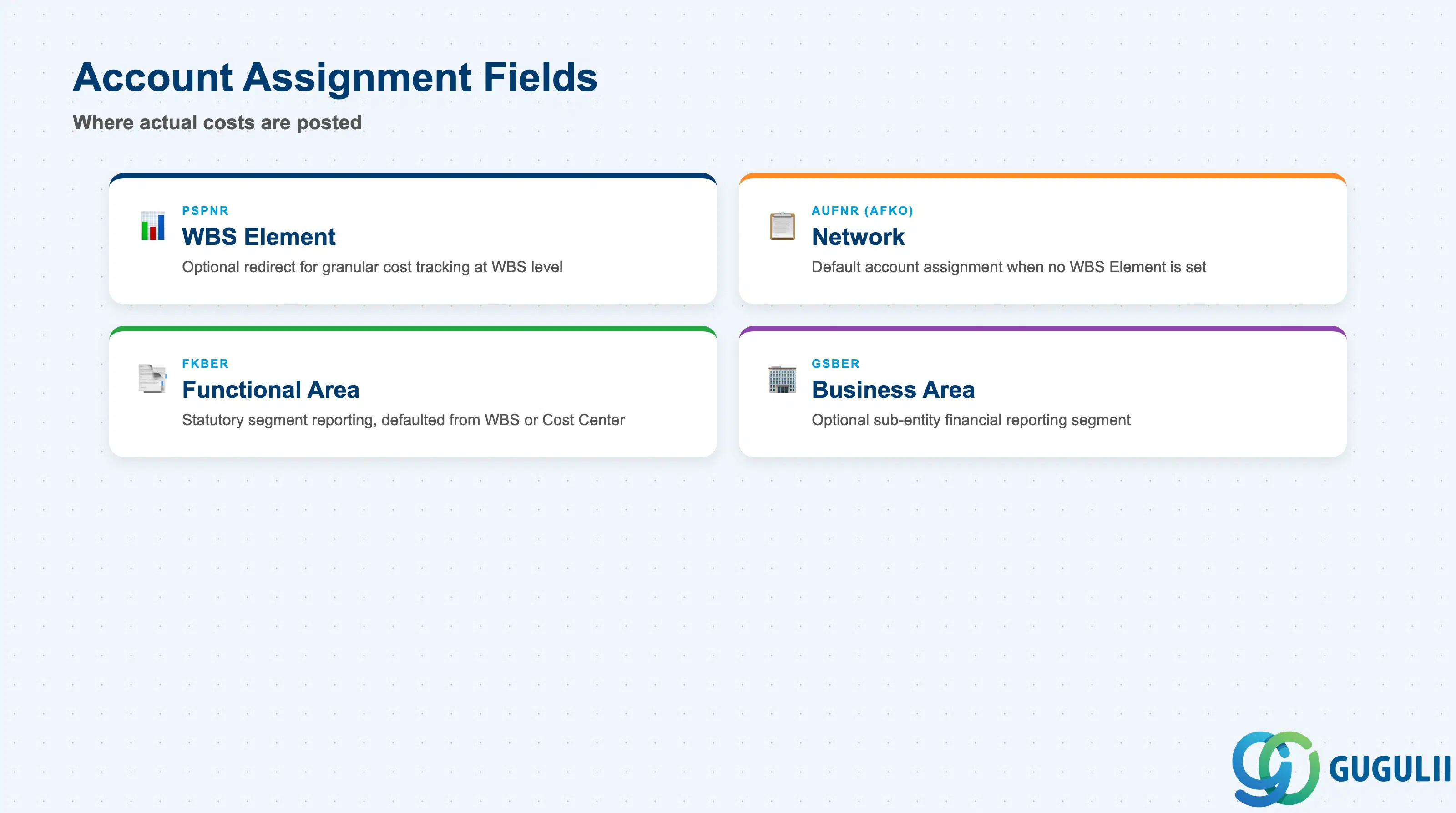
Account Assignment determines where actual costs (confirmations, goods receipts, invoices) are posted in the CO/PS module. The default is the parent Network, but activities can redirect costs to specific WBS Elements for granular project controlling.
| Field | Description | Practical Usage |
|---|---|---|
| WBS Element (PSPNR) | WBS Element for cost collection | When populated, actual costs on the Activity are posted to this WBS Element rather than the Network. Enables cost tracking at WBS level without requiring a WBS-per-Activity structure in the network. Ensure the WBS Element is flagged as an Account Assignment Element (billing element or planning element with account assignment) in CJ11. |
| Network (AUFNR on AFKO) | Parent Network internal order number | Default account assignment when no WBS Element is set on the Activity. Costs post to the Network (which is a type of Internal Order in CO). Budget availability control runs against the Network’s CO commitment budget. |
| Functional Area (FKBER) | Segment for statutory reporting | Required in some country versions (e.g., Germany) for segment reporting. Usually defaulted from the WBS Element or Cost Center. Confirm requirements with FI during blueprint — missing Functional Area on high-volume activities causes posting errors at period close. |
| Business Area (GSBER) | Business segment | Optional. Used for sub-entity financial reporting. Where Business Area reporting is active, ensure it is consistently assigned across WBS Elements and Activities to avoid fragmented segment P&L. |
| ID | Category | Title |
|---|---|---|
| ps-001 | Overview | What is SAP PS? |
| ID | Category | Title |
|---|---|---|
| ps-a01 | Overview | SAP PS Master Data: Overview, Hierarchy & Relationships |
| ps-a02-01 | Master Data | SAP PS Material Master |
| ps-a03-01 | Master Data | SAP PS Project Profile |
| ps-a03-02 | Master Data | SAP PS Network Profile |
| ps-a03-03 | Master Data | SAP PS Milestone Group |
| ps-a04-01 | Master Data | SAP PS Project Definition |
| ps-a04-02 | Master Data | SAP PS WBS Element |
| ps-a04-03 | Master Data | SAP PS WBS Element (AuC) |
| ps-a04-04 | Master Data | SAP PS WBS Hierarchy |
| ps-a05-01 | Master Data | SAP PS Network |
| ps-a05-02 | Master Data | SAP PS Activity 📍 |
| ps-a05-03 | Master Data | SAP PS Activity Element |
| ps-a05-04 | Master Data | SAP PS Milestone |
| ID | Category | Title |
|---|---|---|
| ps-b01 | Overview | SAP PS Transactions: Process Flow, Hierarchy & Relationships |