Title here
Summary here

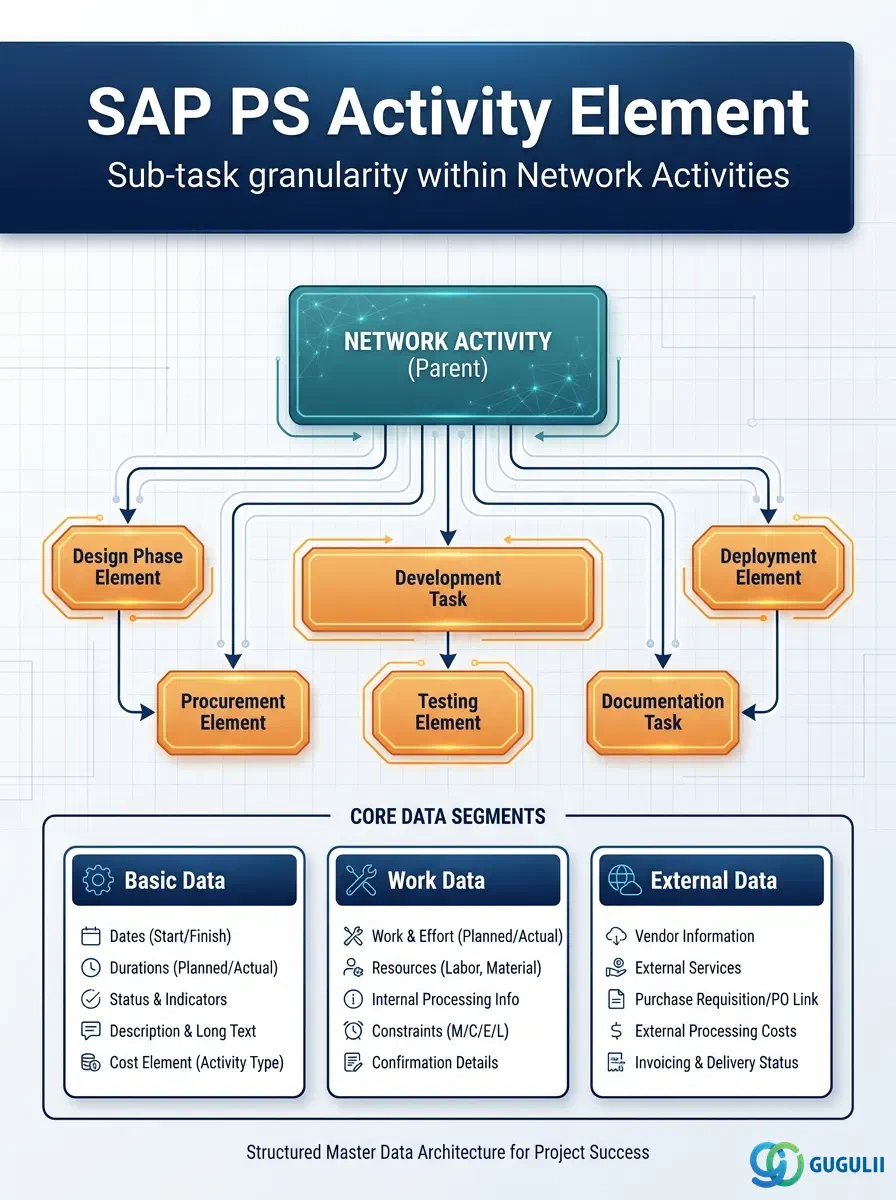
The Activity Element (German: Arbeitselement, internal object AFAB) is the optional sub-unit that divides a single Network Activity into smaller, individually manageable work steps. Where an Activity represents an overall work package (e.g., “Detailed Engineering”), an Activity Element allows the project planner to track progress, assign quantities, and confirm completions at the task level within that package — without creating additional Activities or restructuring the network. Activity Elements are optional in the PS master data hierarchy and are used only when the Activity-level granularity is insufficient for scheduling, confirmation, or cost reporting purposes. The rest of this article covers the concept, element types, data hierarchy, integration with the parent Activity, and the field-level details PS consultants maintain.
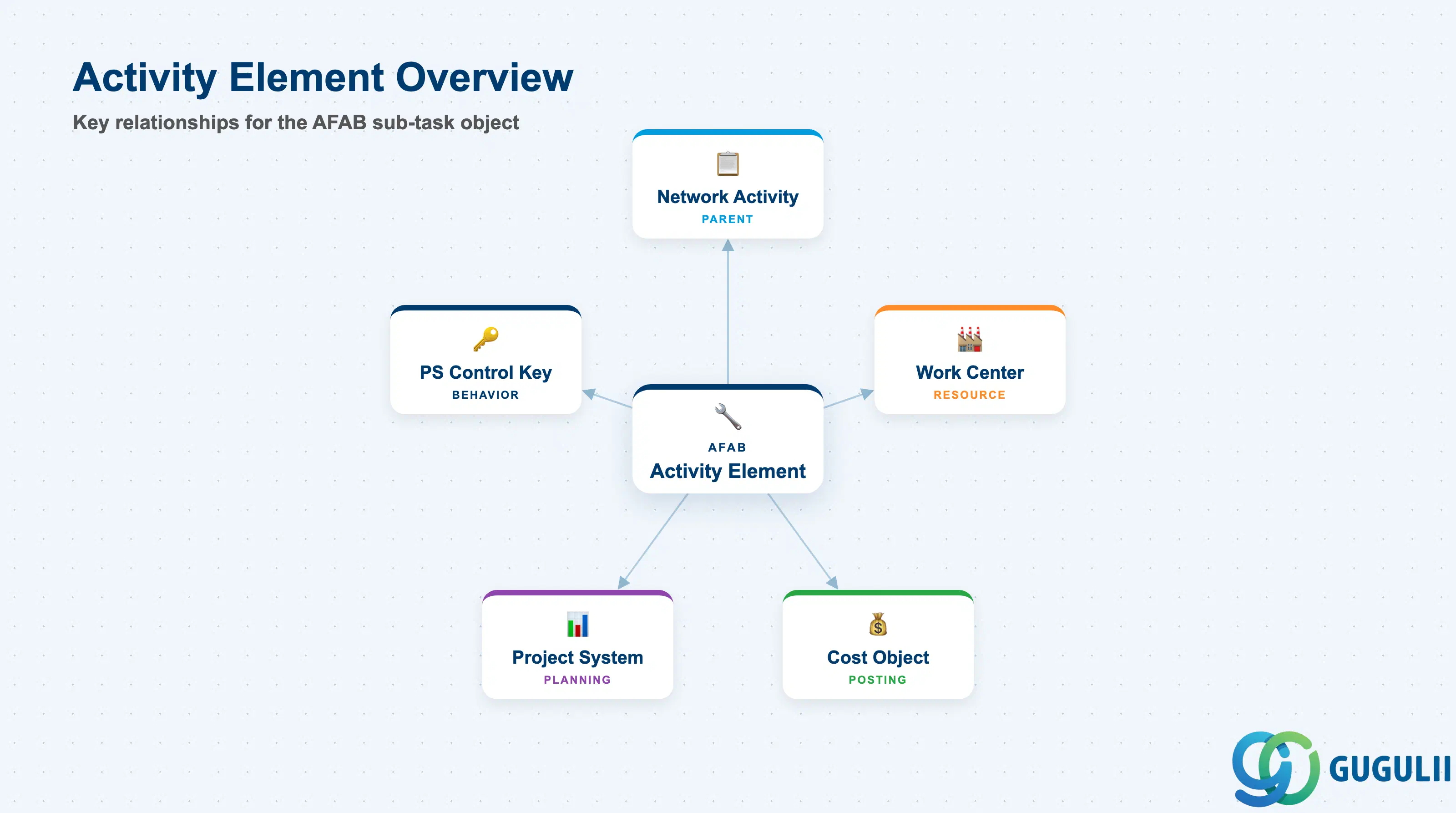
An Activity Element is a sub-record of a Network Activity that represents a distinct work step performed within that activity’s timeframe. It does not carry its own scheduling relationships to other activities — sequencing is controlled at the Activity level — but it does carry quantities, work center assignments, and control keys that govern confirmations and cost collection at the element level.
| Aspect | Details |
|---|---|
| Role | Provides intra-activity work breakdown: assigns quantities, work centers, and confirmation logic to individual sub-tasks within one Activity |
| Modules using it | PS (primary owner — network planning, scheduling, confirmations), PP (work center capacity integration), CO (actual cost collection at element level when confirmed) |
| Transactions | CN21 (Create Network) / CN22 (Change Network) / CN23 (Display Network) / CN25 (Network Overview) — Activity Elements are maintained within the network transaction, not via a standalone Tr-Cd |
| Key Tables | AFAB (Activity Element master data), AFVC (Activity master — parent), AUFK (Order header for the Network), JEST (User status at element level) |
| S/4HANA note | Activity Element data model is unchanged from ECC. Maintained within the Network / Activity screens in CDS Fiori-based Project Management (SAP Project Management Fiori apps) or via classic CN2x transactions. Confirmation at element level uses CO11N or CAT2 (CATS) depending on element control key. |
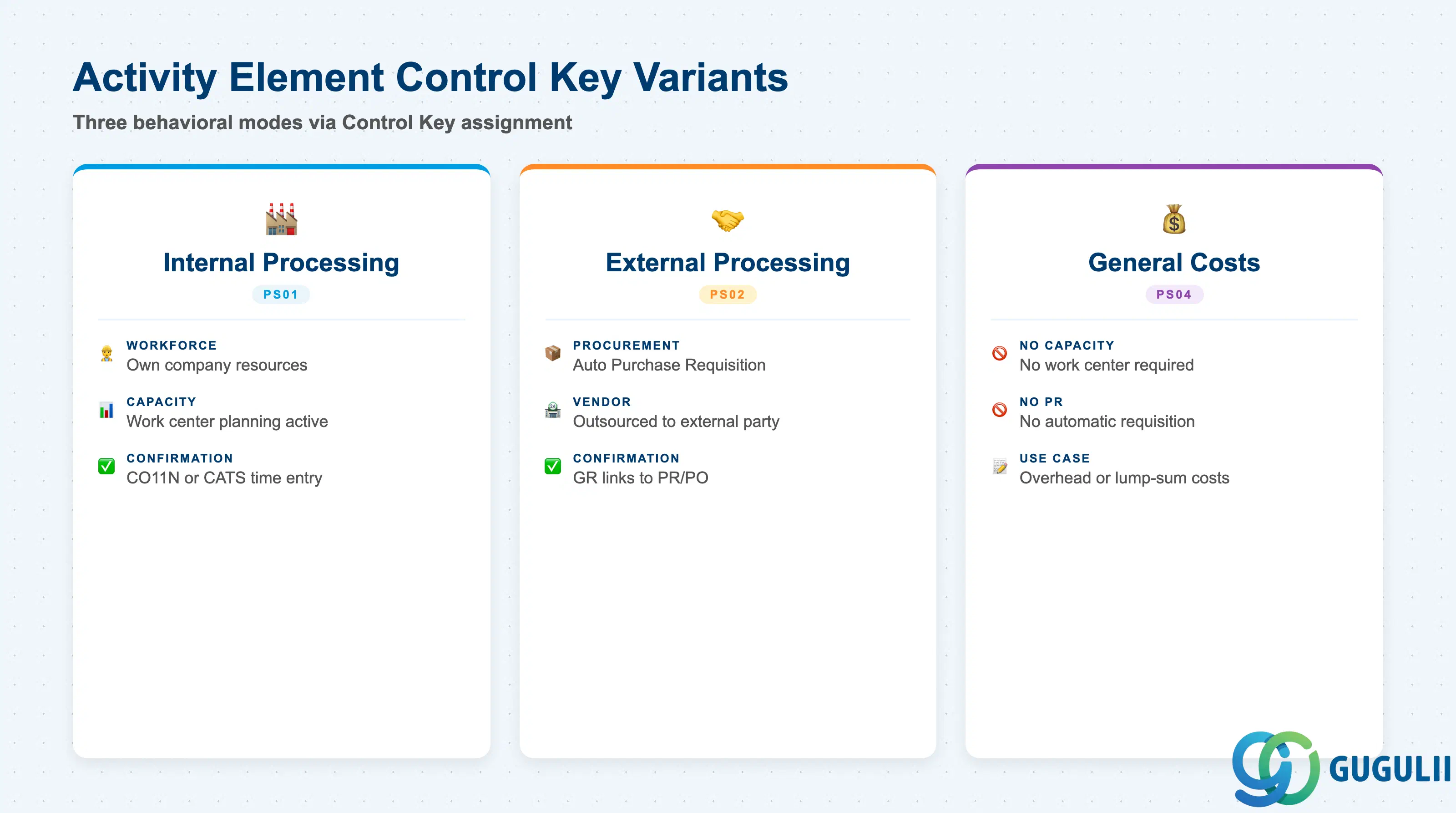
The behavior of an Activity Element is governed by its Control Key — the same set of keys used at the Activity level. The Control Key determines whether capacity planning, purchase requisition generation, and confirmation are active for the element. Selecting the wrong Control Key at blueprint produces incorrect procurement and confirmation behavior that is costly to correct after actual postings begin.
| Control Key | Code | Use Case | Key Behavior |
|---|---|---|---|
| Internal Processing | PS01 | Sub-tasks performed by company’s own workforce using a specific work center | Capacity planning active; work center required; confirmation via CO11N or CATS. Time confirmation posts actual costs to the element. |
| External Processing | PS02 | Sub-tasks to be outsourced to a vendor | Triggers automatic Purchase Requisition generation on element save; service/material required; GR confirmation links to the PR/PO. |
| General Costs | PS04 | Sub-tasks with cost-only planning (no capacity, no PR) | No work center required; no automatic PR. Used for overhead line items or lump-sum sub-task cost planning where process integration is not needed. |
Design principle: Only use External Processing (PS02) at the element level when the sub-task is independently outsourced and requires its own PR/PO. If the whole Activity is external, assign PS02 at the Activity level and avoid creating elements unless further breakdown of the external work is required for confirmation or billing purposes.
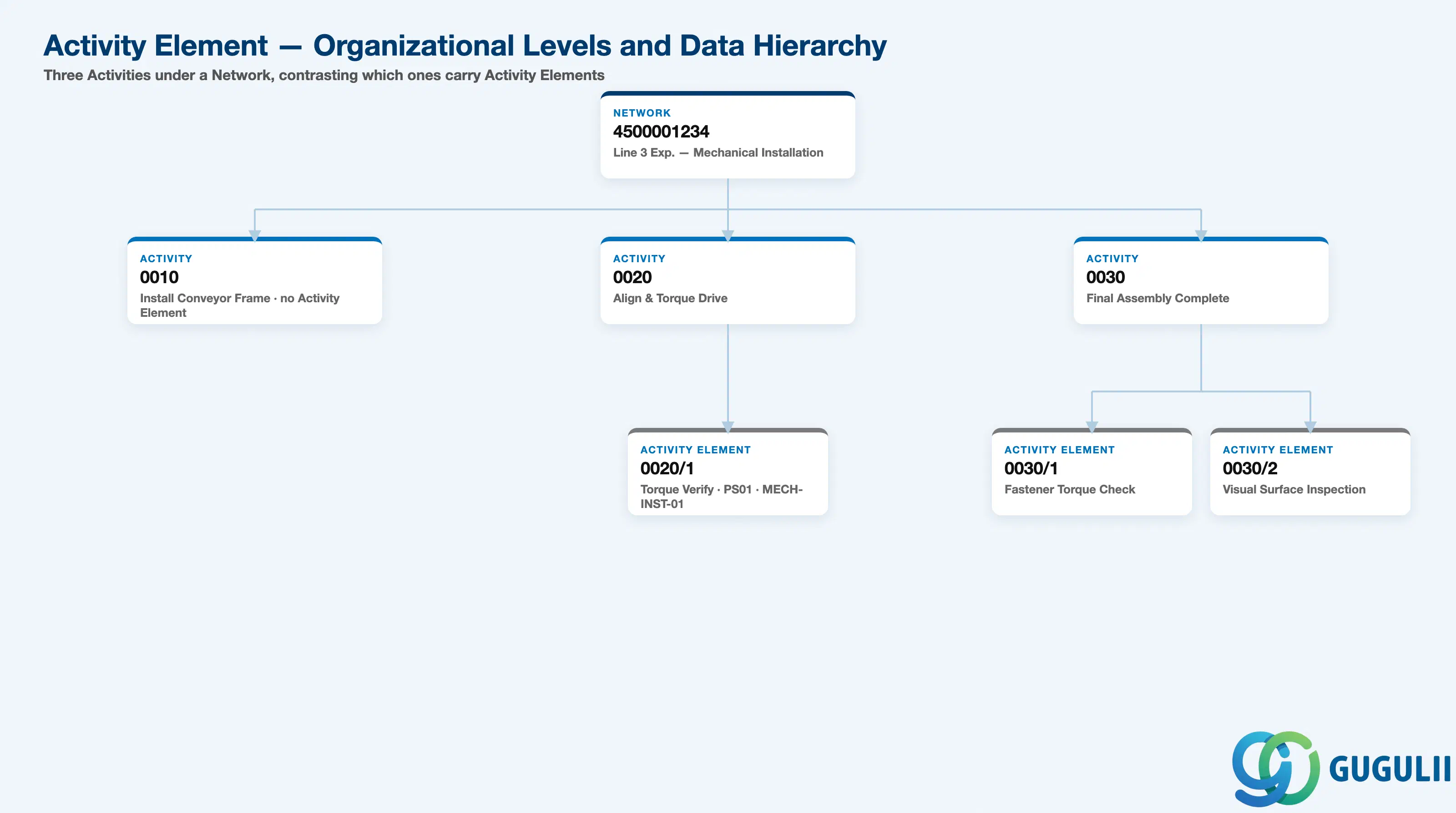
Data hierarchy with a concrete example
Network 4500001234
   │
   ├── Activity 0010
   │      Install Conveyor Frame
   │      (no Activity Element — single-step task)
   │
   ├── Activity 0020
   │      Align & Torque Conveyor Drive
   │      │
   │      └── Activity Element 0020/1
   │             Torque Verification Checklist
   │             Control Key PS01 (Internal), Work Center MECH-INST-01
   │             Planned Work: 1.5 hrs
   │
   └── Activity 0030
          Final Assembly Complete
          │
          ├── Activity Element 0030/1
          │      Fastener Torque Check
          │
          └── Activity Element 0030/2
                 Visual Surface Inspection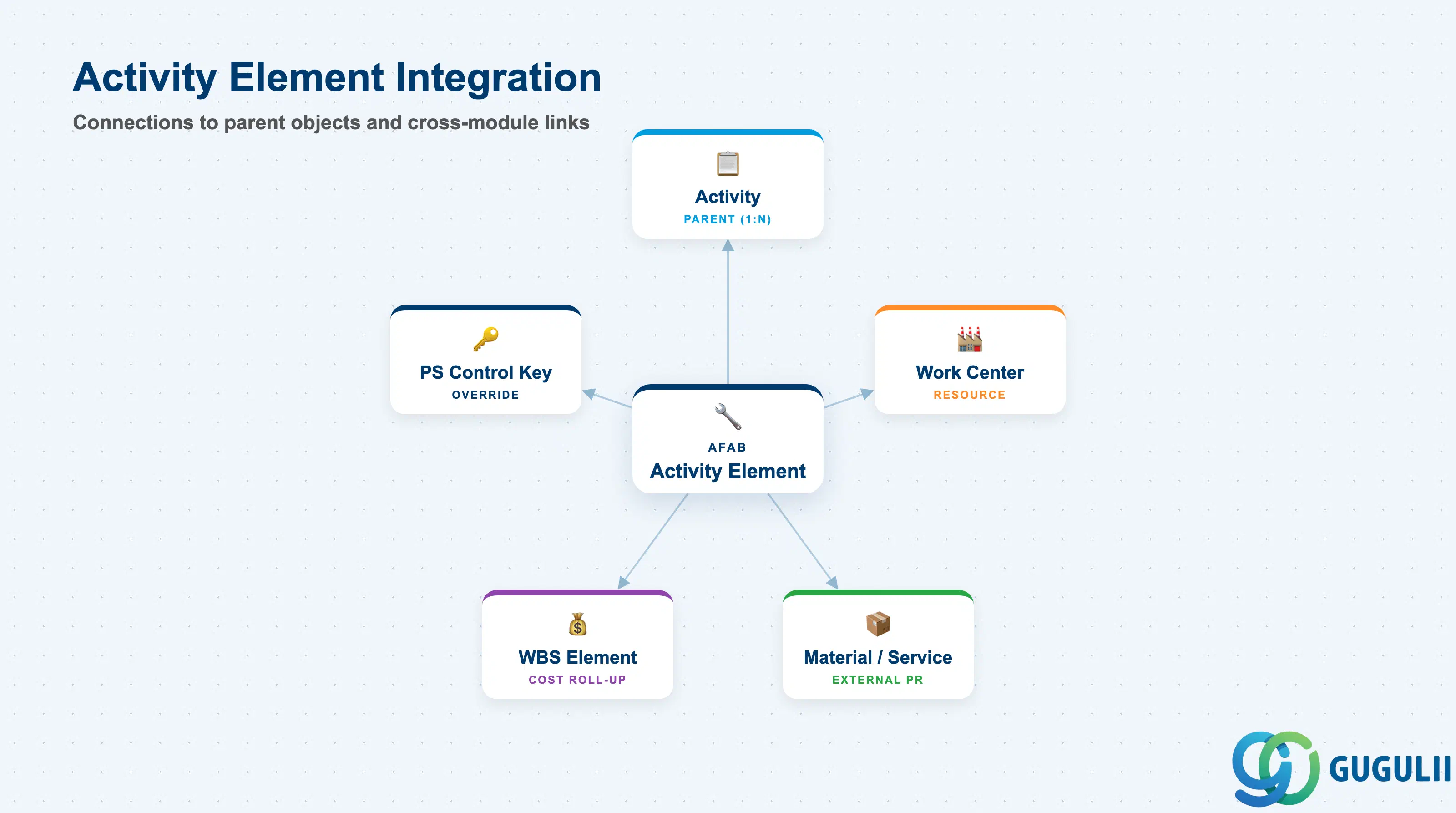
The Activity Element does not stand alone — it is always subordinate to its parent Activity and shares the Activity’s scheduling boundaries and WBS cost assignment. Its integration points are narrower than those of the Activity but still include work center capacity, external procurement, and confirmation logic.
| Object | Relationship | Practical Notes |
|---|---|---|
| Activity (AFVC) | Parent (1:N) — one Activity may have multiple Elements | The Activity Element cannot exist without a parent Activity. Dates on the element are constrained within the Activity’s Basic Start and Finish dates. If the Activity is deleted, all its elements are deleted. |
| Work Center | Referenced per element for internal processing elements | Each element can reference a different work center than the parent Activity, enabling multi-resource work steps within a single activity (e.g., Activity = “Installation” with Element 1 using electrical team Work Center and Element 2 using mechanical team Work Center). |
| Material / Service (MM) | Referenced for External Processing elements (PS02) | When a PS02 element is saved, a Purchase Requisition is automatically created referencing the material or service number entered on the element. The element’s planned quantity becomes the PR quantity. Goods receipt against the PR closes the element’s external work. |
| WBS Element (PRPS) | Indirect — actual costs post to the WBS via the Network/Activity | Activity Element confirmations (CO11N) post actual costs to the parent Activity’s cost object, which rolls up to the WBS Element. There is no direct AFAB-to-PRPS posting link — the chain is AFAB confirmation → AFVC Activity → AUFK Network → PRPS WBS. |
| PS Control Key | Controls element behavior (scheduling, PR, confirmation) | The Control Key on the element overrides the parent Activity’s Control Key for that specific sub-task. This allows a primarily internal Activity (PS01) to contain an externally-sourced element (PS02) without restructuring the network. |
| Data Section | PS Involvement | Notes |
|---|---|---|
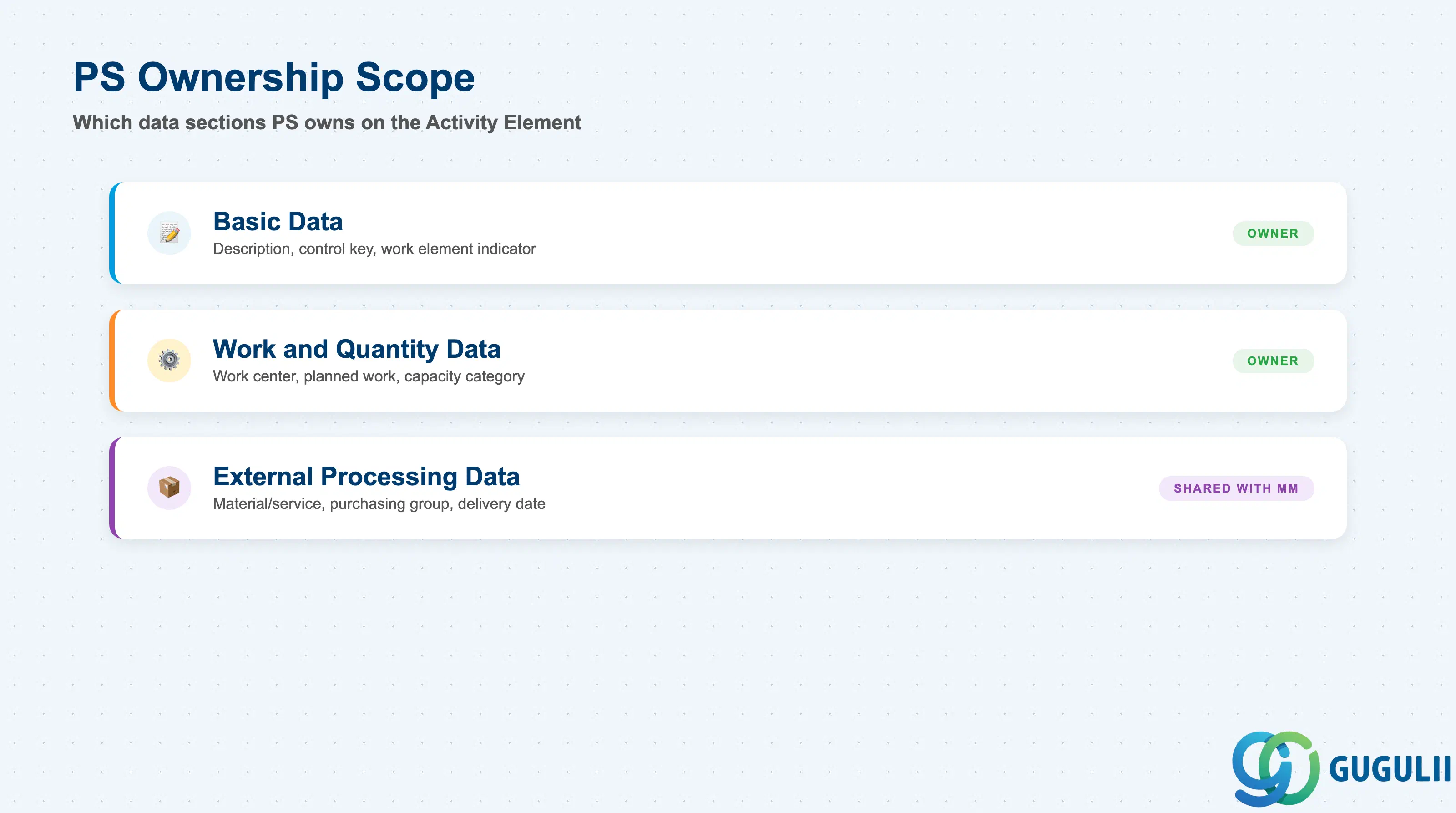
| Basic Data | ◎ Owner | Element description, control key, work element indicator — PS planner defines; no other module input required |
| Work and Quantity Data | ◎ Owner | Work center, planned work, unit of work, capacity category — PS planner in coordination with PP (work center master) |
| External Processing Data | ○ Shared with MM | Material/service number, purchasing group, delivery date — PS defines the requirement; MM processes the resulting Purchase Requisition |
Legend: ◎ = Owner / Critical, ○ = Direct involvement
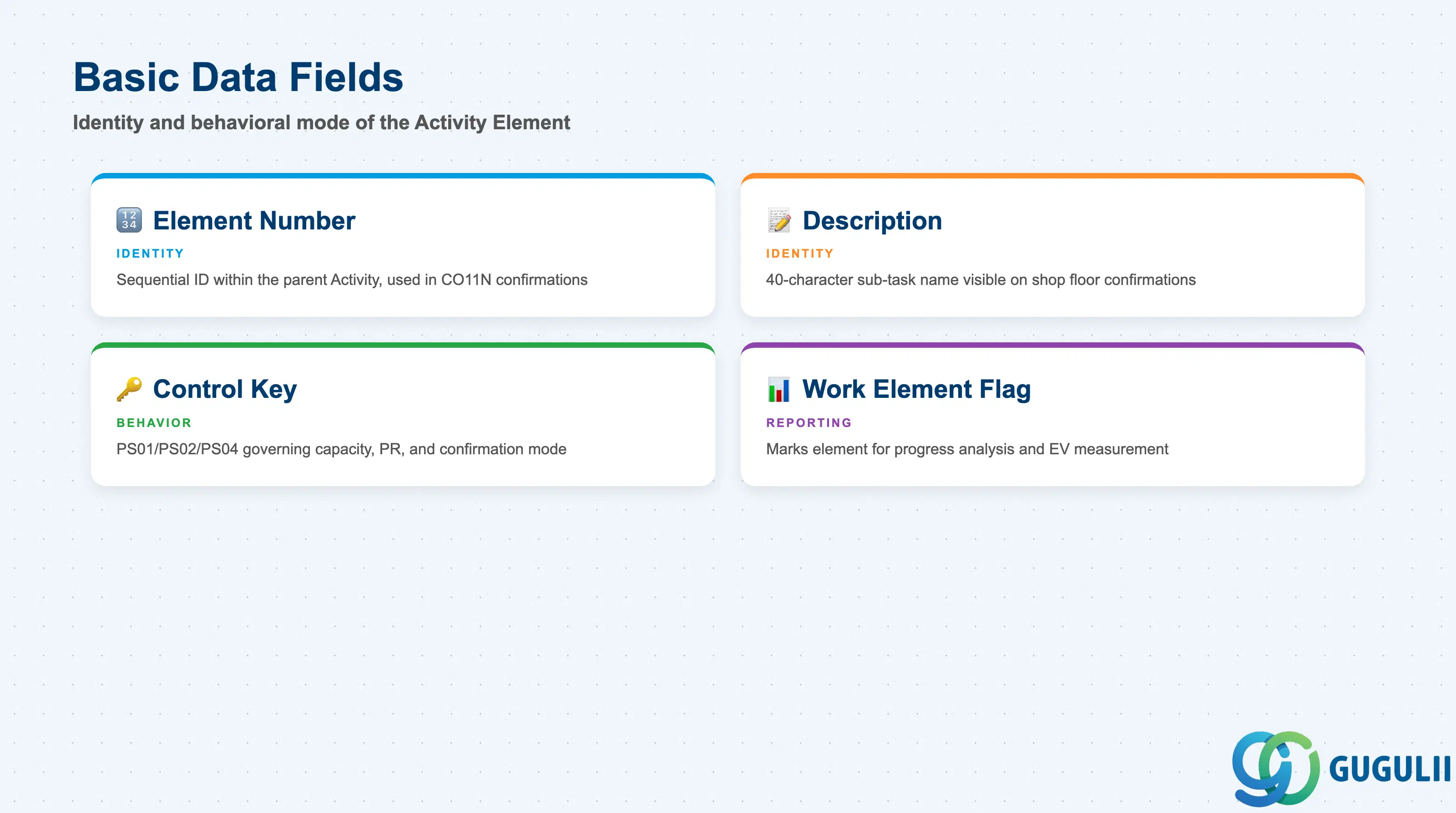
Basic Data fields establish the identity and behavioral mode of the Activity Element. These fields are the first to be populated when an element is created within the Activity screen (CN22) and determine which additional field groups — Work/Quantity or External Processing — become available.
| Field | Description | Practical Usage |
|---|---|---|
| Element Number | Sequential number identifying the element within its parent Activity (1, 2, 3, …) | Assigned automatically when the element is created. Used in confirmation transactions (CO11N) to select the specific element for time posting. Numbering gaps are acceptable — avoid renumbering elements after actual confirmations are posted, as the number is the key referenced in CO documents. |
| Element Description | Free-text description of the sub-task (40 characters) | Write descriptions that are unambiguous to the confirmation user on the shop floor or in the field. Avoid abbreviations that are meaningful only to the planner. For example, use “Install cable tray — Zone A” rather than “ICT-A.” Clear descriptions reduce confirmation errors and improve the audit trail in CN25 reporting. |
| Control Key | Governs the element’s procurement and confirmation behavior (PS01 / PS02 / PS04) | The single most impactful field on the element. PS01 activates work center and capacity; PS02 activates automatic PR generation; PS04 is cost-only. Changing the Control Key after a PR has been generated (PS02) or after confirmations are posted (PS01) requires manual cleanup of the resulting documents. Lock the Control Key via a status management rule once execution begins. |
| Work Element Indicator | Marks the element as relevant for progress reporting and EVMeasurement | When activated, the element appears in the progress analysis reports (CN41, S_ALR_87013531) as a discrete measurable work item. Set this indicator only for elements that genuinely represent a measurable completion event — not for administrative or placeholder elements. Overuse inflates the number of EVMeasurement points and makes progress reports harder to interpret. |
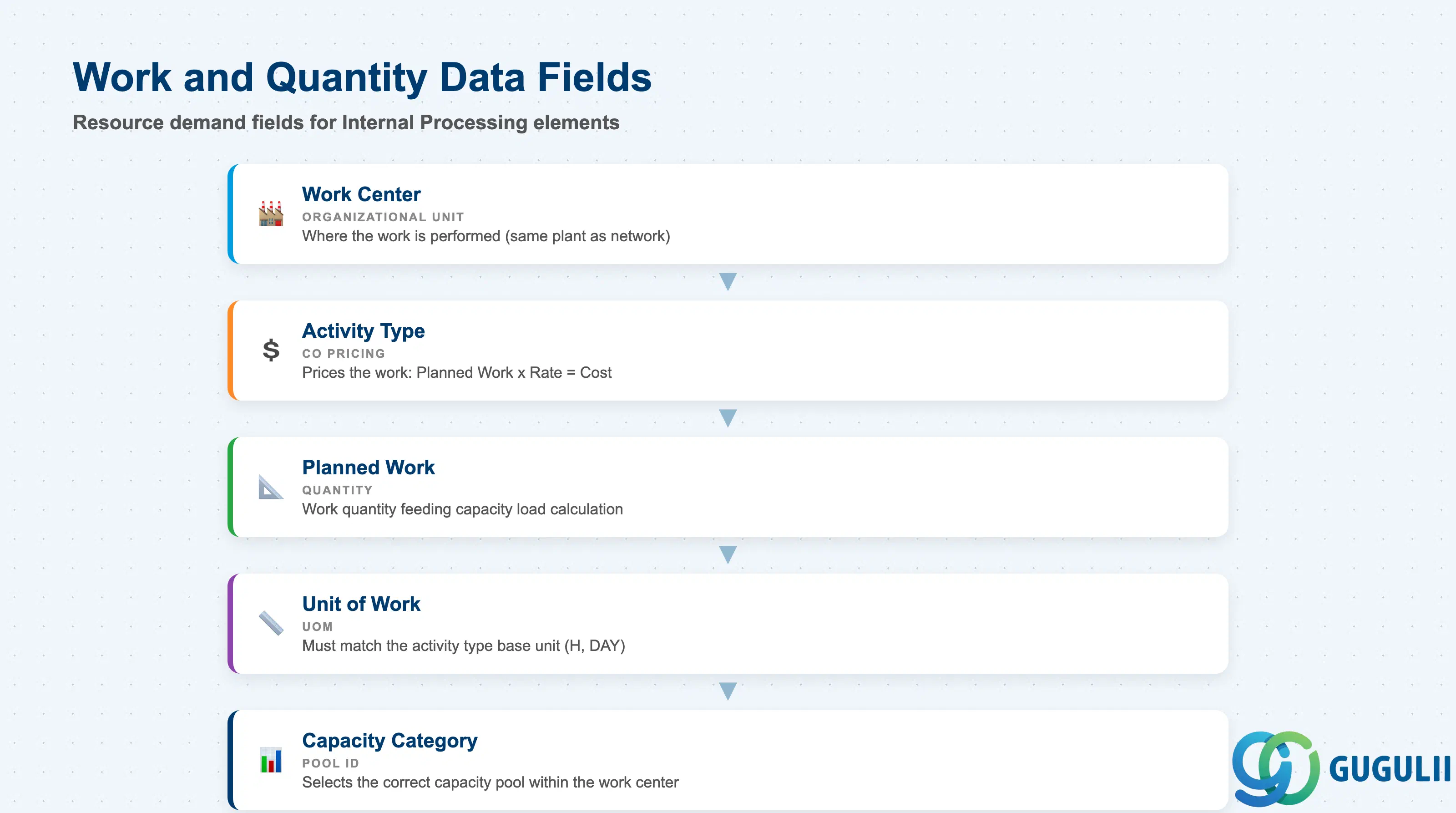
Work and Quantity Data fields are populated for Internal Processing (PS01) elements and define the resource demand that feeds into network scheduling and work center capacity planning. These fields connect the Activity Element to the PP module’s work center master data.
| Field | Description | Practical Usage |
|---|---|---|
| Work Center | Organizational unit in PP where the work is performed (e.g., electrical workshop, engineering department) | The Work Center must exist in the same plant as the Network header. If the element requires a different work center than the parent Activity, specify it here — this is the most common reason for creating elements rather than leaving the Activity as a single work step. Verify that the Work Center has the required capacity category and activity type assigned before including it in capacity planning runs. |
| Activity Type | CO activity type used to price the work performed at this element (e.g., labor hours at a standard rate) | Drives the planned cost calculation for the element: Planned Work × Activity Type Rate = Planned Cost. Must be defined in the controlling area and assigned to the Work Center in the capacity view. For Japan-based projects, ensure that the activity type rate (defined in KP26) reflects the current fiscal year’s planned rate — stale rates from prior years cause plan-to-actual variances that are difficult to explain to project controllers. |
| Planned Work | Quantity of work planned for the element in the unit of work (e.g., 40 H for 40 hours) | This quantity feeds directly into the work center capacity load calculation. Overestimating planned work inflates the capacity demand and may trigger false capacity shortage alerts in PP. Underestimating leaves insufficient buffer and understates the element’s planned cost. Align planned work with the Work Breakdown Dictionary used during project estimation. |
| Unit of Work | Unit of measure for the planned work (H = hours, DAY = days, etc.) | Must match the activity type’s unit in the CO master. Mismatches between the Unit of Work on the element and the activity type’s base unit cause the system to use a conversion factor — verify that the factor is defined in the controlling area. For professional services projects (consulting, engineering), H (hours) is almost universally correct. |
| Capacity Category | Identifies which capacity pool within the Work Center this element draws from | Work Centers can have multiple capacity categories (e.g., person-hours vs. machine-hours). Selecting the wrong capacity category means the element’s load does not appear in the correct capacity planning view, causing the capacity planner to underestimate demand in one pool while another appears overloaded. Confirm the capacity category with the PP consultant during network template setup. |
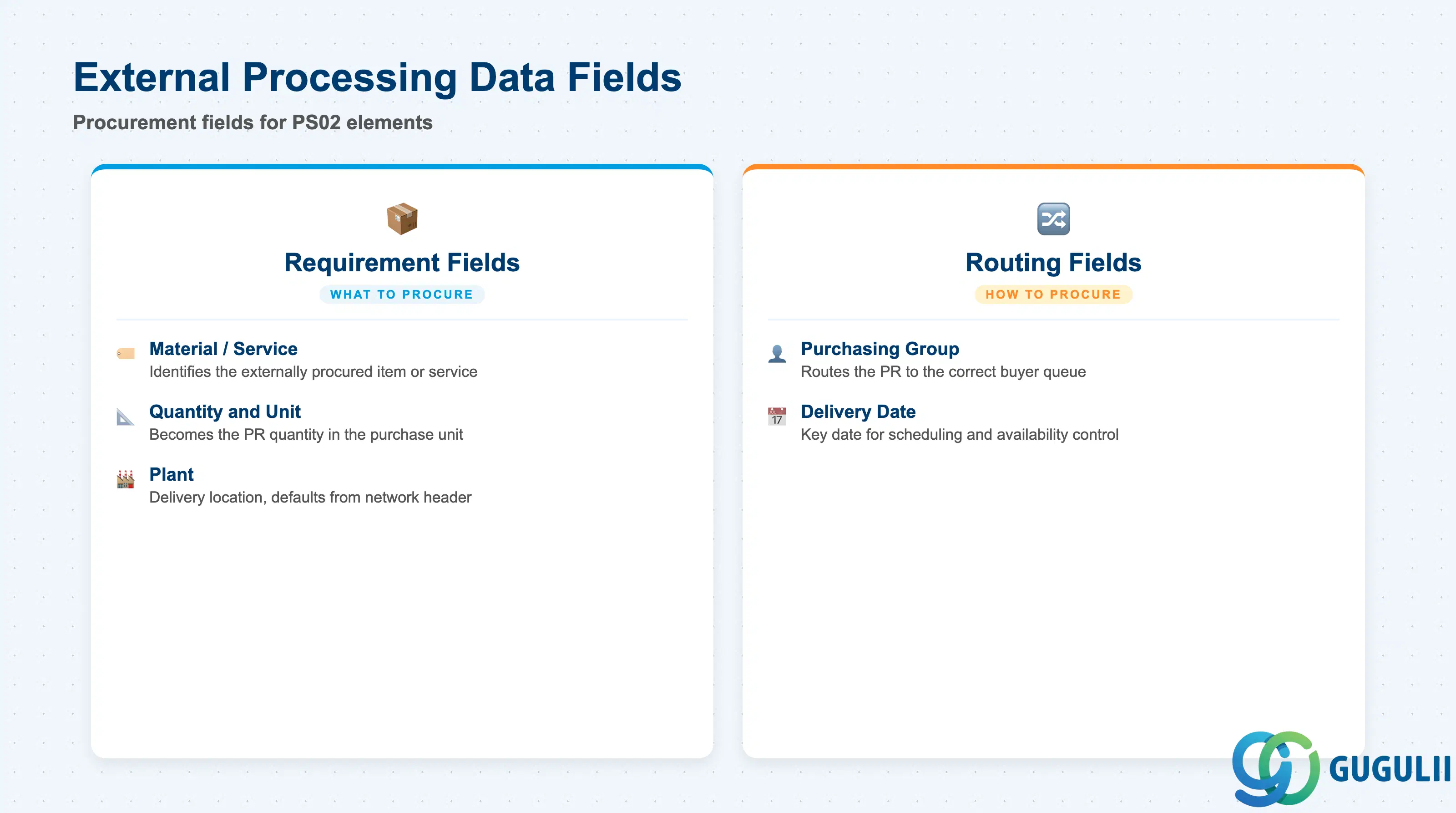
External Processing Data fields are populated only when the element’s Control Key is PS02. These fields define the procurement requirement that the system automatically converts into a Purchase Requisition when the network is saved. The resulting PR is managed by the MM purchasing team, but the PS consultant defines the requirement.
| Field | Description | Practical Usage |
|---|---|---|
| Material / Service Number | Identifies what is being externally procured for this element (a material from MM or a service) | For service elements, a service master (transaction AC03) or a short description without a material number can be used depending on the procurement policy. Using a material number enables the system to propose a source of supply (PIR or contract) automatically. For Japan-based projects, confirm with MM whether service activities should use a material number or an unplanned services approach to comply with the company’s procurement approval workflow. |
| Purchasing Group | The buyer group responsible for processing the resulting Purchase Requisition | Assign the correct purchasing group at element creation — this is the field that routes the PR to the right buyer queue. In multi-plant or multi-country projects, an incorrect purchasing group assignment means the PR is invisible to the responsible buyer until the error is identified and corrected (ME52N assignment change). |
| Quantity and Unit | The quantity of material or service to be procured for this element | Becomes the quantity on the automatically generated PR. Entered in the material’s purchase unit (from the Purchasing View of the Material Master) or in the service unit. Verify the unit matches the vendor’s quoting unit to avoid quantity conversion disputes at invoice verification. |
| Plant | The plant to which the material will be delivered or where the service will be performed | Defaults from the Network header plant. Override only when the delivery or service location differs from the network’s home plant. Cross-plant external processing requires the receiving plant’s storage location and GR configuration to be in place — flag cross-plant elements to MM during blueprint. |
| Delivery Date | The expected date by which the external material or service must be delivered or completed | The system proposes a delivery date based on the element’s scheduled dates. Adjust manually when vendor lead times require a different date than the network schedule calculates. The delivery date on the PR is the key date used in scheduling confirmations and governs availability control if budget control is active. |
| ID | Category | Title |
|---|---|---|
| ps-001 | Overview | What is SAP PS? |
| ID | Category | Title |
|---|---|---|
| ps-a01 | Overview | SAP PS Master Data: Overview, Hierarchy & Relationships |
| ps-a02-01 | Master Data | SAP PS Material Master |
| ps-a03-01 | Master Data | SAP PS Project Profile |
| ps-a03-02 | Master Data | SAP PS Network Profile |
| ps-a03-03 | Master Data | SAP PS Milestone Group |
| ps-a04-01 | Master Data | SAP PS Project Definition |
| ps-a04-02 | Master Data | SAP PS WBS Element |
| ps-a04-03 | Master Data | SAP PS WBS Element (AuC) |
| ps-a04-04 | Master Data | SAP PS WBS Hierarchy |
| ps-a05-01 | Master Data | SAP PS Network |
| ps-a05-02 | Master Data | SAP PS Activity |
| ps-a05-03 | Master Data | SAP PS Activity Element 📍 |
| ps-a05-04 | Master Data | SAP PS Milestone |
| ID | Category | Title |
|---|---|---|
| ps-b01 | Overview | SAP PS Transactions: Process Flow, Hierarchy & Relationships |