Title here
Summary here

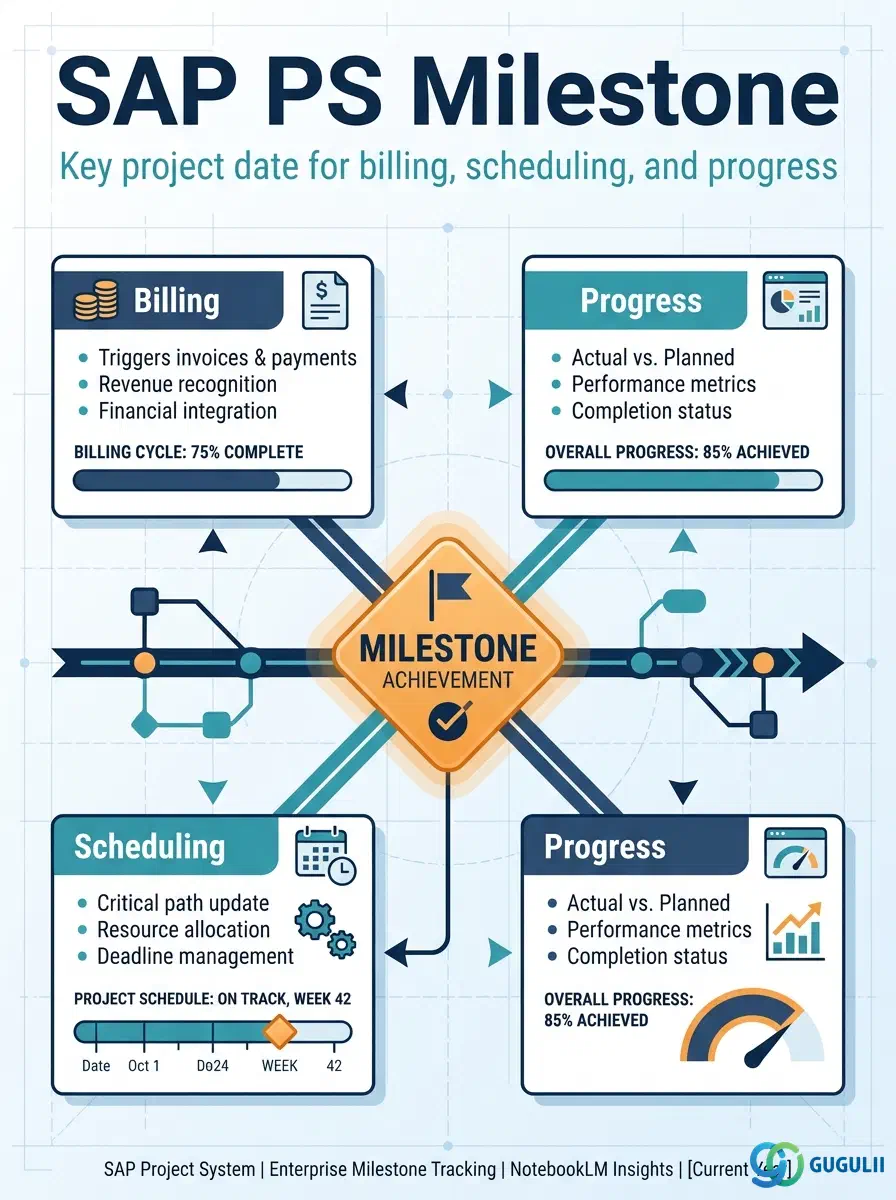
The Milestone (table AFMS) is the master data object that marks a significant point on a Network Activity or WBS Element — a date that the project organisation has agreed to track and, optionally, act on. When a Milestone is confirmed as reached, SAP can automatically update a Billing Plan in SD, shift dependent schedule dates, or record progress against an Earned Value baseline. Because one Milestone can perform several of these roles simultaneously, designing Milestone usage is one of the highest-leverage configuration decisions in an SAP PS implementation. This article covers the object in three parts: what it is and which modules use it (Part 1), and the PS-specific field detail consultants configure at the Activity and Milestone Group levels (Part 2).
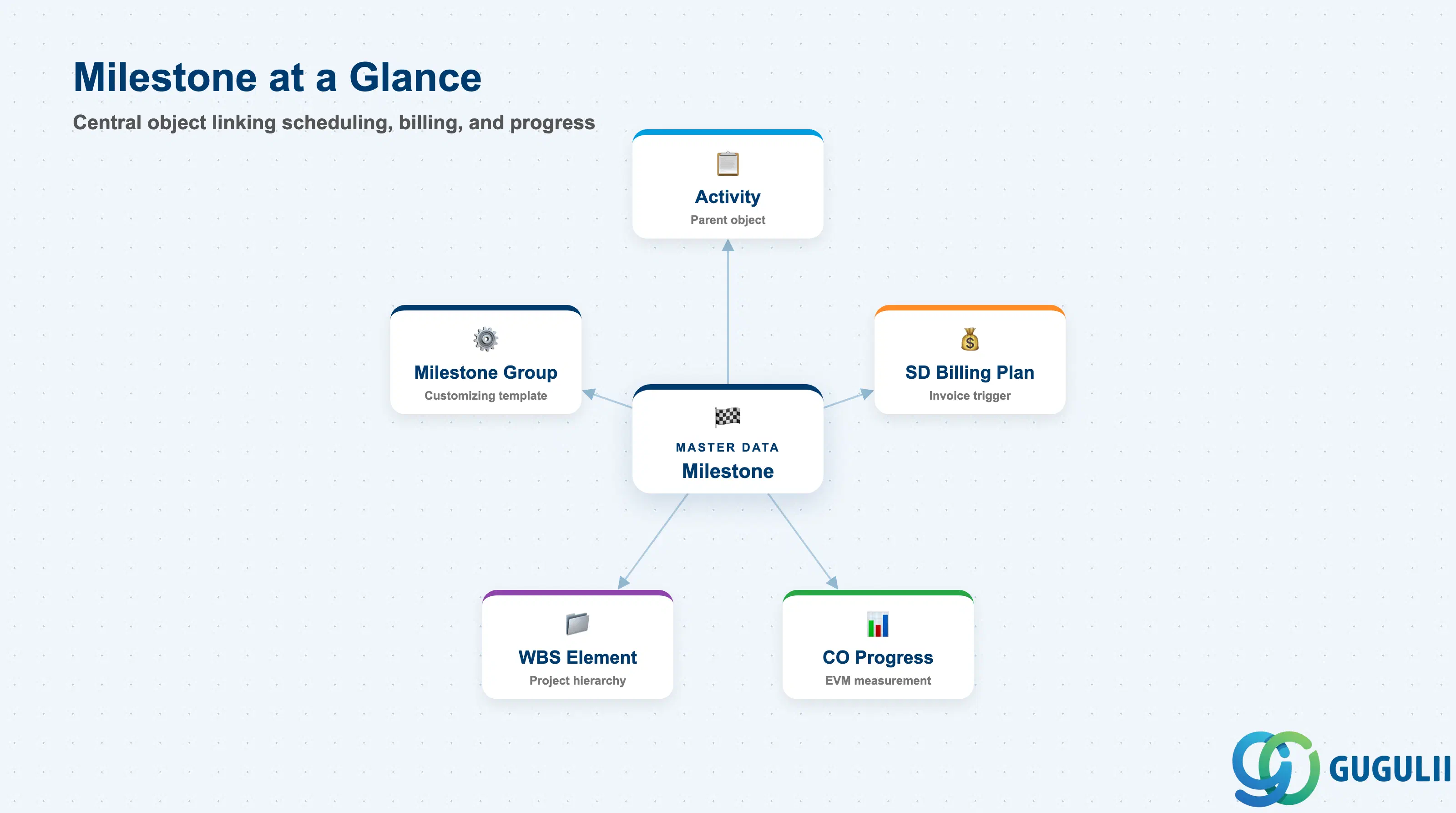
A Milestone is a zero-duration point in a project plan that carries business significance beyond pure scheduling. Unlike an Activity, which represents a span of work with start and finish dates, a Milestone represents a single moment in time — a gate, a handover, a completion event. In SAP PS, Milestones are defined inside Networks (attached to Network Activities) and are controlled by a Customizing-level Milestone Group that determines which usage categories are available.
| Aspect | Details |
|---|---|
| Role | Marks a key project date on a Network Activity; triggers billing, anchors scheduling, and measures progress when confirmed |
| Modules using it | PS (primary owner — scheduling, WBS/Network planning), SD (Billing Milestone — updates Billing Plan dates), CO (Progress Analysis / EVM measurement point) |
| Transactions | CN21 (Create Network+Activities+Milestones) / CN22 (Change) / CN23 (Display) / CN41 (Milestone List) / CNS41 (Network Schedule) |
| Key Tables | AFMS (Milestone master) / AFVV (Activity dates — Milestone date derived here) / AFKO (Network header) |
| S/4HANA note | Core Milestone data model unchanged from ECC. Milestone confirmation and billing integration remain transaction-based (CN25, VA02). Fiori app “Monitor Projects” (F2370) surfaces confirmed and open Milestones in the project overview. |
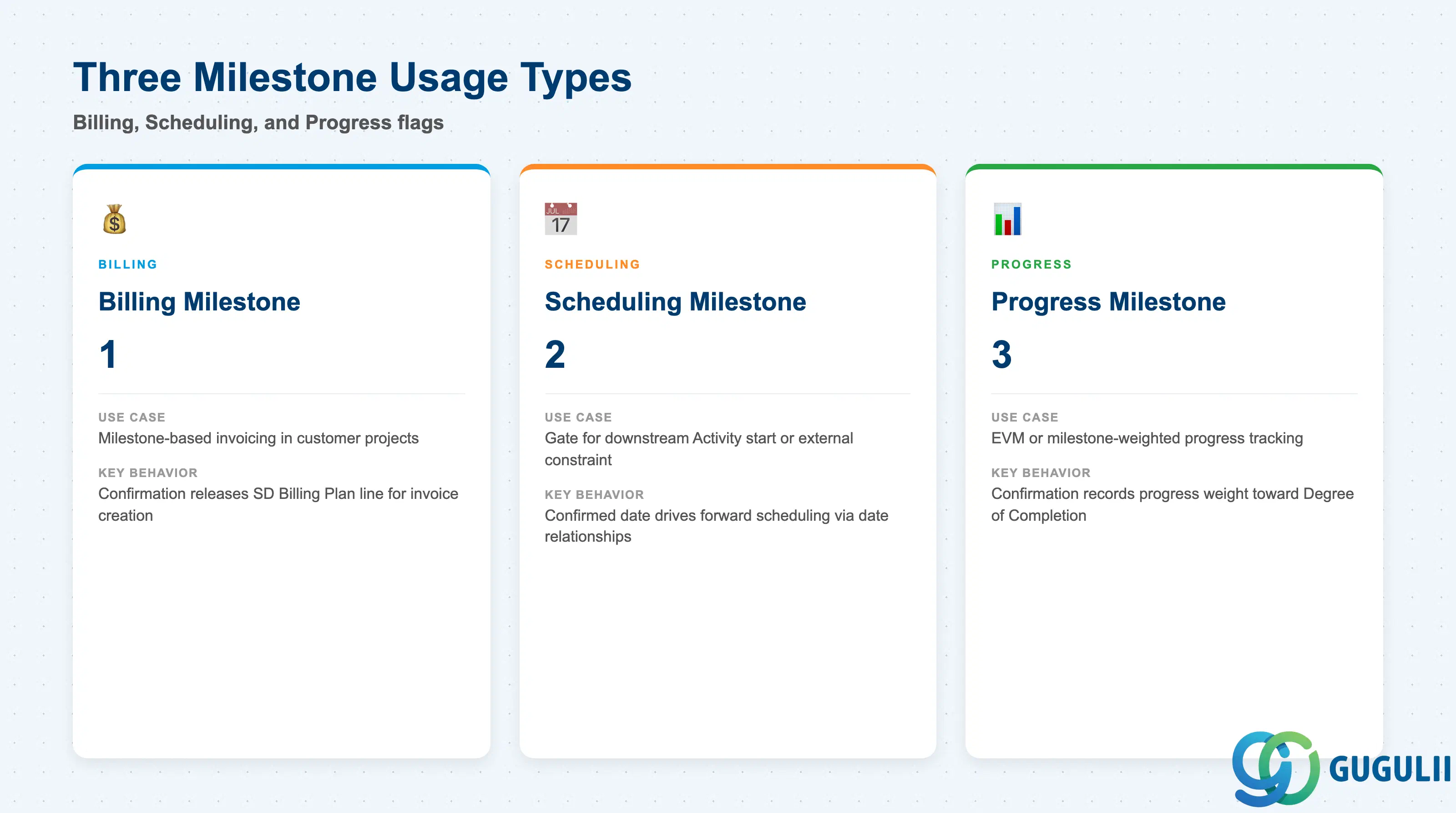
Each Milestone carries one or more Usage Type flags that determine what system behavior is triggered when the Milestone date arrives or is confirmed. Choosing the wrong combination leads to missed billing, incorrect schedule propagation, or broken EVM baselines.
| Usage Type | Code | Use Case | Key Behavior |
|---|---|---|---|
| Billing Milestone | 1 | Customer projects with milestone-based invoicing (e.g., shipbuilding, engineering-to-order) | On confirmation, the corresponding Billing Plan line in the SD Sales Order is released for billing. Requires SD Billing Plan (VA42) to reference the WBS Billing Element. |
| Scheduling Milestone | 2 | Projects where a downstream Activity or external constraint must start only after this gate | Acts as a constraint point in the network schedule. Date relationships (e.g., Finish-to-Start) to successor Activities use this Milestone’s confirmed date to drive forward scheduling. |
| Progress Milestone | 3 | Projects using Earned Value Management (EVM) or milestone-weighted progress tracking | When confirmed, the system records a progress measurement against the planned value of the associated WBS Elements or Activities. Used in CO Period-End Closing (CN27 / CNMM) for results analysis. |
Design principle: A single Milestone can combine all three usage flags. In complex customer projects, the same “Design Complete” Milestone often triggers billing, releases dependent engineering activities from schedule hold, and records 20% progress credit — set all three flags intentionally and document the decision in the project blueprint.
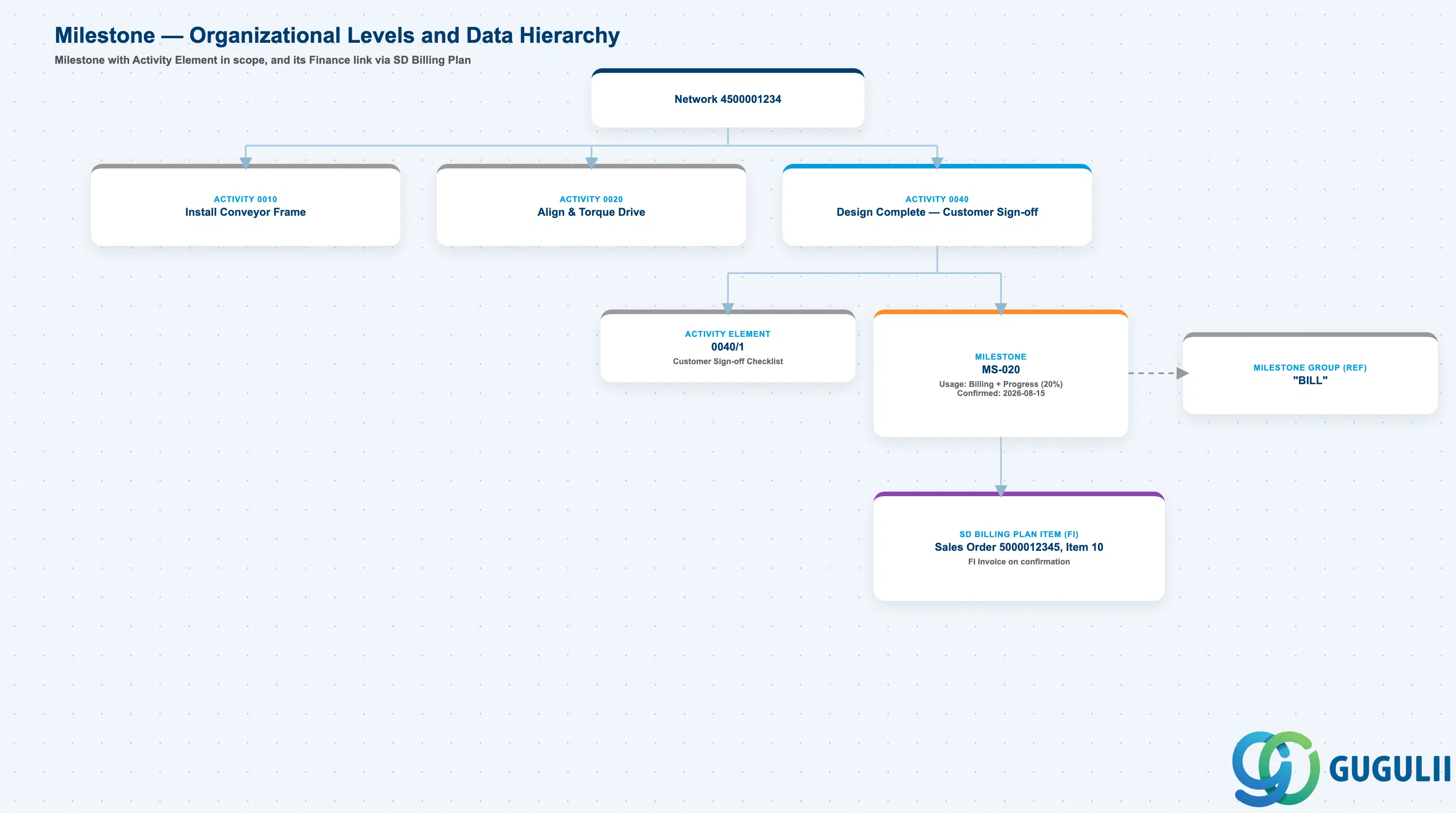
Data hierarchy with a concrete example
Network 4500001234
   │
   └── Activity 0040
          Design Complete — Customer Sign-off
          │
          ├── Activity Element 0040/1
          │      Customer Sign-off Checklist
          │
          └── Milestone MS-020
                 ── assigned to ──> Milestone Group "BILL"
                 Usage: Billing + Progress (20%)
                 Confirmed Date: 2026-08-15
                 │
                 └── ── triggers ──> SD Billing Plan Item
                                        Sales Order 5000012345, Item 10
                                        FI Invoice on confirmation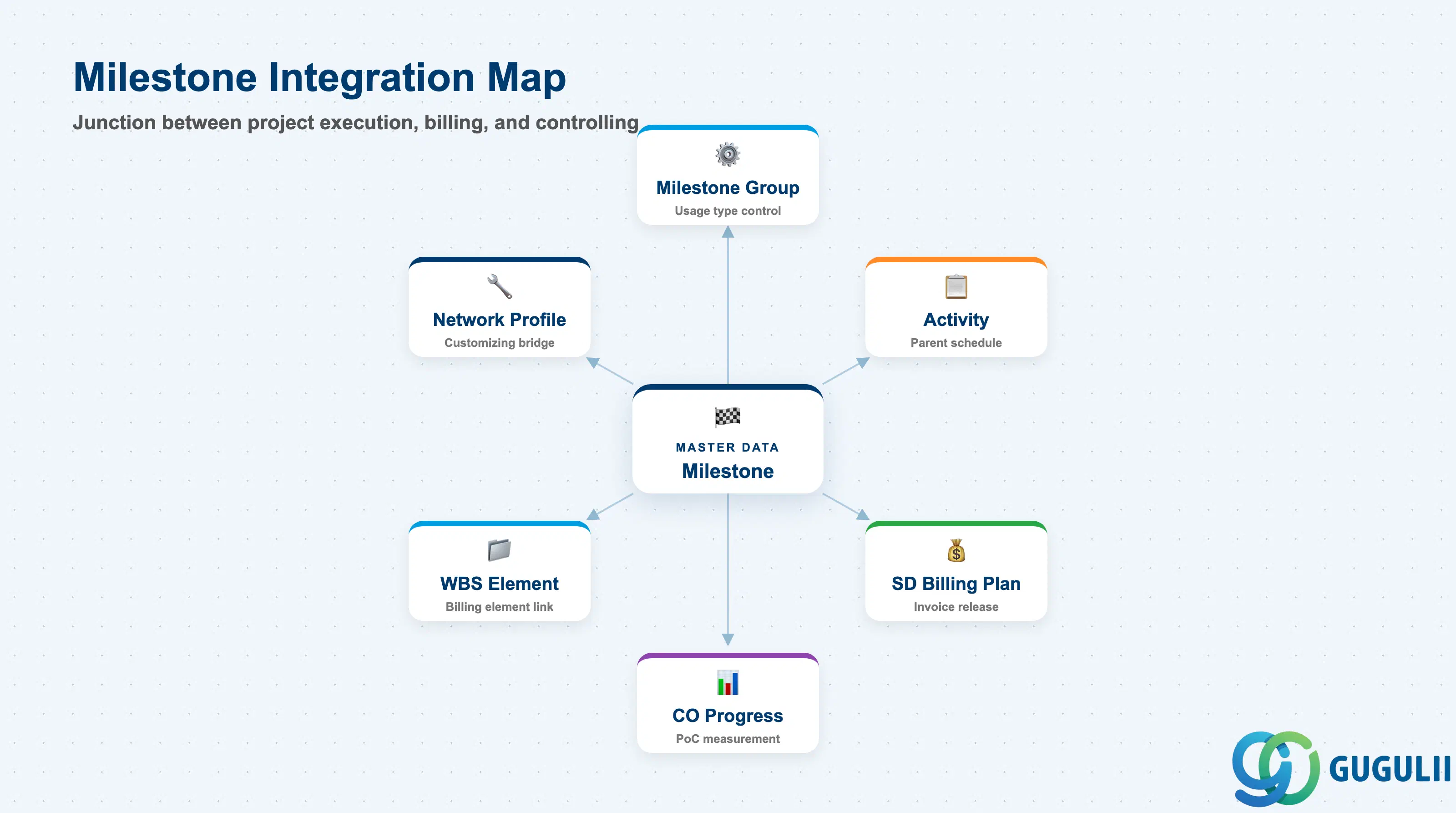
The Milestone does not stand alone. It is the junction point between project execution data and the billing and controlling modules.
| Object | Relationship | Practical Notes |
|---|---|---|
| Milestone Group | Controls permitted usage types | Every Milestone references exactly one Milestone Group. The Group is a Customizing object (OPSR); any change to it impacts all existing Milestones in the project landscape. |
| Activity (Network) | Parent object — Milestone lives inside an Activity | Milestone date is driven by the Activity schedule. When the Activity Finish date shifts, all attached Milestones shift unless their dates are fixed independently. |
| WBS Element | Milestone linked to WBS via Network assignment | Billing Milestones affect the WBS Billing Element’s revenue recognition. The WBS Element must be flagged as a Billing Element to accept SD Sales Order assignment. |
| SD Billing Plan (VA42) | Billing Milestone confirmation releases Billing Plan line | The Billing Plan references the Milestone ID. Confirmation (CN25) sets the billing date in the Sales Order’s Billing Plan, enabling FI-AR invoice creation in VF01. |
| CO — Progress Analysis | Progress Milestone confirmation records POC measurement | The confirmed Milestone feeds into the Degree of Completion (PoC %) calculation used in Results Analysis (KKA2) for revenue recognition under percentage-of-completion accounting. |
| Network Profile | Milestone Group assigned via Network Profile | Network Profile is the link between Customizing (Milestone Groups) and runtime objects (Networks). Changing the Network Profile on an active Network is a destructive operation. |
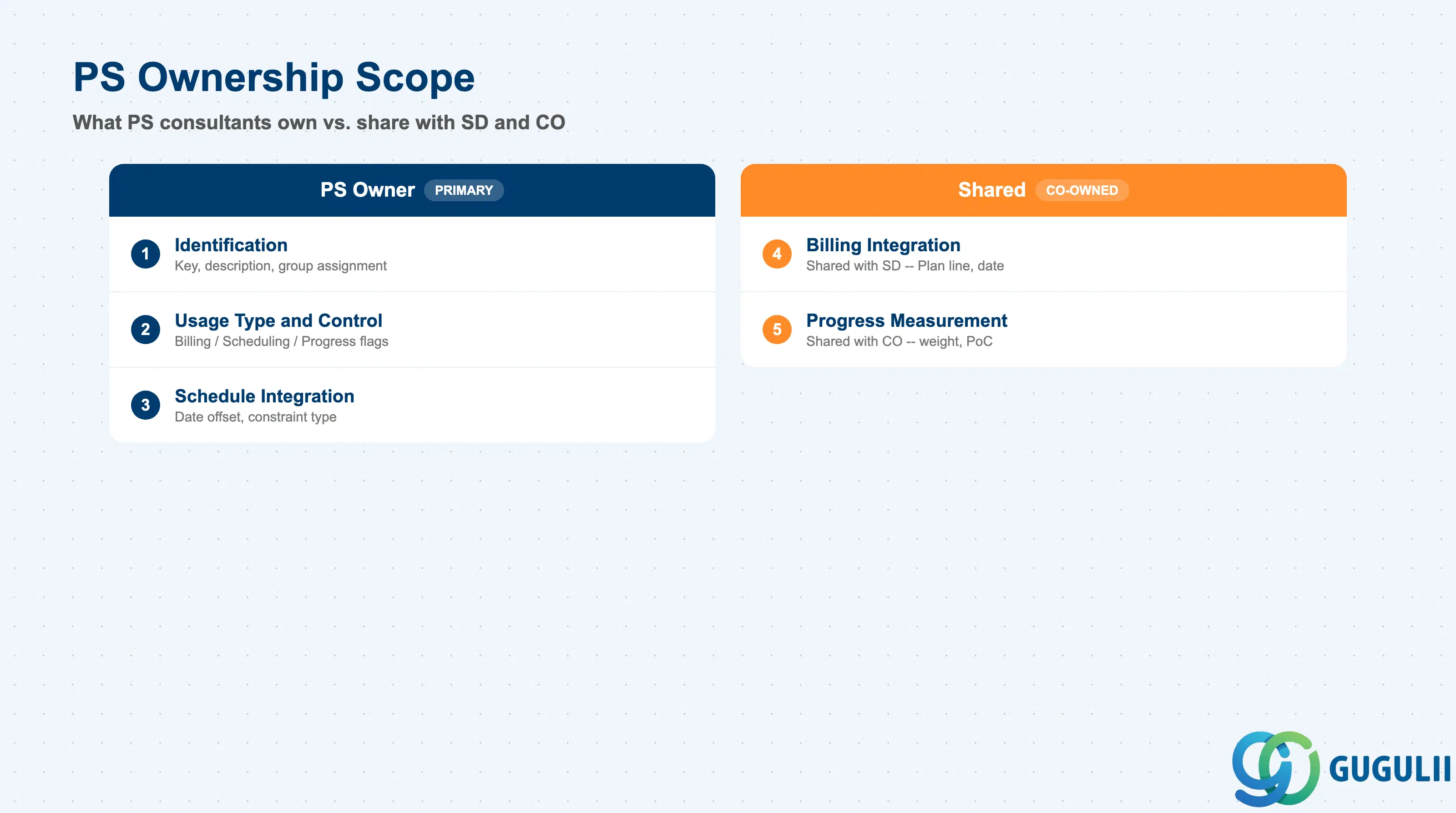
| Data Section | PS Involvement | Notes |
|---|---|---|
| Identification and Description | ◎ Owner | Milestone key, short description, Milestone Group assignment |
| Usage Type and Control | ◎ Owner | Billing / Scheduling / Progress flags; fixed date indicator |
| Billing Integration Data | ○ Shared with SD | Billing Plan line reference and billing date set in PS; Billing Plan structure defined in SD |
| Schedule Integration Data | ◎ Owner | Date offset, relationship type to successor Activities |
| Progress Measurement Data | ○ Shared with CO | Progress weight percentage configured in PS; Results Analysis method configured in CO |
Legend: ◎ = Owner / Critical, ○ = Direct involvement
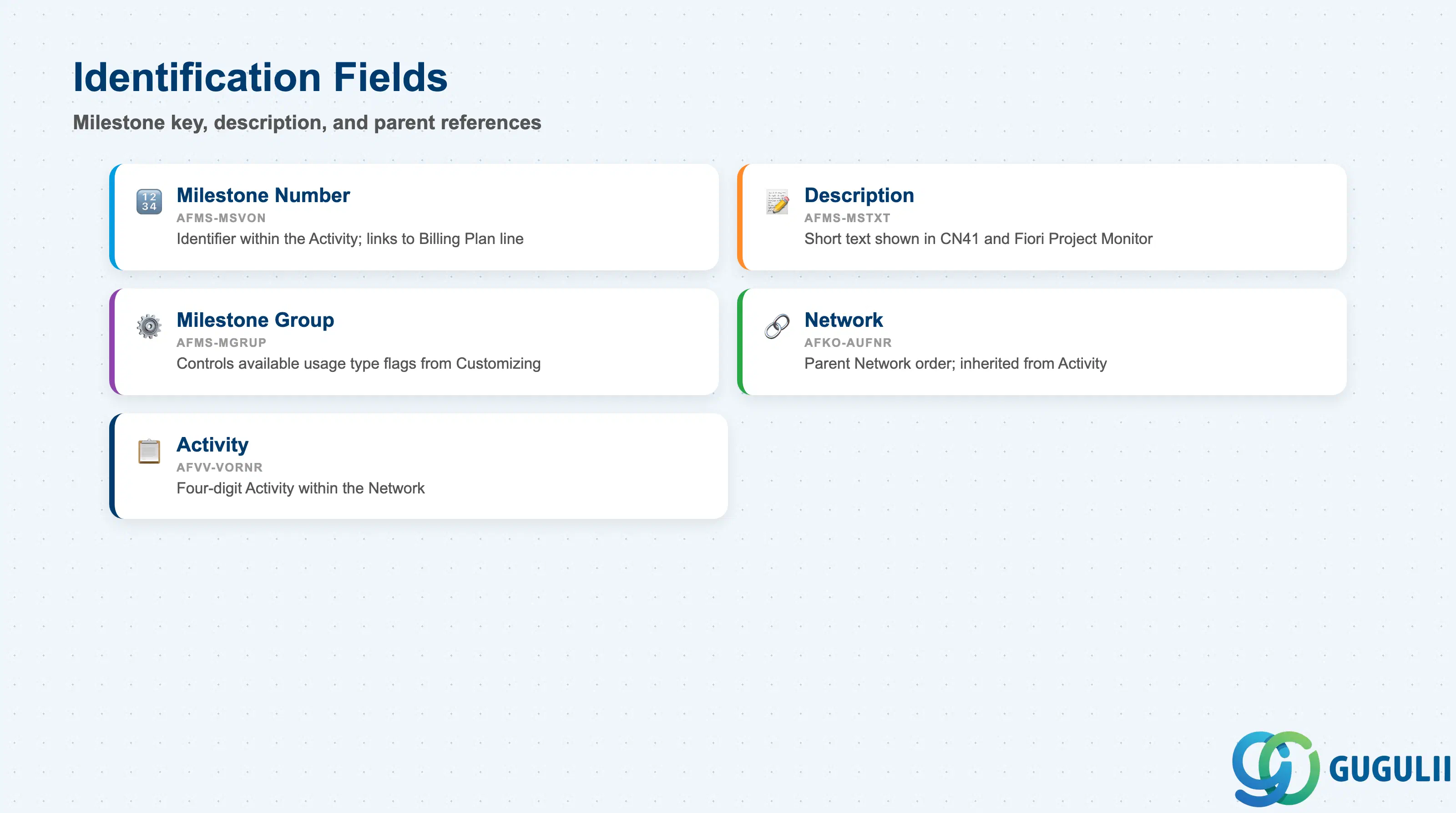
The identification section establishes the Milestone within its parent Activity and links it to the governing Milestone Group template.
| Field | Description | Practical Usage |
|---|---|---|
| Milestone Number (AFMS-MSVON) | System-assigned or manually assigned Milestone identifier within the Activity | Used as the reference key when linking a Billing Milestone to an SD Billing Plan line. Establish a numbering convention (e.g., sequential per Activity) during blueprint and document it — ad hoc numbering in large projects leads to gaps and duplicate descriptions that make milestone reporting unreliable. |
| Description (AFMS-MSTXT) | Short text description of the Milestone | Appears in CN41 Milestone List, in CN22 Network change view, and in the Fiori Project Monitor. Keep descriptions short and unambiguous — in projects with 100+ milestones, vague names such as “Phase Complete” cause confusion during milestone confirmation meetings. Use a naming pattern such as “DESIGN-COMPLETE-2026Q2.” |
| Milestone Group (AFMS-MGRUP) | Reference to the Customizing Milestone Group (OPSR) | Controls which usage type flags are available. A Milestone Group configured solely for Billing Milestones cannot have the Progress flag set. If a project requires all three usage types, confirm that the assigned Milestone Group permits all three before the Network Profile is locked. |
| Network (AFKO-AUFNR) | Parent Network internal order number | Read-only at the Milestone level — inherited from the parent Activity. Relevant for reporting: CN41 can filter milestones by Network to list all key dates for a single work package. |
| Activity (AFVV-VORNR) | Four-digit Activity number within the Network | Milestone belongs to exactly one Activity. Moving a Milestone to a different Activity requires deletion and recreation — plan Activity granularity carefully during scheduling design. |
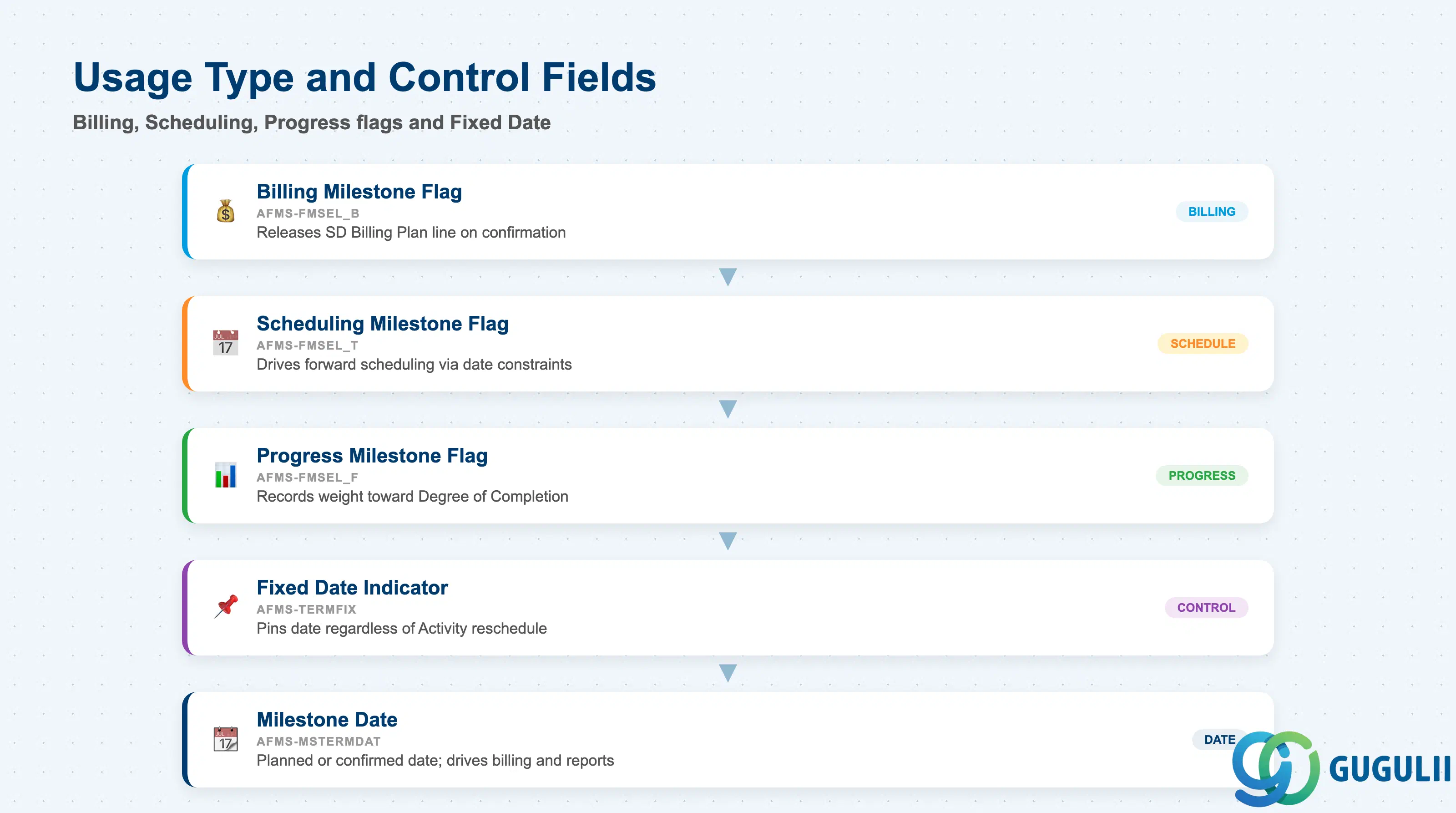
The Usage Type flags determine what actions the system takes when a Milestone is confirmed. The Fixed Date indicator controls whether the Milestone date tracks the Activity schedule or is pinned independently.
| Field | Description | Practical Usage |
|---|---|---|
| Billing Milestone Flag (AFMS-FMSEL_B) | Marks this Milestone as a Billing Milestone | When set, the system expects a corresponding Billing Plan line in the SD Sales Order. Confirming this Milestone (CN25) releases that billing line. In Japan-based customer projects (e.g., shipbuilding, large-scale engineering), Billing Milestones are the primary revenue trigger — misalignment with the SD Billing Plan is the most common source of invoice delays during go-live. |
| Scheduling Milestone Flag (AFMS-FMSEL_T) | Marks this Milestone as a scheduling constraint point | Used in conjunction with Activity relationships to model gates: a successor Activity can be given a Finish-to-Start constraint with this Milestone rather than with the predecessor Activity directly. This allows schedule shifts to flow through the Milestone confirmation date, giving project controllers finer control over critical path propagation. |
| Progress Milestone Flag (AFMS-FMSEL_F) | Marks this Milestone as a progress measurement point | Each confirmed Progress Milestone contributes its weight (percentage) toward the Activity or WBS Element’s Degree of Completion. In EVM-based projects, these weights must sum to 100% across the Activity and must be agreed with the CO team before Results Analysis configuration. |
| Fixed Date Indicator (AFMS-TERMFIX) | Pins the Milestone date regardless of Activity schedule changes | By default, the Milestone date moves with the Activity Finish. Setting Fixed Date breaks this link — the Milestone retains its date even when the Activity is rescheduled. Use with caution: Fixed Date Milestones that are contractually locked (e.g., payment dates in the customer contract) should be fixed; all other Milestones should remain dynamic to preserve schedule integrity. |
| Milestone Date (AFMS-MSTERMDAT) | Date when the Milestone is expected or was confirmed | For unconfirmed Milestones, this is the planned date. For confirmed Milestones, the confirmation date is stored here. Reports such as CN41 compare this field against the baseline to calculate delay. In SD-integrated projects, this date becomes the proposed Billing Plan date once the Milestone is confirmed. |
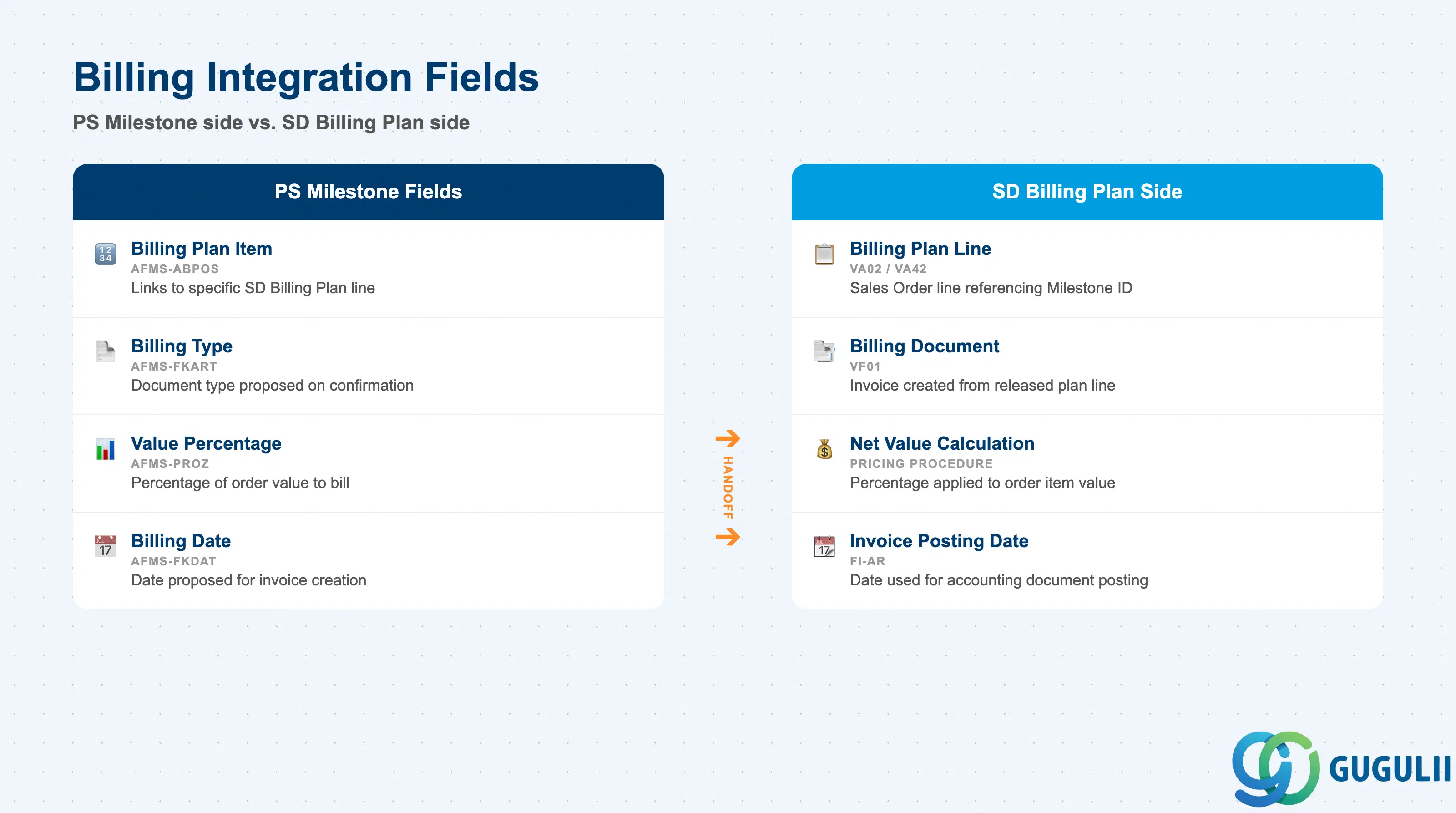
When a Milestone carries the Billing flag, additional fields link it to the SD Billing Plan. These fields are configured on the PS side but must be coordinated with the SD consultant who owns the Billing Plan structure.
| Field | Description | Practical Usage |
|---|---|---|
| Billing Plan Item (AFMS-ABPOS) | Reference to the SD Billing Plan line number | Links the Milestone to a specific Billing Plan item in the Sales Order (VA02). One Milestone maps to exactly one Billing Plan line. If a project has multiple billing events, each event requires its own Milestone with its own Billing Plan Item reference. Document the mapping table during blueprint — updating it after go-live requires change request coordination between PS and SD teams. |
| Billing Type (AFMS-FKART) | SD billing document type proposed when this Milestone is confirmed | Standard values: F1 (invoice), F2 (cash sale). For customer projects in Japan, the billing type is typically determined by the SD Billing Plan configuration rather than the Milestone directly — confirm which field takes precedence in the specific client’s pricing procedure. |
| Value Percentage (AFMS-PROZ) | Percentage of the Sales Order item value to be billed at this Milestone | The Billing Plan line value is calculated as this percentage of the Sales Order item net value. Example: four Milestones at 25% each for a 100-million JPY order = 25 million JPY per billing event. Ensure percentages across all Billing Milestones for a Sales Order item sum to 100% before go-live — incomplete totals result in under-billing at project close. |
| Billing Date (AFMS-FKDAT) | Date proposed for billing when the Milestone is confirmed | Populated automatically from the Milestone Date on confirmation. Can be overridden in the Sales Order’s Billing Plan (VA02) after confirmation. In projects with contractual payment schedules, the billing date drives cash flow forecasting — verify the date is correct before posting the billing document. |
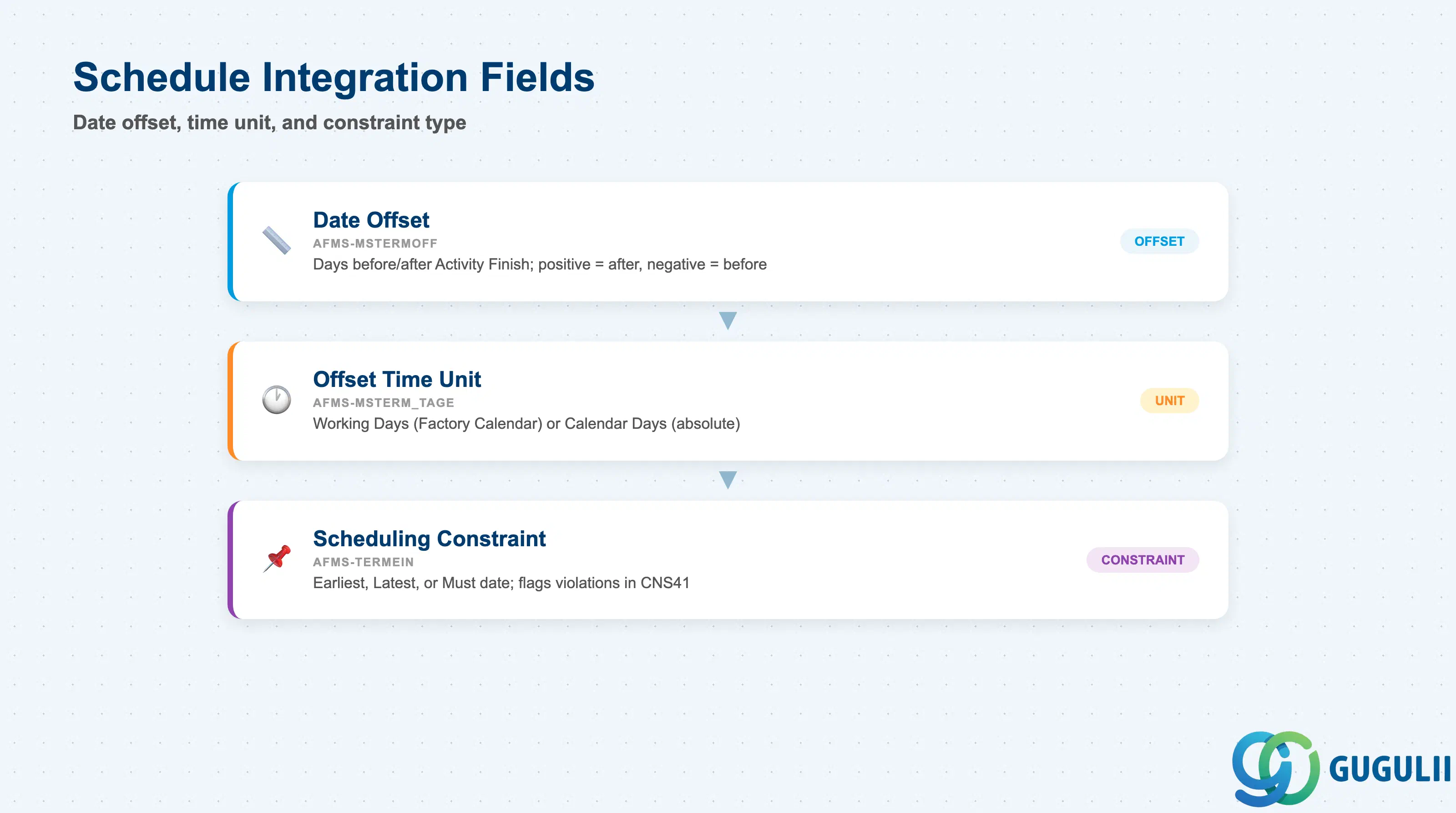
The schedule integration fields control how the Milestone date relates to its parent Activity and how it propagates to dependent successor Activities.
| Field | Description | Practical Usage |
|---|---|---|
| Date Offset (AFMS-MSTERMOFF) | Number of days before or after the Activity Finish date that the Milestone falls | A positive offset places the Milestone after the Activity Finish (e.g., 5 days after completion for documentation sign-off). A negative offset places it before (e.g., -3 days for a pre-completion inspection gate). Zero offset (default) means the Milestone coincides with the Activity Finish. Use offsets to model contractual lead times without adding separate Activities. |
| Offset Time Unit (AFMS-MSTERM_TAGE) | Unit for the date offset: Working Days or Calendar Days | Working Days offset respects the Factory Calendar assigned to the Project. Calendar Days does not. For contractually defined milestone dates (e.g., “30 calendar days after contract signing”), use Calendar Days. For internally scheduled gates that must fall on working days, use Working Days. |
| Scheduling Constraint (AFMS-TERMEIN) | Earliest / Latest / Must date constraint for this Milestone | Comparable to the date constraint fields on Activities. Constraining a Milestone to a “Must Finish On” date is the PS equivalent of a contractual deadline — the scheduler will flag violations in CNS41. Use this field to represent externally committed dates rather than hard-coding dates into Activity fields. |
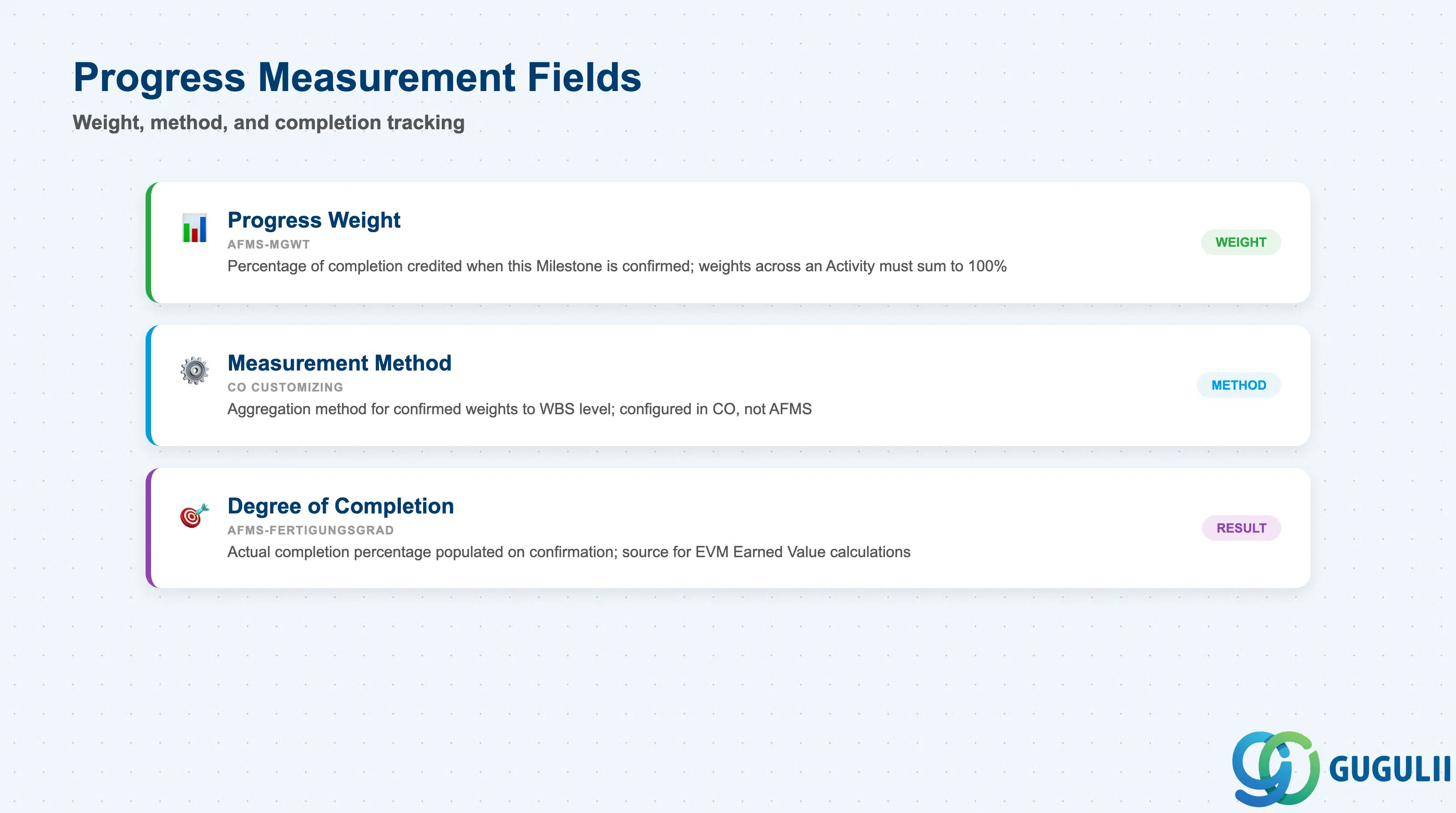
When the Progress Milestone flag is set, these fields define how the Milestone’s confirmation contributes to the project’s Degree of Completion (PoC) calculation in CO-PS.
| Field | Description | Practical Usage |
|---|---|---|
| Progress Weight (AFMS-MGWT) | Percentage of completion credited when this Milestone is confirmed | If an Activity has four Progress Milestones weighted at 10%, 20%, 30%, and 40%, confirming all four yields 100% completion for that Activity. Weights must be agreed between the PS Project Planner and the CO consultant before configuring Results Analysis (KKA2) — weights drive POC-based revenue recognition and directly affect financial statements in customer projects. |
| Measurement Method (via CO Customizing) | Determines how confirmed Milestone weights are aggregated to the WBS level | Configured in CO Customizing (not in AFMS directly), but the weight values set here feed into it. Common methods: Milestone Completion (sum of confirmed weights), Manual Entry (PS weights are a reference only). Confirm the method with CO during blueprint. |
| Degree of Completion (AFMS-FERTIGUNGSGRAD) | Actual completion percentage at the Milestone level after confirmation | Populated by the system on confirmation. Displayed in CN41 and in the Fiori Project Monitor. For EVM reporting, this field is the source for Earned Value calculations in CO-PA and Project Information System (PS-IS) reports. |
| ID | Category | Title |
|---|---|---|
| ps-001 | Overview | What is SAP PS? |
| ID | Category | Title |
|---|---|---|
| ps-a01 | Overview | SAP PS Master Data: Overview, Hierarchy & Relationships |
| ps-a02-01 | Master Data | SAP PS Material Master |
| ps-a03-01 | Master Data | SAP PS Project Profile |
| ps-a03-02 | Master Data | SAP PS Network Profile |
| ps-a03-03 | Master Data | SAP PS Milestone Group |
| ps-a04-01 | Master Data | SAP PS Project Definition |
| ps-a04-02 | Master Data | SAP PS WBS Element |
| ps-a04-03 | Master Data | SAP PS WBS Element (AuC) |
| ps-a04-04 | Master Data | SAP PS WBS Hierarchy |
| ps-a05-01 | Master Data | SAP PS Network |
| ps-a05-02 | Master Data | SAP PS Activity |
| ps-a05-03 | Master Data | SAP PS Activity Element |
| ps-a05-04 | Master Data | SAP PS Milestone 📍 |
| ID | Category | Title |
|---|---|---|
| ps-b01 | Overview | SAP PS Transactions: Process Flow, Hierarchy & Relationships |