Title here
Summary here

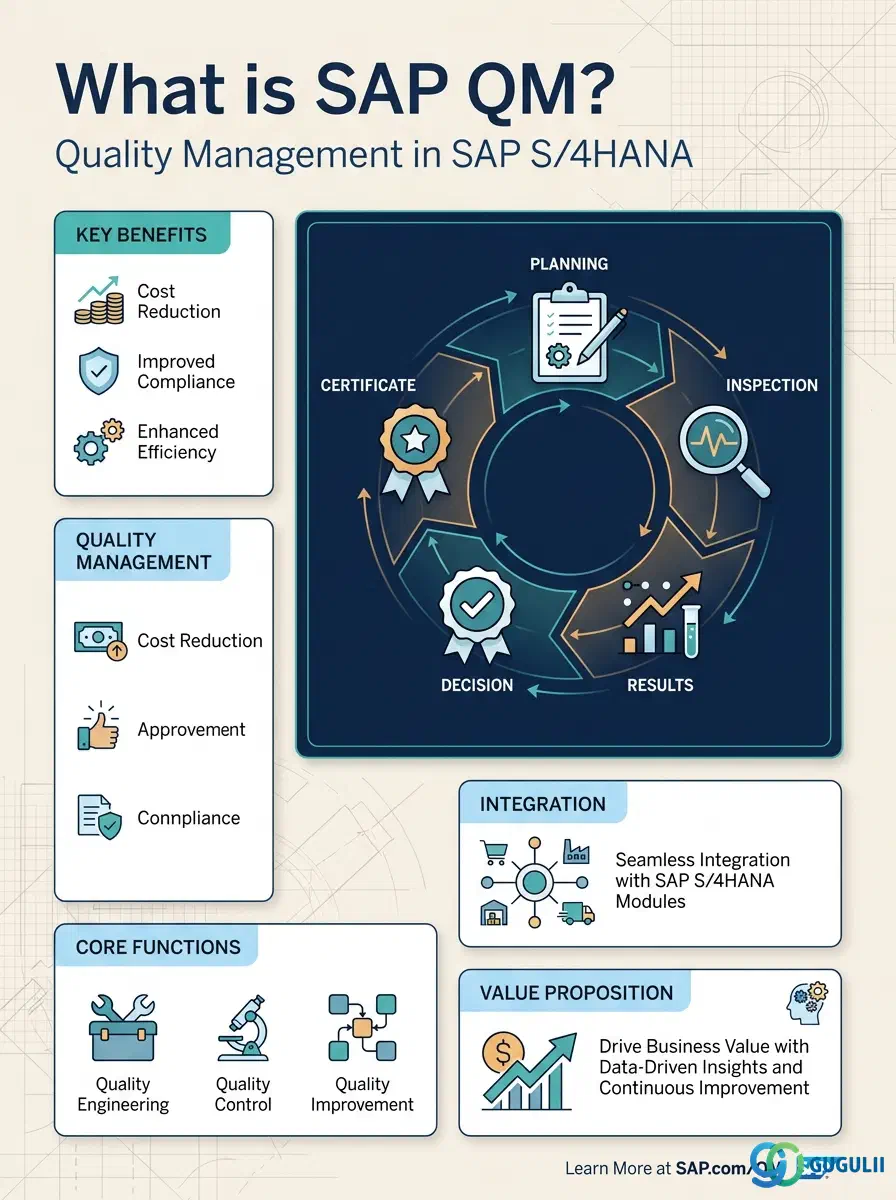
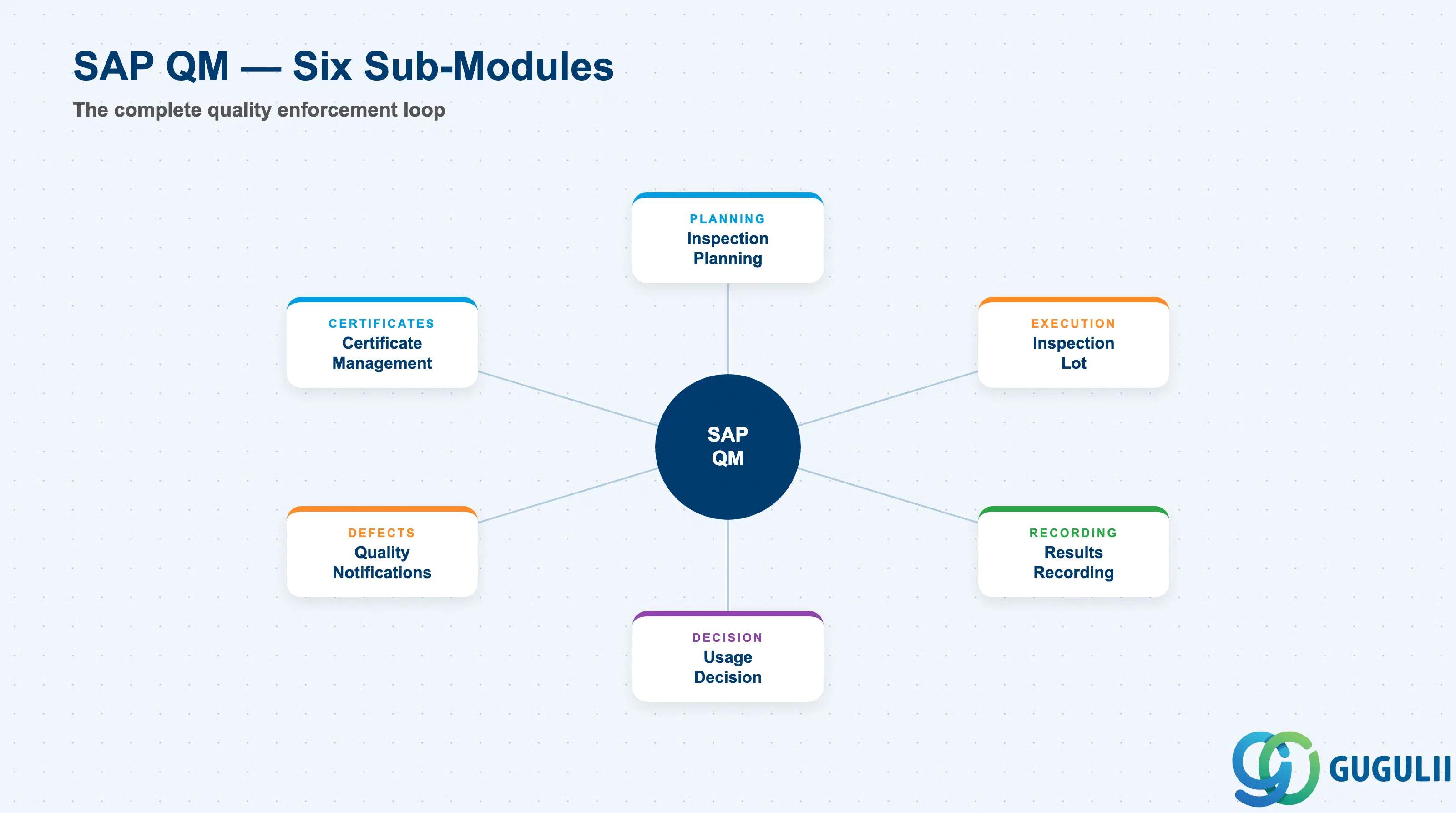
SAP Quality Management (QM) is the logistics-chain quality module within SAP S/4HANA. It governs the complete quality loop: plan what to inspect, execute inspections against lots, record results, make acceptance or rejection decisions, manage defect notifications, and issue quality certificates. QM is organized under SAP’s Product Lifecycle Management (PLM) umbrella in S/4HANA and leverages HANA-native columnar storage for real-time quality analytics.
The module enforces ISO 9001 compliance by providing documented quality plans, recorded inspection results, and traceable corrective and preventive actions (CAPA). For regulated industries such as life sciences, QM supports digital signatures in results recording to meet GxP requirements.
The six principal sub-areas are described below.
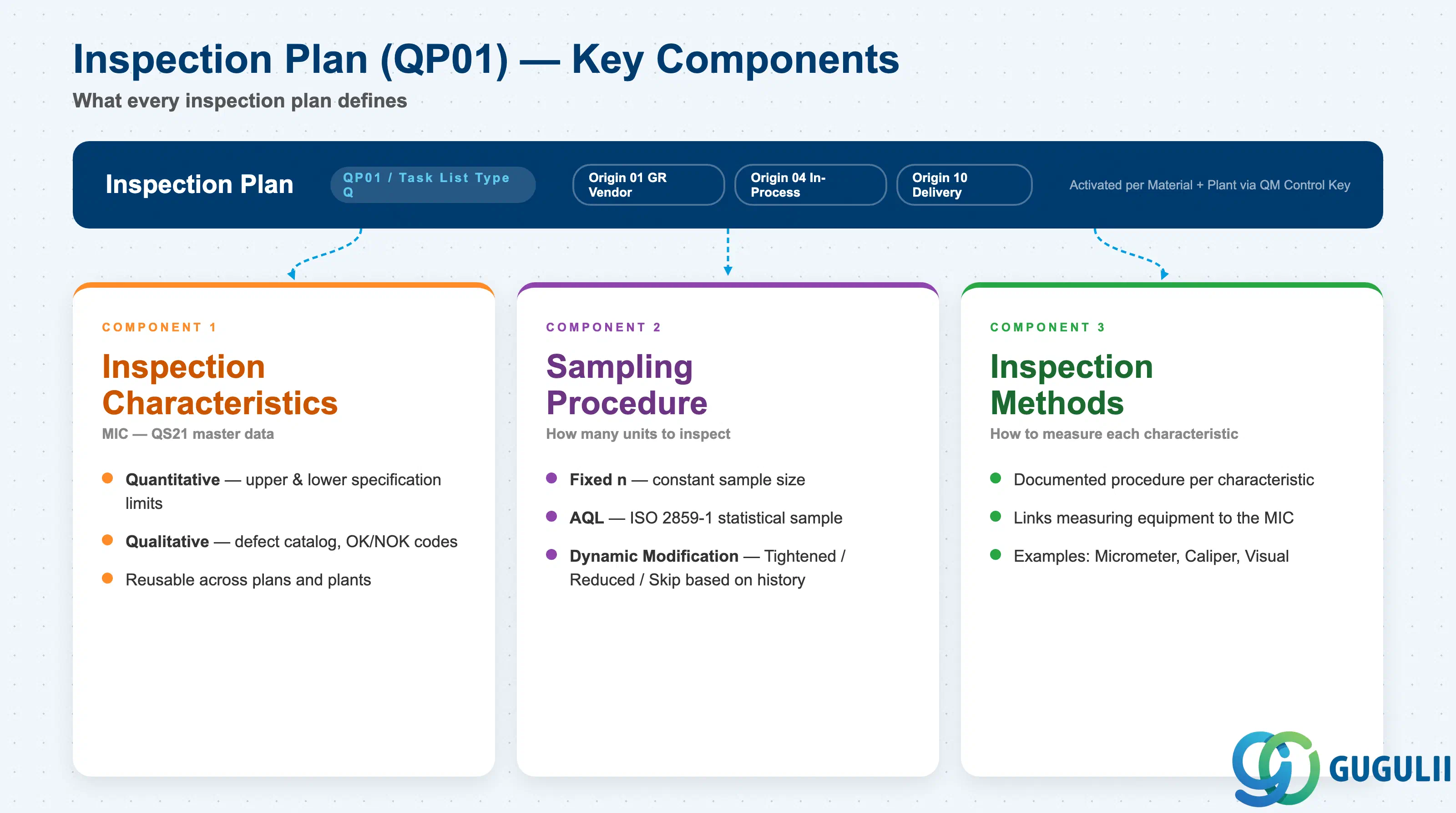
Inspection Planning is the master-data backbone of QM. Its primary object is the Inspection Plan (transaction QP01), a task-list type Q that specifies:
Inspection plan validity is controlled by the inspection origin (usage): origin 01 covers goods receipt from vendor, origin 04 covers in-process production, origin 10 covers outgoing deliveries to customers. A single material can have separate inspection plans per origin, or a single plan with multiple usages.
The Quality Management Control Key in the material master (QM view) activates QM for a plant-material combination. Without it, no inspection lots are generated for that material. Consultants must determine at requirements time which materials warrant QM activation and at which plants.
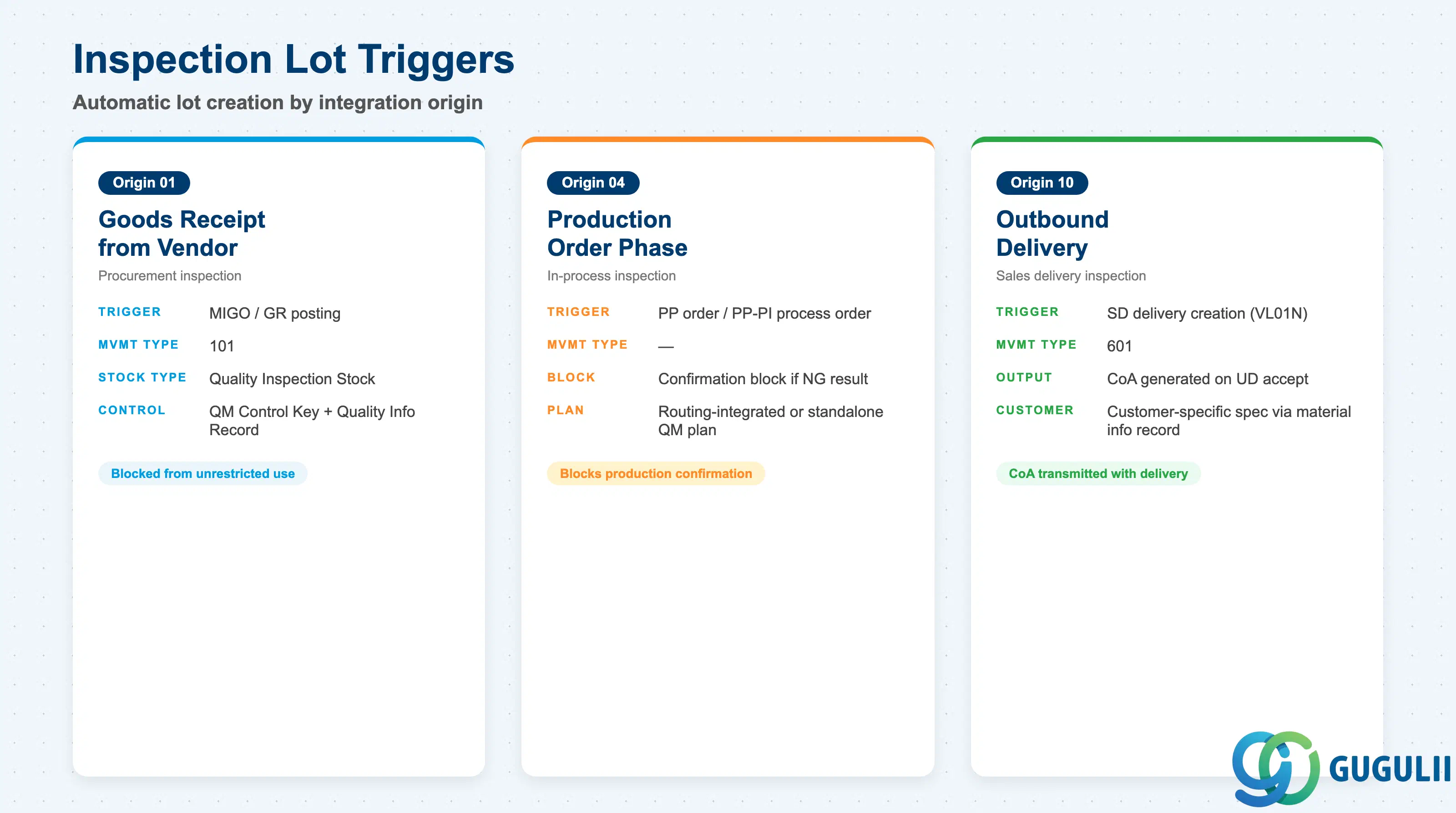
The Inspection Lot is QM’s central execution object. It is created automatically by integration triggers or manually by quality staff. Automatic creation is driven by:
| Origin | Trigger | Movement Type |
|---|---|---|
| 01 | Goods Receipt from vendor | 101 |
| 04 | Production order / process order phase | — ¹ |
| 10 | Outbound delivery creation in SD | 601 |
| 89 | Miscellaneous (manual, stock transfer) | varies |
¹ Origin 04 in-process inspection is triggered by PP operation/phase confirmation — not a MIGO goods movement — hence no movement type. Note: a GR from a production order (movement type 101) can also generate an origin 04 lot depending on inspection type configuration.
When a GR inspection lot is created (origin 01), the material moves into quality inspection stock — physically in the warehouse but logically blocked from unrestricted use. MRP and ATP calculations remain unaffected unless the plant explicitly reserves quality stock.
An inspection lot references the inspection plan and the material-plant combination, resolving which characteristics and sampling procedure apply to the current lot size.
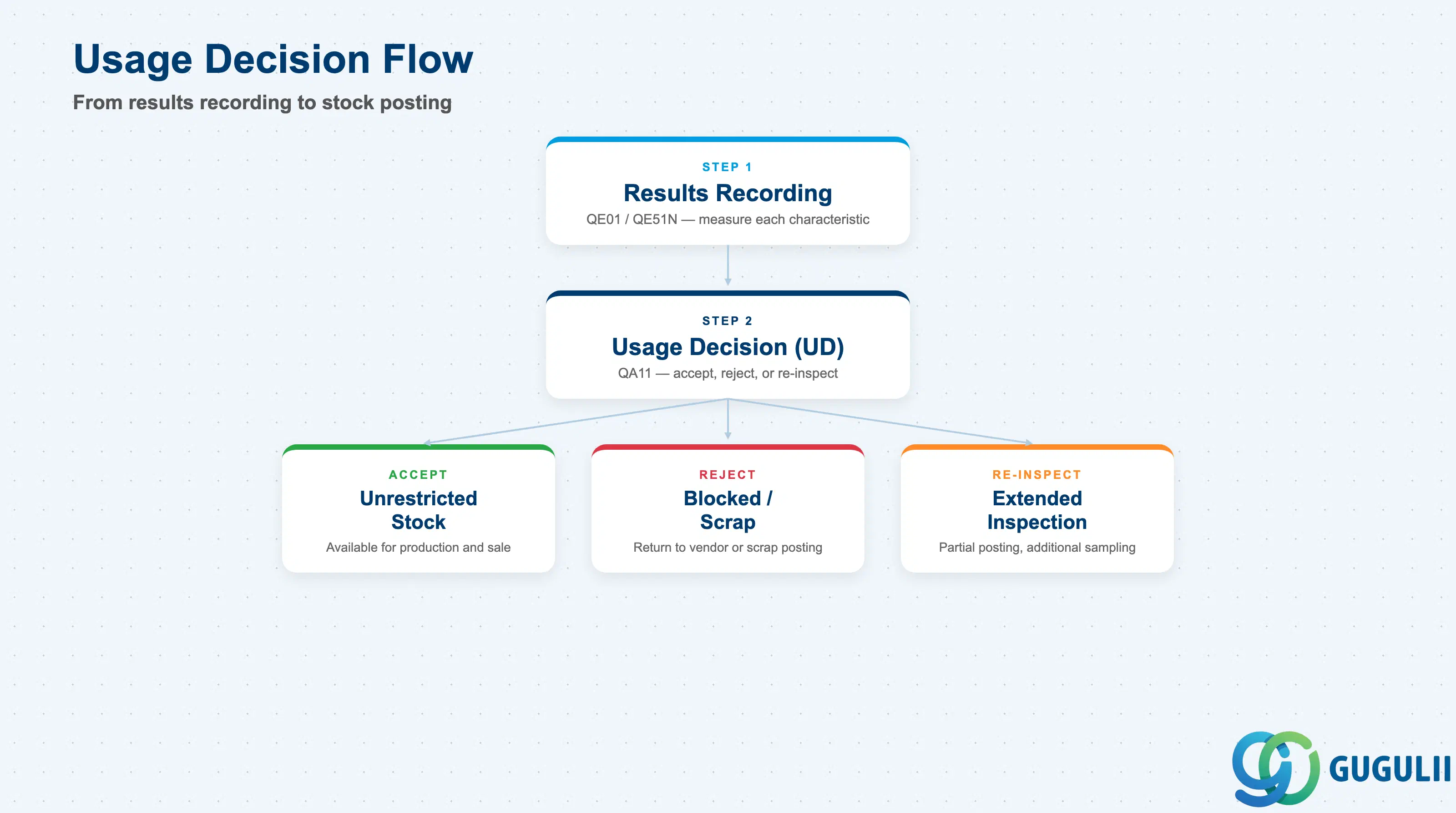
Results Recording (transactions QE01, QE51N, or Fiori app “Record Inspection Results”) is where quality personnel enter measured values or attribute assessments against each required characteristic. Quantitative characteristics are compared to upper and lower specification limits; qualitative characteristics are evaluated against catalog codes.
A required characteristic blocks the Usage Decision if results have not been recorded. This enforcement ensures no lot can be accepted without documented evidence — critical for ISO 9001 and GxP compliance.
Usage Decision (UD) (transaction QA11, or Fiori app “Make Usage Decision”) finalizes the inspection lot. The UD stock posting options are:
| UD Code | Stock Movement |
|---|---|
| Accept | Post to unrestricted-use stock |
| Reject | Post to blocked stock, scrapping, or return to vendor |
| Re-inspection | Extend inspection, partial posting |
The UD is the point of truth for quality stock release. In procurement, an accepted UD posts the material from quality inspection stock to unrestricted stock, making it available for production or sale.
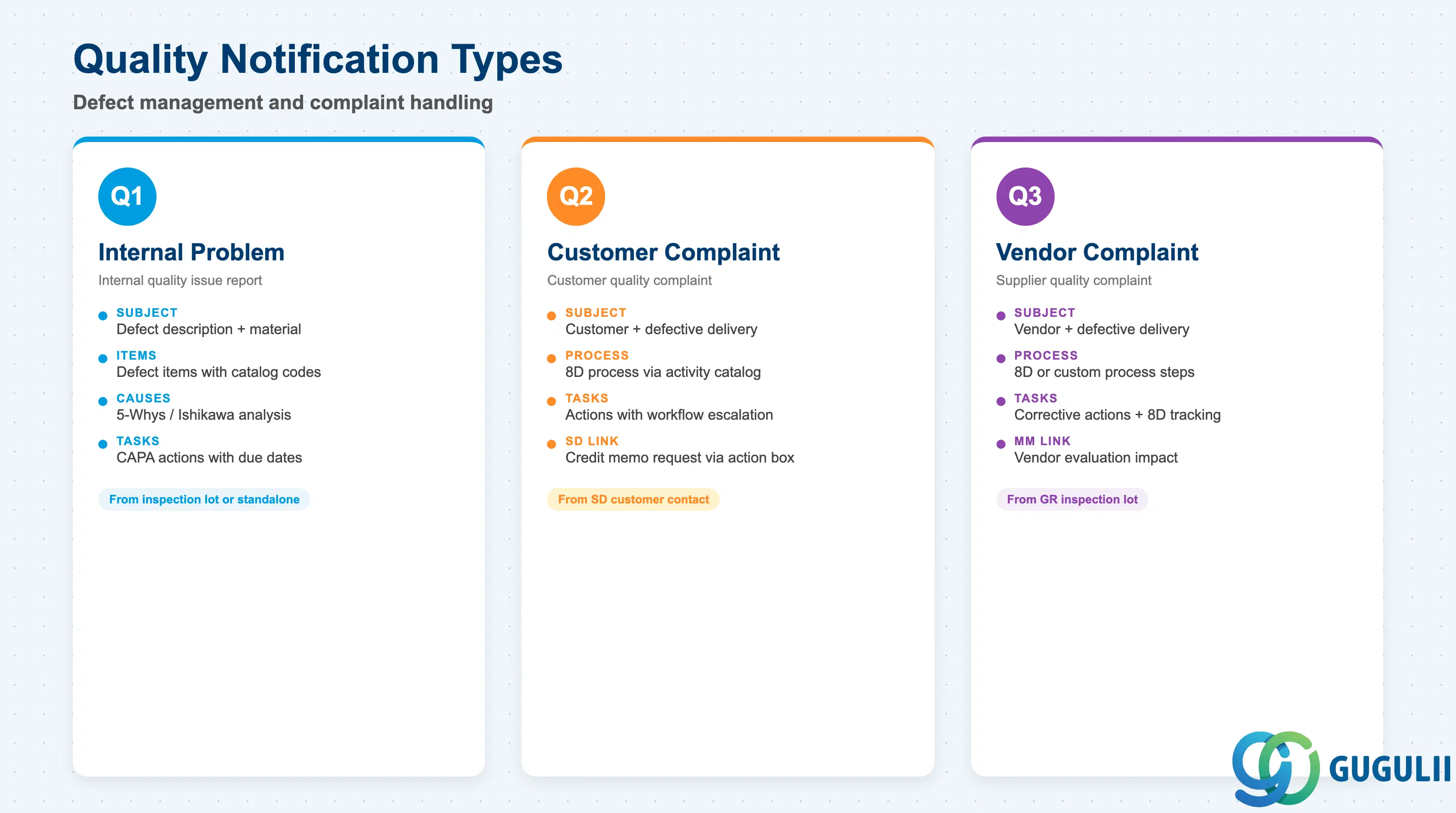
A Quality Notification (QN) manages defects and corrective actions. Three standard notification types exist:
| Type | Use Case |
|---|---|
| Q1 | Internal problem report |
| Q2 | Customer complaint |
| Q3 | Vendor complaint |
A QN can be created directly from an inspection lot (defect recording), triggered by SD customer contact, or created standalone. Each notification contains:
SAP S/4HANA supports the 8D process through the notification activity catalog. Workflow can be configured for escalation and approval routing. The Fiori app “Manage Quality Notifications” (F1378) replaces legacy transactions QM01/QM02/QM03.
Customer complaint notifications (Q2) can trigger credit memo requests in SD via the notification action box, bridging QM defect management with the revenue correction process.
Certificate Management in QM covers two directions:
Certificate profiles in Customizing define which inspection results and batch classification characteristics appear on the printed CoA. In S/4HANA, batch characteristics (managed via SAP Classification) can be automatically populated from inspection results using the “Transfer to Batch” function, eliminating manual data re-entry.
Digital certificate transmission via EDI/IDoc or PDF attachment through output management is available in S/4HANA, replacing paper-based CoA processes common in legacy ECC environments. The Fiori app “Print Quality Certificates” supports ad-hoc certificate reprinting for customer service scenarios.
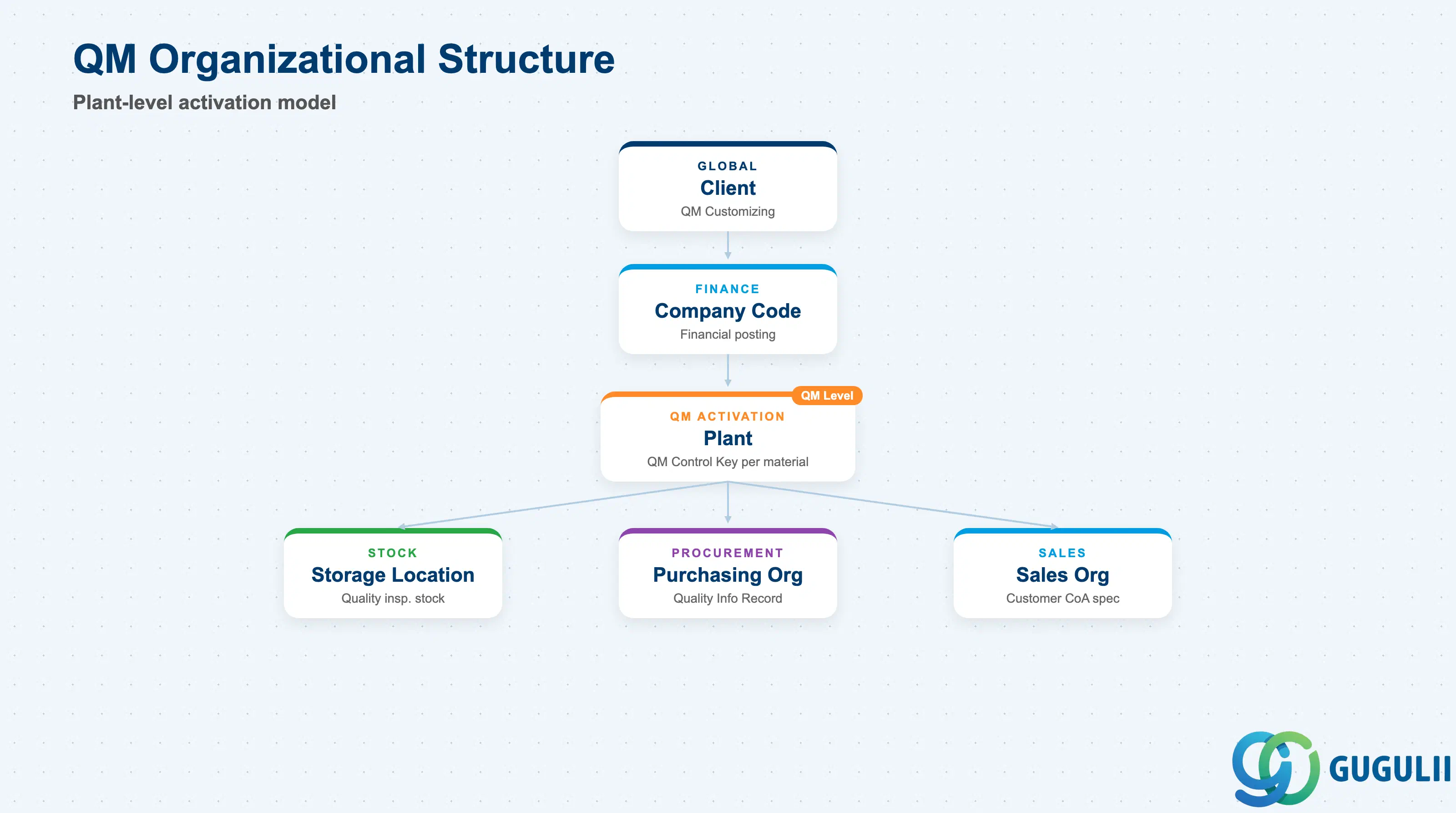
QM operates at plant level within the SAP organizational hierarchy. The key organizational elements for QM are:
| Organizational Object | QM Relevance |
|---|---|
| Client | QM Customizing (catalog types, notification types) defined here |
| Plant | QM activation per plant. Inspection plans, quality info records, and sampling procedures are plant-specific or cross-plant |
| Storage Location | Quality inspection stock resides at storage location level; physical inventory unaffected during inspection |
| Purchasing Organization | Quality Info Records link vendor + material + purchasing org |
| Sales Organization | Customer-specific QM requirements (CoA, specification) linked via material info record |
The QM Control Key (assigned in material master QM view) is the plant-level switch that determines which inspection origins are active for a given material. Without a QM Control Key, GR posting does not trigger an inspection lot even if an inspection plan exists.
QM also covers Test Equipment Management (QM-IM): calibration plans and calibration inspection lots for measurement devices. This ensures measurement system traceability — a requirement under ISO 9001 clause 7.1.5 (monitoring and measuring resources). Calibration equipment is set up as measuring equipment in QM-IM, and periodic calibration creates inspection lots automatically.
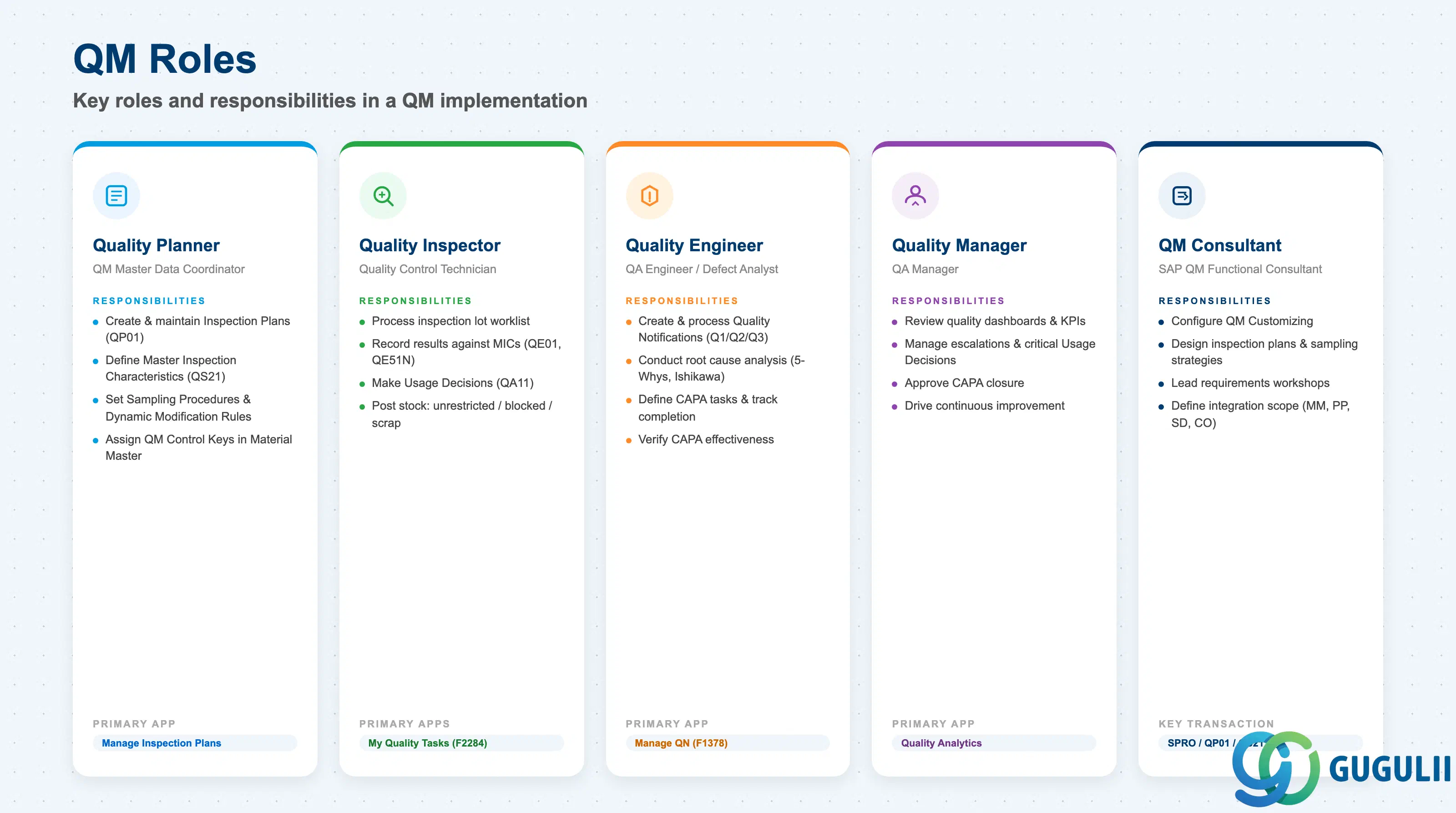
Successful QM implementation requires clear role definition across three domains:
| Role | Typical Title | Primary QM Responsibility |
|---|---|---|
| Quality Planner | QM Master Data Coordinator | Create and maintain inspection plans, MICs, sampling procedures, QM Control Keys |
| Quality Inspector | Quality Control Technician | Process inspection lot worklist, record results, make usage decisions |
| Quality Engineer | QA Engineer / Defect Analyst | Create and process quality notifications, conduct root cause analysis, verify CAPA effectiveness |
| Quality Manager | QA Manager | Review quality dashboards, manage escalations, approve critical usage decisions |
| QM Consultant | SAP QM Functional Consultant | Configure QM Customizing, design inspection plans and sampling strategies, lead requirements workshops |
In S/4HANA Fiori, role-based launchpads deliver the correct app tiles to each user. Quality Inspectors use the “My Quality Tasks” app (F2284) and “Manage Inspection Lots” (F0835); Quality Engineers use “Manage Quality Notifications” (F1378); Quality Planners use “Manage Inspection Plans” (QP01 equivalent Fiori apps).
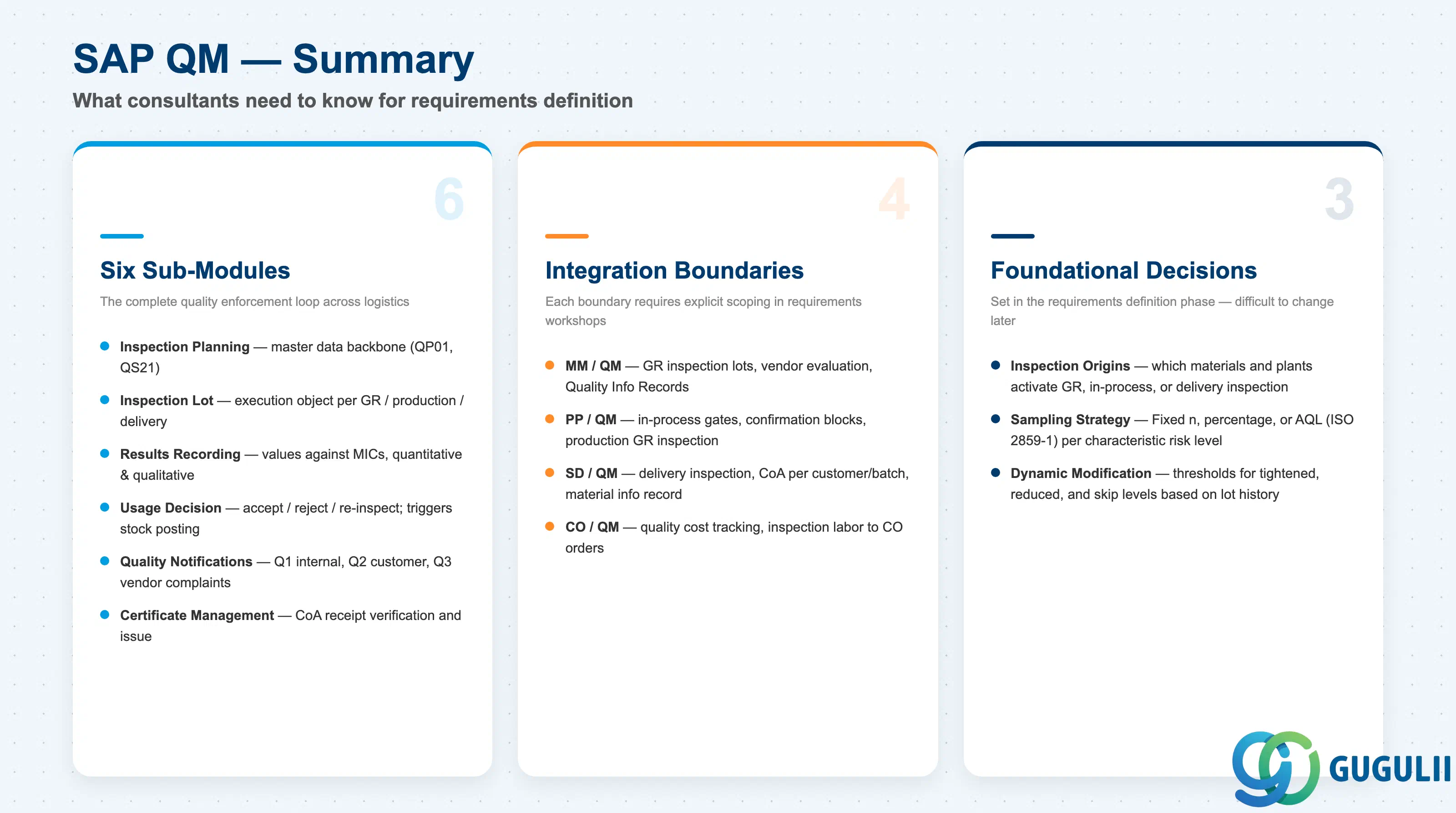
SAP QM provides the quality enforcement backbone across the S/4HANA logistics chain. Its six sub-modules — Inspection Planning, Inspection Lot Management, Results Recording, Usage Decision, Quality Notifications, and Certificate Management — work together to ensure that quality data is planned, executed, recorded, decided, escalated, and documented in a single integrated system.
For requirements definition teams, the critical work lies not in understanding the mechanics of each sub-module, but in making the right design decisions: which materials and plants to activate, how to design inspection plans and sampling strategies, how to configure dynamic modification rules that balance thoroughness with throughput, and where to draw the integration boundaries with MM, PP, SD, and CO.
The deeper layers of this knowledge base — master data design (QM-A series) and transaction flows (QM-B series) — provide the drill-down reference for each of these decisions.
| ID | Category | Title |
|---|---|---|
| qm-001 | Overview | What is SAP QM? 📍 |
| ID | Category | Title |
|---|---|---|
| qm-a01 | Overview | SAP QM Master Data: Overview, Hierarchy & Relationships |
| qm-a02-01 | Master Data | SAP QM Catalog |
| qm-a02-02 | Master Data | SAP QM Master Inspection Characteristic |
| qm-a02-03 | Master Data | SAP QM Inspection Method |
| qm-a03-01 | Master Data | SAP QM Sampling Procedure |
| qm-a03-02 | Master Data | SAP QM Dynamic Modification Rule |
| qm-a05-01 | Master Data | SAP QM Material Master |
| qm-a04-01 | Master Data | SAP QM Work Center |
| qm-a04-02 | Master Data | SAP QM Inspection Plan |
| qm-a05-02 | Master Data | SAP QM Quality Info Record |
| ID | Category | Title |
|---|---|---|
| qm-b01 | Overview | SAP QM Transactions: Process Flow, Hierarchy & Relationships |