Title here
Summary here

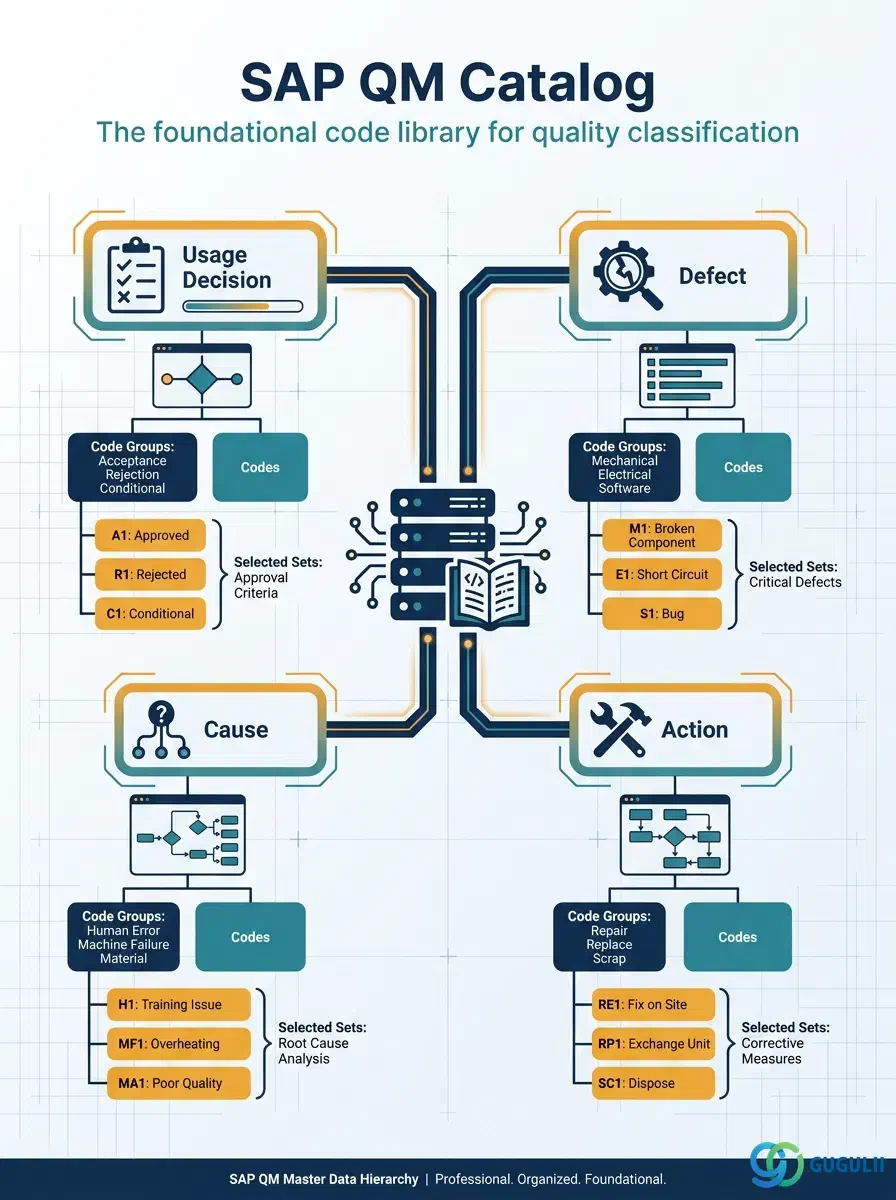
The Catalog is the first master data object configured in SAP Quality Management — a structured code library that defines every classification code used during inspection processing, defect recording, and quality notification handling. It organizes codes into typed catalogs (usage decision, defect, cause, action), each further subdivided into code groups and individual codes. Without a Catalog in place, Master Inspection Characteristics cannot be fully defined, inspection results cannot be classified, and notifications lack the structured coding that drives reporting and root-cause analysis.
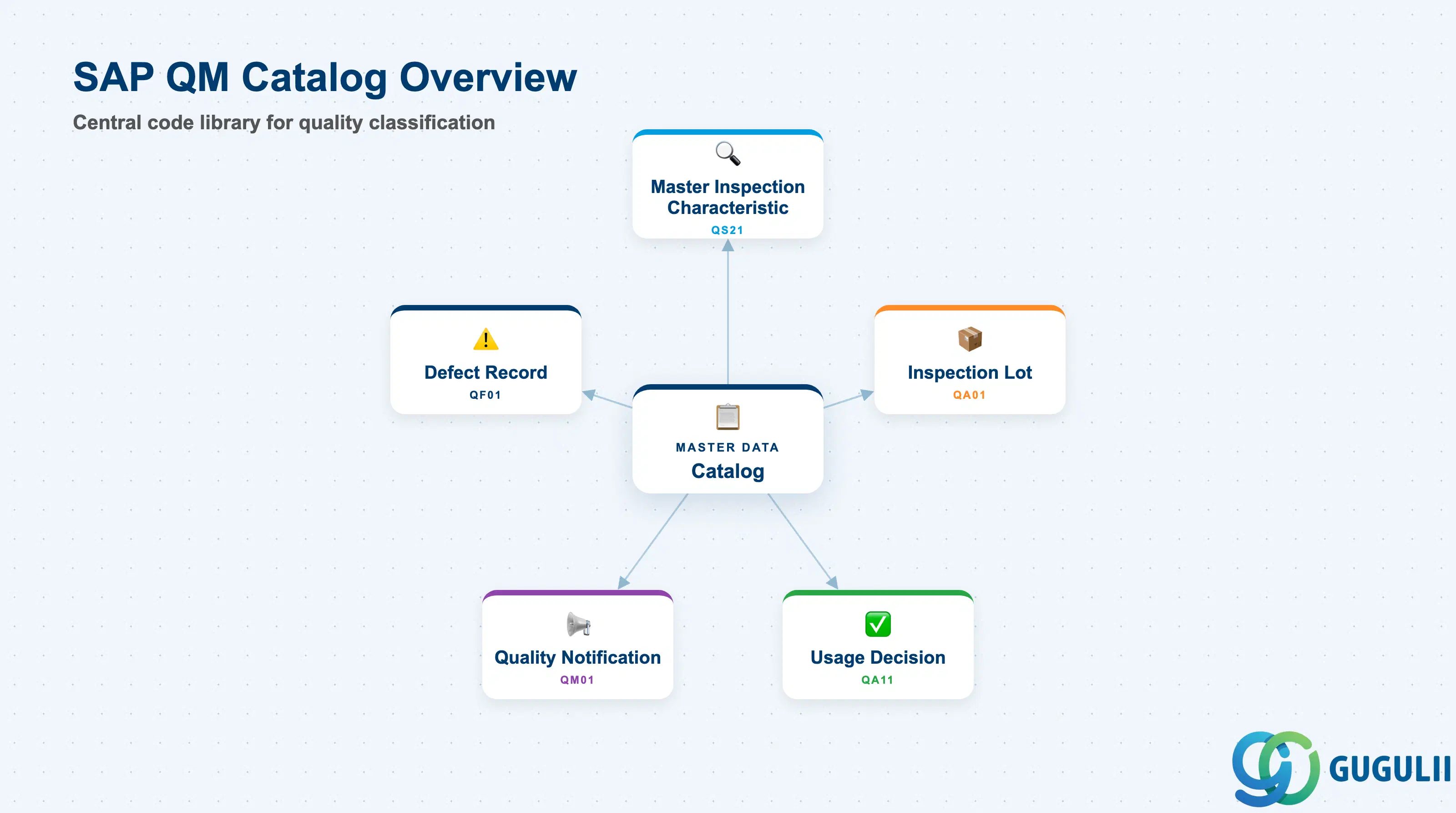
A Catalog is a structured master data table of classification codes used in SAP QM to standardize how inspection outcomes, defects, their causes, and corrective actions are recorded and reported. Rather than allowing free-text entries that are impossible to aggregate, the Catalog imposes a controlled vocabulary that enables consistent quality reporting across plants, materials, and vendors.
| Aspect | Details |
|---|---|
| Role | Defines the code sets used to classify usage decisions, defects, causes, and corrective actions in QM processes |
| Modules using it | QM (primary owner — used in inspection lots, usage decisions, defect records, and quality notifications); PM (action and cause codes may be shared with Plant Maintenance notifications) |
| Transactions | QS41 (Create Catalog) / QS42 (Change Catalog) / QS43 (Display Catalog) |
| Key Tables | QPCT (Catalog header) / QPCD (Code group header) / QPCO (Code) / QPCM (Selected set) |
| S/4HANA note | Catalog data model unchanged from ECC. Fiori app “Manage Quality Catalogs” (F2716) provides a modern UI for code group and code maintenance alongside the classic QS41–QS43 transactions. |
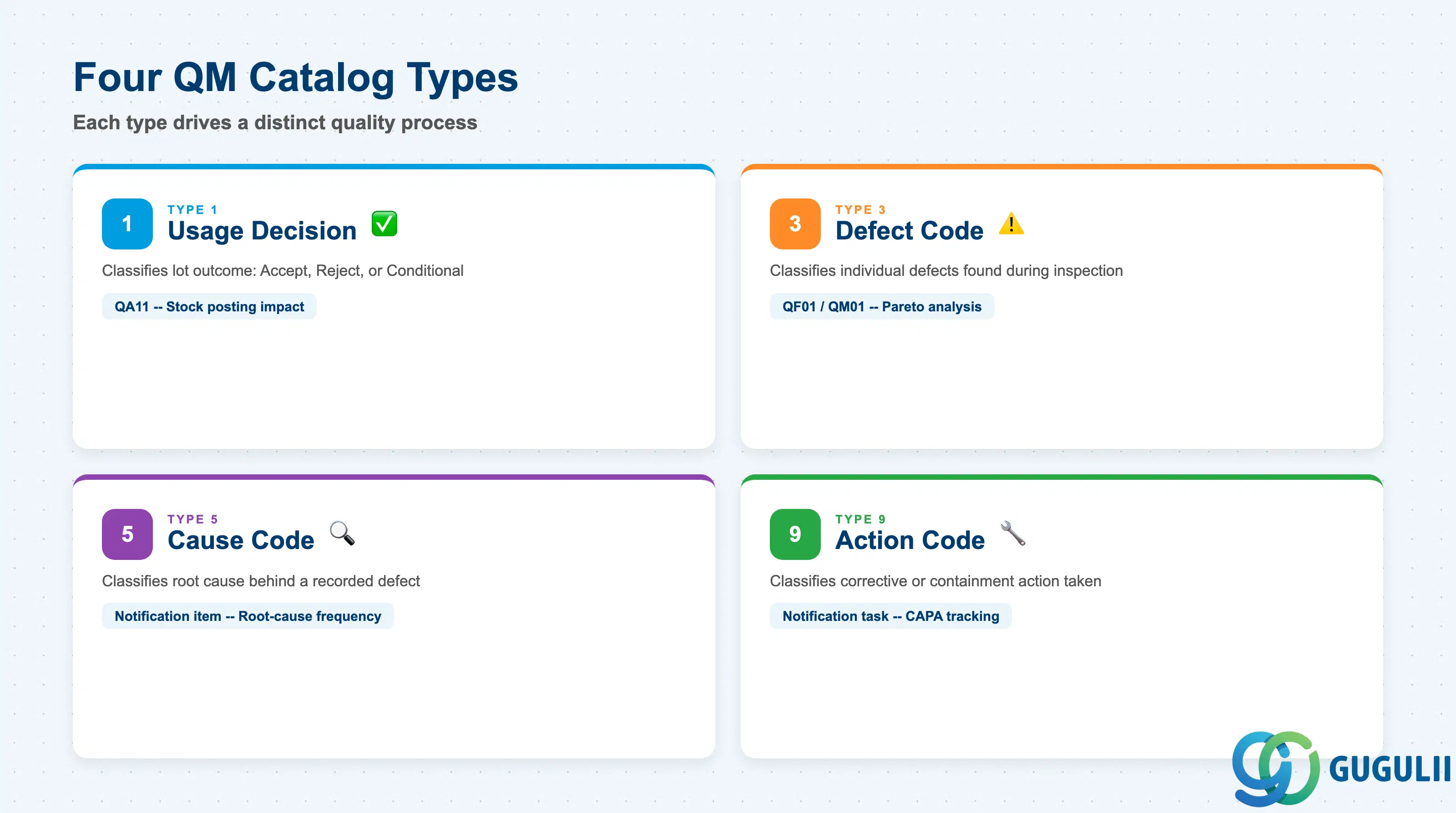
Each catalog record carries a fixed type that determines its purpose in the QM process. Using the wrong type — or creating all codes in a single catch-all catalog — makes result analysis and notification reporting unreliable.
| Catalog Type | Code | Use Case | Key Behavior |
|---|---|---|---|
| Usage Decision | 1 | Classifies the overall inspection outcome: Accept, Reject, or Conditional | Referenced in the usage decision step of an inspection lot (QA11). The code group and code selected here determine the stock posting (unrestricted / blocked / scrap) through valuation mode settings. |
| Defect Code | 3 | Classifies individual defects found during inspection or recorded in a quality notification | Used in defect recording (QF01, QF11) and quality notifications (QM01). Forms the primary axis of defect Pareto analysis. One inspection lot can have multiple defect code entries. |
| Cause Code | 5 | Classifies the root cause behind a recorded defect | Linked to a defect item in a quality notification. Enables root-cause frequency analysis across vendors, materials, or production lines. |
| Action Code | 9 | Classifies the corrective or containment action taken in response to a defect | Attached to tasks and activities in quality notifications. Drives closure tracking and effectiveness reporting in repeat-failure analysis. |
Design principle: Define all four catalog types during blueprint, even if some appear optional. Type 3 (Defect) and Type 5 (Cause) are mandatory for effective quality notification reporting; Type 9 (Action) is required for closed-loop CAPA tracking. Retrofitting catalog codes after go-live risks inconsistent historical data.
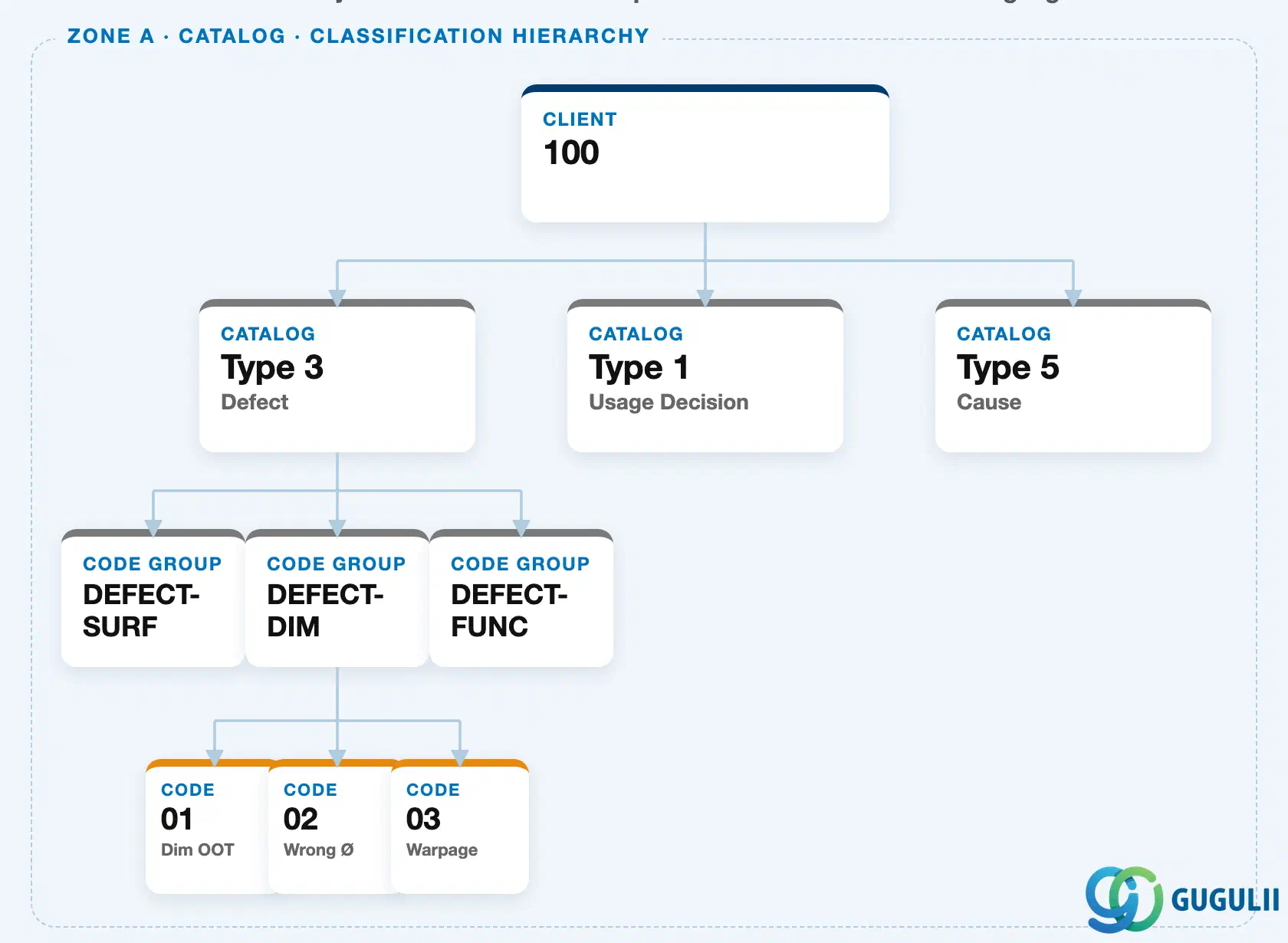
The Catalog hierarchy is entirely client-level: a Catalog Type contains Code Groups, and each Code Group contains individual Codes. None of these three levels carry a mandatory plant assignment — the same defect codes are available across every plant in the client by default.
Plant-level filtering is introduced one layer up, through the Selected Set. A Selected Set does not sit inside the Catalog hierarchy itself; it is a separate, plant-specific object that references one or more Code Groups, narrowing which codes an inspector sees at a given plant or operation.
Data hierarchy with a concrete example
Client 100
   │
   └── Catalog (Type 3 — Defect)
          │
          ├── Code Group "DEFECT-SURF"
          ├── Code Group "DEFECT-DIM"     Dimensional Defects
          │      │
          │      ├── Code 01   Dim OOT (Dimension Out of Tolerance)
          │      ├── Code 02   Wrong Ø
          │      └── Code 03   Warpage
          └── Code Group "DEFECT-FUNC"

Plant 1000
   │
   └── Selected Set "SS-PRESS-01"   Press Line Defects
          ── references ──> Code Group "DEFECT-DIM"
          ── references ──> Code Group "DEFECT-SURF"
A single Selected Set commonly references multiple Code Groups — as shown above, “SS-PRESS-01” pulls in both dimensional and surface defect codes so a press-line inspector sees one combined, relevant list instead of switching between catalogs.
Design principle: Keep Code Groups client-level and shared wherever the defect vocabulary is genuinely common across plants. Use plant-level Selected Sets — not plant-restricted Code Groups — as the primary mechanism for tailoring which codes an inspector sees. This keeps the master code library centrally maintained while still giving each plant a filtered, operation-relevant view.
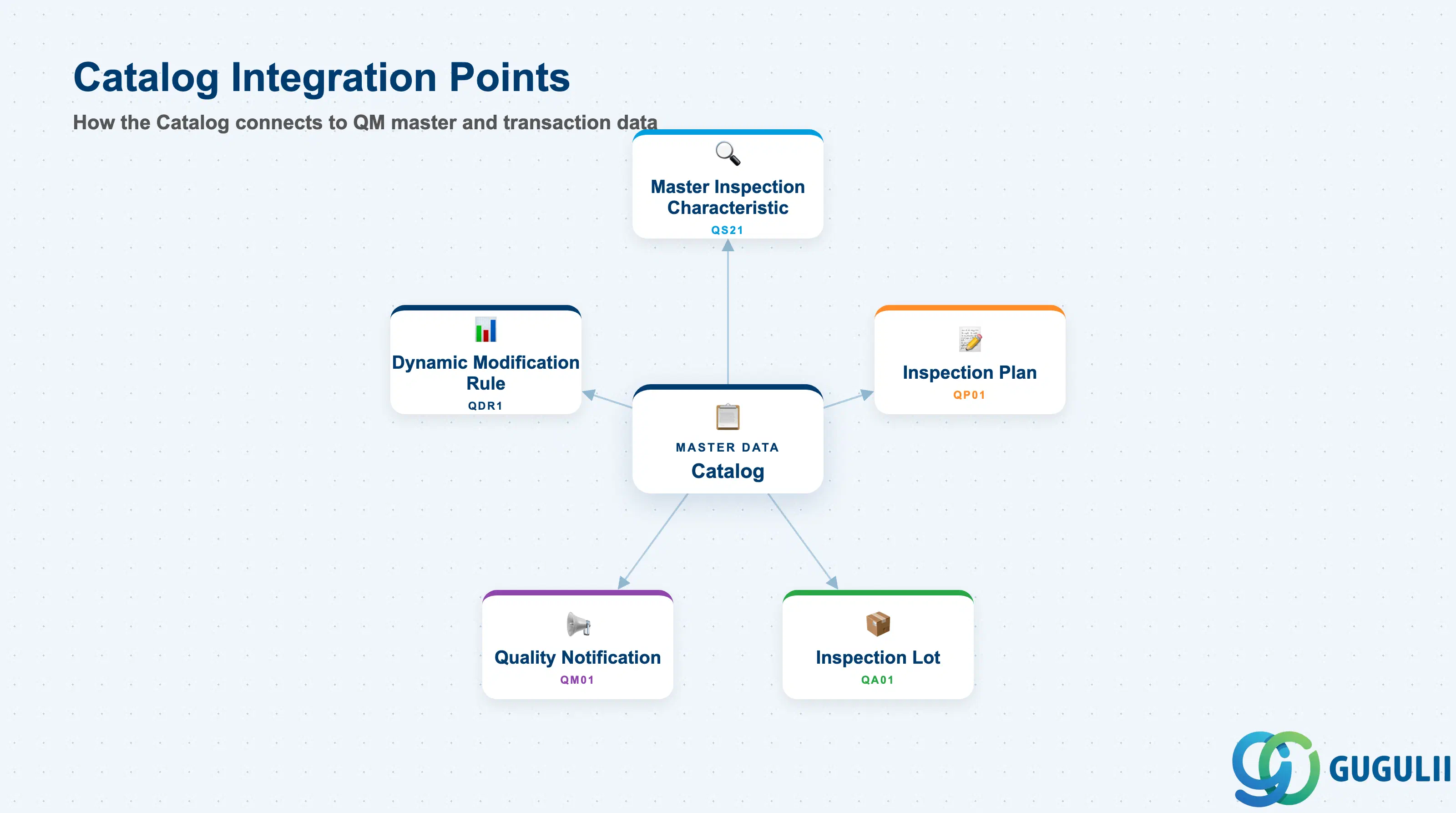
The Catalog is the lowest-level dependency in the QM master data chain. It must exist before any object that references classification codes can be created.
| Object | Relationship | Practical Notes |
|---|---|---|
| Master Inspection Characteristic (QS21) | References Catalog Type 1 and Type 3 for qualitative characteristic valuation | A qualitative Master Inspection Characteristic assigns a catalog and selected set to define which defect codes and usage decision codes apply when recording inspection results for that characteristic. Without catalog entries, qualitative MICs cannot be saved. |
| Inspection Plan (QP01) | References Selected Sets at the operation level | Each operation in an inspection plan can reference a selected set (catalog type 3 and 5) to pre-filter the defect codes available during inspection result recording. This prevents inspectors from selecting irrelevant codes for a given process step. |
| Inspection Lot (QA01) | Catalog codes used at usage decision and defect recording | Usage decision (QA11) references Catalog Type 1 to classify the lot outcome. Defect recording (QF01) references Catalog Types 3, 5, and 9. All entries become permanent records in the inspection lot history. |
| Quality Notification (QM01) | Catalog codes used for defect items, causes, and tasks | The structured coding of a quality notification (defect type, cause, action) draws entirely from Catalogs 3, 5, and 9. This is the primary data source for defect frequency reporting (QM-PM analysis). |
| Dynamic Modification Rule (QDR1) | Indirectly — inspection history coded via catalogs feeds DMR stage transitions | While DMR itself does not reference catalogs directly, the lot-level usage decision (Catalog Type 1) drives the accept/reject history that DMR uses to escalate or relax the inspection level. |
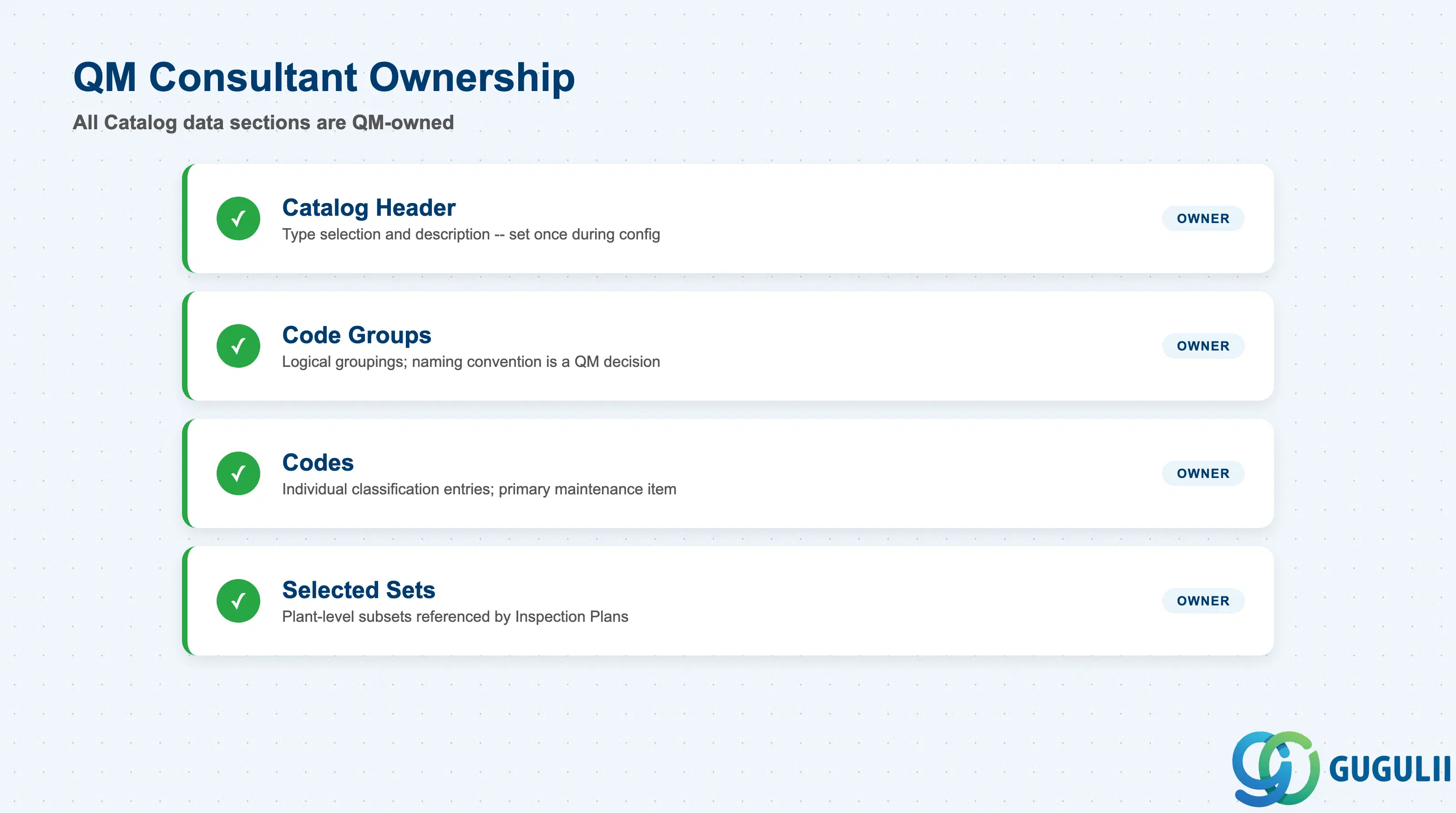
| Data Section | QM Involvement | Notes |
|---|---|---|
| Catalog Header | ◎ Owner | Catalog type selection and description — set once during configuration |
| Code Groups | ◎ Owner | Logical groupings that organize codes; naming convention is a QM design decision |
| Codes | ◎ Owner | Individual classification entries; the primary day-to-day maintenance item |
| Selected Sets | ◎ Owner | Plant-level subsets referenced by Inspection Plans; maintained by QM team |
Legend: ◎ = Owner / Critical, ○ = Direct involvement
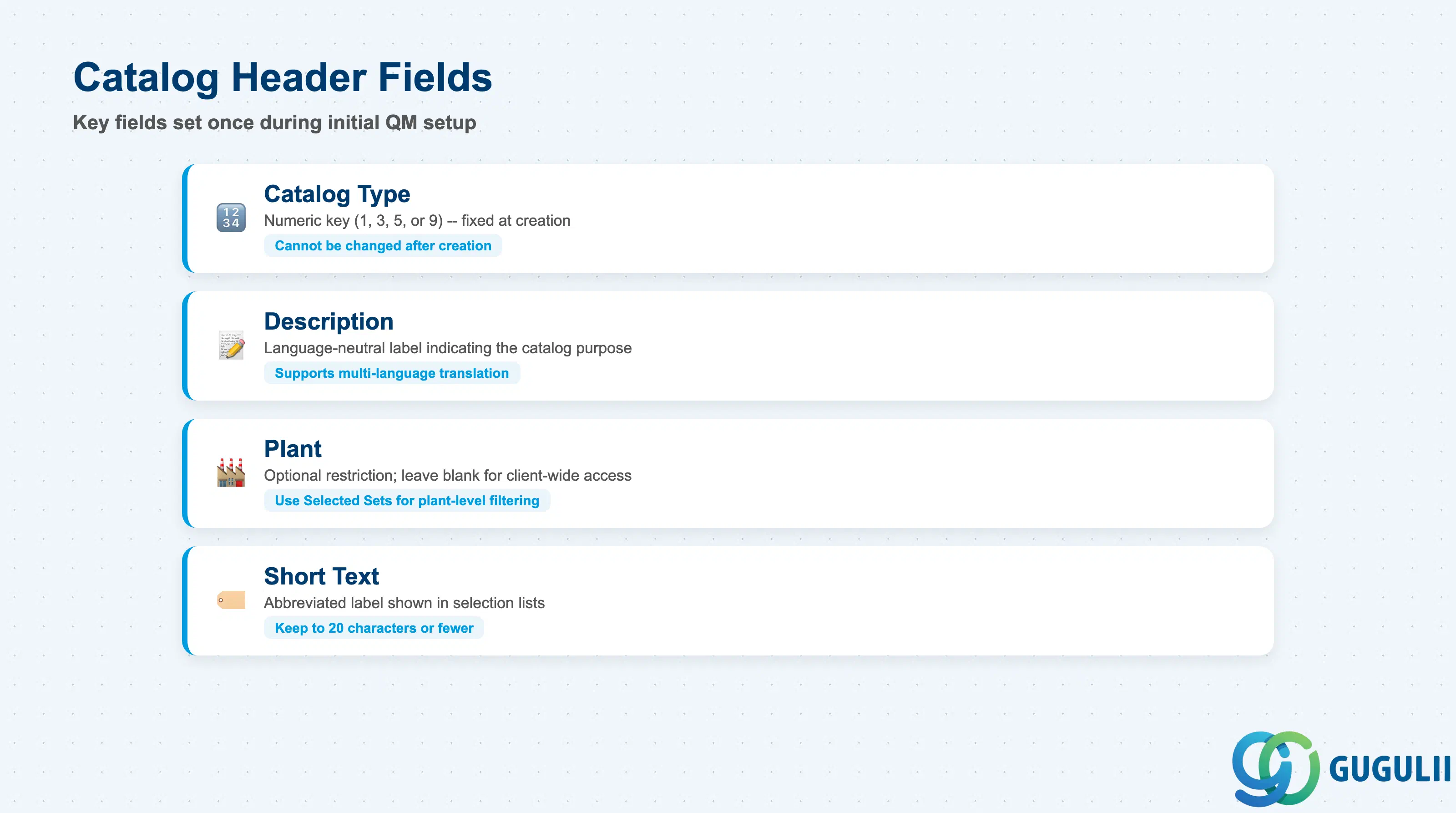
The Catalog header establishes the type and scope of the code library. It is configured once during the initial QM system setup and rarely changes after go-live.
| Field | Description | Practical Usage |
|---|---|---|
| Catalog Type | Numeric key identifying the catalog’s purpose (1, 3, 5, or 9) | The type is fixed at creation and cannot be changed. Always create all four standard types during implementation. Attempting to repurpose Catalog Type 3 for causes (instead of Type 5) leads to structurally incorrect notification reporting that is difficult to correct post-go-live. |
| Description | Free-text label for the catalog | Use a descriptive, language-neutral label that indicates the catalog’s purpose. Examples: “Usage Decision Codes,” “Defect Classification,” “Root Cause Codes,” “Corrective Action Codes.” Consistent naming across languages (via translation) supports multi-language deployments. |
| Plant | Optional plant restriction for the catalog | When a plant is entered, the catalog is restricted to that plant. Leave blank to make the catalog available client-wide. For most implementations, client-wide catalogs with plant-level Selected Sets provide the best balance of maintenance efficiency and operational flexibility. |
| Short Text | Abbreviated description displayed in selection lists | Keep to 20 characters or fewer for readability in the code group selection dialog during inspection result recording. |
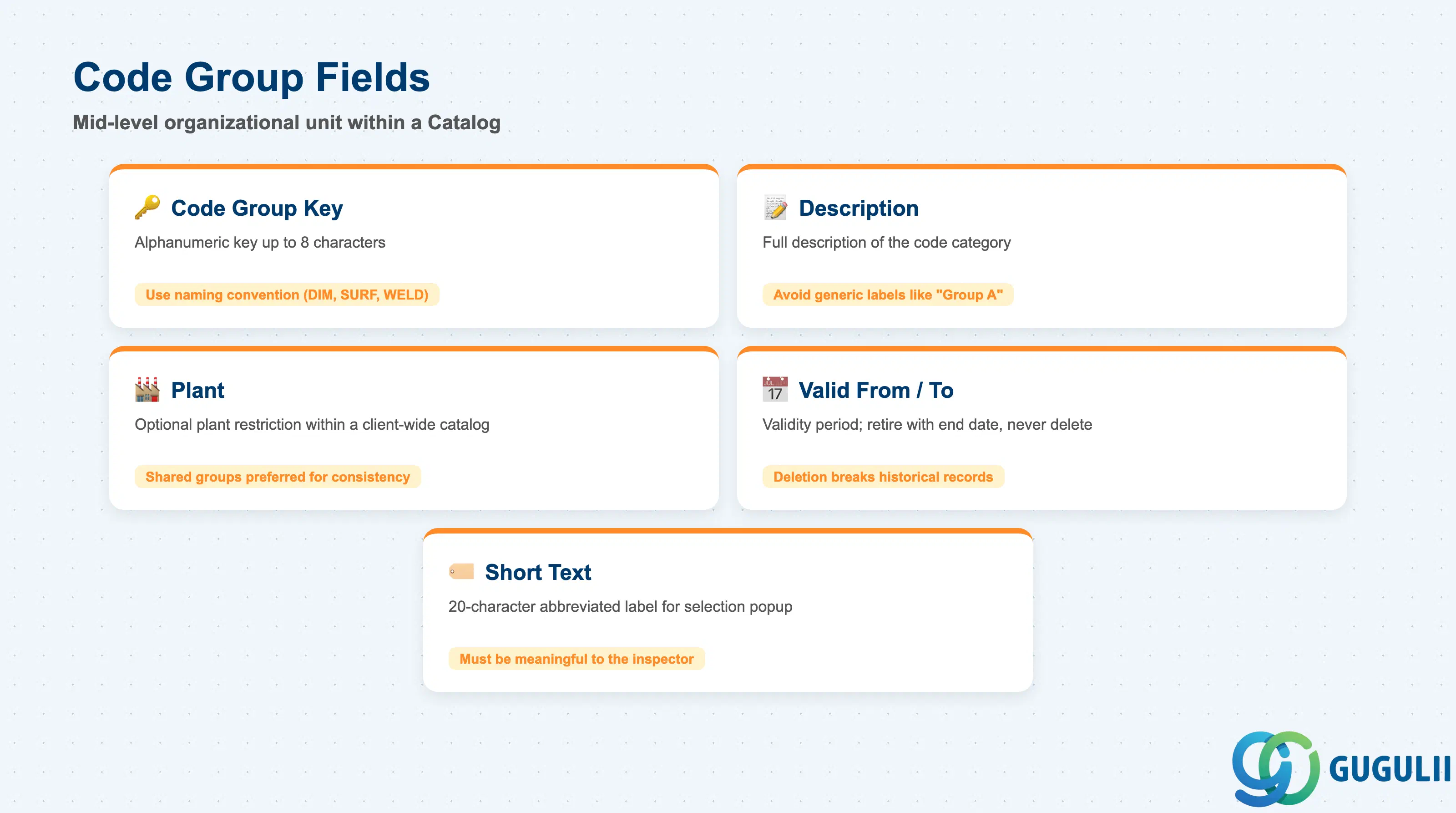
Code Groups are the mid-level organizational unit within a Catalog. They group related codes under a shared label, enabling faster code selection and more meaningful sub-category reporting.
| Field | Description | Practical Usage |
|---|---|---|
| Code Group | Alphanumeric key for the group (up to 8 characters) | Adopt a naming convention that reflects the grouping logic. For Catalog Type 3 (Defect), common patterns include functional area (DIM for dimensional, SURF for surface, WELD for welding), production line code, or product family. A clear naming convention simplifies Selected Set construction and long-term maintenance. |
| Description | Full description of the code group | Should clearly describe the category of codes contained. Example: “Dimensional Defects — Machined Parts.” Avoid generic labels like “Group A” or “Category 1” that lose meaning as the catalog grows. |
| Plant | Plant restriction for this code group | Allows plant-specific code groups within a client-wide catalog. Use when a specific plant has unique defect categories not applicable elsewhere. Shared code groups (no plant) are preferred for enterprise-level reporting consistency. |
| Valid From / Valid To | Validity period for the code group | Set the Valid From date to the go-live date. Leave Valid To blank for indefinite validity. When a code group is retired (e.g., a product line is discontinued), set a Valid To date rather than deleting — deletion breaks historical inspection records that referenced the group. |
| Short Text | 20-character abbreviated label | Displayed in the code selection popup during inspection. Should be meaningful to the inspector at a glance. |
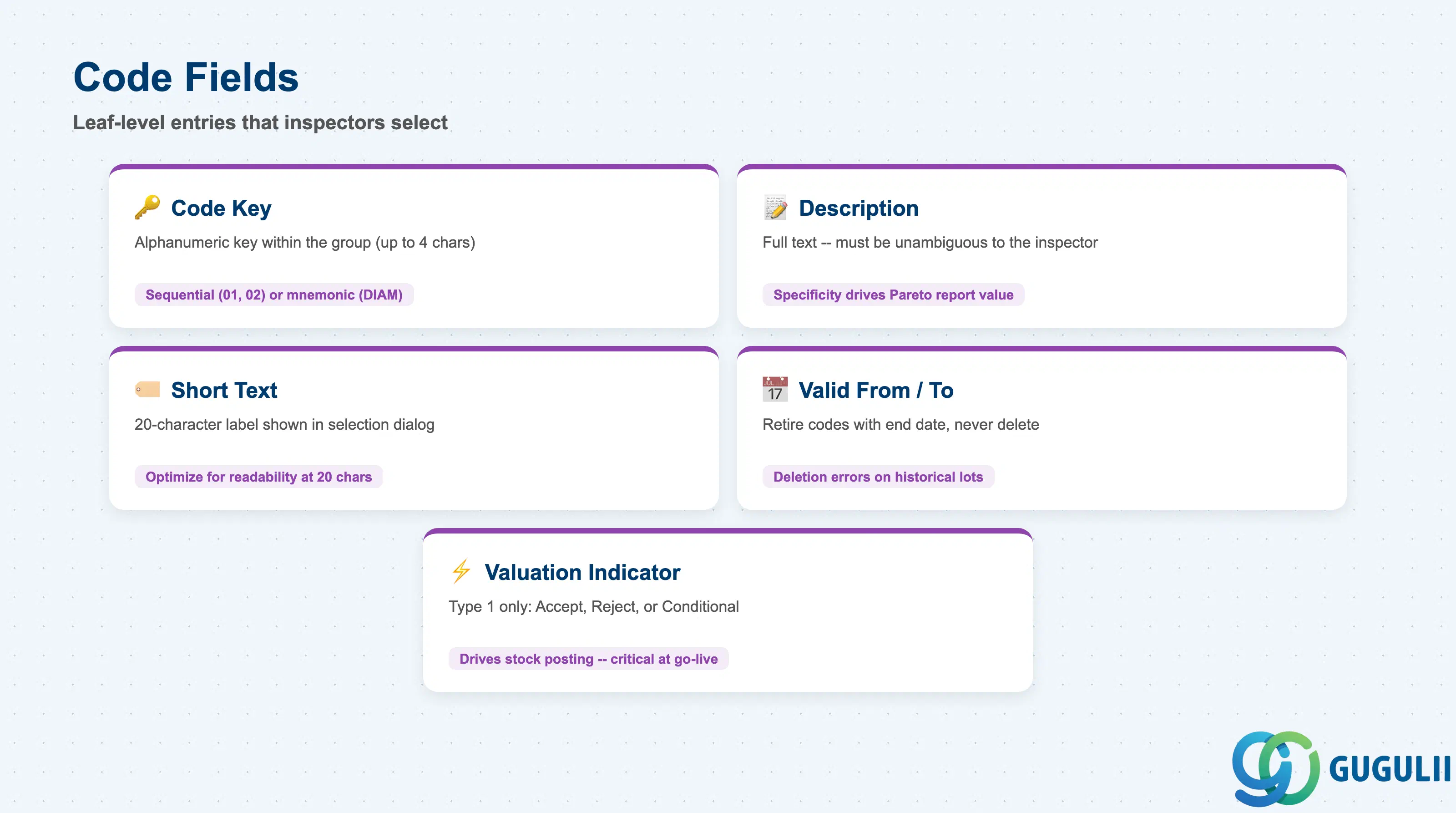
Codes are the leaf-level entries in the catalog hierarchy — the actual values that inspectors and quality engineers select when recording results, defects, causes, or actions. Code design has the greatest impact on reporting quality.
| Field | Description | Practical Usage |
|---|---|---|
| Code | Alphanumeric key within the code group (up to 4 characters) | Use a sequential numeric scheme (01, 02, 03) for simplicity, or a mnemonic scheme (e.g., “DIAM” for diameter, “FLAT” for flatness) when the code must be self-explanatory without description. Sequential numbering is easier to extend; mnemonic codes are easier for inspectors to memorize and select quickly. |
| Description | Full text description of this code | The description must be unambiguous to the inspector. For Defect Codes (Type 3), include the specific failure mode: “Outer diameter out of tolerance (above upper limit)” is preferable to “Dimension defect.” Specificity here directly determines the analytical value of defect Pareto reports. |
| Short Text | 20-character label shown during selection | The short text is what the inspector sees in the selection dialog. Optimize for readability at 20 characters: “OD Oversize” conveys more than “Dimension NG.” |
| Valid From / Valid To | Validity period for the code | Follow the same retention rule as Code Groups: retire codes with a Valid To date rather than deleting. Deletion causes errors when displaying historical inspection lots that referenced the code. |
| Valuation Indicator | For Usage Decision codes (Type 1): Accept / Reject / Conditional | This field is specific to Catalog Type 1. The valuation indicator drives the stock posting after usage decision: Accept posts to unrestricted stock, Reject to blocked stock or scrap. This is the critical link between the usage decision outcome and inventory impact. Must be configured correctly during blueprint — incorrect settings cause stock management errors at go-live. |
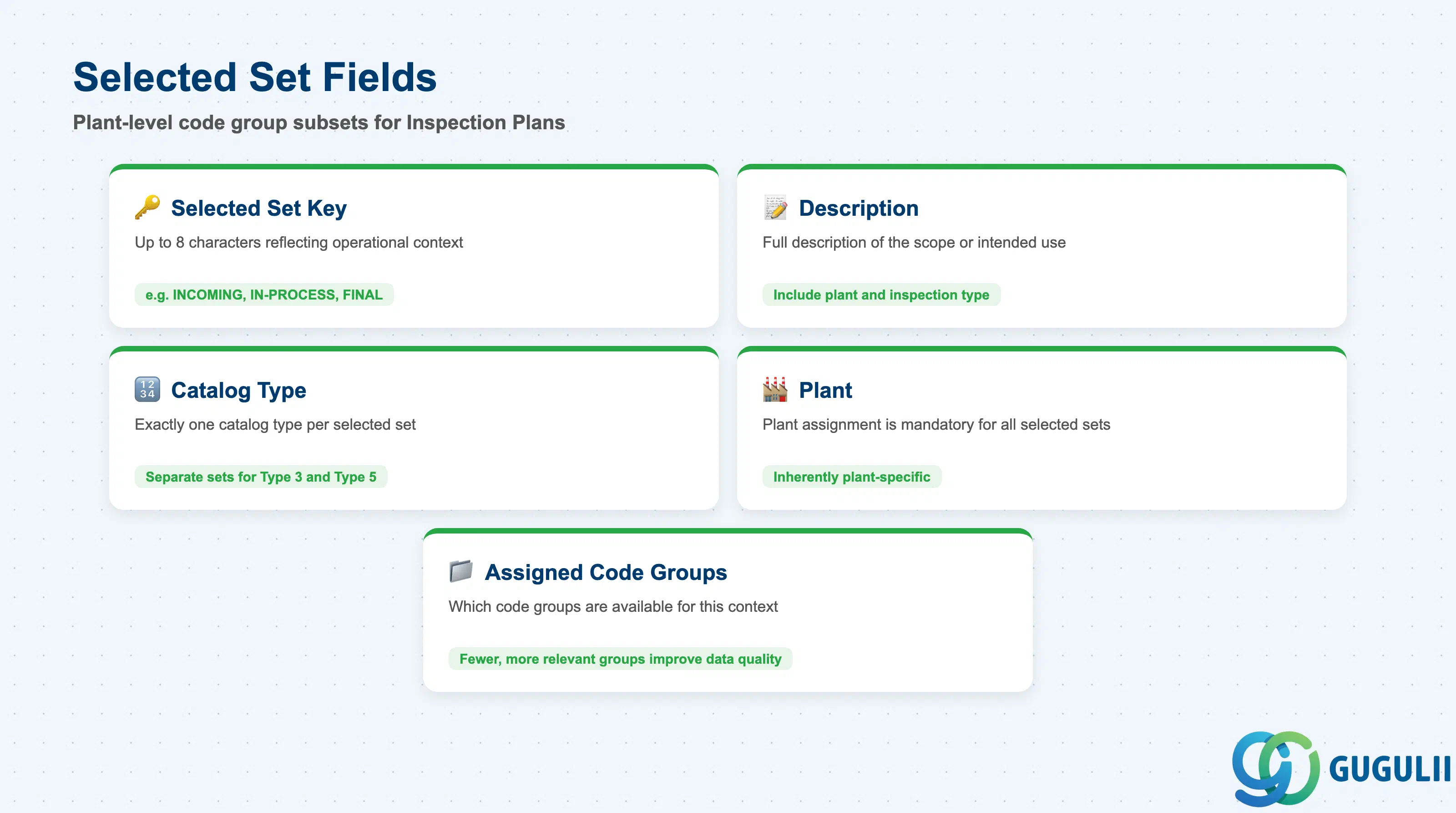
A Selected Set is a named, plant-level subset of Code Groups from a given Catalog Type. It is the mechanism by which Inspection Plans restrict which codes are available to inspectors during results recording — preventing irrelevant options and reducing selection errors.
| Field | Description | Practical Usage |
|---|---|---|
| Selected Set | Key for the selected set (up to 8 characters) | Name Selected Sets to reflect their operational context. Example: “INCOMING” for a selected set used on incoming inspection operations, “IN-PROCESS” for production floor operations, “FINAL” for finished goods final inspection. Clear naming simplifies Inspection Plan maintenance when operations reference different sets. |
| Description | Full description of the selected set | Describe the scope or intended use. Example: “Defect codes for machined part incoming inspection — Plant 1000.” |
| Catalog Type | The catalog type this selected set filters | A selected set belongs to exactly one catalog type. Separate selected sets are required for defect codes (Type 3) and cause codes (Type 5) even if they cover the same inspection operation. |
| Plant | Plant assignment | Selected sets are inherently plant-specific. All selected sets must have a plant assigned. |
| Assigned Code Groups | List of code groups included in this set | The core configuration — which code groups (and therefore which codes) are available when this selected set is referenced on an inspection operation. Err on the side of fewer, more relevant code groups rather than including everything; too many options slow inspectors and reduce data quality. |
| ID | Category | Title |
|---|---|---|
| qm-001 | Overview | What is SAP QM? |
| ID | Category | Title |
|---|---|---|
| qm-a01 | Overview | SAP QM Master Data: Overview, Hierarchy & Relationships |
| qm-a02-01 | Master Data | SAP QM Catalog 📍 |
| qm-a02-02 | Master Data | SAP QM Master Inspection Characteristic |
| qm-a02-03 | Master Data | SAP QM Inspection Method |
| qm-a03-01 | Master Data | SAP QM Sampling Procedure |
| qm-a03-02 | Master Data | SAP QM Dynamic Modification Rule |
| qm-a05-01 | Master Data | SAP QM Material Master |
| qm-a04-01 | Master Data | SAP QM Work Center |
| qm-a04-02 | Master Data | SAP QM Inspection Plan |
| qm-a05-02 | Master Data | SAP QM Quality Info Record |
| ID | Category | Title |
|---|---|---|
| qm-b01 | Overview | SAP QM Transactions: Process Flow, Hierarchy & Relationships |