Title here
Summary here

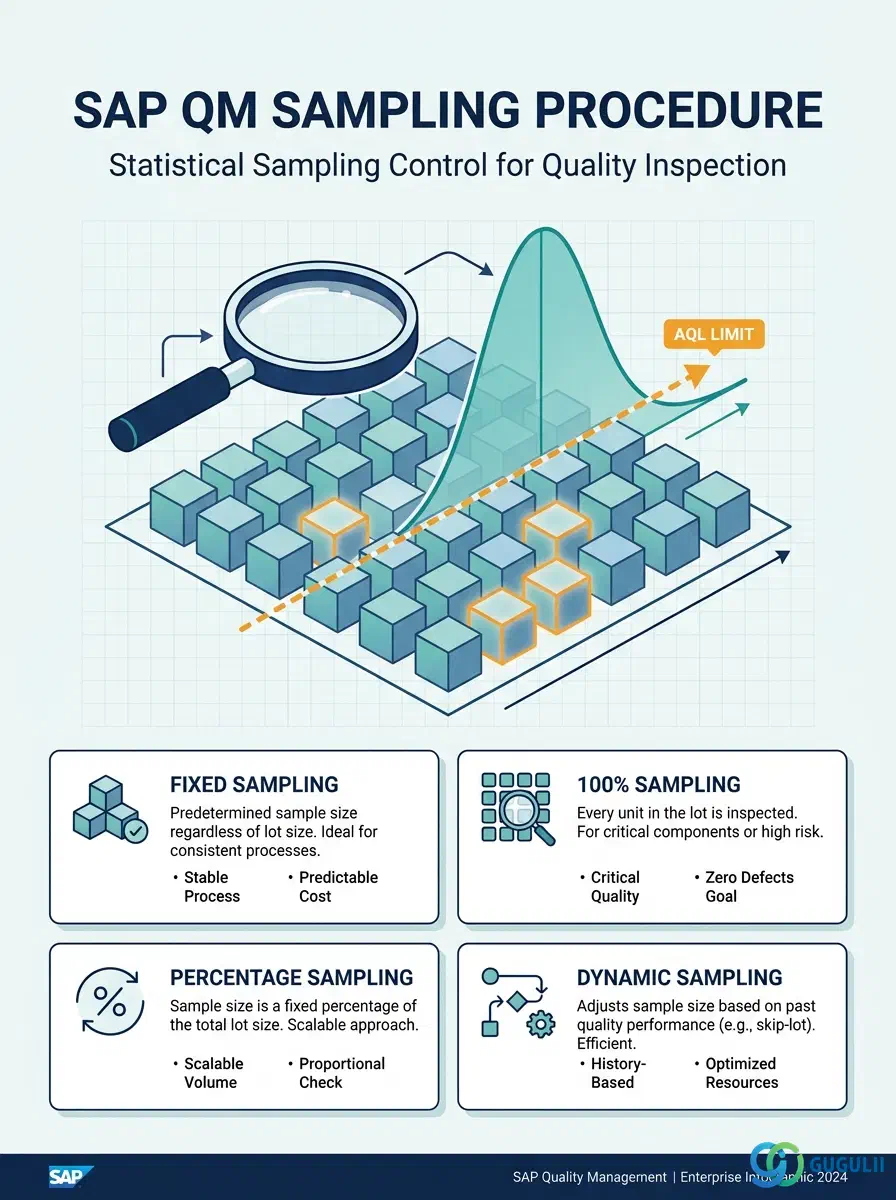
The Sampling Procedure is the master data object that governs how many items are drawn from an inspection lot and how the acceptance decision is reached. It defines the sampling type (fixed, percentage, 100%, or dynamic), the acceptance and rejection numbers, the AQL level, and whether the inspector or the system evaluates the result. Every Inspection Plan characteristic that requires statistical control references a Sampling Procedure, making it a foundational building block of the entire QM Phase 2 setup.
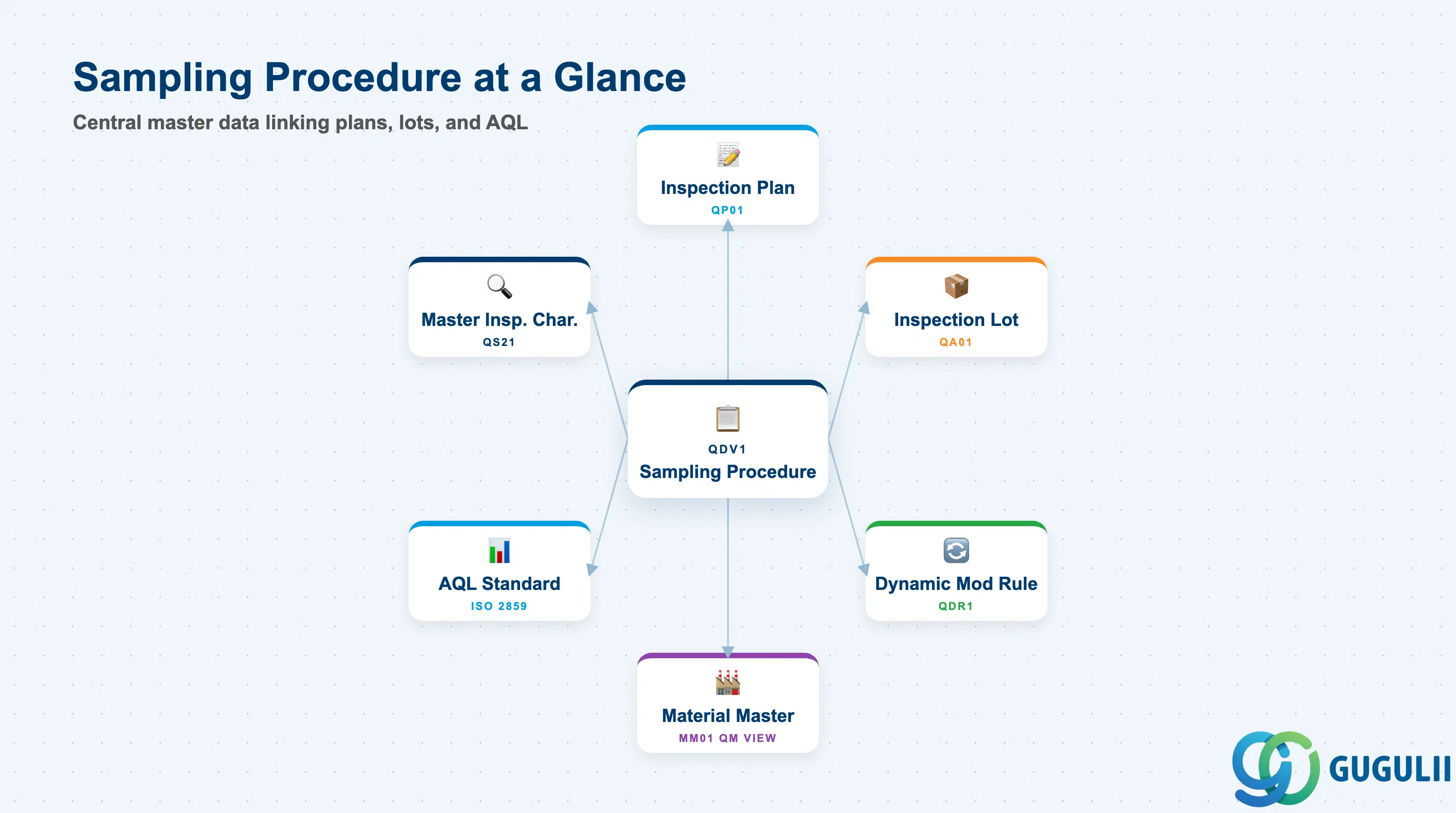
A Sampling Procedure is a reusable master data record that encodes the statistical sampling rules for a quality inspection. Rather than specifying sample sizes and acceptance criteria on every individual inspection, the procedure centralises these rules and allows the same statistical logic to be shared across multiple Inspection Plans and characteristics.
| Aspect | Details |
|---|---|
| Role | Defines sample size calculation method, acceptance/rejection numbers, AQL level, and valuation mode for inspection lots |
| Modules using it | QM (primary owner — quality inspection), referenced by MM inspection lots at goods receipt, PP in-process and final inspection |
| Transactions | QDV1 (Create) / QDV2 (Change) / QDV3 (Display) |
| Key Tables | QPAM (Sampling Procedure header) / QPAS (Sampling type data) |
| S/4HANA note | Sampling Procedure data model is unchanged from ECC. Fiori app “Manage Sampling Procedures” available for maintenance. AQL table support (ISO 2859 / ANSI/ASQ Z1.4) is standard. |
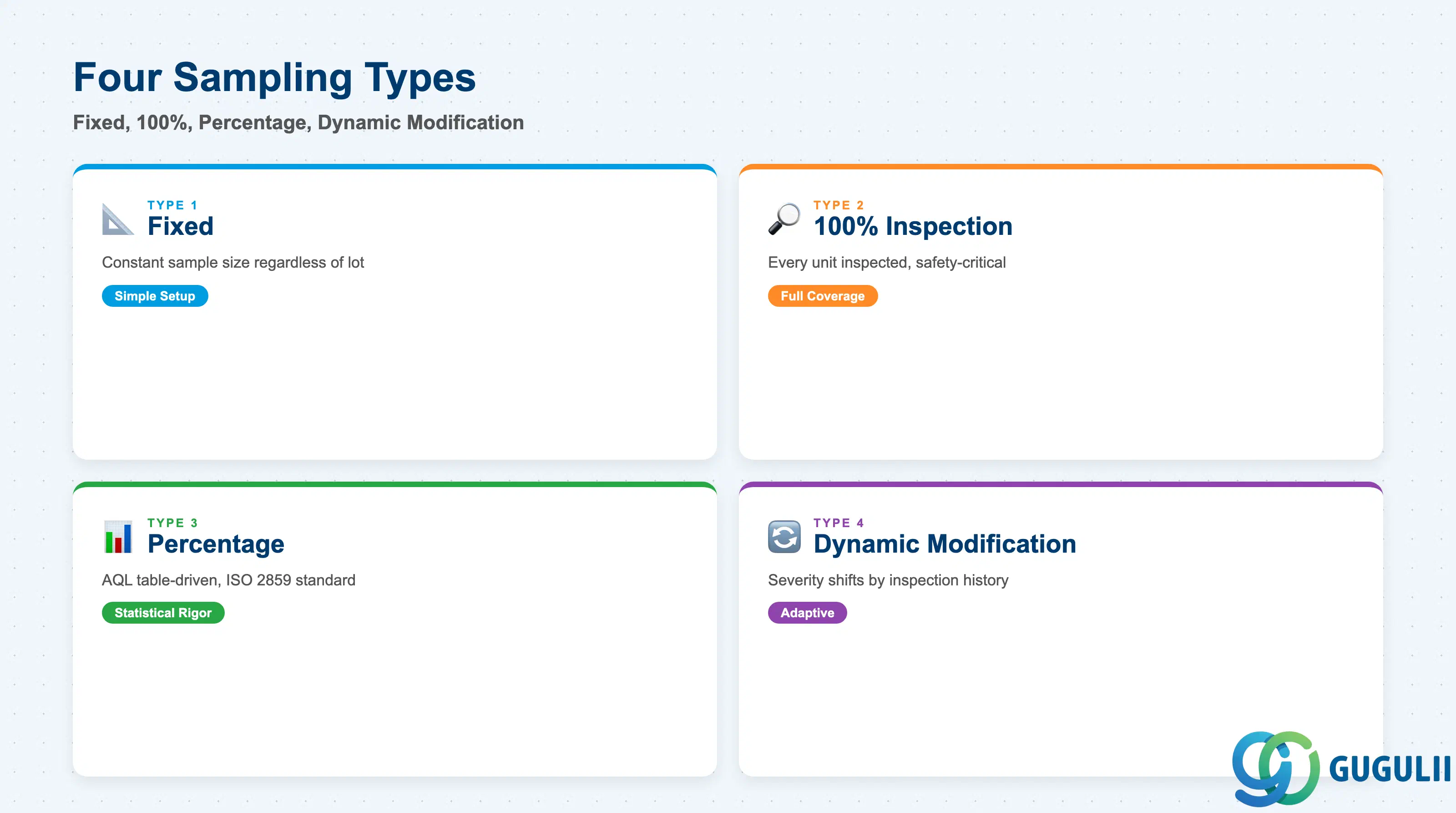
The sampling type determines how the system calculates the number of items to draw from the inspection lot. Selecting the wrong type can expose the company to either systematic under-inspection (quality escapes) or wasteful over-inspection (cost and throughput impact).
| Sampling Type | Code | Use Case | Key Behavior |
|---|---|---|---|
| Fixed | 1 | Inspecting the same small quantity regardless of lot size | Sample size is a constant (e.g., always inspect 5 units). Simple to configure and explain; appropriate where lot size variation is low or where a fixed sample is contractually required. |
| 100% | 2 | Full lot inspection for critical or high-risk components | Every unit in the lot is inspected. No statistical acceptance criteria — each individual result is recorded. Used for safety-critical parts or high-value items where defect cost greatly exceeds inspection cost. |
| Percentage | 3 | Proportional sampling based on ISO 2859 / ANSI/ASQ Z1.4 AQL tables | Sample size scales with lot size according to the selected AQL table, inspection level, and AQL value. The most statistically rigorous option; preferred for incoming inspection under supplier quality agreements. |
| Dynamic Modification | 4 | Automatic escalation/relaxation of sampling severity based on past performance | Inspection severity (normal / tightened / reduced) shifts automatically per a linked Dynamic Modification Rule. Initial sample size is calculated from the percentage method; severity then adjusts the code letter. Used for established suppliers with a sufficient quality history. |
Design principle: Dynamic Modification (Type 4) requires a linked Dynamic Modification Rule to be defined first. Without it, the procedure falls back to the baseline percentage table. Confirm the Dynamic Modification Rule is in place before configuring Type 4 procedures in production.
Sampling Procedure is client-level, defined once and available to any plant, material, or inspection plan. It sits alongside the other inspection masters — Inspection Characteristic, Inspection Method, Dynamic Modification Rule, Certificate Profile — as an independent sibling, not nested under any of them.
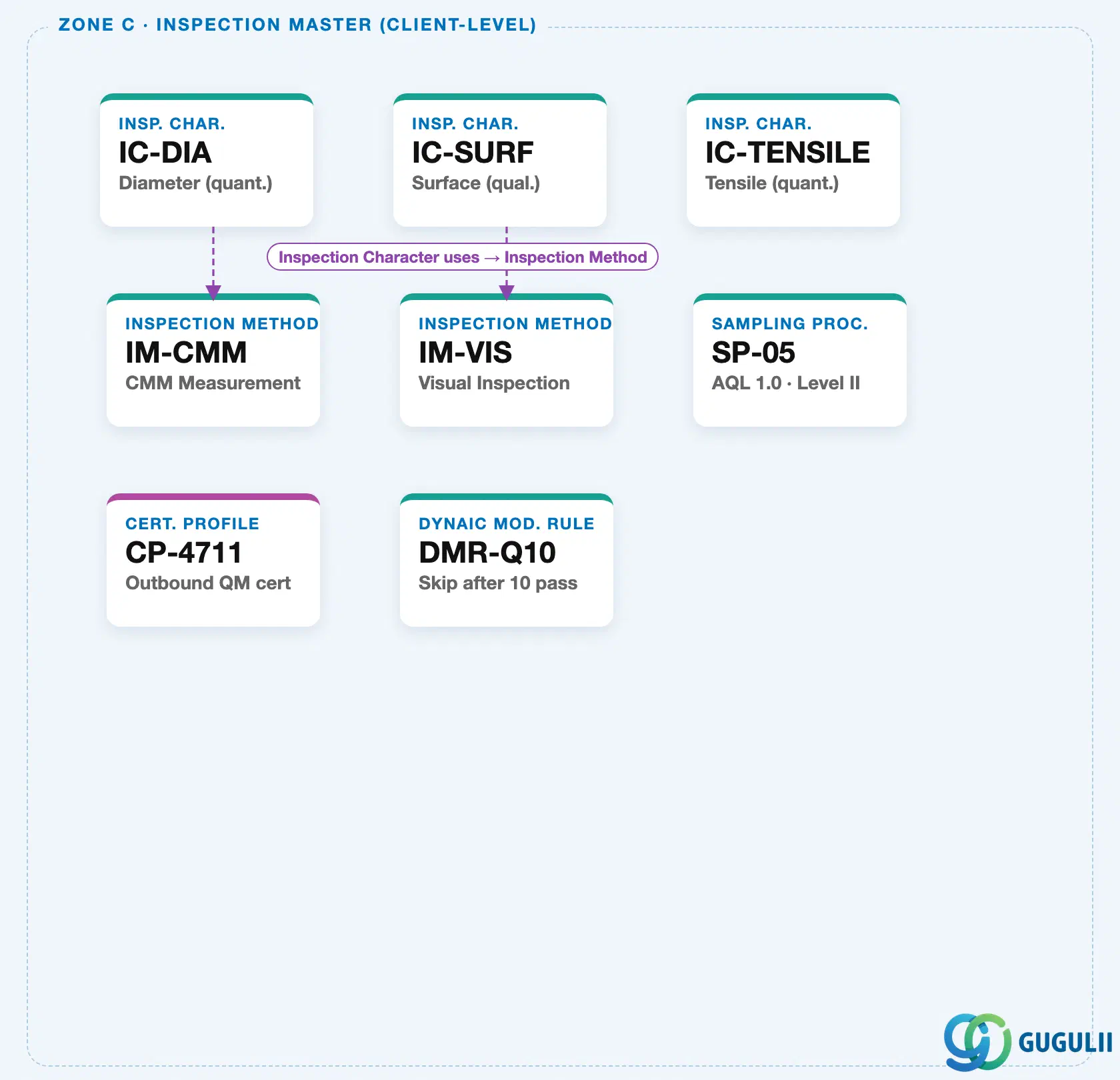
It becomes tied to a specific plant and material only when it is assigned inside an Inspection Plan Operation — the same plant-level Inspection Plan / Operation structure used to hold Insp. Characteristics.
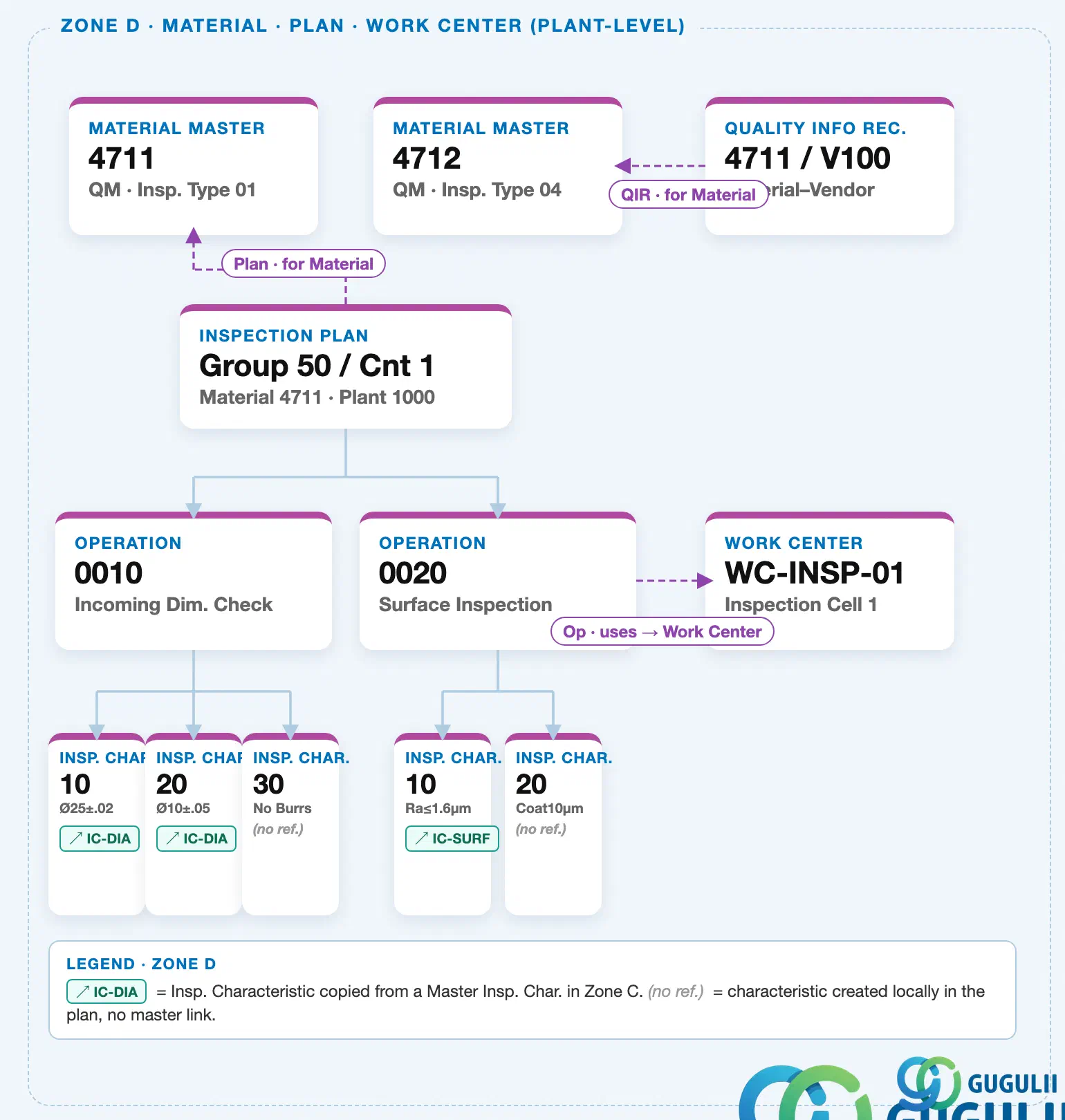
Data hierarchy with a concrete example
Client 100
   │
   ├── Sampling Procedure "SP-05"          AQL 1.0 · Level II
   ├── IC "IC-DIA"                          Diameter (quant.)
   ├── Dynamic Mod. Rule "DMR-Q10"          Skip after 10 pass
   └── Certificate Profile "CP-4711"        Outbound QM cert

Plant 1000
   │
   └── Inspection Plan "Group 50 / Cnt 1"   Material 4711
          │
          └── Operation 0010   Incoming Dim. Check
                 ── assigned to ──> Sampling Procedure "SP-05"
Design principle: Keep Sampling Procedures generic and standards-based (e.g., named after the AQL level they implement, not after a product). A small, well-governed set of client-level procedures — reused across many operations — is easier to audit than dozens of near-identical, plant- or material-specific variants.
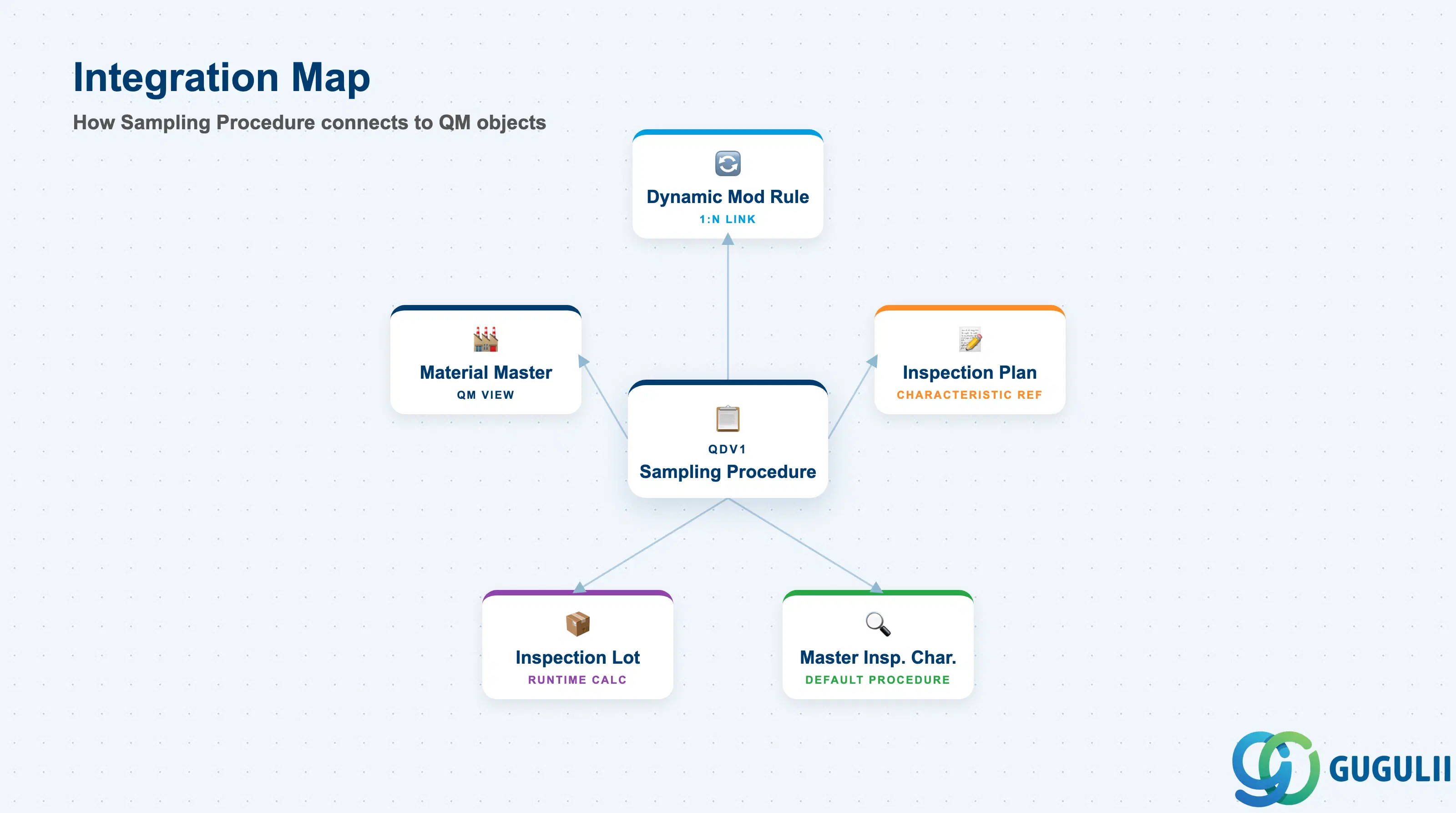
The Sampling Procedure does not stand alone. It connects the statistical sampling rules defined in Phase 2 to the Inspection Plan in Phase 3 and drives the runtime behavior of every inspection lot created from that plan.
| Object | Relationship | Practical Notes |
|---|---|---|
| Dynamic Modification Rule | Sampling Procedure references the rule (1:N) | Type 4 (Dynamic Modification) procedures require a linked rule. The rule defines the stage transitions (normal → tightened → reduced) that drive automatic severity changes over successive lots. |
| Inspection Plan | Inspection Plan characteristics reference the Sampling Procedure | Multiple characteristics in a plan can reference the same Sampling Procedure. A single procedure can be shared across many plans — changes to the procedure propagate immediately to all plans referencing it. |
| Master Inspection Characteristic | Sampling Procedure can be embedded in the characteristic | A default Sampling Procedure can be stored in the Master Inspection Characteristic so that it is automatically proposed when the characteristic is assigned to an Inspection Plan. |
| Inspection Lot | Lot size determines the sample size at runtime | When an inspection lot is created, the system reads the lot size, looks up the sampling procedure, and calculates the sample quantity. Incorrect lot size setup (e.g., base unit vs. inspection unit mismatch) leads to wrong sample numbers. |
| Material Master (QM View) | Sampling Procedure can be assigned directly at material level | For simplified setups without a full Inspection Plan, a Sampling Procedure can be assigned directly in the QM view of the Material Master for automatic inspection. |
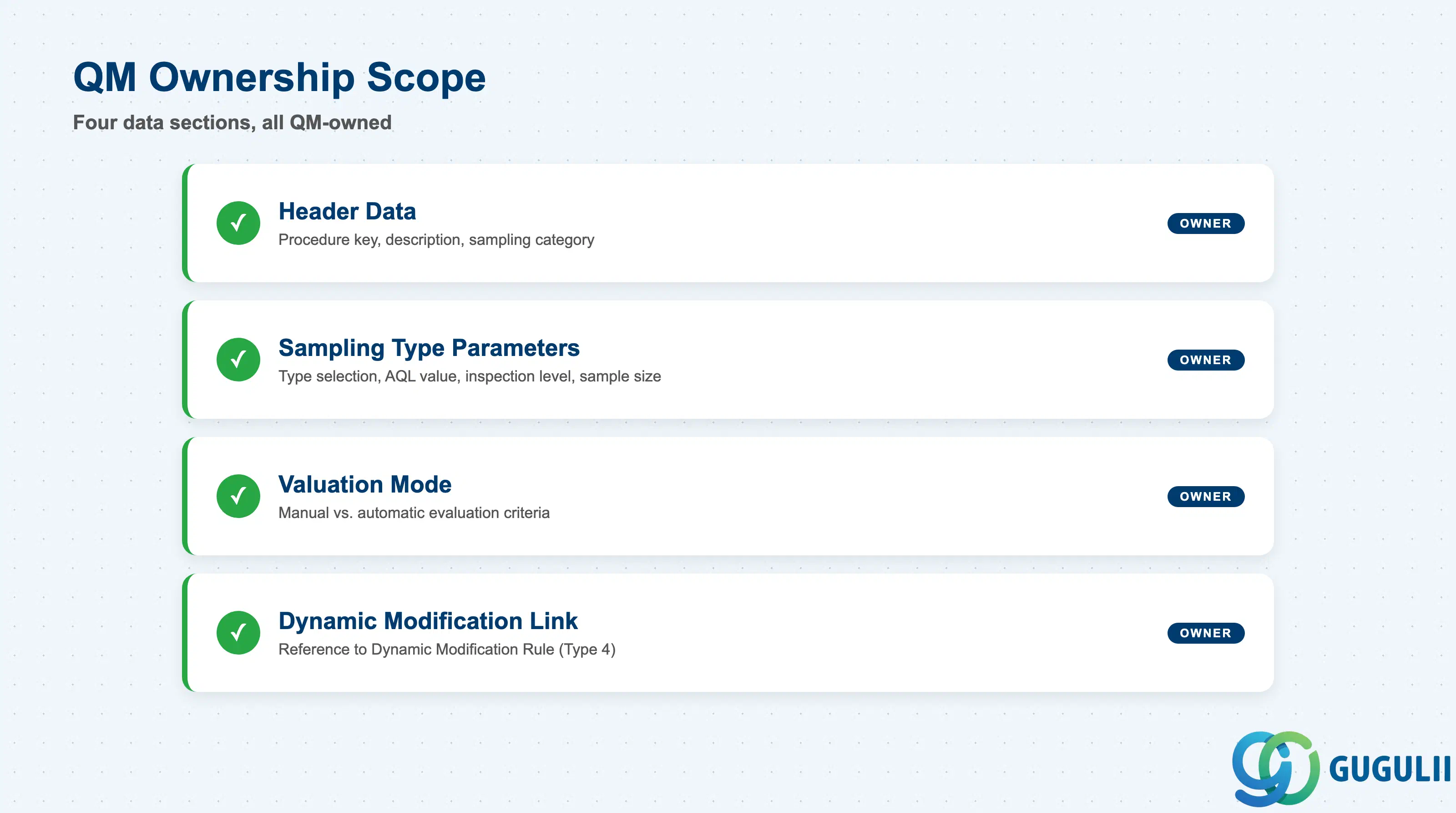
| Data Section | QM Involvement | Notes |
|---|---|---|
| Header Data | ◎ Owner | Procedure description, sampling category, short text |
| Sampling Type Parameters | ◎ Owner | Sampling type selection, AQL value, inspection level, sample size |
| Valuation Mode | ◎ Owner | Manual vs. automatic evaluation, acceptance/rejection criteria |
| Dynamic Modification Link | ◎ Owner | Reference to Dynamic Modification Rule (Type 4 only) |
Legend: ◎ = Owner / Critical, ○ = Direct involvement
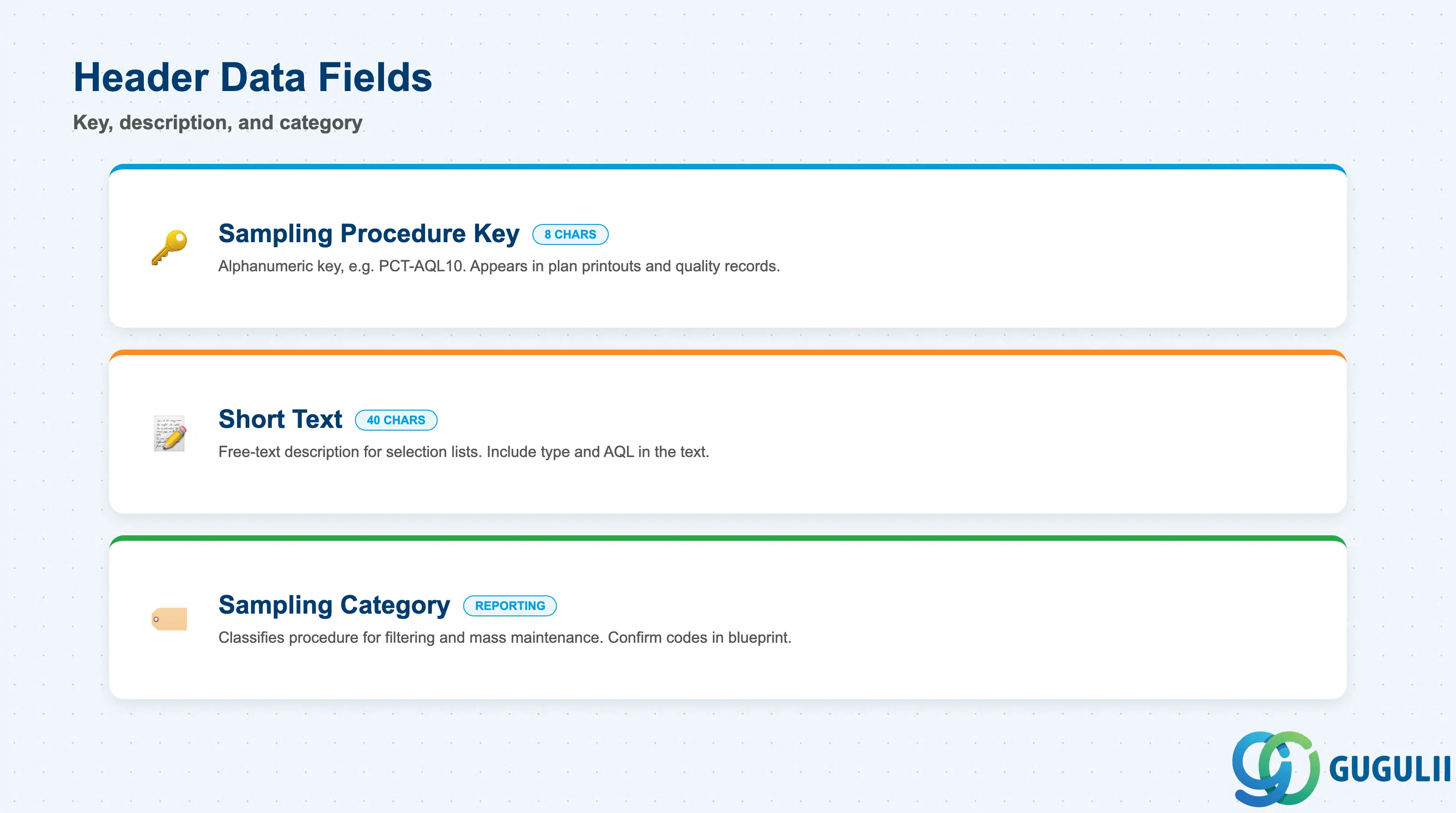
The header identifies the Sampling Procedure and sets its classification within the QM master data landscape. A clear naming convention at this level is critical because the procedure key appears in Inspection Plan printouts and quality records.
| Field | Description | Practical Usage |
|---|---|---|
| Sampling Procedure (Key) | Alphanumeric key up to 8 characters | Establish a naming convention during blueprint — for example, prefix by sampling type and AQL level (e.g., PCT-AQL10 for a percentage-based AQL 1.0% procedure). A clear key prevents duplication and makes selection transparent during Inspection Plan configuration. |
| Short Text | Free-text description (40 characters) | Used in Inspection Plan selection lists and quality reports. Include the sampling type and AQL level in the text (e.g., “Percentage – AQL 1.0% – Normal”) so planners can identify the correct procedure without opening it. |
| Sampling Category | Classifies procedure for reporting and filtering | Standard categories align with inspection severities (General, Special). Used in QM reporting to group procedures and in mass maintenance to find related records. Confirm category codes with the QM team during blueprint. |
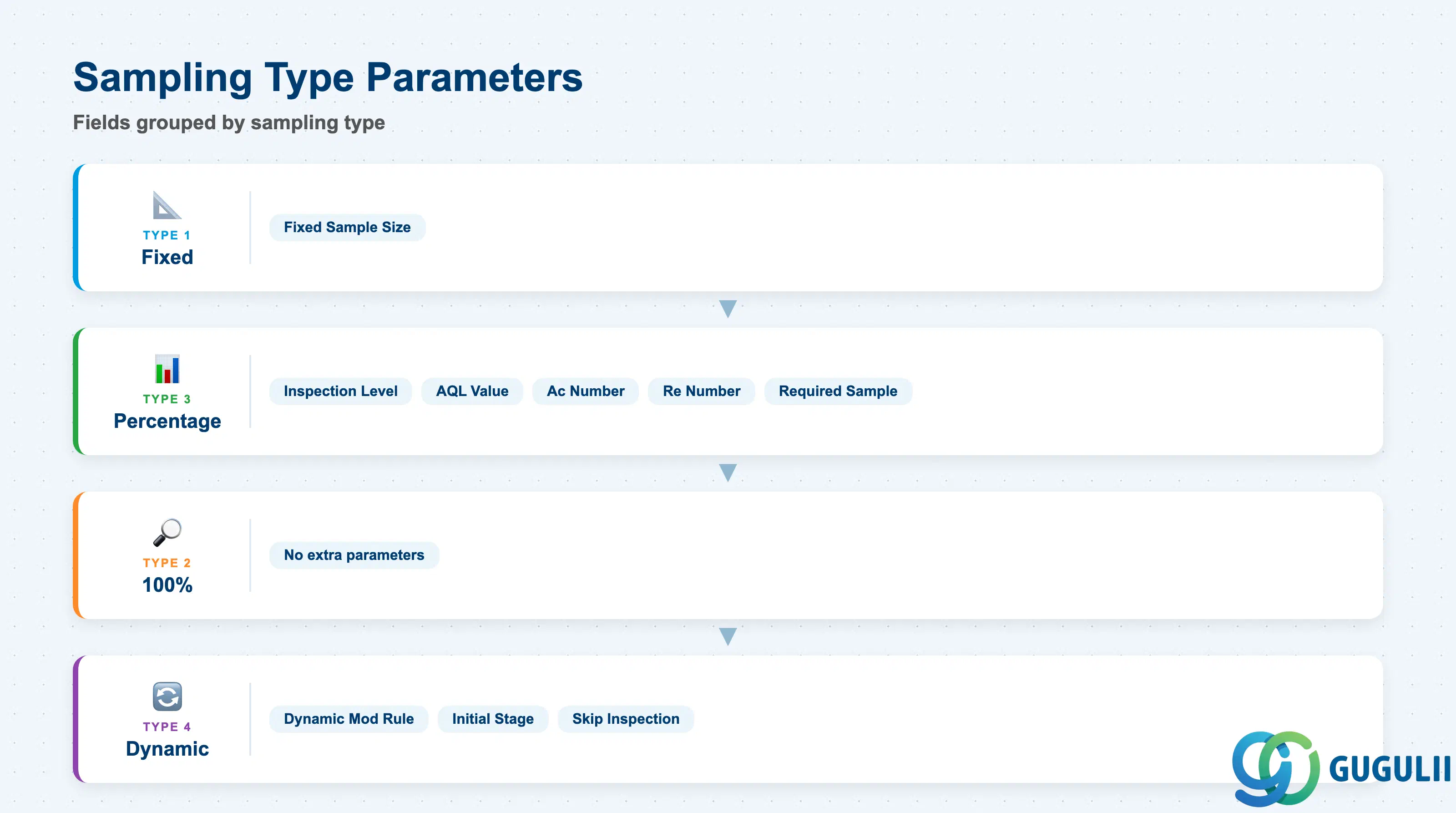
Sampling type parameters are the operational core of the procedure. They translate the chosen sampling strategy into concrete numbers that the system uses when an inspection lot is created.
| Field | Description | Practical Usage |
|---|---|---|
| Sampling Type | Determines sample size calculation method (Fixed/100%/Percentage/Dynamic) | The most critical design decision for each procedure. Once set and referenced in active Inspection Plans, changing the type requires careful impact analysis — existing inspection lots in progress are not retroactively updated. |
| Fixed Sample Size | Number of units to inspect (Fixed type only) | Enter the contractually or process-mandated quantity. Common values: 1 (destructive testing), 5, 10. Avoid very large fixed sizes on small lots — the system will not reduce the sample below the lot size, creating impossible inspection requirements. |
| Inspection Level | Selects the table column for sample size (Percentage type) | ISO 2859 defines Levels I, II, and III (plus S-1 through S-4 for special levels). Level II is the standard; use Level I for relaxed inspection on established materials or Level III for tightened inspection on new suppliers. |
| AQL Value | Acceptable Quality Level — defect percentage threshold | Defines the maximum acceptable proportion of defectives. Common values: 0.65, 1.0, 2.5, 4.0, 6.5. A lower AQL (e.g., 0.65) is more stringent and requires larger samples than a higher AQL (e.g., 4.0). Align AQL levels with supplier quality agreements and customer contractual requirements. |
| Acceptance Number (Ac) | Maximum number of defectives to accept the lot | Derived from the AQL table based on sample size code letter and AQL. Confirm the Ac/Re numbers displayed in QDV3 match the referenced standard (ISO 2859-1 or ANSI/ASQ Z1.4) after configuration. |
| Rejection Number (Re) | Minimum number of defectives to reject the lot | Always equals Ac + 1 in single-sampling plans. For multiple-sampling plans, Ac and Re differ by more than 1 at intermediate stages — configure carefully and test with simulated lot data before go-live. |
| Required Sample | Calculated sample size displayed at runtime | Read-only field showing the actual sample quantity the system will request when an inspection lot of a given size is created. Use QDV3 → “Sample” simulation tab to verify that the required sample is operationally feasible before assigning the procedure to a plan. |
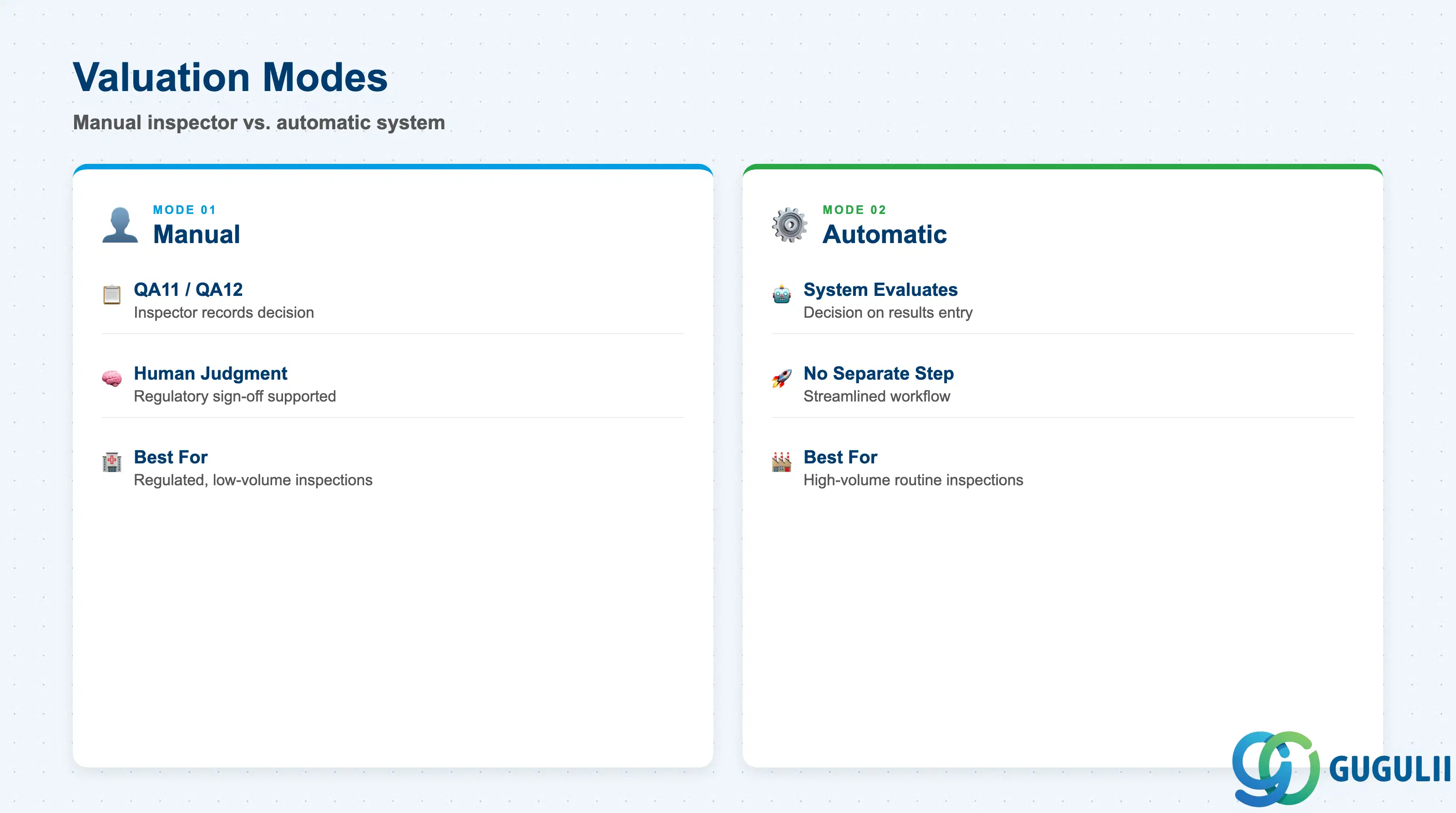
The Valuation Mode determines whether the usage decision (accept/reject) for an inspection lot is made by the system automatically or by a human inspector. This directly impacts the inspection workflow and should be agreed with the QM process owner during blueprint.
| Field | Description | Practical Usage |
|---|---|---|
| Valuation Mode | Controls whether the system or the inspector makes the accept/reject decision | Manual mode (01) requires an inspector to navigate to QA11/QA12 and explicitly record the usage decision after entering results. Automatic mode (02) lets the system evaluate the lot as soon as results are recorded and all characteristics have been assessed — no separate decision step is needed. Automatic mode is preferred for high-volume routine inspections; manual mode is preferred where human judgment or regulatory sign-off is required. |
| Share of Nonconforming Units | Percentage of defectives that triggers rejection (for attribute inspection) | Used with the Percentage sampling type. The system rejects the lot automatically when the proportion of nonconforming units exceeds this threshold. Align this field with the AQL level: for AQL 1.0%, a share of 1.0% is the natural boundary. Setting this inconsistently with the Ac number can produce contradictory system behavior. |
| Scoring | Enables defect score weighting (attribute inspection) | When activated, each defect class carries a score weight; the total score for the sample is compared against an acceptance threshold rather than a simple count. Used in consumer goods and food industries where cosmetic defects (minor) are treated differently from functional defects (critical). Requires additional Customizing of defect classes in the Catalog. |
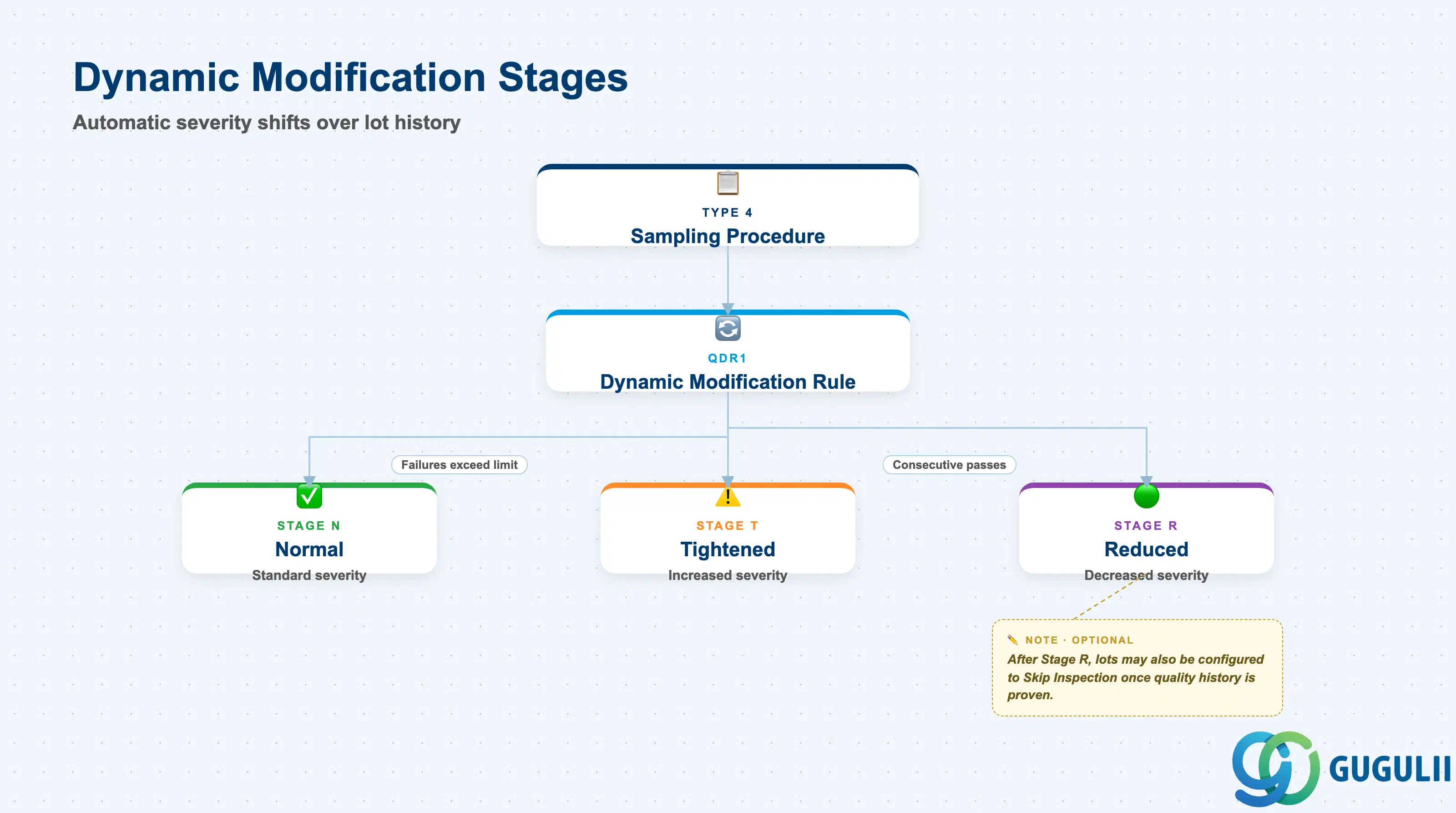
When the Sampling Procedure uses Type 4 (Dynamic Modification), a Dynamic Modification Rule must be linked. This rule defines how inspection severity escalates or relaxes based on the history of recent inspection lots for a specific material-vendor or material-plant combination.
| Field | Description | Practical Usage |
|---|---|---|
| Dynamic Modification Rule | Key of the linked Dynamic Modification Rule (QDR1) | Mandatory for Type 4 sampling. The rule must exist before the Sampling Procedure can be saved with Type 4. Assign one rule per procedure — a single Dynamic Modification Rule can be shared across multiple sampling procedures that use the same stage-transition logic. |
| Initial Stage | Starting inspection stage for new material-vendor combinations | Defines the inspection severity applied when the first inspection lot is created for a new combination. Setting to “Normal” (Stage N) is the standard starting point; setting to “Tightened” (Stage T) is appropriate for new suppliers on probation. |
| Inspection Stage (runtime) | Current stage assigned to the material-vendor combination | Maintained at runtime in the quality level record — not a configuration field. Consultants should monitor the quality level (QDL3) during post-go-live support to verify that stage transitions are occurring as designed and that lots are not stuck in “Tightened” due to a misconfigured reset condition. |
| Skip Inspection | Allows complete skip of inspection at the “Reduced” stage | When enabled in the Dynamic Modification Rule and the quality level reaches the skip stage, the system generates the inspection lot but does not require results recording or a usage decision. Use this feature only for long-established, statistically proven suppliers — enable it explicitly in the Dynamic Modification Rule and confirm with the quality manager before activating. |
| ID | Category | Title |
|---|---|---|
| qm-001 | Overview | What is SAP QM? |
| ID | Category | Title |
|---|---|---|
| qm-a01 | Overview | SAP QM Master Data: Overview, Hierarchy & Relationships |
| qm-a02-01 | Master Data | SAP QM Catalog |
| qm-a02-02 | Master Data | SAP QM Master Inspection Characteristic |
| qm-a02-03 | Master Data | SAP QM Inspection Method |
| qm-a03-01 | Master Data | SAP QM Sampling Procedure 📍 |
| qm-a03-02 | Master Data | SAP QM Dynamic Modification Rule |
| qm-a05-01 | Master Data | SAP QM Material Master |
| qm-a04-01 | Master Data | SAP QM Work Center |
| qm-a04-02 | Master Data | SAP QM Inspection Plan |
| qm-a05-02 | Master Data | SAP QM Quality Info Record |
| ID | Category | Title |
|---|---|---|
| qm-b01 | Overview | SAP QM Transactions: Process Flow, Hierarchy & Relationships |