Title here
Summary here

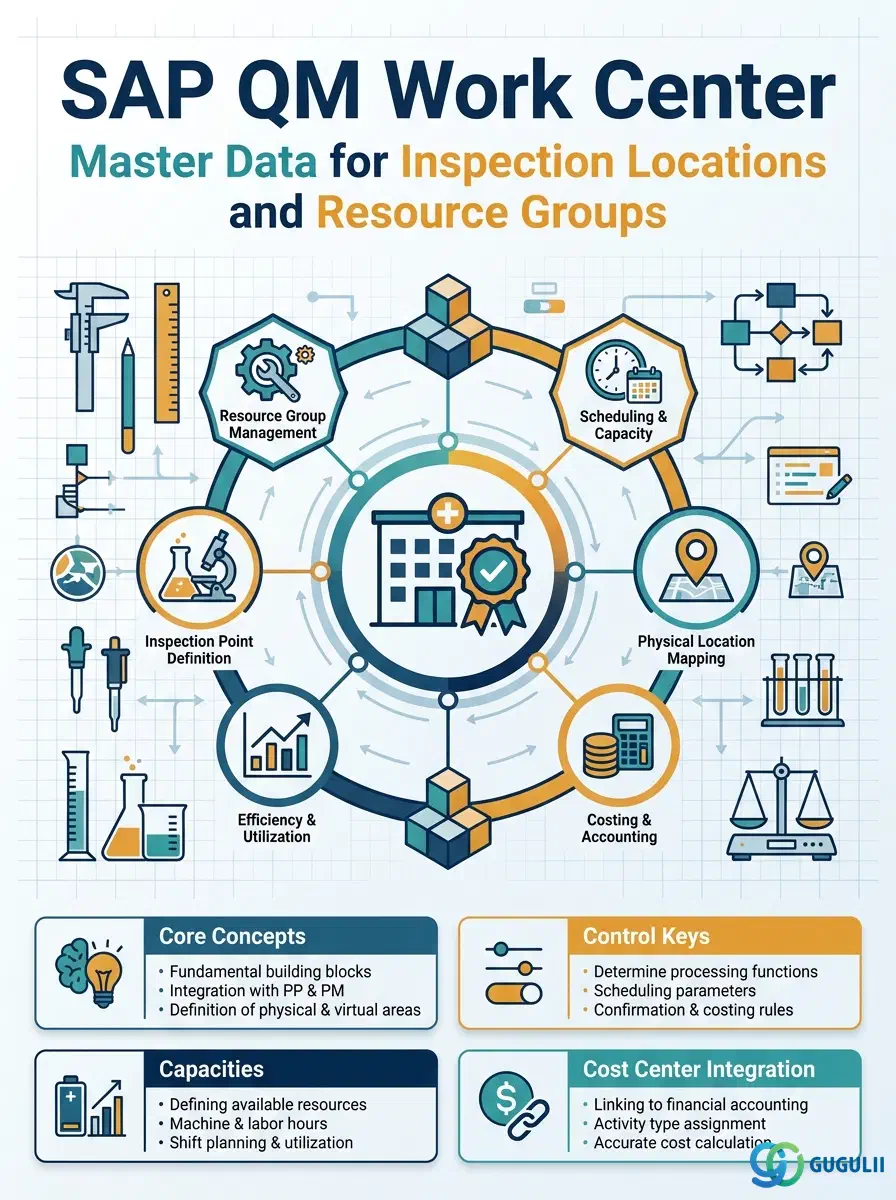
The Work Center is the master data object that defines where and by whom inspection activities are carried out in SAP Quality Management. It represents an inspection location, laboratory, or resource group (e.g., a quality control lab, an inline inspection station, or a dedicated inspection team) and is referenced by the Inspection Plan to assign inspection operations to a physical or organizational entity. In SAP S/4HANA, the Work Center is a shared object maintained under Plant Maintenance and Production Planning — QM’s role is to configure the control key that enables the Work Center for inspection use and to reference it in Inspection Plans.
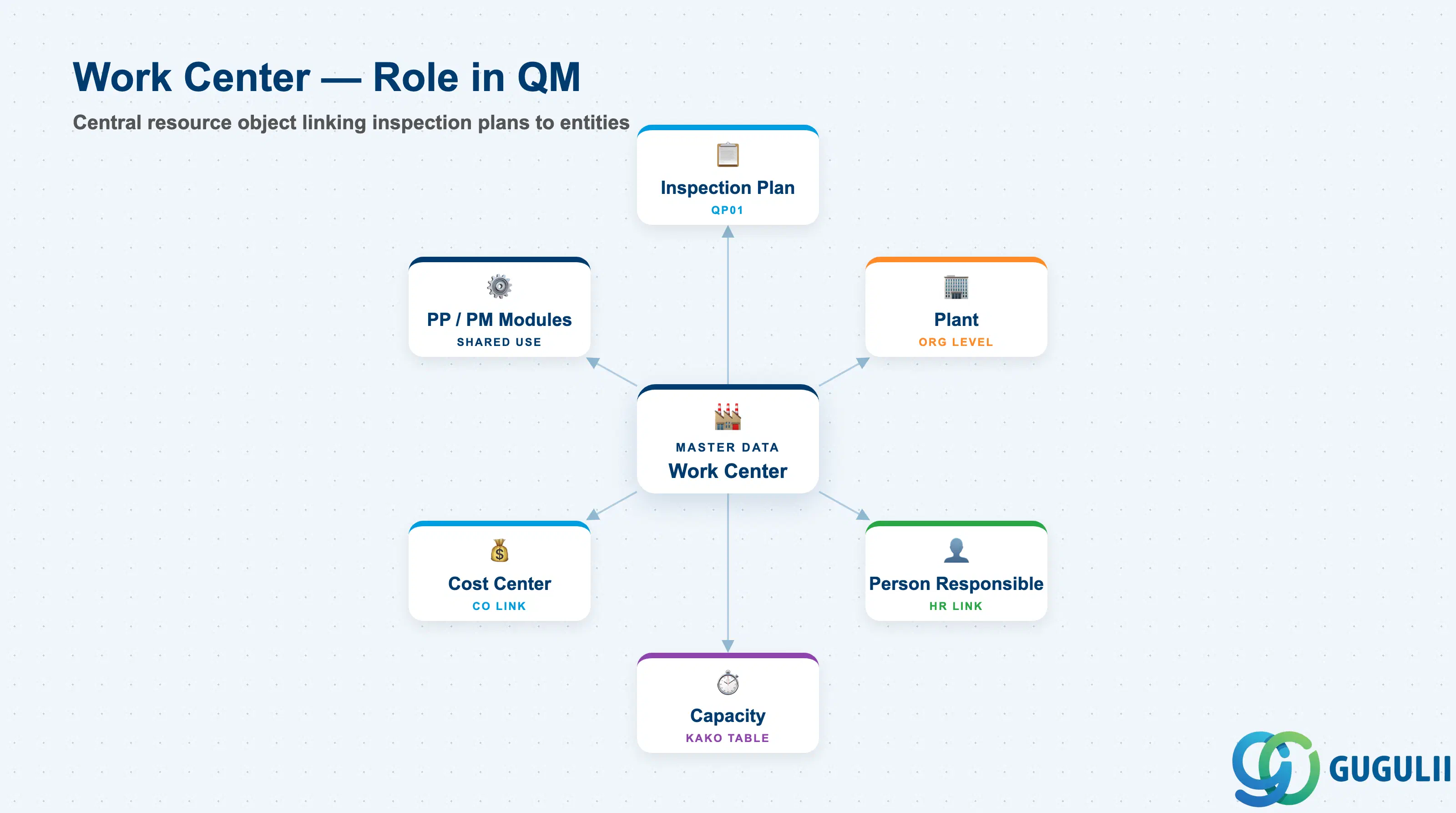
The Work Center is a cross-module master data record that represents a resource unit capable of performing work — production operations, maintenance tasks, or quality inspection activities. In the QM context, a Work Center defines the inspection resource: where the inspection is physically performed and which organizational unit is responsible. Every operation in an Inspection Plan must reference a Work Center, making this master data a prerequisite for inspection planning.
| Aspect | Details |
|---|---|
| Role | Defines the inspection location or resource group and links inspection operations to a plant-specific organizational entity |
| Modules using it | PP (production operations — primary owner), PM (maintenance operations), QM (inspection operations — uses shared object with QM-specific control key) |
| Transactions | CR01 (Create) / CR02 (Change) / CR03 (Display) / CR05 (Mass change) |
| Key Tables | CRHD (Work Center Header) / CRTX (Work Center Text) / KAKO (Capacity Header) / CRCO (Work Center — Cost Center assignment) |
| S/4HANA note | Work Center data model unchanged from ECC. The Fiori app “Manage Work Centers” (F3340) is available for plant-level maintenance. The control key for QM inspection operations (e.g., QM01) must be defined in QM Customizing. |
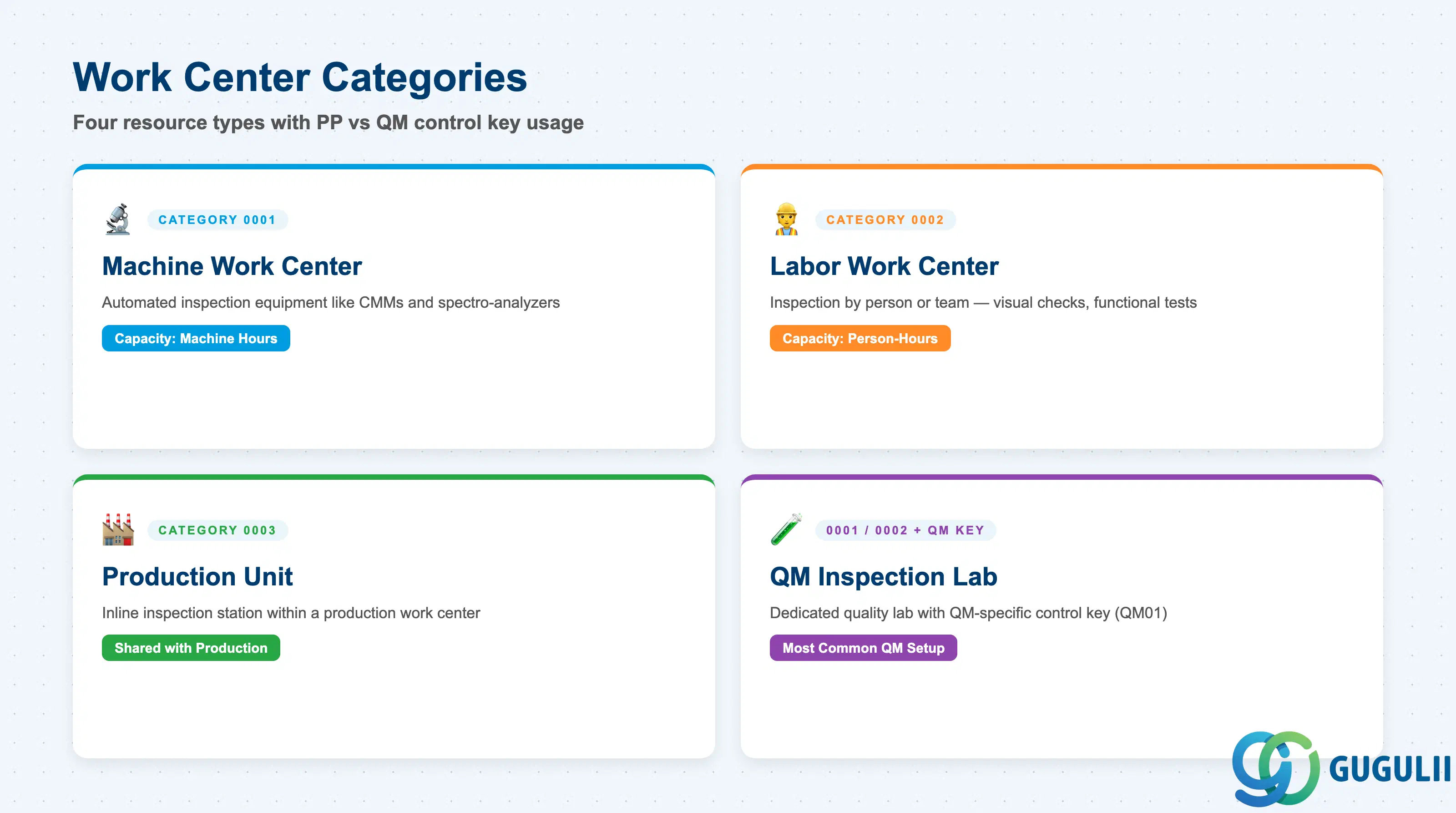
The Work Center category and control key together determine what types of operations the Work Center supports and how the system schedules, costs, and evaluates those operations. For QM, the control key is the critical configuration that enables or restricts inspection operation processing.
| Category | Code | Use Case | Key Behavior |
|---|---|---|---|
| Machine Work Center | 0001 | Automated inspection equipment (coordinate measuring machines, spectro-analyzers) | Capacity managed by machine hours. Scheduling accounts for equipment availability. |
| Labor Work Center | 0002 | Inspection performed by a person or team (visual inspection, functional test) | Capacity managed by person-hours. Links to the responsible HR organizational unit. |
| Production Unit | 0003 | Inline inspection stations within a production work center | Shares capacity with the production resource. Common for in-process inspection (inspection type 03). |
| QM Inspection Lab | 0001 or 0002 | Dedicated quality laboratory separate from production | Configured with a QM-specific control key (e.g., QM01). This is the most common Work Center setup for standalone QM inspection operations. |
Design principle: In a typical QM implementation, the QM team does not create new Work Center categories — it reuses the standard PP categories (machine or labor) and distinguishes QM Work Centers from PP Work Centers through the control key. Define at least one dedicated QM control key in Customizing before creating Work Centers for inspection use.
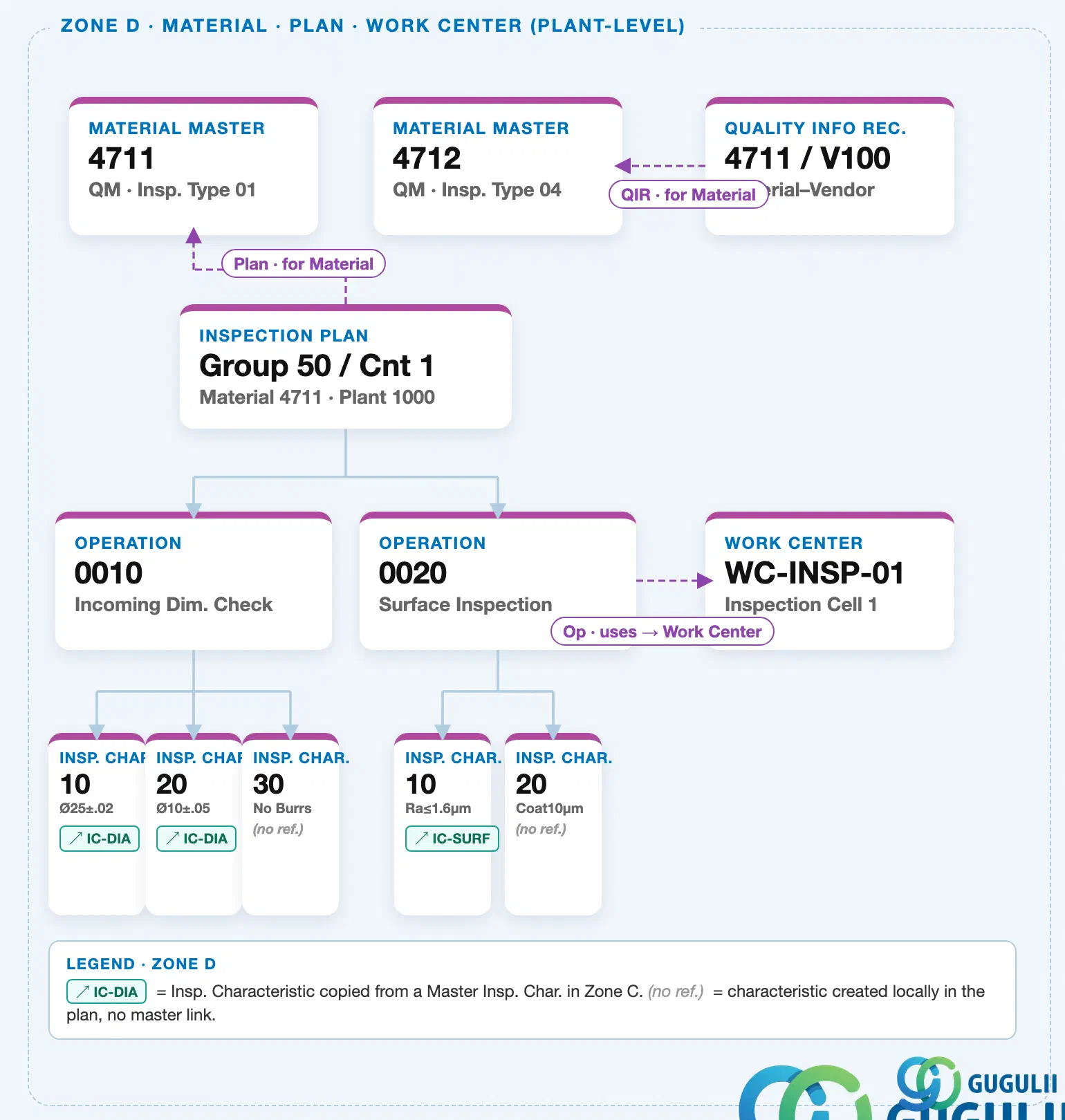
Work Center is plant-level — it is created once per plant and exists independently of any inspection plan. It sits alongside Material Master, Quality Info Record, and Inspection Plan as a sibling plant-level master. The link to an inspection plan is a reference, not containment: an Inspection Plan Operation points to the Work Center it uses, the Work Center does not belong to the plan.
Data hierarchy with a concrete example
Plant 1000
   │
   ├── Material Master "4711"              QM · Insp. Type 01
   ├── Work Center "WC-INSP-01"            Inspection Cell 1
   │      ↑
   │      └── referenced by ── Operation 0020   Surface Inspection
   │
   └── Inspection Plan "Group 50 / Cnt 1"   Material 4711
          │
          └── Operation 0020   Surface Inspection
                 ── uses ──> Work Center "WC-INSP-01"
Design principle: Model each physical inspection location (lab, test bench, inspection cell) as its own Work Center rather than reusing a single generic one across every operation. Distinct Work Centers let capacity planning and cost allocation reflect where inspection work actually happens.
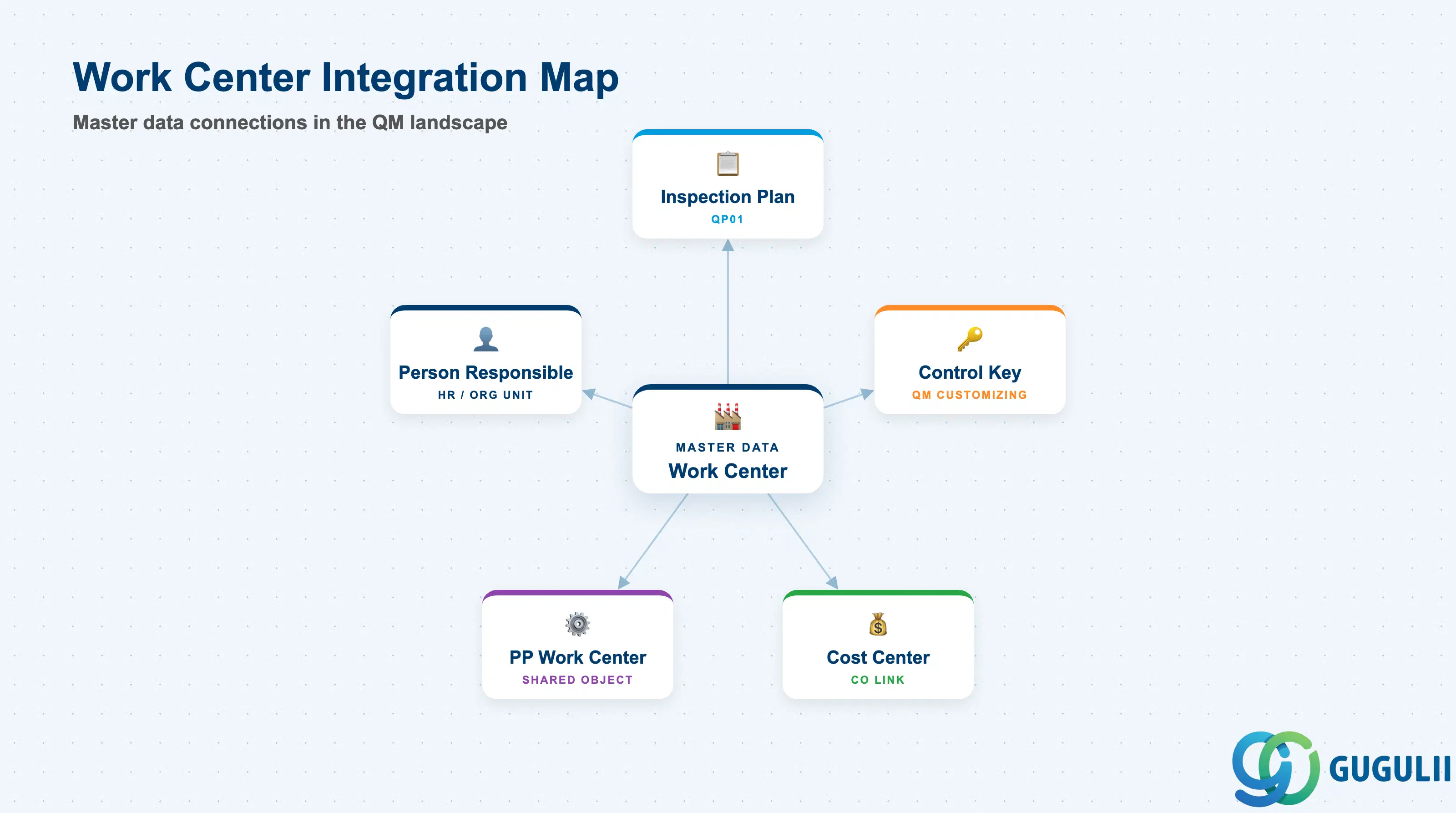
The Work Center does not stand alone in the QM master data landscape. It is a dependency for Inspection Plan creation and draws configuration from Customizing for its control key definition.
| Object | Relationship | Practical Notes |
|---|---|---|
| Inspection Plan (QP01) | Work Center is assigned to each inspection operation in the Inspection Plan | Without a Work Center assignment, the Inspection Plan operation is incomplete and will not be released. Every inspection task must be tied to a Work Center — this is the primary QM consumer of the Work Center master. |
| Control Key | Configured in QM Customizing; assigned to Work Center default values | The control key determines whether an operation is relevant for scheduling, costing, and confirmation. For QM, use a control key that does not require production order confirmation (PP confirmation is not applicable to inspection operations). |
| Cost Center (CO) | Assigned in the Work Center costing tab | Required when inspection labor or machine costs are allocated to a cost center. The cost center must belong to the same controlling area as the plant. Confirm with the CO team during blueprint whether inspection costs are tracked separately or pooled with production. |
| PP Work Center | QM inspection lab Work Centers often co-exist with PP Work Centers in the same plant | In plants with integrated production-quality setups (in-process inspection type 03), the same Work Center may serve both PP operation confirmation and QM inspection. Confirm the usage key covers both PP and QM usage in such cases. |
| Person Responsible | HR or organizational unit assigned as responsible person | The Person Responsible field links the Work Center to an HR position or employee. Used in inspection planning to identify the inspection team owner. Also visible in notification workflows if the Work Center is referenced in a Quality Notification. |
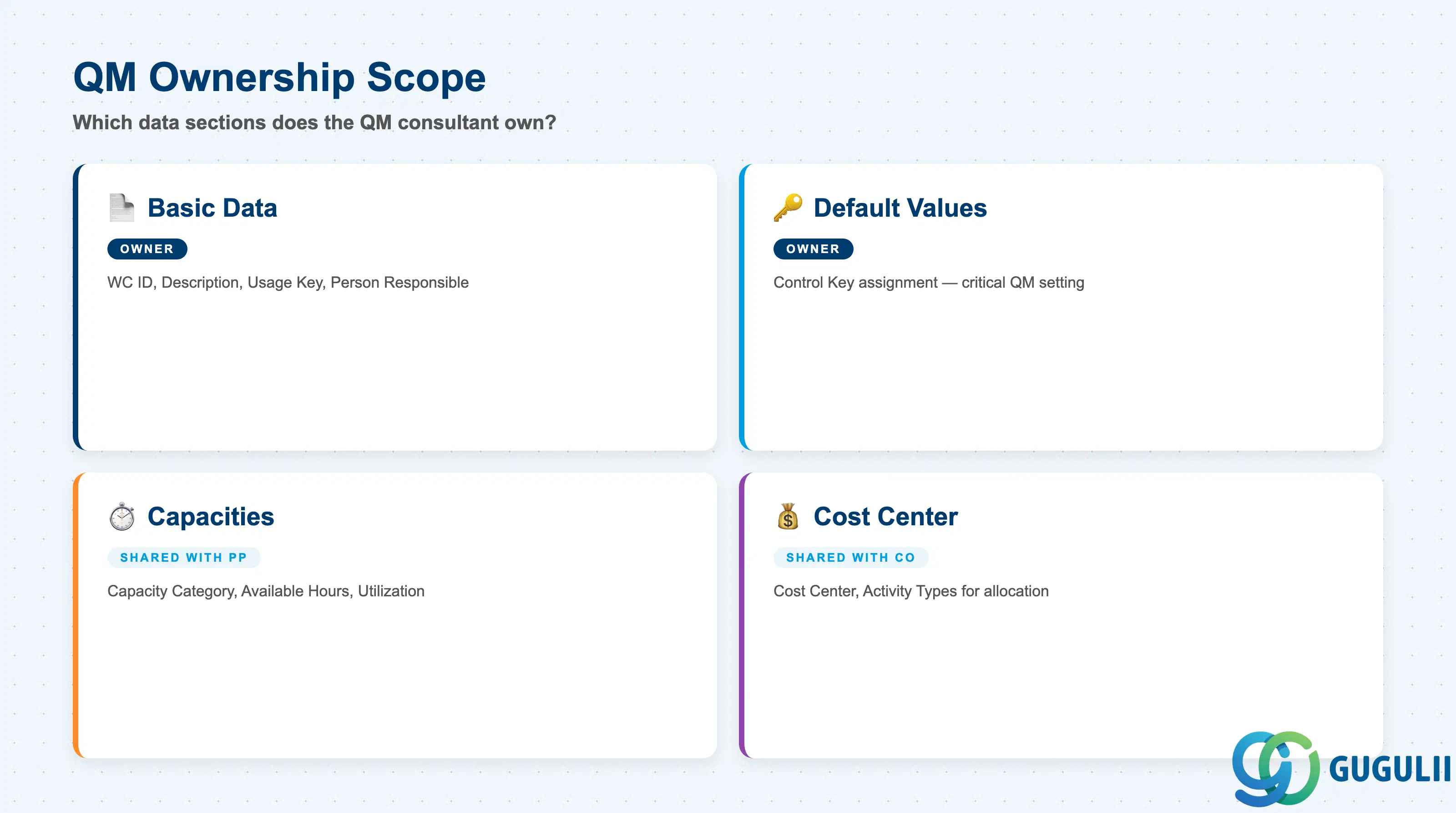
| Data Section | QM Involvement | Notes |
|---|---|---|
| Basic Data | ◎ Owner | Work Center ID, description, usage key, responsible person |
| Default Values | ◎ Owner | Control key assignment — the critical QM-specific setting |
| Capacities | ○ Shared with PP | Capacity category, available hours, utilization percentage |
| Cost Center Assignment | ○ Shared with CO | Cost center, activity types for cost allocation |
Legend: ◎ = Owner / Critical, ○ = Direct involvement
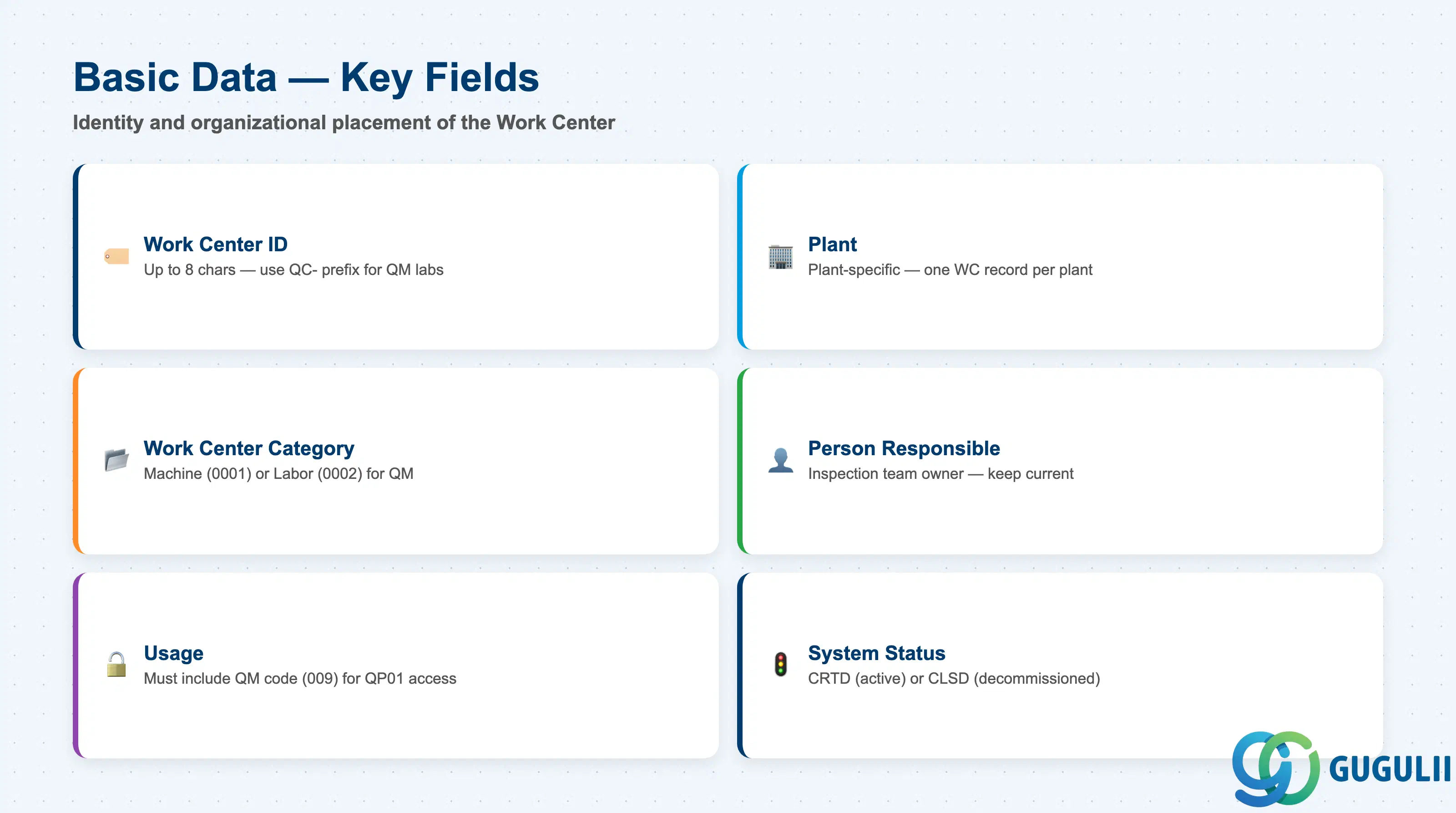
Basic Data defines the identity and organizational placement of the Work Center. These fields determine whether the Work Center is visible and selectable in QM inspection planning transactions.
| Field | Description | Practical Usage |
|---|---|---|
| Work Center | Work Center identifier (up to 8 characters) | The key used to reference the Work Center in Inspection Plans and capacity evaluations. Establish a naming convention during blueprint — a common pattern for QM labs is a prefix such as “QC-” (e.g., QC-LAB01, QC-LINE1) to distinguish inspection Work Centers from PP production Work Centers in the same plant. |
| Plant | Plant to which the Work Center belongs | The Work Center is plant-specific. For global projects with multiple plants, each plant requires its own Work Center records even if the inspection lab layout is identical. Consider a template-and-copy strategy to reduce initial setup effort. |
| Work Center Category | Determines the type of resource (machine, labor, etc.) | Drives available capacity categories and costing parameters. For a human inspection team, use the labor category (typically 0002). For automated inspection equipment, use the machine category (typically 0001). Confirm category codes in Customizing before creation. |
| Person Responsible | Name or employee number of the Work Center owner | Identifies the individual or team responsible for the inspection resource. Referenced in reporting and used as a contact in quality notification routing. Keep current — outdated responsible persons cause confusion during audit trails and change management reviews. |
| Usage | Controls which transaction types can reference this Work Center | Must include the QM operations usage code (standard: 009 or module-specific key in Customizing). Without the correct usage key, the Work Center will not appear in search help within QP01 Inspection Plan. Also confirm that the usage does NOT inadvertently exclude PP if the Work Center is shared. |
| System Status | CRTD (Created) / CLSD (Closed) | A closed Work Center cannot be selected in new Inspection Plans. Set status to CLSD when decommissioning inspection labs to prevent further planning against a resource that no longer exists. Do not delete the Work Center — historical inspection lots retain the reference. |
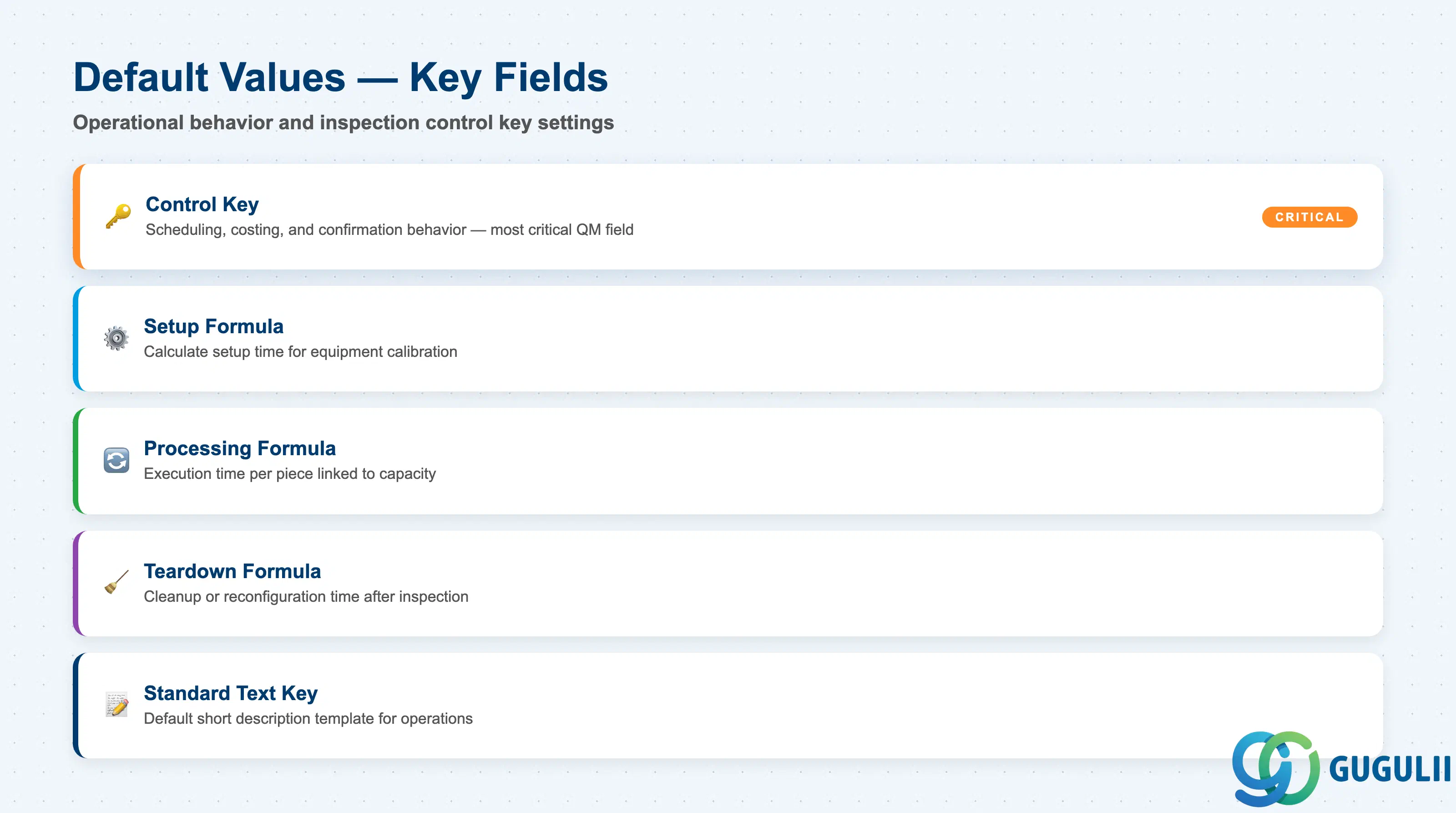
Default Values define the operational behavior of the Work Center — most importantly, the control key that governs how inspection operations are processed. These defaults are inherited by Inspection Plan operations that reference this Work Center and can be overridden at the operation level if needed.
| Field | Description | Practical Usage |
|---|---|---|
| Control Key | Determines scheduling, costing, and confirmation behavior for operations using this Work Center | This is the most critical QM-specific field on the Work Center. For inspection use, select a control key that: (1) does not require production order confirmation, (2) does not generate a goods receipt, and (3) is relevant for inspection scheduling if lead time calculation is needed. Standard QM control keys include QM01 (manual inspection) and QM02 (automated inspection) — confirm availability in your Customizing. A mismatch between the control key and the inspection process design is one of the most common root causes of Inspection Plan release failures during go-live testing. |
| Setup Formula | Formula for calculating setup time capacity requirements | Used when inspection operations include a setup phase (e.g., calibrating equipment before a measurement run). If setup time is negligible or not tracked, leave blank. The formula references standard value keys and is evaluated during capacity planning. |
| Processing Formula | Formula for calculating operation execution time | Links the standard values defined at the operation level (execution time per piece, lot) to the Work Center’s capacity. Required if the project tracks inspection throughput capacity. For simple QM implementations without detailed capacity planning, a fixed formula (SAP_01 or equivalent) is sufficient. |
| Teardown Formula | Formula for calculating teardown time | Applicable for inspection operations requiring cleanup or reconfiguration after completion (e.g., cleaning laboratory equipment between batches). Often left blank in QM unless capacity planning requires teardown tracking. |
| Standard Text Key | Default text template for operation short texts | Provides a default short description template for operations assigned to this Work Center in Inspection Plans. Useful for standardizing operation descriptions across plans — reduces free-text entry errors. |
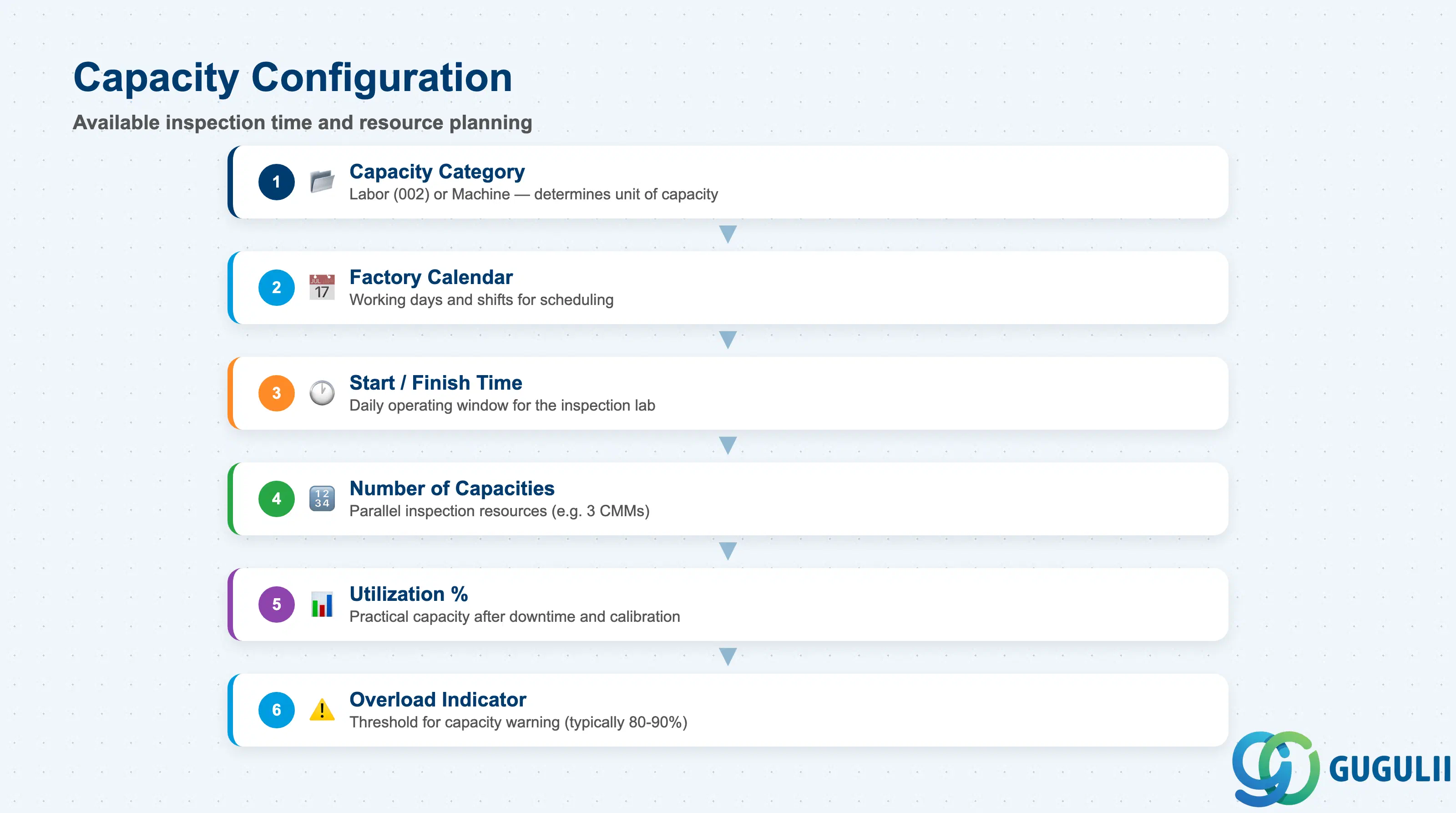
The Capacities tab defines the available inspection time for the Work Center. Capacity data is used in inspection scheduling and workload leveling. For many QM implementations, capacity management at the Work Center level is informational rather than constraining — confirm with the project whether inspection capacity is actively planned or treated as unlimited.
| Field | Description | Practical Usage |
|---|---|---|
| Capacity Category | Type of capacity resource (labor, machine) | Determines the unit of capacity (hours, days). For inspection labs, capacity category 002 (labor) is typical. The category must exist in Customizing before it can be assigned to the Work Center. |
| Factory Calendar | Calendar governing working days and shifts | Links the Work Center to the plant calendar. Inspection scheduling uses this calendar to calculate available inspection time. Ensure the factory calendar correctly reflects the inspection lab’s operating hours — a mismatch causes scheduling errors where inspection operations are planned on non-working days. |
| Start Time / Finish Time | Daily operating window for the inspection resource | Defines the inspection lab’s shift hours. Used in finite scheduling to determine within-day start and end boundaries. For labs operating in multiple shifts, model each shift as a separate interval or use the relevant shift sequence. |
| Number of Capacities | Count of parallel inspection resources | The number of identical, parallel capacity units (e.g., 3 coordinate measuring machines, 5 inspectors). MRP and capacity planning use this multiplier to calculate total available inspection capacity. Increasing this value scales capacity without requiring separate Work Center records per resource unit. |
| Utilization | Available capacity percentage | Percentage of the theoretical capacity that is practically available after accounting for planned downtime, calibration, and administrative overhead. A utilization of 80% on a 8-hour shift effectively gives 6.4 available inspection hours. Conservative utilization values reduce the risk of inspection backlogs during peak production periods. |
| Overload Indicator | Percentage trigger for overload warning | When a planned inspection workload exceeds this percentage of available capacity, the system raises an overload warning in capacity planning reports. Set to a value that gives the QM team a meaningful early warning lead time — typically 80–90% of available capacity. |
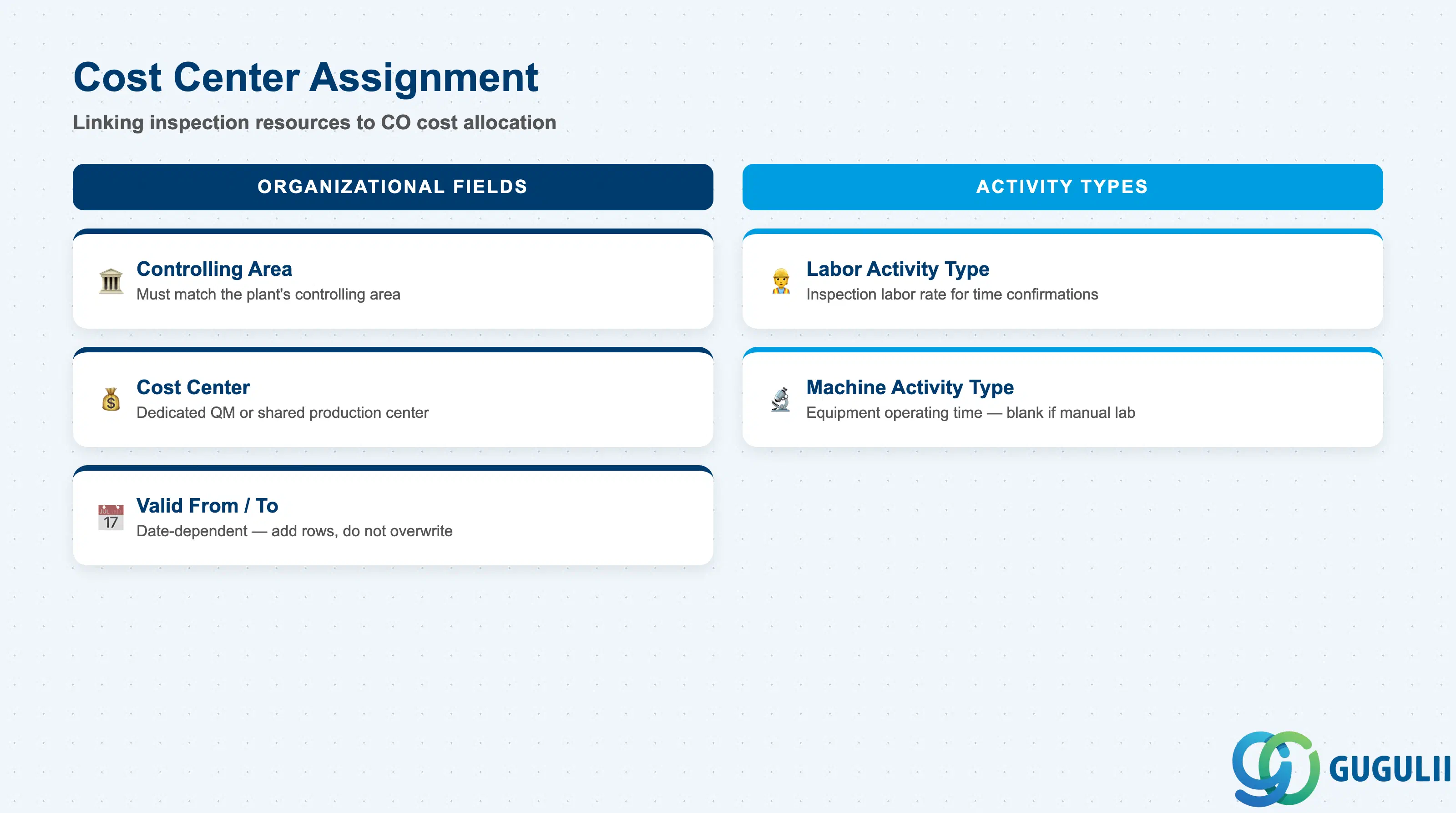
The Cost Center Assignment tab links inspection resource consumption to the Controlling module for cost allocation. This section is configured jointly with the CO team and is required only when inspection labor or equipment costs must be tracked at cost center level.
| Field | Description | Practical Usage |
|---|---|---|
| Controlling Area | CO area to which the cost center belongs | Must match the controlling area of the plant. For projects with a single controlling area, this is set once and is consistent across all Work Centers. In multi-controlling-area landscapes (e.g., international group companies), each plant’s Work Centers must reference the correct controlling area. |
| Cost Center | CO cost center for inspection cost allocation | Identifies which cost center absorbs inspection labor or machine costs when activity confirmations are posted. Common choices are a dedicated QM cost center (e.g., for a central quality lab) or a shared production cost center (for inline inspection). Define the cost center assignment policy with the CO team during blueprint — changes after go-live affect cost reporting comparability. |
| Activity Type (Labor) | CO activity type for labor time confirmations | The activity type represents the inspection labor rate. When an inspector confirms time against an inspection operation, the system posts the labor cost using this activity type and the planned rate defined in CO. Required for projects where inspection labor costs are allocated from the Work Center to production orders or quality cost centers. |
| Activity Type (Machine) | CO activity type for machine time confirmations | Used for automated inspection equipment where machine operating time is tracked and costed. For manual inspection labs without machine costing, this field can be left blank. |
| Valid From / To | Date range for cost center assignment | The cost center assignment is date-dependent. At fiscal year start, the assignment is rolled forward automatically if unchanged. If a cost center reorganization occurs mid-year, add a new date-valid row rather than overwriting the existing assignment — this preserves cost allocation history. |
| ID | Category | Title |
|---|---|---|
| qm-001 | Overview | What is SAP QM? |
| ID | Category | Title |
|---|---|---|
| qm-a01 | Overview | SAP QM Master Data: Overview, Hierarchy & Relationships |
| qm-a02-01 | Master Data | SAP QM Catalog |
| qm-a02-02 | Master Data | SAP QM Master Inspection Characteristic |
| qm-a02-03 | Master Data | SAP QM Inspection Method |
| qm-a03-01 | Master Data | SAP QM Sampling Procedure |
| qm-a03-02 | Master Data | SAP QM Dynamic Modification Rule |
| qm-a05-01 | Master Data | SAP QM Material Master |
| qm-a04-01 | Master Data | SAP QM Work Center 📍 |
| qm-a04-02 | Master Data | SAP QM Inspection Plan |
| qm-a05-02 | Master Data | SAP QM Quality Info Record |
| ID | Category | Title |
|---|---|---|
| qm-b01 | Overview | SAP QM Transactions: Process Flow, Hierarchy & Relationships |