Title here
Summary here

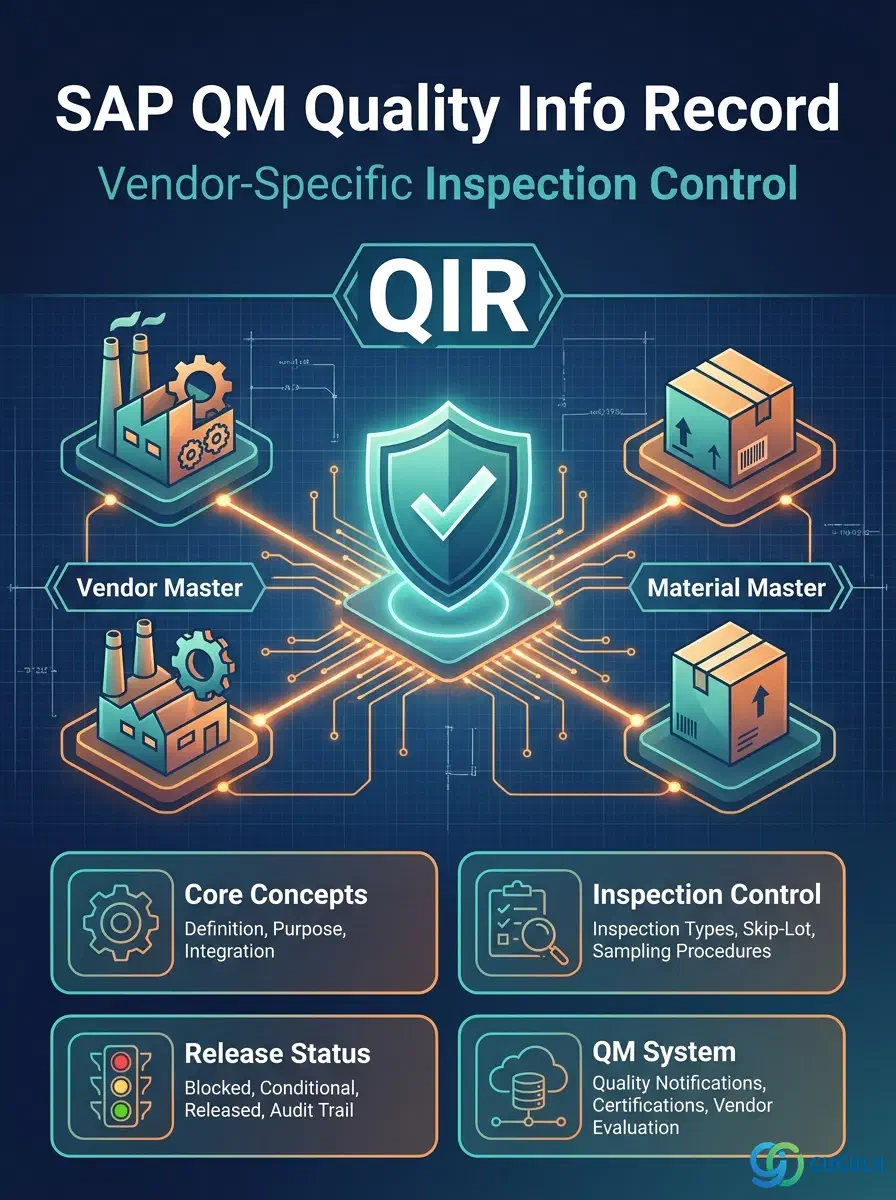
The Quality Info Record (QIR) is the master data object that defines vendor-specific inspection control for a Material-Vendor combination in SAP Quality Management. It sits at the intersection of the Material Master (QM View) and the Vendor Master, allowing procurement quality teams to activate or skip incoming inspection, manage vendor release status, and record QM system certifications on a per-vendor basis. This article covers the QIR’s types, organizational scope, integration with the broader QM master data flow, and a field-by-field breakdown of everything the QM consultant configures.
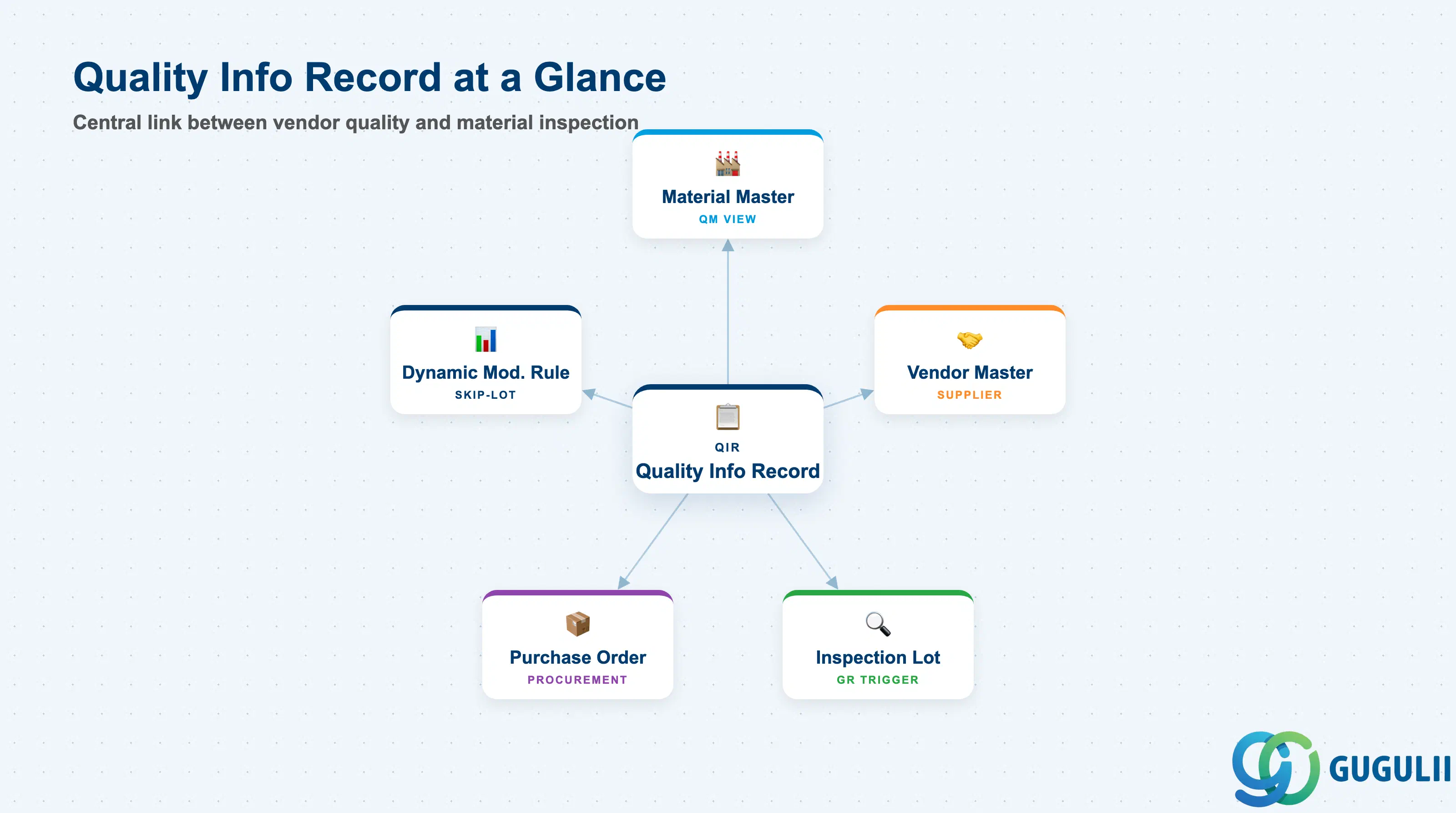
The Quality Info Record is a purchasing-quality master data record that stores the inspection control settings for a specific Vendor × Material combination. While the Material Master (QM View) determines whether a material type undergoes inspection at all, the QIR provides the per-vendor override layer — enabling the same material to be inspected when sourced from one vendor but released from inspection when sourced from a certified, trusted vendor.
| Aspect | Details |
|---|---|
| Role | Stores vendor-material-specific inspection control: inspection activation, vendor release status, QM system certification, and skip-lot settings |
| Modules using it | QM (primary owner — incoming inspection control), MM (Purchasing — procurement triggers inspection lots from PO GR), FI (blocked payments on quality-hold stock indirectly linked) |
| Transactions | QI01 (Create) / QI02 (Change) / QI03 (Display) / QI07 (Change release status) / MIQS (mass maintenance in S/4HANA) |
| Key Tables | QINF (Quality Info Record header) / QINFK (Quality Info Record status history) |
| S/4HANA note | QIR data model is unchanged from ECC. The Fiori app “Manage Quality Info Records” (F2680) provides an improved maintenance UI. Vendor release status management is supported via the same Fiori app. |
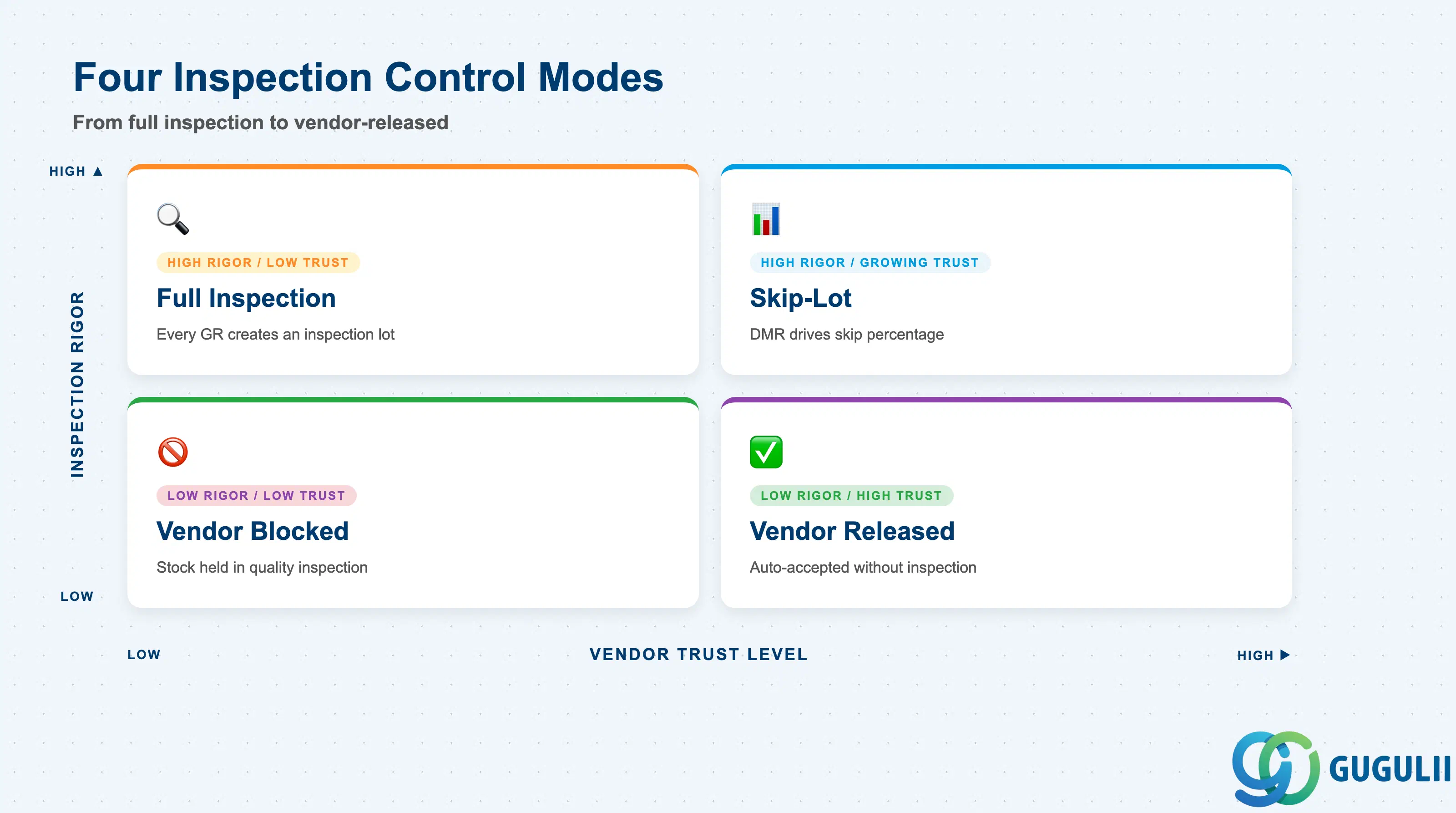
The QIR can express four distinct inspection postures for a Vendor × Material combination. Choosing the wrong setting causes missed incoming inspections or unnecessary quality holds that delay procurement.
| Control Mode | QIR Setting | Use Case | Key Behavior |
|---|---|---|---|
| Full Inspection Required | Inspection active, no skip | New vendor or vendor with quality issues | Every GR from this vendor for this material creates an inspection lot. Stock is posted to quality inspection stock until a usage decision is made. |
| Skip-Lot Inspection | Skip-lot procedure assigned | Established vendor with strong track record | A percentage of deliveries skip inspection per the Dynamic Modification Rule. Non-skipped lots follow the normal inspection flow. |
| Vendor Released (Inspection-Free) | Release status = Released | Certified or pre-approved vendor | Incoming inspection lot is created but immediately auto-released (usage decision = Accepted) without physical inspection. Typically used after qualification. |
| Vendor Blocked | Status = Blocked | Vendor with open quality issues or active quality complaint | Goods receipt may still proceed, but QM block prevents unrestricted use — stock remains in quality inspection stock until manually released. Can also block procurement directly via vendor purchasing block. |
Design principle: The QIR is optional master data. If no QIR exists for a Vendor × Material combination, the system falls back to the inspection type settings in the Material Master (QM View). Create QIRs only where vendor-specific deviation from the default inspection behavior is needed.
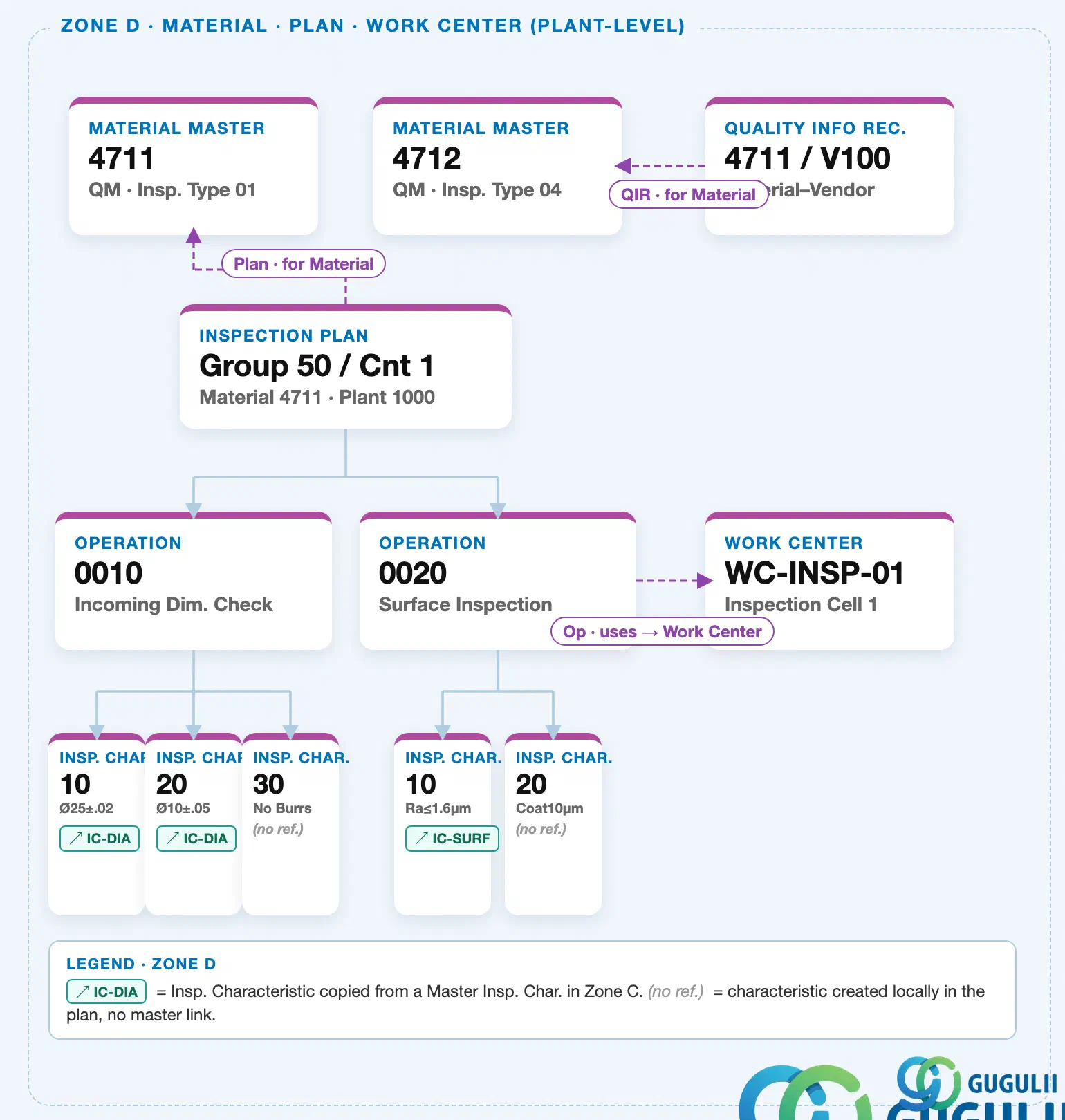
Quality Info Record is plant-level, keyed by the Material–Vendor combination. It sits alongside Material Master, Inspection Plan, and Work Center as an independent plant-level master — it references a Material, it does not sit underneath one.
Data hierarchy with a concrete example
Plant 1000
   │
   ├── Material Master "4711"              QM · Insp. Type 01
   ├── Material Master "4712"              QM · Insp. Type 04
   │      ↑
   │      └── referenced by ── Quality Info Record "4711 / V100"   Material–Vendor
   │
   └── Inspection Plan "Group 50 / Cnt 1"   Material 4711
Design principle: Maintain one Quality Info Record per Material–Vendor combination that actually needs a non-default inspection control setting. Do not create records purely for documentation — an absent record simply falls back to the standard inspection type on the Material Master, so only exceptions (mandatory inspection, skip inspection) need an explicit record.
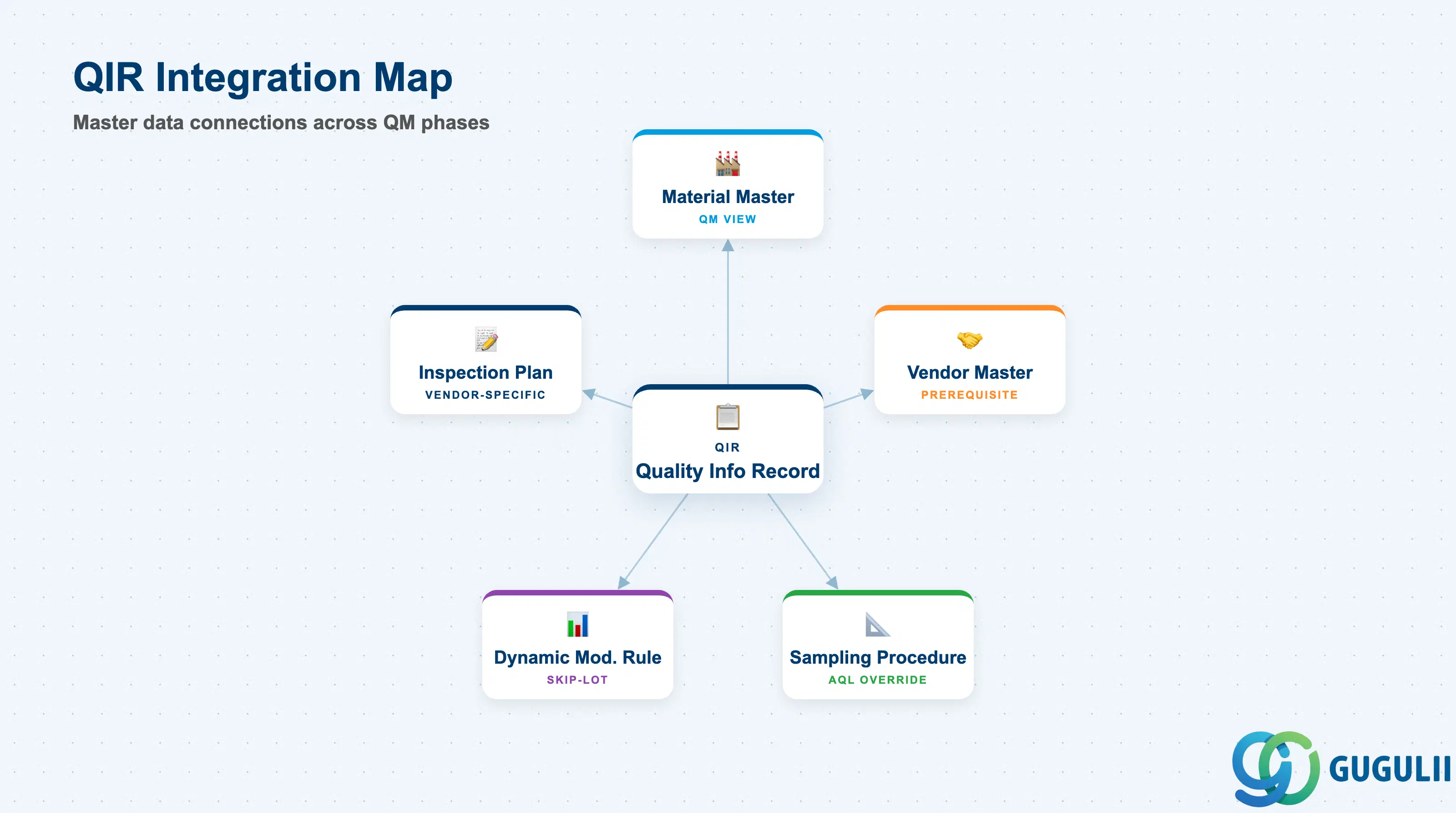
The Quality Info Record sits at the end of the QM master data setup flow and integrates with the full Phase 1–3 master data chain.
| Object | Relationship | Practical Notes |
|---|---|---|
| Material Master (QM View) | QIR references the material (MATNR); QM View defines which inspection types are active | QM View sets the default inspection behavior for all vendors. QIR overrides or refines that default for a specific vendor. If no QIR exists, the QM View settings apply unconditionally. |
| Vendor Master | QIR references the vendor (LIFNR) | Vendor Master holds payment and communication data. QIR holds the quality relationship: release status, QM system certification, and inspection exemption. Both must exist before a QIR can be created. |
| Inspection Plan (QP01) | QIR can reference an inspection plan for vendor-specific inspection planning | When a vendor-specific inspection plan is assigned in the QIR, it overrides the general inspection plan from the Material Master during inspection lot creation for PO GRs. |
| Dynamic Modification Rule | QIR references the Dynamic Modification Rule for skip-lot control | The Dynamic Modification Rule (QDR1/QDR2/QDR3) drives the skip-lot logic. Without this assignment in the QIR, skip-lot inspection is not active for the vendor-material pair. |
| Sampling Procedure | QIR can reference a vendor-specific sampling procedure | Overrides the sampling procedure defined in the Inspection Plan for this vendor. Useful when a specific vendor requires a different AQL level or sampling type. |
| Inspection Lot | QIR inspection control determines whether an inspection lot is created, skipped, or auto-released at GR | At goods receipt against a Purchase Order, the system checks the QIR (if it exists) before the Material Master to determine inspection lot creation logic. |
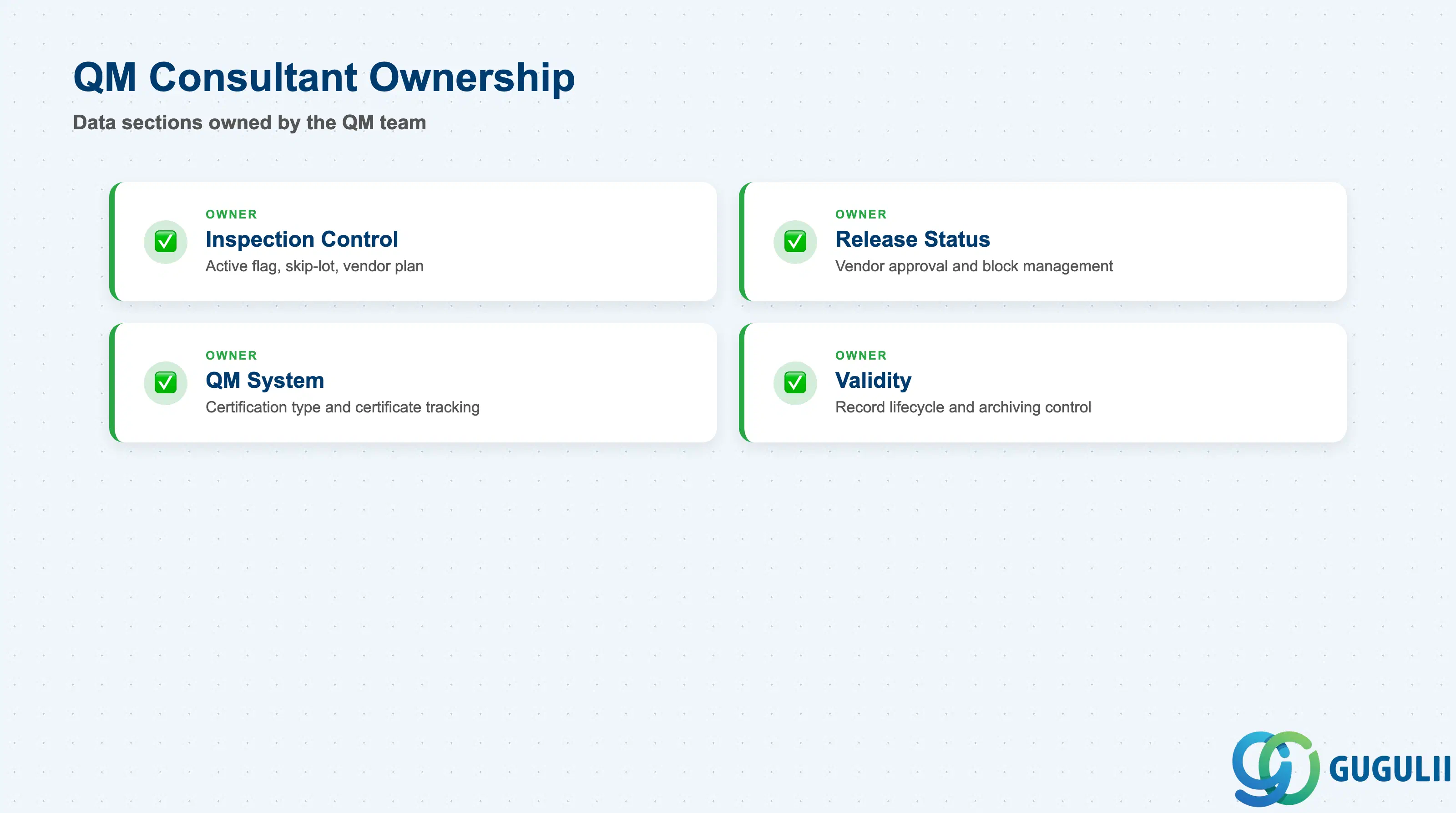
| Data Section | QM Involvement | Notes |
|---|---|---|
| Inspection Control | ◎ Owner | Inspection active flag, skip-lot settings, inspection-free delivery flag, vendor-specific plan |
| Release Status | ◎ Owner | Vendor release status, release date, block management, long-term supplier flag |
| QM System | ◎ Owner | Vendor QM system certification type, certificate number, certificate expiry date |
| Validity | ◎ Owner | Valid-from / valid-to dates, deletion flag for the QIR record |
Legend: ◎ = Owner / Critical, ○ = Direct involvement
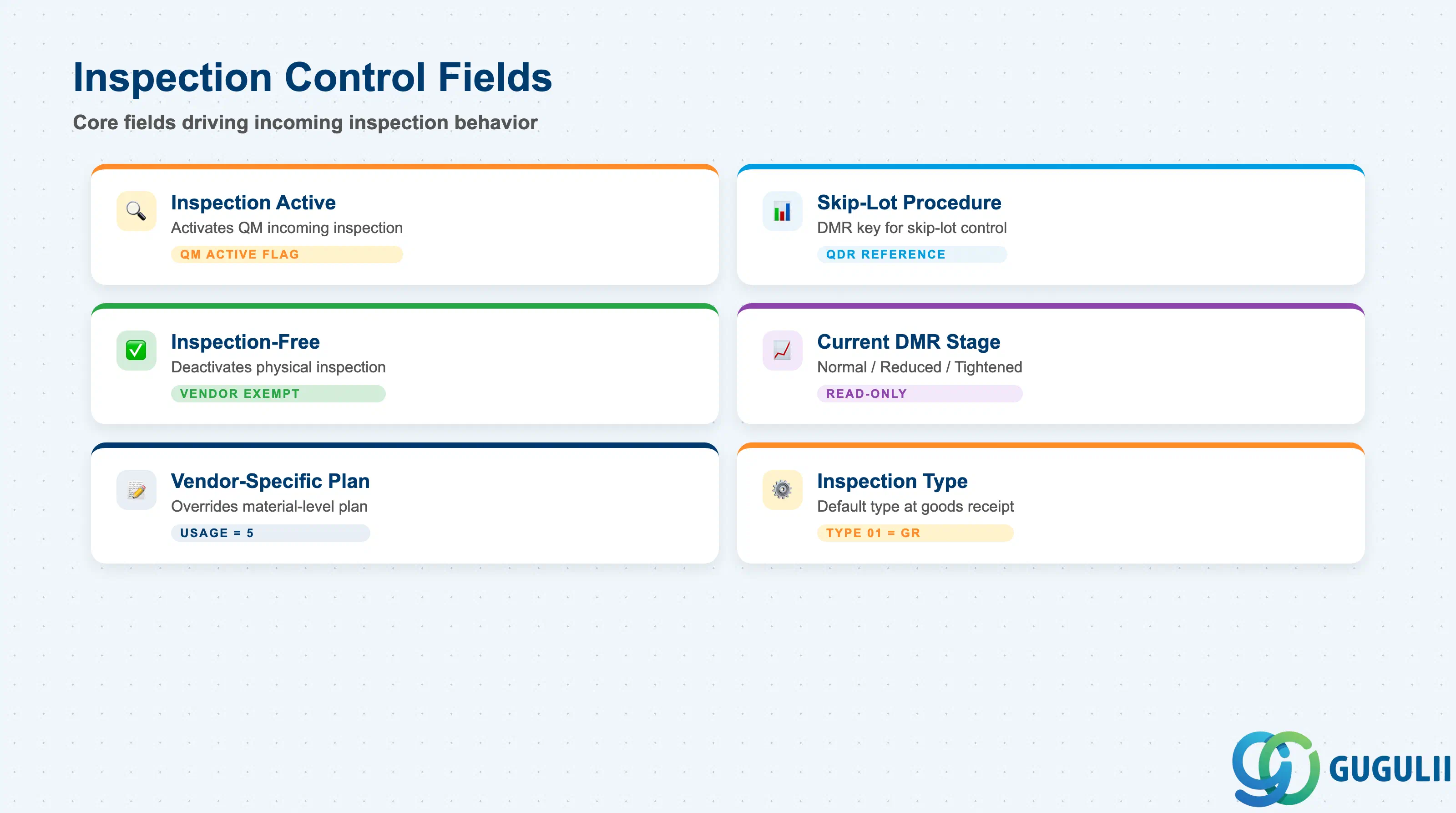
Inspection Control is the operational core of the QIR. These fields determine the default inspection behavior for every goods receipt from this vendor for this material.
| Field | Description | Practical Usage |
|---|---|---|
| Inspection Active (QM Active) | Flag that activates QM-based incoming inspection for this Vendor × Material | When checked, incoming inspection is active for all GRs from this vendor for this material — regardless of whether the Material Master QM View would otherwise allow skipping. For new vendor qualifications, this is the first field to set when commencing incoming inspection trials. |
| Inspection-Free Delivery | Flag that deactivates physical inspection for this vendor-material pair | Granting inspection-free delivery to a vendor is a significant quality decision. It should be preceded by a formal vendor qualification process and approved by the QM lead. The system still creates an inspection lot, but the usage decision is auto-posted as Accepted (code 0001 or equivalent) without physical inspection. |
| Skip-Lot Procedure | Reference to the Dynamic Modification Rule (QDR key) | Activates skip-lot inspection based on the vendor’s historical quality performance. The Dynamic Modification Rule defines the stage transitions (normal → reduced → tightened). Without this assignment, all deliveries undergo full inspection. Confirm the DMR key with the QM team during blueprint — using a shared cross-vendor DMR is common but can cause unintended stage resets when one vendor’s bad lot affects another. |
| Current DMR Stage | Display field showing the current inspection stage (Normal / Reduced / Tightened) | Read-only in QI03. Useful in daily QM operations to confirm whether a vendor is in a reduced-inspection stage before raising a quality concern. When a quality notification is raised against this vendor, the stage may automatically revert to Normal or Tightened depending on the DMR configuration. |
| Vendor-Specific Inspection Plan | Optional inspection plan override for this vendor | When the standard inspection plan from the Material Master is insufficient for a specific vendor (different test equipment, stricter AQL, additional characteristics), assign a vendor-specific plan here. It takes precedence over the material-level plan during inspection lot creation for PO GRs only. Ensure the plan has Usage = 5 and Status = Released. |
| Inspection Type | Default inspection type activated for this vendor (e.g., 01 = GR inspection from PO) | Confirms which inspection type fires at GR. Type 01 (incoming inspection from PO) is the standard for procurement. If multiple inspection types are active in the Material Master, specifying the type in the QIR pins the correct type for this vendor and prevents ambiguity. |
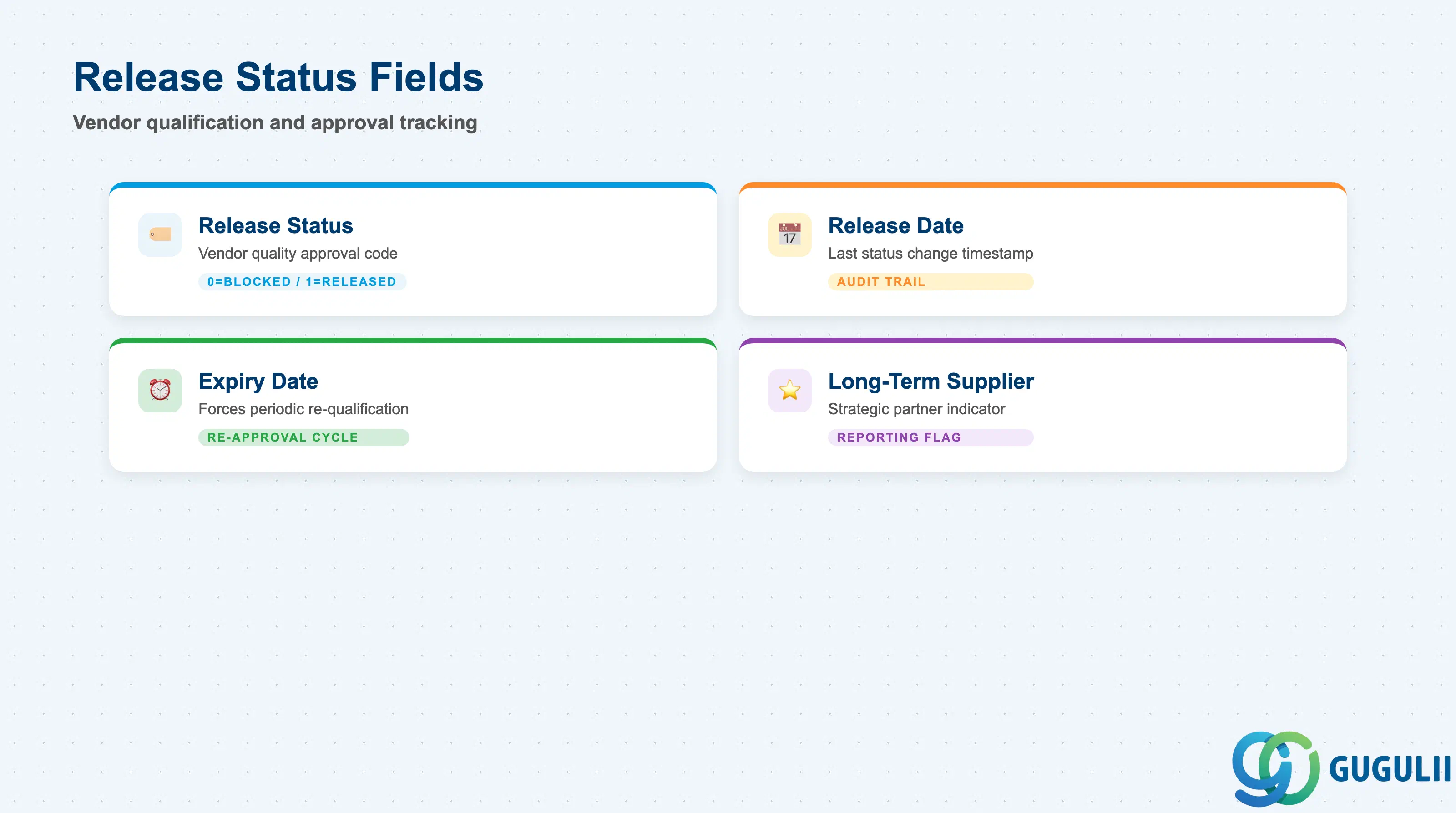
Release Status manages the formal quality approval state of the vendor for this material. It is the primary field used in vendor qualification programs and quality audits.
| Field | Description | Practical Usage |
|---|---|---|
| Release Status | Coded status of the vendor-material quality relationship | Common values: Blank = not set (system default); 0 = Blocked; 1 = Released; 4 = Restricted. The exact code set is configurable in Customizing (QM → Quality Inspection → Inspection Lot Creation → Define Release Status). Align the code design with the vendor qualification workflow during blueprint — status codes are often mapped to formal qualification stages (Trial, Qualified, Certified, Suspended). |
| Release Date | Date the current release status was last set | Stamped automatically when the status is changed via QI02 or QI07. Provides an audit trail for quality governance — auditors commonly check this field against qualification records during ISO 9001 or IATF 16949 audits. |
| Expiry Date (Valid To) | Date after which the release status expires | Setting an expiry date forces periodic re-qualification. When the date passes, the vendor’s release status automatically becomes invalid and incoming inspection resumes. Critical for industries with mandatory supplier re-approval cycles (automotive, pharma, food). Leave blank only when re-qualification is managed entirely outside SAP. |
| Long-Term Supplier | Indicator for long-term qualified supplier | Informational flag used in reporting and vendor scorecards. Does not drive system logic but is commonly used in spend analysis and strategic sourcing reviews to distinguish qualified long-term partners from spot-buy vendors. |
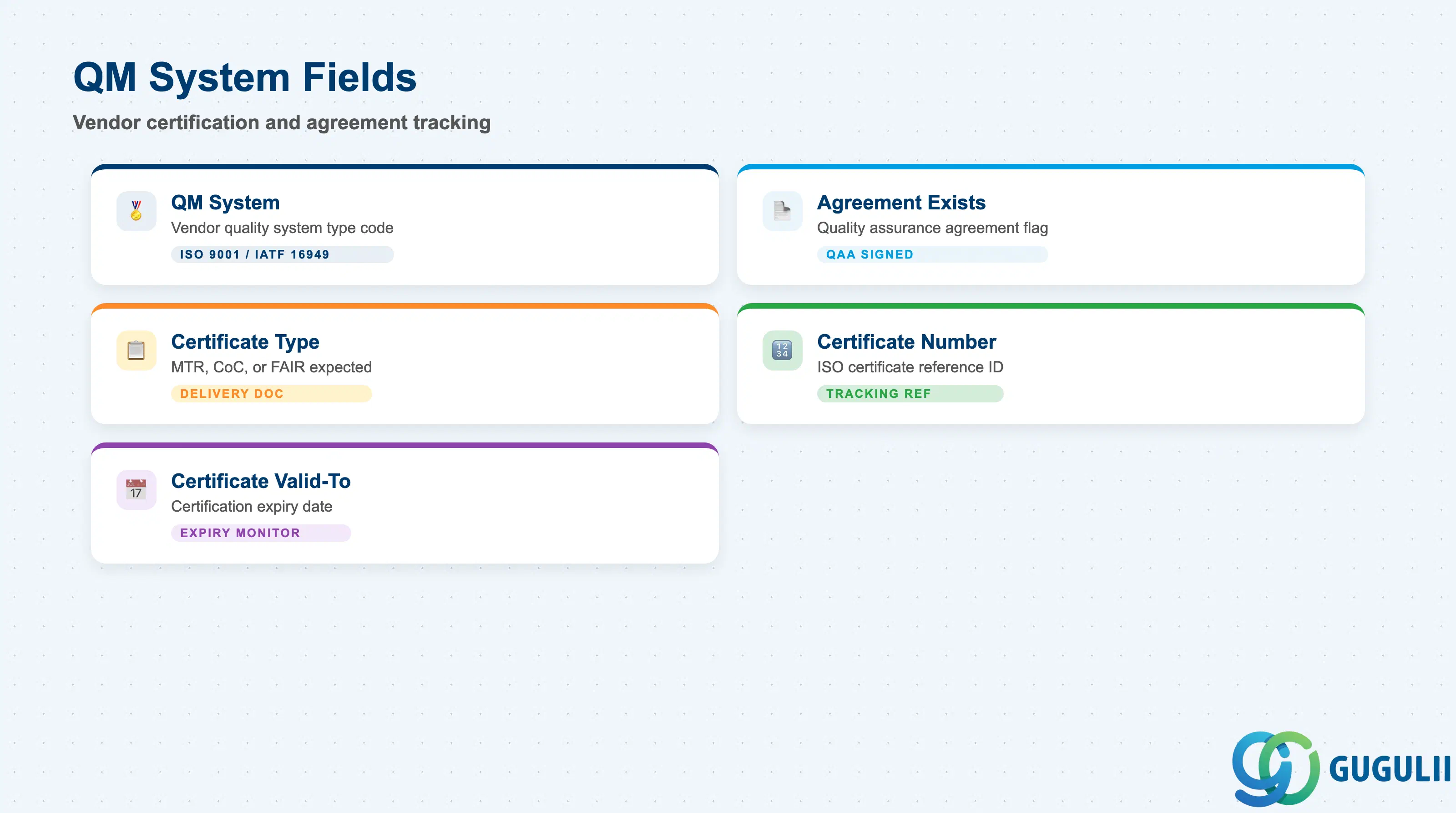
The QM System section records the vendor’s own quality management system certification — ISO 9001, IATF 16949, or similar. This data supports supplier qualification programs and regulatory compliance documentation.
| Field | Description | Practical Usage |
|---|---|---|
| QM System | Type code of the vendor’s quality management system | Customizable code in Customizing (e.g., 01 = ISO 9001, 02 = IATF 16949, 03 = AS9100, 04 = ISO 13485). Ensure the code table is aligned with the procurement quality team’s vendor evaluation criteria before go-live. Vendors without a recognized QM system typically require more frequent incoming inspection. |
| Agreement Exists | Flag indicating a quality agreement is in place with this vendor | When checked, it signals that a formal quality assurance agreement (QAA) has been signed with the vendor. This is an informational flag — the actual agreement document is managed outside SAP (e.g., in a document management system or procurement contract). Used in quality audits to confirm QAA coverage across the supply base. |
| Certificate Type | Type of quality certificate provided by the vendor | Common examples: Material Test Report (MTR), Certificate of Conformance (CoC), First Article Inspection Report (FAIR). Defines what certificate the vendor is expected to provide with each delivery. Can be used to trigger a QM certificate check during GR processing. |
| Certificate Number | Reference number of the vendor’s quality system certificate | Stores the ISO or industry certification number (e.g., ISO 9001 certificate reference). Update when the certificate is renewed. Pairing this with the Certificate Valid-To date enables automated expiry reporting. |
| Certificate Valid-To | Expiry date of the vendor’s quality system certificate | When this date passes, the vendor’s certification is expired. Typically monitored via a custom report or QM notification workflow to prompt re-certification follow-up. In regulated industries (medical devices, aerospace), expired certification may trigger automatic procurement hold. |
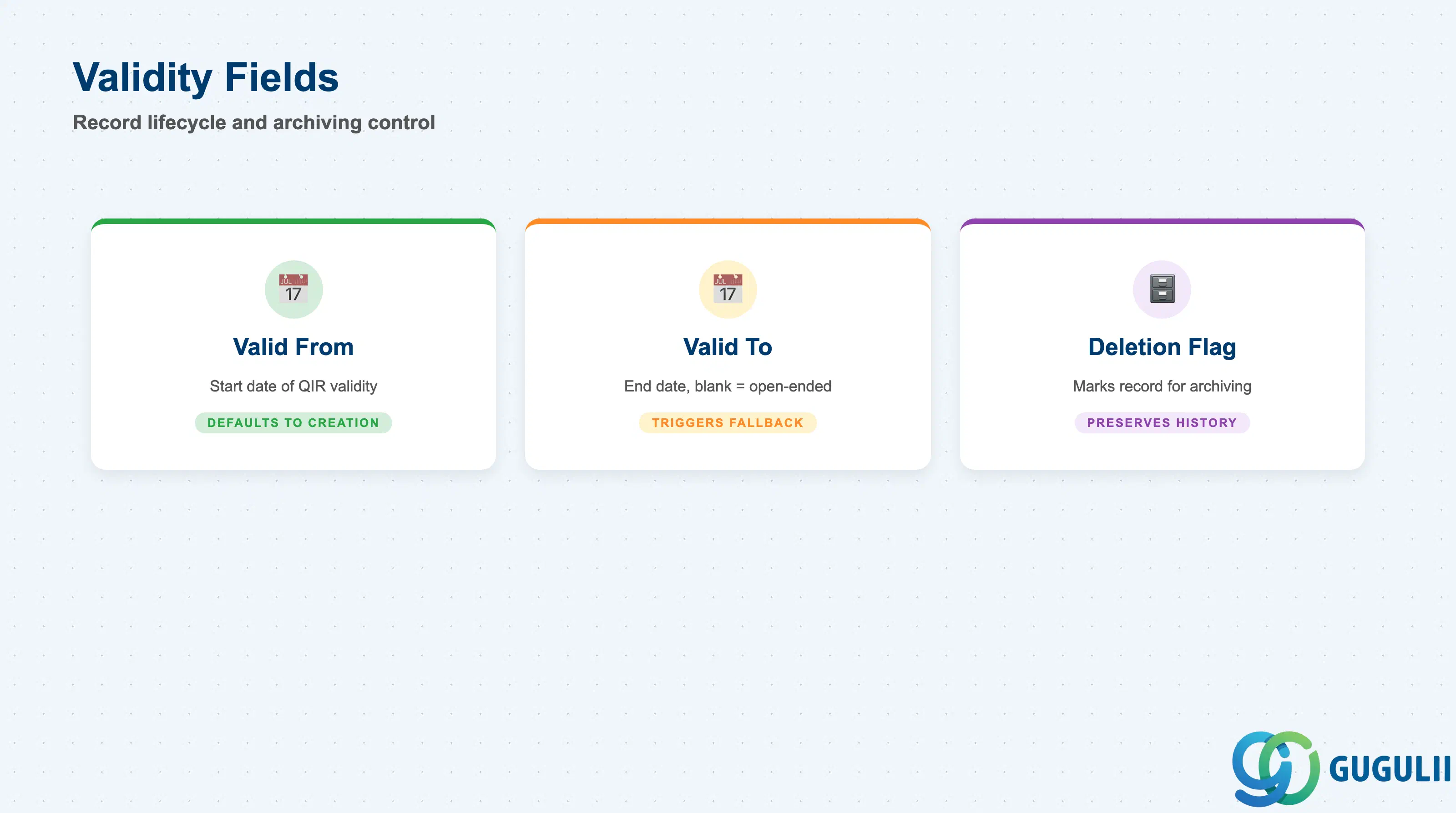
The Validity section controls the active date range of the Quality Info Record. A QIR outside its validity period is not evaluated during inspection lot creation.
| Field | Description | Practical Usage |
|---|---|---|
| Valid From | Start date of the QIR’s validity | Defaults to the creation date. For future vendor qualifications or planned quality changes, a future Valid From date can be set so the QIR takes effect automatically on the agreed date without manual intervention at go-live. |
| Valid To | End date of the QIR’s validity | Leave blank for open-ended validity (the most common setting). Set an end date when the vendor relationship or quality agreement has a fixed term — for example, a one-year trial period for a new vendor or a project-specific supply arrangement. After the Valid To date, the system falls back to the Material Master QM View settings for inspection control. |
| Deletion Flag | Marks the QIR for archiving | When set, the QIR is excluded from active inspection lot creation and is flagged for archiving in the next archiving run. Use instead of hard deletion to maintain the quality history record. |
| ID | Category | Title |
|---|---|---|
| qm-001 | Overview | What is SAP QM? |
| ID | Category | Title |
|---|---|---|
| qm-a01 | Overview | SAP QM Master Data: Overview, Hierarchy & Relationships |
| qm-a02-01 | Master Data | SAP QM Catalog |
| qm-a02-02 | Master Data | SAP QM Master Inspection Characteristic |
| qm-a02-03 | Master Data | SAP QM Inspection Method |
| qm-a03-01 | Master Data | SAP QM Sampling Procedure |
| qm-a03-02 | Master Data | SAP QM Dynamic Modification Rule |
| qm-a05-01 | Master Data | SAP QM Material Master |
| qm-a04-01 | Master Data | SAP QM Work Center |
| qm-a04-02 | Master Data | SAP QM Inspection Plan |
| qm-a05-02 | Master Data | SAP QM Quality Info Record 📍 |
| ID | Category | Title |
|---|---|---|
| qm-b01 | Overview | SAP QM Transactions: Process Flow, Hierarchy & Relationships |