Title here
Summary here

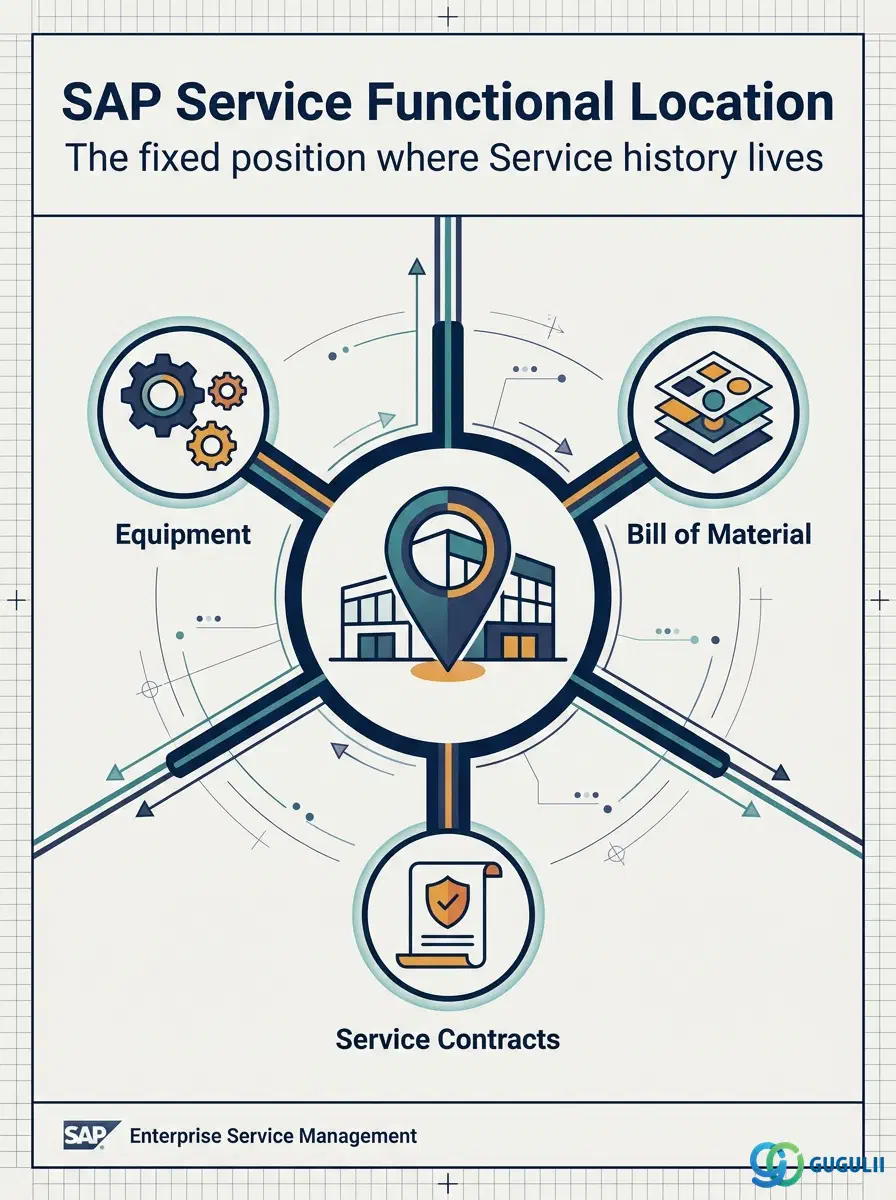
The Functional Location is the fixed, hierarchical technical or organizational position at which maintenance and service work is performed and history is tracked — independent of whichever Equipment happens to be installed there at any given time. It is the first of three Technical Object masters in Phase 3 of the Service master data setup (Functional Location → Equipment → Bill of Material), and it is the object that carries the Sold-To Party assignment that makes a technical position serviceable in the first place. This article maps its categories, its position in the organizational hierarchy, its integration with the surrounding masters, and the Service-specific field-level detail consultants must configure.
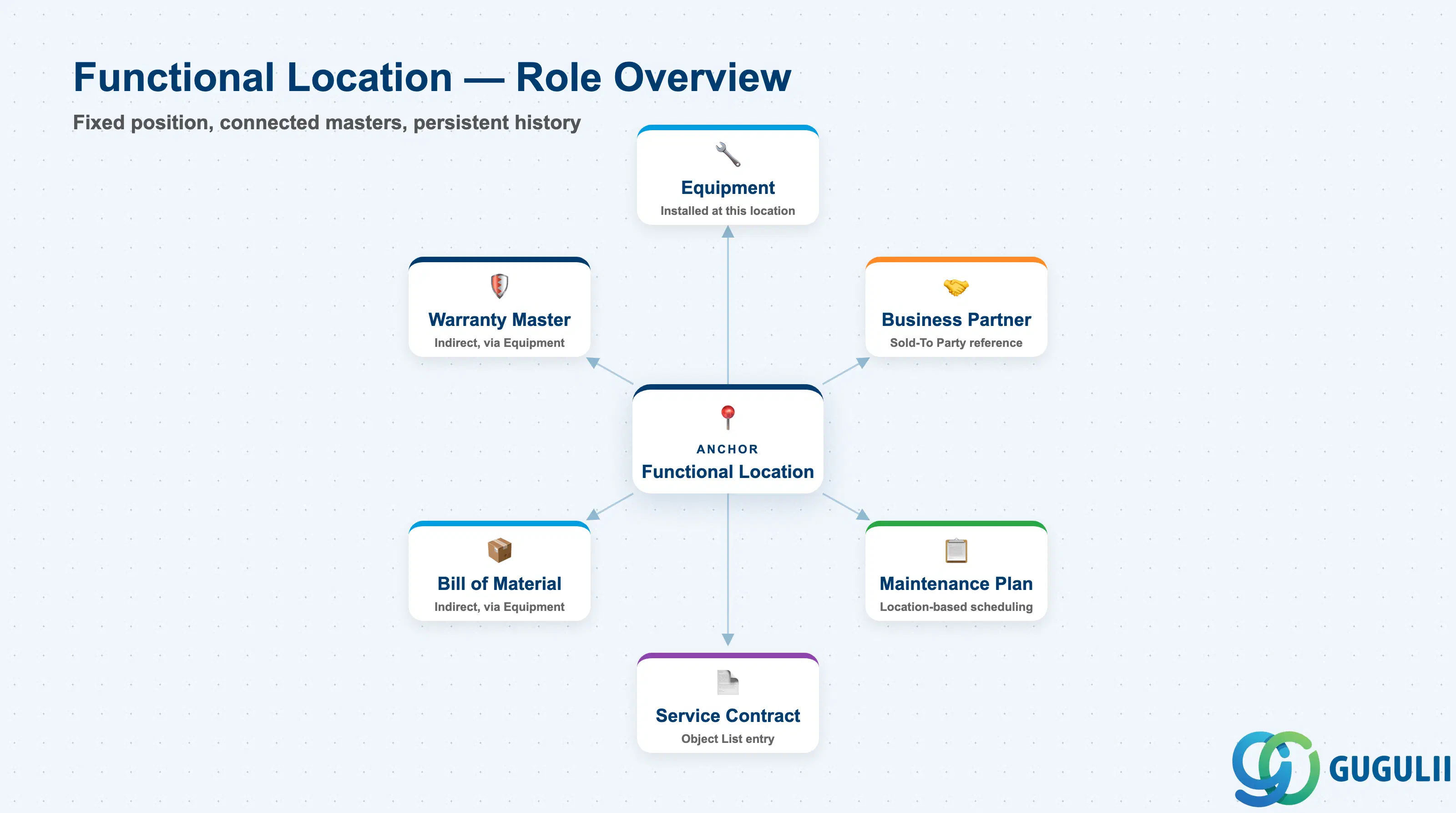
A Functional Location represents a permanent, structural position — a building, a plant section, a machine bay, a process step — rather than a physical asset. Physical assets (Equipment) are installed into it and can be swapped, repaired, or replaced over time, but the Functional Location itself, and the maintenance/service history recorded against it, persists across those changes.
| Aspect | Details |
|---|---|
| Role | Represents a fixed technical/organizational position at which maintenance and service work is performed and history is tracked, independent of the specific Equipment installed there |
| Modules using it | PM (Plant Maintenance — primary owner: structure, planning, maintenance history), Service (Sold-To Party assignment for customer-facing service objects, Service Order/Contract reference object), Field Service Management (dispatch and mobile map reference) |
| Transactions | IL01 (Create) / IL02 (Change) / IL03 (Display) / IL05 (List Display); Fiori app “Manage Functional Locations” |
| Key Tables | IFLOT (Functional Location master data), IFLOTX (short/long text) |
| S/4HANA note | Data model unchanged from ECC. Fiori app “Manage Functional Locations” is the recommended entry point over the classic IL01–IL03 transactions; geo-coordinate fields are used more heavily now by Field Service Management mobile map views and route optimization. |
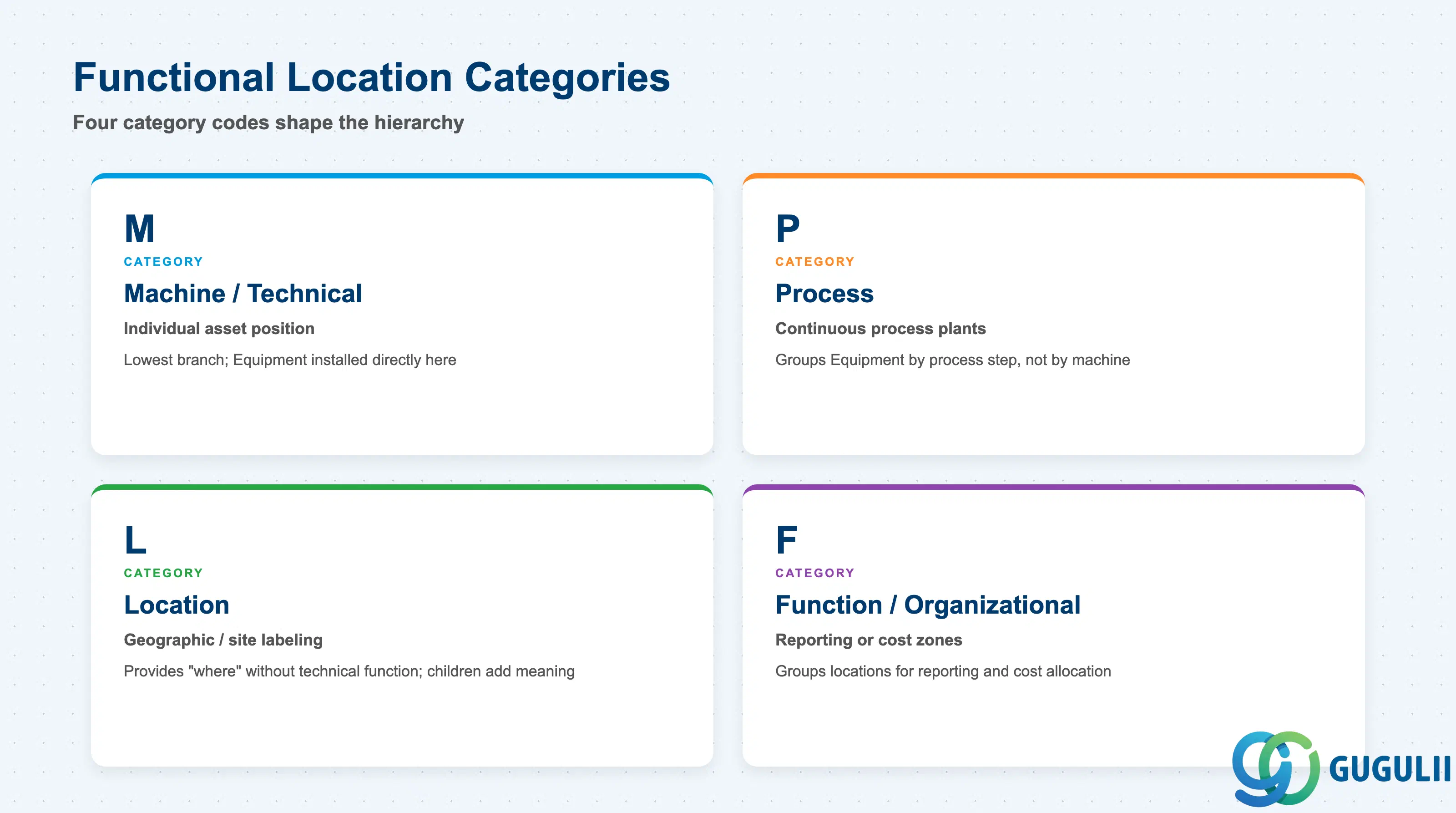
The Category is a Customizing-defined, single-character code that shapes what the Functional Location structurally represents and which reference structure (Equipment vs. Material) is expected below it. Choosing the wrong category early distorts the hierarchy for every site that copies the structure afterward.
| Category | Code | Use Case | Key Behavior |
|---|---|---|---|
| Machine / Technical | M | An individual technical asset position (a specific machine bay, an AC unit position) | Typically the lowest branch of the structure; Equipment is installed directly here. |
| Process | P | Continuous process plants (a production line stage, a utility circuit) | Common in process industries; groups Equipment by process step rather than by physical machine. |
| Location | L | Pure geographic/site labeling with no technical function (a building, a floor, a room) | Provides the “where” without implying maintenance responsibility by itself; child nodes add the technical meaning. |
| Function / Organizational | F | Organizational or functional roles (a control room, a cost-relevant zone) | Used to group Functional Locations for reporting/cost allocation rather than physical structure. |
Design principle: Keep the Category code set small and standardized, and map each Structure Indicator segment to one dominant Category, so the naming convention stays predictable across every site the company operates.
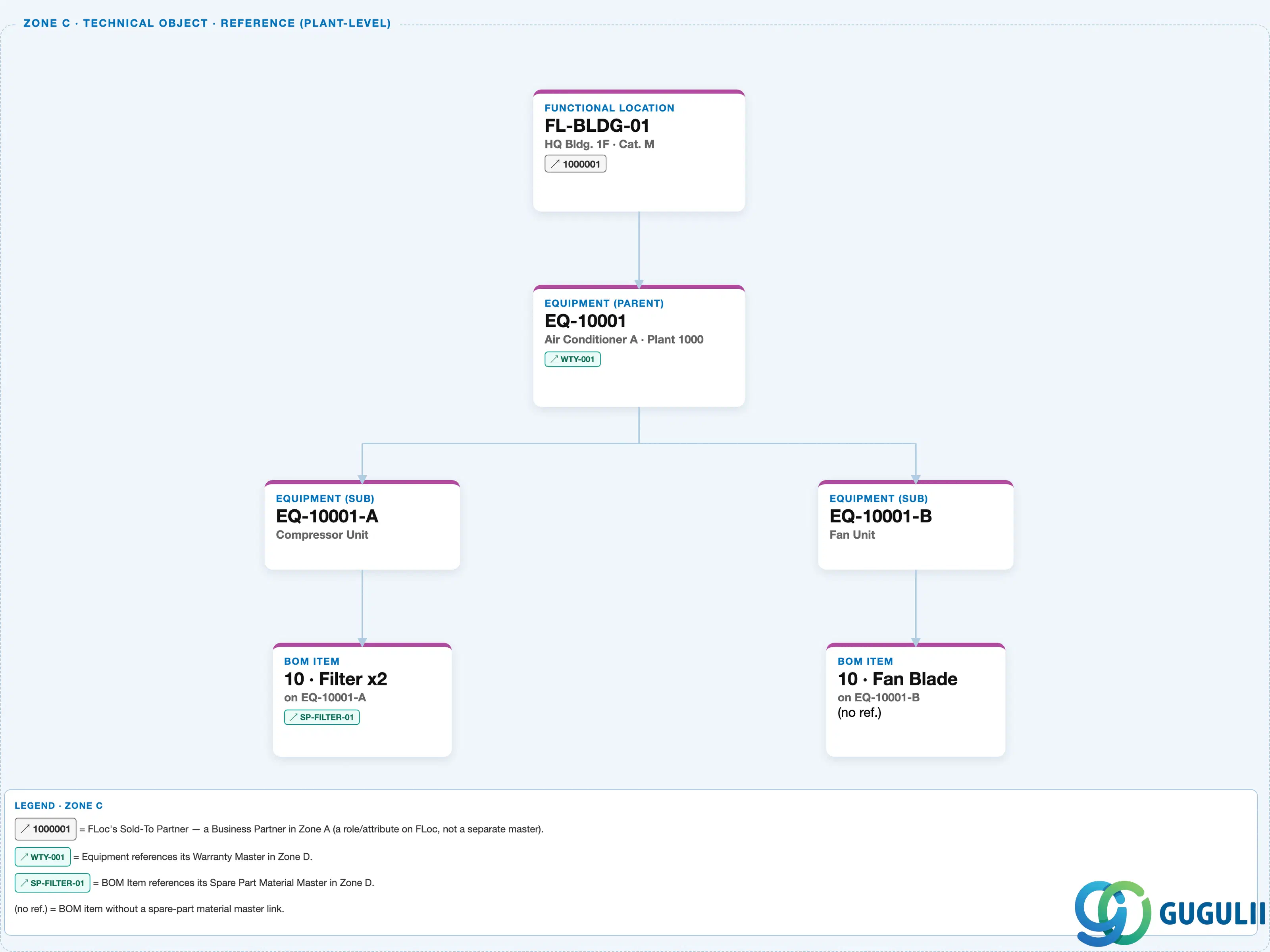
Data hierarchy with a concrete example
Client 100
   │
   FUNCTIONAL LOCATION "FL-BLDG-01" — HQ Bldg. 1F, Category M
   │      Sold-To Partner ── assigned to ──> Business Partner "1000001" (Zone A — reference, not an org-level child)
   │
   ↓  (Equipment installed at this Functional Location)
   EQUIPMENT (parent) "EQ-10001" — Air Conditioner A, Plant 1000
   │      Warranty ── assigned to ──> Warranty Master "WTY-001" (Zone D — reference, via Equipment, not owned by FLoc)
   │
   ├── EQUIPMENT (sub) "EQ-10001-A" — Compressor Unit
   │      └── BOM ITEM "10 · Filter x2" ── references ──> Material "SP-FILTER-01" (Zone D)
   │
   └── EQUIPMENT (sub) "EQ-10001-B" — Fan Unit
          └── BOM ITEM "10 · Fan Blade" (no spare-part reference)
Design principle: The Functional Location owns the position; it never owns a BOM or a Warranty directly — both are reached only indirectly, through whichever Equipment is currently installed. Read the arrows above as “assigned to / referenced by,” not as containment.
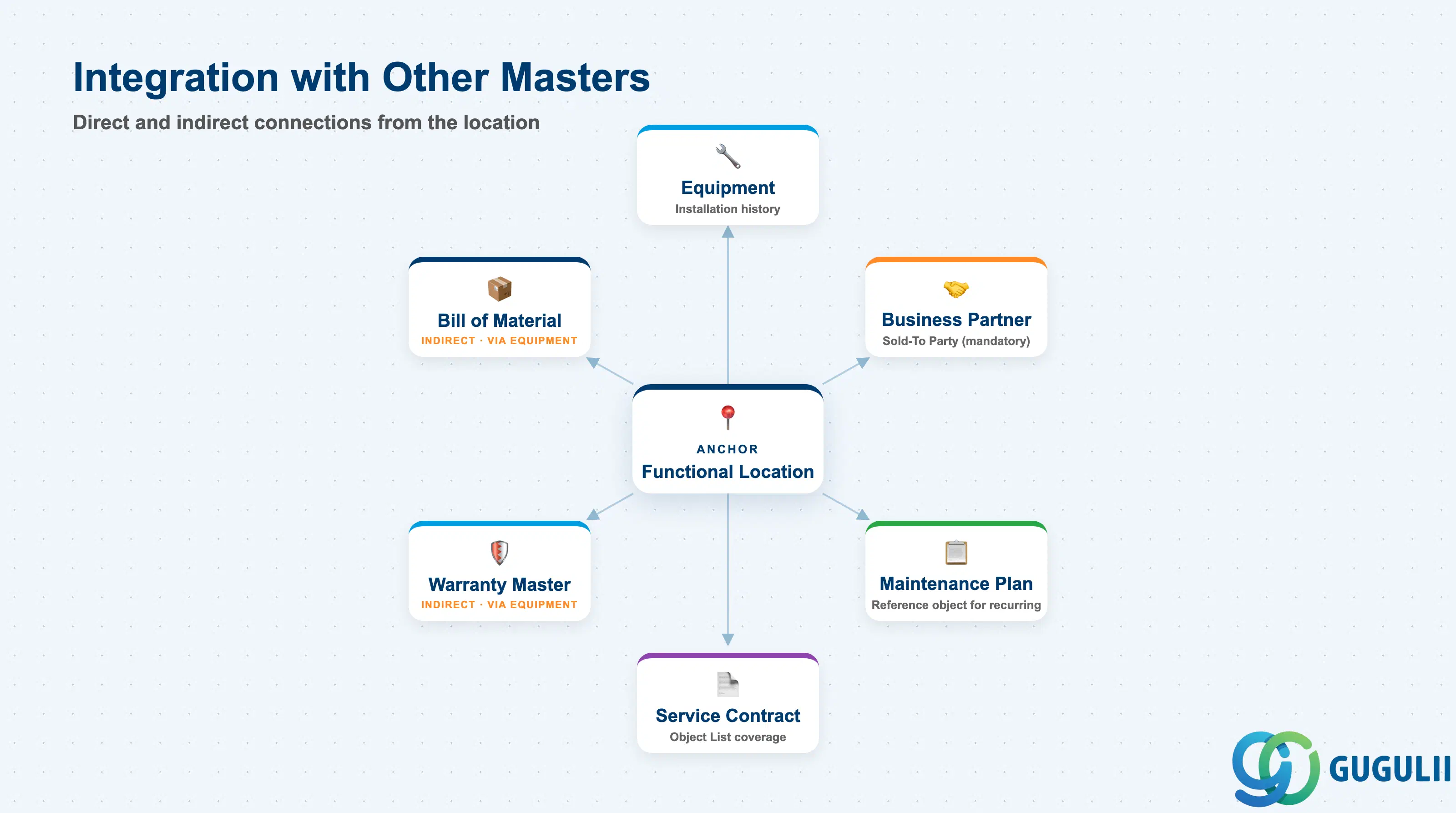
The Functional Location does not stand alone — it is the anchor that other Technical Object and Service masters attach to, either directly or through the Equipment installed on it.
| Object | Relationship | Practical Notes |
|---|---|---|
| Equipment | Equipment is installed at a Functional Location (installation history) | The Functional Location is fixed; the Equipment installed there can be swapped over time (repair, replacement) while the Functional Location and its history remain unchanged. |
| Business Partner (Sold-To) | Functional Location references a Business Partner via the Sold-To Party partner function | Mandatory prerequisite for Service Order/Notification creation against this Functional Location — a location without a Sold-To Party is rejected at transaction entry. |
| Bill of Material | Reached only indirectly, via the Equipment installed at the Functional Location | The Functional Location itself never owns a BOM; spare-part structure is always modeled at the Equipment level. |
| Warranty Master | Reached only indirectly, via Equipment | Warranty coverage is assigned to Equipment (or Material), not to the Functional Location; one Functional Location can outlive several Equipment warranty cycles. |
| Maintenance Plan (PM) | Functional Location can be the reference object of a recurring Maintenance Plan | Location-based preventive tasks (“inspect Building 1F facilities”) are frequently planned against the Functional Location rather than a specific piece of Equipment. |
| Service Contract Template (Object List) | Functional Location can appear in a Service Contract’s Object List | Lets contract coverage follow the location rather than one piece of equipment — common in facility-management-style contracts. |
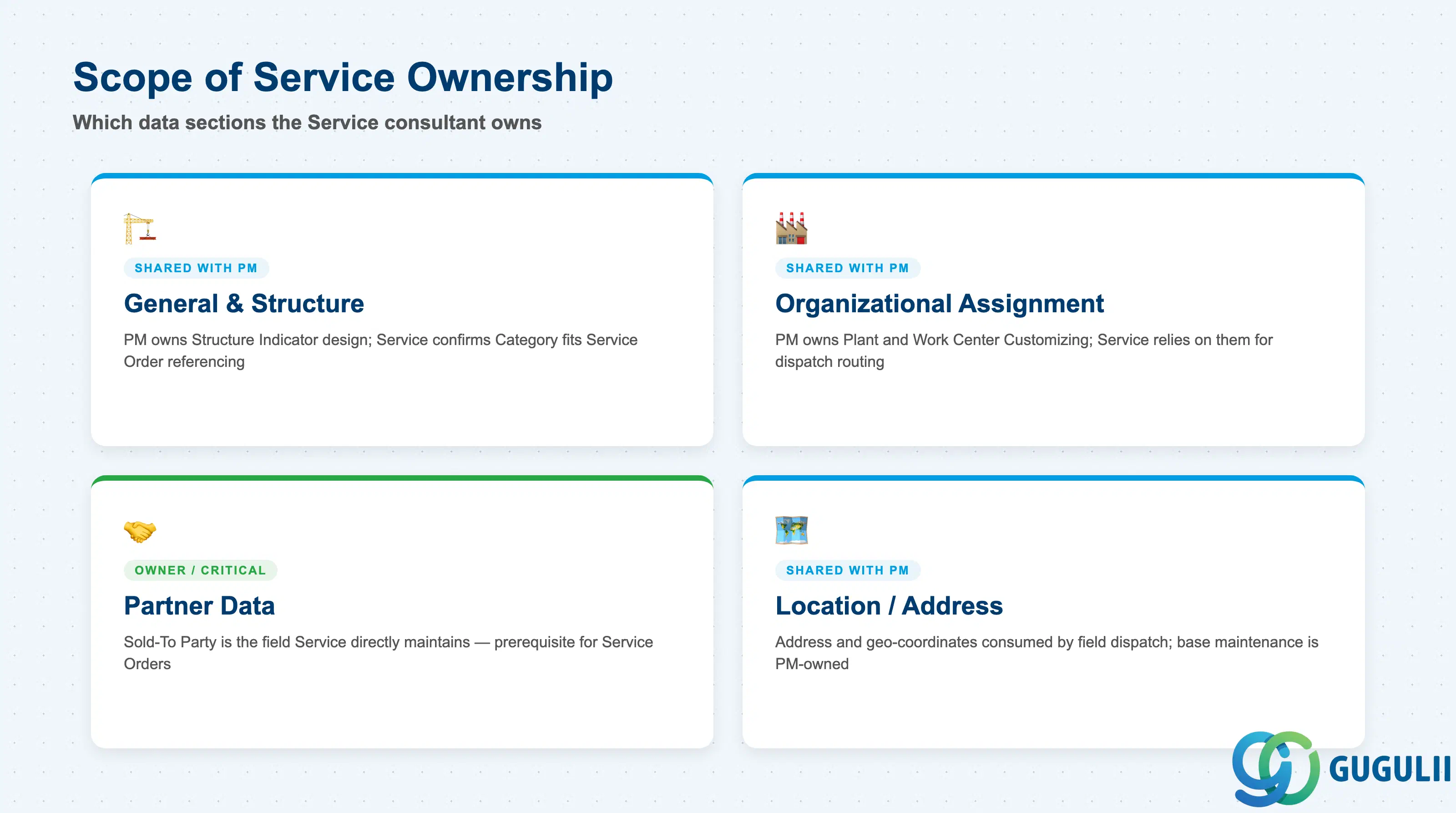
| Data Section | Service Involvement | Notes |
|---|---|---|
| General & Structure Data | ○ Shared with PM | PM owns the Structure Indicator/Category design; Service consultants confirm the Category and hierarchy depth align with how Service Orders will reference the object. |
| Organizational Assignment | ○ Shared with PM | Maintenance/Planning Plant and Work Center are PM-owned Customizing; Service relies on them for dispatch routing and cost assignment. |
| Partner Data | ◎ Owner | Sold-To Party (and other partner functions) is the field Service consultants directly maintain and validate — it is the prerequisite for Service Order/Contract processing. |
| Location / Address Data | ○ Shared with PM | Address and geo-coordinates are consumed by Service field dispatch and mobile apps; base maintenance of the fields is a PM/data-governance task. |
Legend: ◎ = Owner / Critical, ○ = Direct involvement
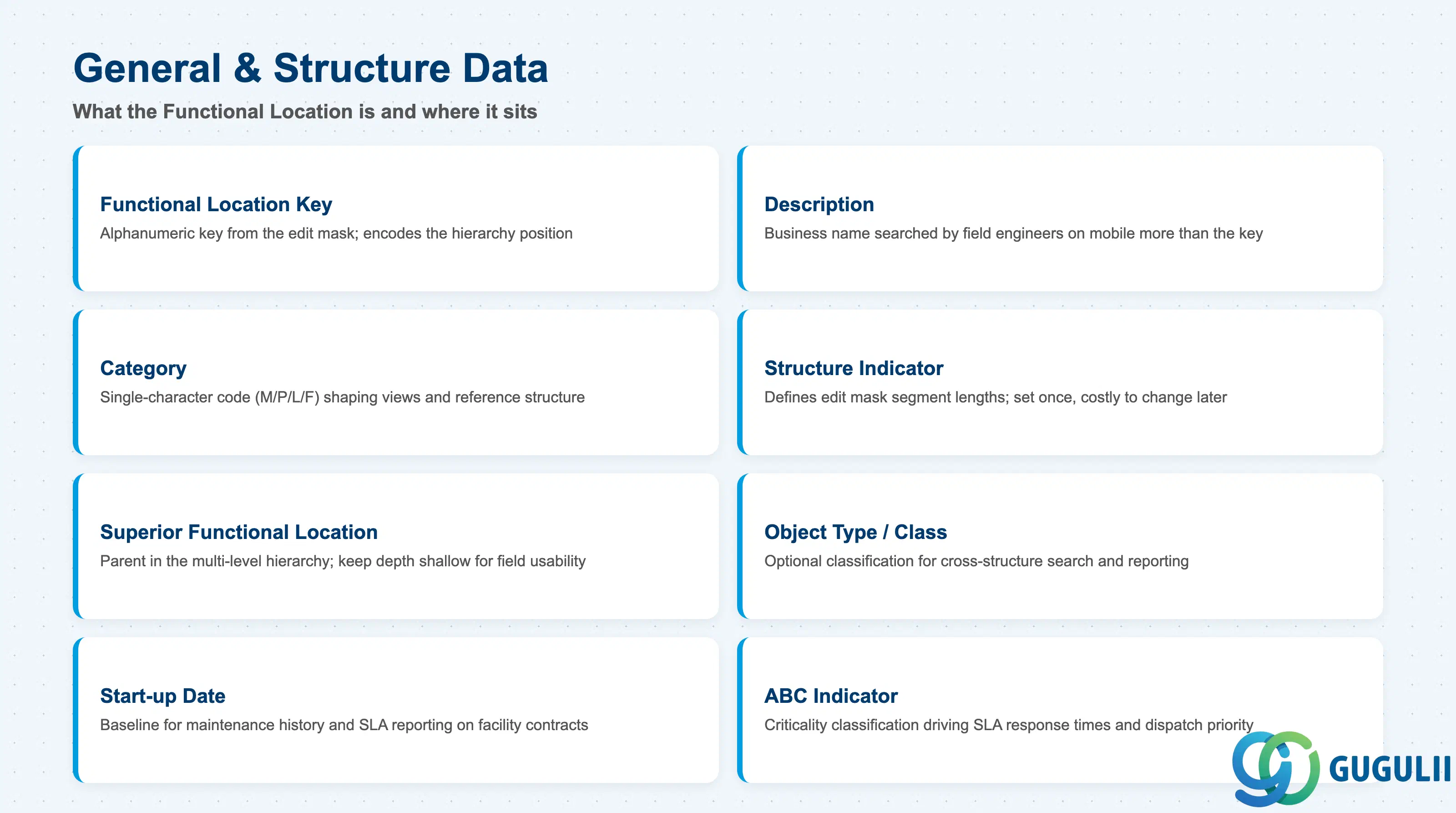
General and Structure Data defines what the Functional Location is and where it sits in the multi-level Functional Location hierarchy.
| Field | Description | Practical Usage |
|---|---|---|
| Functional Location (TPLNR) | Alphanumeric key built from the Structure Indicator’s edit mask | The key itself encodes the hierarchy — e.g., FL-BLDG-01 reads as Building > Floor 1. Changing the edit mask after locations exist under it is disruptive, so validate the mask against every site’s naming convention during blueprint. |
| Description (Short / Long Text) | Business name of the Functional Location | Field engineers and dispatchers search by description on mobile far more often than by key — keep the short text globally unambiguous, not just the ID. |
| Category | Single-character code (M/P/L/F, see 1.2) | Drives which additional views are available in IL01/IL02 and which reference structure (Equipment vs. Material) is expected below this node. |
| Structure Indicator | Defines the edit mask (segment lengths, separators) for this branch of the hierarchy | Set once per site/business area at blueprint; cannot be changed without a data migration once locations exist under it. Under-sizing a segment (e.g., 2 digits for floor) is a common, costly mistake. |
| Superior Functional Location | Parent Functional Location in the multi-level hierarchy | This field carries the FLoc-to-FLoc structure (e.g., FL-BLDG above FL-BLDG-01). Keep the depth shallow enough that Service Order object-selection lists remain usable in the field. |
| Object Type / Class | Optional classification for search and reporting | Assign a class (e.g., “Building Facility,” “Utility Circuit”) so consultants can search/report across Functional Locations independent of the Structure Indicator hierarchy. |
| Start-up Date | Date the location became operational | Baseline for maintenance history and SLA reporting on facility-based service contracts. |
| ABC Indicator | Business/maintenance criticality classification | High-criticality (A) locations typically get tighter SLA response times in Service Contract configuration and priority handling at Service Order dispatch. |
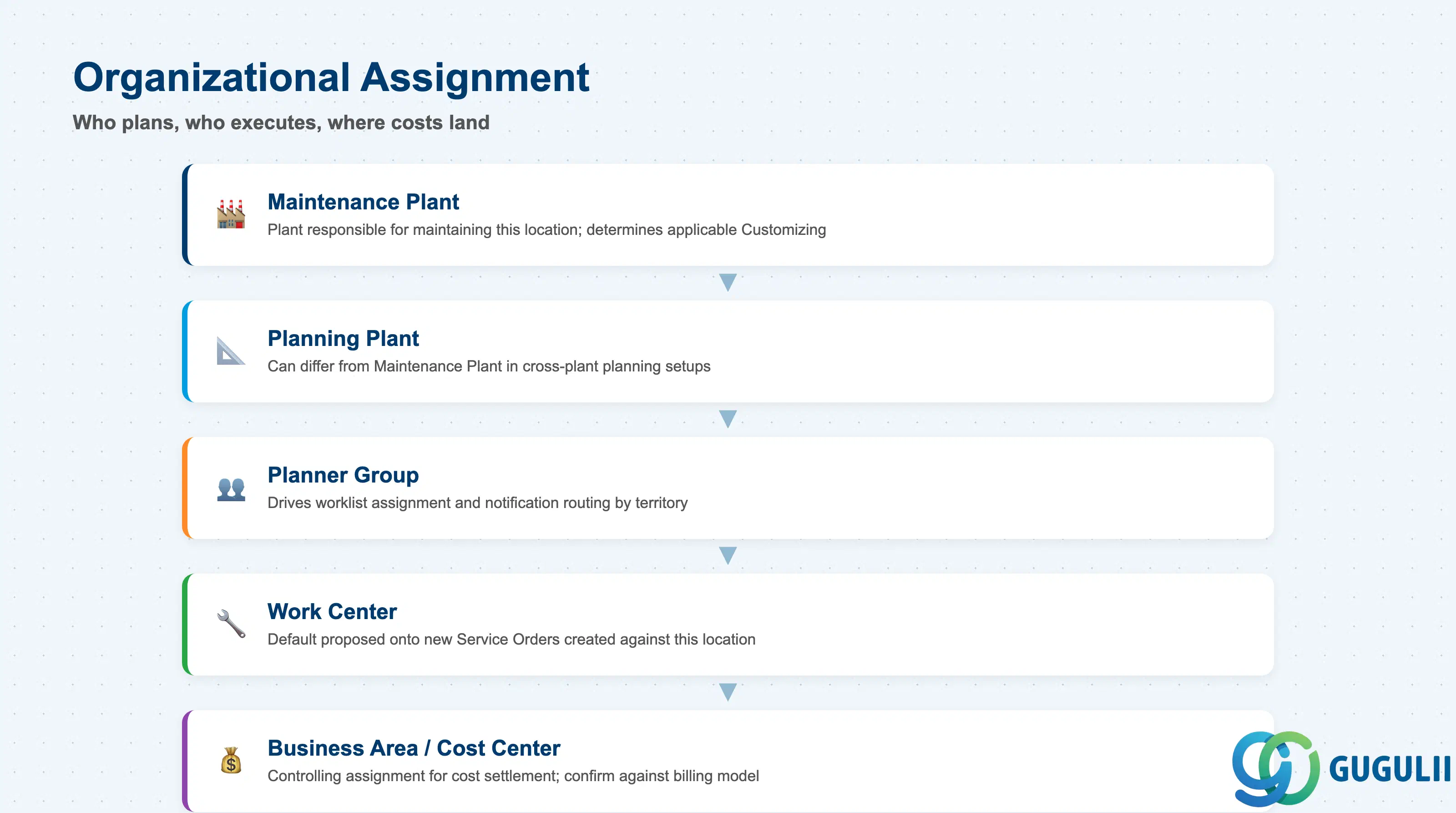
Organizational Assignment fields determine who plans, who executes, and where costs land for work performed against this Functional Location.
| Field | Description | Practical Usage |
|---|---|---|
| Maintenance Plant | Plant responsible for maintaining this Functional Location | Determines which PM/Service Customizing (order types, notification types) applies. For multi-site service organizations, confirm this matches the depot actually dispatching technicians, not just the legal plant. |
| Planning Plant | Plant that plans maintenance/service work for this location | Can differ from Maintenance Plant in cross-plant planning setups (a central planning office scheduling work executed at a remote site). Service Order defaulting logic reads this field to propose the responsible planner. |
| Planner Group | Group of planners responsible for this location | Drives worklist assignment and notification routing; align with how the Service organization actually splits territories if it differs from PM’s original plant-based grouping. |
| Work Center | Default work center for tasks at this location | Proposed automatically onto new Service Orders/Notifications created against the Functional Location, saving manual entry; keep it in sync when technician teams are reorganized. |
| Business Area / Cost Center | Controlling assignment for cost collection | Determines where maintenance/service costs settle by default; confirm against the customer-billing model when the location is also billed via a Service Contract. |
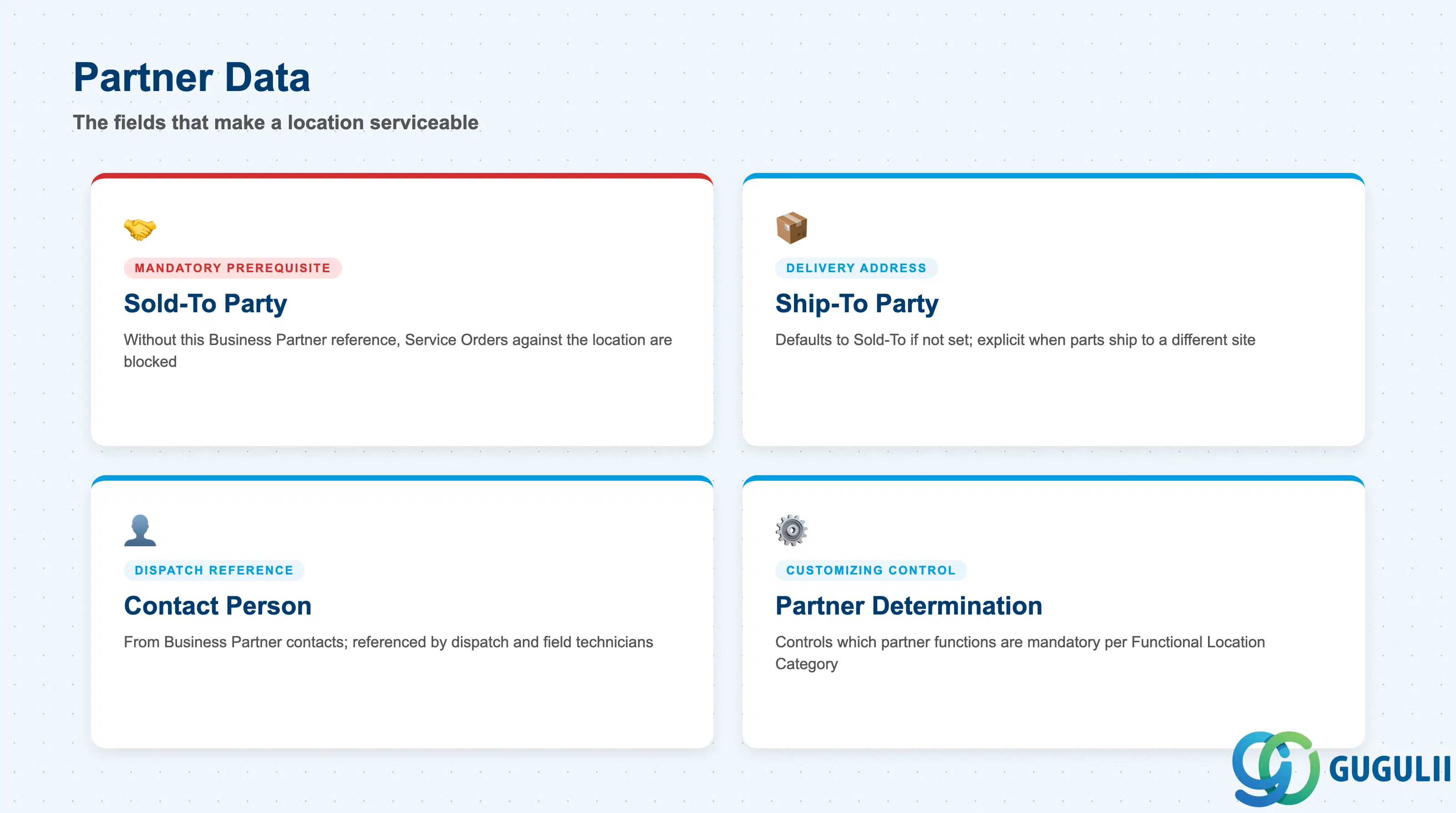
Partner Data is the field Service consultants own outright — it is what turns a purely technical position into a serviceable, billable customer object.
| Field | Description | Practical Usage |
|---|---|---|
| Sold-To Party | Business Partner acting as the customer for this location | Mandatory prerequisite for Service Order/Notification creation — without it, transactions against this Functional Location are blocked. This is the field that ties the technical object to the commercial side (who is billed, whose contract applies). |
| Ship-To Party | Business Partner receiving physical deliveries (spare parts, replacement units) related to this location | Defaults to Sold-To if not separately maintained; set explicitly when the delivery address differs from the billing relationship (e.g., a facilities-management company billed centrally but parts shipped to the site). |
| Contact Person | On-site contact for dispatch coordination | Populated from the Business Partner’s contact-person relationships; dispatch schedulers and field technicians reference this before every on-site visit. |
| Partner Determination Procedure | Customizing that controls which partner functions are mandatory/allowed for this object | Confirm at blueprint that Sold-To is marked mandatory in the procedure assigned to the Functional Location’s Category — a mis-configured procedure silently allows Service Orders without a Sold-To Party, breaking downstream billing. |
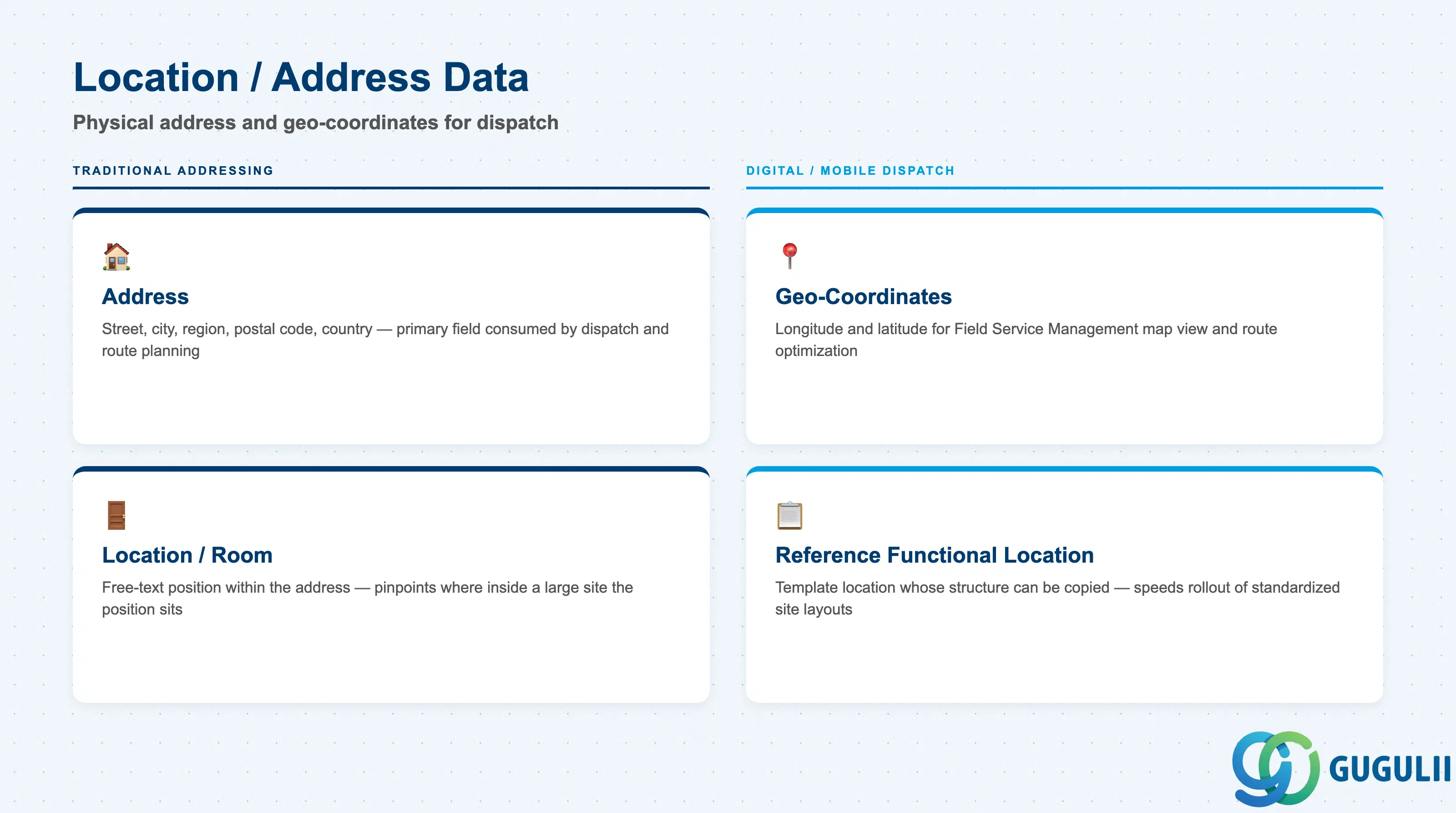
Location and Address Data ties the Functional Location to a physical place — the information field dispatch and mobile apps consume directly.
| Field | Description | Practical Usage |
|---|---|---|
| Address | Street, city, region, postal code, country | Primary field consumed by field-service dispatch and route planning; keep in sync with the associated Business Partner’s address to avoid technicians being routed to the wrong site. |
| Location / Room | Free-text or coded position within the address (building, floor, room) | Combined with the Category (1.2) to pinpoint exactly where within a large site the technical position sits — important for campus or industrial customers with dozens of Functional Locations at one address. |
| Geo-Coordinates (Longitude / Latitude) | Precise map position | Consumed by Field Service Management mobile map view and route optimization; populate for any location dispatched via a mobile app, not only for large sites. |
| Reference Functional Location | Template Functional Location whose structure can be copied when creating a new one | Speeds up rollout of standardized site layouts (e.g., a chain of retail branches with identical facility structures) — copy the Reference instead of re-keying the hierarchy for every new site. |
| ID | Category | Title |
|---|---|---|
| srv-001 | Overview | What is SAP Service? |
| ID | Category | Title |
|---|---|---|
| srv-a01 | Overview | SAP Service Master Data: Overview, Hierarchy & Relationships |
| srv-a03-01 | Master Data | SAP Service Product Master |
| srv-a04-01 | Master Data | SAP Spare Parts Master |
| srv-a03-02 | Master Data | SAP Service Pricing Condition |
| srv-a05-01 | Master Data | SAP Service Functional Location 📍 |
| srv-a05-02 | Master Data | SAP Service Equipment |
| srv-a05-03 | Master Data | SAP Service Bill of Material |
| srv-a06-01 | Master Data | SAP Service Service Contract Template |
| srv-a06-02 | Master Data | SAP Service Service Order Template |
| srv-a07-01 | Master Data | SAP Service Warranty Master |