Title here
Summary here

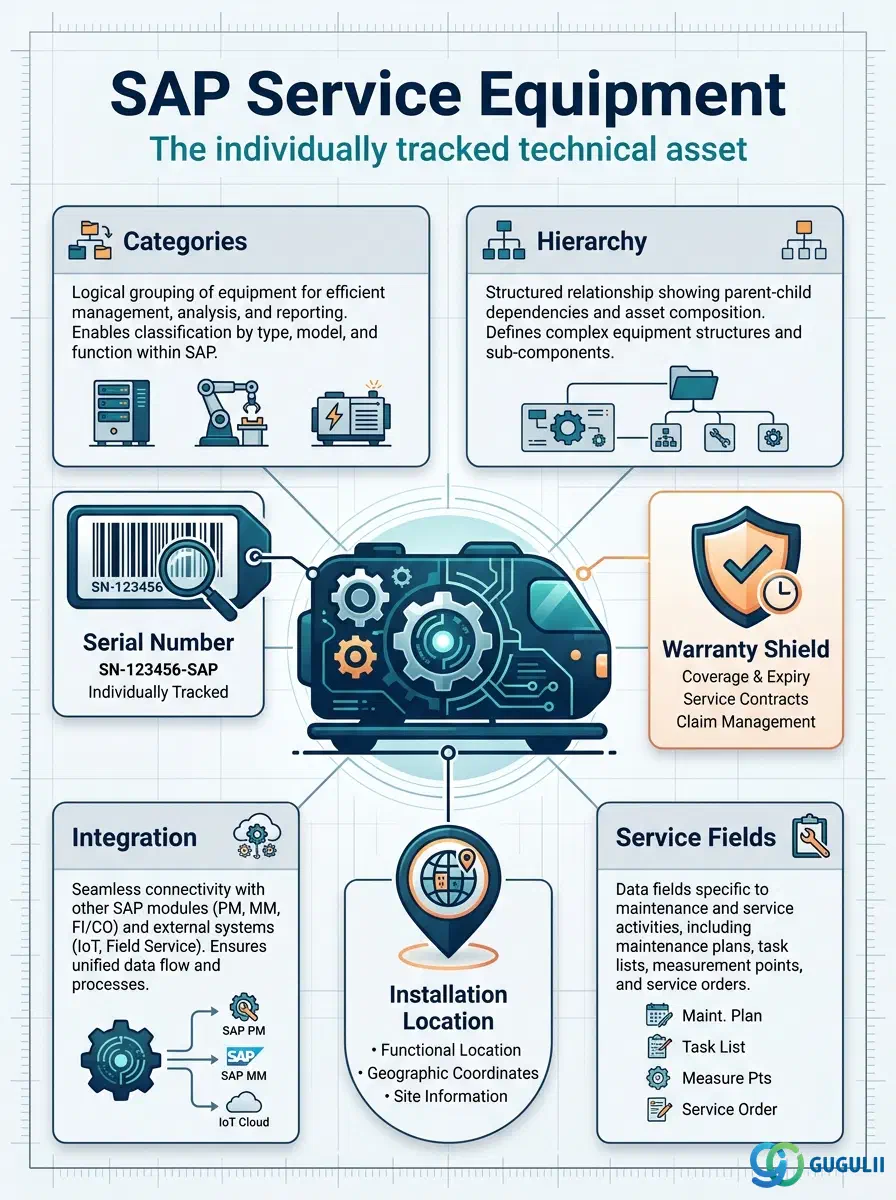
Equipment is the physical, individually identified technical asset — a machine, a vehicle, an instrument, a customer-owned unit — that is installed at a Functional Location, moved, repaired, or dismantled over its lifecycle, and against which serial number, warranty, and service history are tracked as the asset’s own record, independent of wherever it happens to be installed at any point in time. It is the second of three Technical Object masters in Phase 3 of the Service master data setup (Functional Location → Equipment → Bill of Material), and it is the object that carries the Warranty Master assignment that drives coverage determination on Service Orders. This article maps its categories, its position in the organizational hierarchy, its integration with the surrounding masters, and the Service-specific field-level detail consultants must configure.
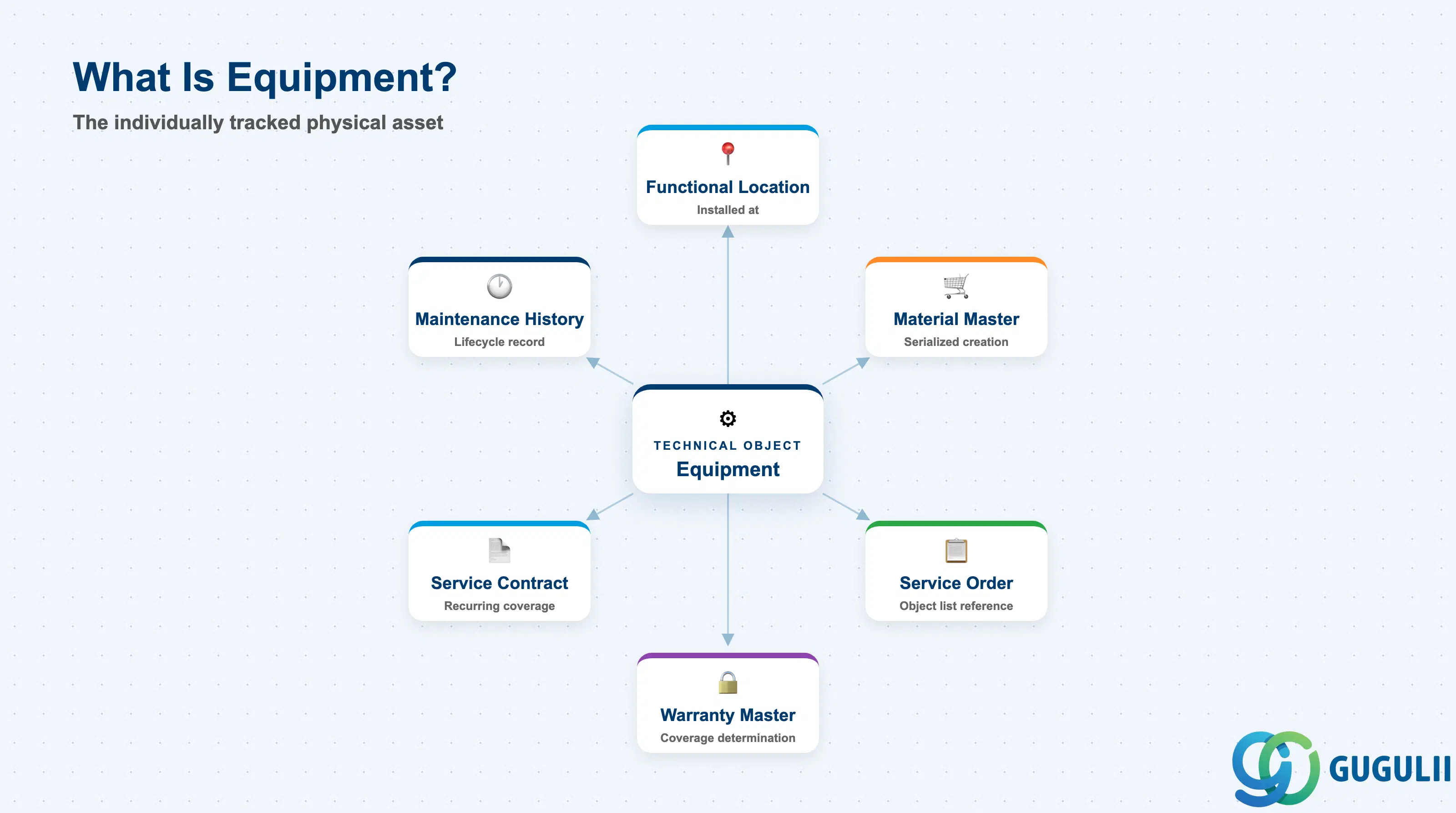
Equipment represents a physical asset with its own identity — unlike the Functional Location, which is a fixed position, Equipment is the object that can be uninstalled, repaired, replaced, or scrapped, carrying its own serial number, manufacturer data, and history wherever it goes. Multiple Equipment records can pass through the same Functional Location over time, and a single Equipment record can, in principle, be reinstalled at a different location later.
| Aspect | Details |
|---|---|
| Role | Represents an individually tracked physical asset, independent of the technical position it is currently installed at, carrying its own serial number, warranty, and maintenance/service history |
| Modules using it | PM (Plant Maintenance — primary owner: technical master data, maintenance history, installation), Service (warranty coverage determination, Sold-To assignment for customer-owned equipment, Service Order/Contract reference object), FI-AA (optional Asset Number link for capitalized equipment), MM (serialized-material-driven Equipment creation at goods receipt) |
| Transactions | IE01 (Create) / IE02 (Change) / IE03 (Display) / IE05 (List Display) / IE4N (Install/Dismantle); Fiori app “Manage Equipment” |
| Key Tables | EQUI (Equipment master, general data), EQUZ (Equipment master, time-dependent data), ILOA (location data, shared with Functional Location and other PM/Service objects), EQKT (Equipment short texts) |
| S/4HANA note | Data model unchanged from ECC. Fiori app “Manage Equipment” is the recommended entry point over the classic IE01–IE03 transactions. Since 2023 FPS3, an Accounting Indicator can be assigned directly to a Master Warranty, simplifying warranty-based cost-relevance determination without a separate date-based warranty record per Equipment. |
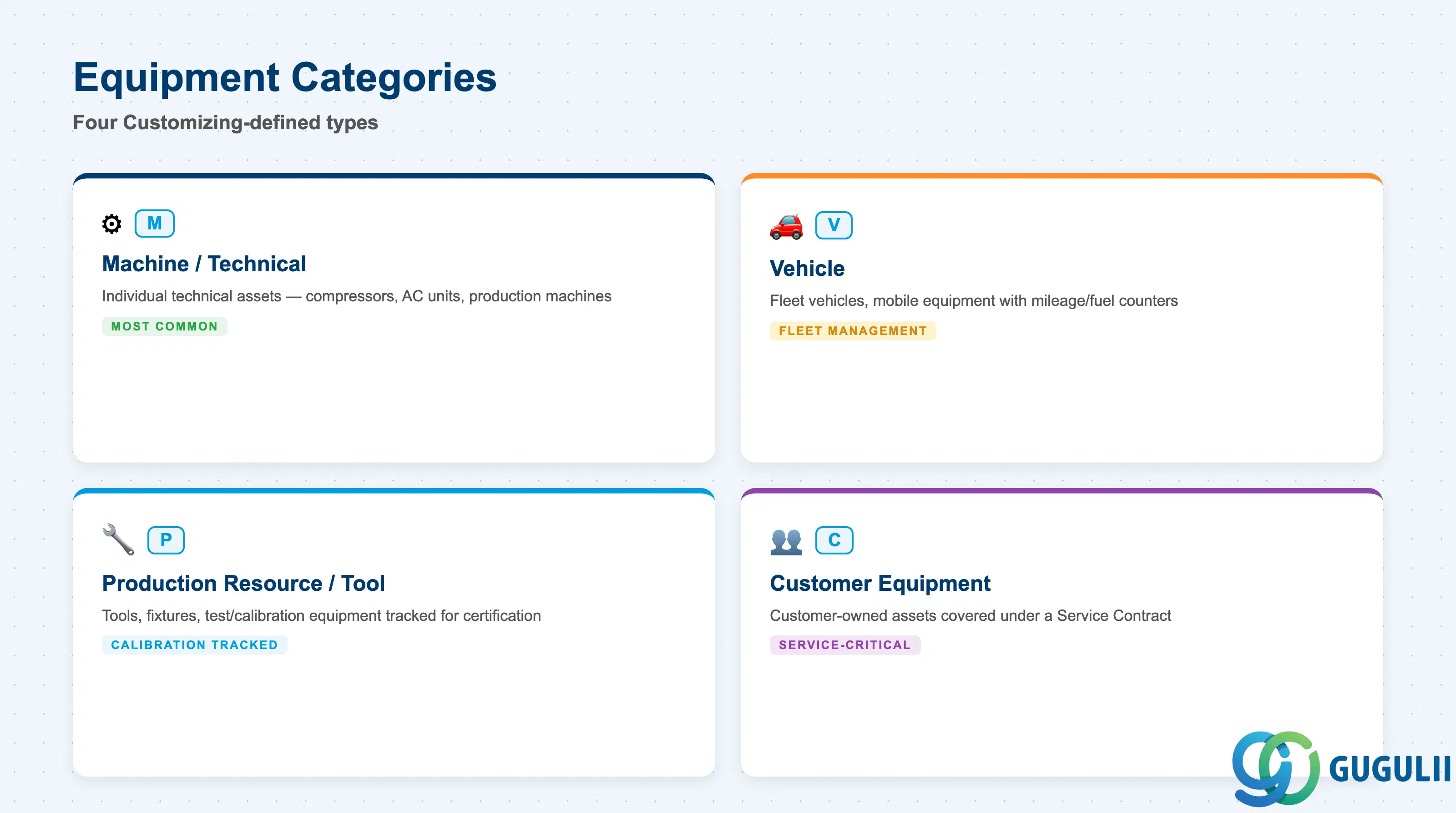
The Equipment Category is a Customizing-defined, single-character code that determines which additional views and reference data are available for the Equipment record — most visibly, whether Fleet Management fields, warranty fields, or PRT-style tool tracking apply. Choosing the wrong category early means re-creating the Equipment record to gain access to the correct views later, which breaks history continuity.
| Category | Code | Use Case | Key Behavior |
|---|---|---|---|
| Machine / Technical Equipment | M | Individual technical assets (compressors, AC units, production machines) | The most common category; typically installed at a Functional Location and the object at which maintenance/service history directly accumulates. |
| Vehicle | V | Fleet vehicles, mobile equipment | Enables Fleet Management-style fields (mileage/fuel counters as measuring points); may not be tied to a single fixed Functional Location. |
| Production Resource / Tool | P | Tools, fixtures, test/calibration equipment used during service execution | Tracked individually for calibration/certification history even though it is not itself the object being serviced. |
| Customer Equipment | C | Equipment installed at, or owned by, a customer site and covered under a Service Contract | The category most directly relevant to Service — carries the Sold-To/Warranty linkage that makes an asset serviceable and billable under a customer contract. |
Design principle: Set the Equipment Category consistently at blueprint, since it decides which reference structure and views (Fleet Management, warranty, serial number profile) are available — a wrongly chosen category is expensive to correct once transaction history exists against the record.
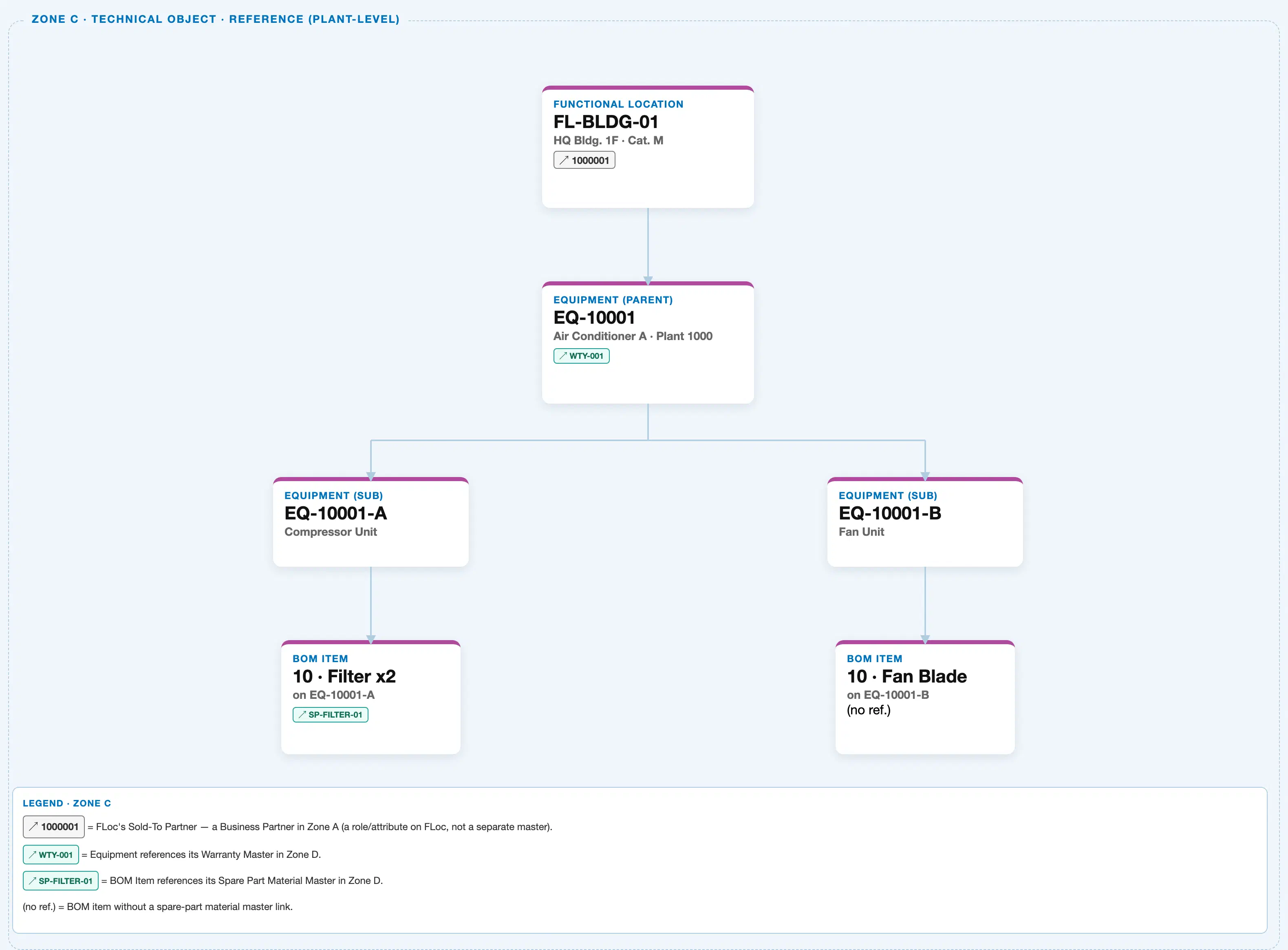
Data hierarchy with a concrete example
Client 100
   │
   FUNCTIONAL LOCATION "FL-BLDG-01" — HQ Bldg. 1F, Category M
   │      (Equipment below is installed at this Functional Location)
   │
   ↓
   EQUIPMENT (parent) "EQ-10001" — Air Conditioner A, Plant 1000        ← this article's object
   │      Warranty ── assigned to ──> Warranty Master "WTY-001" (Zone D — reference, not owned by Equipment)
   │
   ├── EQUIPMENT (sub) "EQ-10001-A" — Compressor Unit
   │      └── BOM ITEM "10 · Filter x2" ── references ──> Material "SP-FILTER-01" (Zone D)
   │
   └── EQUIPMENT (sub) "EQ-10001-B" — Fan Unit
          └── BOM ITEM "10 · Fan Blade" (no spare-part reference)
Design principle: Equipment carries its own identity, serial number, and warranty across its lifecycle — only its installation location (Functional Location) and status change over time. Track Equipment history by the Equipment record itself, not by whichever Functional Location it happens to occupy at a given moment.
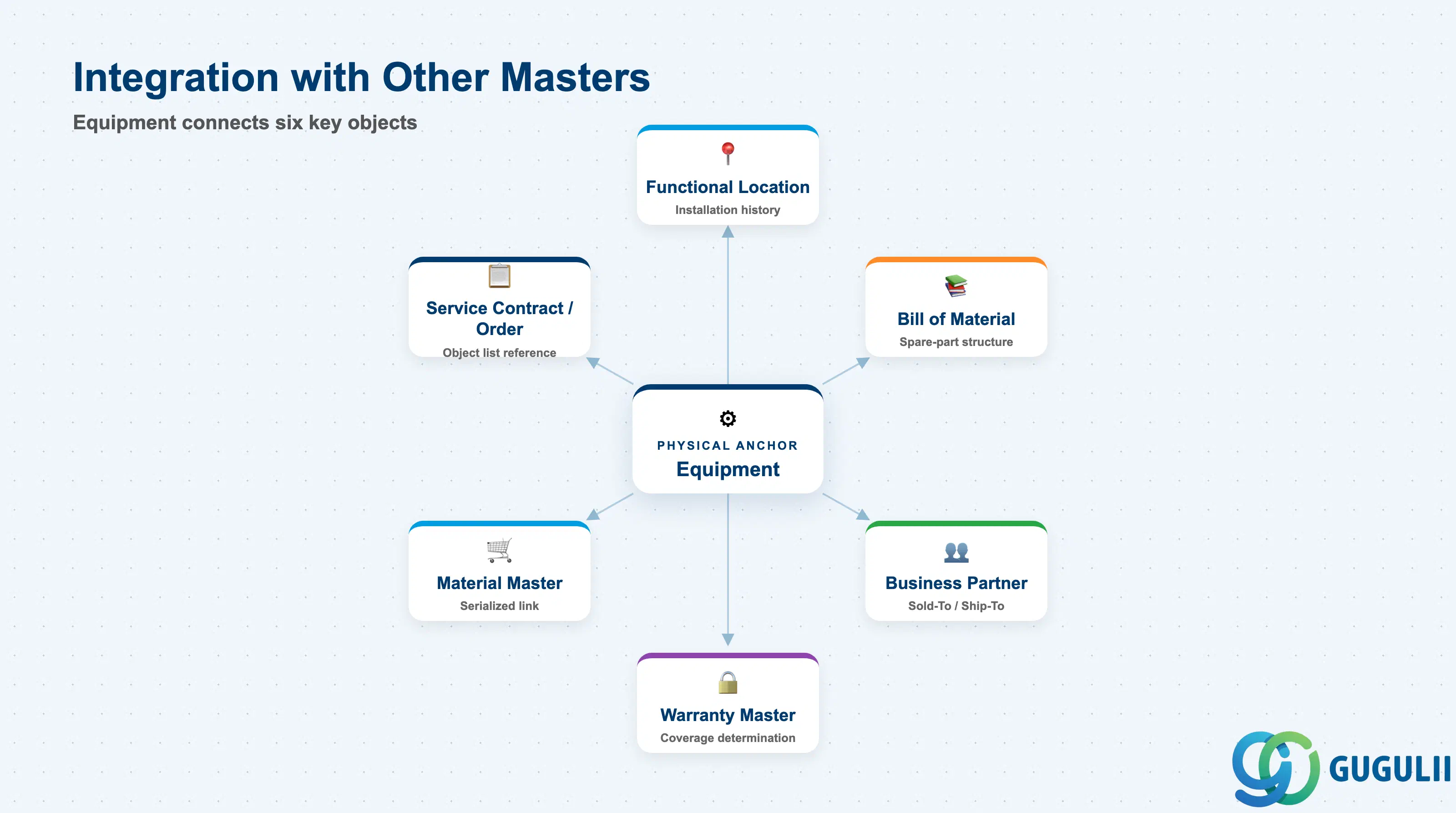
Equipment does not stand alone — it is the physical anchor that spare-part structure, warranty coverage, and customer-facing partner data attach to directly, distinct from the fixed technical position it happens to occupy.
| Object | Relationship | Practical Notes |
|---|---|---|
| Functional Location | Equipment is installed at a Functional Location (installation history) | The installation link is time-dependent (valid-from/valid-to); an Equipment record can be dismantled from one Functional Location and later installed at another without losing its own history. |
| Bill of Material (Equipment BOM) | Equipment owns the BOM describing its spare-part structure | Each Equipment record (or sub-equipment) can carry its own BOM; Service Order spare-part planning and reservation reads this BOM directly, not the Functional Location. |
| Warranty Master | Equipment references one or more Warranty Masters for coverage determination | Warranty determination logic checks the Equipment’s Warranty Master assignment (or Master Warranty, since 2023 FPS3) before allowing cost-free billing on a Service Order — this is a mandatory prerequisite, not optional data. |
| Business Partner (Sold-To) | Equipment can carry its own Sold-To Party, independent of the Functional Location’s | Essential for Customer Equipment (Category C) serviced in the field without a fixed Functional Location — e.g., a customer-owned unit repaired on-site or shipped in for depot repair. |
| Material Master | Equipment can be created with reference to a serialized Material Master | When a Serial Number Profile is active on a Material, goods receipt/issue automatically creates or updates the corresponding Equipment record. |
| Service Contract / Service Order (Object List) | Equipment is the most common Object List reference type for both | Field-service work is typically scoped to a specific asset rather than a location — Equipment is the natural reference object for both recurring contract coverage and individual Service Orders. |
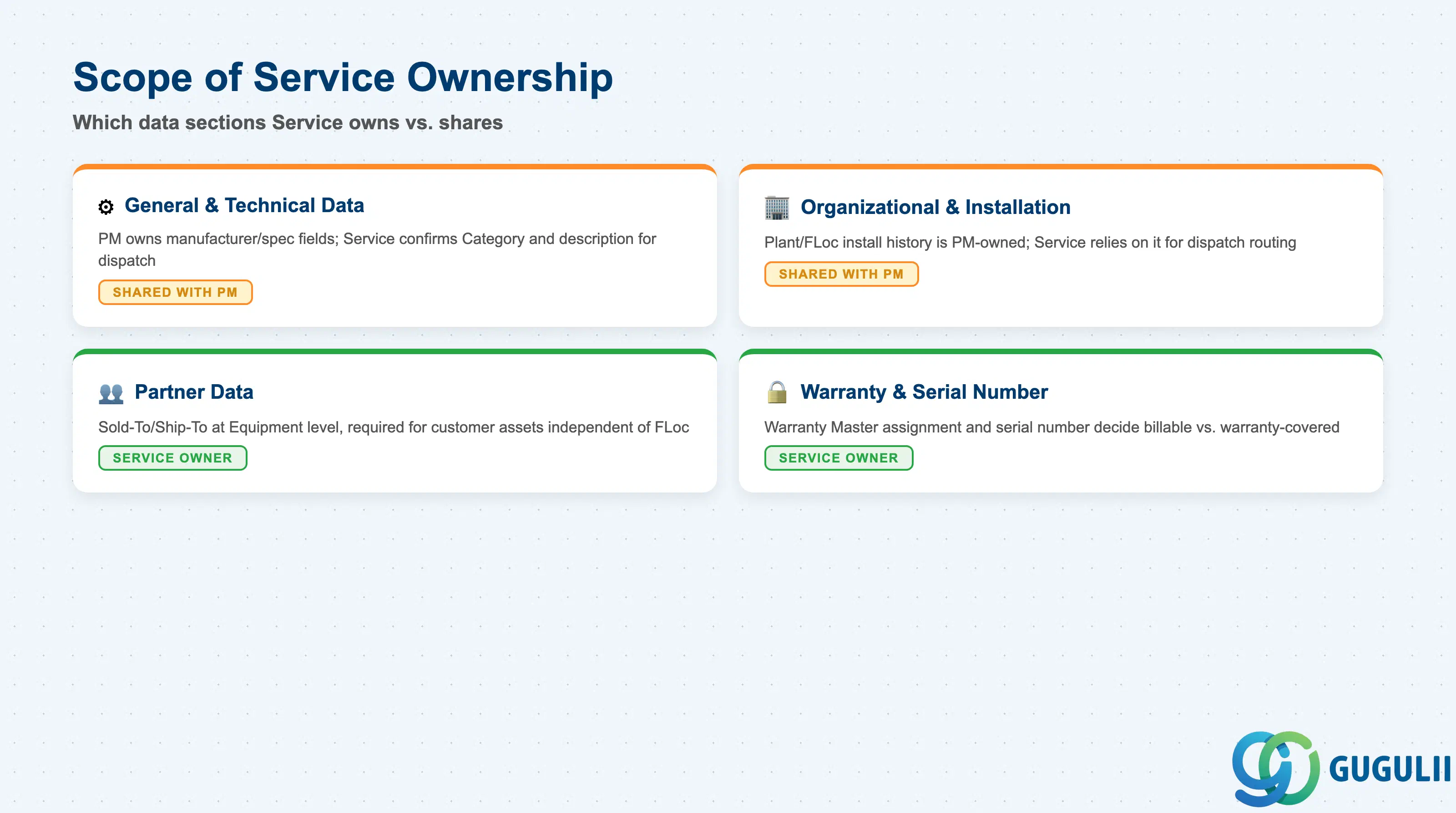
| Data Section | Service Involvement | Notes |
|---|---|---|
| General & Technical Data | ○ Shared with PM | PM owns manufacturer/technical-spec fields and general master maintenance; Service confirms the Equipment Category (especially Customer Equipment) and that description/search terms support field dispatch search. |
| Organizational & Installation Assignment | ○ Shared with PM | Maintenance/Planning Plant and Functional Location install/dismantle history are PM-owned Customizing and transactions; Service relies on the current installation link for dispatch routing and billing-plant assignment. |
| Partner Data | ◎ Owner | Sold-To/Ship-To at the Equipment level is the field Service consultants directly maintain — required whenever an asset’s customer differs from (or exists independent of) its Functional Location’s partner. |
| Warranty & Serial Number Data | ◎ Owner | Warranty Master assignment and serial number are the fields Service consultants directly validate — they are the prerequisite for correct cost-relevance (billable vs. warranty-covered) determination on every Service Order raised against the Equipment. |
Legend: ◎ = Owner / Critical, ○ = Direct involvement
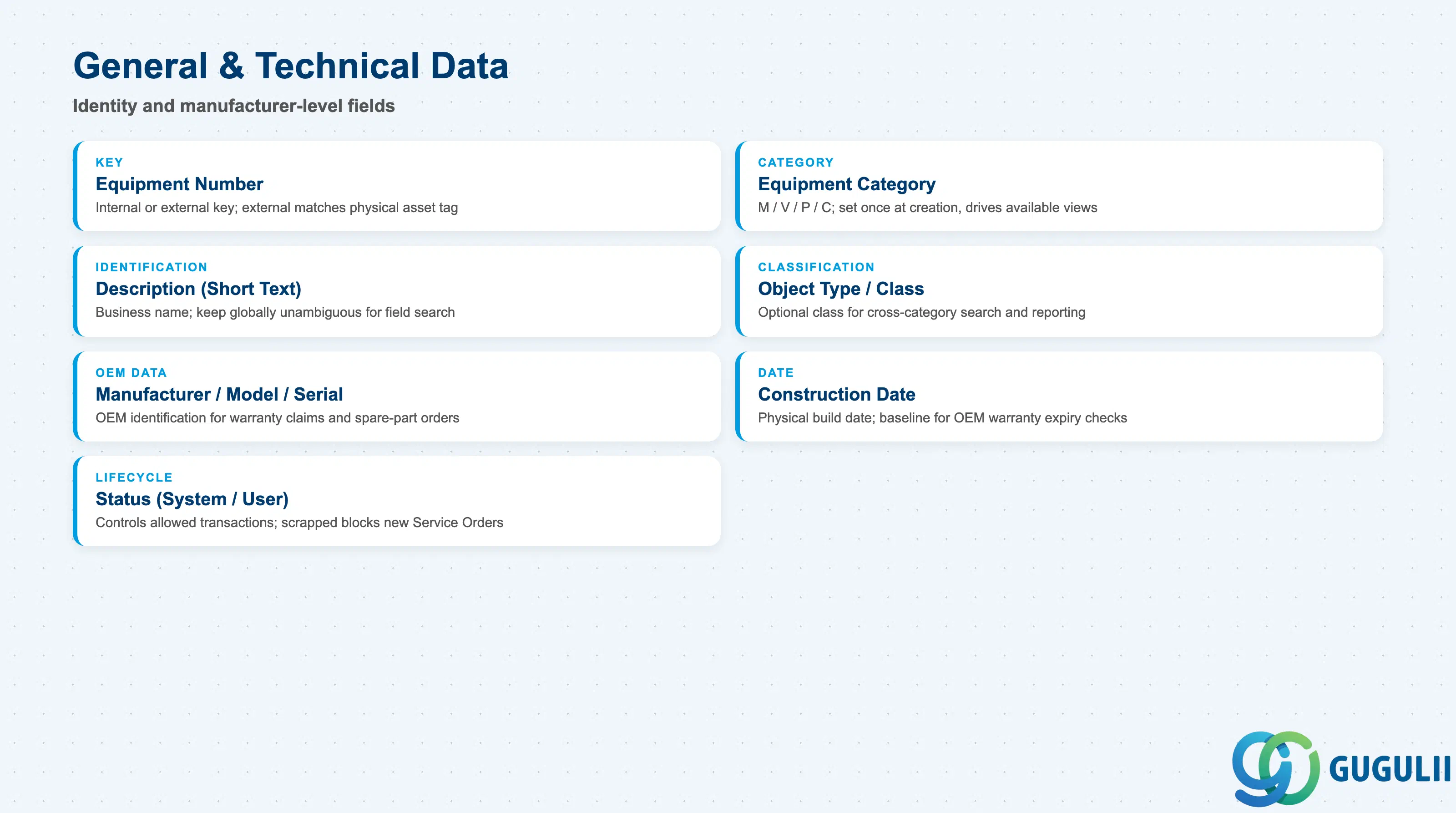
General and Technical Data identifies the Equipment record and captures the manufacturer-level detail consultants need for OEM warranty claims and parts ordering.
| Field | Description | Practical Usage |
|---|---|---|
| Equipment Number (EQUI-EQUNR) | Internal or external key identifying the Equipment record | Decide internal (system-assigned) vs. external (business-meaningful) numbering at blueprint; external numbering is common when the number must match a physical asset tag already used in the field. |
| Equipment Category | Single-character code (M/V/P/C, see 1.2) | Set once at creation; drives which additional tabs (Fleet Management, warranty, serial number profile) are available for this record going forward. |
| Description (Short Text / EQKT) | Business name of the Equipment | Field technicians and dispatchers search by description on mobile far more often than by number — keep it globally unambiguous, not just the ID. |
| Object Type / Class | Optional classification for search and reporting | Assign a class (e.g., “AC-Unit-5Ton”) so consultants can search/report across Equipment independent of category or installation location. |
| Manufacturer / Model / Manufacturer Serial Number | Manufacturer-level identification fields | Populate at goods receipt or initial creation; these fields (not the internal SAP Equipment Number) are what an OEM warranty claim or spare-part order actually references. |
| Manufacture / Construction Date | Date the physical asset was built | Baseline for OEM-warranty expiry checks and for age-based maintenance interval planning, distinct from the SAP creation date of the record. |
| Status (System / User Status) | Lifecycle status (e.g., available, dismantled, scrapped) | Controls which transactions are allowed against the record — a scrapped Equipment should be blocked from new Service Order object-selection lists even though its history remains queryable. |
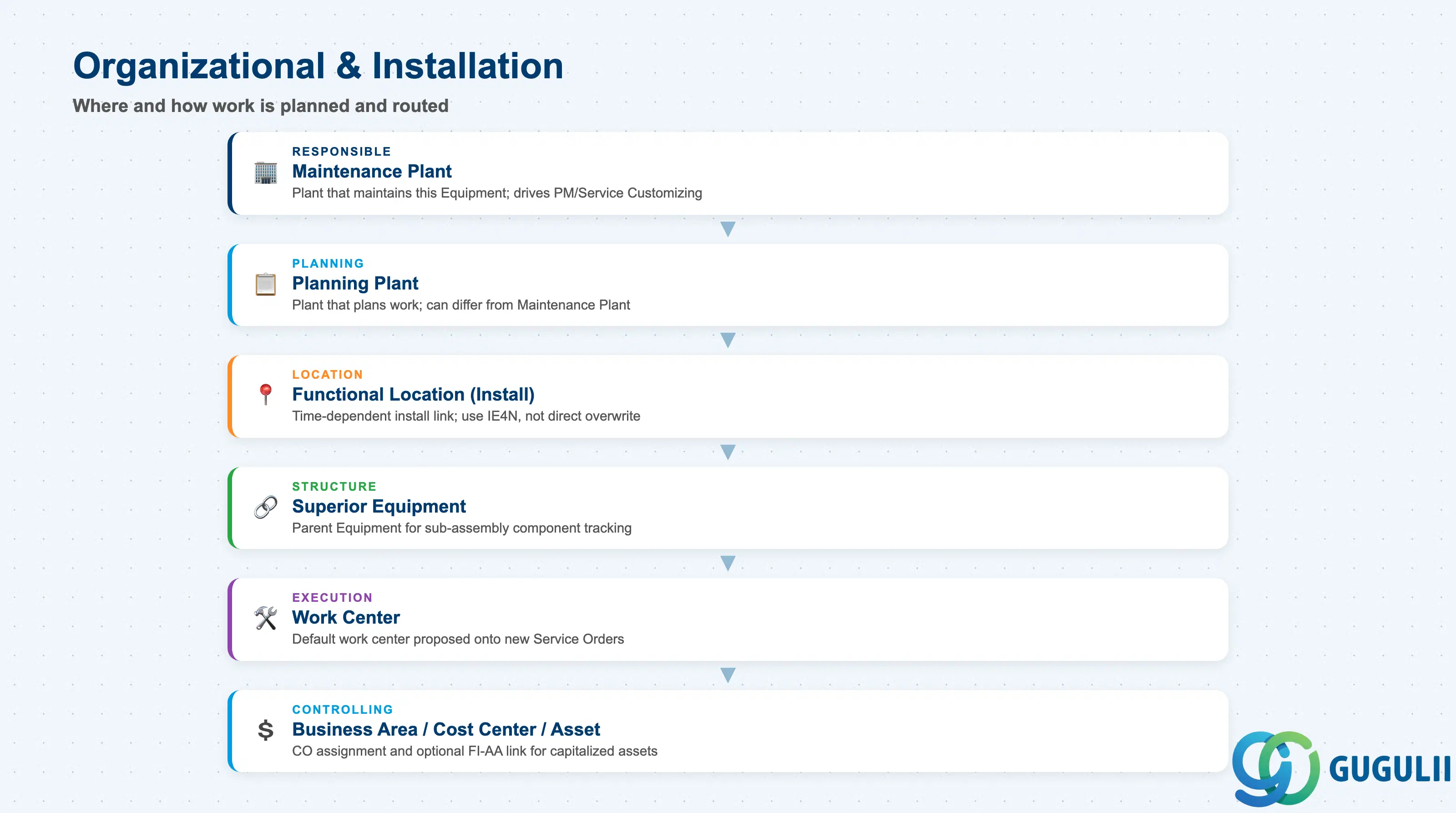
Organizational & Installation Assignment fields determine who plans and executes work on this Equipment, and where it currently sits in both the location hierarchy and any Equipment-to-Equipment structure.
| Field | Description | Practical Usage |
|---|---|---|
| Maintenance Plant | Plant responsible for maintaining this Equipment | Determines which PM/Service Customizing (order types, notification types) applies; for multi-site service organizations, confirm it matches the depot actually dispatching technicians. |
| Planning Plant | Plant that plans maintenance/service work for this Equipment | Can differ from Maintenance Plant in cross-plant planning setups; Service Order defaulting logic reads this field to propose the responsible planner. |
| Functional Location (Install Link) | Current installation reference, maintained time-dependently via IE4N | An Equipment record can carry a full install/dismantle history across several Functional Locations over its life — always install/dismantle through IE4N rather than overwriting the field directly, to preserve that history. |
| Superior Equipment | Parent Equipment when this record is a sub-equipment of another (e.g., EQ-10001-A under EQ-10001) | Models a physical asset’s internal component structure at the Equipment level, distinct from the Functional Location hierarchy — used when a sub-assembly needs its own serial number and history. |
| Work Center | Default work center for tasks against this Equipment | Proposed automatically onto new Service Orders/Notifications, saving manual entry; keep it in sync when technician teams are reorganized. |
| Business Area / Cost Center / Asset Number | Controlling assignment and optional FI-AA link | Asset Number (EQUI-ANLNR) ties a capitalized Equipment to its Fixed Asset record for depreciation reporting — populate only when the physical asset is itself capitalized, not for every Equipment record. |
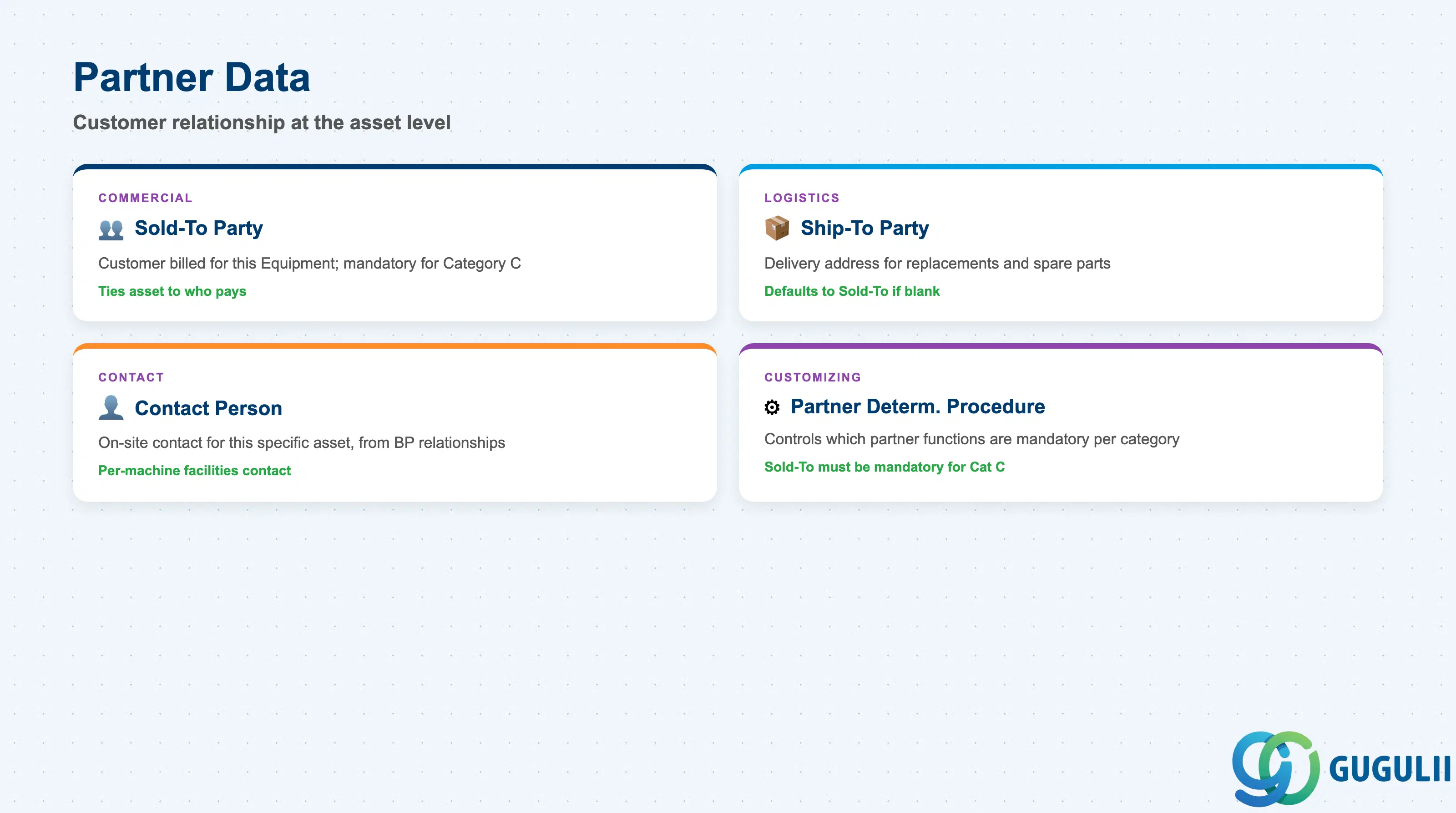
Partner Data at the Equipment level lets a customer-owned asset carry its own commercial relationship, independent of whatever Functional Location it may or may not be installed at.
| Field | Description | Practical Usage |
|---|---|---|
| Sold-To Party | Business Partner acting as the customer for this Equipment | Mandatory for Category C (Customer Equipment) processed without a fixed Functional Location — e.g., a unit shipped to a depot for repair; this is the field that ties the physical asset to who is billed. |
| Ship-To Party | Business Partner receiving physical deliveries (replacement units, spare parts) for this Equipment | Defaults to Sold-To if not separately maintained; set explicitly for depot-repair scenarios where the return-ship address differs from the billing relationship. |
| Contact Person | On-site or account contact relevant to this specific Equipment | Populated from the Business Partner’s contact-person relationships; used when a large customer account has different contacts per asset (e.g., per-machine facilities contact). |
| Partner Determination Procedure | Customizing controlling which partner functions are mandatory/allowed for the Equipment’s category | Confirm at blueprint that Sold-To is mandatory in the procedure assigned to Category C — a mis-configured procedure silently allows Service Orders on customer equipment without a Sold-To Party, breaking downstream billing. |
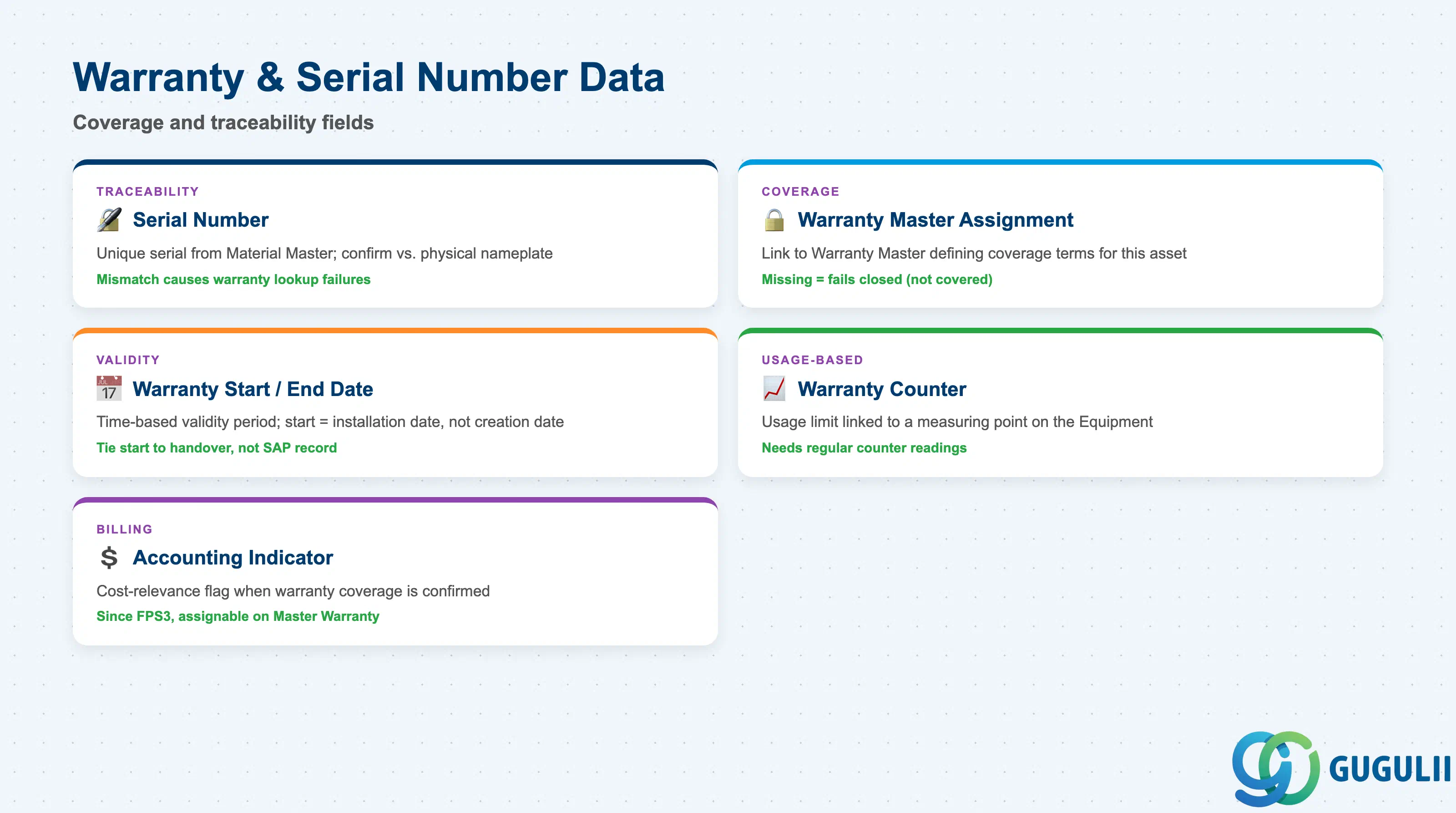
Warranty & Serial Number Data is what Service consultants validate first on any Equipment-based Service Order — it decides whether the work is billable or covered.
| Field | Description | Practical Usage |
|---|---|---|
| Serial Number | Unique serial identifier, typically inherited from the Material Master when the Equipment was created via serialized-material goods receipt | Confirm it matches the physical nameplate serial before the first Service Order is raised — mismatches here are a frequent cause of failed warranty lookups later. |
| Warranty Master Assignment | Link to a Warranty Master (or, since 2023 FPS3, a Master Warranty) defining coverage terms | Warranty determination on a Service Order fails closed (treated as not covered) if this assignment is missing — validate it is populated before go-live, not discovered at the first customer complaint. |
| Warranty Start / End Date | Validity period of the assigned warranty, or the counter-based equivalent | Time-based warranties (e.g., “1 year from installation”) use these dates directly; confirm the start date is tied to installation/handover date, not the SAP record creation date. |
| Warranty Counter | Usage-based limit (e.g., 8,000 operating hours) linked to a measuring point on the Equipment | Requires a measuring point/counter reading process to be in place — without regular readings, usage-based warranty expiry cannot be detected automatically. |
| Accounting Indicator | Cost-relevance flag applied when warranty coverage is confirmed | Since 2023 FPS3, this can be assigned directly on the Master Warranty rather than maintained per Equipment; confirm which pattern the system uses so billing-relevance defaults correctly on every Service Order. |
| ID | Category | Title |
|---|---|---|
| srv-001 | Overview | What is SAP Service? |
| ID | Category | Title |
|---|---|---|
| srv-a01 | Overview | SAP Service Master Data: Overview, Hierarchy & Relationships |
| srv-a03-01 | Master Data | SAP Service Product Master |
| srv-a04-01 | Master Data | SAP Spare Parts Master |
| srv-a03-02 | Master Data | SAP Service Pricing Condition |
| srv-a05-01 | Master Data | SAP Service Functional Location |
| srv-a05-02 | Master Data | SAP Service Equipment 📍 |
| srv-a05-03 | Master Data | SAP Service Bill of Material |
| srv-a06-01 | Master Data | SAP Service Service Contract Template |
| srv-a06-02 | Master Data | SAP Service Service Order Template |
| srv-a07-01 | Master Data | SAP Service Warranty Master |