Title here
Summary here

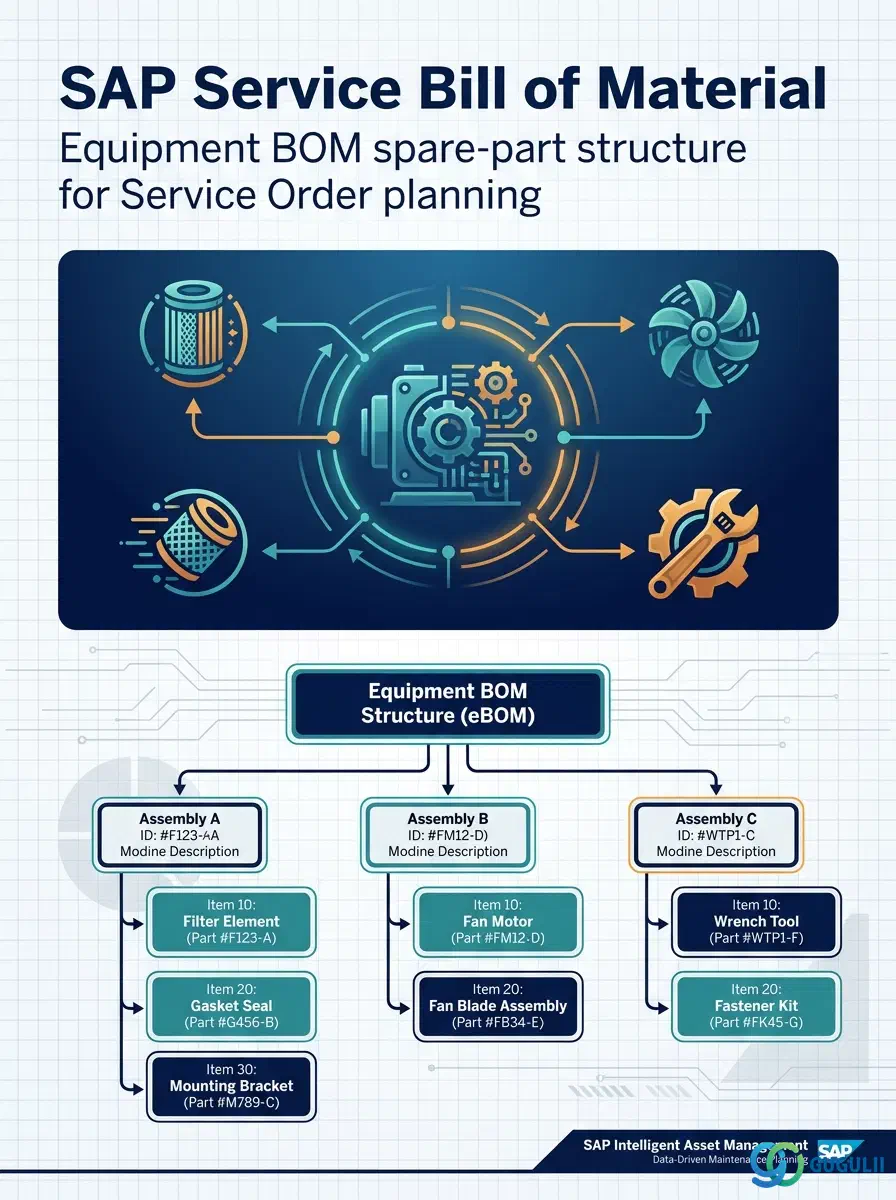
The Bill of Material (BOM) is the structured, itemized list of spare-part components attached directly to a specific Equipment record — or, less commonly, to a Functional Location — that Service Order and Maintenance Order planning explodes to reserve, procure, and consume parts during a repair. It is distinct from the classic Material BOM used in Production Planning and Engineering: this Equipment BOM is anchored to one physical asset rather than shared across manufactured products, and it never exists as an independent master — a BOM is meaningless without the specific Equipment (or Functional Location) it belongs to. It is the third and final of three Technical Object masters in Phase 3 of the Service master data setup (Functional Location → Equipment → Bill of Material), and it is the object that determines exactly which spare parts a Service Order proposes when a technician is dispatched to repair a given asset. This article maps its position among SAP’s BOM category types, its organizational hierarchy, its integration with the surrounding masters, and the Service-specific field-level detail consultants must configure.
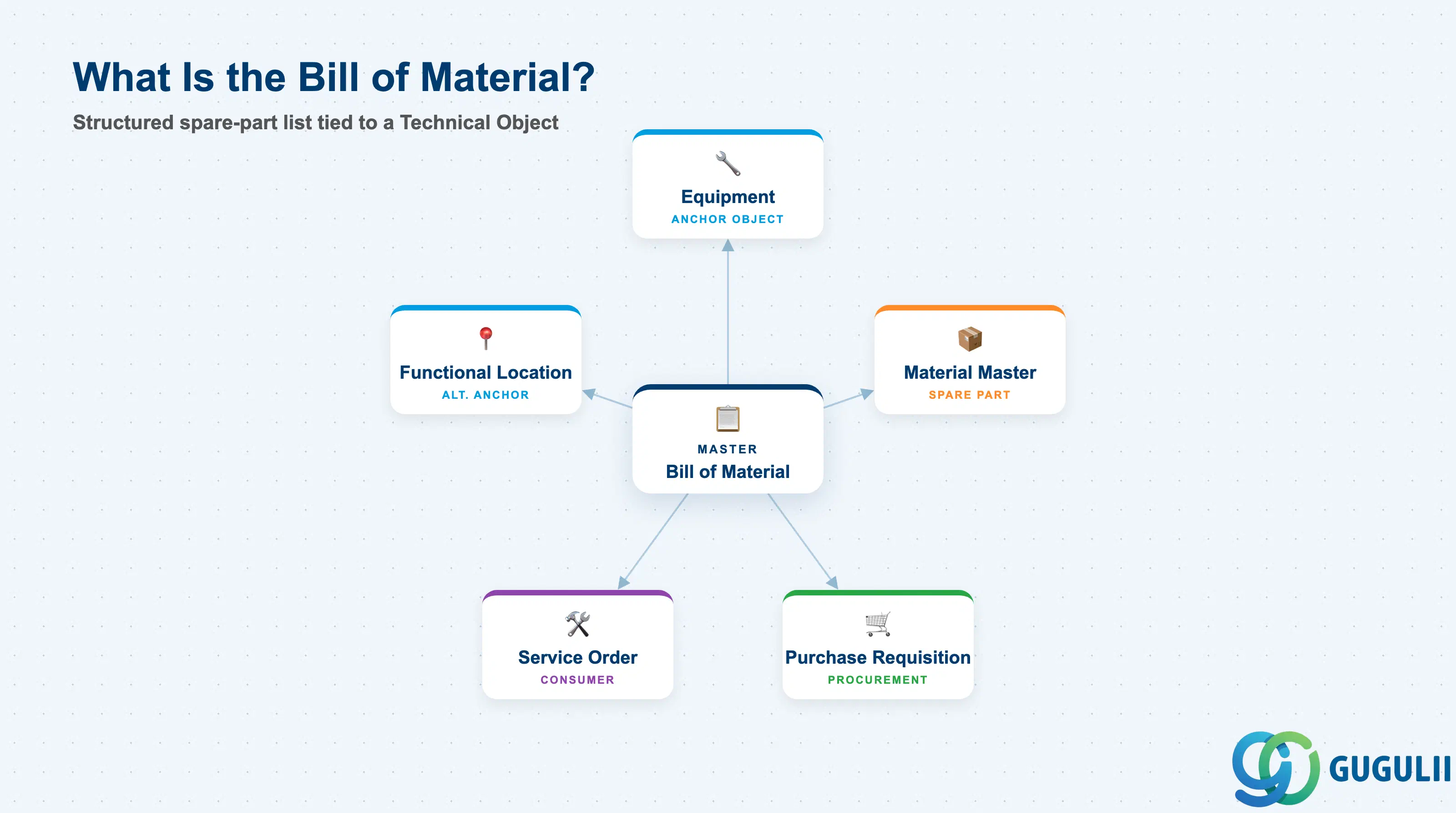
A Bill of Material is a structured, itemized list defining what components make up a higher-level object. In general SAP terms this higher-level object can be a manufactured product (Material BOM), a piece of technical equipment (Equipment BOM), or a fixed technical position (Functional Location BOM) — but the underlying structure is always the same shape: one header record identifying the object the structure belongs to, and one or more item records naming each component, its quantity, and how it is procured or consumed.
| Aspect | Details |
|---|---|
| Role | Defines the itemized spare-part/component structure attached to a specific Equipment (or Functional Location), read by Service Order and Maintenance Order planning to reserve, procure, and consume parts |
| Modules using it | PM (Plant Maintenance — primary owner: BOM header/item master data and maintenance transactions), MM (spare-part Material Master, procurement of non-stock items), Service (component assignment on Service Order/Notification, spare-part reservation and billing) |
| Transactions | IB01 (Create Equipment BOM) / IB02 (Change) / IB03 (Display); IB11 / IB12 / IB13 for the Functional Location equivalent; Fiori app “Manage Bill of Materials” |
| Key Tables | STKO (BOM Header — carries the assigned Equipment/Functional Location object number directly), STPO (BOM Item), STAS (BOM Item Selection, used for alternative or date-effective items) |
| S/4HANA note | Data model unchanged from ECC. Fiori app “Manage Bill of Materials” is the recommended entry point over the classic IB01–IB03 transactions for day-to-day spare-part structure maintenance. |
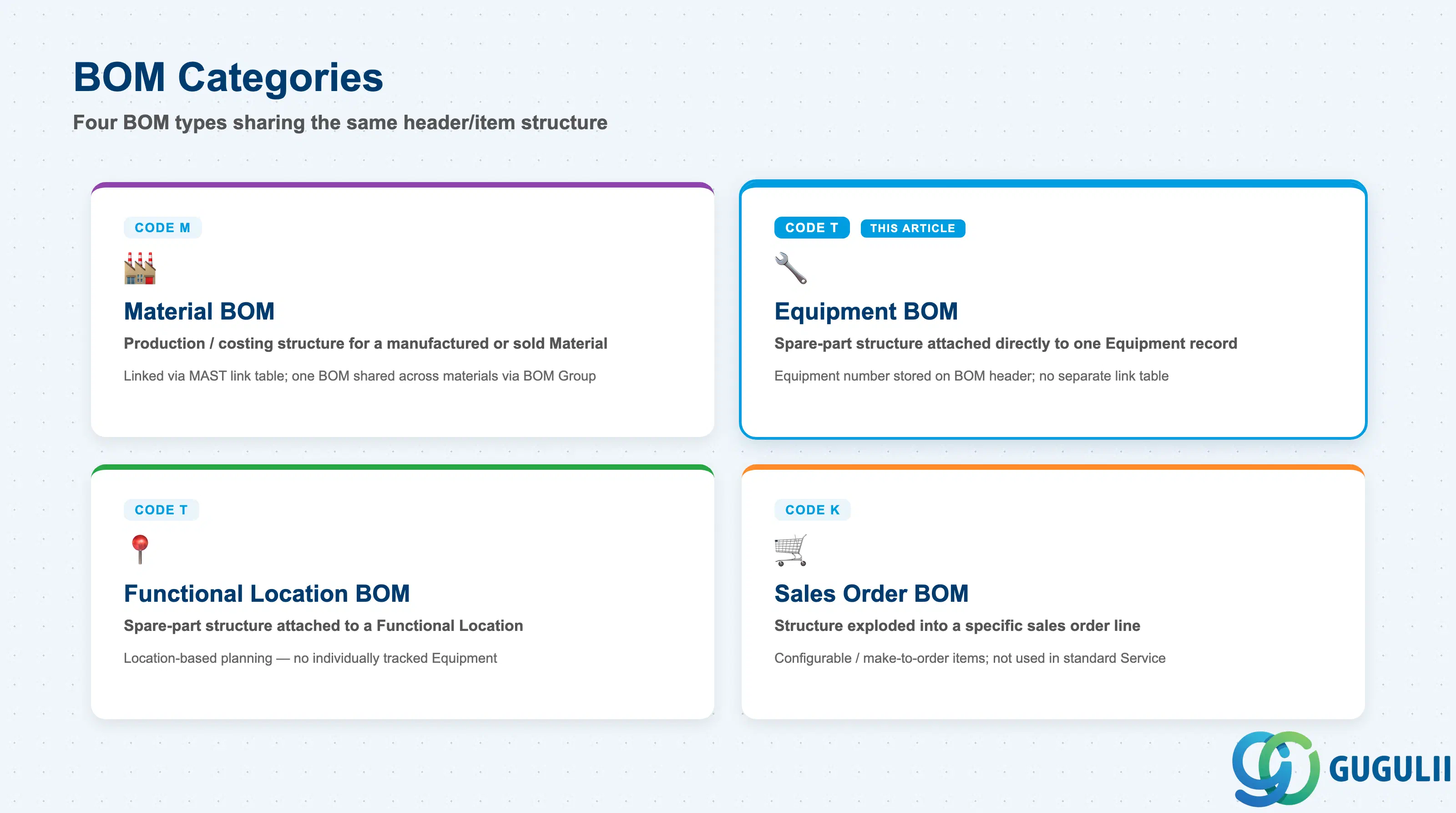
SAP’s BOM categories share the same underlying header/item structure (STKO/STPO) but differ in which object they attach to and how that assignment is stored. Getting this distinction right at blueprint matters because Equipment BOM and Material BOM are maintained by different teams, through different transactions, and serve entirely different planning processes — confusing the two leads to spare-part structure being built against the wrong object.
| Category | Code | Use Case | Key Behavior |
|---|---|---|---|
| Material BOM | M | Production/costing structure for a manufactured or sold Material | Linked to the Material Master via a separate link table (MAST); one BOM can be shared across several materials via a BOM Group — the classic PP/MM production/engineering BOM, out of scope for Service. |
| Equipment BOM | T (Technical object) | Spare-part structure attached directly to one Equipment record — this article’s object | The Equipment number is stored directly on the BOM header, with no separate link table; typically one Equipment maps to one BOM (or a small set of Alternative BOMs, see 2.1). |
| Functional Location BOM | T (Technical object, same category) | Spare-part/component structure attached to a Functional Location rather than an Equipment | Used when spare-part planning is location-based rather than asset-based — e.g., fixed installation components at a facility with no individually tracked Equipment. |
| Sales Order BOM | K | Structure exploded into a specific sales order line for configurable/make-to-order items | Not used in standard Service technical-object scenarios; relevant only where an engineer-to-order Service Product configuration is in scope. |
Design principle: Model spare-part structure at the Equipment level whenever the physical asset itself is individually tracked — reserve Functional Location BOM only for genuinely asset-agnostic, location-fixed components, since attaching structure to the wrong object level makes it invisible to the planning process that actually needs it.
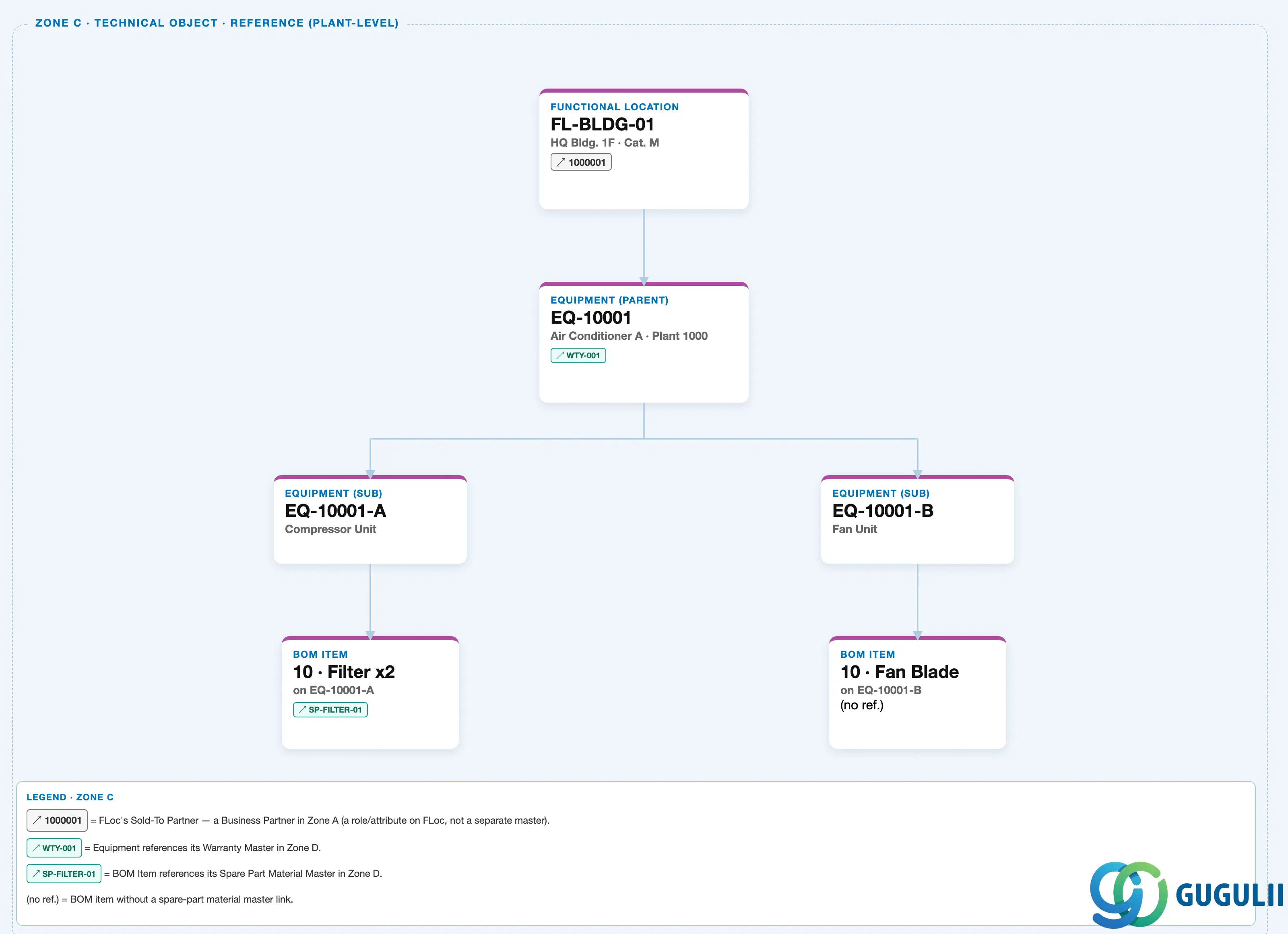
Data hierarchy with a concrete example
Client 100
   │
   FUNCTIONAL LOCATION "FL-BLDG-01" — HQ Bldg. 1F, Category M
   │
   ↓  (Equipment installed at this Functional Location)
   EQUIPMENT (parent) "EQ-10001" — Air Conditioner A, Plant 1000
   │      Warranty ── assigned to ──> Warranty Master "WTY-001" (Zone D — reference, via Equipment, not owned by BOM)
   │
   ├── EQUIPMENT (sub) "EQ-10001-A" — Compressor Unit
   │      └── BOM ITEM "10 · Filter x2" — on EQ-10001-A                    ← this article's object
   │             └── references ──> Material "SP-FILTER-01" (Zone D — Spare Part Material Master)
   │
   └── EQUIPMENT (sub) "EQ-10001-B" — Fan Unit
          └── BOM ITEM "10 · Fan Blade" — on EQ-10001-B                    ← this article's object
                 (no spare-part reference)
Design principle: A BOM Item belongs to exactly one Equipment record — it is never a shared, floating structure the way a Material BOM can be. Track and version BOM changes against the specific Equipment (or sub-equipment) they apply to, not against whichever Functional Location that Equipment happens to be installed at.
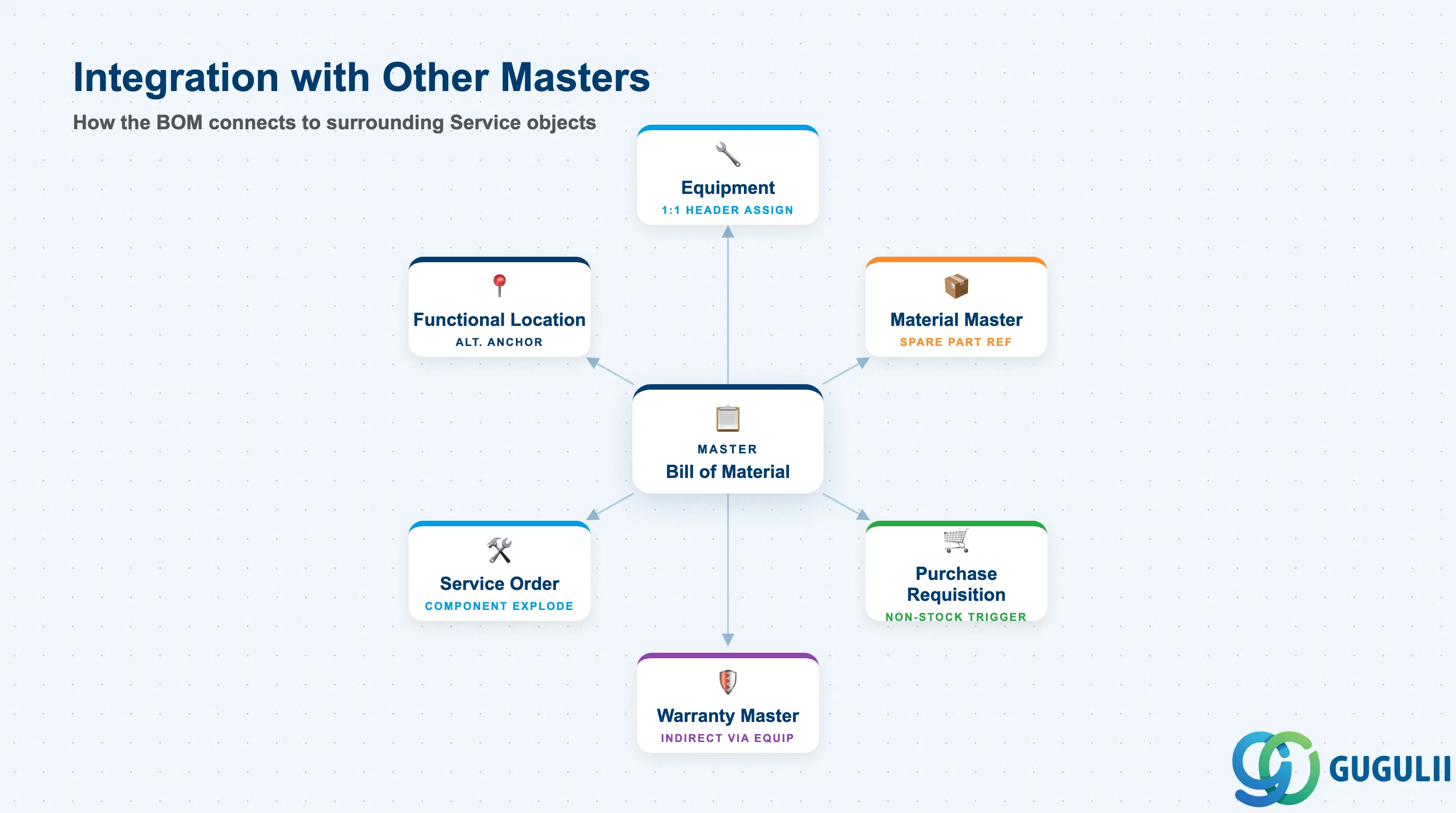
The Bill of Material does not stand alone — it is the structure that ties a physical asset to the procurable/stocked parts a technician needs, and the object that a Service Order reads at the moment components must be planned.
| Object | Relationship | Practical Notes |
|---|---|---|
| Equipment | BOM header is assigned directly to exactly one Equipment record (or occasionally a Functional Location) | This is a 1:1 header-level assignment, not a shared link table — replacing an Equipment’s spare-part structure generally means creating a new BOM header rather than re-pointing an existing one. |
| Material Master (Spare Part) | Each Stock BOM Item references a spare-part Material Master (Type ERSA/HIBE) | The Material’s stocking, valuation, and procurement setup must be complete before the BOM Item can generate a valid reservation or purchase requisition when copied to a Service Order. |
| Functional Location | Alternative anchor object for a Functional Location BOM, when spare-part planning is location-based rather than asset-based | The two anchor types are mutually exclusive per BOM header — decide the anchor object once at blueprint per object category, don’t mix approaches for the same class of asset. |
| Service Order / Notification | BOM items are exploded or manually selected into the Service Order’s component list for spare-part reservation | This is the operational reason the BOM exists — a technician’s parts list on a dispatched Service Order traces directly back to this structure. |
| Warranty Master (indirect, via Equipment) | BOM has no direct link to Warranty; both are read together only through their shared Equipment | Consultants routinely check BOM and Warranty side by side when planning a repair, but the data model connects them only via the common Equipment, not to each other. |
| Purchase Requisition (MM) | Non-stock BOM items trigger direct procurement when copied into a Service Order | Confirm the Material or Info Record behind a non-stock item carries valid purchasing data — an incomplete non-stock item silently blocks the automatic PR the Service Order otherwise creates. |
| Data Section | Service Involvement | Notes |
|---|---|---|
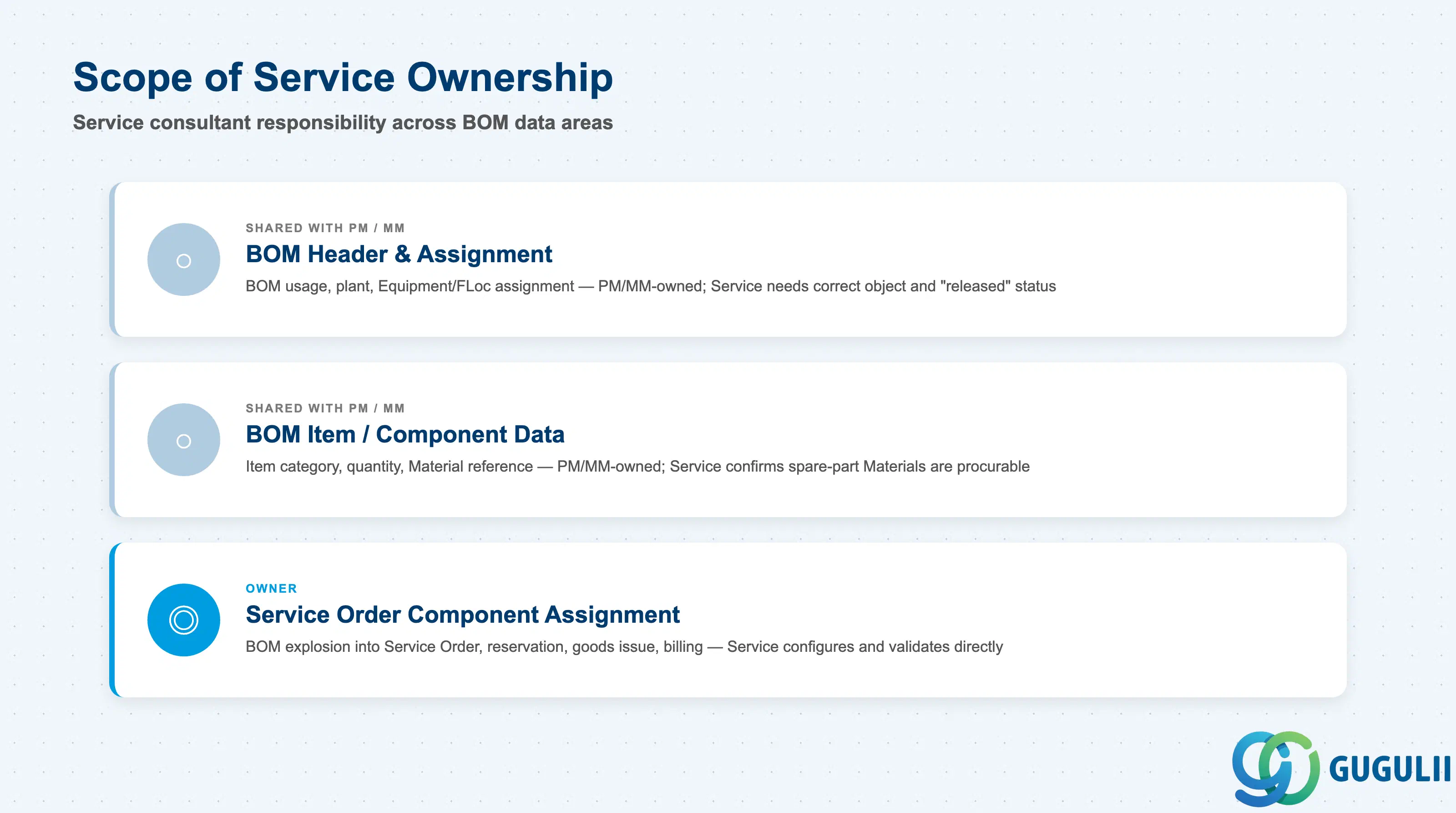
| BOM Header & Assignment | ○ Shared with PM/MM | BOM usage, org-level plant, and the Equipment/Functional Location assignment are PM/MM-owned master data; Service relies on the correct object number and a “released” status so the BOM is picked up by Service Order component selection at all. |
| BOM Item / Component Data | ○ Shared with PM/MM | Item category, quantity, and Material reference are PM/MM-owned; Service confirms every stock item resolves to a procurable spare-part Material Master so component selection produces valid reservations, not dead-end references. |
| Service Order Component Assignment | ◎ Owner | How BOM items are exploded or selected into the Service Order/Notification’s component list, and how that drives reservation, goods issue, and billing of consumed parts, is the field Service consultants directly configure and validate. |
Legend: ◎ = Owner / Critical, ○ = Direct involvement
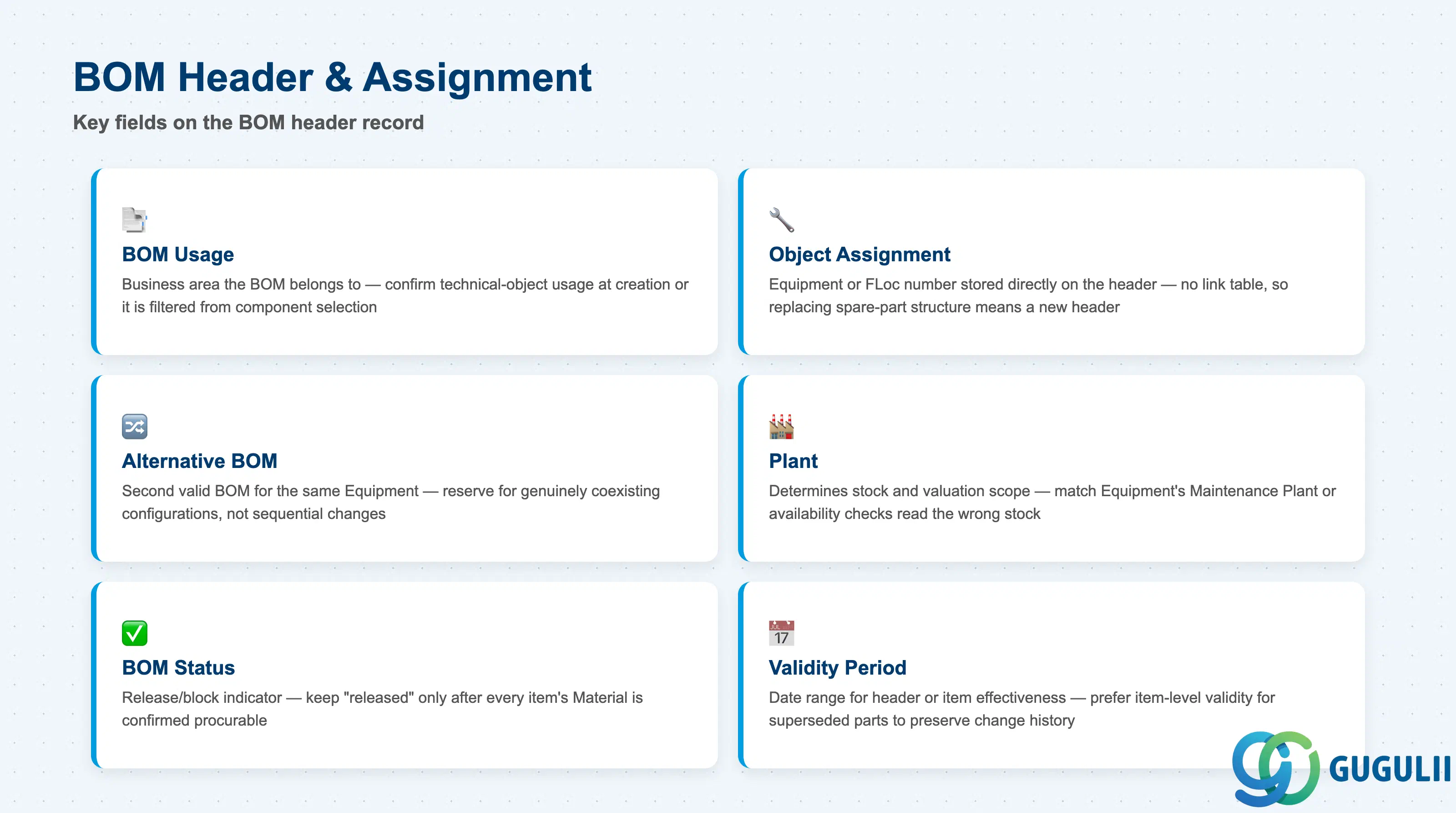
BOM Header & Assignment data identifies which object the BOM belongs to and the organizational scope its item-level spare parts are read against.
| Field | Description | Practical Usage |
|---|---|---|
| BOM Usage | Indicates the business area a BOM belongs to (e.g., the Plant Maintenance/technical-object usage for Equipment and Functional Location BOMs, versus Production or Engineering usage for a Material BOM) | Confirm Usage is set to the technical-object usage at creation — a BOM created under the wrong usage is filtered out of Service Order component-selection logic even though the header otherwise looks correct. |
| Object Assignment (Equipment / Functional Location) | The technical object number stored directly on the BOM header — not a separate link table, unlike Material BOM’s MAST link | Because the assignment sits on the header itself, transferring spare-part structure to a replacement Equipment means creating a new header, not re-pointing an existing link — plan for this explicitly during equipment exchange projects. |
| Alternative BOM | A second (or further) valid BOM header for the same object, distinguished by an alternative indicator | Reserve Alternative BOM for genuinely coexisting configurations (e.g., a model revision with different spare parts); a single header with item-level validity dates is simpler to maintain when the change is purely sequential. |
| Plant | Organizational level determining which plant’s stock and valuation apply to the BOM’s referenced spare-part Materials | Confirm Plant matches the Equipment’s Maintenance Plant — a mismatch causes spare-part availability checks to read stock at the wrong plant during Service Order planning. |
| BOM Status | Release/block indicator controlling whether the BOM is usable in component selection | Keep a header in “released” status only once every item’s Material reference is confirmed procurable — a released-but-incomplete BOM lets a Service Order propose a spare part that cannot actually be reserved. |
| Validity Period (Valid-From / Valid-To) | Date range over which the header, or an individual item, is effective | Prefer item-level validity for a superseded spare part over closing and re-creating the whole header — this preserves BOM change history across a part supersession instead of fragmenting it. |
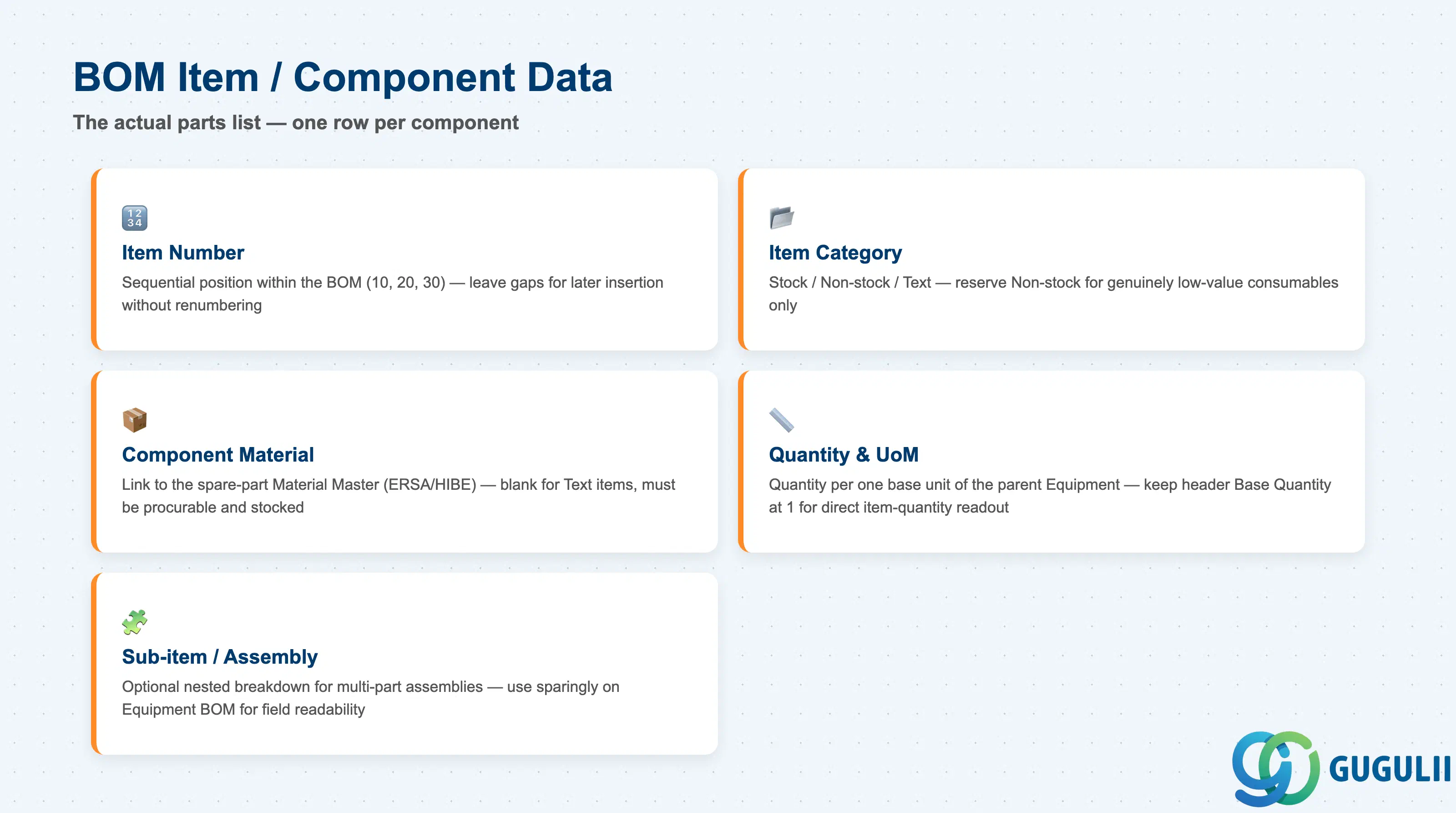
BOM Item / Component Data is the actual parts list — each row names one component, how much of it is needed, and how it is procured or consumed.
| Field | Description | Practical Usage |
|---|---|---|
| Item Number | Sequential position identifying the item within the BOM (e.g., “10”, “20”) | Leave gaps between item numbers at creation (10, 20, 30) so a forgotten component can be inserted later without renumbering the entire list. |
| Item Category | Controls whether the item is a stocked/procurable component, a non-stock consumable, a document reference, or descriptive-only text | Reserve Non-stock strictly for genuinely low-value, direct-procured consumables — routing everything through Non-stock loses spare-part stock visibility and reporting. |
| Component Material | Link to the spare-part Material Master (Type ERSA/HIBE) fulfilling this item position; blank for Text items | Confirm the linked Material is actually procurable and stocked in the BOM’s Plant before go-live — an item left without a Material reference (see the “(no ref.)” example in 1.3) cannot generate a reservation or requisition when copied into a Service Order. |
| Quantity & Unit of Measure | Quantity of the component required per one base unit of the parent Equipment/BOM | Keep the header’s Base Quantity at 1 for Equipment BOMs so item quantities read directly as “quantity per unit,” avoiding a conversion step during Service Order component planning. |
| Sub-item / Assembly Node | Optional nested breakdown when a component is itself a multi-part assembly | Use sparingly on Equipment BOM — over-nesting the spare-part structure makes the exploded Service Order component list harder for a field technician to scan quickly on a mobile device. |
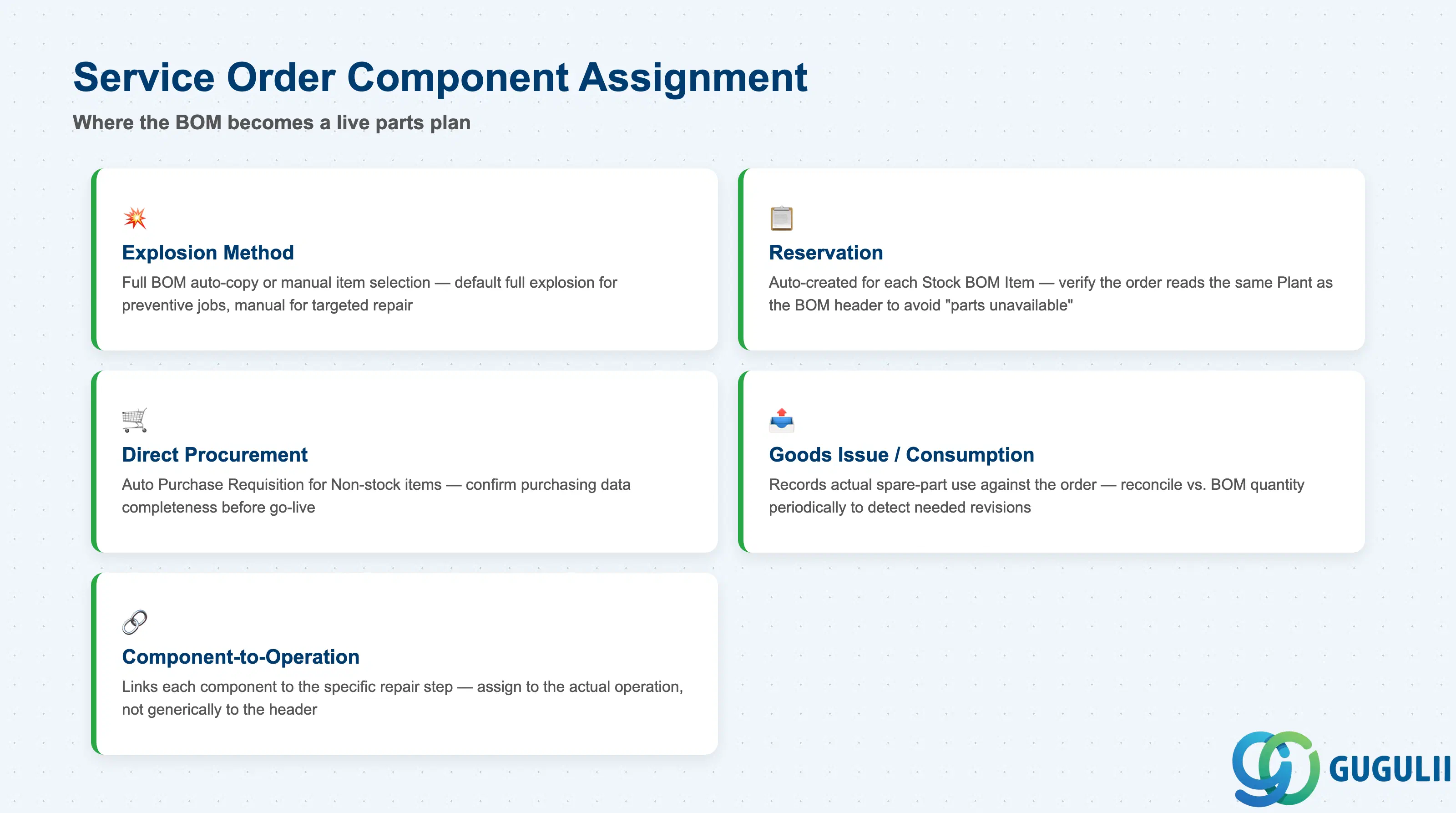
Service Order Component Assignment is where the BOM stops being a static list and becomes the actual parts plan for one dispatched job — this is the data Service consultants configure and validate first.
| Field | Description | Practical Usage |
|---|---|---|
| Component Explosion Method | Whether the Service Order pulls the full BOM automatically or the planner manually selects a subset of items | Default to full explosion for standard preventive-maintenance jobs, but allow manual selection for a targeted repair — copying every item onto every order inflates reservation volume without operational benefit. |
| Reservation | Material reservation automatically created for each Stock BOM Item copied into the order | Verify the Service Order’s Reservation reads the same Plant as the BOM header; a mismatch here is a frequent root cause of “parts not available” errors discovered only at goods-issue time. |
| Direct Procurement Trigger (Non-stock Items) | Automatic Purchase Requisition created when a Non-stock BOM Item is copied into the order | Confirm the underlying Material or Info Record’s purchasing data is complete before go-live — an incomplete Non-stock item blocks the automatic PR the Service Order would otherwise generate. |
| Goods Issue / Consumption Posting | Posting that records actual spare-part consumption against the Service Order once work is performed | Reconcile actual goods-issue quantities against the BOM’s planned quantity periodically — persistent over-consumption is an early signal that the BOM item quantity itself needs revision, not just a one-off shortage. |
| Component-to-Operation Assignment | Which specific Service Order Operation (repair step) consumes the component | Assign each component to the operation that actually performs the replacement, rather than generically to the order header, so the technician’s operation-level confirmation triggers goods issue at the correct point in the job. |
| ID | Category | Title |
|---|---|---|
| srv-001 | Overview | What is SAP Service? |
| ID | Category | Title |
|---|---|---|
| srv-a01 | Overview | SAP Service Master Data: Overview, Hierarchy & Relationships |
| srv-a03-01 | Master Data | SAP Service Product Master |
| srv-a04-01 | Master Data | SAP Spare Parts Master |
| srv-a03-02 | Master Data | SAP Service Pricing Condition |
| srv-a05-01 | Master Data | SAP Service Functional Location |
| srv-a05-02 | Master Data | SAP Service Equipment |
| srv-a05-03 | Master Data | SAP Service Bill of Material 📍 |
| srv-a06-01 | Master Data | SAP Service Service Contract Template |
| srv-a06-02 | Master Data | SAP Service Service Order Template |
| srv-a07-01 | Master Data | SAP Service Warranty Master |