Title here
Summary here

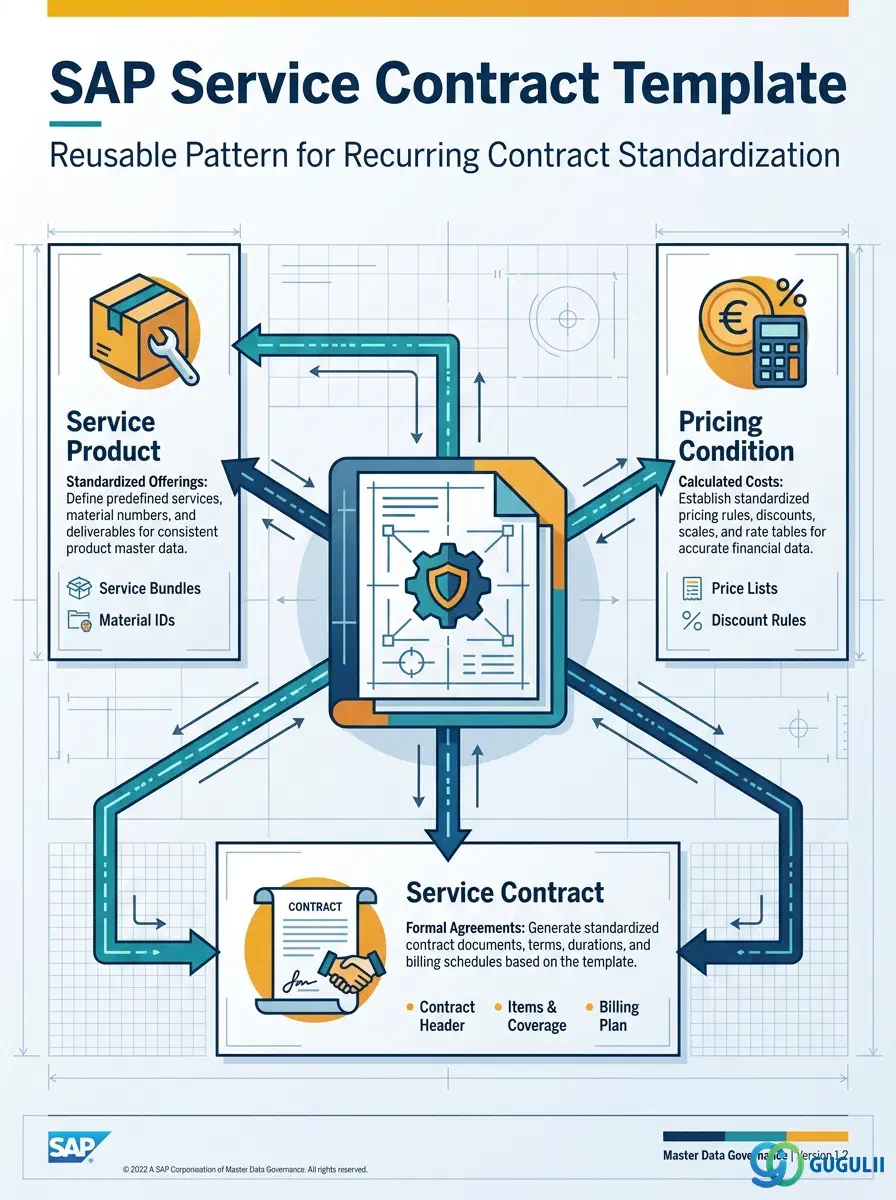
The Service Contract Template is a reusable master record that pre-configures the item structure, billing plan defaults, and price agreement type a Service Contract needs — it is not itself a live contract with a customer, but the standardized pattern that a Service Manager builds once and re-uses every time a new, similar contract must be created. It is distinct from an individual Service Contract instance: the instance carries a specific customer, specific equipment, and a specific validity period, while the template carries only the defaults that make creating that instance fast and consistent. This is the first of two Phase 4 “Service Templates” objects in the Service master data setup (Service Contract Template and Service Order Template), and it sits directly downstream of the Service Product and Pricing Condition masters already defined in Phase 2. This article first covers the template concept in general terms (Part 1), then the Service-specific billing plan, price agreement, and renewal-rule field detail (Part 2).
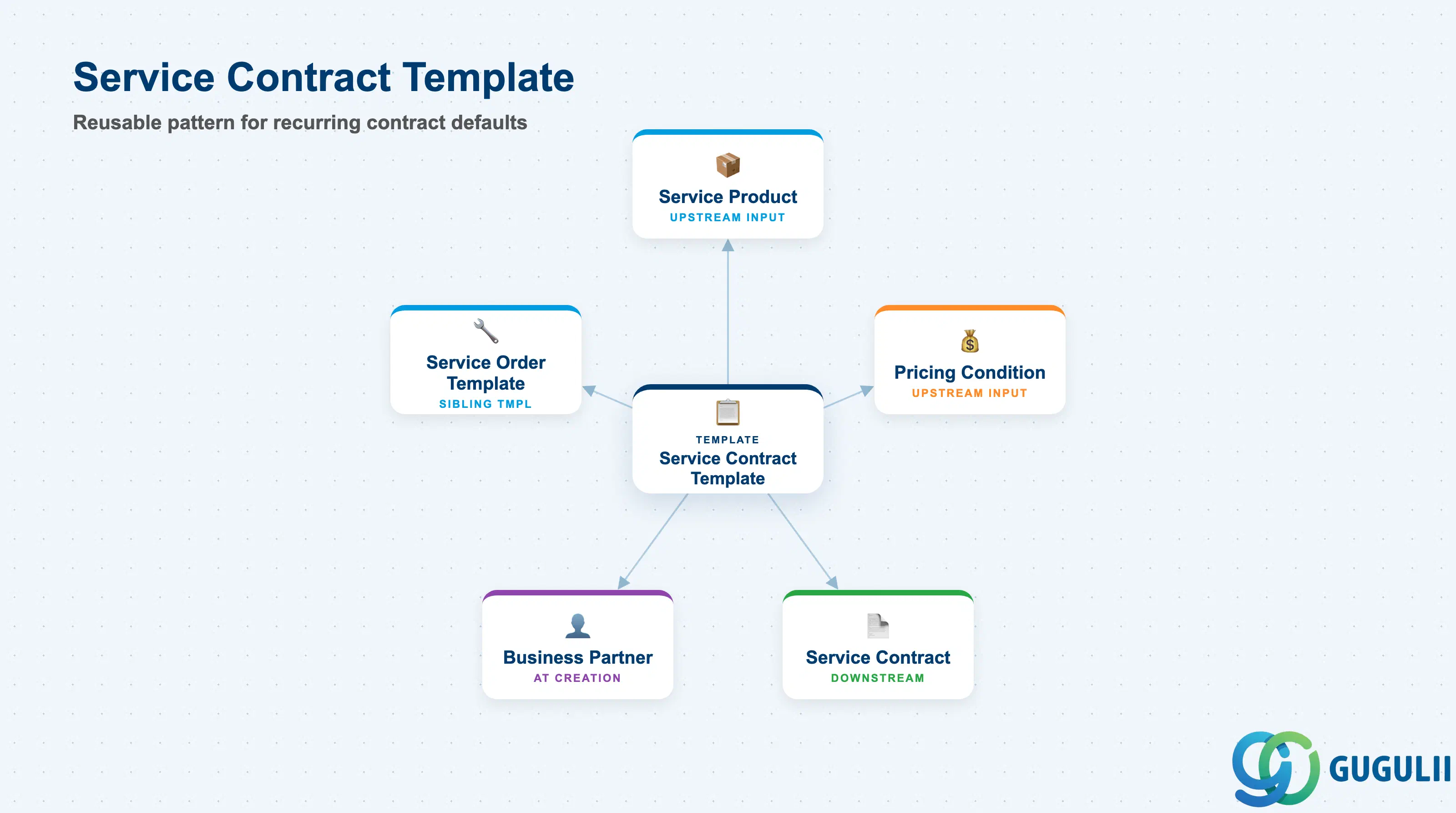
A template, in the general SAP sense, is a master record that captures a repeatable pattern of defaults so that a downstream transaction does not have to be configured line-by-line every time it is created. The Service Contract Template applies this idea to Service Contract Management: instead of a Service Manager re-entering the item category, billing frequency, and price agreement type on every new contract, the template stores these once and the contract-creation process copies them in as a starting point that can still be adjusted for the specific customer.
| Aspect | Details |
|---|---|
| Role | Reusable pattern that pre-configures a Service Contract’s item structure, billing plan defaults, and price agreement type, standardizing recurring contract creation |
| Modules using it | Service (owner — Service Manager maintains and assigns templates), SD (the underlying Sales Document and Billing Plan framework the template configuration reuses), FI (periodic billing documents and revenue recognition generated downstream from the template’s billing plan defaults) |
| Transactions | Fiori app Manage Service Contract Templates (create / change / display); there is no classic SAPGUI transaction — S/4HANA Service Contract Management is Fiori/WebClient-first |
| Key Tables | Reuses the SD Sales Document framework: VBAK / VBAP (document header/item, with the template stored as a reference document rather than a live order) and FPLA / FPLT (Billing Plan header/item, carrying the periodic billing defaults the template hands off to a new contract) |
| S/4HANA note | Dedicated Template Management (Service Contract Template / Service Order Template) is an S/4HANA Service concept with no direct equivalent in classic ECC Customer Service; it sits as a standardization layer on top of the pre-existing Sales Document-based contract structure. |
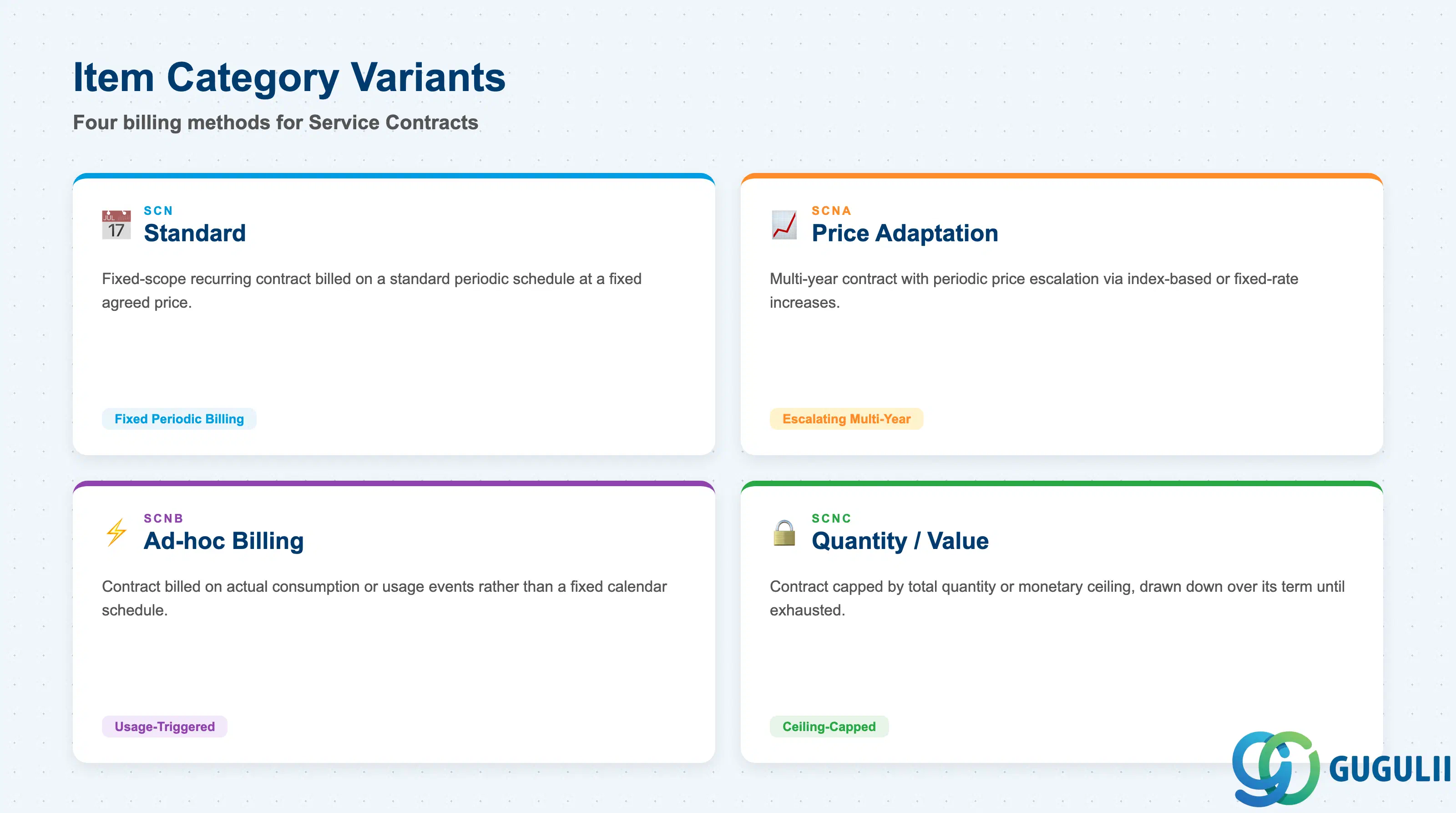
The template’s most consequential default is its Item Category, because this single setting determines how the resulting contract bills the customer — as a fixed periodic charge, an escalating multi-year rate, usage-triggered billing, or a capped quantity/value ceiling. Picking the wrong default at template design time means every contract created from it inherits the wrong billing behavior until someone notices and corrects it manually.
| Item Category | Code | Use Case | Key Behavior |
|---|---|---|---|
| Standard | SCN | Fixed-scope recurring service contract billed on a standard periodic schedule | Default variant; the billing plan generates invoices at a fixed interval and a fixed agreed price for the contract term |
| Price Adaptation | SCNA | Multi-year contract requiring periodic price escalation (index-based or fixed-rate increases) | Adds a price-adaptation clause on top of the standard structure; different billing plan periods can resolve to different prices as the adaptation rule fires |
| Ad-hoc Billing | SCNB | Contract billed on actual consumption or usage events rather than a fixed calendar schedule | Billing plan defaults to a milestone- or usage-triggered pattern instead of calendar-based periods |
| Quantity/Value Contract | SCNC | Contract capped by a total quantity or monetary ceiling drawn down over its term | Consumption against the ceiling is tracked from each linked Service Order; the contract closes automatically once the ceiling is reached |
Design principle: The template should pre-select exactly one Item Category as its default. Mixing billing methods within a single template defeats the purpose of standardization — create a separate template per Item Category instead of one template with manual overrides for every contract.
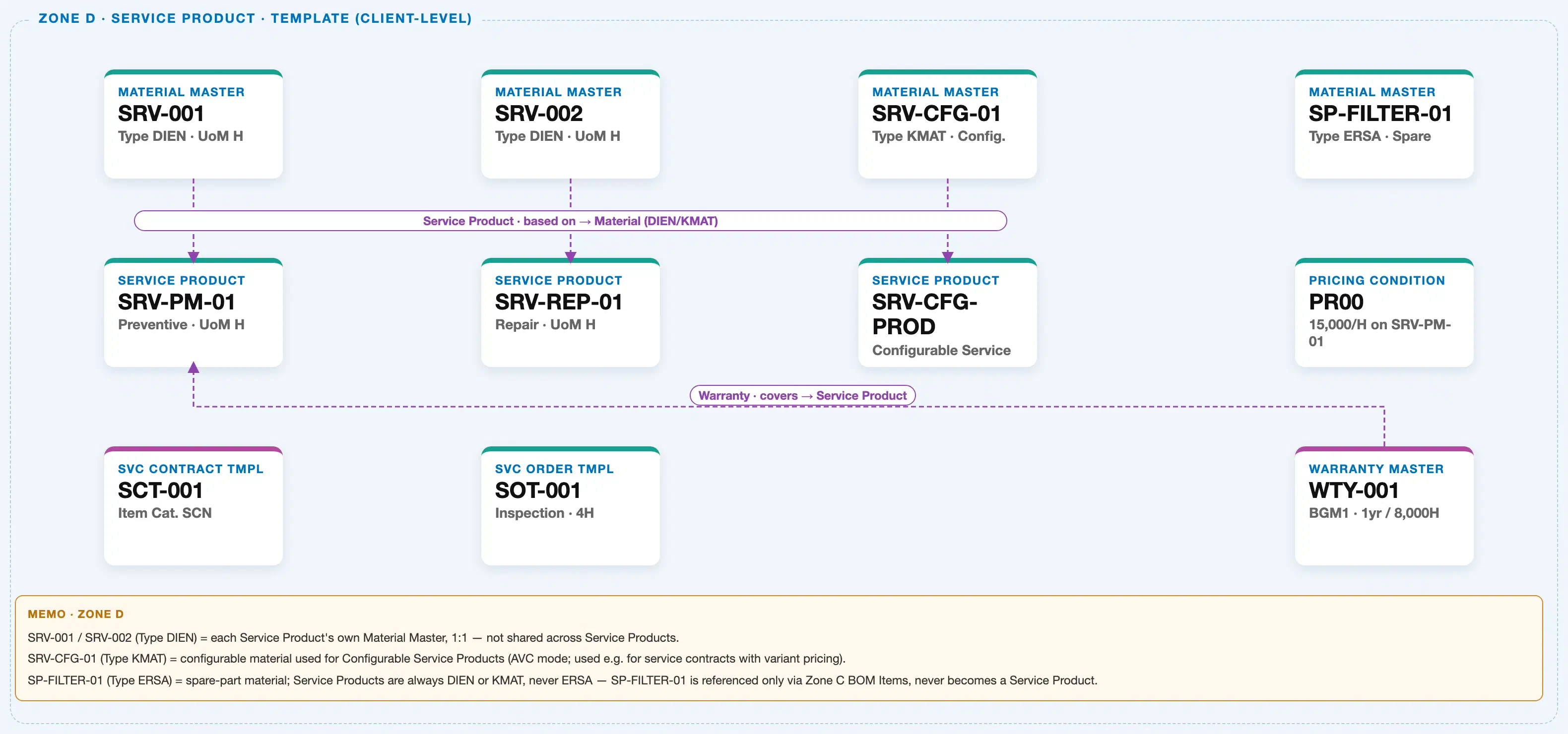
The diagram above crops Zone D — Service Product & Template (Client-Level) from the Service module’s Master Data Landscape. The Service Contract Template has no plant-level or organizational scoping of its own — it is a client-level pattern built directly from the Service Product and Pricing Condition masters that already exist in the same zone.
Data hierarchy with a concrete example
Client 100
   │
   Material Master "SRV-001" (Type DIEN · UoM H)
      │
      └── ── Service Product is based on ──> Service Product "SRV-PM-01"
                                             (Preventive Maintenance · UoM H)

   Service Product "SRV-PM-01"
      │
      └── ── Contract Template is derived from Service Product ──>
                                     Service Contract Template "SCT-001"   ← this article's object
                                     Item Cat. SCN · Billing Plan: Monthly

   Pricing Condition "PR00" (JPY 15,000 / H)
      │
      └── ── Contract Template inherits pricing from Pricing Condition ──>
                                     Service Contract Template "SCT-001"

   Service Product "SRV-PM-01"
      │
      └── ── Order Template is derived from Service Product ──>
                                     Service Order Template "SOT-001"
                                     Inspection · Planned Duration 4H (sibling Phase 4 template)
Design principle: A Service Contract Template gets its item defaults from a Service Product and its price defaults from a Pricing Condition — always confirm both upstream masters are finalized and released before the template is created, or the template will need rework the moment either upstream master changes.
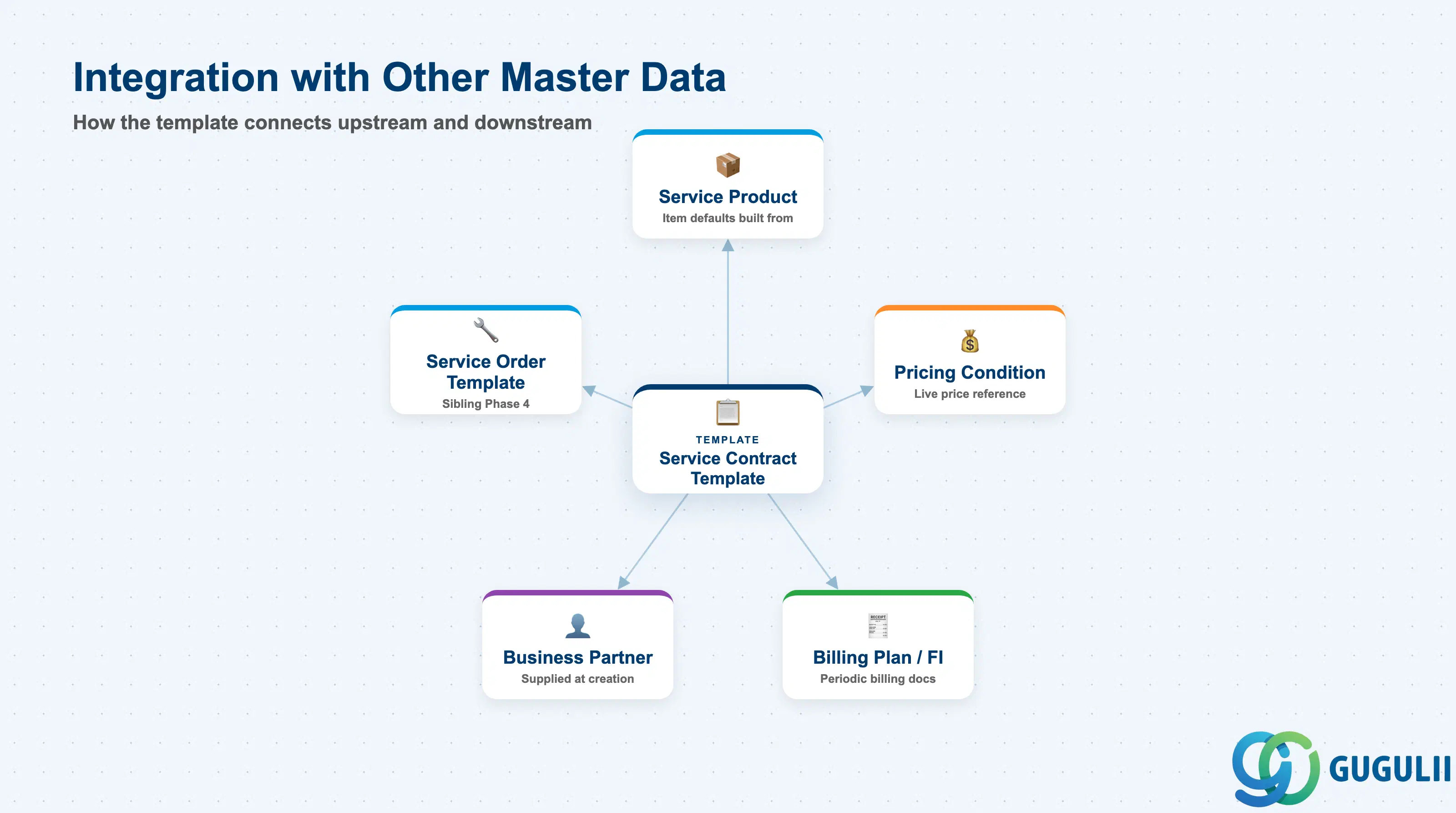
The Service Contract Template does not stand alone — it is the convergence point of the Service Product and Pricing Condition masters, and the starting point for every Service Contract instance created from it.
| Object | Relationship | Practical Notes |
|---|---|---|
| Service Product | Template’s item defaults are built directly from a specific Service Product | Changing which Service Product a template defaults to affects every future contract created from it, but never retroactively changes contracts already created — plan template updates as a forward-looking change only. |
| Pricing Condition | Template’s price agreement type and default price reference the Service Product’s maintained Pricing Condition | A template does not freeze the price at creation time — it points to the live Condition Record, so a subsequent price change is picked up by new contracts unless the template’s price agreement type explicitly locks it. |
| Service Order Template | Sibling Phase 4 template; a Service Contract Template’s recurring billing plan is frequently what schedules the recurring Service Orders generated from a Service Order Template | The two templates are configured independently but are commonly designed together for the same recurring-maintenance business scenario (see SRV-B05 Recurring Service Process). |
| Business Partner (Sold-To) | Not stored on the template itself — supplied only when an actual Service Contract instance is created from the template | The template is customer-agnostic by design; this is exactly what allows one template to be reused across many customers with the same service scope. |
| Billing Plan / FI | Template’s Billing Plan defaults (type, frequency, start rule) are copied into the contract’s own Billing Plan, which FI then reads to generate periodic billing documents | Errors in the template’s billing plan default (e.g., wrong frequency) propagate to every contract created from it — a template-level correction does not retroactively fix contracts already created with the wrong default. |
| Data Section | Service Involvement | Notes |
|---|---|---|
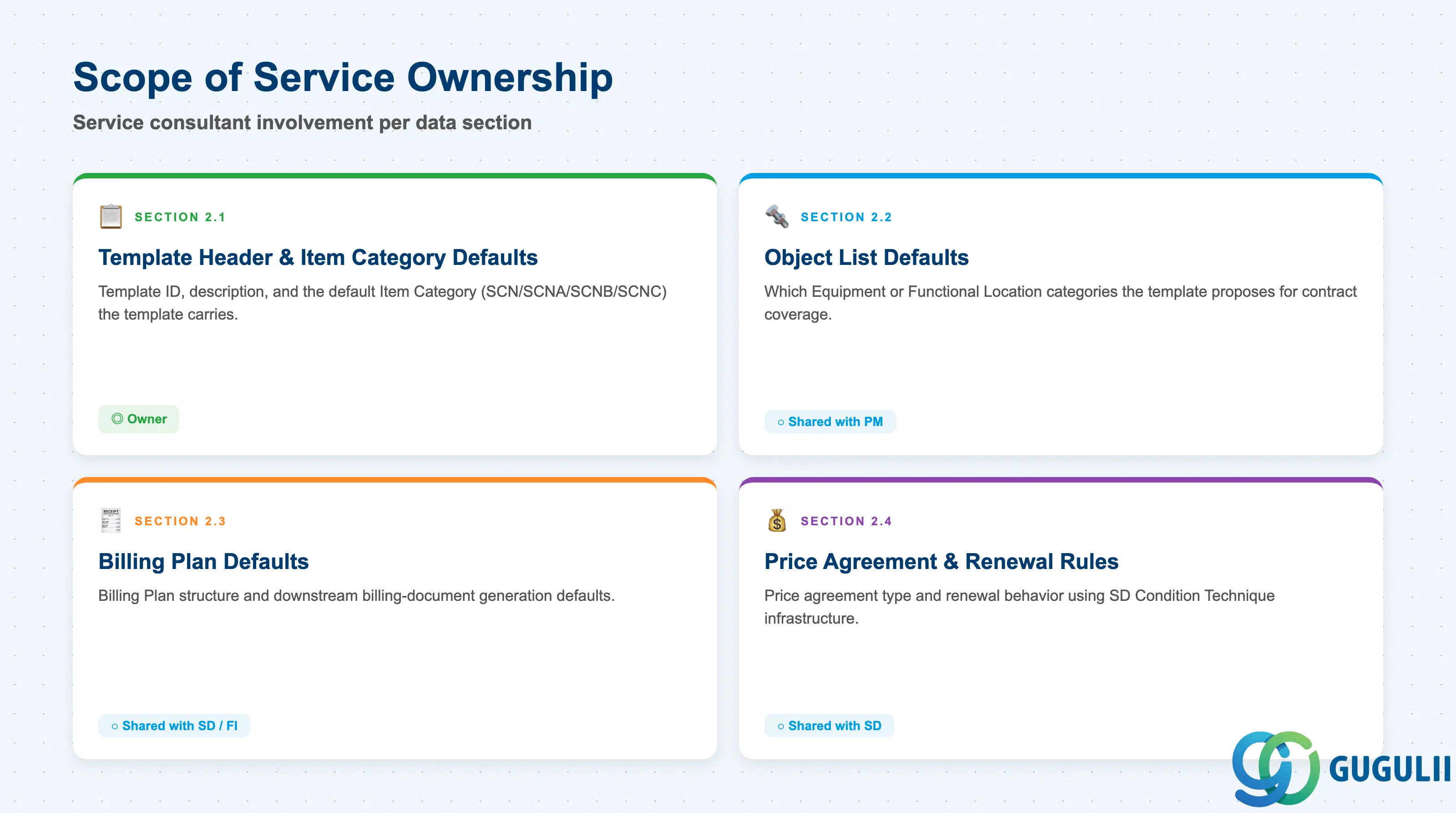
| Template Header & Item Category Defaults | ◎ Owner | The Service Manager owns the template ID, description, and default Item Category (SCN/SCNA/SCNB/SCNC) — the single most consequential setting on the template. |
| Object List Defaults | ○ Shared with PM | Which Equipment/Functional Location categories the template proposes for contract coverage references PM’s technical-object master data, but the default list itself is Service-maintained. |
| Billing Plan Defaults | ○ Shared with SD/FI | Billing Plan structure (FPLA/FPLT) and its downstream billing-document generation are shared SD/FI functionality; Service owns which billing plan defaults the template carries. |
| Price Agreement & Renewal Rules | ○ Shared with SD | Price agreement type reuses SD’s Condition Technique and pricing procedure infrastructure; Service owns which agreement type and renewal behavior the template defaults to. |
Legend: ◎ = Owner / Critical, ○ = Direct involvement
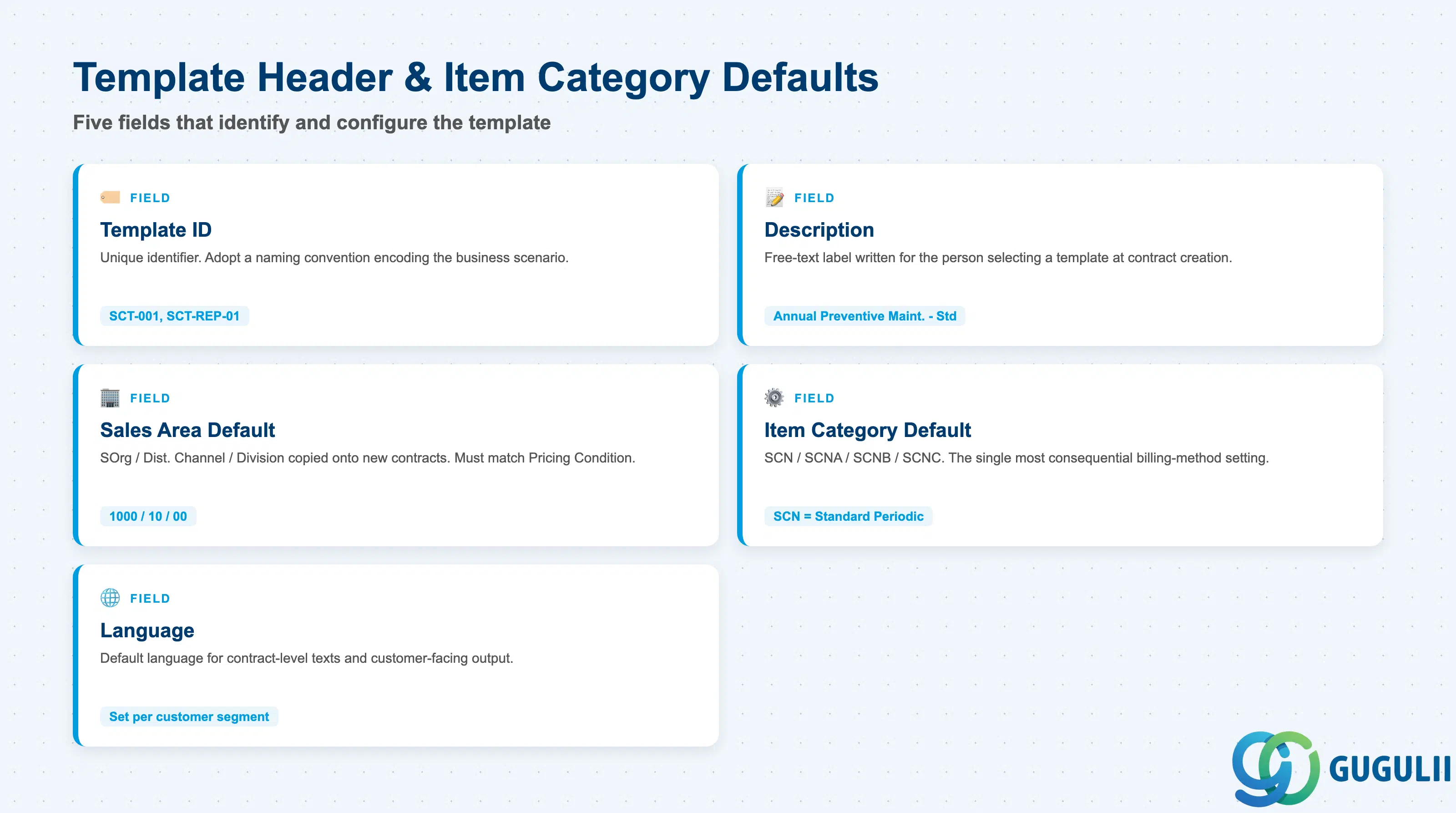
Template Header & Item Category Defaults identify the template itself and set the single default that governs how every contract created from it will bill.
| Field | Description | Practical Usage |
|---|---|---|
| Template ID | Unique identifier for the template (e.g., “SCT-001”) | Adopt a naming convention that encodes the business scenario (e.g., prefix by service line) so Service Managers can find the right template without opening each one — critical once a company maintains more than a handful of templates. |
| Description | Free-text label describing the template’s intended use | Write for the person selecting a template at contract creation, not for the template’s own maintainer — e.g., “Annual Preventive Maintenance — Standard Billing” rather than a generic internal code. |
| Sales Area Default (Sales Org / Dist. Channel / Division) | Default organizational scope copied onto new contracts | Confirm this matches the Sales Area used to maintain the referenced Service Product’s Pricing Condition, or the contract created from the template will fail to find a valid price at creation. |
| Item Category Default (SCN / SCNA / SCNB / SCNC) | The billing-method variant this template applies (see 1.2) | This is the field that most determines contract behavior; changing it after a template has been in use for some time affects only newly created contracts, never contracts already generated from the template. |
| Language | Default language for contract-level texts and customer-facing output | Set to the customer segment’s primary language when a template is scoped to one region; global templates typically leave this for override at contract creation. |
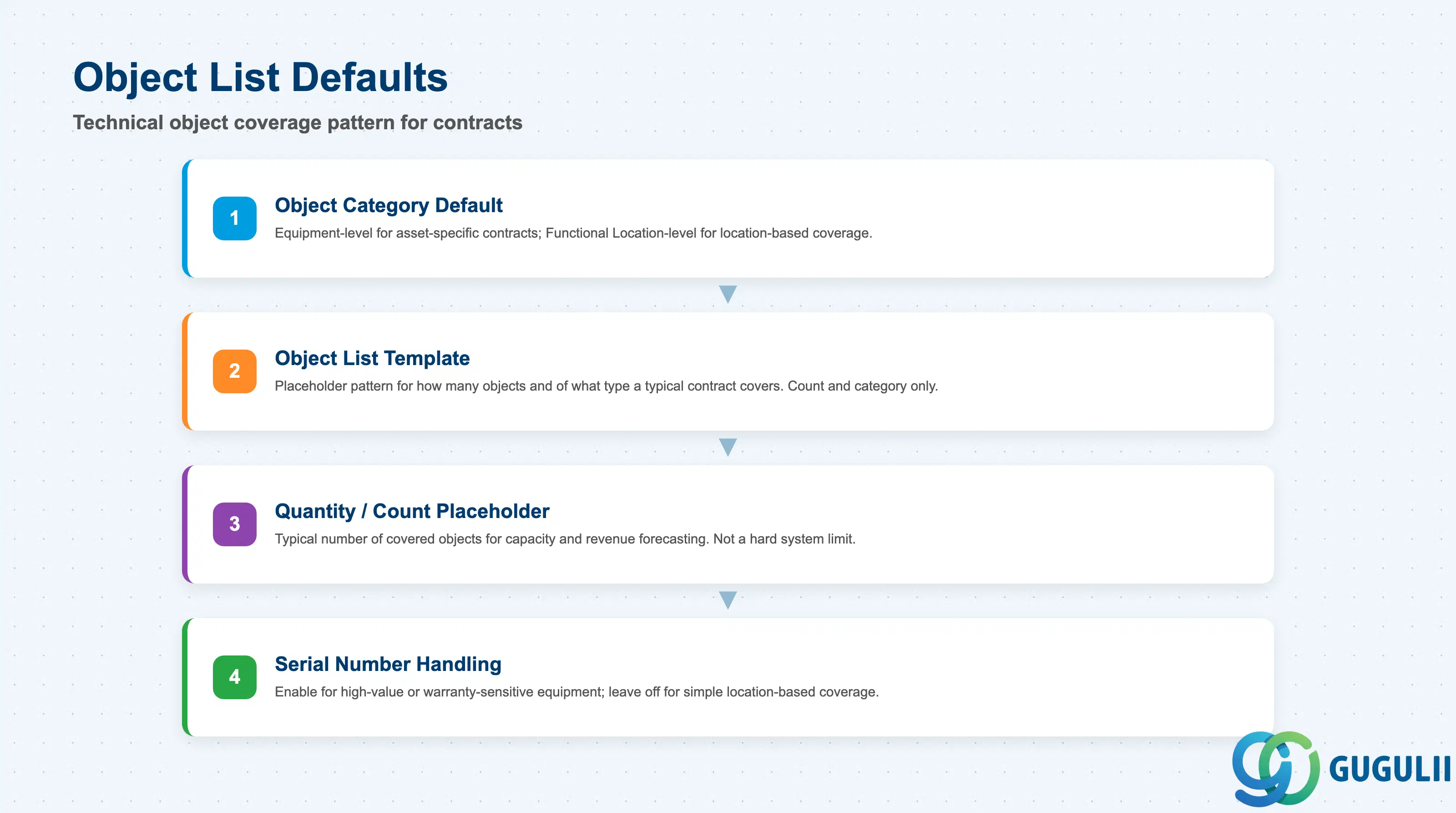
Object List Defaults determine which kind of technical object — Equipment or Functional Location — a contract created from this template is expected to cover, and how many.
| Field | Description | Practical Usage |
|---|---|---|
| Object Category Default | Whether the template expects Equipment-level or Functional Location-level coverage | Set Equipment-level for asset-specific contracts (e.g., one named air-conditioning unit); set Functional Location-level when coverage is location-based and the specific installed asset may change over the contract term. |
| Object List Template | A placeholder pattern for how many objects, and of what type, a typical contract covers | Keep this a count/category placeholder only — do not pre-populate specific Equipment numbers on the template itself, since that would defeat reuse across different customers’ assets. |
| Quantity/Count Placeholder | Typical number of covered objects for this contract scenario | Useful for capacity and revenue forecasting before actual contracts are signed; not a hard limit enforced by the system. |
| Serial Number Handling | Whether covered Equipment must carry validated serial numbers at contract creation | Enable for high-value or warranty-sensitive equipment where object identity must be unambiguous; leave off for simple location-based coverage where individual serial tracking adds no value. |
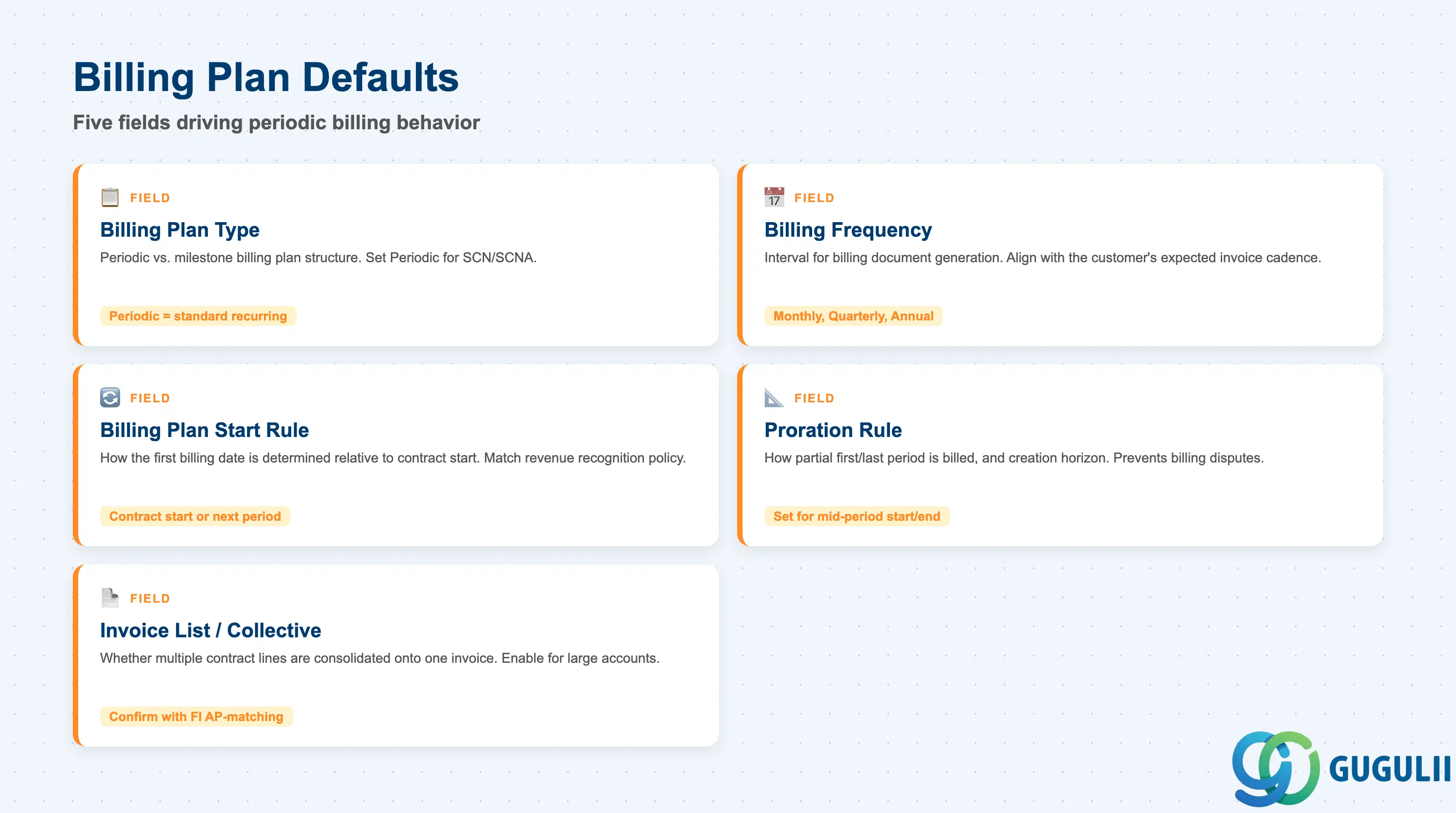
Billing Plan Defaults are copied directly into a new contract’s own Billing Plan and are what FI ultimately reads to generate periodic billing documents — this is the section with the most direct downstream financial impact.
| Field | Description | Practical Usage |
|---|---|---|
| Billing Plan Type | Periodic vs. milestone billing plan structure | Set Periodic for SCN/SCNA standard recurring contracts; set Milestone-oriented defaults only for SCNB ad-hoc/usage-billed templates where a fixed calendar schedule does not apply. |
| Billing Frequency | Interval at which billing documents are generated (e.g., monthly, quarterly) | Align with the customer’s expected invoice cadence and confirm against the Pricing Condition’s own price unit — a monthly frequency against an hourly-rate condition requires the confirmed-hours quantity to be captured before each billing run. |
| Billing Plan Start Rule | How the plan’s first billing date is determined relative to contract start | Common defaults are “contract start date” or “first day of the following period” — pick the rule that matches the business’s revenue-recognition policy so periodic billing does not create partial-period disputes. |
| Proration Rule / Horizon | How a partial first or last period is billed, and how far in advance billing documents are created | Set explicitly for contracts likely to start or end mid-period; an undefined proration rule is a common source of billing disputes on contract start/termination. |
| Invoice List / Collective Billing Default | Whether multiple contract line items or multiple contracts for the same customer are consolidated onto one invoice | Enable for large accounts with many contracts to reduce invoice volume; confirm with FI that collective billing does not conflict with the customer’s own AP-matching requirements. |
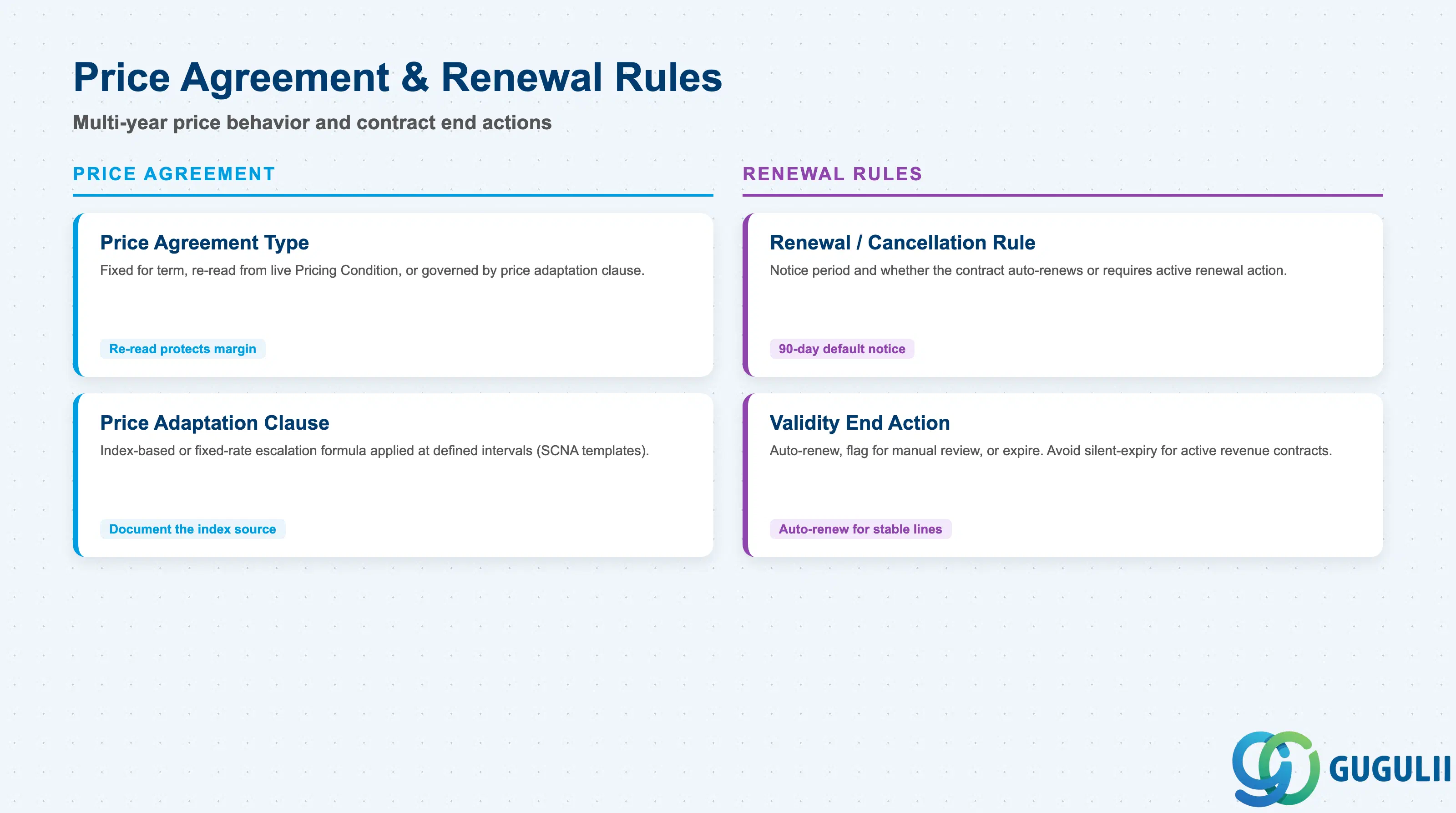
Price Agreement & Renewal Rules govern how the contract’s price behaves over a multi-year term and what happens automatically when the contract approaches its validity end date.
| Field | Description | Practical Usage |
|---|---|---|
| Price Agreement Type | Whether the contract price is fixed for the full term, re-read from the live Pricing Condition at each billing run, or governed by a price-adaptation clause | Fixed-for-term is simplest to administer but exposes the business to margin erosion on long contracts; a re-read or adaptation-based agreement protects margin but requires clear customer communication on how increases are calculated. |
| Price Adaptation Clause | Index-based or fixed-rate escalation formula applied at defined intervals (relevant for SCNA templates) | Document the index source (e.g., a published consumer/producer price index) in the template description so the same escalation logic is applied consistently across all contracts created from it. |
| Renewal / Cancellation Rule | Notice period required to cancel, and whether the contract auto-renews or requires active renewal | Set a default notice period (e.g., 90 days before term end) aligned with the company’s standard commercial terms; auto-renewal defaults reduce revenue leakage from contracts lapsing unnoticed but require a reliable notification process before each renewal date. |
| Validity End Action | System behavior when the contract’s validity end date is reached: auto-renew, flag for manual review, or expire | Auto-renew suits stable, low-touch service lines; flag-for-review suits contracts where scope or pricing is expected to be renegotiated — avoid a silent-expiry default for active revenue-generating contracts. |
| ID | Category | Title |
|---|---|---|
| srv-001 | Overview | What is SAP Service? |
| ID | Category | Title |
|---|---|---|
| srv-a01 | Overview | SAP Service Master Data: Overview, Hierarchy & Relationships |
| srv-a03-01 | Master Data | SAP Service Product Master |
| srv-a04-01 | Master Data | SAP Spare Parts Master |
| srv-a03-02 | Master Data | SAP Service Pricing Condition |
| srv-a05-01 | Master Data | SAP Service Functional Location |
| srv-a05-02 | Master Data | SAP Service Equipment |
| srv-a05-03 | Master Data | SAP Service Bill of Material |
| srv-a06-01 | Master Data | SAP Service Service Contract Template 📍 |
| srv-a06-02 | Master Data | SAP Service Service Order Template |
| srv-a07-01 | Master Data | SAP Service Warranty Master |