Title here
Summary here

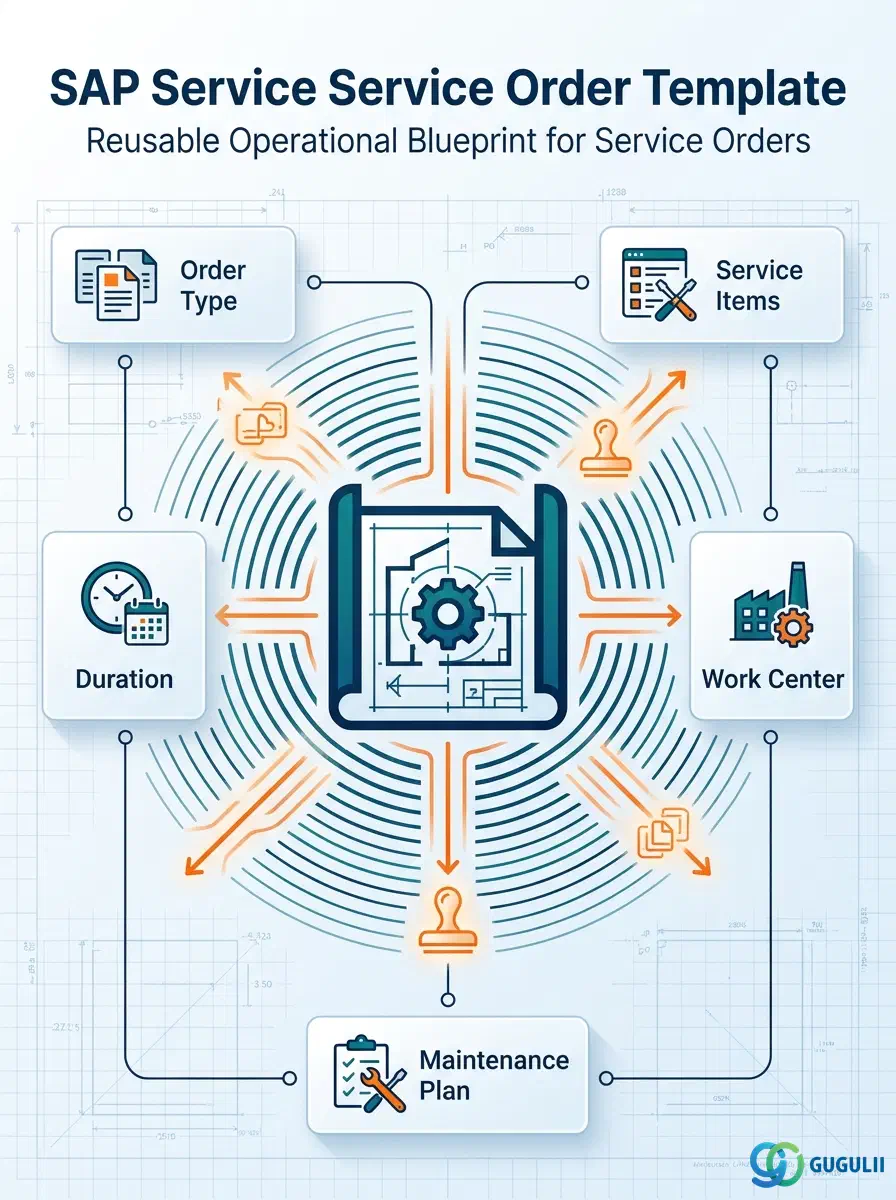
The Service Order Template is a reusable master record that pre-configures the order type, standard service items, planned duration, and default resources a Service Order needs — it is not itself a live order against a customer’s asset, but the standardized pattern a Service Manager builds once and reuses whenever a similar order must be created, whether that order is triggered manually, by a repair call, or automatically by a Maintenance Plan schedule. It is distinct from the Service Contract Template covered in the previous article: the Contract Template governs the contract/billing layer (item category, billing plan, price agreement) that a recurring commercial agreement needs, while the Order Template governs what a single Service Order execution itself needs — its order type, its standard tasks and resources, and how long it is expected to take. This is the second of two Phase 4 “Service Templates” objects in the Service master data setup, and — like the Contract Template — it sits directly downstream of the Service Product master defined in Phase 2. This article first covers the template concept in general terms (Part 1), then the Service-specific order-creation field detail (Part 2).
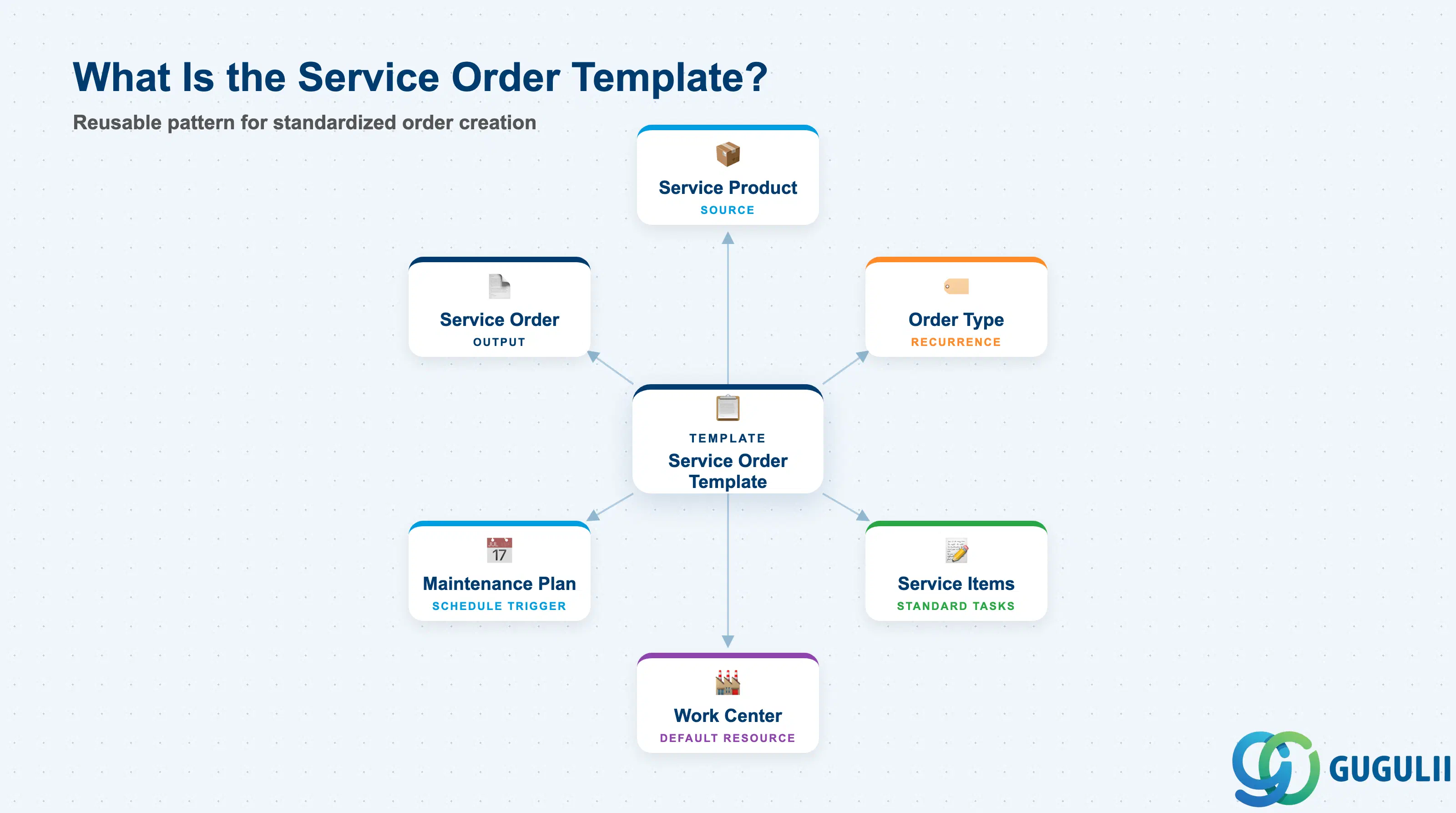
A template, in the general SAP sense, is a master record that captures a repeatable pattern of defaults so a downstream transaction does not have to be configured line-by-line every time it is created. The Service Order Template applies this idea to Service Order execution: instead of a Service Manager re-entering the order type, the standard service items, the expected duration, and the default work center on every new order, the template stores these once and order creation copies them in as a starting point that can still be adjusted for the specific job.
| Aspect | Details |
|---|---|
| Role | Reusable pattern that pre-configures a Service Order’s order type, standard service items/operations, planned duration, and default resource assignment, standardizing repeatable order creation |
| Modules using it | Service (owner — Service Manager maintains and assigns templates), SD (the underlying Sales Document framework the Service Order itself reuses), PM (Work Center master for default resource assignment; Maintenance Plan for automatic, scheduled order generation) |
| Transactions | Fiori app Search Service Order Templates (find/select an existing template); the template is picked up automatically or manually inside the Create Service Order app at order-creation time |
| Key Tables | Reuses the SD Sales Document framework: VBAK / VBAP (document header/item, with the template stored as a reference document rather than a live order); when linked for automatic recurrence, the PM Maintenance Plan tables MPLA / MPOS (Maintenance Plan header/item) reference the template as the object to generate |
| S/4HANA note | Dedicated Template Management (Service Contract Template / Service Order Template) is an S/4HANA Service concept with no direct equivalent in classic ECC Customer Service; it sits as a standardization layer on top of the pre-existing Sales Document-based order structure. |
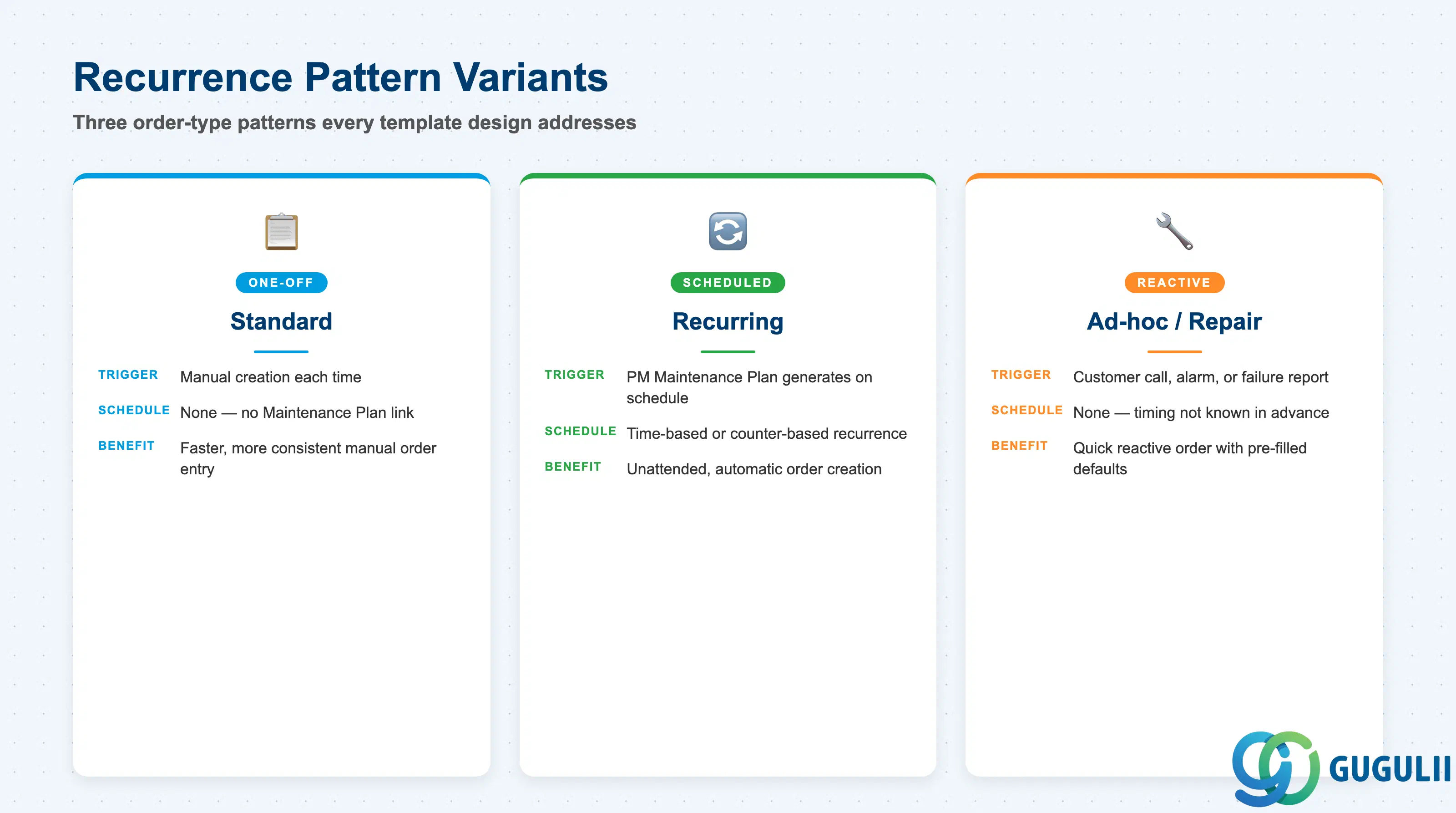
The template’s most consequential default is which recurrence pattern it is built for, because this determines whether the resulting orders are created manually one at a time, generated automatically on a schedule, or triggered reactively by an incident. Picking the wrong pattern at template design time means either manual effort is never reduced, or an automatic schedule is built on a template that was never meant to run unattended.
| Order Type Variant | Example Order Type | Use Case | Key Behavior |
|---|---|---|---|
| Standard (One-off) | Client-defined, Z-namespace (e.g. ZSTD) | A single, non-repeating service visit with no dependency on a Maintenance Plan | Template pre-fills order type, standard service items, and planned duration; the order is still created manually each time, just faster and more consistently |
| Recurring (Scheduled) | Client-defined, Z-namespace (e.g. ZREC) | Contract-driven or asset-driven repeat visits (e.g. a quarterly preventive inspection) that should not require manual re-creation | Template is linked to a PM Maintenance Plan’s Task List; the Maintenance Plan’s call horizon generates new Service Orders from this template on schedule, without manual creation |
| Ad-hoc / Repair | Client-defined, Z-namespace (e.g. ZADH) | Reactive service triggered by a customer call, alarm, or failure report — timing not known in advance | Template still pre-fills default service items and resources so the reactive order is created quickly, but is invoked manually per incident rather than by a schedule |
Design principle: Order type codes themselves are Customizing-defined per client (SAP does not ship a fixed universal set the way it does for Service Contract item categories) — but the three business patterns above (one-off, scheduled, reactive) cover the recurrence dimension every Order Template design decision needs to address. Build one template per pattern rather than one generic template with manual overrides for every order.
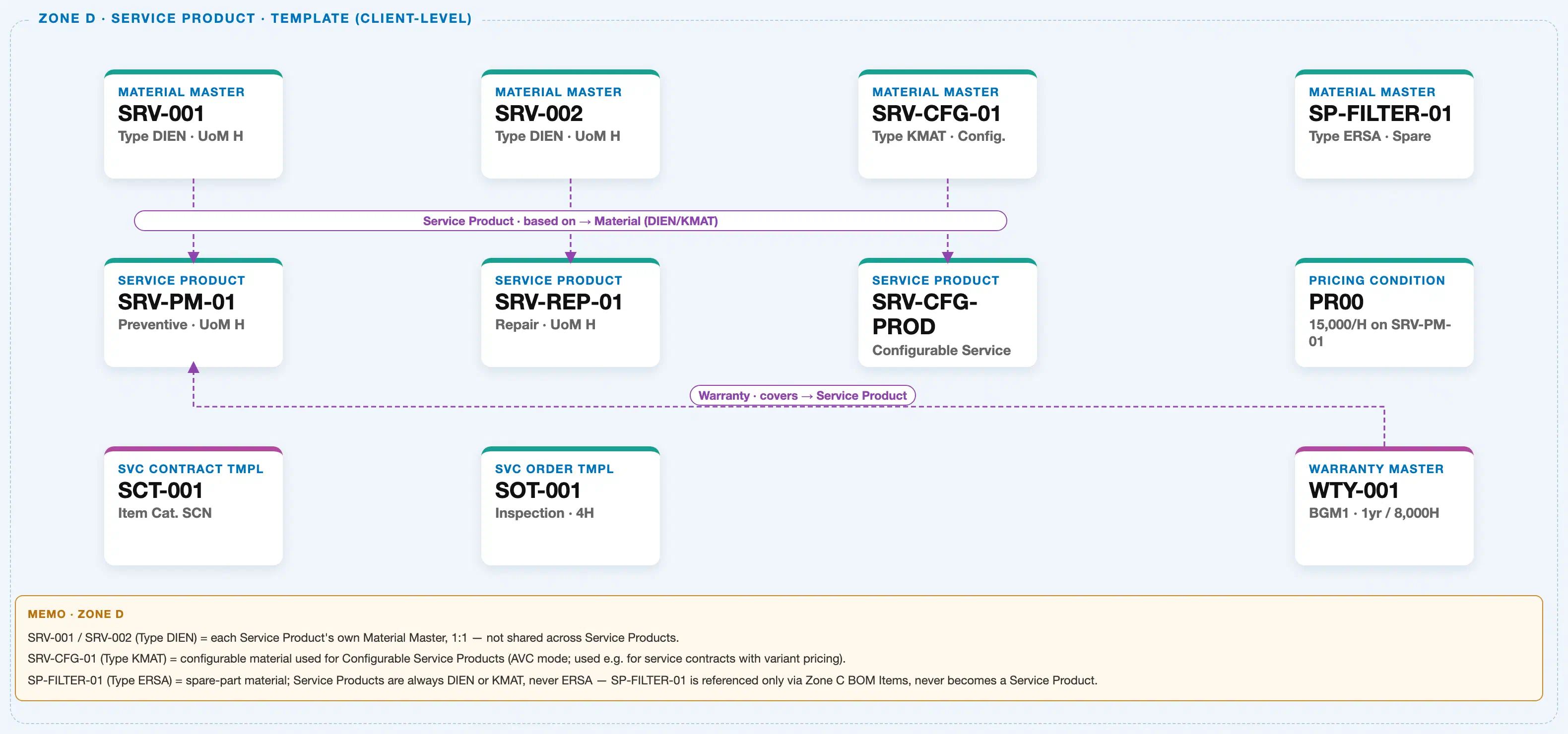
The diagram above crops Zone D — Service Product & Template (Client-Level) from the Service module’s Master Data Landscape. Like its Phase 4 sibling, the Service Order Template has no plant-level or organizational scoping of its own — it is a client-level pattern built directly from the Service Product master that already exists in the same zone.
Data hierarchy with a concrete example
Client 100
   │
   Material Master "SRV-002" (Type DIEN · UoM H)
      │
      └── ── Service Product is based on ──> Service Product "SRV-REP-01"
                                             (Repair · UoM H)

   Service Product "SRV-REP-01"
      │
      └── ── Order Template is derived from Service Product ──>
                                     Service Order Template "SOT-001"   ← this article's object
                                     Inspection · Planned Duration 4H

   Service Product "SRV-PM-01"
      │
      └── ── Contract Template is derived from Service Product ──>
                                     Service Contract Template "SCT-001"
                                     Item Cat. SCN · Billing Plan: Monthly (sibling Phase 4 template)
Design principle: A Service Order Template gets its item defaults from a Service Product — always confirm the Service Product’s unit of measure and item category group are finalized before the template is created, or the template’s service items will need rework the moment the underlying Service Product changes.
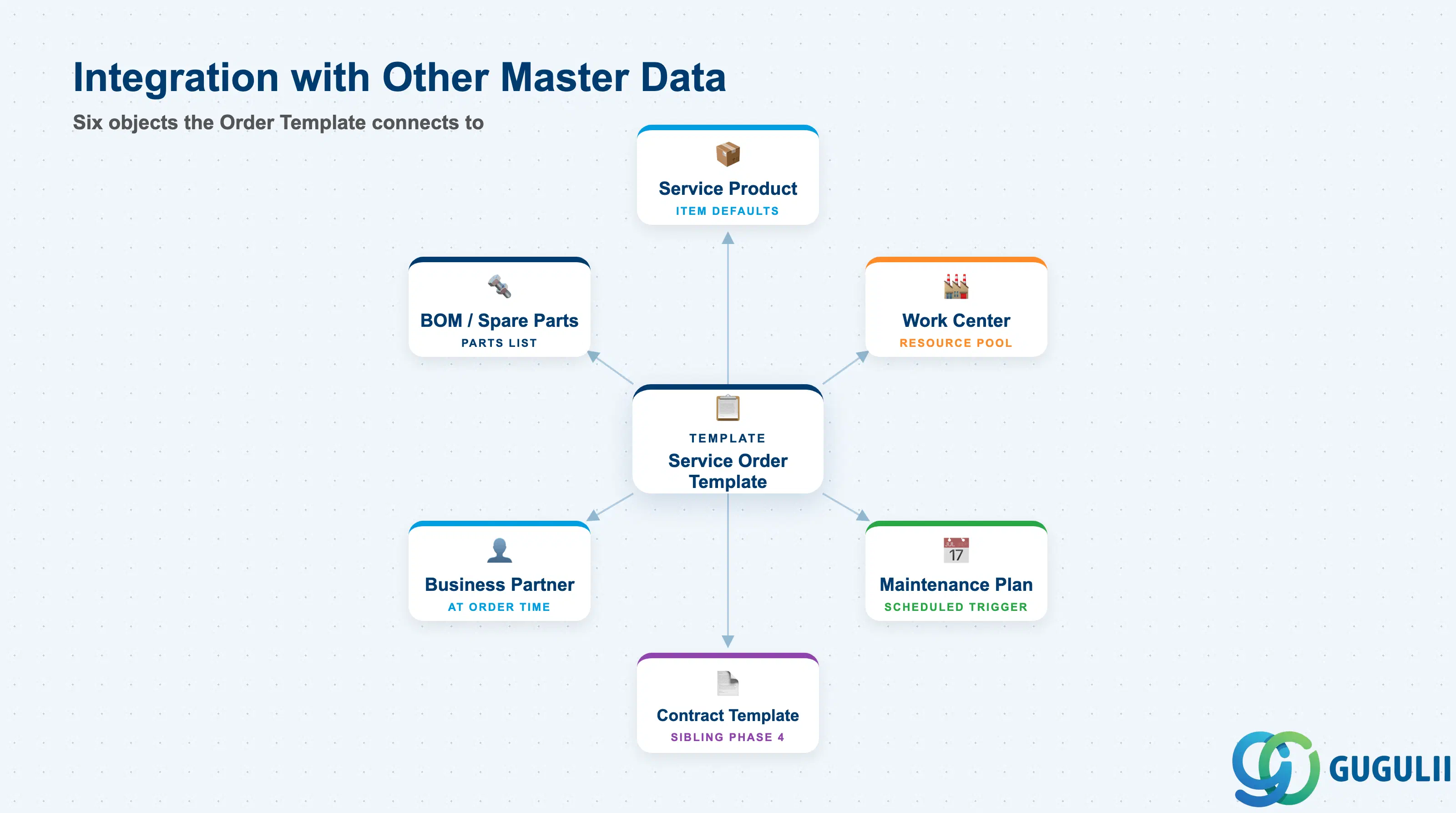
The Service Order Template does not stand alone — it is the convergence point of the Service Product master, and, for the recurring variant, the trigger target of a PM Maintenance Plan.
| Object | Relationship | Practical Notes |
|---|---|---|
| Service Product | Template’s item defaults and standard service items are built directly from a specific Service Product | Changing which Service Product a template defaults to affects every future order created from it, but never retroactively changes orders already created — plan template updates as a forward-looking change only. |
| Work Center (PM/PP) | Template’s default technician/team assignment references a Work Center master | The default is a starting suggestion, not a hard capacity reservation — actual technician/team availability is still checked at order dispatch, so keep the default realistic but not treated as a guarantee. |
| PM Maintenance Plan | For the Recurring (Scheduled) variant, a Maintenance Plan’s scheduling engine calls this template to auto-generate new Service Orders on its call horizon | The Order Template supplies what a generated order looks like; the Maintenance Plan supplies when it is generated. Neither object works alone for automatic recurrence — both must be configured and linked. |
| Service Contract Template | Sibling Phase 4 template; a Service Contract’s recurring Billing Plan frequently schedules the recurring Service Orders that are generated using an Order Template as their starting pattern | The two templates are configured independently but are commonly designed together for the same recurring-maintenance business scenario (see SRV-B05 Recurring Service Process). |
| Business Partner (Sold-To) | Not stored on the template itself — supplied only when an actual Service Order instance is created from the template | The template is customer-agnostic by design; this is exactly what allows one template to be reused across many customers with the same service scope. |
| Bill of Material / Spare Parts (Equipment BOM) | Template’s Standard Parts List default references the spare-part materials typically consumed for this service scenario | Keep this a typical-parts placeholder only — do not pre-populate specific serialized Equipment on the template itself, since that would defeat reuse across different customers’ assets. |
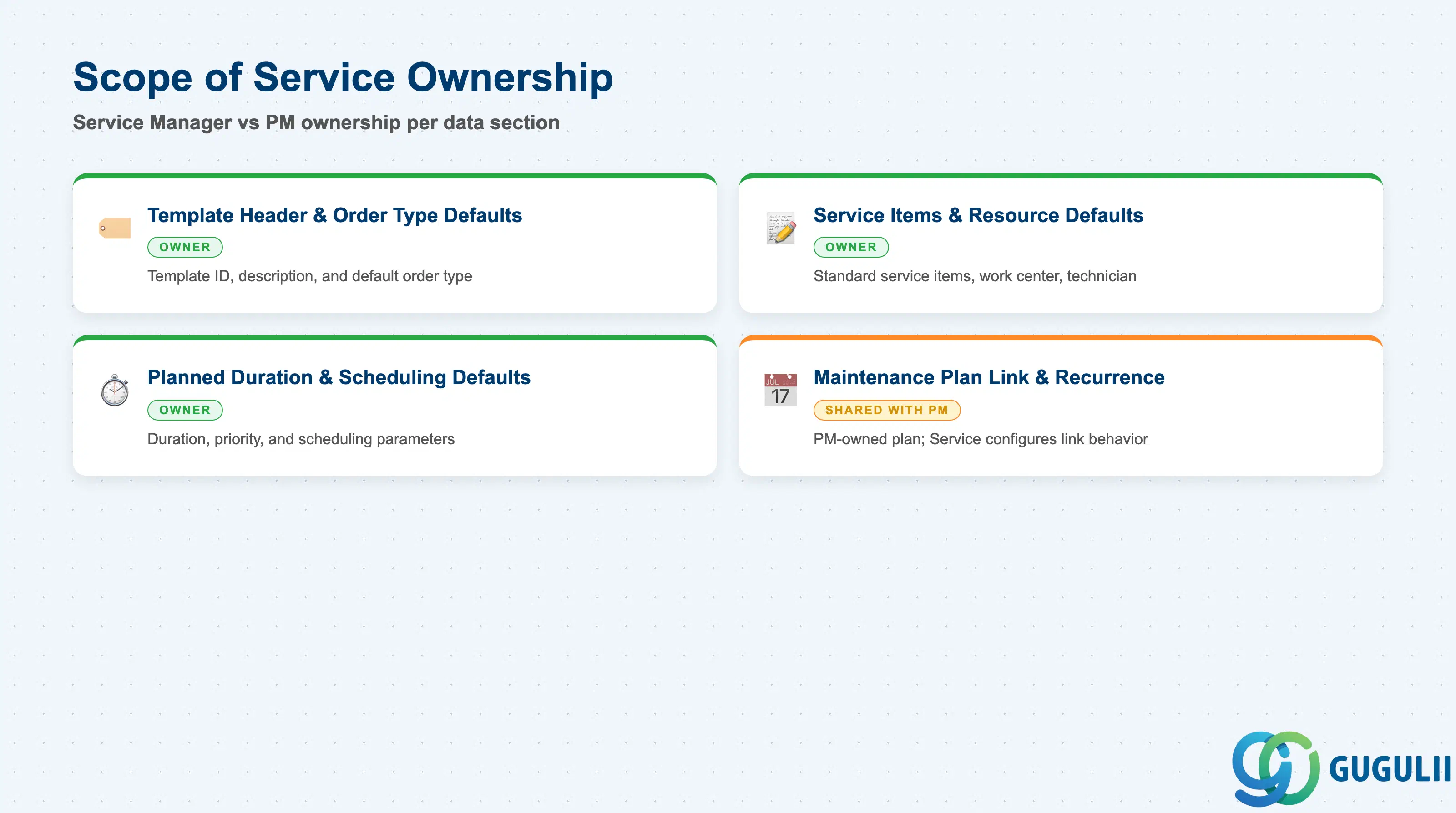
| Data Section | Service Involvement | Notes |
|---|---|---|
| Template Header & Order Type Defaults | ◎ Owner | The Service Manager owns the template ID, description, and default order type — the single setting that determines whether resulting orders are manual, scheduled, or reactive. |
| Service Items & Resource Defaults | ◎ Owner | Standard service items, default work center, and default technician/team are Service-maintained, though the Work Center master itself is a shared PM/PP object. |
| Planned Duration & Scheduling Defaults | ◎ Owner | Expected duration and priority-driven scheduling defaults are set and maintained entirely within the template by the Service Manager. |
| Maintenance Plan Link & Recurrence | ○ Shared with PM | The Maintenance Plan itself is a PM-owned object; Service only owns which Maintenance Plan category calls this template and how the generated order’s defaults behave. |
Legend: ◎ = Owner / Critical, ○ = Direct involvement
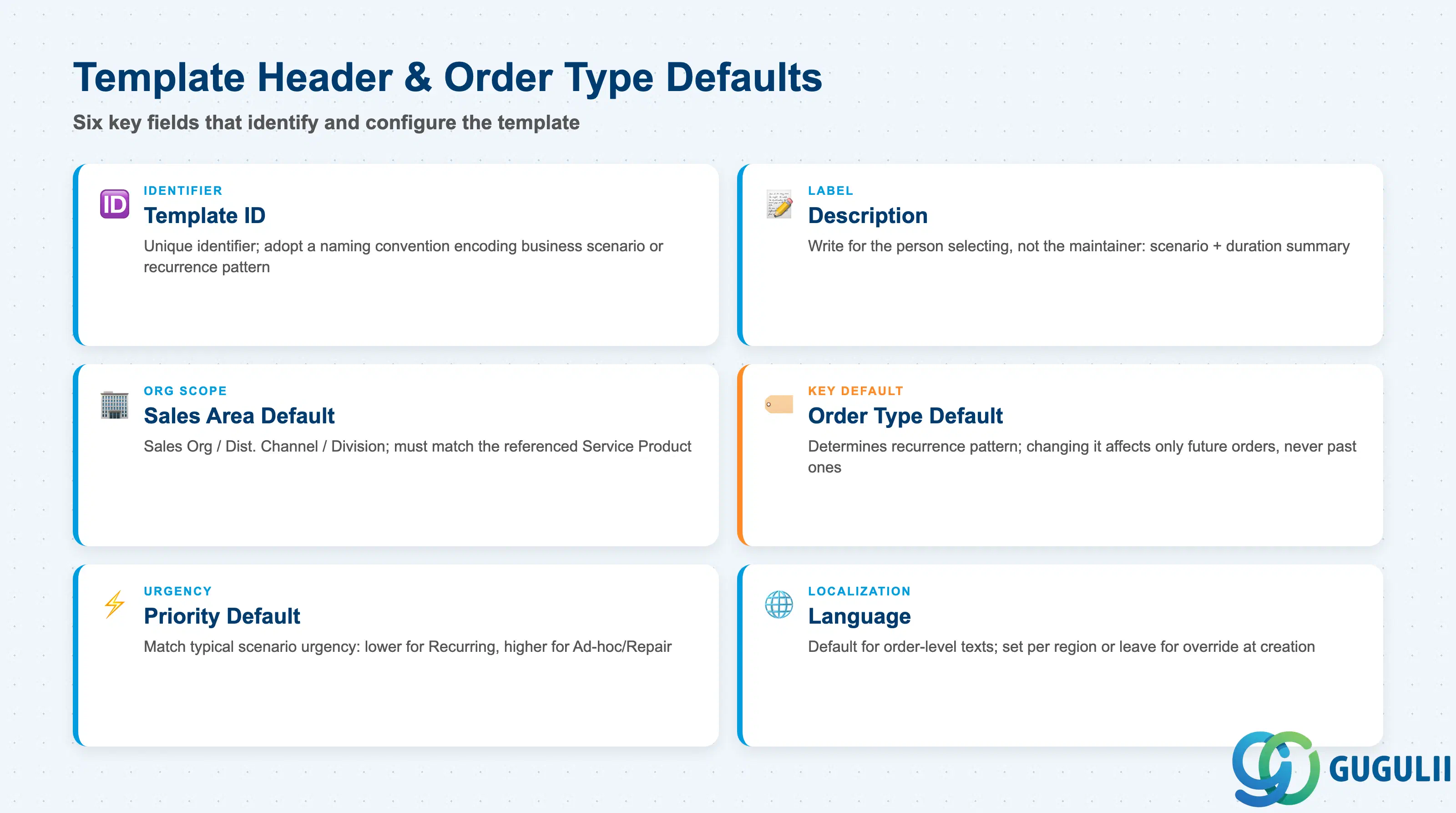
Template Header & Order Type Defaults identify the template itself and set the single default that governs whether orders created from it are one-off, scheduled, or reactive.
| Field | Description | Practical Usage |
|---|---|---|
| Template ID | Unique identifier for the template (e.g., “SOT-001”) | Adopt a naming convention that encodes the business scenario (e.g., prefix by service line or recurrence pattern) so Service Managers can find the right template without opening each one — critical once a company maintains more than a handful of templates. |
| Description | Free-text label describing the template’s intended use | Write for the person selecting a template at order creation, not for the template’s own maintainer — e.g., “Quarterly Preventive Inspection — Standard 4H” rather than a generic internal code. |
| Sales Area Default (Sales Org / Dist. Channel / Division) | Default organizational scope copied onto new orders | Confirm this matches the Sales Area used to maintain the referenced Service Product, or the order created from the template will fail to find a valid price/condition at creation. |
| Order Type Default | The recurrence-pattern variant this template applies (see 1.2) | This is the field that most determines order behavior; changing it after a template has been in use affects only newly created orders, never orders already generated from the template. |
| Priority Default | Default urgency level copied onto new orders (e.g. Low/Medium/High/Critical) | Set to match the typical urgency of the scenario the template represents — a Recurring inspection template usually defaults to a lower priority than an Ad-hoc/Repair template, which affects dispatch sequencing downstream. |
| Language | Default language for order-level texts and customer-facing output | Set to the customer segment’s primary language when a template is scoped to one region; global templates typically leave this for override at order creation. |
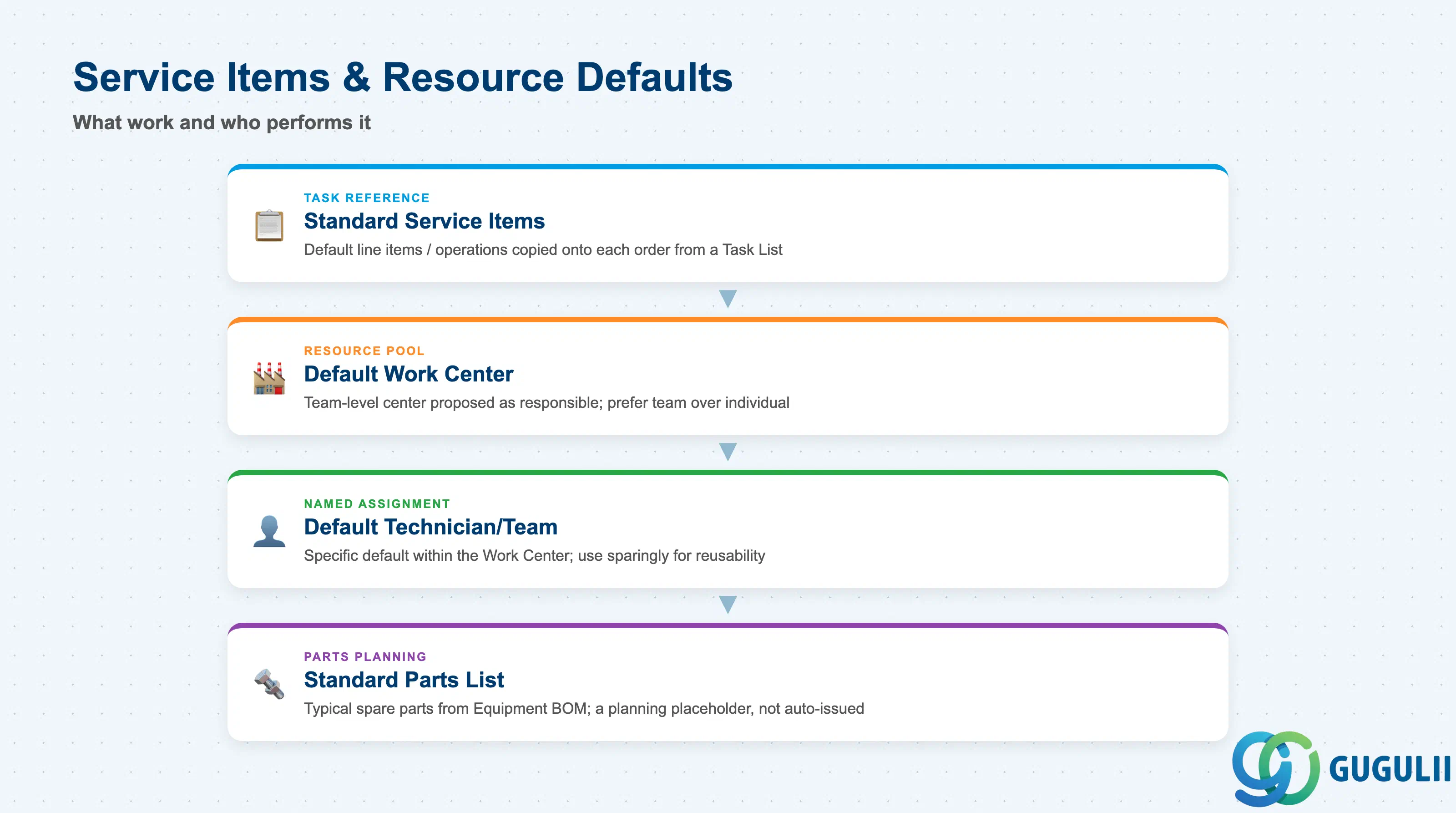
Service Items & Resource Defaults determine what work is expected to happen on an order created from this template, and who or what is expected to perform it.
| Field | Description | Practical Usage |
|---|---|---|
| Standard Service Items (Task List Reference) | The default set of service line items / operations copied onto the order, often referencing a Task List shared with the linked Maintenance Plan | Keep this list to the standard, repeatable steps for the scenario — additional ad-hoc items can still be added on the individual order, but the template should not try to anticipate every possible variation. |
| Default Work Center | The Work Center (team or resource pool) proposed as responsible for the order’s items | Point this at a team-level Work Center rather than a single named technician whenever possible, so the template remains valid even as individual staff assignments change. |
| Default Technician/Team | A more specific default assignment within the Work Center, when the scenario calls for a named responsible party | Use sparingly — over-specifying a named individual on a reusable template creates a maintenance burden every time staffing changes; prefer the Work Center default unless the business genuinely requires continuity of the same technician. |
| Standard Parts List | Typical spare-part materials expected to be consumed for this service scenario, referencing the Equipment BOM/spare-parts master data | Treat as a planning placeholder for procurement and inventory forecasting, not a hard bill that is automatically issued — actual parts consumption is still confirmed against the individual order. |
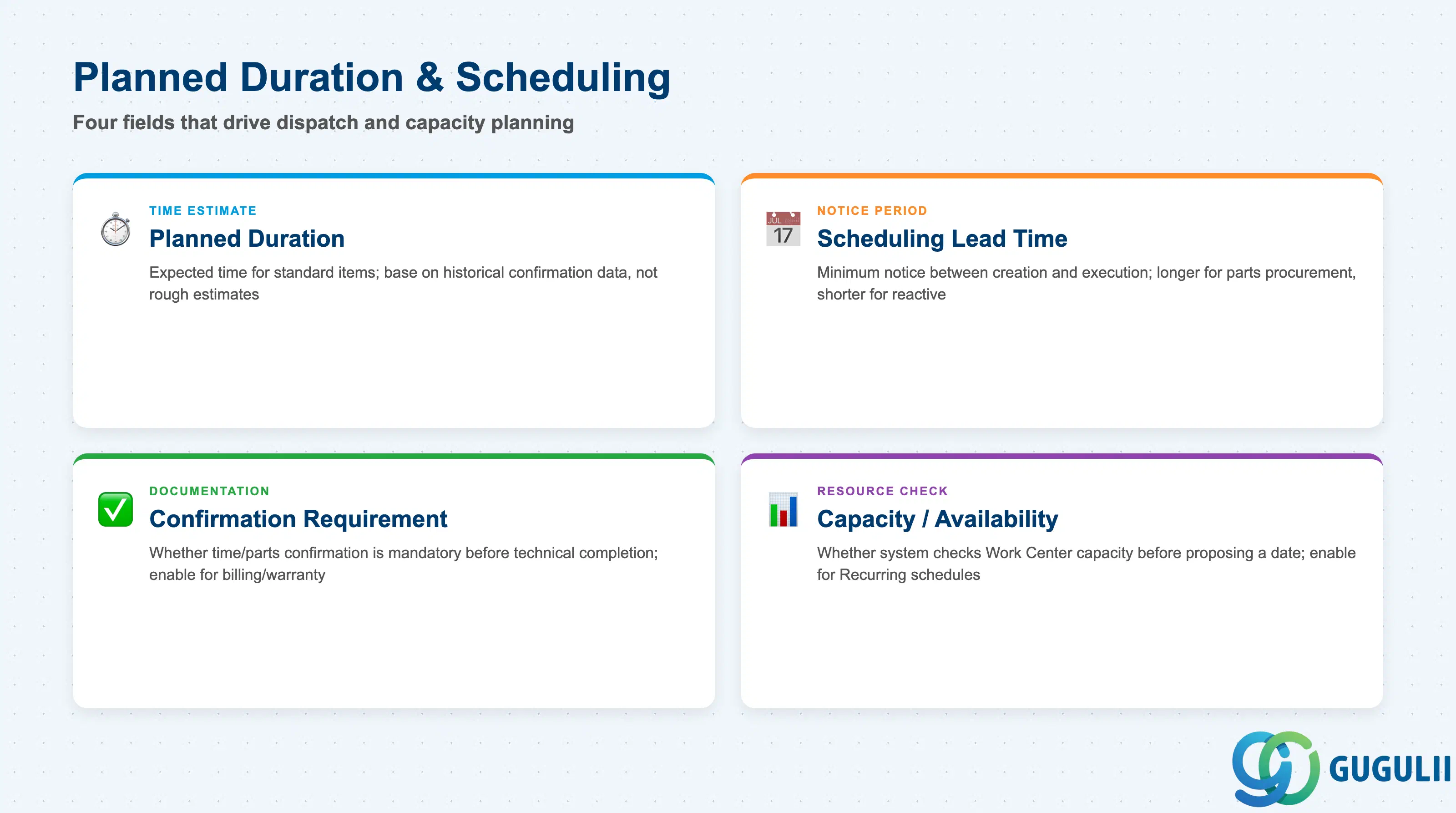
Planned Duration & Scheduling Defaults are what downstream dispatch and capacity planning read to slot a new order into a technician’s or team’s calendar.
| Field | Description | Practical Usage |
|---|---|---|
| Planned Duration | The expected time to complete the standard service items (e.g., 4 hours) | Base this on historical confirmation data for the same scenario where available, not a rough estimate — an inflated default duration wastes capacity planning slack, while an understated one causes chronic overruns that erode SLA compliance metrics. |
| Scheduling Lead Time | Minimum notice period between order creation (or Maintenance Plan call) and the proposed execution date | Set longer lead times for scenarios requiring parts procurement or specialist technician availability; keep it short for Ad-hoc/Repair templates where the whole point is fast reactive dispatch. |
| Confirmation Requirement | Whether time and/or parts confirmation is mandatory before the order can be technically completed | Enable for scenarios with billing or warranty implications where actual effort must be documented; a template used purely for internal low-value tasks can default this off to reduce administrative overhead. |
| Capacity/Availability Check | Whether the system checks Work Center or technician capacity before proposing a date | Enable for Recurring templates feeding an automated Maintenance Plan schedule, where unchecked capacity would silently overbook a team; a manually created Ad-hoc order is often dispatched by a controller who checks capacity by other means. |
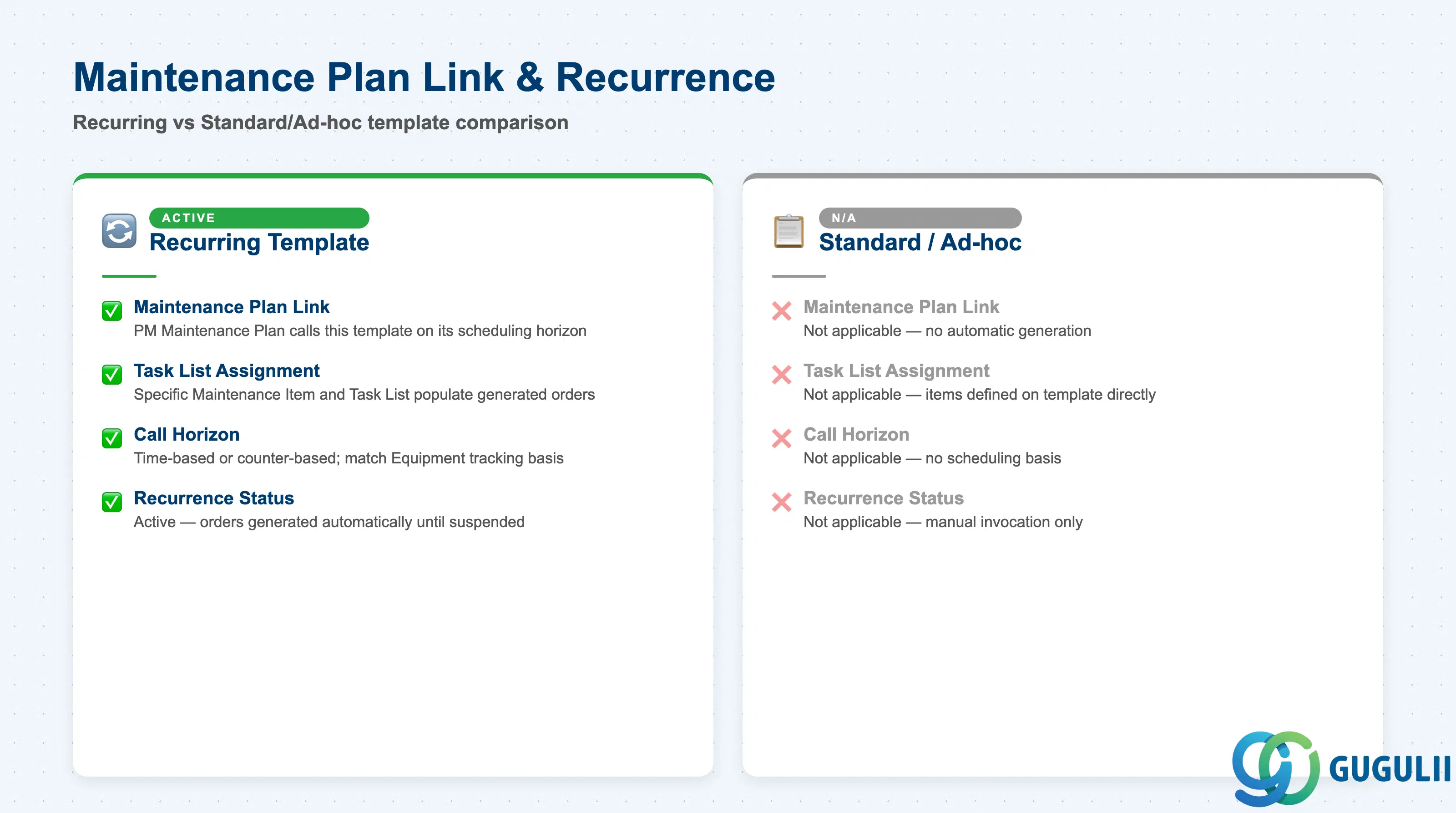
Maintenance Plan Link & Recurrence is only populated on templates using the Recurring (Scheduled) variant from 1.2 — it is what turns a reusable pattern into an unattended, automatically generated stream of orders.
| Field | Description | Practical Usage |
|---|---|---|
| Maintenance Plan Link | Reference to the PM Maintenance Plan that calls this Order Template on its scheduling horizon | Configure this link only after both the Order Template’s item defaults and the Maintenance Plan’s Task List are finalized — a mismatch between the two is the most common cause of scheduled orders needing manual correction after generation. |
| Maintenance Item / Task List Assignment | The specific PM Maintenance Item and Task List the Maintenance Plan uses to populate this template’s generated orders | Keep the Task List’s operations aligned with the template’s own Standard Service Items (2.2) so the generated order does not silently diverge from what the template otherwise defines. |
| Call Horizon / Scheduling Indicator | How far in advance, and on what basis (time-based or performance/counter-based), the Maintenance Plan generates the next order from this template | Time-based horizons suit calendar-driven inspections; performance/counter-based horizons (e.g., operating hours) suit usage-driven maintenance — confirm which basis the linked Equipment actually tracks before configuring this. |
| Recurrence Status | Whether the link is currently active, suspended, or not applicable (Standard/Ad-hoc templates) | Keep this visibly maintained per template so a Service Manager reviewing the template list can immediately tell which templates generate orders automatically versus which are manually invoked only. |
| ID | Category | Title |
|---|---|---|
| srv-001 | Overview | What is SAP Service? |
| ID | Category | Title |
|---|---|---|
| srv-a01 | Overview | SAP Service Master Data: Overview, Hierarchy & Relationships |
| srv-a03-01 | Master Data | SAP Service Product Master |
| srv-a04-01 | Master Data | SAP Spare Parts Master |
| srv-a03-02 | Master Data | SAP Service Pricing Condition |
| srv-a05-01 | Master Data | SAP Service Functional Location |
| srv-a05-02 | Master Data | SAP Service Equipment |
| srv-a05-03 | Master Data | SAP Service Bill of Material |
| srv-a06-01 | Master Data | SAP Service Service Contract Template |
| srv-a06-02 | Master Data | SAP Service Service Order Template 📍 |
| srv-a07-01 | Master Data | SAP Service Warranty Master |