Title here
Summary here

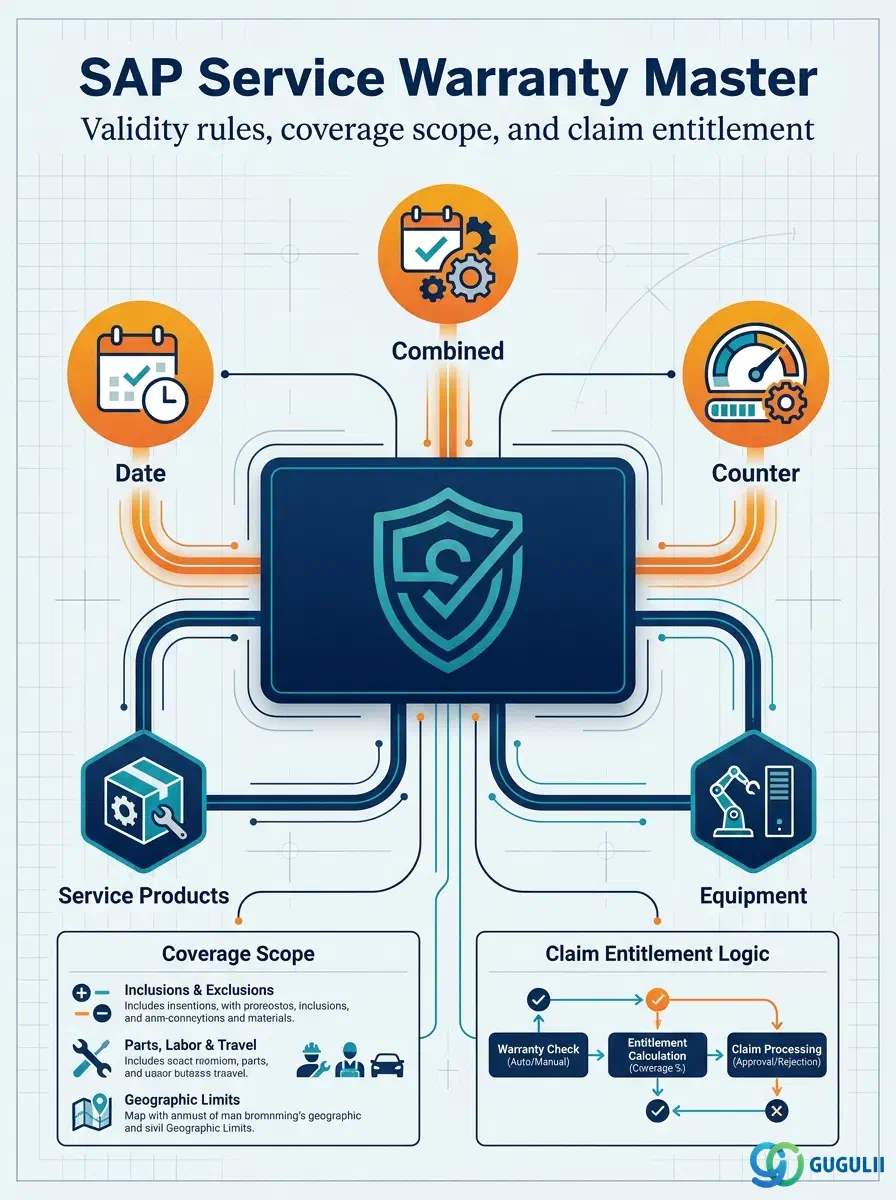
The Warranty Master is a reusable master record that defines a warranty’s determination rule (date-based, counter-based, or combined), its covered scope of Service Products and parts, and — since S/4HANA 2023 FPS3 — the accounting indicator that governs how covered repair costs are absorbed. It is not itself a claim or a transaction: it is the standing definition that the system reads automatically the moment a Service Notification or Service Order is created against a covered Equipment, to determine whether the work is billable to the customer or falls under warranty coverage. This is the fifth and final Phase of the Service master data setup, sitting directly downstream of two prerequisites established earlier — the Service Product master (Phase 2) that defines what is covered, and the Equipment master (Phase 3) that the warranty ultimately protects — and it is the only object in Phase 5. This article first covers the warranty concept in general terms (Part 1), then the Service-specific coverage, counter, and claim-entitlement field detail (Part 2).
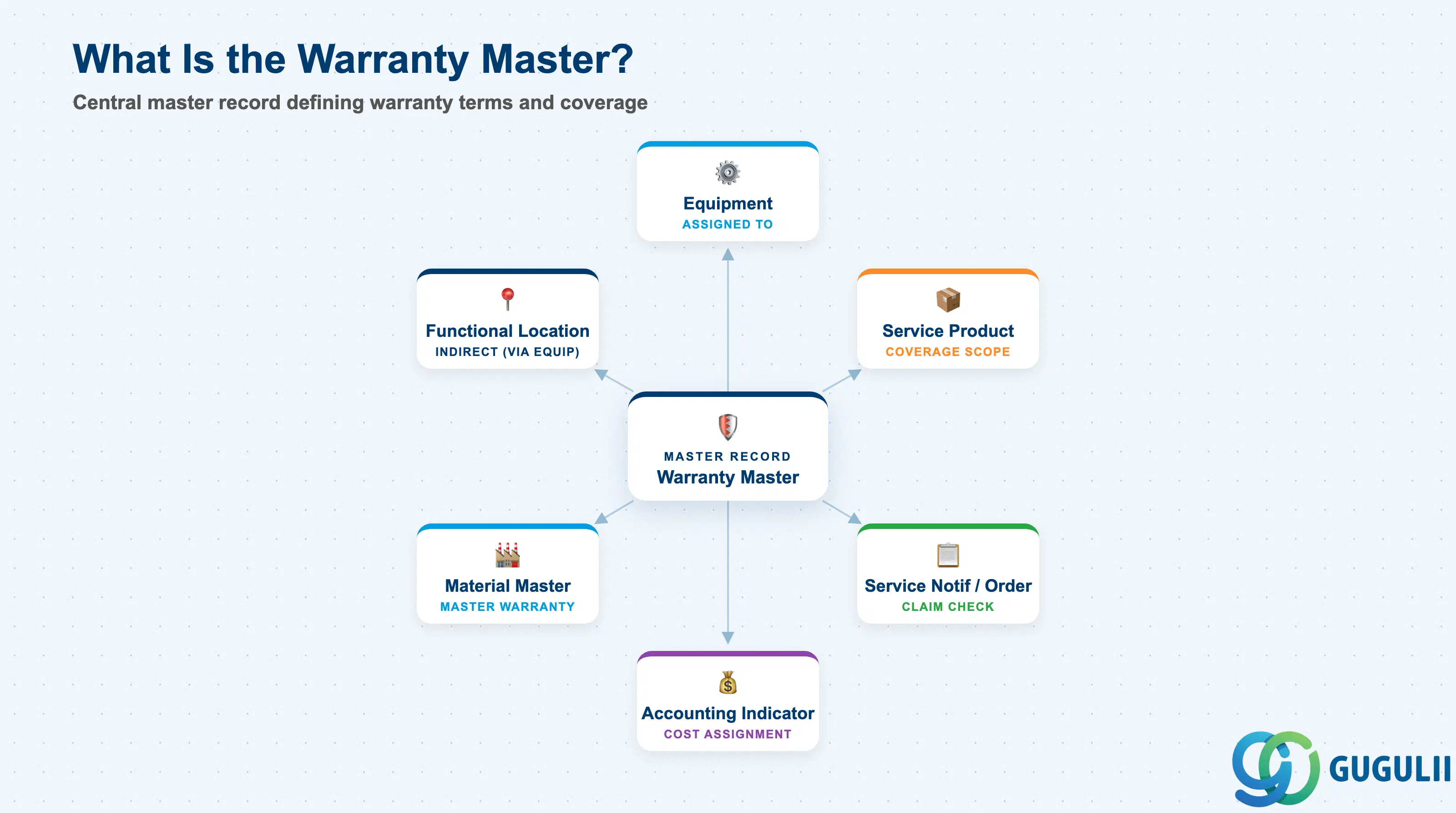
A warranty, in the general sense, is a standing promise that certain repair or replacement work will not be billed to the customer within a defined validity window and scope. SAP models this as a master record rather than a one-off note on a sales document, precisely because the same warranty terms typically apply across many pieces of equipment or many units of the same product, and because the check against that promise has to happen automatically and consistently every time a claim is raised — not be re-decided by a service agent case by case.
| Aspect | Details |
|---|---|
| Role | Master record defining a warranty’s validity rule, covered scope, and accounting treatment, checked automatically whenever a service claim is raised against a covered Equipment or Service Product |
| Modules using it | Service (owner — Service Manager maintains warranties and entitlement rules), PM (Equipment master carries the warranty assignment field on its Warranty tab), SD (billing exemption logic when a service item is found to be warranty-covered), FI/CO (Accounting Indicator drives which cost object absorbs the covered repair cost) |
| Transactions | BGM1 (Create Warranty) / BGM2 (Change Warranty) / BGM3 (Display Warranty); Fiori app Manage Warranty |
| Key Tables | BGMK (Warranty Master header — type, validity rule, status); related coverage and counter-limit entries linked to the warranty ID; the assignment itself is stored on the Equipment master’s warranty fields, not on a separate assignment table |
| S/4HANA note | Individual, per-Equipment warranty assignment existed in classic ECC Customer Service. Master Warranty — assigning one Warranty Master directly at material/equipment-category level so it applies automatically to every Equipment built from it, without a manual per-Equipment link — is new as of S/4HANA 2023 FPS3, along with the ability to assign the Accounting Indicator directly on the Warranty Master itself rather than only on the individual assignment. |
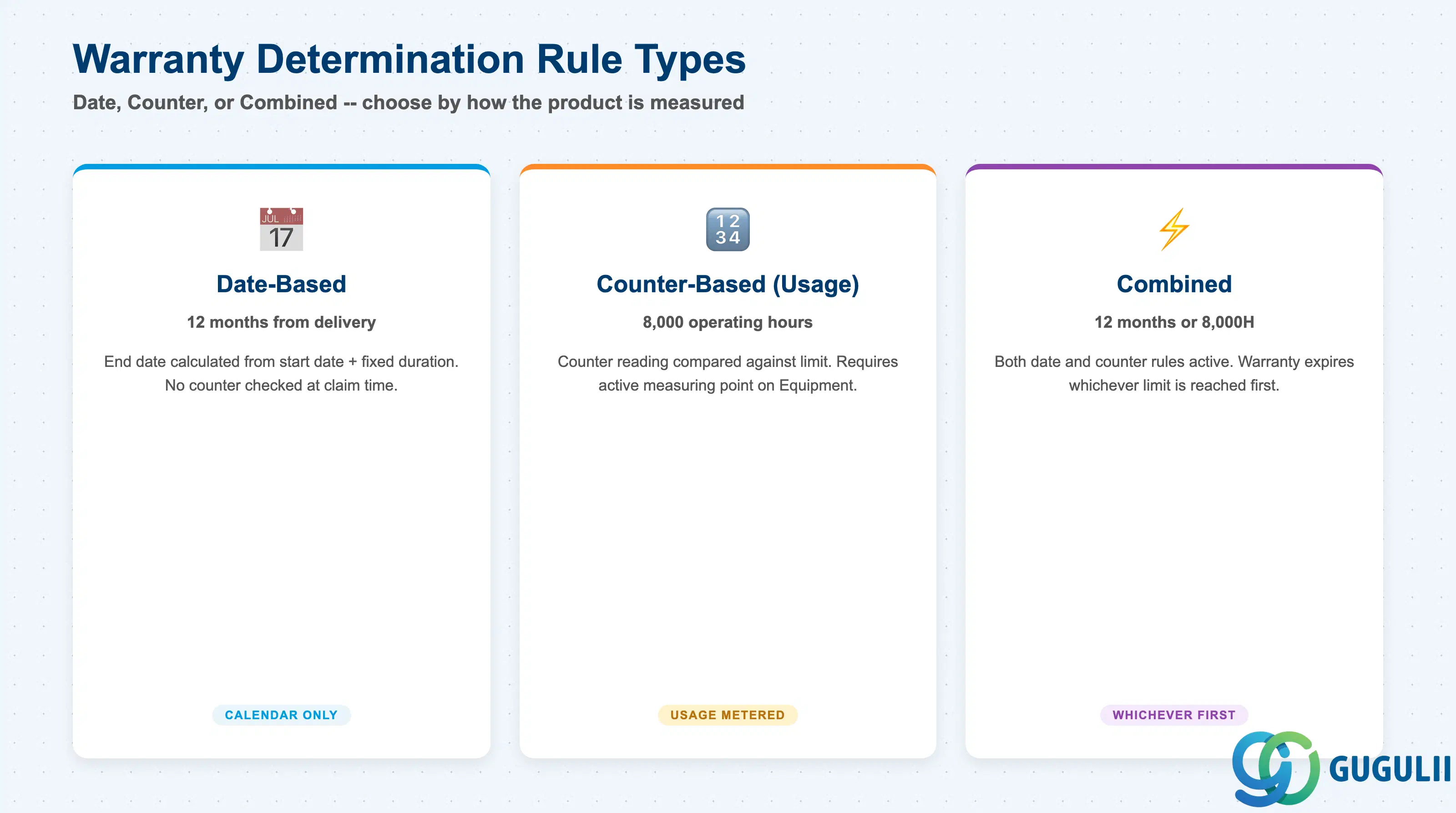
The most consequential design decision on a Warranty Master is which determination rule governs when it expires, because this decides both what data the warranty depends on to be checked correctly and what happens the day that data stops being reliable. Choosing a counter-based rule for equipment whose usage is never actually measured produces a warranty that can never be evaluated with confidence at claim time.
| Rule Type | Example | Use Case | Key Behavior |
|---|---|---|---|
| Date-based | 12 months from delivery date | Standard calendar-driven guarantee where elapsed time is the only relevant factor | Warranty end date is calculated purely from a start date plus a fixed duration; no counter or meter reading is checked at claim time |
| Counter-based (Usage) | 8,000 operating hours | Equipment whose wear is driven by usage or output rather than calendar time (e.g., industrial machinery, vehicles) | Requires a Warranty Counter linked to a measuring point/counter reading on the Equipment; entitlement is checked by comparing the current counter reading against the limit |
| Combined (“Whichever Comes First”) | 12 months or 8,000 operating hours | Manufacturer warranties that must cap exposure on both a time axis and a usage axis simultaneously | Both a date rule and a counter rule are maintained on the same Warranty Master; the claim check evaluates both and the warranty expires the moment either limit is reached |
Design principle: Match the rule type to how the covered product is actually measured in the field, not to how the commercial team would prefer to word the promise — a Combined rule maintained against an Equipment whose counter is never updated silently degrades to a date-only check, and nobody will notice until a claim is wrongly approved or wrongly rejected.
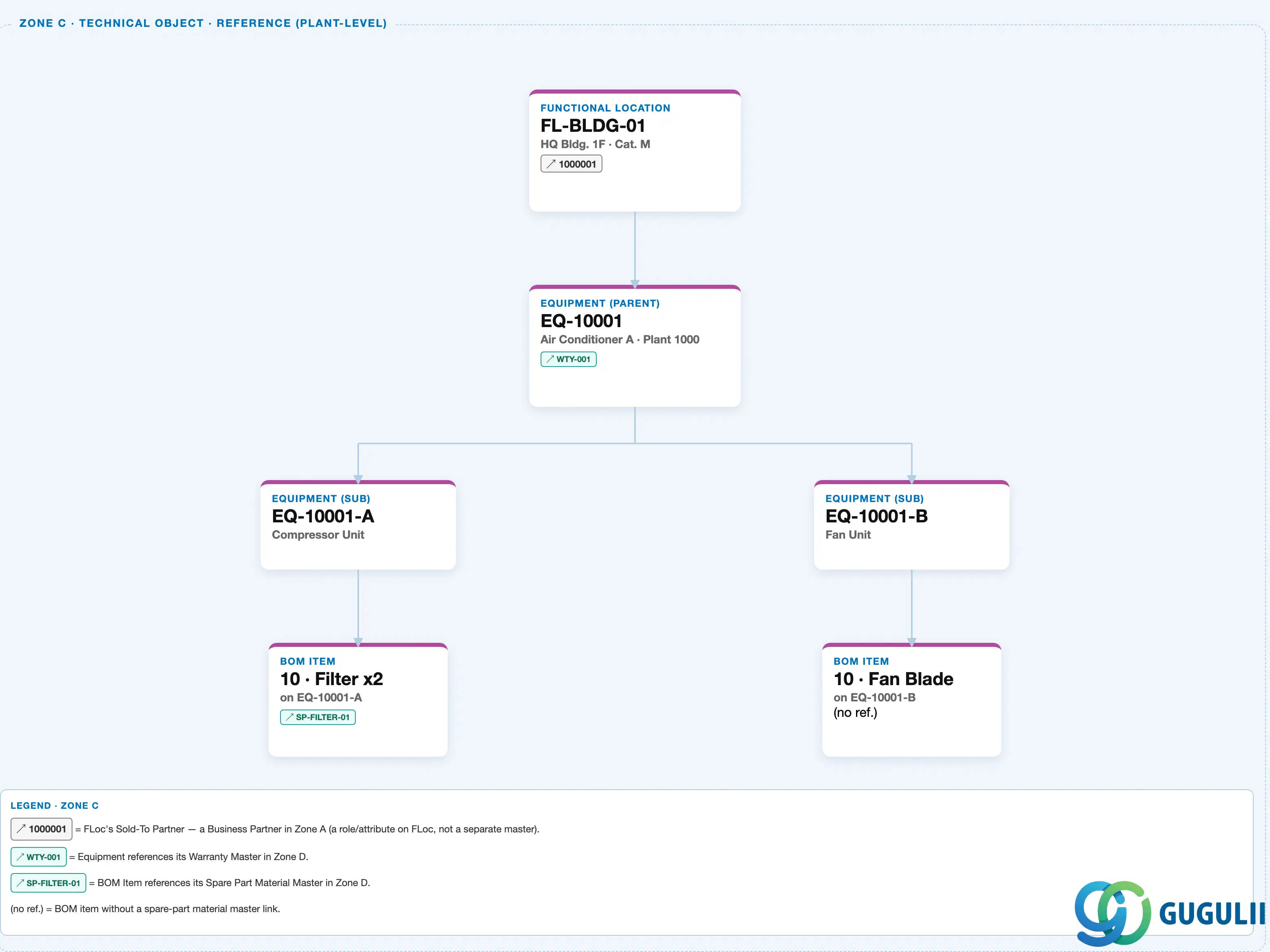
Zone C — Technical Object Reference (Plant-Level). The Equipment that this Warranty Master ultimately protects lives at the plant level; its warranty assignment is drawn as the cross-zone reference chip on the Equipment card, pointing to the Warranty Master’s own node in Zone D below.
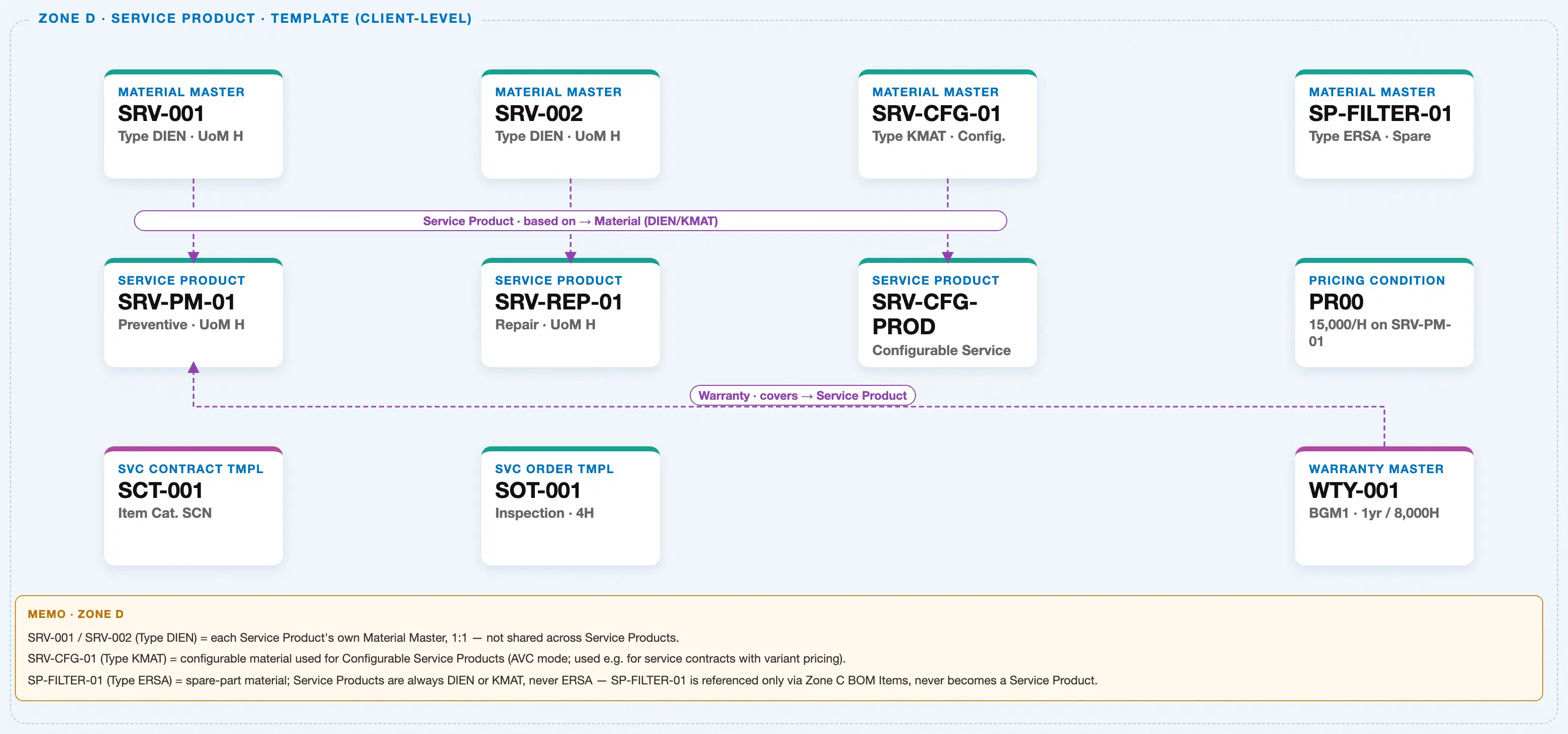
Zone D — Service Product & Template (Client-Level). The Warranty Master itself is a client-level record, defined independently of any specific plant, and its own “covers” relationship points to the Service Product whose service scope it applies to.
Data hierarchy with a concrete example
Client 100
   │
   ├── Material Master "SRV-001" (Type DIEN · UoM H)
   │      └── ── based on ──> Service Product "SRV-PM-01" (Preventive · UoM H)
   │
   ├── Warranty Master "WTY-001" (BGM1 · Combined Rule: 1yr / 8,000H)   ← this article's object
   │      └── ── covers ──> Service Product "SRV-PM-01"
   │
   └── Company Code 1000
          └── Plant 1000
                 └── Functional Location "FL-BLDG-01" — HQ Bldg. 1F, Cat. M
                        └── Equipment "EQ-10001" — Air Conditioner A
                               ├── ── assigned to ──> Warranty Master "WTY-001"
                               ├── Sub-Equipment "EQ-10001-A" — Compressor Unit
                               └── Sub-Equipment "EQ-10001-B" — Fan Unit
Design principle: A Warranty Master’s own record never sits under Plant or Equipment — it is always a client-level definition; only the assignment of that warranty to a specific Equipment (or, since 2023 FPS3, to a Material/equipment-category) is what varies by organizational scope, and that assignment is always modeled as a reference, never as containment.
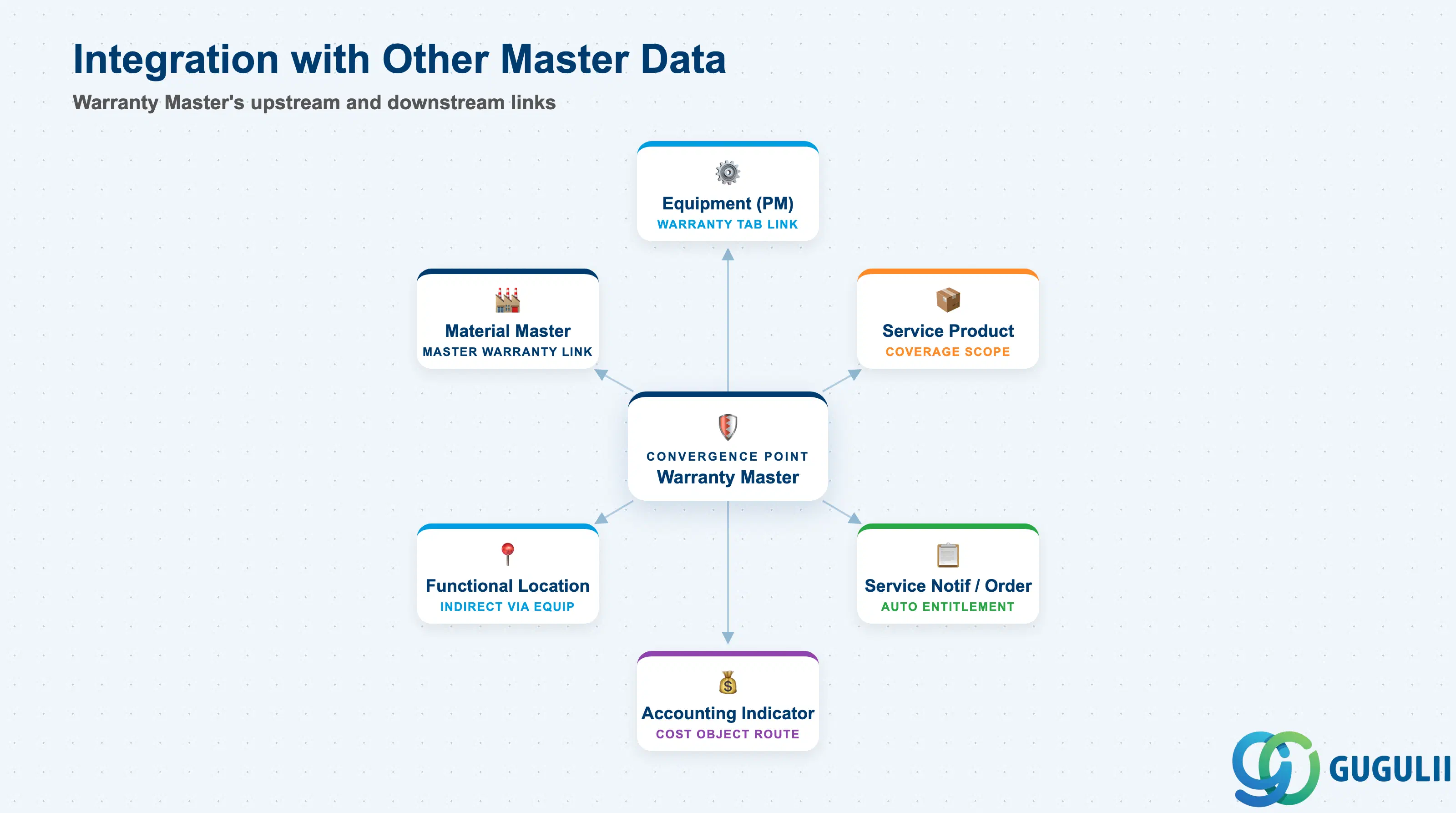
The Warranty Master does not stand alone — it is the convergence point that Equipment references for coverage and that Service Notification/Order processing reads automatically at claim time.
| Object | Relationship | Practical Notes |
|---|---|---|
| Equipment (PM) | Warranty Master is assigned to an individual Equipment record’s Warranty tab, or — since 2023 FPS3 — automatically inherited via a Master Warranty link at material/equipment-category level | Confirm which assignment mode is in use before troubleshooting a “warranty not found” claim; a Master Warranty link at the category level is invisible on the individual Equipment record’s own tab if you only check the direct-assignment field. |
| Service Product (Service) | Warranty Master’s coverage scope references the Service Product(s) whose repair/service line items are included or explicitly excluded | Keep the coverage scope aligned whenever the Service Product catalog changes — a renamed or split Service Product that is not re-linked silently drops out of warranty coverage. |
| Functional Location (PM) | Indirect only, reached through the Equipment installed at that location | There is no direct warranty-assignment field on Functional Location itself; do not model this as a direct link when configuring or documenting warranty scope. |
| Material Master (MM/Service) | Master Warranty assignment mode links the Warranty Master directly to a Material rather than to each individual Equipment | Use for high-volume, standardized products where per-unit warranty terms genuinely do not differ; individual assignment remains correct wherever unit-level negotiated warranty terms exist. |
| Service Notification / Service Order (Service, see SRV-B06 Warranty Claim Process) | At claim creation, the system reads the Warranty Master’s determination rule and counter status against the referenced Equipment/Material to automatically flag warranty coverage before the item is billed | Entitlement checking happens automatically, but consultants must ensure the underlying counter is actively updated by confirmations — a stale counter causes a Combined-rule warranty to silently behave as date-only. |
| Accounting Indicator / FI-CO Cost Object | Warranty Master’s Accounting Indicator determines whether a covered repair posts to a warranty-cost object instead of being billed to the customer | Align the indicator’s cost-object assignment with FI/CO’s chart of accounts and settlement rules before go-live, since a missing or misconfigured assignment causes covered repairs to post as unassigned cost. |
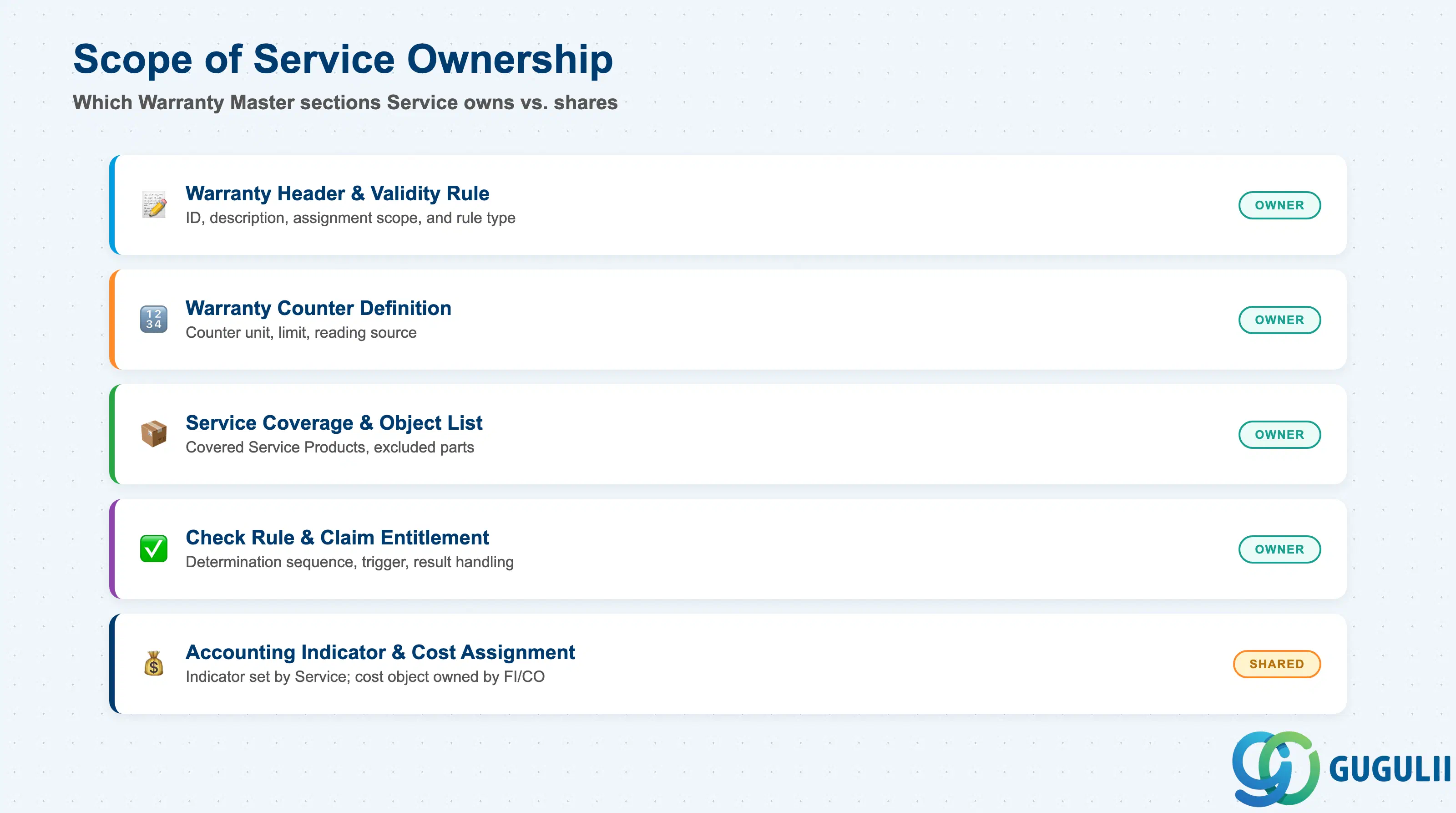
| Data Section | Service Involvement | Notes |
|---|---|---|
| Warranty Header & Validity Rule | ◎ Owner | Warranty ID, description, assignment scope (Individual vs Master), and rule type (Date/Counter/Combined) are entirely Service-maintained. |
| Warranty Counter Definition | ◎ Owner | Counter unit, limit value, and counter-reading source configuration apply whenever the rule type is Counter-based or Combined. |
| Service Coverage & Object List | ◎ Owner | Which Service Products, parts, and labor categories are included in or excluded from the warranty is defined and maintained by Service. |
| Warranty Check Rule & Claim Entitlement | ◎ Owner | How the system automatically evaluates coverage at Service Notification/Order creation is Service configuration, though it is triggered from transactions that also touch PM’s Equipment data. |
| Accounting Indicator & Cost Assignment | ○ Shared with FI/CO | The indicator itself is set on the Warranty Master by Service, but the cost object it posts to and the settlement rule are FI/CO-owned. |
Legend: ◎ = Owner / Critical, ○ = Direct involvement
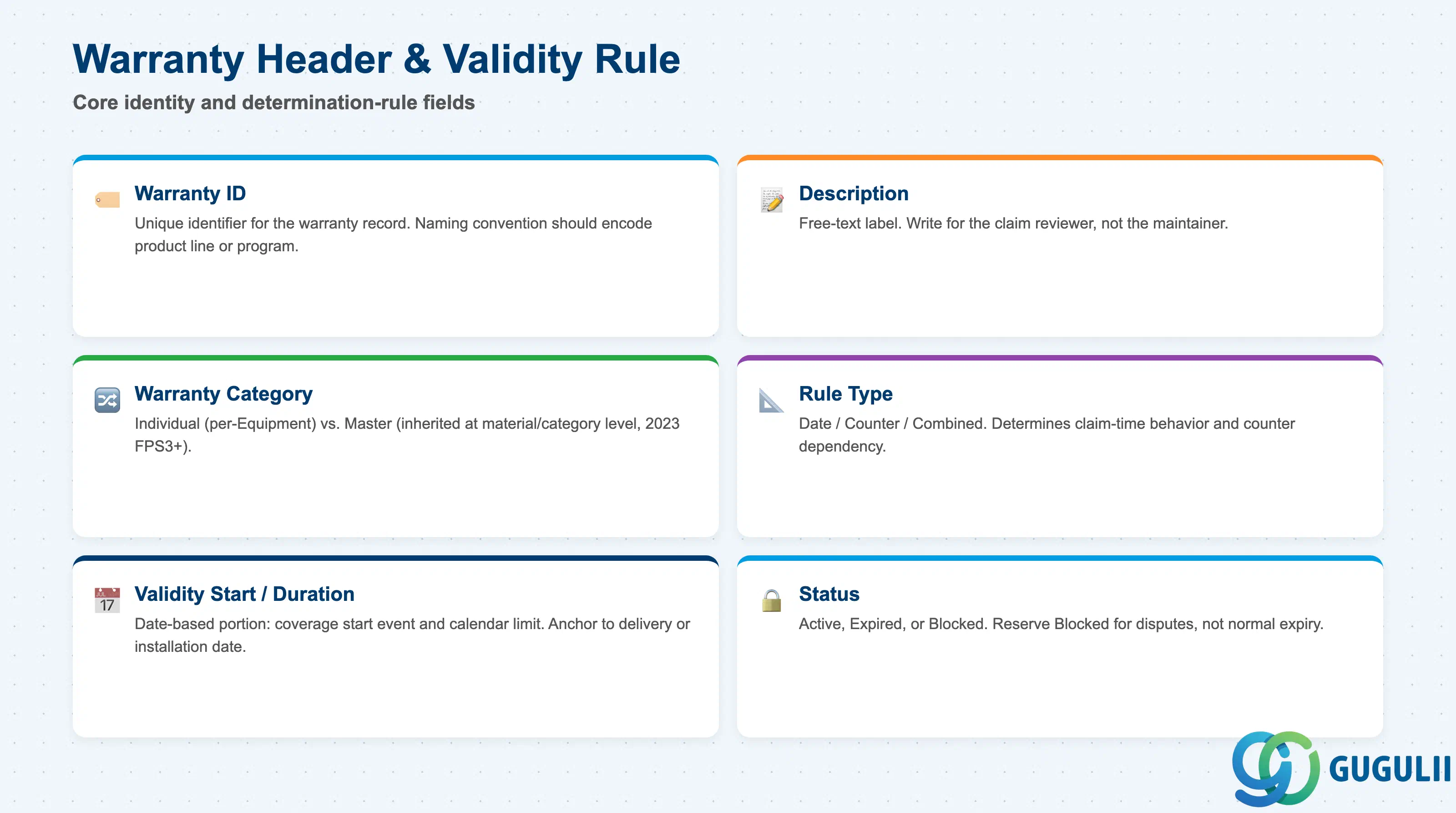
Warranty Header & Validity Rule fields identify the warranty itself and set the single default that governs how — and against what — its expiration is evaluated.
| Field | Description | Practical Usage |
|---|---|---|
| Warranty ID | Unique identifier for the warranty record (e.g., “WTY-001”) | Adopt a naming convention that encodes the product line or warranty program (e.g., a prefix per manufacturer program) so Service Managers can locate the right warranty without opening each one — critical once a company maintains warranties across many product lines. |
| Description | Free-text label describing the warranty’s intended scope | Write for the person reviewing a claim, not for the warranty’s own maintainer — e.g., “Standard 1-Year / 8,000H Preventive Coverage” rather than a generic internal code. |
| Warranty Category (Individual vs Master) | Whether the warranty is assigned to one specific Equipment record or inherited automatically via a Master Warranty link at material/equipment-category level (2023 FPS3+) | Use Master Warranty for standardized, high-volume products to avoid maintaining thousands of identical individual assignments; keep Individual assignment wherever unit-level terms can legitimately differ, such as a negotiated extended warranty on one asset. |
| Rule Type (Date / Counter / Combined) | The determination rule variant this warranty applies (see 1.2) | This is the field that most determines claim-time behavior; confirm the corresponding counter is actually in place and actively updated before selecting Counter-based or Combined. |
| Validity Start Date / Duration | The date-based portion of the rule: when coverage begins and how long the date-based limit runs | Anchor the start date to a real business event (delivery date, installation date, or commissioning date) that is consistently captured in the same field across all covered Equipment, or the calculated end date becomes unreliable at claim time. |
| Status | Whether the warranty is currently Active, Expired, or Blocked | Keep Blocked reserved for warranties under dispute or pending correction rather than for simple date-based expiration, which the system already calculates automatically — using Status to hand-manage normal expiry defeats the purpose of an automated rule. |
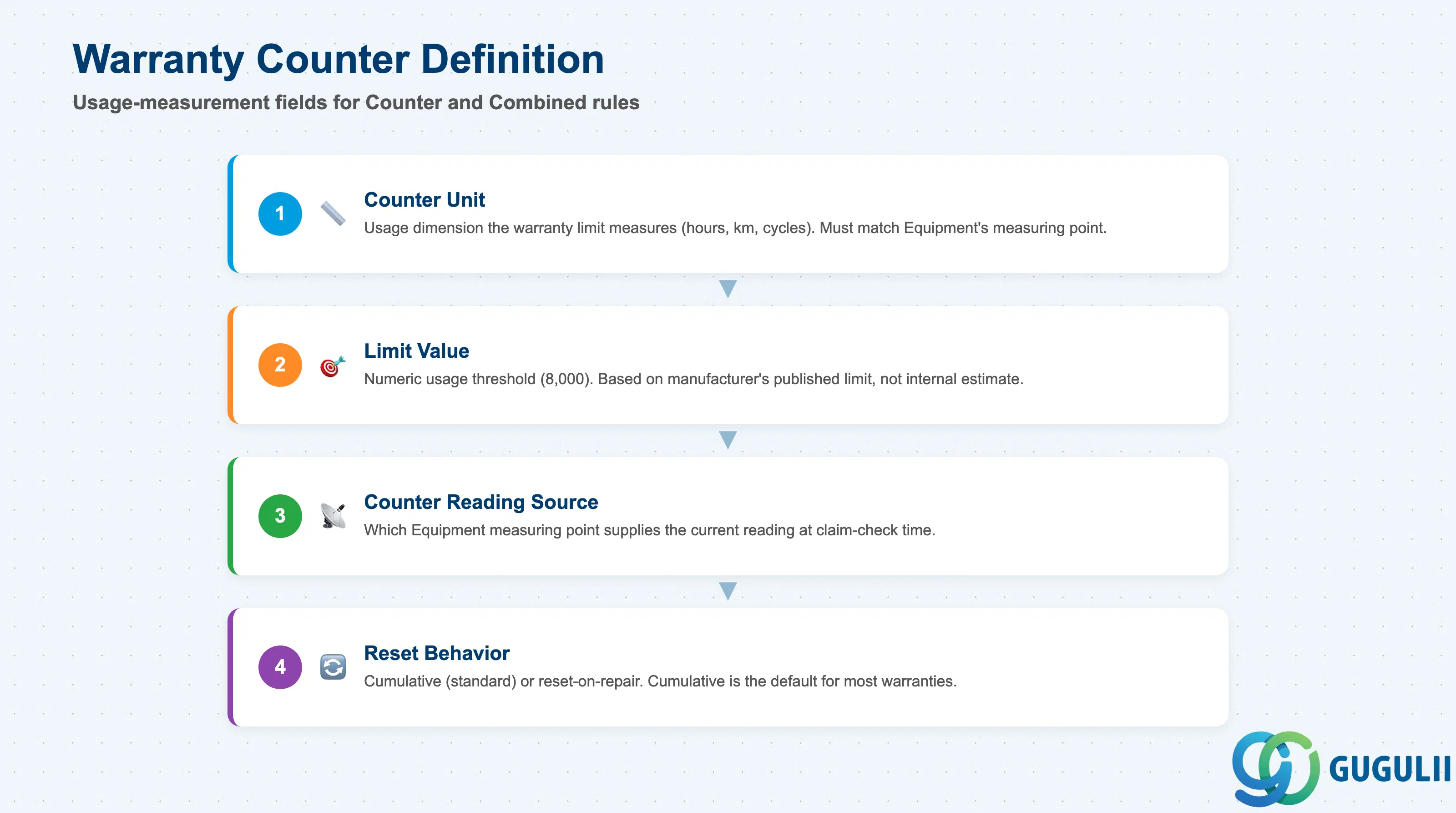
Warranty Counter Definition fields apply whenever the Rule Type from 2.1 is Counter-based or Combined, and determine what usage measurement the claim-entitlement check actually reads.
| Field | Description | Practical Usage |
|---|---|---|
| Counter Unit | The usage dimension the warranty limit is measured in (e.g., Operating Hours, Kilometers, Cycles) | Match this exactly to the unit the covered Equipment’s own measuring point actually records — a mismatch (e.g., a warranty defined in kilometers against an Equipment measuring point recorded in hours) makes the limit uncheckable without manual conversion. |
| Limit Value | The numeric usage threshold at which counter-based coverage ends (e.g., 8,000) | Set based on the manufacturer’s actual published usage limit for the covered product line, not a rounded internal estimate — this value is what a customer-facing claim decision is ultimately measured against. |
| Counter Reading Source | Which Equipment measuring point or measurement document supplies the current reading used at claim-entitlement check time | Confirm the source measuring point is the one actually updated by field confirmations or IoT feed, not a secondary or manually-maintained point that may lag behind real usage. |
| Reset Behavior | Whether the counter continues cumulatively across the warranty’s life or resets after a covered repair | Cumulative is the standard behavior for most manufacturer warranties; reserve reset-on-repair only for warranty programs explicitly designed to restart coverage after a qualifying repair, since this is an uncommon and easily-misunderstood behavior for downstream reporting. |
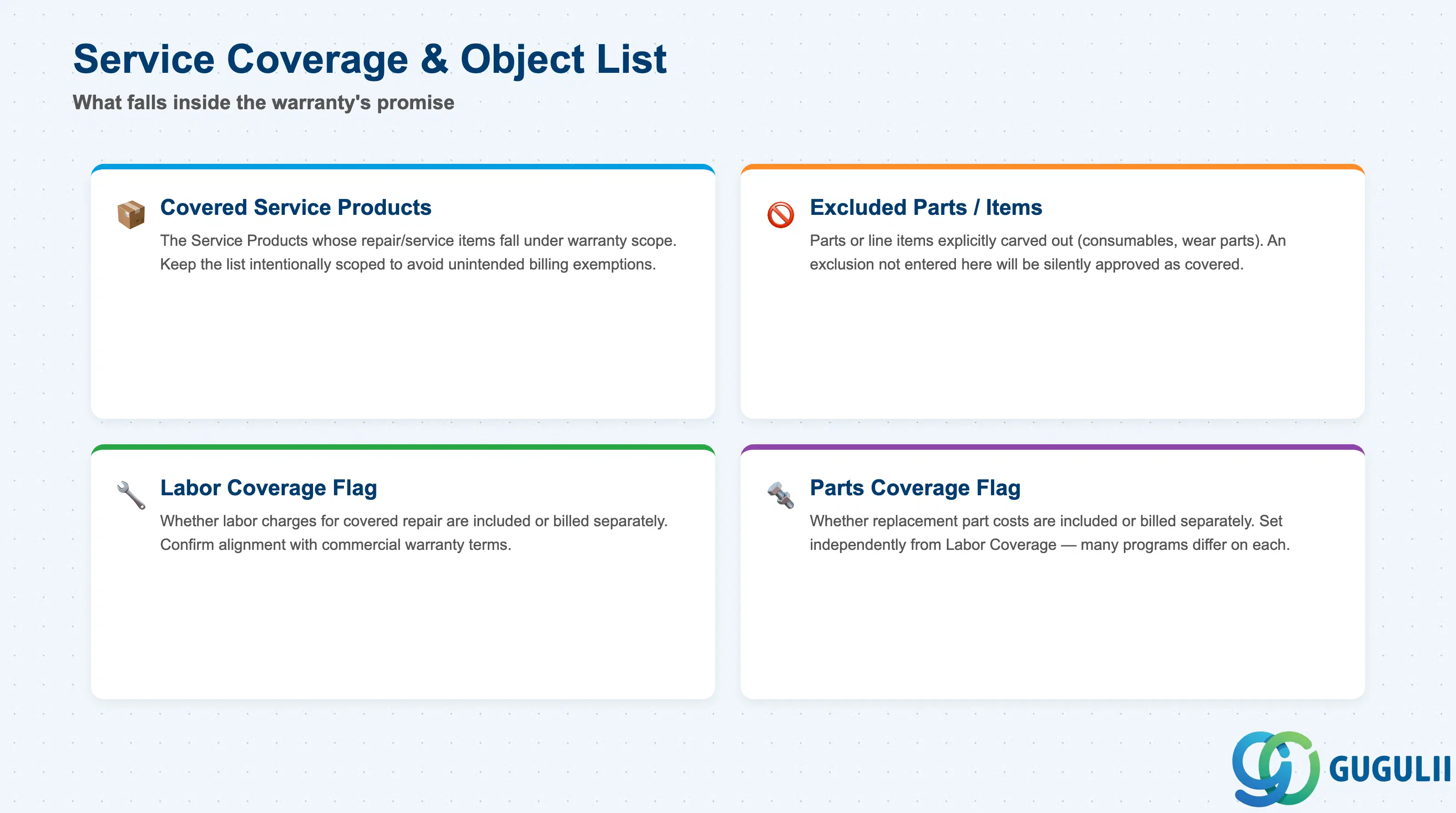
Service Coverage & Object List fields define exactly what falls inside the warranty’s promise, which is what a service agent or the automated entitlement check reads to decide whether a specific claimed item is covered.
| Field | Description | Practical Usage |
|---|---|---|
| Covered Service Products | The Service Product(s) whose repair/service line items fall under this warranty’s scope | Keep this list scoped to the Service Products that genuinely represent warranty-eligible repair work — an overly broad list creates unintended billing exemptions; an overly narrow one generates avoidable customer disputes on legitimate claims. |
| Excluded Parts / Service Items | Specific parts or service line items explicitly carved out of an otherwise-covered Service Product (e.g., consumables, wear parts) | Document exclusions with the same specificity used in the customer-facing warranty terms, since this table is what the system actually enforces — a verbal exclusion that was never entered here will be silently approved as covered. |
| Labor Coverage Flag | Whether labor charges for a covered repair are included in the warranty or billed separately | Confirm alignment with the commercial warranty terms before go-live; a mismatch here (labor covered in the contract but not flagged in the system) generates disputed invoices at the exact moment a claim is processed. |
| Parts Coverage Flag | Whether replacement part costs for a covered repair are included in the warranty or billed separately | Set independently from Labor Coverage — many real-world warranty programs cover parts but bill labor, or vice versa, so the two flags should never be assumed to move together. |
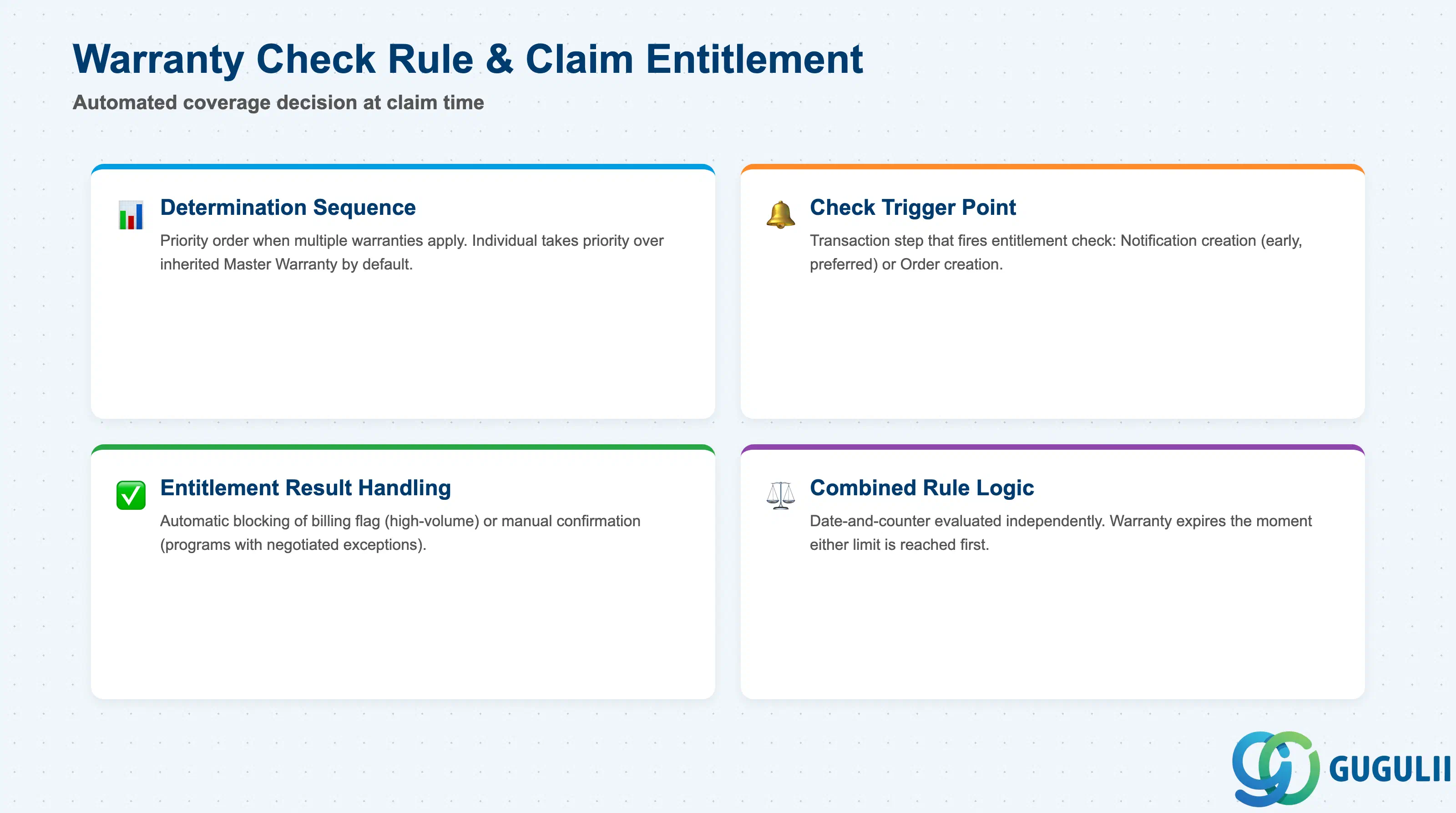
Warranty Check Rule & Claim Entitlement fields govern how the automated coverage decision is actually made and applied the moment a claim is raised (see SRV-B06 Warranty Claim Process).
| Field | Description | Practical Usage |
|---|---|---|
| Determination Sequence | The priority order used when more than one warranty could apply to the same Equipment (e.g., an Individual assignment alongside an inherited Master Warranty) | Set Individual assignments to take priority over an inherited Master Warranty by default, since an Individual assignment usually reflects a deliberate, more specific business decision (e.g., a negotiated extension) that should not be silently overridden. |
| Check Trigger Point | The transaction step at which the entitlement check is executed — typically Service Notification creation or Service Order creation | Trigger as early as possible in the process (at Notification rather than only at Order) so a service agent knows the coverage status before dispatch is scheduled, avoiding rework if the item later turns out to be billable. |
| Entitlement Result Handling | Whether a covered claim automatically blocks billing-relevant flags on the resulting Service Order item, or only proposes coverage for manual confirmation | Automatic blocking suits high-volume, low-ambiguity warranty programs; manual confirmation suits programs with negotiated exceptions or coverage that depends on judgment calls the system cannot fully encode. |
| Combined Rule Evaluation Logic | How the system evaluates a Combined (date-and-counter) rule at check time — always taking whichever limit is reached first | Confirm both the date and counter portions are independently correct before relying on this evaluation, since an error in either the validity duration or the counter limit silently shifts the effective expiration point without any separate warning. |
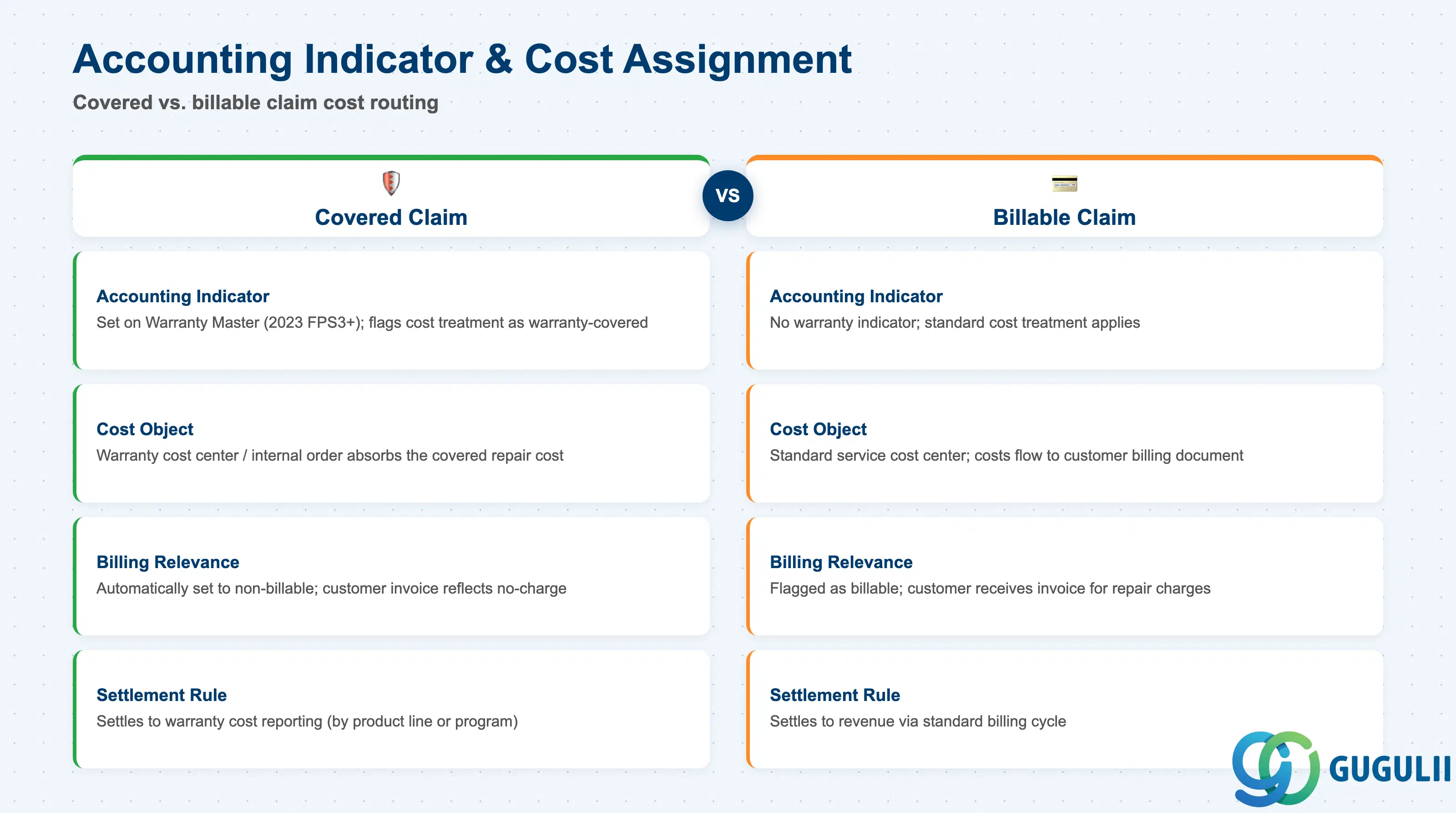
Accounting Indicator & Cost Assignment fields determine what happens financially once a claim has been determined to be covered — this is the section with the most direct downstream FI/CO impact.
| Field | Description | Practical Usage |
|---|---|---|
| Accounting Indicator | The indicator that flags a covered service item’s cost treatment; since 2023 FPS3 this can be assigned directly on the Warranty Master rather than only per individual assignment | Assigning the indicator on the Warranty Master itself (rather than per Equipment) keeps cost treatment consistent across every Equipment covered by the same warranty and removes a repetitive per-assignment configuration step. |
| Cost Object / Internal Order Assignment | The FI/CO cost object (e.g., an internal order or cost center) that absorbs the covered repair’s actual cost instead of billing the customer | Confirm this assignment with FI/CO before go-live — a warranty that is technically flagged as covered but has no valid cost-object assignment behind the Accounting Indicator produces an unassigned-cost posting error at settlement, not a clean warranty write-off. |
| Billing Relevance Override | Whether the resulting Service Order item’s billing-relevant flag is automatically set to non-billable when the Accounting Indicator applies | Verify this override actually reaches the billing-relevant flag on the item, not just the accounting indicator field — a warranty program is only truly enforced end-to-end when the customer invoice itself reflects the no-charge outcome. |
| Settlement Rule | How the covered repair’s actual cost is settled from the cost object at period close | Align the settlement rule with how the business already reports warranty cost internally (e.g., by product line or by manufacturer program) so Warranty Master data doubles as a source for warranty-cost analysis, not just a billing switch. |
| ID | Category | Title |
|---|---|---|
| srv-001 | Overview | What is SAP Service? |
| ID | Category | Title |
|---|---|---|
| srv-a01 | Overview | SAP Service Master Data: Overview, Hierarchy & Relationships |
| srv-a03-01 | Master Data | SAP Service Product Master |
| srv-a04-01 | Master Data | SAP Spare Parts Master |
| srv-a03-02 | Master Data | SAP Service Pricing Condition |
| srv-a05-01 | Master Data | SAP Service Functional Location |
| srv-a05-02 | Master Data | SAP Service Equipment |
| srv-a05-03 | Master Data | SAP Service Bill of Material |
| srv-a06-01 | Master Data | SAP Service Service Contract Template |
| srv-a06-02 | Master Data | SAP Service Service Order Template |
| srv-a07-01 | Master Data | SAP Service Warranty Master 📍 |