Title here
Summary here

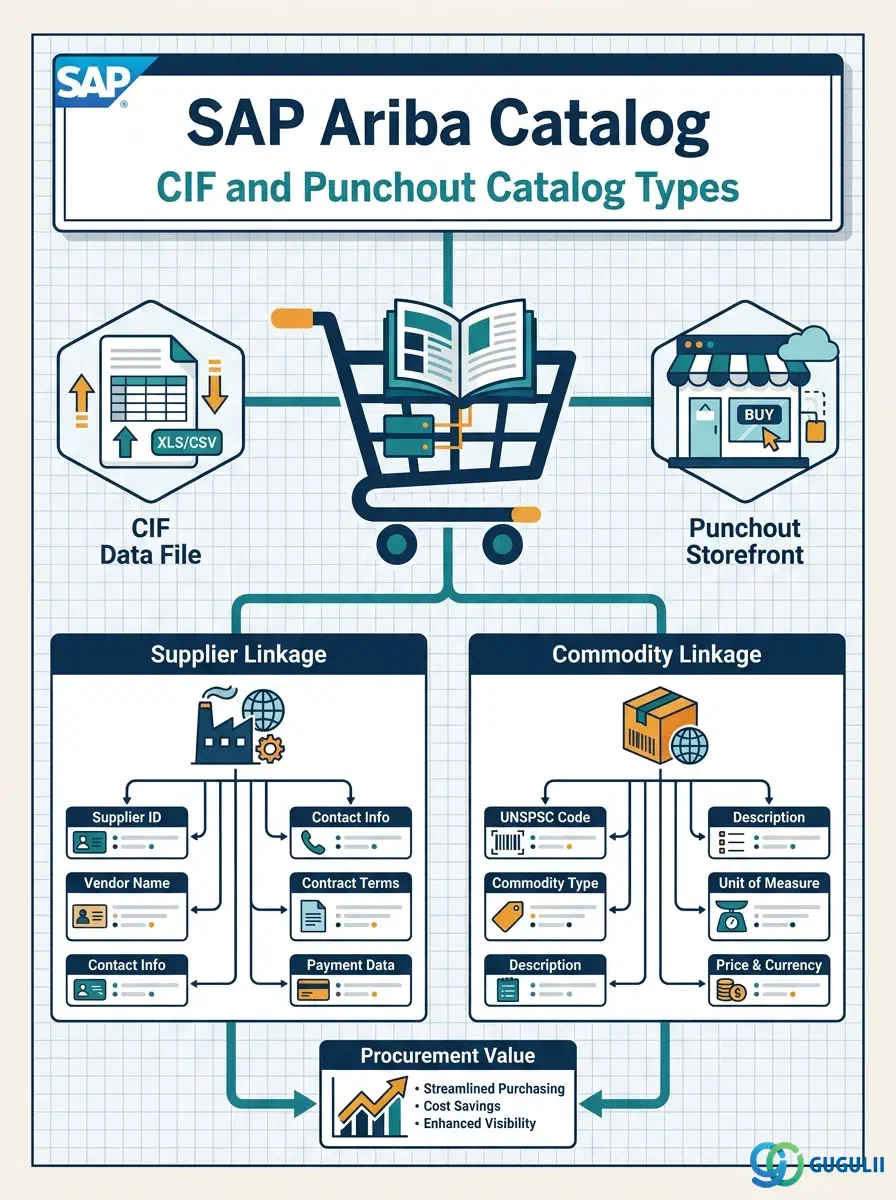
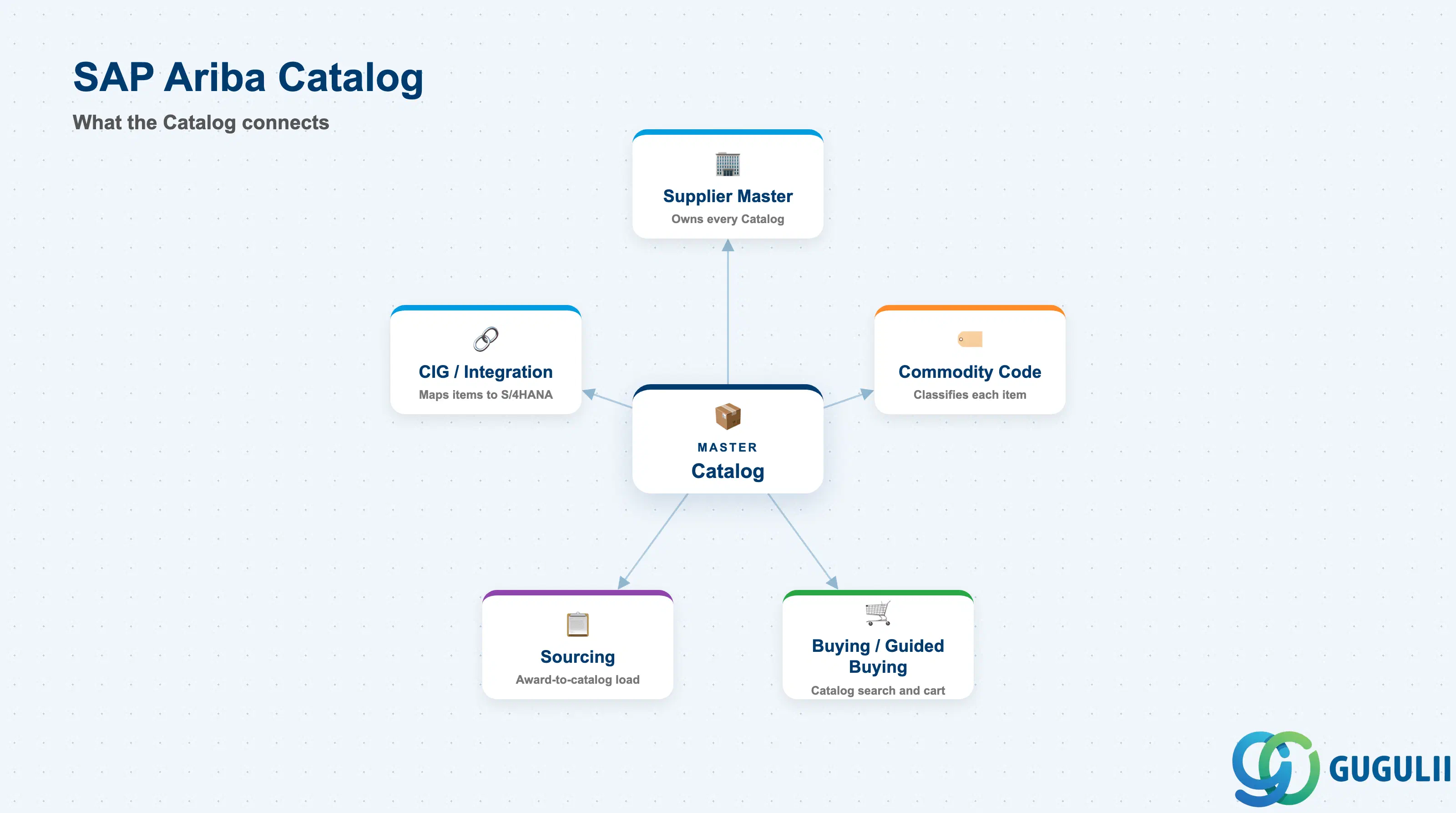
Catalog is the object that turns a Supplier Master record into something a Requester can actually browse and add to a cart — every item a buying organization can select without raising a free-text request lives inside a Catalog. A Catalog is always linked to exactly one Supplier and is exposed to Buying either by loading its content directly onto the Ariba site (buyer-hosted, via CIF) or by redirecting the Requester to the supplier’s own storefront in real time (supplier-hosted, via Punchout). This article maps Catalog’s core concepts across all Ariba capability areas (Part 1), then details every field an Ariba Administrator configures when defining, loading, and maintaining Catalogs and their items (Part 2).
A Catalog is a structured collection of purchasable items — descriptions, pricing, unit of measure, and supplier reference — made searchable inside the Buying and Guided Buying experience. It is the mechanism that lets a Requester find and select a specific, priced item instead of typing a free-text description that then has to be manually sourced and priced by a Buyer. Every Catalog belongs to exactly one Supplier, and every item inside it inherits that Supplier linkage plus whatever Commodity classification is applied at the item level.
| Aspect | Details |
|---|---|
| Role | Item-level content master that exposes a Supplier’s purchasable products/services for search and selection inside a Requisition |
| Modules using it | Buying and Guided Buying (catalog search and cart), Supplier Management (catalog linked to the Supplier record), Sourcing (catalog content informs award-to-catalog loading after an RFx) |
| Transactions | Catalog Management (site admin console upload/CIF processing), Punchout Setup screen (cXML endpoint configuration), catalog search inside a Requisition |
| Key Tables | No direct ECC/S4 table equivalent — Catalog is an Ariba cloud content object; when integrated, Catalog Items map to S/4HANA Material Master or Purchasing Info Record via a CIG-maintained mapping, not a shared table |
| S/4HANA note | Not the same object as an S/4 Material Master — Catalog is Ariba-side purchasing content only. Where the Material Master already exists in S/4, CIG links the two records rather than replacing either |
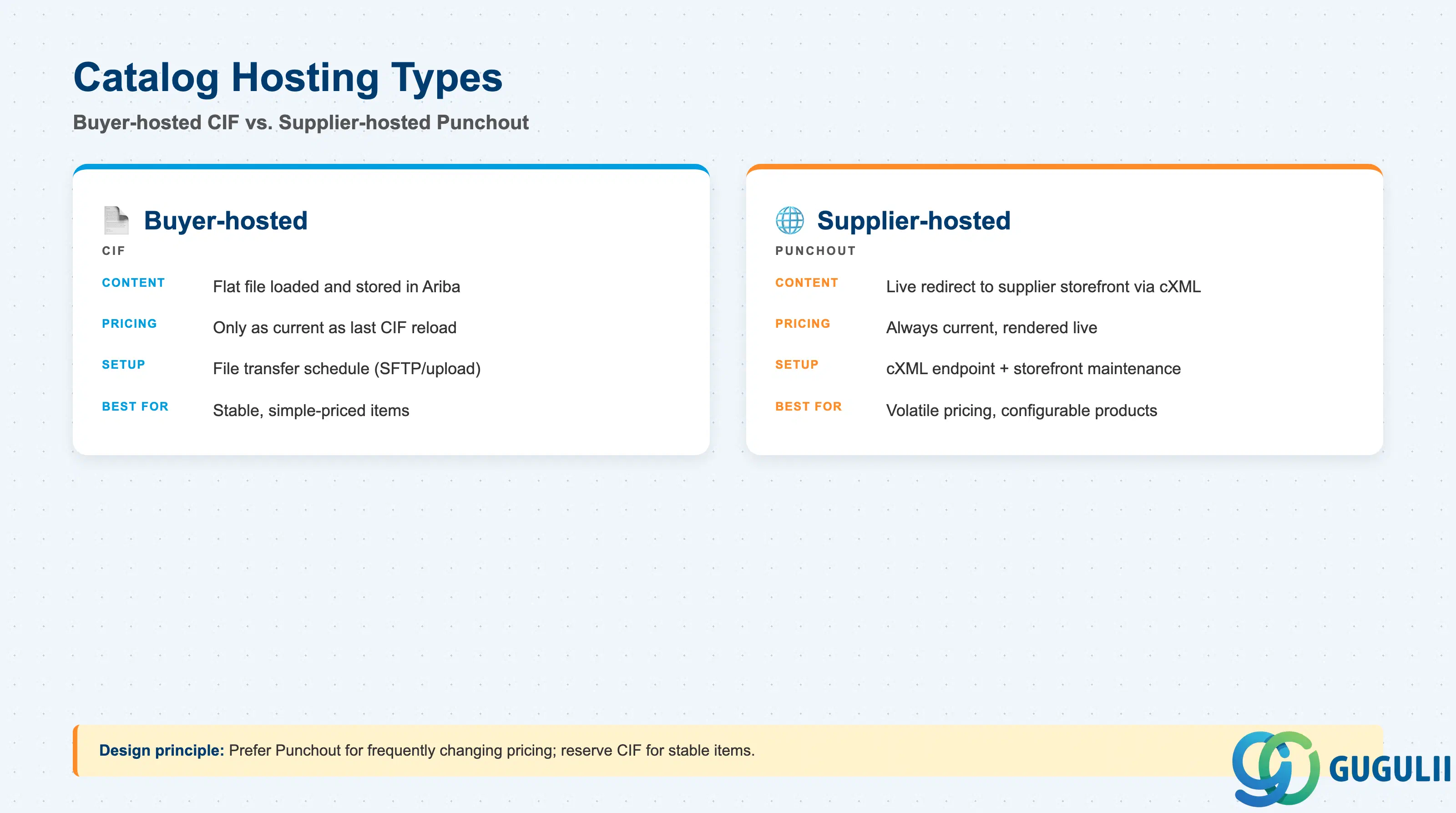
The Hosting Type decision is made per Supplier relationship and is expensive to reverse mid-implementation, because it determines who owns pricing accuracy, how often content refreshes, and what technical setup (file transfer vs. cXML endpoint) the Supplier must support.
| Hosting Type | Code | Use Case | Key Behavior |
|---|---|---|---|
| Buyer-hosted | CIF | Supplier sends a flat Catalog Interchange Format file that is loaded and stored directly on the Ariba site | Full item data (description, price, UOM) resides in Ariba; search results appear instantly with no round trip to the supplier, but pricing is only as current as the last CIF load |
| Supplier-hosted | Punchout | Requester is redirected via a cXML PunchOutSetupRequest to the supplier’s own storefront, browses live inventory/pricing, and returns a cart to Ariba | Pricing and availability are always current because content is never copied into Ariba; requires a working cXML PunchOutSetupRequest/PunchOutSetupResponse round trip and supplier-side storefront maintenance |
Design principle: Prefer Punchout for suppliers with frequently changing pricing or configurable products, and reserve buyer-hosted CIF for stable, simple-priced items — mixing the wrong hosting type onto a volatile supplier relationship produces stale-price disputes at invoice matching.
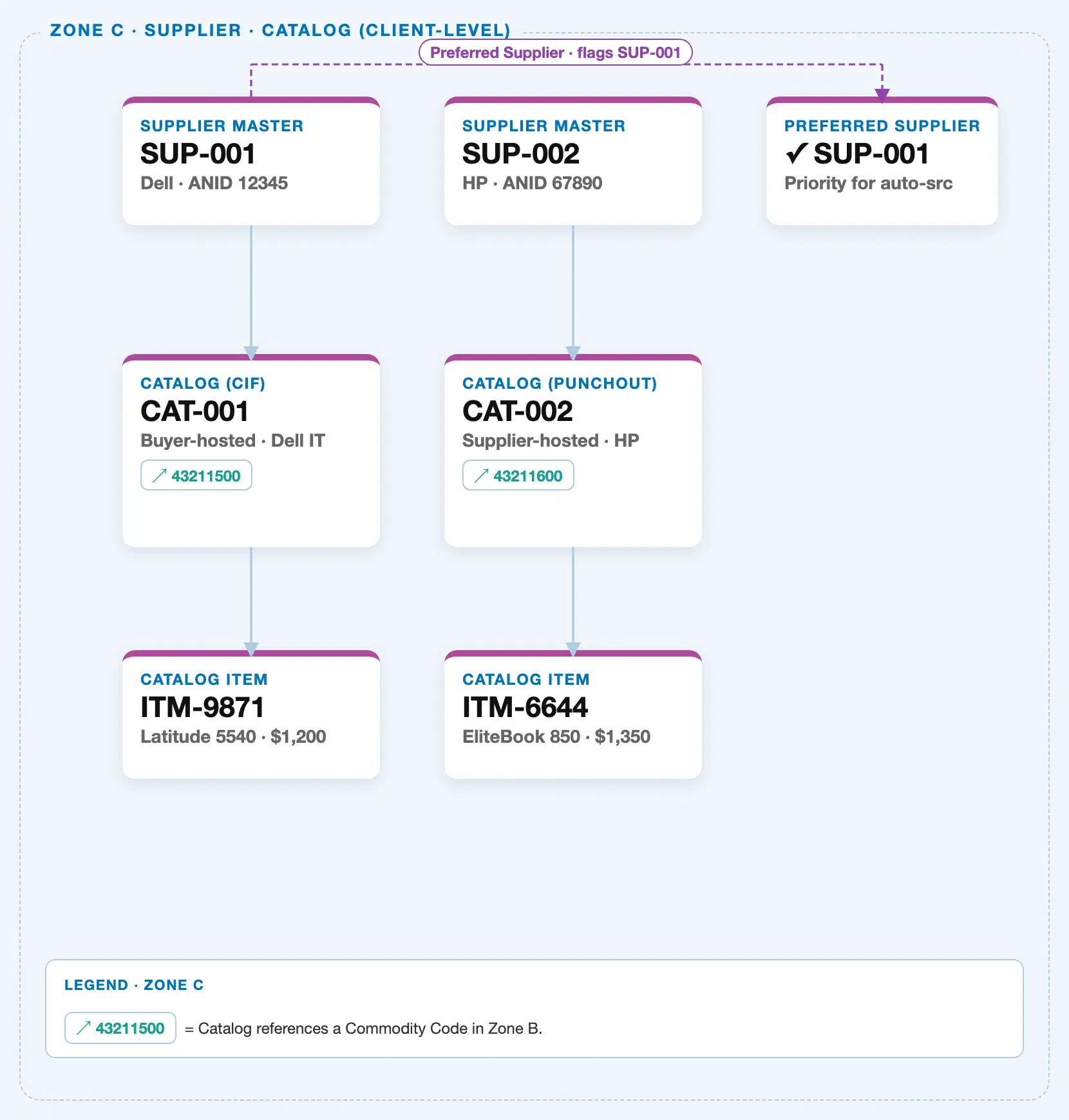
Data hierarchy with a concrete example
Supplier Master "SUP-001" — Dell (ANID 12345)
└── Catalog "CAT-001" — buyer-hosted / CIF ──references──> Commodity Code "43211500" (Zone B)
    └── Catalog Item "ITM-9871" — Latitude 5540, $1,200

Supplier Master "SUP-002" — HP (ANID 67890, preferred supplier)
└── Catalog "CAT-002" — supplier-hosted / Punchout ──references──> Commodity Code "43211600" (Zone B)
    └── Catalog Item "ITM-6644" — EliteBook 850, $1,350
This is a strict, 3-level containment hierarchy: a Supplier Master owns one or more Catalogs, and a Catalog owns one or more Catalog Items — Catalog Item never exists independently of the Catalog that hosts it. Catalog sits at the middle of this chain and is the object this article maps: CAT-001 is a buyer-hosted CIF catalog owned by Dell (SUP-001, ANID 12345), containing item ITM-9871 (Latitude 5540, $1,200); CAT-002 is a supplier-hosted Punchout catalog owned by HP (SUP-002, ANID 67890, flagged as a preferred supplier), containing item ITM-6644 (EliteBook 850, $1,350). Note the Commodity Code chip on each Catalog — 43211500 (CAT-001) and 43211600 (CAT-002) are not part of this containment chain; each is a cross-zone reference back to the Commodity Code master (Zone B, see ARIBA-A03-01) that classifies what the catalog’s items are, independent of which Supplier owns the catalog.
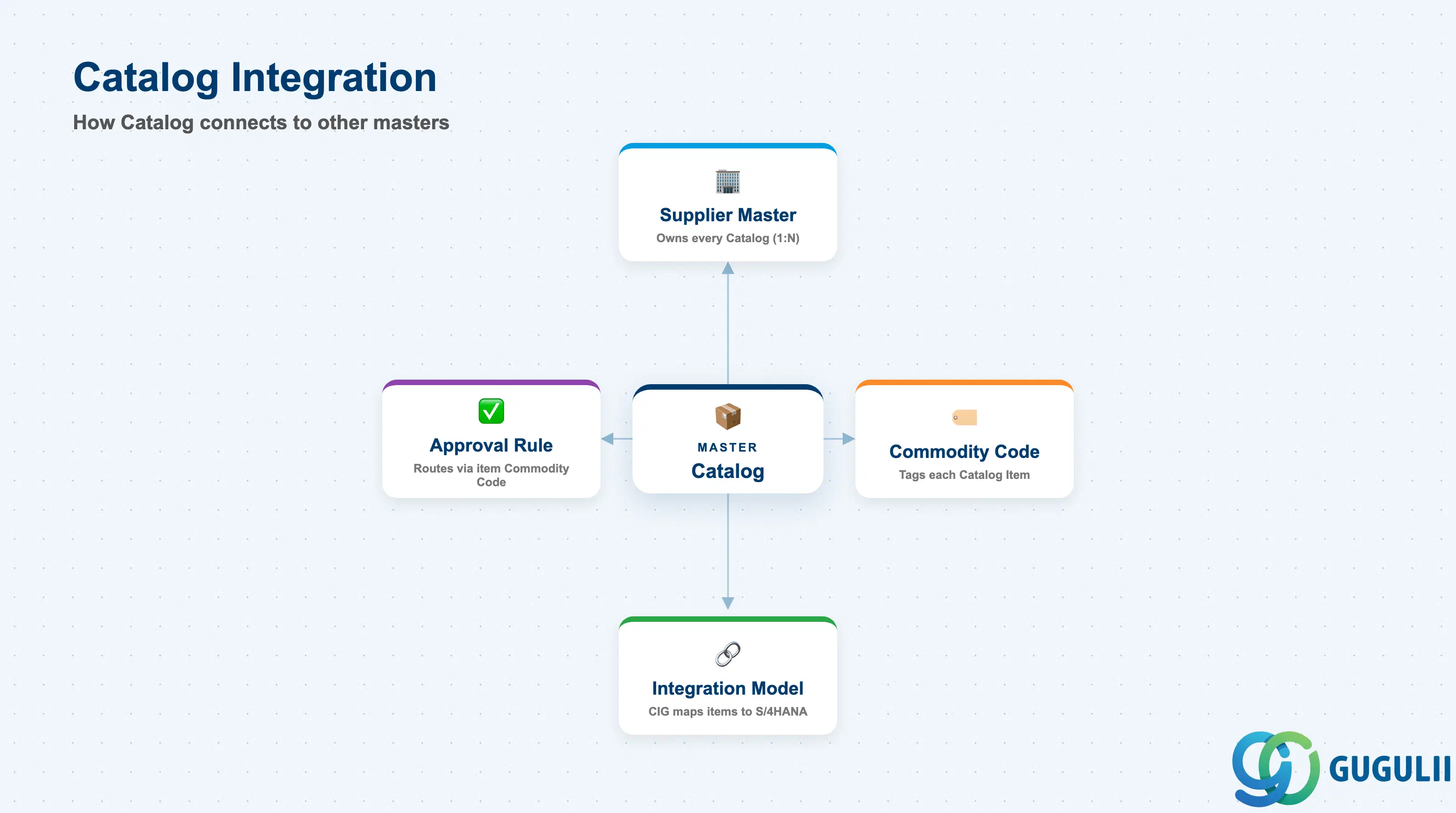
Catalog does not stand alone — it is the content layer that connects Supplier identity to what a Requester actually sees and buys.
| Object | Relationship | Practical Notes |
|---|---|---|
| Supplier Master | Every Catalog is owned by exactly one Supplier Master record (Phase 3); a Supplier can hold multiple Catalogs (e.g., one CIF and one Punchout, for different item ranges) | Deactivate a Catalog immediately when a Supplier relationship is terminated or suspended — an orphaned live Punchout endpoint can keep exposing pricing for a supplier no longer under contract |
| Commodity Code | Each Catalog is tagged with a Commodity Code (Phase 2), which determines the Buying scope and Approval Rule path for its items | A mis-tagged catalog routes its items through the wrong approval path and can bypass category-specific spend controls entirely — validate Commodity tagging as part of every catalog load, not just at go-live |
| Approval Rule | Approval Rule (Phase 4) frequently matches on the Commodity Code carried by a Catalog, together with Role, to decide routing | Test the full journey from catalog search to approval routing after any bulk catalog reload — a CIF refresh can silently change a catalog’s Commodity tag if the supplier’s export mapping shifts |
| Integration Model (CIG) | CIG maps Catalog Item identifiers to S/4HANA Material Master or Purchasing Info Record so that a resulting Purchase Order can synchronize correctly | Build and test this mapping before onboarding a new Supplier’s Catalog — a Punchout cart line that cannot resolve to a valid S/4 material or info record fails synchronization at PO creation |
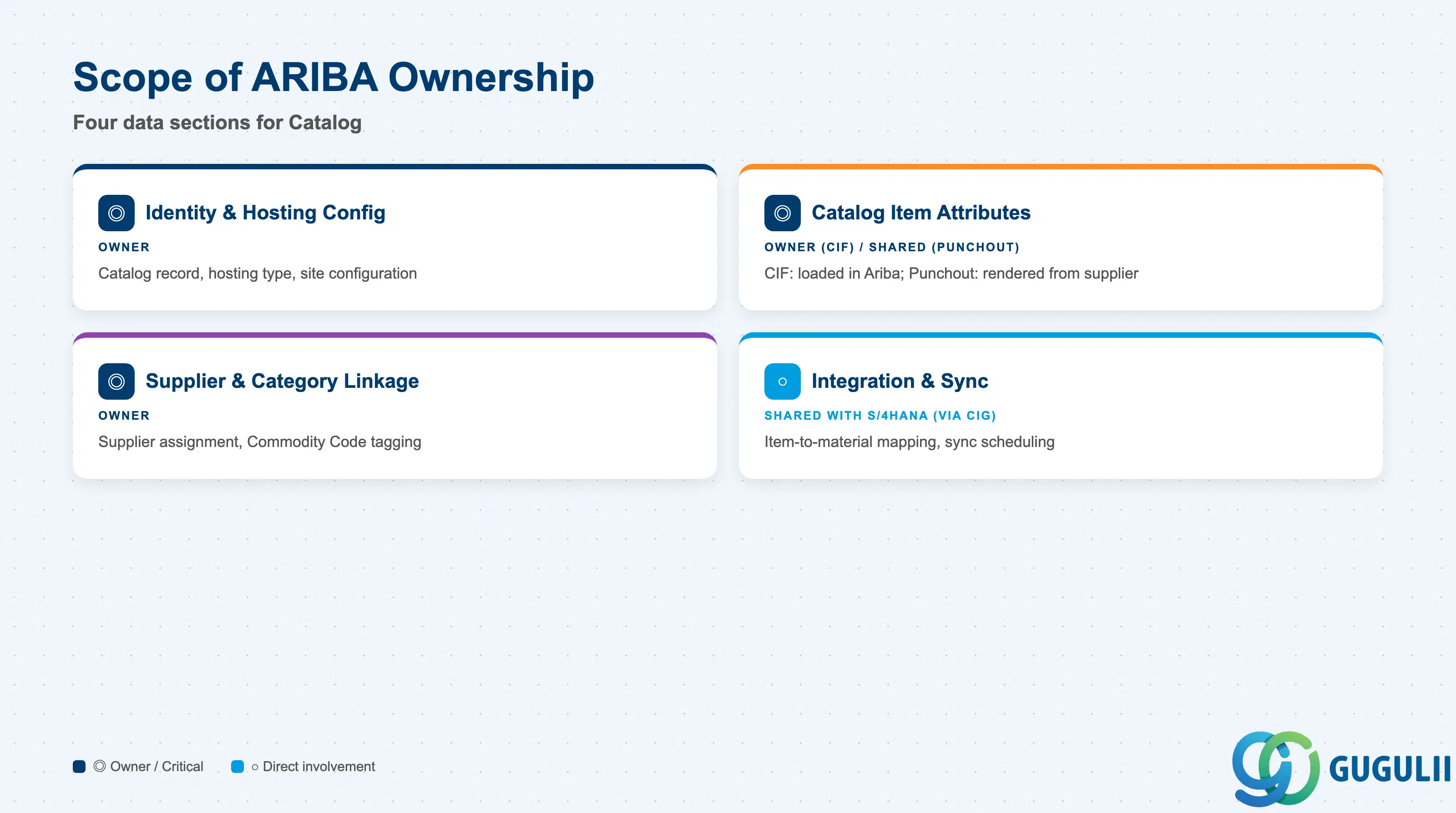
| Data Section | ARIBA Involvement | Notes |
|---|---|---|
| Catalog Identity & Hosting Configuration | ◎ Owner | Catalog record, hosting type, and site-level configuration are maintained entirely within Ariba |
| Catalog Item Attributes | ◎ Owner (CIF) / ○ Shared with Supplier (Punchout) | For CIF catalogs, item data is fully loaded and stored in Ariba; for Punchout, live item data is rendered from the supplier’s own site at browse time |
| Supplier & Category Linkage | ◎ Owner | Supplier assignment and Commodity Code tagging are configured and enforced entirely within Ariba |
| Integration & Synchronization | ○ Shared with S/4HANA (via CIG) | Item-to-material mapping and load/sync scheduling are jointly maintained; sync health depends on CIG/Integration Model configuration |
Legend: ◎ = Owner / Critical, ○ = Direct involvement
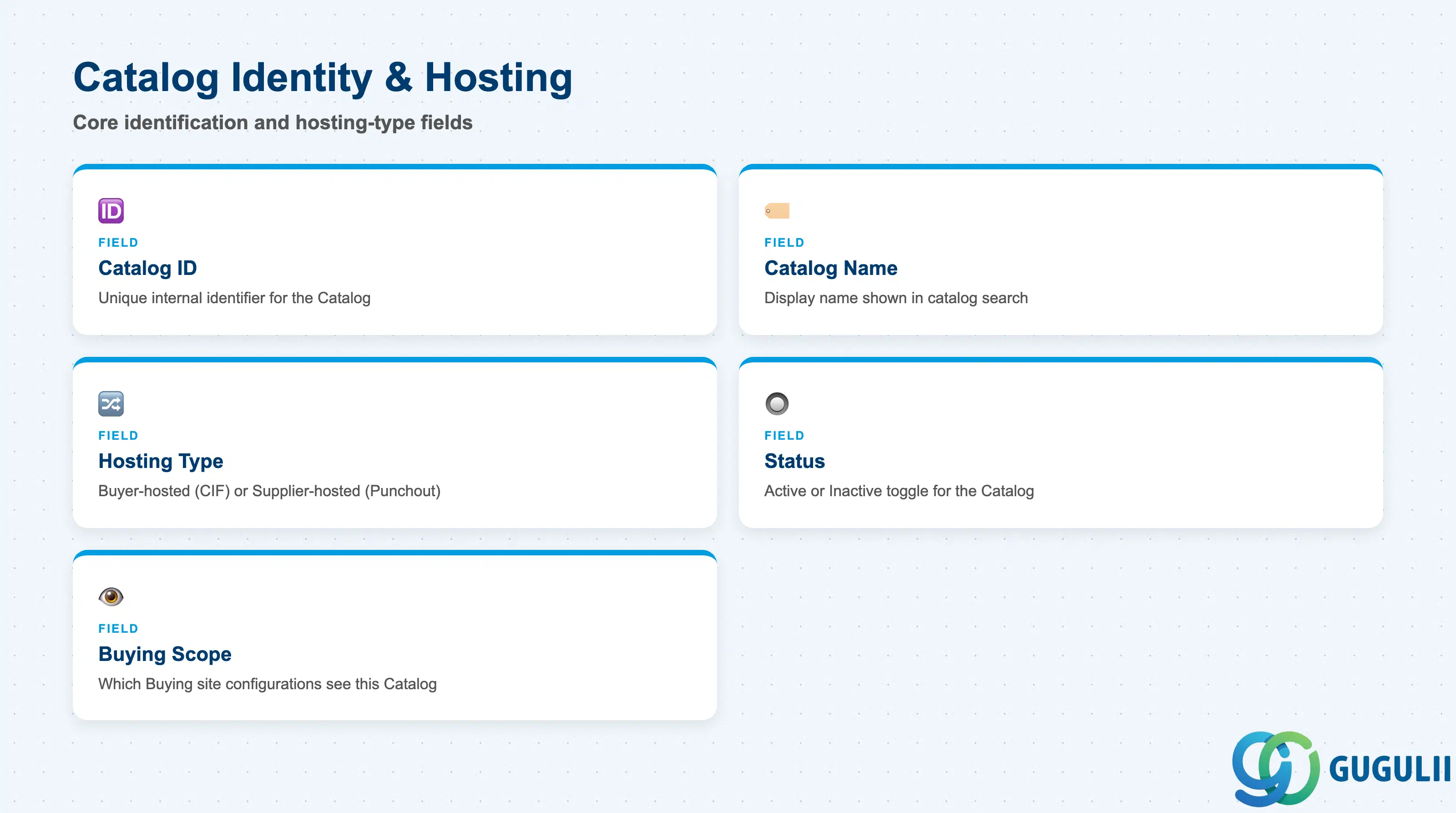
These fields identify a single Catalog and determine which of the two hosting behaviors described in Section 1.2 applies to it.
| Field | Description | Practical Usage |
|---|---|---|
| Catalog ID | Unique internal identifier for the Catalog (e.g., CAT-001) | Adopt a naming convention that encodes the Supplier or hosting type early (e.g., a prefix per Supplier) — retrofitting IDs across dozens of live catalogs is disruptive |
| Catalog Name | Display name shown in Buying/Guided Buying catalog search | Use the Supplier’s business name plus a short descriptor (e.g., “Dell — IT Hardware CIF”) so Requesters can distinguish between multiple catalogs from related suppliers |
| Hosting Type | Buyer-hosted (CIF) or supplier-hosted (Punchout) | Confirm this before building the Supplier onboarding checklist — CIF requires a file-transfer schedule; Punchout requires a tested cXML endpoint, which is a materially different technical lift |
| Status | Active / Inactive | Set to Inactive rather than deleting when a Supplier relationship pauses — deleting a live Catalog can orphan historical Requisition lines that reference its items |
| Buying Scope | Which Buying/Guided Buying site configurations this Catalog is visible to | Restrict a newly onboarded Catalog to a pilot buying scope before rolling it out site-wide, so an unvalidated item load doesn’t appear across every Requester’s search results immediately |
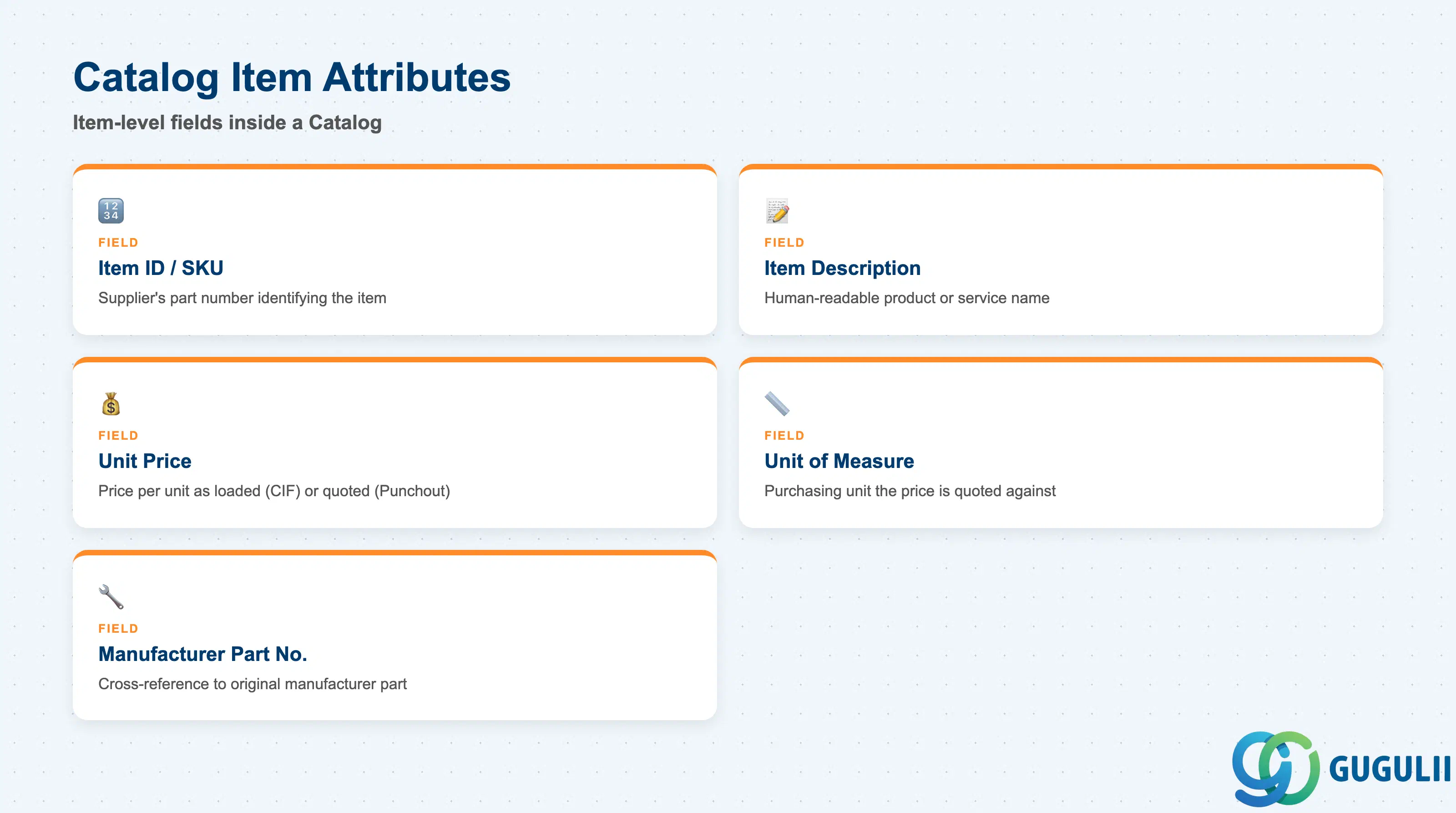
These fields describe a single purchasable line inside a Catalog — for CIF catalogs they are loaded and stored in Ariba; for Punchout they are rendered live from the supplier’s site but still map to these same logical attributes when a cart line returns.
| Field | Description | Practical Usage |
|---|---|---|
| Item ID / SKU | Supplier’s part number or SKU uniquely identifying the item within the Catalog (e.g., ITM-9871) | Treat this as the supplier’s own identifier, not an Ariba-invented value — do not remap it, or reconciliation against the supplier’s invoice becomes error-prone |
| Item Description | Human-readable name of the product/service (e.g., “Latitude 5540”) | Keep this consistent with the supplier’s official product naming; a description that drifts from the invoice line description slows down invoice-matching exception handling |
| Unit Price | Price per unit as loaded (CIF) or quoted live (Punchout), e.g. $1,200–$1,350 | For CIF catalogs, schedule reload cadence around the supplier’s actual price-change frequency — a stale CIF price creates a receipt-vs-invoice price variance at three-way match |
| Unit of Measure | The purchasing unit the price is quoted against (each, box, case, etc.) | Validate UOM on initial load carefully — a UOM mismatch against the Requisition’s expected unit is one of the most common causes of incorrect order quantities |
| Manufacturer Part Number | Cross-reference to the original manufacturer’s part number, where the Supplier is a reseller | Populate this whenever available — it lets Requesters and Sourcing confirm they are ordering the exact intended part when multiple resellers list the same manufacturer item |
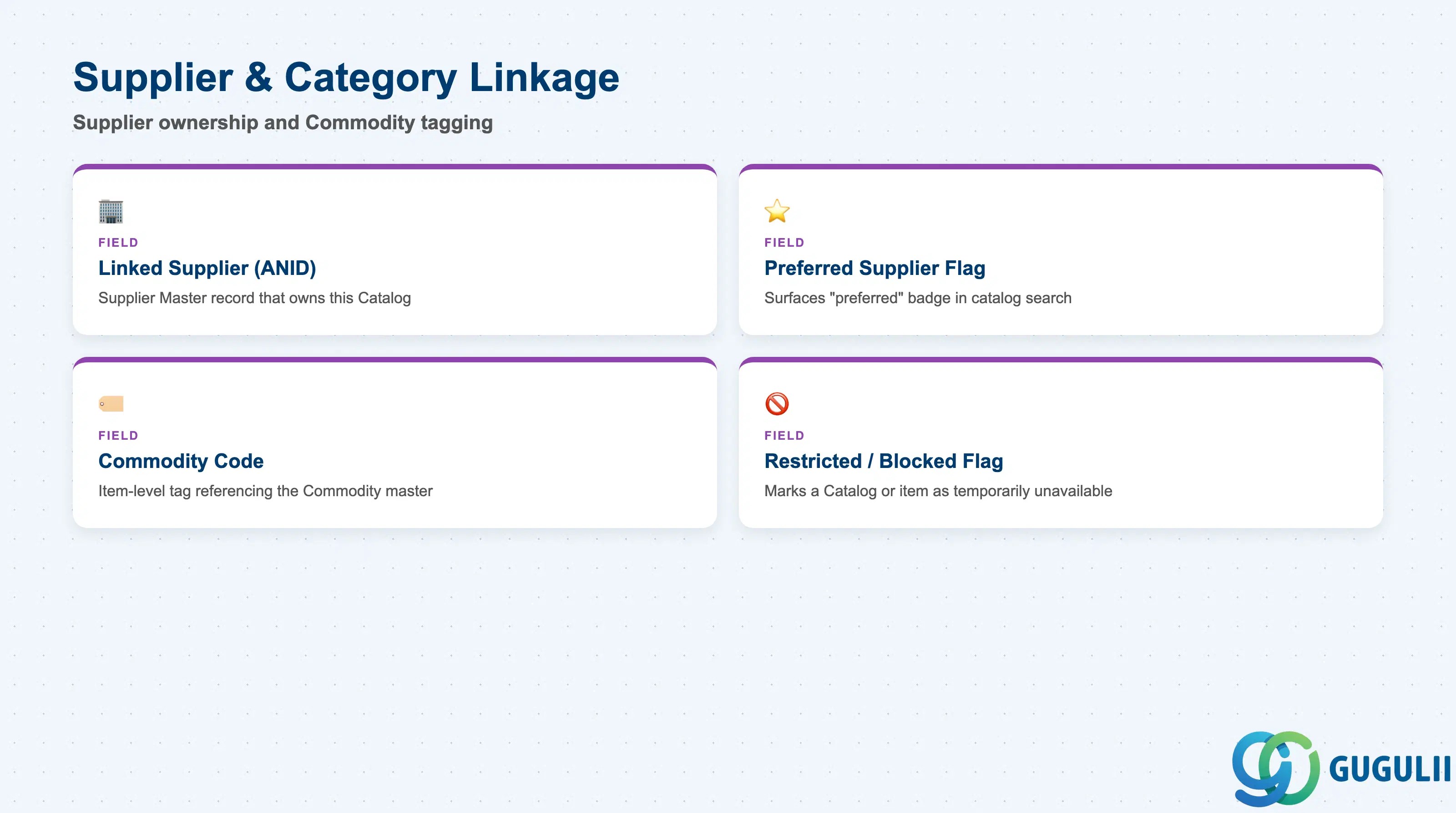
These fields connect a Catalog and its items back to the Supplier Master and Commodity Code masters shown in Section 1.3, driving both search filtering and approval routing.
| Field | Description | Practical Usage |
|---|---|---|
| Linked Supplier (ANID) | The Supplier Master record (identified by its Ariba Network ID) that owns this Catalog | Confirm the ANID is correct at Catalog creation — a Catalog linked to the wrong Supplier record misattributes spend and can expose the wrong preferred-supplier flag to Requesters |
| Preferred Supplier Flag | Inherited from the linked Supplier Master; surfaces a “preferred” badge on catalog search results | Keep this in sync with active sourcing awards — Guided Buying nudges Requesters toward preferred-flagged catalogs, so a stale flag can redirect spend to a supplier that has since lost a contract |
| Commodity Code (Catalog-Level) | The Commodity Code tag applied to the Catalog (e.g., 43211500 for CAT-001, 43211600 for CAT-002), a cross-zone reference to the Commodity master | Validate this tag on every catalog reload, not just at initial setup — a CIF file from the supplier can silently shift item classification if their export mapping changes |
| Restricted / Blocked Flag | Marks a Catalog or specific item as temporarily unavailable for requisitioning | Pair any restriction with a clear on-screen message explaining why, or Requesters will route around it by searching for a similar, incorrectly classified item instead |
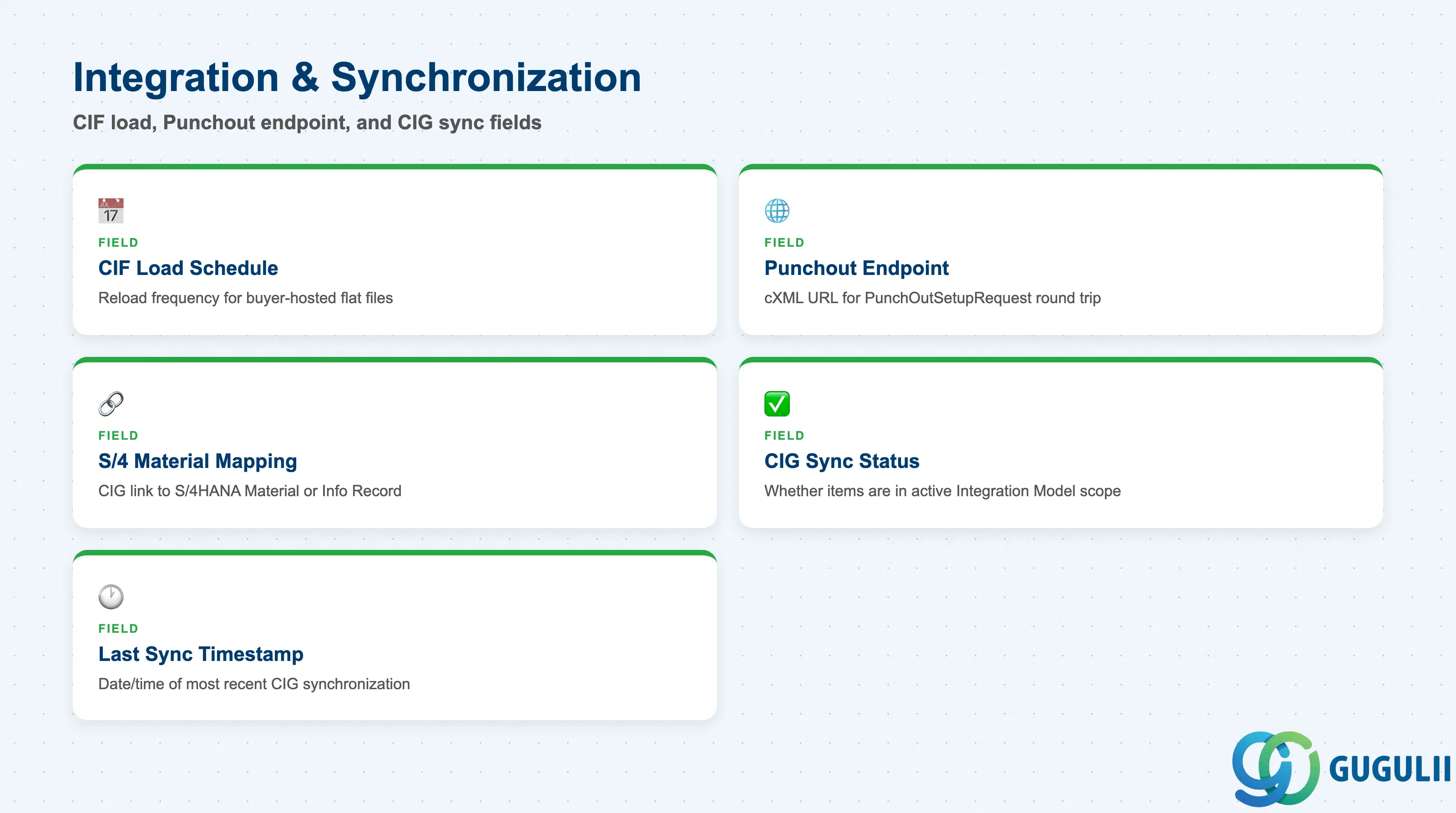
These fields govern how Catalog content reaches Ariba (CIF load or Punchout endpoint) and how a resulting order line is translated to S/4HANA via CIG.
| Field | Description | Practical Usage |
|---|---|---|
| CIF Load Schedule | For buyer-hosted catalogs, the frequency at which the supplier’s flat file is reloaded | Align this schedule with the supplier’s actual price-change cadence — a quarterly reload on a fast-moving commodity category virtually guarantees stale pricing between loads |
| Punchout Endpoint (cXML URL) | For supplier-hosted catalogs, the URL and credentials used for the PunchOutSetupRequest/Response round trip | Test this endpoint end-to-end (setup request through cart return) after any supplier-side site change — a broken endpoint fails silently as a blank catalog result, not a clear error to the Requester |
| S/4 Material / Info Record Mapping | CIG-maintained translation linking a Catalog Item to an S/4HANA Material Master or Purchasing Info Record | Build this mapping before onboarding go-live for the Supplier — a returned cart line that cannot resolve to a valid S/4 material or info record fails Purchase Order synchronization |
| CIG Sync Status | Indicates whether this Catalog’s items are included in the active Integration Model (Phase 5) synchronization scope | Newly onboarded catalogs are not automatically included in an existing Integration Model — confirm sync scope explicitly whenever a new Supplier’s Catalog goes live |
| Last Sync Timestamp | Date/time of the most recent successful CIG synchronization for this Catalog’s item mapping | Monitor this after every bulk CIF reload — a stale timestamp on a subset of items is the fastest signal that a batch sync partially failed |
| ID | Category | Title |
|---|---|---|
| ariba-001 | Overview | What is SAP Ariba? |
| ID | Category | Title |
|---|---|---|
| ariba-a01 | Overview | SAP Ariba Master Data: Overview, Hierarchy & Relationships |
| ariba-a02-01 | Master Data | SAP Ariba User |
| ariba-a02-02 | Master Data | SAP Ariba Role |
| ariba-a03-01 | Master Data | SAP Ariba Commodity |
| ariba-a04-02 | Master Data | SAP Ariba Catalog 📍 |
| ariba-a05-01 | Master Data | SAP Ariba Approval Rule |
| ariba-a06-01 | Master Data | SAP Ariba Integration Model |
| ID | Category | Title |
|---|---|---|
| ariba-b01 | Overview | SAP Ariba Transactions: Process Flow, Hierarchy & Relationships |