Title here
Summary here

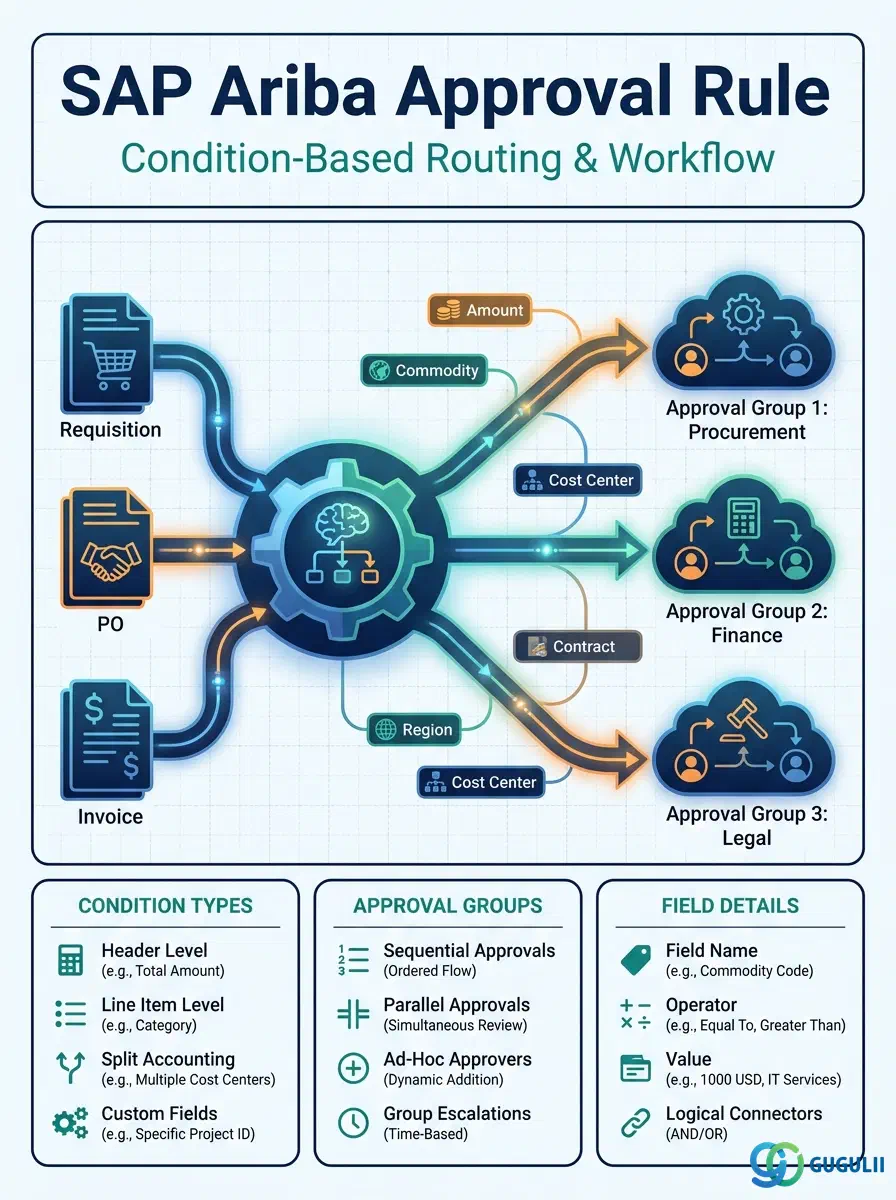
Approval Rule is the object that turns a static Requisition into a controlled workflow — it evaluates conditions such as the Commodity Code on a line item or the total Amount of a document, and routes the document to the correct Approval Group for sign-off before it can proceed. Without Approval Rule, every Requisition, Purchase Order, or Invoice would either require no approval at all or the same fixed approver regardless of what is being bought or how much it costs. This article maps Approval Rule’s core concepts across all Ariba capability areas (Part 1), then details every field an Ariba Administrator configures when defining Approval Rules and the Approval Groups they route to (Part 2).
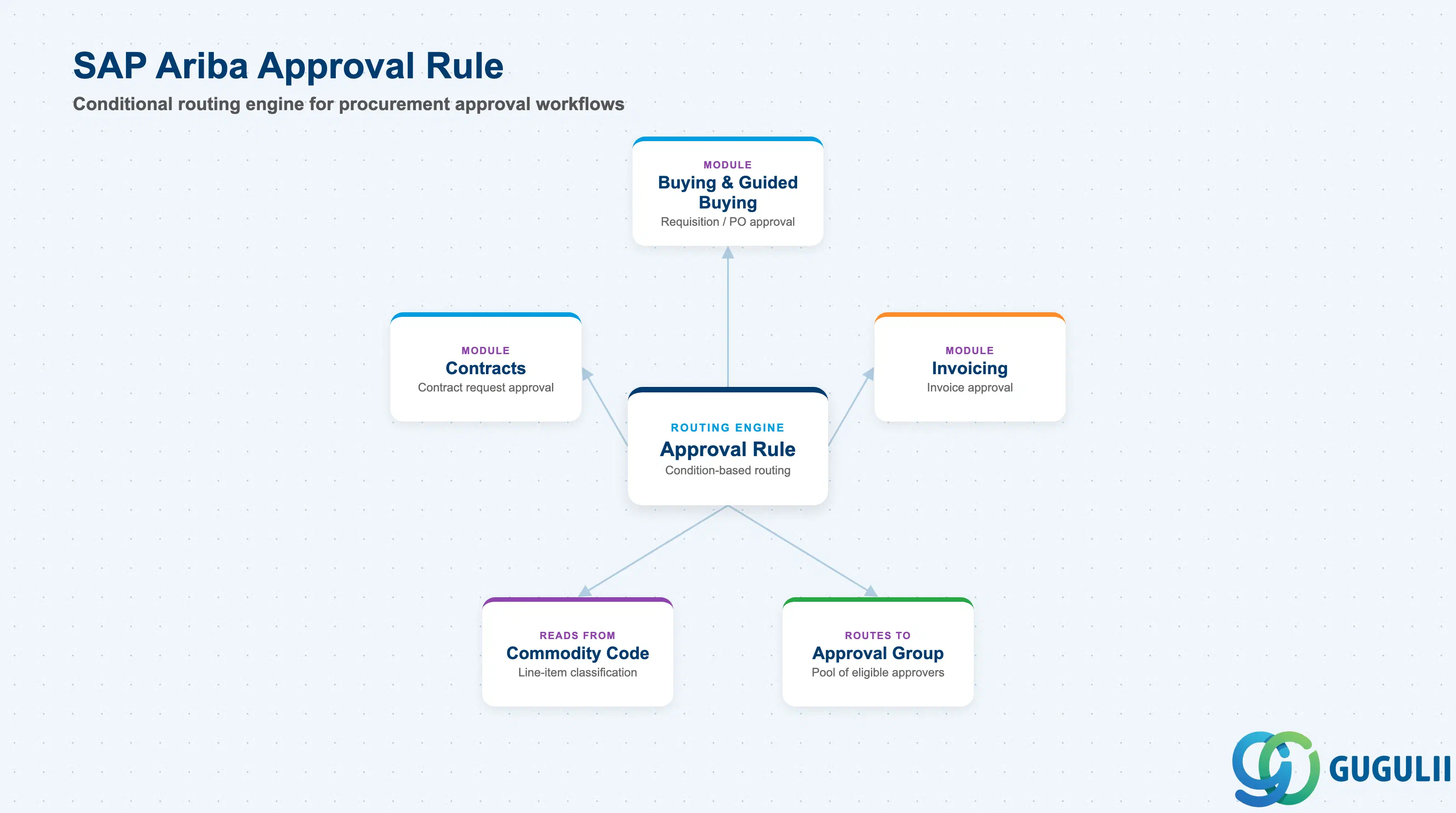
An Approval Rule is a conditional routing object: it inspects one or more attributes of a document (Commodity Code, total Amount, Requester attributes, document type) and, when the condition matches, assigns the document to a specific Approval Group for review. It does not itself approve or reject anything — it is the decision logic that determines who is asked to approve, not the approval action itself. Every live Ariba site typically has multiple Approval Rules active at once, each attached to an Approvable Type (Requisition, Purchase Order, Invoice, Contract Request) and evaluated whenever a document of that type is submitted.
| Aspect | Details |
|---|---|
| Role | Conditional routing engine that evaluates document/requester attributes and assigns the matching Approval Group before a document can proceed |
| Modules using it | Buying and Guided Buying (Requisition/PO approval), Invoicing (invoice approval), Contracts (contract request approval) |
| Transactions | Approval Rules configuration screen (Manage Approvables), Approval Flow Diagnostic tool (tests which rule fires for a given document) |
| Key Tables | No direct ECC/S4 table equivalent — Approval Rule is an Ariba cloud configuration object with no persisted counterpart in S/4HANA |
| S/4HANA note | Not the same mechanism as S/4 Flexible Workflow — Ariba’s Approval Rule engine is entirely cloud-side; an approved Ariba document synchronizes to S/4HANA only after Ariba-side approval completes, via Integration Model (Phase 5), which does not itself participate in the routing decision |
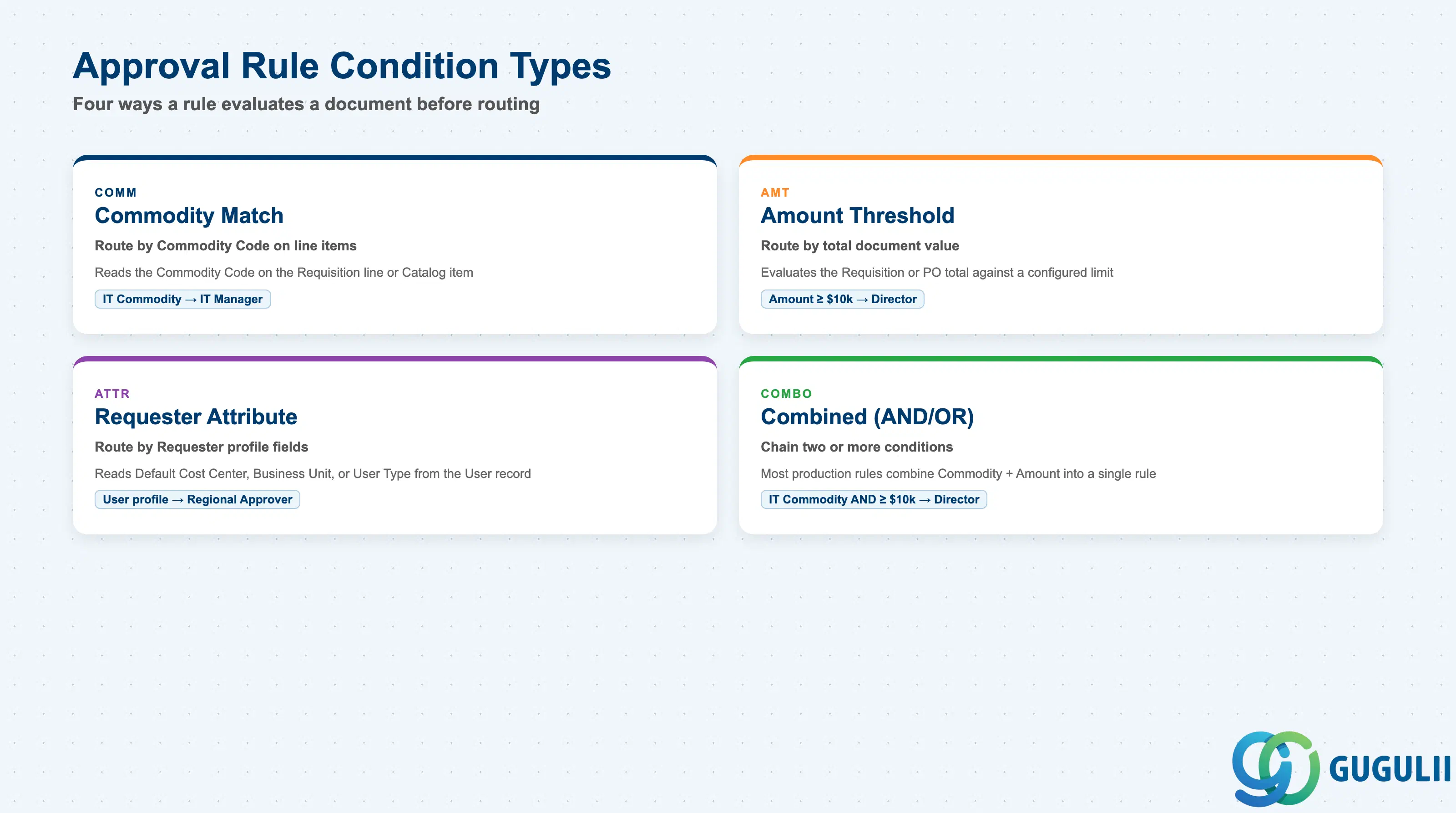
The Condition Type determines which attribute of the document (or its Requester) a rule reads before deciding whether it applies — getting this wrong, or sequencing multiple rules incorrectly, is one of the most common causes of a document routing to the wrong Approval Group at go-live.
| Condition Type | Code | Use Case | Key Behavior |
|---|---|---|---|
| Commodity Match | COMM | Route based on the Commodity Code (or parent Spend Category, Phase 2) tagged to a document’s line items — e.g., AR-REQ-01: IT commodity → IT Manager | Reads the Commodity Code carried by the Requisition line or Catalog item (Phase 2/3); commonly paired with a Role-based Approval Group target |
| Amount Threshold | AMT | Route based on total document value crossing a defined breakpoint — e.g., AR-REQ-02: Amount ≥ $10,000 → Director | Evaluates the Requisition/PO total against one or more configured limits; typically the deciding factor for escalating from a manager-level to a director-level Approval Group |
| Requester Attribute Match | ATTR | Route based on the Requester’s own profile (Default Cost Center, Business Unit, User Type) rather than the document content | Reads fields carried on the User record (Phase 1), such as Default Cost Center or Business Unit, instead of anything on the document itself |
| Combined (AND/OR) Condition | COMBO | Chain two or more of the above condition types into a single rule | Most production rule sets combine Commodity Match AND Amount Threshold (e.g., “IT Commodity AND Amount ≥ $10k → Director”) rather than relying on a single isolated condition |
Design principle: Sequence narrower, more specific rules ahead of broad catch-all rules on the same Approvable Type, and test sequencing whenever a new rule is added — insertion order affects which Approval Group actually receives a given document.
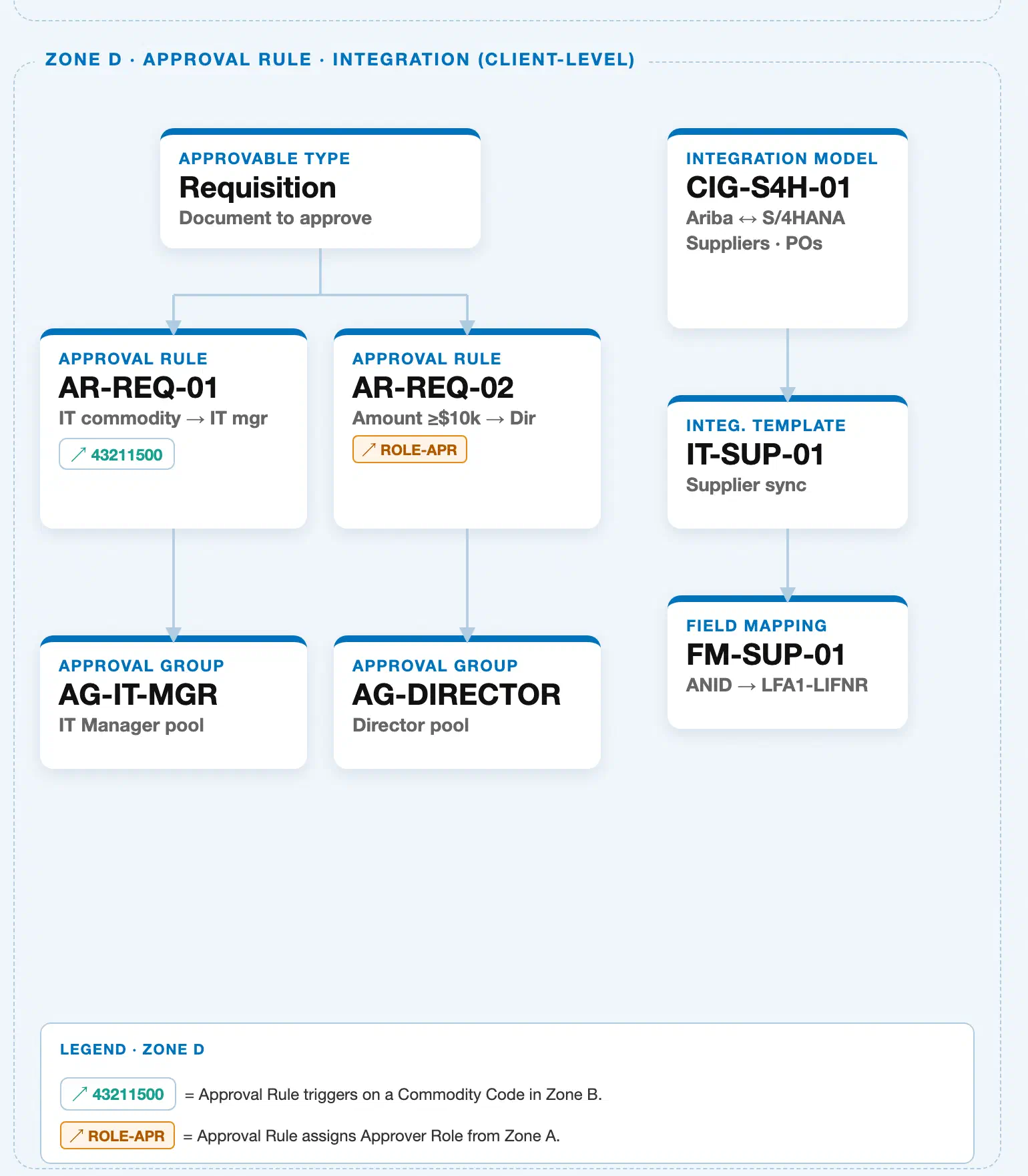
Data hierarchy with a concrete example
Approvable Type "Requisition" — Document to approve
└── Approval Rule "AR-REQ-01" — condition: IT commodity → IT mgr ──references──> Commodity Code "43211500" (Zone B)
    └── Approval Group "AG-IT-MGR" — IT Manager pool

Approvable Type "Requisition" — Document to approve
└── Approval Rule "AR-REQ-02" — condition: Amount ≥ $10k → Dir ──references──> Role "ROLE-APR" (Zone A)
    └── Approval Group "AG-DIRECTOR" — Director pool
This is a strict, 3-level containment hierarchy: an Approvable Type (here, Requisition — the document to approve) owns one or more Approval Rules, and each Approval Rule routes to exactly one Approval Group. Approval Rule sits at the middle of this chain and is the object this article maps: AR-REQ-01 fires on an IT-related Commodity Code and routes to AG-IT-MGR (the IT Manager pool); AR-REQ-02 fires when the Requisition amount is $10,000 or more and routes to AG-DIRECTOR (the Director pool). Note the cross-zone reference chips on each rule — 43211500 (Zone B, Commodity Code) on AR-REQ-01 and ROLE-APR (Zone A, Approver Role) on AR-REQ-02 are not part of this containment chain; each is a dashed reference back to a master defined elsewhere in the landscape: a Commodity Code the rule matches on, or a Role the rule’s target group requires its members to hold. Zone D also contains a separate Integration Model sub-hierarchy (see ARIBA-A06-01) that governs how already-approved documents synchronize to S/4HANA — it is unrelated to the Approval Rule half of Zone D shown here and is not part of this containment chain either.
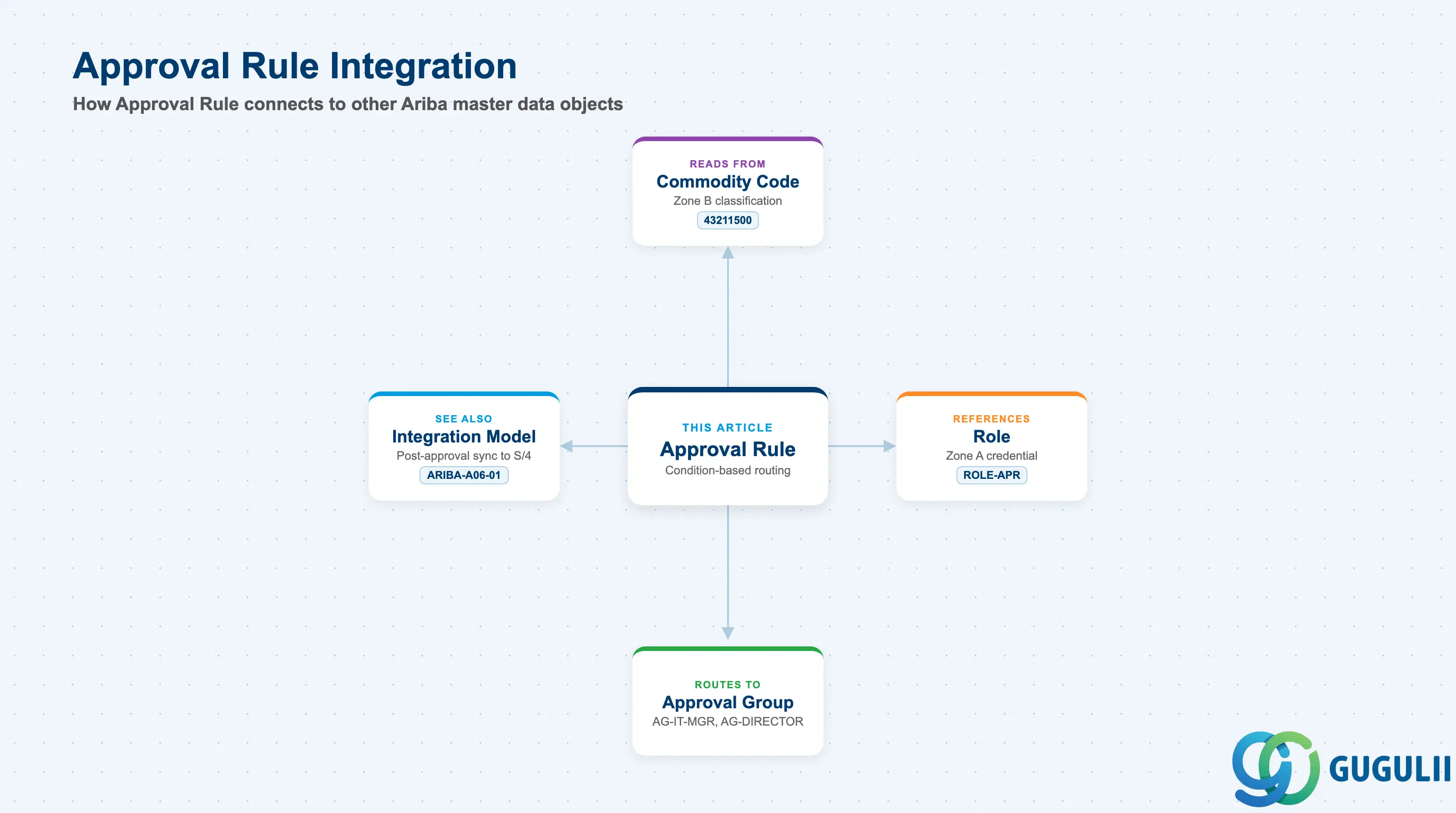
Approval Rule does not stand alone — it is the decision layer that reads from two upstream masters and hands its outcome to a third.
| Object | Relationship | Practical Notes |
|---|---|---|
| Commodity Code | A Commodity Match condition (e.g., AR-REQ-01) reads the Commodity Code (Phase 2) tagged on the document’s line items, such as 43211500 (Zone B) | Keep Commodity Code tagging accurate on every Requisition line and Catalog item — an untagged or mis-tagged item silently falls through the intended Commodity Match rule to a broader, possibly wrong, Approval Group |
| Role | An Amount Threshold or Requester Attribute condition (e.g., AR-REQ-02) frequently names a Role, such as ROLE-APR (Zone A), as the qualifying credential members of the target Approval Group must hold | A User must hold the referenced Role before being added to the target Approval Group, or the routed document has no eligible reviewer once it reaches that group |
| Approval Group | Every Approval Rule routes to exactly one Approval Group (AG-IT-MGR, AG-DIRECTOR); the group is a pool of eligible approvers, not a single named individual | Keep group membership current — an Approval Group with zero active members stalls every document the matching Approval Rule routes to it, with no visible error until someone investigates a stuck approval queue |
| Integration Model (CIG) | Zone D also contains a separate Integration Model sub-hierarchy (ARIBA-A06-01) that governs how an already-approved document synchronizes to S/4HANA; Approval Rule itself does not feed this sync path | See ARIBA-A06-01 for Integration Model detail — do not confuse the “Approval Rule” and “Integration Model” halves of Zone D, which are unrelated sub-hierarchies that happen to share the same landscape Zone |
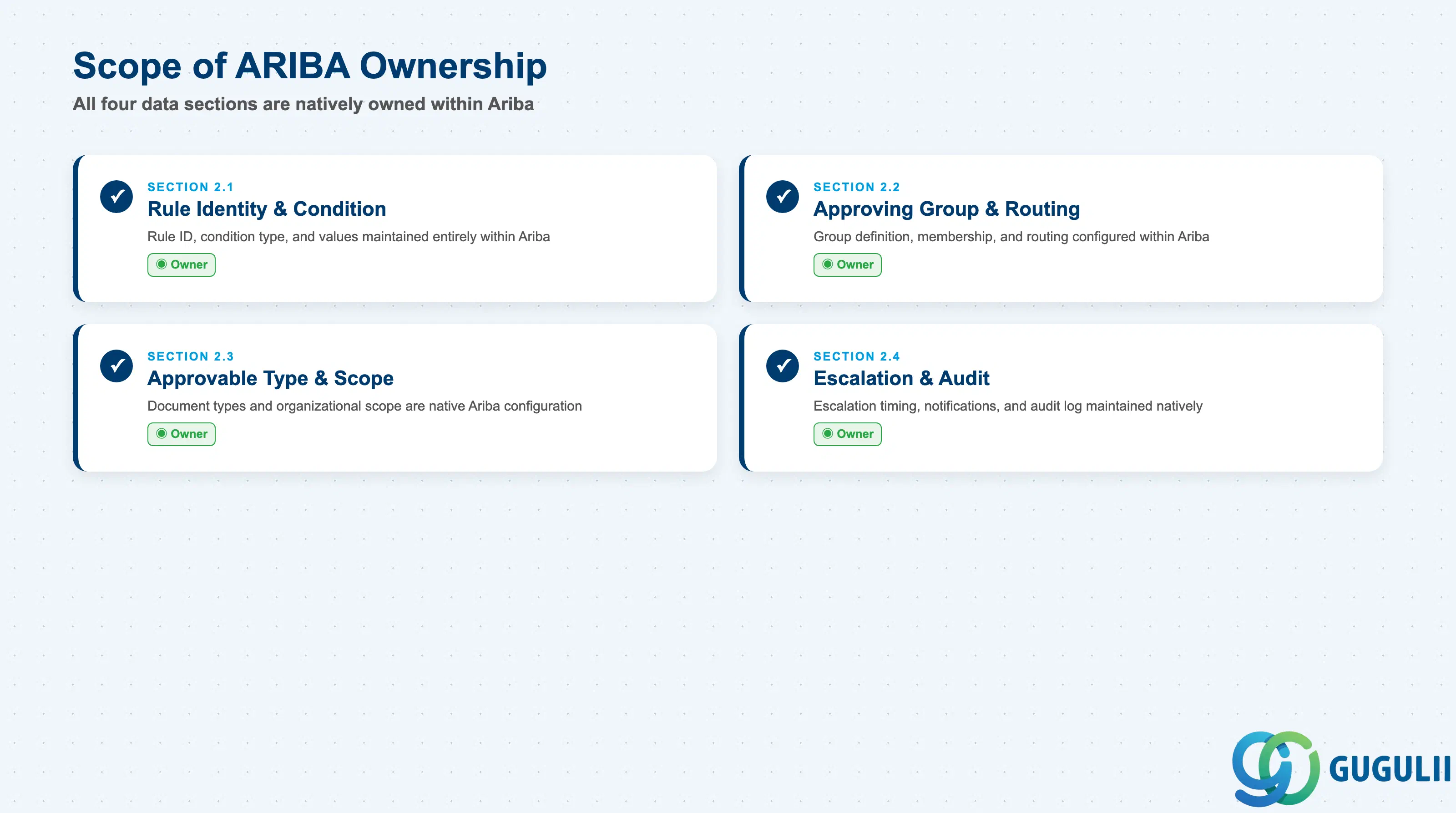
| Data Section | ARIBA Involvement | Notes |
|---|---|---|
| Rule Identity & Condition Definition | ◎ Owner | Rule ID, condition type, and condition value(s) are maintained entirely within Ariba; there is no S/4-side counterpart to synchronize |
| Approving Group & Routing | ◎ Owner | Approval Group definition, membership, and rule-to-group routing are configured and enforced entirely within Ariba |
| Approvable Type & Document Scope | ◎ Owner | Which document types and organizational scope a rule applies to is native Ariba configuration |
| Escalation, Notification & Audit | ◎ Owner | Escalation timing, notification content, and the routing audit log are all maintained natively; notification delivery relies on standard email infrastructure, not S/4HANA |
Legend: ◎ = Owner / Critical, ○ = Direct involvement
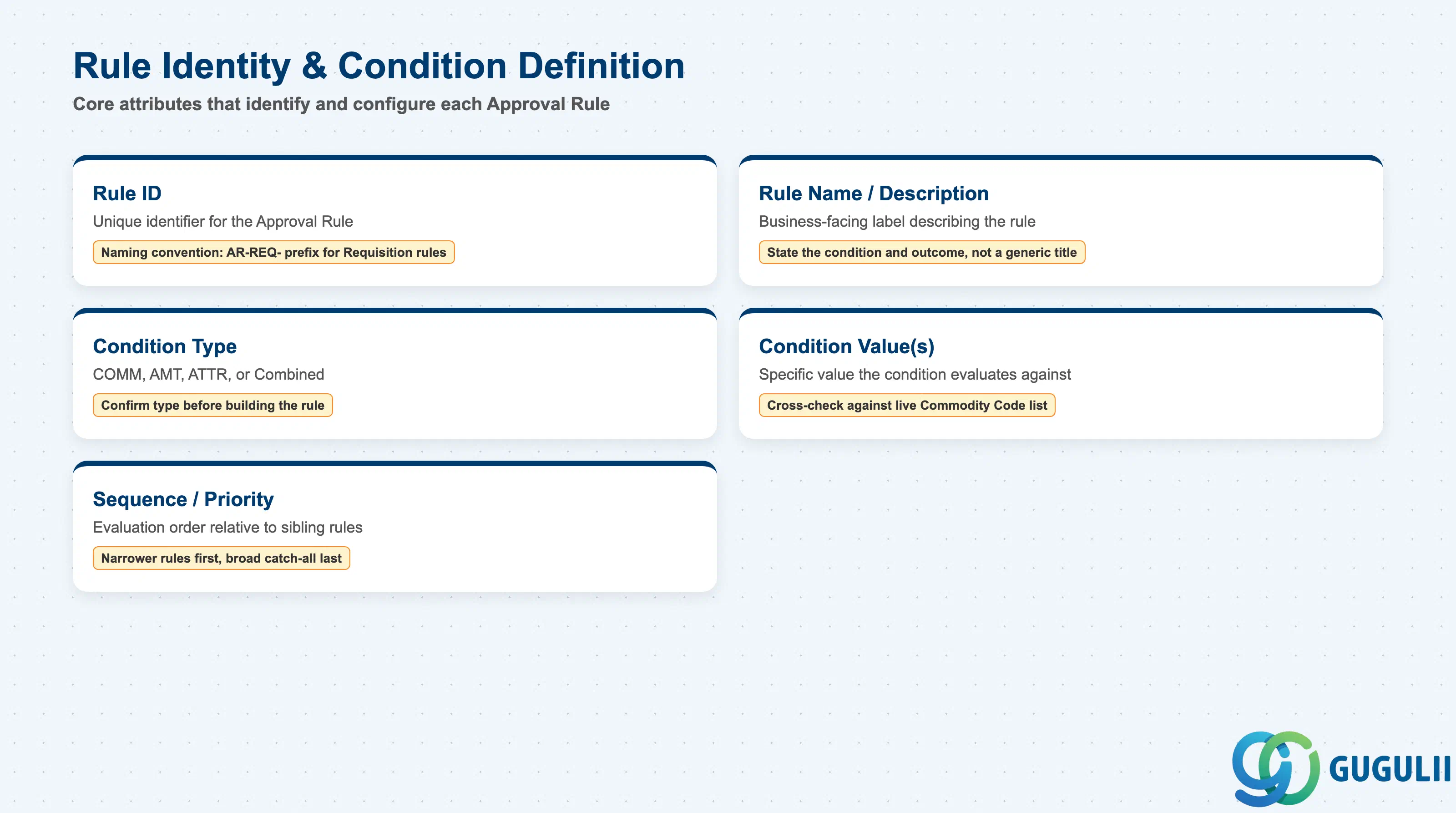
These fields identify a single Approval Rule and the condition it evaluates — the foundation every routing decision is built on.
| Field | Description | Practical Usage |
|---|---|---|
| Rule ID | Unique identifier for the Approval Rule (e.g., AR-REQ-01, AR-REQ-02) | Adopt a naming convention that encodes the Approvable Type and rough intent (e.g., an AR-REQ- prefix for Requisition rules) — this makes a growing rule set far easier to audit than sequential numbers alone |
| Rule Name / Description | Business-facing label describing what the rule does | Write descriptions that state the actual condition and outcome (e.g., “IT commodity → IT Manager”) rather than a generic title — this is the fastest way for an administrator to debug a mis-routed document months later |
| Condition Type | One of the types from Section 1.2 (Commodity Match, Amount Threshold, Requester Attribute, Combined) | Confirm the condition type before building the rule, not after — converting a single-condition rule into a Combined condition later often requires rebuilding it rather than editing in place |
| Condition Value(s) | The specific value(s) the condition evaluates against (e.g., Commodity Code 43211500, Amount ≥ $10,000) | Cross-check condition values against the live Commodity Code / Spend Category list (Phase 2) at configuration time — a value that doesn’t exist in the classification master never matches, so the rule silently never fires |
| Sequence / Priority | Determines evaluation order relative to other rules on the same Approvable Type | Place narrower, more specific conditions before broad catch-all rules — sequencing errors are one of the most common causes of a document routing to the wrong Approval Group |
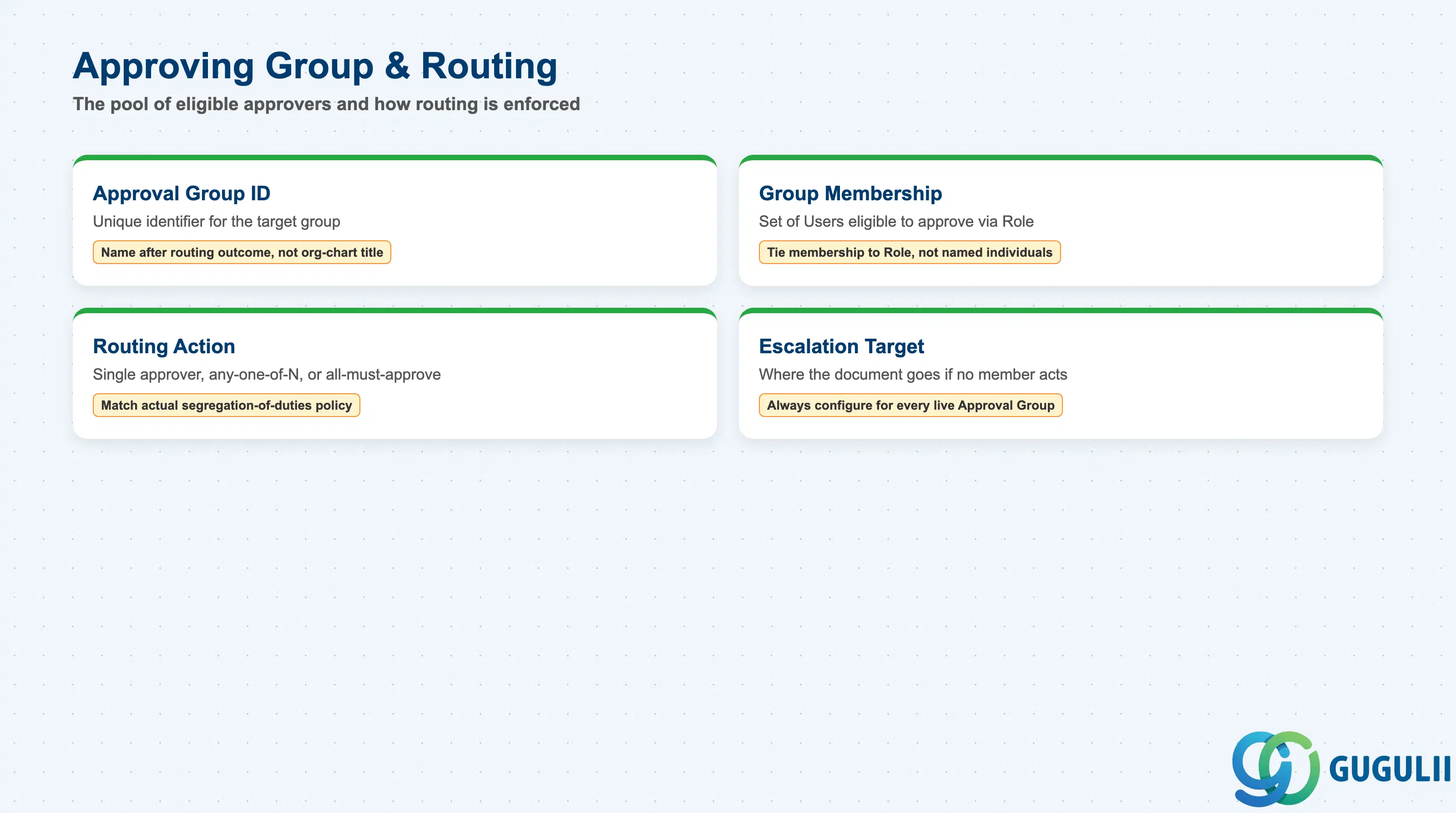
These fields define the pool of eligible approvers an Approval Rule routes a matched document to, and how that pool must act.
| Field | Description | Practical Usage |
|---|---|---|
| Approval Group ID | Unique identifier for the target Approval Group (e.g., AG-IT-MGR, AG-DIRECTOR) | Name groups after the routing outcome, not a current org-chart title — “AG-DIRECTOR” survives an org restructure better than a group named after a specific department |
| Group Membership | The set of Users (via Role, Phase 1) eligible to act as approver when a document routes to this group | Keep membership tied to Role rather than naming individual Users directly, so a personnel change doesn’t require editing every Approval Rule that routes to the group |
| Routing Action | What happens when a document reaches this group (single approver required, any-one-of-N, all-must-approve) | Confirm this setting matches the client’s actual segregation-of-duties policy — an “any-one-of-N” group intended as a backup pool can unintentionally let a single approver clear high-value spend alone |
| Escalation Target | Where the document goes if no member of the Approval Group acts within the configured escalation window | Always configure an escalation target for every Approval Group used in a live rule — a group with no escalation path and an absent member stalls the document indefinitely |
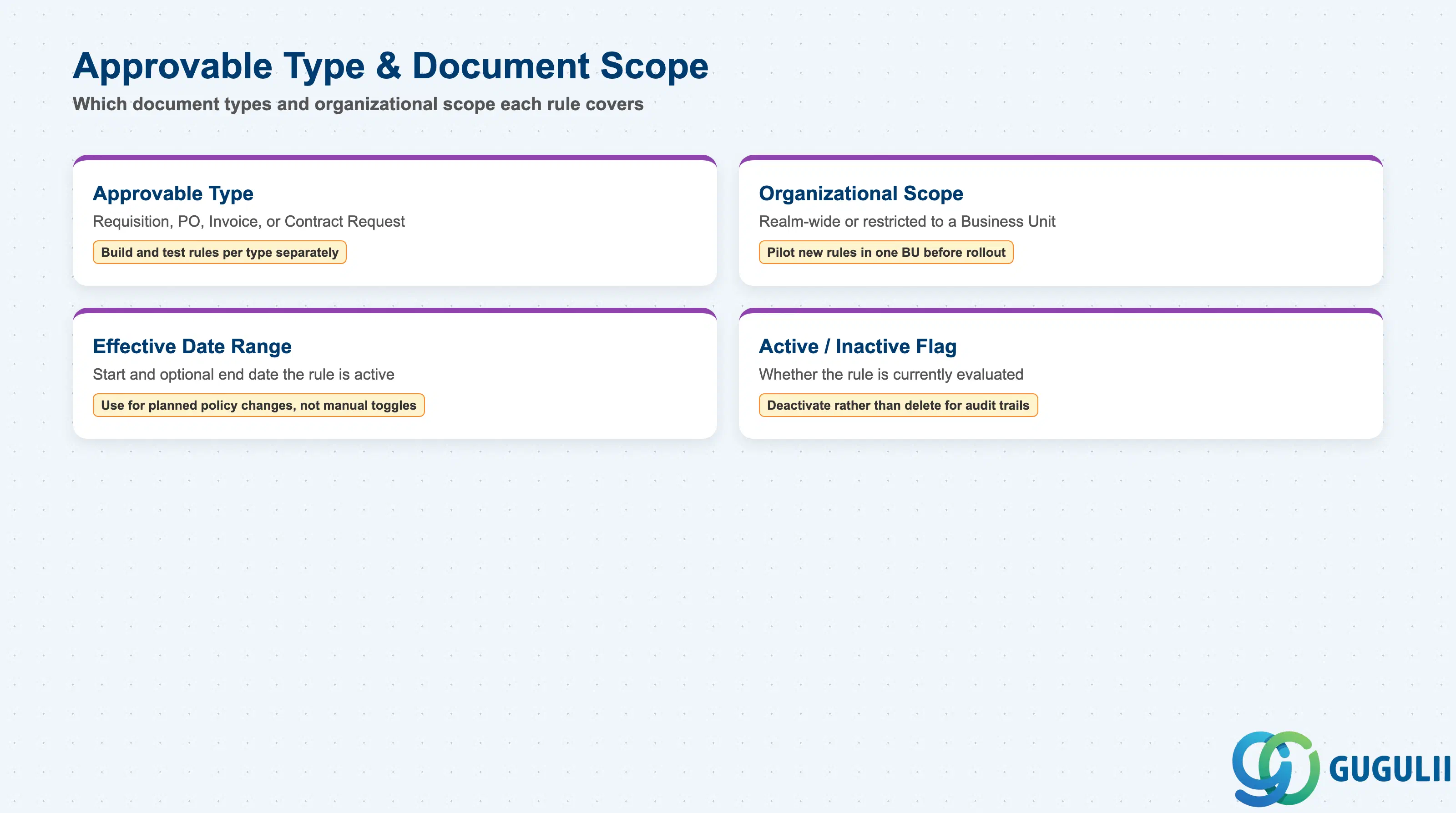
These fields determine which document types and organizational scope a given Approval Rule applies to.
| Field | Description | Practical Usage |
|---|---|---|
| Approvable Type | The document type this rule applies to (Requisition, Purchase Order, Invoice, Contract Request) | Build and test rules per Approvable Type separately — a Commodity Match condition validated on Requisition does not automatically apply to Invoice approval unless explicitly configured there too |
| Organizational Scope | Realm-wide, or restricted to a specific Business Unit / Division | Restrict a newly authored rule to a pilot Business Unit before rolling it out realm-wide, so an untested condition doesn’t misroute live spend across the whole organization immediately |
| Effective Date Range | Start (and optional end) date the rule is active | Use this for planned policy changes (e.g., a new Amount Threshold effective next fiscal year) rather than manually toggling the rule on the change date, which is easy to forget |
| Active / Inactive Flag | Whether the rule is currently evaluated | Deactivate rather than delete an obsolete rule — deleting can break audit trails that reference historical approvals by rule ID |
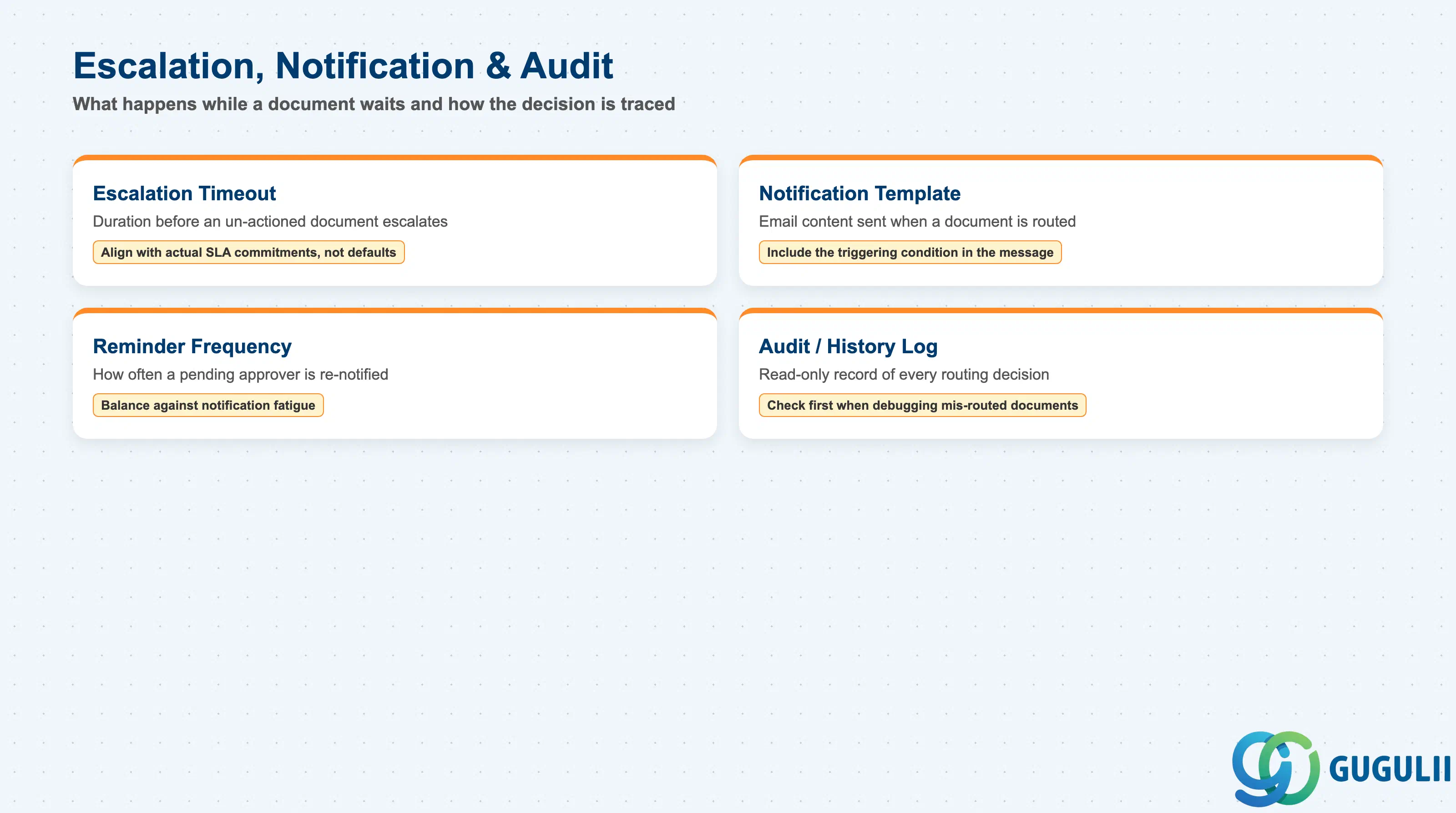
These fields control what happens while a document waits at an Approval Group, and how the decision is later traced.
| Field | Description | Practical Usage |
|---|---|---|
| Escalation Timeout | Duration after which an un-actioned document escalates to the Escalation Target | Set this in line with the client’s actual SLA commitments, not the Ariba default — a timeout shorter than the real business SLA generates unnecessary escalation noise, while one set too long delays legitimate spend |
| Notification Template | Email/notification content sent to Approval Group members when a document is routed to them | Include the actual condition that triggered routing (e.g., “Amount ≥ $10,000”) in the notification text, not just a generic “approval required” message — this measurably reduces approver response time |
| Reminder Frequency | How often a pending approver is re-notified before escalation | Balance against notification fatigue — too frequent a reminder cadence trains approvers to ignore the emails, defeating the purpose of the reminder |
| Audit / History Log | Read-only record of every rule evaluation and routing decision for a given document | Reference this log first when investigating a “why did this route to X” support ticket — it is the fastest way to confirm which specific rule and condition value fired |
| ID | Category | Title |
|---|---|---|
| ariba-001 | Overview | What is SAP Ariba? |
| ID | Category | Title |
|---|---|---|
| ariba-a01 | Overview | SAP Ariba Master Data: Overview, Hierarchy & Relationships |
| ariba-a02-01 | Master Data | SAP Ariba User |
| ariba-a02-02 | Master Data | SAP Ariba Role |
| ariba-a03-01 | Master Data | SAP Ariba Commodity |
| ariba-a04-02 | Master Data | SAP Ariba Catalog |
| ariba-a05-01 | Master Data | SAP Ariba Approval Rule 📍 |
| ariba-a06-01 | Master Data | SAP Ariba Integration Model |
| ID | Category | Title |
|---|---|---|
| ariba-b01 | Overview | SAP Ariba Transactions: Process Flow, Hierarchy & Relationships |