Title here
Summary here

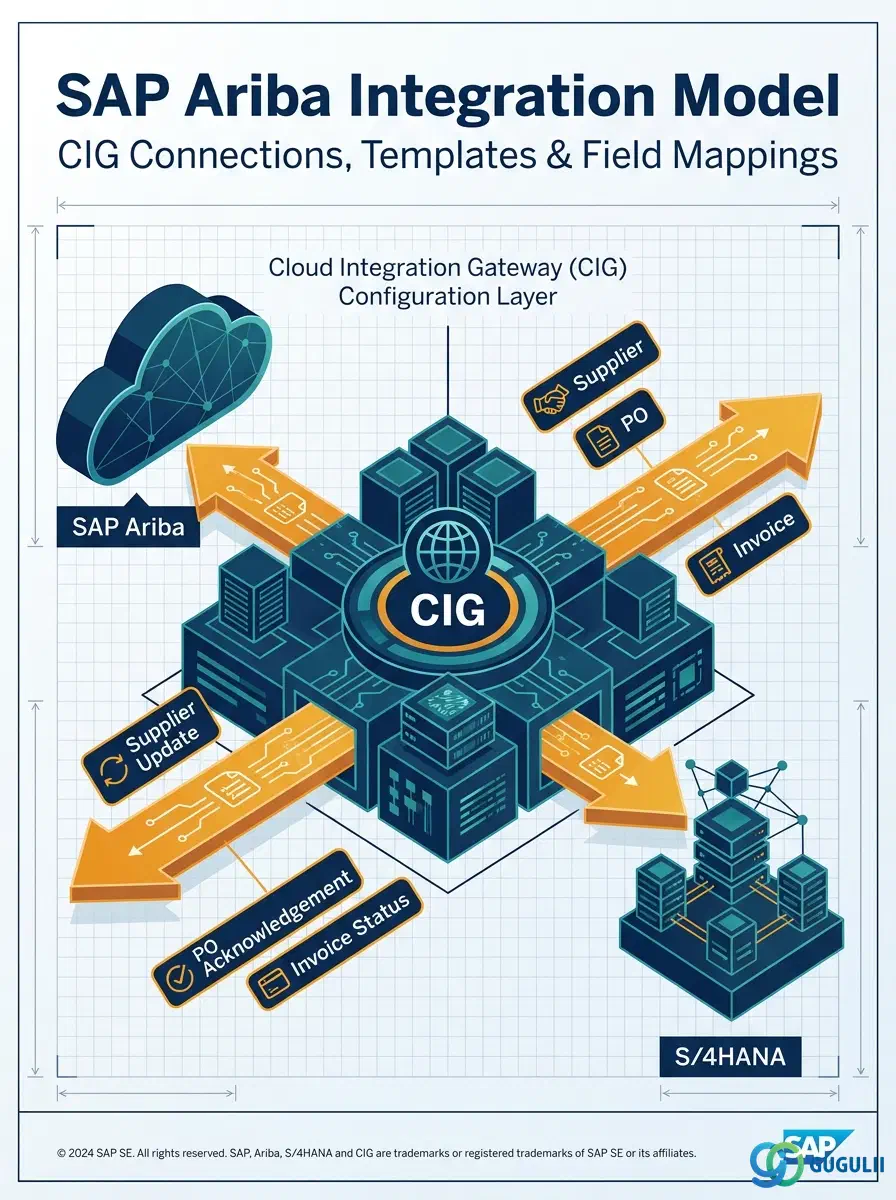
Integration Model is the object that turns Ariba from a standalone cloud site into a system that actually exchanges data with S/4HANA — it defines, per business object, exactly which fields synchronize, in which direction, and through which technical channel of the Cloud Integration Gateway (CIG). Without a correctly configured Integration Model, a Supplier onboarded in Ariba never becomes a usable Vendor in S/4HANA, and an approved Purchase Order never reaches the ERP system it needs to post against. This article maps Integration Model’s core concepts across all Ariba capability areas (Part 1), then details every field an integration consultant configures when defining CIG Connections, Integration Templates, and Field Mappings (Part 2).
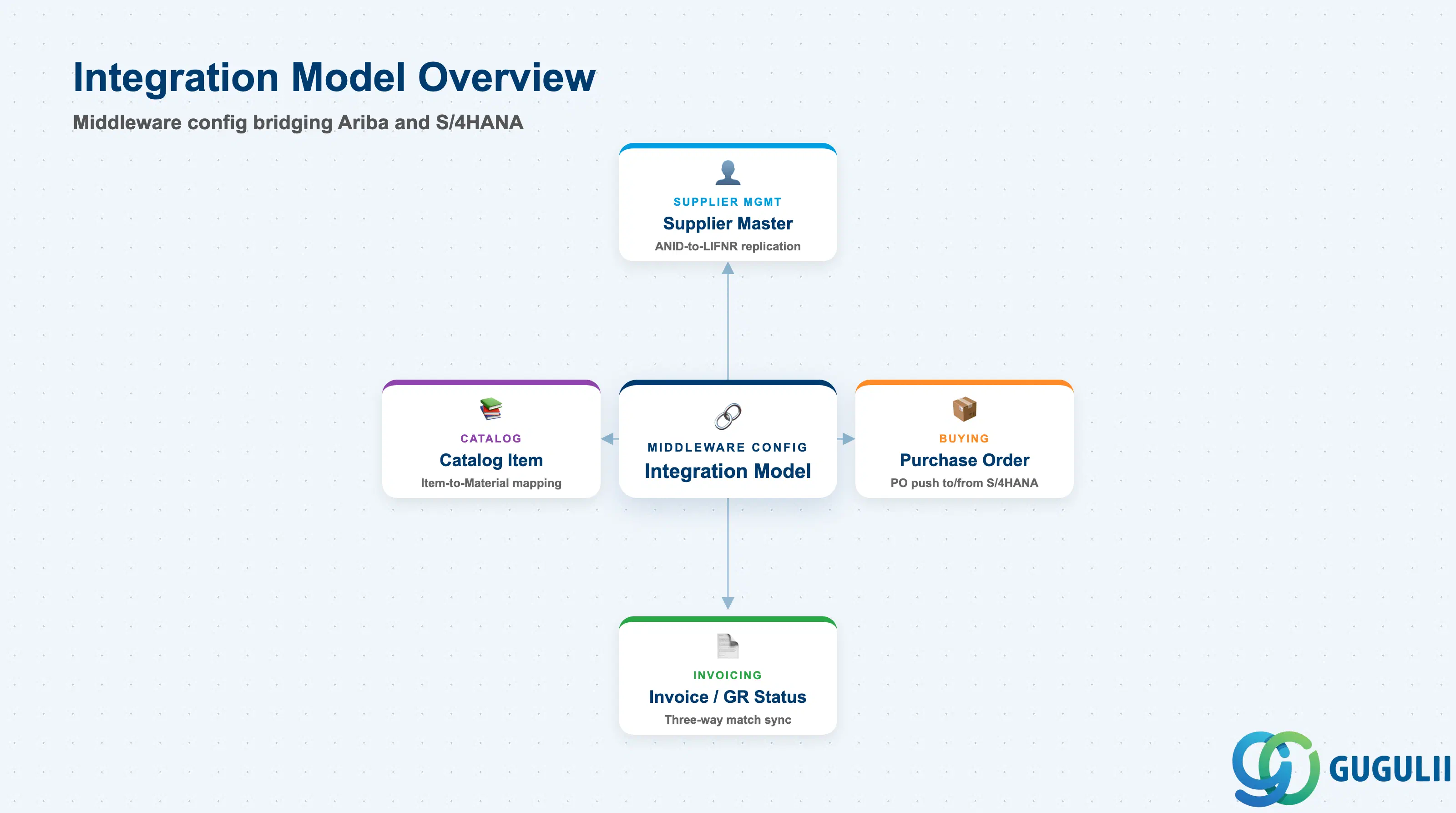
An Integration Model is a middleware configuration object: it does not hold business data itself, but defines how a given Ariba object type (Supplier, Purchase Order, Invoice, Catalog Item) is translated field-by-field and pushed or pulled between Ariba and S/4HANA through the Cloud Integration Gateway (CIG). Every live Ariba-to-S/4 landscape has at least one active Integration Model connection per integrated object type, and most production landscapes run several in parallel — one governing Supplier synchronization, another governing Purchase Order replication, another governing Invoice or Goods Receipt status.
| Aspect | Details |
|---|---|
| Role | Middleware configuration layer that defines how a specific Ariba object type synchronizes with its S/4HANA counterpart via CIG |
| Modules using it | Supplier Management (Supplier Master replication), Buying and Guided Buying (Purchase Order push to S/4), Invoicing (invoice and Goods Receipt status sync) — applies wherever a document or master must cross the Ariba/S4 boundary |
| Transactions | CIG Connection configuration (S/4-side add-on customizing), CIG Monitor (message and error monitoring, S/4-side), Ariba Integration/Realm Configuration workbench (cXML endpoint setup, Ariba-side) |
| Key Tables | CIG add-on customizing tables under the /ARBA/ namespace hold connection and field-mapping configuration; the resulting business data lands in standard S/4 tables (e.g. LFA1/LFB1 for Vendor, EKKO/EKPO for Purchase Order) as sync output — Integration Model itself owns no core business-object table |
| S/4HANA note | CIG (Cloud Integration Gateway) is a distinct middleware layer from generic ALE/IDoc or the newer SAP Integration Suite — it originated as an SAP ERP add-on and remains the predominant deployed pattern for Ariba-to-S/4 master and transactional data replication; some newer landscapes replace parts of it with API-based integration on SAP Integration Suite, but the Integration Model concept (object-by-object sync configuration) still applies |
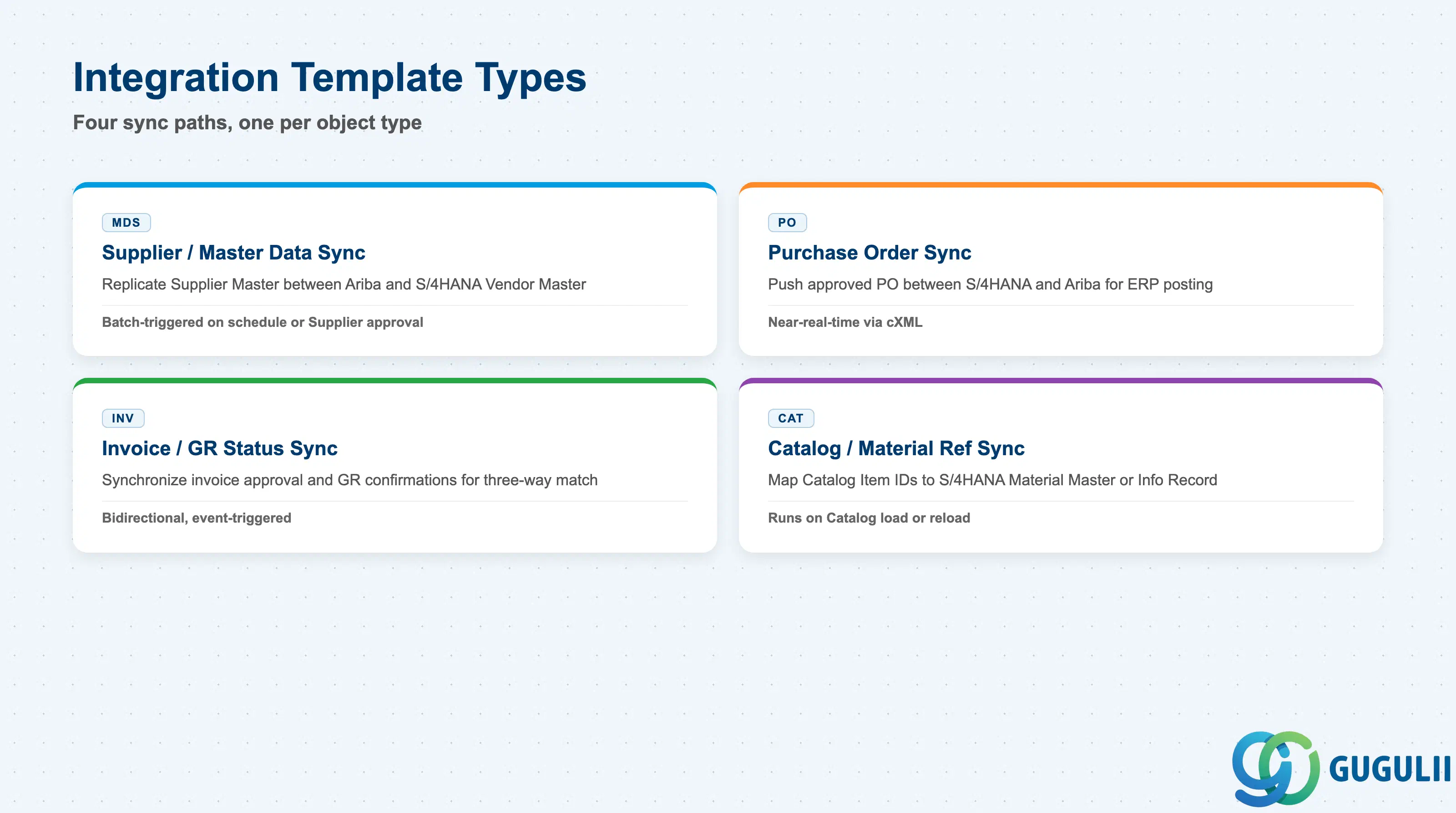
The Integration Template type determines which S/4HANA object a given sync path targets and how tightly its timing is bound to the source transaction — getting the direction or trigger wrong on a given template is one of the most common causes of a Supplier or PO existing in one system but not the other.
| Template Type | Code | Use Case | Key Behavior |
|---|---|---|---|
| Supplier / Master Data Sync | MDS | Replicate a Supplier Master record (Phase 3) from Ariba to an S/4HANA Vendor Master, or vice versa | Typically batch-triggered on a schedule or on Supplier record approval; the Field Mapping layer translates identity fields such as ANID to LIFNR |
| Purchase Order Sync | PO | Push an approved Purchase Order from S/4HANA into Ariba (for supplier-facing visibility) or from Ariba into S/4HANA (for ERP-side posting) | Direction depends on which system is the PO system of record in a given landscape; typically near-real-time via cXML rather than batch |
| Invoice / Goods Receipt Status Sync | INV | Synchronize invoice approval status and Goods Receipt confirmations between the two systems so three-way match can complete on either side | Usually bidirectional and event-triggered — a GR posted in S/4 must reach Ariba before a matched invoice can release for payment |
| Catalog / Material Reference Sync | CAT | Map Catalog Item identifiers (Phase 3, see ARIBA-A04-02) to an S/4HANA Material Master or Purchasing Info Record | Runs whenever a Catalog is loaded or reloaded; a failed mapping here surfaces as a Purchase Order that cannot be created from an otherwise valid cart line |
Design principle: Configure one Integration Template per object type and direction rather than one monolithic template covering everything — this keeps error monitoring and re-run scope isolated when a single sync path fails.
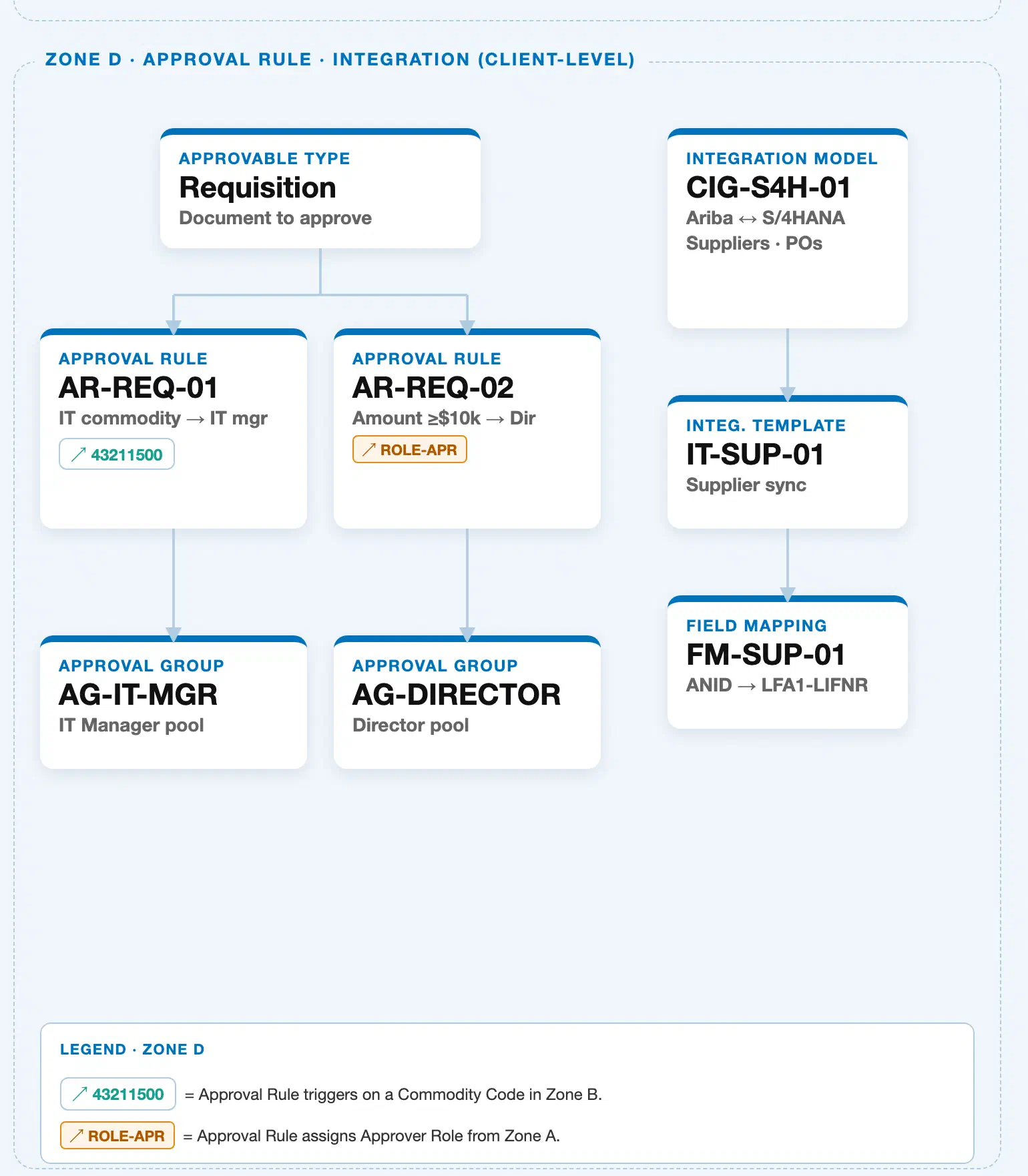
Data hierarchy with a concrete example
Integration Model "CIG-S4H-01" — Ariba ↔ S/4HANA Suppliers / POs
└── Integration Template "IT-SUP-01" — Supplier sync
    └── Field Mapping "FM-SUP-01" — ANID → LIFNR
This is a strict, 3-level containment hierarchy: an Integration Model (the CIG connection as a whole) owns one or more Integration Templates, and each Integration Template owns one or more individual Field Mappings — a Field Mapping never exists independently of the Integration Template that defines its scope. Integration Model sits at the top of this chain and is the object this article maps: CIG-S4H-01 is the CIG connection governing Ariba-to-S/4HANA synchronization for Suppliers and Purchase Orders; it contains Integration Template IT-SUP-01 (Supplier sync), which in turn owns Field Mapping FM-SUP-01, translating Ariba’s Ariba Network ID (ANID) to S/4HANA’s vendor account number field (LIFNR) whenever a Supplier record synchronizes. No cross-zone reference chip appears on this sub-hierarchy in the landscape — unlike Approval Rule, Integration Model’s Zone D sub-hierarchy is self-contained; its relationships to Supplier Master (Zone C) and Catalog (Zone C) exist at the field-mapping level rather than as a visible landscape reference arrow, and are detailed in Section 1.4 below. Zone D also contains a separate Approval Rule sub-hierarchy (see ARIBA-A05-01) laid out side-by-side under the same shared dashed frame — it governs document approval routing and is unrelated to the Integration Model containment chain shown here.
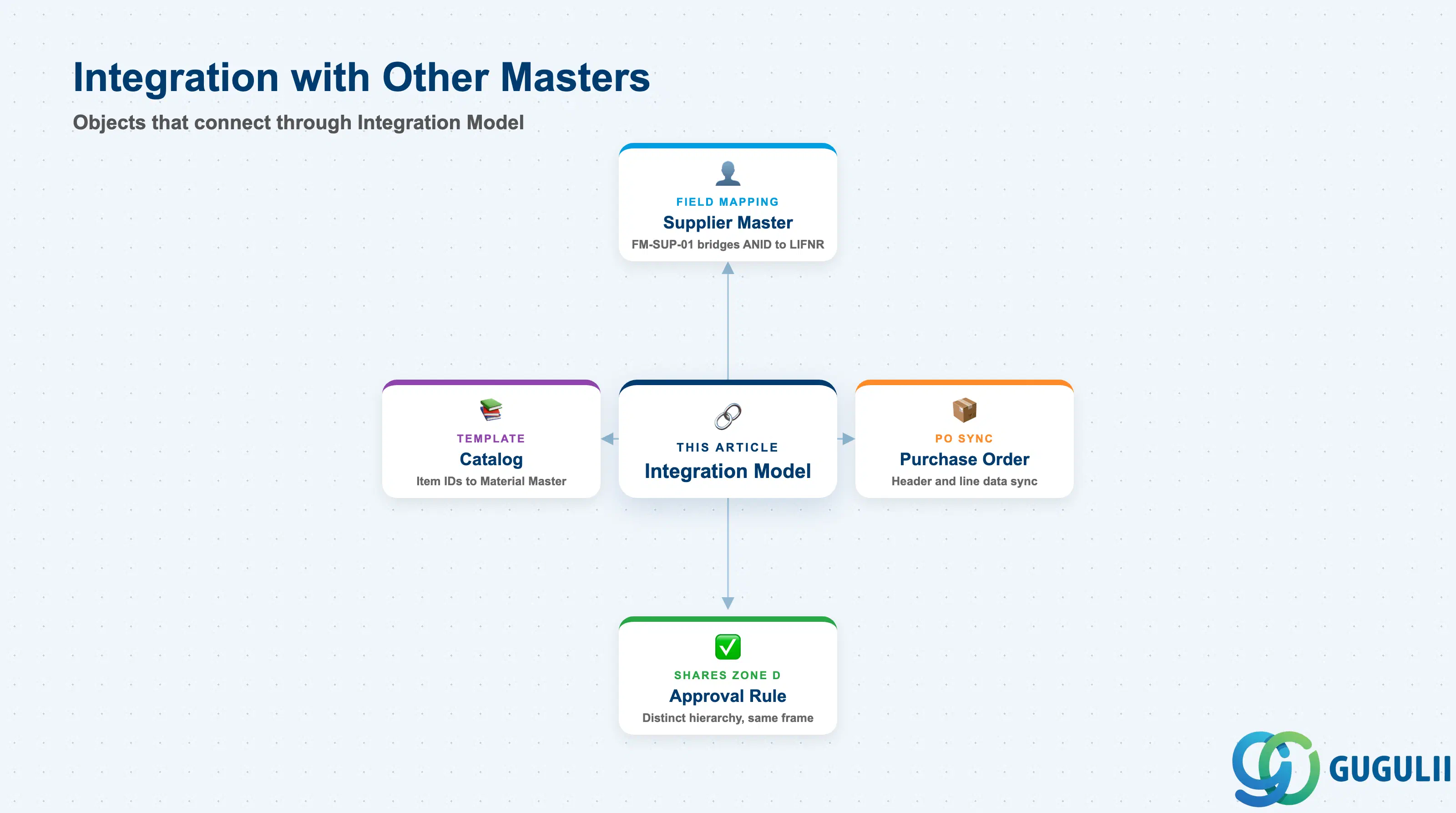
Integration Model does not stand alone — it is the translation layer that carries data produced by other masters across the Ariba/S4HANA boundary, without owning any of that data itself.
| Object | Relationship | Practical Notes |
|---|---|---|
| Supplier Master | Field Mapping FM-SUP-01 bridges Supplier Master’s (Phase 3, Zone C, see ARIBA-A04-01) Ariba Network ID (ANID) to the S/4HANA Vendor Master key field LIFNR whenever a Supplier record synchronizes | Confirm the ANID-to-LIFNR mapping table is populated before go-live for every onboarded Supplier — an unmapped ANID leaves an otherwise-approved Supplier unusable for Purchase Order creation in S/4HANA |
| Catalog | A separate Integration Template (Catalog/Material Reference Sync, Section 1.2) maps Catalog Item identifiers (Phase 3, Zone C, see ARIBA-A04-02) to an S/4HANA Material Master or Purchasing Info Record | Rebuild and re-test this mapping after any bulk Catalog reload — a supplier-side export change can silently break item-to-material resolution at Purchase Order creation |
| Purchase Order | The Purchase Order Sync template pushes an approved PO’s header and line data between Ariba and S/4HANA depending on which system is the system of record in a given landscape | Validate PO field mapping (quantities, pricing, account assignment) separately from Supplier mapping — a working Supplier sync does not guarantee a working PO sync, since each is a distinct Integration Template |
| Approval Rule | Shares the same Zone D landscape frame (see ARIBA-A05-01) but is a distinct sub-hierarchy — an approved Requisition, PO, or Invoice only reaches Integration Model for synchronization after Ariba-side Approval Rule routing has already completed | Do not confuse the “Approval Rule” and “Integration Model” halves of Zone D — Approval Rule decides whether a document may proceed; Integration Model only handles how an already-approved document’s data crosses into S/4HANA |
| Data Section | ARIBA Involvement | Notes |
|---|---|---|
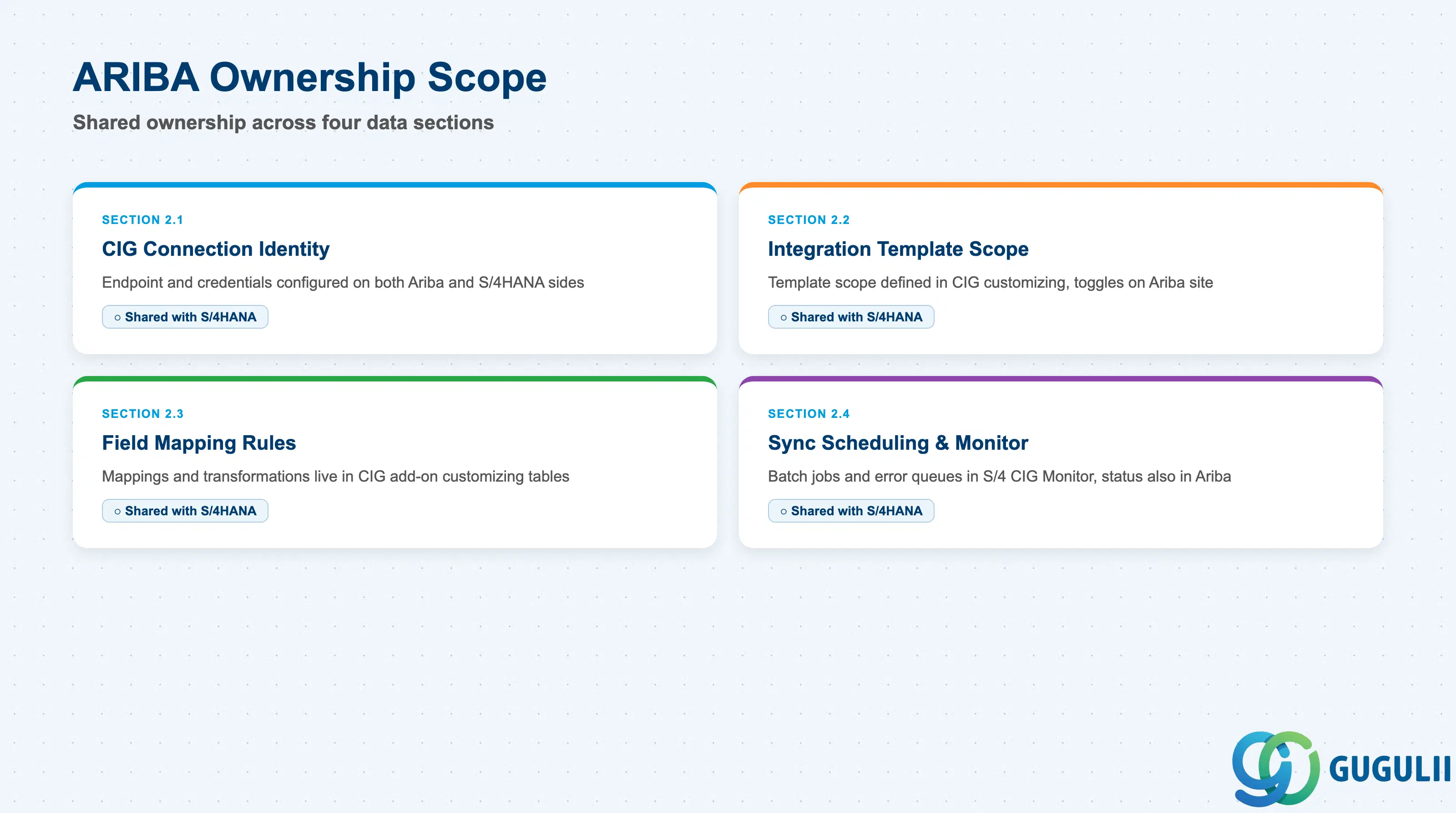
| CIG Connection Identity & Configuration | ○ Shared with S/4HANA | Connection endpoint and credentials are configured on both sides — cXML/realm settings on the Ariba site, CIG add-on customizing on the S/4HANA side |
| Integration Template Definition & Scope | ○ Shared with S/4HANA | Template scope (which object type, which direction) is defined in CIG add-on customizing; corresponding toggles on the Ariba site determine which objects are released for that sync path |
| Field Mapping & Transformation Rules | ○ Shared with S/4HANA | Individual field mappings and value-transformation logic live in CIG add-on customizing tables, not in Ariba’s own site configuration UI |
| Sync Scheduling, Monitoring & Error Handling | ○ Shared with S/4HANA | Batch jobs and error queues run in the S/4-side CIG Monitor; message-level status is also visible in Ariba’s own integration/message monitor |
Legend: ◎ = Owner / Critical, ○ = Direct involvement
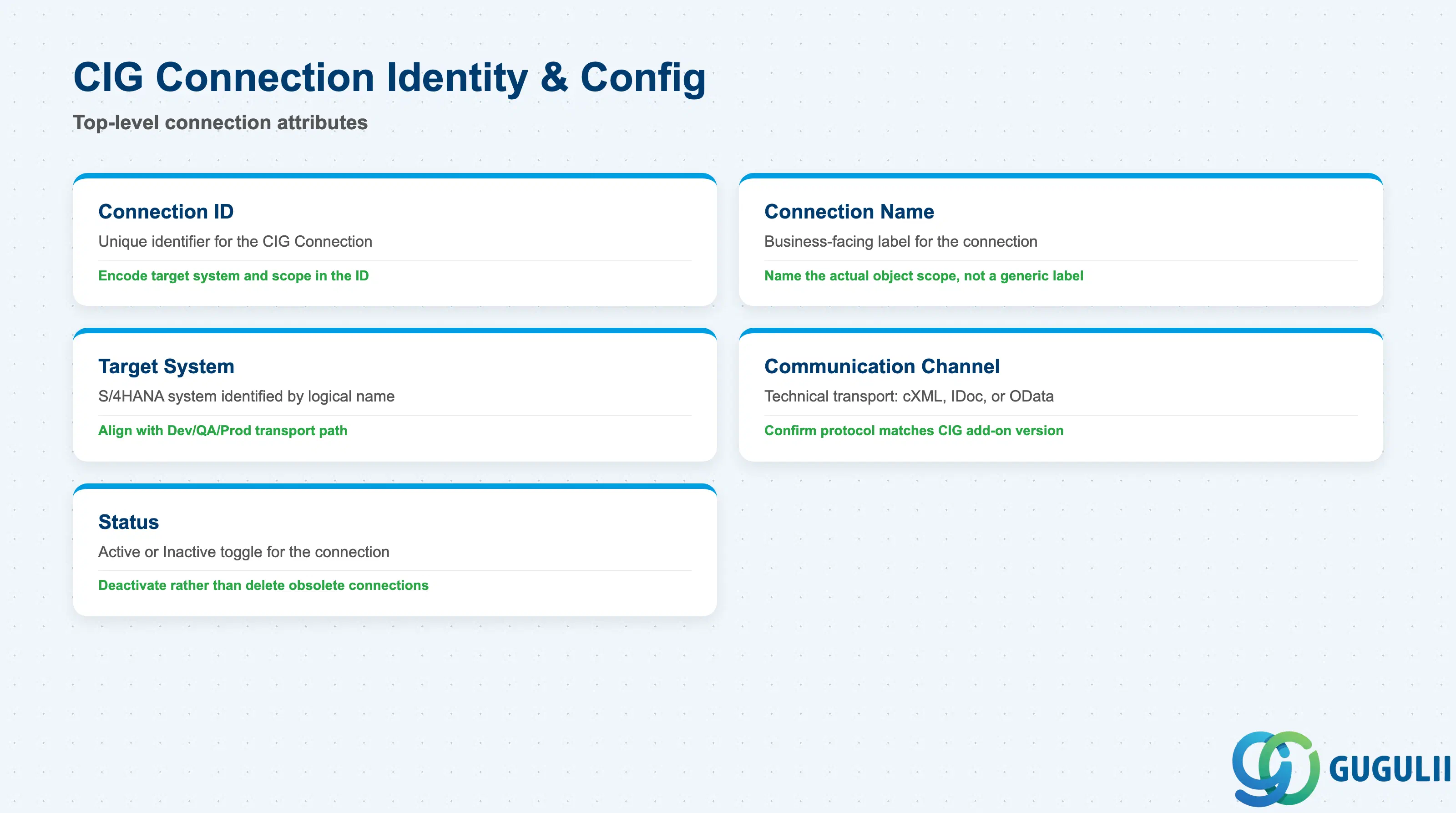
These fields identify a single CIG Connection — the top-level object this article maps — and the technical channel it uses to reach S/4HANA.
| Field | Description | Practical Usage |
|---|---|---|
| Connection ID | Unique identifier for the Integration Model / CIG Connection (e.g., CIG-S4H-01) | Adopt a naming convention that encodes the target system and object scope (e.g., an S4H segment) — this matters once a landscape runs connections to more than one backend system |
| Connection Name / Description | Business-facing label describing what the connection governs | Write a description naming the actual object scope (e.g., “Ariba to S/4HANA Suppliers / POs”) rather than a generic name — this is the fastest way to identify the right connection during an incident |
| Target System | The S/4HANA (or ECC) system this connection synchronizes against, identified by logical system name | Keep this aligned with the landscape’s transport path (Dev/QA/Prod) — a connection accidentally pointed at the wrong logical system silently syncs test data into production or vice versa |
| Communication Channel / Protocol | The technical transport used (cXML over HTTPS, IDoc, OData API) | Confirm the protocol matches what both the Ariba realm and the CIG add-on version actually support — protocol mismatches after a CIG upgrade are a common source of sync failures that appear as generic timeouts |
| Status | Active / Inactive | Deactivate rather than delete an obsolete connection — deleting can strand in-flight messages that reference the connection ID in the error queue |
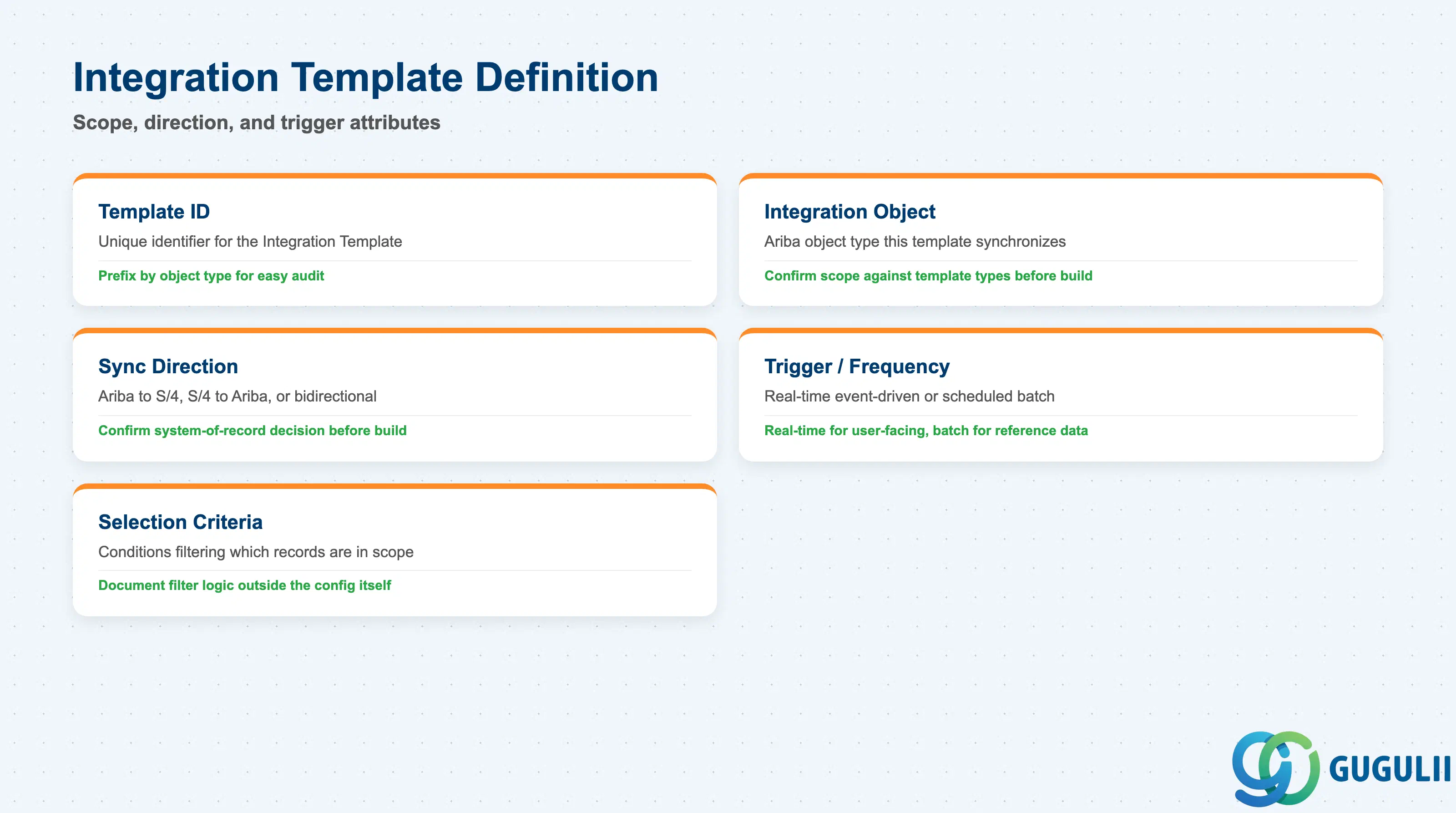
These fields define what a single Integration Template synchronizes, in which direction, and what causes it to run.
| Field | Description | Practical Usage |
|---|---|---|
| Template ID | Unique identifier for the Integration Template (e.g., IT-SUP-01) | Prefix by object type (e.g., IT-SUP-, IT-PO-) so a growing set of templates stays easy to audit as more object types are added |
| Integration Object / Scope | The Ariba object type this template synchronizes (Supplier, Purchase Order, Invoice, Catalog Item) | Confirm scope against Section 1.2’s template types before building — one template per object type keeps error monitoring and re-run scope isolated |
| Sync Direction | Ariba → S/4HANA, S/4HANA → Ariba, or bidirectional | Get this direction confirmed with the client’s system-of-record decision before build — reversing direction later usually means rebuilding the template rather than editing it |
| Trigger / Frequency | Real-time (cXML, event-driven) or scheduled batch | Real-time is expected for anything a user is actively waiting on (e.g., Supplier approval); batch is acceptable for lower-urgency reference data, but confirm the client’s expectation explicitly rather than assuming |
| Selection Criteria / Filter | Conditions that determine which records of the object type are in scope for this template (e.g., only Suppliers flagged Approved) | Keep filter logic documented outside the config itself — an undocumented filter is the most common reason a “missing” record turns out to have been intentionally excluded |
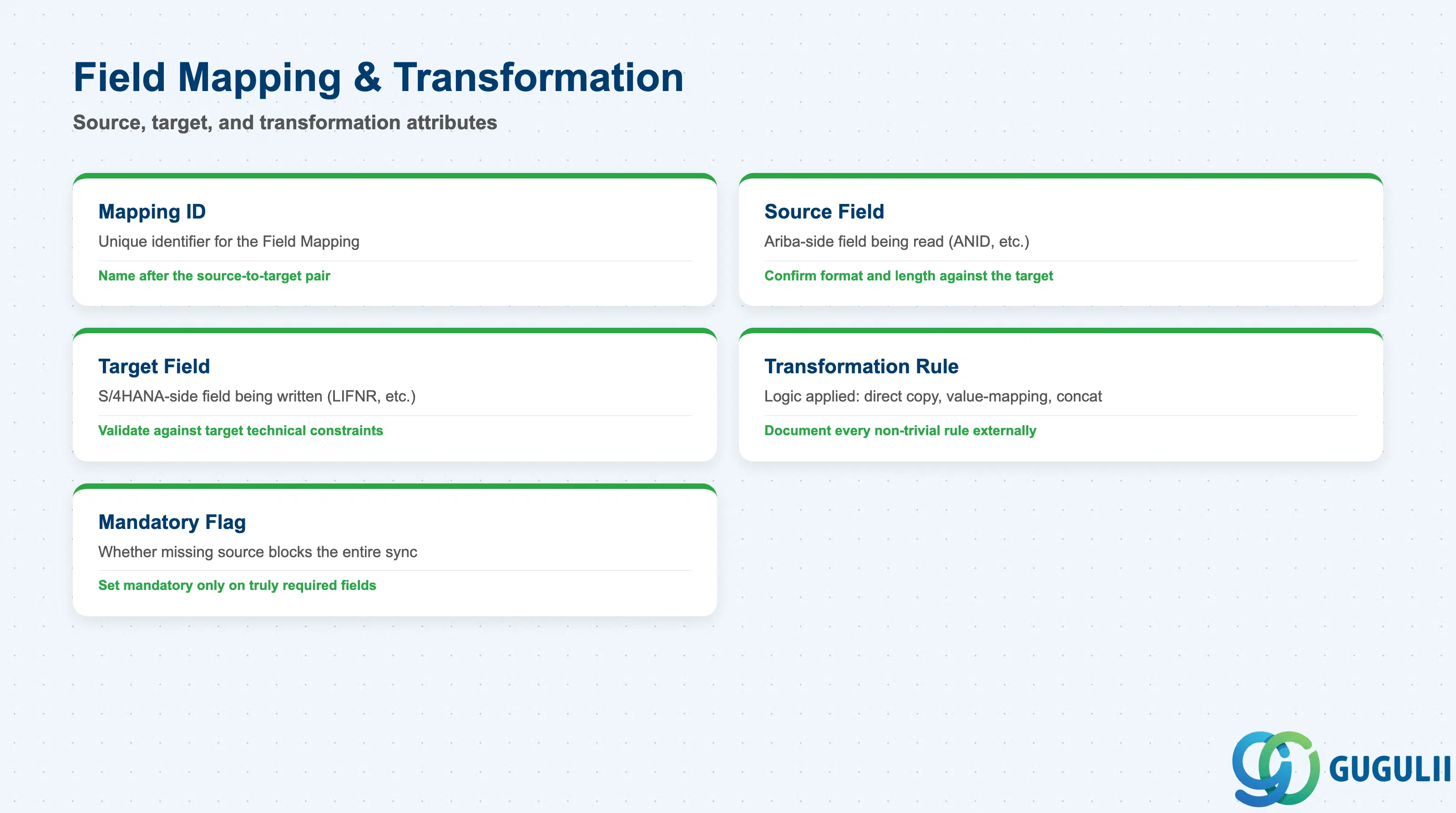
These fields define the individual field-by-field translation a Field Mapping performs — the lowest level of this article’s hierarchy, and where most integration defects actually surface.
| Field | Description | Practical Usage |
|---|---|---|
| Mapping ID | Unique identifier for the Field Mapping (e.g., FM-SUP-01) | Name mappings after the source-to-target pair they perform (e.g., an ANID-LIFNR style suffix) so a long mapping list stays self-documenting |
| Source Field | The Ariba-side field being read (e.g., ANID) | Confirm the source field’s format and length against what the target actually accepts before go-live — this is frequently the root cause of “silent drop” mapping failures |
| Target Field | The S/4HANA-side field being written (e.g., LIFNR) | Validate against the target field’s technical constraints (e.g., LIFNR’s numeric-with-leading-zero convention) — a mismatch here is a leading cause of duplicate Vendor records |
| Transformation Rule | Logic applied while moving source to target (direct copy, value-mapping table, prefix/suffix strip, concatenation) | Document every non-trivial transformation rule outside the config — an undocumented value-mapping table is unmaintainable once the original consultant rotates off the project |
| Mandatory Flag | Whether a missing source value blocks the entire sync for that record | Set mandatory only on fields that truly must exist downstream — an overly strict mandatory flag can block an otherwise-valid record over a field the target system doesn’t actually require |
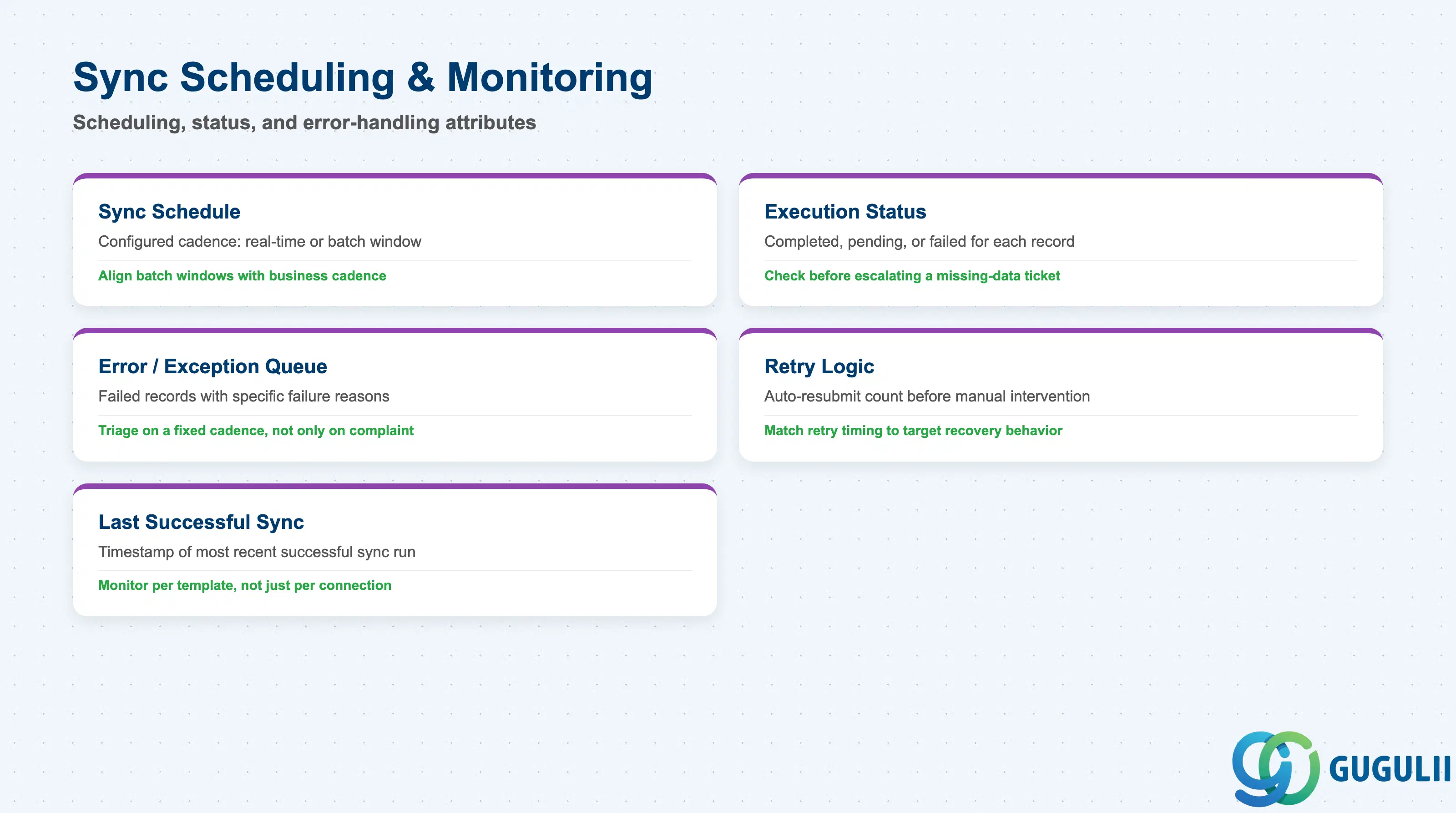
These fields control when a sync path runs and how a failed or pending record is traced and resolved.
| Field | Description | Practical Usage |
|---|---|---|
| Sync Schedule / Trigger | The configured cadence (real-time event or scheduled batch window) that fires a given Integration Template | Align batch windows with the client’s actual business cadence (e.g., end-of-day Supplier reconciliation) rather than an arbitrary default interval |
| Execution Status | Whether the most recent run for a given record completed, is pending, or failed | Check this before escalating a “missing data” ticket — many apparent sync failures are simply records still pending their next scheduled batch window |
| Error / Exception Queue | Holds records that failed transformation or target-system validation, with the specific failure reason | Triage this queue on a fixed cadence, not only when someone complains — an unmonitored error queue quietly accumulates failed Suppliers or POs that never reach S/4HANA |
| Retry Logic | Whether and how many times a failed record is automatically resubmitted before requiring manual intervention | Confirm retry count and backoff timing match the target system’s actual recovery behavior — retrying too aggressively against a system still recovering from an outage can compound the original failure |
| Last Successful Sync Timestamp | Date/time of the most recent successful synchronization for a given connection or template | Monitor this per template, not just per connection — one template (e.g., Invoice sync) can silently stall while others on the same connection continue running normally |
| ID | Category | Title |
|---|---|---|
| ariba-001 | Overview | What is SAP Ariba? |
| ID | Category | Title |
|---|---|---|
| ariba-a01 | Overview | SAP Ariba Master Data: Overview, Hierarchy & Relationships |
| ariba-a02-01 | Master Data | SAP Ariba User |
| ariba-a02-02 | Master Data | SAP Ariba Role |
| ariba-a03-01 | Master Data | SAP Ariba Commodity |
| ariba-a04-02 | Master Data | SAP Ariba Catalog |
| ariba-a05-01 | Master Data | SAP Ariba Approval Rule |
| ariba-a06-01 | Master Data | SAP Ariba Integration Model 📍 |
| ID | Category | Title |
|---|---|---|
| ariba-b01 | Overview | SAP Ariba Transactions: Process Flow, Hierarchy & Relationships |