Title here
Summary here

| ID | Category | Component | Scope |
|---|---|---|---|
| BTP-A01 | Overview | SAP Integration Suite | Component Map |
| BTP-A02 | iPaaS | Cloud Integration (CPI) | Architecture and Use |
| BTP-A03 | API Lifecycle | API Management | Architecture and Use |
| BTP-A04 | Eventing | Event Mesh | Architecture and Use |
| BTP-A05 | Connectors | Open Connectors | Architecture and Use |
| BTP-A06 | B2B | Trading Partner Management | Architecture and Use |
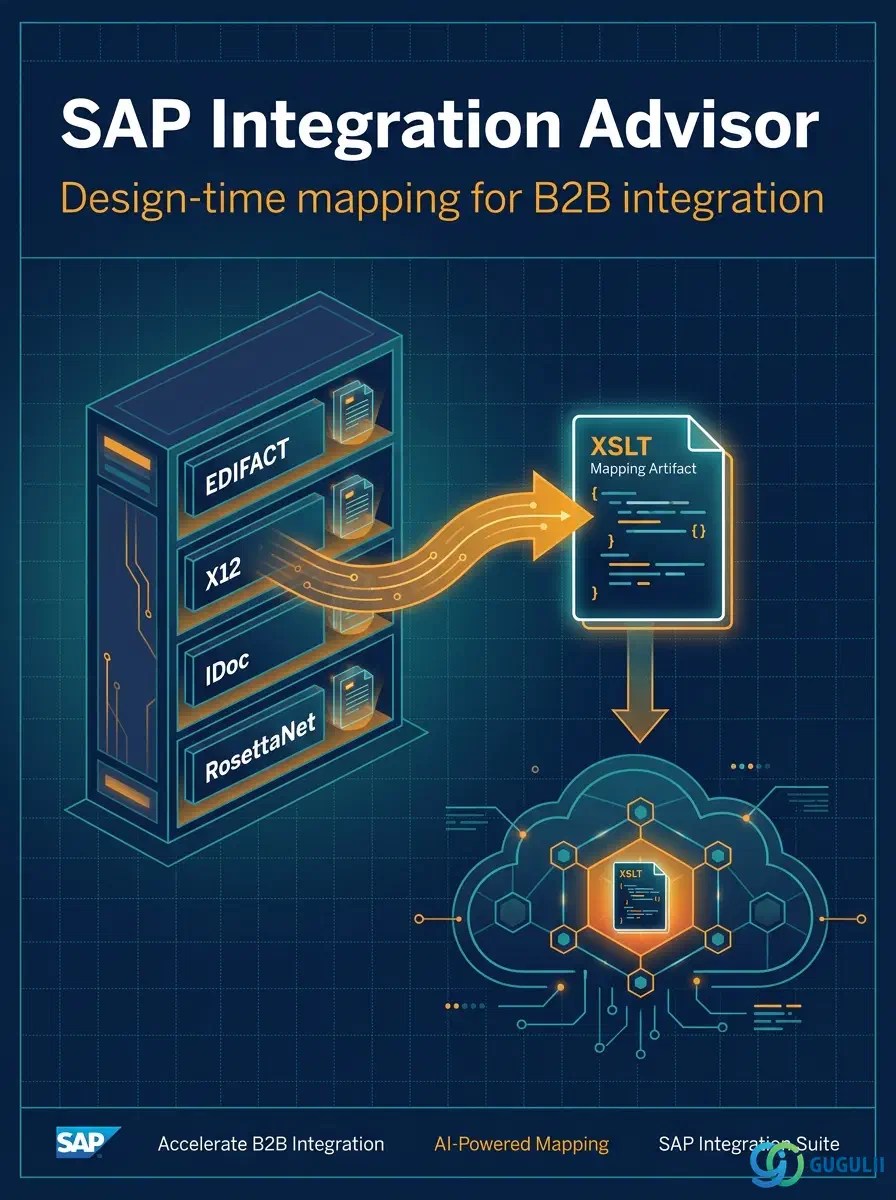
| BTP-A07 | B2B | Integration Advisor | Architecture and Use (this article) |
| BTP-A08 | Decision | Integration Suite | Use Cases and Decision Patterns |
| Resource | URL |
|---|---|
| SAP Integration Advisor (Help Portal) | help.sap.com → |
| Working with Type Systems | help.sap.com → |
| Creating Message Implementation Guidelines (MIGs) | help.sap.com → |
| Creating Mapping Guidelines (MAGs) | help.sap.com → |
| SAP Integration Suite — Pricing | sap.com → |
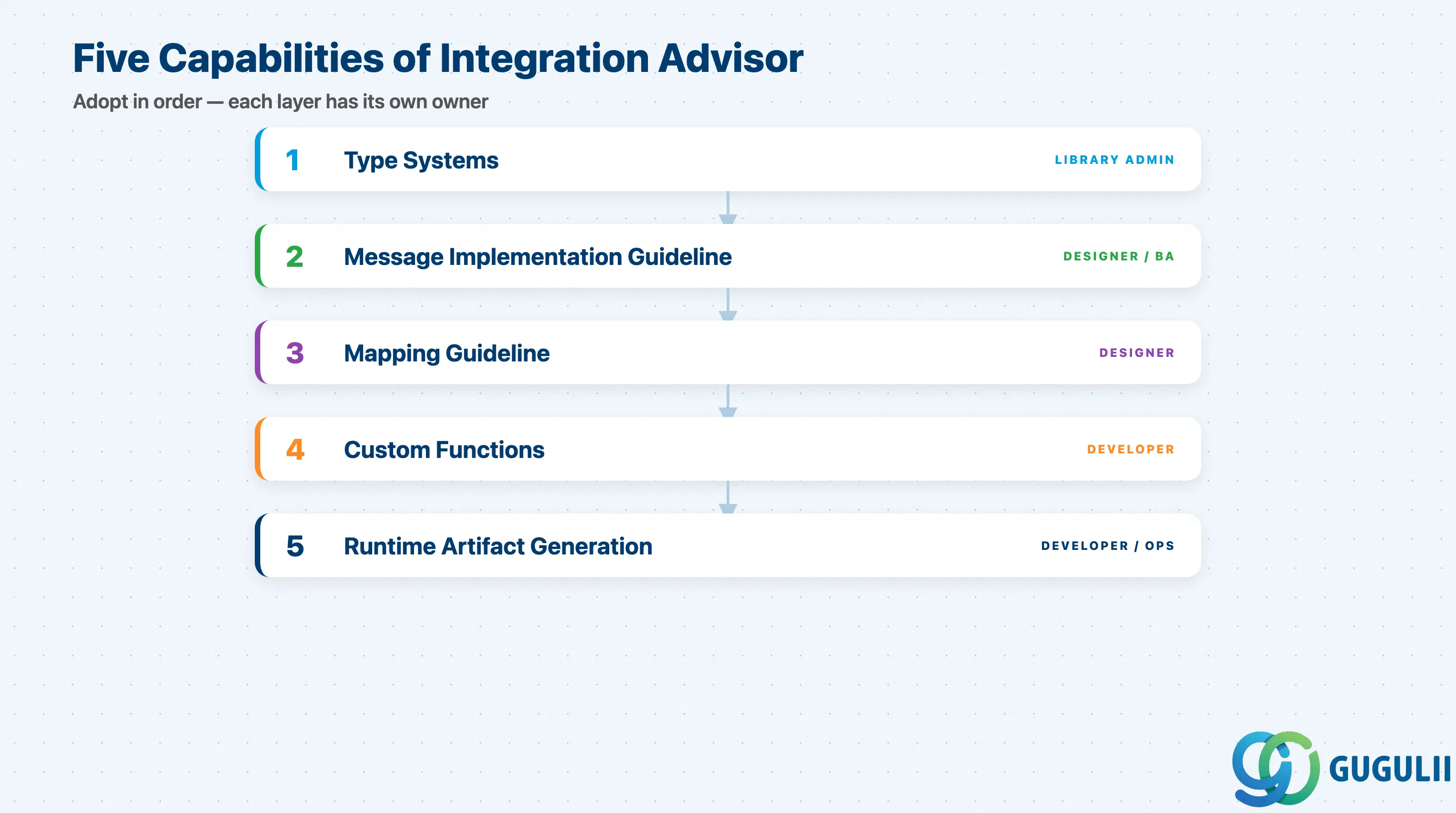
Integration Advisor is not a single tool — it is a stack of five layered capabilities that you adopt in order. Each layer has its own owner, its own deliverable, and its own failure mode at requirements stage.
| Capability | What it does | Primary user |
|---|---|---|
| Type Systems | Pre-loaded library of B2B standards (EDIFACT, X12, RosettaNet, IDoc, HL7, SWIFT, etc.) maintained centrally by SAP | Library Administrator |
| Message Implementation Guideline (MIG) | Tailored subset of a base standard message — specifies exactly which segments, cardinalities, and code lists this customer or partner uses | Integration Designer / Business Analyst |
| Mapping Guideline (MAG) | Field-level mapping between two MIGs (source → target), with ML-proposed mappings the designer accepts or overrides | Integration Designer |
| Custom Functions | Groovy or JavaScript snippets for transformations the proposal engine cannot infer (unit conversions, conditional logic) | Integration Developer |
| Runtime Artifact Generation | Compiles a finalized MAG into XSLT mappings + schemas, deployable to Cloud Integration as an integration package | Integration Developer / Operator |
They are not substitutes.
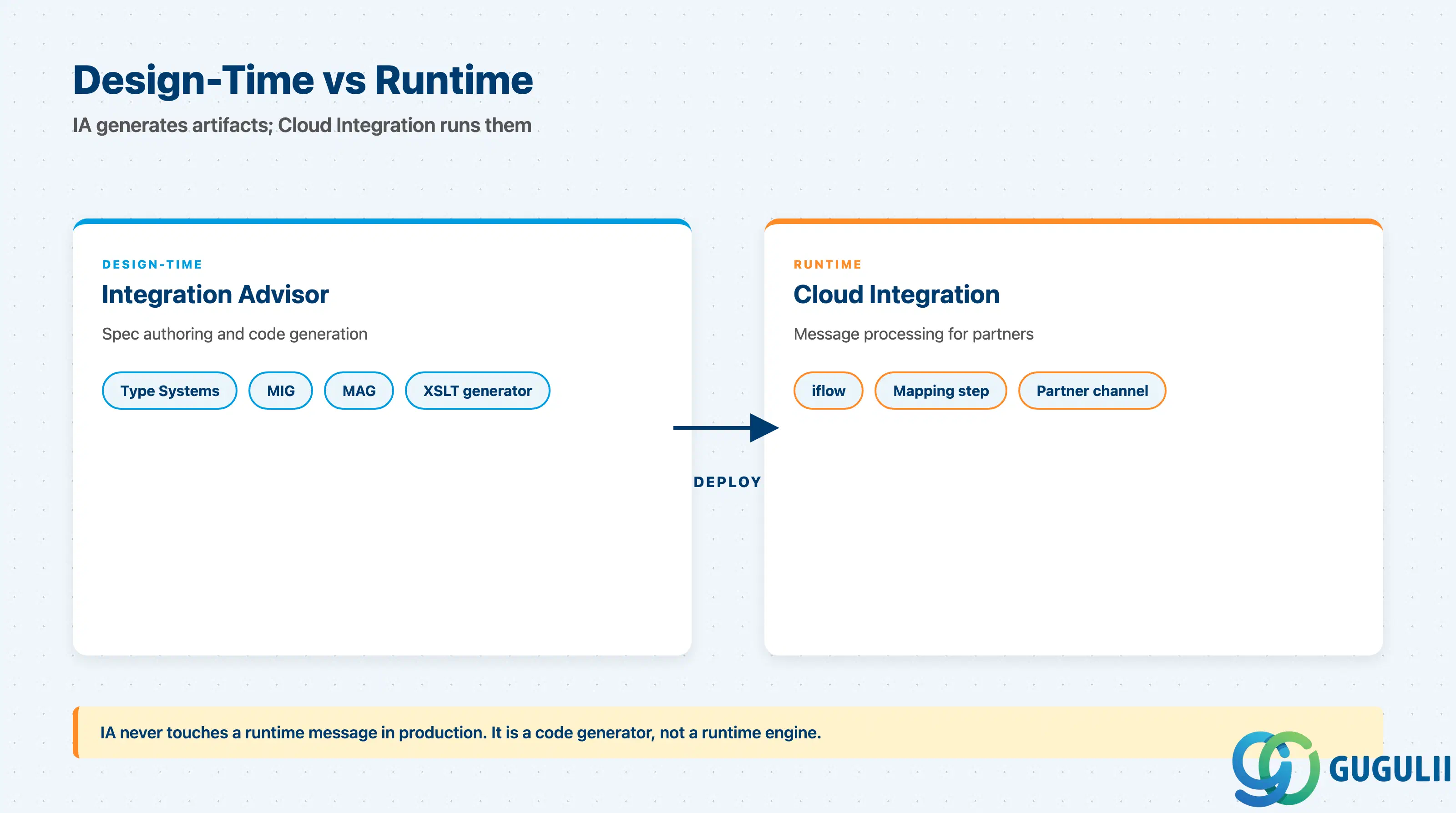
Integration Advisor sits at design time. The artifacts it produces are consumed at runtime by Cloud Integration, which is the iPaaS that S/4HANA actually talks to. Understanding the seam between these two layers is the single most useful piece of context.
                      +--------------------------------+
   Trading Partner    |  SAP Integration Suite tenant  |    SAP S/4HANA
       (EDI VAN)      |                                |     (on-prem or
            |         |  +--------------------------+  |      Private)
            |         |  |  Integration Advisor     |  |          |
            |         |  |  (design-time)           |  |          |
            v         |  |  Type Sys → MIG → MAG    |  |          |
  ============>       |  |        |                 |  |          |
  EDIFACT ORDERS      |  |        v generates       |  |          |
                      |  |  XSLT + XSD artifacts    |  |          |
                      |  +-------------+------------+  |          |
                      |                |               |          |
                      |                v deployed to   |          |
                      |  +--------------------------+  |          |
                      |  |  Cloud Integration       |<-+----------+
                      |  |  (runtime iflow)         |  |   IDoc / OData
                      |  |  reads XSLT, transforms  |  |
                      |  +--------------------------+  |
                      +--------------------------------+
Key point: Integration Advisor never touches a runtime message in production. It is a code generator, not a runtime engine. If a partner sends a malformed EDIFACT message at 3 AM, Cloud Integration handles it — Integration Advisor is not in the call path.
| Capability | Maturity | Notes |
|---|---|---|
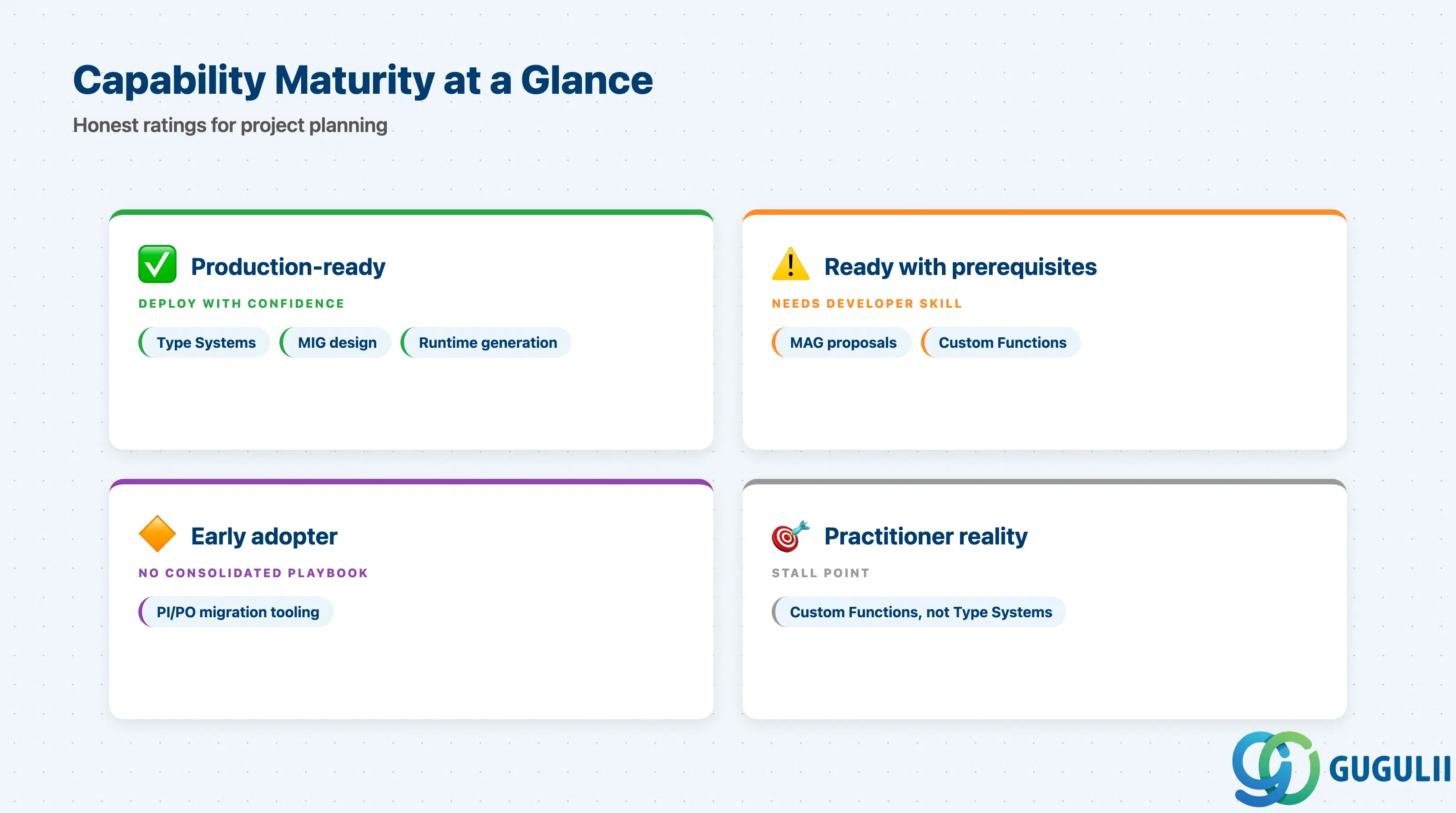
| Pre-loaded Type Systems (EDIFACT, X12, IDoc) | ✅ Production-ready | Library is mature, central updates handled by SAP, broadly deployed |
| MIG design with proposal engine | ✅ Production-ready | Proposal quality is highest for common ORDERS/INVOIC/DESADV; weaker for niche industries |
| MAG design with proposal engine | ⚠️ Ready with prerequisites | Quality of proposals depends on crowd library coverage of your specific message pair; expect manual rework for uncommon mappings |
| Custom Functions (Groovy/JS) | ⚠️ Ready with prerequisites | Requires developer-grade skills; most-cited stall point in delivery surveys |
| Runtime artifact generation + Cloud Integration deploy | ✅ Production-ready | Stable integration path with Cloud Integration packages |
| Migration from PI/PO B2B Add-On | 🔶 Early adopter | No consolidated SAP migration playbook; community blogs only |
Honest read: the proposal engine is the visible feature, but the practical limit on a project is almost always Custom Functions and edge-case Custom Type Systems, not the headline ML.
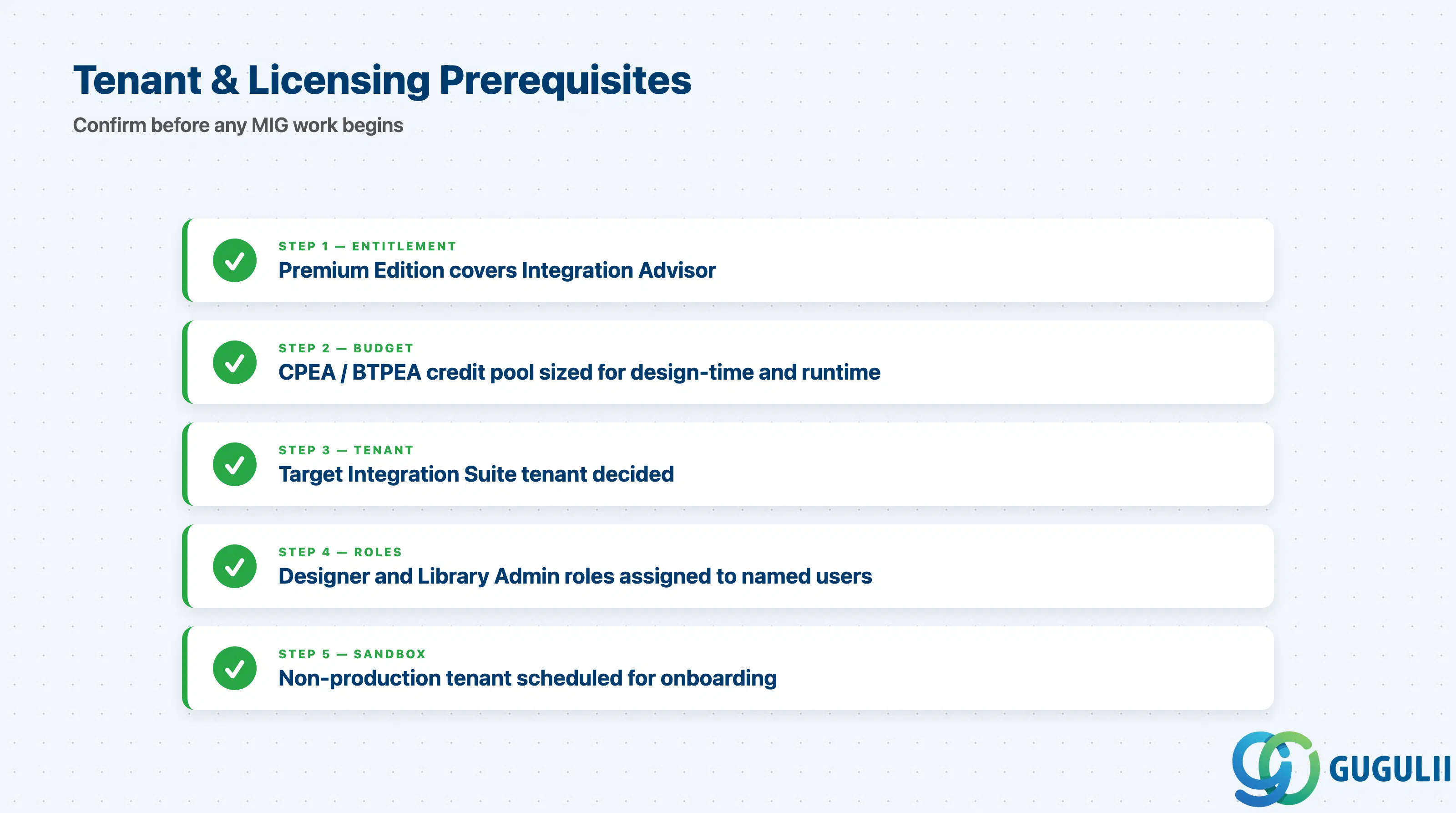
| Checklist item | Why it matters |
|---|---|
| Confirm Integration Suite Premium Edition entitlement covers Integration Advisor | Standard Edition and Free Tier do not include IA; without entitlement the capability tile will not appear in BTP cockpit |
| Verify CPEA / BTPEA credit budget covers expected design-time and runtime usage | IA consumes credits on a separate metric from Cloud Integration; surprise bills come from un-budgeted MAG generation |
| Decide which Integration Suite tenant hosts IA (typically the same tenant as Cloud Integration) | Cross-tenant artifact transport adds operational steps; one-tenant designs simpler |
| Assign Integration Advisor User and Library Administrator roles to named individuals | Without explicit role assignment users cannot create MIGs/MAGs even if licensed |
| Schedule a sandbox tenant for onboarding before any productive MAG | Productive tenants should never be the place a team learns the proposal engine |
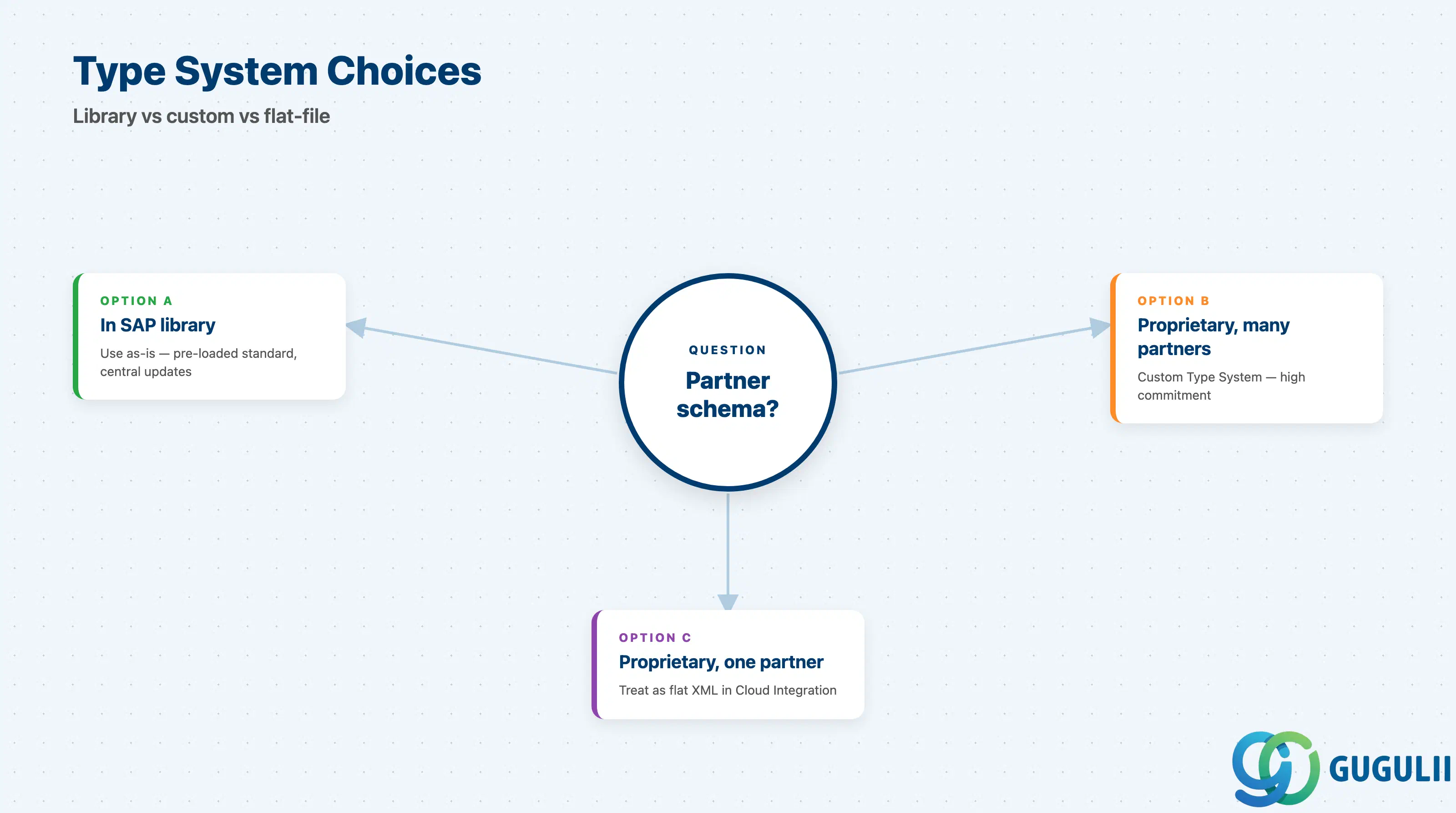
| Checklist item | Why it matters |
|---|---|
| Inventory all B2B standards in scope (EDIFACT version, X12 release, IDoc version) | Mixing standards across partners without inventory leads to MIG sprawl |
| Confirm each standard exists in the pre-loaded library at the version your trading partners use | Importing a missing version is possible but delays the project significantly |
| Decide handling for proprietary / non-standard partner schemas (custom Type System vs. flat-file pre-processing) | Custom Type Systems are a higher commitment than treating the schema as plain XML in Cloud Integration |
| Document who owns library updates if SAP retires a Type System version | Library is centrally maintained but version end-of-life triggers MIG rework |
| Checklist item | Why it matters |
|---|---|
| Identify the trading partner whose MIG is the source of truth (yours vs. theirs) | Many B2B disputes are caused by two MIGs that drifted; one MIG per direction per partner is the rule |
| Decide MIG export format (PDF or HTML) for partner sign-off | The exported MIG is the contractual specification document; pick the format your legal/procurement team accepts |
| Plan MIG versioning: how minor changes propagate to existing partners | Without a versioning convention, a small MIG fix breaks downstream MAGs silently |
| Confirm code list values are derived from authoritative master data, not free text | Code list mismatches cause more partner rejections than structural mismatches |
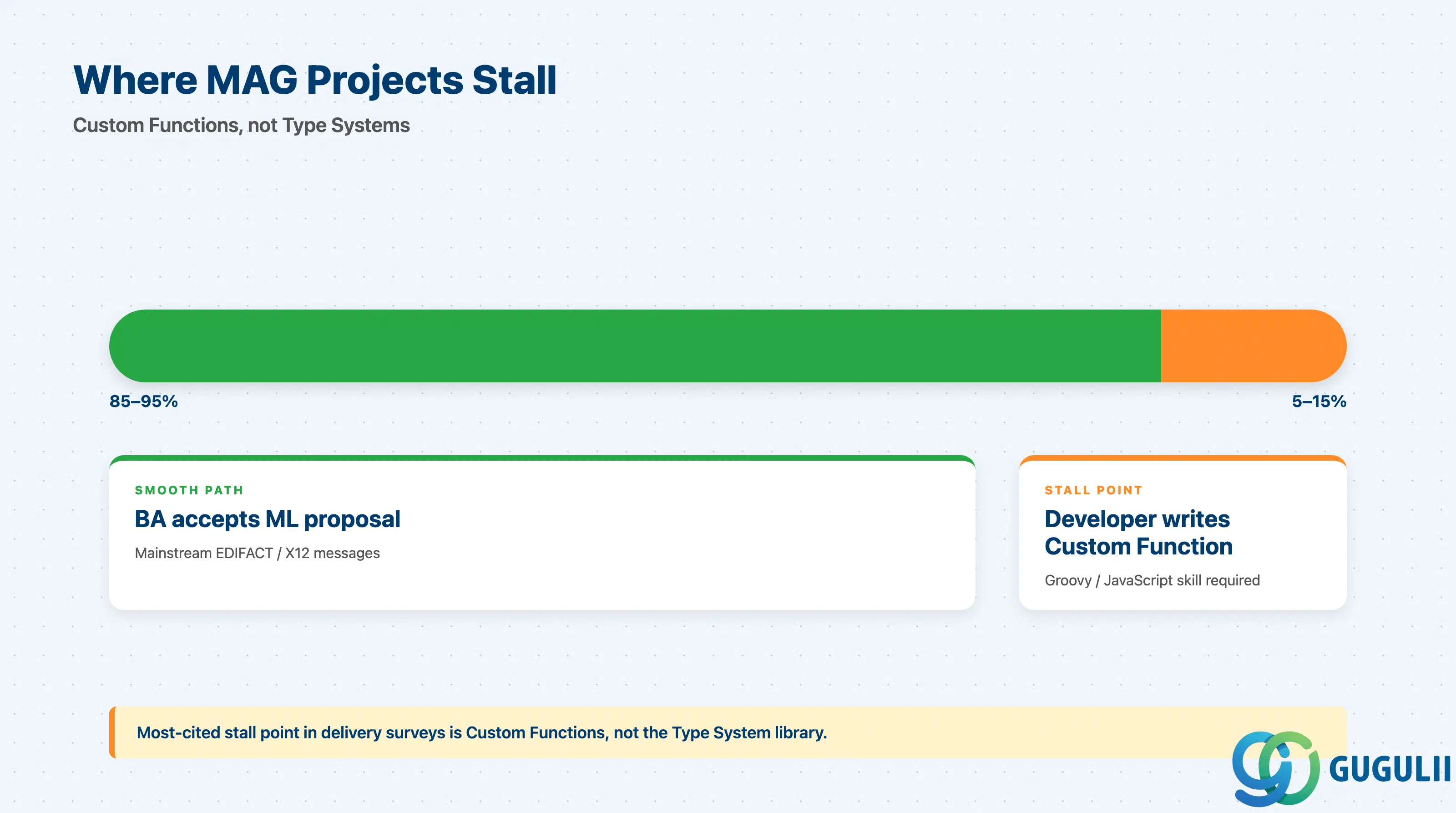
| Checklist item | Why it matters |
|---|---|
| Estimate proportion of fields that will need Custom Functions (typical: 5–15% for mainstream messages) | Custom Function effort is consistently underestimated in initial scoping |
| Confirm a developer with Groovy or JavaScript skills is allocated, not just a business analyst | Proposal acceptance can be done by a BA; Custom Functions cannot |
| Define unit, currency, and date-format conversion rules upstream of MAG design | Conversion logic invented during MAG design is rarely consistent across mappings |
| Document the explicit acceptance step where a human reviewed each ML-proposed mapping | Audit trails frequently demand evidence that mappings were not auto-applied |
| Checklist item | Why it matters |
|---|---|
| Identify the Cloud Integration package and iflow that will consume the generated XSLT | IA does not run iflows; without a target iflow the generated artifact is unused |
| Plan for re-deployment when MAG is regenerated (existing iflows pick up new mapping only after redeploy) | Silent staleness is a common production incident |
| Decide test data set (real partner samples vs. anonymized) for Cloud Integration message simulation | MAG looks correct in design-time even when runtime fails on real data shapes |
| Confirm monitoring dashboard ownership for runtime mapping errors | Mapping errors at 3 AM page Cloud Integration ops, not Integration Advisor designers |
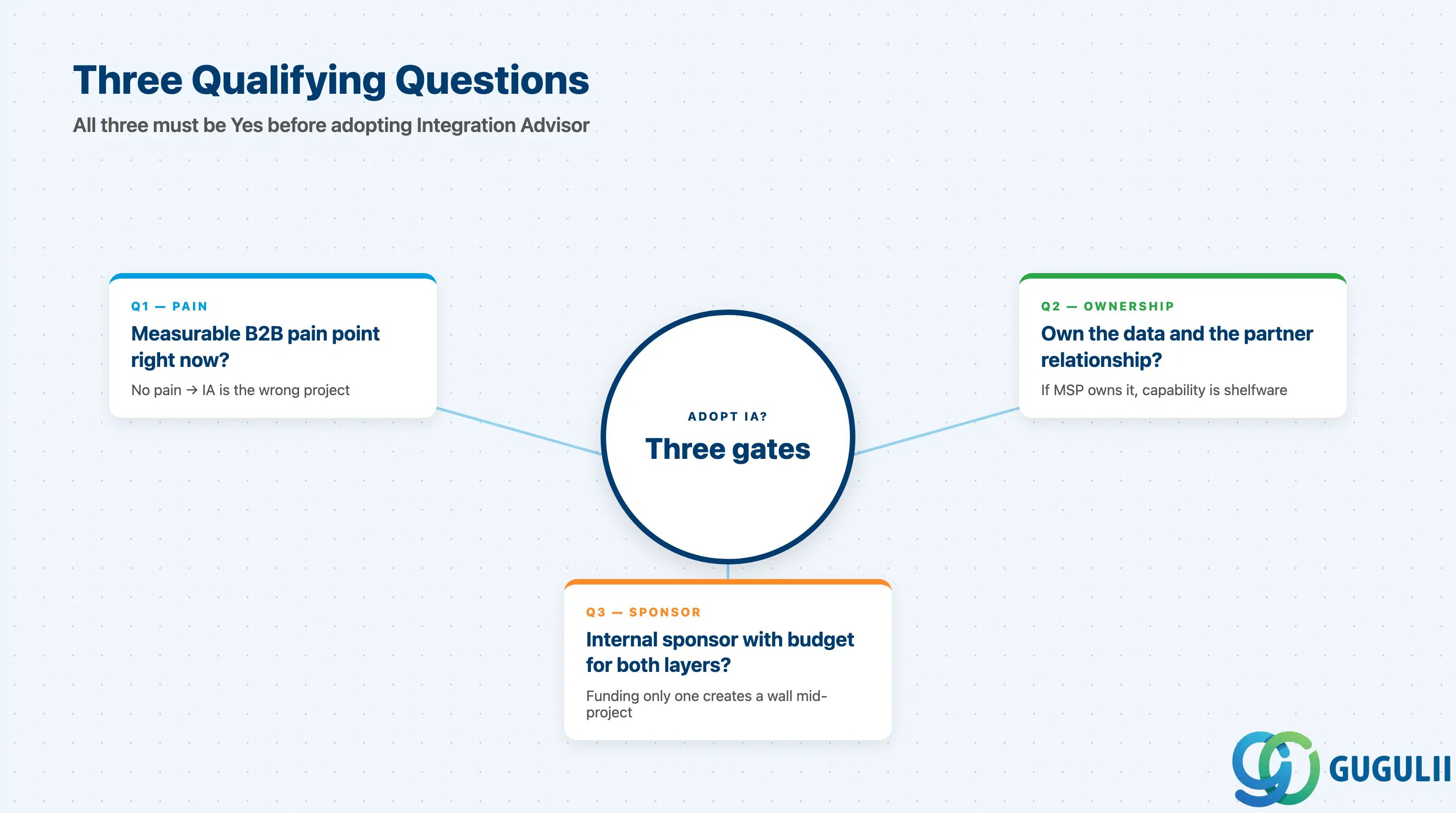
Q1. Is there a measurable B2B mapping pain point right now?
If the customer cannot point to a specific mapping that takes too long, costs too much in PI/PO maintenance, or fails partner audits, Integration Advisor is the wrong project to start with. The proposal engine accelerates known mappings; it does not invent the need for them.
Q2. Do we own the data and the partner relationship?
Integration Advisor stores MIG and MAG metadata in the customer’s BTP tenant. If a third-party MSP owns the trading partner relationship (and the right to define the spec), the customer is buying capability they cannot exercise. Integration Advisor in this case ends up as shelfware.
Q3. Is there an internal sponsor with budget for both design-time and runtime?
Integration Advisor consumes Premium Edition entitlement; the runtime consumes Cloud Integration message volume. A sponsor who funds only one of these will hit a wall mid-project. The B2B center of excellence — not just an integration architect — is the right sponsor profile.
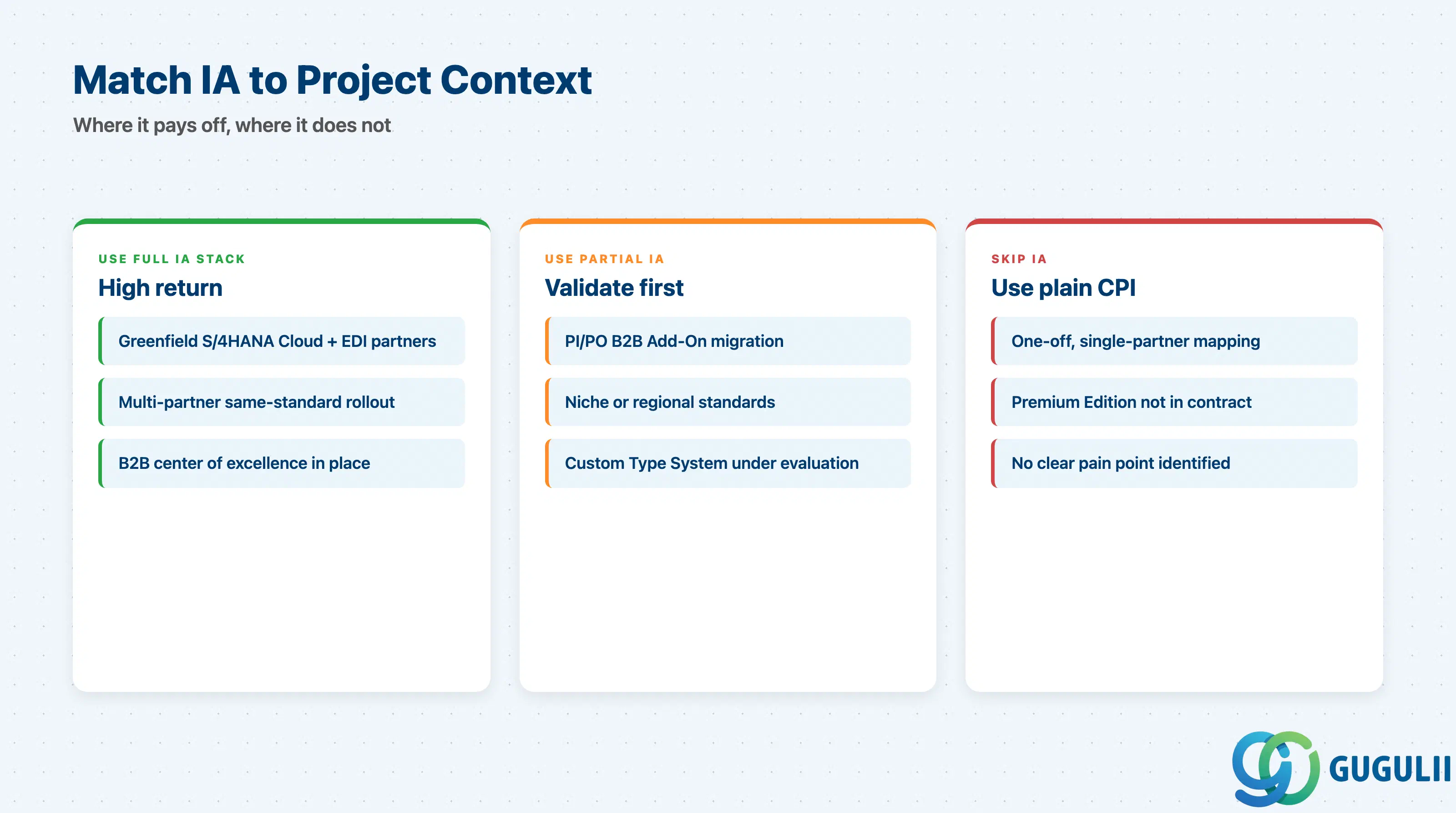
| Project context | Recommended starting domain/capability |
|---|---|
| Greenfield S/4HANA Cloud + B2B partners with EDIFACT/X12 | Type Systems + MIG + MAG (full IA stack) |
| Existing PI/PO B2B Add-On to be migrated | MIG export from PI/PO → re-import into IA, MAG redesign |
| One-off mapping for a single partner, low complexity | Skip IA; build XSLT directly in Cloud Integration iflow |
| Many partners, similar message shapes, same standard | IA pays off — MIG reuse is the value driver |
| Niche industry standard not in the library | Validate proposal quality on a sample first; consider custom Type System cost |
| No clear pain point identified yet | Stop. Go back to Q1. |
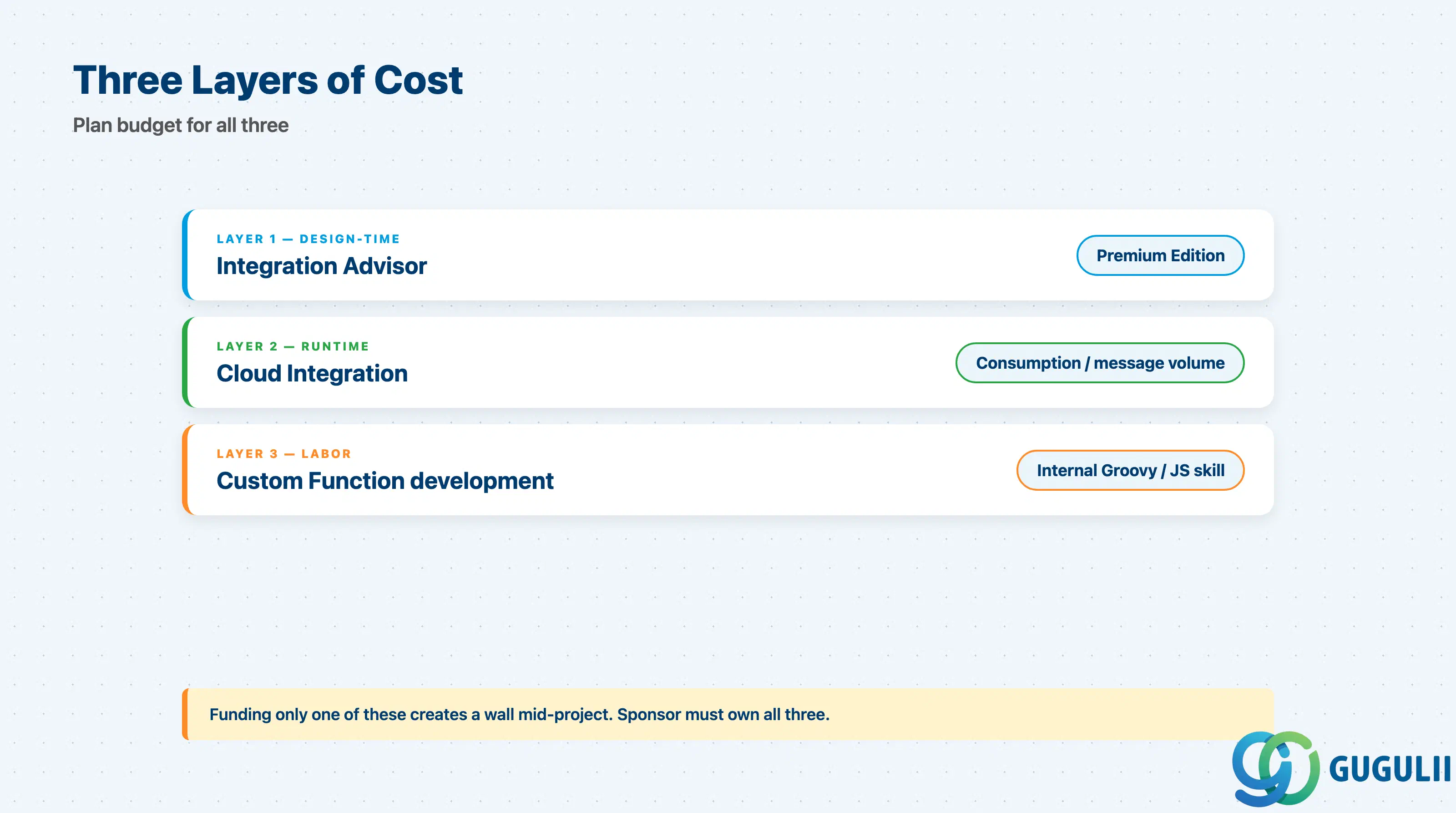
| Capability | Licensing model | Key question to ask |
|---|---|---|
| Integration Advisor (design-time) | Included in Integration Suite Premium Edition; consumption-based via CPEA / BTPEA | Is Premium Edition in the current contract, or does it require an upsell? |
| Cloud Integration (runtime) | Consumption-based by message volume (per Integration Suite tier) | What is the projected monthly message count for each direction? |
| Custom Function development | Internal labor cost — no SAP licensing component | Is a Groovy/JS-capable developer named in the project plan? |
| MIG/MAG storage and library access | Included in the design-time entitlement | Confirmed by reading the order form, not assumed |
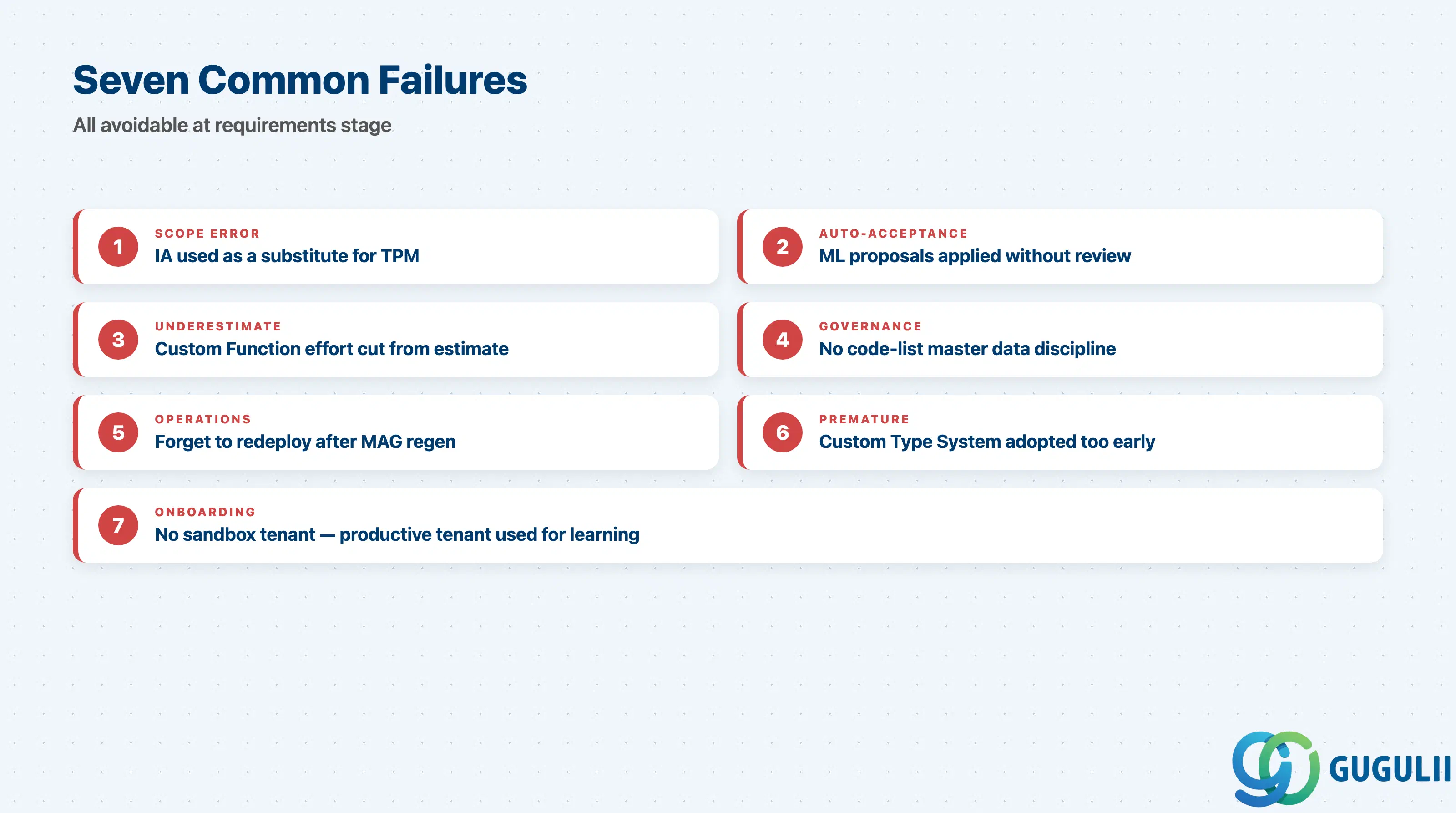
Failure 1: Treating Integration Advisor as a substitute for Trading Partner Management
The most frequent scoping error. Teams buy IA, design a beautiful MAG, generate runtime artifacts — and then discover at go-live that they have no partner agreement, no channel routing rules, and no way to onboard a second partner without copy-pasting iflows. IA owns the spec; TPM owns the agreement. Plan for both from the requirements stage.
Failure 2: Accepting all ML-proposed mappings without review
The proposal engine is good, not perfect. Auto-accepting proposals on uncommon segments produces mappings that look correct at design-time and fail at runtime when the source field is empty or the code list value is unexpected. Every proposal needs human acceptance — that is the design intent, not optional.
Failure 3: Underestimating Custom Function effort
Mainstream EDIFACT messages still typically need 5–15% of fields handled by Custom Functions: date format normalization, currency rounding, conditional flags. Projects scoped on “the proposal engine handles 95%” forget that the remaining 5% requires developer skill, not BA skill.
Failure 4: No code list governance
Code lists (currency codes, country codes, business partner classifications) drift between systems faster than message structures do. A MAG that maps a code list value 1:1 from source to target is a MAG that breaks when either system adds a new code. Map through a governed master data list, not field-to-field.
Failure 5: Forgetting to redeploy after MAG regeneration
IA regenerates the runtime artifact when MAG changes, but the artifact only takes effect in production after the consuming iflow is redeployed. Silent staleness — old XSLT running in production while the new XSLT sits in the Integration Suite package — is a common incident pattern. Build redeploy into the change process explicitly.
Failure 6: Choosing custom Type System for proprietary formats too early
A custom Type System is attractive because it makes proprietary partner schemas first-class citizens. It is also a long-term commitment that few teams have the capacity to maintain. For one-off proprietary formats, treat them as flat XML in Cloud Integration; reserve custom Type Systems for formats used by many partners.
Failure 7: No sandbox tenant for onboarding
Teams that learn the proposal engine on a productive tenant produce MIGs and MAGs that get edited live, with no rollback. A sandbox tenant is not a luxury — it is the standard onboarding pattern, and skipping it is the first cause of “we have to redo half of this” three months in.
Q: Can Integration Advisor be used with on-premise SAP PI/PO?
No. Integration Advisor is a capability of SAP Integration Suite (cloud) only. PI/PO has its own B2B Add-On with separate tooling. Migration from the PI/PO B2B Add-On to Integration Advisor is possible but is treated as a redesign, not a lift-and-shift.
Q: How is Integration Advisor licensed?
It is included in SAP Integration Suite Premium Edition, with consumption metered through CPEA or BTPEA credits. Standard Edition and the Free Tier do not include it. Pricing tiers have changed historically; verify the entitlement against the current order form before assuming availability.
Q: When should I descope Integration Advisor from a project?
Three signals: (1) only one or two partners in scope and no expectation of more, (2) all mappings use a single standard message you can hand-author in XSLT inside Cloud Integration in a day or two, (3) Premium Edition is not in the contract and a buy-up is not approved. In any of these cases, plain Cloud Integration mapping is faster and cheaper.
Q: How should the requirement be documented?
Write the requirement at the level of MIG and MAG, not at the level of “use Integration Advisor”. Specify: which Type System and version, which message types, which trading partners, which fields require Custom Functions, what the acceptance evidence looks like for each ML-proposed mapping. A requirement that says only “implement EDIFACT ORDERS in IA” is too vague to estimate.
Q: What is the relationship between Integration Advisor, Cloud Integration, and Trading Partner Management?
IA produces the specification (MIG, MAG, generated XSLT). Cloud Integration runs the iflow that consumes the generated XSLT. TPM defines the partner agreement — who the partner is, which channels are used, which iflow is invoked. All three are needed; each owns a different concern.
Q: Does Integration Advisor work for non-EDI integration scenarios (e.g., REST APIs)?
In principle yes — A2A mapping (application-to-application) is supported, including IDoc and proprietary XML. In practice, mainstream value comes from B2B EDI scenarios where the crowd library is mature. For REST API integration, API Management plus direct Cloud Integration mapping is usually a better fit.
Q: Who owns the generated runtime artifact in production?
The Cloud Integration team. Once the XSLT is deployed to a runtime iflow, all monitoring, error handling, and incident response are Cloud Integration responsibilities. IA-side designers are not paged for runtime issues.
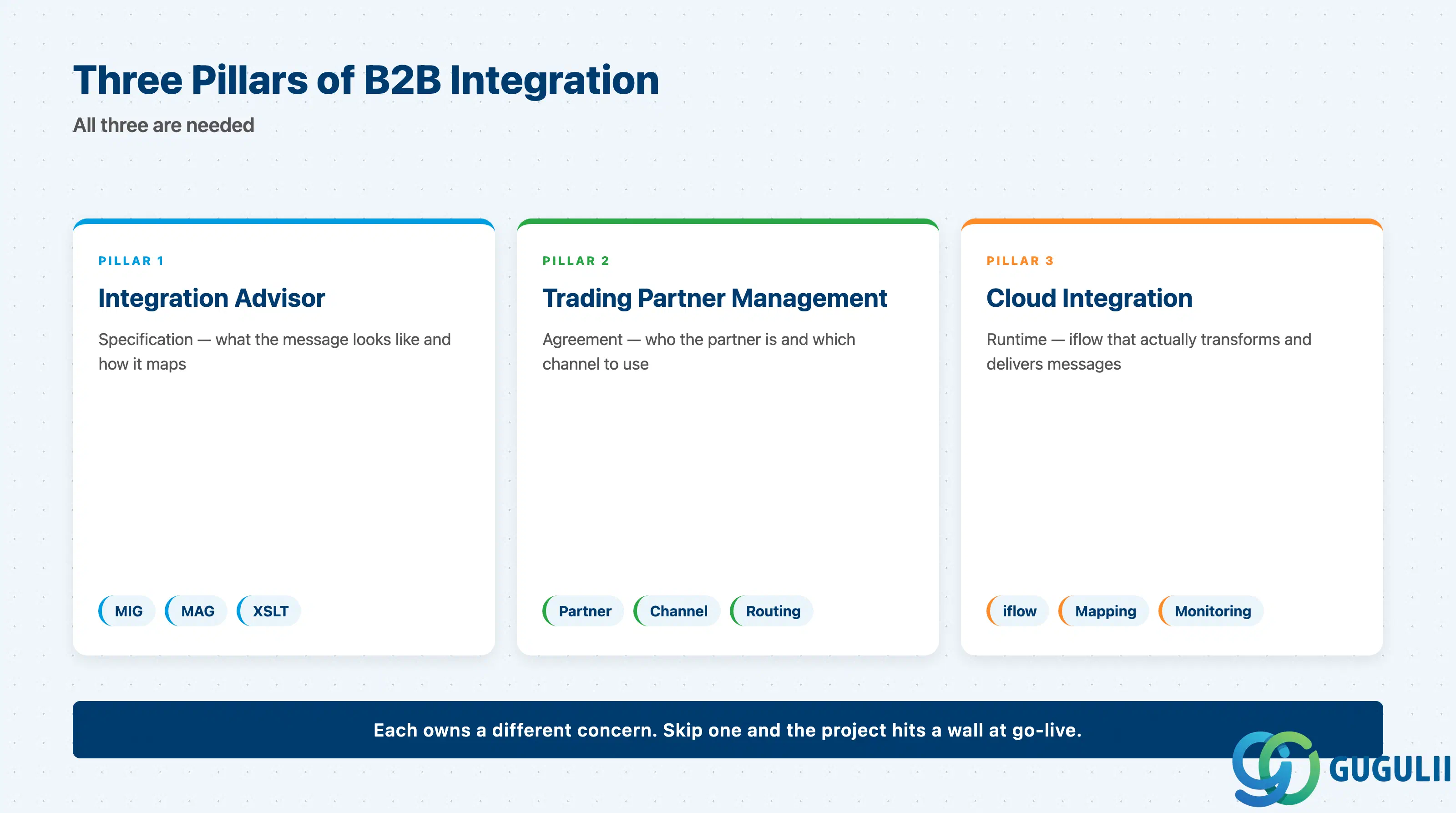
Integration Advisor solves a real problem: B2B mapping projects historically took months because the same EDIFACT message structure was rebuilt by every customer in every project. The crowd-sourced library plus ML proposal engine compress that work — for mainstream messages, dramatically. The honest scoping question is not “can IA do this” but “do we have a sponsor, a partner, and a developer who can finish what IA cannot propose.” Pair it with Trading Partner Management for full B2B coverage; descope it when the partner count or message variety does not justify Premium Edition.
| ID | Topic |
|---|---|
| BTP-A01: SAP Integration Suite Overview | Component map and how the pieces fit together |
| BTP-A02: Cloud Integration (CPI): Architecture and Use | The iPaaS that runs the XSLT IA generates |
| BTP-A03: API Management: Architecture and Use | API lifecycle layer above Cloud Integration |
| BTP-A04: Event Mesh: Architecture and Use | Event-driven complement to point-to-point integration |
| BTP-A05: Open Connectors: Architecture and Use | SaaS connector library for non-B2B integration |
| BTP-A06: B2B Integration (1): Trading Partner Management | The runtime partner agreement layer that pairs with IA |
| BTP-A07: B2B Integration (2): Integration Advisor (this article) | Design-time mapping with crowd-sourced standards |
| BTP-A08: Integration Suite: Use Cases and Decision Patterns | When to choose which Integration Suite capability |