Title here
Summary here

| ID | Title |
|---|---|
| BTP-B01 | Application Development Overview and Capability Map |
| BTP-B02 | Business Application Studio: Architecture and Use (this article) |
| BTP-B03 | CAP and Build Code: Architecture and Use |
| BTP-B04 | ABAP Environment: Architecture and Use |
| BTP-B05 | Build Apps: Architecture and Use |
| BTP-B06 | Build Process Automation: Architecture and Use |
| BTP-B07 | Build Work Zone: Architecture and Use |
| BTP-B08 | Use Cases and Decision Patterns |
| Resource | URL |
|---|---|
| Dev Spaces in SAP Business Application Studio | help.sap.com → |
| Dev Space Types | help.sap.com → |
| Application Plans (Service Plans) | help.sap.com → |
| Manage Authorizations and Roles | help.sap.com → |
| Access SAP Business Application Studio from VS Code | help.sap.com → |
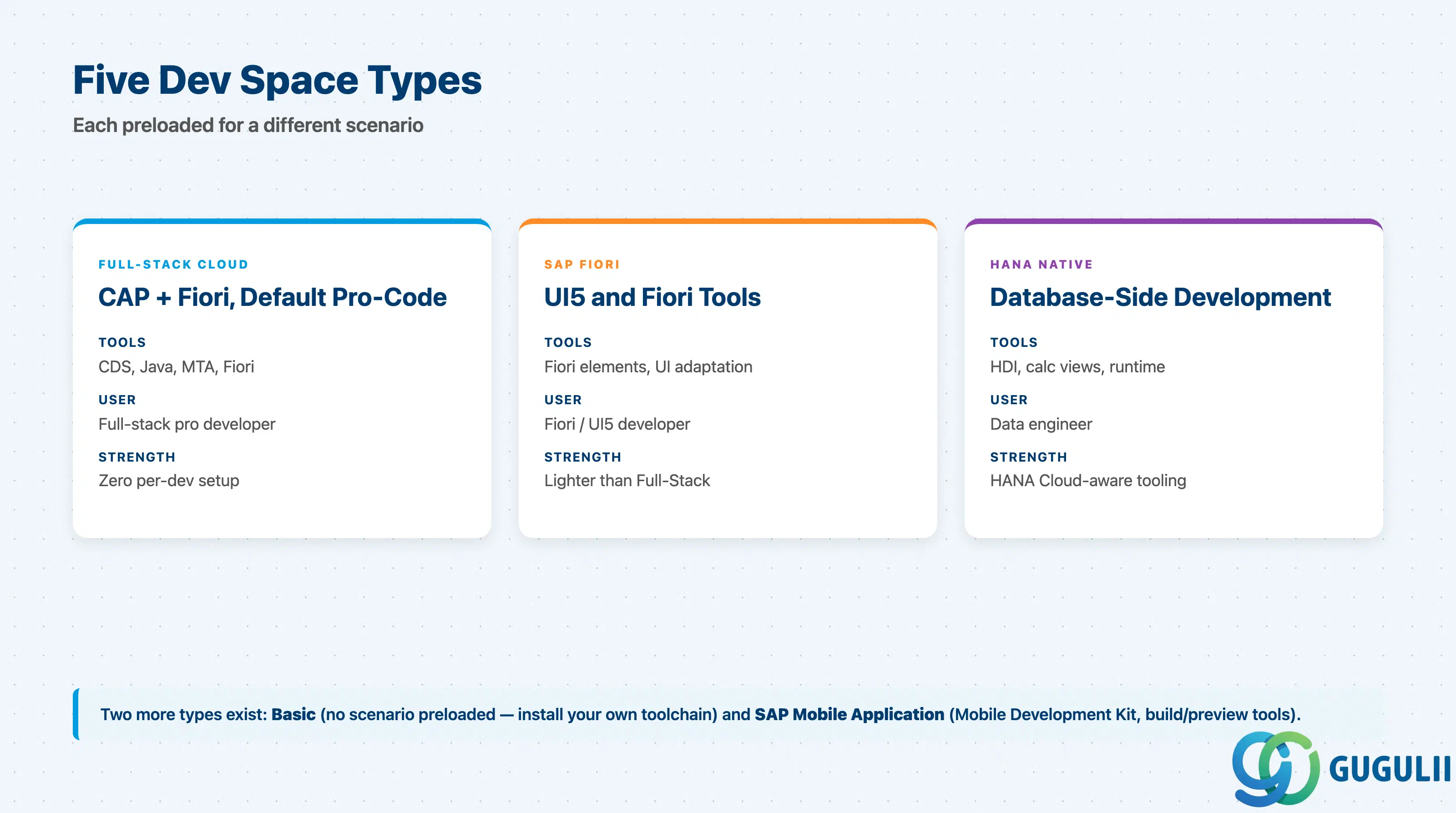
BAS is not “one IDE.” It is a managed Code-OSS editor that materializes as one of several dev space types, each preloaded with a different toolchain. Treating dev spaces as interchangeable is the most common requirements-stage mistake.
| Dev space type | What it contains | Primary user |
|---|---|---|
| Full-Stack Cloud Application | CDS tools, Java tools, MTA tools, Fiori tools — preconfigured for CAP + Fiori projects | Full-stack pro developer |
| SAP Fiori | Fiori elements + freestyle, UI adaptation, SAPUI5 tools, Launchpad, MTA | Fiori / UI5 developer |
| SAP HANA Native Application | HANA Cloud tooling (HDI, calculation views, runtime tools) | Database / data engineer |
| Basic | Generic Code-OSS environment, no SAP scenario preloaded | Pro developer wiring custom tooling |
| SAP Mobile Application | SAP Mobile Development Kit (MDK), build/preview tools | Mobile developer |
They are not substitutes. A Basic dev space cannot scaffold a Fiori freestyle app without manually installing the Fiori tools; a Full-Stack Cloud Application dev space ships a heavier base than a project that only needs a Fiori reskin. Dev space type is chosen at creation and is not changed in place — recovery is to create a new dev space and move source via Git.
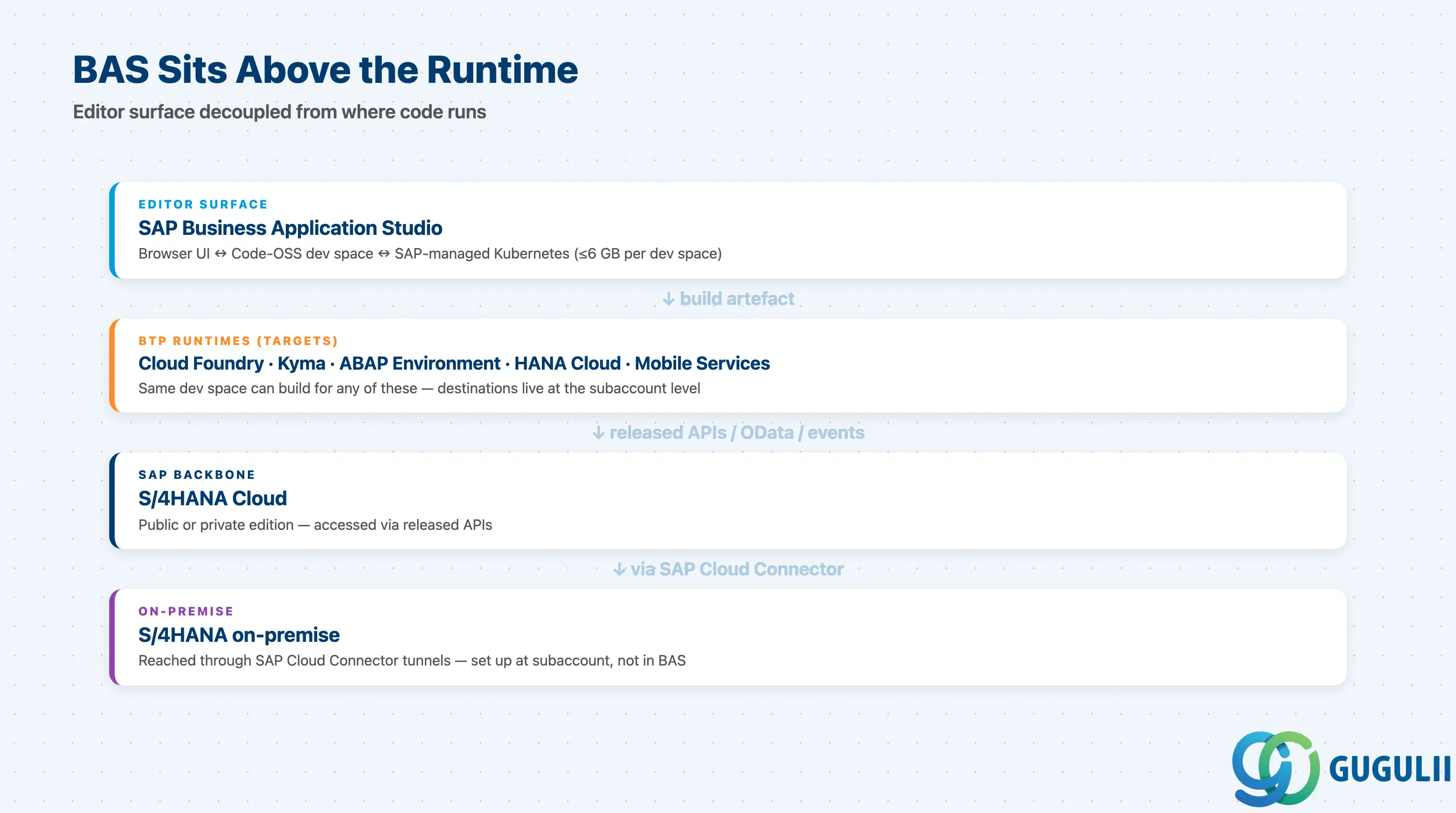
BAS itself never runs S/4HANA business logic. It is the editor surface; the runtime that consumes your code lives elsewhere. The connection points matter because they shape both the dev space type you pick and the BTP destinations you set up.
                ┌─────────────────────────────────────────────────┐
                │  SAP Business Application Studio                │
                │  (browser UI ↔ SAP-managed Kubernetes cluster)  │
                │                                                 │
                │  ┌────────────────────────────────────────────┐ │
                │  │  Dev space (private container, ≤ 6 GB)     │ │
                │  │  Code-OSS + scenario tooling + Git client  │ │
                │  └────────────────────────────────────────────┘ │
                └──────────────────┬──────────────────────────────┘
                                   │  build → mta archive / app
                                   ▼
   ┌─────────────────┬──────────────────┬──────────────────┐
   │ BTP Cloud       │ BTP Kyma         │ BTP ABAP         │
   │ Foundry         │ runtime          │ Environment      │
   └────────┬────────┴────────┬─────────┴────────┬─────────┘
            │                 │                  │
            ▼                 ▼                  ▼
   ┌─────────────────────────────────────────────────────────┐
   │  S/4HANA Cloud (public or private edition)              │
   │  Released APIs / OData / Events                         │
   └────────────────────────┬────────────────────────────────┘
                            │ via SAP Cloud Connector
                            ▼
   ┌─────────────────────────────────────────────────────────┐
   │  S/4HANA on-premise                                     │
   └─────────────────────────────────────────────────────────┘
Key point: BAS is decoupled from the runtime. The same dev space can target Cloud Foundry, Kyma, ABAP Environment, HANA Cloud, or Mobile Services — but BTP destinations, role collections, and Cloud Connector tunnels live at the subaccount level, not in the dev space. Confusing “I can build it” with “the destinations are wired” is the root cause of most day-one rollout failures.
| Capability | Maturity | Notes |
|---|---|---|
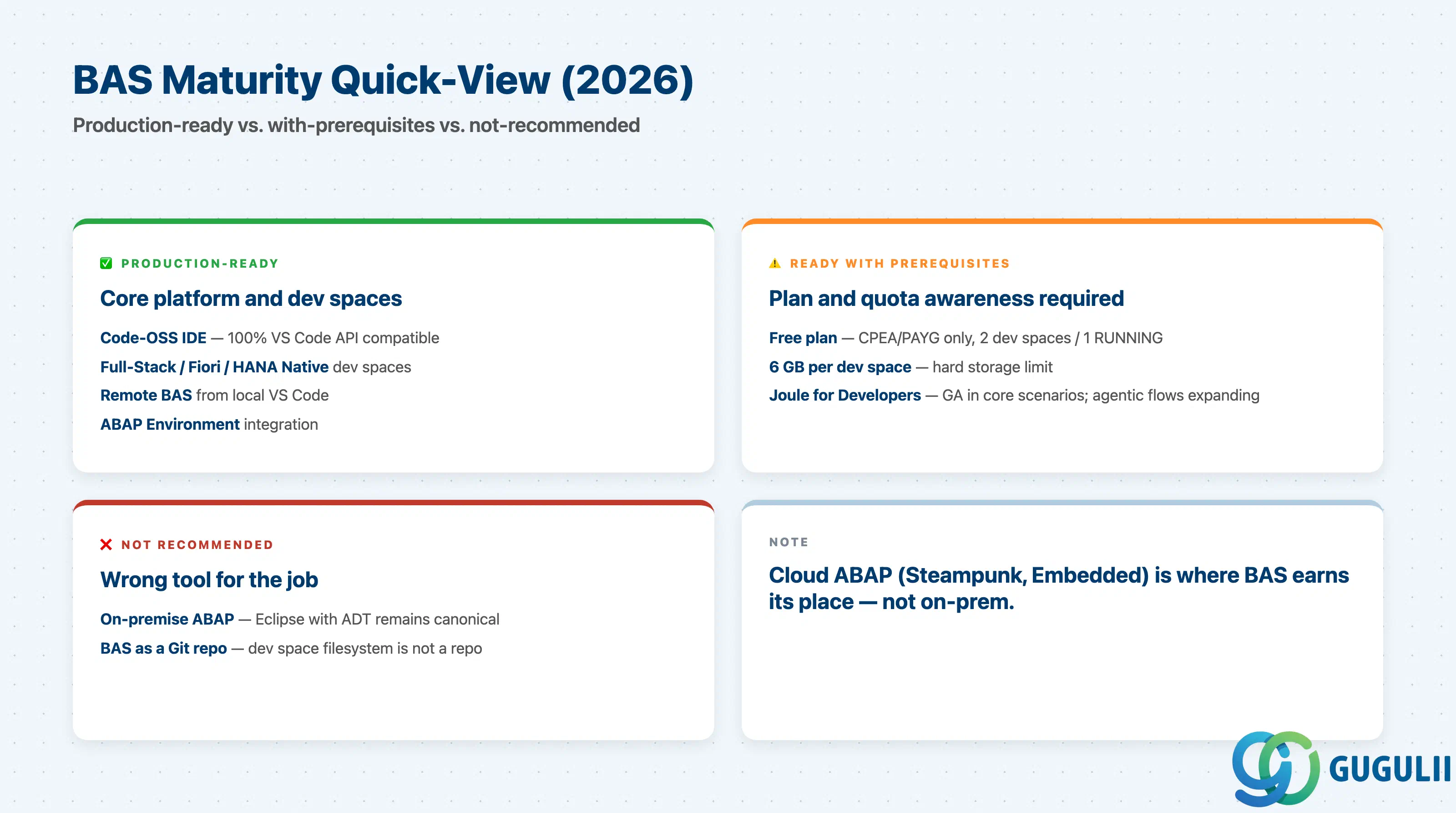
| Code-OSS platform IDE | ✅ Production-ready | Migration from Eclipse Theia is complete; 100% VS Code API compatibility, any VS Code extension installs. |
| Full-Stack Cloud Application dev space | ✅ Production-ready | Default for CAP + Fiori projects; preinstalled CDS, Java, MTA tools. |
| SAP Fiori dev space | ✅ Production-ready | Preinstalled Fiori elements, freestyle, UI adaptation, SAPUI5 tools. |
| SAP HANA Native Application dev space | ✅ Production-ready | HDI, calculation view editors, HANA Cloud runtime tooling. |
| ABAP Environment integration | ✅ Production-ready | ABAP development tools available as a dev space scenario / extension; pairs with BTP ABAP Environment. |
| Remote access from local VS Code | ✅ Production-ready | Official SAP-published VS Code extension; editor is local, dev space stays on SAP side. |
| Free service plan | ⚠️ Production-ready with limits | Max 2 dev spaces per user, 1 RUNNING at a time; CPEA/PAYG only — not in subscription model. |
| 6 GB storage per dev space | ⚠️ Hard limit | Cannot be raised on request; large monorepos and ML datasets do not fit. |
| Joule for Developers in BAS | ⚠️ GA in core scenarios | Code suggestions and CAP scaffolding GA; agentic flows still expanding through 2026. |
| ABAP on-premise development from BAS | ❌ Not the canonical path | ADT in Eclipse remains SAP’s primary on-premise ABAP IDE; BAS focuses on cloud ABAP. |
Each area has questions to clear before BAS enters the project. If any line is unanswered at requirements stage, the project is not ready to enter design.
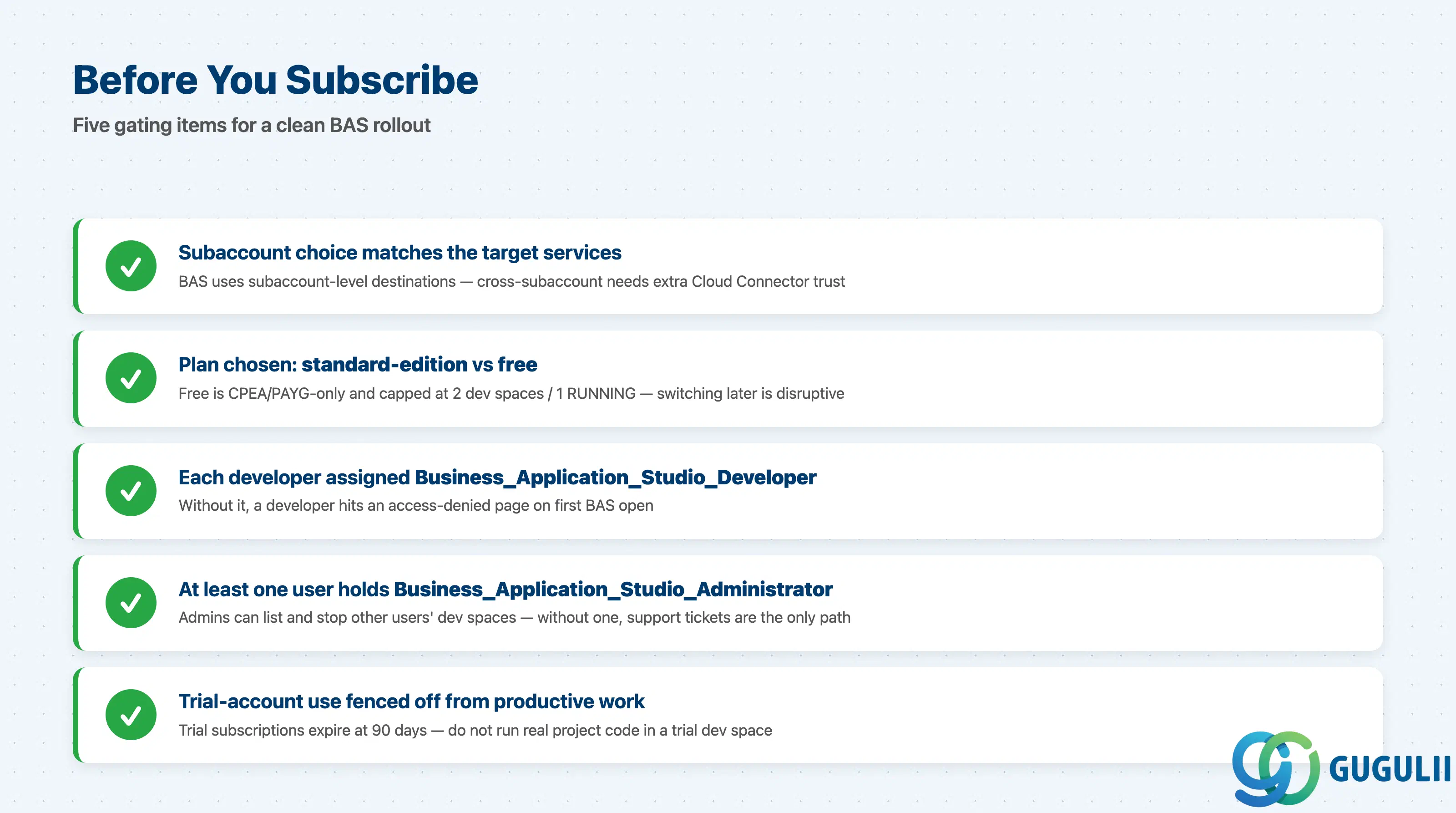
| Checklist item | Why it matters |
|---|---|
| Subaccount selected for BAS subscription is the same one hosting the target services | BAS uses subaccount-level destinations; cross-subaccount setups need extra Cloud Connector and trust configuration. |
Application plan chosen (standard-edition vs free) is documented before subscribing | The free plan is locked to CPEA / PAYG and capped at 2 dev spaces / 1 running — switching plans later is disruptive. |
Each developer is assigned the Business_Application_Studio_Developer role collection | Without this role, a developer hits an access-denied page on first BAS open and cannot create dev spaces. |
At least one user holds the Business_Application_Studio_Administrator role | Admins can list/stop dev spaces of other users and recover from runaway storage; without one, support tickets become the only recovery path. |
| Trial-account usage is fenced off from productive work | Trial subscriptions expire at 90 days; running real project code in a trial dev space risks loss of work. |
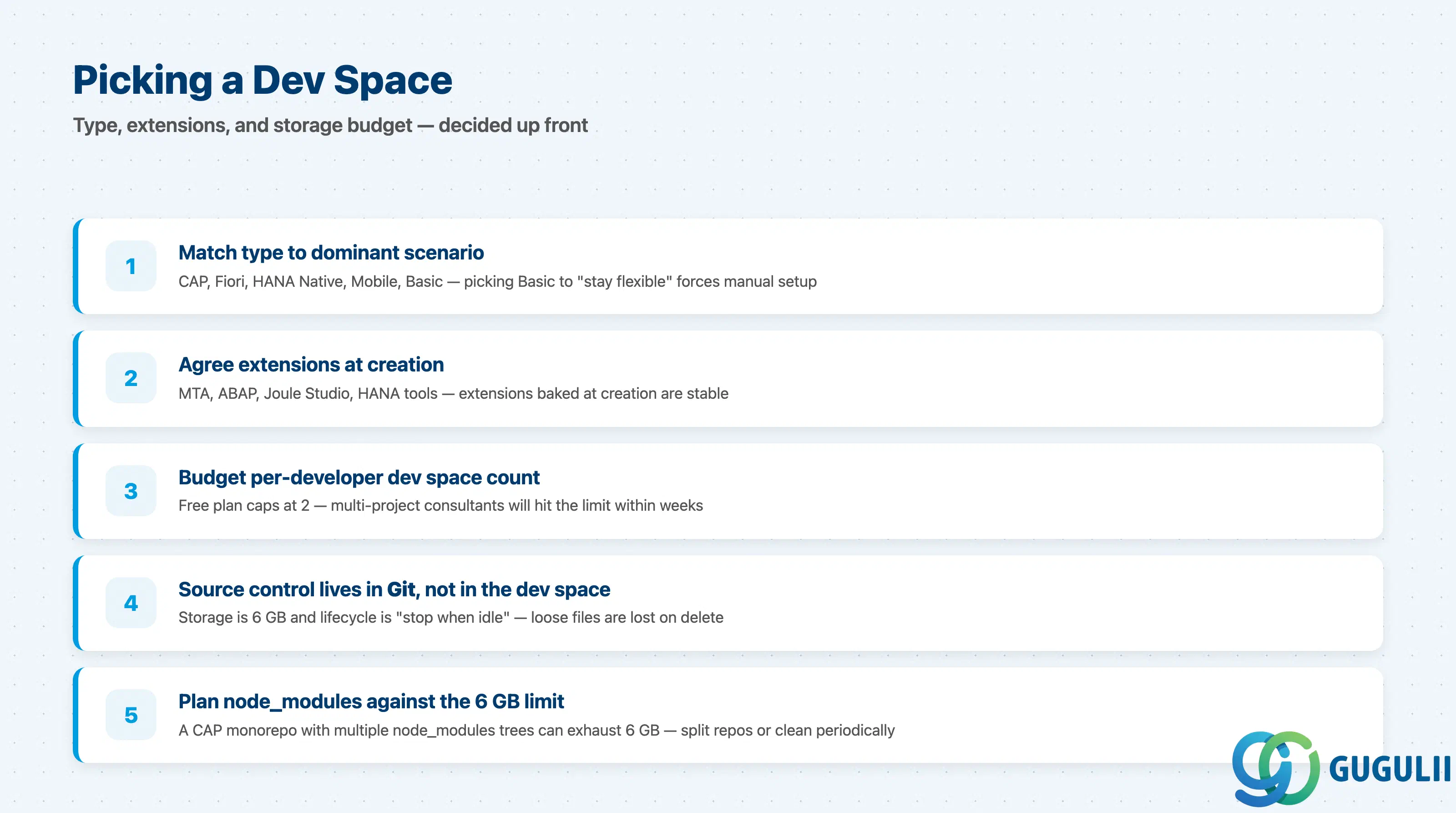
| Checklist item | Why it matters |
|---|---|
| Dev space type matches the dominant scenario (CAP, Fiori, HANA Native, Mobile, Basic) | Picking “Basic” to “stay flexible” forces every developer to install scenario tools individually — preconfiguration is the main reason to use BAS. |
| Additional SAP Extensions are agreed up front (MTA, ABAP, Joule Studio, HANA tools) | Extensions baked at creation are stable; adding them later via marketplace is possible but not all SAP tools surface there. |
| Per-developer dev space count budgeted against the plan limit | The free plan caps at 2 dev spaces per user; multi-project consultants will hit this within weeks. |
| Source control sits in Git, not in the dev space filesystem | A dev space is an editor, not a repository. Storage is capped at 6 GB and lifecycle is “stop when idle”; loose files outside Git are lost the moment the dev space is deleted. |
| Long-running build artefacts and node_modules budgeted against the 6 GB limit | A CAP monorepo with multiple node_modules trees can exhaust 6 GB; plan for periodic cleanup or split repositories. |
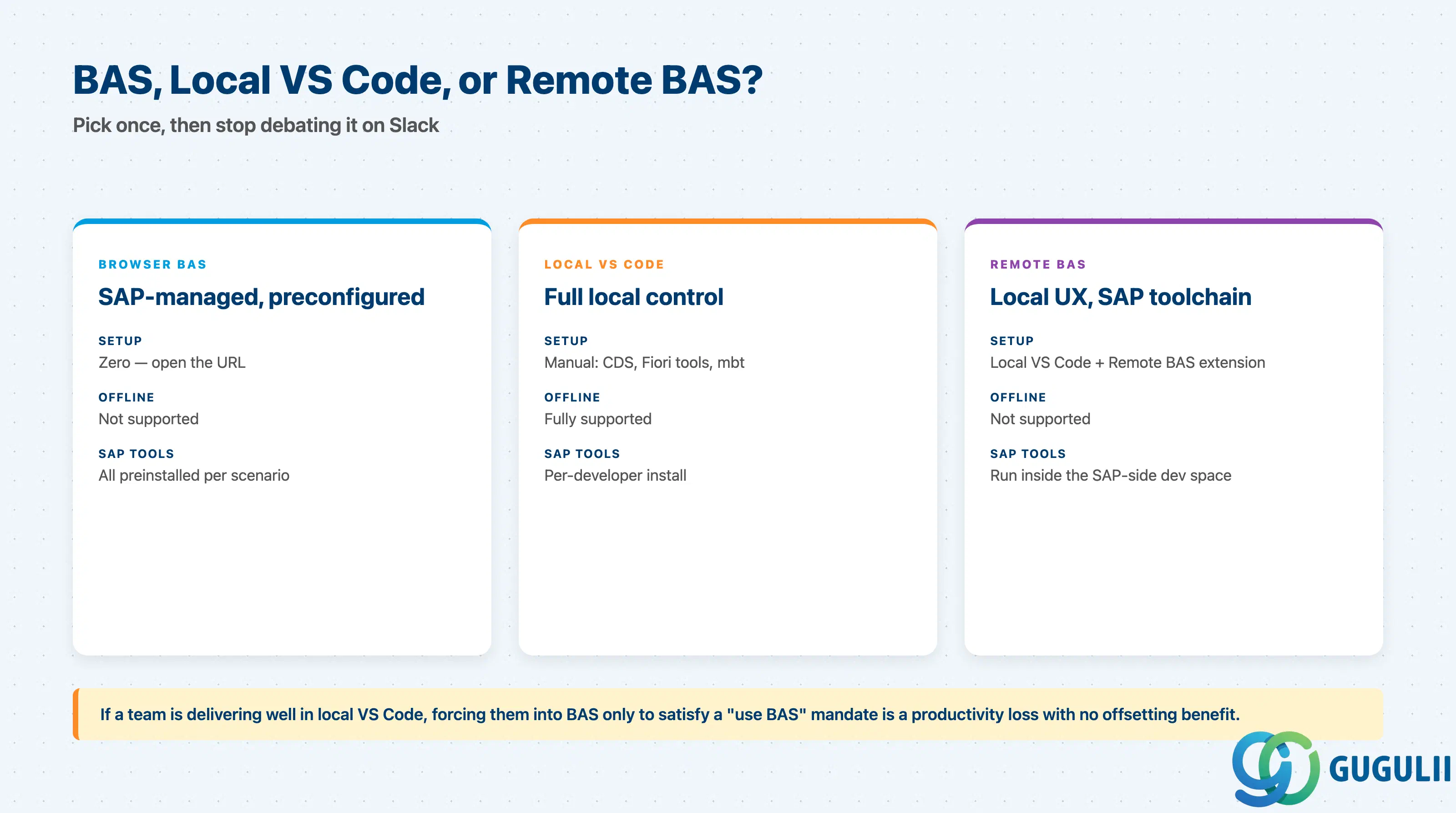
| Checklist item | Why it matters |
|---|---|
| Decide which scenarios run in BAS, which in local VS Code, which in Eclipse ADT | Mixing tools is fine, but the decision has to be explicit so developers stop debating it on Slack mid-sprint. |
| If using Remote SAP Business Application Studio (VS Code extension), document the trade-offs | Local VS Code keybindings and extensions; SAP-side compute and tooling. Useful, but breaks if either side rebuilds without notice. |
| For offline/firewalled developers, a non-BAS path exists (local VS Code with CAP + Fiori tools) | BAS requires reliable browser access; air-gapped or travel scenarios need a documented fallback. |
| ABAP on-premise development uses Eclipse ADT, not BAS | BAS does not replace Eclipse for on-premise ABAP. Forcing the team into BAS for that scenario is the wrong fight. |
| Checklist item | Why it matters |
|---|---|
| Cloud Connector tunnels and BTP destinations are reviewed by security before BAS is opened to developers | Once BAS can call S/4HANA via destinations, the IDE becomes a privilege boundary; treat it as such. |
| Secrets do not live in dev space files | Even though dev spaces are isolated, secrets in source files leak through Git. Use BTP credential stores or environment-injected variables. |
| Inactivity / stop policy is communicated to developers | Dev spaces auto-stop when idle; uncommitted in-memory state is lost. The default behaviour is correct, but it surprises new users. |
| Audit owner is named for each subaccount running BAS | Admin role + subaccount-level audit logging gives a complete picture; without an owner, “who launched what dev space” goes unanswered. |
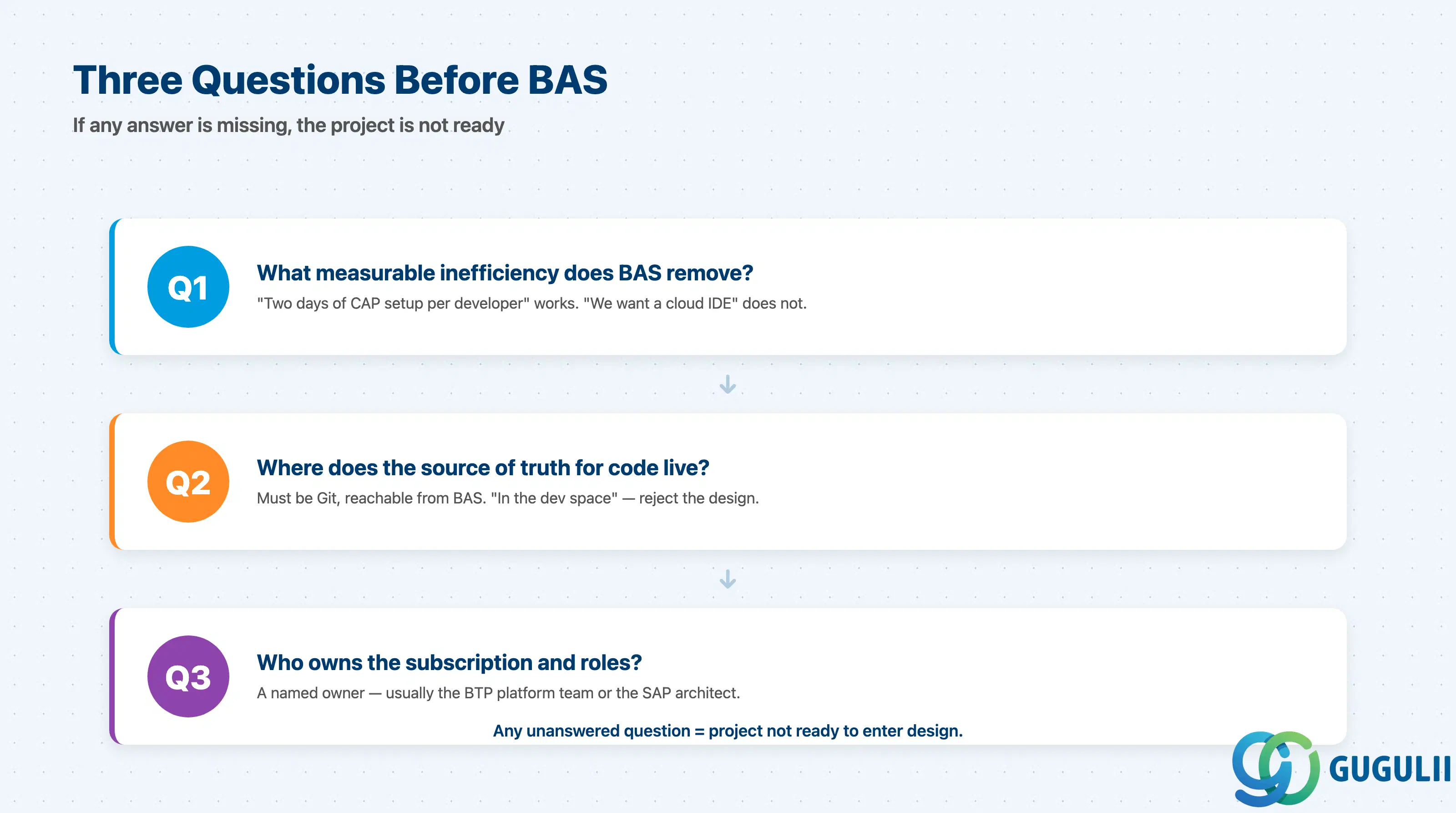
Q1. What is the measurable inefficiency we are buying BAS to remove?
If the answer is “developers spend two days setting up CAP locally” or “every Fiori developer has a slightly different toolchain,” BAS is the right intervention — preconfiguration is what BAS sells. If the answer is “we want a cloud IDE because cloud is modern,” stop. The cost of per-user subscription plus 6 GB-per-dev-space discipline will exceed the soft benefit.
Q2. Where does the source of truth for code live?
The answer must be Git, reachable from BAS — typically a BTP-side Git or an external provider (GitHub / GitLab / Azure DevOps). If the answer is “in the dev space,” reject the design. Dev spaces are ephemeral by policy and any project that treats one as a repo will lose work.
Q3. Who owns the BAS subscription and the role assignments?
BAS subscriptions, role collections, and dev space governance need a named owner — usually the BTP platform team or the SAP architect. Without one, “I can’t open BAS today” becomes an unowned ticket and free-plan limits trigger silent failures that no one diagnoses for days.
| Project context | Recommended dev space / path |
|---|---|
| CAP + Fiori full stack, single team | Full-Stack Cloud Application dev space |
| Fiori-only project (UI on top of an existing OData service) | SAP Fiori dev space |
| HANA Cloud calculation views, HDI development | SAP HANA Native Application dev space |
| BTP ABAP Environment (“Steampunk”) development | BAS dev space with ABAP Environment extension enabled |
| SAP Mobile Development Kit project | SAP Mobile Application dev space |
| Heavy custom toolchain or non-SAP code alongside BTP code | Local VS Code (optionally with Remote BAS extension) |
| Air-gapped or strictly offline environment | Local VS Code; document BAS as out of scope |
| No clear pain point identified yet | Stop. Go back to Q1. |
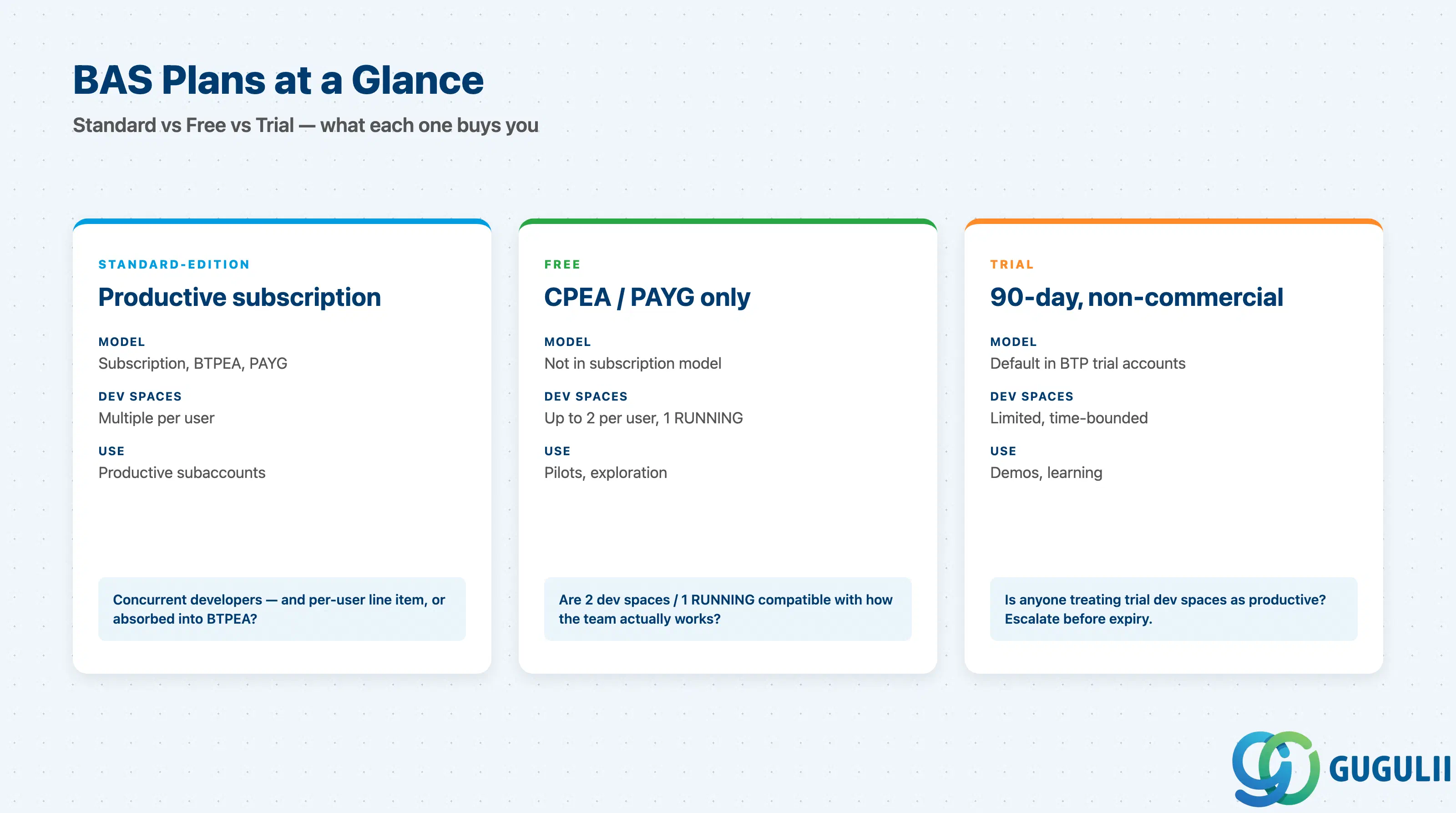
| Plan | Licensing model | Key question to ask |
|---|---|---|
standard-edition | Subscription model on BTP (subaccount-level entitlement) | How many concurrent developers, and is the cost on a per-user line item or absorbed into BTPEA? |
free (Application) | Available only with CPEA or Pay-As-You-Go | Are the 2-dev-space and 1-running limits compatible with how the team actually works? |
| Trial | Default subscribed in BTP trial accounts (90-day expiry) | Is anyone treating trial dev spaces as productive? If yes, escalate before the expiry. |
The free plan is not free under the BTP subscription model. Customers on a subscription contract who expect a “free BAS option” will not find one without changing commercial models.
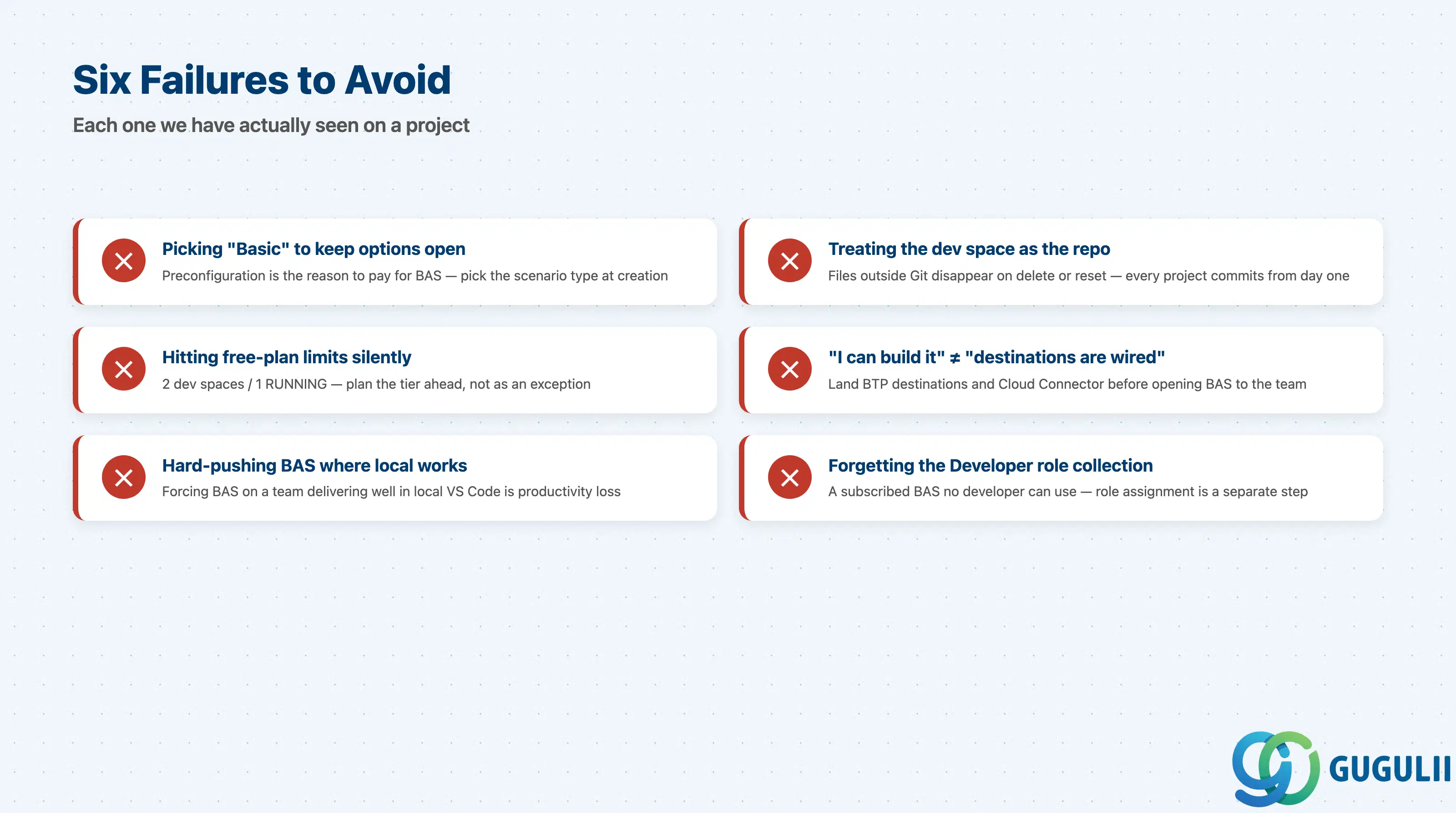
Failure 1: Picking “Basic” to keep options open
Teams pick Basic for flexibility, then spend the first sprint installing CDS, Fiori, and MTA extensions by hand. Preconfiguration is the reason to pay for BAS — if the scenario is CAP or Fiori, pick that type at creation; if it is genuinely multi-scenario, create multiple typed dev spaces.
Failure 2: Treating the dev space filesystem as the repo
A dev space is an editor with a 6 GB volume and a “stop when idle” lifecycle. Files outside Git disappear when the dev space is deleted or reset, so every project must commit to Git from day one and treat dev space contents as reproducible from that Git.
Failure 3: Subscribing to the free plan, then hitting the limits silently
The free plan caps at 2 dev spaces per user with 1 RUNNING. Multi-project consultants routinely need three or more dev spaces, and the failure mode is a silent “cannot start” — plan the tier ahead of subscription, not as an exception afterwards.
Failure 4: Confusing “I can build it” with “the destinations are wired”
BAS lets you scaffold a CAP service that calls S/4HANA, but does not configure the BTP destination, Cloud Connector tunnel, or OAuth client. Day-one rollout failures are usually here, not in BAS itself; land destinations and the security review before opening BAS to the team.
Failure 5: Hard-pushing BAS where local VS Code already works
Forcing a team that is delivering well with local VS Code, CDS Language Support, and mbt into BAS to satisfy a “use BAS” mandate is a productivity loss with no offsetting benefit. The Remote BAS extension is a reasonable middle ground.
Failure 6: Forgetting to assign the Developer role collection
A subscribed BAS that no developer can use because the Business_Application_Studio_Developer role collection was never assigned is a recurring opening-day incident. Role assignment is a separate step from subscription; both belong in the onboarding runbook.
Q: Can on-premise SAP customers still use BAS?
Yes — for any scenario whose runtime is on BTP (CAP, Fiori, HANA Cloud, BTP ABAP Environment) or whose target is reached via SAP Cloud Connector. The target of code written in BAS is independent of where S/4HANA runs. On-premise ABAP itself remains in Eclipse ADT.
Q: How does licensing work — is BAS its own bill or part of BTP credits?
It depends on the commercial model. Under BTPEA or Pay-As-You-Go, BAS draws against the credit pool through the application plans. Under the subscription model, BAS is a subscribed application with its own line item. The free plan is only available outside the subscription model.
Q: When should we descope BAS from a project?
When Q1 (measurable inefficiency) returns “we want a cloud IDE” with no number behind it, descope. When the team delivers well in local VS Code and the only argument for BAS is “everyone else uses it,” descope. When the workflow is fundamentally offline, descope.
Q: How do we document the BAS requirement properly?
In the project charter, write one line per developer cohort: Cohort X uses dev space type Y on plan Z, with role R, source-controlled to repo G, sized for N concurrent dev spaces. Six fields, one line. Any empty field is a gap.
Q: How does Joule for Developers fit in?
Joule code suggestions and CAP scaffolding are GA in BAS in core scenarios. Treat Joule as an accelerator for an already-healthy practice — it does not fix missing CI/CD, tests, or source control. Adoption is opt-in per developer.
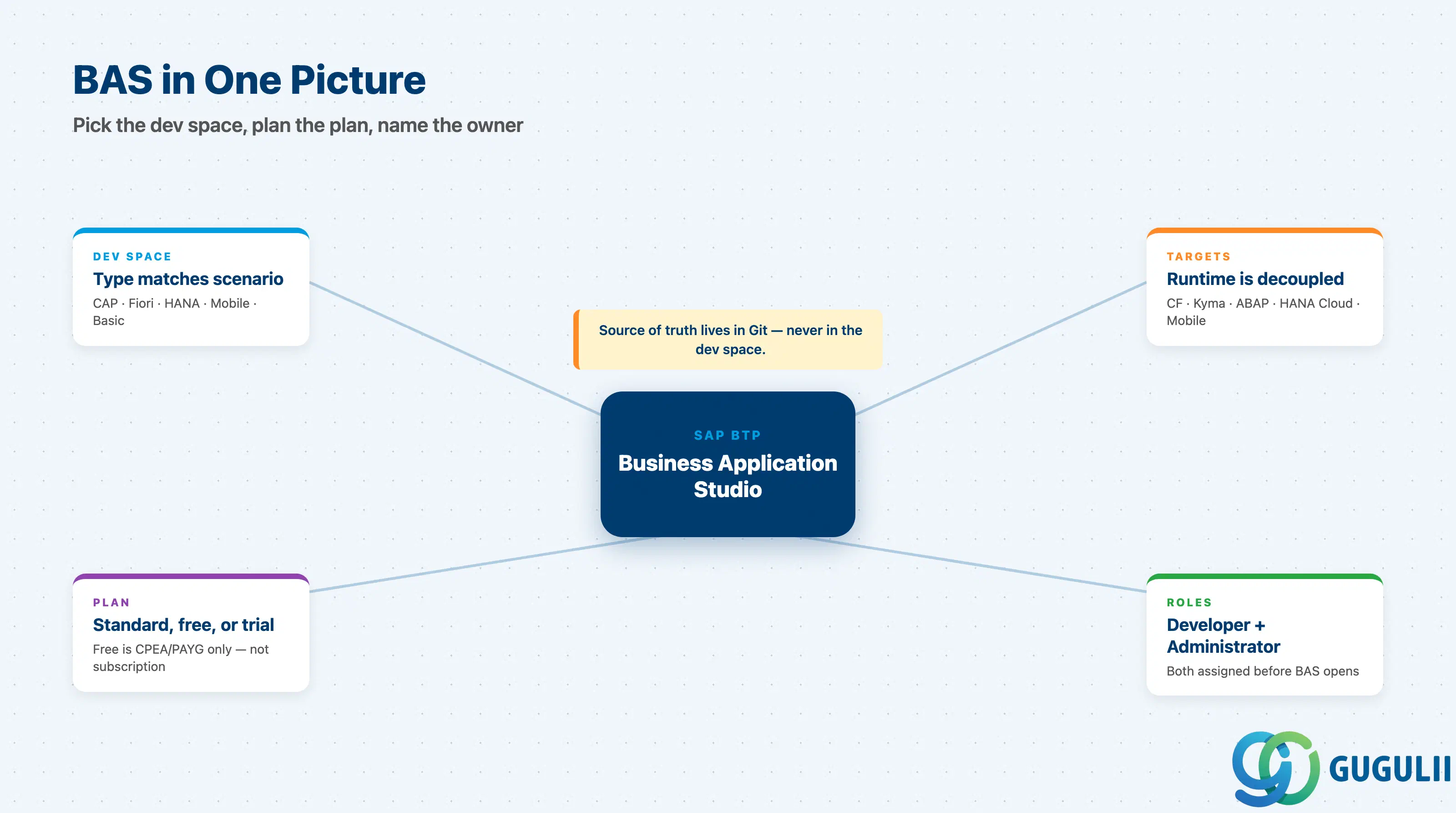
SAP Business Application Studio is a managed Code-OSS IDE delivered as per-user dev spaces on a SAP-operated Kubernetes fleet, decoupled from the BTP runtime your code targets and exposed through scenario-typed dev spaces (Full-Stack Cloud, Fiori, HANA Native, Mobile, Basic) plus optional SAP extensions.
In 2026 BAS is production-ready for every cloud scenario SAP develops against. The rules of engagement are real: 6 GB per dev space, free plans only outside the subscription model, roles that must be assigned before any developer can open the IDE.
The consultant’s job is to refuse “BAS for everything” and “VS Code for everything.” Pick BAS when the team needs SAP wizards, BTP destinations, and a short setup path; pick local VS Code (or Remote BAS) when the workflow needs offline operation, custom toolchains, or non-SAP code alongside BTP code. B03–B07 drill into the runtimes BAS feeds into; B08 converges on the cross-family decision patterns.