Title here
Summary here

| ID | Title |
|---|---|
| BTP-B01 | Application Development Overview and Capability Map |
| BTP-B02 | Business Application Studio: Architecture and Use |
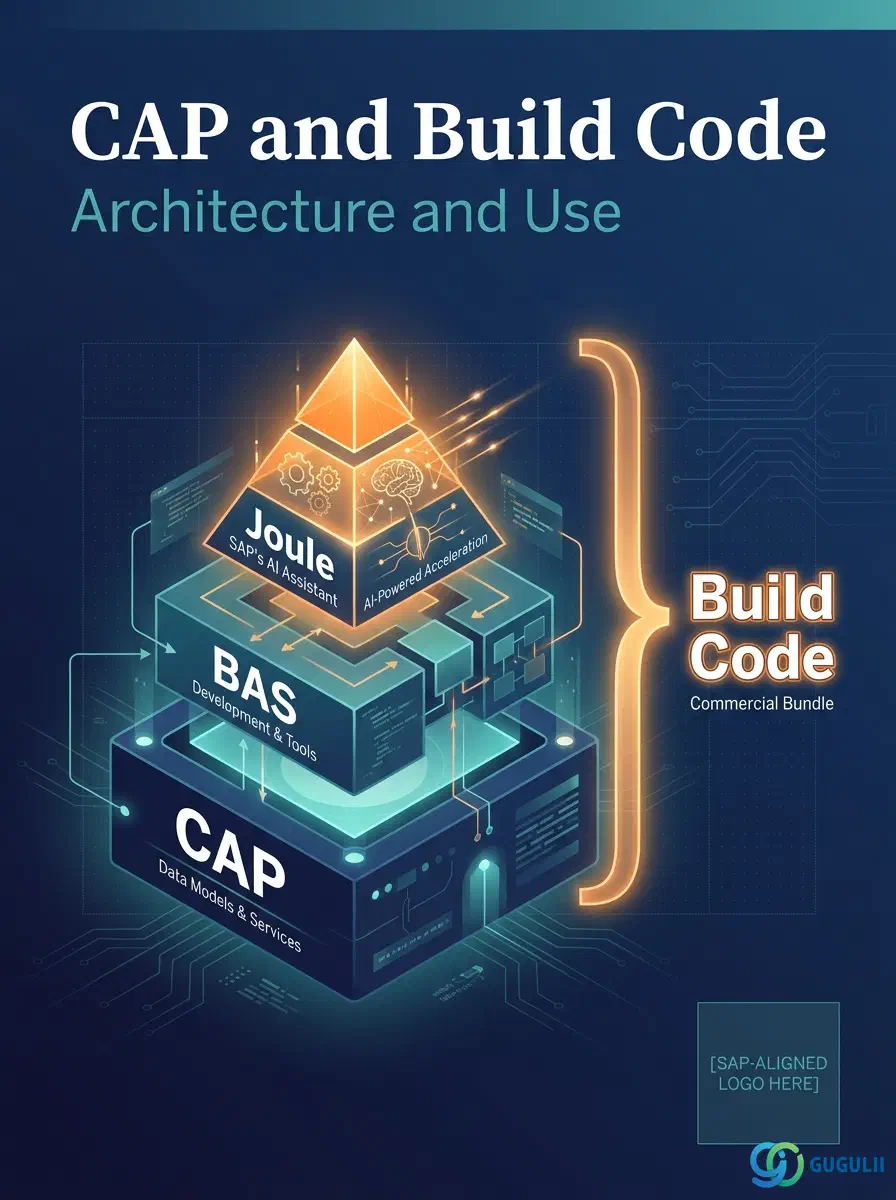
| BTP-B03 | CAP and Build Code: Architecture and Use (this article) |
| BTP-B04 | ABAP Environment: Architecture and Use |
| BTP-B05 | Build Apps: Architecture and Use |
| BTP-B06 | Build Process Automation: Architecture and Use |
| BTP-B07 | Build Work Zone: Architecture and Use |
| BTP-B08 | Use Cases and Decision Patterns |
| Resource | URL |
|---|---|
| SAP Cloud Application Programming Model (capire) | cap.cloud.sap → |
| CAP Java — Getting Started | cap.cloud.sap → |
| CAP Node.js Stack | cap.cloud.sap → |
| CAP — Extensibility & Multitenancy Guide | cap.cloud.sap → |
| SAP Joule for Developers product page | sap.com → |
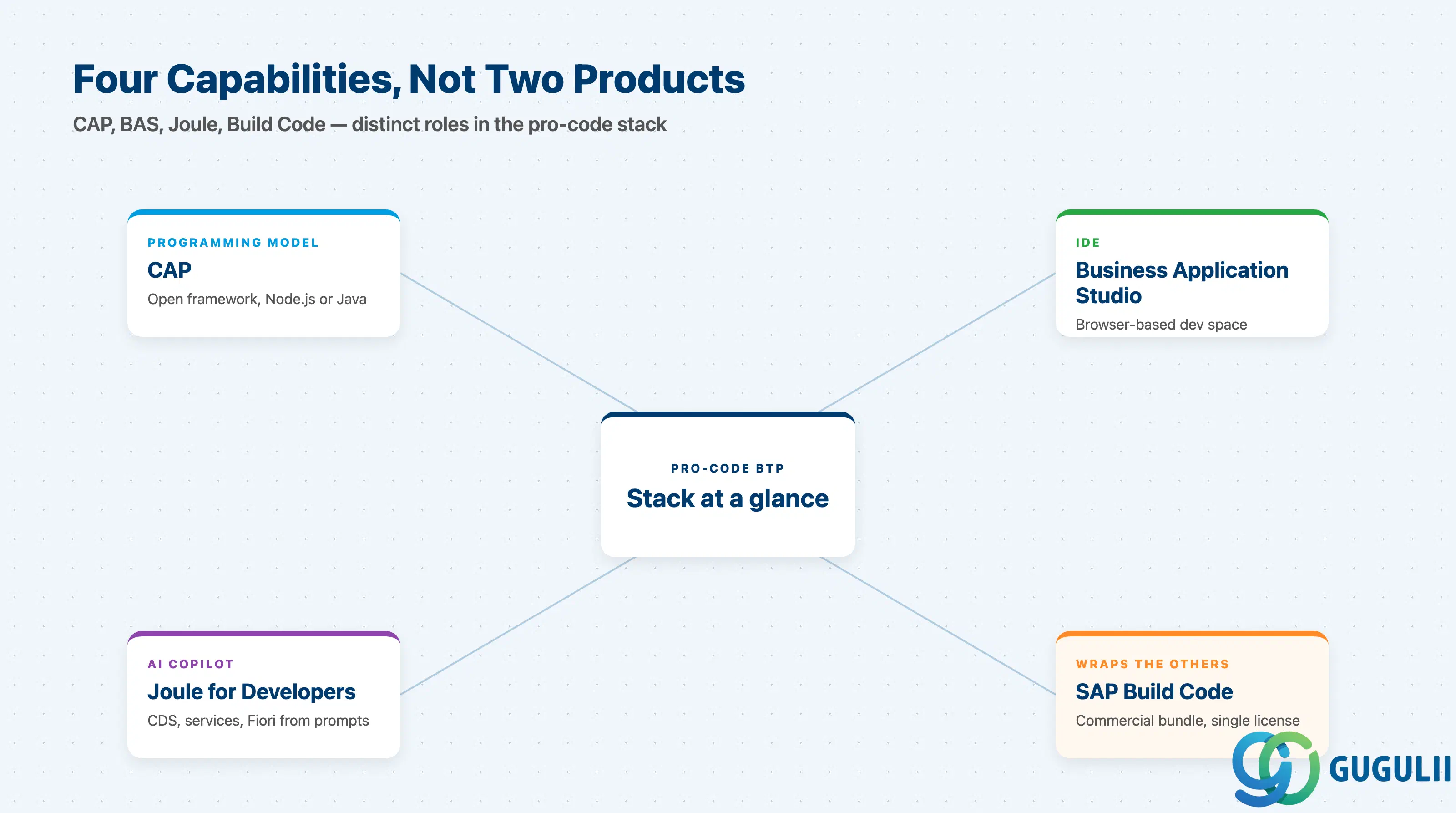
CAP and Build Code are often discussed as if they were competing products. They are not. CAP is a framework; Build Code is a packaging of that framework with an IDE and an AI copilot.
| Capability | What it does | Primary user |
|---|---|---|
| CAP (programming model) | Models domain in CDS, generates OData services, manages persistence and security | Pro developer (Node.js / Java) |
| SAP Business Application Studio | Browser-based dev space hosting the CAP toolchain and Fiori tools | Pro developer |
| Joule for Developers | AI copilot generating CDS entities, CAP services, and Fiori UI annotations from natural-language prompts | Pro developer |
| SAP Build Code | Commercial bundle: BAS dev space + CAP + Joule under one subscription | Team lead / project owner |
They are not substitutes. CAP is the runtime regardless of which option you pick. BAS is the IDE. Joule is the AI feature. Build Code is the commercial wrapper.
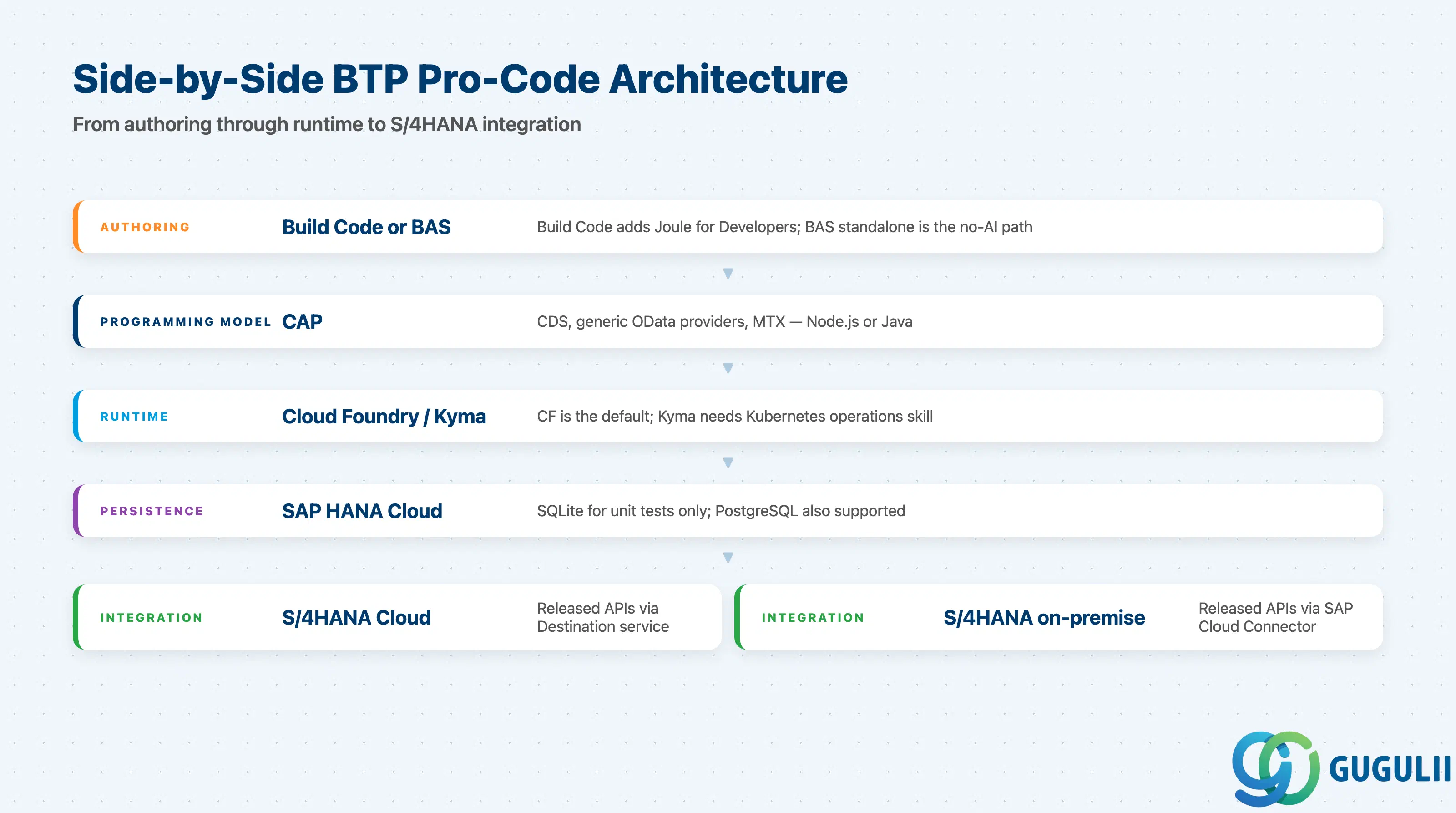
CAP is a side-by-side extensibility option: services run on BTP and call into S/4HANA via released APIs, not from inside the S/4HANA stack. Build Code does not change this — it changes how you author the side-by-side service, not where it runs.
                 SAP BTP — Application Development (Pro Code)
   ┌──────────────────────────────────────────────────────────────────┐
   │  Authoring layer                                                 │
   │   ├─ SAP Build Code (BAS dev space + Joule for Developers)       │
   │   └─ Or: BAS standalone + CAP toolchain (no Joule)               │
   │                                                                  │
   │  Programming model                                               │
   │   └─ CAP (Node.js or Java) — CDS, generic providers, MTX         │
   │                                                                  │
   │  Runtime                                                         │
   │   ├─ Cloud Foundry (default for CAP)                             │
   │   └─ Kyma (Kubernetes-native)                                    │
   │                                                                  │
   │  Persistence                                                     │
   │   └─ SAP HANA Cloud (PostgreSQL / SQLite supported in dev)       │
   └──────────────────────────────┬───────────────────────────────────┘
                                  │ OData / REST via Destination service
                                  ▼
   ┌──────────────────────────────────────────────────────────────────┐
   │  S/4HANA Cloud (released APIs only)  ──or──  S/4HANA on-premise  │
   │                                                via Cloud Connector│
   └──────────────────────────────────────────────────────────────────┘
Key point: Whether you author in plain BAS or in Build Code, the deployed CAP service is the same artifact. Build Code is an authoring decision, not an architecture decision — “we picked Build Code” is not, by itself, an answer to any S/4HANA integration question.
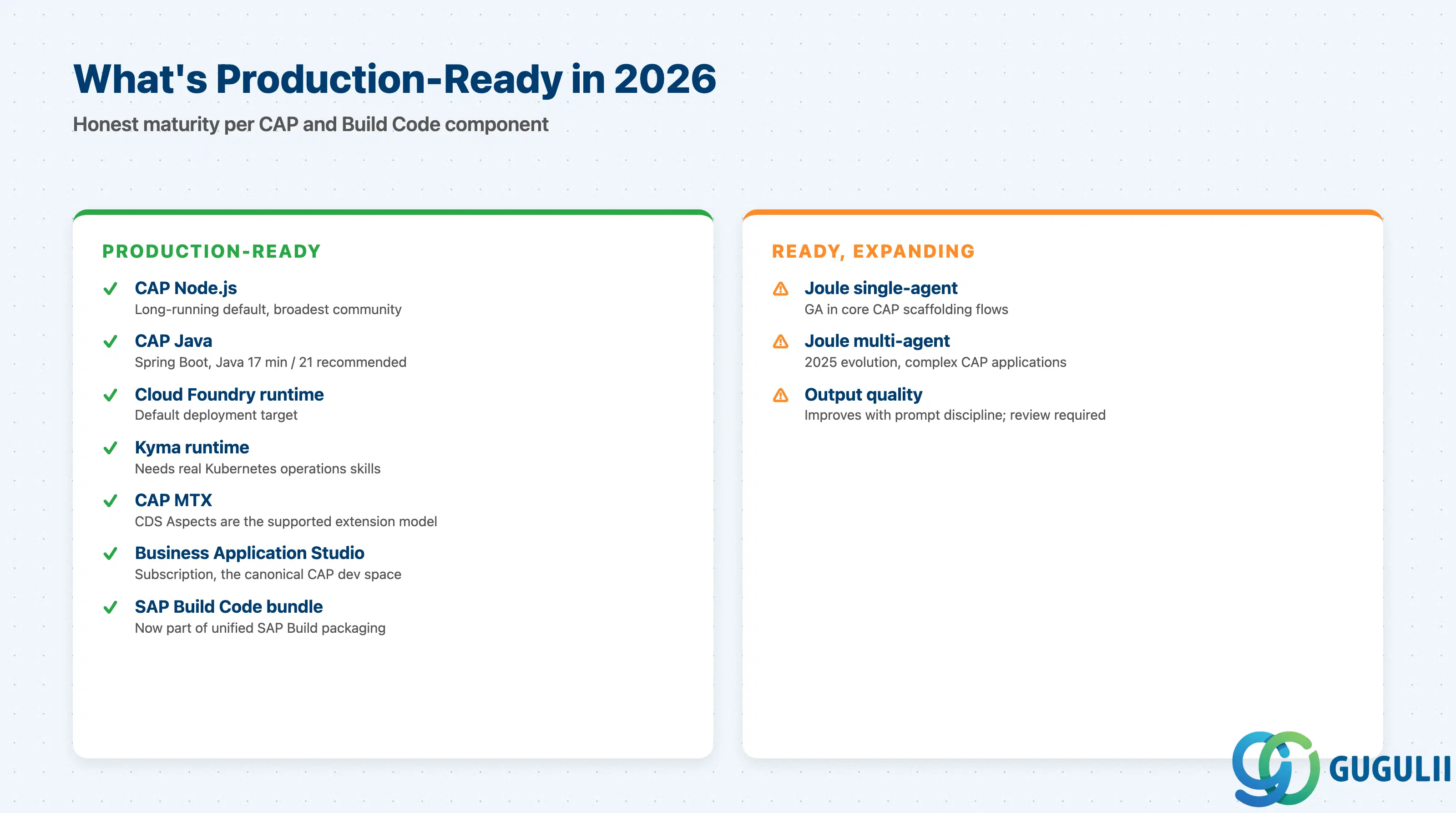
| Capability | Maturity | Notes |
|---|---|---|
| CAP Node.js | ✅ Production-ready | Long-running default; broadest community. Requires Node.js LTS. |
| CAP Java | ✅ Production-ready | Spring Boot integration; Java 17 minimum, Java 21 recommended; Maven 3.6.3+. |
| CAP on Cloud Foundry | ✅ Production-ready | The default deployment target; richest service catalogue. |
| CAP on Kyma | ✅ Production-ready | Requires real Kubernetes operations capability — not a drop-in for CF teams. |
| CAP MTX (multitenancy) | ✅ Production-ready | Used by all SAP-built SaaS extensions; CDS Aspects are the supported extension model. |
| SAP Business Application Studio | ✅ Production-ready | Subscription-based; the canonical CAP dev space. |
| Joule for Developers (single-agent) | ⚠️ Production-ready in core CAP scaffolding | Generates CDS entities, CAP services, Fiori UI annotations. |
| Joule for Developers (multi-agent) | 🔶 Generally available, expanding | 2025 evolution for complex CAP applications; output quality improves with prompt discipline. |
| SAP Build Code (bundle) | ✅ Production-ready | Now part of unified SAP Build packaging (Build Code + Apps + Process Automation + Work Zone under one license). |
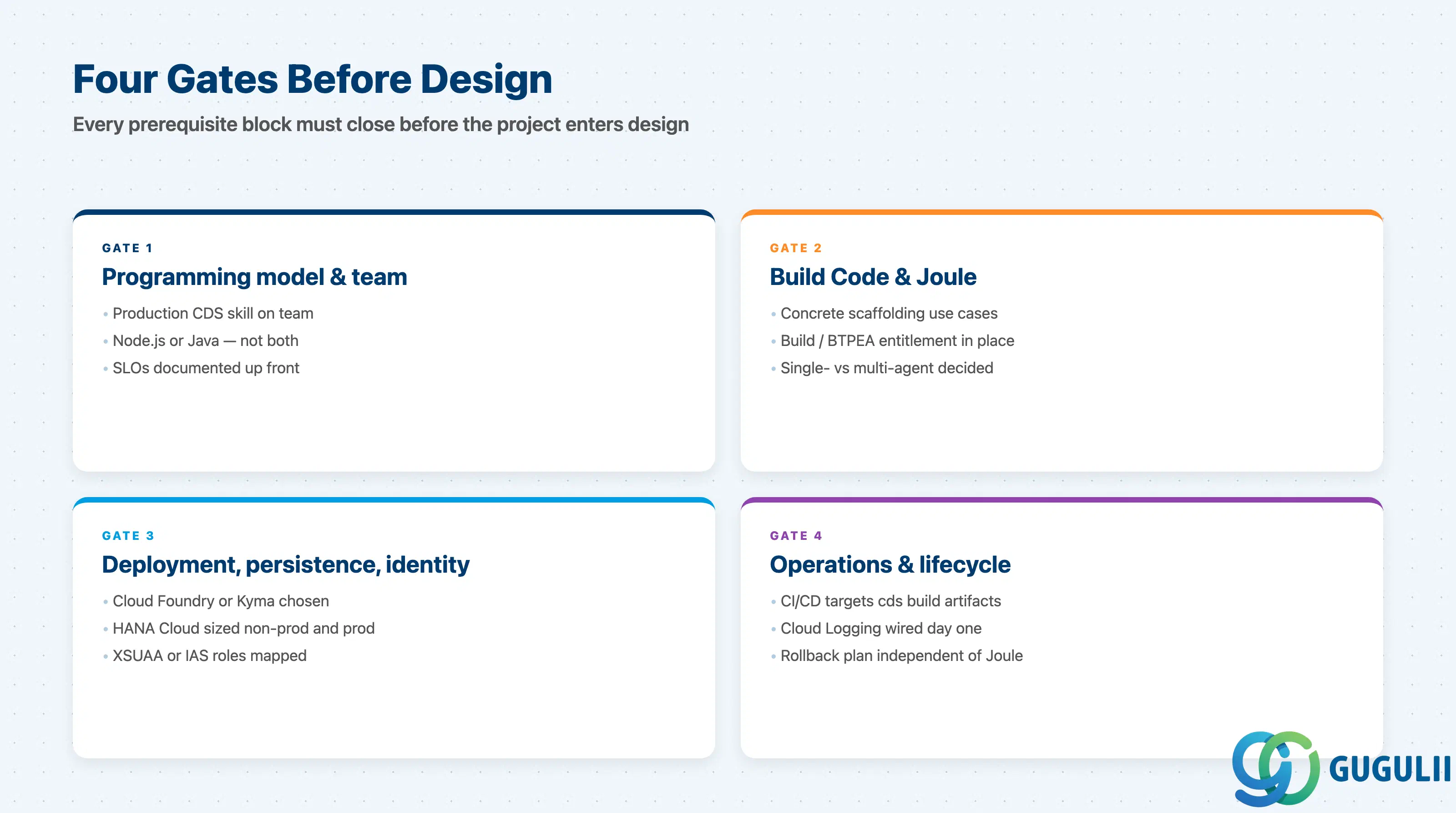
Each block below is a separate gating set. If any item is unanswered when requirements close, the project is not ready for design.
| Checklist item | Why it matters |
|---|---|
| At least one engineer with production CDS experience on the team | CAP’s productivity comes from CDS; teams learning CDS on the project ship slower than teams using Spring Boot or Express directly. |
| Decision made between Node.js and Java stack — and not mixed in one service | Both are GA, but running both in parallel doubles operational surface for no productivity gain. |
| Node.js LTS or Java 17+ (Java 21 recommended) confirmed for build and runtime | Older Node.js or Java 11 is unsupported and will fail security review. |
| OData V4 acceptable for all consumers | CAP’s generic providers expose OData V4 by default. Pure REST or GraphQL needs a custom adapter. |
| Service-level SLOs documented before scaffolding starts | Generic providers hide query cost; SLOs prevent post-go-live surprises. |
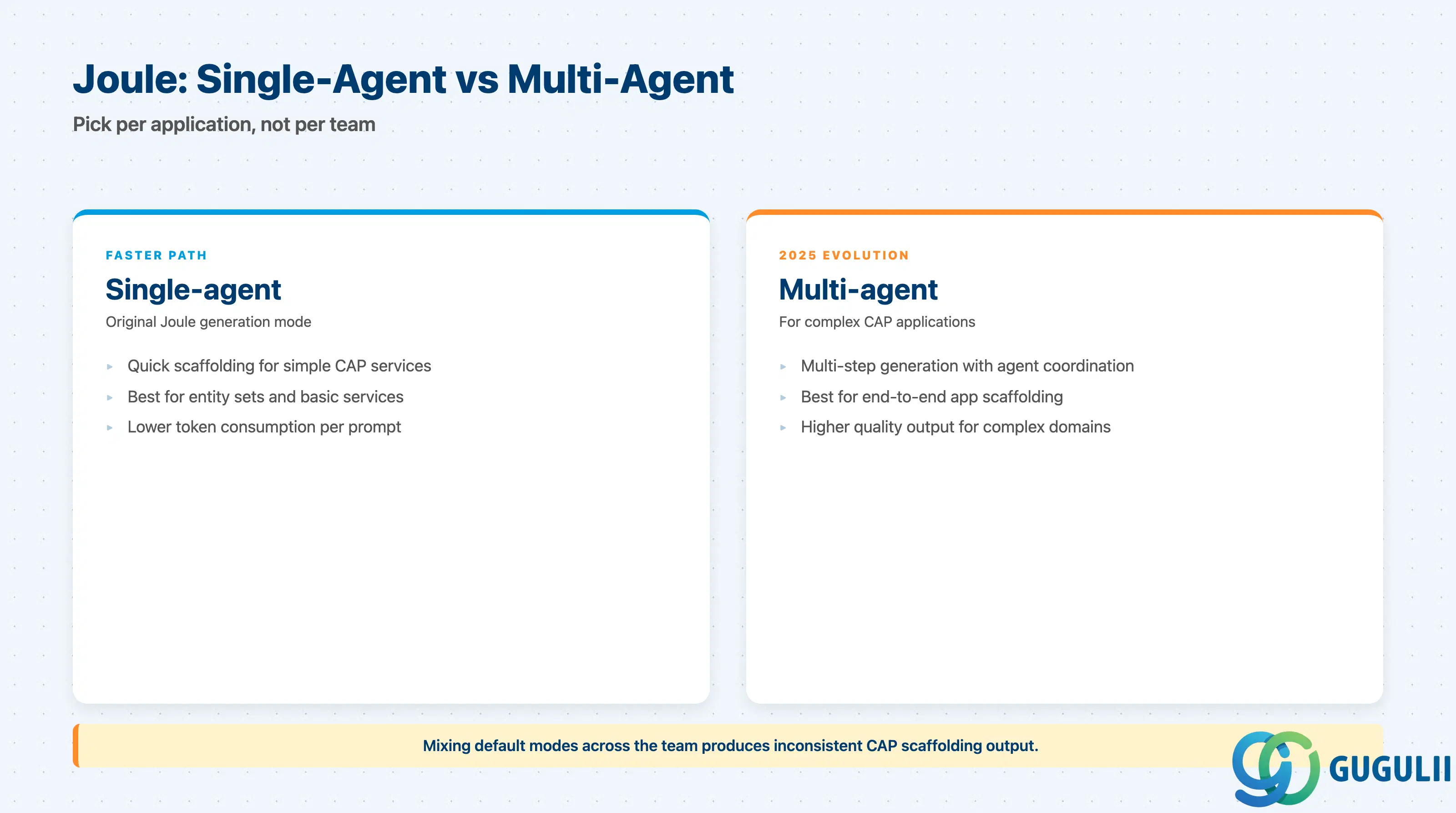
| Checklist item | Why it matters |
|---|---|
| Concrete scaffolding use cases documented (e.g., “generate CDS for 12 entities from this spec”) | Build Code’s value over plain CAP is Joule. Without scaffolding need, the bundle is overhead. |
| BTP entitlement for SAP Build subscription or BTPEA credits for Joule consumption | Joule runs through the generative AI hub; entitlement must exist before development starts. |
| Prompt-engineering review process agreed | Joule output is reviewed code, not artifacts to merge blindly — review discipline must be defined. |
| Choice between single-agent and multi-agent generation per application | Multi-agent suits complex apps; single-agent is faster for simple scaffolding. Mixing defaults across the team causes inconsistent output. |
| Source-control workflow accommodates AI-generated commits | Generated CDS and service stubs land as commits — clear ownership and review rules avoid drift. |
| Checklist item | Why it matters |
|---|---|
| Target runtime decided: Cloud Foundry or Kyma | Picked at project start, not mid-project. CF is the default; Kyma needs Kubernetes operations skills. |
| SAP HANA Cloud sized and budgeted for non-prod and prod | SQLite suits unit tests, not shared dev. HANA Cloud cost surprises are the most common BTP overrun. |
| XSUAA or IAS chosen for authentication, with role collections mapped | CAP’s @requires and @restrict rely on roles; deferring this blocks integration testing. |
| Destination service entries planned for every external call | CAP’s RemoteService still needs a destination behind it. |
| Multitenancy (single-tenant vs MTX) decided before first sprint | Retrofitting MTX is expensive; CAP supports it well only if planned in. |
| Checklist item | Why it matters |
|---|---|
CI/CD pipeline targets cds build artifacts (mta or k8s) | The CAP build is reproducible only through the supported tooling. |
| Logging and tracing wired to SAP Cloud Logging from day one | Default cf logs are not enough for production debugging across services. |
| Backup and DR strategy for HANA Cloud confirmed | HANA Cloud has its own backup and PITR mechanics — “BTP backs it up” has burned teams. |
| Joule prompts and outputs archived per project for audit | Some regulated industries require traceability for AI-assisted code generation. |
| Rollback plan independent of Joule | If a regression appears, the team must fix and redeploy without re-running the prompt. |
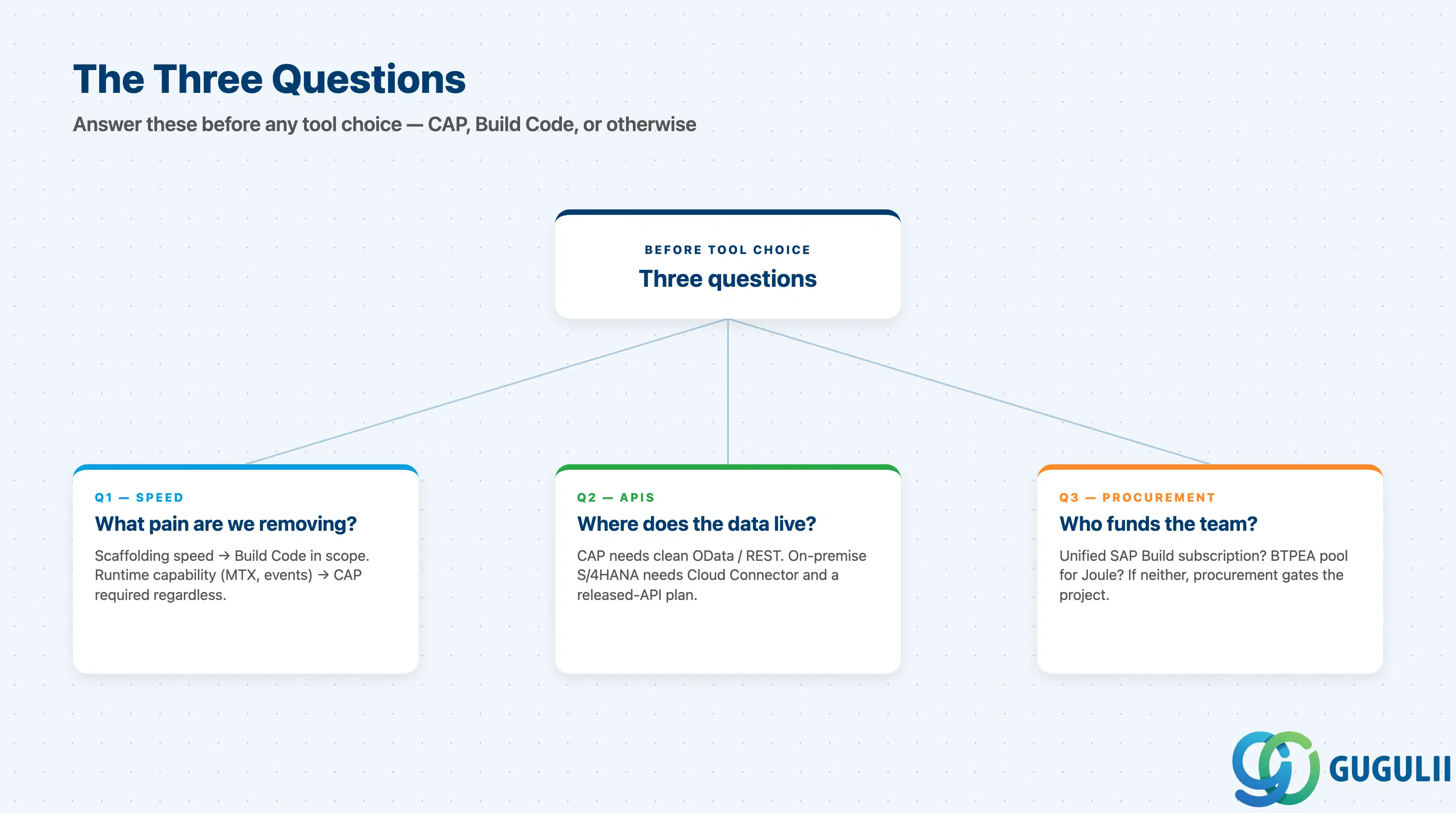
Q1. What concrete development pain are we removing — scaffolding speed, runtime capability, or both?
If the answer is only “scaffolding speed,” Build Code is in scope and plain CAP is not. If the answer involves “we need MTX” or “we need event-driven cross-service calls,” CAP is required regardless of whether Build Code is added.
Q2. Where does the data live and which APIs reach it?
CAP’s value depends on having clean OData or REST APIs to model. If the integration target is on-premise S/4HANA without released APIs, CAP can still call it via Cloud Connector and Destination, but the requirements discussion must include who owns the API release plan on the S/4HANA side.
Q3. Who funds the team and how are they billed for AI consumption?
Build Code now sits inside the unified SAP Build subscription. With BTPEA credits but no Build subscription, Joule is consumed under the BTPEA pool. With neither, procurement is the gating constraint, not technology.
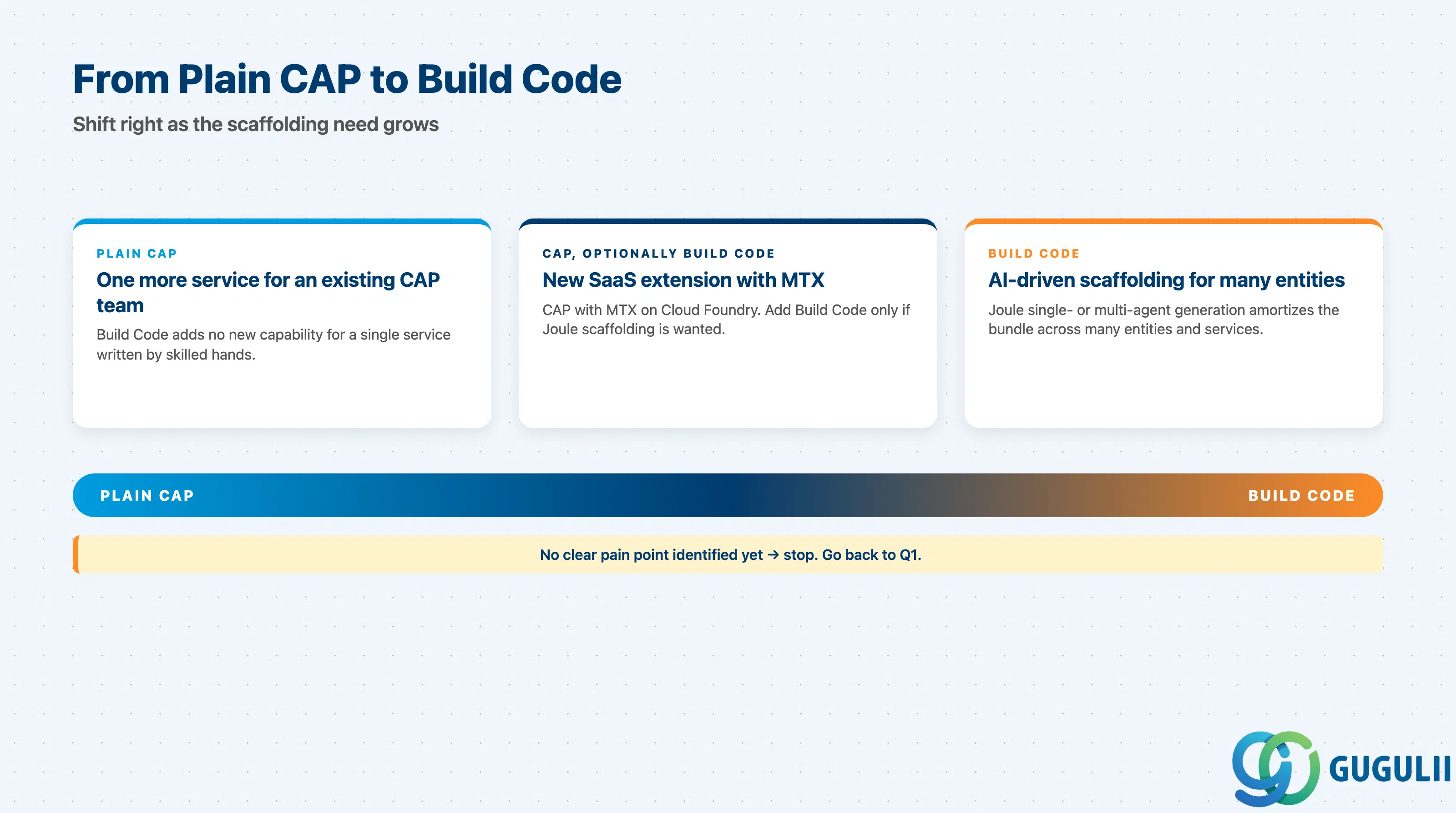
| Project context | Recommended starting capability |
|---|---|
| New SaaS extension on S/4HANA Cloud, multi-tenant from day one | CAP (Node.js or Java) with MTX on Cloud Foundry. Add Build Code if Joule scaffolding is wanted. |
| Internal data product exposing OData to a Fiori app | CAP (Node.js) on Cloud Foundry. Build Code optional. |
| Customer wants “AI to build the app” with concrete scaffolding use cases | Build Code with Joule single- or multi-agent. |
| Existing CAP team adding one more service | Plain CAP — Build Code adds no new capability for one service. |
| Kubernetes-mandated landscape with in-house platform team | CAP on Kyma. Build Code optional. |
| No clear pain point identified yet | Stop. Go back to Q1. |
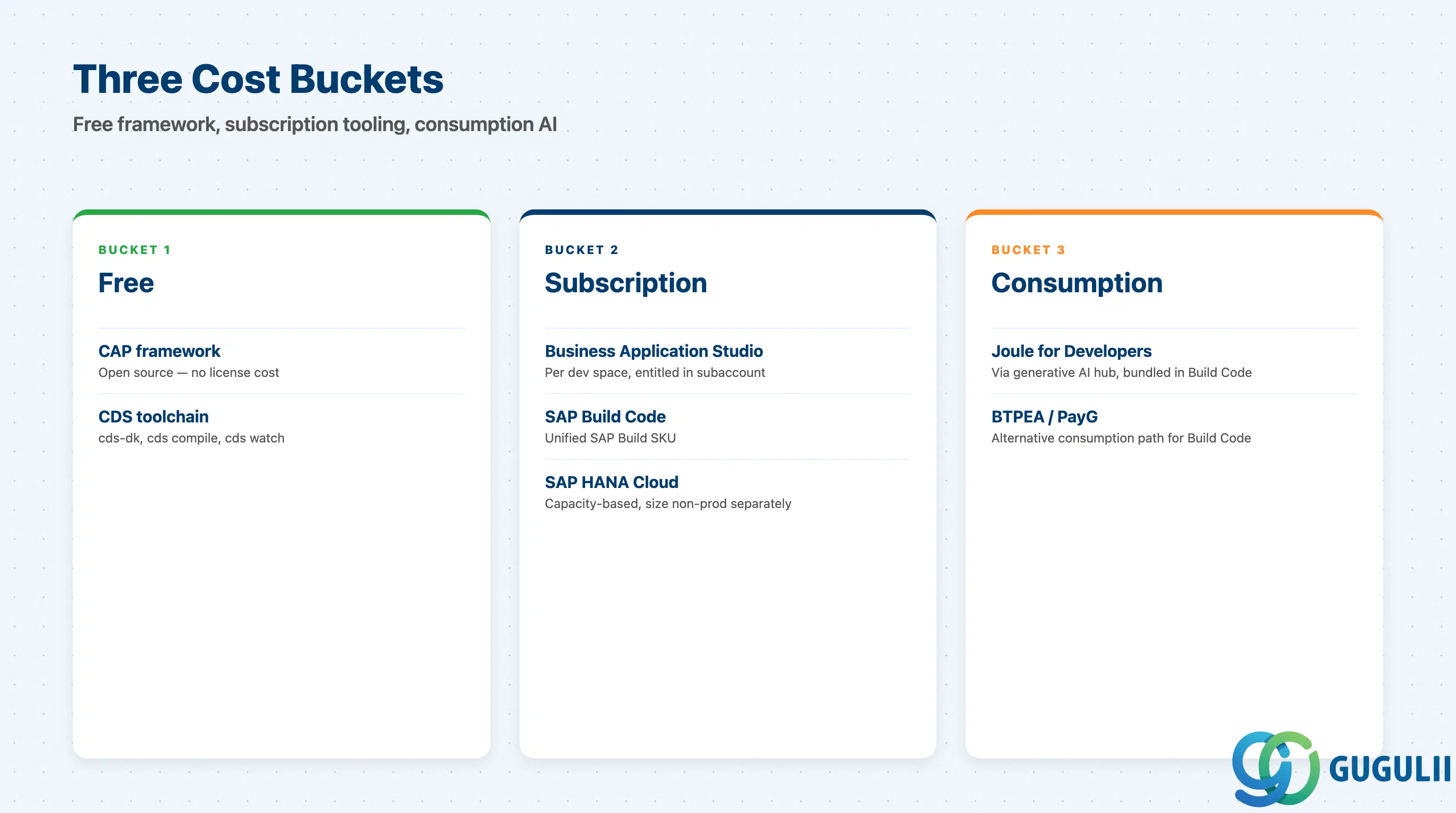
| Capability | Licensing model | Key question to ask |
|---|---|---|
| CAP framework | Open source, no license cost | Is there a budgeted SAP HANA Cloud instance? CAP is free; the persistence is not. |
| SAP Business Application Studio | Subscription per dev space | How many concurrent dev spaces are entitled in the BTP subaccount? |
| Joule for Developers | Consumption via generative AI hub, bundled in Build Code | How many prompts per developer per day are budgeted, and what is the fallback when credits run low? |
| SAP Build Code | Subscription under unified SAP Build packaging; also available via BTPEA / PayG | Is the customer on the unified SAP Build SKU, or buying Build Code separately via BTPEA? |
| SAP HANA Cloud | Subscription / capacity | Has non-prod been sized separately from prod? Sharing one instance across dev and prod is a recurring overrun. |
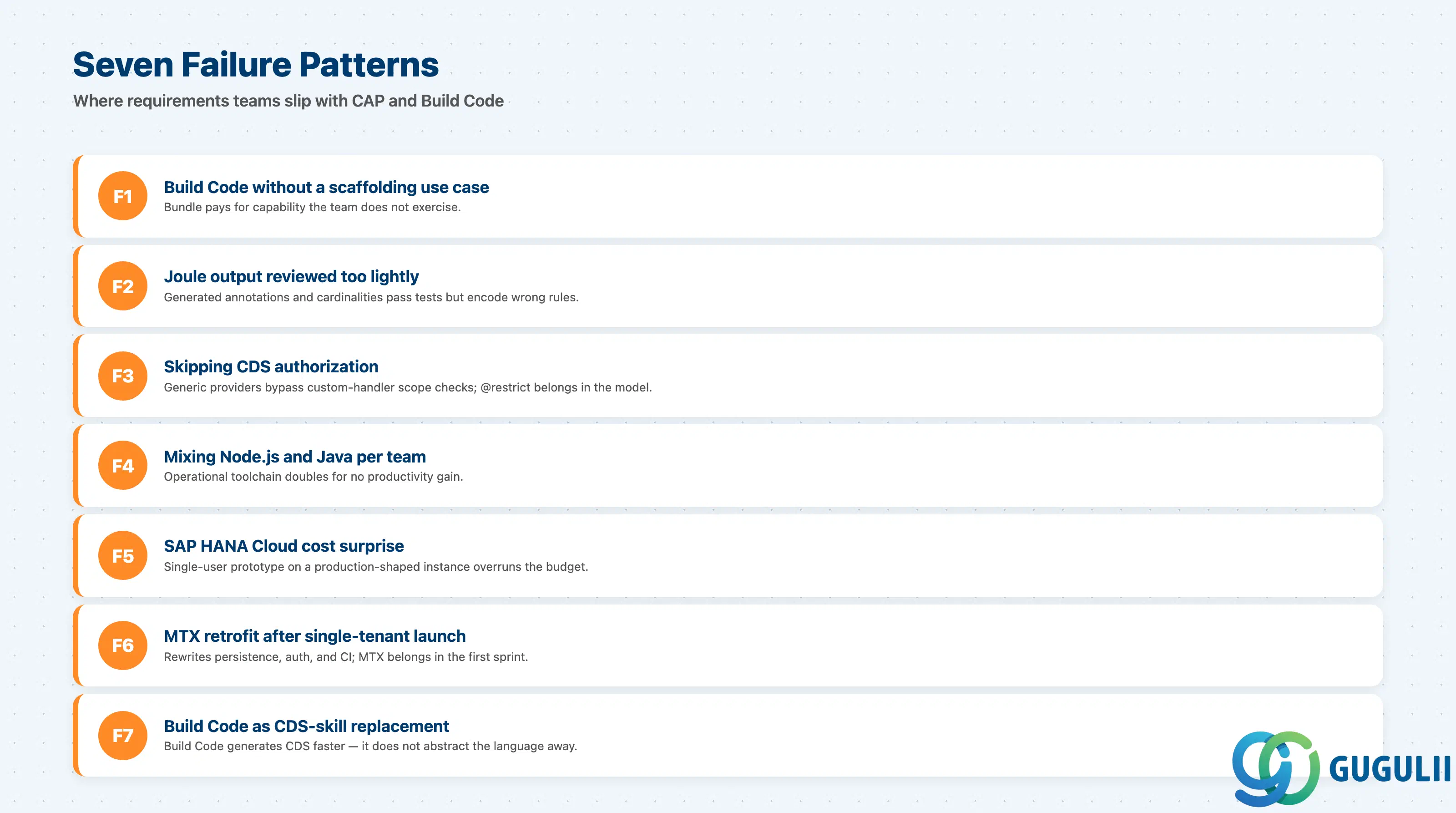
Failure 1: Picking Build Code with no scaffolding use case
The team buys Build Code because the customer wants “AI development,” then uses Joule for a few entity prompts and writes the rest by hand. The bundle pays for capability the team does not exercise. If the scaffolding use cases are thin, stay on plain CAP in BAS.
Failure 2: Treating Joule output as merged code
Joule generates CDS and service stubs that compile, which fools teams into shallow review. Generated authorization annotations, association cardinalities, and Fiori UI hints are the most common defect class — they pass tests but encode the wrong business rule. Treat Joule output as a junior engineer’s pull request.
Failure 3: Skipping CDS authorization, relying on XSUAA scopes alone
Teams bolt scope checks into custom handlers and leave @restrict and @requires off the CDS model. This works until the next developer writes a generic provider call that bypasses the handler entirely. Authorization belongs in the model.
Failure 4: Mixing Node.js and Java stacks in one team
A team that maintains both Node.js and Java CAP services ships about half as much per sprint as one that picks a stack. CAP is consistent across both, but the operational toolchain is not — debugging, profiling, dependency management, and IDE setup all double.
Failure 5: Underestimating SAP HANA Cloud cost in early prototyping
CAP development with SQLite is cheap. The first move to shared HANA Cloud is where budget surprises start, especially when a single-user prototype is provisioned with a production-shaped instance. Size HANA Cloud to actual non-prod load, not “what production might be.”
Failure 6: Forgetting MTX is a day-zero decision
CAP supports multitenancy well — but only when modeled in from the start. Retrofitting MTX after a single-tenant release means rewriting persistence, authentication, and CI flow. If the customer might ever resell the application or share it across legal entities, MTX belongs in the first sprint.
Failure 7: Treating Build Code as a replacement for CDS skill
Build Code does not abstract CDS away — it generates CDS faster. A team without anyone fluent in CDS will produce more code per sprint and ship more bugs per sprint. Plan at least one senior CAP engineer per project, with or without Joule.
Q: Can CAP run against an on-premise SAP system, or is it cloud only?
CAP’s supported deployment targets are SAP BTP Cloud Foundry and Kyma. To reach an on-premise S/4HANA, the CAP service uses the Destination service plus SAP Cloud Connector, calling released APIs (OData, REST, or remote-enabled function modules where still permitted). The CAP service itself does not run on-premise.
Q: Is Build Code mandatory if we want Joule for Developers?
Joule for Developers is the AI copilot delivered inside Build Code. Some Joule capabilities are reachable from VS Code (Joule Studio code editor) and from ABAP development tools, but the CAP-scaffolding experience that most consultants mean by “Joule” is the Build Code experience. Plan procurement for Build Code (or unified SAP Build) if Joule is in the requirements.
Q: When should we descope Build Code from a project even if the customer asks for it?
Descope when the team has fewer than two scaffolding use cases per quarter, or when the team is small enough that one senior CDS engineer can scaffold by hand faster than reviewing Joule output. Build Code’s value is amortized over many scaffolding events; one-off projects rarely earn it back.
Q: How do we license Build Code in a customer that already has BTPEA?
Build Code is part of the unified SAP Build packaging and is also available for consumption under BTPEA and PayG. A customer with an existing BTPEA agreement can consume Build Code against that pool — confirm exact unit pricing with the SAP account executive, since the unified Build SKU and the BTPEA-line consumption are priced differently.
Q: How do we document a CAP requirement so the design team can act on it?
Capture, at minimum: (1) entities mapped to released APIs vs net-new persistence, (2) Node.js or Java decision, (3) deployment runtime (CF or Kyma), (4) authentication provider (XSUAA or IAS) with role collection mapping, (5) multitenancy posture, (6) destination list, (7) whether Joule is in the toolchain and which flows it owns. Without these seven items, the design team will fill in defaults that may not match the contract.
Q: Does Build Code lock us into SAP for the long term?
The CAP code is portable — Node.js or Java services with CDS sources can be rebuilt outside Build Code, and the CDS toolchain is open. Build Code is a productivity wrapper, not runtime lock-in. The harder coupling comes from BTP services the application uses (XSUAA, Destination, HANA Cloud); those, not Build Code, are the real lock-in conversation.
Q: Can a low-code team using Build Apps consume a CAP service built in Build Code?
Yes. CAP exposes OData, and Build Apps can consume OData via the Destination service. This is the canonical “pro-code service, low-code UI” pattern on BTP.
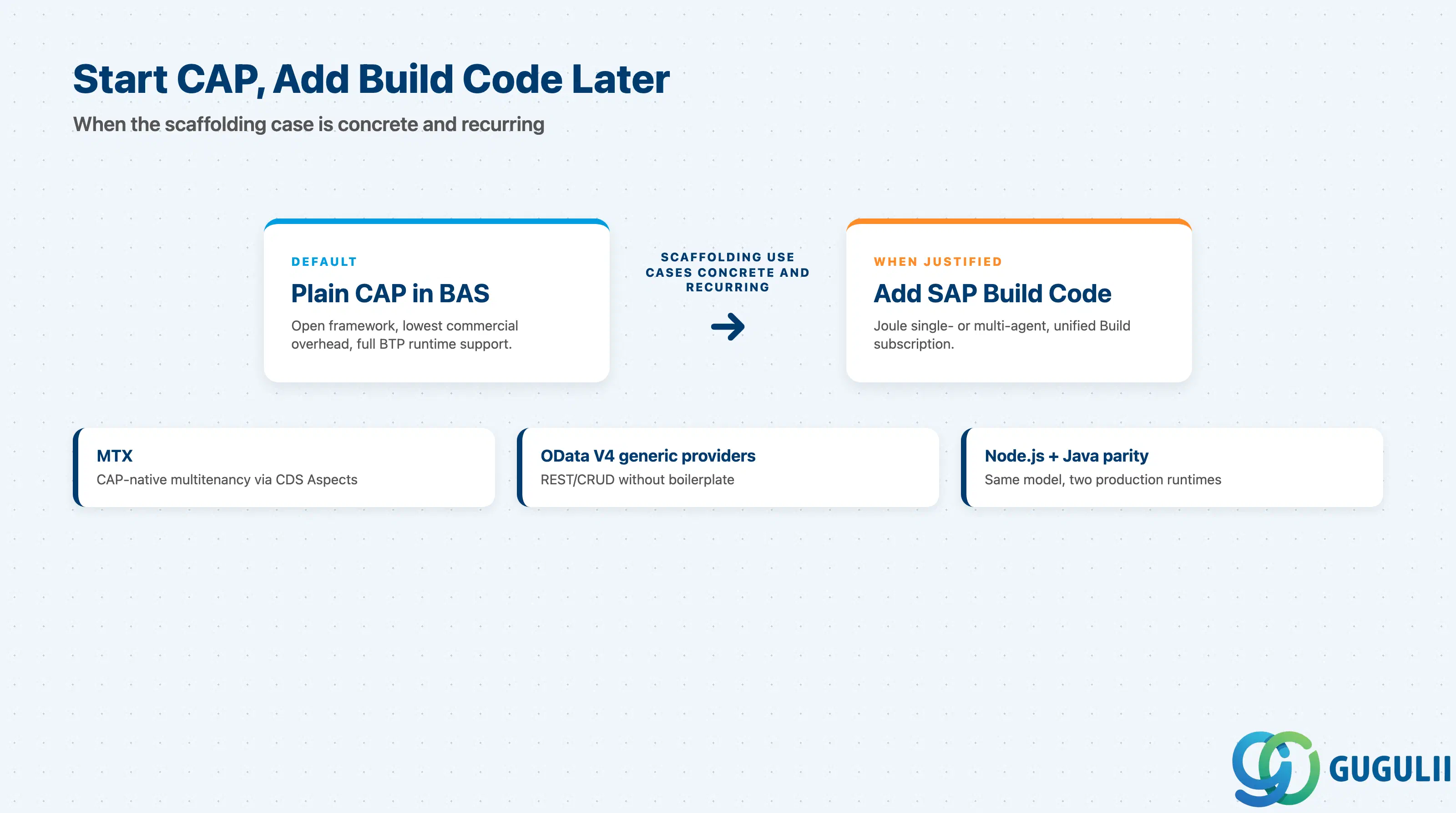
CAP is the programming model: open, mature, supported on Node.js and Java, and the right default for non-trivial side-by-side extensions of SAP S/4HANA. SAP Build Code is the commercial bundle wrapping CAP with a Business Application Studio dev space and Joule for Developers, an AI copilot that scaffolds CDS, services, and Fiori annotations — including a 2025 multi-agent mode. The decision is not which one to use, but whether the project has enough scaffolding work to amortize Build Code’s commercial overhead. When in doubt, start on plain CAP in BAS and add Build Code when scaffolding use cases are concrete and recurring.
| ID | Title |
|---|---|
| BTP-B01: Application Development Overview and Capability Map | Map the four BTP development families before zooming into Pro Code |
| BTP-B02: Business Application Studio: Architecture and Use | The IDE that hosts CAP development, with or without Build Code |
| BTP-B03 | CAP and Build Code: Architecture and Use (this article) |
| BTP-B04: ABAP Environment: Architecture and Use | The ABAP-side alternative when extensions must stay close to the S/4HANA core |
| BTP-B05: Build Apps: Architecture and Use | Low-code companion that often consumes CAP-built OData services |
| BTP-B06: Build Process Automation: Architecture and Use | Workflow and RPA layer that triggers CAP services |
| BTP-B07: Build Work Zone: Architecture and Use | Portal layer that surfaces CAP-backed Fiori apps |
| BTP-B08: Use Cases and Decision Patterns | End-to-end scenarios pulling all four families together |