Title here
Summary here

| ID | Topic |
|---|---|
| BTP-B01 | Application Development Overview and Capability Map |
| BTP-B02 | Business Application Studio: Architecture and Use |
| BTP-B03 | CAP and Build Code: Architecture and Use |
| BTP-B04 | ABAP Environment: Architecture and Use |
| BTP-B05 | Build Apps: Architecture and Use |
| BTP-B06 | Build Process Automation: Architecture and Use (this article) |
| BTP-B07 | Build Work Zone: Architecture and Use |
| BTP-B08 | Use Cases and Decision Patterns |
| Resource | URL |
|---|---|
| SAP Help Portal — SAP Build Process Automation | help.sap.com → |
| SAP Help Portal — Use SAP Build Process Automation | help.sap.com → |
| SAP Help Portal — Subscribe to Standard Plan | help.sap.com → |
| SAP Help Portal — Install Desktop Agent for Unattended Automations | help.sap.com → |
| SAP Discovery Center — SAP Build Process Automation | sap.com → |
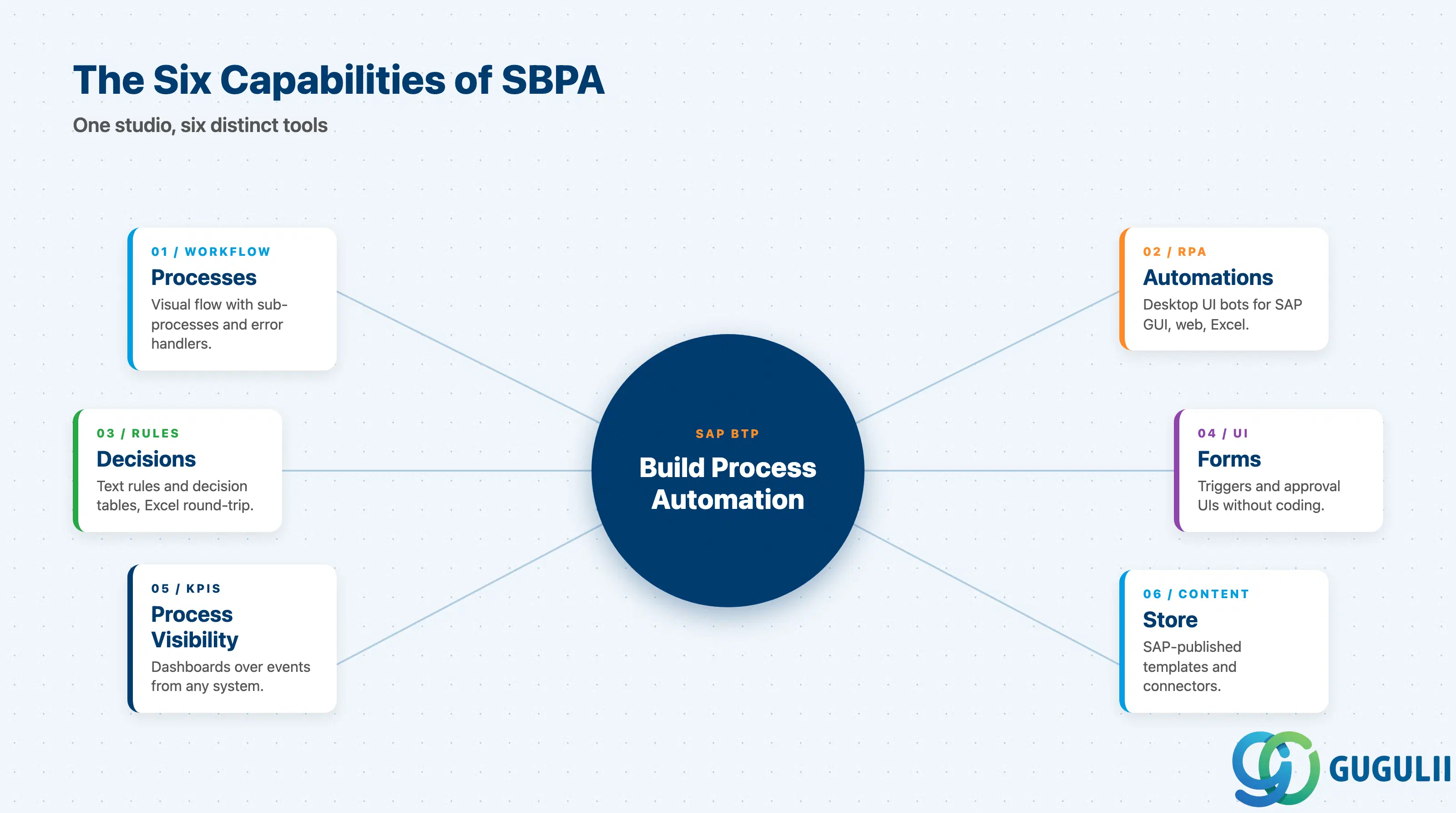
SBPA is one product but six capabilities. Treating them as one undifferentiated “automation tool” is the fastest way to misprice an engagement.
| Capability | What it does | Primary user |
|---|---|---|
| Processes | Visual workflow with sequential and parallel steps, sub-processes, error handlers | Citizen developer / process designer |
| Automations | Desktop UI bots (RPA) that drive SAP GUI, web, Excel, mainframe | Bot developer |
| Decisions | Business Rules (text rules + decision tables, Excel round-trip) | Business expert |
| Forms | Generated UIs for triggers and approval/user tasks | Process designer |
| Process Visibility | Declarative dashboards over process events from SAP and non-SAP sources | Process owner / business analyst |
| Store | SAP-published content packages: process templates, automations, connectors | All users (jumpstart) |
They are not substitutes.
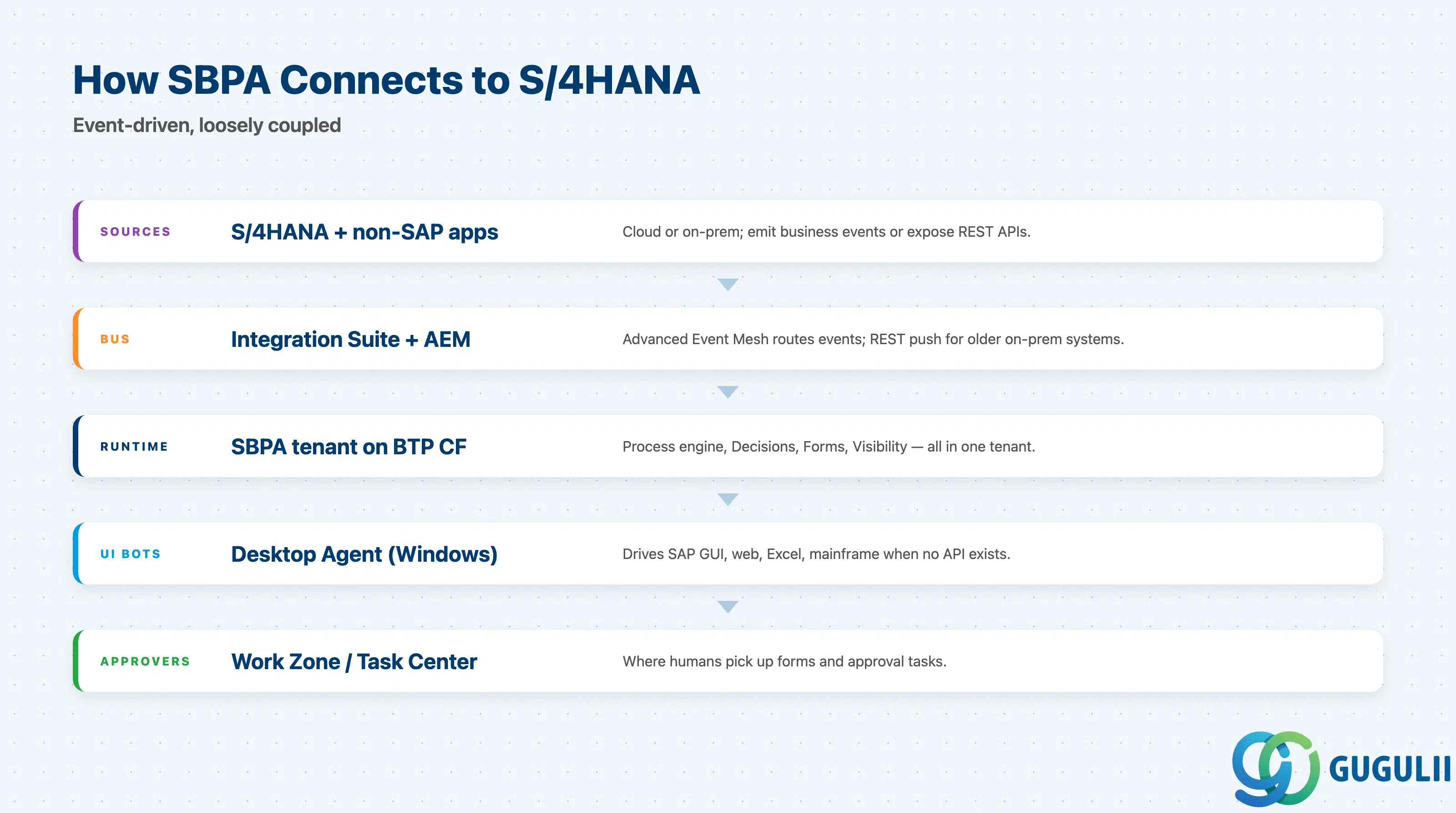
[S/4HANA Cloud]──events──┐
[S/4HANA on-prem]──REST──┤
[Non-SAP SaaS]──webhook──┤
                         ▼
              [SAP Integration Suite]
              [Advanced Event Mesh]
                         │
                         ▼
        ┌────────────────────────────────────┐
        │   SBPA tenant on BTP Cloud Foundry │
        │  ┌──────────┐  ┌──────────┐        │
        │  │ Process  │  │ Decision │        │
        │  │ engine   │  │ engine   │        │
        │  └──────────┘  └──────────┘        │
        │  ┌──────────┐  ┌──────────┐        │
        │  │ Forms    │  │ Visibil. │        │
        │  │ runtime  │  │ engine   │        │
        │  └──────────┘  └──────────┘        │
        └────────────────────┬───────────────┘
                             │ (UI tasks)
                             ▼
              [Desktop Agent on Windows]
              SAP GUI / web / Excel / mainframe
                             │
                             ▼
       [Approver UI: Build Work Zone / My Inbox / Task Center]
The S/4HANA connection is event-driven, not a tight runtime coupling. SBPA listens; S/4HANA does not change because SBPA exists. Cloud Connector + a BTP destination is the standard pattern for on-prem callbacks.
Key point: SBPA orchestrates work around S/4HANA. It does not extend the S/4HANA database, and it does not run inside the S/4HANA stack.
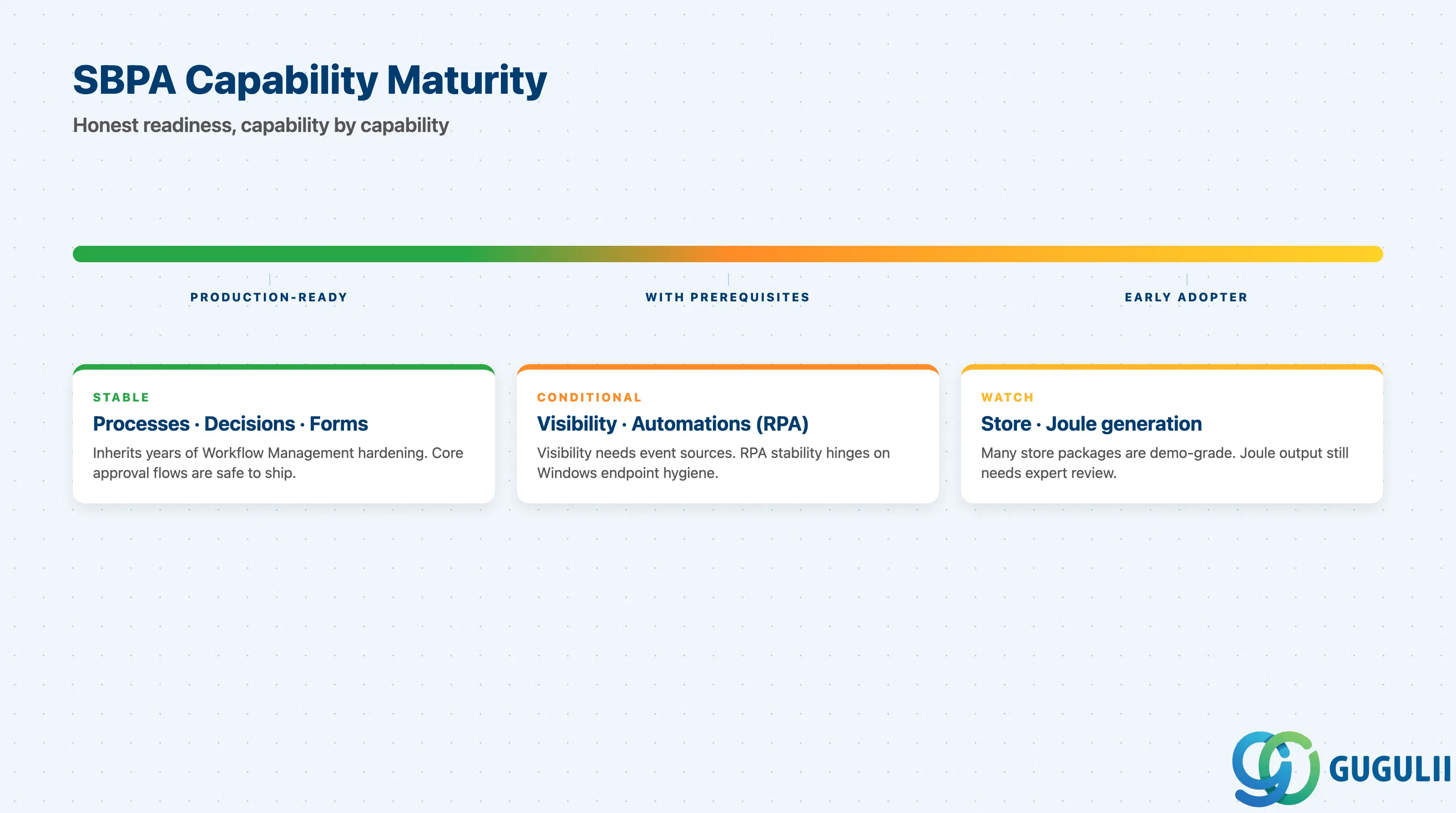
| Capability | Maturity | Notes |
|---|---|---|
| Processes (workflow) | ✅ Production-ready | Inherits years of SAP Workflow Management hardening. Stable for cross-system approvals, exception handling, sub-processes. |
| Decisions / Business Rules | ✅ Production-ready | Mature. Excel round-trip is the killer feature for business ownership. |
| Forms | ✅ Production-ready | Sufficient for approval and trigger UIs. Not a replacement for SAP Build Apps when complex UI is needed. |
| Process Visibility | ⚠️ Ready with prerequisites | Requires correlated event streams. If event sources are not modelled, the dashboards are empty. |
| Automations (RPA) | ⚠️ Ready with prerequisites | Windows-only Desktop Agent. Production stability depends heavily on endpoint hygiene (versions, AV, session locking). |
| Store / prebuilt content | 🔶 Use with caution | Many packages are demo-grade or tied to specific S/4HANA Cloud editions. Verify each package’s status before scoping it as “out of the box.” |
| Joule / GenAI generation | 🔶 Early adopter | Process / form / decision generation from prompts is improving but still produces drafts that need expert review. |
Build §4 to depth before quoting; if the answers are not concrete, the project is not ready.
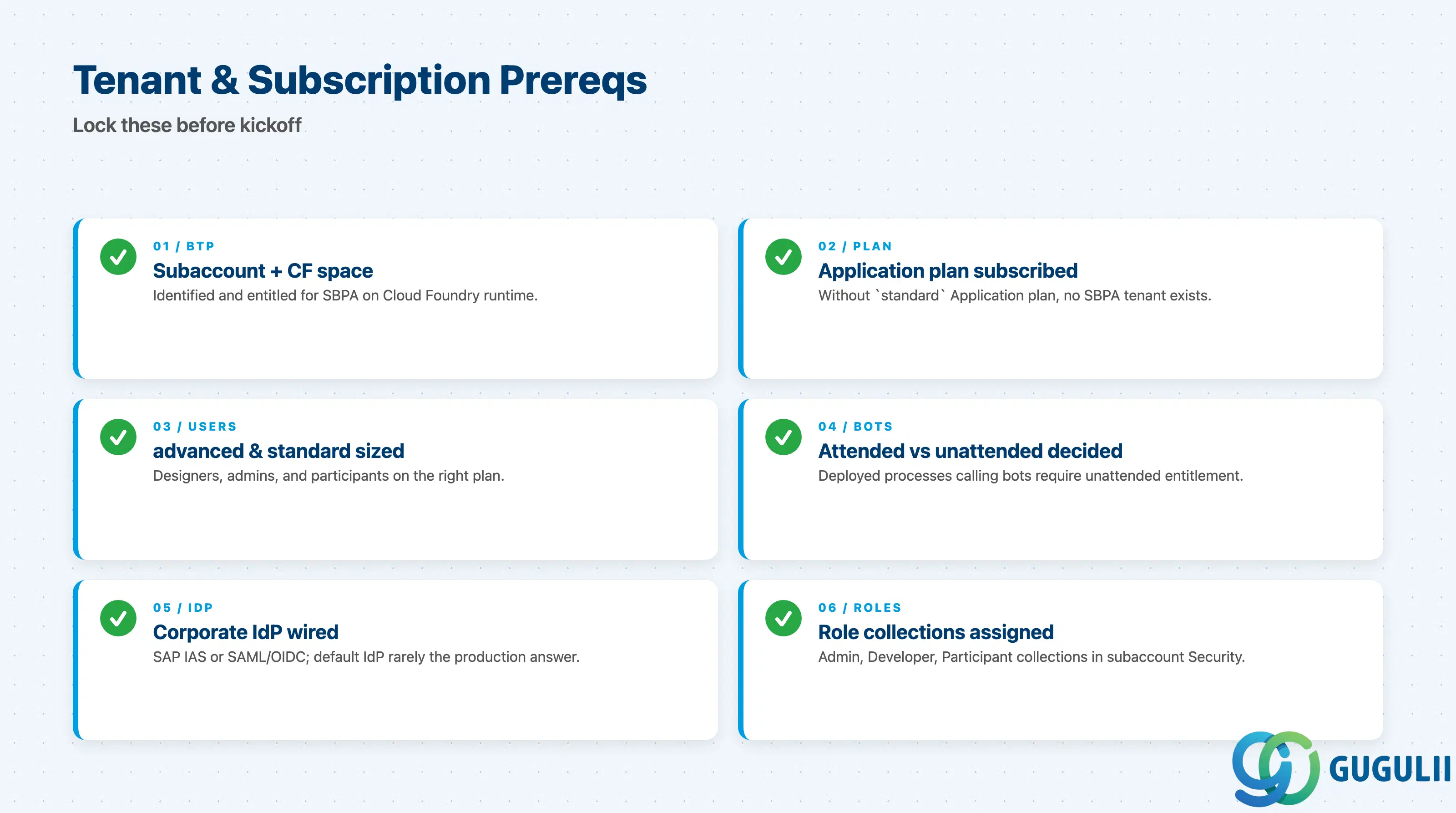
| Checklist item | Why it matters |
|---|---|
| BTP global account, subaccount, and Cloud Foundry space identified for SBPA | SBPA runs on Cloud Foundry runtime; subaccount must allow it |
standard (Application) service plan entitled and subscribed | Without it, no SBPA tenant |
Per-user plans sized: advanced-user for designers/admins, standard-user for participants | Mis-sized user plans are the most common procurement rework cause |
Bot execution plan decided: automation-attended vs automation-unattended (or digital-workforce bundle) | Deployed processes that call automations REQUIRE unattended-mode entitlement |
| IdP configured (typically SAP IAS or corporate IdP via SAML/OIDC) | SBPA participants must authenticate; default IdP is rarely the production answer |
Role collections assigned (ProcessAutomationAdmin, ProcessAutomationDeveloper, ProcessAutomationParticipant) | Without these, even a working tenant looks empty to end users |
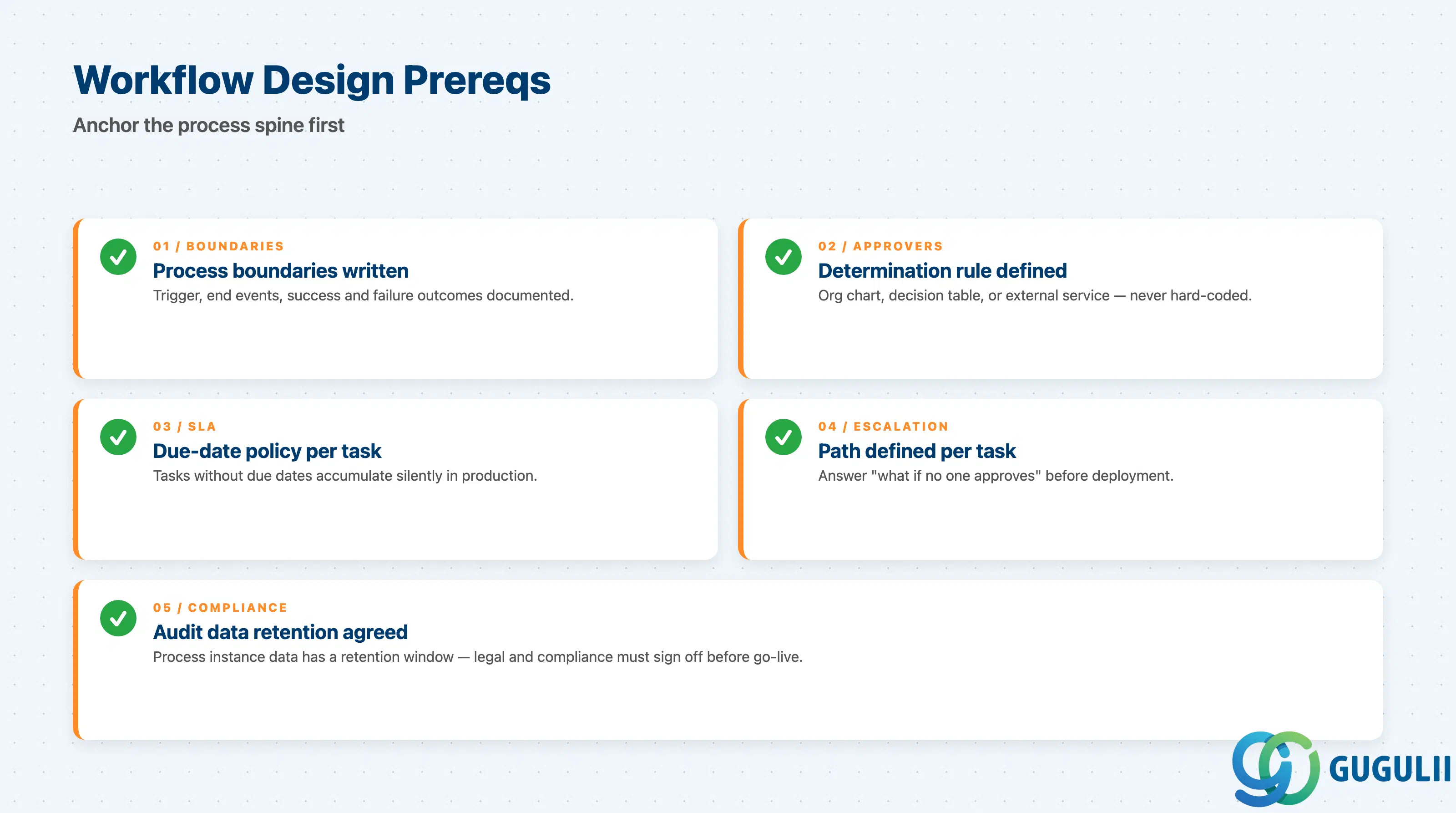
| Checklist item | Why it matters |
|---|---|
| Process boundaries written out: trigger event, end events, success/failure outcomes | Half of “the workflow is wrong” issues are missing end conditions |
| Approver determination rule: org chart, decision table, or external service | Hard-coding approvers in the process diagram does not survive the first reorg |
| SLA / due-date policy per user task | Tasks without due dates accumulate silently |
| Escalation path defined for each user task | “What happens if no one approves?” must be answered before deployment |
| Audit data retention policy agreed | Process instance data has a retention window; legal/compliance must sign off |
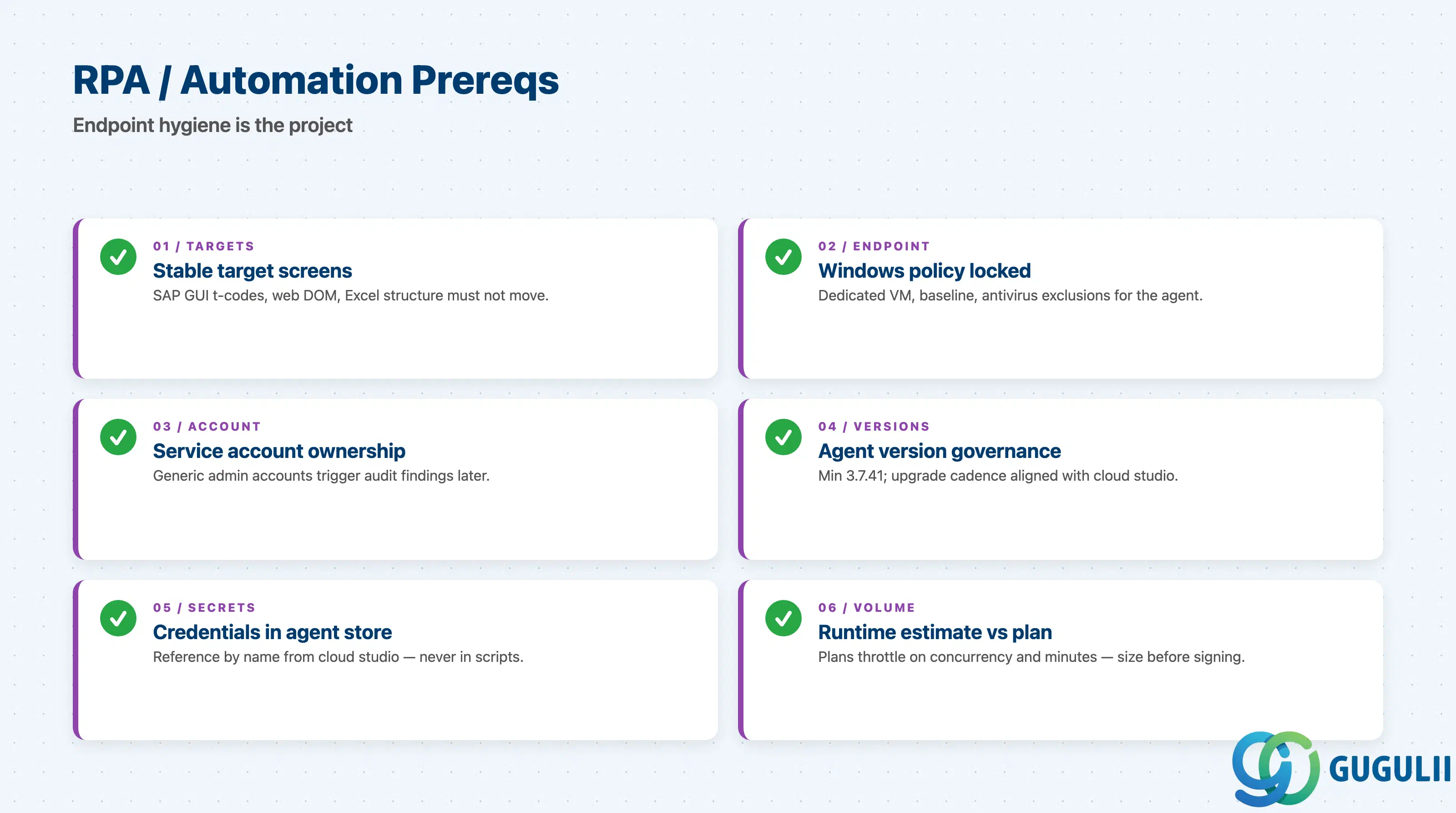
| Checklist item | Why it matters |
|---|---|
| Target screens are stable: SAP GUI transaction codes, web app DOM, Excel file structure | UI changes break bots; SBPA’s recorder cannot anticipate redesigns |
| Windows endpoint policy: dedicated VM, locked baseline, antivirus exclusions for the agent | Shared user PCs are the largest source of intermittent bot failures |
| Service account for unattended bots: who owns it, how the password is rotated | Generic admin accounts create audit findings |
| Desktop Agent version governance: minimum 3.7.41, upgrade cadence agreed with cloud studio releases | Version mismatch is the most common “the bot suddenly fails” cause |
| Credential storage strategy: agent’s local store + cloud studio credential references | Credentials in scripts are an immediate red flag |
| Volume / runtime estimate vs. the unattended plan tier | Plans throttle on concurrent executions and minutes — undersized plans cause queue back-pressure |
| Checklist item | Why it matters |
|---|---|
| Rules ownership confirmed: business or IT | Excel round-trip is wasted if business is not actually maintaining the rules |
| Decision-table size sanity check (rows × columns) | Over-large tables become unmaintainable; consider splitting |
| Form fields versus participant authorization model | A form that asks for data the user is not authorized to see fails on first use |
| Multi-language UI scope agreed | Forms support i18n but each language is incremental work |
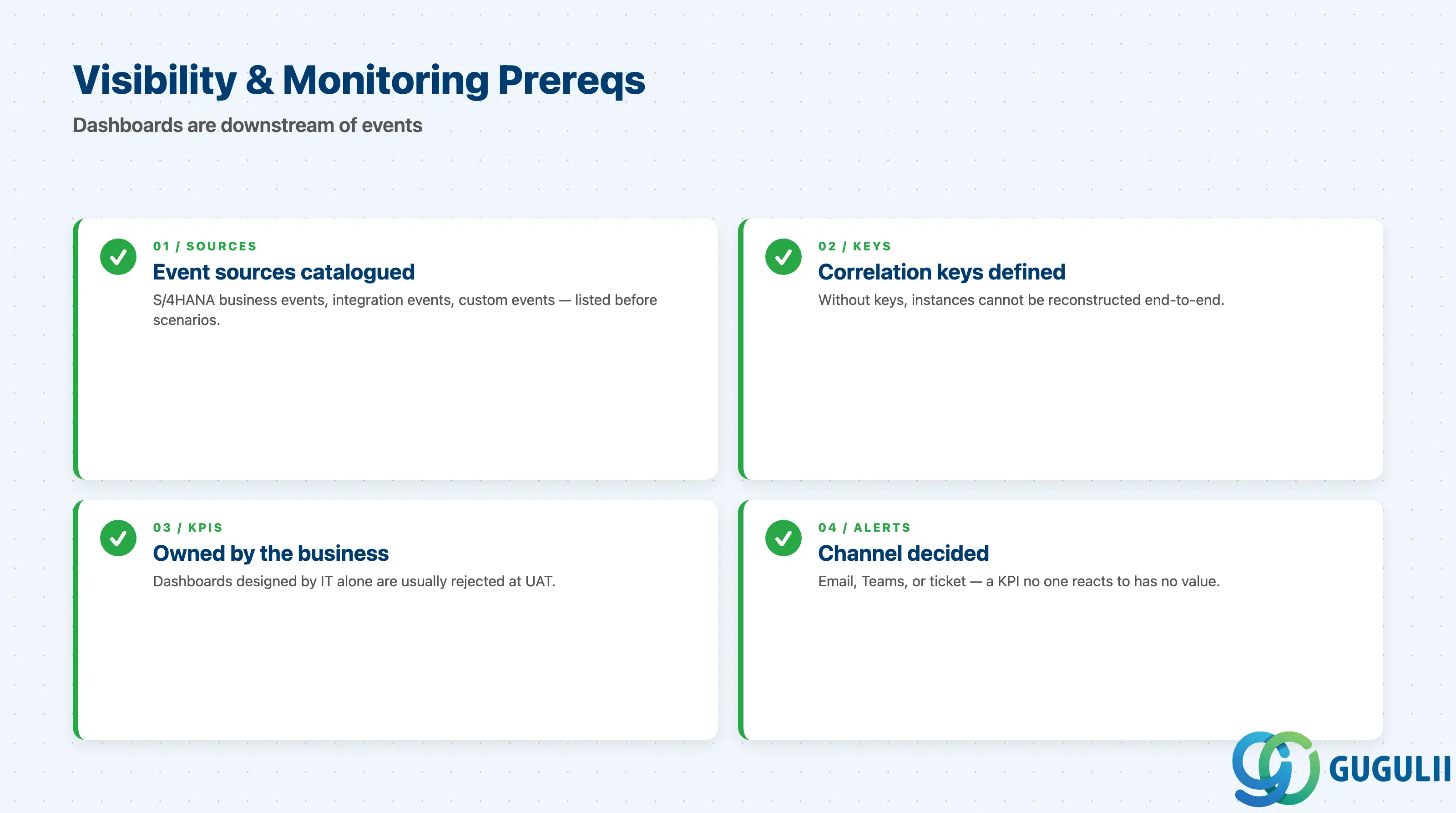
| Checklist item | Why it matters |
|---|---|
| Event sources catalogued (S/4HANA business events, integration events, custom events) | “Visibility scenario” without a source is just an empty dashboard |
| Correlation keys defined per scenario | Without correlation, instances cannot be reconstructed end-to-end |
| KPI definitions agreed with business owner | Dashboards designed by IT are usually rejected by the business |
| Alerting/escalation channel decided (email, Teams, ServiceNow ticket) | A KPI no one reacts to has no value |
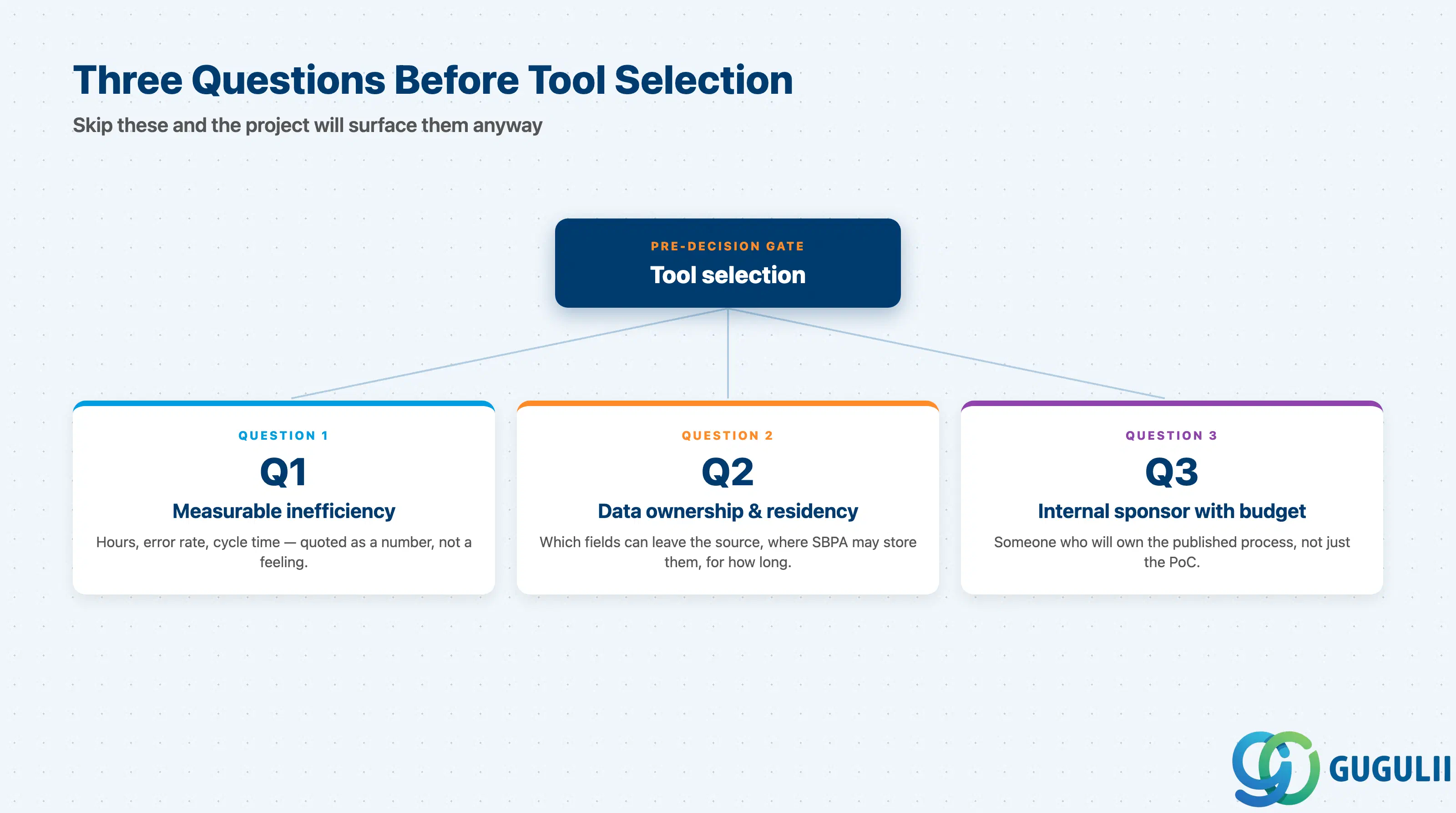
Before any tool selection, answer three questions.
Q1. What measurable inefficiency are you targeting?
If the customer cannot quote a number — hours per month, error rate, cycle time — SBPA will not produce a measurable result either. “Digitize the approval process” is not a target. “Reduce average leave-approval cycle from 3.2 days to under 1 day for 1,200 employees” is.
Q2. Where does the data live, and who is allowed to see it?
SBPA executes in the cloud. Every process touches at least one connected system. Confirm in writing which fields can leave the source system, where SBPA is allowed to store them, and how long. This conversation is short if you have it early and very long if you have it late.
Q3. Is there an internal sponsor with budget authority and the willingness to own the process?
Process automation makes process ownership visible. If no one inside the customer wants to own a published process, do not ship one. The “free trial” and “PoC” stages of SBPA are easy precisely because nobody owns them yet.
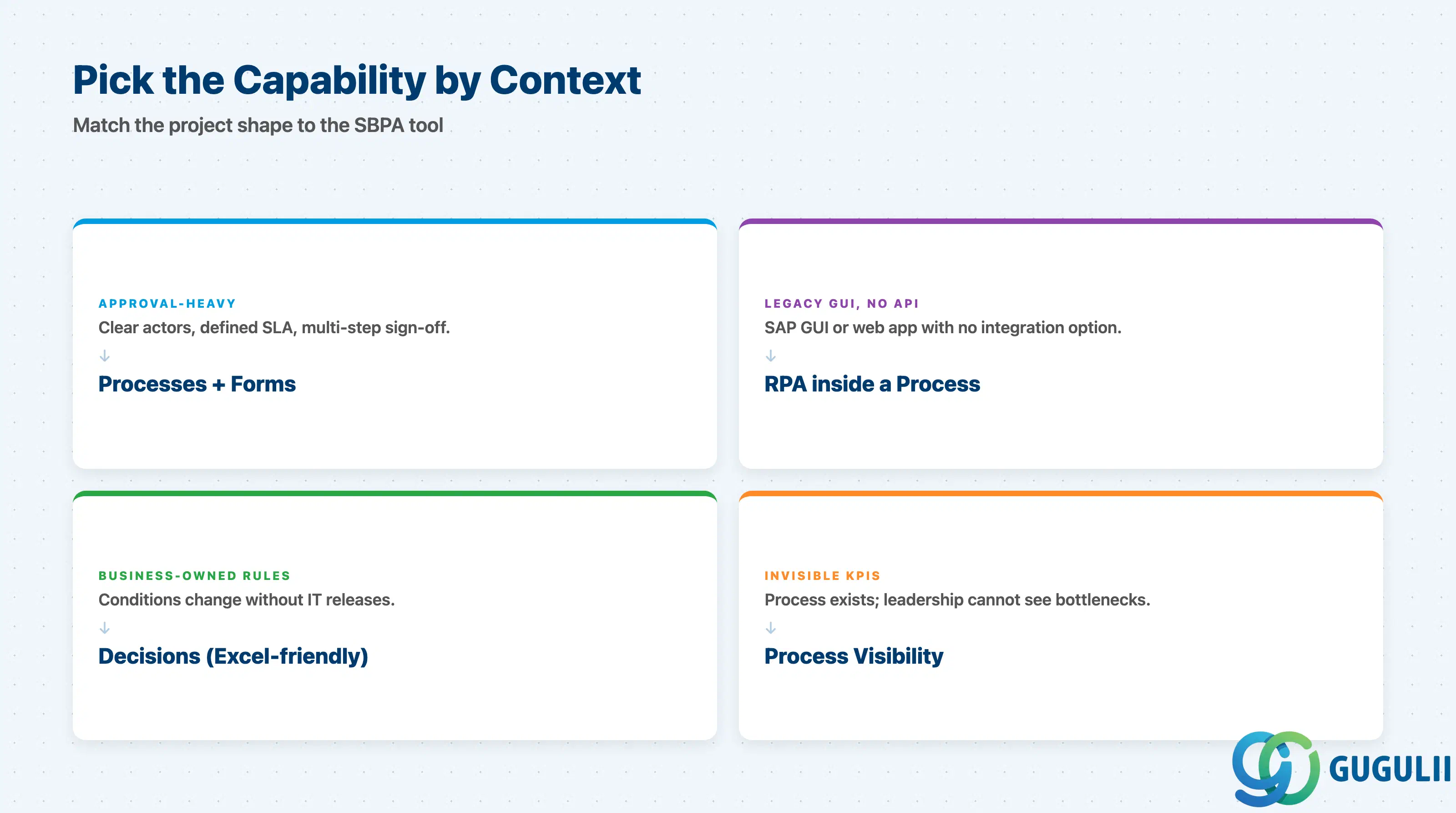
| Project context | Recommended starting capability |
|---|---|
| Approval-heavy business process with clear actors and SLA | Processes (workflow) + Forms |
| Repetitive data entry across legacy SAP GUI screens, no API exposed | Automations (RPA) wrapped in a Process for orchestration |
| Business users want to maintain rules without IT releases | Decisions (decision table with Excel round-trip) |
| Process exists, but leadership cannot see KPIs or bottlenecks | Process Visibility scenario over existing event sources |
| Mixed: cross-system orchestration with ad-hoc UI steps | Processes as the spine; Automations only for screens with no API |
| No clear pain point identified yet | Stop. Go back to Q1. |
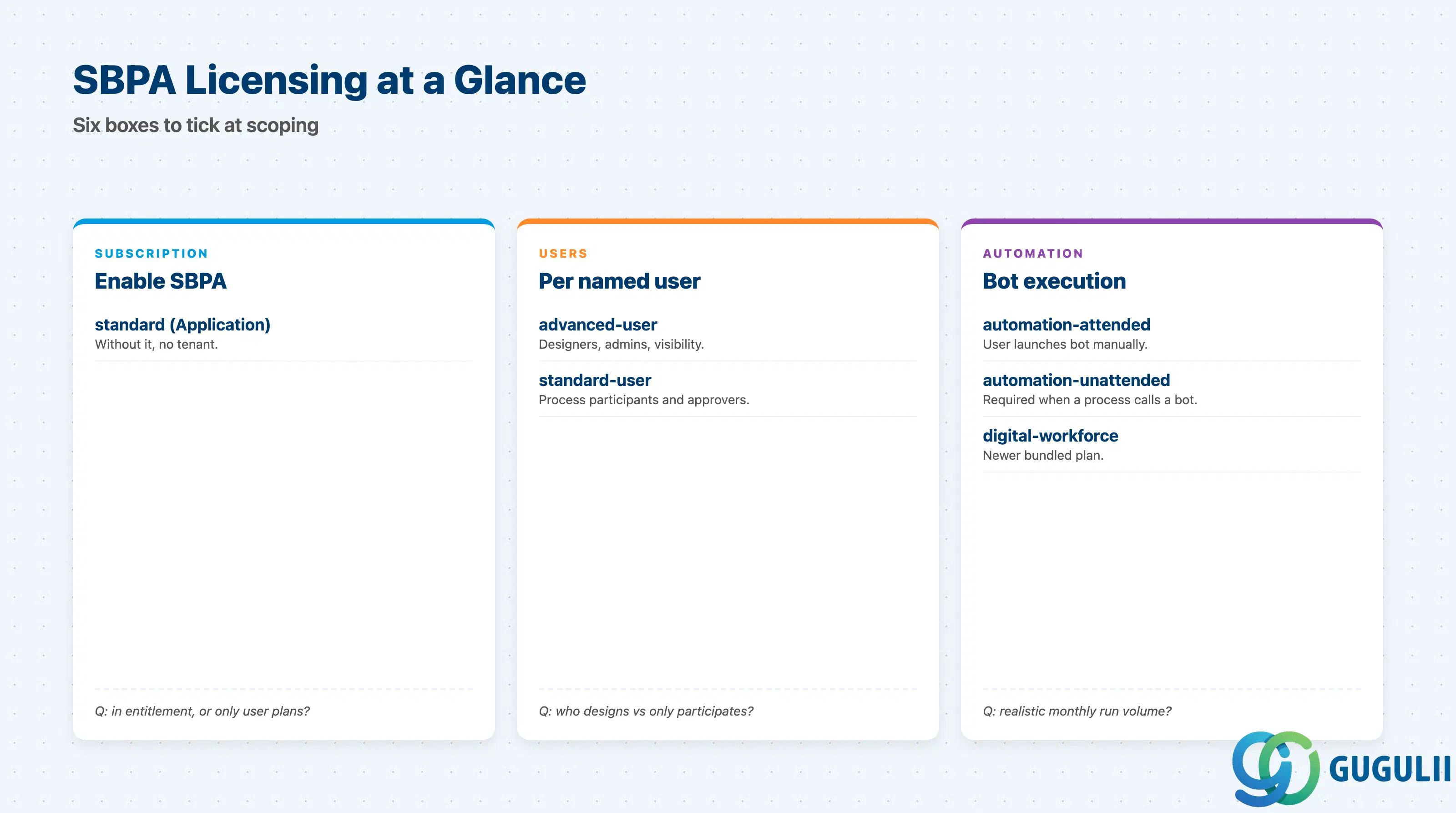
| Capability | Licensing model | Key question to ask |
|---|---|---|
| Subscription enabler | standard Application plan | “Is the Application plan in the entitlement, or only user plans?” |
| Designers and admins | advanced-user (per named user) | “Who designs and who only participates?” |
| Process participants | standard-user (per named user) | “Including non-employees who only approve?” |
| Attended bots | automation-attended | “Will users launch bots manually from their desktops?” |
| Unattended bots | automation-unattended (consumption-based on runs/minutes) | “What is the realistic monthly bot run volume?” |
| Document AI (optional) | Document Information Extraction Premium (consumption per page) | “How many pages per month, and what document classes?” |
The automation-unattended plan is consumption-based and the most common source of post-go-live cost surprises. Always quote a monthly run-count estimate to the licensing conversation.
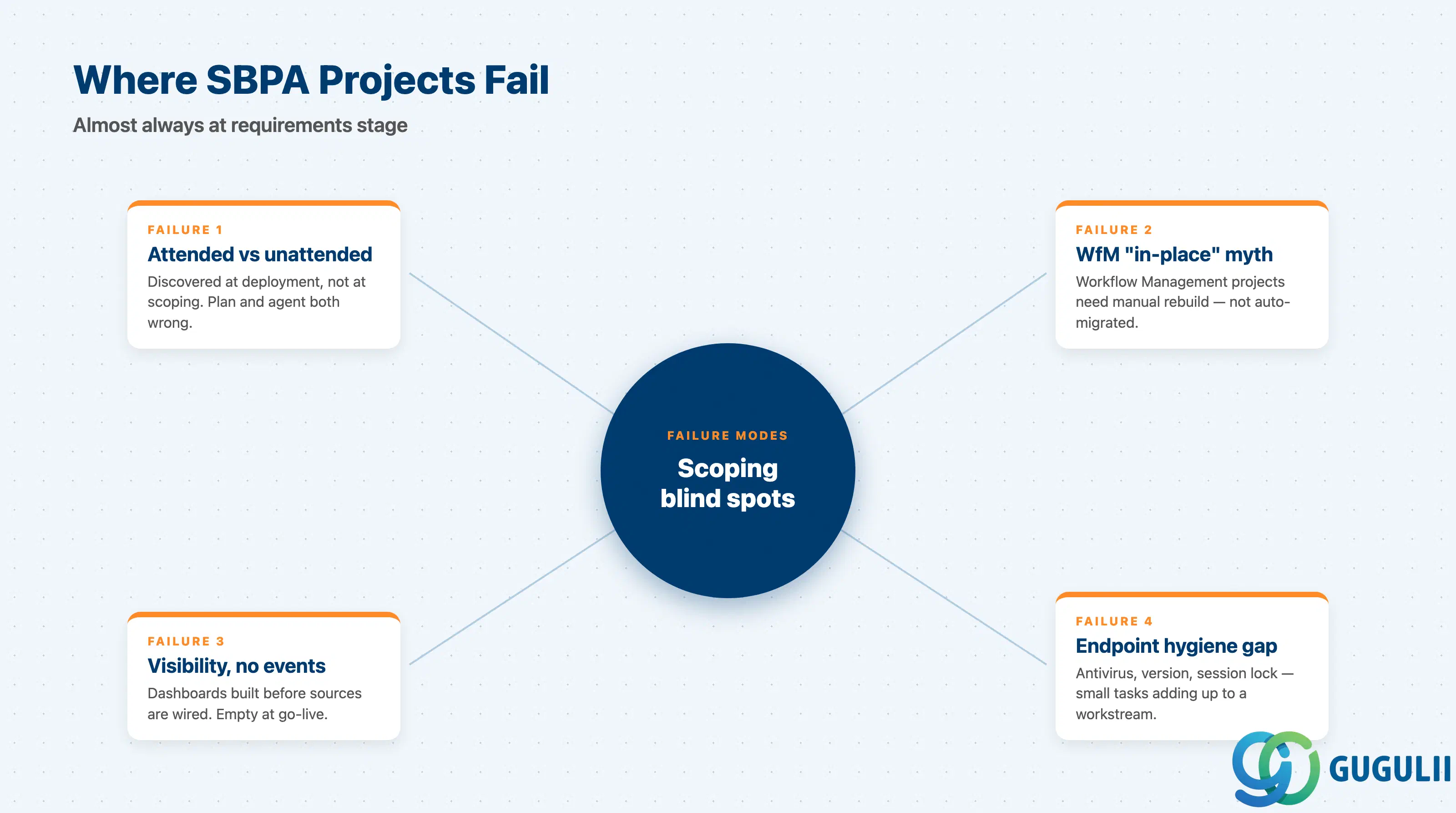
Failure 1: Confusing attended and unattended at deployment time
Bots designed and tested in attended mode (the developer launches them on their own machine) silently fail when a deployed process tries to invoke them. The fix requires both an unattended-mode agent and the matching service plan, both of which are decisions that should be made at requirements stage, not after deployment.
Failure 2: Treating Workflow Management migration as in-place
The in-place migration tooling exists for SAP Intelligent RPA only and is one-way and irrevocable. SAP Workflow Management projects generally have to be rebuilt manually in SBPA. Quoting “we’ll migrate the existing workflows” without inspecting them produces large reworks.
Failure 3: Process Visibility dashboards with no event sources
A common pattern: the customer wants dashboards, the team builds visibility scenarios, and at go-live no events arrive because the source systems were never wired up. Visibility is downstream of event modelling — never the other way around.
Failure 4: Underestimating Desktop Agent endpoint hygiene
Customers expect bots to “just run.” Production stability requires version governance, antivirus exclusions, dedicated service accounts, and a lock/unlock policy for unattended sessions. Each of these is a small task; together they are a non-trivial endpoint-management workstream that must be in the SOW.
Failure 5: Hard-coding approvers and connection details inside the process
A process that names “John Smith” or hard-codes a specific URL works in a demo and fails in production. Approvers belong in a decision table or org service; connection details belong in BTP destinations. This is requirements-stage discipline, not implementation polish.
Failure 6: Under-scoping the licensing conversation
The default mistake is quoting only advanced-user and standard-user. Forgetting automation-unattended for deployed bots, or DOX Premium for document-heavy processes, produces a procurement reopen at the worst possible moment. Walk through every capability box at scoping time and explicitly mark “in scope” or “out of scope” for licensing.
Failure 7: Skipping data residency and retention agreement
Process instance data, attached documents, and audit logs are stored in the SBPA tenant. Customers in regulated industries discover this constraint at security review, not at scoping. A 30-minute conversation with the customer’s privacy or compliance officer at requirements stage prevents a multi-month delay later.
Q: Does SBPA work with on-premise S/4HANA, or only S/4HANA Cloud?
Both. On-premise integration uses Cloud Connector + BTP destination for synchronous calls, and either Advanced Event Mesh or REST push for events. The architecture is identical in shape; the configuration is more involved.
Q: How is SBPA licensed, and what is the most common pricing surprise?
By plan: standard Application plus per-user plans (advanced-user, standard-user) and per-bot-execution plans (automation-attended, automation-unattended, or the bundled digital-workforce). The most common surprise is that deployed processes calling bots require automation-unattended consumption — attended-only customers cannot run scheduled bots.
Q: When should I descope RPA from a project?
When the target system has any reasonable API or event channel. RPA is the option of last resort because it couples the automation to a UI that the vendor can change without notice. If the customer’s “we need RPA” is actually “we need integration,” push toward APIs first.
Q: How should I document the requirement so it survives handover?
For each automated process, capture: trigger source (event/API/form), end conditions, approver determination, SLA, escalation path, data fields touched (with residency note), and the licensing capability used. If any of these is blank in the requirements doc, the implementation will fill it with a guess.
Q: Can business users really maintain decisions without IT?
Yes, for decision tables. Excel round-trip is genuinely usable. Two caveats: ownership must be agreed at scoping, not assumed; and someone must still release the rule version in SBPA after Excel changes — that step is not delegated to the spreadsheet.
Q: Is Joule generation production-ready for SBPA artifacts?
Treat it as a productivity boost for first drafts of processes, forms, decisions, and scripts. Joule output still requires expert review for naming, error handling, and authorization model, all of which it tends to underspecify.
Q: How is observability handled in production?
Process Visibility provides the business view. For the operational view (failed instances, agent health, queue depth) use the SBPA Monitoring app and BTP Alert Notification — these are separate tools and must both be wired in.
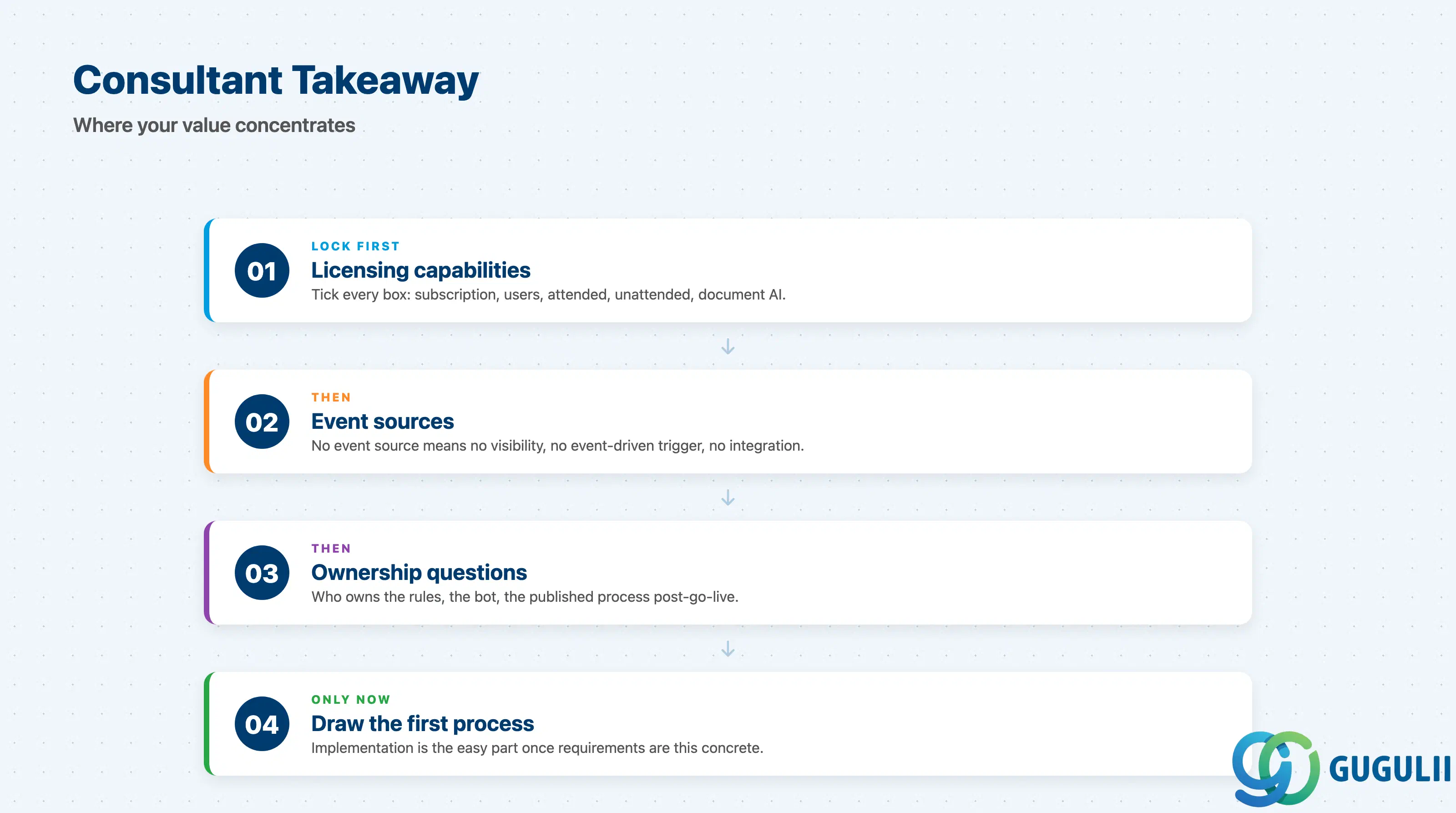
SAP Build Process Automation is the consolidated low-code automation product on BTP, and the only forward path now that SAP Workflow Management and SAP Intelligent RPA are retired. Its strength is breadth — six capabilities under one studio — but the failure modes cluster around the seams: attended/unattended licensing, Desktop Agent endpoint hygiene, missing event sources for visibility, and casual assumptions about workflow migration. As a consultant, your value is concentrated at requirements stage: lock down the licensing capabilities, the event sources, and the ownership questions before the first process is drawn.
| ID | Category | Component | Scope |
|---|---|---|---|
| BTP-B01 | Application Development | Overview | Application Development Overview and Capability Map |
| BTP-B02 | Application Development | Business Application Studio | Architecture and Use |
| BTP-B03 | Application Development | CAP and Build Code | Architecture and Use |
| BTP-B04 | Application Development | ABAP Environment | Architecture and Use |
| BTP-B05 | Application Development | Build Apps | Architecture and Use |
| BTP-B06 | Application Development | Build Process Automation | Architecture and Use (this article) |
| BTP-B07 | Application Development | Build Work Zone | Architecture and Use |
| BTP-B08 | Application Development | Use Cases | Use Cases and Decision Patterns |