Title here
Summary here

| ID | Category | Component | Scope |
|---|---|---|---|
| BTP-C01 | Overview | Data and Analytics | Overview and Capability Map (this article) |
| BTP-C02 | Database & Storage | HANA Cloud | Architecture and Use |
| BTP-C03 | Data Integration | Datasphere | Architecture and Use |
| BTP-C04 | Analytics & BI | Analytics Cloud | Architecture and Use |
| BTP-C05 | Data Governance | Master Data Governance | Architecture and Use |
| BTP-C06 | Use Cases | Data and Analytics | Use Cases and Decision Patterns |
| Resource | URL |
|---|---|
| SAP Datasphere — Product Overview | sap.com → |
| SAP Analytics Cloud — Product Overview | sap.com → |
| SAP HANA Cloud — Getting Started on BTP | help.sap.com → |
| SAP Data Intelligence Cloud — Product Overview | sap.com → |
| SAP Data & Analytics Advisory Methodology | help.sap.com → |
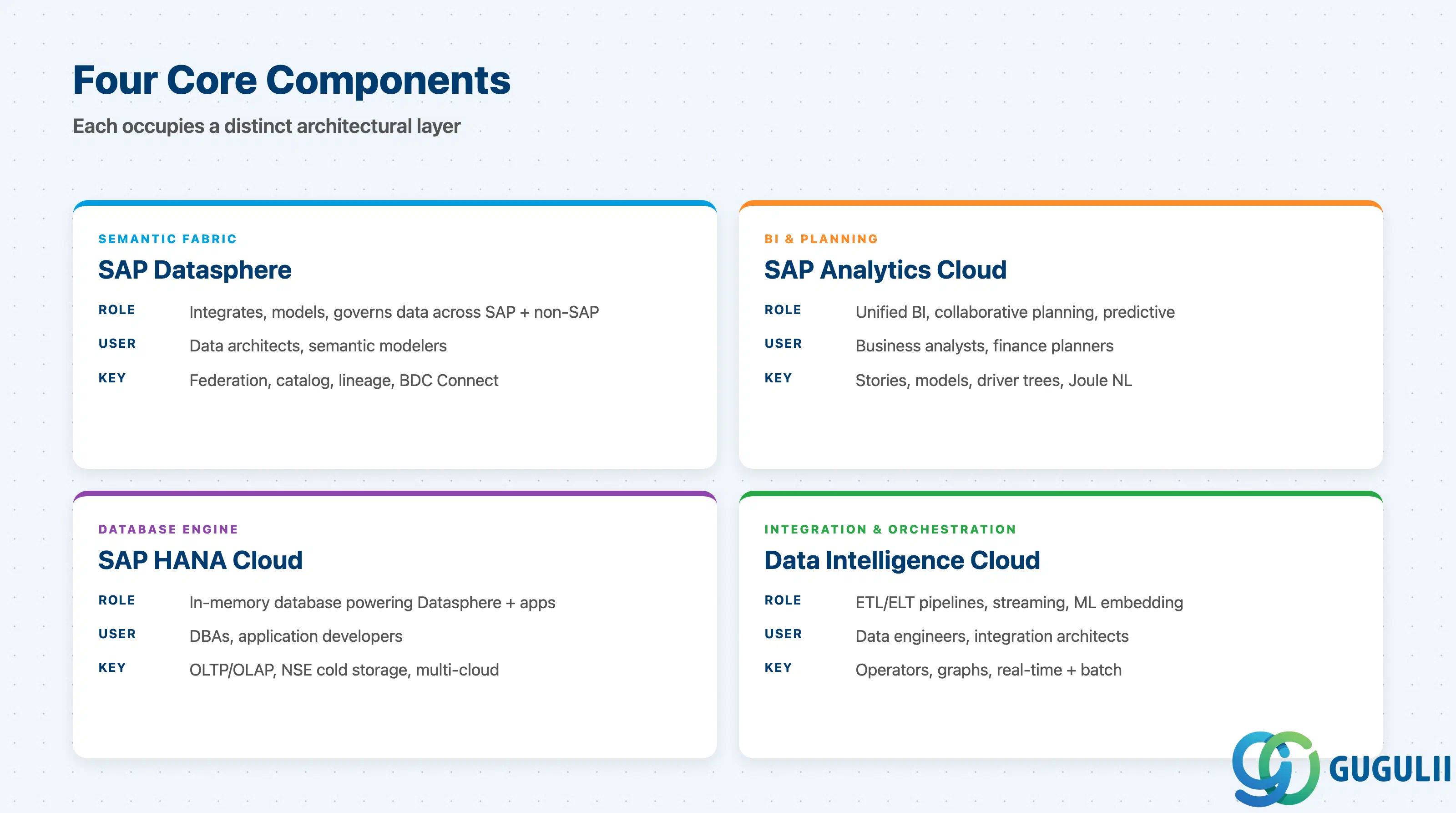
The BTP Data & Analytics domain is composed of four components. They are not substitutes — each one occupies a distinct architectural layer.
| Component | What it does | Primary user |
|---|---|---|
| SAP Datasphere | Semantic data fabric: integrates, models, and governs data across SAP and non-SAP sources ( sap.com →) | Data architects, semantic modelers |
| SAP Analytics Cloud (SAC) | Unified BI, collaborative planning, and predictive analytics on top of modeled data ( sap.com →) | Business analysts, finance and supply chain planners |
| SAP HANA Cloud | Cloud-native in-memory database engine; powers Datasphere and custom applications ( help.sap.com →) | Database administrators, application developers |
| SAP Data Intelligence Cloud | Data integration and orchestration: ETL/ELT pipelines, streaming, ML pipeline embedding ( sap.com →) | Data engineers, integration architects |
An analytics project almost always involves two or more of these components working in sequence.
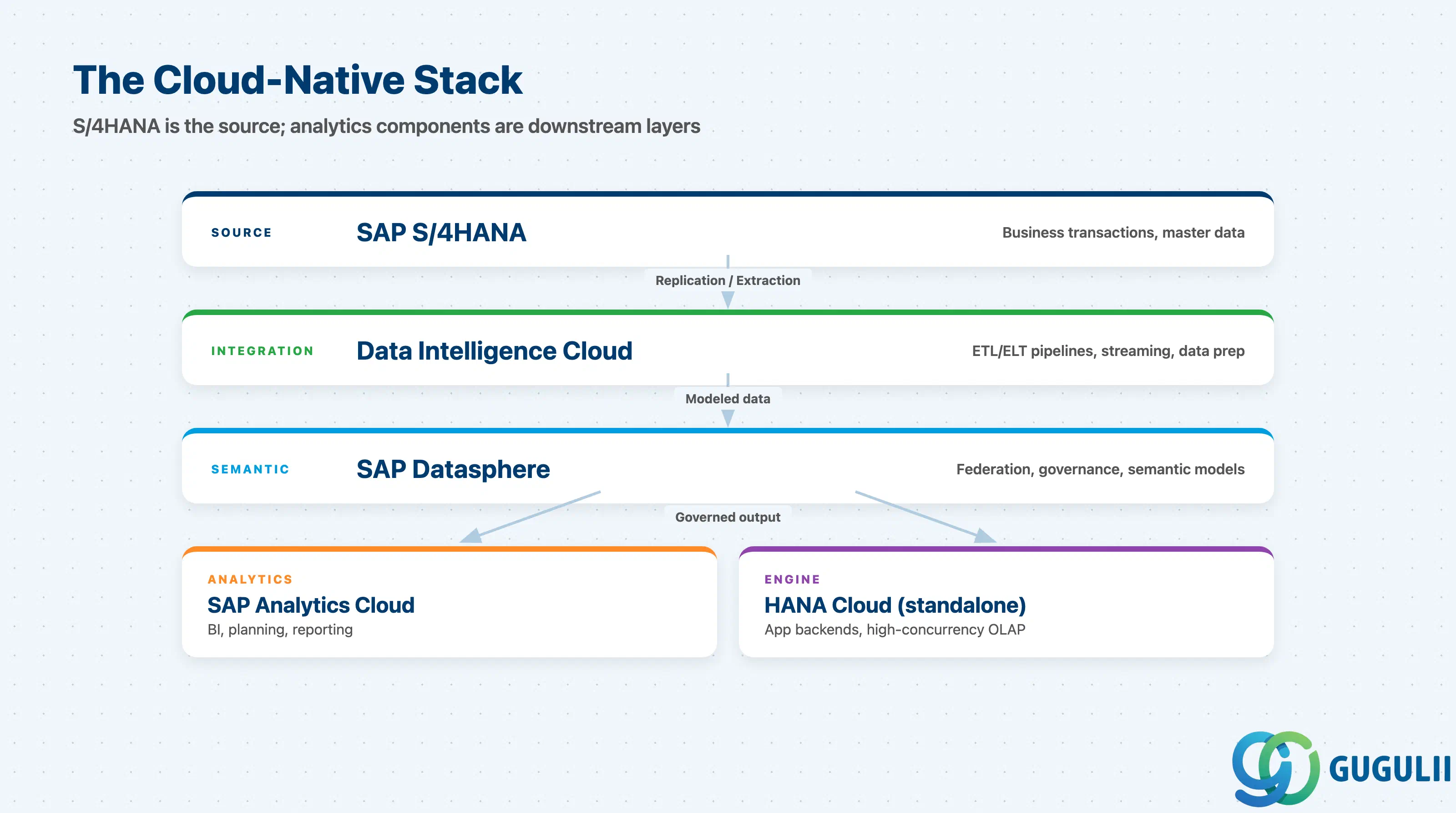
The standard cloud-native pattern places S/4HANA as a source system, not as the analytics tier. Each of the four BTP components plays a defined role downstream of S/4HANA.
SAP S/4HANA (source: business transactions, master data)
        |
        | (replication / extraction)
        v
SAP Data Intelligence Cloud
(ETL/ELT pipelines, streaming, data preparation)
        |
        v
SAP Datasphere
(semantic modeling, data federation, governance)
        |
        +--------------------+
        |                    |
        v                    v
SAP Analytics Cloud    SAP HANA Cloud (standalone)
(BI, planning,         (application backends, custom
 reporting)             high-concurrency workloads)
As of 2025–2026, SAP restructured this stack under SAP Business Data Cloud (BDC), which positions Datasphere as the central semantic layer and SAC as the analytics front end ( community.sap.com →). BDC Connect enables BDC to federate data from Databricks (GA since October 2025), Google BigQuery and Snowflake (H1 2026), and Microsoft Fabric (Q3 2026) without moving data into SAP storage.
Key point: S/4HANA is the source of truth for business transactions. Datasphere is the source of truth for governed, semantically enriched analytics data. These two systems must not be confused, and their models must not be duplicated.
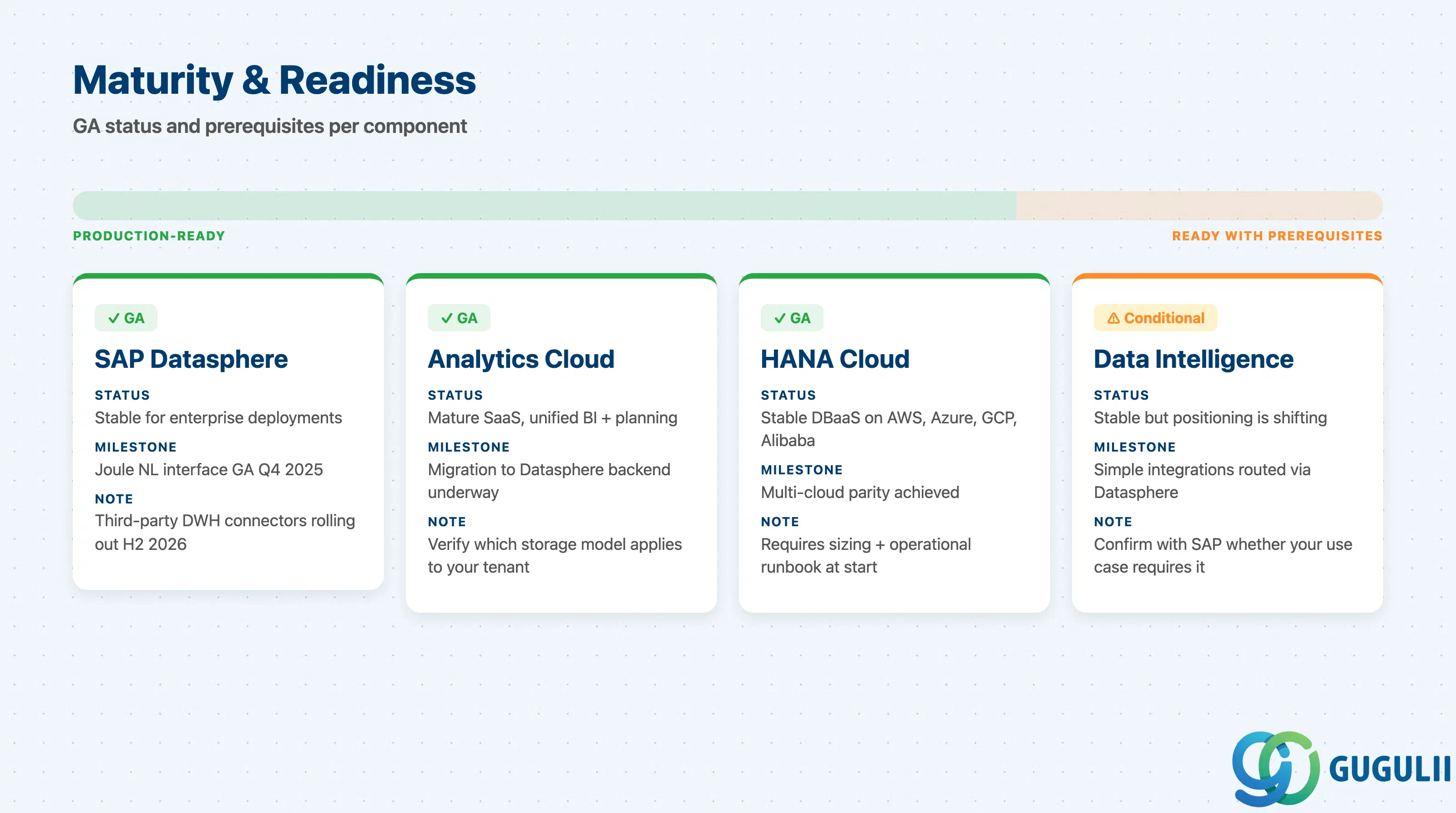
| Component | Maturity | Notes |
|---|---|---|
| SAP Datasphere | ✅ Production-ready | Successor to SAP Data Warehouse Cloud; stable for enterprise deployments; Joule natural language interface went GA as noted in the Q4 2025 release notes published January 2026 ( sap.com →); some third-party cloud DWH integrations still rolling out through H2 2026 |
| SAP Analytics Cloud | ✅ Production-ready | Mature SaaS platform with unified BI and collaborative planning; migration from proprietary SAC storage to Datasphere backend is underway — verify which storage model applies to your tenant ( sap.com →) |
| SAP HANA Cloud | ✅ Production-ready | Stable DBaaS running on AWS, Azure, GCP, and Alibaba Cloud ( help.sap.com →); requires proper sizing and operational runbook at project start |
| SAP Data Intelligence Cloud | ⚠️ Ready with prerequisites | Stable but strategic positioning is shifting — SAP increasingly routes simple integrations through Datasphere’s built-in connectors; confirm with SAP whether your pipeline use case requires standalone Data Intelligence ( sap.com →) |
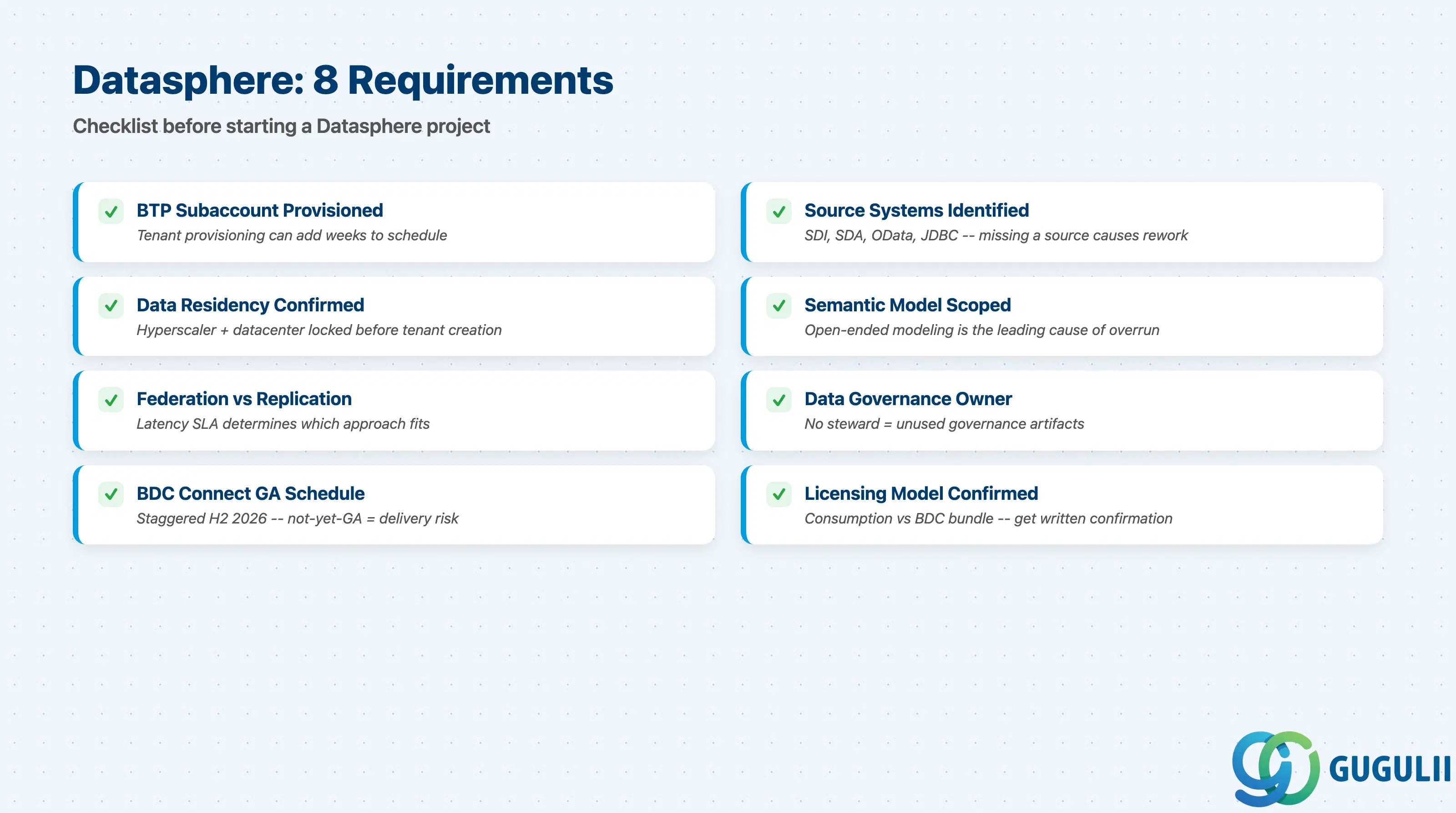
Source: sap.com →, help.sap.com →
| Checklist item | Why it matters |
|---|---|
| Confirm BTP subaccount exists and Datasphere tenant is provisioned | Tenant provisioning timeline can add weeks to a project schedule |
| Identify all source systems and connectivity methods (SDI, SDA, OData, JDBC) | Missing a source system at requirements stage causes design rework |
| Clarify data residency and sovereignty requirements | Hyperscaler and datacenter must be confirmed before tenant creation |
| Document the semantic model scope: entities, KPIs, and hierarchies | Open-ended modeling scope is the leading cause of project overrun |
| Confirm whether real-time federation or data replication is required | Federation vs. replication have different latency, cost, and governance profiles |
| Identify who owns data governance and the data catalog | Projects without a designated data steward produce unused governance artifacts |
| Validate third-party cloud connections against BDC Connect GA schedule | Staggered GA dates through H2 2026 ( community.sap.com →); a not-yet-GA connector is a delivery risk |
| Confirm licensing: Datasphere consumption vs. SAP Business Data Cloud bundle | Pricing differs significantly; get written confirmation from SAP sales |
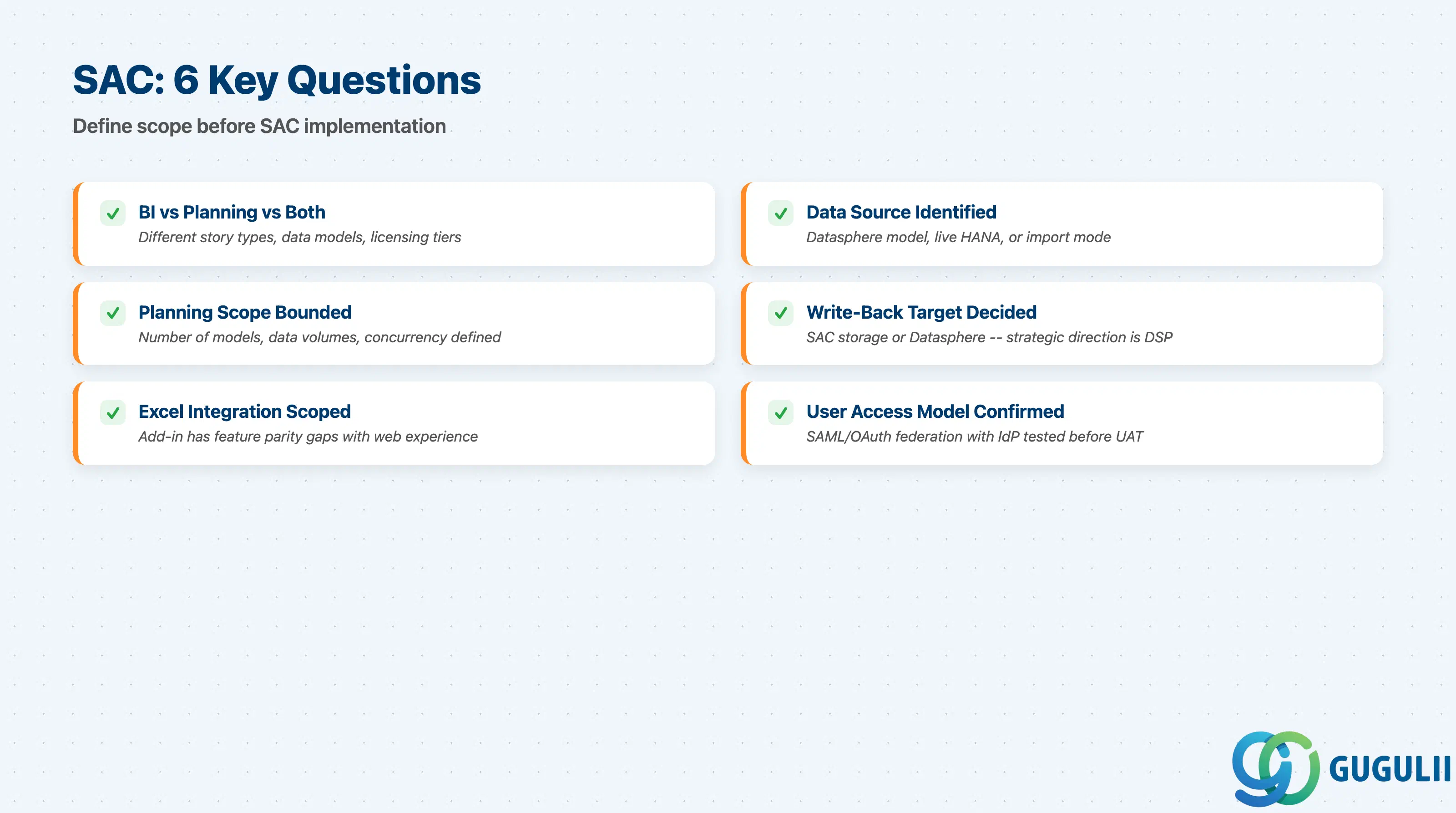
Source: sap.com →
| Checklist item | Why it matters |
|---|---|
| Confirm whether the use case is BI reporting, planning, or both | BI and planning have different story types, data models, and licensing tiers |
| Identify the data source: Datasphere models, live HANA connection, or import mode | Import mode is faster to implement but creates data duplication |
| Document the planning scope: number of models, data volumes, and concurrency | Undocumented scope leads to performance surprises post-launch |
| Confirm the planning write-back target: SAC proprietary storage or Datasphere | SAP’s strategic direction is Datasphere as planning backend |
| Identify the Excel/Office integration requirement | The Excel add-in has feature parity gaps with the web experience |
| Confirm user access and role model | SAML/OAuth federation with the client’s IdP must be tested before UAT |
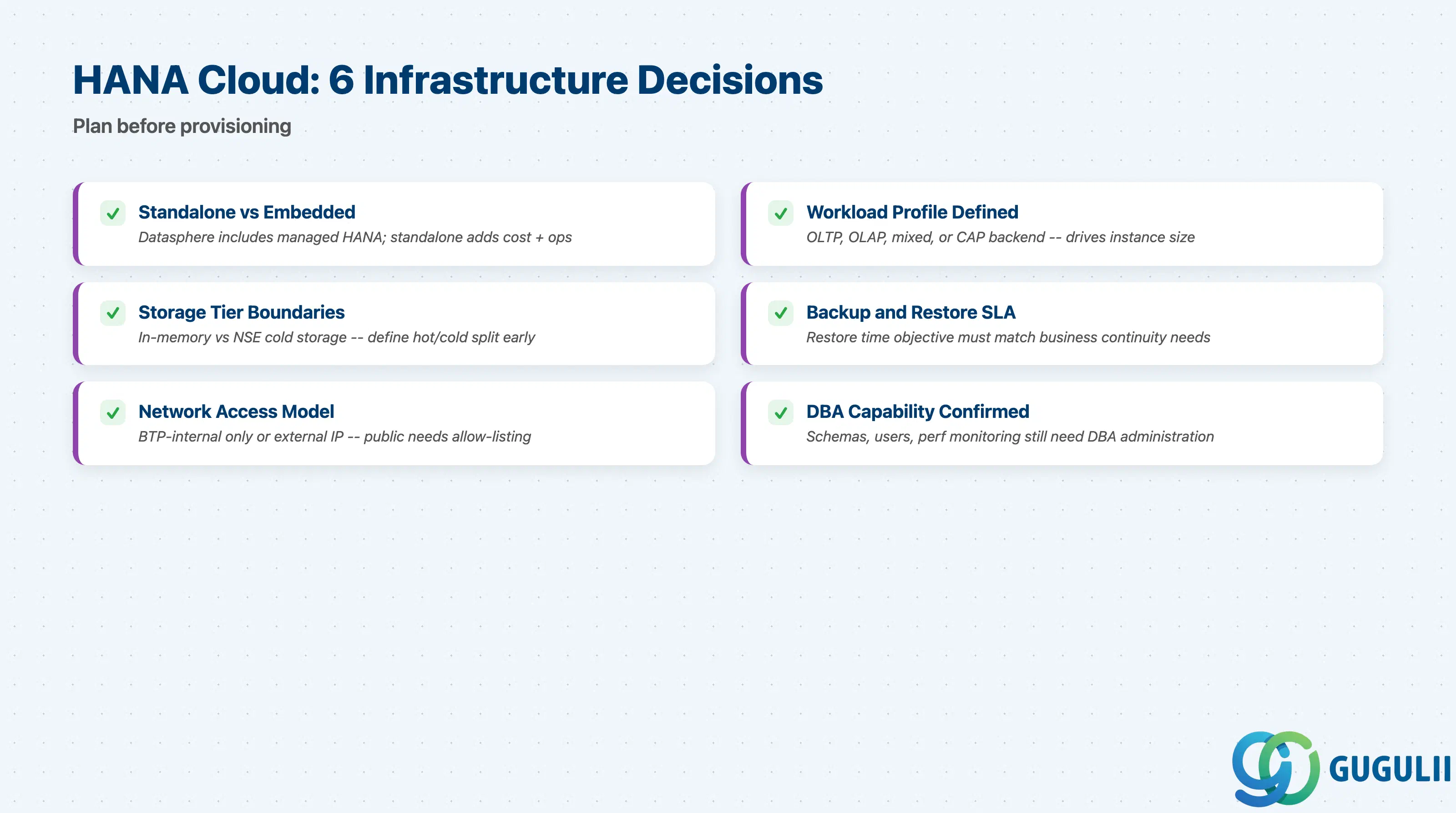
Source: help.sap.com →, sap.com →
| Checklist item | Why it matters |
|---|---|
| Confirm whether HANA Cloud is standalone or embedded within Datasphere | Datasphere includes a managed HANA Cloud instance; standalone adds cost and operational effort |
| Document the workload profile: OLTP, OLAP, mixed, or CAP application backend | Instance size is driven by workload type; undersized instances are the most common failure |
| Identify storage tier requirements: in-memory vs. Native Storage Extension (NSE) | The boundary between hot and cold data must be defined at requirements stage |
| Confirm backup and restore SLA | Restore time objective depends on backup schedule; confirm it meets business continuity requirements |
| Identify the network access model: BTP-internal only or external IP | Exposing via public IP requires explicit allow-listing and security review |
| Confirm HANA Cloud administration capability or managed service plan is in scope | Schemas, users, and performance monitoring still require DBA-level administration |
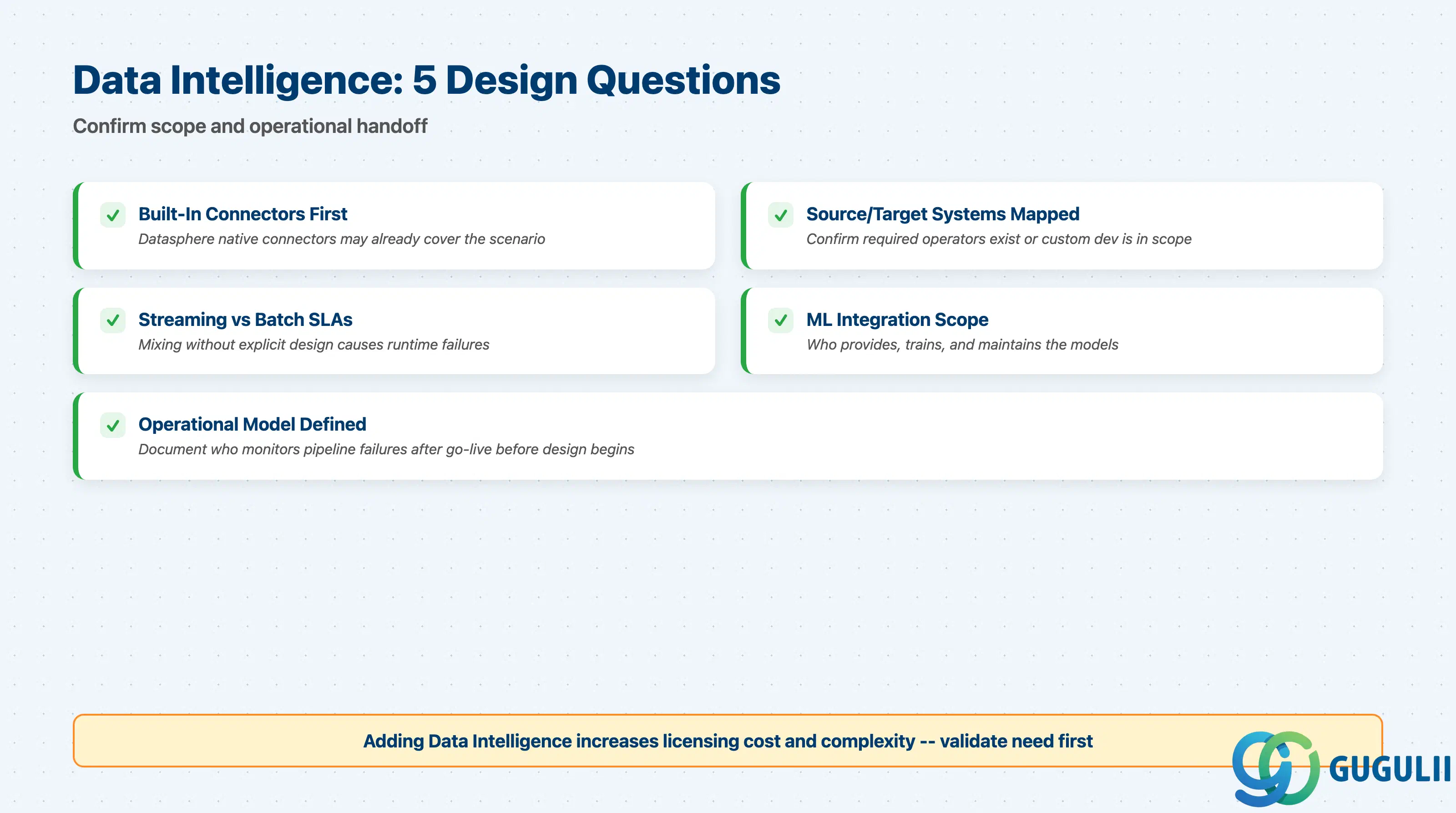
Source: sap.com →
| Checklist item | Why it matters |
|---|---|
| Confirm integration scenarios cannot be served by Datasphere’s built-in connectors | Adding Data Intelligence Cloud increases licensing cost and complexity |
| Identify all source and target systems and their supported operators | Confirm required operators exist or that custom development is in scope |
| Document streaming vs. batch requirements with latency SLAs | Mixing them without explicit design documentation causes runtime failures |
| Identify ML/AI integration requirements | Confirm who provides, trains, and maintains models |
| Confirm operational model for pipeline monitoring and failure handling | Document who monitors failures after go-live before design begins |
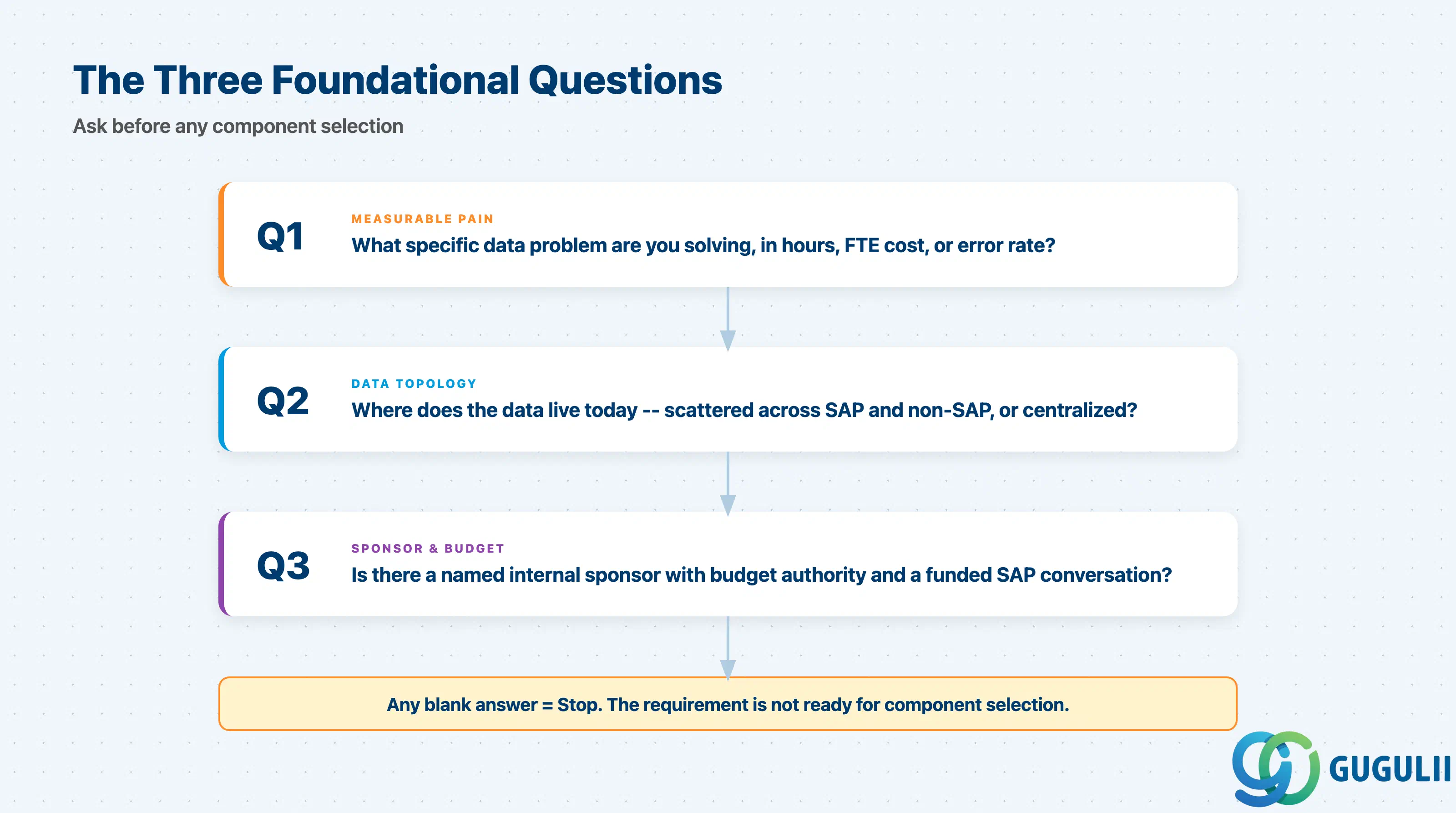
Q1. What specific, measurable data problem is this initiative solving?
The Data & Analytics domain is broad enough that vague scope (“we need better analytics”) always expands beyond budget. Force the client to name a measurable outcome — for example, “reduce month-end close cycle from 10 days to 5 days” or “enable self-service reporting for 200 business users without IT dependency.” Without a measurable problem statement, no component selection is defensible.
Q2. Where does the data live today, and who owns it?
The architecture choice between Datasphere, HANA Cloud, and Data Intelligence is heavily driven by data topology. If data is scattered across multiple SAP and non-SAP systems with inconsistent semantics, Datasphere’s semantic fabric is the correct starting point ( sap.com →). If data already lives in a well-governed HANA system and the requirement is application-level analytics, standalone HANA Cloud is more appropriate. Data ownership is a governance prerequisite — without a named data owner, catalog and lineage investments in Datasphere will not be maintained.
Q3. Is there a named internal sponsor with budget authority and a funded license conversation with SAP?
All four components carry non-trivial licensing costs. Initiatives that start without confirmed budget frequently stall when the SAP commercial team presents actual pricing. Confirm that the sponsor has approved the commercial framework before committing to an architecture.
Source: help.sap.com →
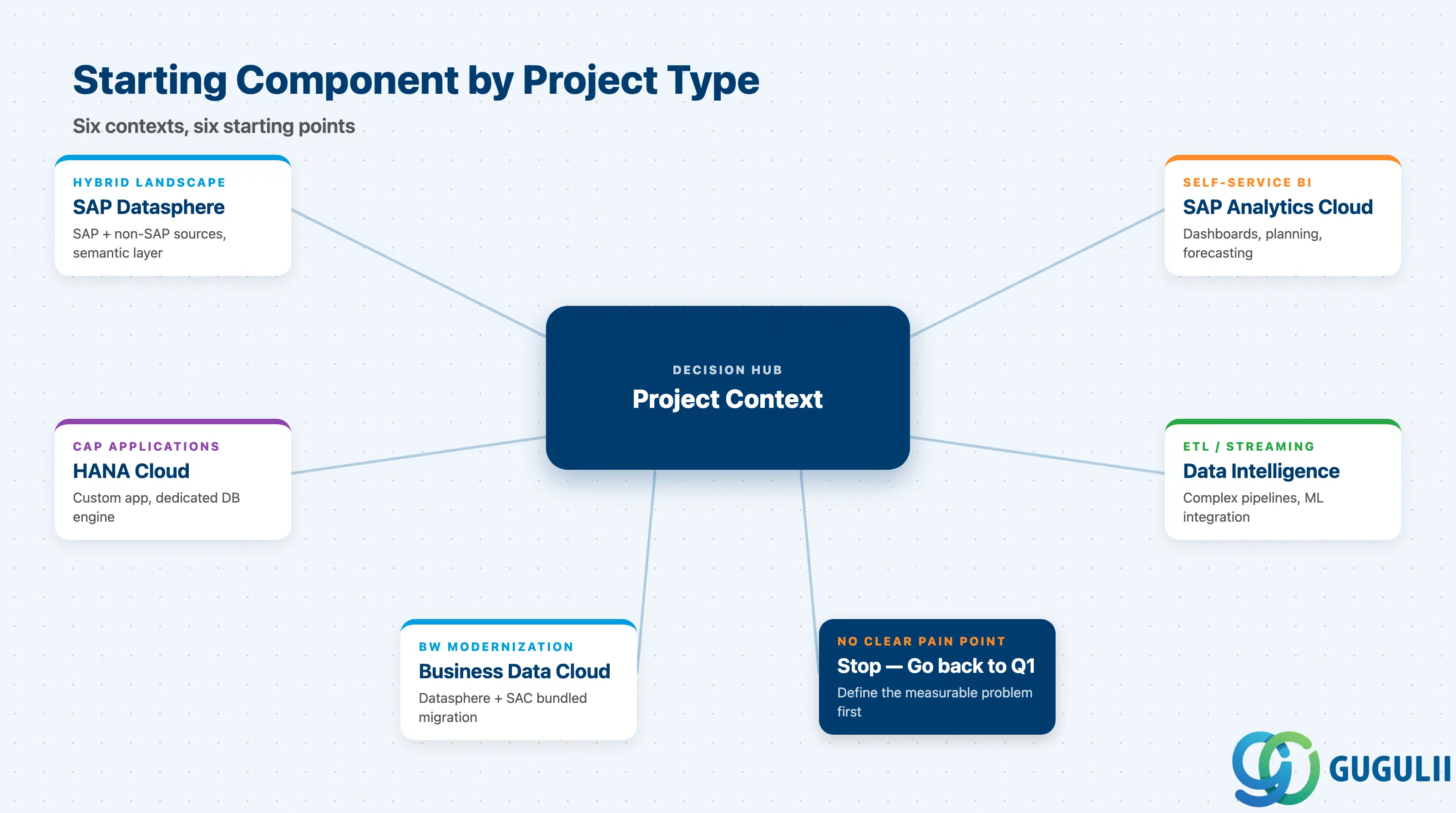
| Project context | Recommended starting component |
|---|---|
| Hybrid SAP+non-SAP landscape, need unified semantic layer | SAP Datasphere |
| Business users need self-service dashboards and/or collaborative planning | SAP Analytics Cloud (backed by Datasphere or live HANA) |
| CAP application or custom analytical app needing dedicated in-memory database | SAP HANA Cloud (standalone) |
| Complex ETL/ELT pipelines, streaming data, ML model integration into data flows | SAP Data Intelligence Cloud |
| Legacy SAP BW/4HANA modernization | SAP Business Data Cloud (Datasphere + SAC bundled) |
| No clear pain point identified yet | Stop. Go back to Q1. |
Source: sap.com →, sap.com →, help.sap.com →
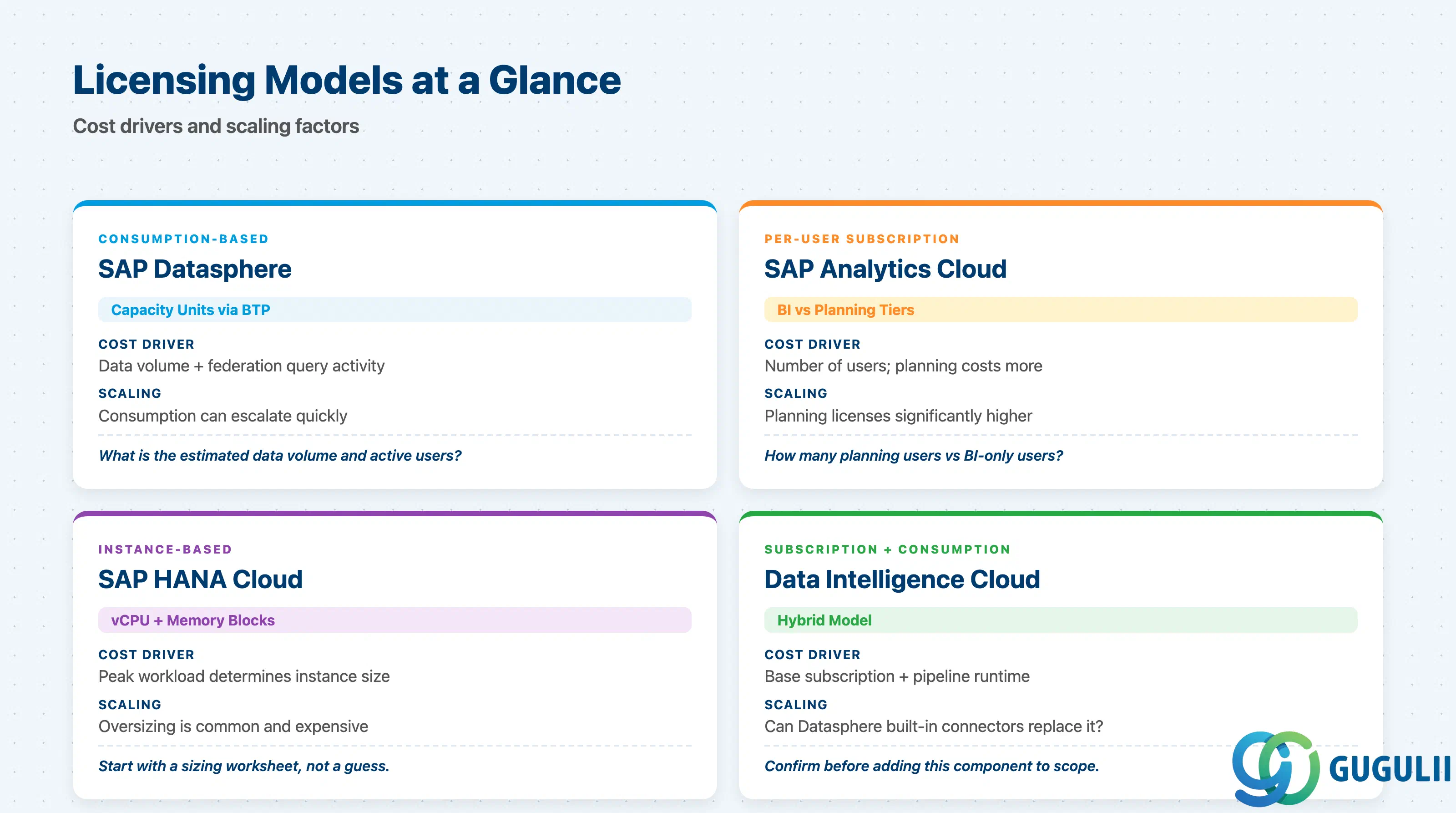
| Component | Licensing model | Key question to ask |
|---|---|---|
| SAP Datasphere | Consumption-based (capacity units) via BTP | What is the estimated data volume and number of active users? Consumption can escalate quickly with federation queries. |
| SAP Analytics Cloud | Subscription per user (BI user vs. planning user tiers differ) | How many planning users vs. BI-only users? Planning licenses cost significantly more. |
| SAP HANA Cloud | Instance-based (vCPU + memory blocks) | What is the peak workload? Oversizing HANA Cloud is common and expensive; start with a sizing worksheet. |
| SAP Data Intelligence Cloud | Subscription plus consumption | Can the integration requirement be met by Datasphere’s built-in connectors instead? Confirm before adding this component. |
Specific pricing is not published in SAP public documentation. All four components require a direct conversation with the SAP account team for current commercial terms.
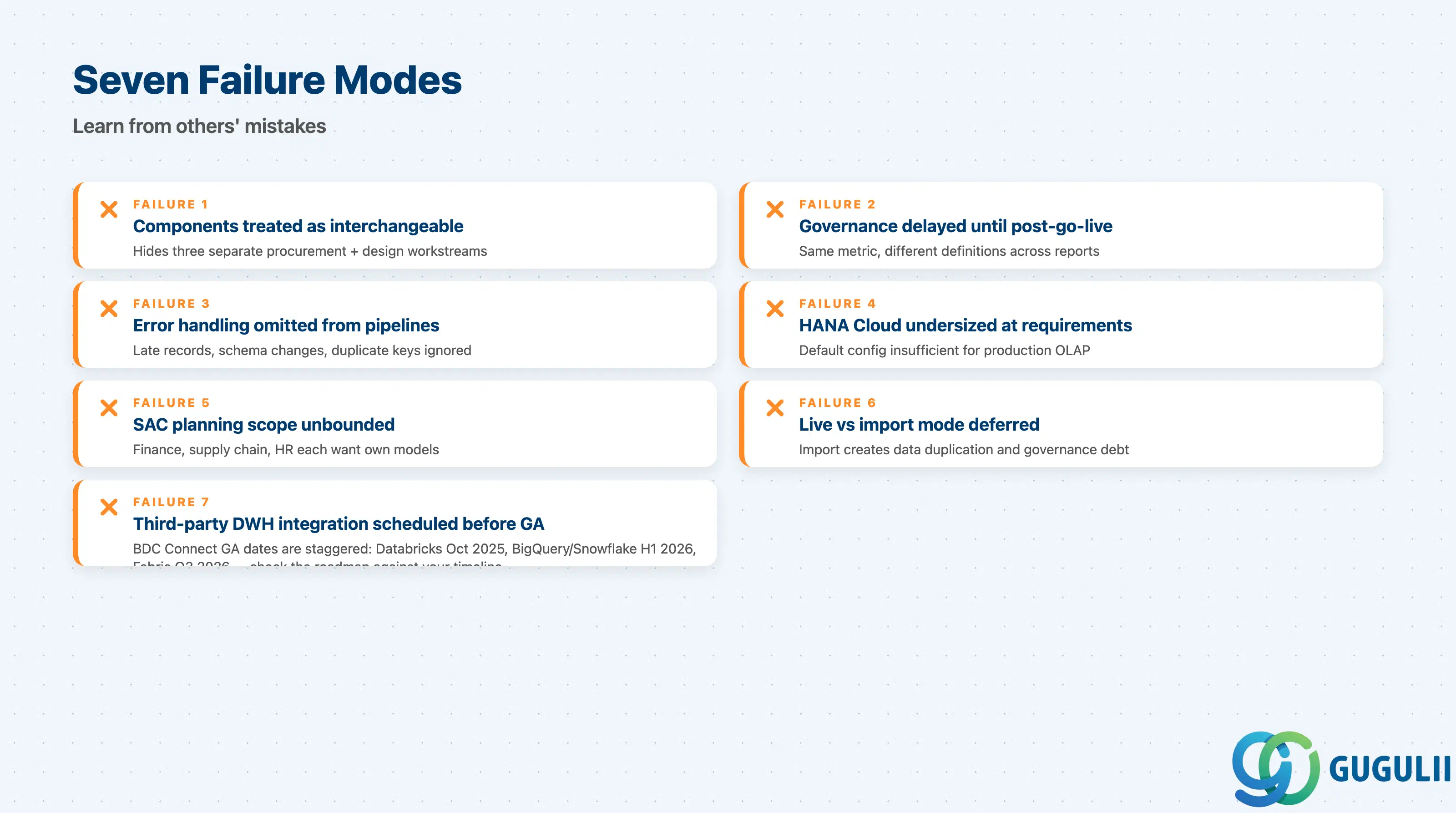
Failure 1: Treating Datasphere, SAC, and HANA Cloud as interchangeable
A BI reporting requirement needs SAC on top of a data model; that data model lives in Datasphere; Datasphere’s computational layer is HANA Cloud. Conflating these three into one “analytics platform” scope item hides three separate procurement, provisioning, and design workstreams. Make the layered architecture explicit in the scope document from day one.
Failure 2: Data governance delayed until after go-live
Datasphere’s catalog, lineage, and data stewardship features require upfront decisions about data ownership, naming conventions, and KPI definitions ( sap.com →). Teams that defer these decisions to post-launch end up with a platform that no one trusts, because the same metric has different definitions in different reports.
Failure 3: Exception handling omitted from pipeline design
Data Intelligence Cloud and Datasphere integration flows are designed for the happy path. Real source systems produce late-arriving records, schema changes, and duplicate keys. Every integration requirement must include an explicit error handling and retry specification ( sap.com →).
Failure 4: HANA Cloud instance undersized at requirements stage
The default starting configuration is frequently insufficient for production analytical workloads, particularly financial consolidation and high-concurrency OLAP queries. Conduct a sizing workshop at requirements stage using SAP’s published HANA Cloud sizing guidance ( help.sap.com →).
Failure 5: SAC planning scope not bounded
“Planning” is understood differently by finance, supply chain, and HR; each function wants its own model, driver tree, and input form. Scope the planning models by name in the requirements document ( sap.com →).
Failure 6: Live connection vs. import mode decision deferred
Import mode is faster to implement but creates data duplication, complicates governance, and is being phased out in favor of Datasphere-backed storage. Teams that choose import mode without documenting the rationale inherit a technical debt item that becomes harder to address after users are dependent on the imported data.
Failure 7: Third-party DWH integration scheduled before GA
BDC Connect integrations with Google BigQuery, Snowflake, and Microsoft Fabric have staggered GA dates (Databricks GA October 2025; BigQuery and Snowflake H1 2026; Microsoft Fabric Q3 2026) ( community.sap.com →). Check the current BDC Connect roadmap against the project timeline and document the dependency explicitly.
Q: Can we use SAP Analytics Cloud without SAP Datasphere?
Yes. SAC can connect directly to SAP HANA Cloud, S/4HANA, BW/4HANA, and non-SAP sources via live or import connections ( sap.com →). However, SAP’s current strategic direction routes SAC storage and planning persistence through Datasphere. For simple reporting-only use cases with a single source system, a direct SAC-to-HANA connection remains a valid and simpler architecture.
Q: How does this stack apply to an on-premises S/4HANA customer?
All four BTP Data & Analytics components are cloud services. An on-premises S/4HANA connects via SAP Integration Suite or direct OData/RFC connectors. Datasphere supports on-premises sources through Smart Data Integration (SDI) agents that run in the customer’s network and replicate or federate data to the cloud tenant ( sap.com →).
Q: What is the licensing model for SAP Datasphere, and how does it differ from SAP Analytics Cloud?
Datasphere is licensed on a consumption basis through BTP capacity units; cost scales with data volume and query activity. SAC uses a per-user subscription model with separate tiers for BI and planning users — planning licenses are more expensive. SAP Business Data Cloud bundles both into a single offering. Contact the SAP account team for current pricing.
Q: When should we descope SAP Data Intelligence Cloud?
Descope it if integration requirements can be met by Datasphere’s native connectors (SDI, SDA, direct source connections) ( sap.com →). Data Intelligence Cloud adds value specifically when the project requires complex multi-step transformation pipelines, high-volume streaming, or ML model embedding within data flows.
Q: How do we document the data and analytics requirement properly?
A well-formed requirement should specify: source systems and data types; refresh frequency; target consumers; semantic model scope (named entities, KPIs, hierarchies); and governance requirements (data owner, retention, access control). A requirement that states only “provide analytics on sales data” is incomplete. Use the SAP Data & Analytics Advisory Methodology as a checklist ( help.sap.com →).
Q: What is SAP Business Data Cloud and how does it relate to Datasphere?
SAP Business Data Cloud (BDC) is the commercial and architectural package that combines SAP Datasphere, SAP Analytics Cloud, SAP BW modernization tooling, and BDC Connect (third-party DWH federation) ( community.sap.com →). Datasphere remains the semantic layer within BDC. BDC is the preferred deployment model for new greenfield implementations.
Q: When is standalone SAP HANA Cloud the right choice over HANA Cloud embedded in Datasphere?
Use standalone HANA Cloud when the project involves a CAP application requiring transactional write capabilities alongside analytics, when the workload demands concurrency tuning that Datasphere’s managed instance cannot expose, or when extending an existing HANA-based application. For pure data warehousing and analytics, the HANA Cloud embedded in Datasphere is simpler to provision and govern ( help.sap.com →).
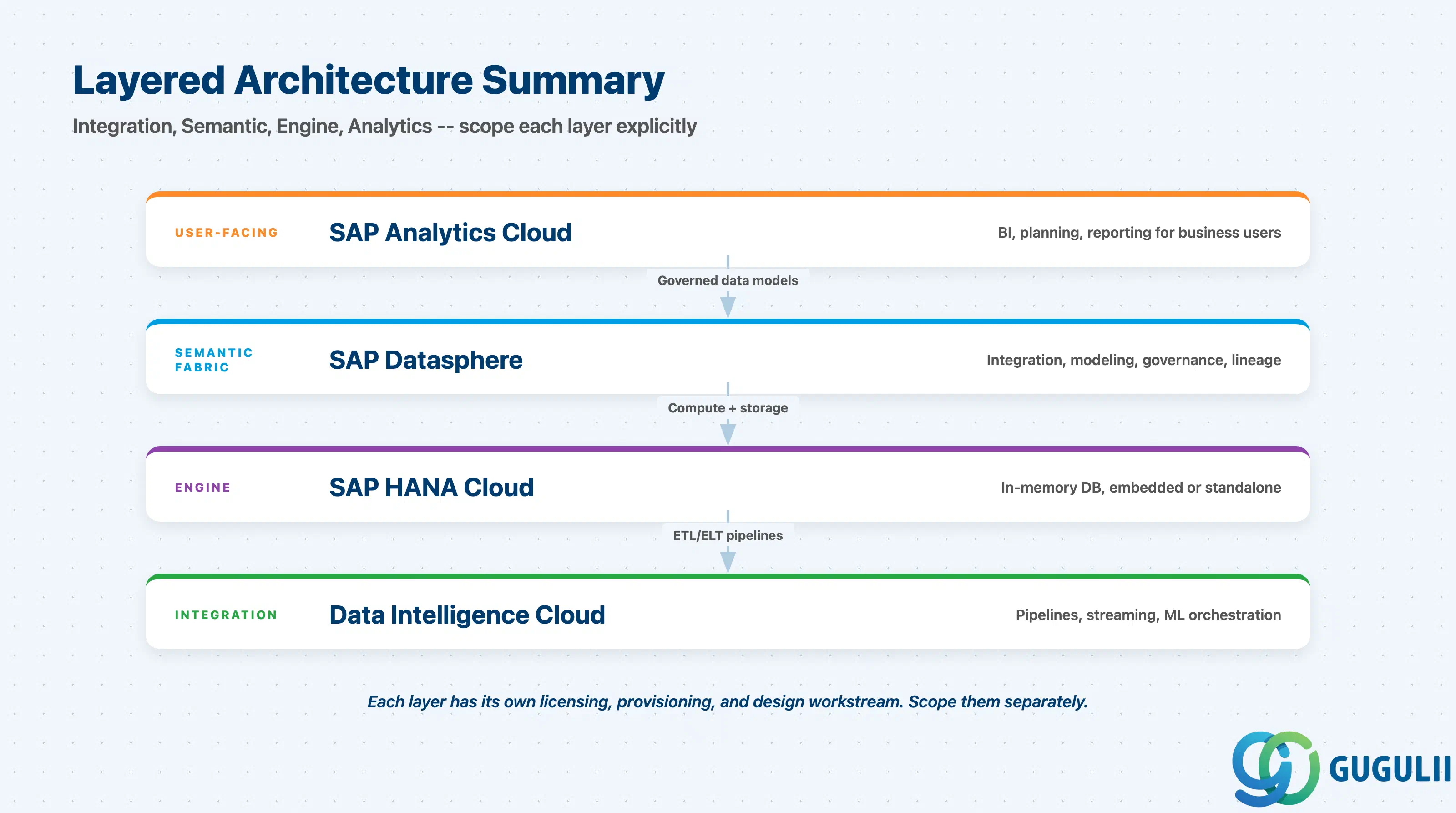
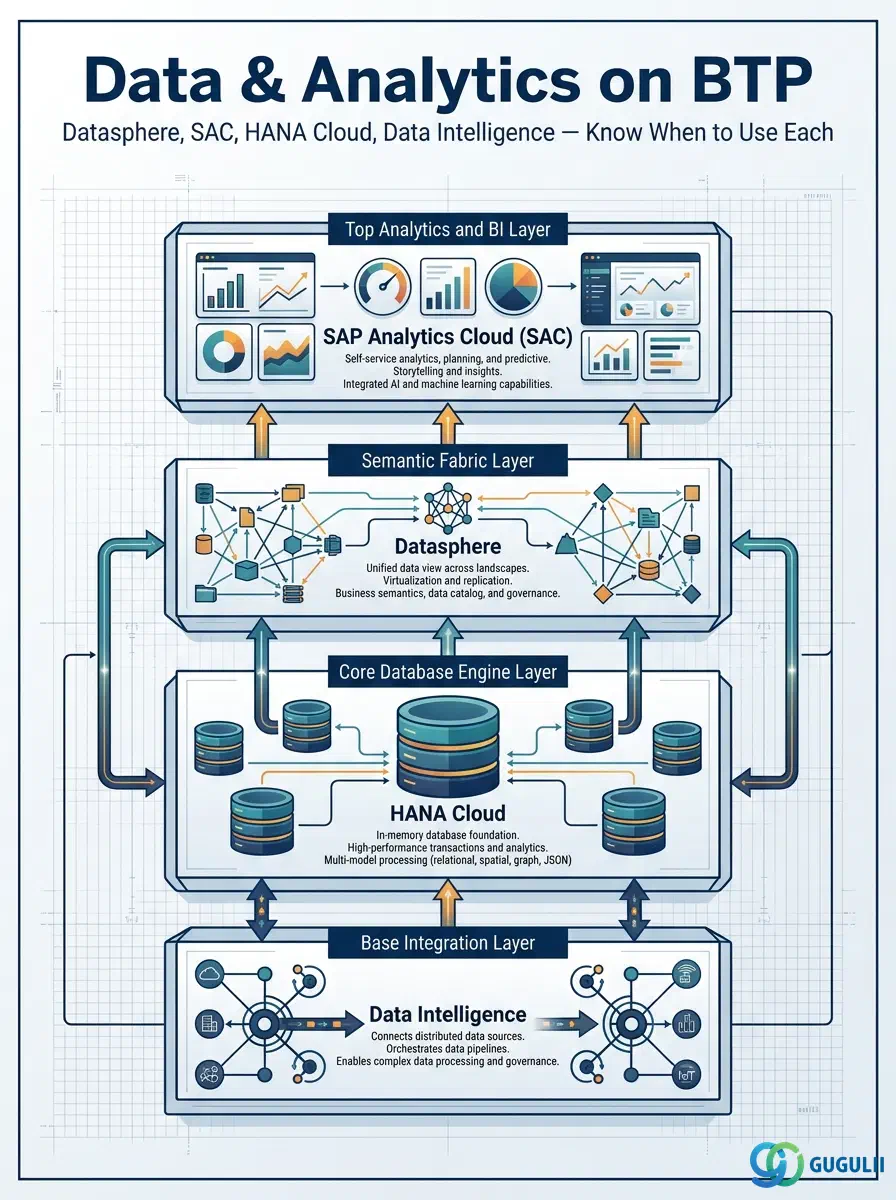
The BTP Data & Analytics domain is not a single product choice — it is a layered architecture ( sap.com →). SAP Data Intelligence Cloud handles complex integration and pipeline orchestration. SAP Datasphere provides the semantic fabric that gives integrated data business meaning and governance. SAP HANA Cloud supplies the computational engine, either embedded within Datasphere or as a standalone instance. SAP Analytics Cloud sits at the top as the user-facing BI and planning platform. The key consultant discipline is to scope each layer explicitly, confirm the licensing for each component separately, and resist the tendency to treat the entire stack as a single line item in a project plan.
| Article | Link |
|---|---|
| BTP-C01: Data and Analytics: Overview and Capability Map (this article) | /docs/sap-btp/btp-c01/ |
| BTP-C02: HANA Cloud: Architecture and Use | /docs/sap-btp/btp-c02/ |
| BTP-C03: Datasphere: Architecture and Use | /docs/sap-btp/btp-c03/ |
| BTP-C04: Analytics Cloud: Architecture and Use | /docs/sap-btp/btp-c04/ |
| BTP-C05: Master Data Governance: Architecture and Use | /docs/sap-btp/btp-c05/ |
| BTP-C06: Data and Analytics: Use Cases and Decision Patterns | /docs/sap-btp/btp-c06/ |