Title here
Summary here

| ID | Category | Component | Scope |
|---|---|---|---|
| BTP-C01 | Overview | Data and Analytics | Overview and Capability Map |
| BTP-C02 | Integration | Data Integration Suite | Architecture and Use |
| BTP-C03 | Data Platform | SAP Datasphere | Architecture and Use |
| BTP-C04 | Analytics | SAP Analytics Cloud | Architecture and Use (this article) |
| BTP-C05 | AI and Data | Business Data Cloud | Architecture and Use |
| BTP-C06 | Governance | Data Governance and Catalog | Architecture and Use |
| Resource | URL |
|---|---|
| SAP Analytics Cloud Product Page | sap.com → |
| SAP Analytics Cloud Help Portal | help.sap.com → |
| SAP Analytics Cloud Planning Features | sap.com → |
| SAP Datasphere Integration with SAC | help.sap.com → |
| SAP Analytics Cloud and BTP Integration | help.sap.com → |
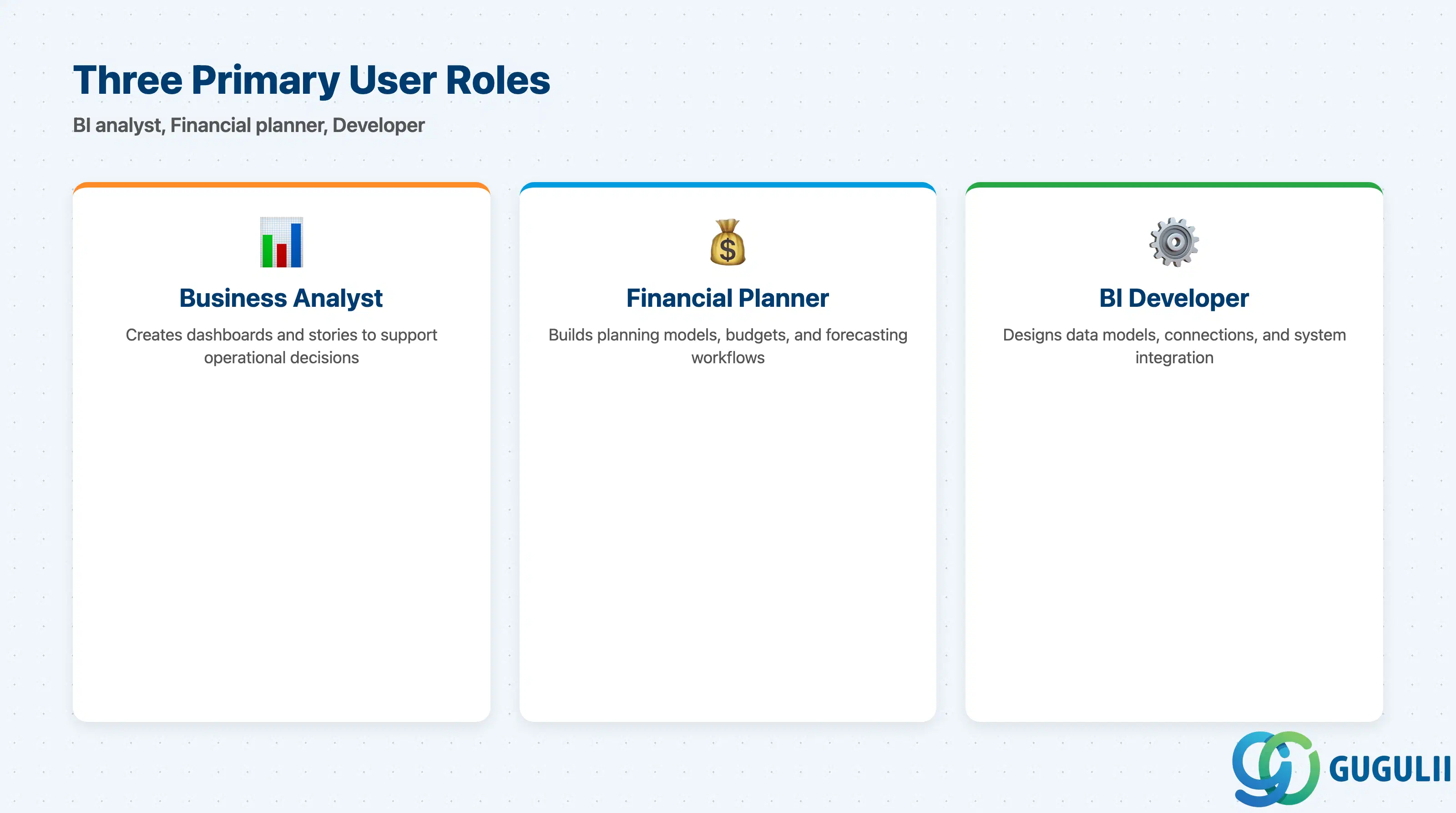
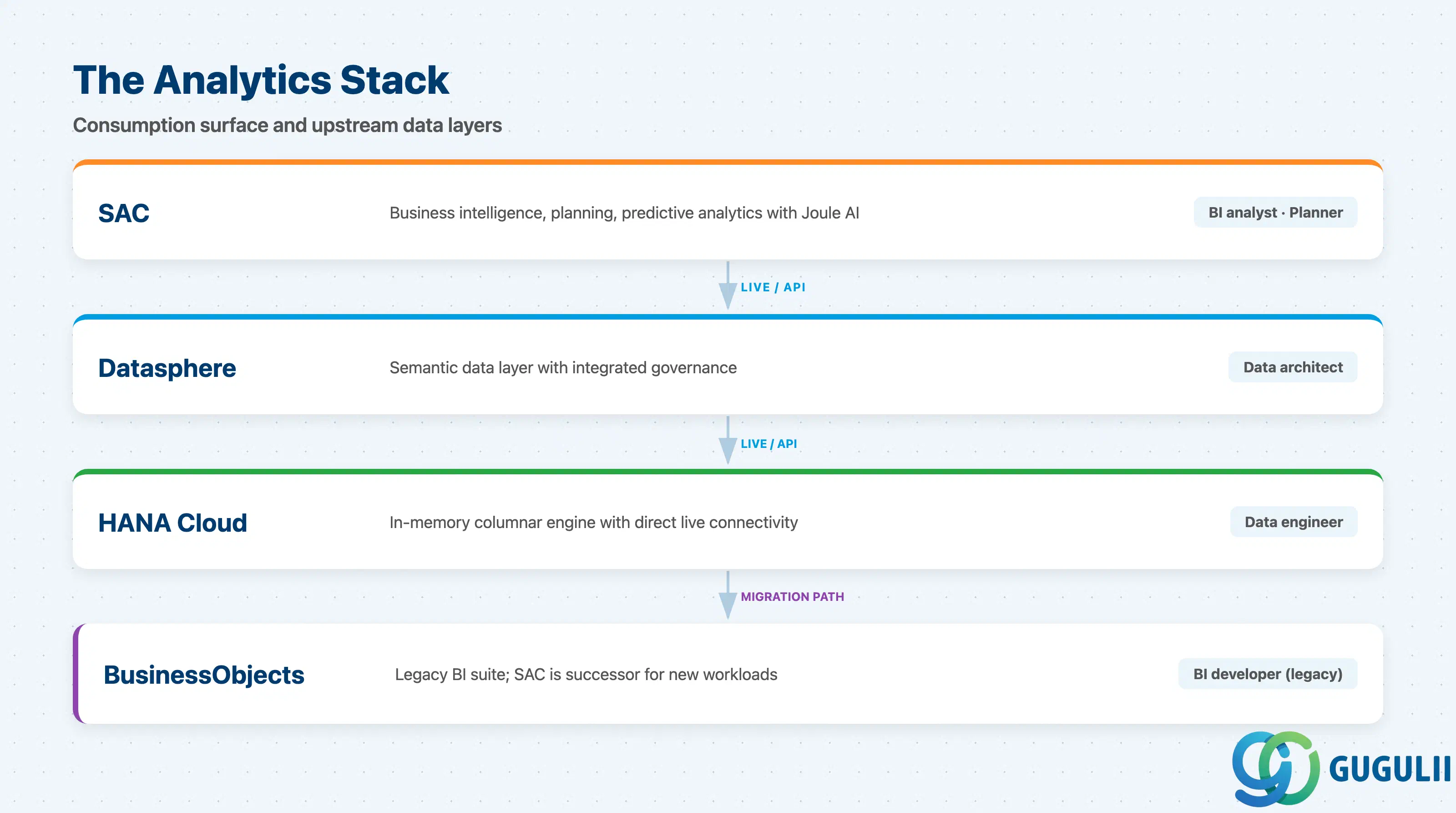
SAP Analytics Cloud sits at the top of the SAP data stack — it is where business users interact with data through stories, dashboards, planning models, and AI-assisted insights. According to the SAP Analytics Cloud product page, the platform unifies business intelligence, enterprise planning, and predictive analytics in a single cloud solution with AI augmentation via Joule.
| Domain | What it does | Primary user |
|---|---|---|
| SAP Analytics Cloud (SAC) | Business intelligence, enterprise planning, and predictive analytics with AI augmentation via Joule | Business analyst, financial planner, BI developer |
| SAP Datasphere | Semantic data layer with integrated governance; the preferred upstream source for SAC live connections | Data architect, data engineer |
| SAP HANA Cloud | In-memory columnar engine; provides direct live connectivity to SAC via HANA Analytics Adapter | Database administrator, data engineer |
| SAP BusinessObjects | Legacy BI suite; SAC is the designated successor for new BI workloads; coexistence patterns exist | BI developer (legacy systems) |
They are not substitutes. SAC is the analytics and planning consumption surface; Datasphere and HANA Cloud are the semantic and storage layers it reads from; BusinessObjects and SAC address overlapping BI use cases with different architectural assumptions.
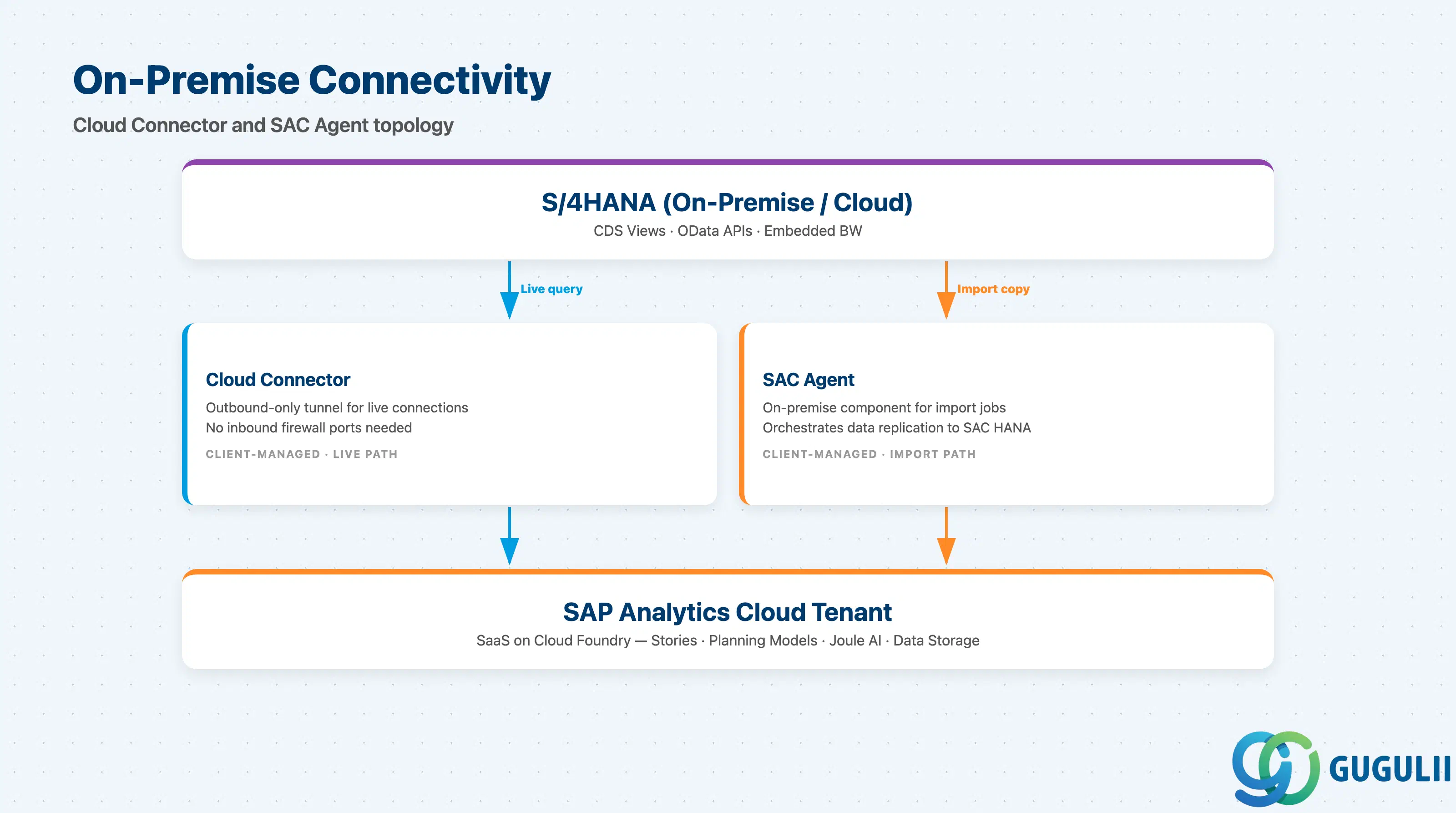
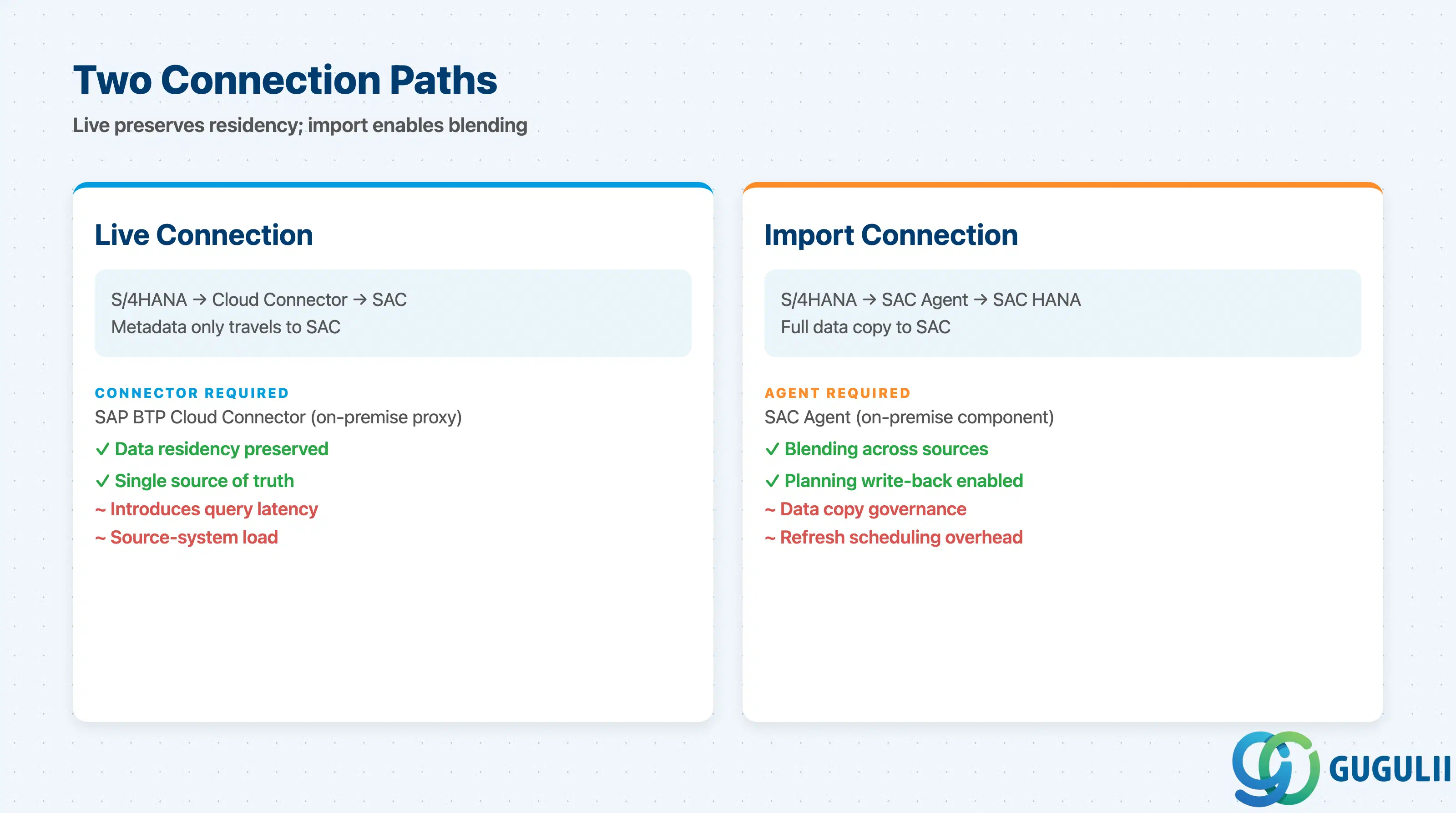
SAC connects to SAP S/4HANA through two distinct paths that serve different use cases and impose different governance requirements. The SAP BTP integration guide confirms that the SAP BTP Cloud Connector provides secure connectivity to on-premise data sources without opening inbound firewall ports.
┌────────────────────────────────────────────────────────────────────────┐
│  SAP S/4HANA (on-premise or cloud)                                      │
│  CDS Views / OData APIs / Embedded BW / BPC Embedded                    │
└────────────┬───────────────────────────────────────────────────────────┘
             │                           │
             │ Live Connection            │ Import Connection
             │ (metadata only travels)    │ (data replicates to SAC HANA)
             ▼                           ▼
┌────────────────────────┐   ┌──────────────────────────────────────────┐
│  SAP BTP Cloud         │   │  SAP Analytics Cloud Agent               │
│  Connector             │   │  (on-premise component)                  │
│  (on-prem proxy)       │   └──────────────────────────────────────────┘
└────────────┬───────────┘               │
             │                           │
             └──────────────┬────────────┘
                            ▼
             ┌──────────────────────────────┐
             │   SAP Analytics Cloud Tenant  │
             │   (SaaS, Cloud Foundry)       │
             │   Stories / Planning Models   │
             │   Joule AI / Smart Predict    │
             └──────────────────────────────┘
Live connections retrieve data from S/4HANA on demand when a user opens or refreshes a story. Only metadata travels to the SAC tenant; master data and transactional records remain in the source system, satisfying data residency requirements in regulated industries. On-premise S/4HANA requires the SAP BTP Cloud Connector, which establishes an outbound-only tunnel — no inbound firewall ports are needed.
Import connections replicate data into SAC’s underlying HANA database. The SAC Agent is the on-premise component that mediates import jobs. Imported data can be blended with other sources and used in planning models that require write-back, but it creates a data copy with its own refresh schedule and governance overhead.
For projects that already use SAP Datasphere, the preferred pattern is a Datasphere live connection from SAC, which lets SAC consume semantically enriched models — including hierarchy structures, associations, and dimension metadata — without duplicating data in yet another layer.
Key point: The data connection architecture decision must be made at requirements stage. Live connections preserve data residency and reduce duplication but introduce latency and source-system load; import connections improve performance and enable write-back but create data copies that require explicit governance.
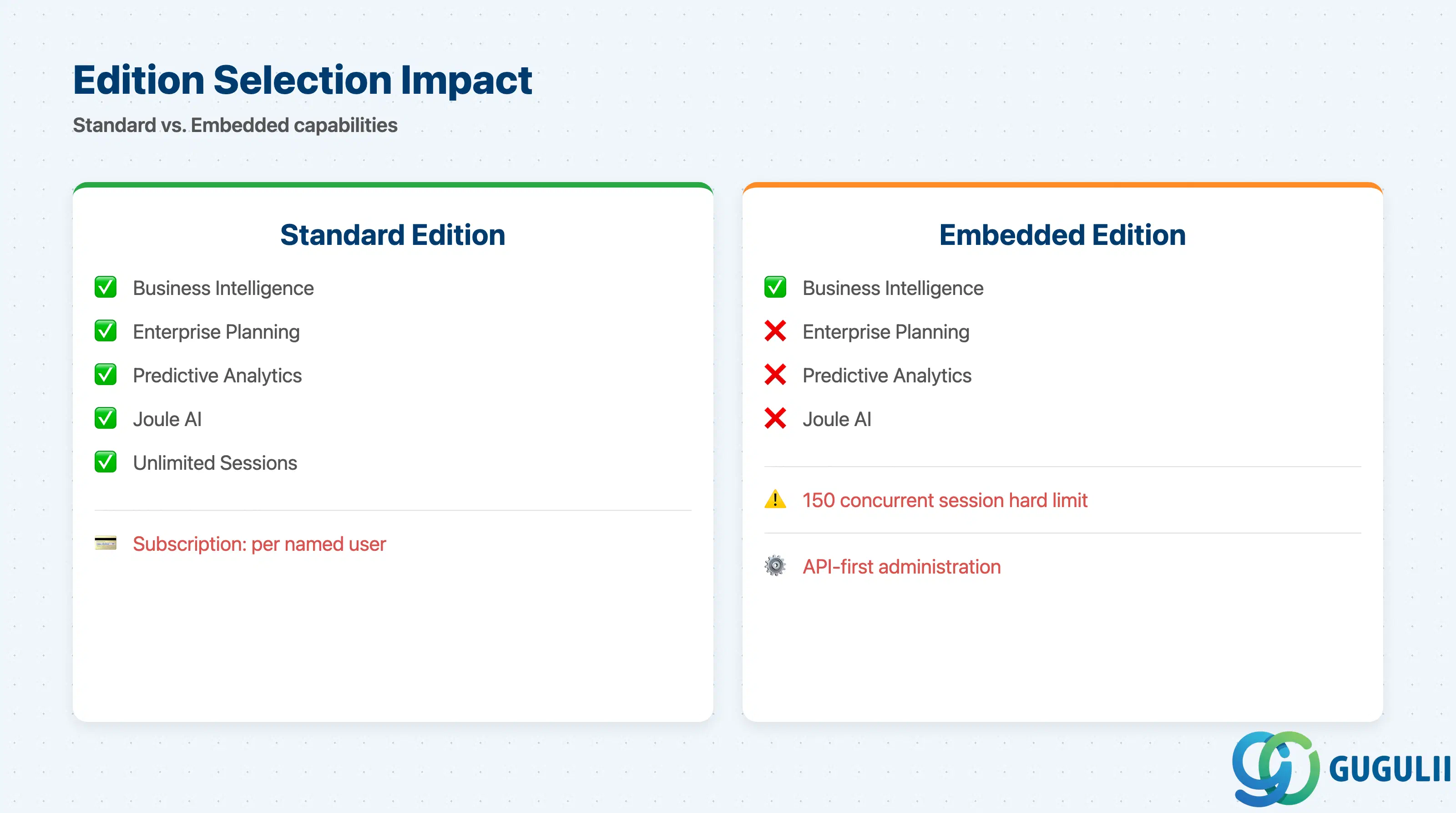
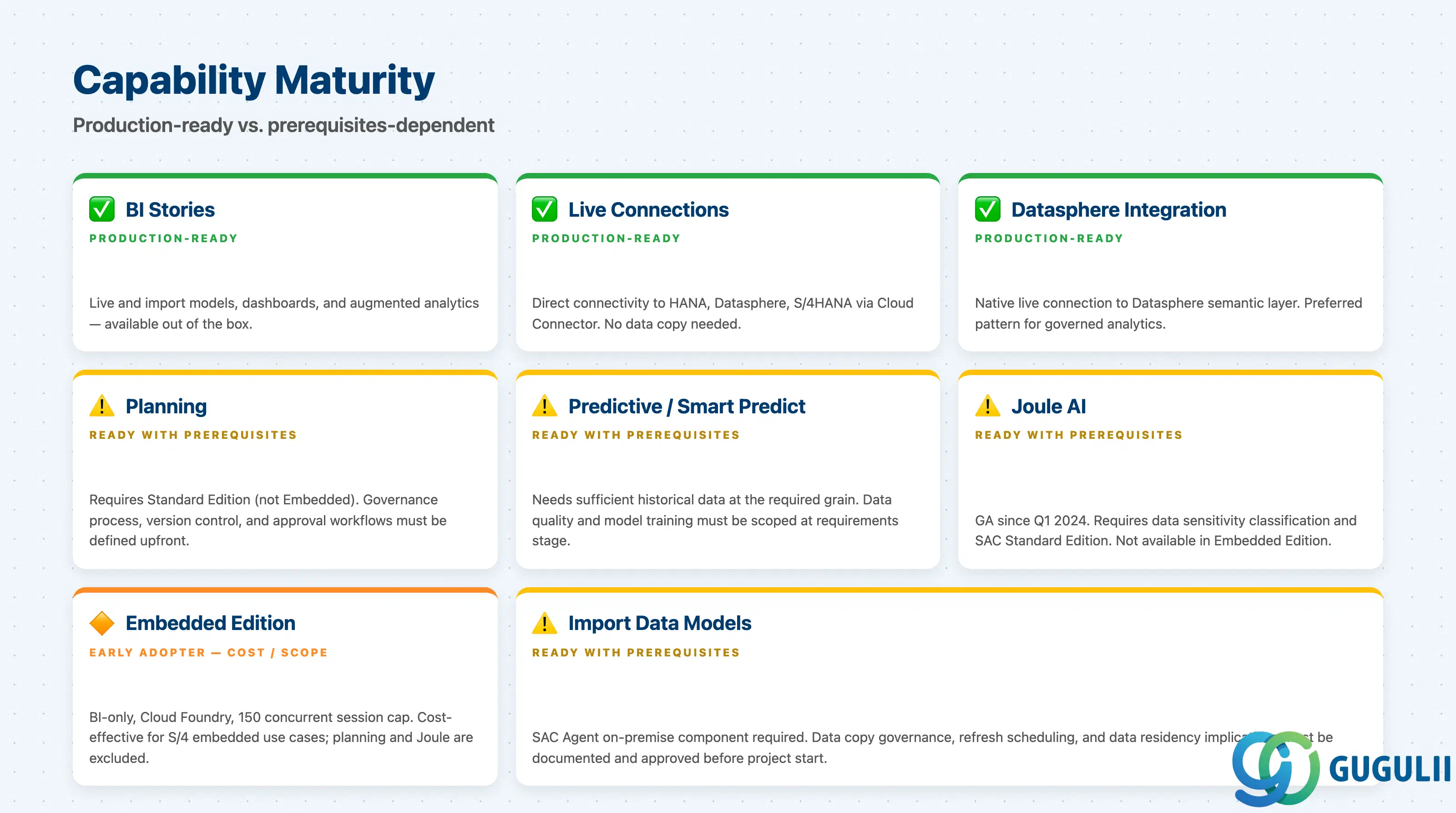
The table below reflects capabilities as documented in the SAP Analytics Cloud Help Portal. The Embedded Edition row reflects constraints documented for the BTP Cloud Foundry service variant.
| Capability | Maturity | Notes |
|---|---|---|
| BI Stories and Dashboards | ✅ Production-ready | Core story design is mature; Optimized Design Experience is the current recommended approach; legacy story format still supported but being deprecated |
| Live Connection to SAP HANA / S/4HANA | ✅ Production-ready | Stable and widely deployed; requires Cloud Connector for on-premise sources; supported since initial Cloud Foundry release |
| Live Connection to SAP Datasphere | ✅ Production-ready | Recommended upstream pattern; trusted origin relationship required; delivers semantically rich models with full metadata |
| Enterprise Planning (budgeting, forecasting) | ⚠️ Ready with prerequisites | Mature feature set including value driver trees, data actions, and workflows; requires clean planning data model and explicit data governance design before go-live |
| Predictive Analytics (Smart Predict) | ⚠️ Ready with prerequisites | Machine learning forecasting available; results are only as reliable as input data quality; model explainability is limited for regulatory audit contexts |
| Joule Generative AI | ⚠️ Ready with prerequisites | “Just Ask” generative AI (natural-language queries) reached GA in Q1 2024; Joule integration extends to story design and planning workflows; hallucination risk applies — validate insight outputs before business decisions |
| SAC Embedded Edition (BTP service) | 🔶 Early adopter | Available on Cloud Foundry only; supports only HANA Cloud live connections; no Planning, Predictive, or Designer capabilities; 150 concurrent session hard limit; API-first setup with limited UI for administration |
| Import Connection (on-premise sources) | ⚠️ Ready with prerequisites | Requires SAC Agent on-premise; data copy governance must be defined upfront; refresh scheduling adds operational overhead |
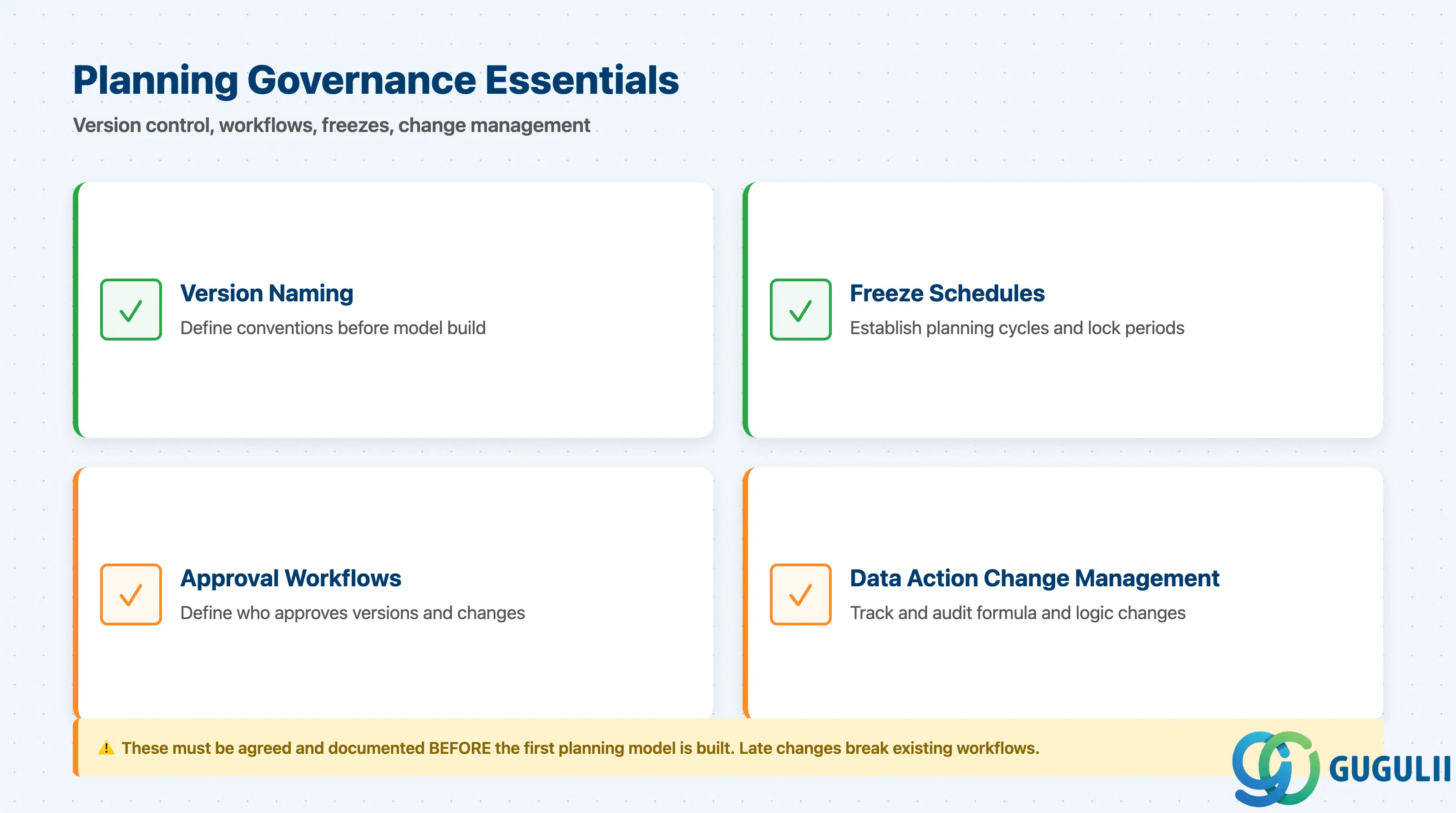
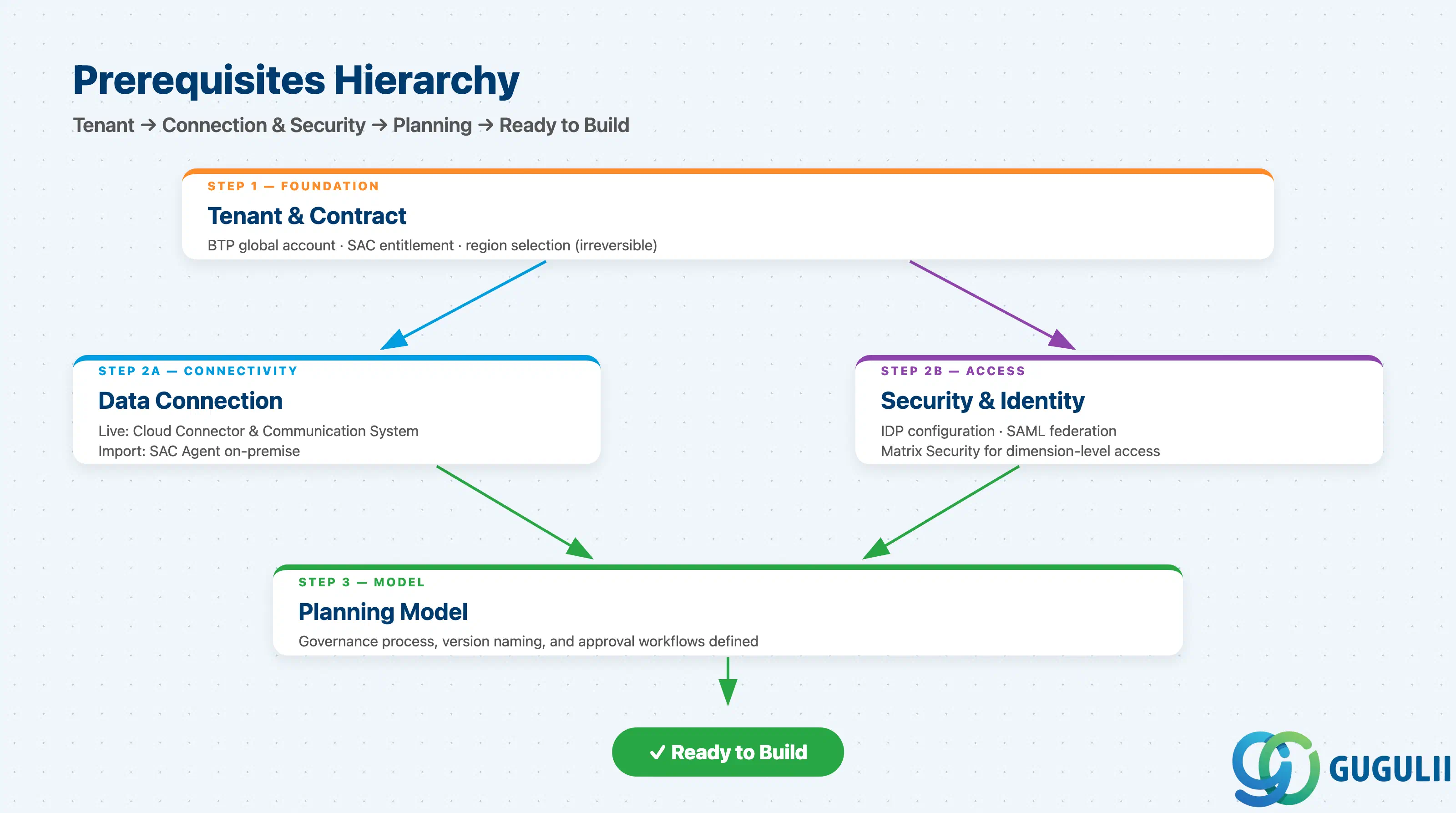
The SAP Analytics Cloud planning features page confirms that collaborative planning, automated forecasting, and dynamic workflows are available in the Standard edition. The Embedded Edition excludes these capabilities, making edition confirmation the first prerequisite to resolve.
| Checklist item | Why it matters |
|---|---|
| Confirm SAC edition: Standard vs. Embedded vs. Full | Standard and Embedded have very different capability sets; Planning and Predictive are not available in Embedded Edition |
| Identify the BTP subaccount and Cloud Foundry environment where SAC will be provisioned | SAC Standard runs as a SaaS subscription; Embedded Edition is a Cloud Foundry service — provisioning location affects identity and trust setup |
| Verify the data center region matches data residency requirements | SAC runs on AWS (primary), Azure, Alibaba Cloud (China), and AWS GovCloud; EU and FedRAMP-regulated customers have specific region requirements |
| Confirm user licensing model (named users vs. business intelligence vs. planning users) | SAP differentiates license types for BI-only and planning users; mixing license types without prior audit creates compliance exposure |
| Establish upgrade cadence awareness | SAC releases updates quarterly; production tenants receive updates automatically; verify whether a pre-production test tenant is required before each release |
| Checklist item | Why it matters |
|---|---|
| Document all data sources and their deployment topology (on-premise, BTP, third-party cloud) | Each source type requires a different connector approach; discovery prevents mid-project surprises |
| Decide live vs. import for each source | Live preserves data residency and reduces copies; import enables blending and write-back; this decision has governance implications that are hard to reverse |
| Confirm SAP BTP Cloud Connector is available and sized for on-premise live connections | Cloud Connector must be installed and maintained by the client; provisioning lead time must be factored into the project plan if not already present |
| Confirm SAC Agent version compatibility for import connections | Agent versions must match the supported SAC release matrix; outdated agents cause import failures |
| For Datasphere as upstream source, confirm trusted origin relationship is established | Trusted origin setup requires security administrator access on both tenants; missing this at kickoff delays first story development |
| Validate source-system CDS Views or OData services are exposed and authorized | Live connections to S/4HANA consume CDS Views; if those views are not activated or authorized, the connection setup phase hits blockers immediately |
| Document refresh schedule and SLA for import data sources | Imported data has a staleness window; planning users and business analysts must agree on acceptable data freshness before go-live |
| Checklist item | Why it matters |
|---|---|
| Confirm Identity Provider (IdP) for SAC tenant — SAP BTP IAS or external IdP | SAC supports SAP BTP Identity Authentication Service (IAS) and third-party SAML 2.0 IdPs; mismatched IdP configuration is the most common cause of authentication failures on day one |
| Define SAC role concept: BI Consumer, BI Creator, Planner, Admin | Roles must be mapped to organizational groups before user provisioning — ad-hoc role assignment creates ungoverned access sprawl |
| Clarify Matrix Security requirements for dimension-based access control | If row-level security is required, Matrix Security must be modeled upfront; it cannot be bolted on after stories are built |
| Determine encryption key management requirement: standard vs. BYOK (Bring Your Own Key) | SAP Data Custodian integration enables BYOK and CSEK models; confirm subscription and setup timeline if customer-managed keys are required |
| Confirm MFA policy alignment between corporate identity policy and SAC tenant configuration | SAC supports multi-factor authentication; if the corporate IdP enforces MFA, the SAC configuration must not create a bypass path |
| Checklist item | Why it matters |
|---|---|
| Identify planning model type: Account-based vs. Classic (EPM) | SAC supports both account-based (recommended for new implementations) and classic EPM models; mixing model types creates version control and reporting complexity |
| Document the planning hierarchy structure (entities, cost centers, profit centers, accounts) | Planning models are hierarchy-driven; quality issues in the source system hierarchy are inherited by SAC planning models |
| Define data action and planning function requirements (allocation, distribution, formula-based write-back) | Data actions require explicit design and testing; they are code-like objects requiring version control and change management |
| Confirm write-back data path: SAC export API to BW/4HANA or S/4HANA | If planning data must flow back into S/4HANA or BW/4HANA, the OData-based Export API and the receiving write interface must be designed and tested; this is often underestimated in project scope |
| Validate private version and workflow approval process design | The approval process must be agreed with business stakeholders before model build — late changes to approval chains break existing workflows |
| Define predictive forecast requirements and validate training data availability | Smart Predict requires sufficient historical training data to produce reliable forecasts; validate data availability and grain before committing predictive features to scope |
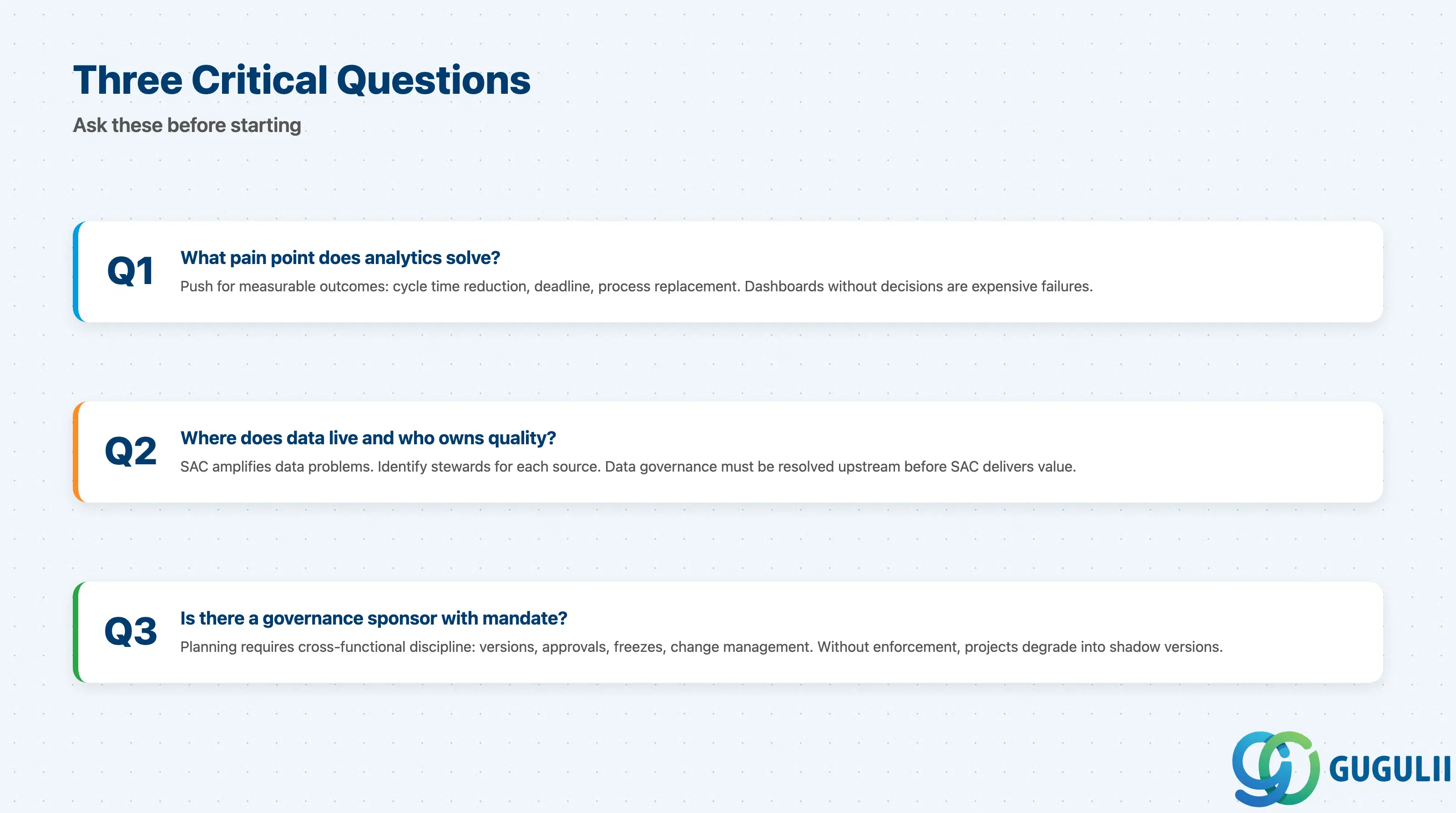
Q1. What measurable business pain is analytics or planning meant to solve?
If the answer is “we need dashboards” without specifying what decisions those dashboards will drive, the project is at high risk of delivering visualizations that nobody acts on. Push for a specific, measurable outcome: a cycle time reduction, a consolidation deadline, a manual process being replaced. If no concrete pain point surfaces, the scope is not ready.
Q2. Where does the data live, and who owns data quality for each source?
SAC does not fix data quality problems — it amplifies them. A live connection to S/4HANA with poorly maintained master data produces misleading stories faster than any manual report. Identify the data steward for each source and confirm that data quality standards are defined and enforced upstream before the first SAC model is built.
Q3. Is there an internal sponsor with budget authority and organizational mandate to enforce planning governance?
Enterprise planning in SAC requires cross-functional discipline: version control, approval workflows, freeze periods, and data action change management. Without a sponsor who can enforce these processes, planning projects consistently degrade into uncontrolled shadow versions and manually adjusted exports.
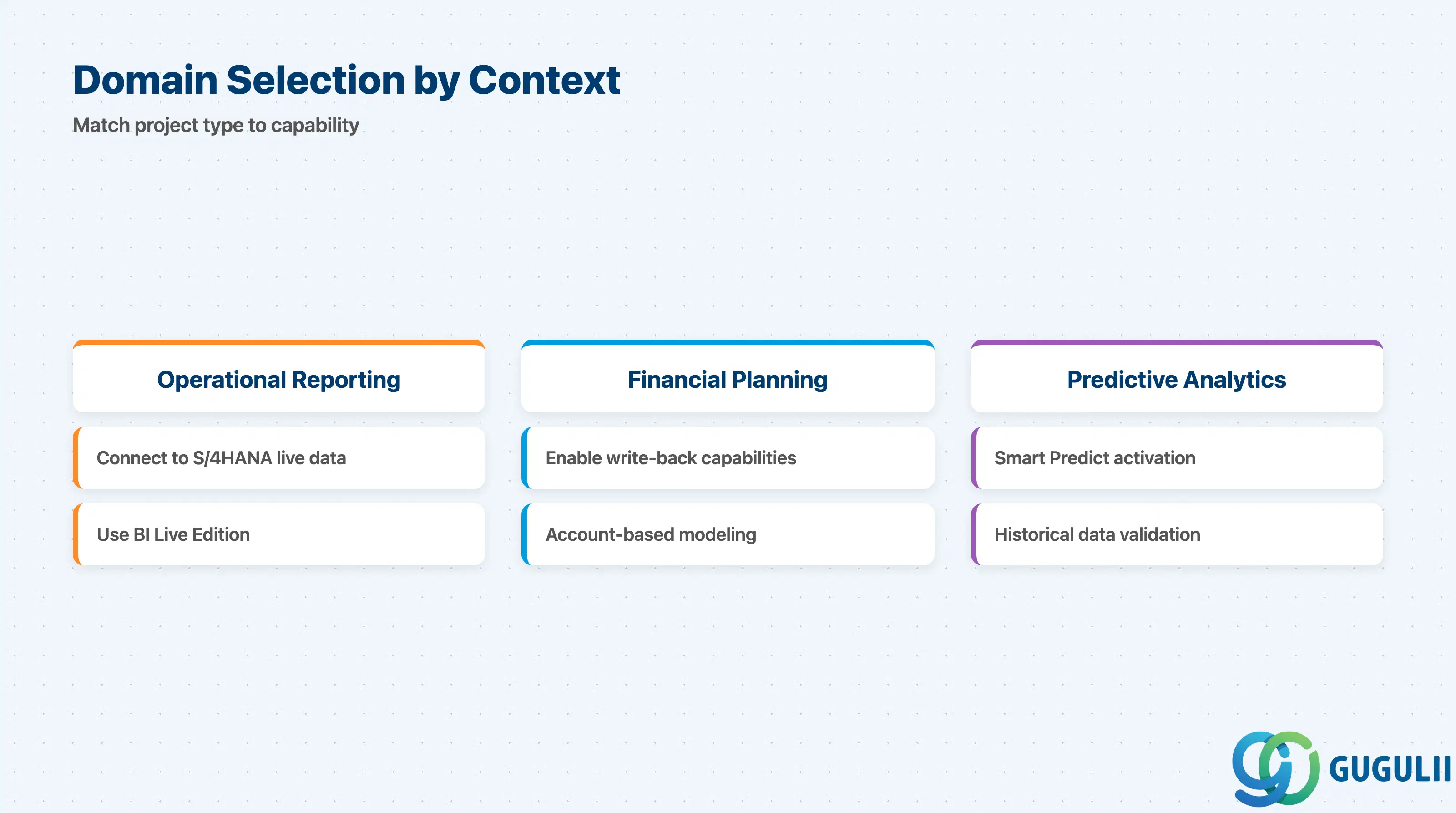
The SAP Analytics Cloud product page lists the supported data sources and capability areas that inform the domain selection table below.
| Project context | Recommended starting capability |
|---|---|
| Operational reporting on live S/4HANA data | SAC BI with live connection to S/4HANA or Datasphere |
| Financial consolidation and planning with S/4HANA as source | SAC Planning with account-based model; write-back via Export API to BW/4HANA or S/4HANA |
| Executive dashboards consuming multiple SAP and non-SAP sources | SAC BI with Datasphere as semantic integration layer upstream |
| Embedded analytics within a BTP application or customer portal | SAC Embedded Edition (confirm feature limitations and session cap before committing) |
| Predictive demand or revenue forecasting | SAC Predictive (Smart Predict); validate historical data volume and grain before scoping |
| AI-assisted self-service analytics for business users | SAC with Joule “Just Ask”; pilot with a limited user group before broad rollout |
| No clear pain point identified yet | Stop. Go back to Q1. |
| Capability | Licensing model | Key question to ask |
|---|---|---|
| SAC Standard (BI + Planning + Predictive) | Subscription per named user; user type determines BI vs. Planning entitlement | How many users need planning write access vs. read-only BI? The ratio drives total license cost significantly. |
| SAC Embedded Edition | BTP service; consumption-based through BTP Global Account | Does the application use case fit within the 150 concurrent session hard limit? Planning and Predictive are not available — is BI-only sufficient? |
| Joule / Generative AI features | Included in SAC subscription; underlying AI model usage subject to SAP AI Core capacity | Is the client’s data sensitive enough that AI model data processing terms must be reviewed before enabling Joule? |
| SAP Data Custodian (BYOK) | Separate subscription required for customer-managed encryption keys | Does the client’s security policy mandate customer-managed keys? Confirm budget before specifying BYOK in the architecture. |
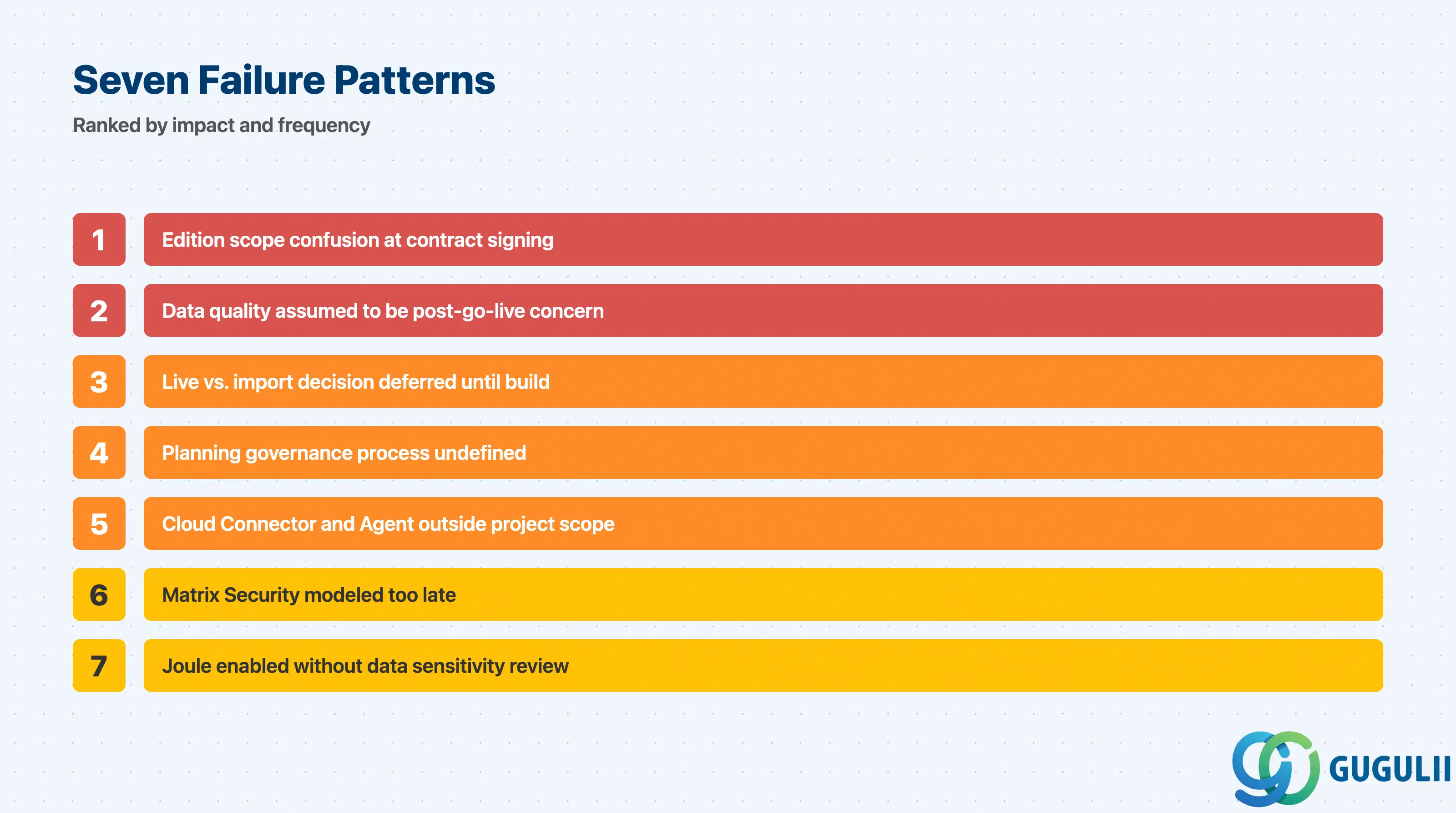
The failures below are drawn from requirements-stage patterns. The SAP Analytics Cloud Help Portal documents the capability boundaries that underpin Failures 1 and 5 — understanding those boundaries before contract signature prevents the most costly scope corrections.
Failure 1: Edition scope confusion at contract signing
Teams sign a contract for SAC Embedded Edition because it appears cheaper and is available as a BTP service, then discover mid-project that Planning and Predictive Analytics are not available and that the 150 concurrent session limit is incompatible with the expected user volume. Confirming the edition and its capability restrictions in writing before contract signature is the only protection against this failure.
Failure 2: Data quality assumed to be a post-go-live concern
The most consistent pattern in failed SAC analytics projects is treating data quality as something to fix “after we see the dashboards.” SAC live connections expose raw source data to business users immediately — if cost center hierarchies in S/4HANA are inconsistent or account assignments are wrong, those errors appear on day one of user acceptance testing. Data quality remediation must be scoped as a parallel workstream, not a post-launch activity.
Failure 3: Live vs. import decision deferred until build phase
When the connection decision is left unresolved during requirements, the build team defaults to one approach and then discovers incompatibilities: a use case requiring data blending across two live sources (not supported), or a data residency requirement prohibiting import copies. Reversing connection architecture during build causes significant rework. The decision must be documented and signed off by the data owner before model development begins.
Failure 4: Planning governance process undefined at kickoff
SAC enterprise planning without an agreed version management process degrades quickly. Users create private versions and never publish them; administrators accumulate abandoned versions; data actions are edited without version control; and no one can reconstruct how a budget number was derived. Planning governance — version naming conventions, freeze schedules, approval workflow ownership, data action change management — must be designed before the first planning model is built.
Failure 5: Cloud Connector and SAC Agent treated as infrastructure items outside project scope
On-premise live connections require the SAP BTP Cloud Connector; import connections require the SAC Agent. Both components must be installed and maintained by the client’s infrastructure or Basis team. When treated as “the client’s IT department will handle it,” projects stall when nobody in IT was informed or the Basis team is unavailable during connectivity testing. Include both components as explicit project tasks with named owners.
Failure 6: Matrix Security modeled too late
When row-level data access control is raised after stories are already built, the impact is severe: data models must be redesigned, story filters replaced with security-driven filters, and testing cycles restart. Matrix Security requirements must be captured in the requirements phase and validated with the security team before story development begins.
Failure 7: Joule / AI features enabled without data sensitivity review
SAC’s Joule generative AI features process natural-language queries against analytical data. When the SAC tenant contains sensitive financial, HR, or personal data, enabling Joule requires a review of SAP’s AI data processing terms and, in some jurisdictions, a data protection impact assessment. Always confirm with the client’s data protection officer before activating generative AI features.
Q: Can SAC be used with fully on-premise S/4HANA, or is cloud S/4HANA required?
SAC is a SaaS solution and always runs in the cloud, but it connects to on-premise S/4HANA through the SAP BTP Cloud Connector (for live connections) or the SAC Agent (for import connections). No inbound firewall ports are required — both components establish outbound-only tunnels. On-premise S/4HANA is a fully supported source; SAC was designed with hybrid connectivity as a primary use case.
Q: What does SAC licensing actually cover, and what requires an additional purchase?
A standard SAC subscription includes BI story consumption, planning, and predictive analytics, with user type determining which capabilities are enabled per named user. Generative AI features (Joule) are included in the subscription. SAP Data Custodian for Bring Your Own Key encryption is a separate subscription. The Embedded Edition is a separate BTP service with distinct pricing and feature constraints. Confirm the user breakdown (BI consumer vs. BI creator vs. planner) with the client’s procurement team — this split determines the bulk of the license cost.
Q: When should AI and predictive features be removed from project scope?
Descope predictive features when: historical data at the required grain is insufficient for reliable forecasting; data quality in the source system has not been validated; or the business does not have a named process owner who will act on forecast outputs. Descope Joule when: the tenant contains sensitive personal or regulated financial data and a data protection impact assessment has not been completed; or the generative AI outputs cannot be validated against a ground truth by a named data steward. Both feature sets are easy to add after go-live once data foundations are proven.
Q: How should the data connection decision be documented in a requirements document?
Document the connection decision as a formal architecture decision record (ADR) that captures: the source system and its topology, the connection type chosen (live or import), the rationale (data residency, performance, write-back requirement), the named data owner, the refresh SLA if applicable, and the sign-off date. This ADR should be reviewed by the client’s security and data governance team before build. “We will decide during implementation” is not an acceptable state for this decision.
Q: What is the SAC Embedded Edition and when does it make sense to use it?
SAC Embedded Edition is a BTP Cloud Foundry service designed for embedding analytics within custom applications or portals. As documented in the SAP Analytics Cloud and BTP integration guide, it supports only live connectivity to SAP HANA Cloud via the HANA Analytics Adapter, has no Planning, Predictive, or Designer capabilities, and is hard-limited to 150 concurrent user sessions. Administration is API-first with limited UI. It makes sense when the use case is read-only BI within a BTP application with controlled user concurrency and HANA Cloud as the only data source. It does not make sense for enterprise-wide BI or planning deployments.
Q: How does the integration between SAP Datasphere and SAC work in practice?
SAP Datasphere integrates with SAC via a trusted origin live connection. The administrator establishes a security-based trust relationship between the Datasphere tenant and the SAC tenant. SAC stories then consume Analytical Datasets, Analytic Models, and Perspectives using the Optimized Design Experience, which supports the full metadata structure including hierarchies, associations, and dimension attributes. This pattern eliminates the need to rebuild semantic models in SAC that already exist in Datasphere, keeping a single semantic layer authoritative.
Q: What happens when SAC quarterly updates break existing stories or data connections?
SAC releases updates quarterly, and production tenants receive them automatically without a change freeze window. Regressions are uncommon for stable story features but do occur, particularly for beta features or custom script logic. The standard mitigation is a pre-production tenant that receives the update first, followed by a validation window before production is updated. If the client does not have a pre-production tenant in scope, this risk must be explicitly accepted in the project risk register.
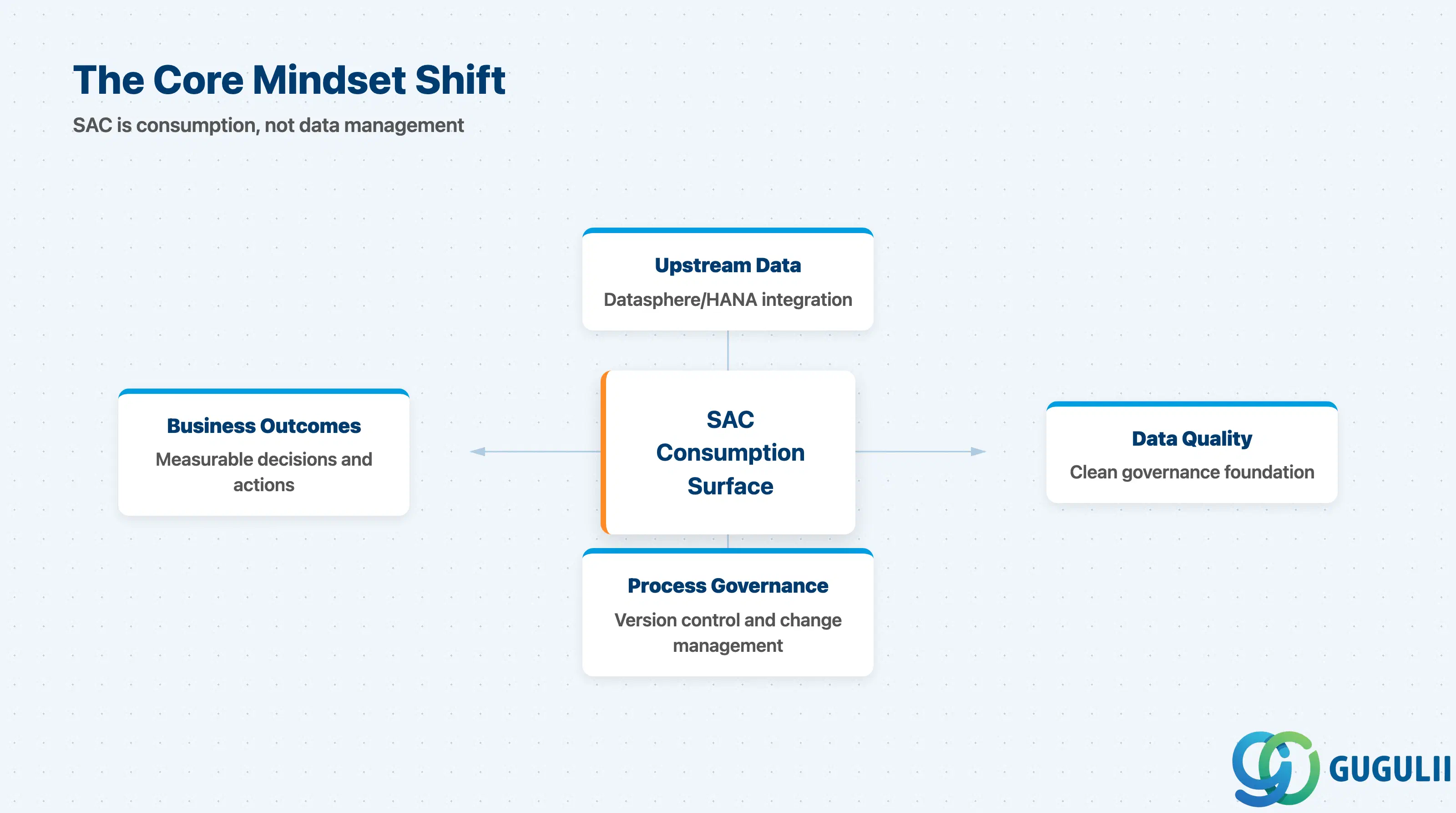
SAP Analytics Cloud is the designated analytics and planning consumption layer in the SAP BTP data stack. As described on the SAP Analytics Cloud product page, it connects to SAP S/4HANA, SAP Datasphere, SAP HANA Cloud, and a range of non-SAP sources through live or import connections, each carrying distinct governance and infrastructure requirements. The platform is mature for BI and live connectivity; planning, predictive, and generative AI features are production-capable but require deliberate data quality and governance foundations before they deliver reliable business value.
The decision-making work for an SAC engagement happens before the first story is built: selecting the edition, choosing live vs. import for each source, designing the security and access model, and establishing planning governance. Teams that defer these decisions into the build phase consistently encounter the same failures — edition mismatches, data quality surprises, unresolved connection architecture, and ungoverned planning versions.
SAC is most powerful when it sits downstream of a well-governed Datasphere or HANA Cloud layer that has already solved data integration, semantic modeling, and hierarchy management. When SAC is asked to compensate for missing upstream data architecture, it cannot — and the project scope expands beyond what was originally agreed.