Title here
Summary here

| ID | Title |
|---|---|
| BTP-D01 | Business AI: Overview and Capability Map |
| BTP-D02 | Joule: Architecture and Use |
| BTP-D03 | AI Core and GenAI Hub: Architecture and Use (this article) |
| BTP-D04 | Document AI: Architecture and Use |
| BTP-D05 | Responsible AI: Principles and Implementation |
| BTP-D06 | Business AI: Use Cases and Decision Patterns |
| Resource | URL |
|---|---|
| SAP AI Core Service Guide (PDF) | help.sap.com → |
| GenAI Hub in SAP AI Core | help.sap.com → |
| Models in Generative AI Hub | help.sap.com → |
| SAP AI Launchpad Guide (PDF) | help.sap.com → |
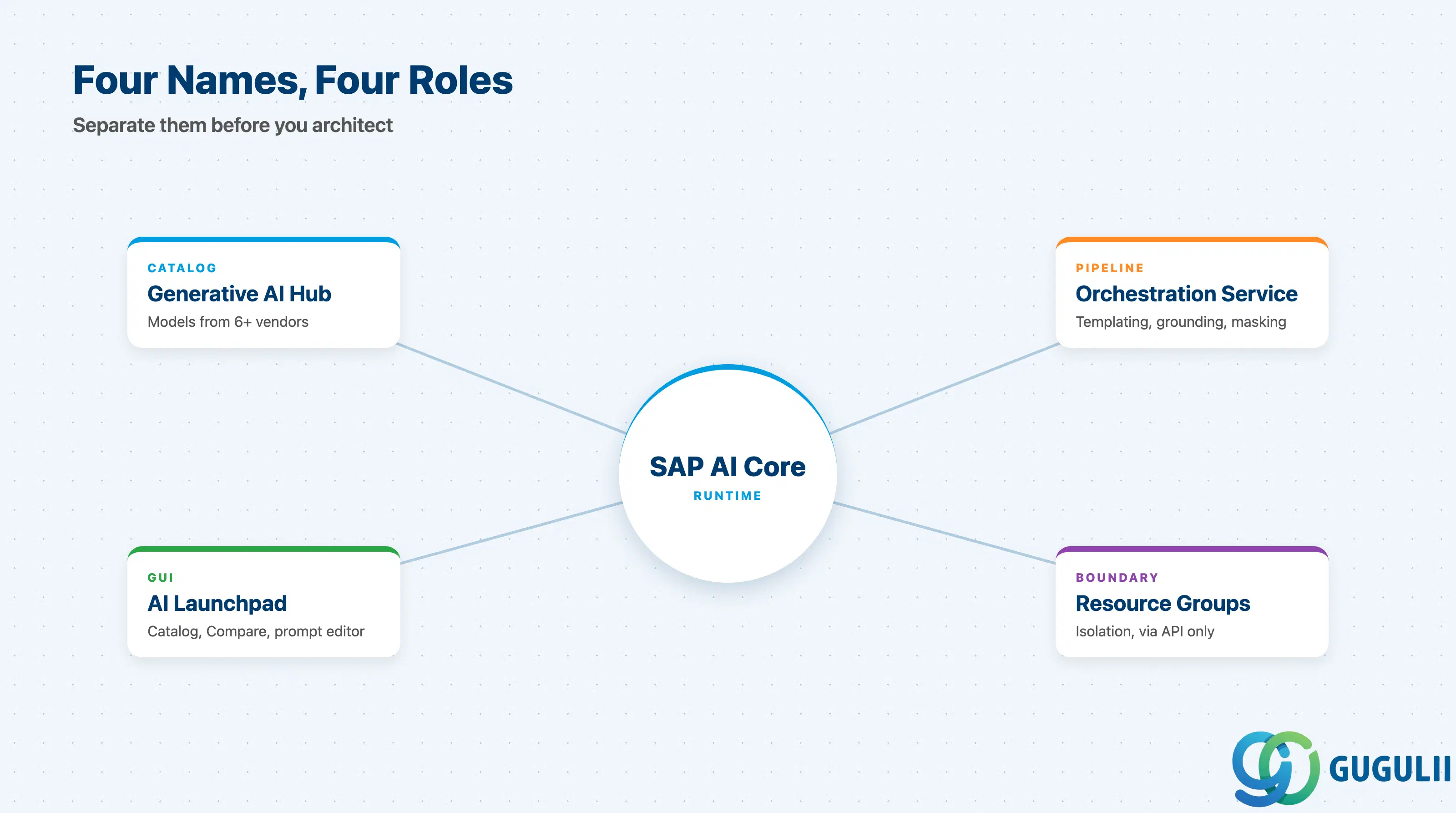
Separating these names is the first job on any AI Core engagement.
| Capability | What it does | Primary user |
|---|---|---|
| SAP AI Core | Kubernetes runtime on BTP that hosts model deployments and pipelines | Platform engineers |
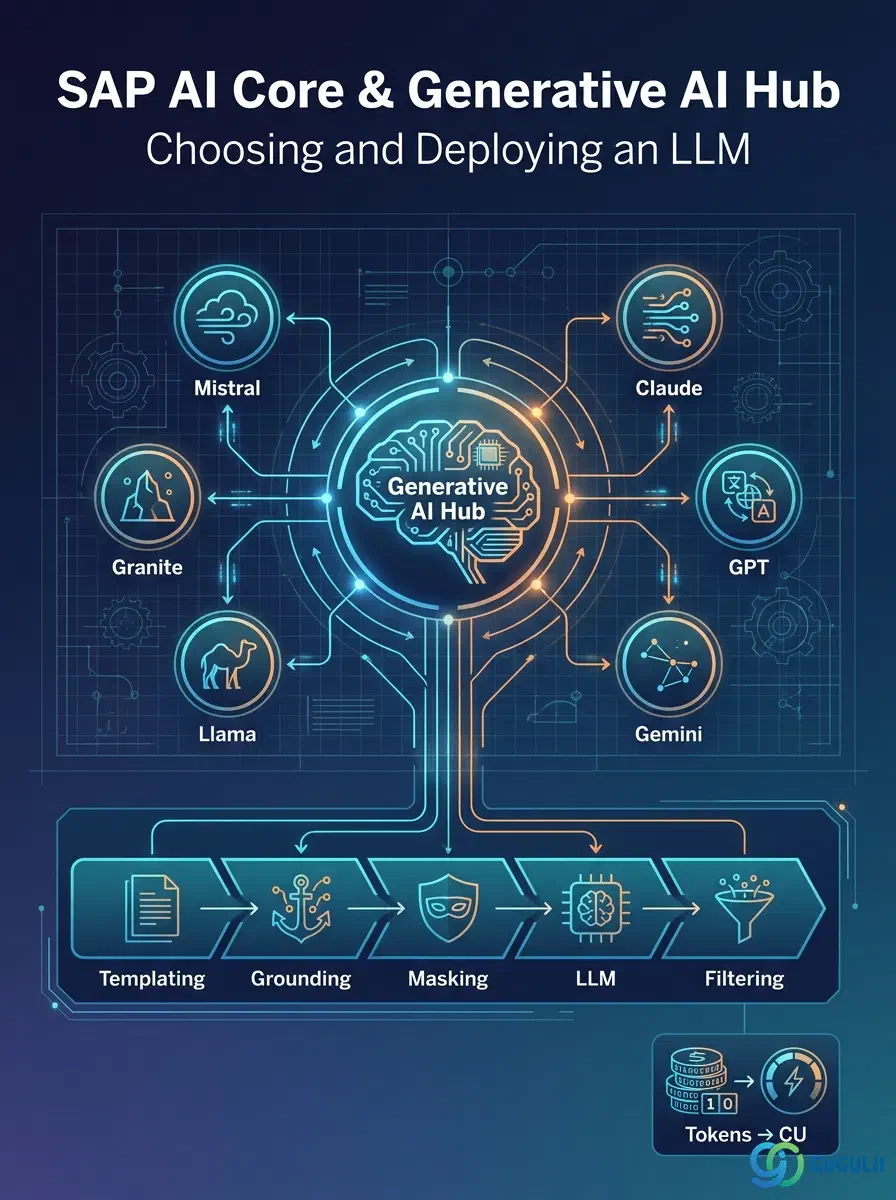
| Generative AI Hub | Catalog and access layer for third-party LLMs (Claude, GPT, Gemini, Llama, Granite, Mistral) plus SAP foundation models (RPT-1, ABAP-1) | AI developers |
| Orchestration Service | Request pipeline: templating → grounding → masking → LLM call → content filtering | Application developers |
| SAP AI Launchpad | Web UI for the model catalog, prompt experimentation, and model-comparison runs | Functional consultants |
They are not substitutes.
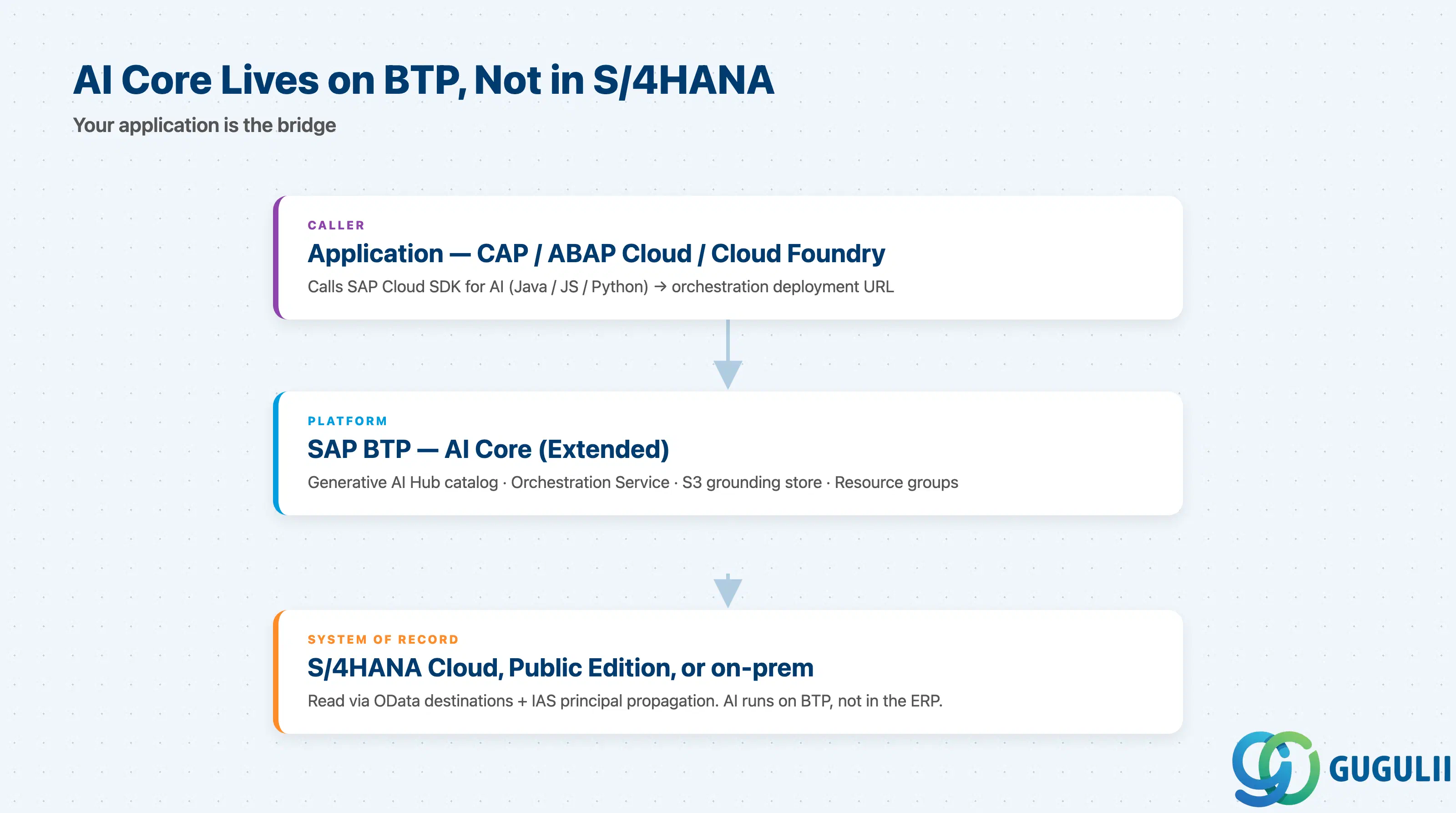
+------------------------------------------------------------+
|     Application code (CAP, ABAP Cloud, custom Cloud Foundry)|
+----------------------+-------------------------------------+
                       |  SAP Cloud SDK for AI (Java / JS / Py)
+----------------------v-------------------------------------+
|                  SAP BTP (Cloud Foundry / Kyma)            |
|                                                            |
|   +-------------------------+    +----------------------+  |
|   |  SAP AI Core (Extended) |<-->|  Generative AI Hub   |  |
|   |  - Orchestration depl.  |    |  Model catalog       |  |
|   |  - Custom (BYOM) depl.  |    |  Routes via SAP-     |  |
|   |  - Resource groups      |    |  controlled contracts|  |
|   +-----------+-------------+    +----------+-----------+  |
|               |                              |             |
|               v                              v             |
|   +-------------------------+    +----------------------+  |
|   |  Object Store (S3)      |    | Anthropic / OpenAI / |  |
|   |  for grounding RAG      |    | Google / Meta / IBM /|  |
|   +-------------------------+    | Mistral endpoints    |  |
|                                  +----------------------+  |
+------------------------------------------------------------+
                       ^
                       |  Destinations (with IAS principal propagation)
+----------------------+-------------------------------------+
| S/4HANA Cloud / Public Edition / on-prem (read-only OData) |
+------------------------------------------------------------+
Key point: AI Core is a generic AI runtime on BTP, not a feature inside S/4HANA. Your application calls the orchestration deployment URL; S/4HANA data only enters the prompt if your code (or grounding RAG over an S3 doc store) puts it there. Authentication, destination wiring, and PII masking are consultant problems, not platform-team problems.
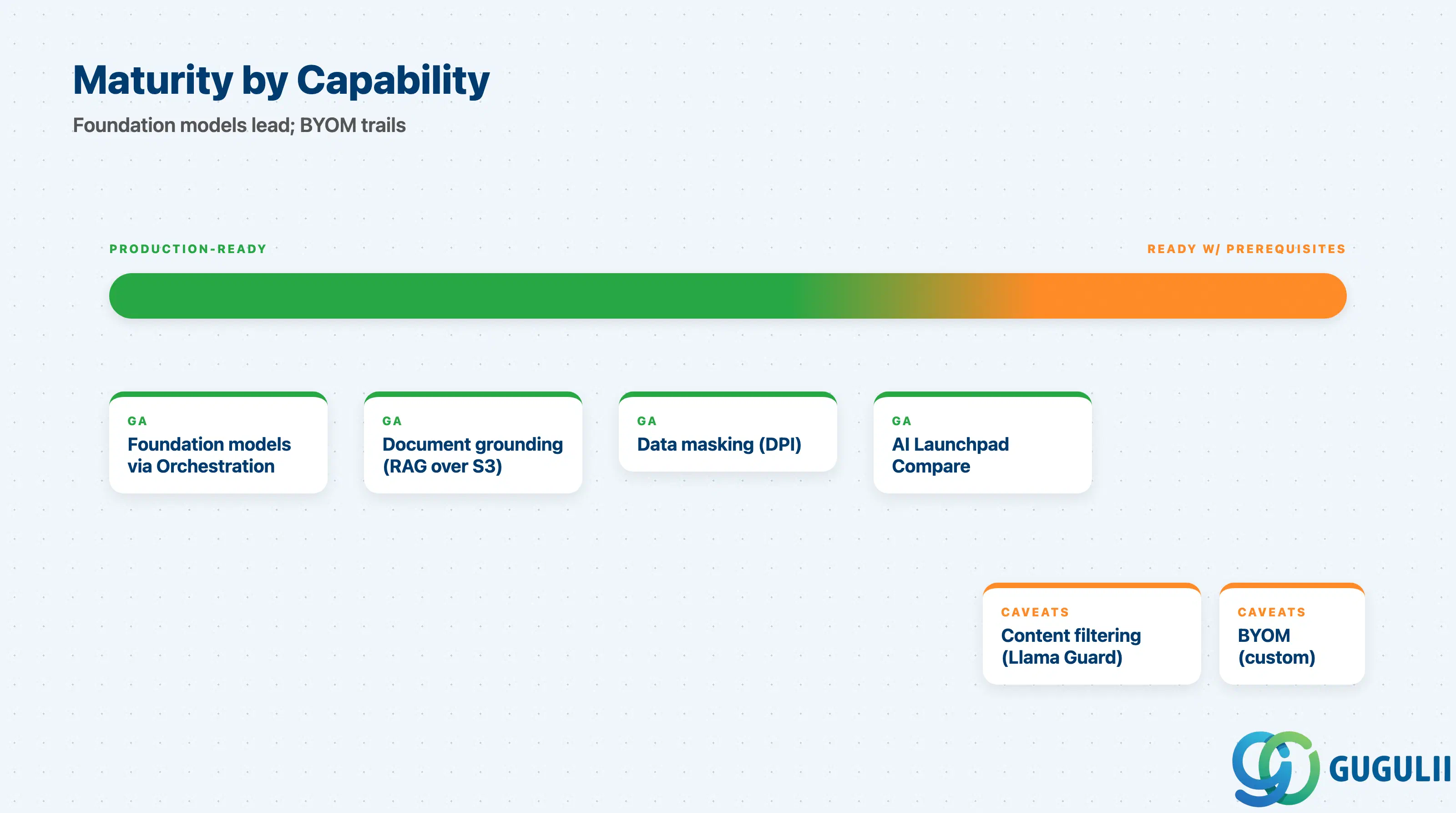
| Capability | Maturity | Notes |
|---|---|---|
| Foundation models via Orchestration | ✅ Production-ready | Claude Sonnet 4 / Opus 4.6, GPT-5 / 5 Nano, Gemini 2.5 Pro, Llama, Granite, Mistral all GA. Regional availability not uniform — confirm in customer’s region. |
| Document grounding (RAG over S3) | ✅ Production-ready | Vector retrieval inside the orchestration request. Good for unstructured corpora; schema-aware S/4HANA queries still need bespoke retrieval. |
| Data masking (DPI) | ✅ Production-ready | Opt-in per call. Mandatory for any prompt carrying PII to third-party providers. |
| Content filtering (Llama Guard) | ⚠️ Ready with prerequisites | English-tuned; non-English deployments need additional review of false-positive/negative behavior. |
| BYOM (Ollama / vLLM / custom Docker) | ⚠️ Ready with prerequisites | Cost model is hourly compute, not tokens. Use only when residency or behavior control demands it. |
| AI Launchpad model comparison | ✅ Production-ready | The defensible artifact for procurement: same prompt, multiple models, side-by-side latency / token / quality. |
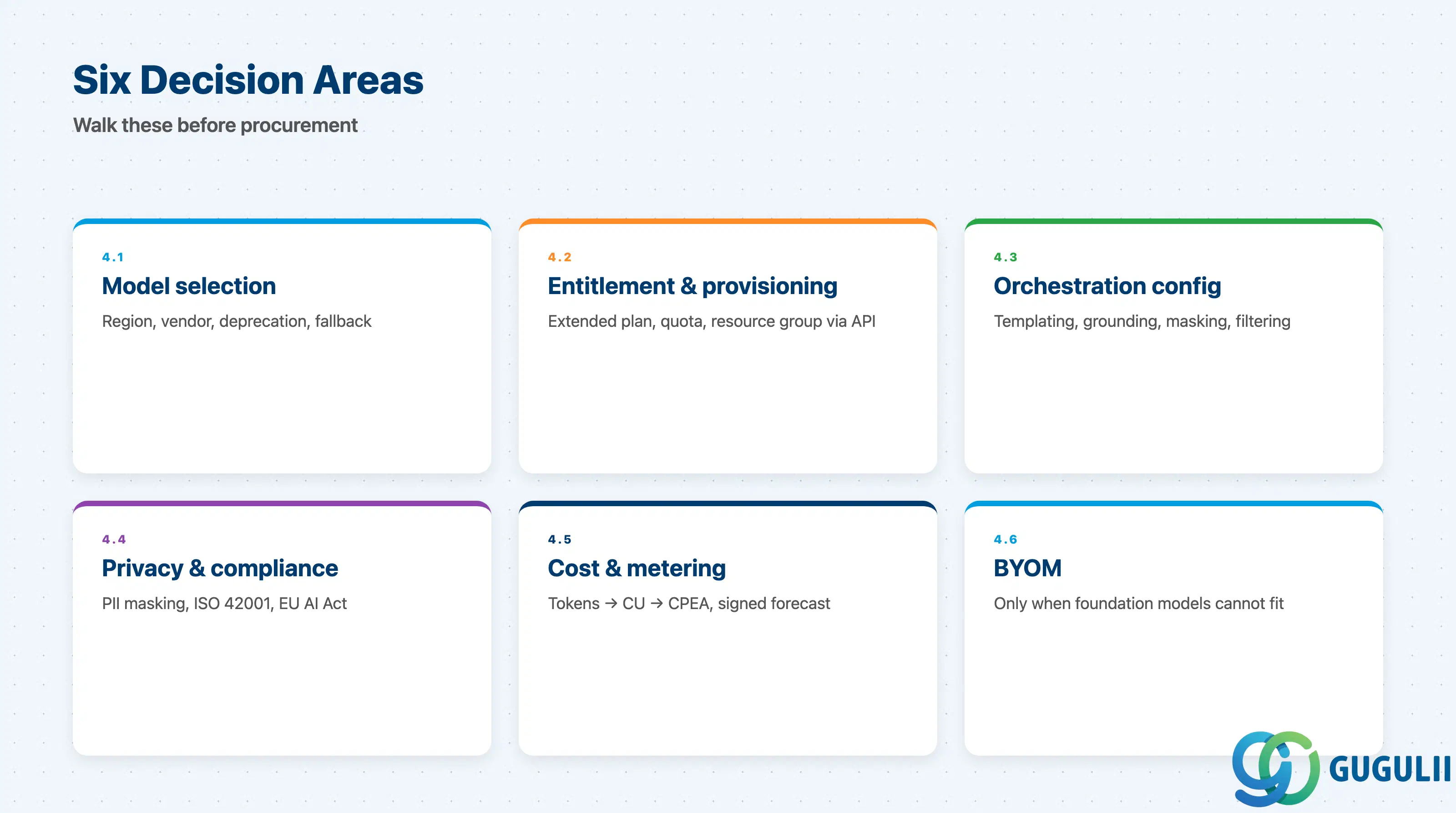
Six sub-tables, one per decision area. Walk through these with the customer at requirements stage — before the procurement conversation.
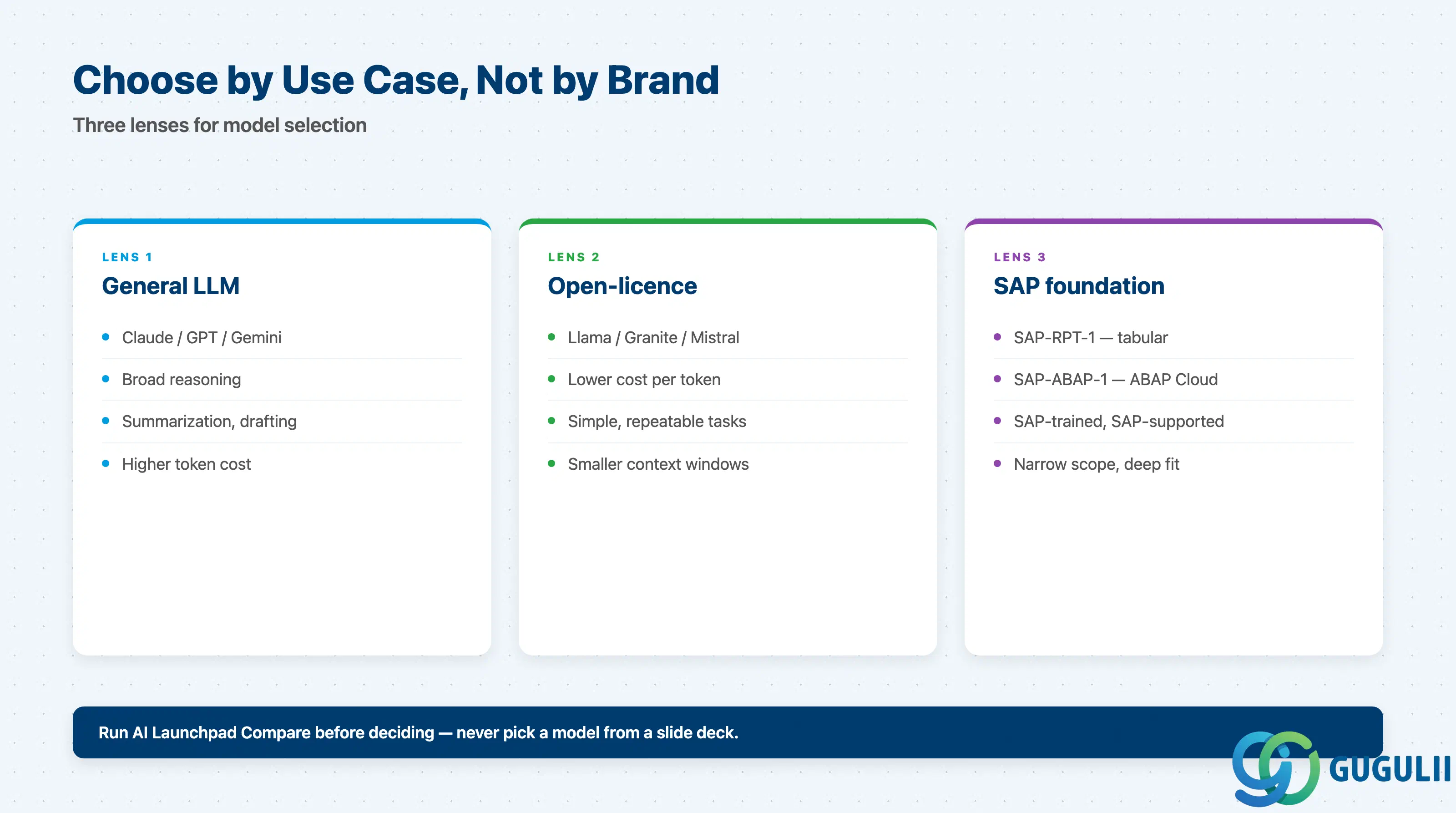
| Item | Why it matters |
|---|---|
| Confirm the customer’s BTP region appears in the “Models and Scenarios” availability matrix for the candidate models | GPT-5, Claude 4.6, Gemini 2.5 Pro are not uniformly available across regions; EU-resident customers may not see the same catalog as US-resident |
| Decide between Anthropic, OpenAI, Google, Meta, IBM, Mistral — and document the non-cost reasons | “We picked Claude” is not defensible; “Claude beat GPT-5 on legal-text summarization in side-by-side AI Launchpad runs” is |
| Identify whether the use case needs an SAP foundation model (SAP-ABAP-1, SAP-RPT-1) instead of a general LLM | SAP-ABAP-1 outperforms general LLMs on ABAP Cloud refactoring at a fraction of the cost |
| Confirm no pending deprecation announcement on the Help Portal for the chosen model | Models rotate; building on a model with a 6-month deprecation horizon forces re-validation before go-live |
| Plan multi-model fallback in the orchestration config | Models go down. Orchestration supports fallback chains — add at least one secondary model for any production deployment |
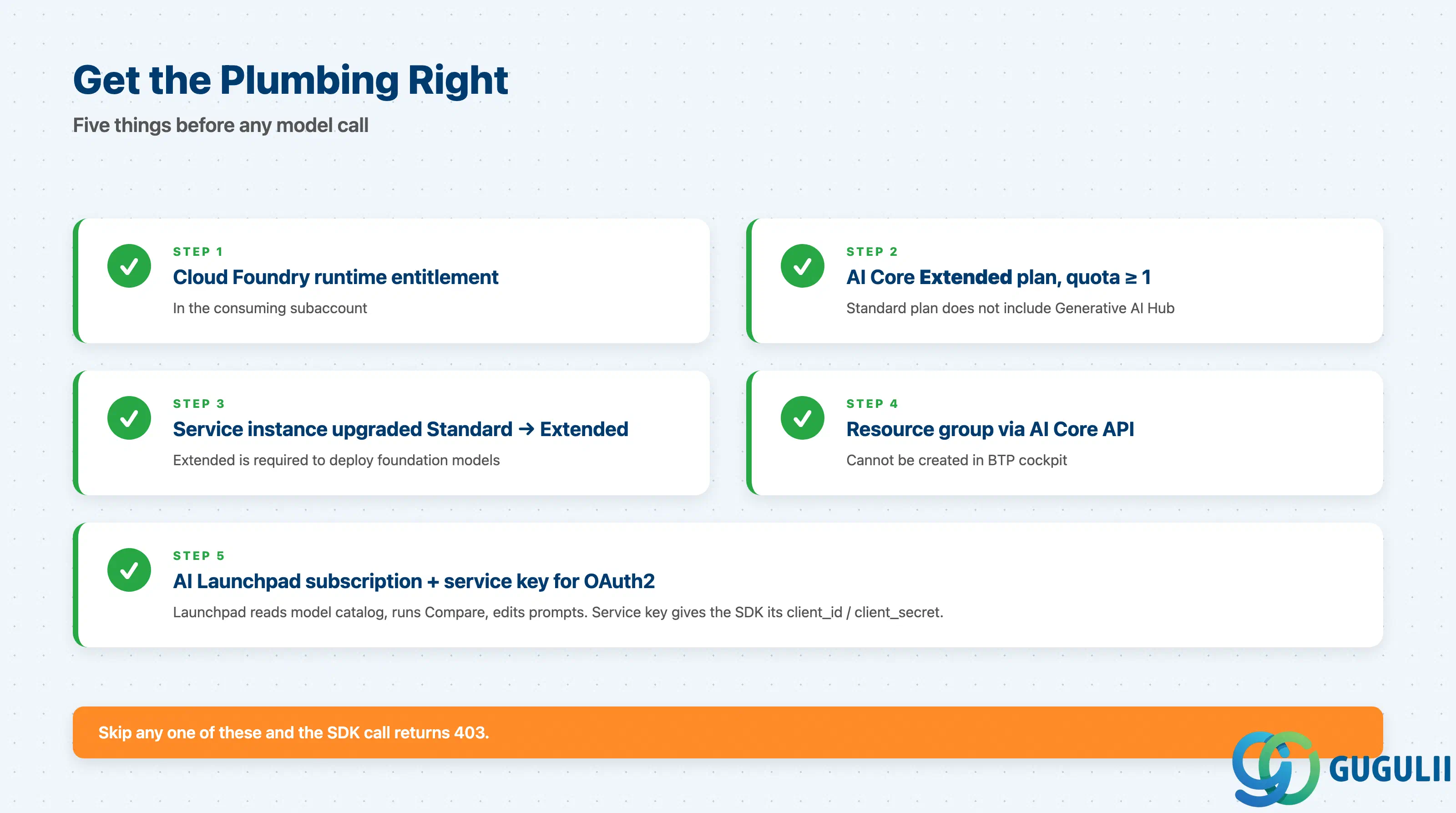
| Item | Why it matters |
|---|---|
| Cloud Foundry Runtime entitlement allocated to the target subaccount | Required to run AI Core service instances |
| AI Core entitlement set to Extended plan with quota ≥ 1 unit | Default quota is zero; Standard plan does not include Generative AI Hub. #1 cause of “I can’t see the Hub” tickets |
| Service instance updated from Standard to Extended after the BTP booster runs | Booster provisions Standard only — manual upgrade required |
| Resource group provisioned via the AI Core API (not BTP cockpit) | Resource groups are the isolation boundary; BTP cockpit cannot create them. Capture in the runbook |
| AI Launchpad subscription + service key for OAuth2 client credentials | Launchpad is the GUI on top of the Hub; the service key authenticates every orchestration call |
| Item | Why it matters |
|---|---|
| Decide which modules are used per use case (templating / grounding / masking / filtering) | Each module costs latency and (for grounding) tokens. Turn off what you don’t need |
| Define prompt templates as named, versioned artifacts | Inline prompts in app code make A/B testing and audit impossible |
| For grounding, document retrieval source, vector store config, chunking strategy, and freshness SLA | “We use grounding” without these details means the project will rebuild it three times before go-live |
| Set input and output content-filter thresholds per use case | Default thresholds are conservative; customer-service bots need more permissive output filtering than internal HR tools |
| Define logging and audit retention for prompt + completion pairs | Required for EU AI Act high-risk scenarios; cannot be added later without schema changes |
| Item | Why it matters |
|---|---|
| Confirm SAP-controlled provider contracts mean prompts are not used for training by third parties | Customers re-ask this on every project; document the Trust Center reference once and reuse |
| Identify all PII fields that may appear in prompts | Build the masking list from the data model, not from sample prompts — anything missed will leak |
| Configure SAP Data Privacy Integration (DPI) for the masking module | Masking is opt-in per call. Forgetting to enable it on one endpoint is a finding, not a warning |
| Verify ISO/IEC 42001 and EU AI Act alignment for the use case | SAP holds 42001 for AI Core / Launchpad / Joule. Customer applications inherit platform alignment, not application alignment |
| Define data-deletion path for prompt logs | Right-to-erasure requests must be addressable. Logs with raw PII are a problem |
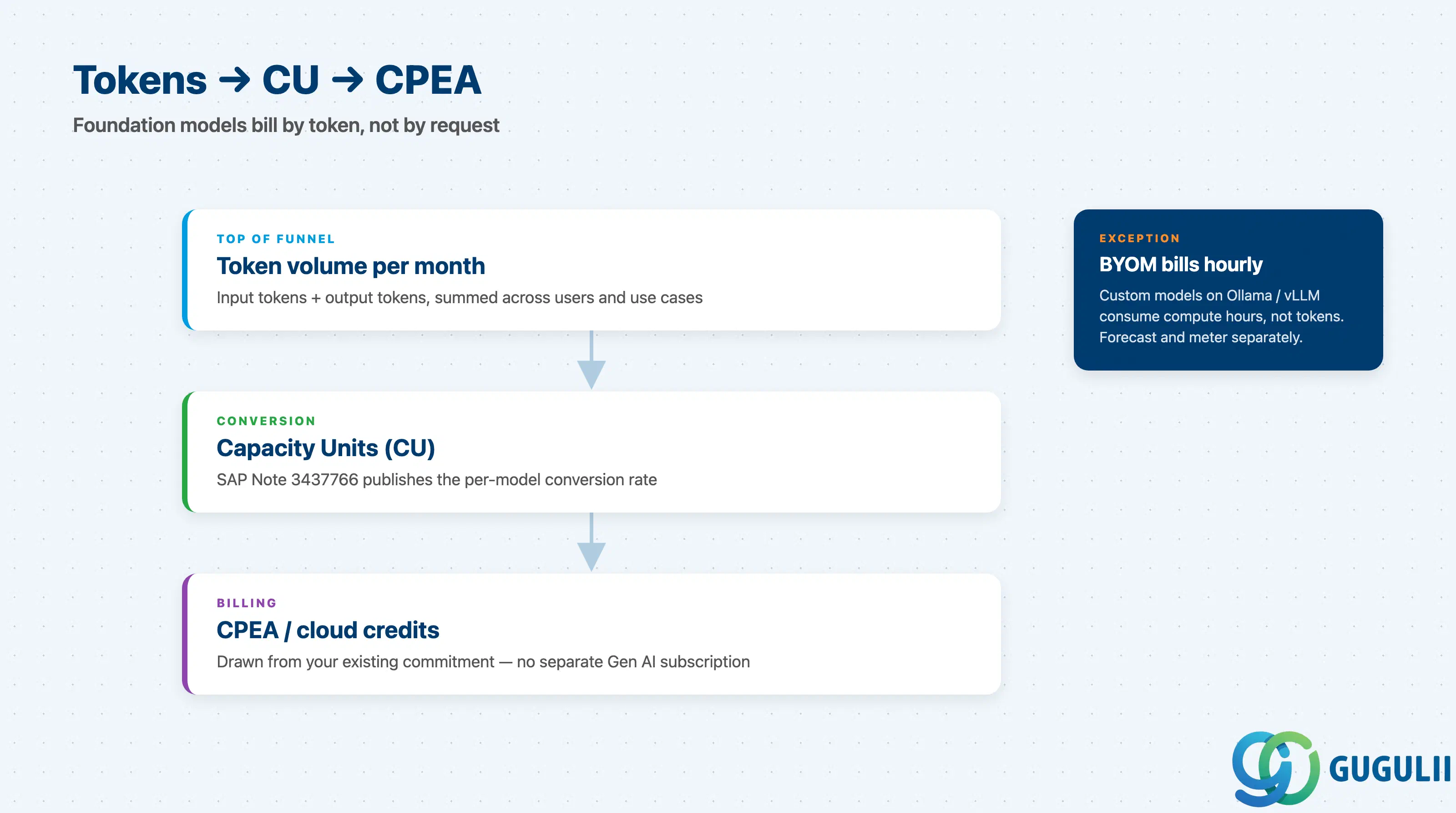
| Item | Why it matters |
|---|---|
| Estimate input + output token volume per month | Tokens, not requests, drive cost. 300-in / 1500-out × 100k requests = 180M tokens, far more than most procurement decks assume |
| Use the SAP AI Core Cost Calculator with realistic prompt sizes | Default estimates undercount; calibrate against three real prompts before signing the budget |
| Reference SAP Note 3437766 for current capacity-unit conversion rates | Rates change. Quoting the Note in the architecture document keeps the figure auditable |
| Decide whether the workload is foundation-model (token-billed) or BYOM (hourly compute) | Foundation models waive compute and baseline; BYOM does not. Mixing the two in one budget line invites surprises |
| Allocate CU budget against existing CPEA / cloud credits | Generative AI is metered into the same CPEA pool as other BTP services. No separate Gen AI subscription |
| Item | Why it matters |
|---|---|
| Document the specific reason a foundation model is insufficient | If the only reason is “we want to control it ourselves,” the answer is no — the cost gap is too large |
| Choose an inference server (Ollama, vLLM, llama.cpp, LocalAI, HuggingFace) | Each has different operational characteristics; vLLM is the production default for throughput |
Provide a Docker image in a registry AI Core can pull, with /v1/...-prefixed endpoints | Hard requirement for KServe InferenceService integration |
| Plan GPU compute and baseline cost (capped 730h/month per workload) | BYOM follows the predictive-AI hourly model, not the token model. A 7B model on an A100 still costs more per million tokens than Claude Haiku |
| Define a model-card and evaluation runbook | “We deployed Llama-3-70B once” without a re-evaluation loop ages badly |
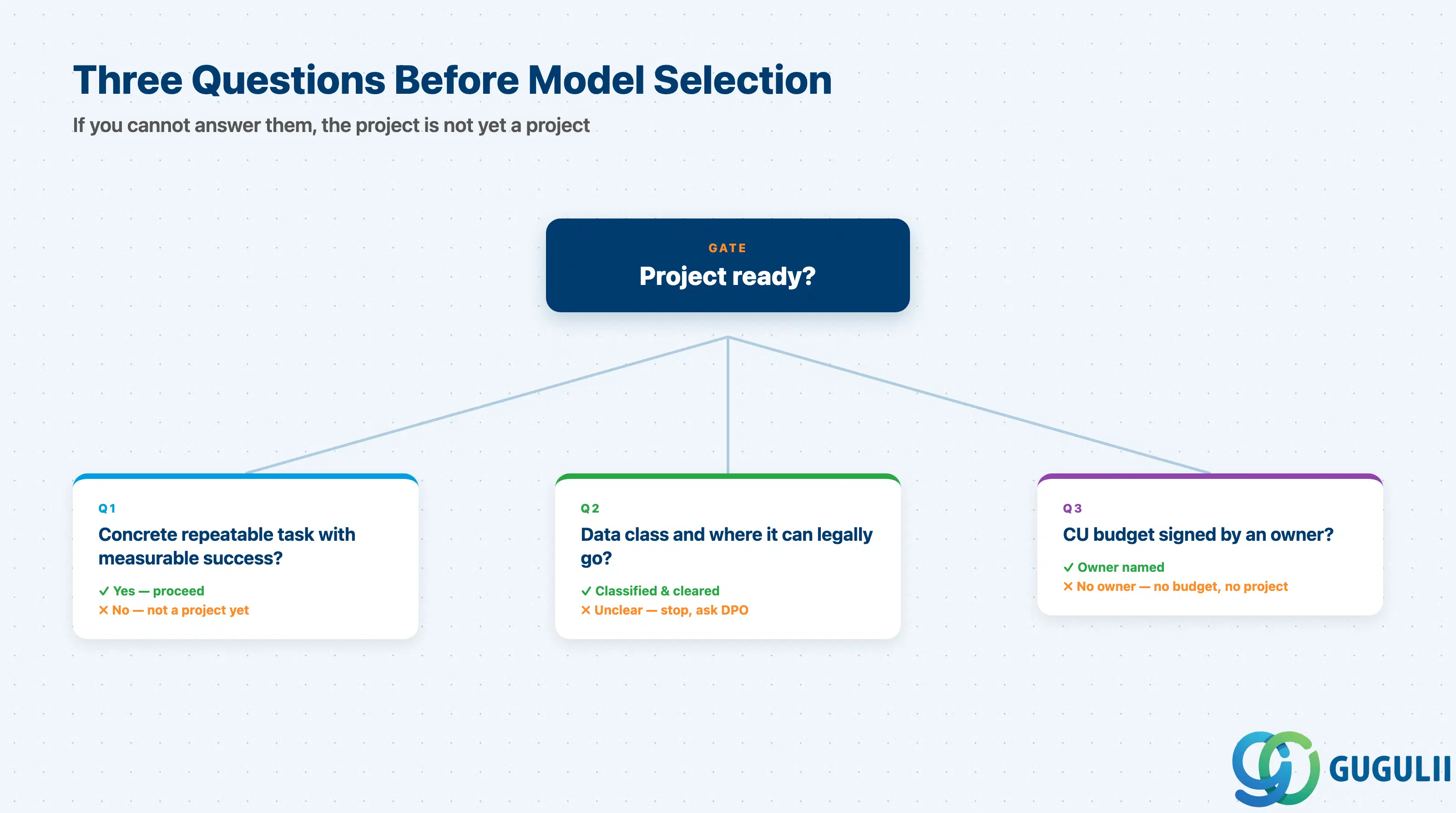
Q1. What concrete, measurable, repeatable task will this LLM do — and how will we measure success?
“We want to use AI in the project” is not an answer. Pick one workflow — invoice-line classification, contract-clause extraction, ABAP refactoring, ticket triage — and define accuracy or human-handoff metrics before model selection.
Q2. What data crosses the prompt boundary, and where can it legally go?
Public product info has very different constraints than employee comp or customer contracts. Identify the data class, then apply residency and masking implications. This question often forces orchestration with masking and grounding from day one.
Q3. Who owns the AI Core CU budget — and have they signed the forecast?
Generative AI consumption is invisible in CPEA dashboards until it isn’t. Forecasts must come from real prompt sizes, not “GPT is cheap” anecdotes. If no one signs the forecast, the project is not yet a project.
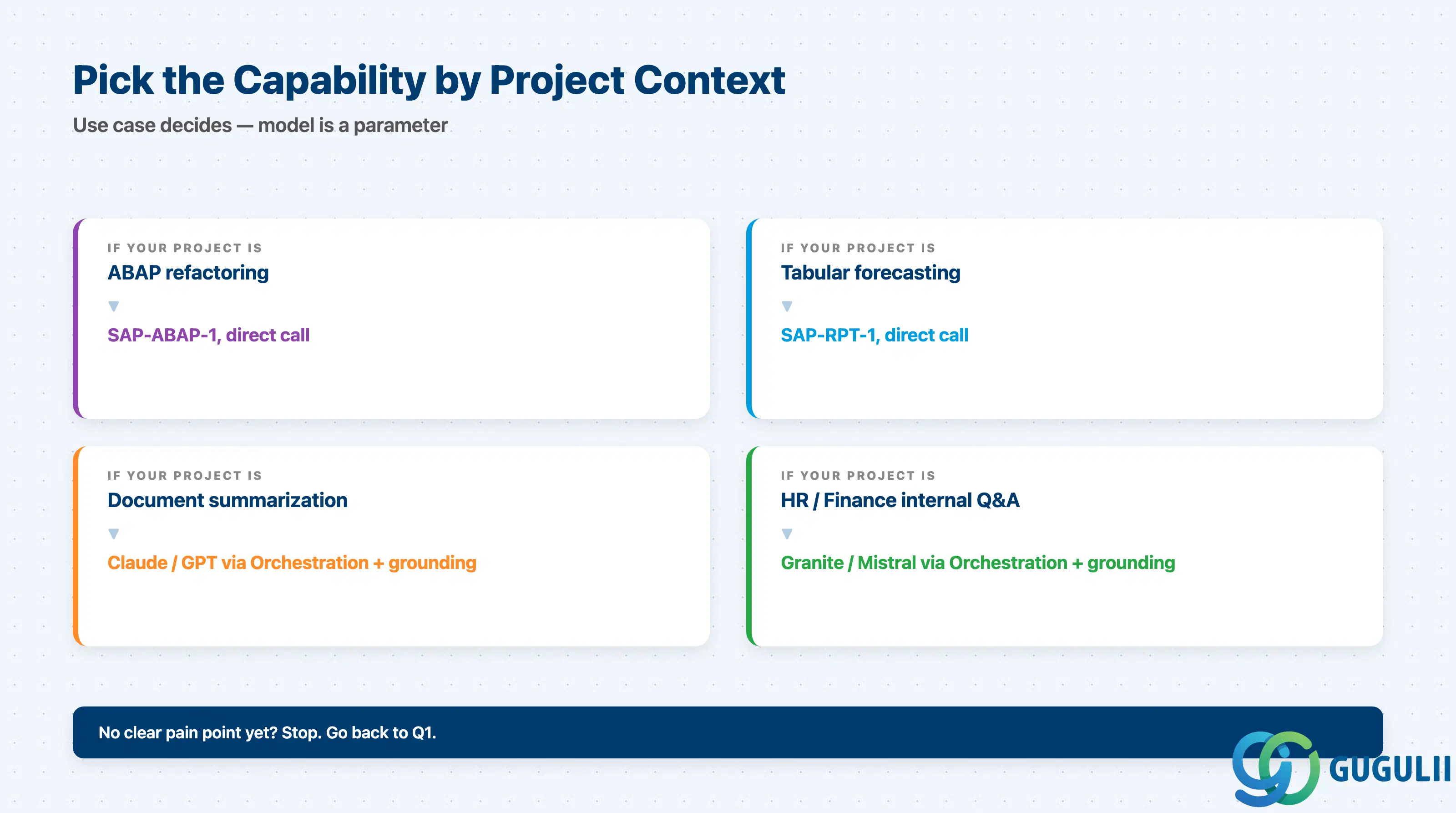
| Project context | Recommended starting capability |
|---|---|
| ABAP Cloud refactoring or code review assistant | SAP-ABAP-1 via direct deployment |
| Tabular forecasting on S/4HANA financial data | SAP-RPT-1 via direct deployment |
| Document summarization / extraction over PDFs and contracts | Claude Sonnet 4 or GPT-5 via Orchestration with S3 grounding |
| Customer-service chat with strict latency budget | GPT-5 Nano or Claude Haiku via Orchestration |
| Internal HR/Finance Q&A over policy documents | Granite 13b.chat or Mistral via Orchestration with grounding (lower cost; quality is sufficient) |
| Use case requires on-prem inference for residency | BYOM with vLLM — only after Q2 is documented in writing |
| No clear pain point identified yet | Stop. Go back to Q1. |
| Path | Licensing model | Key question to ask |
|---|---|---|
| Foundation models via Orchestration | Token-based, billed in Capacity Units against CPEA / cloud credits | “Have we calibrated tokens against three real prompts?” |
| SAP foundation models (RPT-1, ABAP-1) | Same token-based metering | “Is this use case a fit for the SAP-specific model?” |
| BYOM (custom containers) | Hourly compute + storage + baseline (capped 730h/month) | “Why is the foundation-model path insufficient — documented?” |
| AI Launchpad / Compare | Included with Extended plan; tokens consumed are billed normally | “Have we run side-by-side comparison before model selection?” |
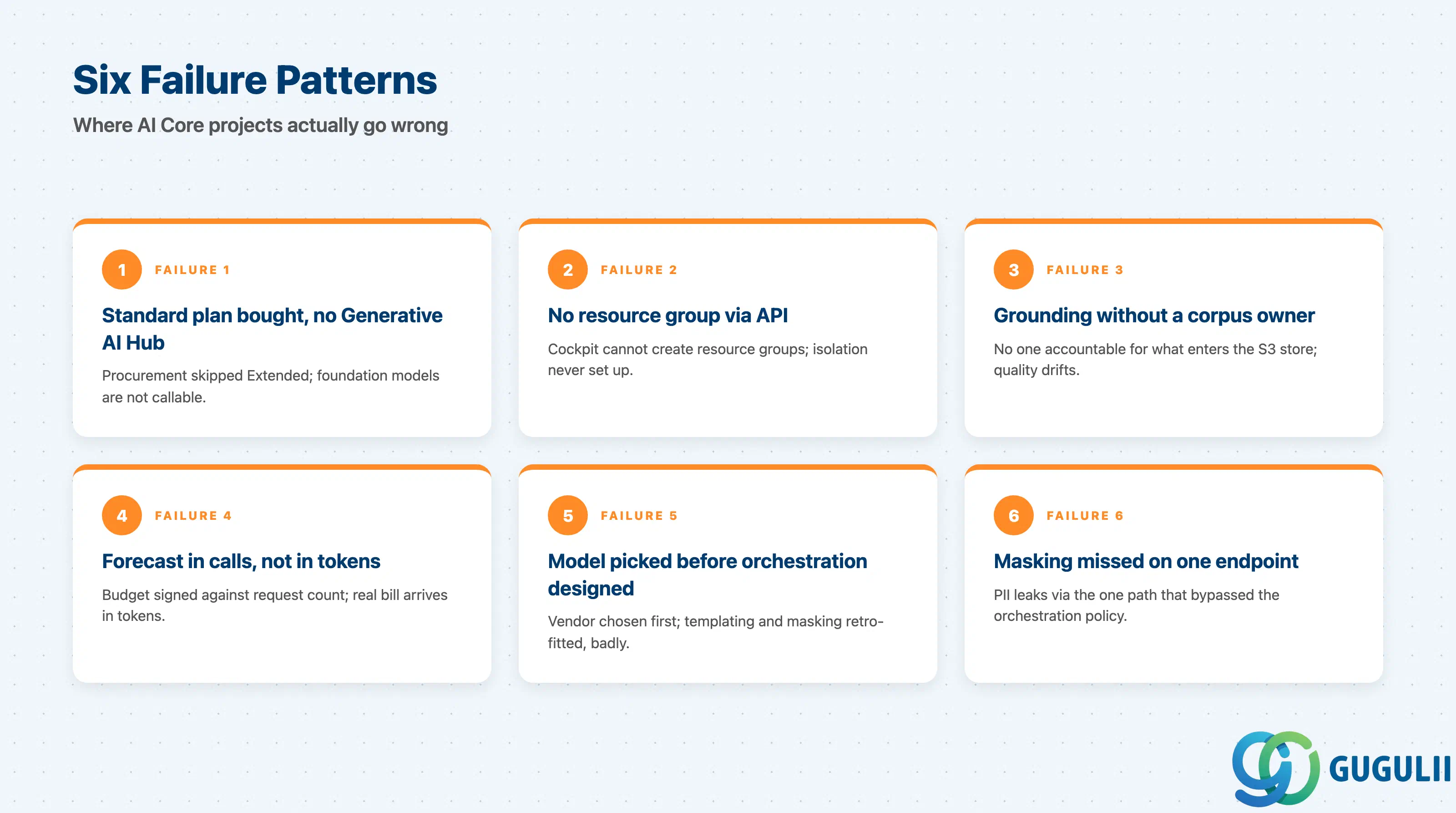
Failure 1: Buying the Standard plan and discovering Generative AI Hub is not in it.
The first project-week setback. Standard is for predictive AI; Generative AI Hub is Extended-only, and the BTP booster does not select Extended automatically. Verify the entitlement screen shows “extended” with non-zero quota before kickoff.
Failure 2: Skipping resource-group provisioning via the AI Core API.
Resource groups are the isolation boundary inside an AI Core instance, and BTP cockpit cannot create them — the AI Core API is the only path. Teams that try to click their way through provisioning end up with deployments stuck in the default group.
Failure 3: Building grounding without owning the document corpus lifecycle.
RAG looks magical in a demo. In production, the failure mode is corpus rot: documents change, owners leave, vectors get stale. Without a refresh SLA and a content owner per corpus, grounding accuracy degrades silently.
Failure 4: Token forecasts based on request count, not token volume.
“100,000 calls per month” says nothing about cost. 300-in / 1500-out = 1.8M tokens per 1000 calls. Forecast in tokens, input plus output, since output costs 2–5× more per unit.
Failure 5: Treating model selection as the architecture decision.
Model is the most-discussed and least-impactful decision. Orchestration design (templating, grounding, masking, filtering, fallback) determines whether the system is operable; model is a tunable parameter inside that design. Teams that pick the model first usually rebuild later.
Failure 6: Forgetting data-masking on one endpoint.
Masking is opt-in per orchestration call. If a developer copies a working config and forgets to enable masking on a new endpoint, raw PII goes to the third-party LLM. This is a compliance finding, not a warning. Add “masking enabled where data class requires it” as an explicit code-review gate.
Q: Can we use the Generative AI Hub from on-premise S/4HANA?
Yes, but the AI logic lives on BTP, not in the on-premise system. Pattern: on-prem S/4HANA exposes OData; a BTP application reads it (principal propagation), calls the orchestration deployment, returns the result. There is no “AI Core for on-premise” planned for 2026.
Q: How is the Generative AI Hub licensed?
Through the AI Core Extended plan, with token usage metered into Capacity Units billed against existing CPEA / cloud credits. AI Launchpad is included. No separate Gen AI subscription. BYOM workloads use predictive-AI compute pricing instead of tokens.
Q: How do we document the LLM selection decision so it survives audit?
Use the AI Launchpad Compare workflow against 3–5 candidate models with at least three representative prompts each. Capture latency, token usage, and qualitative notes. Record the selection in an ADR that references the comparison run, the regional model-availability snapshot, and SAP Note 3437766 for CU rates at decision time.
Q: Are prompts and completions used to train the third-party models?
No. SAP integrates Anthropic, OpenAI, Google, and others under enterprise contracts prohibiting training on customer data. SAP holds ISO/IEC 42001 covering AI Core, Launchpad, and Joule — cite the Trust Center reference when customers ask, which they always do.
Q: How does AI Core relate to Joule?
Joule is the end-user assistant; AI Core is the developer platform underneath. Joule Studio extends Joule with skills that call the Hub. “Chatbot for end users” → Joule first. “Custom AI in our application” → AI Core. Complements, not alternatives.
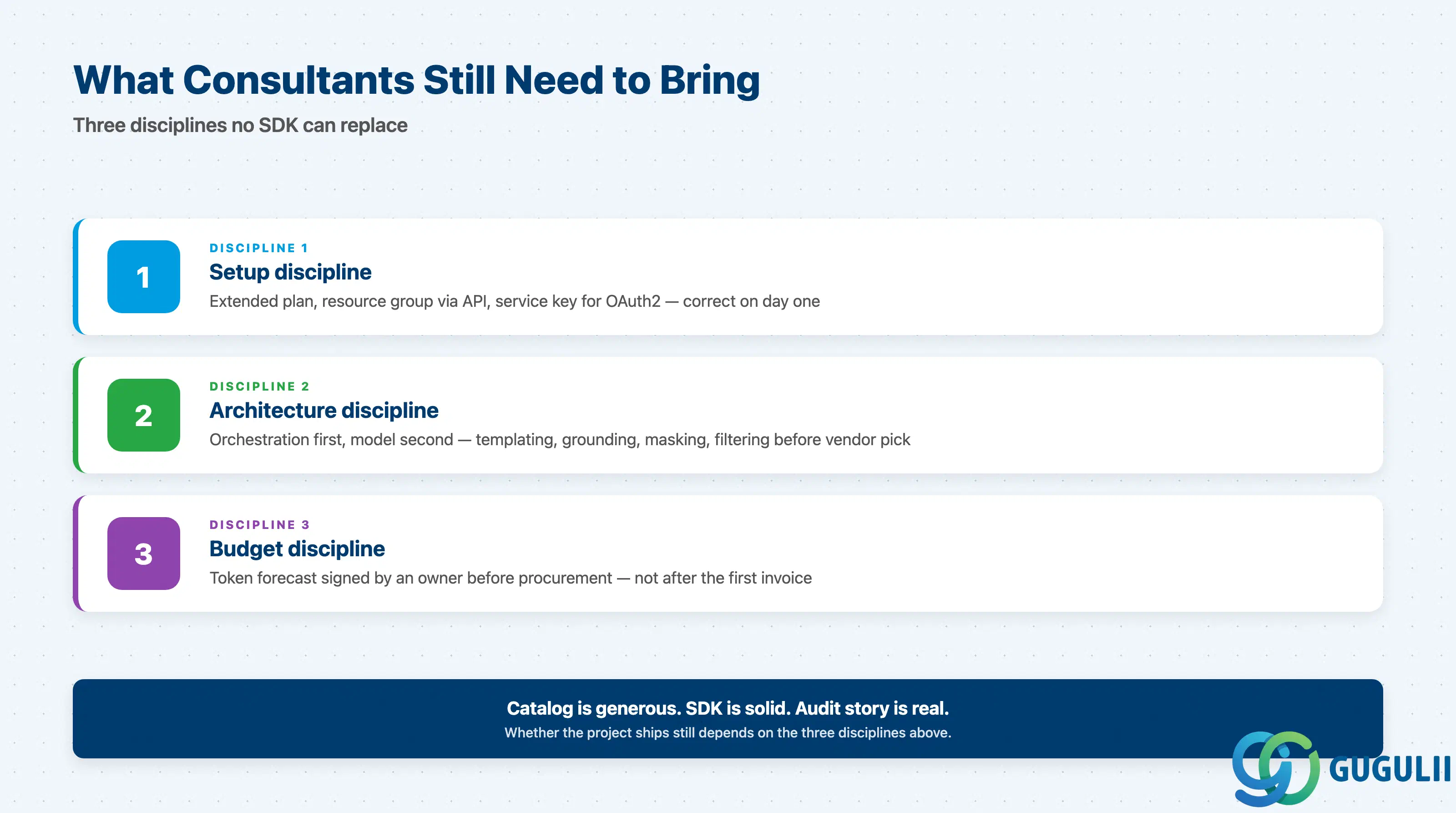
AI Core and Generative AI Hub are mature enough for production in 2026, but project failures cluster around setup, governance, and budget — not model quality. Get the Extended plan and resource group right, design orchestration first and pick the model second, force a token-based budget conversation before procurement. The catalog is generous, the SDK is solid, the audit story is real. What customers need from consultants is the discipline to ask the three questions before reaching for the API.
| L1. Big Picture | L2. Functional Domains |
|---|---|
| BTP-001: What is BTP | L2-A. Integration |
| BTP-002: BTP Architecture | L2-B. Application Development |
| BTP-003: BTP Capability Map | L2-C. Data & Analytics |
| BTP-004: Deployment Models | L2-D. AI — BTP-D03 AI Core & GenAI Hub (this article) |
| BTP-005: Licensing Models | L2-E. Foundation Services |
| BTP-006: Clean Core Strategy | L2-F. Architecture & Operations |