Title here
Summary here

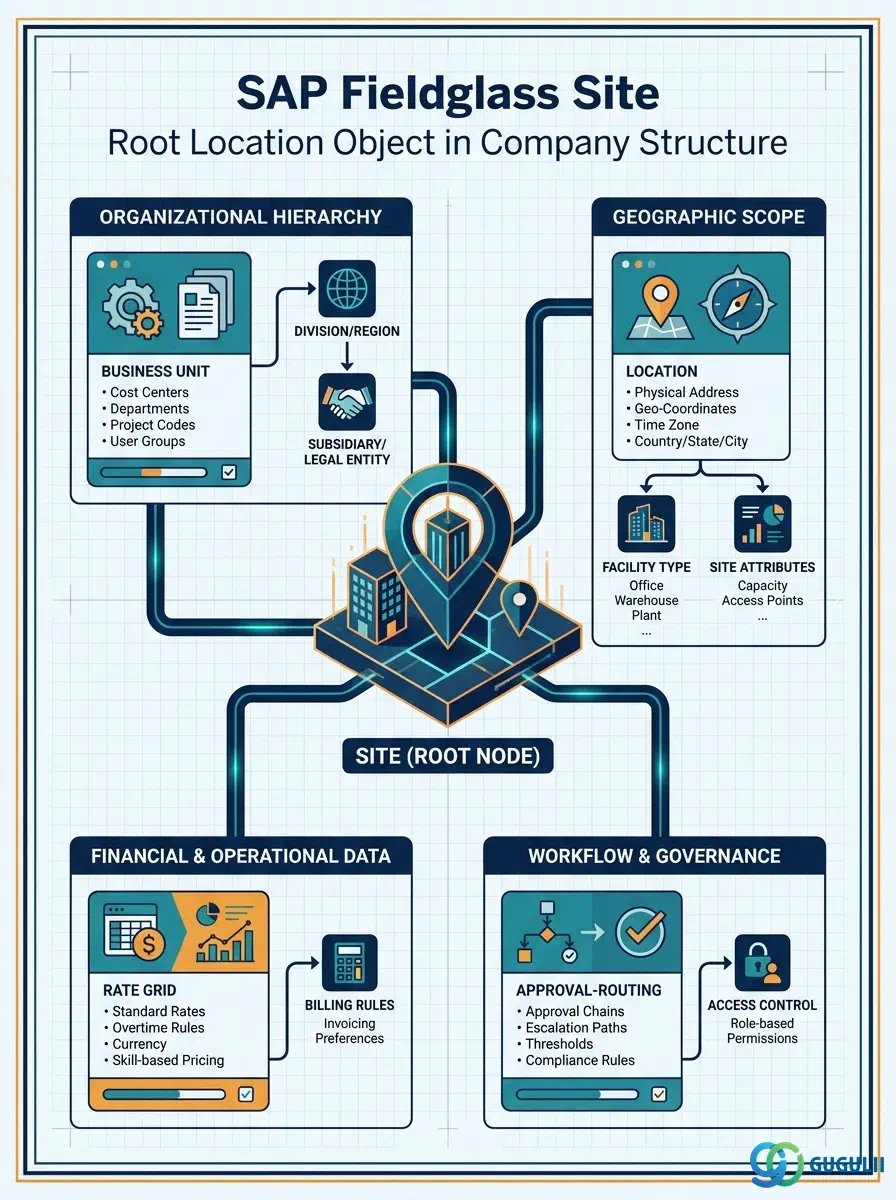
The Site is the top-level location master in SAP Fieldglass Company Structure — it establishes where contingent labor work is performed and anchors the address, currency, time zone, and rule-scope defaults that ripple through nearly the entire Contingent Labor and SOW transaction flow. Every other object in the Phase 1 setup order builds on it: Location narrows a Site down to a specific floor or work area, Business Unit and Cost Center track the requisitioning organization and its budget, and later, Rate Grid (Phase 3) reads the Site to vary pricing by location. This article maps the Site’s core concepts across all Fieldglass capability areas (Part 1), then details every field an administrator configures when creating and maintaining Site records (Part 2).
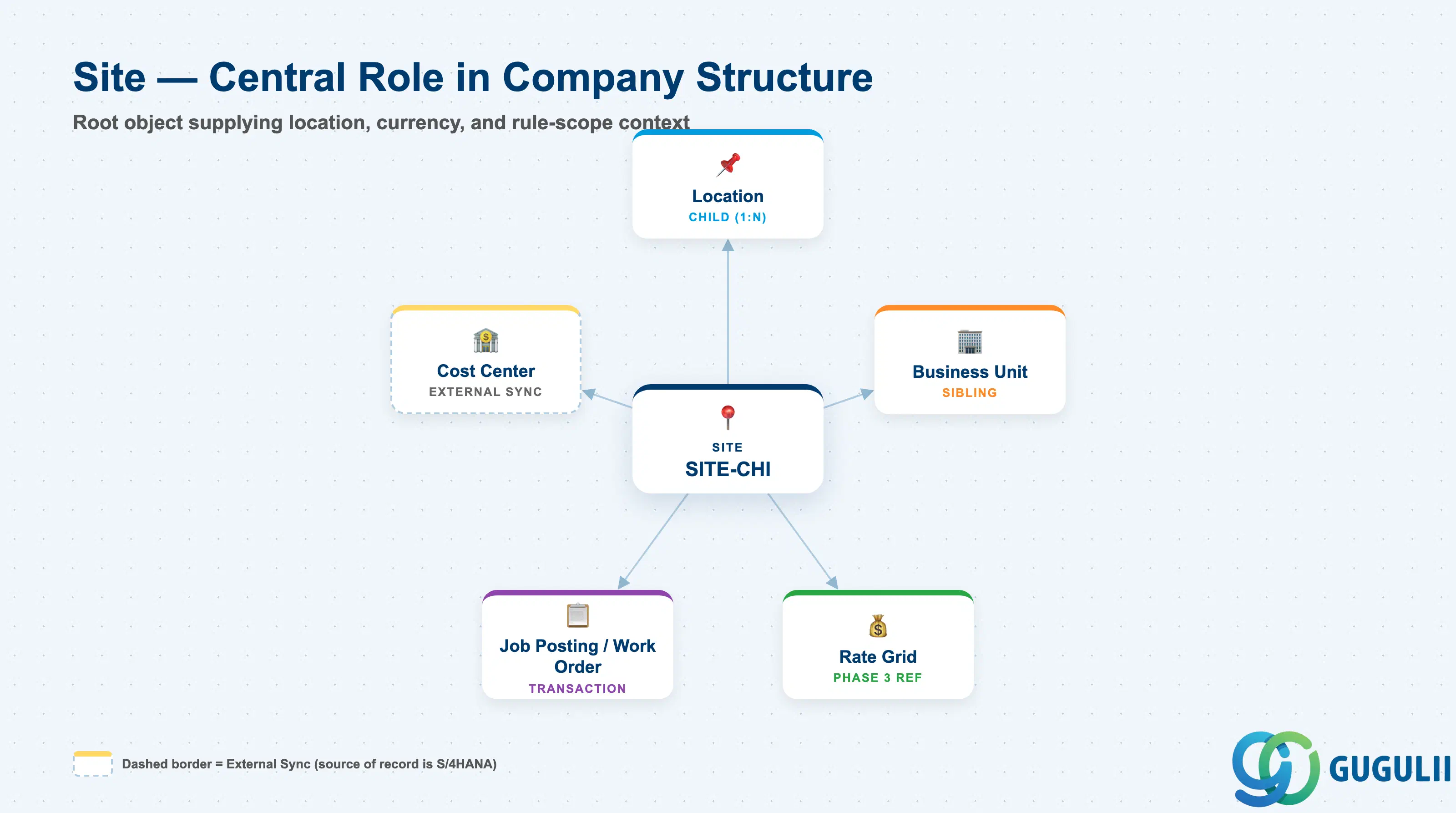
The Site represents a physical or logical business location in SAP Fieldglass — typically an office, plant, project site, or other place where contingent workers actually perform work, or from which a requisitioning organization operates. It is the first object created in the Phase 1 Company Structure setup sequence and has no upstream master data dependency; every other Company Structure object is created after it, and in the case of Location, directly under an existing Site.
| Aspect | Details |
|---|---|
| Role | Root object of the Company Structure branch; supplies the geographic, currency, and rule-scope context that downstream transactions inherit |
| Modules using it | Contingent Labor (Job Posting → Work Order), SOW, Time & Expense — any transaction requiring a physical work location traces back to a Site |
| Transactions | Admin > Sites (create/maintain); Site CSV Import/Export for bulk-loading a location list at program kickoff |
| Key Tables | No direct ECC/S4 table equivalent — Site is a cloud object native to the Fieldglass tenant; when integrated, it is commonly mapped to an S/4HANA Plant or Business Area via standard integration content |
| S/4HANA note | Site is not automatically kept in sync with a single S/4 object by default. Site can be populated or synchronized from S/4HANA Plant or Business Area depending on the integration design — confirm which one the client uses as the source of truth before go-live |
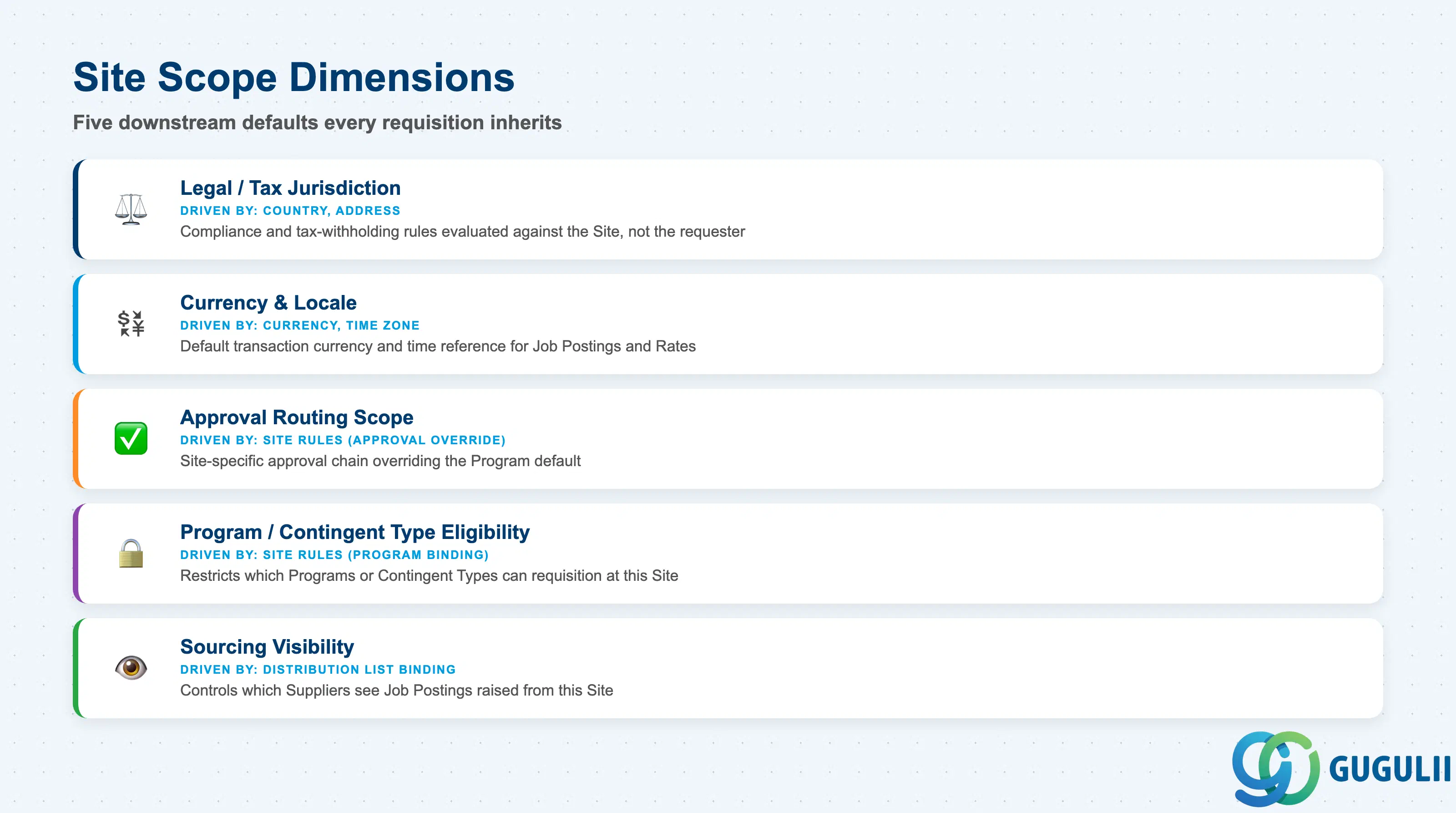
Site does not carry a formal “Site Type” field the way some Fieldglass masters carry a Type code — instead, its influence shows up as a set of downstream scope dimensions that every requisition raised against it inherits by default. Getting the Site model wrong at design time (e.g., treating it as a loose location label rather than a jurisdiction and rule boundary) is a common source of rework once approval routing or tax handling issues surface post-go-live.
| Scope Dimension | Driven By (Field / Setting) | Use Case | Key Behavior |
|---|---|---|---|
| Legal / Tax Jurisdiction | Country, Address | Determines the compliance and tax-withholding rules applied to work performed at this location | Worker classification and statutory checks are evaluated against the Site’s jurisdiction, not the requesting User’s location |
| Currency & Locale | Currency, Time Zone | Default transaction currency and time reference for Job Postings and Rates raised against this Site | Overridable at Rate / Rate Grid level, but the Site sets the baseline that most requisitions never need to change |
| Approval Routing Scope | Site Rules (approval override) | Lets a specific Site apply its own approval chain instead of the Program default | Common in decentralized regional operating models that require local finance sign-off in addition to central approval |
| Program / Contingent Type Eligibility | Site Rules (program binding) | Restricts which Programs or Contingent Types can be requisitioned against this Site | Prevents, for example, a SOW-only Site from accepting a Contingent Labor Job Posting |
| Sourcing Visibility | Distribution List binding (via Supplier) | Controls which Suppliers see and can respond to Job Postings raised from this Site | Regional or preferred-supplier panels are typically scoped this way rather than tenant-wide |
Design principle: Model Sites around legal-entity and tax boundaries first, convenience groupings second — Site drives compliance-critical defaults, so treating it as a loose “location tag” creates downstream compliance gaps that are expensive to unwind after go-live.
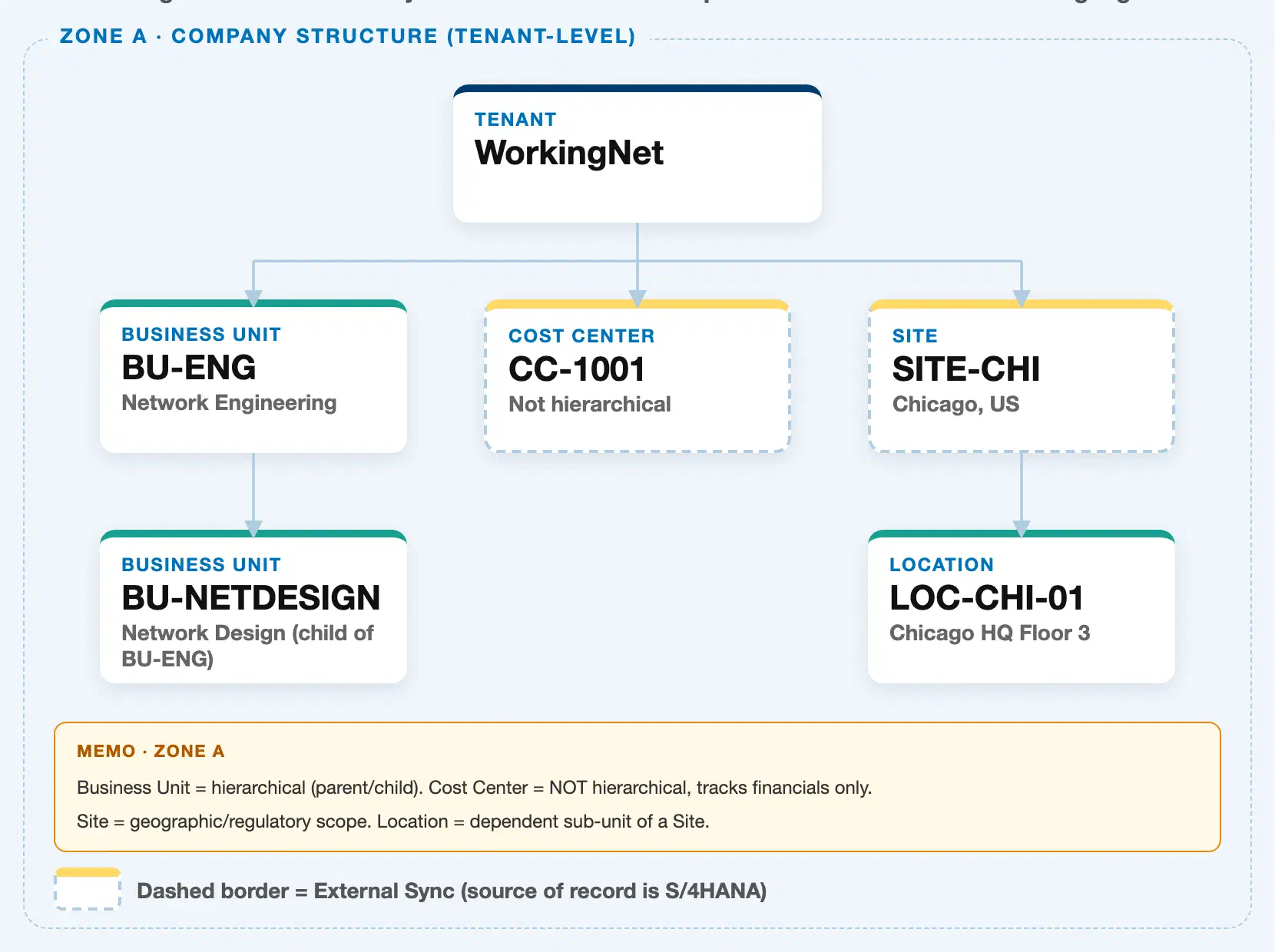
Data hierarchy with a concrete example
Tenant "WorkingNet" (client-level scope)
│
├── Business Unit "BU-ENG" — Network Engineering
│      └── Business Unit "BU-NETDESIGN" — Network Design (child of BU-ENG)
│
├── Cost Center "CC-1001" — flat financial-tracking master (not hierarchical)
│
└── Site "SITE-CHI" — Chicago, US  ◄── this article
       └── Location "LOC-CHI-01" — Chicago HQ Floor 3
Site sits directly under the Tenant, as a sibling of Business Unit and Cost Center — not nested inside either of them. Business Unit is the only hierarchical object in this zone (a Business Unit can have child Business Units, as shown by BU-NETDESIGN under BU-ENG); Cost Center is a flat, non-hierarchical financial-tracking master. Site’s own hierarchy is shallow: it owns Location directly (1:N) and nothing else nests underneath it organizationally — Rate Grid, Job Posting, and other objects that reference a Site do so as a cross-reference (see Section 1.4), not as an organizational child.
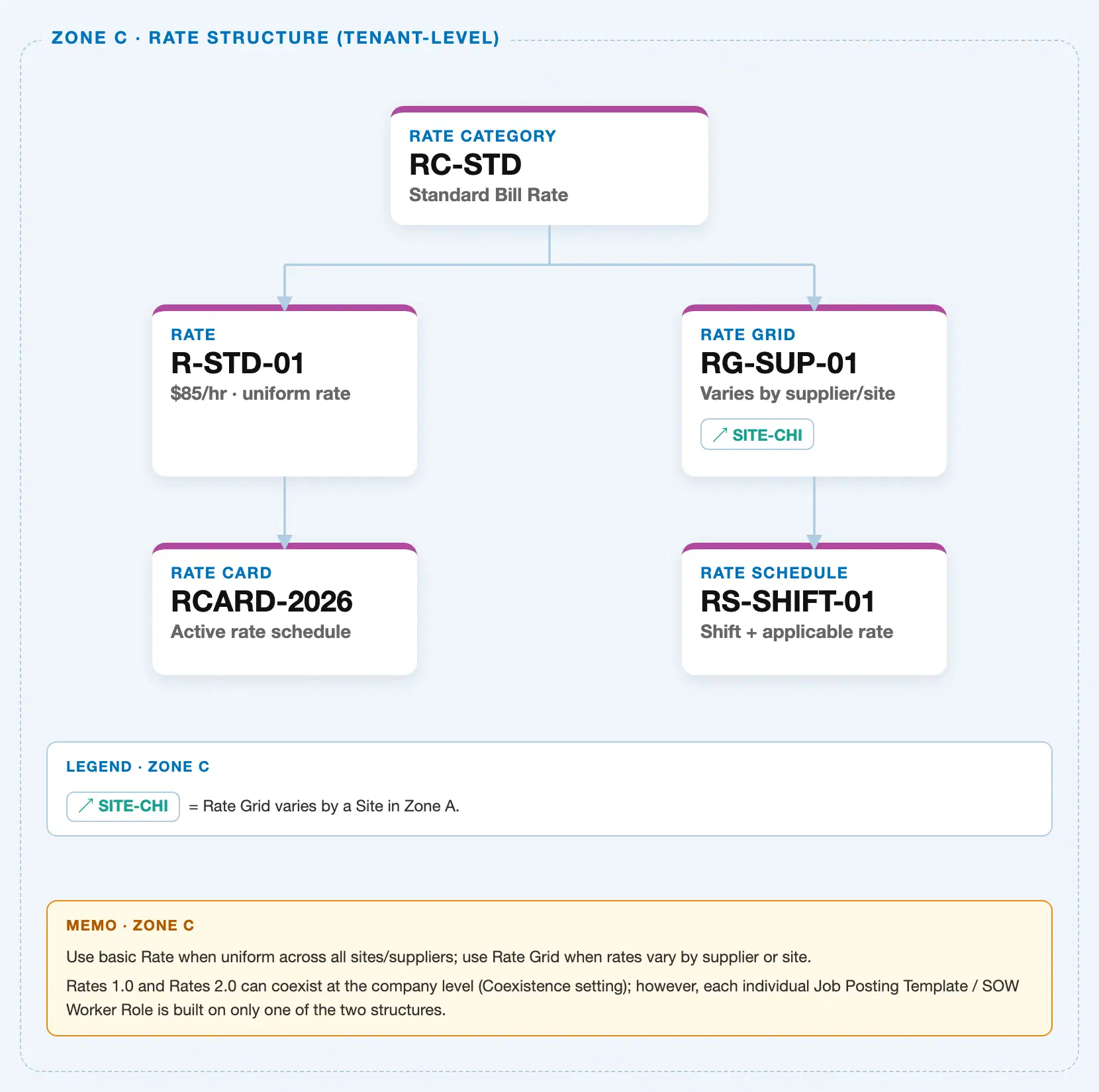
Site is also the target of a cross-zone reference from Zone C: the Rate Grid card there notes that Rate Grid varies by a Site in Zone A.
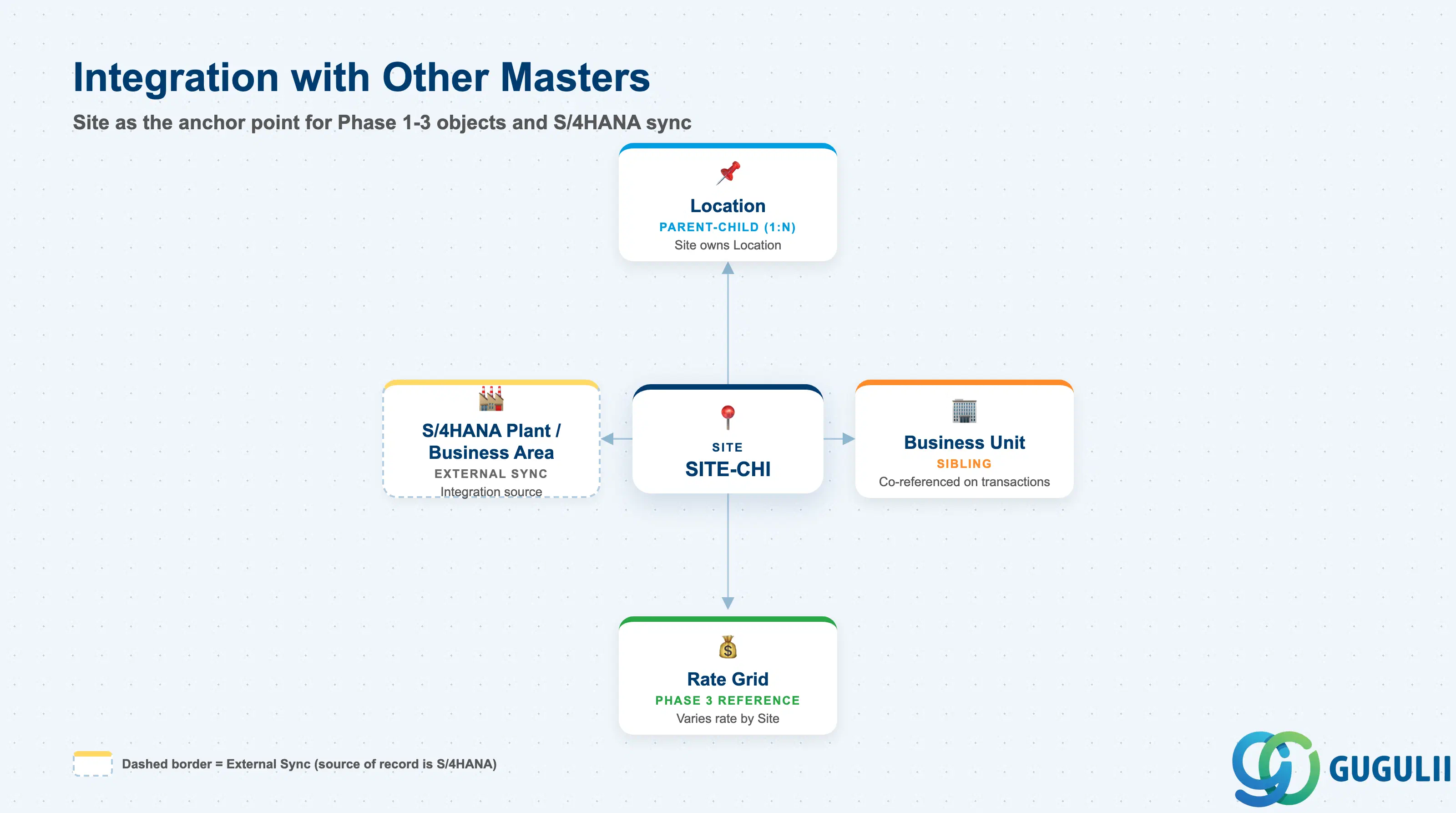
The Site record does not stand alone — it is the anchor point that several other Phase 1–3 objects, and one external system, reference.
| Object | Relationship | Practical Notes |
|---|---|---|
| Location | Site is the parent of Location (1:N) — every Location must belong to exactly one Site | Model Location only when a Site needs sub-building/floor-level address or tax nuance for multiple distinct work areas; don’t create Locations for cosmetic grouping |
| Business Unit | Sibling under the same Tenant, not a hierarchical child of Site — Business Unit and Site are independently referenced together on Job Postings/Work Orders to establish cost and location context | A single Business Unit can requisition against multiple Sites (e.g., a shared IT department requisitioning workers across several offices) |
| Rate Grid | Rate Grid (Phase 3) references Site, together with Supplier, to vary Bill/Pay Rate by location | Set up Site before Rate Grid — Rate Grid creation is blocked if the referenced Site does not exist yet |
| S/4HANA Plant / Business Area | Site can be synchronized from S/4HANA Plant or Business Area via standard integration content | Confirm which S/4 object (Plant vs. Business Area) the client maps 1:1 to Site — mixing both as sources for the same Site population creates duplicate or conflicting Site records |
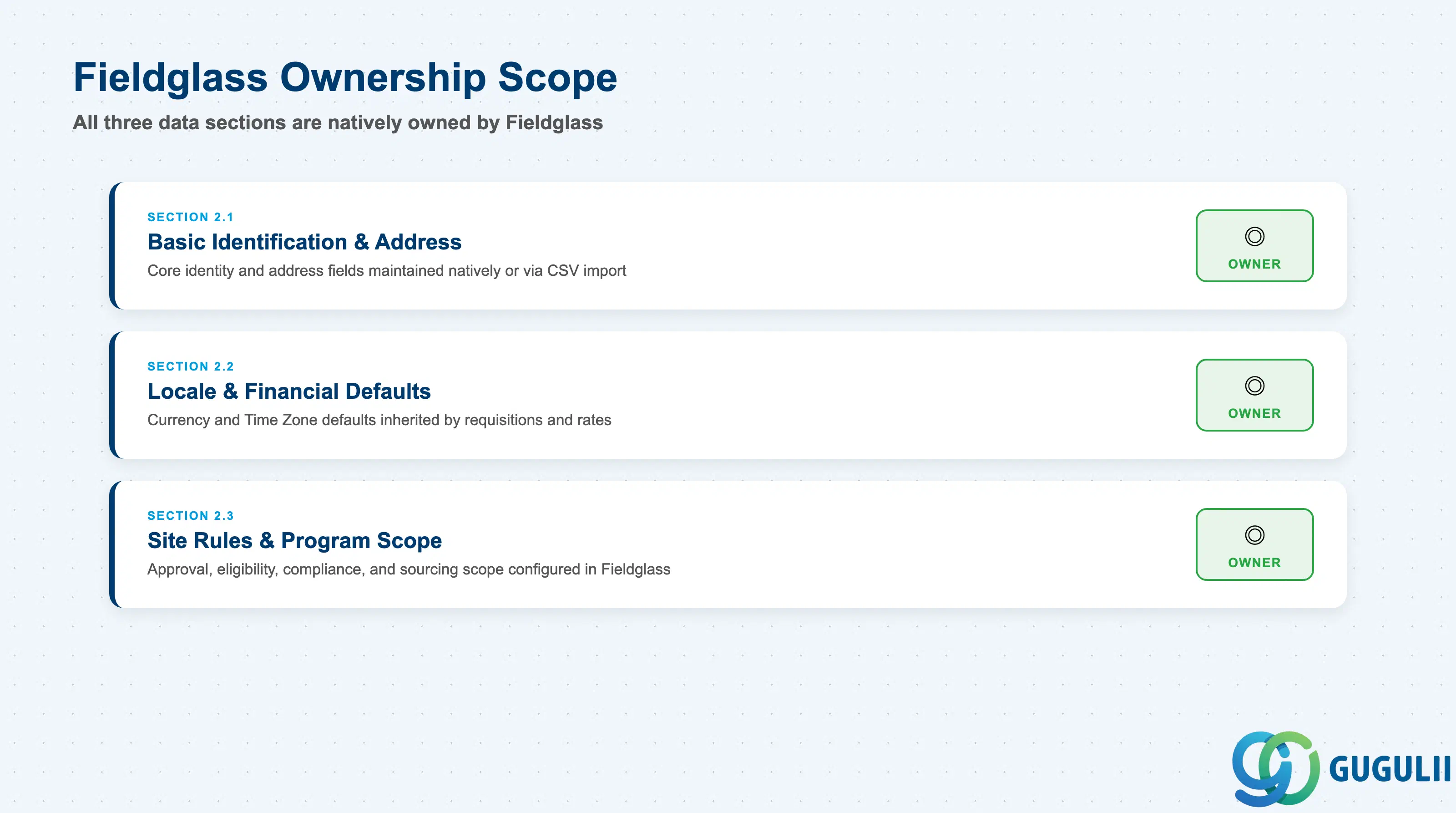
| Data Section | FG Involvement | Notes |
|---|---|---|
| Basic Identification & Address | ◎ Owner | Core identity and address fields are maintained natively on the Fieldglass Site record, whether created manually or via CSV import |
| Locale & Financial Defaults | ◎ Owner | Currency and Time Zone drive the defaults inherited by requisitions and rates raised against this Site |
| Site Rules & Program Scope | ◎ Owner | Approval, program-eligibility, compliance, and sourcing scope configured entirely within Fieldglass; no S/4 equivalent |
Legend: ◎ = Owner / Critical, ○ = Direct involvement
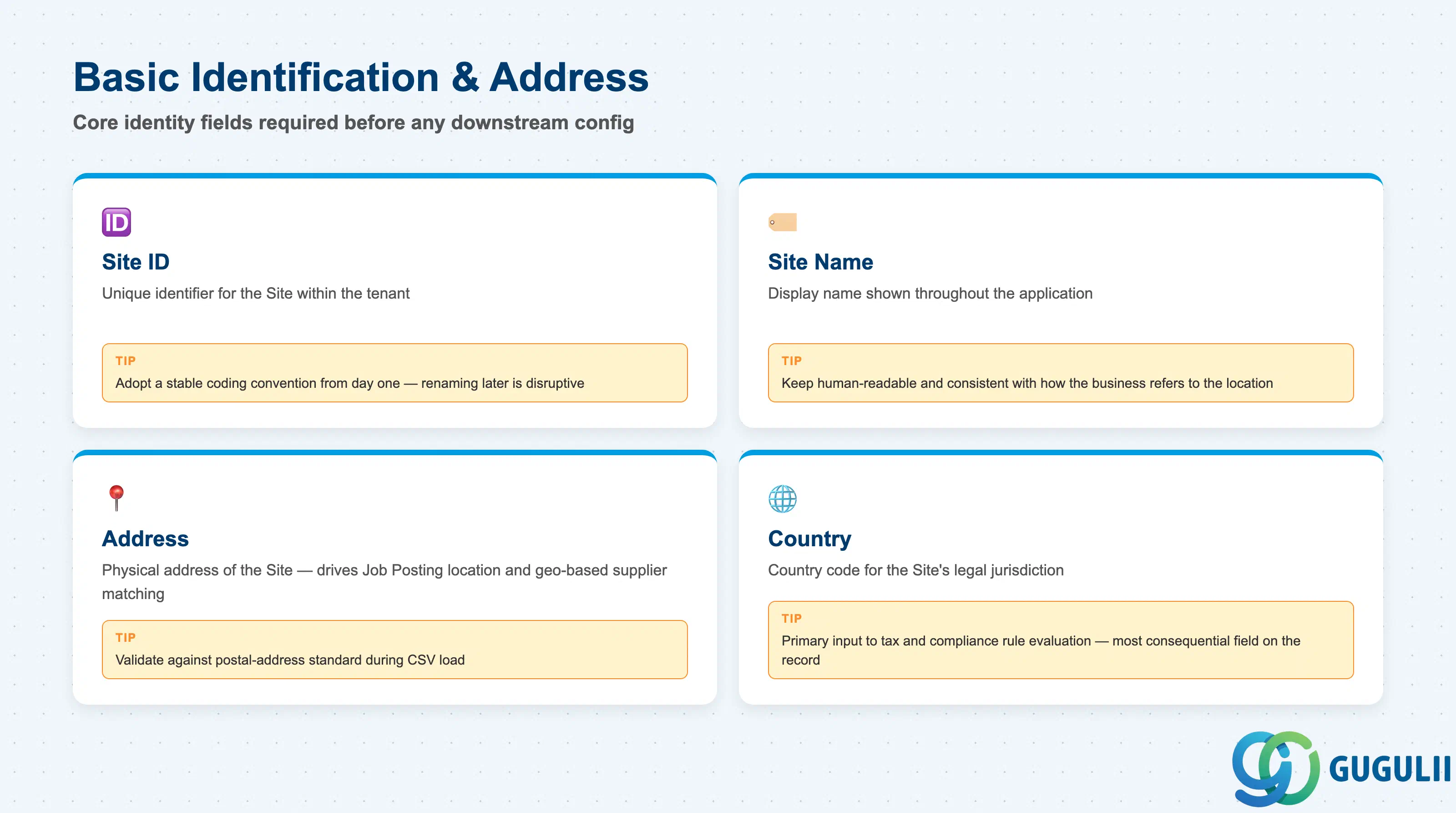
These fields uniquely identify a Site and are required before any child Location, rule scope, or downstream reference can be configured against it.
| Field | Description | Practical Usage |
|---|---|---|
| Site ID | Unique identifier for the Site within the tenant | Adopt a stable, meaningful coding convention (e.g., country/city prefix) from day one — Site IDs are referenced across every requisition and Rate Grid, so renaming later is disruptive |
| Site Name | Display name shown throughout the application | Keep this human-readable and consistent with how the business actually refers to the location — approvers and requesters see this name on every document |
| Address | Physical address of the Site | Drives the location shown on Job Postings and any geo-based supplier matching; validate against a postal-address standard during CSV load to avoid downstream tax-jurisdiction mismatches |
| Country | Country code for the Site’s legal jurisdiction | The single most consequential field on the record — it is the primary input to tax and compliance rule evaluation described in Section 1.2 |
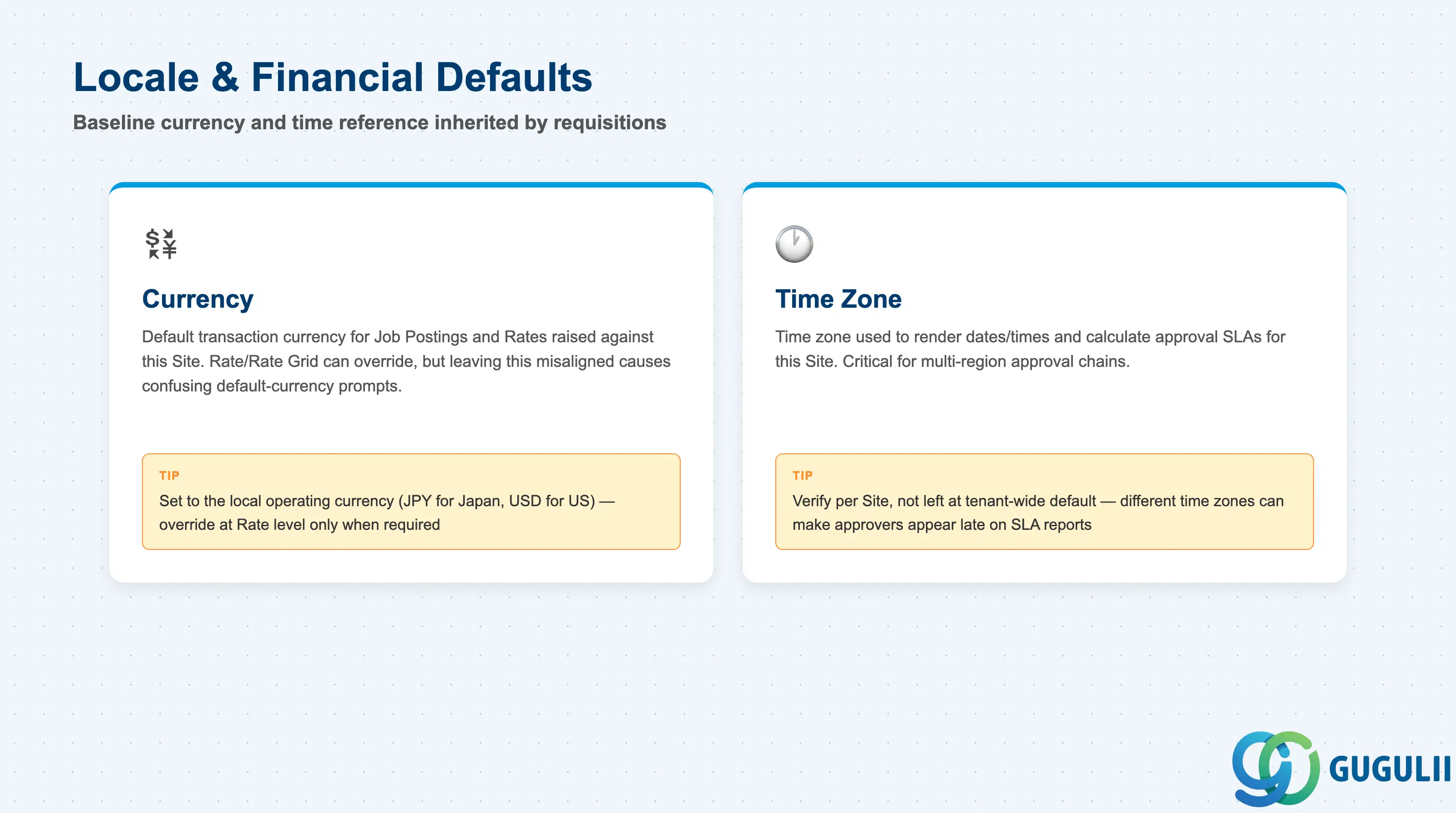
These two fields set the baseline currency and time reference that every requisition, rate, and approval SLA calculated against this Site inherits by default.
| Field | Description | Practical Usage |
|---|---|---|
| Currency | Default transaction currency for Job Postings and Rates raised against this Site | Set to the local operating currency (e.g., JPY for a Japan Site); Rate/Rate Grid can still express Pay/Bill Rate in a different currency where required, but leaving this misaligned causes confusing default-currency prompts at requisition creation |
| Time Zone | Time zone used to render dates/times and calculate approval SLAs for this Site | Critical for multi-region approval chains — an Approver reviewing a document raised from a Site in a different time zone can appear “late” on an SLA report when they are not; verify this is set per Site, not left at a tenant-wide default |
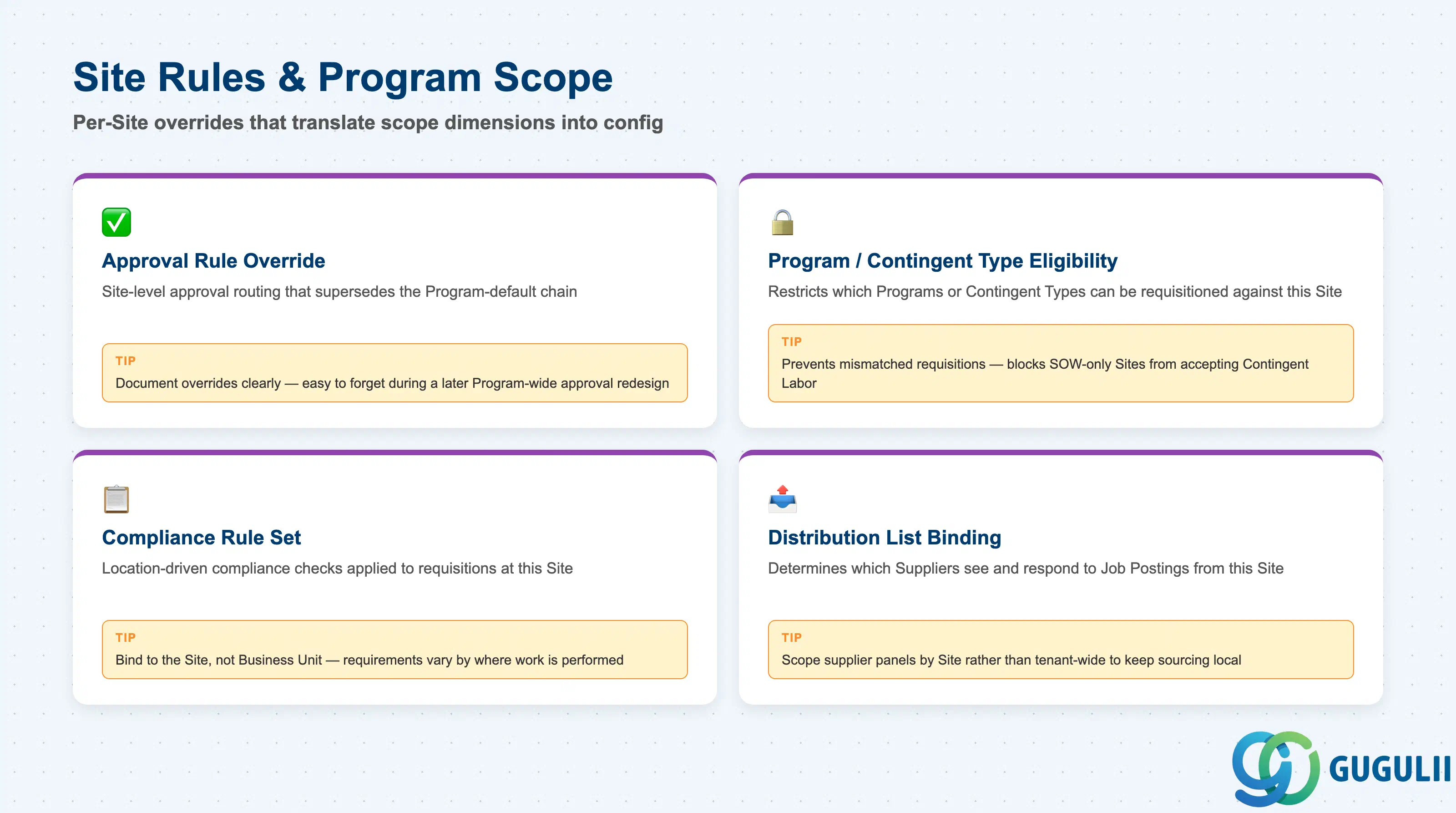
Site Rules let a specific Site override or narrow the Program-default configuration — the practical translation of the scope dimensions described in Section 1.2 into concrete, per-Site settings.
| Field | Description | Practical Usage |
|---|---|---|
| Approval Rule Override | Site-level approval routing that supersedes the Program-default chain | Use for regional offices that require local finance sign-off in addition to (or instead of) the central approval chain — document any override clearly, since it is easy to forget it exists during a later Program-wide approval redesign |
| Program / Contingent Type Eligibility | Restricts which Programs or Contingent Types can be requisitioned against this Site | Prevents mismatched requisitions, e.g., blocking a SOW-only Site from accepting a Contingent Labor Job Posting |
| Compliance Rule Set | Location-driven compliance checks (worker classification, background-check requirements, etc.) applied to requisitions raised at this Site | Bind compliance rules to the Site rather than the Business Unit — tax and labor-law requirements vary by where the work is actually performed, not by which department is paying for it |
| Distribution List Binding | Determines which Suppliers see and can respond to Job Postings raised from this Site (via the Supplier’s Distribution List assignment) | Regional or preferred-supplier panels are typically scoped this way rather than tenant-wide, to keep sourcing local where required |
Prerequisite: Site must exist and be Active before Location, Rate Grid, or any Site-scoped Approval Rule/Distribution List that references it can be configured.
| ID | Category | Title |
|---|---|---|
| fg-001 | Overview | What is SAP Fieldglass? |
| ID | Category | Title |
|---|---|---|
| fg-a01 | Overview | SAP Fieldglass Master Data: Overview, Hierarchy & Relationships |
| fg-a02-01 | Master Data | SAP Fieldglass Site 📍 |
| fg-a02-02 | Master Data | SAP Fieldglass Location |
| fg-a02-03 | Master Data | SAP Fieldglass Business Unit |
| fg-a02-04 | Master Data | SAP Fieldglass Cost Center |
| fg-a03-01 | Master Data | SAP Fieldglass User Role |
| fg-a03-02 | Master Data | SAP Fieldglass User |
| fg-a03-03 | Master Data | SAP Fieldglass Approval Group |
| fg-a03-04 | Master Data | SAP Fieldglass Distribution List |
| fg-a04-01 | Master Data | SAP Fieldglass Rate Category |
| fg-a04-02 | Master Data | SAP Fieldglass Rate Grid |
| fg-a04-03 | Master Data | SAP Fieldglass Contingent Type |
| fg-a04-04 | Master Data | SAP Fieldglass SOW Template |
| fg-a05-01 | Master Data | SAP Fieldglass MSP Company |
| fg-a05-02 | Master Data | SAP Fieldglass Certification |
| ID | Category | Title |
|---|---|---|
| fg-b01 | Overview | SAP Fieldglass Transactions: Process Flow, Hierarchy & Relationships |