Title here
Summary here

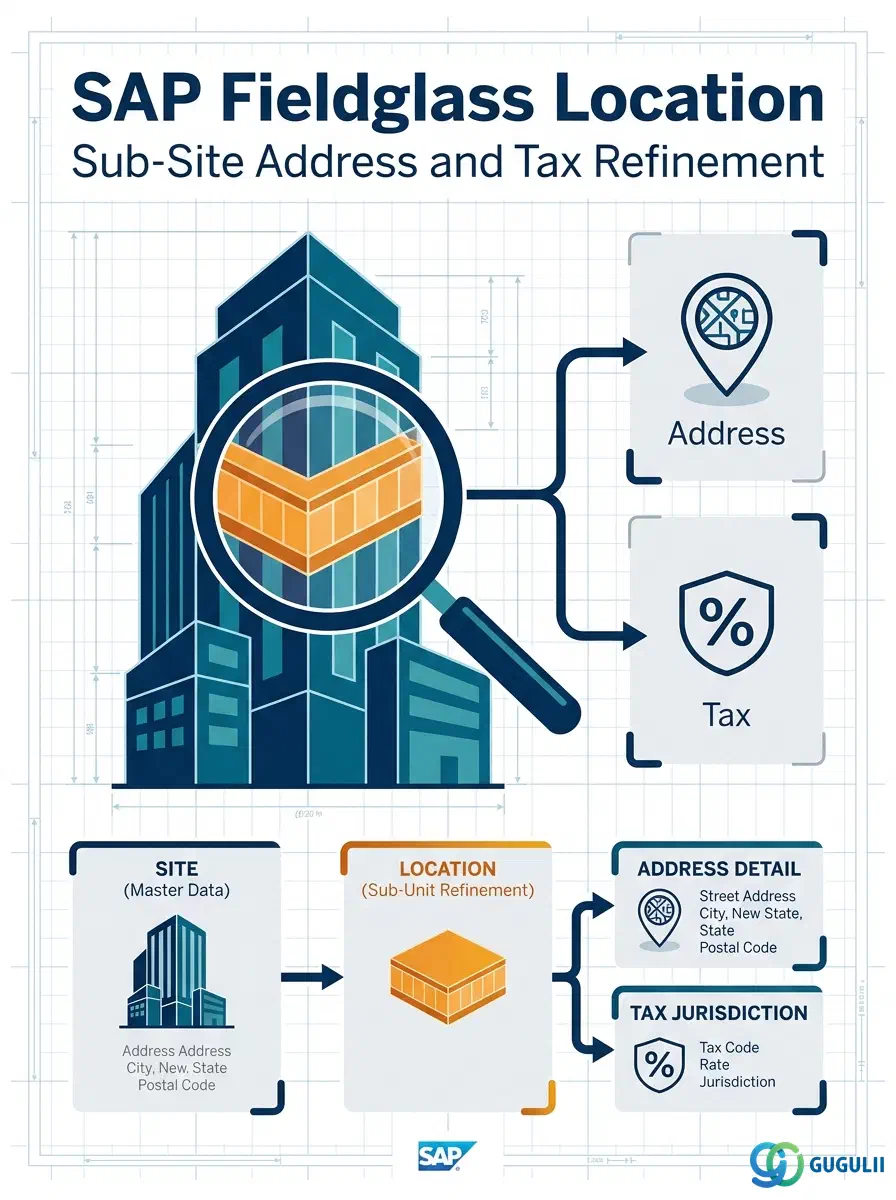
The Location is a dependent, optional master in SAP Fieldglass Company Structure — it exists only under an already-created Site and exists solely to add sub-building granularity (a floor, wing, or leased area) where a single Site record cannot carry enough address or tax-jurisdiction precision on its own. Unlike Site, Location is not required for every tenant: many single-building or single-jurisdiction implementations never create one. Where it is used, Location inherits its baseline attributes from the parent Site and lets an administrator override only the delta — typically address detail and tax code. This article maps Location’s core concepts across all Fieldglass capability areas (Part 1), then details every field an administrator configures when creating and maintaining Location records (Part 2).
The Location represents a sub-unit of a Site — a specific floor, wing, or leased area within a building — used when the Site alone cannot express the address or tax distinction a client’s operations require. It is the second object created in the Phase 1 Company Structure setup sequence, and it has exactly one upstream dependency: it cannot exist without an already-active parent Site.
| Aspect | Details |
|---|---|
| Role | Optional sub-Site refinement; overrides Site-level address and tax defaults only where the delta genuinely matters |
| Modules using it | Contingent Labor (Job Posting → Work Order), SOW — any transaction that needs finer-than-Site work-location precision |
| Transactions | Admin > Locations (create/maintain); Location CSV Import/Export, typically loaded alongside or immediately after the Site load |
| Key Tables | No direct ECC/S4 table equivalent — Location is a cloud object native to the Fieldglass tenant; no standard S/4HANA integration content synchronizes Location the way Plant/Business Area can synchronize Site |
| S/4HANA note | Location is not typically populated from a single S/4 object. Where finer granularity is needed on the S/4 side (e.g., Storage Location under Plant), the mapping is design-specific — confirm with the integration team whether Location is manually maintained in Fieldglass or derived from an S/4 sub-plant structure |
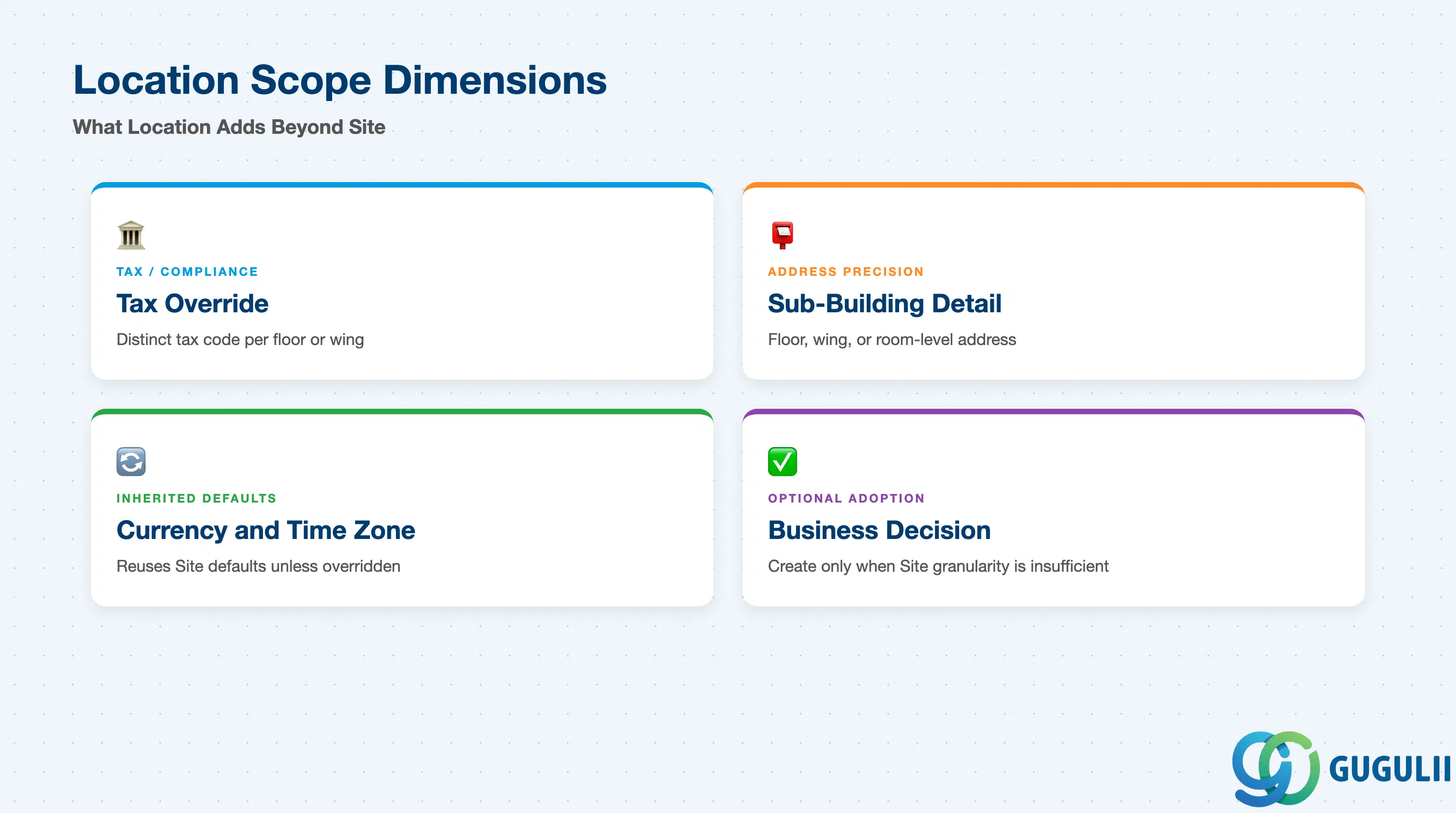
Like Site, Location does not carry a formal “Location Type” field — its influence shows up as a narrow set of override dimensions layered on top of what the parent Site already establishes. Getting the adoption decision wrong (creating Locations reflexively for every floor rather than only where jurisdiction or address genuinely diverges) is a common source of unnecessary admin overhead.
| Scope Dimension | Driven By (Field / Setting) | Use Case | Key Behavior |
|---|---|---|---|
| Tax / Compliance Refinement | Tax Code Override | A Location needs a distinct tax code from its Site — e.g., a floor leased under a different legal entity in the same building | Overrides the Site’s jurisdiction default for compliance checks evaluated at requisitions raised against this Location |
| Address Precision | Address (floor/wing/room detail) | Delivery, check-in, or worksite instructions that need sub-building specificity | Location carries only the delta address detail; the Site’s building-level address remains the base |
| Optional Adoption | (business decision, not a field) | Determines whether a client models Location at all | Most single-building or single-jurisdiction Sites never create a Location — requisitions are raised directly against the Site |
| Inherited Defaults | Currency, Time Zone (inherited unless overridden) | Location reuses the parent Site’s currency and time zone by default | Reduces duplicate configuration; override at Location only when the sub-unit genuinely differs from its Site |
Design principle: Create a Location only when a Site’s granularity is materially insufficient — treating Location creation as a structural habit (one per floor, regardless of need) adds administrative overhead without adding compliance or reporting value.
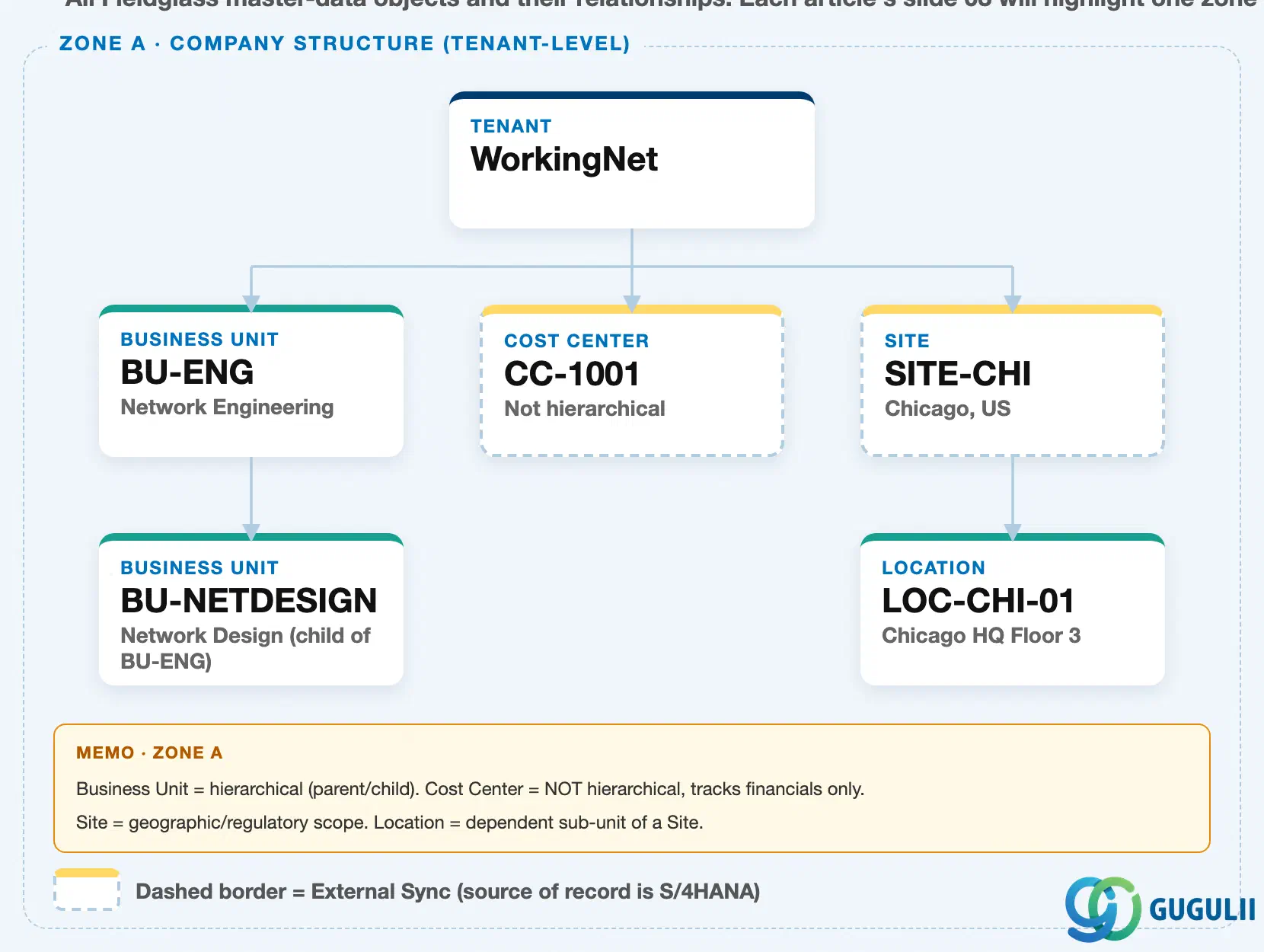
Data hierarchy with a concrete example
Tenant "WorkingNet" (client-level scope)
│
├── Business Unit "BU-ENG" — Network Engineering
│      └── Business Unit "BU-NETDESIGN" — Network Design (child of BU-ENG)
│
├── Cost Center "CC-1001" — flat financial-tracking master (not hierarchical)
│
└── Site "SITE-CHI" — Chicago, US
       └── Location "LOC-CHI-01" — Chicago HQ Floor 3  ◄── this article
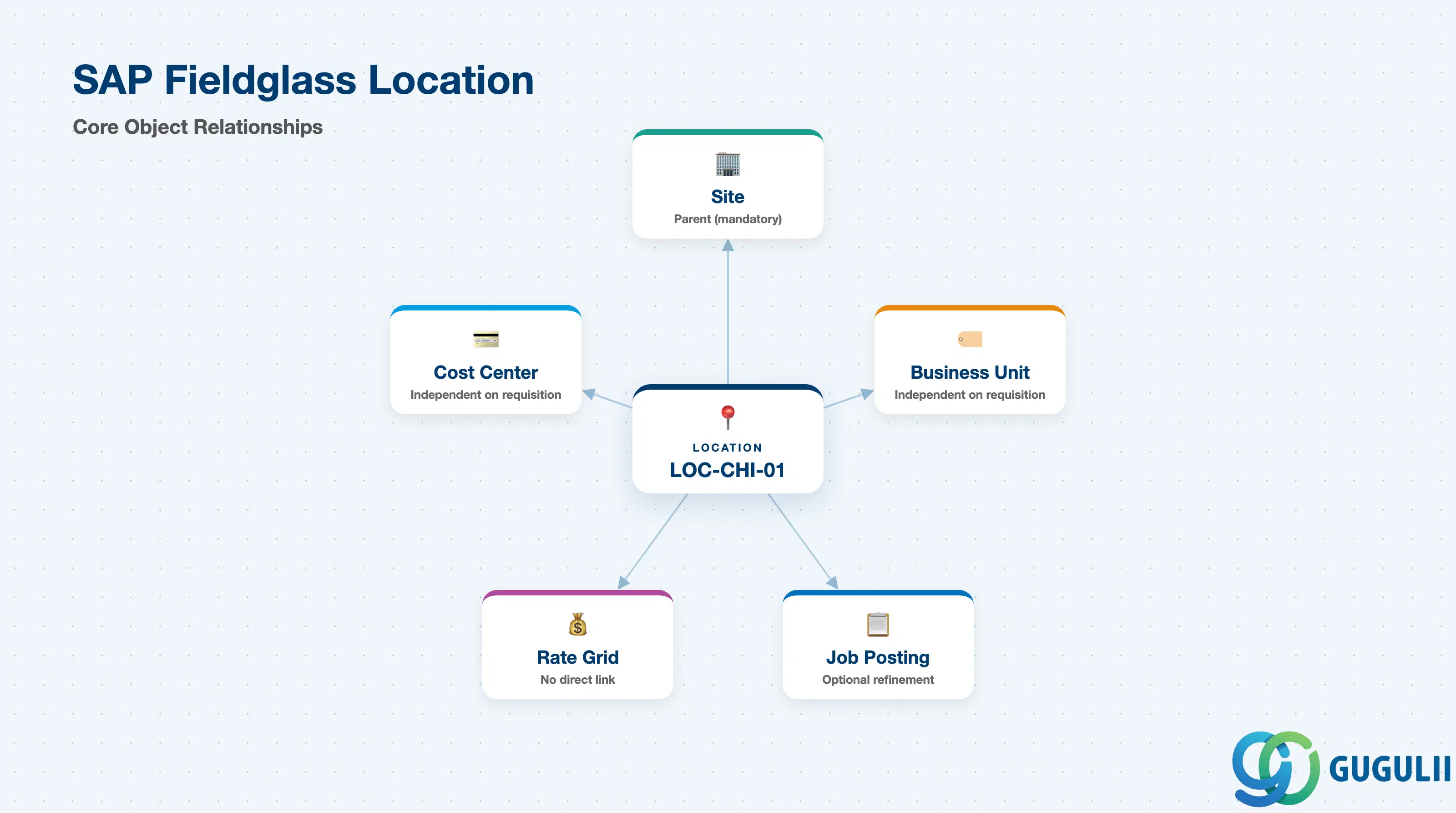
Location sits directly under Site, as its only child (1:N from Site) — it does not sit under Tenant directly, and it is not a sibling of Business Unit or Cost Center the way Site is. A Location has no further organizational children of its own: nothing nests underneath it. Business Unit and Cost Center, shown alongside Site in this same Zone A branch, are unrelated to Location’s own containment path; they attach to a requisition independently, as described in Section 1.4.
Every Location resolves to exactly one Site (N:1), and that Site must already be active before the Location can be created — there is no cross-zone reference from Location outward the way Site is itself referenced from Zone C’s Rate Grid. Location’s scope is fully contained within Zone A.
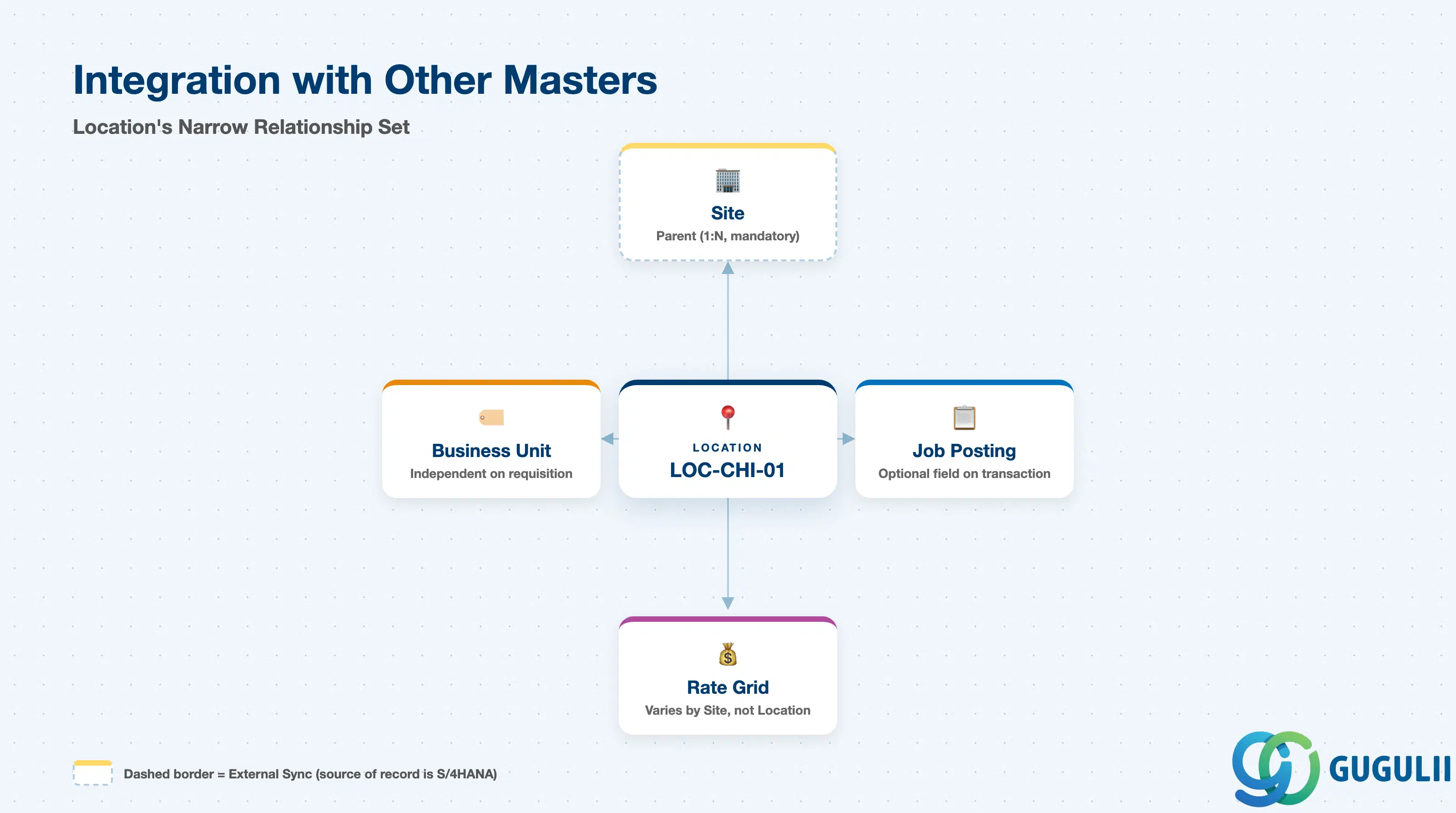
The Location record’s relationships are narrower than Site’s — it exists to refine one parent, not to anchor a web of downstream objects.
| Object | Relationship | Practical Notes |
|---|---|---|
| Site | Site is the parent of Location (1:N) — every Location must belong to exactly one active Site | Create and activate the Site first; Location creation is blocked without a resolvable parent Site |
| Business Unit / Cost Center | Not directly related to Location — these attach to a requisition alongside Site/Location context, not to Location itself | A single Business Unit can requisition against multiple Sites, and within those Sites, multiple Locations where used |
| Rate Grid | Rate Grid (Phase 3) varies pricing by Site, not by Location, in standard configuration | If location-level rate differentiation is required within one Site, confirm during design whether that is handled via a separate Rate Grid per Site or another mechanism — Rate Grid does not reference Location directly out of the box |
| Job Posting / Work Order | Where Location is adopted, it is selected alongside Site on the Job Posting/Work Order to pinpoint the exact work location | Optional field on the transaction — a Job Posting can be raised against a Site alone without ever selecting a Location |
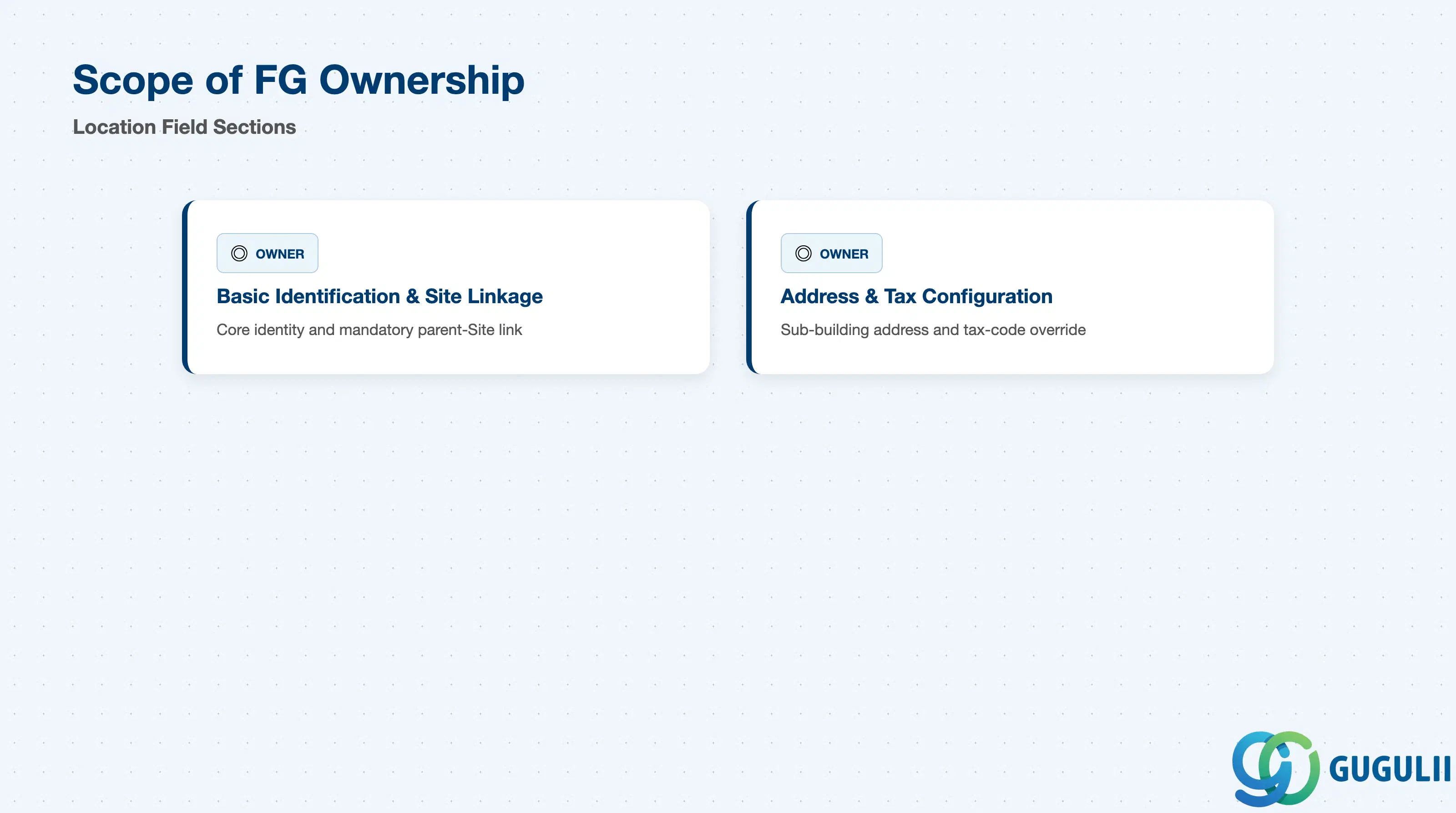
| Data Section | FG Involvement | Notes |
|---|---|---|
| Basic Identification & Site Linkage | ◎ Owner | Core identity and the mandatory parent-Site link are maintained natively on the Fieldglass Location record |
| Address & Tax Configuration | ◎ Owner | Sub-building address detail and tax-code override configured entirely within Fieldglass; no S/4 equivalent |
Legend: ◎ = Owner / Critical, ○ = Direct involvement
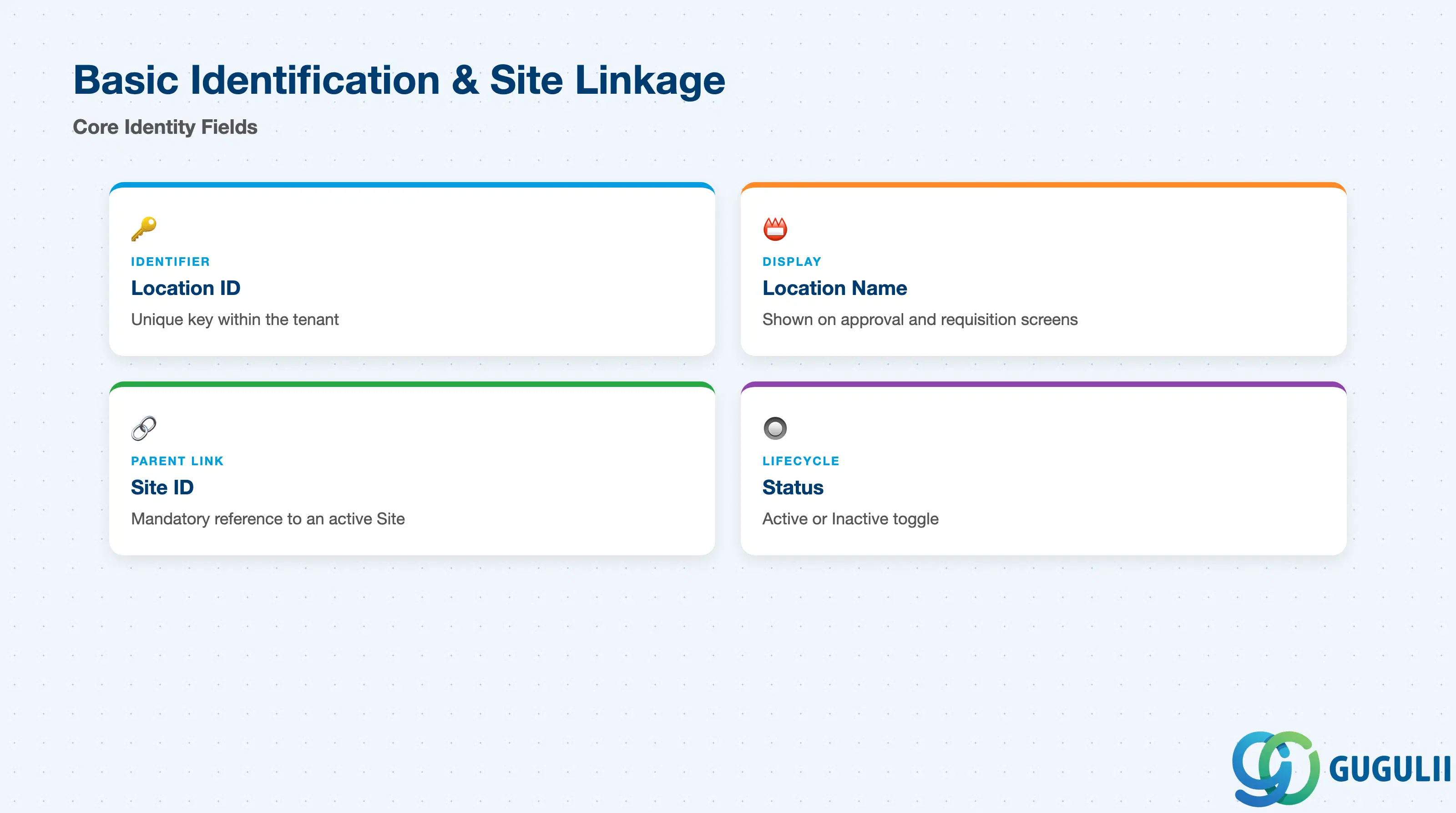
These fields uniquely identify a Location and tie it to exactly one Site before it can be referenced anywhere downstream.
| Field | Description | Practical Usage |
|---|---|---|
| Location ID | Unique identifier for the Location within the tenant | Extend the parent Site’s coding convention with a floor/wing suffix (e.g., a Location under Site “SITE-CHI” reading “SITE-CHI-3F”) so the ID visibly communicates both its Site and its own scope |
| Location Name | Display name shown throughout the application | Keep it distinguishable from the parent Site’s name on approval and requisition screens — “Chicago HQ Floor 3” reads more usefully to an approver than a bare code |
| Site ID | Parent Site the Location belongs to (mandatory) | Locked to existing, active Site records — the Site must be created and active before this field can be populated |
| Status | Active/Inactive flag controlling whether the Location can be selected on new transactions | Deactivate rather than delete a Location once it has been referenced by historical Job Postings/Work Orders, to preserve reporting integrity |
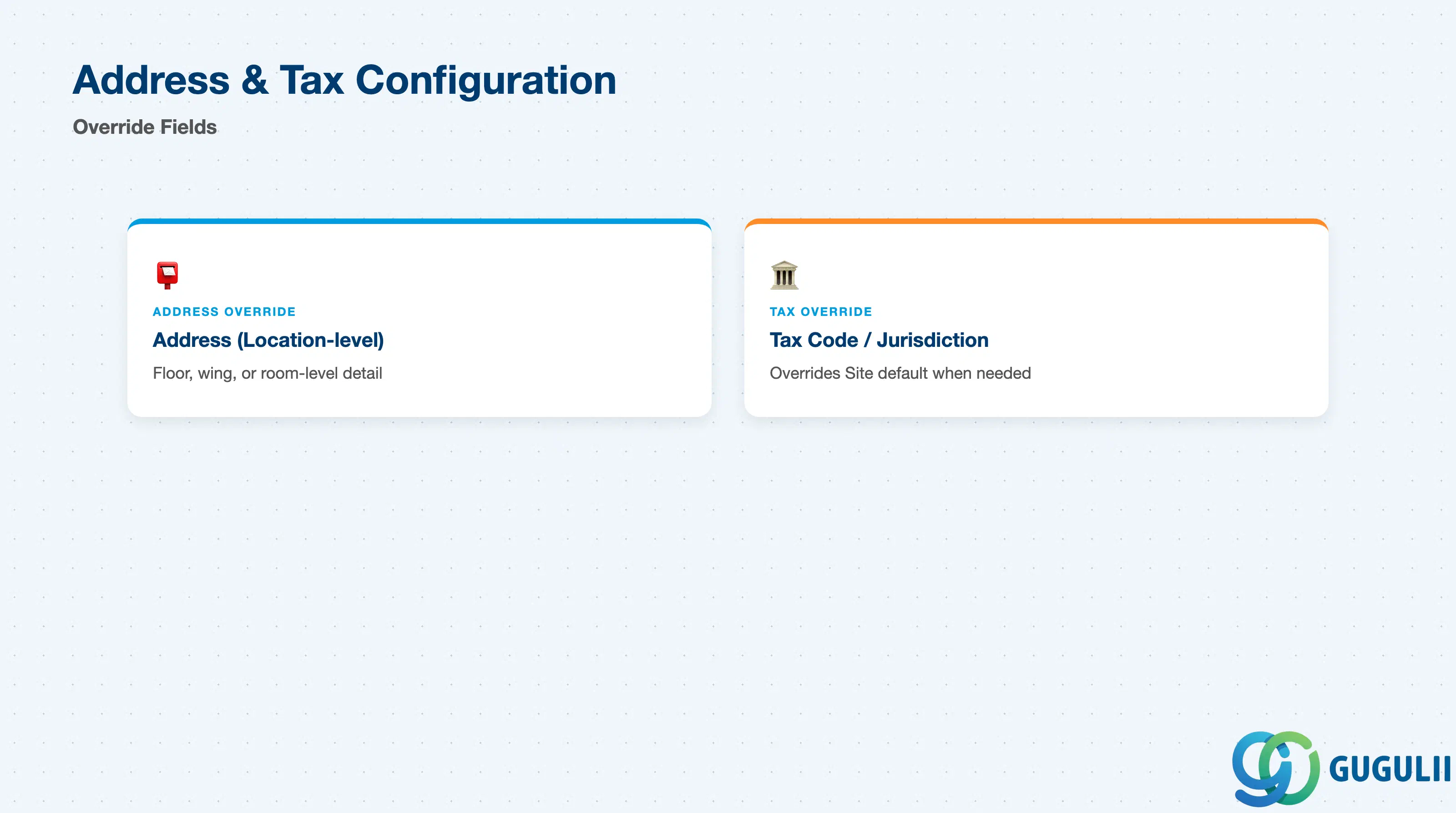
These two fields carry only the delta detail that distinguishes a Location from its parent Site — Location inherits the Site’s base address and tax jurisdiction by default.
| Field | Description | Practical Usage |
|---|---|---|
| Address (Location-level) | Sub-building address detail — floor, wing, room, or delivery-specific instructions beyond the Site’s building address | Populate only the delta detail relevant at this granularity; don’t duplicate the full Site address, since Location falls back to the Site’s address by default when left blank |
| Tax Code / Jurisdiction Override | Location-specific tax code applied instead of the Site default when the Location has distinct tax treatment | Common in multi-tenant buildings where floors are leased under different legal entities; leave blank to inherit the Site’s tax jurisdiction |
Prerequisite: Site must exist and be Active before any Location can be created under it.
| ID | Category | Title |
|---|---|---|
| fg-001 | Overview | What is SAP Fieldglass? |
| ID | Category | Title |
|---|---|---|
| fg-a01 | Overview | SAP Fieldglass Master Data: Overview, Hierarchy & Relationships |
| fg-a02-01 | Master Data | SAP Fieldglass Site |
| fg-a02-02 | Master Data | SAP Fieldglass Location 📍 |
| fg-a02-03 | Master Data | SAP Fieldglass Business Unit |
| fg-a02-04 | Master Data | SAP Fieldglass Cost Center |
| fg-a03-01 | Master Data | SAP Fieldglass User Role |
| fg-a03-02 | Master Data | SAP Fieldglass User |
| fg-a03-03 | Master Data | SAP Fieldglass Approval Group |
| fg-a03-04 | Master Data | SAP Fieldglass Distribution List |
| fg-a04-01 | Master Data | SAP Fieldglass Rate Category |
| fg-a04-02 | Master Data | SAP Fieldglass Rate Grid |
| fg-a04-03 | Master Data | SAP Fieldglass Contingent Type |
| fg-a04-04 | Master Data | SAP Fieldglass SOW Template |
| fg-a05-01 | Master Data | SAP Fieldglass MSP Company |
| fg-a05-02 | Master Data | SAP Fieldglass Certification |
| ID | Category | Title |
|---|---|---|
| fg-b01 | Overview | SAP Fieldglass Transactions: Process Flow, Hierarchy & Relationships |