Title here
Summary here

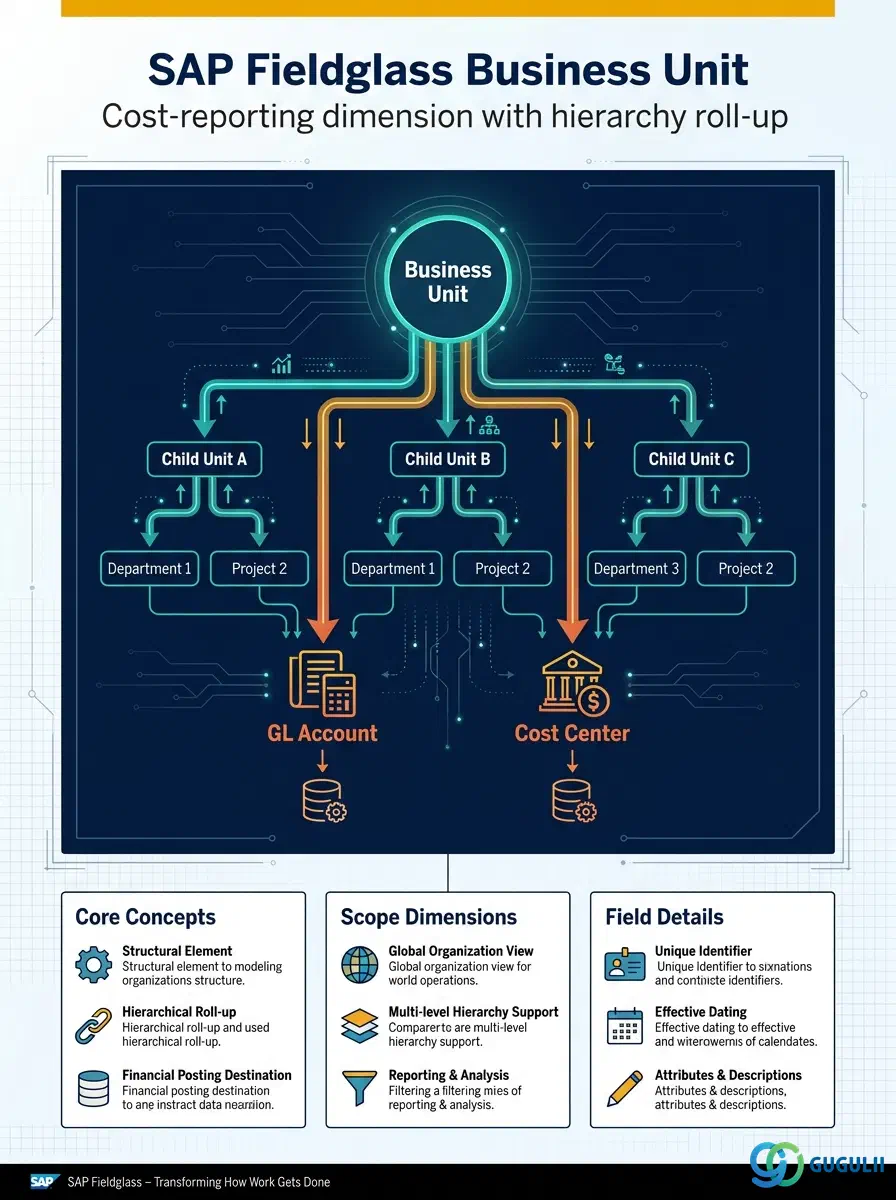
The Business Unit is the cost and reporting-organization dimension in SAP Fieldglass Company Structure — a Tenant-level master, independent of Site, that groups requisitioning activity for financial reporting, GL posting, and downstream Cost Center allocation. Unlike Site, which anchors a physical work location, Business Unit answers a different question: which part of the organization is paying for and reporting on this work. It is also the only Company Structure object with a hierarchy of its own — a Business Unit can be nested under a parent Business Unit to build a roll-up reporting tree, independent of how Sites and Locations are organized. This article maps Business Unit’s core concepts across all Fieldglass capability areas (Part 1), then details every field an administrator configures when creating and maintaining Business Unit records (Part 2).
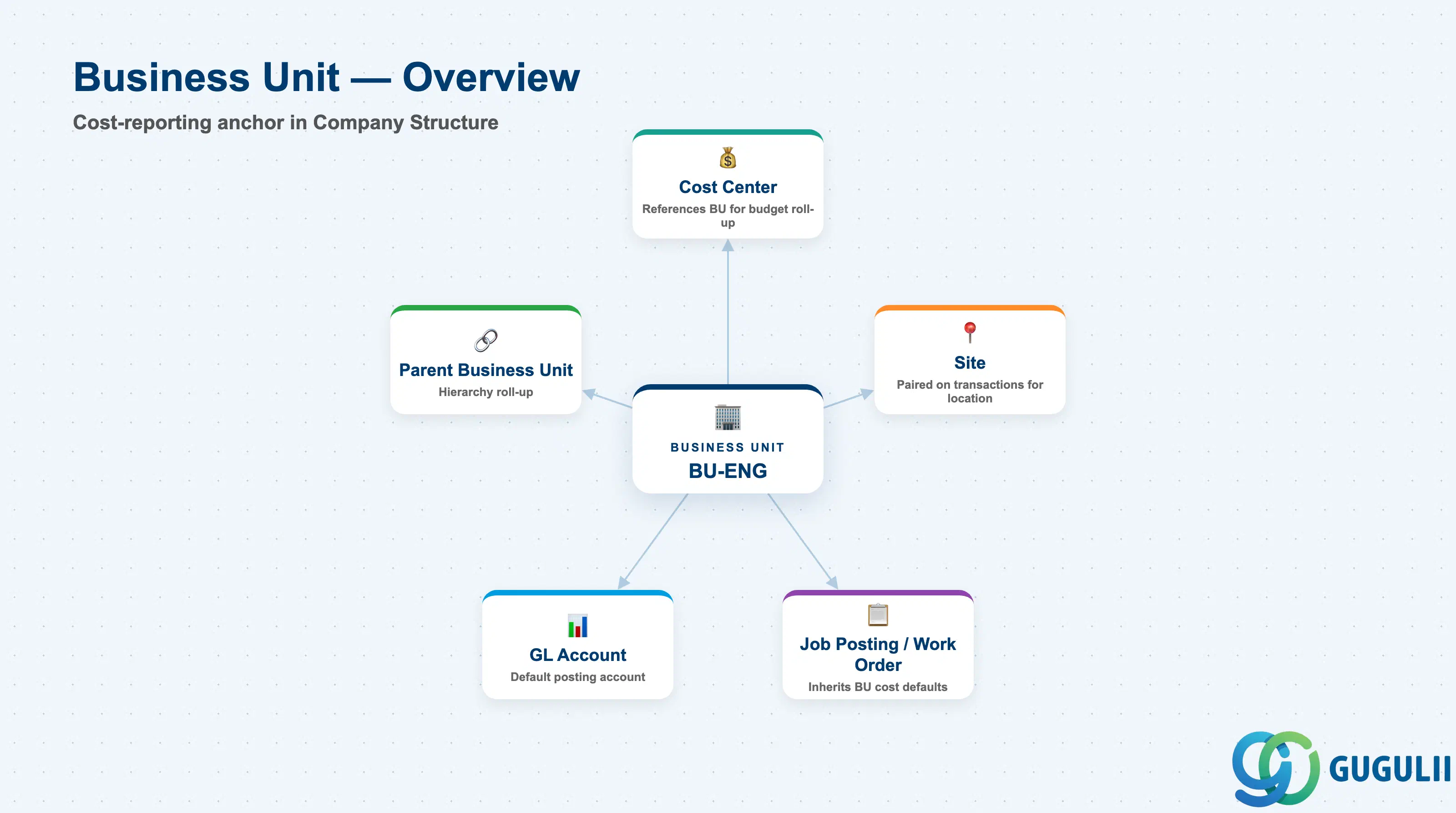
The Business Unit represents the internal organizational or cost-reporting entity that owns a requisition — a department, division, or budget-holding group — independent of where the work physically happens. It is created after Site in the Phase 1 Company Structure setup sequence (Site must already exist because a new Business Unit’s Site ID field requires a resolvable Site to reference), but it does not sit organizationally underneath Site: Business Unit is its own Tenant-level branch, with Site attached only as a reference field, not a parent.
| Aspect | Details |
|---|---|
| Role | Tenant-level cost/reporting-organization master; supplies the GL Account and cost-allocation defaults that requisitions and Cost Centers inherit |
| Modules using it | Contingent Labor (Job Posting → Work Order), SOW, Time & Expense — any transaction that needs a requisitioning organization for cost reporting |
| Transactions | Admin > Business Units (create/maintain); Business Unit CSV Import/Export, typically loaded alongside or immediately after the Site load |
| Key Tables | No direct ECC/S4 table equivalent — Business Unit is a cloud object native to the Fieldglass tenant; commonly mapped to an S/4HANA Profit Center or Cost Center via standard integration content when integrated bidirectionally |
| S/4HANA note | Business Unit can be synchronized from S/4HANA Profit Center or Cost Center depending on integration design — confirm which S/4 object is the source of truth, and note this is distinct from the module’s own Cost Center object (FG-A02-04), which syncs separately from an S/4 Cost Center (KS03) |
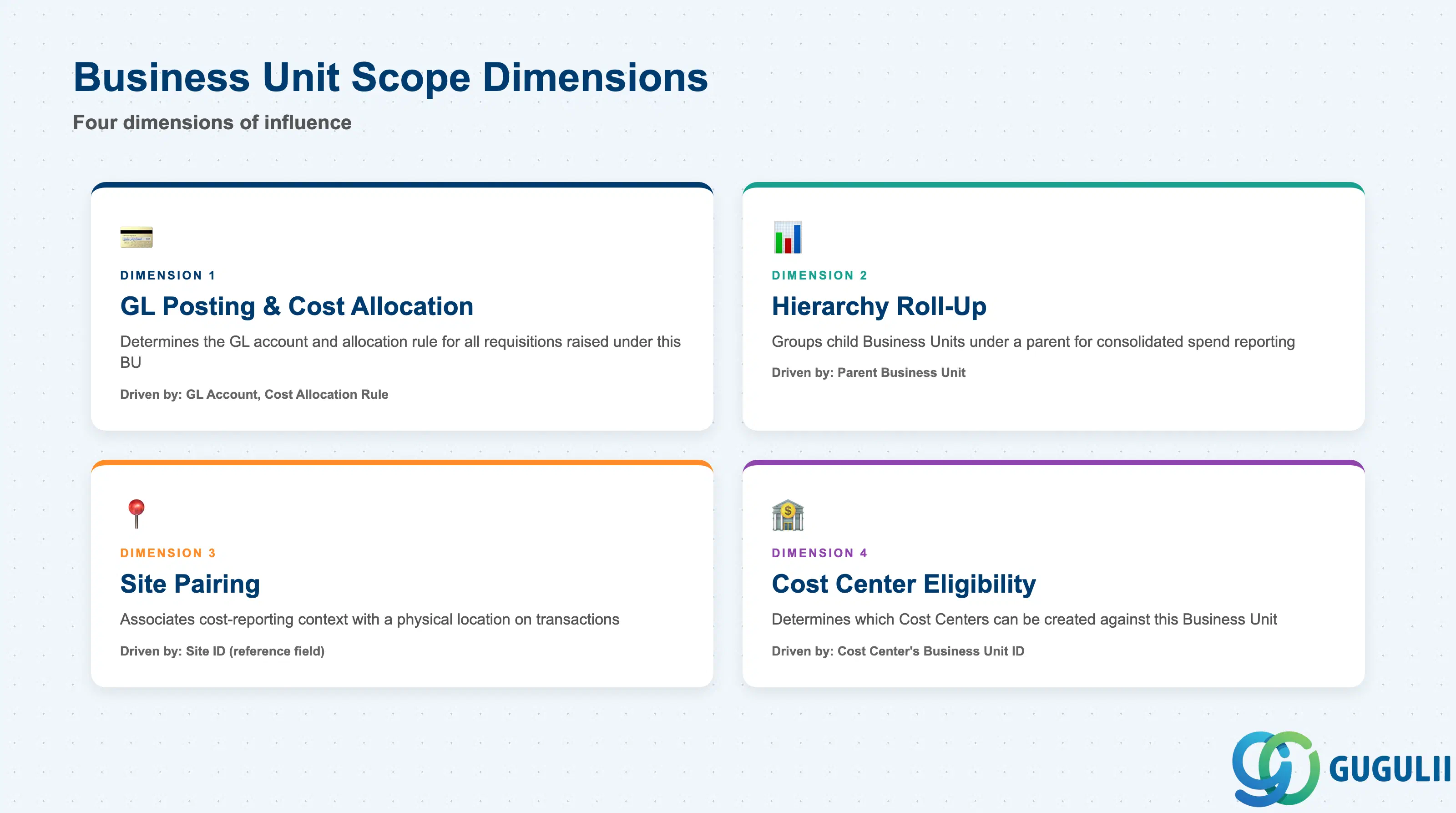
Like Site, Business Unit does not carry a formal “Business Unit Type” field — its influence shows up as a set of downstream scope dimensions inherited by every requisition raised under it. Modeling the Business Unit hierarchy incorrectly at design time (e.g., flattening what should be a multi-level cost roll-up, or conflating it with Site’s location scope) is a common source of GL-posting and reporting rework after go-live.
| Scope Dimension | Driven By (Field / Setting) | Use Case | Key Behavior |
|---|---|---|---|
| GL Posting & Cost Allocation | GL Account, Cost Allocation Rule | Determines which GL account and allocation rule financial postings against this Business Unit’s requisitions use | Independent of the Site’s tax/currency scope — a single Business Unit can post to one GL account while requisitioning across many Sites |
| Hierarchy Roll-Up | Parent Business Unit | Groups child Business Units under a parent for consolidated spend reporting | Reporting rolls up child to parent without requiring the underlying Sites or Cost Centers to share any hierarchy of their own |
| Site Pairing | Site ID (reference field) | Associates the Business Unit with the Site whose location context a requisition combines with cost-reporting context | Reference only, not containment — the same Business Unit can be paired with requisitions raised from multiple Sites over time |
| Cost Center Eligibility | (downstream: Cost Center’s own Business Unit ID field) | Determines which Cost Centers can be created against this Business Unit for detailed budget tracking | Cost Center (Phase 1, FG-A02-04) requires an existing, active Business Unit before it can be created |
Design principle: Model the Business Unit hierarchy around how the business wants to see consolidated spend reporting, not around physical location — that grouping belongs to Site, and conflating the two forces a redesign of one or the other once reporting requirements diverge.
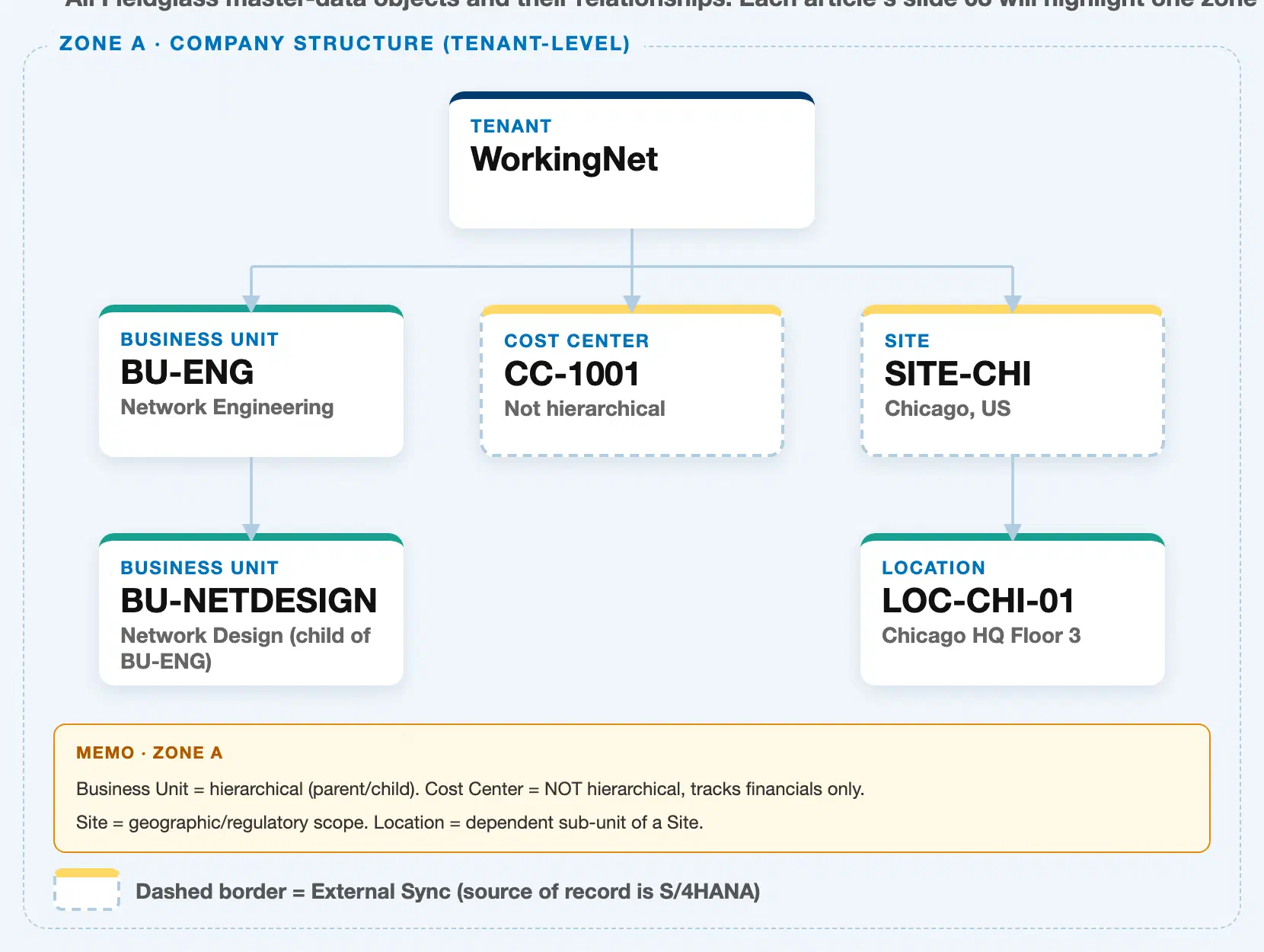
Data hierarchy with a concrete example
Tenant "WorkingNet" (client-level scope)
│
├── Business Unit "BU-ENG" — Network Engineering  ◄── this article
│      └── Business Unit "BU-NETDESIGN" — Network Design (child of BU-ENG)
│
├── Cost Center "CC-1001" — flat financial-tracking master (not hierarchical)
│
└── Site "SITE-CHI" — Chicago, US
       └── Location "LOC-CHI-01" — Chicago HQ Floor 3
Business Unit sits directly under the Tenant, as a sibling of Site and Cost Center — not nested inside either of them, and neither of them nested inside it. Business Unit is the only hierarchical object in this zone: it can have child Business Units, as shown by BU-NETDESIGN under BU-ENG, letting spend roll up through an arbitrary number of levels for consolidated reporting. Cost Center, by contrast, is a flat, non-hierarchical financial-tracking master; and Site’s own hierarchy runs downward into Location, not into Business Unit.
Two objects reference Business Unit without being its organizational children. Business Unit itself carries a Site ID field to associate a requisitioning organization with a physical work location (an assignment, expressed as a reference field rather than nesting — see Section 1.2); and Cost Center (FG-A02-04) requires an existing, active Business Unit before it can be created, referencing it via its own Business Unit ID field for budget roll-up — again an assignment, not an organizational child. Neither Site nor Cost Center is drawn underneath Business Unit in this landscape, because neither is contained by it.
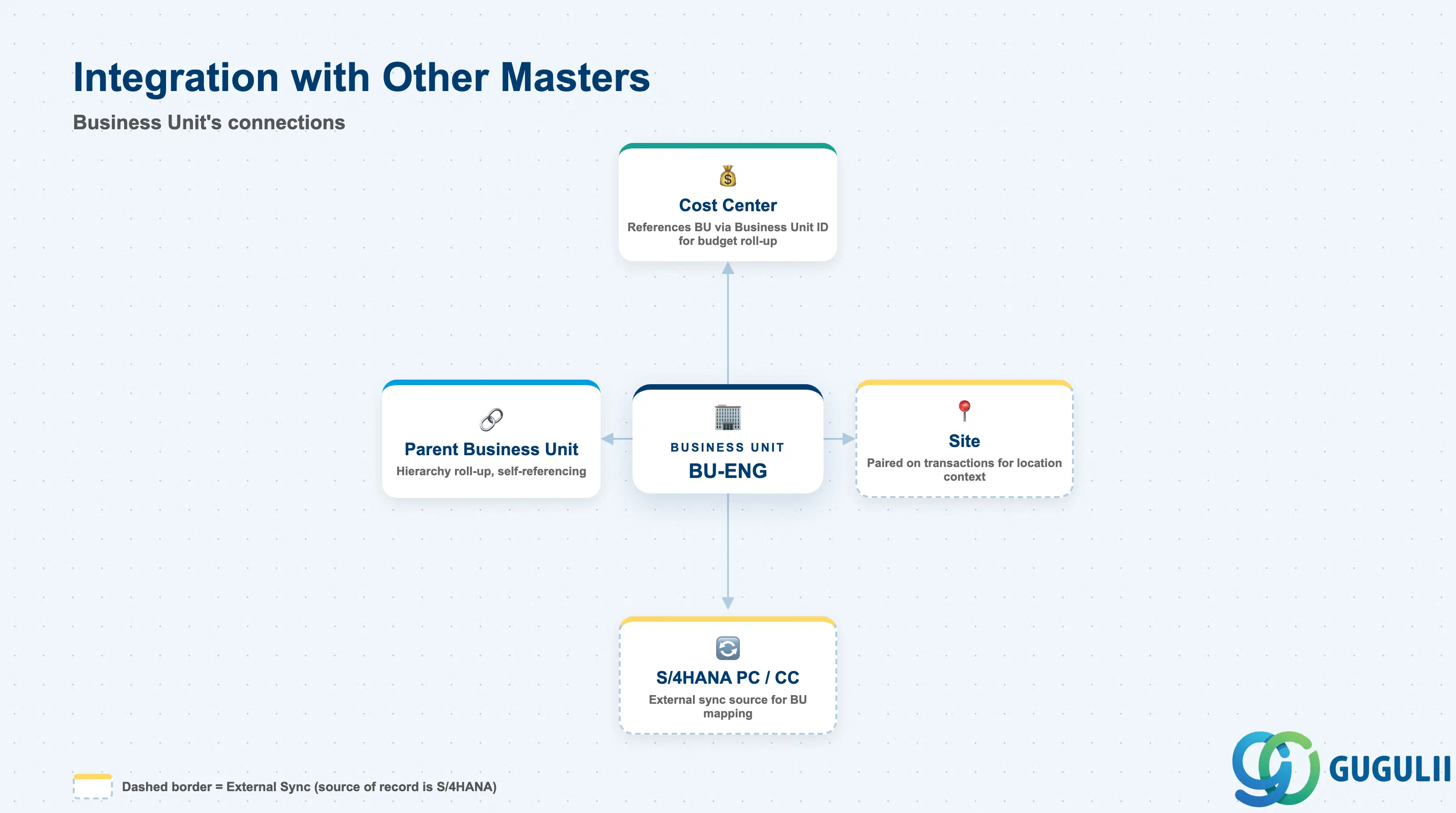
The Business Unit record does not stand alone — it is the cost-reporting anchor that one downstream Phase 1 object, one self-reference, and one external system all point to.
| Object | Relationship | Practical Notes |
|---|---|---|
| Cost Center | Cost Center (FG-A02-04) references Business Unit via its own Business Unit ID field for budget roll-up and allocation — an assignment, not an organizational child | Set up Business Unit before Cost Center — Cost Center creation is blocked if the referenced Business Unit does not exist yet |
| Site | Business Unit is paired with Site on Job Postings/Work Orders to combine cost-reporting context with location context — a reference in both directions, not a hierarchical relationship | A single Business Unit can requisition against multiple Sites (e.g., a shared IT department requisitioning workers across several offices); the reverse is also true |
| Parent Business Unit | A Business Unit can reference a parent Business Unit to build a multi-level roll-up hierarchy | Design the hierarchy depth up front — flattening a multi-level structure later requires re-parenting every affected child Business Unit individually |
| S/4HANA Profit Center / Cost Center | Business Unit can be synchronized from S/4HANA Profit Center or Cost Center via standard integration content | Confirm which S/4 object the client maps 1:1 to Business Unit, and keep this distinct from the Fieldglass Cost Center object’s own separate sync from S/4 Cost Center (KS03) |
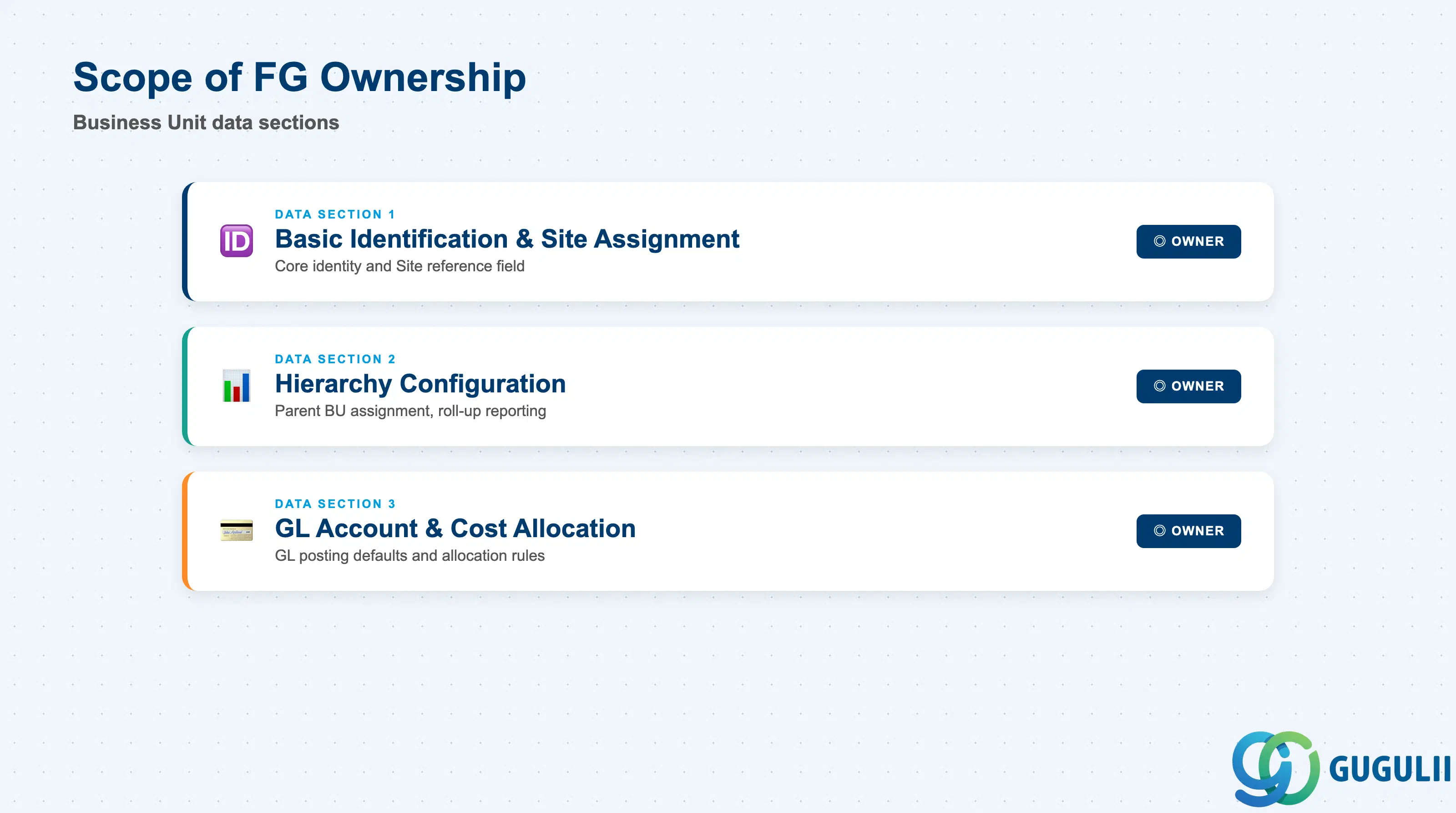
| Data Section | FG Involvement | Notes |
|---|---|---|
| Basic Identification & Site Assignment | ◎ Owner | Core identity and the Site reference field are maintained natively on the Fieldglass Business Unit record |
| Hierarchy Configuration | ◎ Owner | Parent Business Unit assignment is configured entirely within Fieldglass and drives roll-up reporting; no S/4 equivalent |
| GL Account & Cost Allocation | ◎ Owner | GL Account and cost-allocation rule are maintained on the Fieldglass record, though the GL Account itself typically mirrors an S/4HANA chart-of-accounts value |
Legend: ◎ = Owner / Critical, ○ = Direct involvement
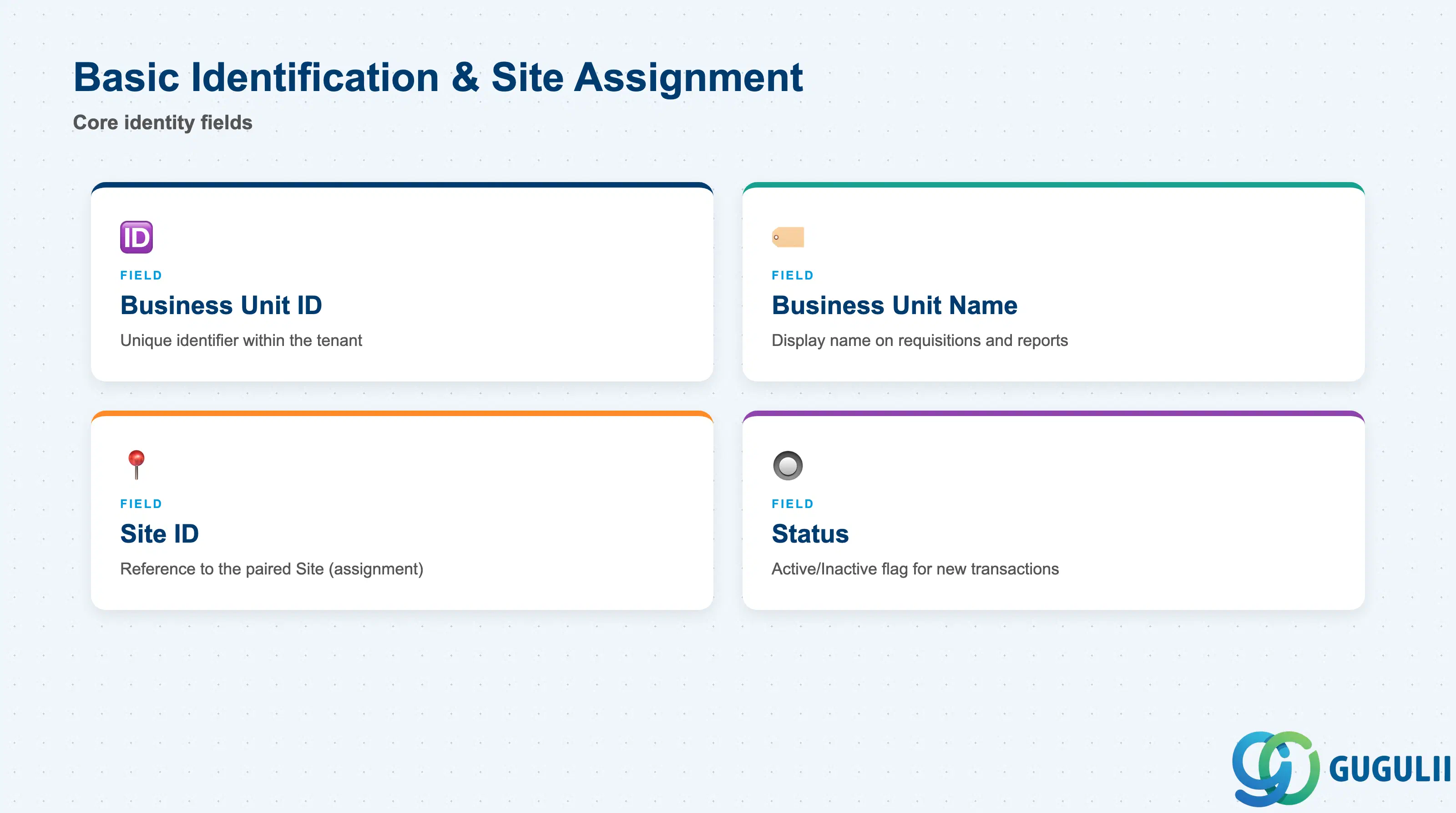
These fields uniquely identify a Business Unit and establish which Site it is paired with before any child Cost Center or downstream reference can be configured against it.
| Field | Description | Practical Usage |
|---|---|---|
| Business Unit ID | Unique identifier for the Business Unit within the tenant | Adopt a coding convention that reflects the org structure (e.g., country/department prefix) from day one — Business Unit IDs are referenced by every Cost Center and requisition, so renaming later is disruptive |
| Business Unit Name | Display name shown throughout the application | Keep this aligned with how the business actually names the department or division — approvers see this name on every requisition and cost report |
| Site ID | Reference to the Site this Business Unit is most commonly paired with on requisitions (assignment field, not organizational parent) | Populate carefully during CSV load — this field associates cost-reporting context with a location, but a Business Unit is not restricted to requisitioning only against this Site |
| Status | Active/Inactive flag controlling whether the Business Unit can be selected on new transactions | Deactivate rather than delete a Business Unit once it has been referenced by historical requisitions or Cost Centers, to preserve reporting integrity |
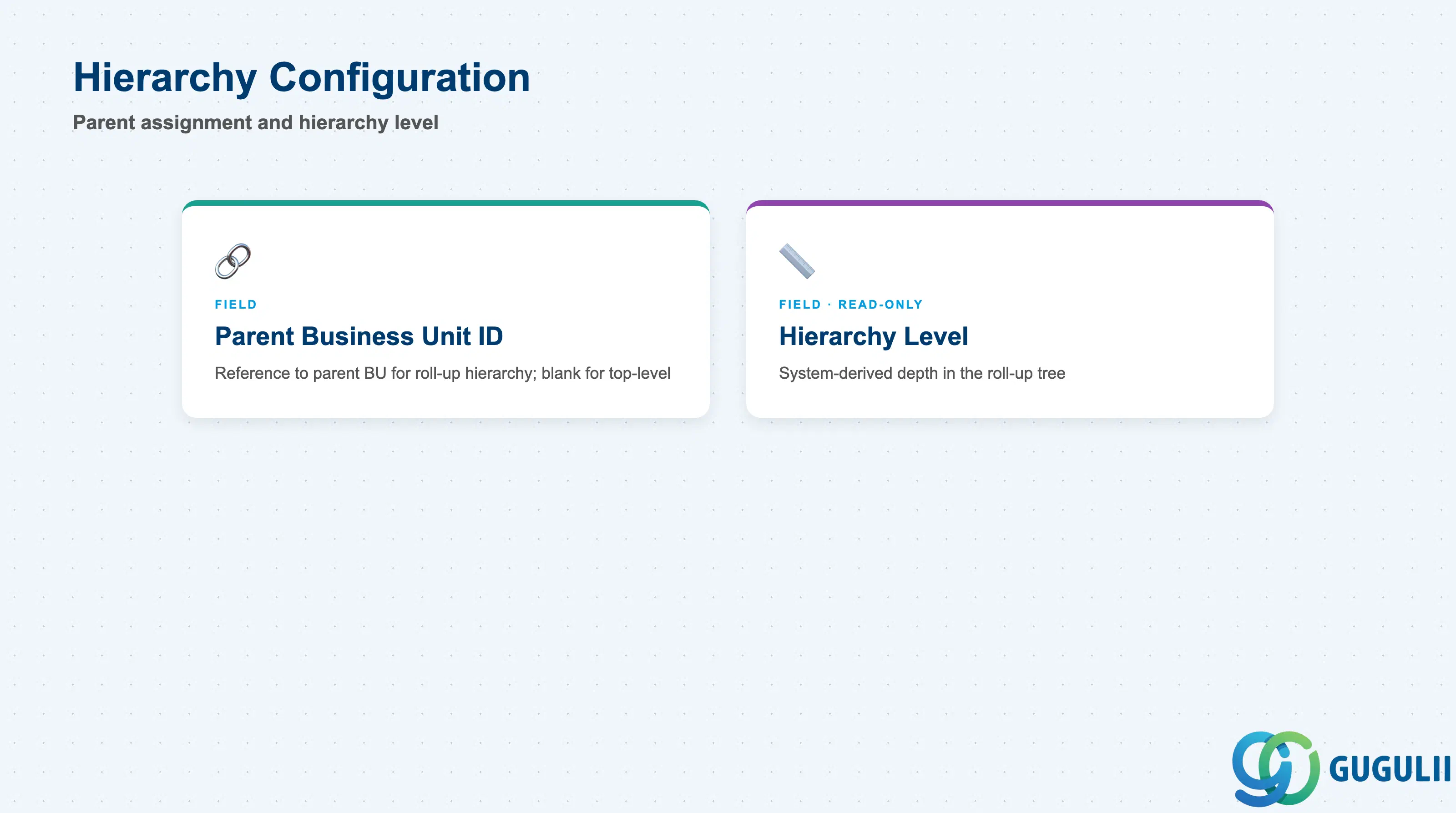
This is the field that gives Business Unit its own multi-level structure, independent of Site and Location — the only Company Structure object modeled this way.
| Field | Description | Practical Usage |
|---|---|---|
| Parent Business Unit ID | Reference to the parent Business Unit in the roll-up hierarchy; left blank for a top-level Business Unit | Confirm the intended reporting roll-up depth with Finance before loading data — restructuring parent assignments after go-live requires re-pointing every affected child Business Unit and can disrupt historical spend-by-hierarchy reports |
| Hierarchy Level (system-derived) | Read-only indicator of the Business Unit’s depth in the roll-up tree, calculated from its Parent Business Unit chain | Useful for validating that a CSV-loaded hierarchy matches the intended org design before go-live; do not attempt to set this field directly |
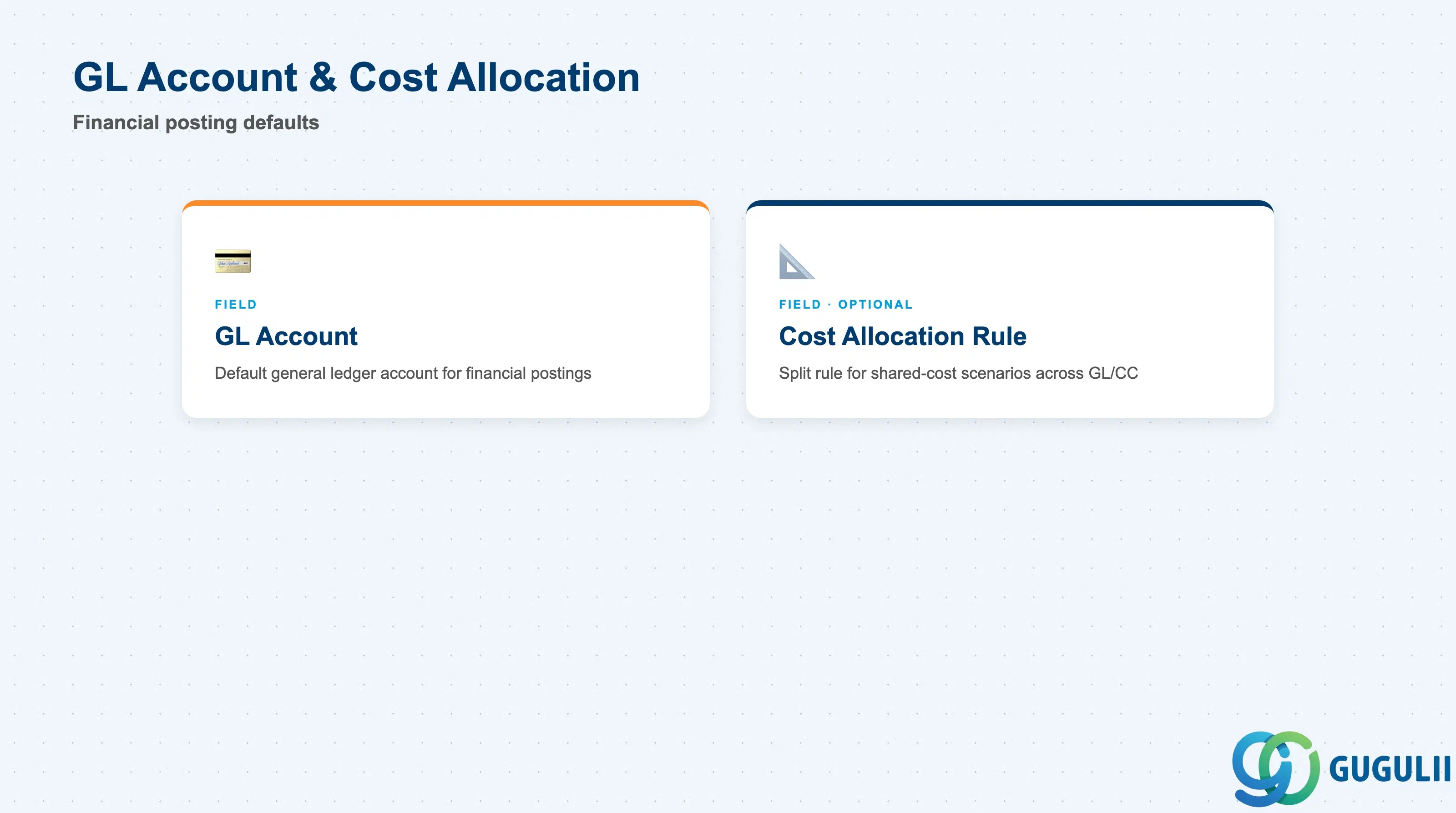
These fields determine how spend raised under this Business Unit posts financially and, where used, how it is split across multiple cost objects.
| Field | Description | Practical Usage |
|---|---|---|
| GL Account | Default general ledger account that financial postings against this Business Unit’s requisitions use | Align with the client’s S/4HANA chart of accounts at design time — a mismatched GL Account here causes reconciliation breaks between Fieldglass spend and S/4 financial postings |
| Cost Allocation Rule | Optional rule for splitting a single requisition’s cost across multiple GL accounts, Cost Centers, or percentages | Use only where a genuine shared-cost scenario exists (e.g., a contractor split 60/40 across two departments) — applying allocation rules by default adds configuration overhead without benefit for the common single-owner case |
Prerequisite: Site must exist before a Business Unit’s Site ID assignment field can be populated; Business Unit must exist and be Active before Cost Center (FG-A02-04) can reference it.
| ID | Category | Title |
|---|---|---|
| fg-001 | Overview | What is SAP Fieldglass? |
| ID | Category | Title |
|---|---|---|
| fg-a01 | Overview | SAP Fieldglass Master Data: Overview, Hierarchy & Relationships |
| fg-a02-01 | Master Data | SAP Fieldglass Site |
| fg-a02-02 | Master Data | SAP Fieldglass Location |
| fg-a02-03 | Master Data | SAP Fieldglass Business Unit 📍 |
| fg-a02-04 | Master Data | SAP Fieldglass Cost Center |
| fg-a03-01 | Master Data | SAP Fieldglass User Role |
| fg-a03-02 | Master Data | SAP Fieldglass User |
| fg-a03-03 | Master Data | SAP Fieldglass Approval Group |
| fg-a03-04 | Master Data | SAP Fieldglass Distribution List |
| fg-a04-01 | Master Data | SAP Fieldglass Rate Category |
| fg-a04-02 | Master Data | SAP Fieldglass Rate Grid |
| fg-a04-03 | Master Data | SAP Fieldglass Contingent Type |
| fg-a04-04 | Master Data | SAP Fieldglass SOW Template |
| fg-a05-01 | Master Data | SAP Fieldglass MSP Company |
| fg-a05-02 | Master Data | SAP Fieldglass Certification |
| ID | Category | Title |
|---|---|---|
| fg-b01 | Overview | SAP Fieldglass Transactions: Process Flow, Hierarchy & Relationships |