Title here
Summary here

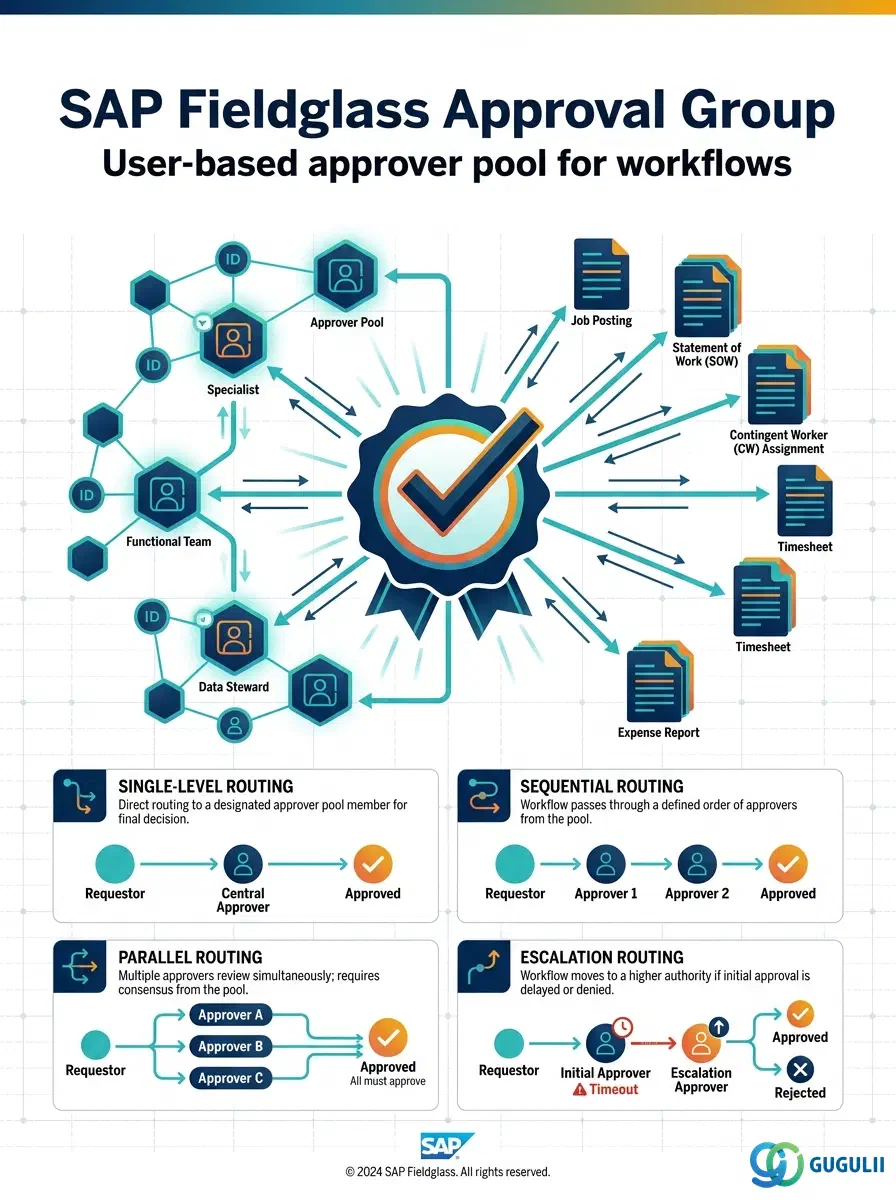
The Approval Group is the third object configured in the Phase 2 User & Permission Settings sequence — it cannot be created until at least one User already exists, and it is the pool of Users that an approval workflow points to when a Job Posting, Timesheet, Expense Sheet, or SOW document needs someone to sign off. An Approval Group carries an identity (ID, name, status) and a set of member Users, each eligible to act as approver whenever the group is invoked at a given stage of a module’s workflow. This article maps the Approval Group’s core concepts across all Fieldglass capability areas (Part 1), then details every field an administrator configures when creating and maintaining Approval Group records (Part 2).
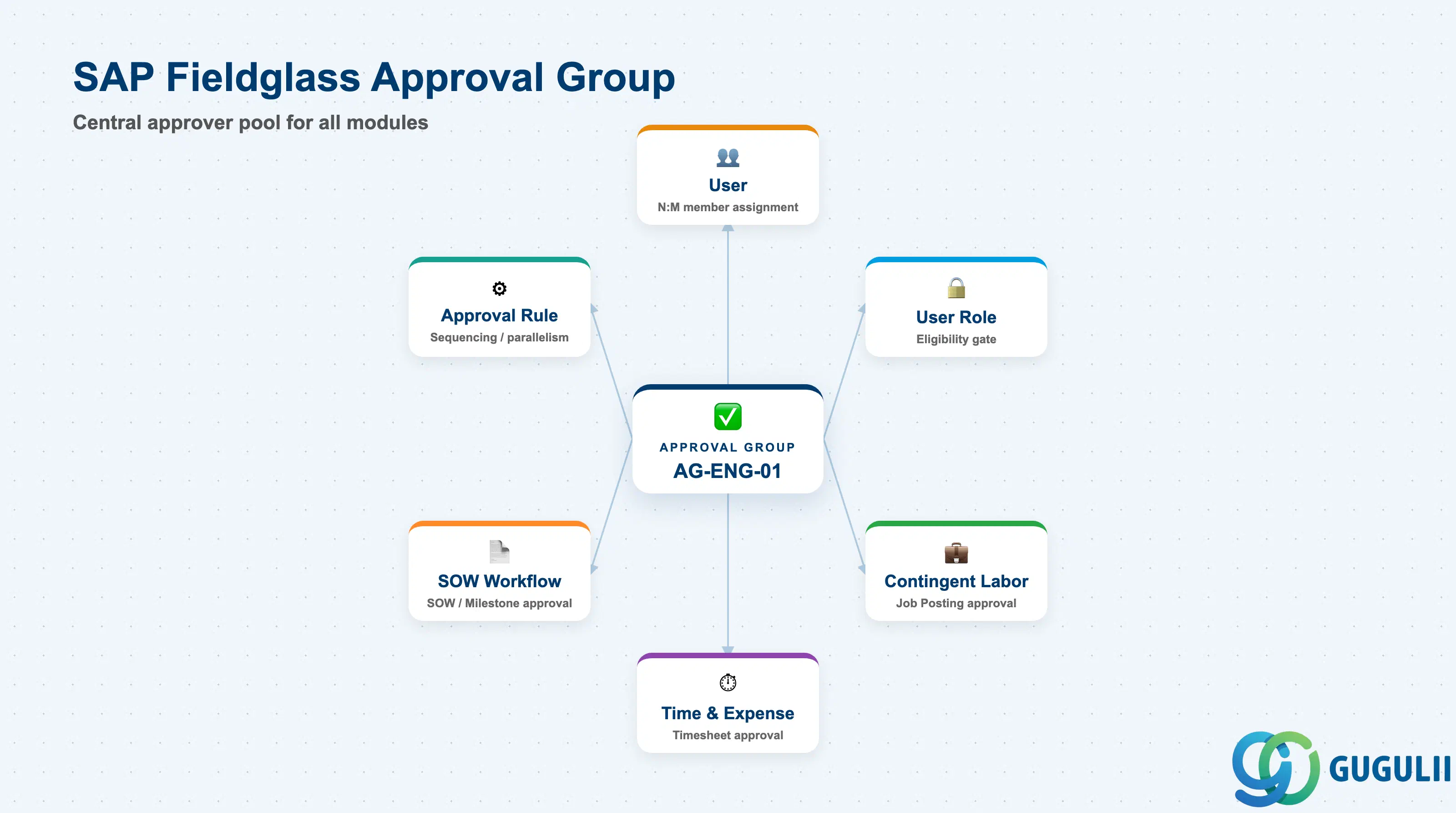
The Approval Group is a named collection of Users granted the authority to approve transactional documents at one or more stages of a Fieldglass approval workflow. Rather than naming an individual approver on every workflow, an administrator builds a reusable pool of eligible Users once — “IT Dept Level 1 Approvers,” “Finance Sign-off,” and similar — and then references that pool from any Approval Rule that needs it, across any module. The Approval Group itself only defines who is eligible to approve; the sequencing and parallelism of when each group acts is configured separately, on the workflow’s Approval Rule.
| Aspect | Details |
|---|---|
| Role | Approval authority pool; groups Users who can act as approver at a given workflow stage, enabling multi-level (sequential or parallel) approval routing |
| Modules using it | Contingent Labor (Job Posting / Work Order approval), Time & Expense (Timesheet / Expense Sheet approval), and SOW (SOW / Milestone approval) each reference one or more Approval Groups as the eligible-approver pool for their workflow stages |
| Transactions | Admin > Approval Groups (create/maintain); membership can be added from either the Approval Group record or the User record, since the underlying assignment is the same N:M relationship viewed from either side |
| Key Tables | No direct ECC/S4 table equivalent — Approval Group is a cloud object native to the Fieldglass tenant, with no standard S/4HANA authorization object mapped to it |
| S/4HANA note | Like User Role and User, Approval Group is not a synchronization candidate — unlike Site, Business Unit, or Cost Center it has no S/4HANA counterpart and is always created and maintained natively inside Fieldglass |
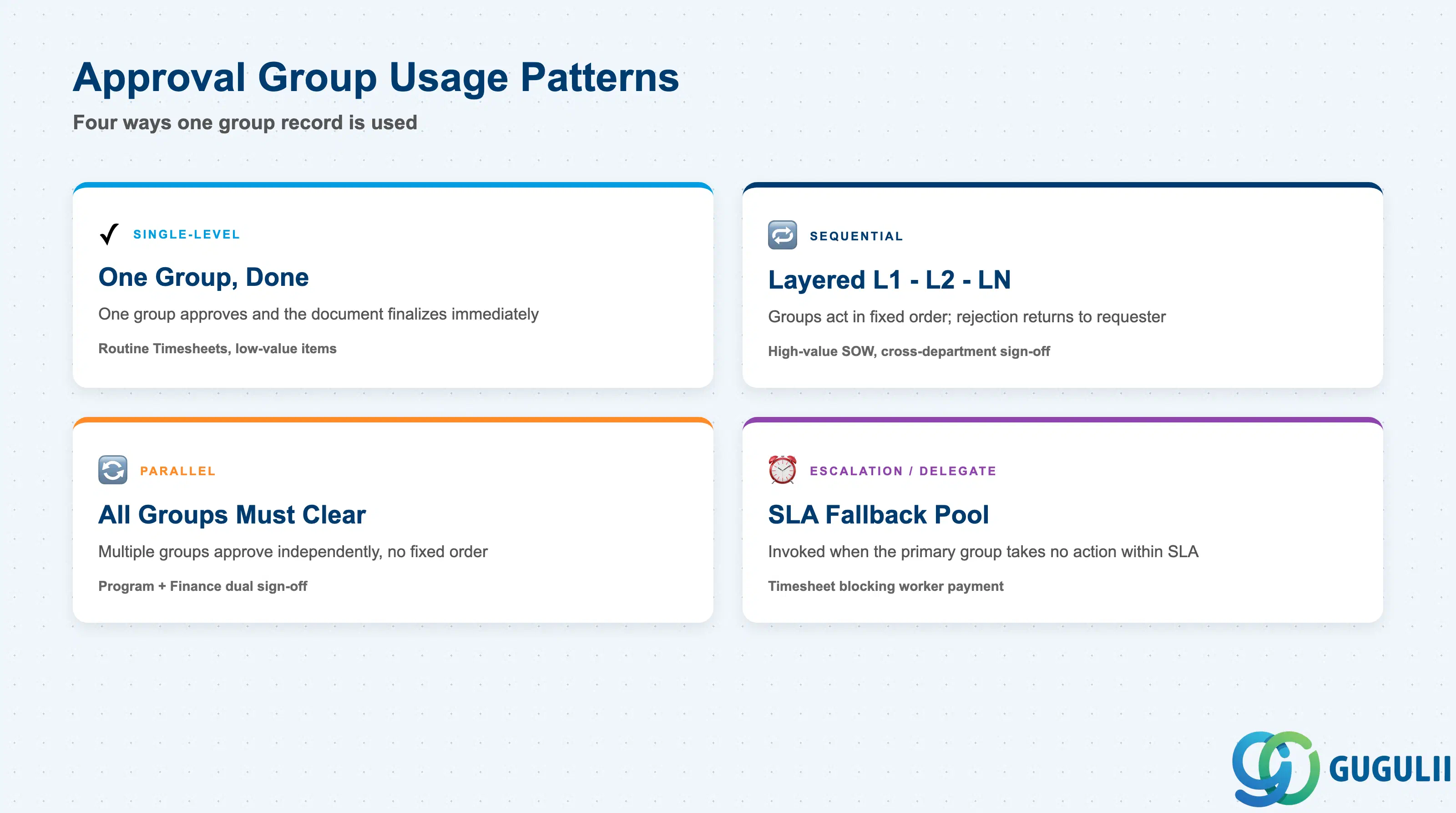
An Approval Group does not carry a formal “Type” code field — instead, the same group record can be used in different ways depending on how the Approval Rule that references it is configured. Understanding these four usage patterns matters because they determine how many groups a workflow actually needs and in what order they act; designing this poorly is a common cause of documents stalling with no clear next approver.
| Usage Pattern | Behavior | Use Case | Key Behavior |
|---|---|---|---|
| Single-Level | One group approves and the document is finalized | Low-value or low-risk transactions (e.g., a routine Timesheet) | No further routing after this group acts; any one member’s approval is typically sufficient |
| Sequential Multi-Level | Groups act in a fixed order — Level 1, then Level 2, then Level N | High-value or cross-department transactions requiring layered sign-off (e.g., a large SOW) | Rejection at any level returns the document to the requester rather than advancing it; the next group cannot act until the prior one clears |
| Parallel | Two or more groups must all approve before the document proceeds, with no fixed order between them | Compliance-sensitive transactions needing sign-off from more than one function at once (e.g., Program and Finance) | All assigned groups must clear independently; the workflow does not advance until every parallel group has responded |
| Escalation / Delegate | A fallback pool is invoked when the primary group takes no action within an SLA window | Time-sensitive workflows where a stalled approval has downstream cost (e.g., Timesheet approval blocking worker payment) | Prevents a single unavailable approver from stalling the entire document indefinitely |
Design principle: The Approval Group defines who can approve, not when. Sequence, parallelism, and escalation timing live on the Approval Rule (workflow definition) that references the group, not on the Approval Group record itself — the same group can be Level 1 on one workflow and a parallel Finance check on another.
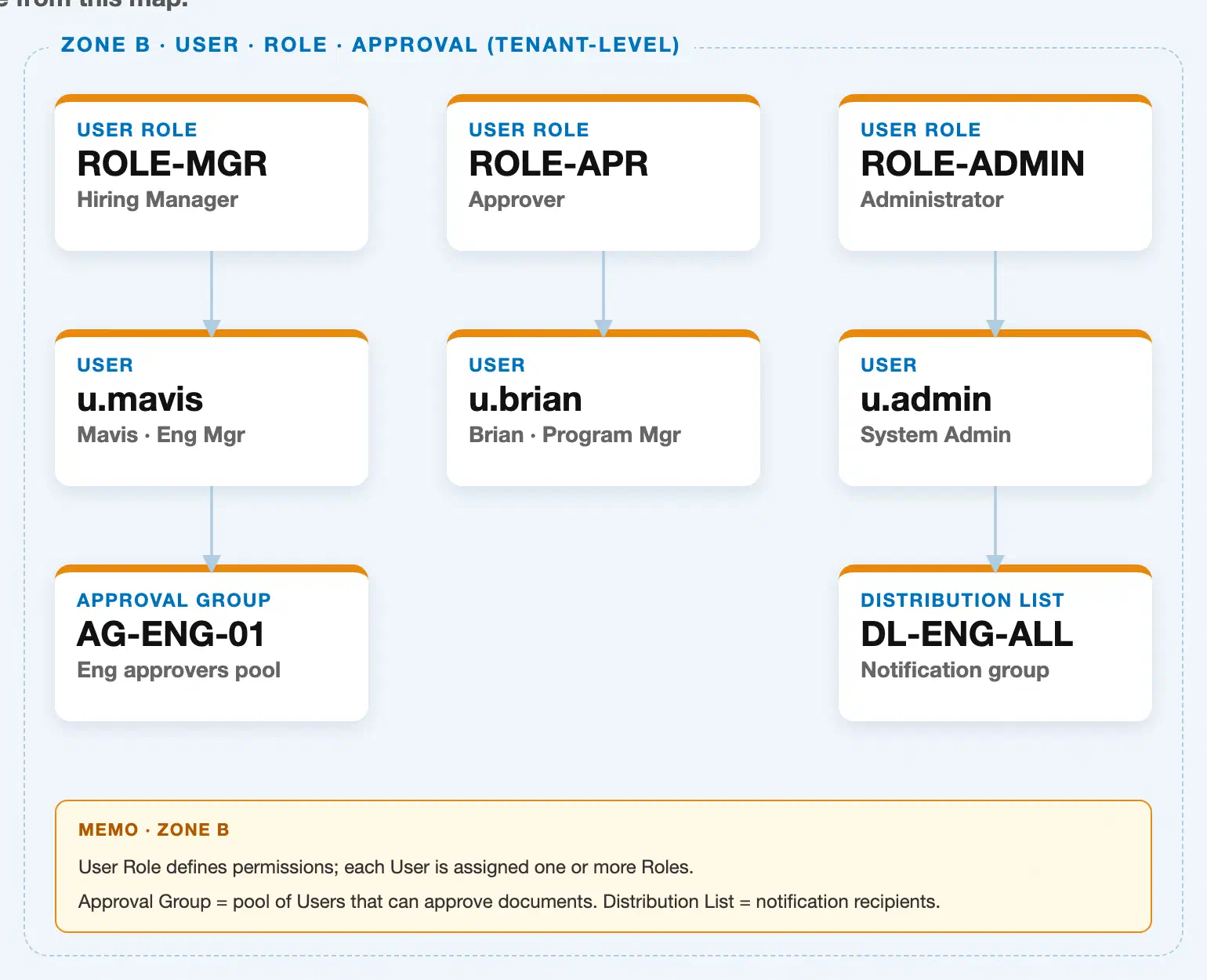
Data hierarchy with a concrete example
User Role "ROLE-MGR" — Hiring Manager
│
└── User "u.mavis" — Mavis, Eng Mgr
       └── Approval Group "AG-ENG-01" — Eng approvers pool  ◄── this article

User Role "ROLE-APR" — Approver
│
└── User "u.brian" — Brian, Program Mgr
       └── Approval Group "AG-ENG-01" — Eng approvers pool  ◄── this article
       └── Approval Group "AG-FIN-01" — Finance sign-off pool  ◄── this article

User Role "ROLE-ADMIN" — Administrator
│
└── User "u.admin" — System Admin
       └── Distribution List "DL-ENG-ALL" — Notification group
Approval Group sits at the bottom of this zone, reached only through User — it has no direct relationship to User Role. The underlying multiplicity between User and Approval Group is N:M: u.mavis and u.brian both belong to AG-ENG-01, and u.brian additionally belongs to AG-FIN-01, illustrating that one User can carry membership in several groups and one group can hold many Users. As with the sibling User article, a User must already hold a Role with approval permissions before it becomes eligible to be added to an Approval Group — Approval Group membership is a separate, additional step, not an automatic consequence of Role or User creation.
Distribution List appears in this same zone for administrative proximity (it is maintained from the same Admin area as Users and Approval Groups), but its actual master-data prerequisite is Supplier, not User — see FG-A03-04 (Distribution List) for that relationship in detail.
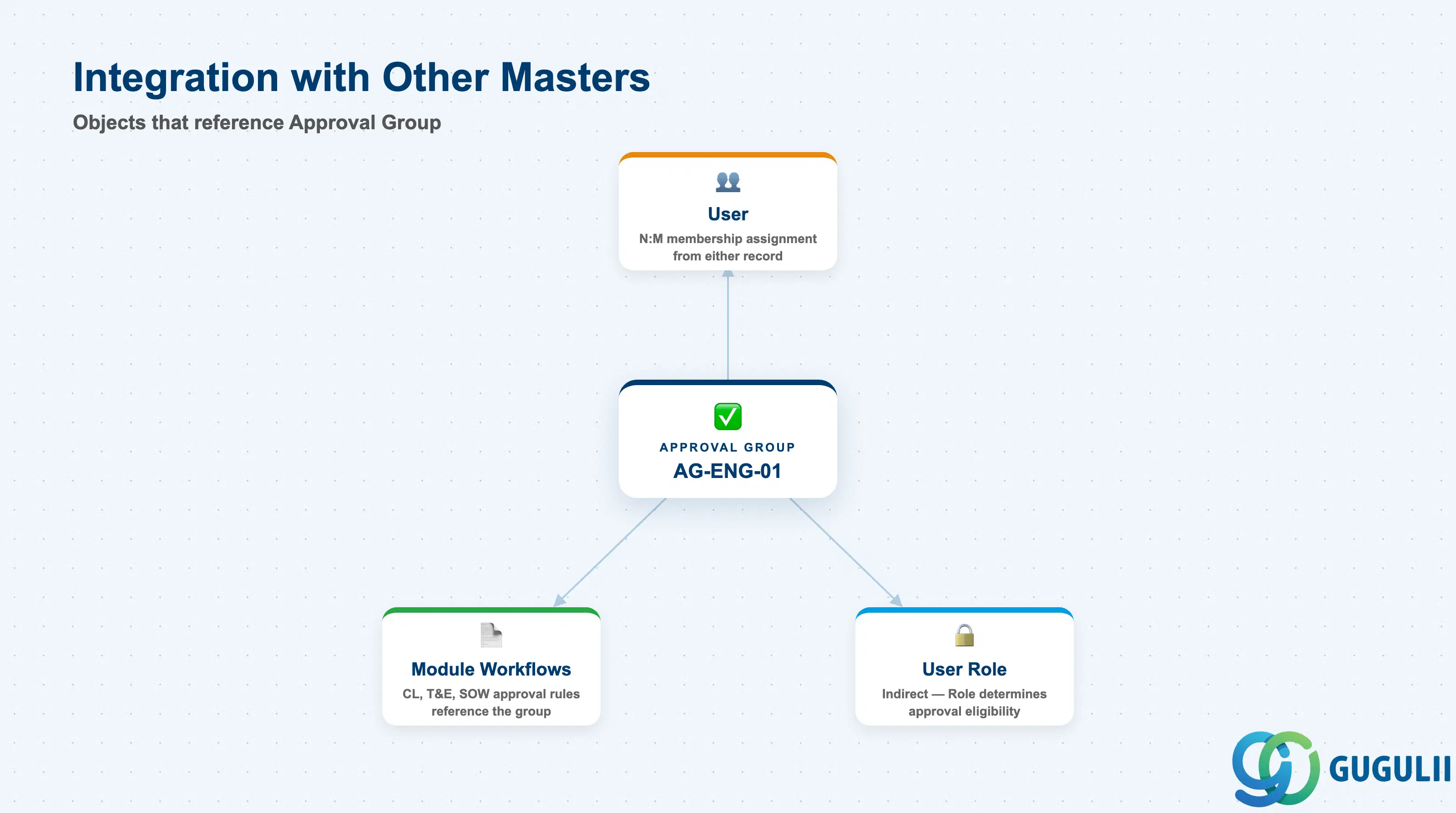
The Approval Group record does not stand alone — its entire purpose is to be referenced by workflows elsewhere in the tenant.
| Object | Relationship | Practical Notes |
|---|---|---|
| User | Approval Group membership is an N:M assignment made from either the Approval Group or the User record; a User can belong to multiple groups, and a group typically holds several Users | Assign Users to an Approval Group only after confirming their Role includes the relevant approval permission — Fieldglass allows the assignment attempt regardless, but the User still cannot actually approve documents without that underlying permission |
| User Role | No direct relationship — Approval Group membership is reached only through User; the Role determines whether a given User is even eligible to be added | When an Approval Group needs new eligible members, check the candidate’s Role assignment first, not the Approval Group configuration |
| Contingent Labor / SOW / Time & Expense approval workflows (Job Posting, Work Order, Timesheet, Expense Sheet, SOW approval steps) | Each module’s Approval Rule references one or more Approval Groups as the pool of eligible approvers at a given stage | An Approval Group is reusable across multiple workflows and document types — the same “IT Dept Approvers” group can be the Level 1 approver on both a Job Posting and a Timesheet workflow; updating its membership once updates every workflow that references it |
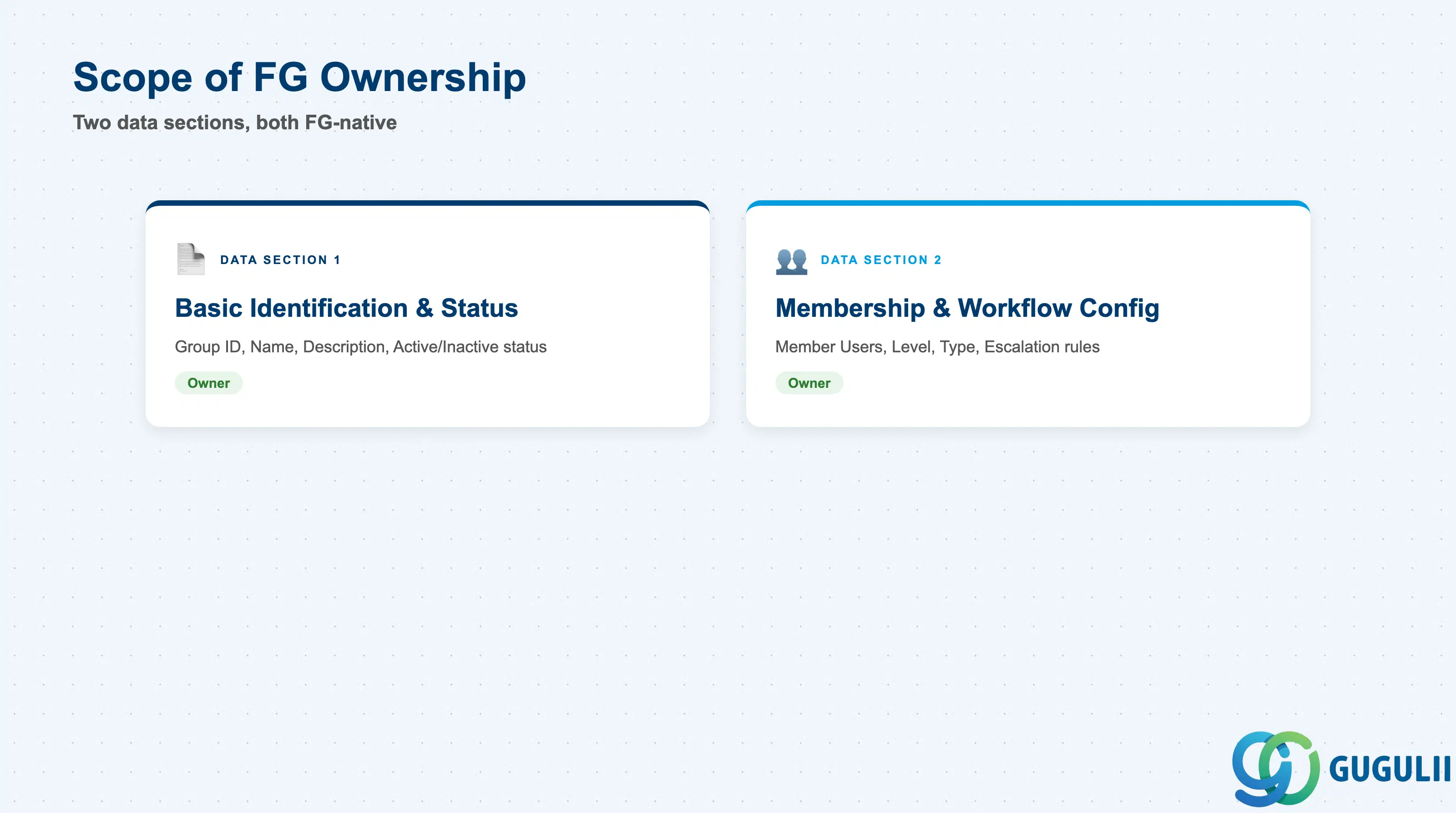
| Data Section | FG Involvement | Notes |
|---|---|---|
| Basic Identification & Status | ◎ Owner | Approval Group ID, Name, Description, and Active/Inactive status are maintained natively on the Fieldglass Approval Group record; no S/4HANA equivalent exists |
| Membership & Workflow Configuration | ◎ Owner | Member Users, Approval Level, Approval Type, and Escalation/Delegate rules are configured entirely within Fieldglass Admin; none are synchronized from an ERP authorization object |
Legend: ◎ = Owner / Critical, ○ = Direct involvement
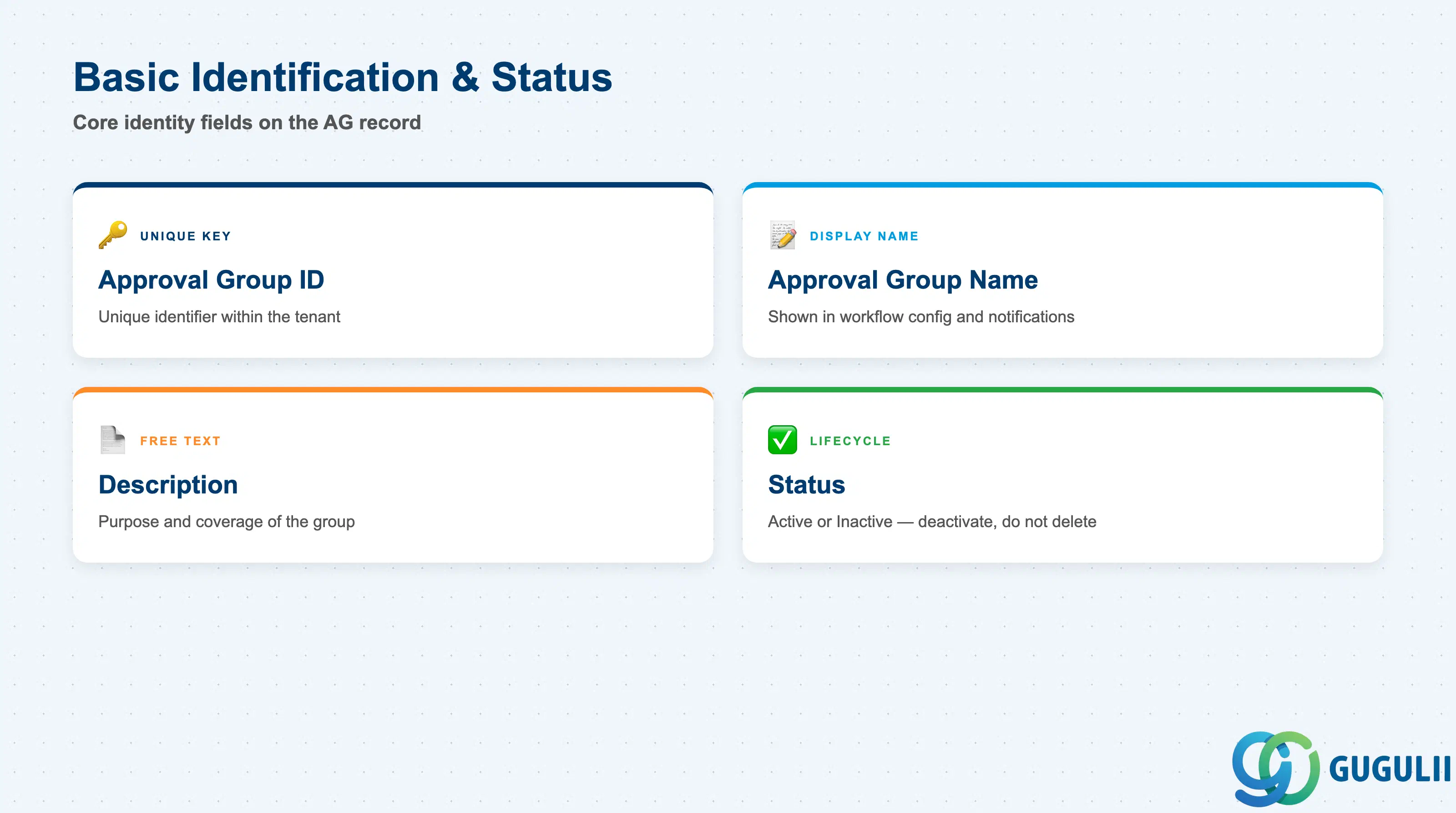
These fields identify a group and control whether it can still be attached to workflows going forward.
| Field | Description | Practical Usage |
|---|---|---|
| Approval Group ID | Unique identifier for the group within the tenant | Adopt a short, consistent naming convention (e.g., AG-ENG-01, AG-FIN-01) before go-live — the ID is referenced inside Approval Rule configuration across multiple modules, so renaming later means re-checking every workflow that points to it |
| Approval Group Name | Display name shown in workflow configuration screens and on pending-approval notifications | Name it after function and scope, not the current members (e.g., “IT Dept Level 1 Approvers,” not a person’s name) — membership rotates but the functional label should stay stable |
| Description | Free-text field describing the group’s purpose and coverage | Document which Business Unit, Site, or document type the group is meant to cover — this is the fastest way for a new administrator to understand why a group is referenced on a given workflow, without reverse-engineering it from the member list |
| Status | Active / Inactive | Deactivate rather than delete a group still referenced by historical approval records — deactivating removes it from new workflow assignment while preserving the audit trail on documents it already approved |
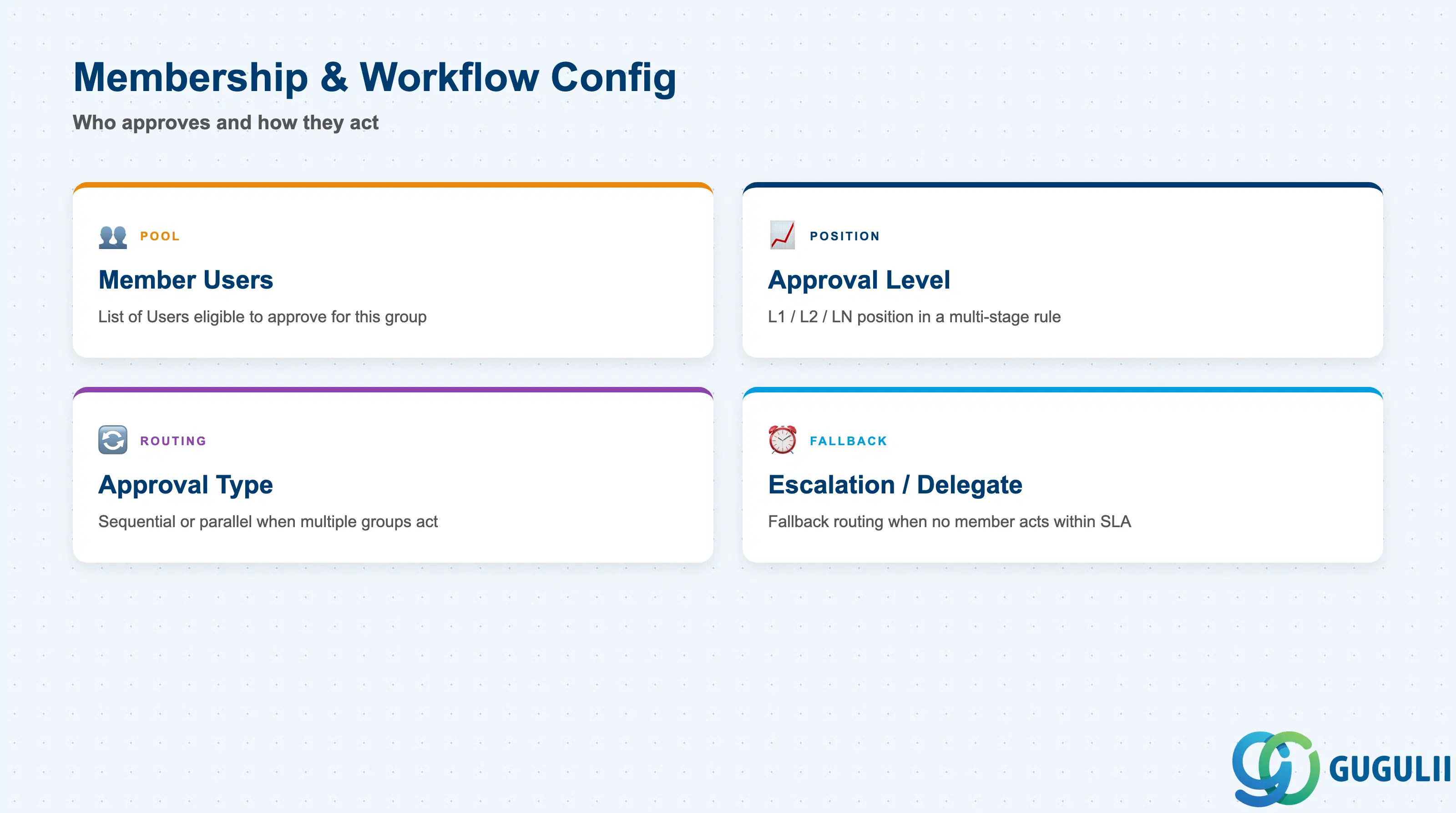
These fields determine which Users can act on behalf of the group and how the group behaves once attached to a workflow.
| Field | Description | Practical Usage |
|---|---|---|
| Member Users | The list of Users assigned to this group, each individually eligible to act as approver when the group is invoked | In most configurations any one member’s approval clears the stage for the whole group — confirm this “first-in, one-and-done” behavior against the specific module’s Approval Rule rather than assuming it, since some workflows require unanimous member sign-off |
| Approval Level | The position (Level 1, Level 2, etc.) this group occupies when referenced within a multi-stage Approval Rule | The level is set on the Approval Rule, not stored as a fixed attribute of the Approval Group itself — the same group can serve as Level 1 on one workflow and Level 2 on another |
| Approval Type | Sequential or parallel behavior when more than one group is attached to the same workflow stage | Use parallel for compliance-sensitive spend where Finance and Program approval must both be captured independently; use sequential as the default for straightforward layered sign-off |
| Escalation / Delegate Rule | Fallback routing invoked when no group member acts within the workflow’s SLA window | Configure at least one delegate or escalation path for every group used in a time-sensitive workflow (e.g., Timesheet approval, which blocks worker payment) — a group with no active or available member is a common root cause of stalled approvals |
Prerequisite: At least one active User with the relevant approval permission must exist before that User can be added to an Approval Group (Setup Flow Phase 2, Step 9 → Step 10).
| ID | Category | Title |
|---|---|---|
| fg-001 | Overview | What is SAP Fieldglass? |
| ID | Category | Title |
|---|---|---|
| fg-a01 | Overview | SAP Fieldglass Master Data: Overview, Hierarchy & Relationships |
| fg-a02-01 | Master Data | SAP Fieldglass Site |
| fg-a02-02 | Master Data | SAP Fieldglass Location |
| fg-a02-03 | Master Data | SAP Fieldglass Business Unit |
| fg-a02-04 | Master Data | SAP Fieldglass Cost Center |
| fg-a03-01 | Master Data | SAP Fieldglass User Role |
| fg-a03-02 | Master Data | SAP Fieldglass User |
| fg-a03-03 | Master Data | SAP Fieldglass Approval Group 📍 |
| fg-a03-04 | Master Data | SAP Fieldglass Distribution List |
| fg-a04-01 | Master Data | SAP Fieldglass Rate Category |
| fg-a04-02 | Master Data | SAP Fieldglass Rate Grid |
| fg-a04-03 | Master Data | SAP Fieldglass Contingent Type |
| fg-a04-04 | Master Data | SAP Fieldglass SOW Template |
| fg-a05-01 | Master Data | SAP Fieldglass MSP Company |
| fg-a05-02 | Master Data | SAP Fieldglass Certification |
| ID | Category | Title |
|---|---|---|
| fg-b01 | Overview | SAP Fieldglass Transactions: Process Flow, Hierarchy & Relationships |