Title here
Summary here

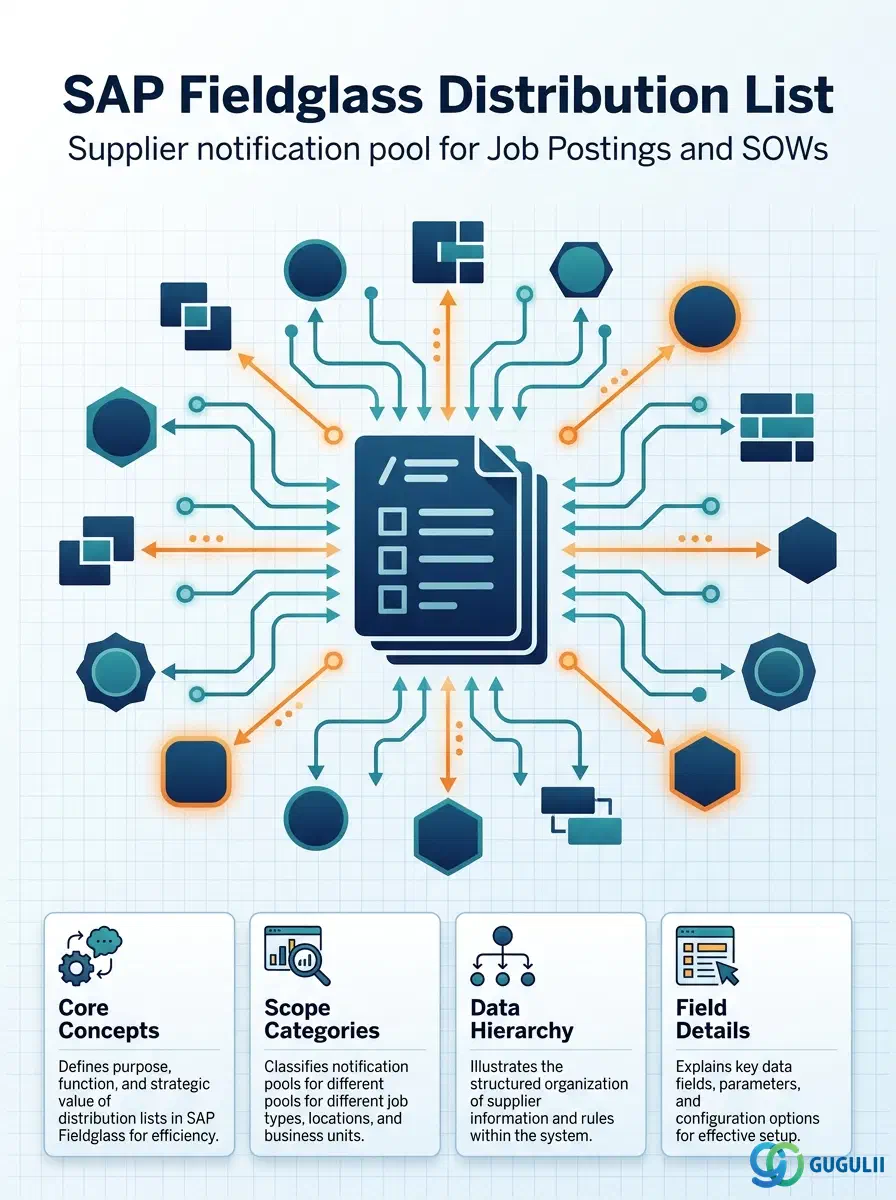
The Distribution List is the fourth object listed within Fieldglass’s Phase 2 User & Permission Settings menu grouping — it sits in the Admin area alongside User Role, User, and Approval Group — but the module’s own Setup Flow marks its actual prerequisite differently: “Distribution List ← (Supplier),” not User or Approval Group. A Distribution List is a curated, reusable pool of Suppliers that a Job Posting or SOW references at publish time to control which external staffing agencies or SOW vendors are notified and invited to respond. This article maps the Distribution List’s core concepts across all Fieldglass capability areas (Part 1) — including, in Section 1.3, a full resolution of its real Supplier dependency versus its administrative landscape position — then details every field an administrator configures when creating and maintaining Distribution List records (Part 2).
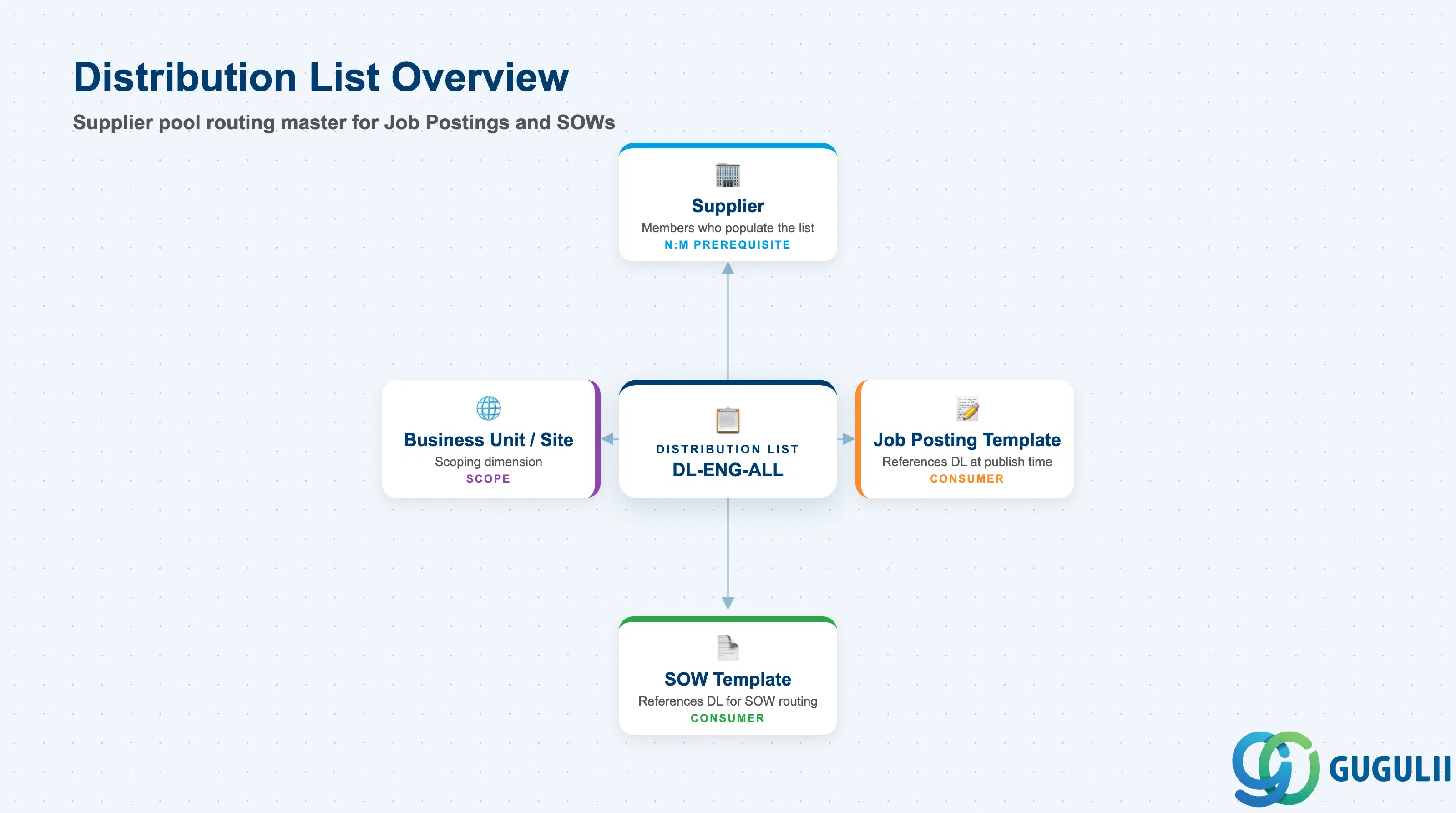
The Distribution List is a named, reusable pool of Suppliers that a Job Posting or SOW references at publish time to determine which external staffing agencies or SOW vendors are notified and invited to respond. Rather than manually selecting Suppliers on every individual posting, an administrator curates a small library of Distribution Lists once — scoped by Business Unit, Site, or labor category — and each posting or SOW simply points to the relevant list(s) instead of being built from scratch.
| Aspect | Details |
|---|---|
| Role | Supplier notification/routing master; determines which Suppliers see and can respond to a given Job Posting or SOW |
| Modules using it | Contingent Labor (Job Posting distribution) and SOW (SOW distribution) both reference Distribution List to route documents to eligible Suppliers |
| Transactions | Admin > Distribution Lists (create/maintain); the list is then referenced when configuring a Job Posting Template’s or SOW Template’s distribution rules |
| Key Tables | No direct ECC/S4 table equivalent — Distribution List is a cloud object native to the Fieldglass tenant, with no standard S/4HANA authorization or master-data object mapped to it |
| S/4HANA note | Like User Role, User, and Approval Group, Distribution List is not a synchronization candidate — it has no S/4HANA counterpart. Its member records (Supplier) may themselves originate from S/4HANA Vendor Master, but the Distribution List grouping itself is always configured natively inside Fieldglass |
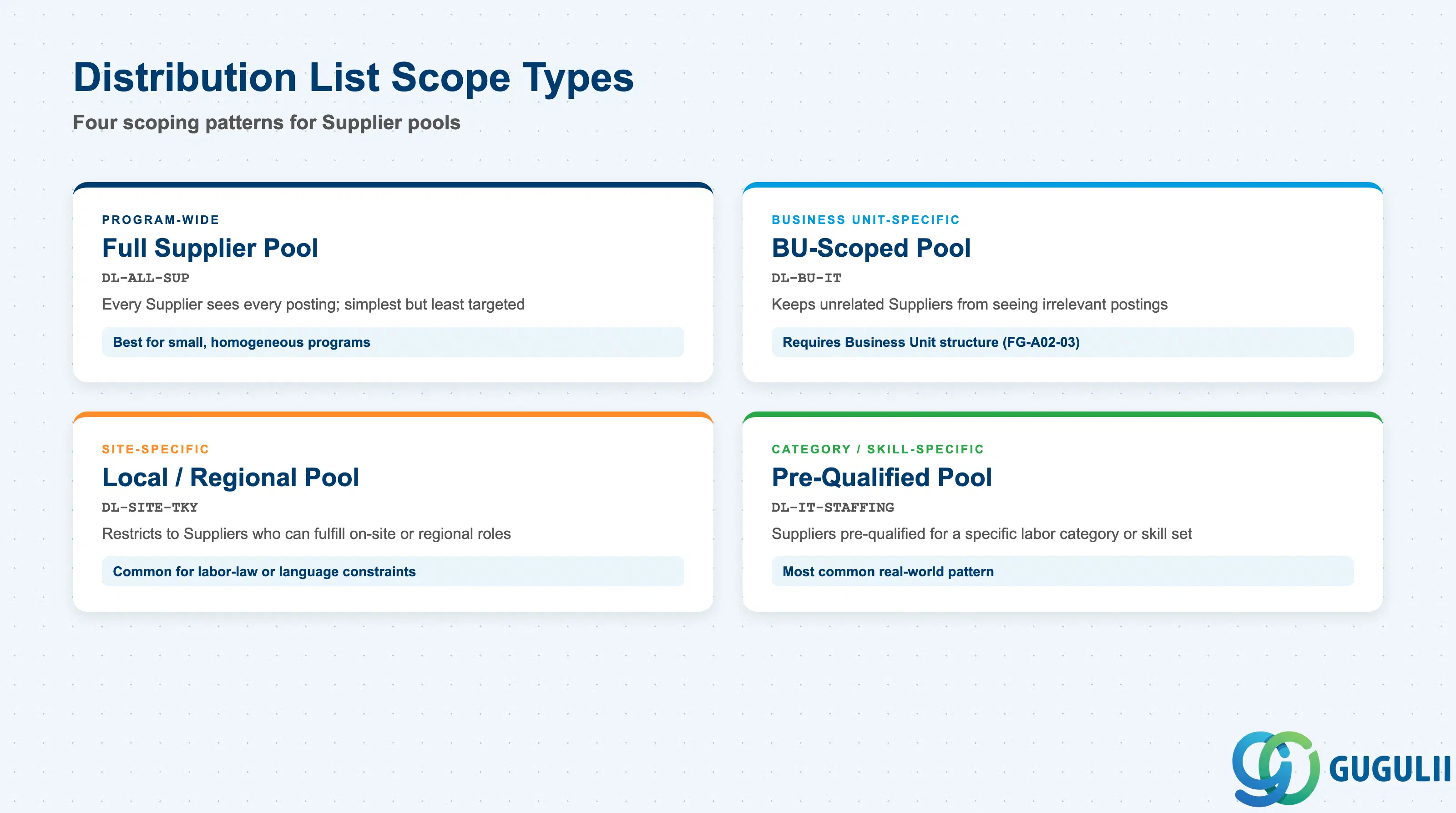
Distribution List does not carry a formal “Type” code field — instead, every list is built around one of a few common scope patterns, and getting that scope wrong is a direct, visible business problem: too broad, and Suppliers see postings irrelevant to their qualifications; too narrow or fragmented, and a program ends up managing dozens of near-duplicate lists that drift out of sync with each other.
| Scope Type | Typical List Names | Use Case | Key Behavior |
|---|---|---|---|
| Program-Wide | DL-ALL-SUP | Small programs with a single, homogeneous Supplier pool | Every Job Posting/SOW published without an explicit override reaches the full Supplier set; simplest to maintain but the least targeted |
| Business Unit-Specific | DL-BU-IT | Distribution scoped to Suppliers who service a specific Business Unit’s category of work | Keeps unrelated Suppliers (e.g. facilities staffing agencies) from seeing IT postings; assumes the Business Unit structure already exists (FG-A02-03) |
| Site-Specific | DL-SITE-TKY | Local or regional Suppliers only, tied to a specific Site or geography | Common where labor law, language, or required on-site presence restricts which Suppliers can realistically fulfill a role |
| Category/Skill-Specific | DL-IT-STAFFING | Suppliers pre-qualified for a specific labor category or skill set | The most common real-world pattern, since it directly improves candidate-fit rate; matches the module’s own worked example of an IT-staffing distribution list covering five pre-qualified Suppliers |
Design principle: Scope Distribution Lists as narrowly as the program’s actual Supplier segmentation allows. A single catch-all list technically works, but it erodes exactly the value — targeted, qualified competition — that a curated Supplier pool exists to provide.
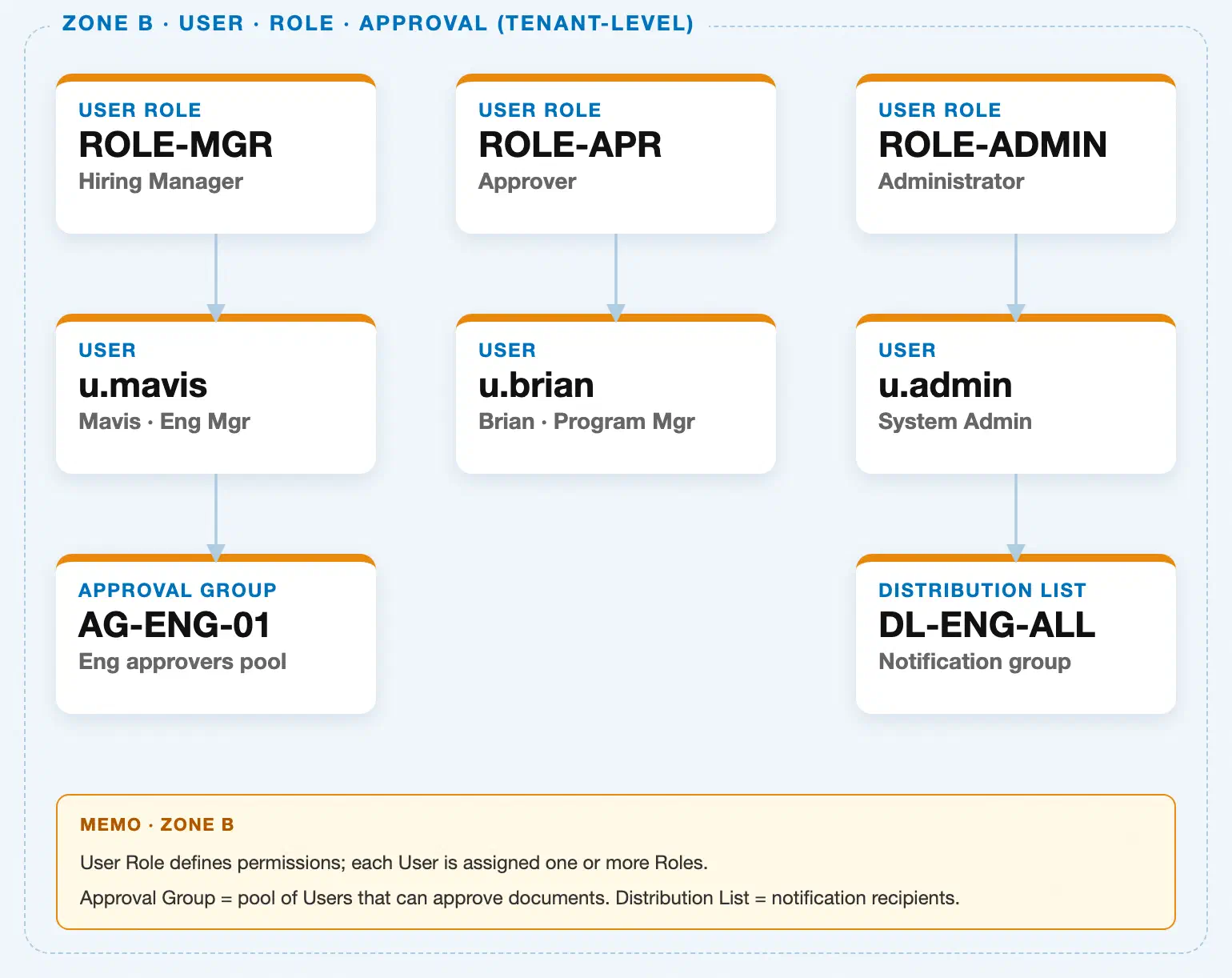
Data hierarchy with a concrete example
Zone B position (administrative grouping only — see note below)
User Role "ROLE-ADMIN" — Administrator
│
└── User "u.admin" — System Admin
       └╌╌ proximity only, not a data dependency ╌╌> Distribution List "DL-ENG-ALL" — Notification group  ◄── this article

True master-data prerequisite (Setup Flow: "Distribution List ← (Supplier)"; ER Diagram: "Distribution List ←── Supplier (N:M)")
Supplier "SUP-001" — ABC Staffing Services
│
└── assigned to ──> Distribution List "DL-ENG-ALL" — Notification group  ◄── this article

Supplier "SUP-002" — XYZ IT Resourcing
│
└── assigned to ──> Distribution List "DL-ENG-ALL" — Notification group  ◄── this article
The Fieldglass Master Data Landscape draws Distribution List in Zone B, directly beneath User “u.admin,” because it is maintained from the same Admin menu area as Users and Approval Groups — that is a menu/administrative convenience only. There is no organizational or data dependency from User Role, User, or Approval Group into Distribution List; a Distribution List does not require any of those three objects to exist and is not populated from them in any way.
The module’s own Setup Flow entry — “11. Distribution List ← (Supplier)” — and its ER Diagram entry — “Distribution List ←── Supplier (N:M)” — both confirm the actual master-data prerequisite is Supplier, a Company Structure object from Phase 1 (Zone A, FG-A02-05), not a User & Permission Settings object. A Distribution List cannot be meaningfully populated until at least one Supplier record exists to add as a member, and a single Supplier can belong to any number of Distribution Lists (N:M), exactly as the two example Suppliers above both feed the same list.
Open item for the module landscape: Zone A of the current Fieldglass Master Data Landscape models Tenant, Business Unit, Cost Center, Site, and Location only — it does not yet include a Supplier node anywhere in the diagram. Until FG-A02-05 (Supplier) is drafted and Zone A is extended to include it, this true Supplier dependency cannot be rendered as a cross-zone chip or dashed connector on the landscape image itself; it is documented here in the article text as the authoritative relationship, ahead of the landscape catching up.
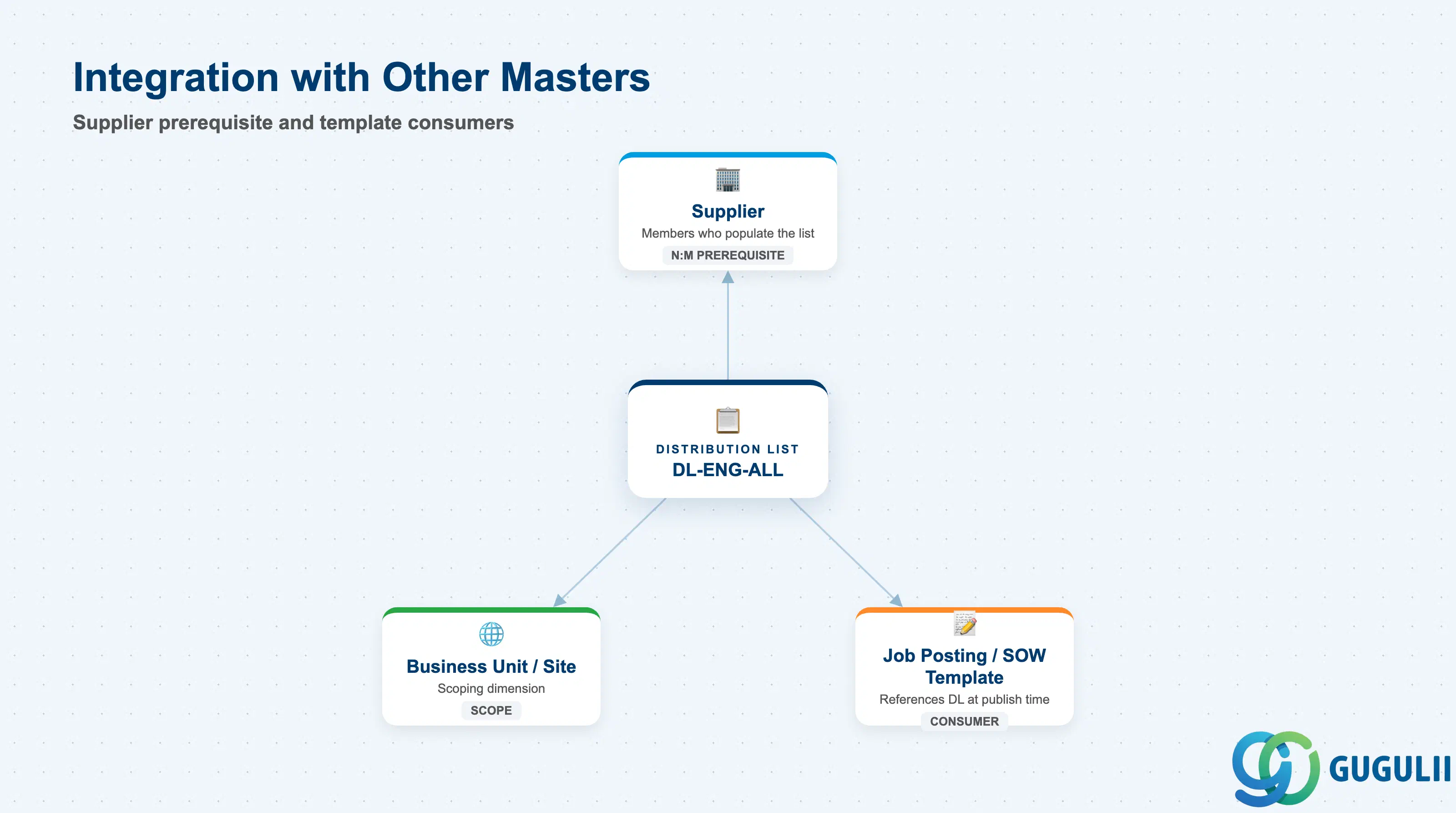
The Distribution List record does not stand alone — its entire purpose is to route documents to the Suppliers it contains.
| Object | Relationship | Practical Notes |
|---|---|---|
| Supplier | Every member of a Distribution List is a Supplier record; a Distribution List cannot deliver a document to anyone until it holds at least one Supplier member (N:M — a Supplier can belong to multiple lists, a list typically holds several Suppliers) | Complete Supplier setup (FG-A02-05) before attempting to build any Distribution List — Fieldglass’s Admin menu sequences Distribution List near Users and Approval Groups, which can mislead teams into building it before Suppliers exist |
| Job Posting Template / SOW Template | A Job Posting or SOW references one or more Distribution Lists to determine which Suppliers automatically receive it at publish time | Align Distribution List scope to the same Business Unit/Site boundaries used in the Job Posting Template’s own scope, or Suppliers outside the intended program footprint may see postings they should not |
| Business Unit / Site | Distribution List membership can be scoped to a specific Business Unit or Site inherited from Company Structure, so different regions or departments reach different Supplier pools | Build the Distribution List catalog around actual regional/functional Supplier segmentation, not a single “all Suppliers” list — otherwise every posting floods every Supplier regardless of relevance |
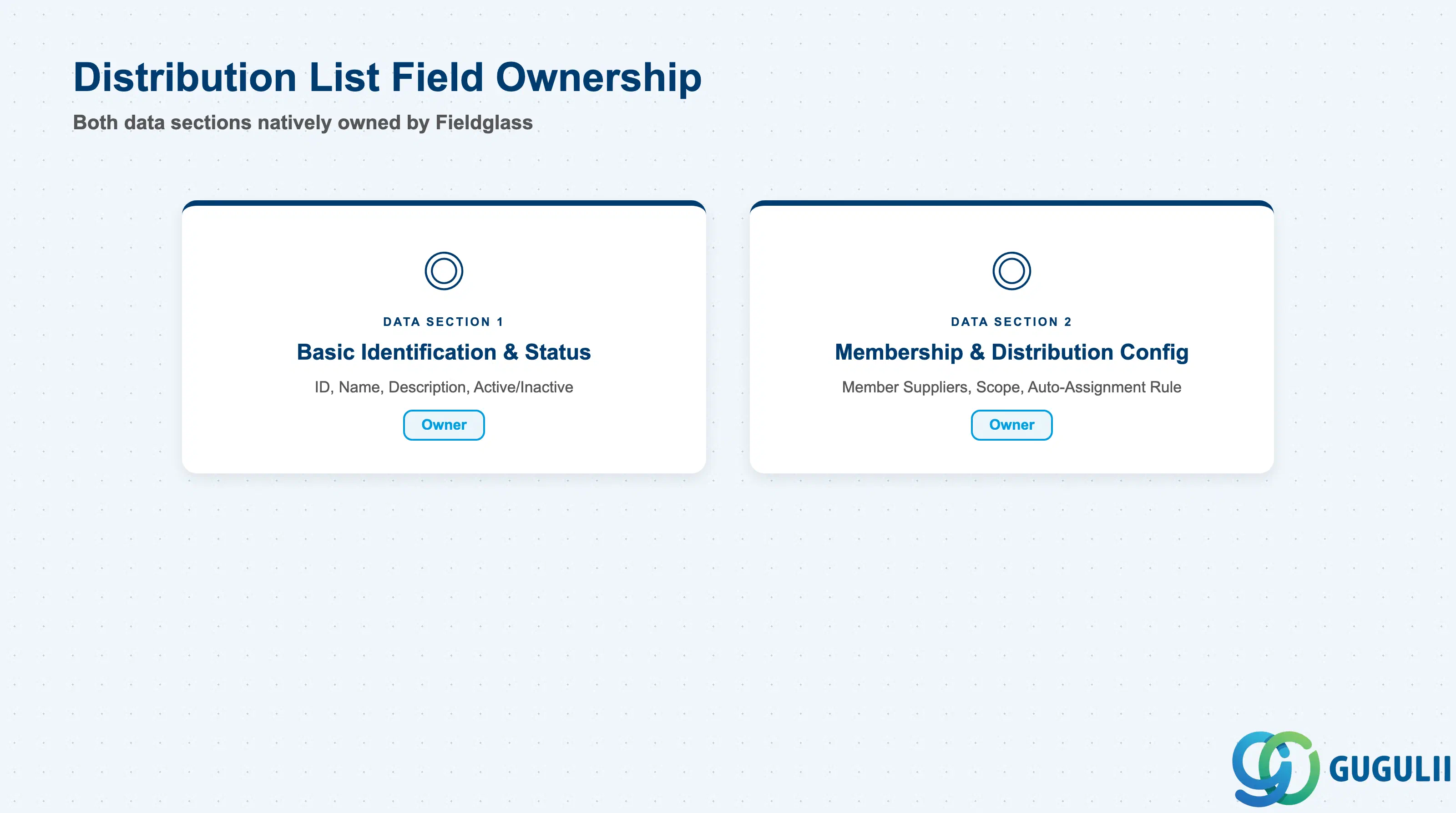
| Data Section | FG Involvement | Notes |
|---|---|---|
| Basic Identification & Status | ◎ Owner | Distribution List ID, Name, Description, and Active/Inactive status are maintained natively on the Fieldglass Distribution List record; no S/4HANA equivalent exists |
| Membership & Distribution Configuration | ◎ Owner | Member Suppliers, Distribution Scope, and Auto-Assignment Rule are configured entirely within Fieldglass Admin; member Suppliers may themselves originate from S/4HANA Vendor Master via Supplier, but the grouping and routing logic is native to Fieldglass |
Legend: ◎ = Owner / Critical, ○ = Direct involvement
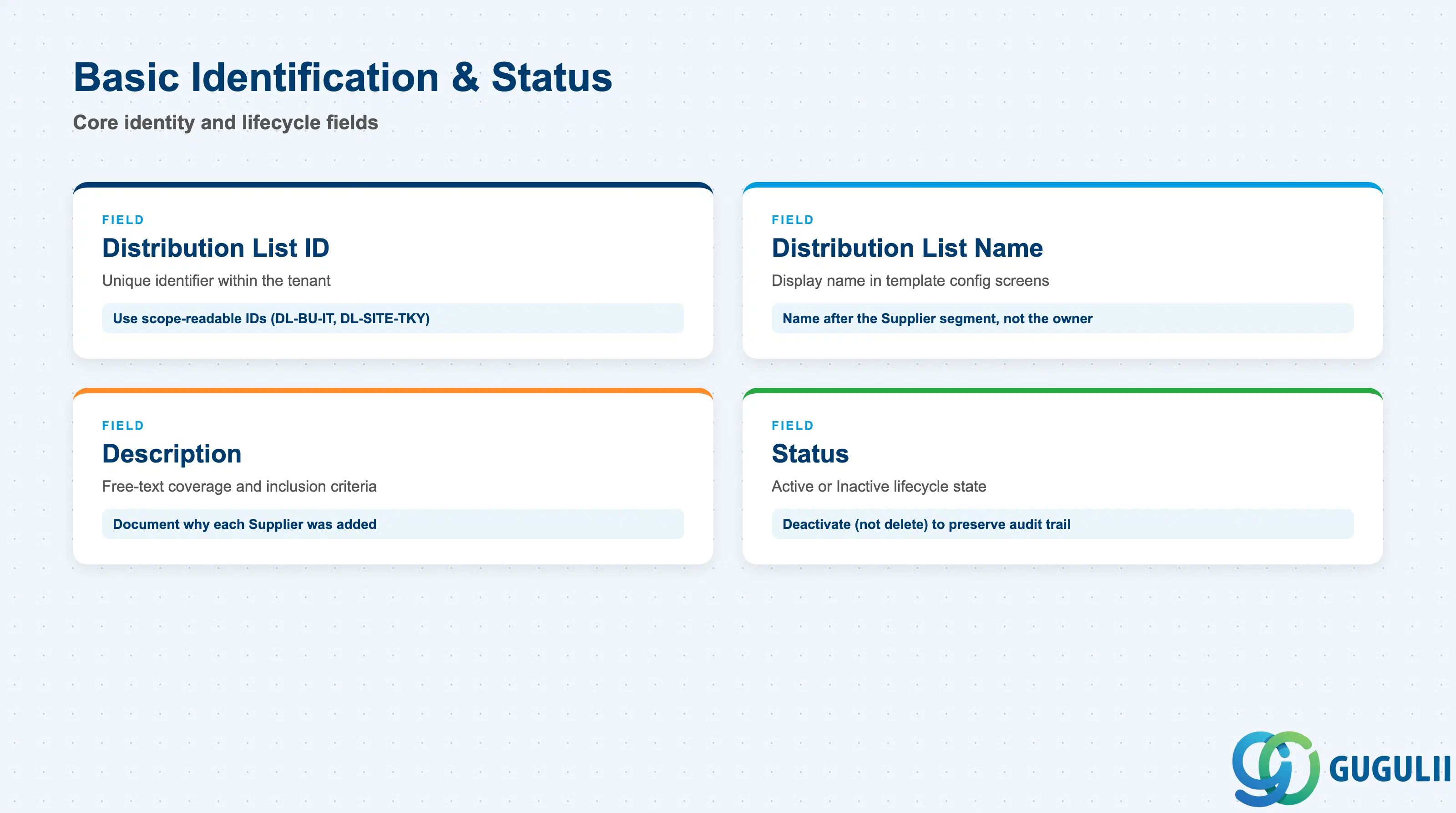
These fields identify a list and control whether it can still be attached to new Job Postings or SOWs going forward.
| Field | Description | Practical Usage |
|---|---|---|
| Distribution List ID | Unique identifier for the list within the tenant | Adopt a naming convention that encodes scope (e.g. DL-BU-IT, DL-SITE-TKY) rather than a sequential number — the ID appears inside every Job Posting/SOW Template’s distribution configuration, so a scope-readable ID saves administrators from opening the record just to know what it covers |
| Distribution List Name | Display name shown in template configuration and Job Posting distribution screens | Name it after the actual Supplier segment it represents (e.g. “IT Staffing — Tokyo”), not the department owner who requested it — the list will outlive whoever originally built it |
| Description | Free-text field describing the list’s intended coverage and any inclusion criteria | Document why each Supplier was added (e.g. “pre-qualified for Java development, 3+ years”) — this is the fastest way for a new administrator to judge whether a candidate Supplier belongs on the list without re-litigating the original qualification decision |
| Status | Active / Inactive | Deactivate rather than delete a list still referenced by historical Job Postings or SOWs — deactivating removes it from new template configuration while preserving the audit trail on documents it was previously used to distribute |
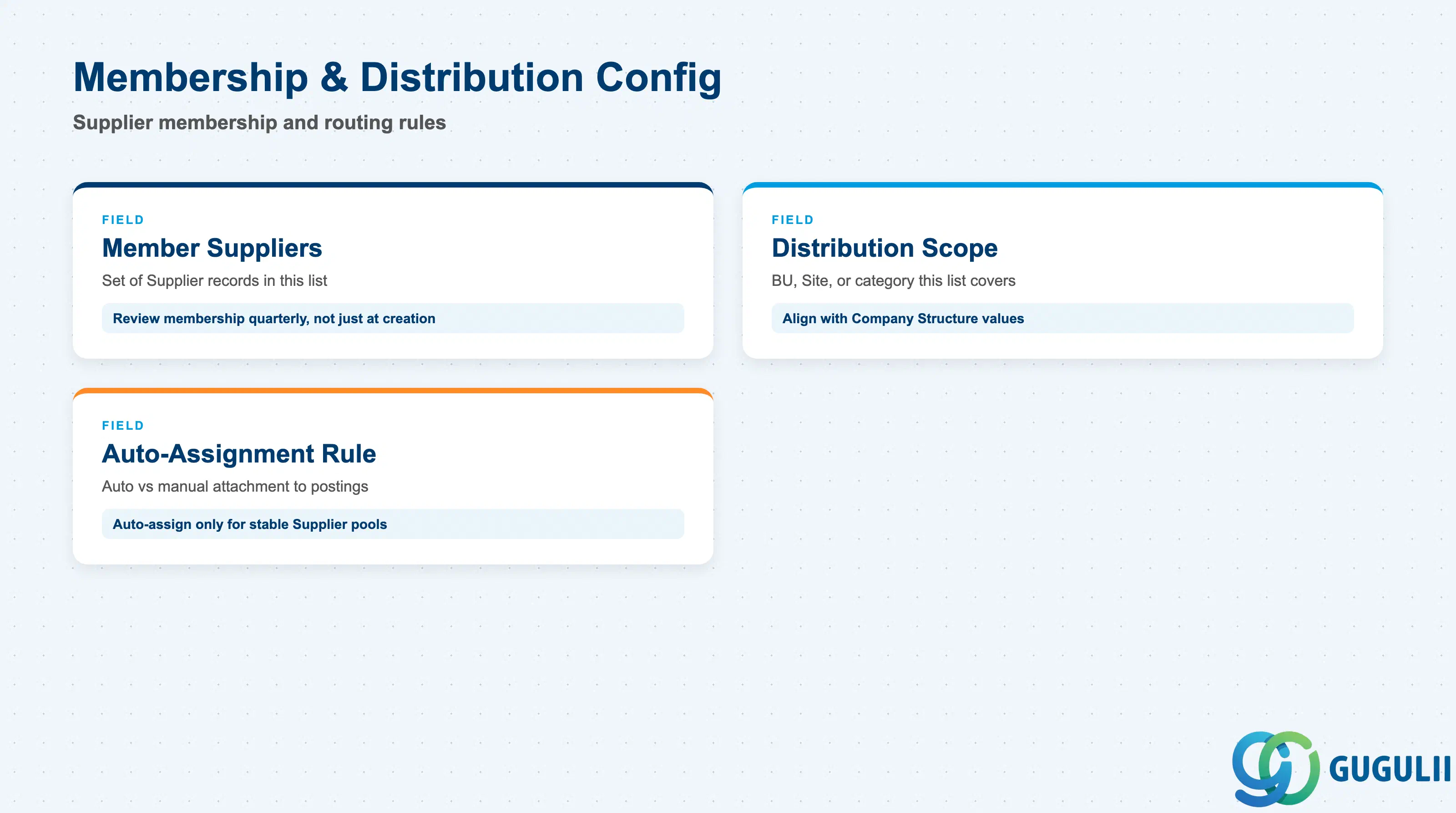
These fields determine which Suppliers actually receive documents routed through the list, and how automatically that routing happens.
| Field | Description | Practical Usage |
|---|---|---|
| Member Suppliers | The set of Supplier records included in this list, each eligible to receive and respond to any document distributed through it | Review membership on a fixed cadence (e.g. quarterly) rather than only at creation — a Supplier whose performance has degraded or whose contract has lapsed should be removed promptly, since remaining on an active list keeps routing new business to them |
| Distribution Scope | The Business Unit, Site, or labor category this list is intended to cover | Keep Distribution Scope aligned with the same Business Unit/Site values used elsewhere in Company Structure (FG-A02-01/FG-A02-03) — a mismatch is a common cause of postings reaching Suppliers outside the intended region or department |
| Auto-Assignment Rule | Whether this list is automatically attached to new Job Postings/SOWs matching certain criteria (e.g. category, Business Unit), versus requiring manual selection each time | Turn on auto-assignment only for well-established, stable Supplier pools — for a newly built or frequently revised list, manual selection during a transition period avoids silently distributing to a list that hasn’t yet been fully vetted |
Prerequisite: At least one active Supplier record must exist before it can be added as a member of a Distribution List (Setup Flow: “Distribution List ← (Supplier)”).
| ID | Category | Title |
|---|---|---|
| fg-001 | Overview | What is SAP Fieldglass? |
| ID | Category | Title |
|---|---|---|
| fg-a01 | Overview | SAP Fieldglass Master Data: Overview, Hierarchy & Relationships |
| fg-a02-01 | Master Data | SAP Fieldglass Site |
| fg-a02-02 | Master Data | SAP Fieldglass Location |
| fg-a02-03 | Master Data | SAP Fieldglass Business Unit |
| fg-a02-04 | Master Data | SAP Fieldglass Cost Center |
| fg-a03-01 | Master Data | SAP Fieldglass User Role |
| fg-a03-02 | Master Data | SAP Fieldglass User |
| fg-a03-03 | Master Data | SAP Fieldglass Approval Group |
| fg-a03-04 | Master Data | SAP Fieldglass Distribution List 📍 |
| fg-a04-01 | Master Data | SAP Fieldglass Rate Category |
| fg-a04-02 | Master Data | SAP Fieldglass Rate Grid |
| fg-a04-03 | Master Data | SAP Fieldglass Contingent Type |
| fg-a04-04 | Master Data | SAP Fieldglass SOW Template |
| fg-a05-01 | Master Data | SAP Fieldglass MSP Company |
| fg-a05-02 | Master Data | SAP Fieldglass Certification |
| ID | Category | Title |
|---|---|---|
| fg-b01 | Overview | SAP Fieldglass Transactions: Process Flow, Hierarchy & Relationships |