Title here
Summary here

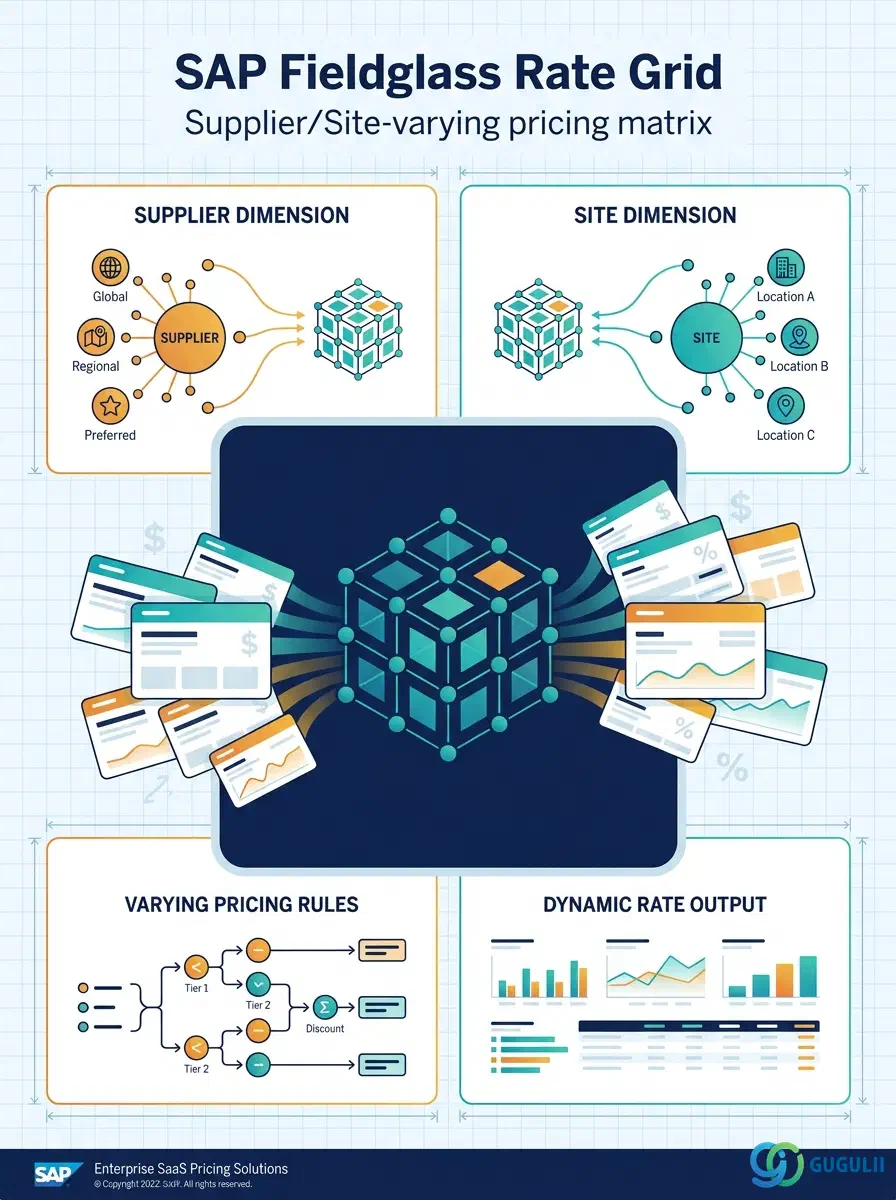
Once a Rate Category has fixed the Rate Type, Unit of Measure, and Currency, a Fieldglass Administrator still has to build the actual priced records workers and suppliers are billed against — that is the job of the four objects covered in this article: the flat Rate, the Supplier- and Site-varying Rate Grid, the Rate Card that assigns Rate/Rate Grid values down to individual job levels, and the Rate Schedule that layers shift and overtime rules on top of a Rate. Rate Grid is the most structurally distinct of the four — it is the point where pricing stops being a single number and becomes a matrix, and the point where the Rate Structure hierarchy reaches out to Site in Company Structure. This article first covers the concepts shared by all four objects across every Fieldglass process area that consumes them, then moves into the field-level detail Fieldglass Administrators configure for each.
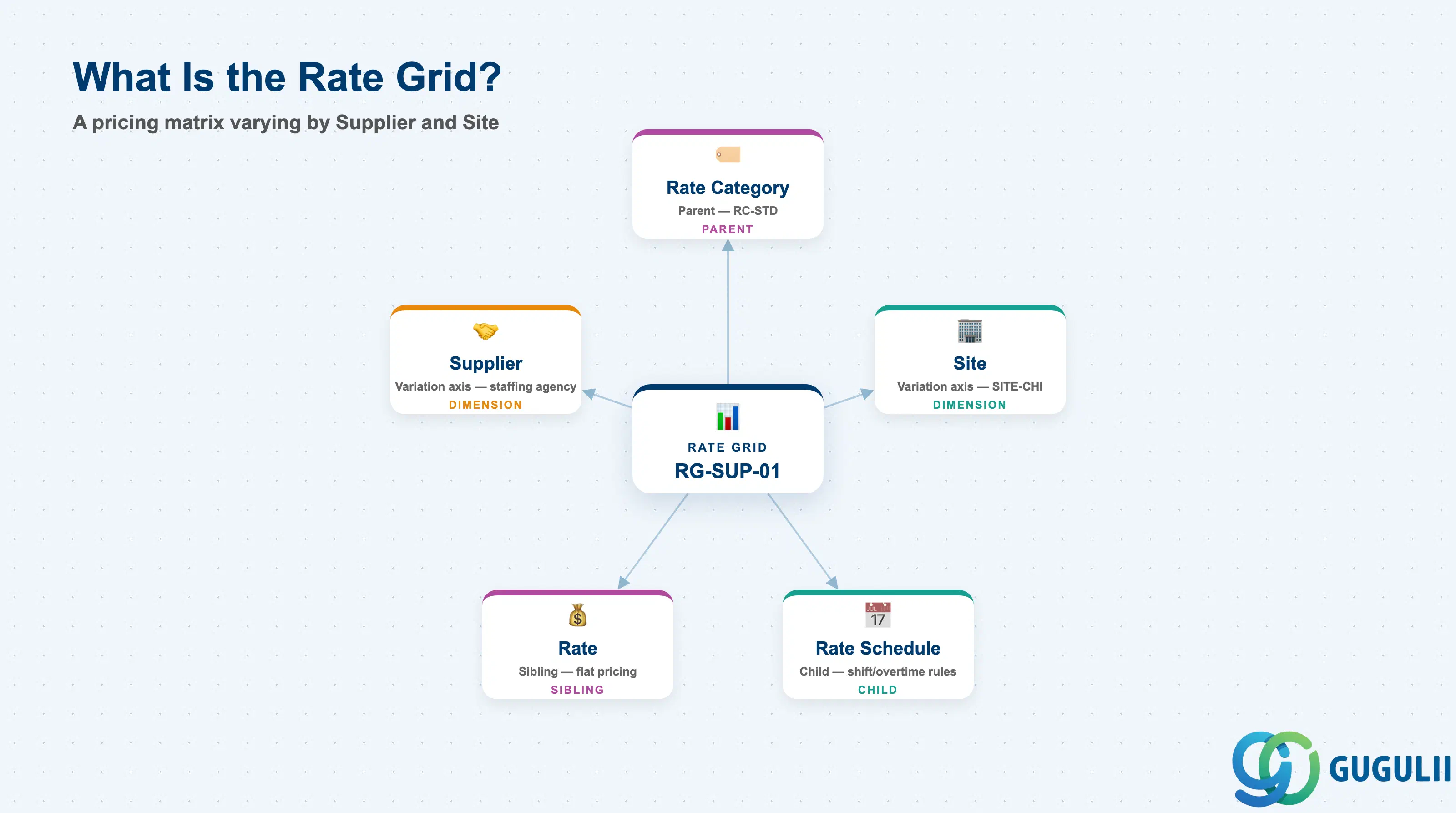
A Rate Grid is a matrix-style pricing object: instead of one uniform Pay Rate / Bill Rate for every worker under a Rate Category, a Rate Grid holds a separate value for each Supplier × Site combination. It sits alongside the flat Rate as the second of two possible children of a Rate Category, and it in turn carries its own children — Rate Card beneath Rate, Rate Schedule beneath Rate Grid — that refine pricing further by job level and by shift. Getting the choice between flat Rate and Rate Grid right at Rate Category design time avoids a costly restructure once Work Orders are already priced against one or the other.
| Aspect | Details |
|---|---|
| Role | Rate = single uniform Pay/Bill Rate; Rate Grid = Pay/Bill Rate matrix varying by Supplier and Site; Rate Card = job-level rate sheet built on Rate; Rate Schedule = shift/overtime rate rules built on Rate Grid |
| Modules using it | Contingent Workforce Management (primary — every Work Order and Timesheet-to-Pay calculation resolves through one of these four objects), Services Procurement / SOW (a Worker Role can reference a Rate directly, bypassing the Grid/Card/Schedule layer entirely) |
| Transactions | Admin > Rates, Admin > Rate Grids, Admin > Rate Cards, Admin > Rate Schedules — Fieldglass Admin console screens; no ABAP-style transaction codes |
| Key Tables | Not applicable — Fieldglass is a multi-tenant SaaS platform; configuration is stored in the tenant’s Admin configuration layer, not a client-accessible database table |
| Platform note | None of the four objects has an S/4HANA counterpart or sync. All four are built and maintained entirely inside Fieldglass Admin |
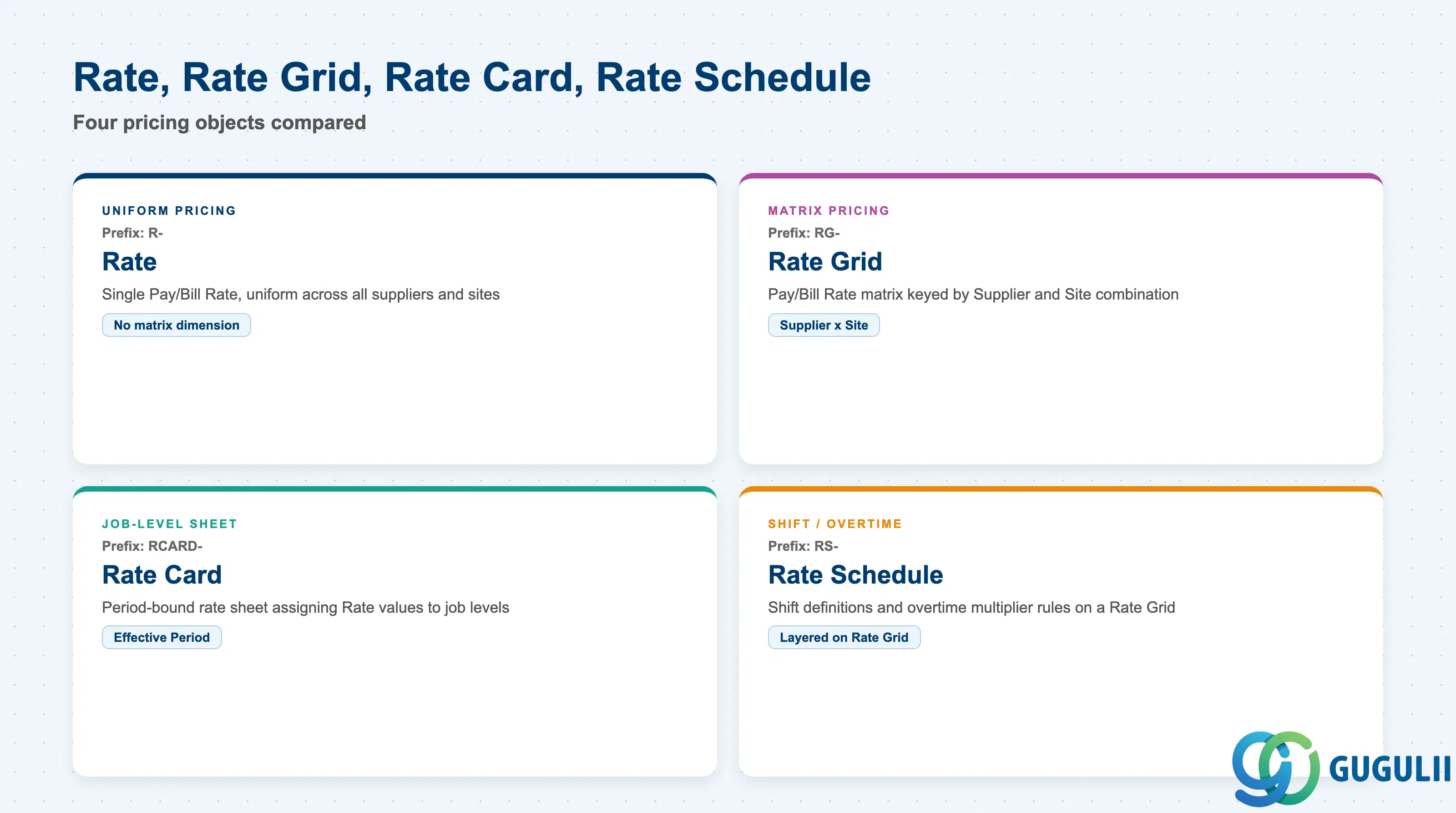
Choosing which of these four objects to build is a modeling decision, not a data-entry preference — each answers a different question about how pricing needs to vary, and picking the wrong one forces a rebuild once Work Orders reference it.
| Object | Code Prefix | Use Case | Key Behavior |
|---|---|---|---|
| Rate | R- | Pricing is uniform across every supplier and site under a Rate Category | Single Pay Rate / Bill Rate value; no matrix dimension beyond the parent Rate Category. |
| Rate Grid | RG- | Pricing must vary by Supplier and/or Site (e.g. different bill rates per staffing agency, or a cost-of-living adjustment per city) | Cross-tab matrix of Pay/Bill Rate values keyed by Supplier × Site combination. |
| Rate Card | RCARD- | A defined-period rate sheet assigning Rate values down to individual job levels for a program or renewal cycle | Snapshot of Rate values with an explicit Effective Period; typically re-issued rather than edited in place at annual renewal. |
| Rate Schedule | RS- | Pay must vary by shift or include overtime/premium multipliers rather than by supplier or site | Attached to a Rate Grid; carries shift definitions and overtime multiplier rules. |
Design principle: A Rate Category can carry a flat Rate, a Supplier/Site-varying Rate Grid, or both at the same time — the choice is made per pricing need, not per Rate Category as a whole, and Rate Card / Rate Schedule are added only where job-level or shift-level refinement is required on top.
Zone C — Rate Structure (this object’s own zone): Rate and Rate Grid sit directly beneath Rate Category as its two children, each spawning one further level — Rate → Rate Card, Rate Grid → Rate Schedule. Rate Grid additionally carries an outbound reference chip to a Site.
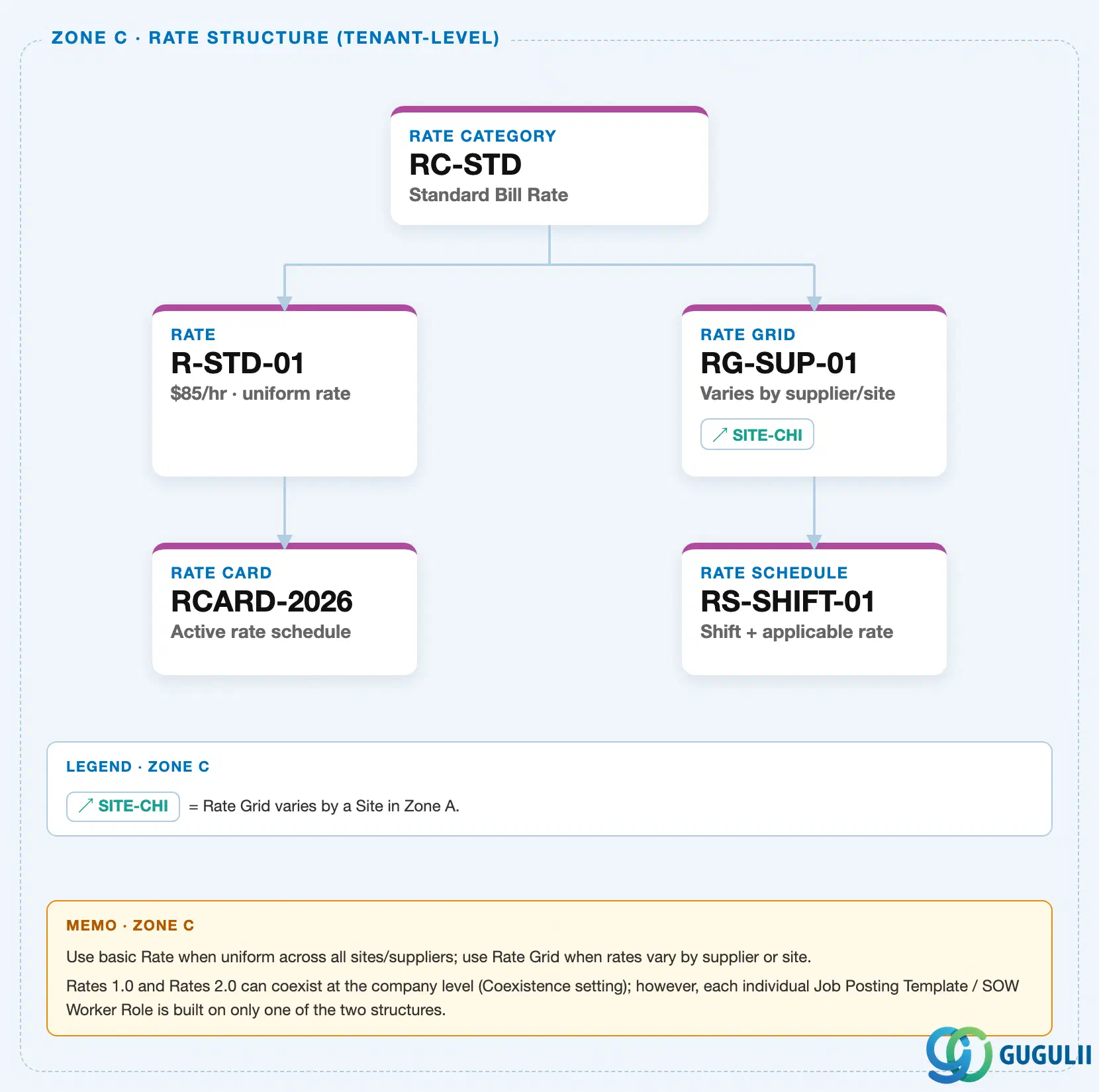
Zone A — Company Structure: Rate Grid’s “varies by Supplier and Site” behavior makes it the source of a cross-zone chip pointing at a Site record — shown here for reference. This is the same Site master documented in FG-A02-01, which required its own Zone C crop addition for the identical relationship viewed from the other direction.
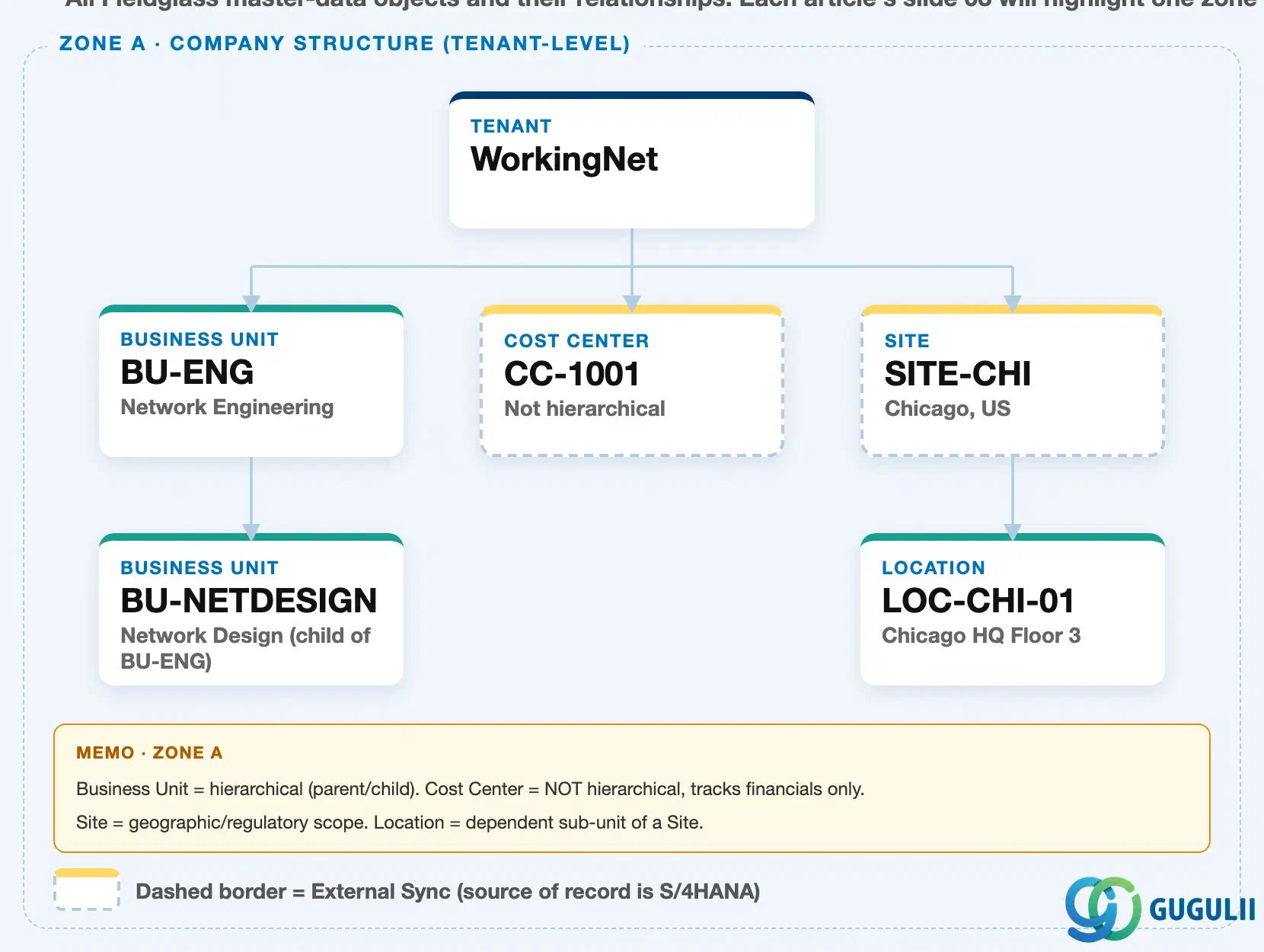
Data hierarchy with a concrete example
Rate Category "RC-STD" — Standard Bill Rate
   │
   ├── Rate "R-STD-01" — $85/hr, uniform rate across all suppliers/sites
   │      │
   │      └── Rate Card "RCARD-2026" — job-level rate sheet, FY2026
   │
   └── Rate Grid "RG-SUP-01" — varies by supplier/site
          │      ── assigned to ──> Site "SITE-CHI" (Chicago, US)
          │
└── Rate Schedule "RS-SHIFT-01" — shift + applicable rateNote: Rate Grid’s Site dimension references the same Site master used throughout Company Structure — a Rate Grid cannot vary by a Site that has not been created in Admin > Sites first.
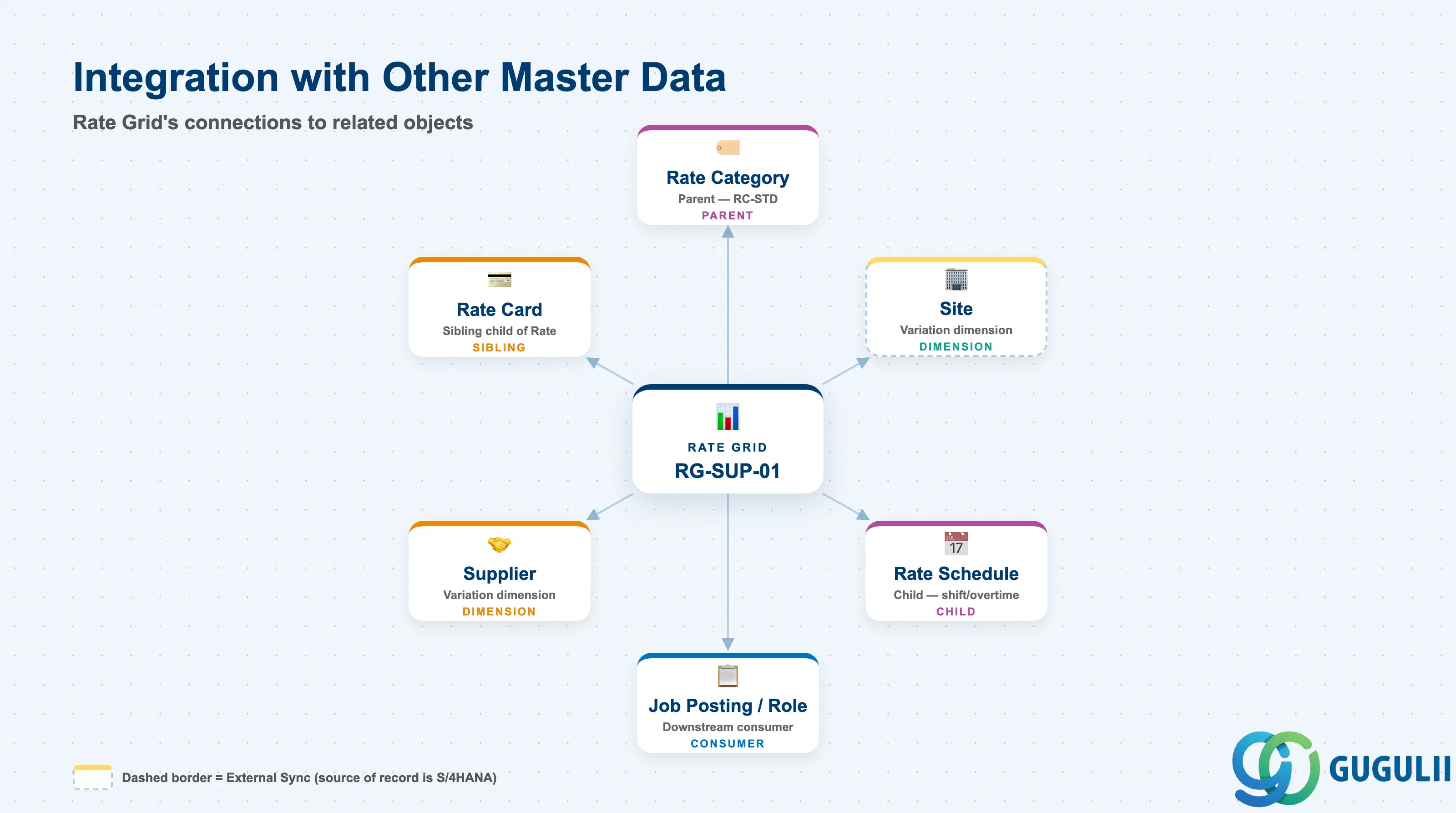
None of these four objects stand alone — each depends on Rate Category above it, and Rate Grid specifically reaches sideways into Company Structure for its Site dimension.
| Object | Relationship | Practical Notes |
|---|---|---|
| Rate Category | Parent — every Rate and Rate Grid is created under exactly one Rate Category | Inherits Rate Type, Unit of Measure, and Currency; none of the three can be overridden at the Rate or Rate Grid level. |
| Site | Rate Grid’s variation dimension — each matrix cell is keyed partly by Site | A Rate Grid referencing a Site that is later deactivated leaves orphaned matrix cells; retire the affected Rate Grid rows rather than only deactivating the Site. |
| Supplier | Rate Grid’s other variation dimension — cell keyed by Supplier × Site | The most common driver: different staffing agencies negotiate different bill rates for the same job level at the same Site. |
| Rate Card | Child of Rate — a defined-period rate sheet assigning Rate values to job levels | Re-issued at renewal (e.g. annually); superseding a Rate Card does not retroactively change historical Work Orders already priced against the prior card. |
| Rate Schedule | Child of Rate Grid — layers shift and overtime multiplier rules on top of Grid values | Required wherever a worker population has shift differentials (night/weekend premiums) in addition to Supplier/Site variation. |
| Job Posting Template / Worker Role | Downstream consumers — a Job Posting Template’s Rate Schedule reference and a SOW Worker Role’s Rate Category reference both eventually resolve through this layer | Confirm whether a given template or role is built on a flat Rate or a Rate Grid before cloning across job families; mixing uniform and Supplier/Site-varying pricing on the same template is a frequent configuration error. |
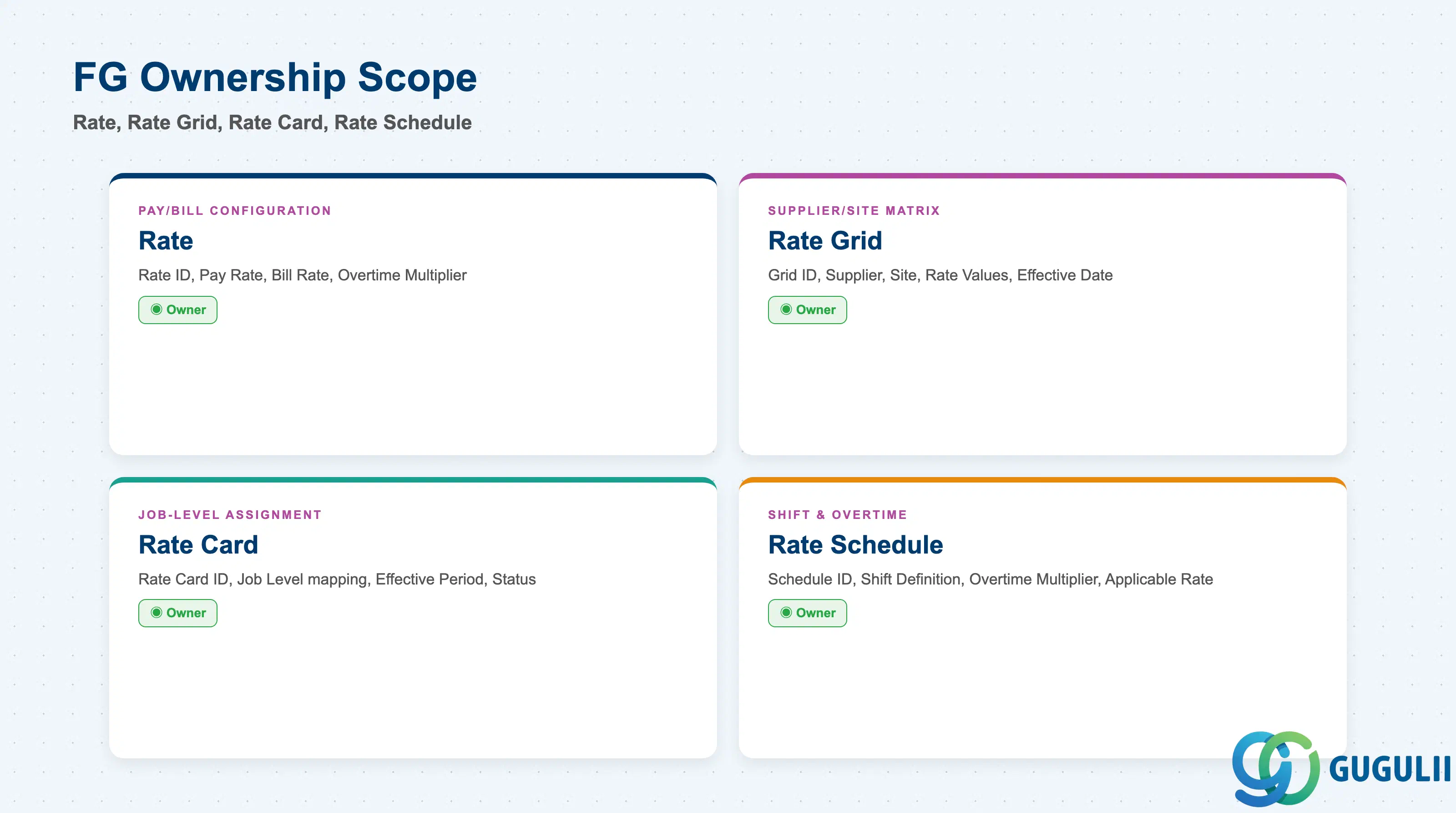
| Data Section | FG Involvement | Notes |
|---|---|---|
| Rate — Pay/Bill Configuration | ◎ Owner | Rate ID, Pay Rate, Bill Rate, Overtime Multiplier — configured entirely in Fieldglass Admin |
| Rate Grid — Supplier/Site Matrix | ◎ Owner | Grid ID, Supplier, Site, Rate Values matrix, Effective Date |
| Rate Card — Job-Level Assignment | ◎ Owner | Rate Card ID, job-level rate assignment, effective period |
| Rate Schedule — Shift & Overtime | ◎ Owner | Schedule ID, shift definition, overtime multiplier, applicable Rate |
Legend: ◎ = Owner / Critical, ○ = Direct involvement
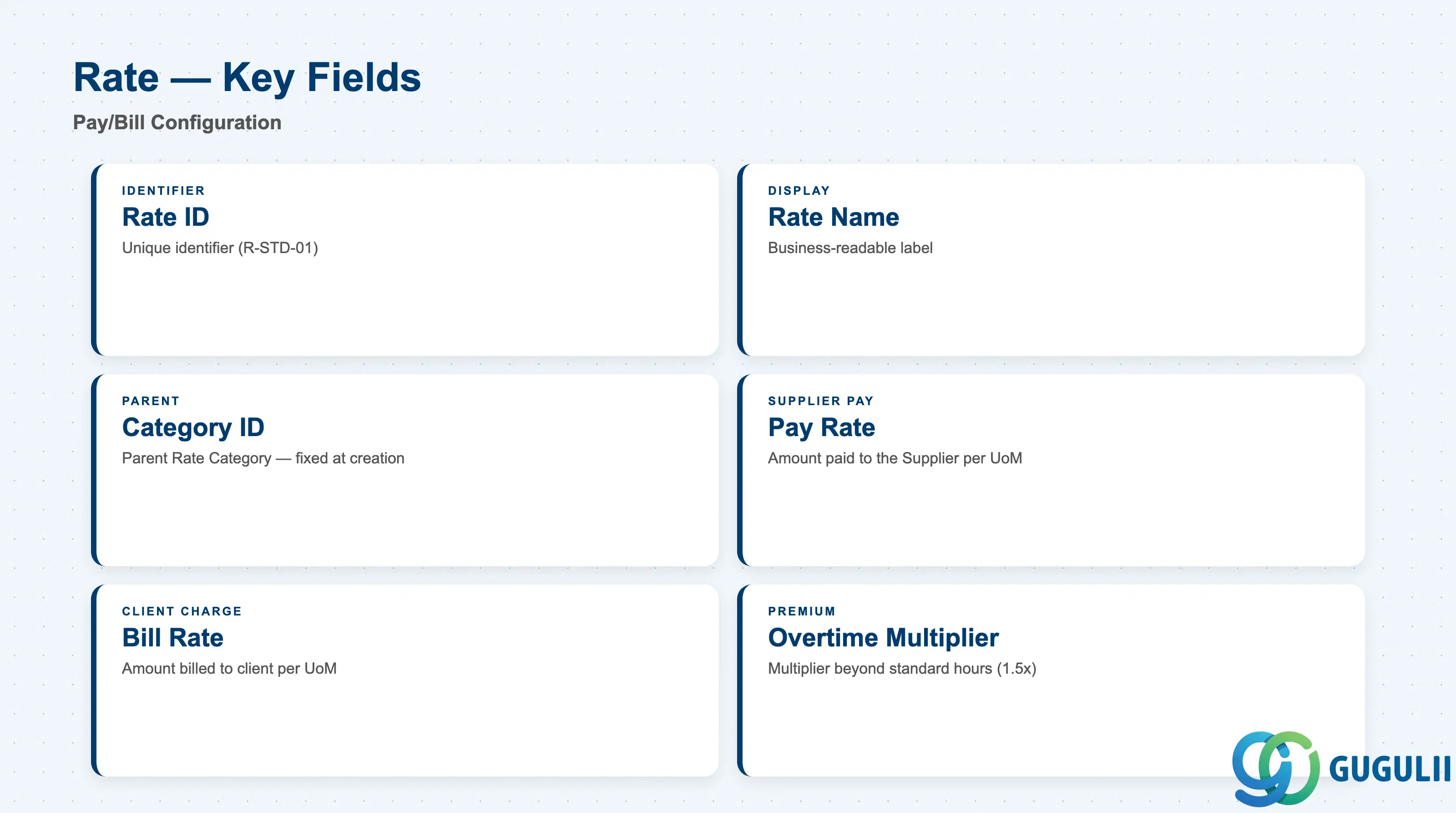
Rate is the simplest of the four objects — a single Pay Rate / Bill Rate pair that applies uniformly to every worker placed under it, with no Supplier or Site dimension.
| Field | Description | Practical Usage |
|---|---|---|
| Rate ID | Unique identifier for the Rate record (e.g. R-STD-01) | Referenced by Rate Card and by any Worker Role or Job Posting Template built on Rates 2.0; agree a naming convention before multiple business units start creating Rates independently. |
| Rate Name | Business-readable label | Shown in every dropdown where a Rate must be selected when building a Work Order or SOW Worker Role. |
| Category ID | The parent Rate Category this Rate was created under | Fixed at creation — inherits Rate Type, Unit of Measure, and Currency from the Category and cannot diverge. |
| Pay Rate | Amount paid to the Supplier per Unit of Measure | Drives Supplier invoicing; must reconcile with the Supplier’s negotiated agreement — a mismatch here is one of the most common invoice-dispute root causes. |
| Bill Rate | Amount billed to the hiring client/cost center per Unit of Measure | Drives client invoicing and the markup margin (Bill Rate − Pay Rate); Finance typically owns approval of any Bill Rate change even though Fieldglass Admin executes it. |
| Overtime Multiplier | Multiplier applied to Pay Rate / Bill Rate beyond standard hours (e.g. 1.5×) | Must align with the labor regulations of the worker’s jurisdiction; global tenants often need multiple Rates that differ only in this field per country. |
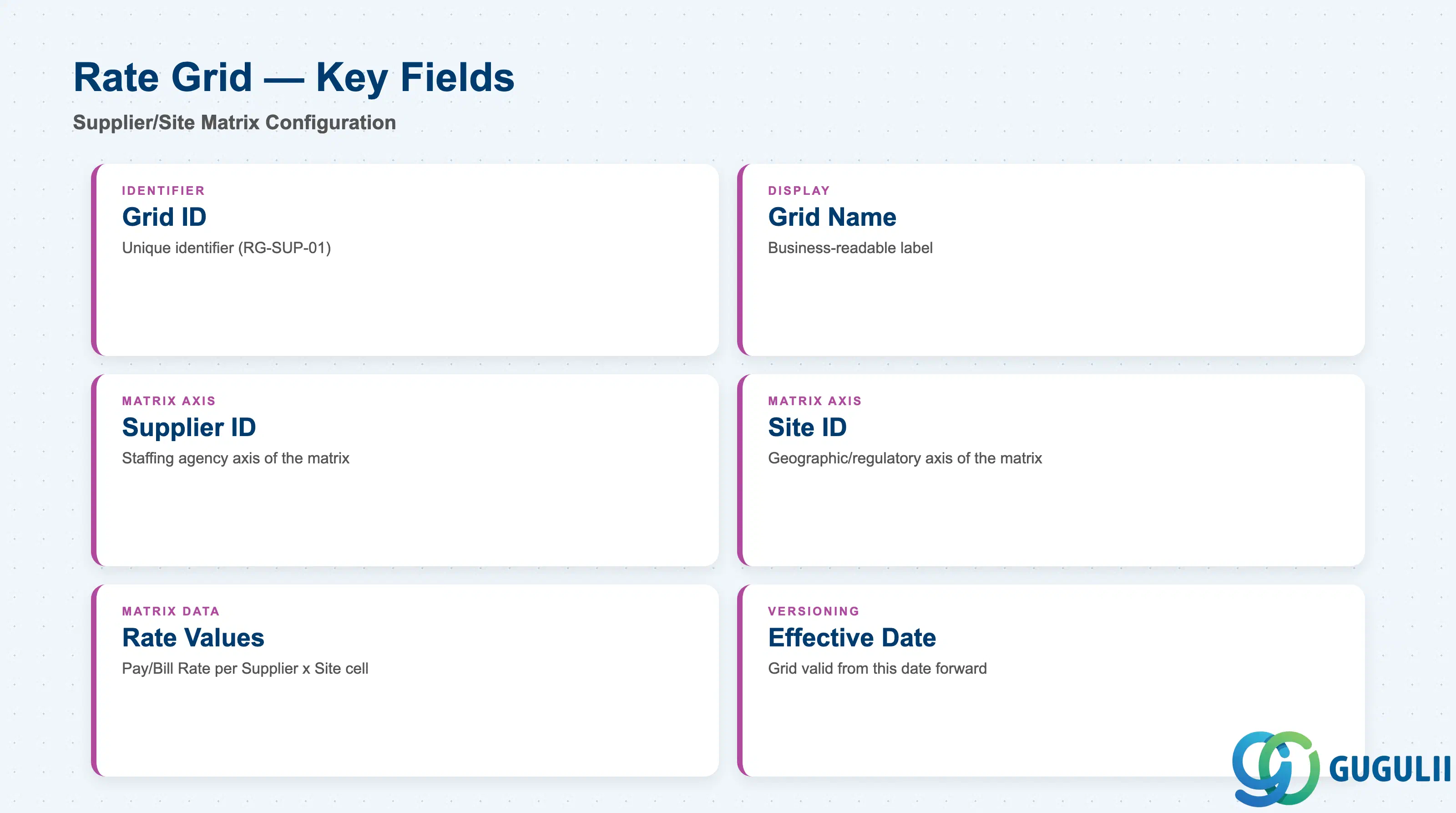
Rate Grid is where pricing stops being a single value and becomes a matrix — every field here exists to define one axis of that matrix or the values that fill it.
| Field | Description | Practical Usage |
|---|---|---|
| Grid ID | Unique identifier for the Rate Grid (e.g. RG-SUP-01) | Referenced by any Rate Schedule built beneath it and by Work Orders that resolve pricing through the Supplier×Site matrix rather than a flat Rate. |
| Grid Name | Business-readable label | Shown wherever an Administrator selects a Rate Grid instead of a flat Rate during Rate Category setup. |
| Supplier ID | One axis of the pricing matrix — the staffing Supplier the row applies to | A single Rate Grid can carry rows for every Supplier under a program; a missing Supplier row means Work Orders for that Supplier fall back to a flat Rate (if one exists) or fail rate resolution. |
| Site ID | The other axis of the pricing matrix — the Site the row applies to | References the same Site master maintained in Admin > Sites (Company Structure); a Rate Grid cannot vary by a Site that has not been created there first. |
| Rate Values | The Pay Rate / Bill Rate cell values for each Supplier × Site combination | The actual matrix data entered by the Administrator; typically maintained via bulk upload (CSV/Excel template) once a program spans more than a handful of Supplier/Site combinations. |
| Effective Date | The date from which this Grid’s rate values apply | Rate Grids are commonly versioned by Effective Date at annual renewal rather than edited in place, preserving historical pricing for audit and Rate Card lookback. |
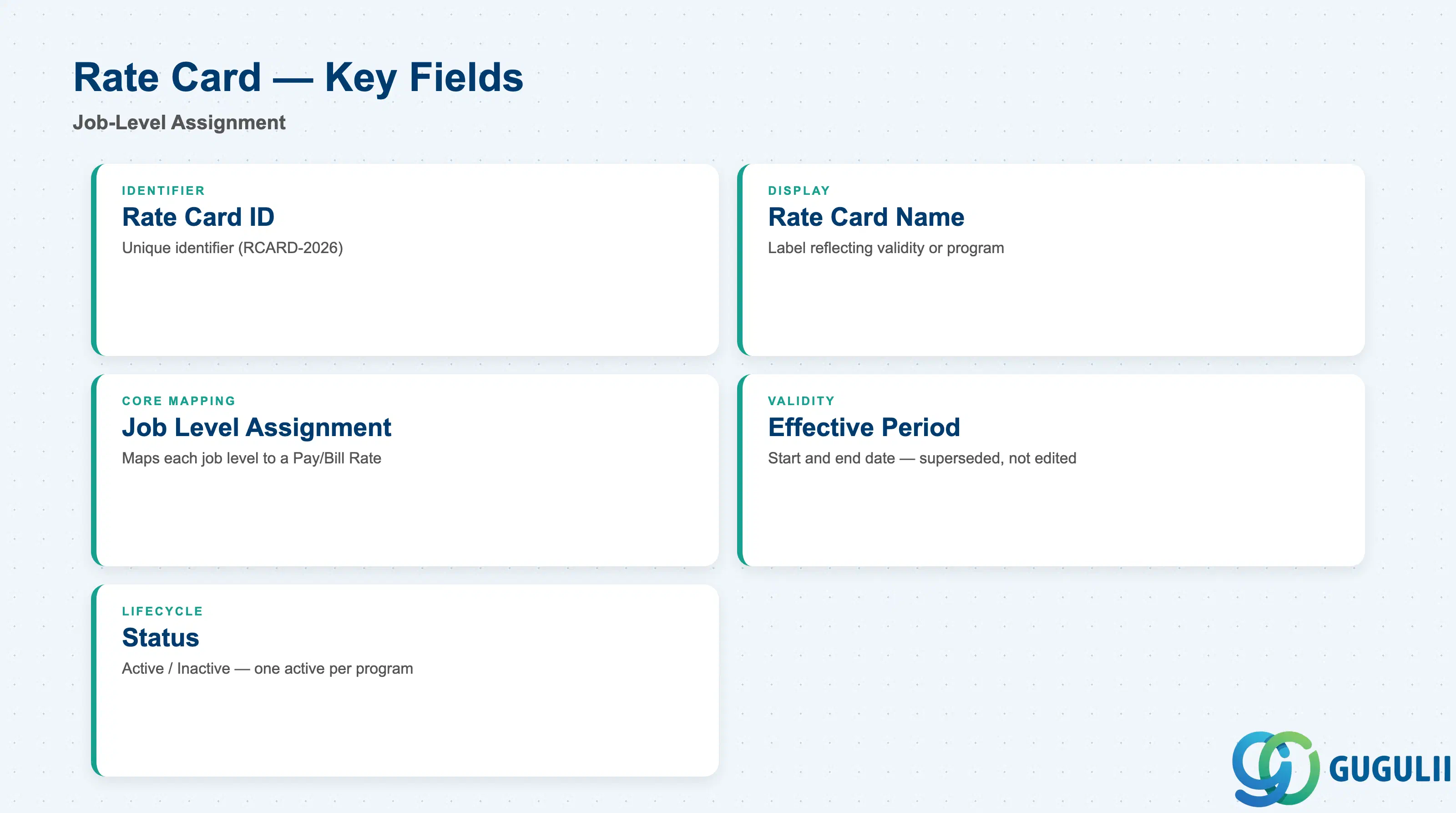
Rate Card is the mechanism that turns a Rate’s raw Pay/Bill values into a ready-to-use rate sheet per job family — the artifact hiring managers and suppliers actually reference during posting and negotiation.
| Field | Description | Practical Usage |
|---|---|---|
| Rate Card ID | Unique identifier for the Rate Card (e.g. RCARD-2026) | Named to reflect its validity period or program (e.g. by fiscal year), since Rate Cards are typically re-issued rather than edited at renewal. |
| Rate Card Name | Business-readable label | Referenced in program reporting and Supplier communications when a new fiscal-year rate sheet is issued. |
| Job Level Assignment | Maps each job level (e.g. Junior Developer, Senior Developer) to a specific Pay Rate / Bill Rate drawn from the underlying Rate | The core deliverable of the object; validating this mapping against the client’s job architecture before go-live is a common consulting task. |
| Effective Period | Start and end date the Rate Card is valid for | Rate Cards are typically superseded rather than modified — a new Rate Card with a new Effective Period is issued at each renewal, leaving the prior card intact for historical Work Order reference. |
| Status | Active / Inactive | Only one Rate Card per program is normally Active at a time; overlapping Active date ranges across multiple cards is a frequent configuration error worth validating during UAT. |
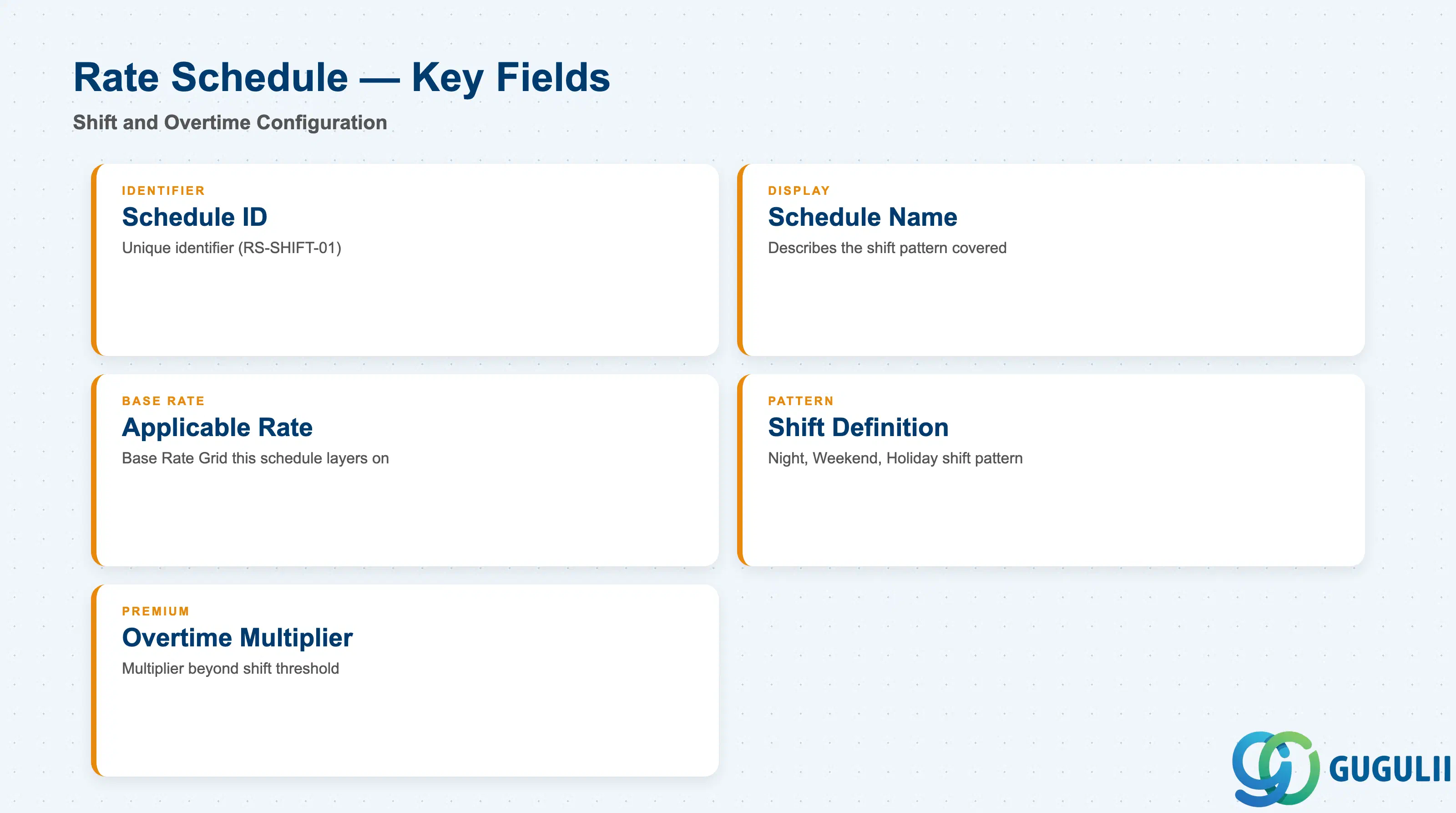
Rate Schedule layers shift and overtime rules on top of a Rate Grid, letting the same Supplier/Site matrix produce different effective pay for a night shift versus a day shift.
| Field | Description | Practical Usage |
|---|---|---|
| Rate Schedule ID | Unique identifier for the Rate Schedule (e.g. RS-SHIFT-01) | Referenced directly by Job Posting Templates that need shift-differentiated pricing rather than a flat Rate Grid value. |
| Rate Schedule Name | Business-readable label | Should describe the shift pattern it covers (e.g. “Night Shift +15%”) so hiring managers can select the correct schedule without opening the record. |
| Applicable Rate | The base Rate Grid the schedule’s shift/overtime rules are layered on top of | A Rate Schedule does not carry its own base Pay Rate / Bill Rate — it multiplies whatever base value the referenced Rate Grid resolves to for a given Supplier × Site cell. |
| Shift Definition | The shift pattern the schedule applies to (e.g. Night, Weekend, Holiday) | Must be defined consistently with the client’s shift/overtime policy configured elsewhere in the tenant; misalignment here is a frequent source of pay-vs-bill discrepancies flagged during Timesheet-to-Invoice reconciliation. |
| Overtime Multiplier | Multiplier applied for hours worked beyond the shift’s standard threshold | May stack with an Overtime Multiplier already defined at the Rate level depending on tenant configuration — confirm during blueprint whether multipliers compound or the Schedule’s value simply overrides the Rate’s. |
| ID | Category | Title |
|---|---|---|
| fg-001 | Overview | What is SAP Fieldglass? |
| ID | Category | Title |
|---|---|---|
| fg-a01 | Overview | SAP Fieldglass Master Data: Overview, Hierarchy & Relationships |
| fg-a02-01 | Master Data | SAP Fieldglass Site |
| fg-a02-02 | Master Data | SAP Fieldglass Location |
| fg-a02-03 | Master Data | SAP Fieldglass Business Unit |
| fg-a02-04 | Master Data | SAP Fieldglass Cost Center |
| fg-a03-01 | Master Data | SAP Fieldglass User Role |
| fg-a03-02 | Master Data | SAP Fieldglass User |
| fg-a03-03 | Master Data | SAP Fieldglass Approval Group |
| fg-a03-04 | Master Data | SAP Fieldglass Distribution List |
| fg-a04-01 | Master Data | SAP Fieldglass Rate Category |
| fg-a04-02 | Master Data | SAP Fieldglass Rate Grid 📍 |
| fg-a04-03 | Master Data | SAP Fieldglass Contingent Type |
| fg-a04-04 | Master Data | SAP Fieldglass SOW Template |
| fg-a05-01 | Master Data | SAP Fieldglass MSP Company |
| fg-a05-02 | Master Data | SAP Fieldglass Certification |
| ID | Category | Title |
|---|---|---|
| fg-b01 | Overview | SAP Fieldglass Transactions: Process Flow, Hierarchy & Relationships |