Title here
Summary here

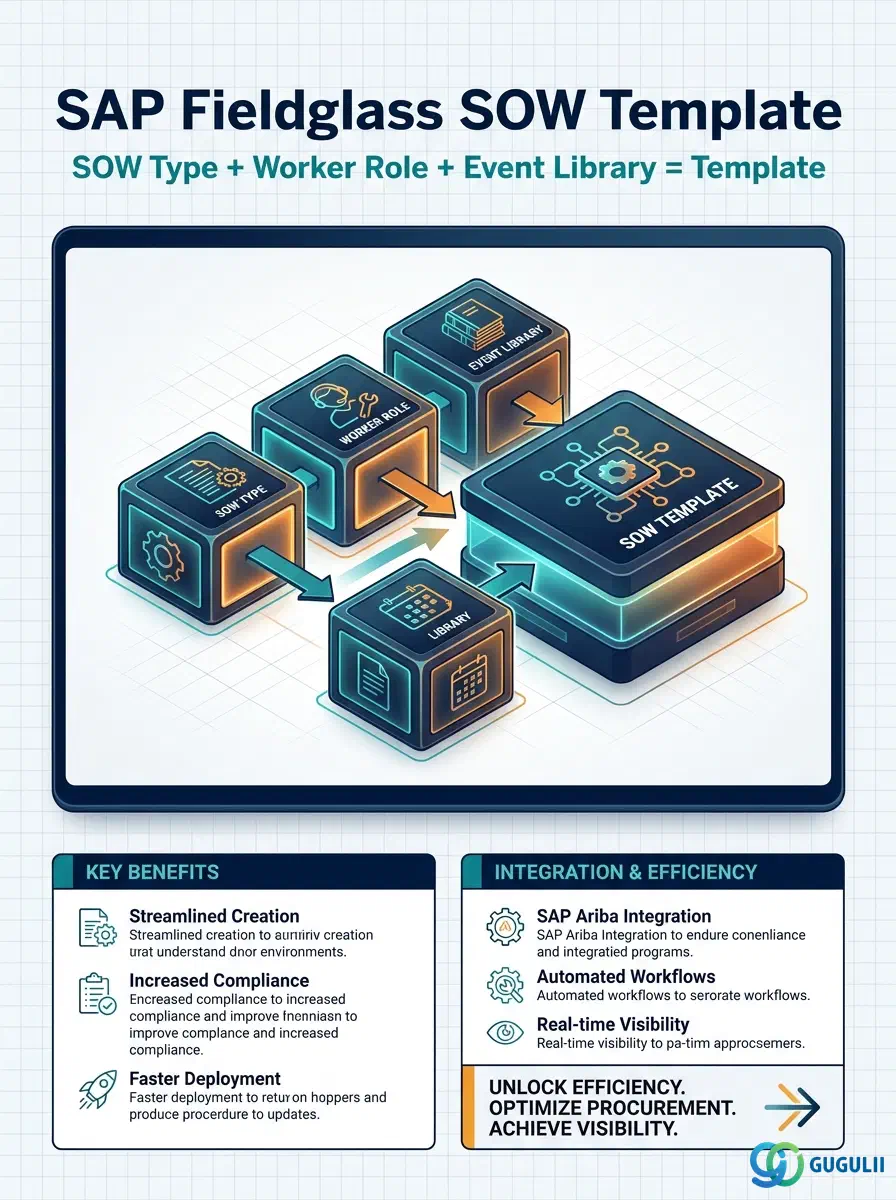
SOW Type, Worker Role, Event Library, and SOW Template are the Services Procurement counterpart to the Job Posting Configuration masters covered in FG-A04-03 — configured in the same Phase 3 stage, immediately after the Rate Structure objects in FG-A04-01 and FG-A04-02. SOW Type classifies a statement of work by pricing model and drives its approval and collaboration workflow; Worker Role defines a labor category and its rate basis independently of any one Template; Event Library maintains a reusable library of payment and milestone triggers; SOW Template is the reusable assembly point that pulls all three together to become the shell every SOW-based engagement is launched from. This article first covers the concepts shared by all four objects across Services Procurement, then moves into the field-level detail Fieldglass Administrators configure for each.
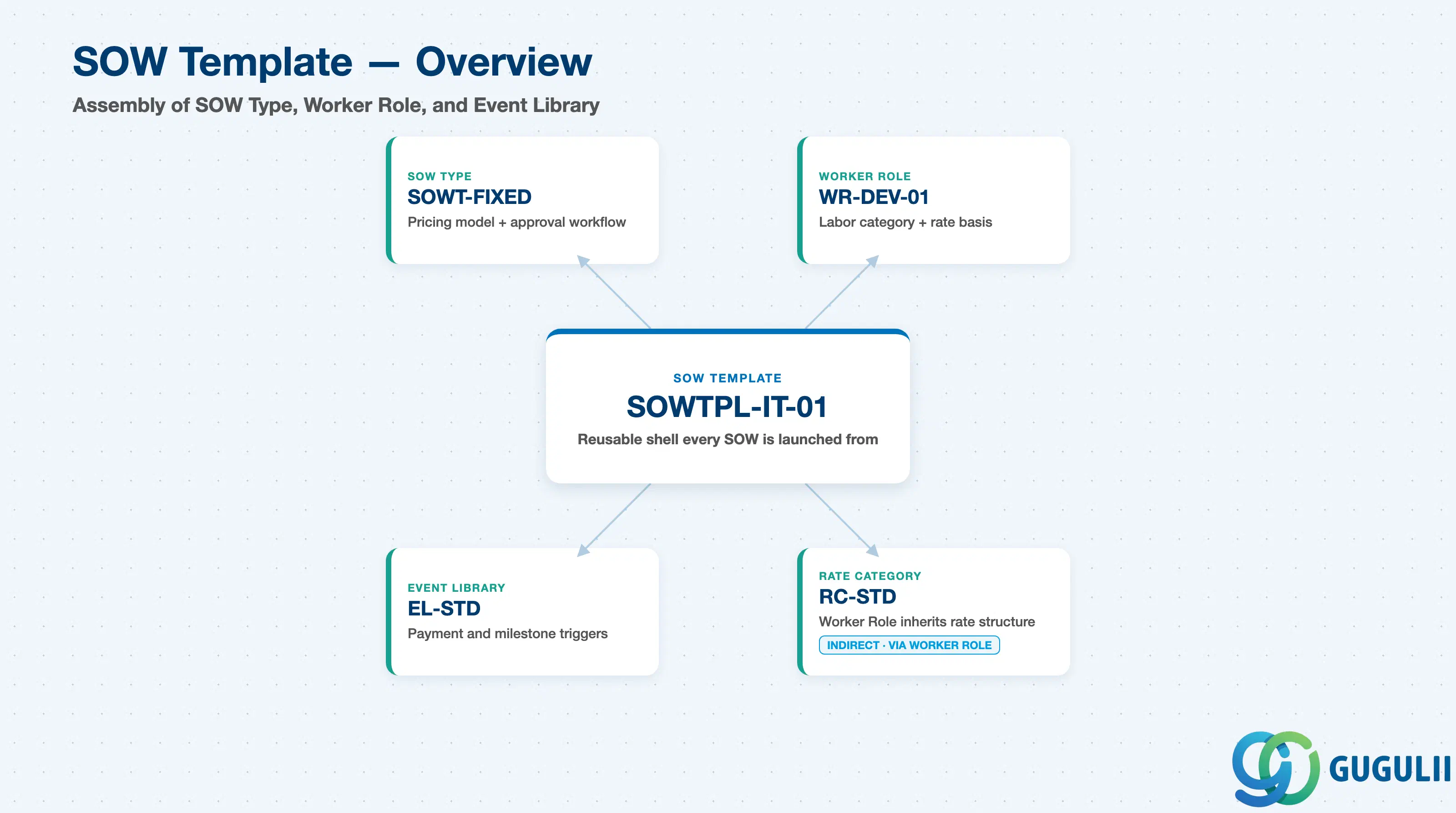
The SOW Template is the assembly point of Services Procurement configuration — it does not itself define a pricing model, a labor rate, or a payment trigger; it pulls a SOW Type, one or more Worker Roles, and an Event Library together into one reusable shell that a category buyer or hiring manager selects to launch a new statement of work. Getting the Template library right up front (how many Templates, split by service family) determines how much rework is needed every time a new SOW is drafted.
| Aspect | Details |
|---|---|
| Role | Assembles a SOW Type, one or more Worker Roles, and an Event Library into the reusable shell every SOW-based engagement is built from |
| Modules using it | Services Procurement / SOW (primary — every statement of work is launched from exactly one SOW Template) |
| Transactions | Admin > SOW Templates (create/maintain) — Fieldglass is a browser-based SaaS admin console; there are no ABAP-style transaction codes |
| Key Tables | Not applicable — Fieldglass is a multi-tenant SaaS platform. SOW Template configuration is stored in the tenant’s Admin configuration layer, not in a client-accessible database table |
| Platform note | SOW Template is Fieldglass-native with no S/4HANA counterpart. Unlike Site or Cost Center, it is never synchronized from S/4HANA — it must be configured directly in Fieldglass Admin |
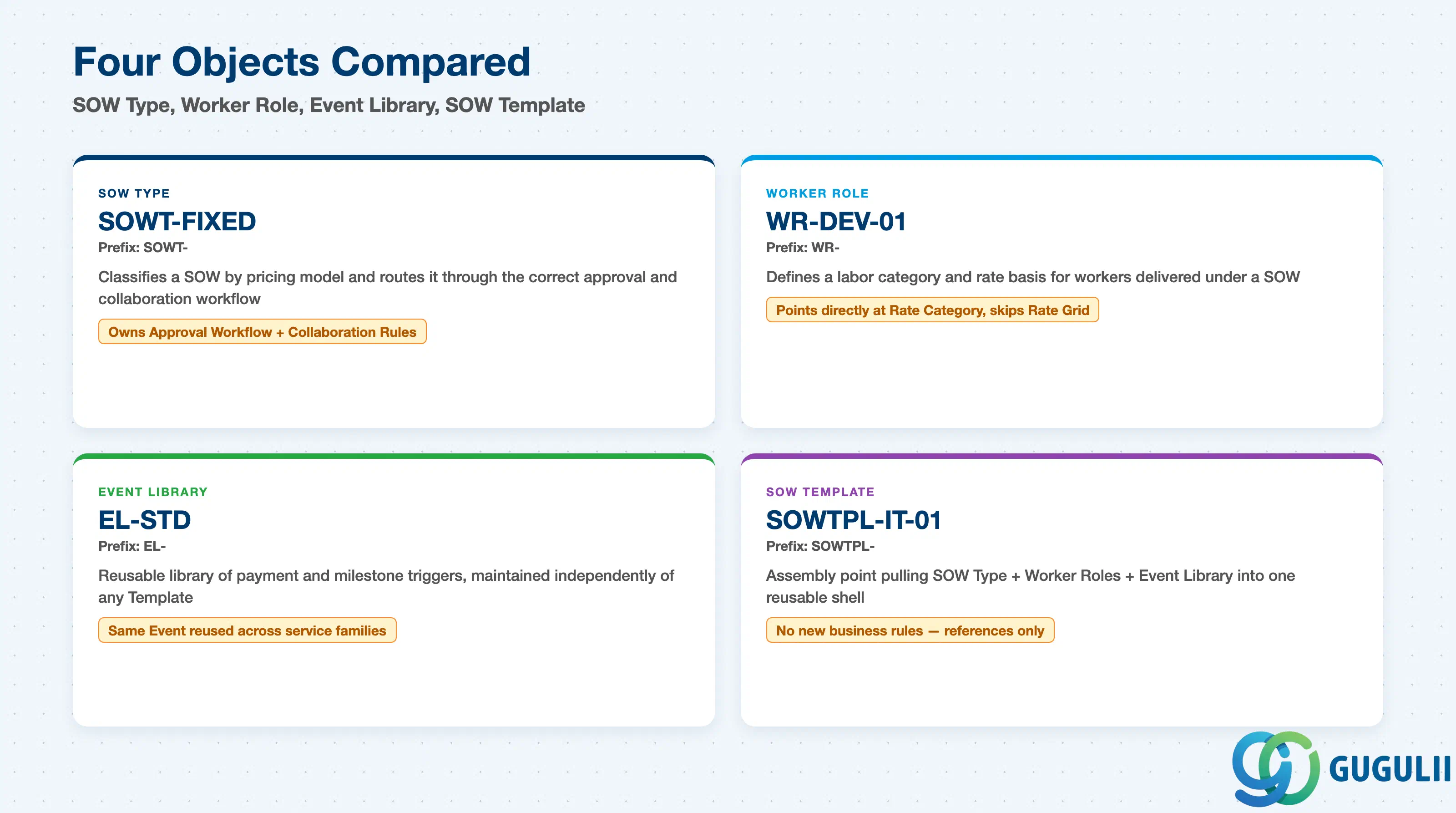
These four objects answer four different questions in SOW setup — what pricing model and workflow applies, what labor category and rate basis is being delivered, when does the SOW pay, and what reusable shell combines all three — and confusing their roles is a common cause of an over-built or under-governed Template library.
| Object | Code Prefix | Use Case | Key Behavior |
|---|---|---|---|
| SOW Type | SOWT- | Classifying a statement of work by pricing model (Fixed Price, Time & Materials, Milestone-based) and routing it through the correct approval and collaboration workflow | Owns the Approval Workflow and Collaboration Rules (e.g., Red Line editing); every SOW Template is created under exactly one SOW Type. |
| Worker Role | WR- | Defining a labor category and its rate basis for workers delivered under a SOW | Skips the Rate/Rate Grid layer used by Contingent Labor and points directly at a Rate Category; a SOW Template can attach multiple Worker Roles, one per labor category in the engagement. |
| Event Library | EL- | Maintaining a reusable library of payment and milestone triggers | Maintained independently of any single Template; the same Event (e.g., “on deliverable approval”) is commonly attached to Templates across service families. |
| SOW Template | SOWTPL- | The reusable SOW shell a category buyer or hiring manager selects to launch a new statement of work | Assembles a SOW Type + one or more Worker Roles + an Event Library into one reusable configuration; holds no new business rules of its own. |
Design principle: A SOW Template is not itself a master record with independent behavior — it is an assembly of references (SOW Type, Worker Role, Event Library) fixed at creation. Changing which SOW Type a Template points to, or swapping its attached Worker Roles, after live SOWs exist against it is not supported; a new Template must be created instead.
Zone D — Job Posting · SOW · MSP (this object’s own zone): SOW Type owns SOW Template as a true 1:N parent, while SOW Template separately references Worker Role and Event Library as reusable components — references, not children, since the same Worker Role or Event Library is commonly reused across many Templates.
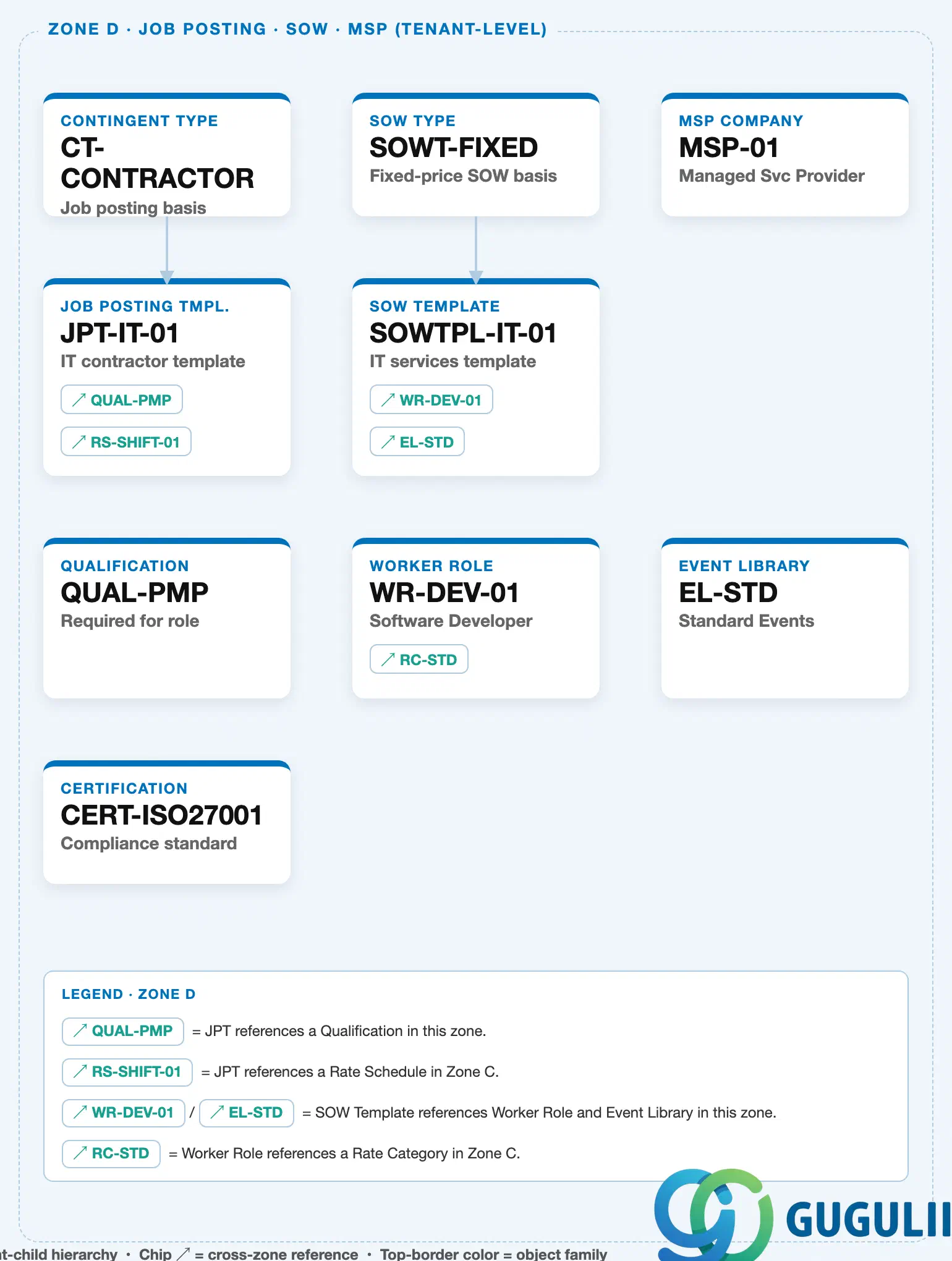
Zone C — Rate Structure: Worker Role carries an outbound ↗ RC-STD reference chip into this zone, since a Worker Role’s Rate Structure is inherited from the Rate Category at creation time and cannot be changed later.
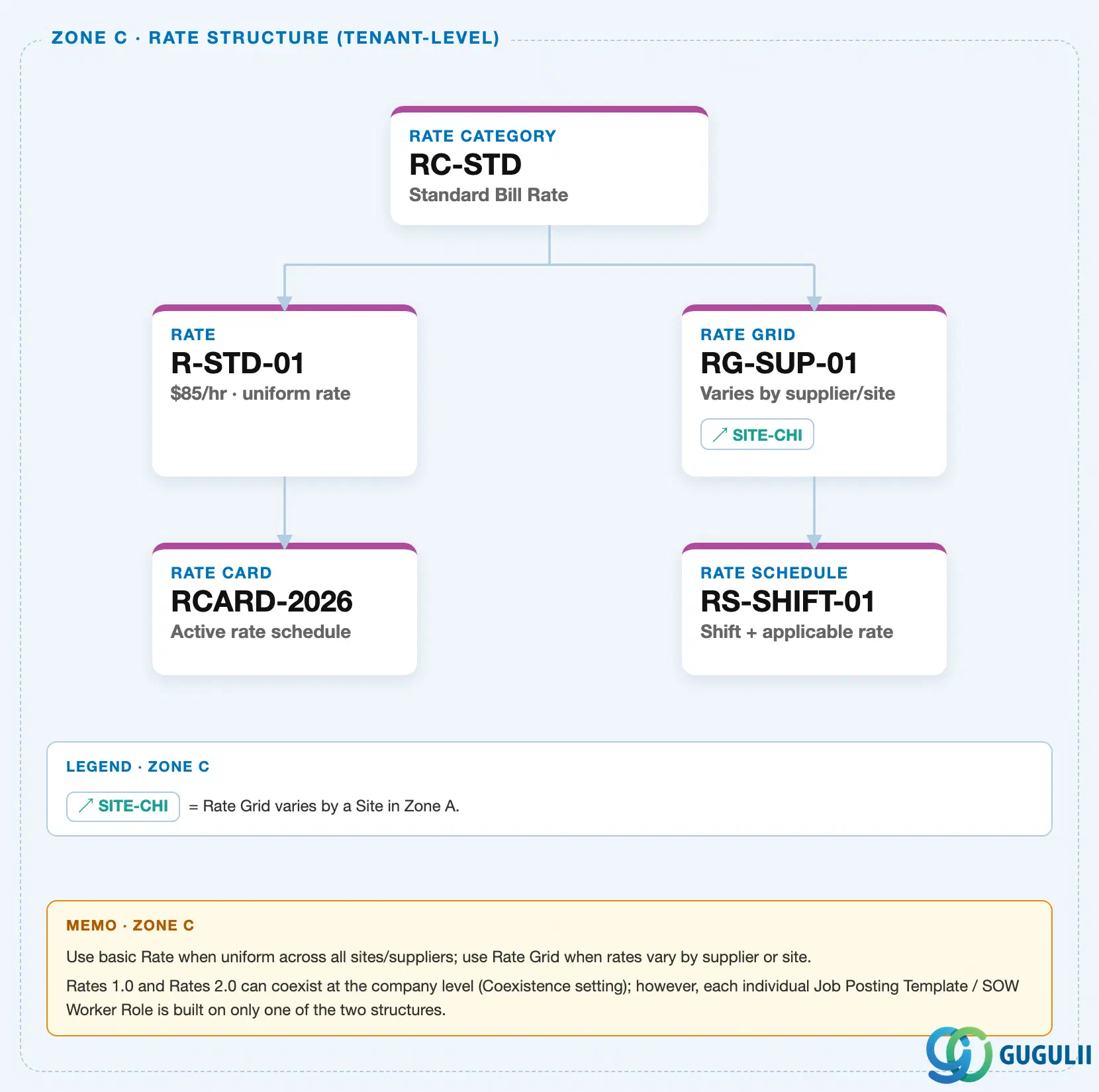
Data hierarchy with a concrete example
SOW Type "SOWT-FIXED" — fixed-price SOW basis
   │
   └── SOW Template "SOWTPL-IT-01" — IT services template
          │
          ├── ── references ──> Worker Role "WR-DEV-01" — Software Developer (one or more Worker Roles)
          │
          └── ── references ──> Event Library "EL-STD" — Standard Events

Referenced by (Zone C — Rate Structure):
Worker Role "WR-DEV-01" ── inherits Rate Structure from ──> Rate Category "RC-STD"Note: Event Library is maintained as its own independent master, not nested under SOW Type — the same Event Library (e.g. “EL-STD”) is commonly attached to SOW Templates built on different SOW Types.
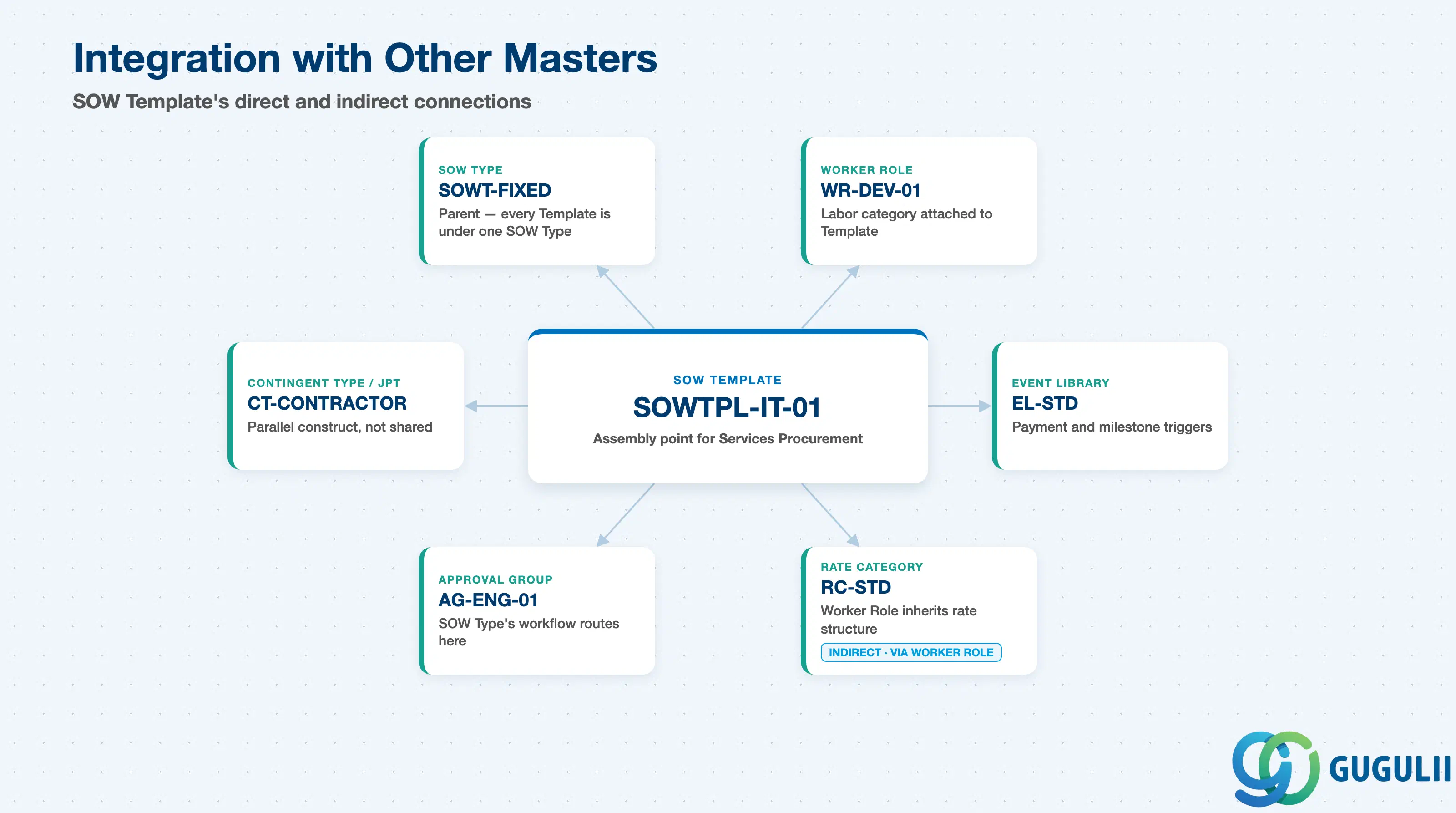
None of these four objects stand alone — SOW Type reaches into User Management for its workflow, Worker Role reaches into Rate Structure for its pricing, and the parallel Contingent Labor object tree stays entirely separate despite the conceptual similarity.
| Object | Relationship | Practical Notes |
|---|---|---|
| SOW Template | Direct child of SOW Type — every Template is created under exactly one SOW Type | Inherits the SOW Type’s Approval Workflow and Collaboration Rules (e.g., Red Line editing); the SOW Type cannot be changed on a Template after live SOWs exist against it. |
| Worker Role | Referenced by SOW Template, not owned by SOW Type | One or more Worker Roles are attached to a single Template, typically one per labor category in the engagement; the same Worker Role is commonly reused across Templates in different service families. |
| Event Library | Referenced by SOW Template for payment and milestone triggers | Attached at Template creation to determine when and how the SOW pays (e.g., “on deliverable approval”); independent of the labor roles or pricing basis defined elsewhere on the Template. |
| Rate Category | Worker Role inherits its Rate Structure (Rate Type, Unit of Measure, Currency) from a Rate Category at creation | Fixed at Worker Role creation and cannot be changed later — confirm the correct Rate Category (FG-A04-01) before a Worker Role is cloned across service families. |
| Approval Group | SOW Type’s Approval Workflow routes SOWs to one or more Approval Groups defined in User Management | SOW approvals frequently require Legal or Procurement sign-off in addition to the hiring manager chain — validate the workflow depth against the client’s actual sign-off policy during blueprint. |
| Contingent Type / Job Posting Template | A parallel, Contingent-Labor-side construct that plays an analogous role to SOW Type + Worker Role for staff augmentation, but is configured entirely independently | Do not assume a SOW Type and a Contingent Type can be shared or cross-referenced — SOW and Contingent Labor job posting configuration are separate object trees. |
| Data Section | FG Involvement | Notes |
|---|---|---|
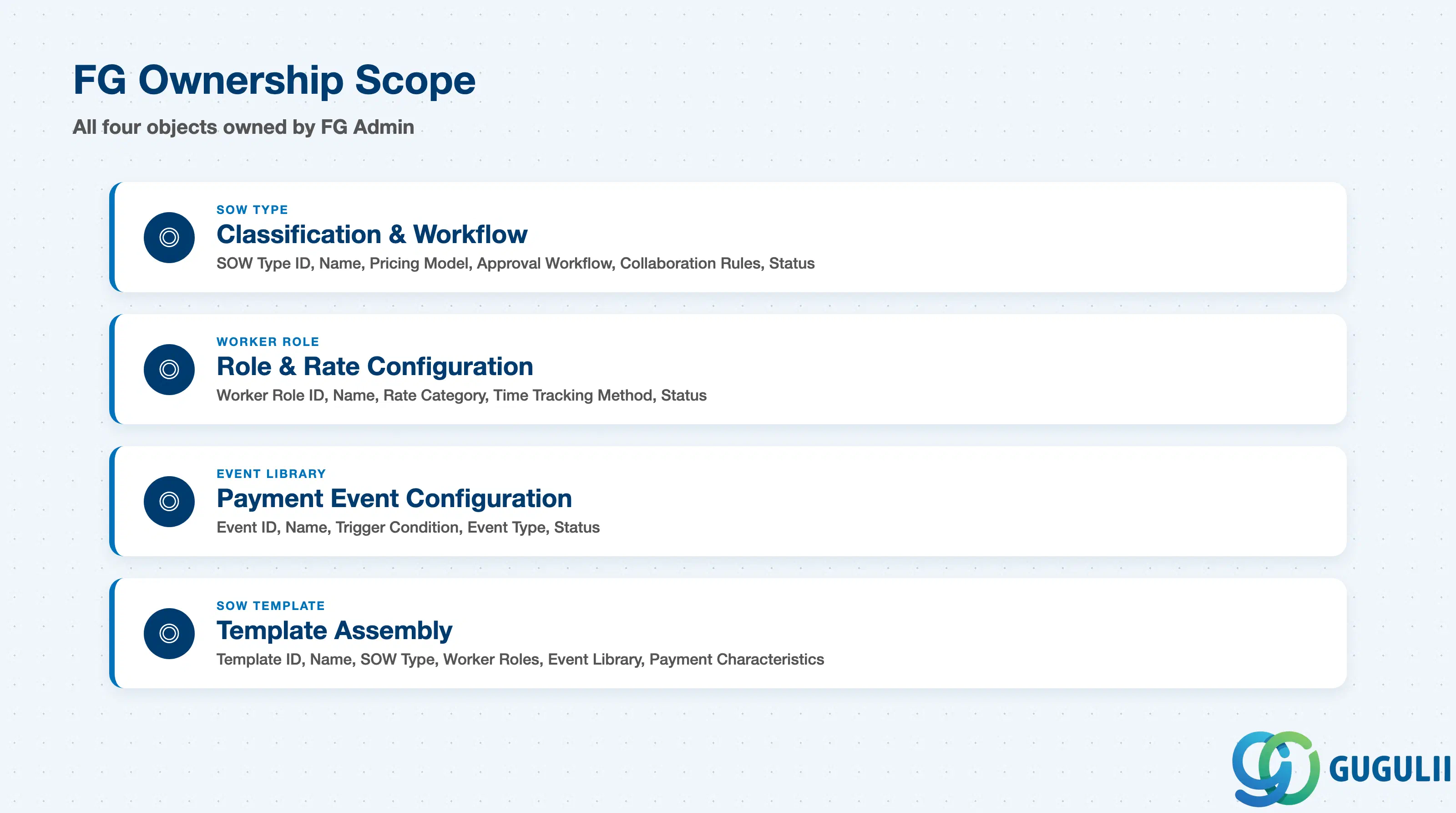
| SOW Type — Classification & Workflow | ◎ Owner | SOW Type ID, Name, Pricing Model, Approval Workflow, Collaboration Rules, Status — created and maintained entirely in Fieldglass Admin |
| Worker Role — Role & Rate Configuration | ◎ Owner | Worker Role ID, Name, Rate Category reference, Time Tracking Method, Status |
| Event Library — Payment Event Configuration | ◎ Owner | Event ID, Name, Trigger Condition, Event Type, Status |
| SOW Template — Template Assembly | ◎ Owner | Template ID, Name, SOW Type reference, Worker Roles, Event Library, Payment Characteristics |
Legend: ◎ = Owner / Critical, ○ = Direct involvement
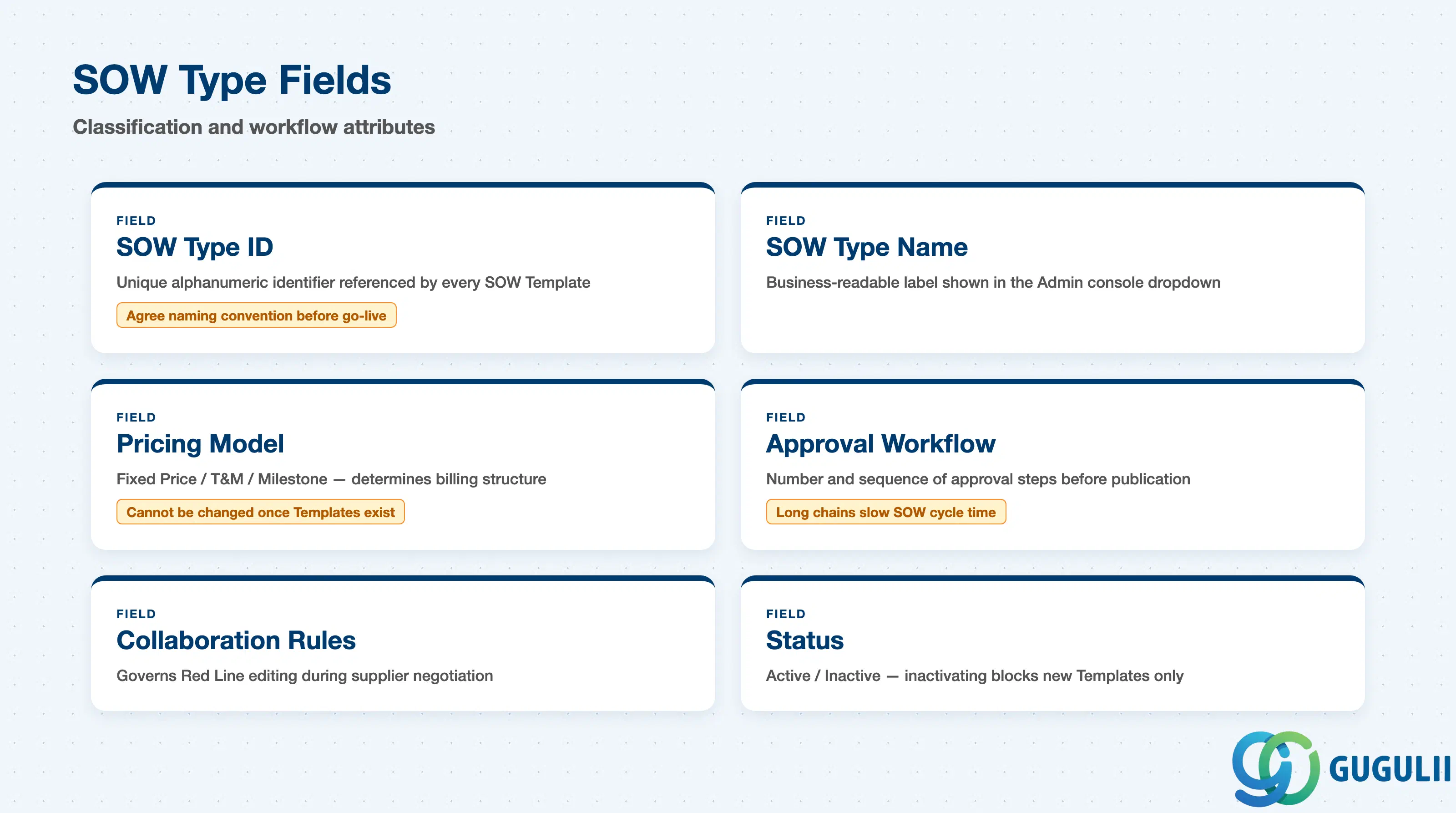
SOW Type carries the fields that give a statement of work its pricing model and its approval and collaboration path — the decisions that shape every downstream SOW Template built on it.
| Field | Description | Practical Usage |
|---|---|---|
| SOW Type ID | Unique alphanumeric identifier for the SOW Type (e.g. SOWT-FIXED, SOWT-FP) | Referenced by every SOW Template built on it; agree a naming convention (e.g. by pricing model) before multiple business units create types independently. |
| SOW Type Name | Business-readable label shown throughout the Admin console | Appears in the dropdown a category buyer sees when starting a new SOW Template; keep names distinguishable at a glance (e.g. “Fixed Price IT Services” vs “T&M Consulting”). |
| Pricing Model | Fixed Price / Time & Materials / Milestone-based — the billing structure every SOW under this Type follows | The single most consequential field on the record — it determines whether the SOW pays against a lump sum, timesheet hours, or completed milestones, and it cannot be changed once SOW Templates exist under the Type. Confirm the correct model per service family during blueprint. |
| Approval Workflow | Number and sequence of approval steps a statement of work must pass through before a SOW Template built on this type can be published | A long approval chain directly slows SOW cycle time; validate the chain against the client’s actual sign-off policy — SOW approvals often require Legal or Procurement sign-off beyond the standard hiring manager chain. |
| Collaboration Rules | Governs whether Suppliers can edit SOW terms during negotiation (e.g. Red Line editing enabled/disabled) | Enabling Red Line lets a Supplier propose tracked changes to the SOW before acceptance; disabling it forces a strict accept-or-reject workflow. Confirm the client’s negotiation posture per service family before go-live. |
| Status | Active / Inactive | Inactivating a SOW Type blocks it from being selected on new SOW Templates but does not retroactively affect Templates already built against it; open SOWs continue unaffected. |
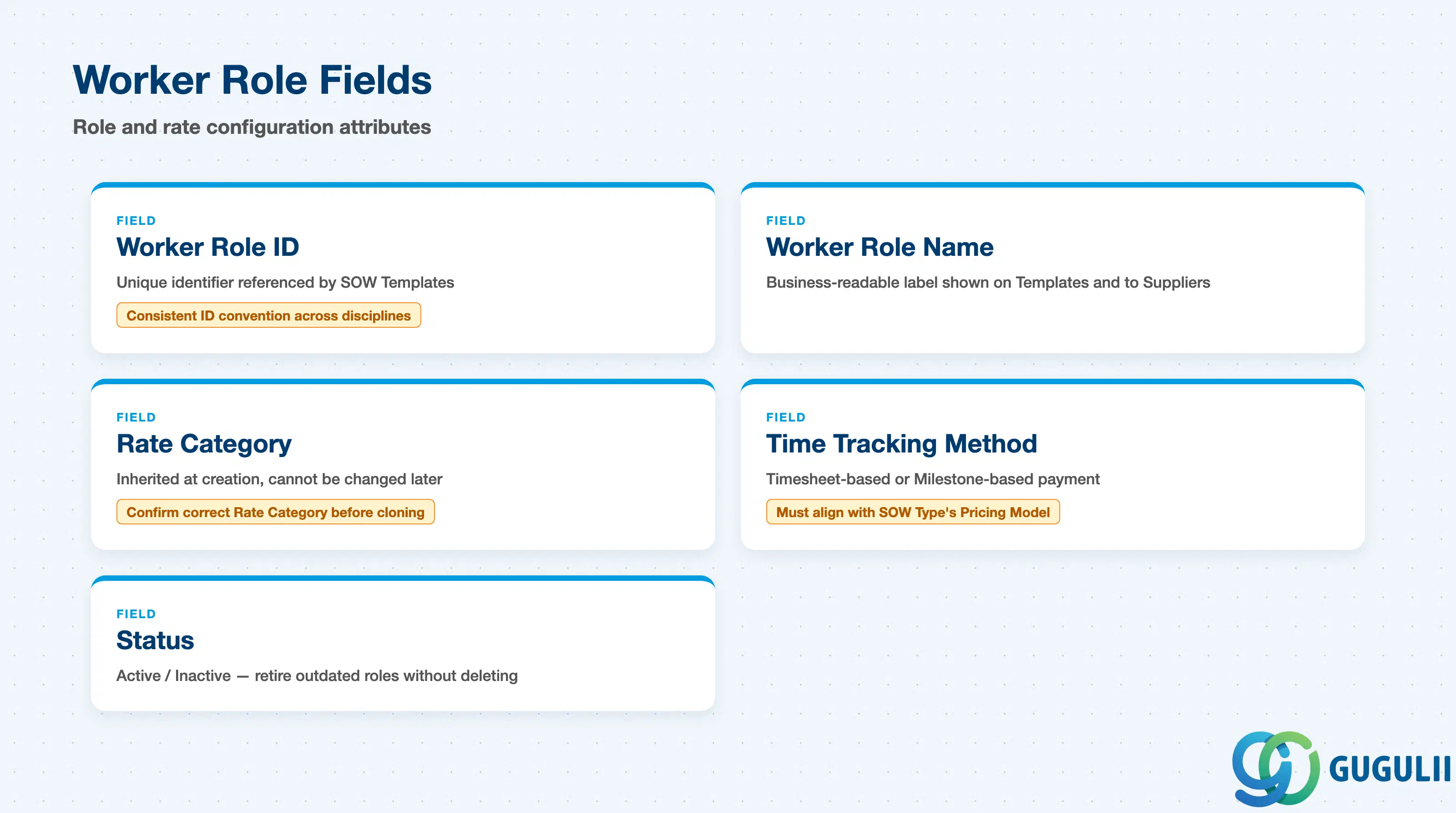
Worker Role carries the fields that define a labor category delivered under a SOW and the rate basis it is paid and billed against — maintained once and attached to as many SOW Templates as apply.
| Field | Description | Practical Usage |
|---|---|---|
| Worker Role ID | Unique identifier for the Worker Role (e.g. WR-DEV-01, WR-SE) | Referenced by any SOW Template requiring this labor category; a consistent ID convention (e.g. by discipline or seniority) keeps large Worker Role libraries searchable as the tenant matures. |
| Worker Role Name | Business-readable label | Displayed on the SOW Template and to Suppliers submitting workers; write it the way the business talks about the role (e.g. “Senior Software Developer”), not an internal code. |
| Rate Category | The Rate Category (FG-A04-01) this Worker Role’s pay/bill basis resolves through | Inherited at Worker Role creation and cannot be changed later — confirm the correct Rate Category before a Worker Role is cloned across service families, since a mismatch forces rebuilding the role rather than editing it. Because Worker Role skips the Rate/Rate Grid layer and points straight at the Rate Category, SOW rate governance is looser than Contingent Labor’s — a common audit finding in SOW-heavy programs. |
| Time Tracking Method | Timesheet-based (hours logged against the role) or Milestone-based (no timesheet, paid on deliverable completion) | Must align with the SOW Type’s Pricing Model — a Milestone-based SOW Type paired with a Timesheet-based Worker Role is a frequent configuration mismatch that blocks invoicing. |
| Status | Active / Inactive | Retire an outdated Worker Role (e.g. a discontinued skill category) using Inactive rather than delete while any SOW Template still references it. |
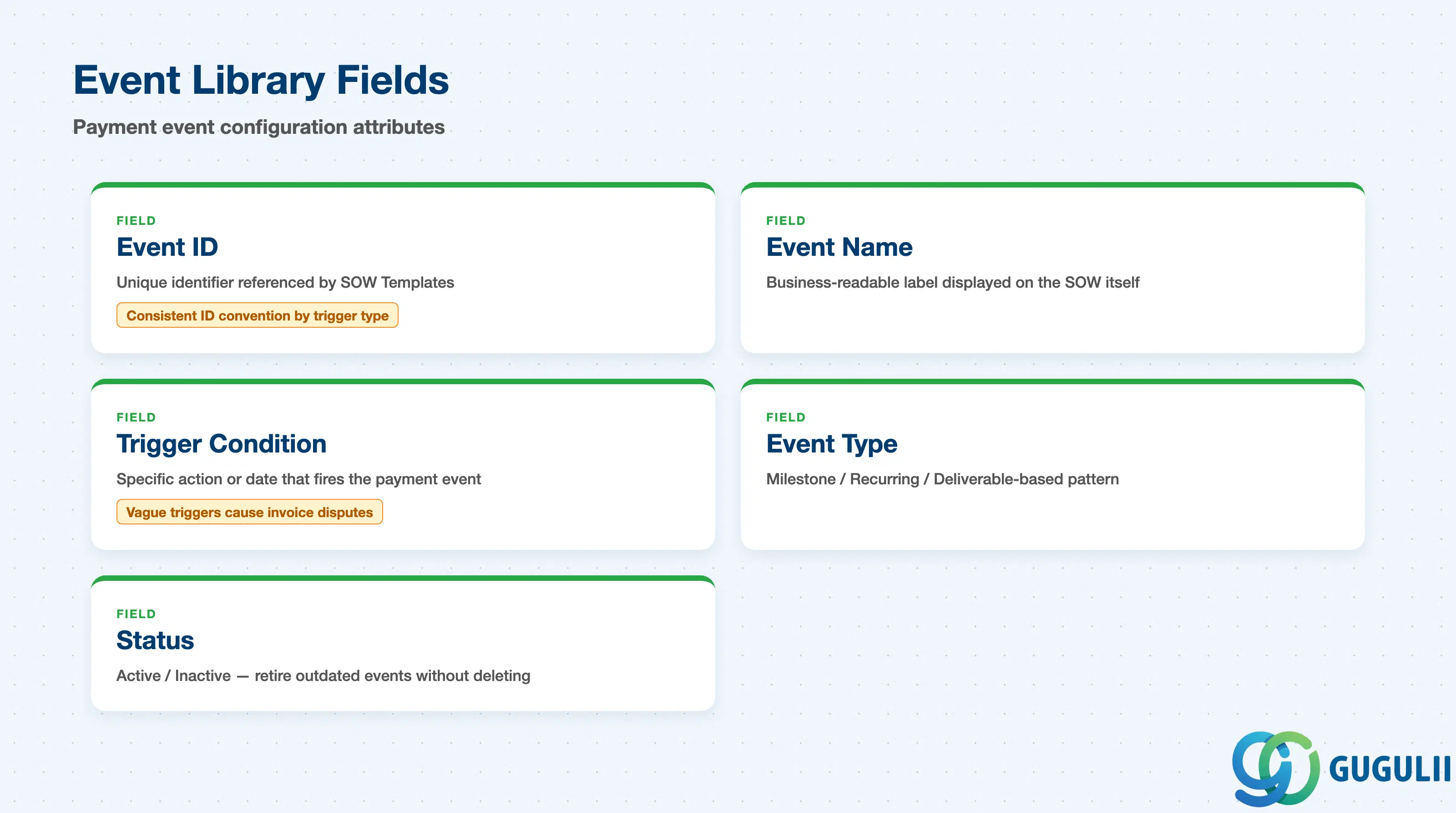
Event Library carries the fields that define a single payment or milestone trigger — maintained once and reused across as many SOW Templates as apply, independent of the labor roles attached to those Templates.
| Field | Description | Practical Usage |
|---|---|---|
| Event ID | Unique identifier for the Event (e.g. EVT-MS-DELIVERY) | Referenced by any SOW Template that pays against this trigger; a consistent ID convention (e.g. by trigger type) keeps large Event libraries navigable across service families. |
| Event Name | Business-readable label | Displayed on the SOW itself as a stated payment condition; write it the way a Supplier recognizes it (e.g. “Milestone Payment — Deliverable Approval”), not an internal code. |
| Trigger Condition | The specific action or date that fires the payment event (e.g. “on deliverable approval”, a fixed calendar date, a recurring interval) | Suppliers plan cash flow against this directly; vague or unenforced trigger conditions are a frequent source of invoice disputes — validate the exact wording and evidence required with the category buyer before publishing. |
| Event Type | Milestone / Recurring / Deliverable-based — the pattern the trigger follows | Determines whether Fieldglass expects a one-time completion event, a repeating schedule, or a deliverable sign-off before releasing payment; keep the type consistent with the SOW Type’s Pricing Model to avoid invoicing mismatches. |
| Status | Active / Inactive | Retire an outdated Event (e.g. a superseded milestone structure) using Inactive rather than delete while any SOW Template still references it. |
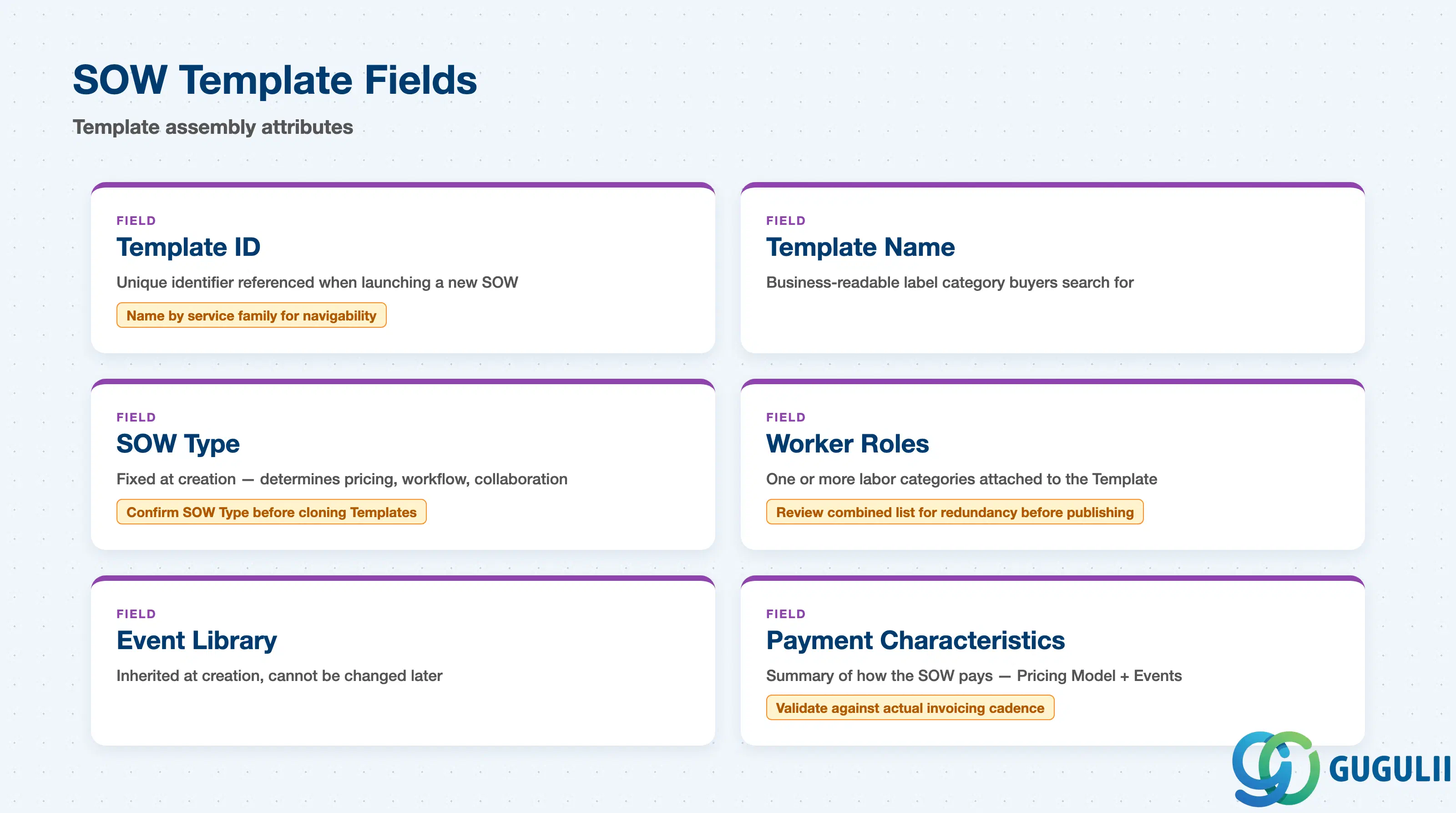
SOW Template is the assembly point — every field here either identifies the Template or points at one of the objects it pulls together, rather than defining new business logic of its own.
| Field | Description | Practical Usage |
|---|---|---|
| Template ID | Unique identifier for the SOW Template (e.g. SOWTPL-IT-01) | Referenced whenever a category buyer launches a new statement of work from this Template; naming by service family (e.g. IT, Consulting, Facilities) keeps large Template libraries navigable. |
| Template Name | Business-readable label | The name category buyers actually search for and select when starting a SOW; write it to match how the business talks about the engagement, not an internal code. |
| SOW Type | The SOW Type this Template is built on | Fixed at Template creation; determines the Pricing Model, Approval Workflow, and Collaboration Rules every SOW launched from this Template will follow. Confirm the correct SOW Type before cloning a Template across service families with different pricing needs. |
| Worker Roles | One or more Worker Roles attached as the labor categories deliverable under this SOW | Multiple Worker Roles can stack on one Template (e.g. a lead consultant plus supporting developers); review the combined list for redundant or missing labor categories before publishing — a common UAT finding. |
| Event Library | The Event Library this Template’s payment and milestone triggers resolve through | Inherited at Template creation and cannot be changed later — confirm the correct Event Library before Templates are cloned across service families, since a mismatch forces rebuilding the Template rather than editing it. |
| Payment Characteristics | Summary of how the SOW pays — a combination of the Pricing Model (via SOW Type) and the Event Library’s triggers, e.g. “Monthly + Milestone” | A frequent go-live issue — a Template with poorly aligned Payment Characteristics either under-specifies invoicing timing or creates disputes with Suppliers over when payment is due. Validate against the client’s actual invoicing cadence before go-live. |
| ID | Category | Title |
|---|---|---|
| fg-001 | Overview | What is SAP Fieldglass? |
| ID | Category | Title |
|---|---|---|
| fg-a01 | Overview | SAP Fieldglass Master Data: Overview, Hierarchy & Relationships |
| fg-a02-01 | Master Data | SAP Fieldglass Site |
| fg-a02-02 | Master Data | SAP Fieldglass Location |
| fg-a02-03 | Master Data | SAP Fieldglass Business Unit |
| fg-a02-04 | Master Data | SAP Fieldglass Cost Center |
| fg-a03-01 | Master Data | SAP Fieldglass User Role |
| fg-a03-02 | Master Data | SAP Fieldglass User |
| fg-a03-03 | Master Data | SAP Fieldglass Approval Group |
| fg-a03-04 | Master Data | SAP Fieldglass Distribution List |
| fg-a04-01 | Master Data | SAP Fieldglass Rate Category |
| fg-a04-02 | Master Data | SAP Fieldglass Rate Grid |
| fg-a04-03 | Master Data | SAP Fieldglass Contingent Type |
| fg-a04-04 | Master Data | SAP Fieldglass SOW Template 📍 |
| fg-a05-01 | Master Data | SAP Fieldglass MSP Company |
| fg-a05-02 | Master Data | SAP Fieldglass Certification |
| ID | Category | Title |
|---|---|---|
| fg-b01 | Overview | SAP Fieldglass Transactions: Process Flow, Hierarchy & Relationships |