Title here
Summary here

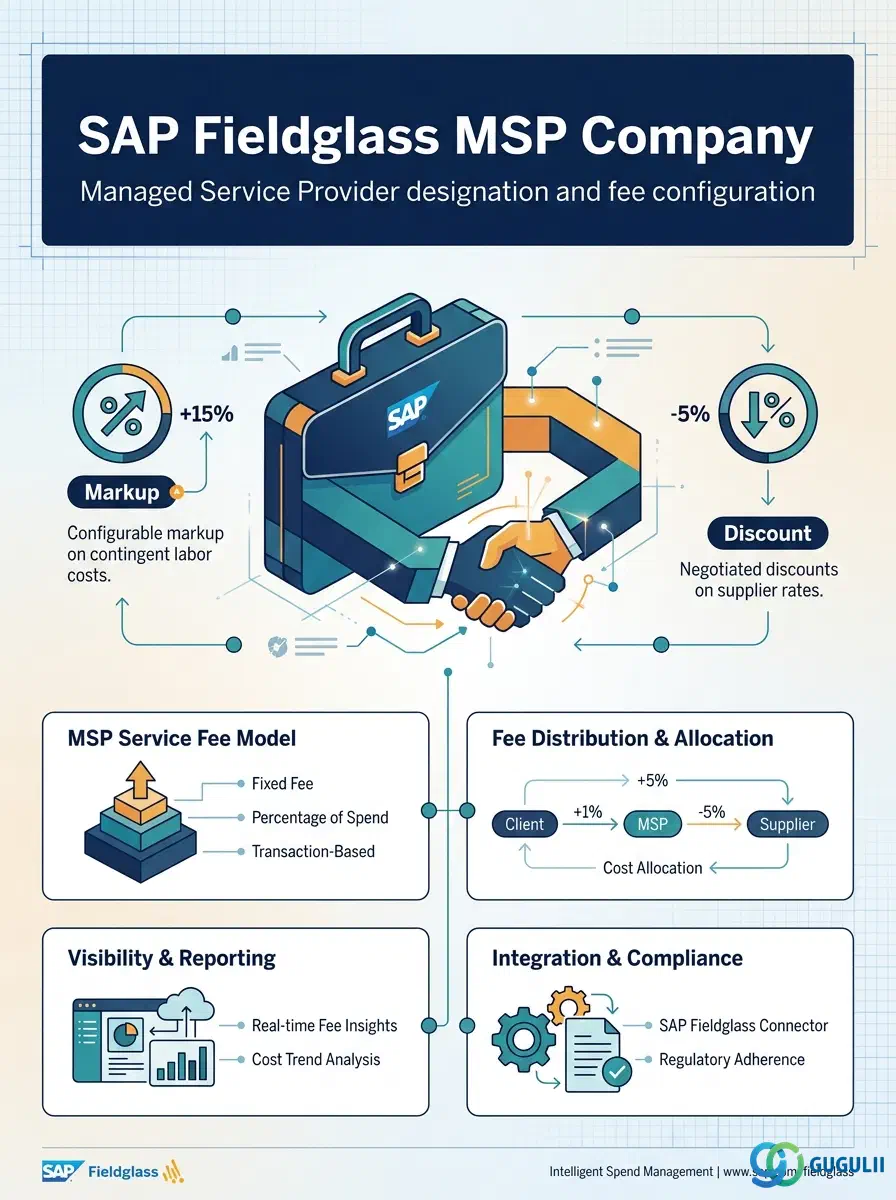
MSP Company is the first of two Phase 4 objects under MSP & Certification Settings — its sibling, Certification, is documented separately in FG-A05-02. MSP Company designates a Supplier as the tenant’s Managed Service Provider (MSP) and defines the markup or discount fee that MSP earns on Bill Rate as compensation for administering the contingent workforce and/or SOW program on the client’s behalf. Configuring it is optional: per the module’s own Required vs Optional Master classification, MSP Company applies only to tenants running an MSP-operated program, not to a supplier-self-managed or direct-sourcing model. This article first covers the concepts shared across every Fieldglass process area MSP Company touches (Part 1) — including, in Section 1.3, its real Supplier dependency and a known gap in the current module landscape — then details every field a Fieldglass Administrator configures for it (Part 2).
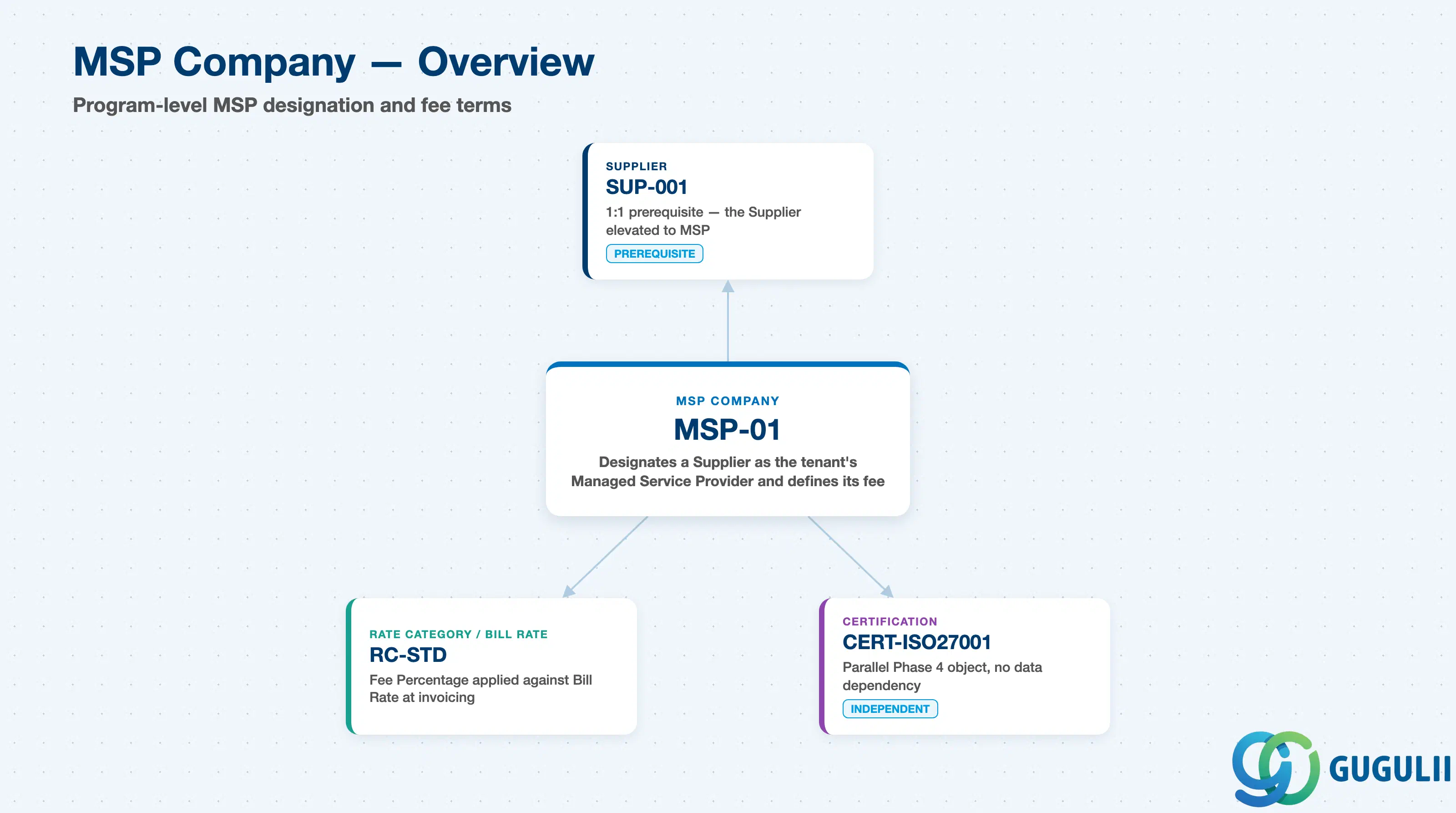
MSP Company is the record that formally elevates one Supplier to the role of Managed Service Provider for the tenant, and carries the fee terms the MSP earns for running the program. It does not itself define who can respond to postings, what rates apply, or how requisitions are approved — those all remain governed by the objects covered in earlier Phase 1–3 articles. MSP Company simply layers a program-administration fee on top of the transactions that already flow through the platform.
| Aspect | Details |
|---|---|
| Role | Designates a Supplier as the tenant’s Managed Service Provider (MSP) and defines the markup or discount fee that MSP earns on Bill Rate for administering the program |
| Modules using it | MSP Program Administration (applies only to MSP-operated tenants; not present in a supplier-self-managed or direct-sourcing program) |
| Transactions | Admin > MSP (create/maintain) — Fieldglass is a browser-based SaaS admin console; there are no ABAP-style transaction codes |
| Key Tables | Not applicable — Fieldglass is a multi-tenant SaaS platform. MSP Company configuration is stored in the tenant’s Admin configuration layer, not in a client-accessible database table |
| Platform note | MSP Company is Fieldglass-native with no S/4HANA counterpart and, unlike Site or Cost Center, is never synchronized from S/4HANA. It is also the first object in this module’s article series whose true master-data prerequisite (Supplier) is not yet drawn anywhere in the module landscape — see Section 1.3 |
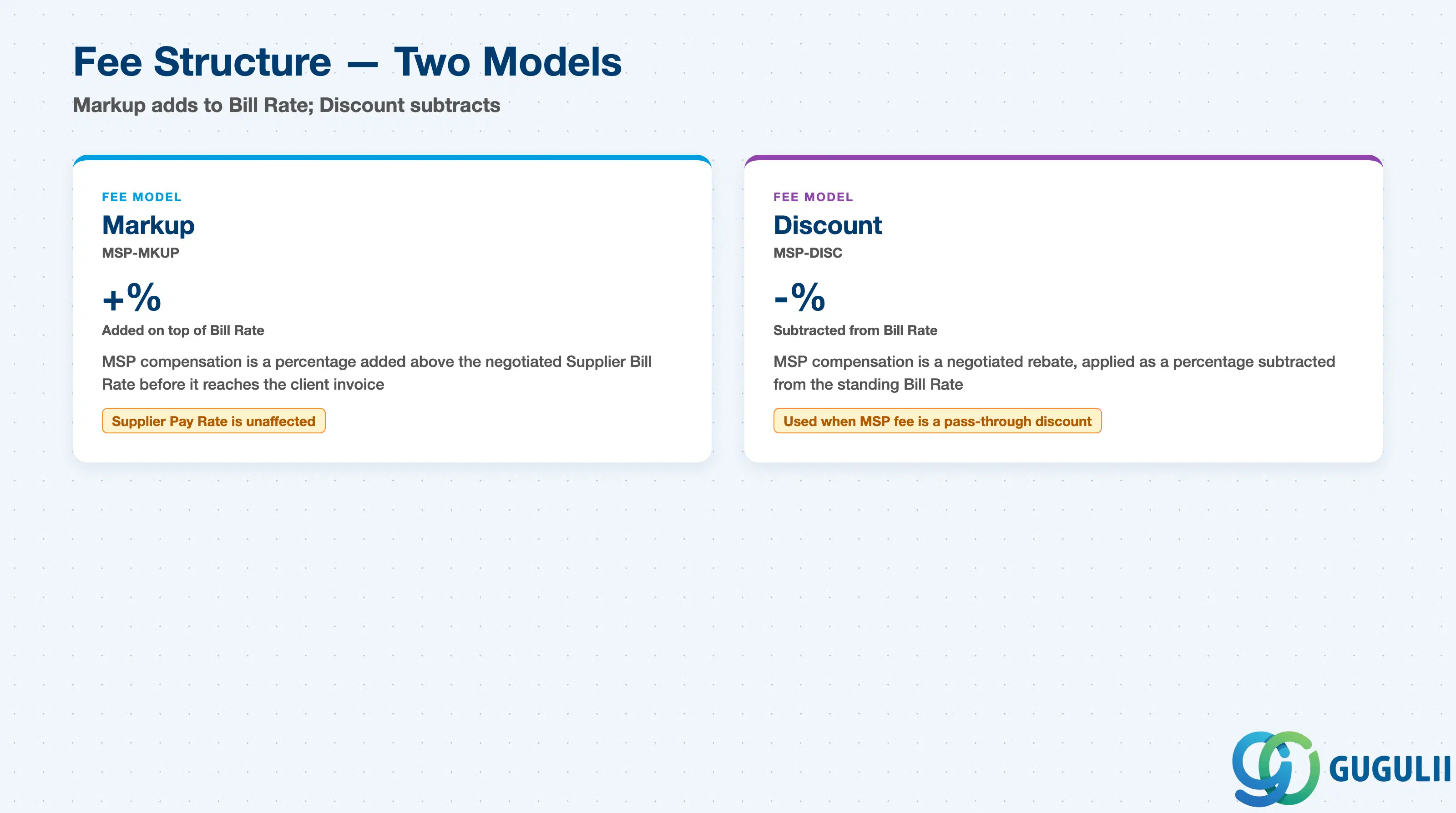
MSP Company does not carry a formal “Type” field the way Contingent Type or SOW Type do — instead, its Fee Structure field selects between two compensation models, and getting the direction wrong silently misstates every downstream invoice generated through the program.
| Fee Model | Code | Use Case | Key Behavior |
|---|---|---|---|
| Markup | MSP-MKUP | The MSP’s compensation is a percentage added on top of the negotiated Supplier Bill Rate | Fee Percentage applies as an addition to Bill Rate before it reaches the client-billed amount; the underlying Supplier Pay Rate is unaffected |
| Discount | MSP-DISC | The MSP’s compensation is structured as a negotiated rebate, applied as a percentage subtracted from the standing Bill Rate | Fee Percentage applies as a reduction against Bill Rate; used when the program’s commercial agreement positions the MSP fee as a pass-through discount rather than a surcharge |
Design principle: Confirm which Fee Structure model the client’s signed MSP contract actually uses before configuration — Markup and Discount move the invoiced amount in opposite directions, and the two are not interchangeable defaults.
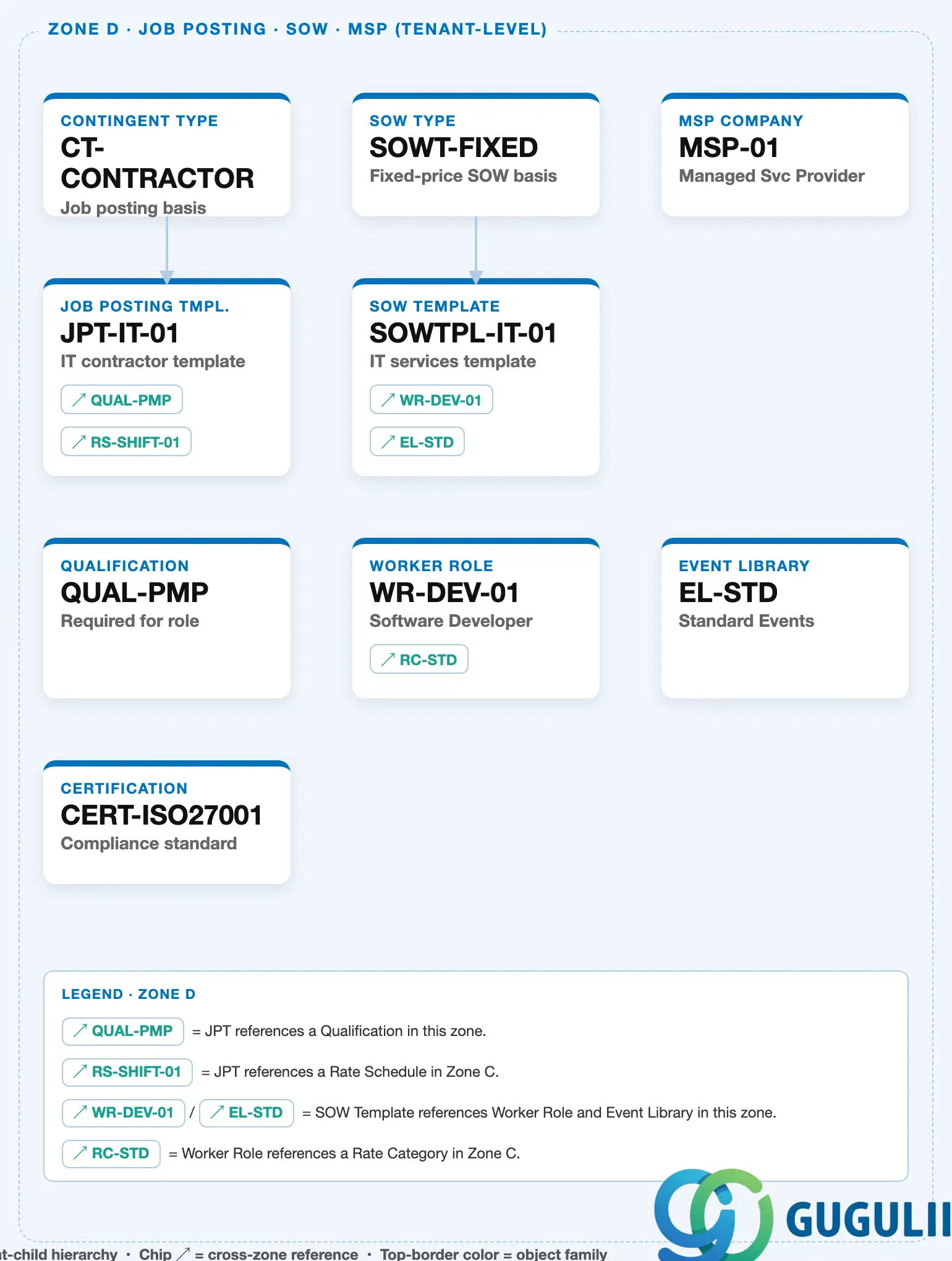
Zone D — Job Posting · SOW · MSP (this object’s own zone): MSP Company is a standalone tenant-level node — it owns no children and carries no outbound line or chip to any other Zone D object, matching the corrected landscape’s Row 1 layout (no solid line down to Certification).
Data hierarchy with a concrete example
Zone D position (standalone tenant-level object — no children, no outbound chip, no solid line to any other Zone D node)
MSP Company "MSP-01" — Managed Svc Provider  ◄── this article

Real-world prerequisite (Setup Flow: "24. MSP Company ← (Supplier)"; ER Diagram: "MSP Company ←── Supplier (1:1)")
Supplier "SUP-001" — ABC Staffing Services
   │
   └── designated as ──> MSP Company "MSP-01" — Managed Svc Provider  ◄── this article
MSP Company sits in Zone D of the Fieldglass Master Data Landscape as a standalone Row 1 card, alongside Contingent Type and SOW Type — but unlike those two, it owns no children within Zone D. The corrected landscape removed a previously-drawn solid containment line from MSP Company down to Certification once it was confirmed the two Phase 4 objects are configured independently of one another (Certification is documented separately in FG-A05-02).
The module’s own Setup Flow entry — “24. MSP Company ← (Supplier)” — and its ER Diagram entry — “MSP Company ←── Supplier (1:1)” — both confirm MSP Company’s real master-data prerequisite is Supplier: a specific Supplier record is designated as the program’s MSP, and Fieldglass expects that Supplier to already exist before an MSP Company record can be created.
Known gap, same as flagged in FG-A03-04: Zone A of the current Fieldglass Master Data Landscape does not yet include a Supplier node — this was first flagged when FG-A03-04 (Distribution List) documented its own N:M Supplier dependency, and it remains open here. Until FG-A02-05 (Supplier) is drafted and Zone A is extended to include it, MSP Company’s Supplier dependency cannot be rendered as a cross-zone chip on the landscape image itself; it is documented here in the article text as the authoritative relationship, ahead of the landscape catching up.
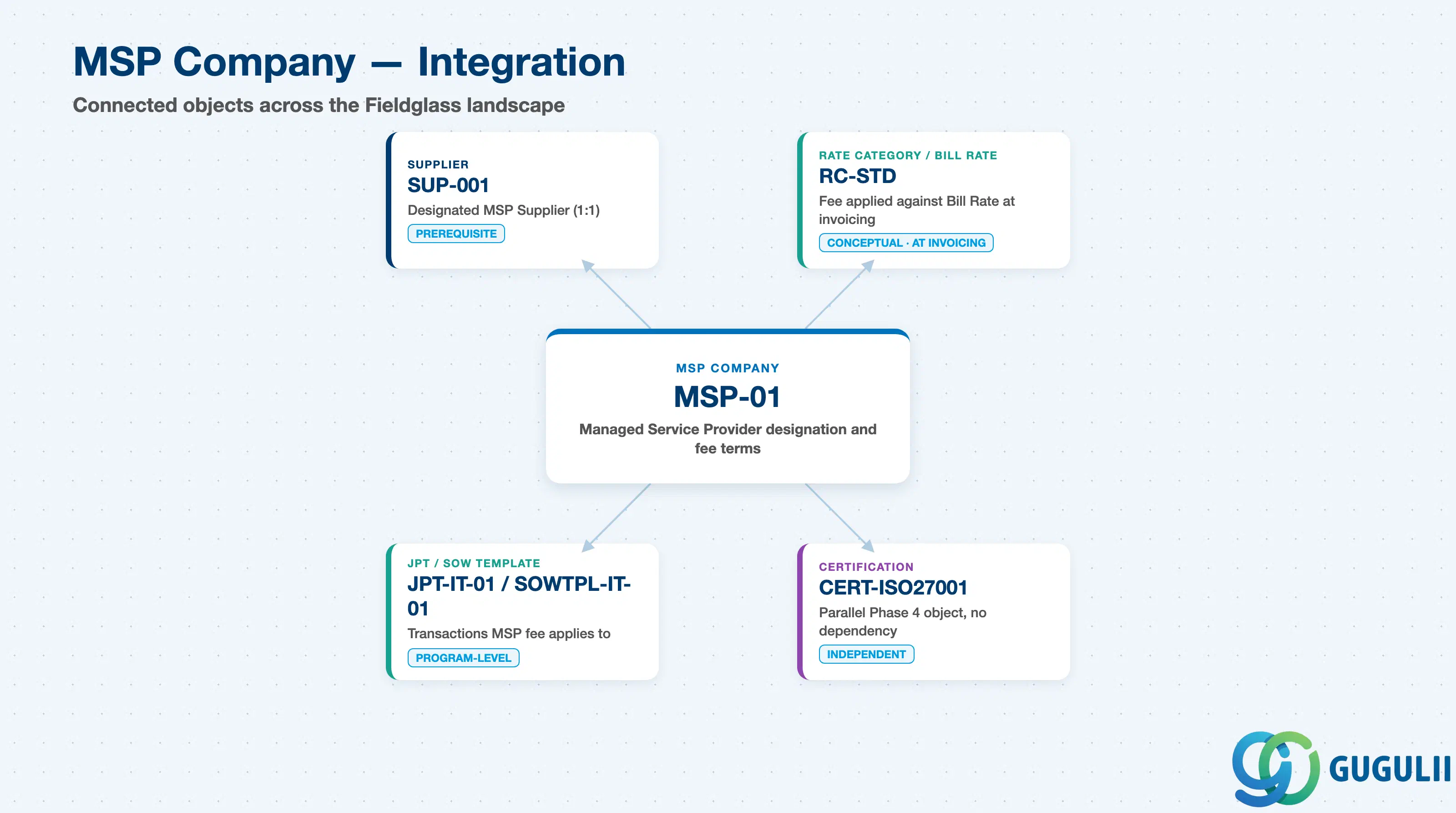
MSP Company does not stand alone — its entire purpose is to attach a fee to transactions that already flow through Supplier, Rate, and Template objects documented elsewhere in this module.
| Object | Relationship | Practical Notes |
|---|---|---|
| Supplier | The Supplier designated as this tenant’s Managed Service Provider (1:1) — MSP Company cannot be created until that Supplier record exists | Complete Supplier setup (FG-A02-05) before attempting to configure MSP Company; confirm which Supplier is being elevated to MSP status with the client’s sourcing lead, since this is a strategic sourcing decision, not a configuration default |
| Rate Category / Bill Rate (Zone C) | Fee Percentage is applied against the Bill Rate resolved through Rate Category, Rate, and Rate Schedule (FG-A04-01/FG-A04-02) at invoicing time | The Master Data source does not document a formal field-level link between MSP Company and Rate Category — treat this as a conceptual, invoicing-time relationship rather than a configured object reference, and validate the actual fee-calculation mechanics against the client’s live MSP contract during blueprint |
| Job Posting Template / SOW Template | Requisitions and SOWs published through Templates that reach the MSP’s managed Supplier pool are the transactions the MSP fee ultimately applies to | No direct object reference exists between MSP Company and either Template type in the Master Data source — do not expect to find an MSP Company field on a Job Posting Template or SOW Template; the relationship is program-level, not object-level |
| Certification | A parallel, independently-configured Phase 4 object (documented in FG-A05-02) that shares the MSP & Certification Settings grouping but has no data dependency on MSP Company | Do not assume MSP Company and Certification share configuration or that one is a prerequisite for the other — they are unrelated except by administrative grouping, the same pattern already seen between Contingent Type and SOW Type in FG-A04-03/FG-A04-04 |
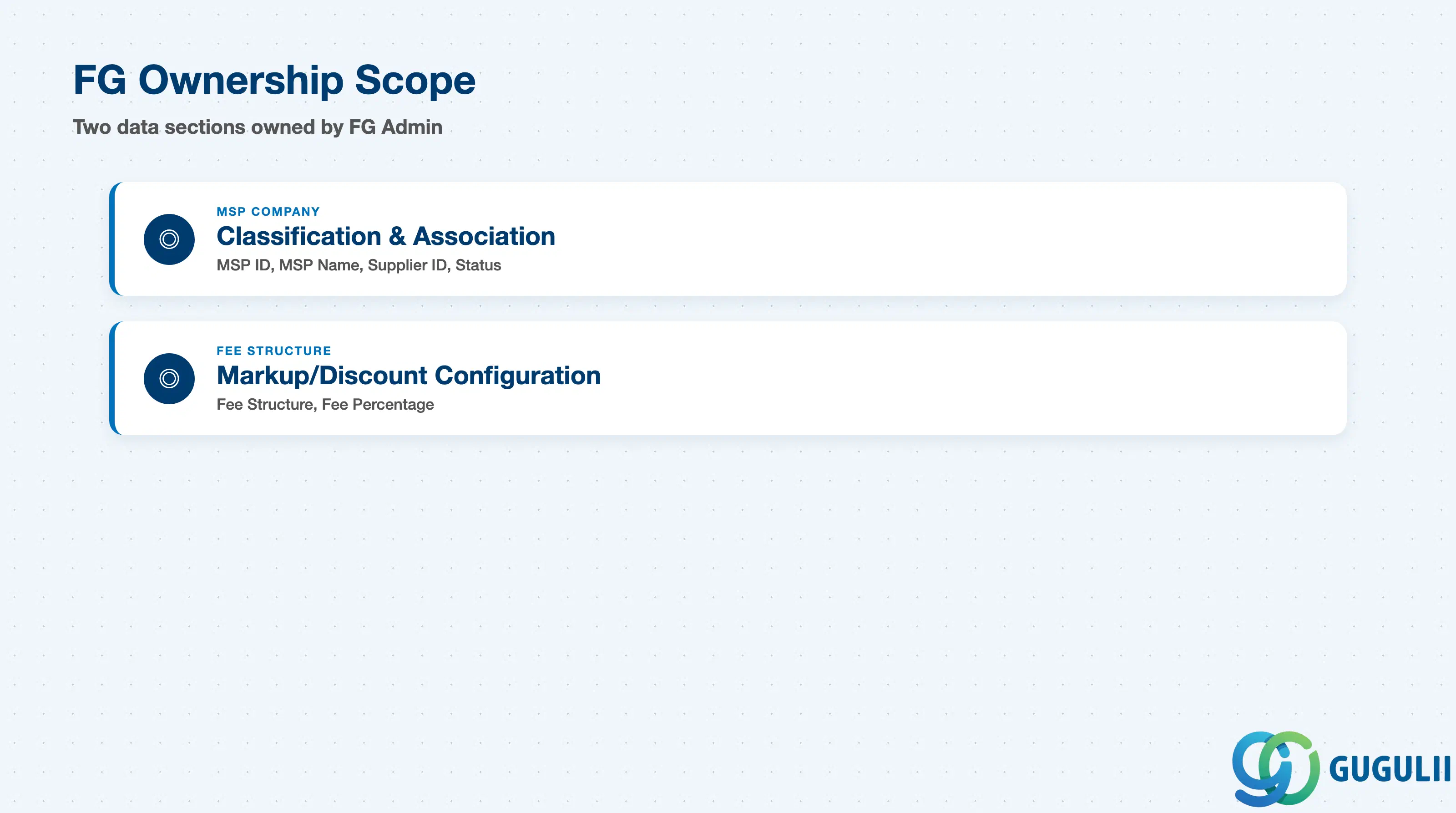
| Data Section | FG Involvement | Notes |
|---|---|---|
| MSP Company — Classification & Association | ◎ Owner | MSP ID, MSP Name, Supplier ID, Status — created and maintained entirely in Fieldglass Admin |
| Fee Structure — Markup/Discount Configuration | ◎ Owner | Fee Structure (Markup/Discount), Fee Percentage — the compensation terms of the MSP engagement |
Legend: ◎ = Owner / Critical, ○ = Direct involvement
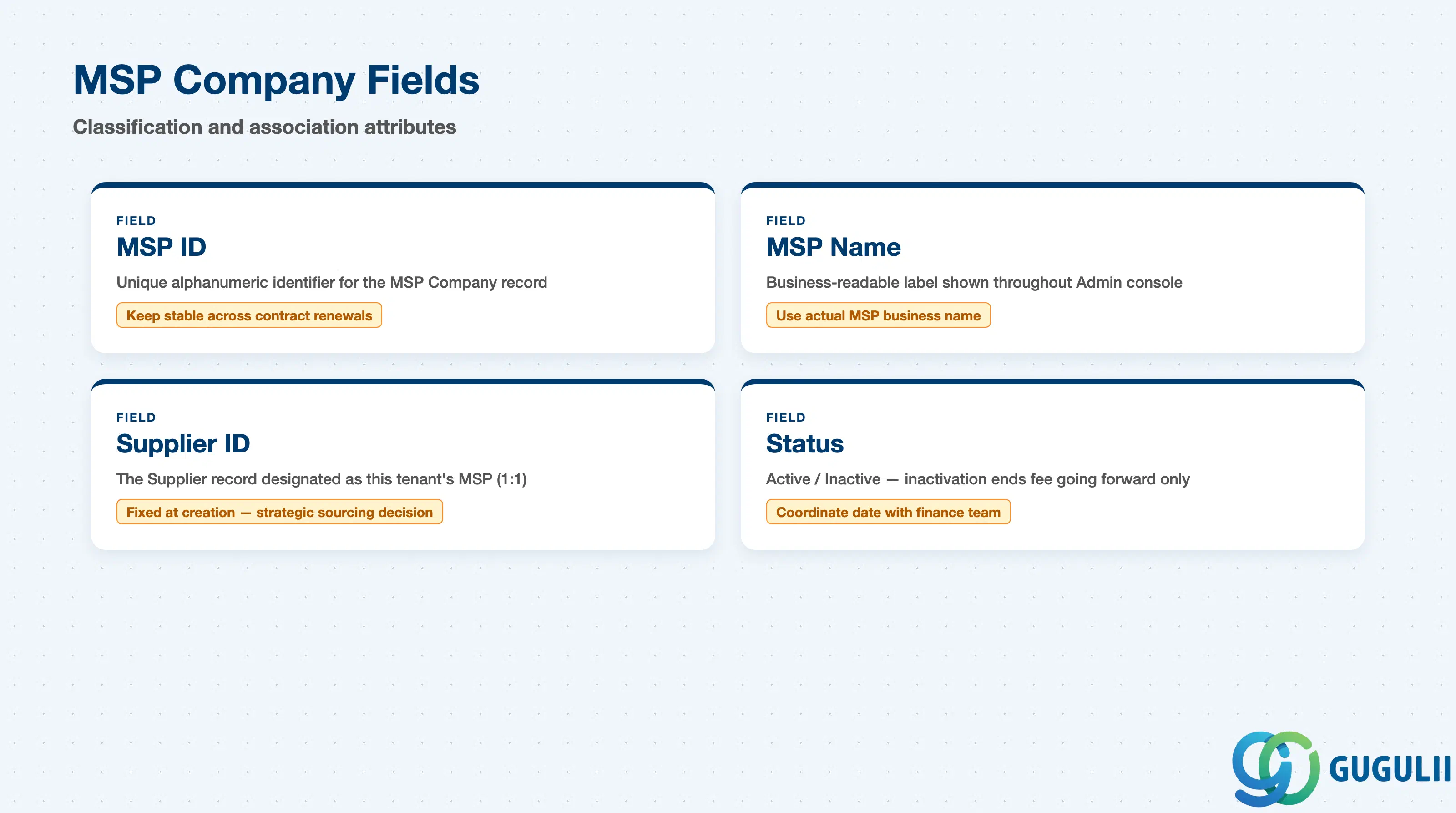
MSP Company carries the fields that identify the record and tie it to the single Supplier being elevated to Managed Service Provider status.
| Field | Description | Practical Usage |
|---|---|---|
| MSP ID | Unique alphanumeric identifier for the MSP Company record (e.g. MSP-001) | Referenced wherever the program needs to identify which Supplier is acting as MSP; keep this ID stable even if the underlying Supplier’s contract is renewed or renegotiated, since historical reporting typically ties back to the MSP ID |
| MSP Name | Business-readable label shown throughout the Admin console | Use the actual MSP’s business name (e.g. “XYZ Staffing — MSP Program”), not an internal program code, since this name may also surface in reporting shared with the client’s procurement leadership |
| Supplier ID | The Supplier record designated as this tenant’s Managed Service Provider | Fixed at MSP Company creation and tied 1:1 to a single Supplier; confirm with the client which Supplier is being elevated to MSP status before creating the record — this is a strategic sourcing decision, not a configuration default |
| Status | Active / Inactive | Inactivating an MSP Company record ends the fee calculation going forward but does not retroactively adjust fees already applied to closed transactions; coordinate the inactivation date with the client’s finance team so invoicing cleanly transitions at contract end |
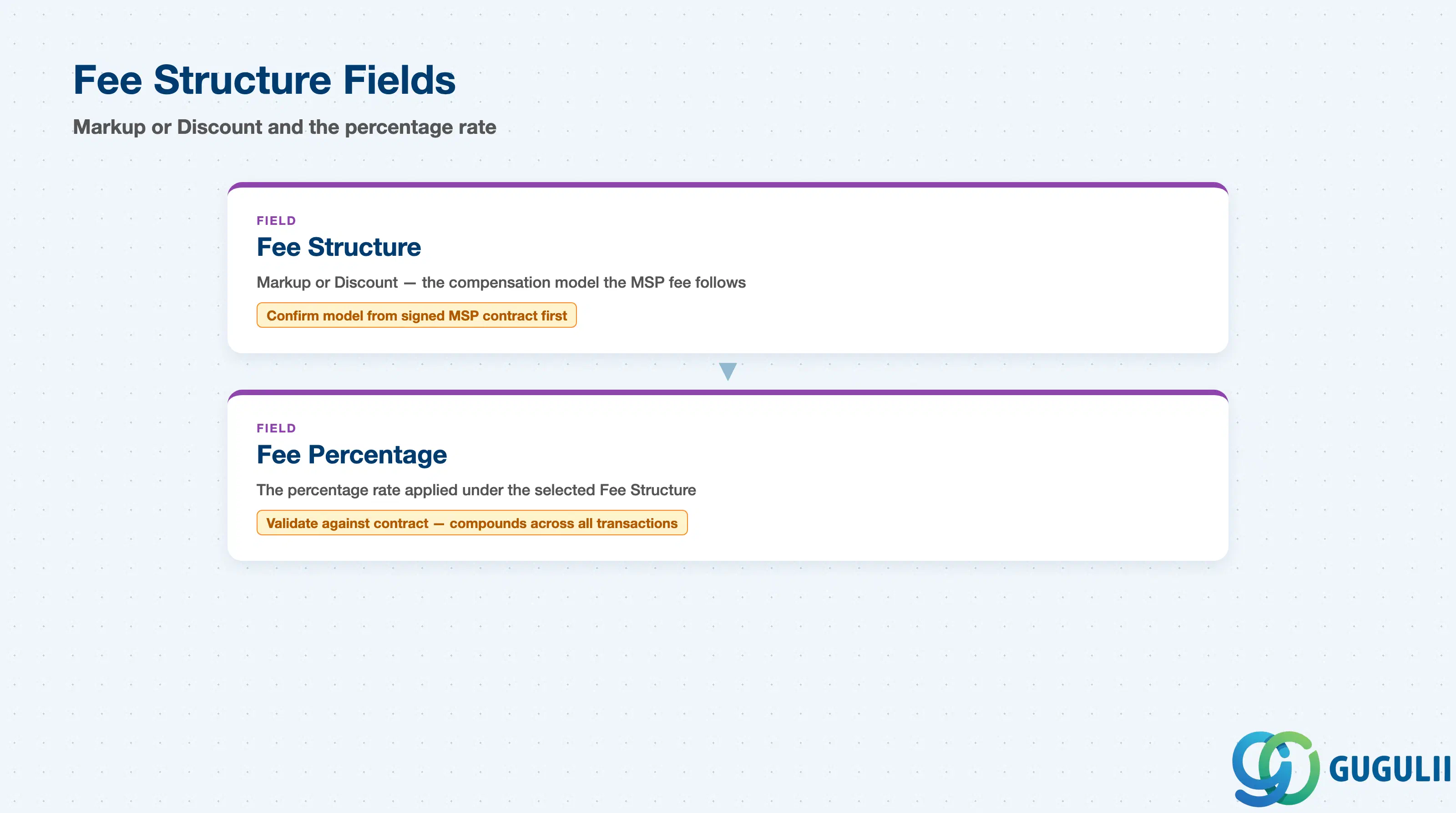
Fee Structure carries the two fields that define how much the MSP earns and in which direction that amount moves the invoiced total — the commercial core of the MSP Company record.
| Field | Description | Practical Usage |
|---|---|---|
| Fee Structure | Markup or Discount — the compensation model the MSP fee follows (see Section 1.2) | Confirm which model the client’s actual MSP contract uses before configuration; a Markup model adds to Bill Rate while a Discount model subtracts from it, and configuring the wrong direction silently misstates every downstream invoice |
| Fee Percentage | The percentage rate applied under the selected Fee Structure | Validate this value against the signed MSP contract, not a verbal estimate from the program stakeholder — Fee Percentage compounds across every transaction routed through the program, so even a small entry error has an outsized cumulative financial impact by year-end |
| ID | Category | Title |
|---|---|---|
| fg-001 | Overview | What is SAP Fieldglass? |
| ID | Category | Title |
|---|---|---|
| fg-a01 | Overview | SAP Fieldglass Master Data: Overview, Hierarchy & Relationships |
| fg-a02-01 | Master Data | SAP Fieldglass Site |
| fg-a02-02 | Master Data | SAP Fieldglass Location |
| fg-a02-03 | Master Data | SAP Fieldglass Business Unit |
| fg-a02-04 | Master Data | SAP Fieldglass Cost Center |
| fg-a03-01 | Master Data | SAP Fieldglass User Role |
| fg-a03-02 | Master Data | SAP Fieldglass User |
| fg-a03-03 | Master Data | SAP Fieldglass Approval Group |
| fg-a03-04 | Master Data | SAP Fieldglass Distribution List |
| fg-a04-01 | Master Data | SAP Fieldglass Rate Category |
| fg-a04-02 | Master Data | SAP Fieldglass Rate Grid |
| fg-a04-03 | Master Data | SAP Fieldglass Contingent Type |
| fg-a04-04 | Master Data | SAP Fieldglass SOW Template |
| fg-a05-01 | Master Data | SAP Fieldglass MSP Company 📍 |
| fg-a05-02 | Master Data | SAP Fieldglass Certification |
| ID | Category | Title |
|---|---|---|
| fg-b01 | Overview | SAP Fieldglass Transactions: Process Flow, Hierarchy & Relationships |