Title here
Summary here

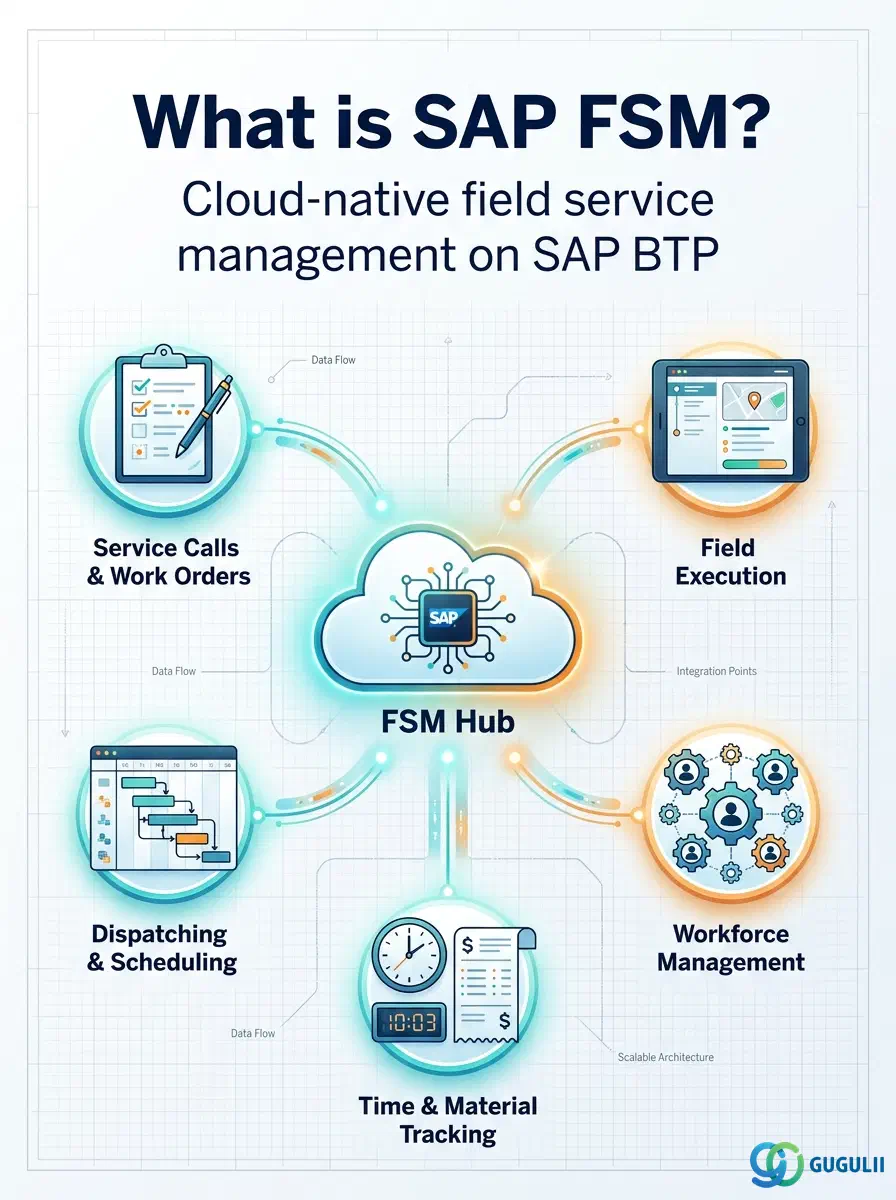
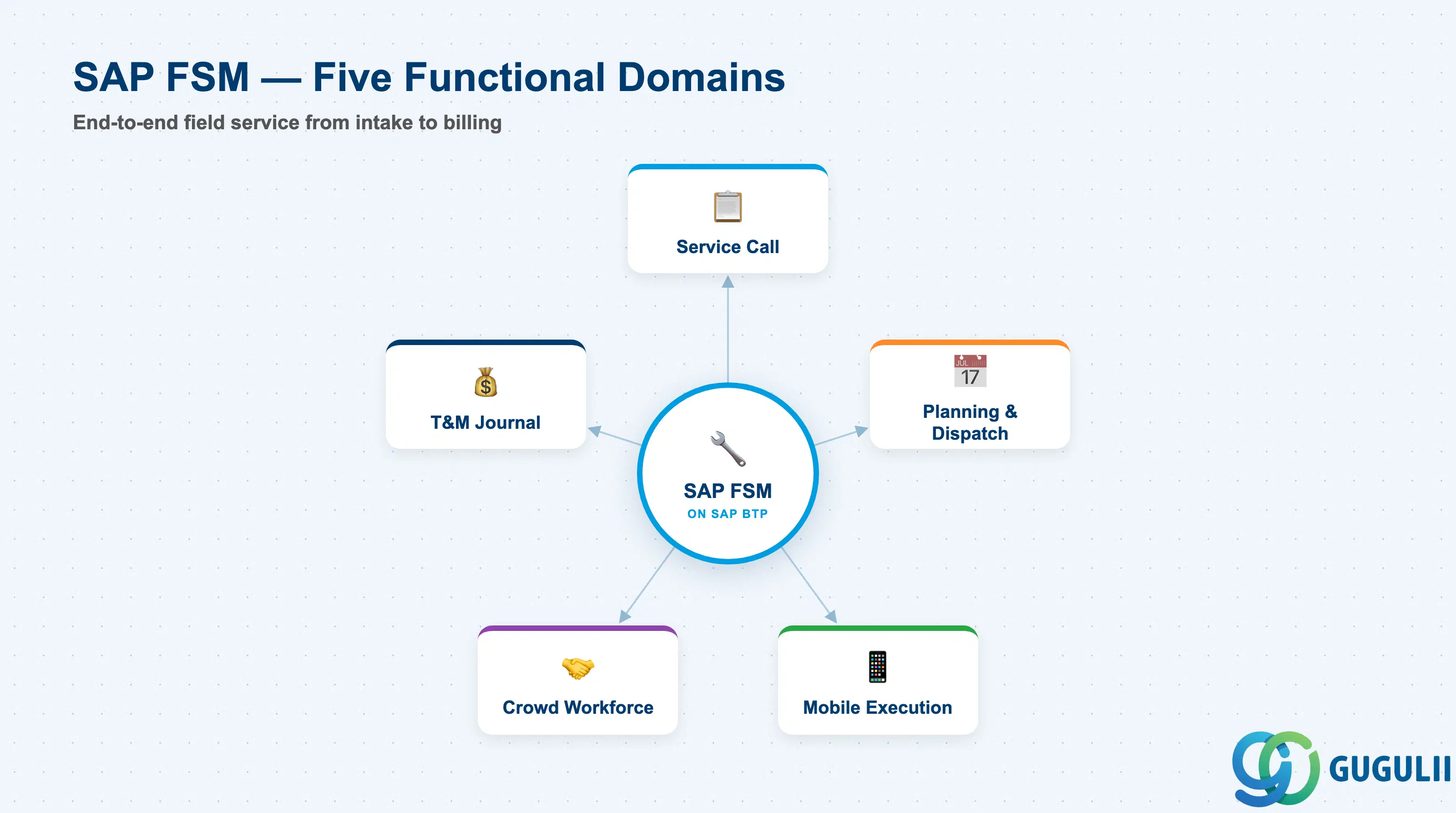
SAP Field Service Management (FSM) manages the complete lifecycle of field service operations — from the moment a customer service request arrives to the point where a technician completes the work on site and the billing records are approved. Originally developed by Swiss firm Coresystems FSM AG, the solution was acquired by SAP in June 2018 and rebuilt as a native cloud application on SAP Business Technology Platform (BTP). The current release cadence is quarterly; the most recent release at time of writing is SAP FSM 2511 (November 2025).
FSM organizes its capabilities into five primary functional domains:
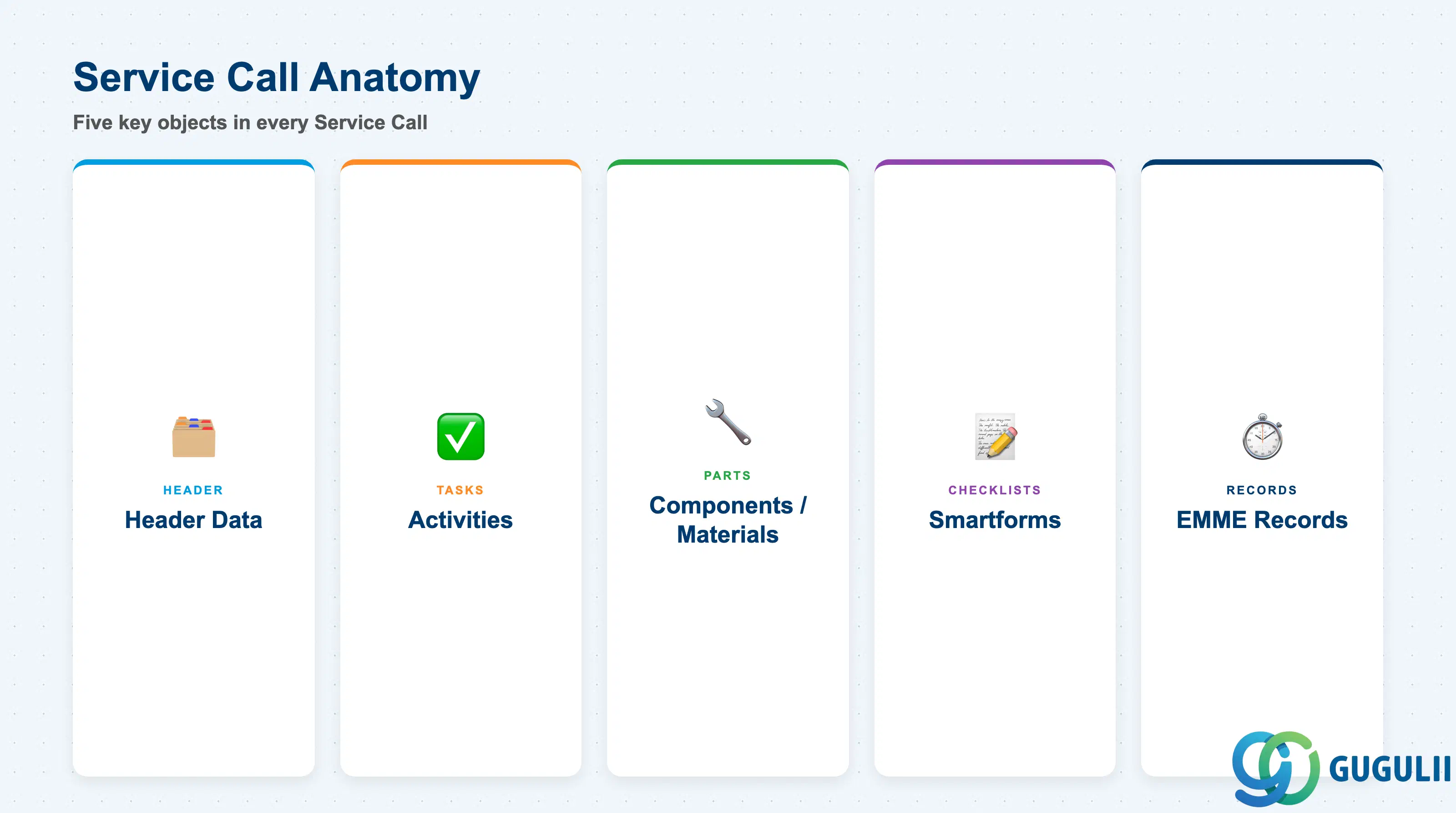
The Service Call is the central transactional object in SAP FSM. It represents a customer-initiated service request and is the direct counterpart of a Service Order in SAP S/4HANA. Each Service Call contains:
| Object | Purpose |
|---|---|
| Header data | Customer, equipment, priority, SLA category, service type |
| Activities | Individual tasks to be performed; each Activity is the planning unit assigned to one technician on the Dispatching Board |
| Components / Materials | Spare parts and consumables required for the job |
| Smartforms | Structured digital checklists linked to workflow steps; support conditional logic and mandatory fields |
| EMME records | Time Effort, Material, Mileage, and Expense entries populated by the technician during mobile execution |
Service Calls can be created directly in FSM or replicated automatically from an integrated backend system (SAP S/4HANA Service Order or SAP Service Cloud ticket). Skill requirements defined on items and equipment propagate automatically to the Activity, driving skill-based technician matching during dispatch.
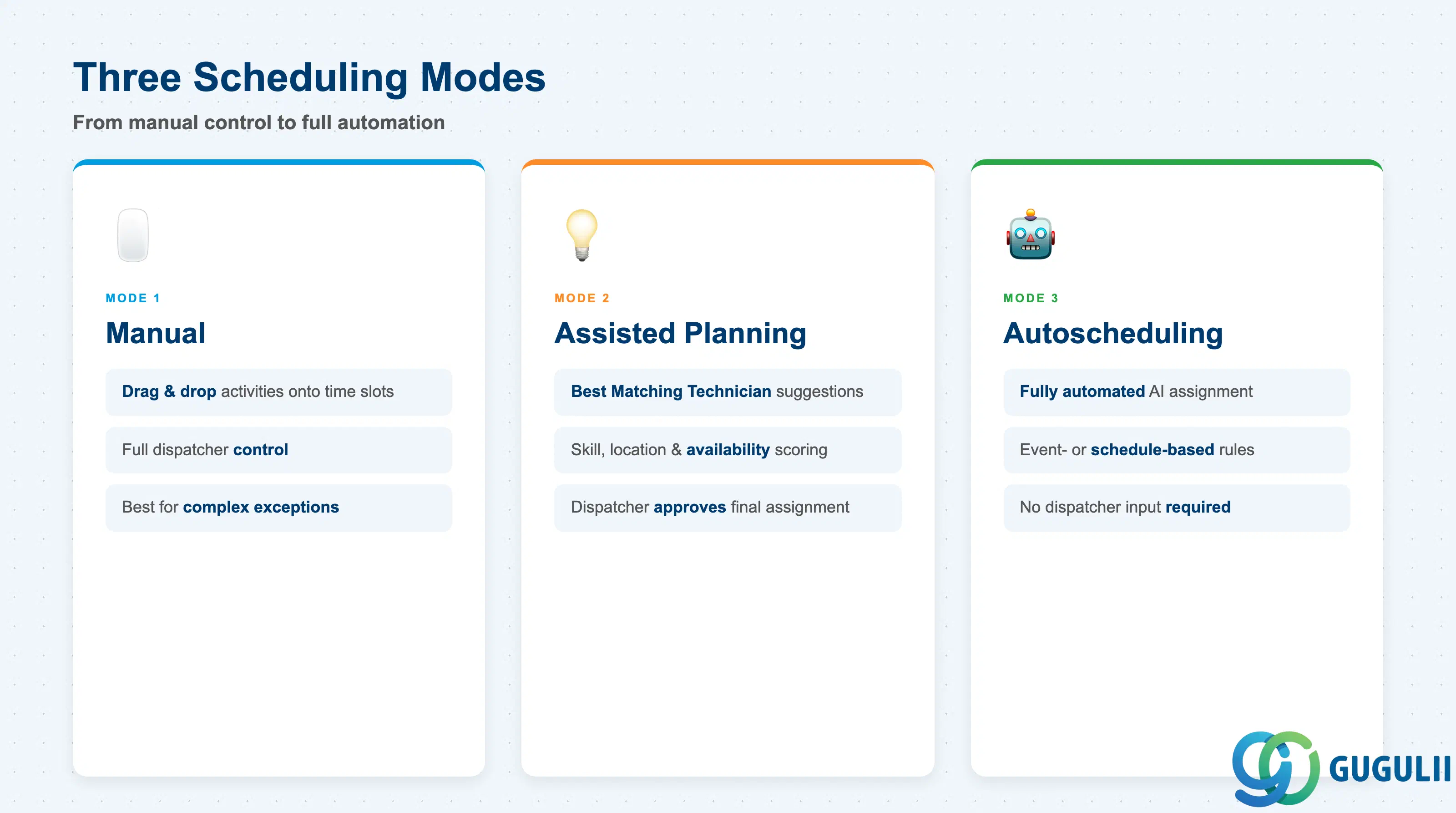
The Dispatching Board (also called the Planning Board) is a Gantt chart-based interface that displays all plannable technicians alongside a live timeline. Dispatchers work with three scheduling modes:
| Mode | Description |
|---|---|
| Manual | Dispatcher drags and drops Activities onto technician time slots |
| Assisted Planning | User-triggered optimization; FSM suggests Best Matching Technicians based on skills, location, and availability |
| Autoscheduling | Fully automated assignment driven by configurable event- or schedule-based business rules; no dispatcher input required |
The Autoscheduling optimization engine evaluates technician skills (mandatory vs. optional requirements), geographic proximity, SLA deadlines, current Work Time Pattern availability, travel time estimates, and material availability. The 2511 release added Best Matching Technician (BMT) Scheduling Reports, which provide transparency into why specific technicians were selected or excluded from an assignment.
Alongside the Planning Board, the Service Map provides a geographic view of technician locations and open Activities. The 2511 release extended the Service Map with lasso selection for geo-based bulk assignment and inline skills validation when scheduling directly from the map.
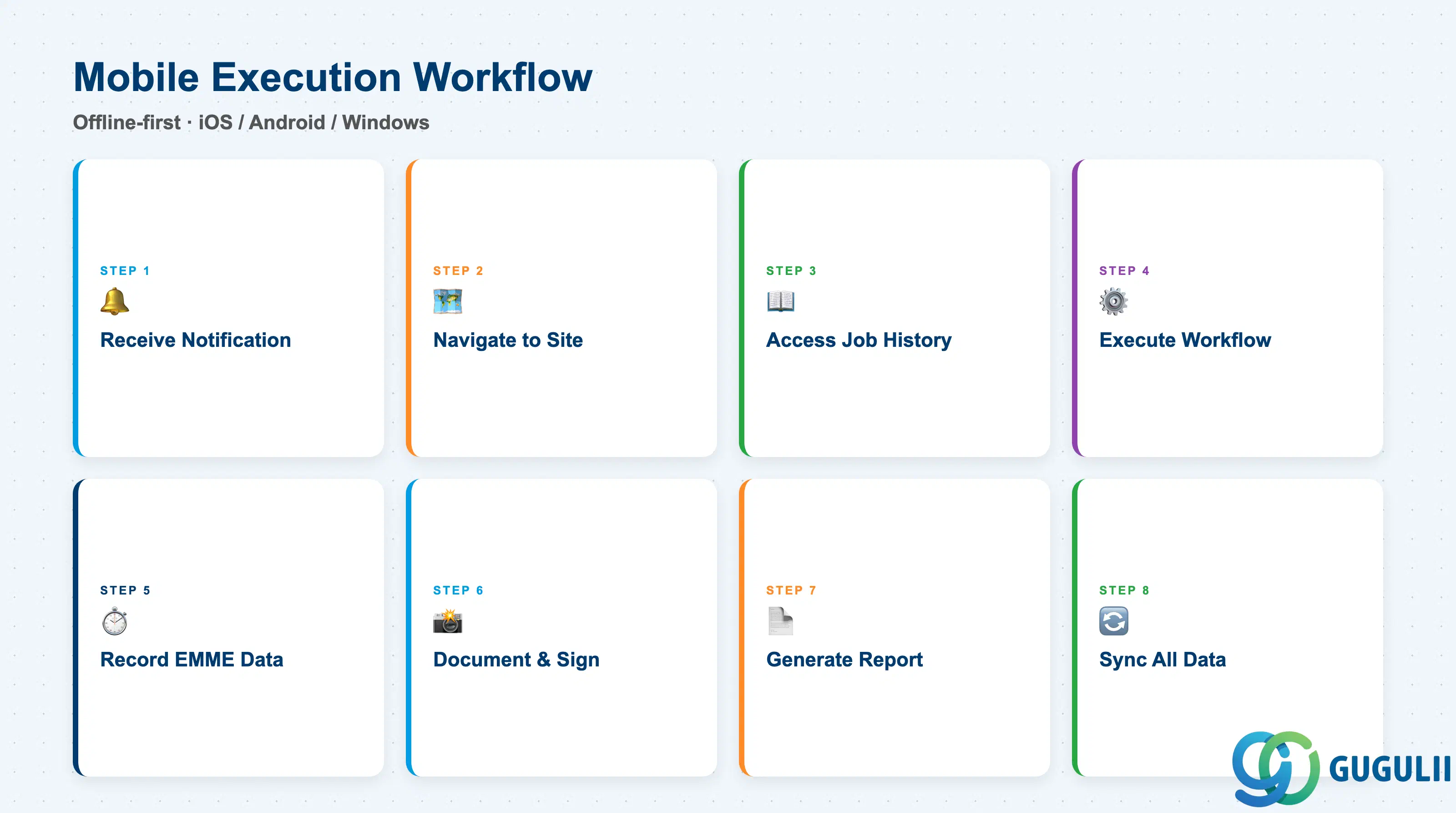
The SAP FSM Mobile App runs on iOS, Android, and Windows. All three platforms operate in offline-first mode: technicians download their job queue at the start of a shift and can work entirely without network connectivity, syncing data upon reconnection.
The standard technician workflow via the mobile app follows this sequence:
| Step | Action |
|---|---|
| 1 | Receive push notification when dispatcher releases an Activity |
| 2 | Navigate to the customer site using GPS-integrated routing |
| 3 | Access equipment history and job instructions |
| 4 | Execute workflow steps; complete Smartforms at designated points |
| 5 | Record Time Effort, Material, Mileage, and Expense (EMME records) |
| 6 | Document error codes; capture customer signature |
| 7 | Generate and share a digital service report |
| 8 | Finalize the service order and sync all data |
Smartforms (formerly called checklists) are digital forms that are automatically displayed at specific workflow steps. They support conditional logic, mandatory field enforcement, and field validations, and can be completed in either online or offline mode.
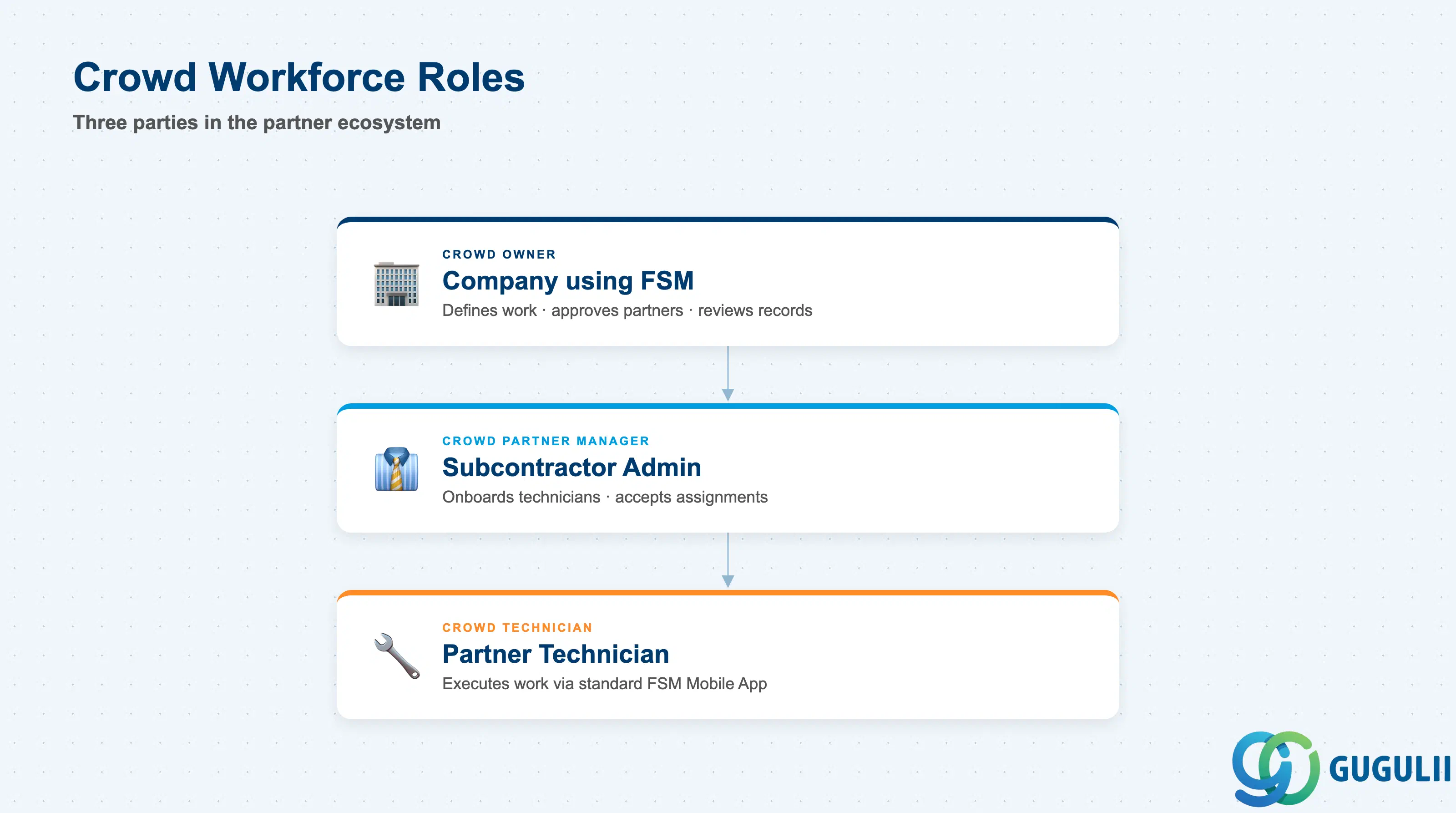
Crowd Workforce is a sub-module of SAP FSM that enables companies to outsource field service work to external partners — subcontracting companies or independent technicians — while managing them within the same planning and execution environment as internal staff.
Three key roles define the Crowd model:
| Role | Party | Responsibility |
|---|---|---|
| Crowd Owner | Company using FSM | Defines work, approves partners, reviews EMME records |
| Crowd Partner Manager | Subcontractor administrator | Manages technician onboarding and assignment acceptance |
| Crowd Technician | Partner technician | Executes work via the standard FSM Mobile App |
Partner onboarding follows a seven-step formal process: Invitation → Account Registration → Technician Registration → Crowd Owner Approval → User Creation → Activity Assignment → Mobile Execution. Once onboarded, Crowd Technicians appear on the Planning Board alongside internal staff and can be included in Autoscheduling optimization. Financial settlement (reimbursement and invoicing to the subcontractor) is handled in SAP S/4HANA, not in FSM.
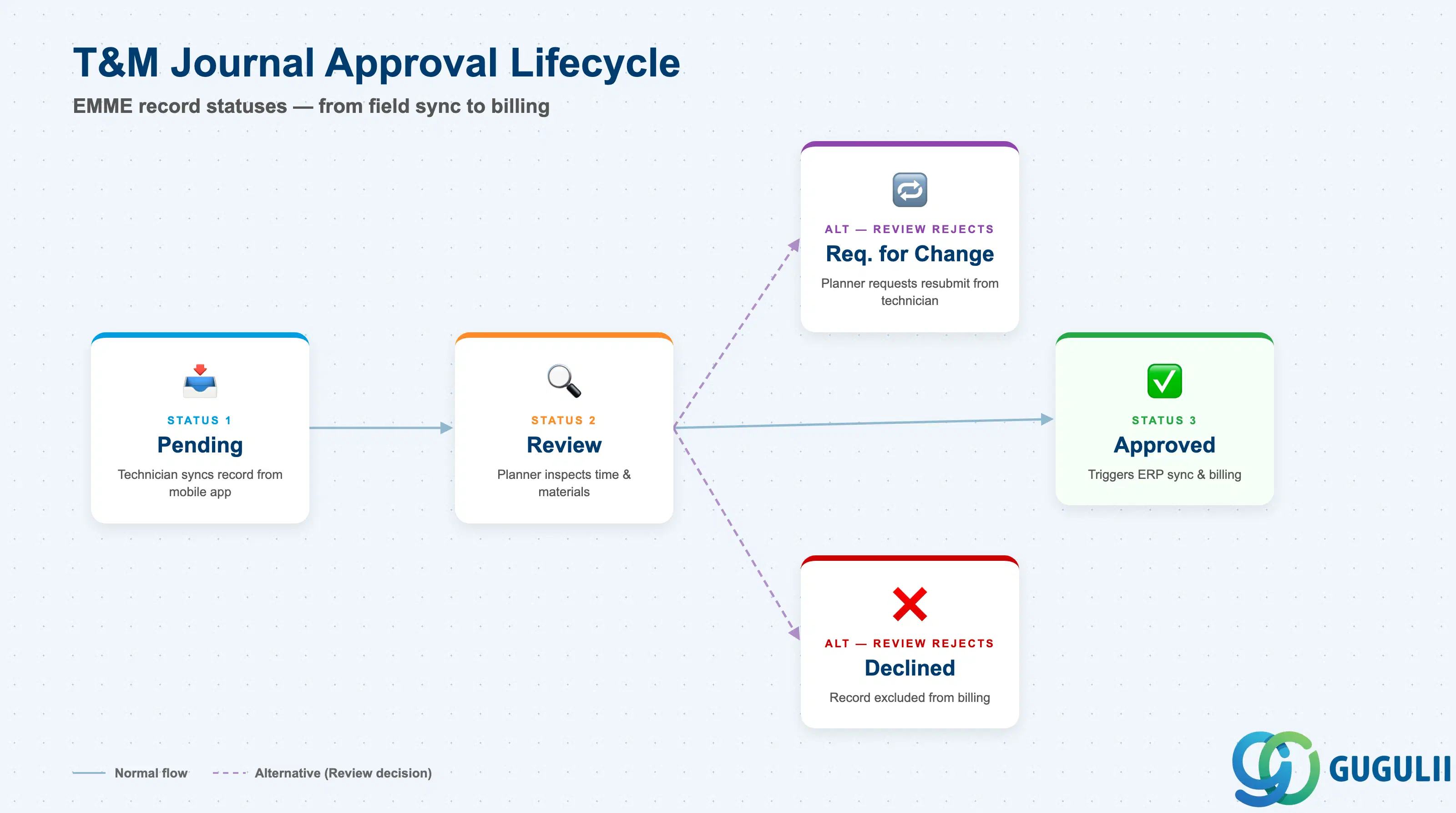
The Time and Material (T&M) Journal is the approval workspace where planners and supervisors review and approve the EMME records submitted by technicians after completing service work. The four record types are Time Effort, Material, Mileage, and Expense.
The approval lifecycle follows this status sequence:
| Status | Trigger |
|---|---|
| Pending | Technician syncs EMME records from the mobile app |
| Review | Planner moves the record for closer inspection |
| Approved | Planner approves; triggers synchronization to ERP for billing |
| Request for Change | Planner requests the technician to resubmit corrected data |
| Declined | Planner rejects the record; it is excluded from billing |
Once records reach Approved status, data replicates to SAP S/4HANA: a service confirmation is created, CATS timesheets are posted, goods movements are triggered, and a billing document is generated. For Crowd Service scenarios, the Crowd Owner uses the same T&M Journal to review partner technician EMME records before ERP settlement.
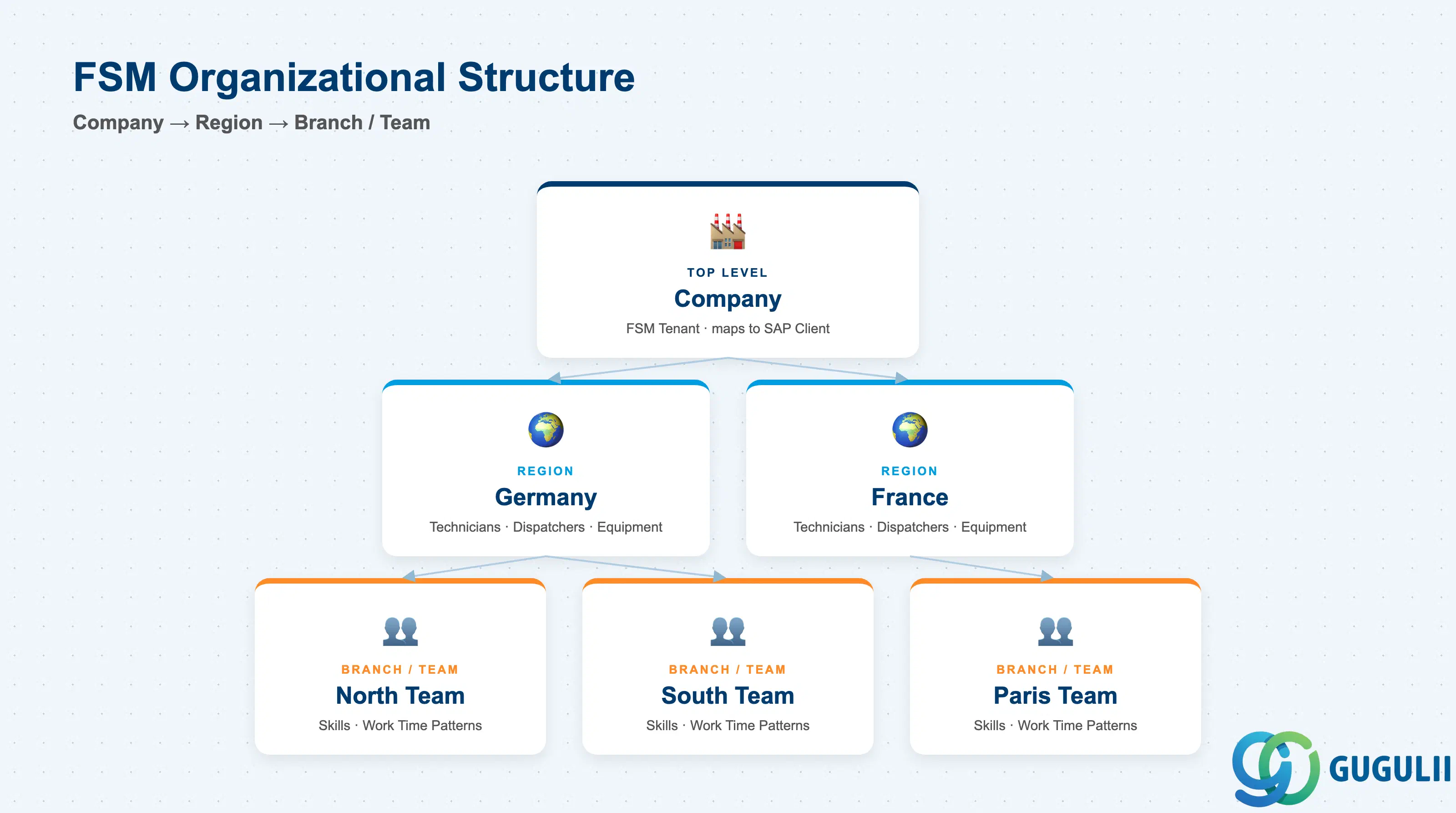
SAP FSM organizes its configuration and data access using three primary structural concepts: Company, Region, and Branch/Team.
Company (SAP FSM Tenant)
│
├── Region (geographic / organizational unit)
│   ├── Technicians (Persons assigned to this Region)
│   ├── Dispatchers (Planners scoped to this Region)
│   └── Equipment (assets and functional locations)
│
└── Branch / Team (sub-grouping within a Region)
└── Technicians / Skills / Work Time Patterns| Structural Object | Description | Key Design Decision |
|---|---|---|
| Company | The top-level FSM tenant; maps to an SAP client or organizational unit in S/4HANA | One company per FSM tenant in standard deployments |
| Region | Controls data access scope; a technician assigned to Region “Germany” sees only data belonging to that organization | Region granularity (national vs. regional vs. local) must be defined early — it affects dispatcher visibility and Autoscheduling scope |
| Branch / Team | Sub-grouping below Region used to organize technicians into planning groups | Should align with S/4HANA Work Centers or planning group assignments |
| Work Time Pattern | Defines the standard availability windows for each technician; the Autoscheduling engine uses this as the base capacity constraint | General patterns (shared across many technicians) vs. individual patterns; how to handle rotating shifts and absences |
| Skills | Abilities, qualifications, or certifications assigned to Persons; skill requirements flow from Items and Equipment to Service Calls and Activities | Skill granularity (too fine increases maintenance overhead; too coarse reduces matching precision); mandatory vs. optional designation per requirement |
Key design decision: Region granularity determines dispatcher scope on the Planning Board and the boundary for Autoscheduling. Overly broad regions increase cognitive load for dispatchers; overly narrow regions create islands that prevent cross-regional optimization. Align Region definitions with your S/4HANA Work Center or planning group structure from the outset.
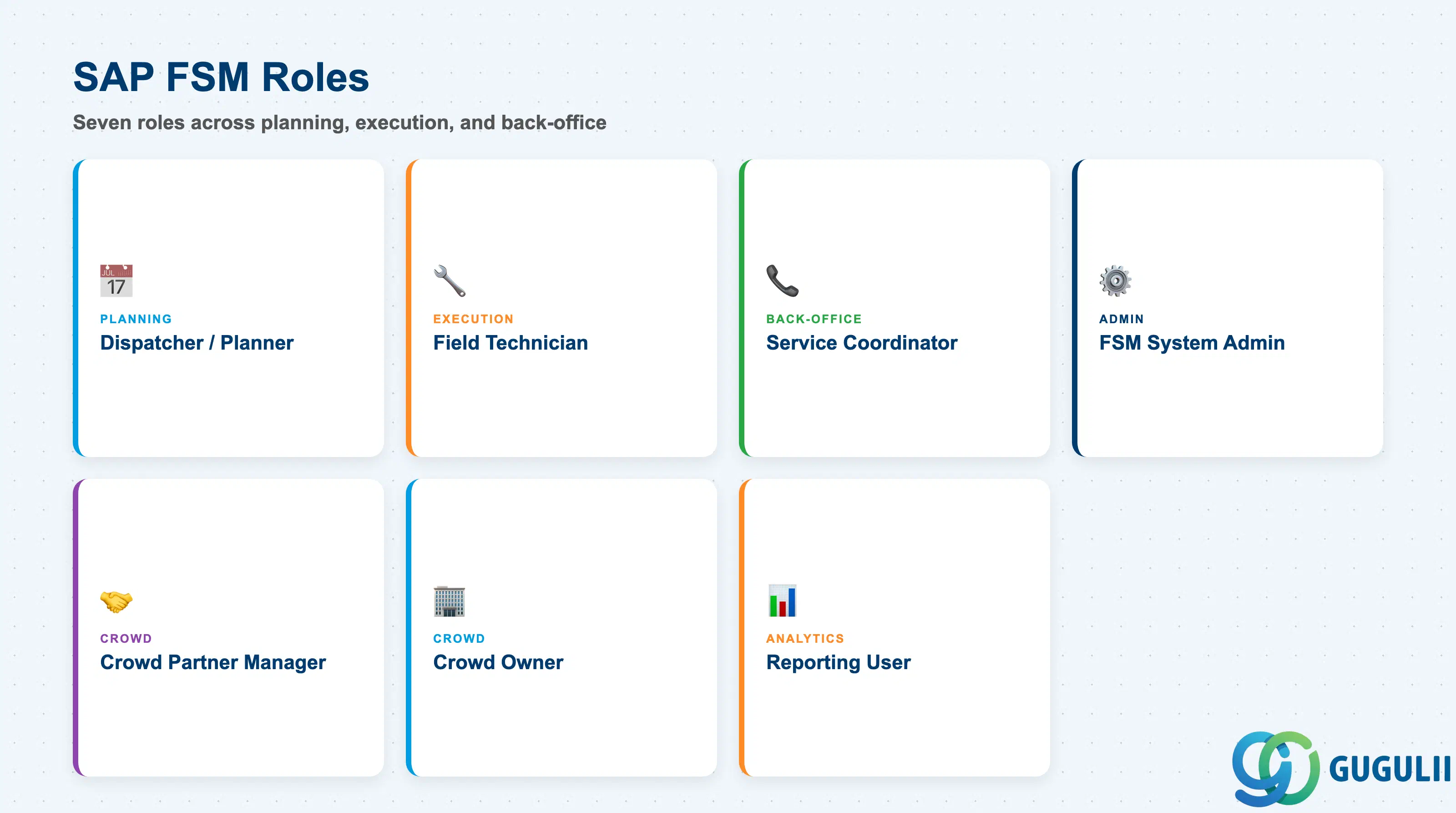
SAP FSM involves distinct roles across the planning, execution, and back-office layers. The table below lists the primary roles and their day-to-day activities.
| Role | Primary Activities |
|---|---|
| Dispatcher / Planner | Manages the Planning Board and Service Map; creates, assigns, and releases Activities to technicians; monitors SLA compliance; approves or rejects EMME records in the T&M Journal |
| Field Technician | Receives Activity assignments via mobile push notification; executes service work using the FSM Mobile App (offline-first); records EMME data; completes Smartforms and captures customer signatures |
| Service Coordinator | Creates Service Calls manually or receives replicated Service Orders from S/4HANA; manages customer communications; monitors service call status and escalation |
| FSM System Administrator | Configures master data (Skills, Work Time Patterns, Regions, Business Rules); manages user accounts; maintains integration settings and business rule configurations |
| Crowd Partner Manager | Manages subcontractor technician registration and onboarding; accepts or rejects Activity assignments on behalf of the partner organization |
| Crowd Owner (Operations) | Reviews and approves Crowd Technician EMME records in the T&M Journal; manages financial settlement handoff to SAP S/4HANA |
| Reporting / Analytics User | Monitors service KPIs via embedded analytics; reviews BMT Scheduling Reports to evaluate Autoscheduling decisions |
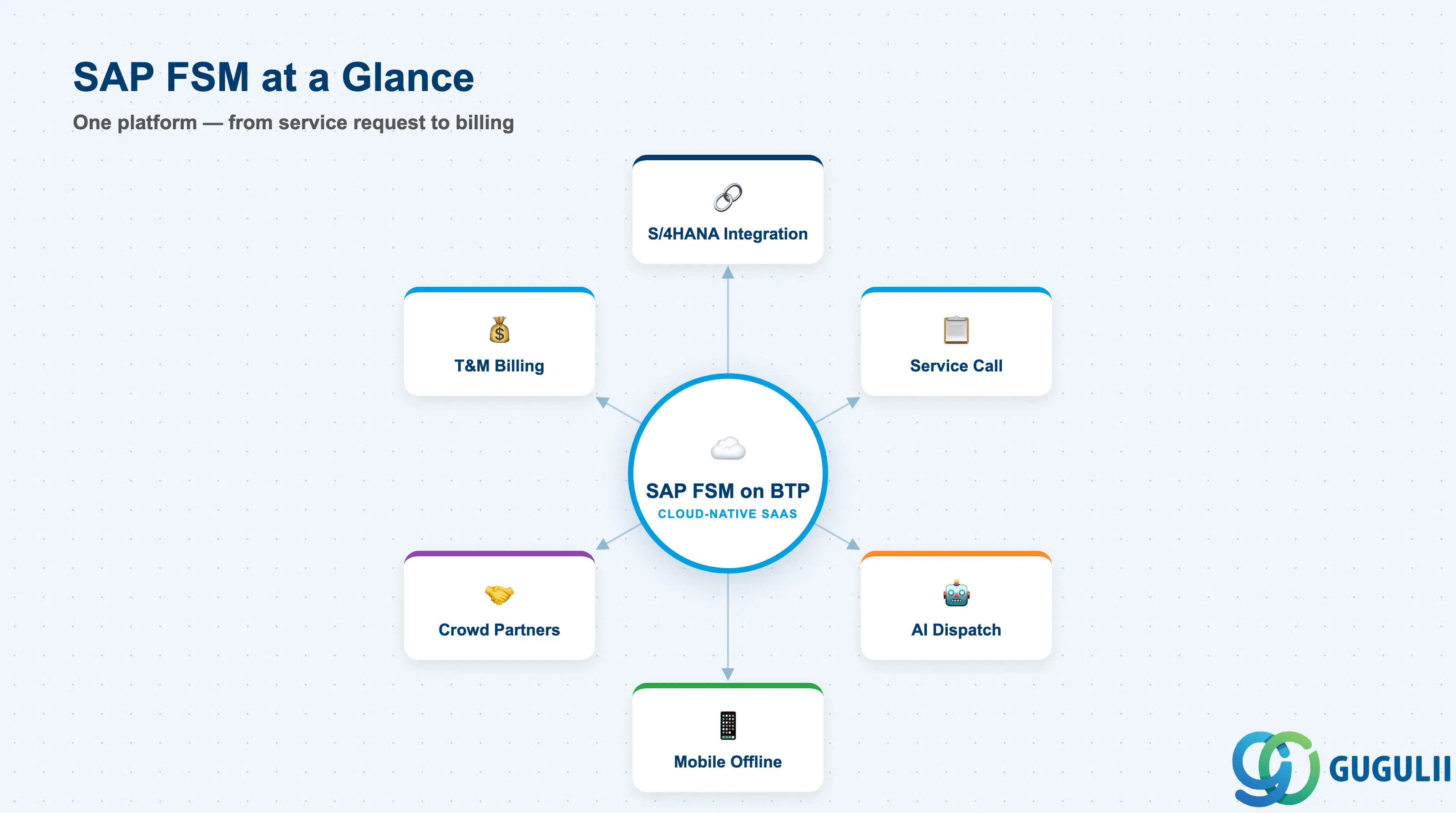
SAP Field Service Management gives organizations a unified platform for managing everything from service request intake to technician execution and billing — all in the cloud, with offline mobile capability included as standard. Its integration with SAP S/4HANA Service (via SAP Integration Suite) or with SAP ECC CS/PM (via the Proaxia FSM Cloud Connector) means that FSM can slot into an existing SAP landscape without replacing the ERP backbone.
For consultants entering an FSM implementation, the most critical early decisions are Region structure (which shapes dispatcher scope and Autoscheduling behavior), Skill design (which drives technician matching quality), and integration architecture (S/4HANA Service vs. legacy CS/PM, and whether SAP Service Cloud is part of the landscape). These design choices are covered in depth in the FSM-002 article on Business Processes and Integration.
| ID | Category | Title |
|---|---|---|
| fsm-001 | Overview | What is SAP FSM? 📍 |
| ID | Category | Title |
|---|---|---|
| fsm-a01 | Overview | SAP FSM Master Data: Overview, Hierarchy & Relationships |
| fsm-a02-02 | Master Data | SAP FSM Contact |
| fsm-a02-03 | Master Data | SAP FSM Address |
| fsm-a03-01 | Master Data | SAP FSM Equipment |
| fsm-a03-02 | Master Data | SAP FSM Equipment Hierarchy |
| fsm-a03-03 | Master Data | SAP FSM Service History |
| fsm-a04-01 | Master Data | SAP FSM Skill |
| fsm-a04-02 | Master Data | SAP FSM Work Time Pattern |
| fsm-a04-03 | Master Data | SAP FSM Region |
| fsm-a04-04 | Master Data | SAP FSM Technician |
| fsm-a04-05 | Master Data | SAP FSM Crew |
| fsm-a04-06 | Master Data | SAP FSM Absence |
| fsm-a04-07 | Master Data | SAP FSM Skill Requirement |
| fsm-a05-02 | Master Data | SAP FSM Generic Tool |
| fsm-a05-03 | Master Data | SAP FSM Serialized Tool |
| fsm-a05-04 | Master Data | SAP FSM Warehouse |
| fsm-a05-05 | Master Data | SAP FSM Van Stock |
| fsm-a06-01 | Master Data | SAP FSM Partner Invitation |
| fsm-a06-02 | Master Data | SAP FSM Partner Registration |
| fsm-a06-03 | Master Data | SAP FSM Crowd Partner |
| fsm-a06-04 | Master Data | SAP FSM Partner Technician |
| ID | Category | Title |
|---|---|---|
| fsm-b01 | Overview | SAP FSM Transactions: Process Flow, Hierarchy & Relationships |