Title here
Summary here

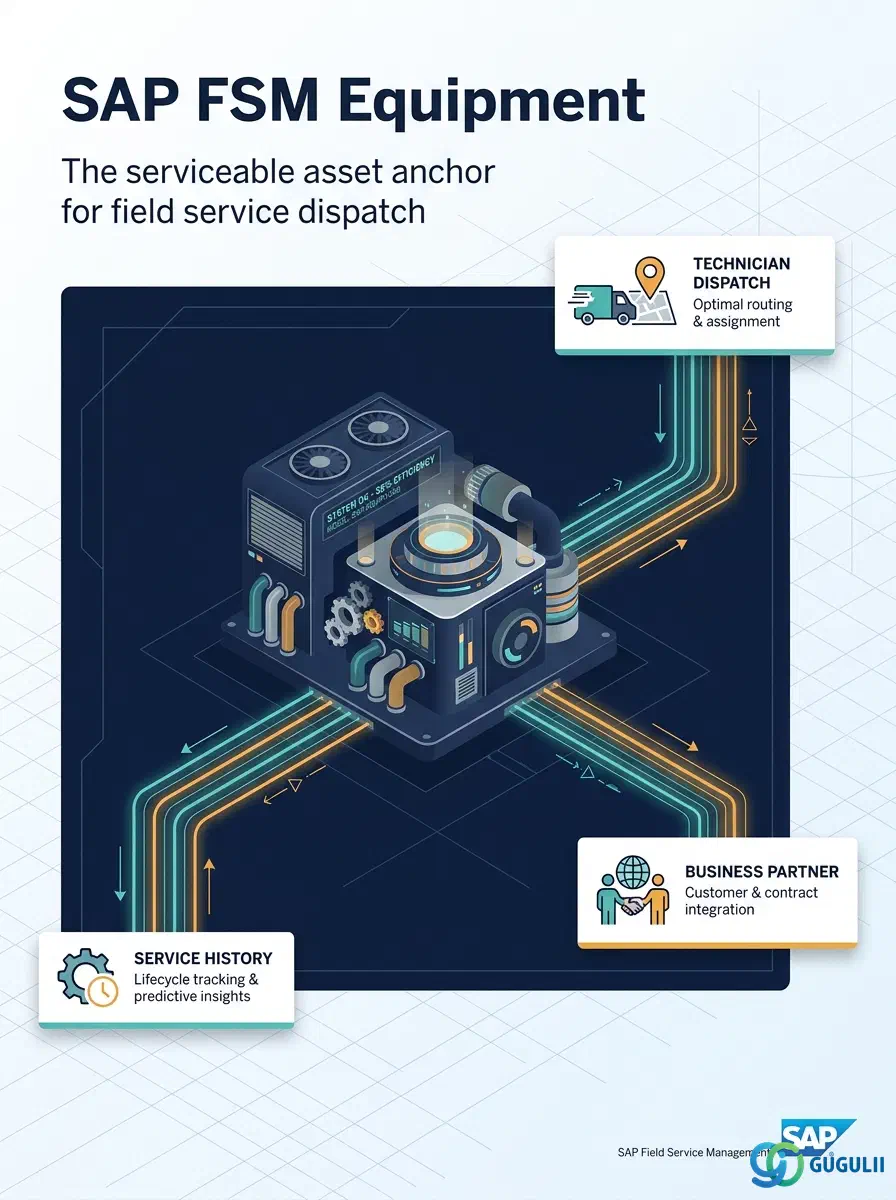
Equipment is FSM’s master record for a serviceable asset — a piece of installed machinery, an HVAC unit, a pump, or any other physical object at a customer site that requires ongoing field service. It captures identification, Business Partner and location assignment, hierarchy, and lifecycle status, and it anchors two closely related objects covered in their own articles: Equipment Hierarchy (parent-child structure) and Service History (past service calls). This article maps every field FSM consultants configure and maintain when creating an Equipment record, and how those fields connect Equipment to the Business Partner, Address, Skill Requirement, and Serialized Tool masters around it.
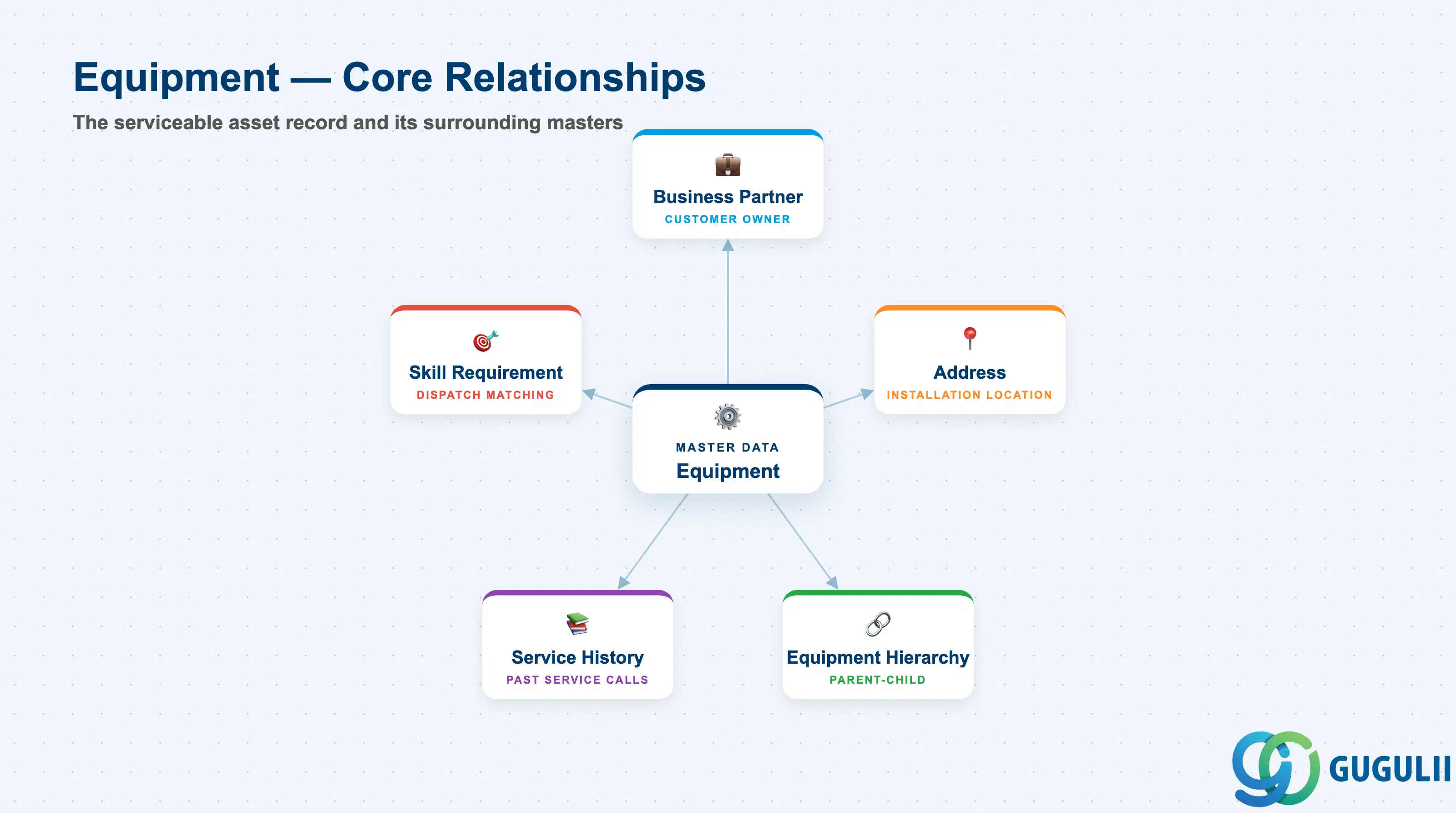
Equipment represents an individual serviceable asset — a physical unit installed at a customer’s premises that a technician can be dispatched to inspect, repair, or maintain. It is the anchor object of FSM’s Equipment Management domain: every Service Call, Service History entry, and Skill Requirement traces back to a specific Equipment record.
| Aspect | Details |
|---|---|
| Role | Master record of an individual serviceable asset installed at a customer site; anchor for Service Calls, Service History, and dispatch-relevant skill matching |
| Modules using it | FSM (Equipment Management — primary owner), S/4HANA Enterprise Asset Management / SAP Asset Central Foundation (source system when Equipment is replicated, not created natively in FSM), S/4HANA Service (referenced during ERP integration and service order cost posting, FSM-B10) |
| Transactions | FSM Web UI “Manage Equipment” app; on the S/4HANA source side, IE01 (Create Equipment) / IE02 (Change) / IE03 (Display) when Equipment originates from EAM |
| Key Tables | FSM: Equipment business object (Core API / OData entity) — FSM is a multi-tenant cloud solution and does not use classical ABAP tables. Source system: S/4HANA table EQUI (Equipment master) when replicated from EAM |
| S/4HANA note | Equipment can be created natively in FSM or synchronized from S/4HANA (recommended) via Master Data Integration (MDI). When synchronized, the Business Partner and Address references on the FSM Equipment record must resolve to the same customer master already replicated into FSM. |
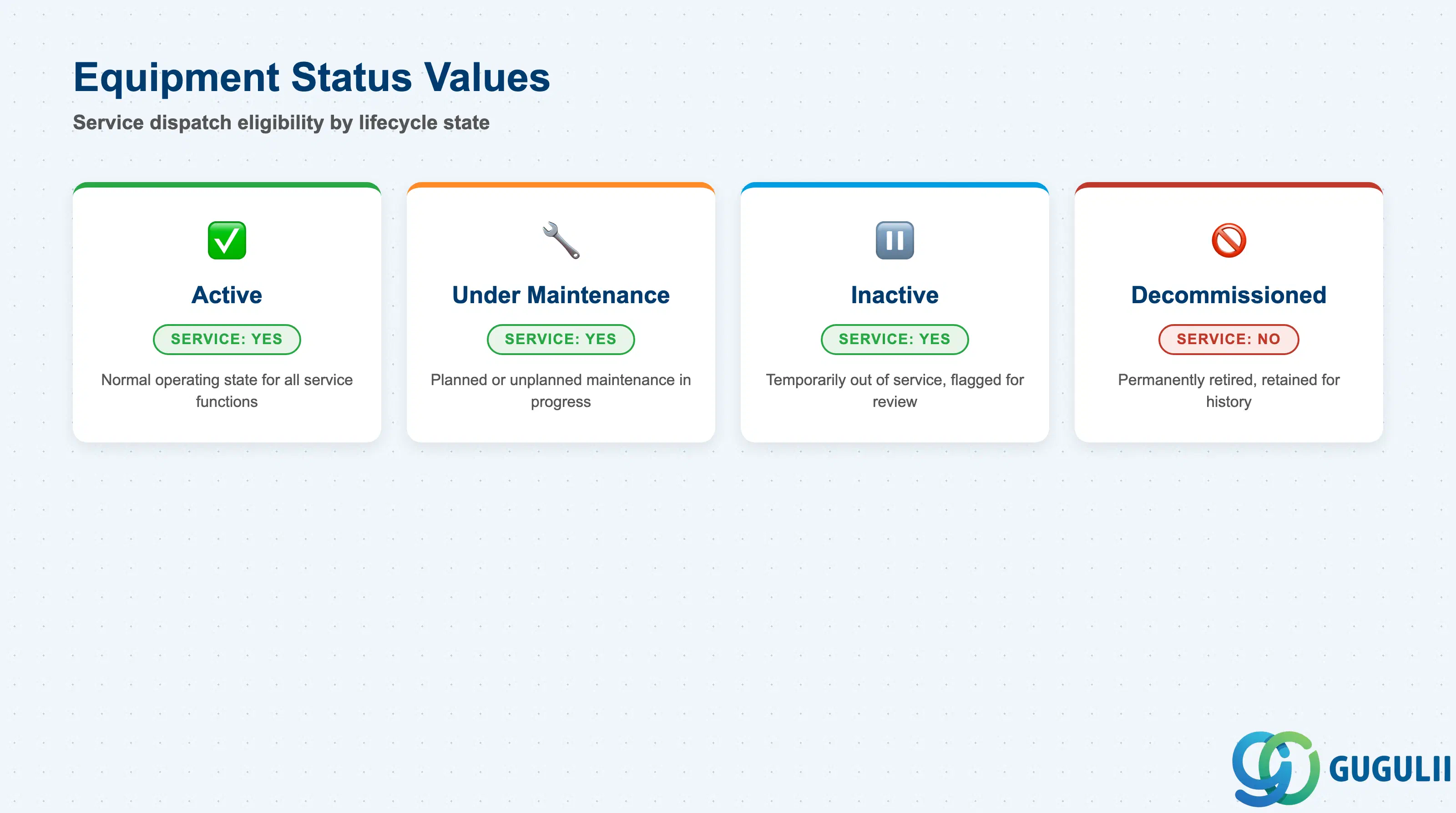
Equipment status is the single field that determines whether a technician can be dispatched against the asset at all. Getting a status wrong either blocks legitimate service work or lets dispatch proceed against equipment that should already be retired.
| Status | Description | Service Allowed | Key Behavior |
|---|---|---|---|
| Active | Equipment is currently in operation at the customer site | Yes | Normal state; Service Calls, Service History, and Skill Requirement matching all function normally |
| Under Maintenance | Equipment is undergoing planned or unplanned maintenance | Yes | Service Calls remain allowed — this status exists specifically to open and track the maintenance work itself, not to block it |
| Inactive | Equipment is temporarily out of service and not being actively serviced | Yes | Dispatch remains technically possible but is typically flagged for review; commonly used for seasonal or mothballed equipment |
| Decommissioned | Equipment has been permanently retired or removed from service | No | New Service Calls are blocked; the record is retained solely so Service History remains queryable for historical/warranty purposes |
Design principle: Decommissioning Equipment should never delete the record — Service History and warranty audit trails depend on the Equipment master surviving retirement.
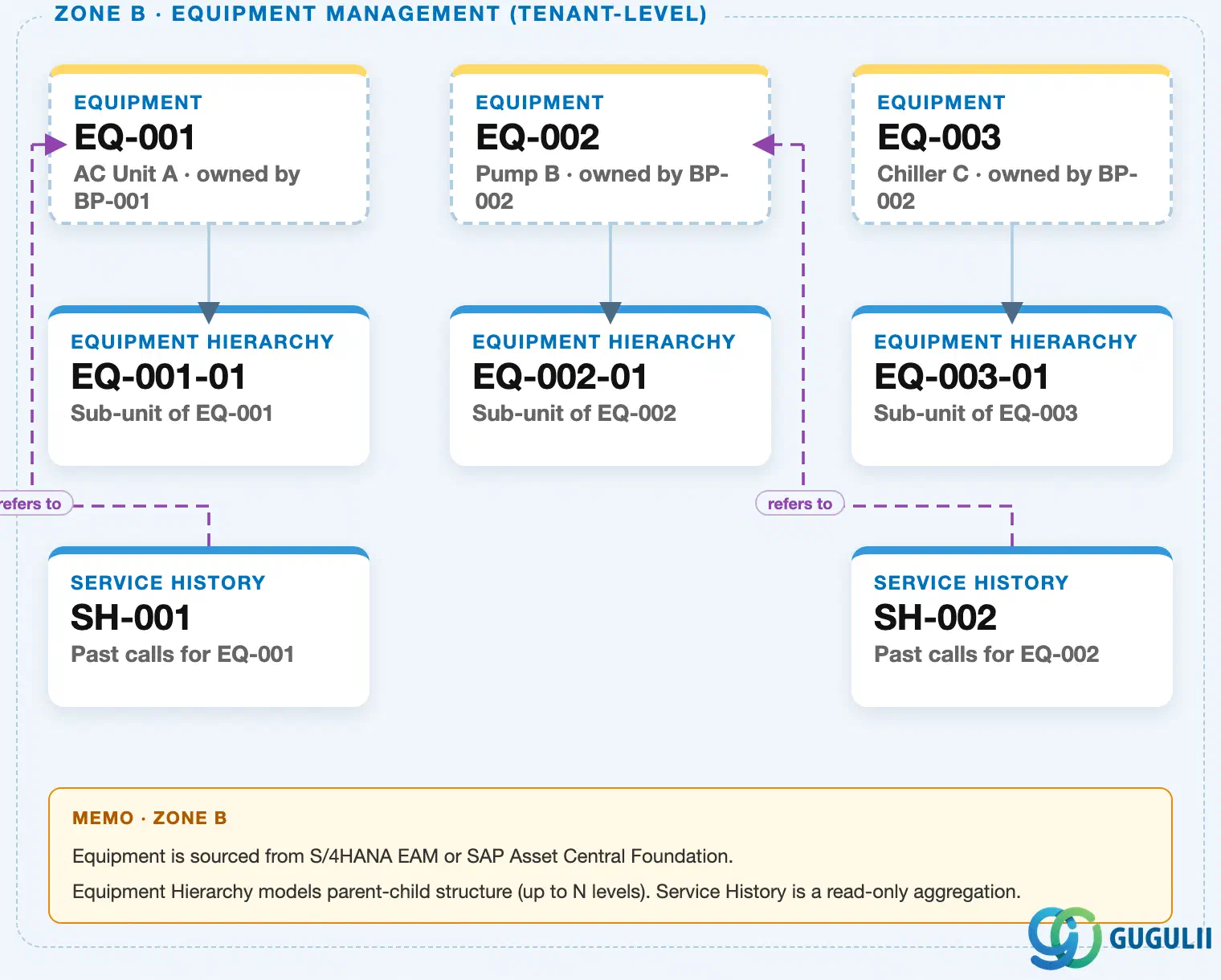
Data hierarchy with a concrete example (Zone B · Equipment Management — tenant-level; FSM has no Company Code / Plant scoping above Equipment)
Client (FSM Tenant)
   │
   ├── Equipment EQ-001 — AC Unit A (Serial SN-2024-001)
   │      ↗ references Business Partner BP-001 — ABC Corp (Zone A)
   │      ↗ references Address AD-A — 1-1 Marunouchi, Tokyo (Zone A)
   │      │
   │      └── Equipment Hierarchy EQ-001-01 — Sub-unit of EQ-001
   │
   ├── Equipment EQ-002 — Pump B (Serial SN-2024-002)
   │      ↗ references Business Partner BP-002 — XYZ Ltd (Zone A)
   │      ↗ references Address AD-B — 2-2 Umeda, Osaka (Zone A)
   │      │
   │      └── Equipment Hierarchy EQ-002-01 — Sub-unit of EQ-002
   │
   └── Equipment EQ-003 — Chiller C (Serial SN-2024-003)
          ↗ references Business Partner BP-002 — XYZ Ltd (Zone A)
          │
          └── Equipment Hierarchy EQ-003-01 — Sub-unit of EQ-003

Service History (reference log — points back to its Equipment, not nested under it):
   Service History SH-001 ── refers to ──▶ Equipment EQ-001
   Service History SH-002 ── refers to ──▶ Equipment EQ-002
Design principle: Equipment is a tenant-level (client-level) master in FSM — there is no Company Code / Plant hierarchy above it, unlike ECC-style Equipment (EQUI) which sits under a Maintenance Plant. Business Partner and Address are referenced, not owned, by Equipment; Equipment Hierarchy is true parent-child containment; Service History is a reference log, not a child node.
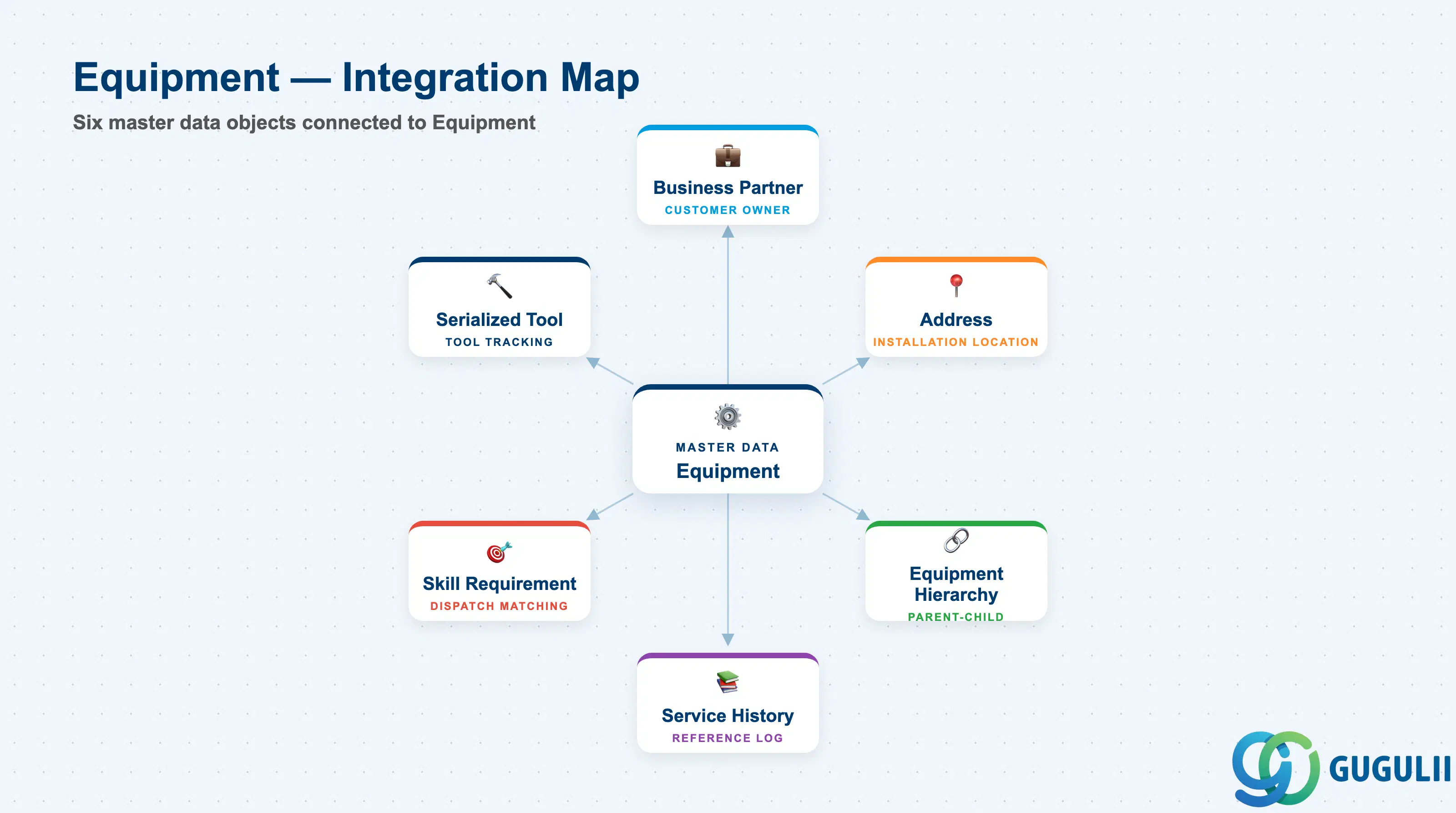
Equipment does not stand alone. It is the reference point that a customer’s Business Partner and Address, a technician’s required Skill, and a service tool’s usage log all connect back to.
| Object | Relationship | Practical Notes |
|---|---|---|
| Business Partner | Equipment is installed at / owned by a Business Partner (Customer) | Typically synchronized from the same S/4HANA Business Partner that drives billing and service contracts. Reassigning Equipment to a different Business Partner mid-lifecycle affects historical service-call reporting and should be governed by change control. |
| Address | Equipment installation location, distinct from the Business Partner’s registered address | Drives route optimization and travel-time calculation in Planning & Dispatching (FSM-B04). Geolocation errors on this Address are a common root cause of planning-board mis-routes. |
| Equipment Hierarchy | Equipment can be the parent or child in a multi-level installation structure | Used for complex installations (e.g. a chiller with independently serviceable sub-components). Service Calls can be raised against any level of the hierarchy, not only the top-level Equipment. |
| Service History | Read-only rollup of past Service Calls performed against this Equipment | Referenced, not owned, by Equipment — a reference log rather than a hierarchy child. Heavily used during technician preparation and in warranty/SLA disputes. |
| Skill Requirement | Equipment can carry one or more required Skills that a dispatched technician must hold | Central to Assisted Scheduling: the scheduling engine filters candidate technicians by matching Person/Technician Skills against the Equipment’s Skill Requirement. |
| Serialized Tool | A specific tool instance can be flagged as having serviced a given Equipment | Tracks which serialized tool (e.g. a calibrated meter) was used on which Equipment, supporting audit and calibration-traceability requirements. |
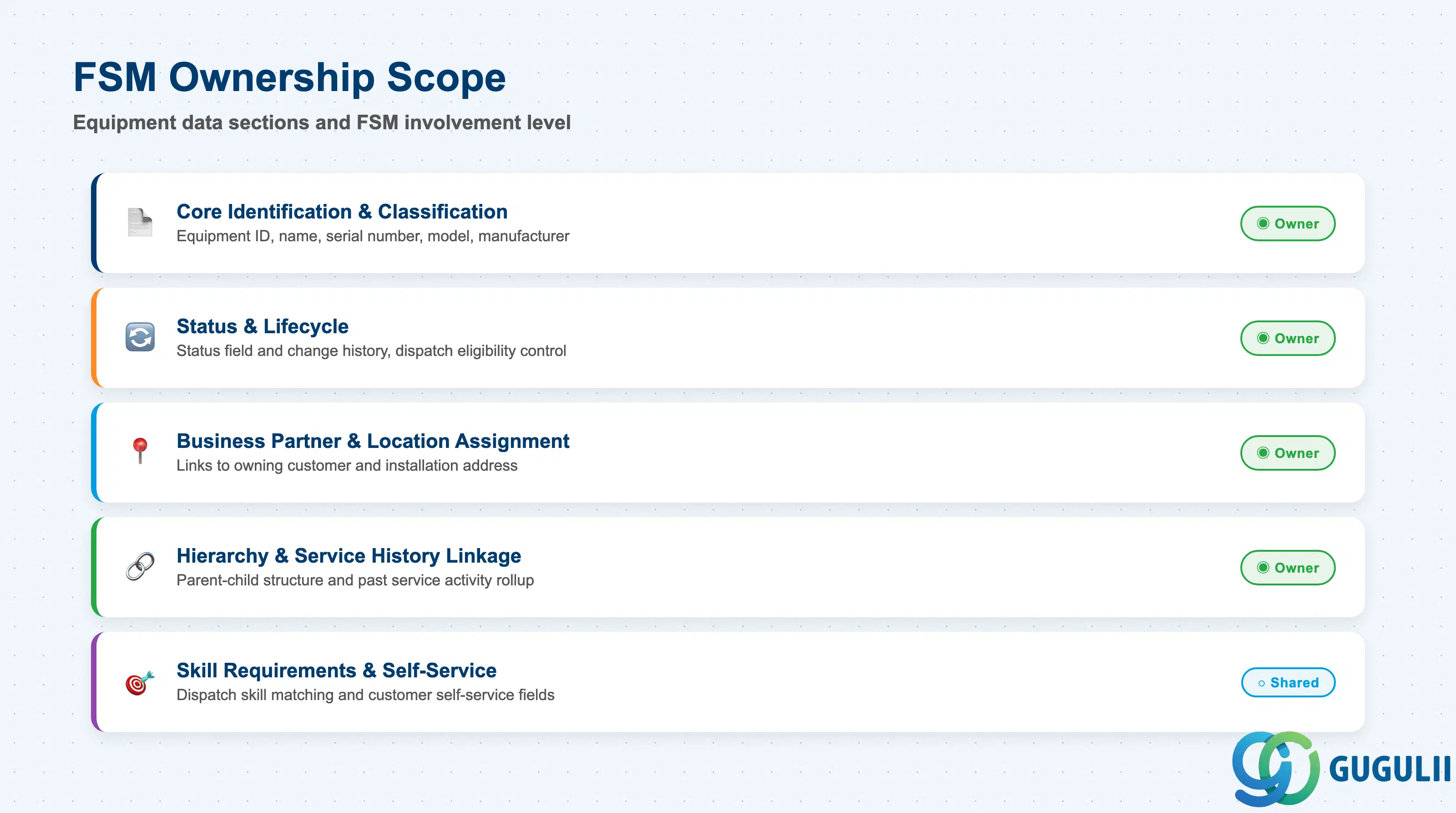
| Data Section | FSM Involvement | Notes |
|---|---|---|
| Core Identification & Classification | ◎ Owner | Equipment ID, name, serial number, model, manufacturer — the object’s identity fields |
| Status & Lifecycle | ◎ Owner | Status field and its change history; controls whether Service Calls can be dispatched |
| Business Partner & Location Assignment | ◎ Owner | Links Equipment to its owning/using Business Partner and installation Address |
| Hierarchy & Service History Linkage | ◎ Owner | Fields on Equipment that establish parent-child structure and roll up past service activity |
| Skill Requirements & Self-Service | ○ Shared with Technician Management | Required-skill assignment for dispatch matching; QR/barcode fields for customer self-service |
Legend: ◎ = Owner / Critical, ○ = Direct involvement
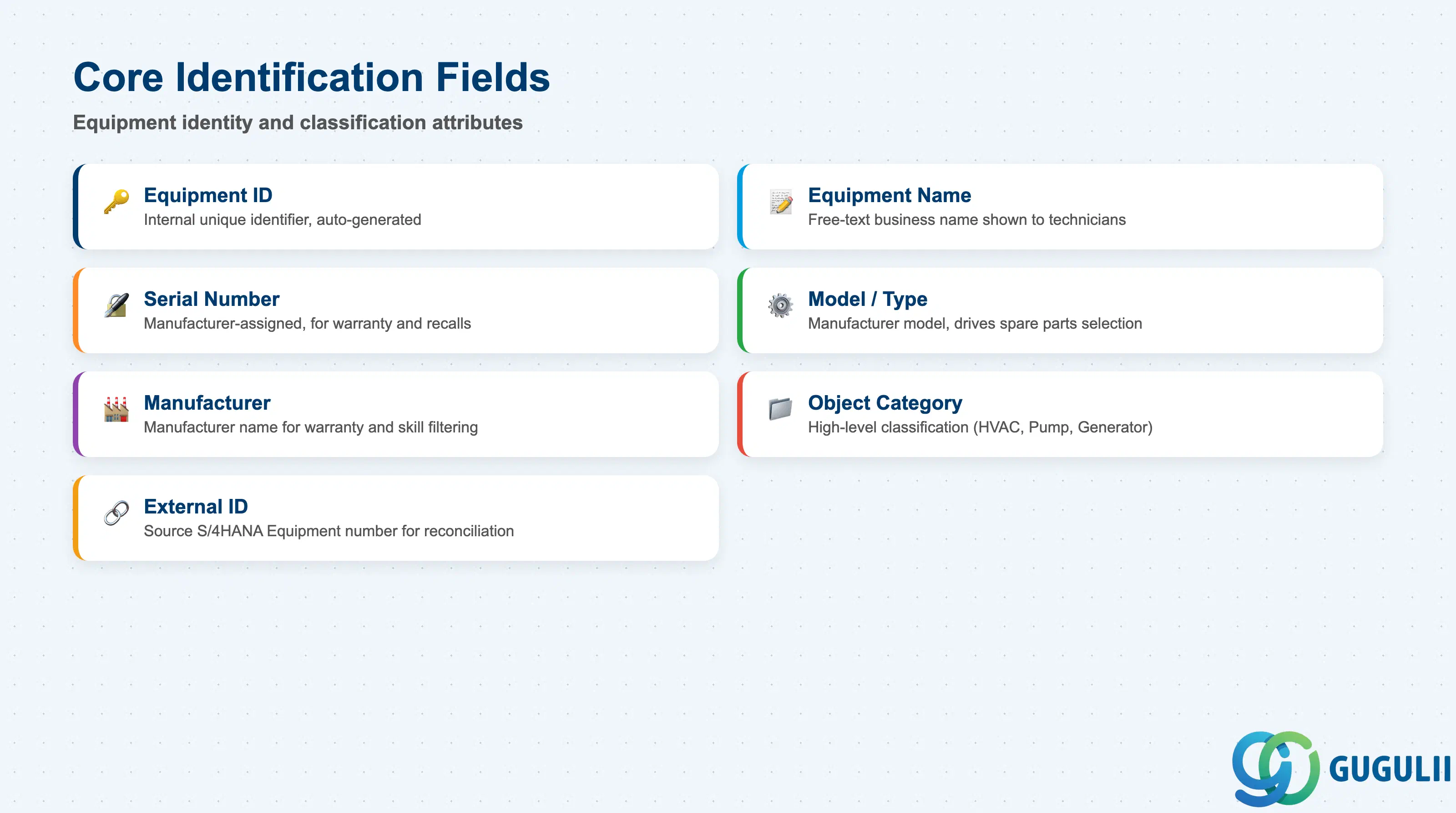
These fields establish what the Equipment record actually is, and — when replicated from S/4HANA — how it maps back to the source system’s Equipment master.
| Field | Description | Practical Usage |
|---|---|---|
| Equipment ID | FSM’s internal unique identifier for the record | Auto-generated on creation; used in every cross-reference from Equipment Hierarchy, Service History, and Skill Requirement. Never reuse an Equipment ID after decommissioning — Service History integrity depends on it staying unique for the object’s lifetime. |
| Equipment Name | Free-text business name of the asset | Displayed to technicians on the mobile app and to customers in Self-Service. Keep names descriptive and location-aware (e.g. “AC Unit A — Roof, Building 2”) since technicians search by name in the field far more than by ID. |
| Serial Number | Manufacturer-assigned serial number | Critical for warranty claims and manufacturer recalls. When synchronized from S/4HANA EAM, this should match the source Equipment master’s serial number field exactly to avoid mismatches during audits. |
| Model / Type | Manufacturer’s model designation | Drives which spare Parts (Item master) and standard service checklists apply. Inconsistent model naming across records is a common data-quality issue during FSM rollout — enforce a picklist rather than free text where possible. |
| Manufacturer | Name of the equipment manufacturer | Used for warranty tracking and to filter Skill Requirements that are manufacturer-specific (e.g. certified-technician-only equipment). |
| Object Category | High-level classification of the asset (e.g. HVAC, Pump, Generator) | Feeds reporting and can drive default Skill Requirements at creation time via configuration templates, reducing manual setup per Equipment record. |
| External ID (Source System Reference) | Reference back to the originating S/4HANA Equipment number (EQUI-EQUNR) when synchronized | Essential for reconciliation between FSM and S/4HANA EAM. Missing or mismatched External IDs are the most common cause of duplicate Equipment records after a failed or partial sync. |
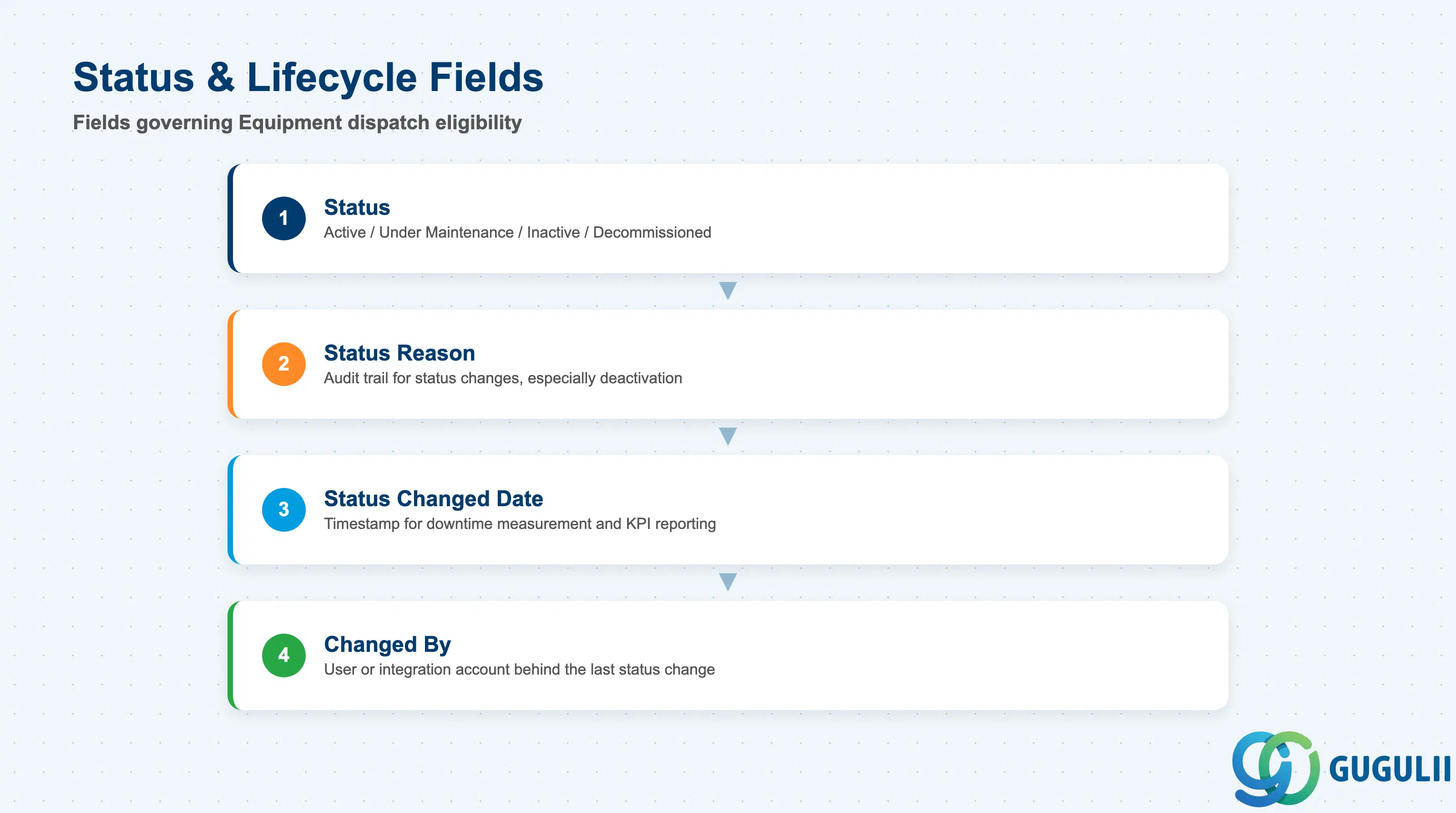
Status governs dispatch eligibility (see 1.2) and must be maintained accurately as equipment moves through its operational lifecycle.
| Field | Description | Practical Usage |
|---|---|---|
| Status | Current lifecycle state (Active / Under Maintenance / Inactive / Decommissioned) | The single field checked before Service Call creation is allowed against this Equipment. Automate status transitions where possible (e.g. via S/4HANA EAM sync) rather than relying on manual updates by dispatchers. |
| Status Reason | Free-text or picklist reason accompanying a status change | Supports audit trails when equipment is deactivated or decommissioned — particularly important for regulated industries where retirement must be documented. |
| Status Changed Date | Timestamp of the most recent status change | Used in reporting to measure equipment downtime (time spent in Under Maintenance or Inactive) — a common KPI in field service contract reviews. |
| Changed By | User or integration account that last changed the status | Distinguishes manual dispatcher changes from automated S/4HANA sync updates; important when troubleshooting unexpected status flips after go-live. |
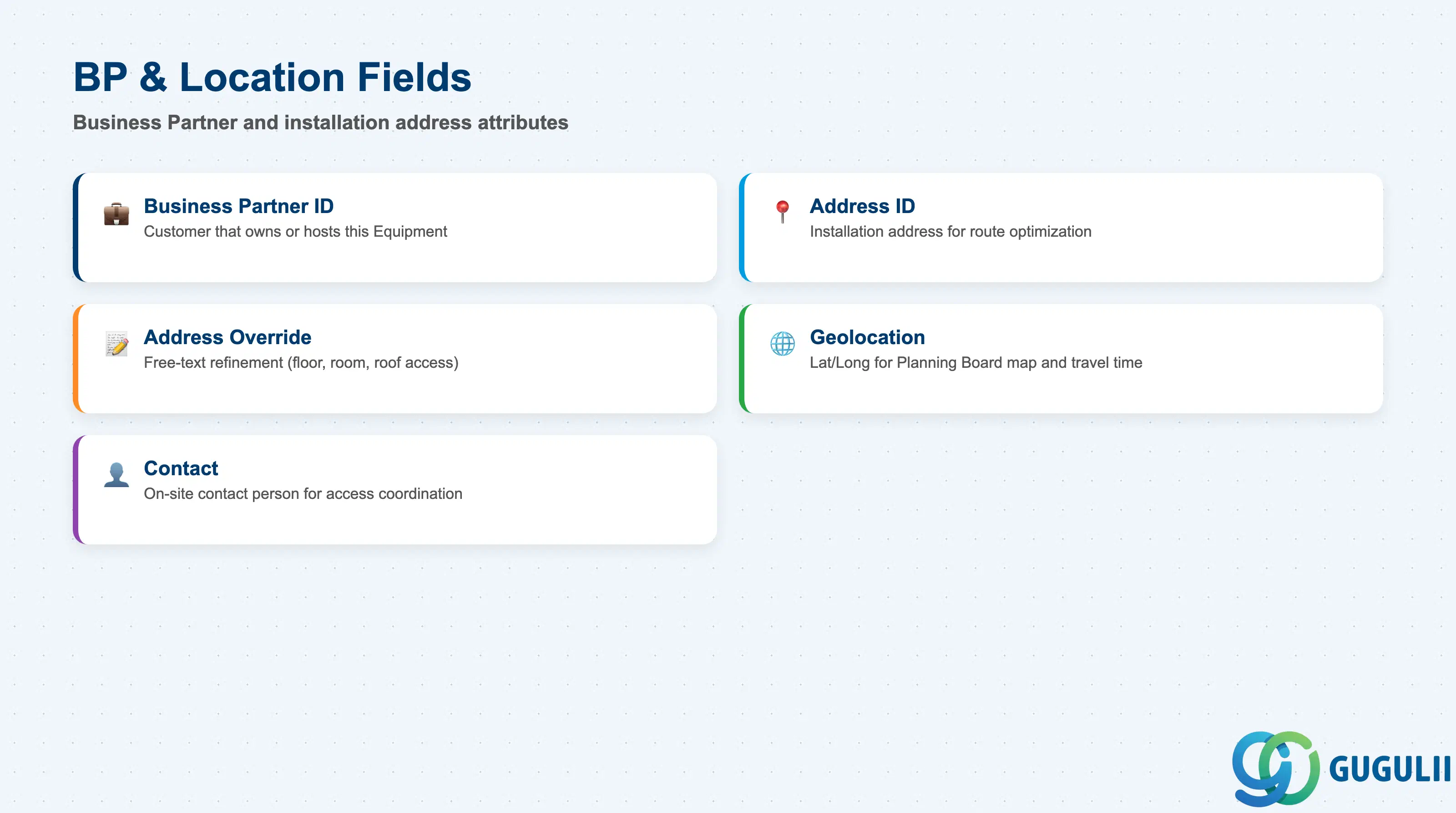
Equipment must resolve to exactly one owning Business Partner and one installation Address — both are prerequisites synchronized (per the Master Data Setup Flow) before Equipment can be created.
| Field | Description | Practical Usage |
|---|---|---|
| Business Partner ID | The Business Partner (customer) that owns or hosts this Equipment | Drives which contracts, entitlements, and billing terms apply to Service Calls raised against this Equipment. Must exist in FSM before the Equipment record can be saved. |
| Address ID | Installation address of the Equipment | Used by Planning & Dispatching (FSM-B04) for route optimization. Distinct from the Business Partner’s registered billing address — an Equipment can be installed at a branch site different from the customer’s HQ. |
| Installation Address Override | Free-text refinement of the installation location (e.g. floor, room, roof access notes) | Populate for technician usability — “Roof access via stairwell B” saves real time on-site, especially for first-time visits or subcontracted technicians unfamiliar with the site. |
| Geolocation (Latitude / Longitude) | Geographic coordinates, typically inherited from the Address record | Feeds the Planning Board map view and travel-time calculations. Verify geolocation accuracy after initial data load — addresses geocoded automatically from free-text can land several hundred meters off for rural or newly-built sites. |
| Contact | Optional link to a Contact person associated with the Business Partner for this Equipment | Gives the technician a named on-site contact for access coordination, separate from the general Business Partner contact used for billing. |
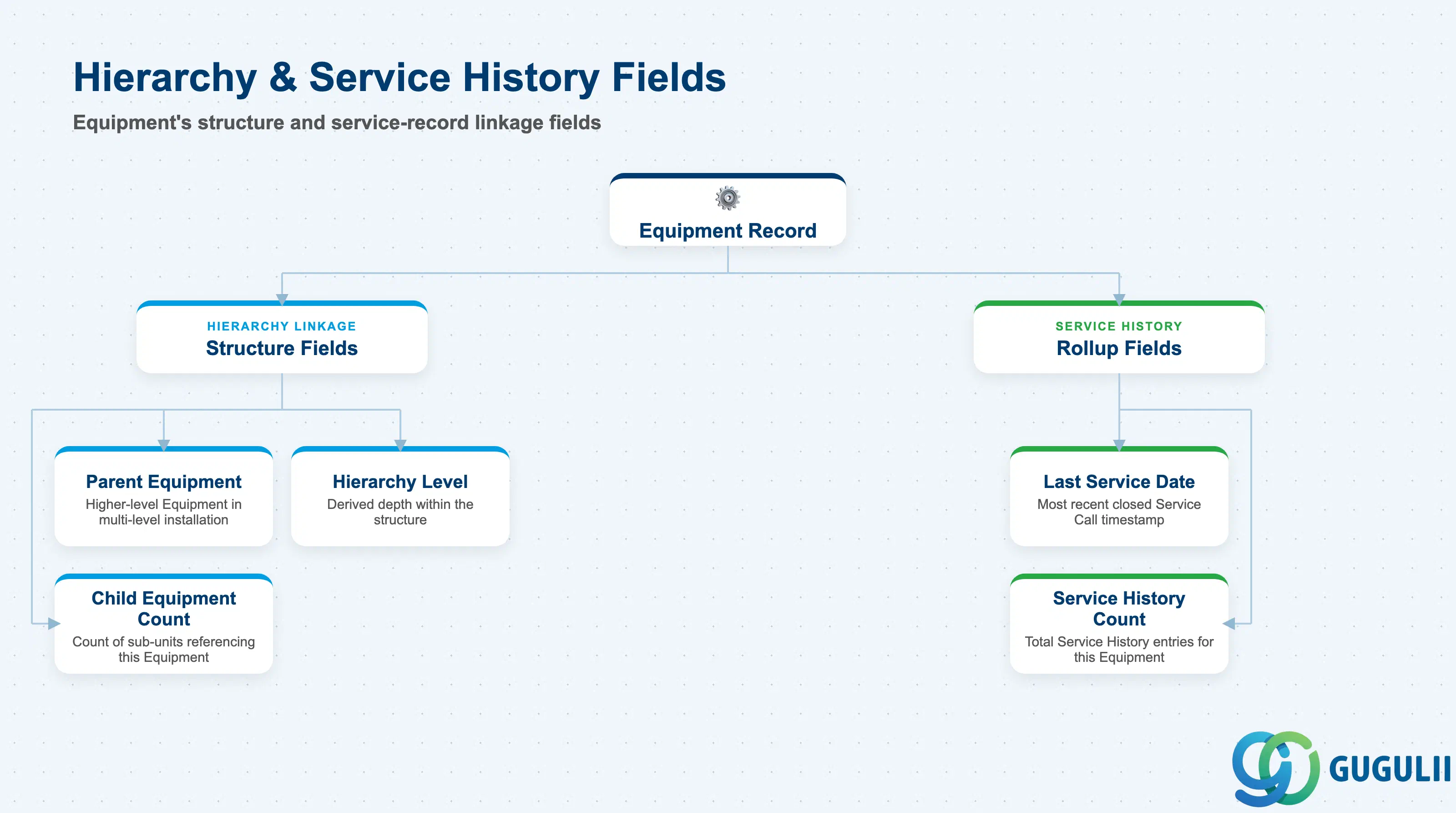
These are the fields carried on the Equipment record itself that establish its position in a multi-level installation and surface its service track record — the detailed field sets of Equipment Hierarchy and Service History as standalone objects are covered in their own articles.
| Field | Description | Practical Usage |
|---|---|---|
| Parent Equipment (Higher-Level Equipment ID) | Reference to the parent Equipment in a multi-level installation | Populate only when the asset is genuinely a sub-component of another serviceable unit (e.g. a compressor unit that is part of a larger chiller system). Leave blank for standalone equipment to avoid an artificially deep hierarchy. |
| Hierarchy Level | Derived depth of this Equipment within its structure | Used mainly in reporting and in the Planning Board’s equipment tree view; not directly maintained — recalculated whenever Parent Equipment changes. |
| Child Equipment Count | Derived count of Equipment records referencing this one as parent | A quick data-quality signal: an unexpectedly high count often indicates sub-units were created against the wrong parent during bulk load. |
| Last Service Date | Rollup of the most recent Service Call closed against this Equipment | Surfaced to technicians before a visit so they know how long it has been since the last service — useful triage signal alongside Service History detail. |
| Service History Count | Rollup count of Service History entries linked to this Equipment | High counts on relatively new equipment can flag chronic reliability issues worth escalating to the manufacturer under warranty. |
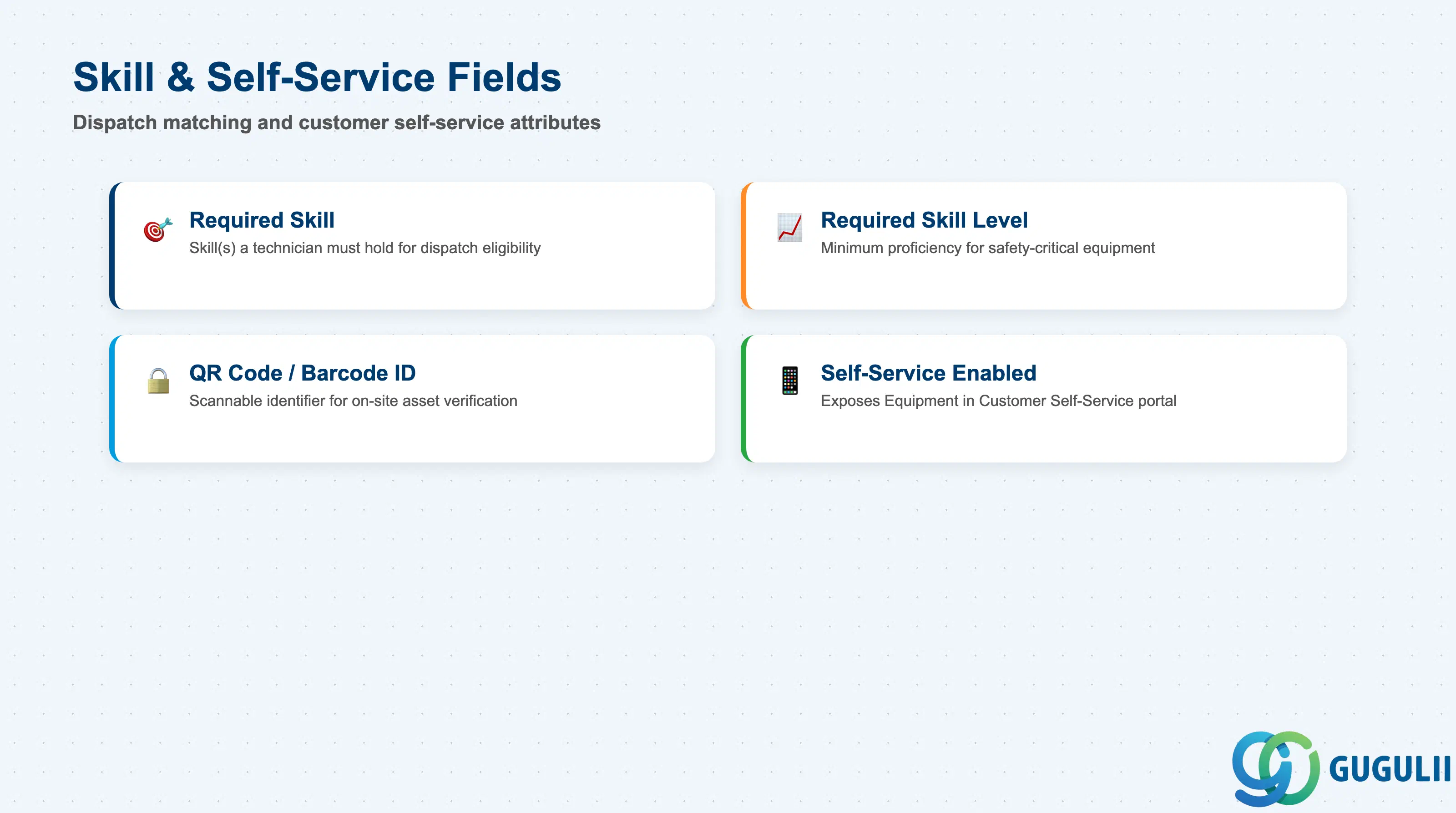
These fields connect Equipment to dispatch-time technician matching and to the customer-facing self-service check-in experience.
| Field | Description | Practical Usage |
|---|---|---|
| Required Skill | Skill(s) that a technician must hold to be dispatched against this Equipment | Sourced from the Skill Requirement object (FSM-A04-07); Assisted Scheduling filters out any Person/Technician who does not hold the matching Skill at the required level. |
| Required Skill Level | Minimum proficiency level for each Required Skill | Set conservatively for safety-critical or manufacturer-certified equipment; overly strict levels can starve the planning board of eligible technicians in smaller regions. |
| QR Code / Barcode ID | Unique scannable identifier printed or affixed to the physical asset | Enables Customer Self-Service check-in and technician on-site verification that the correct Equipment is being serviced — mismatches here are a frequent root cause of service calls logged against the wrong asset. |
| Self-Service Enabled | Flag indicating whether this Equipment is exposed in the Customer Self-Service portal | Turn on only once the Business Partner and Address data behind the Equipment is verified accurate; incorrect location data exposed to customers directly damages the self-service experience. |
Prerequisite: Skill Requirement matching only functions when the corresponding Skill (FSM-A04-01) is also assigned to at least one Person/Technician (FSM-A04-04) — otherwise Assisted Scheduling returns no eligible technician for any Service Call raised against this Equipment.
| ID | Category | Title |
|---|---|---|
| fsm-001 | Overview | What is SAP FSM? |
| ID | Category | Title |
|---|---|---|
| fsm-a01 | Overview | SAP FSM Master Data: Overview, Hierarchy & Relationships |
| fsm-a02-02 | Master Data | SAP FSM Contact |
| fsm-a02-03 | Master Data | SAP FSM Address |
| fsm-a03-01 | Master Data | SAP FSM Equipment 📍 |
| fsm-a03-02 | Master Data | SAP FSM Equipment Hierarchy |
| fsm-a03-03 | Master Data | SAP FSM Service History |
| fsm-a04-01 | Master Data | SAP FSM Skill |
| fsm-a04-02 | Master Data | SAP FSM Work Time Pattern |
| fsm-a04-03 | Master Data | SAP FSM Region |
| fsm-a04-04 | Master Data | SAP FSM Technician |
| fsm-a04-05 | Master Data | SAP FSM Crew |
| fsm-a04-06 | Master Data | SAP FSM Absence |
| fsm-a04-07 | Master Data | SAP FSM Skill Requirement |
| fsm-a05-02 | Master Data | SAP FSM Generic Tool |
| fsm-a05-03 | Master Data | SAP FSM Serialized Tool |
| fsm-a05-04 | Master Data | SAP FSM Warehouse |
| fsm-a05-05 | Master Data | SAP FSM Van Stock |
| fsm-a06-01 | Master Data | SAP FSM Partner Invitation |
| fsm-a06-02 | Master Data | SAP FSM Partner Registration |
| fsm-a06-03 | Master Data | SAP FSM Crowd Partner |
| fsm-a06-04 | Master Data | SAP FSM Partner Technician |
| ID | Category | Title |
|---|---|---|
| fsm-b01 | Overview | SAP FSM Transactions: Process Flow, Hierarchy & Relationships |