Title here
Summary here

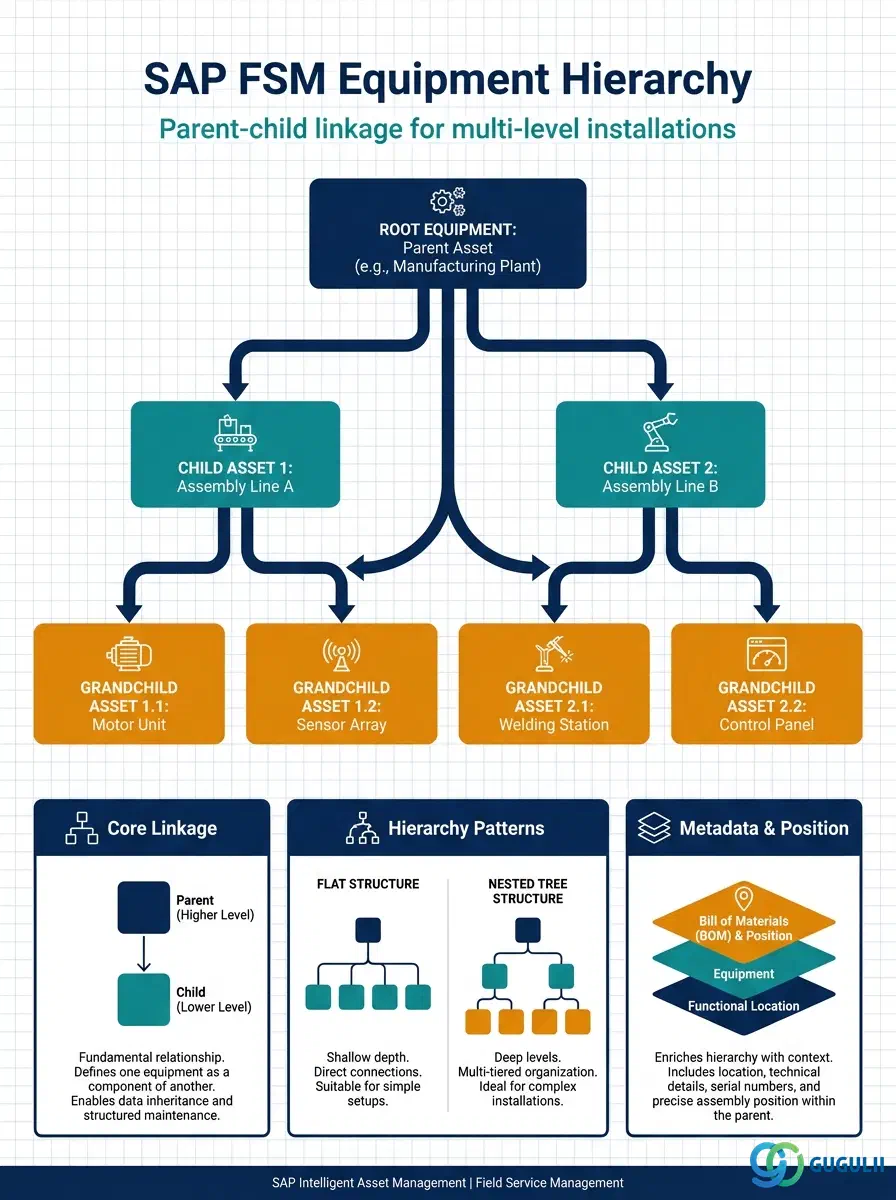
Equipment Hierarchy is the structural link that connects two Equipment (FSM-A03-01) records in a parent-child relationship, letting FSM represent a complex installation — a chiller plant with independently serviceable sub-assemblies, for example — as a navigable tree rather than a flat list of unrelated assets. It carries no fields of its own beyond the linkage, level, and position metadata needed to build and validate that tree; the serviceable-asset detail itself always lives on the Equipment records it connects. This article maps every field FSM consultants configure when building an Equipment Hierarchy, and how those fields relate to the Equipment master and the Service History rollups that ride on top of it.
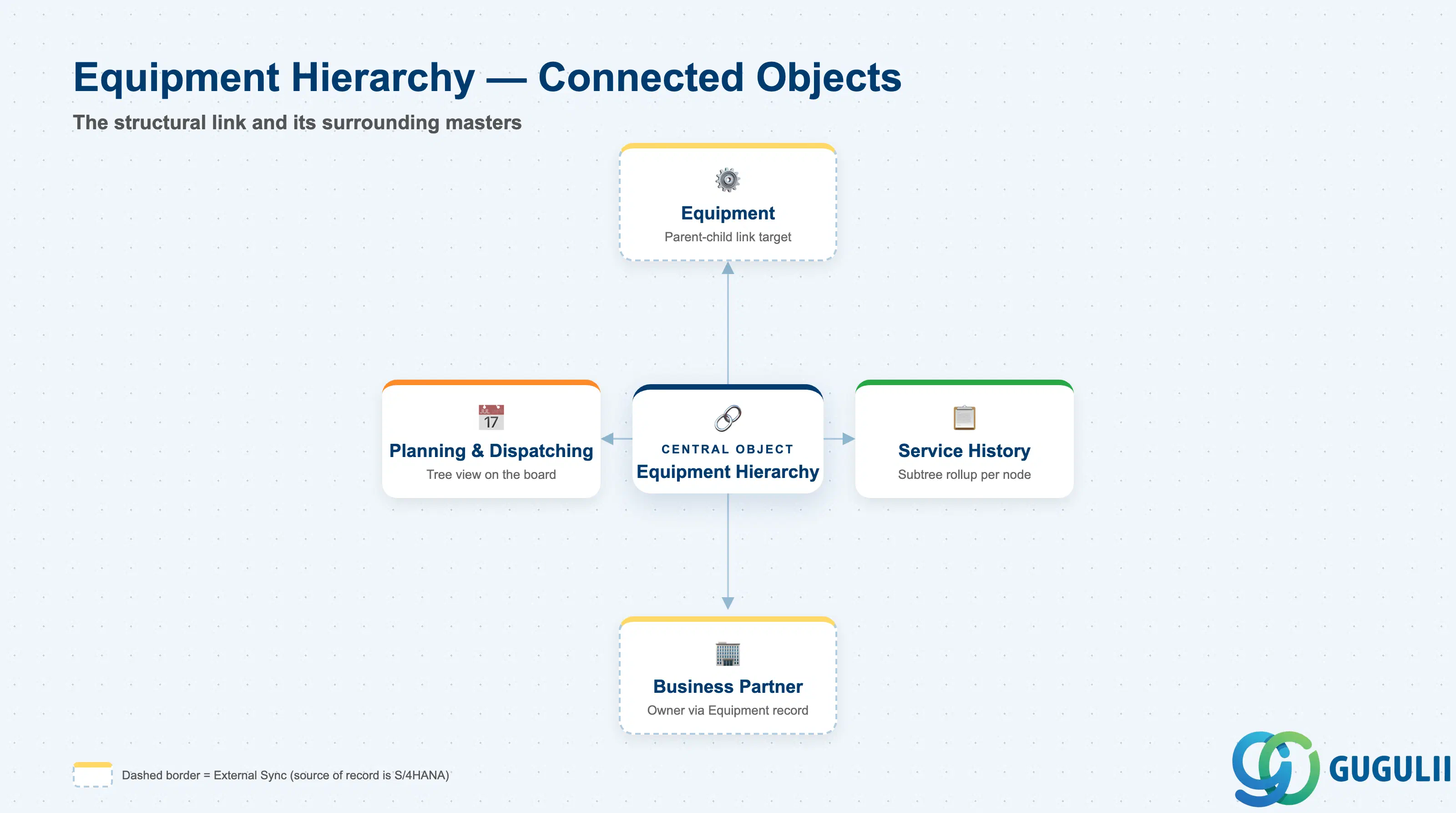
Equipment Hierarchy represents a directed parent-child relationship between two individual Equipment records — nothing more. It is the mechanism that lets FSM know that one serviceable asset is physically or functionally a sub-component of another, so the two can be navigated, reported on, and dispatched against as a related structure instead of two unconnected records.
| Aspect | Details |
|---|---|
| Role | Structural link connecting a parent Equipment to one or more child Equipment records, enabling multi-level installation trees and subtree-aware reporting |
| Modules using it | FSM (Equipment Management — primary owner of the hierarchy link), S/4HANA Enterprise Asset Management (source system concept when Equipment originates from EAM — represented there as the Equipment master’s Superior Equipment assignment), S/4HANA Service (indirectly, when service order costs need to be attributed to the correct node within a hierarchy) |
| Transactions | FSM Web UI “Manage Equipment” app — Structure/Hierarchy tab; on the S/4HANA source side, IE02 (Change Equipment) Structure tab, where the Superior Equipment field establishes the same parent-child link before replication |
| Key Tables | FSM: parent/child reference fields on the Equipment business object (Core API / OData entity) — FSM is a multi-tenant cloud solution and does not use classical ABAP tables. Source system: S/4HANA table EQUI, field HEQUI (Superior Equipment) when the hierarchy originates from EAM |
| S/4HANA note | When Equipment is synchronized from S/4HANA via Master Data Integration (MDI), the Superior Equipment assignment on the source EQUI record is what populates the FSM Equipment Hierarchy link — the hierarchy is not independently re-modeled in FSM, it is carried over from the source structure. |
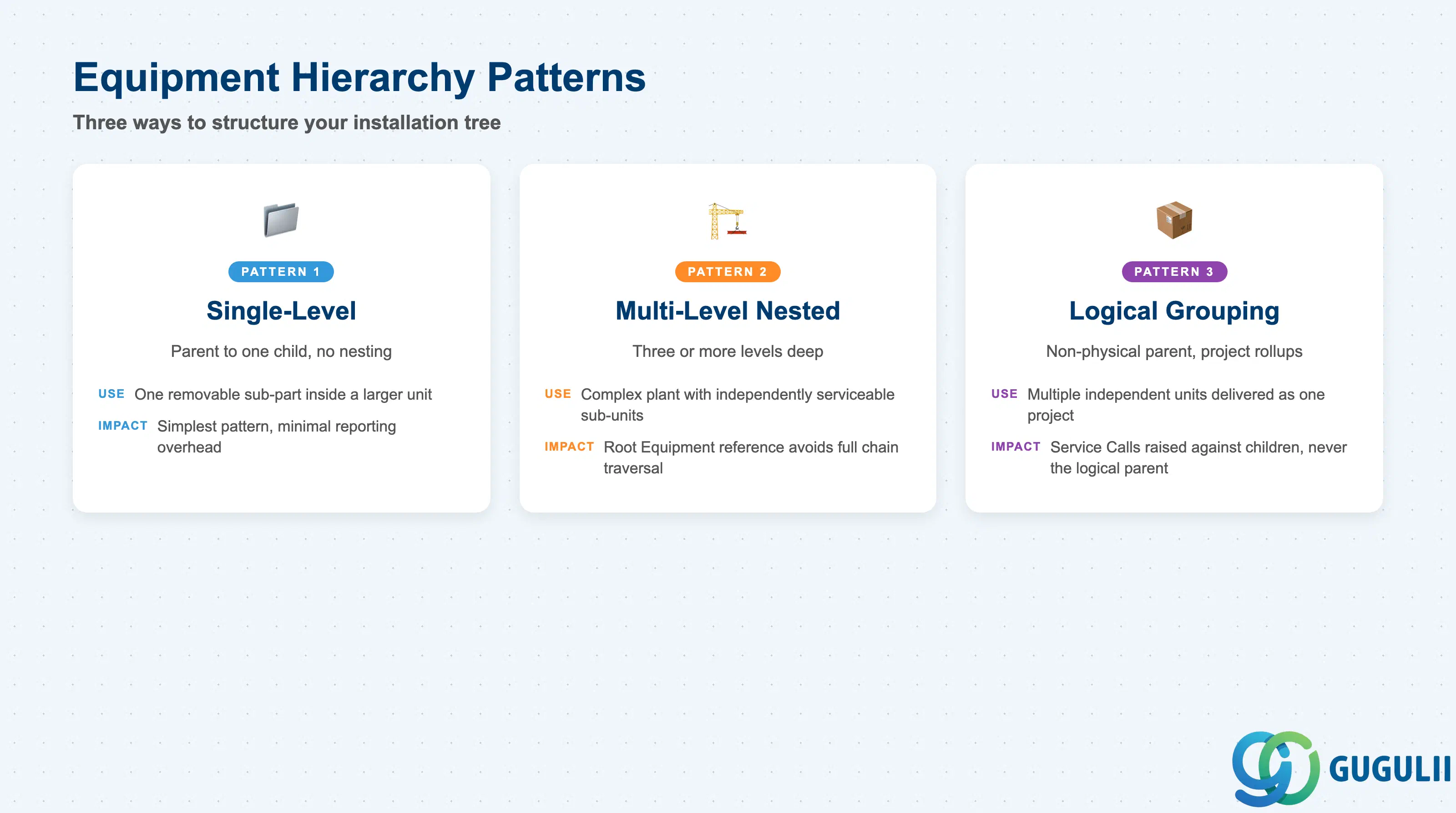
Not every installation needs the same shape of tree. Choosing an unnecessarily deep or an artificially flat structure both create real problems downstream — one bloats reporting and dispatch logic, the other hides the sub-component detail a technician needs on-site.
| Pattern | Descriptor | Use Case | Key Behavior |
|---|---|---|---|
| Single-Level (Flat) | Parent → 1 child, no further nesting | A single removable sub-part inside a larger unit (e.g. a replaceable filter cartridge inside an AC unit) | Simplest and most common pattern; minimal reporting overhead, one Hierarchy Level below the parent |
| Multi-Level (Nested) | Parent → Child → Grandchild, three or more levels | Complex plant installations, e.g. a chiller system with an independently serviceable compressor that itself has a serviceable sensor sub-unit | Each node still carries a direct Root Equipment reference so reporting doesn’t need to walk the full chain; deep nesting increases dispatch and Skill Requirement matching complexity |
| Logical Grouping | Parent is a non-physical “installation” node with several physically unrelated children | Grouping multiple independent units installed together for a single customer project (e.g. three separate pump units delivered and commissioned as one job) | Used for reporting and project-level rollups rather than physical containment; Service Calls are still raised against the individual child Equipment, never against the logical parent itself |
Design principle: Only model a hierarchy level when it reflects a genuine physical or logical containment a technician or planner needs to see — an artificially deep tree makes the Planning Board’s equipment view harder to read, not easier.
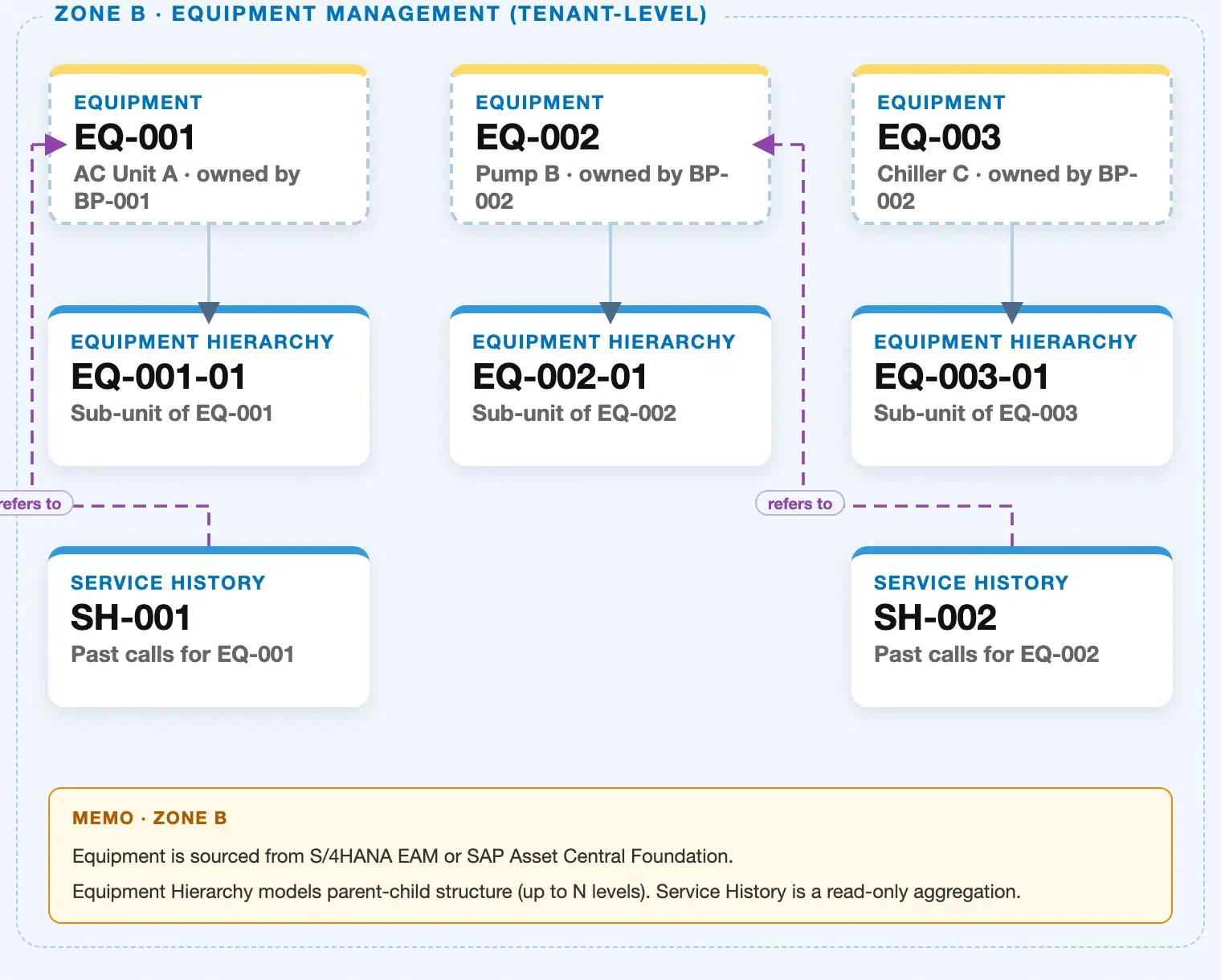
Data hierarchy with a concrete example (Zone B · Equipment Management — tenant-level; FSM has no Company Code / Plant scoping above Equipment)
Client (FSM Tenant)
   │
   ├── Equipment EQ-001 — AC Unit A (Serial SN-2024-001)
   │      ↗ references Business Partner BP-001 — ABC Corp (Zone A)
   │      ↗ references Address AD-A — 1-1 Marunouchi, Tokyo (Zone A)
   │      │
   │      └── Equipment Hierarchy EQ-001-01 — Sub-unit of EQ-001 (Hierarchy Level 2)
   │
   ├── Equipment EQ-002 — Pump B (Serial SN-2024-002)
   │      ↗ references Business Partner BP-002 — XYZ Ltd (Zone A)
   │      ↗ references Address AD-B — 2-2 Umeda, Osaka (Zone A)
   │      │
   │      └── Equipment Hierarchy EQ-002-01 — Sub-unit of EQ-002 (Hierarchy Level 2)
   │
   └── Equipment EQ-003 — Chiller C (Serial SN-2024-003)
          ↗ references Business Partner BP-002 — XYZ Ltd (Zone A)
          │
          └── Equipment Hierarchy EQ-003-01 — Sub-unit of EQ-003 (Hierarchy Level 2)

Service History (reference log — points back to its own Equipment node, not to the hierarchy link):
   Service History SH-001 ── refers to ──▶ Equipment EQ-001
   Service History SH-002 ── refers to ──▶ Equipment EQ-002
Design principle: Equipment Hierarchy is a pure parent-child link scoped strictly between two Equipment records — Parent EQ-001 → Child EQ-001-01, Hierarchy Level 2 — it never itself references Business Partner or Address (those are referenced by the parent Equipment, not by the hierarchy link), and it does not carry Service History; Service History remains a reference log against whichever Equipment node — parent or child — was actually serviced.
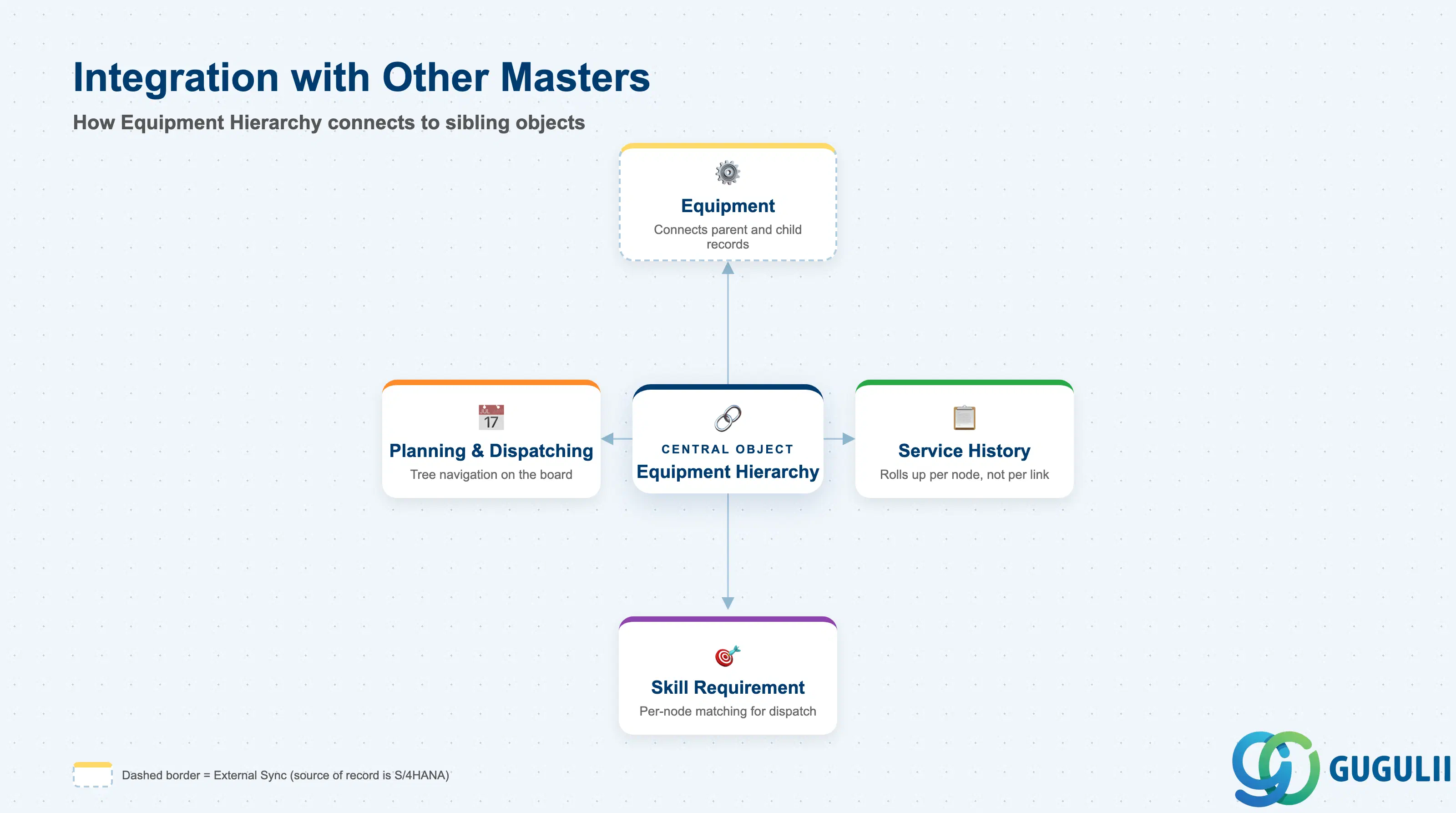
Equipment Hierarchy has no meaning on its own — it exists purely to connect Equipment records and shape how the objects around them are reported and dispatched.
| Object | Relationship | Practical Notes |
|---|---|---|
| Equipment | Every Equipment Hierarchy record connects exactly two Equipment records — one parent, one child | Both the parent and the child must already exist as Equipment records before the hierarchy link can be created; deleting either side without first re-parenting or removing the link leaves an orphaned reference. |
| Service History | Rolls up independently at whichever Equipment node — parent or child — was actually serviced | A hierarchy-aware Service History view can aggregate across an entire subtree, but the underlying Service History records themselves are never attached to the hierarchy link — only to individual Equipment. |
| Skill Requirement | Parent and child Equipment can carry different Required Skills | A chiller (parent) may require a general HVAC certification while its compressor sub-unit (child) requires a manufacturer-specific certification; Assisted Scheduling evaluates Skill Requirement at whichever node the Service Call was raised against, not the whole subtree. |
| Planning & Dispatching (FSM-B04) | Hierarchy is rendered as a navigable equipment tree on the Planning Board | Dispatchers use the tree view to confirm they are scheduling against the correct node — a common data-quality issue is raising a Service Call against a parent when the actual fault is isolated to a specific child sub-unit. |
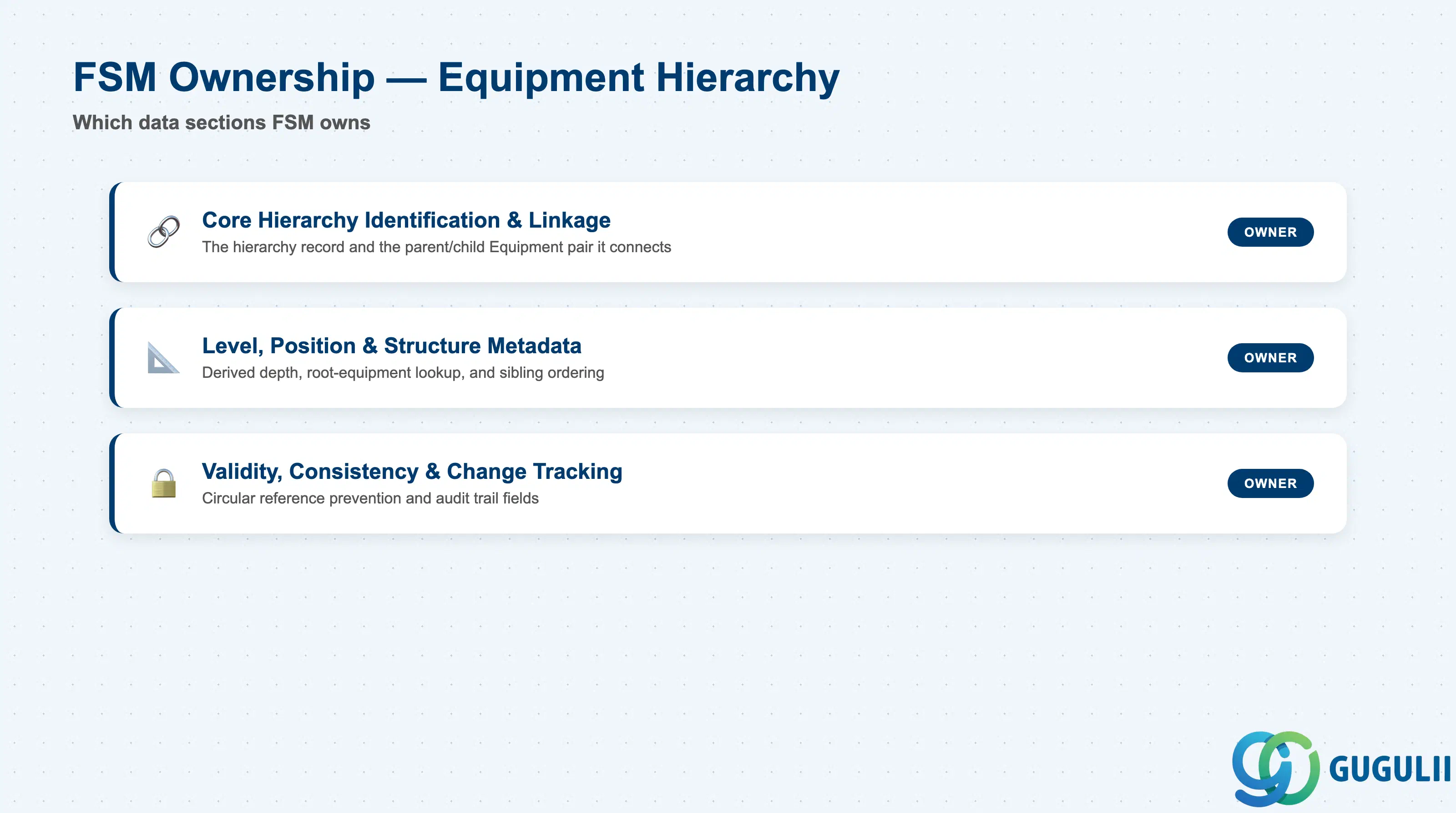
| Data Section | FSM Involvement | Notes |
|---|---|---|
| Core Hierarchy Identification & Linkage | ◎ Owner | The hierarchy record itself and the parent/child Equipment pair it connects |
| Level, Position & Structure Metadata | ◎ Owner | Derived depth, root-equipment lookup, and sibling-position fields used to render the tree |
| Validity, Consistency & Change Tracking | ◎ Owner | Fields and rules that prevent circular or duplicate assignment and record who changed the structure |
Legend: ◎ = Owner / Critical, ○ = Direct involvement
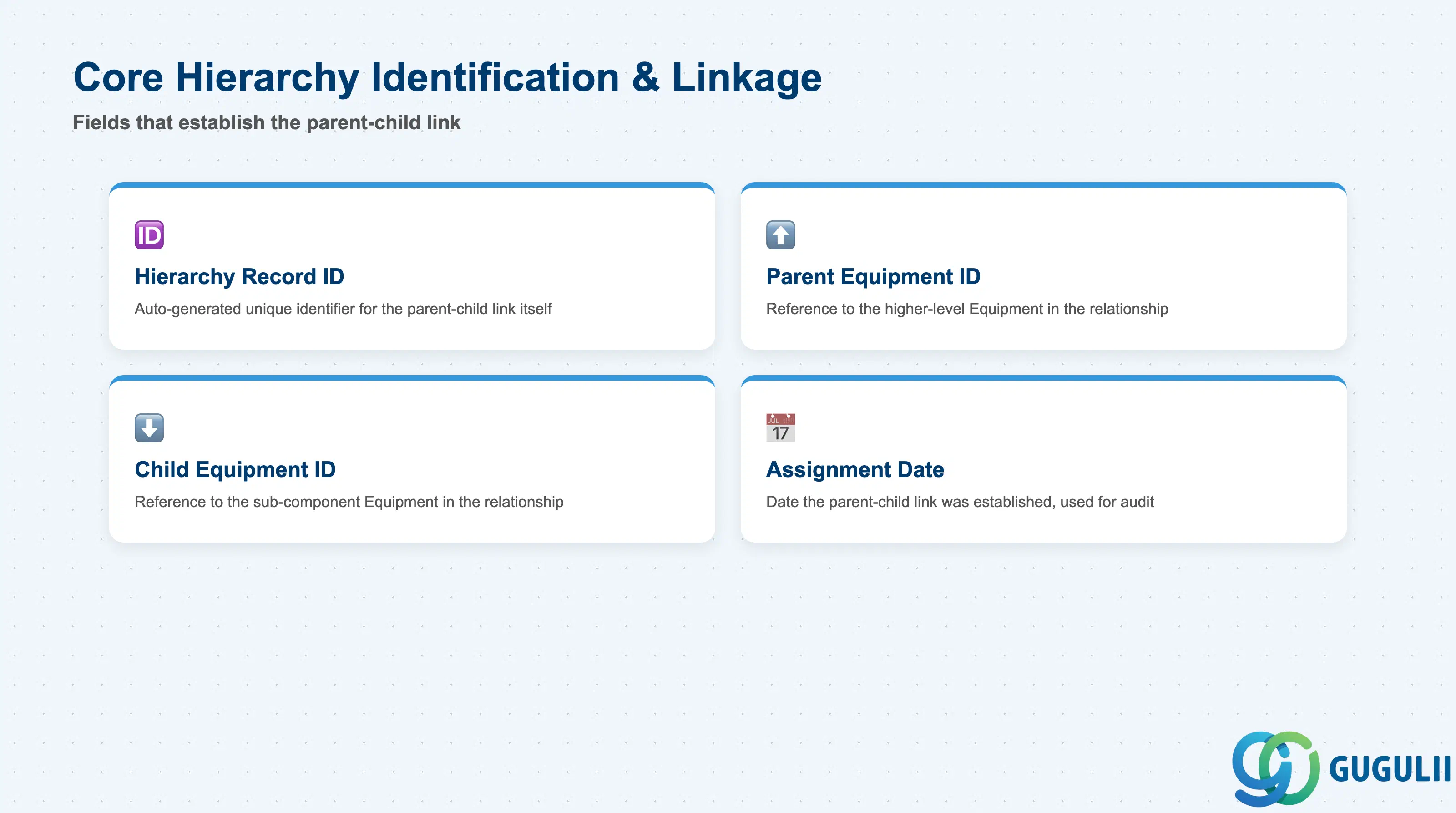
These fields establish which two Equipment records a given hierarchy entry actually connects.
| Field | Description | Practical Usage |
|---|---|---|
| Hierarchy Record ID | FSM’s internal unique identifier for the parent-child link | Auto-generated on creation; distinct from both the parent’s and child’s Equipment ID — it identifies the relationship itself, not either endpoint. |
| Parent Equipment ID | Reference to the higher-level Equipment in the relationship | Must already exist as an active Equipment record; assigning a Decommissioned Equipment as parent is technically possible but should be blocked by process discipline since it implies active work under a retired asset. |
| Child Equipment ID | Reference to the lower-level (sub-component) Equipment in the relationship | An Equipment record can be a Child in exactly one hierarchy link at a time — reassigning it to a new parent should always remove the prior link rather than creating a second, conflicting one. |
| Assignment Date | Date the parent-child link was established | Used for audit purposes and to reconstruct “what the structure looked like at the time” when investigating a historical Service Call raised against the wrong node. |
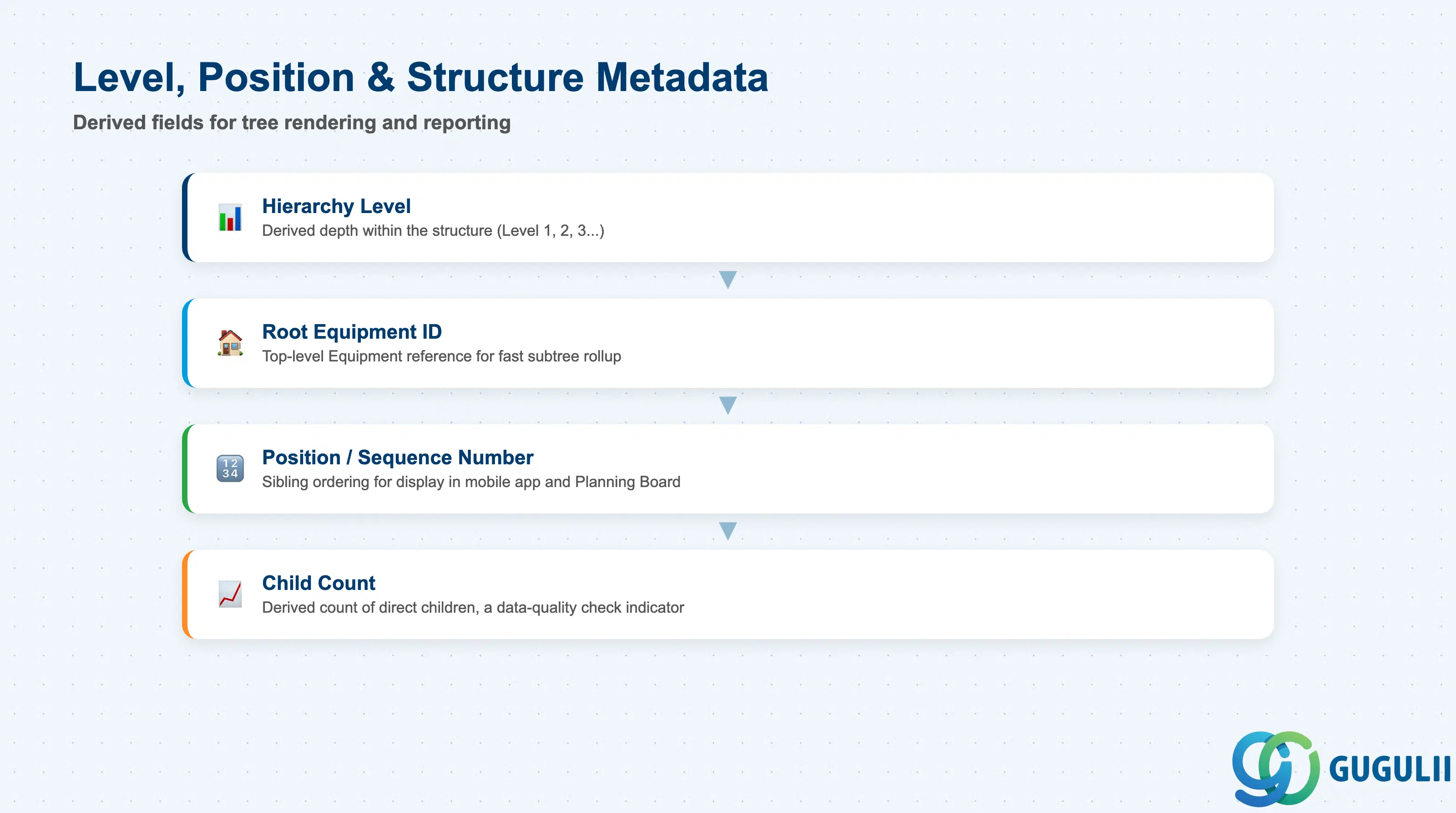
These derived fields let FSM render and report on the tree without repeatedly walking every parent-child link at query time.
| Field | Description | Practical Usage |
|---|---|---|
| Hierarchy Level | Derived depth of the child within its structure (parent = Level 1, first sub-unit = Level 2, and so on) | Recalculated automatically whenever a link is created, moved, or removed; used directly in the Planning Board’s tree view indentation and in structure-depth reporting. |
| Root Equipment ID | Reference to the top-level Equipment at the base of the entire structure | Lets reporting and Service History rollups aggregate an entire installation without recursively traversing every intermediate level — a significant performance consideration for deeply nested Multi-Level structures. |
| Position / Sequence Number | Ordering value among sibling children of the same parent | Purely a display convenience — controls the order sub-units appear in the technician’s mobile app and the Planning Board tree, with no effect on dispatch or Skill Requirement logic. |
| Child Count | Derived count of Equipment records directly linked as children of this node | A useful data-quality check: an unexpectedly high count at a node that should be a simple single-sub-component installation often signals sub-units were linked to the wrong parent during bulk load. |
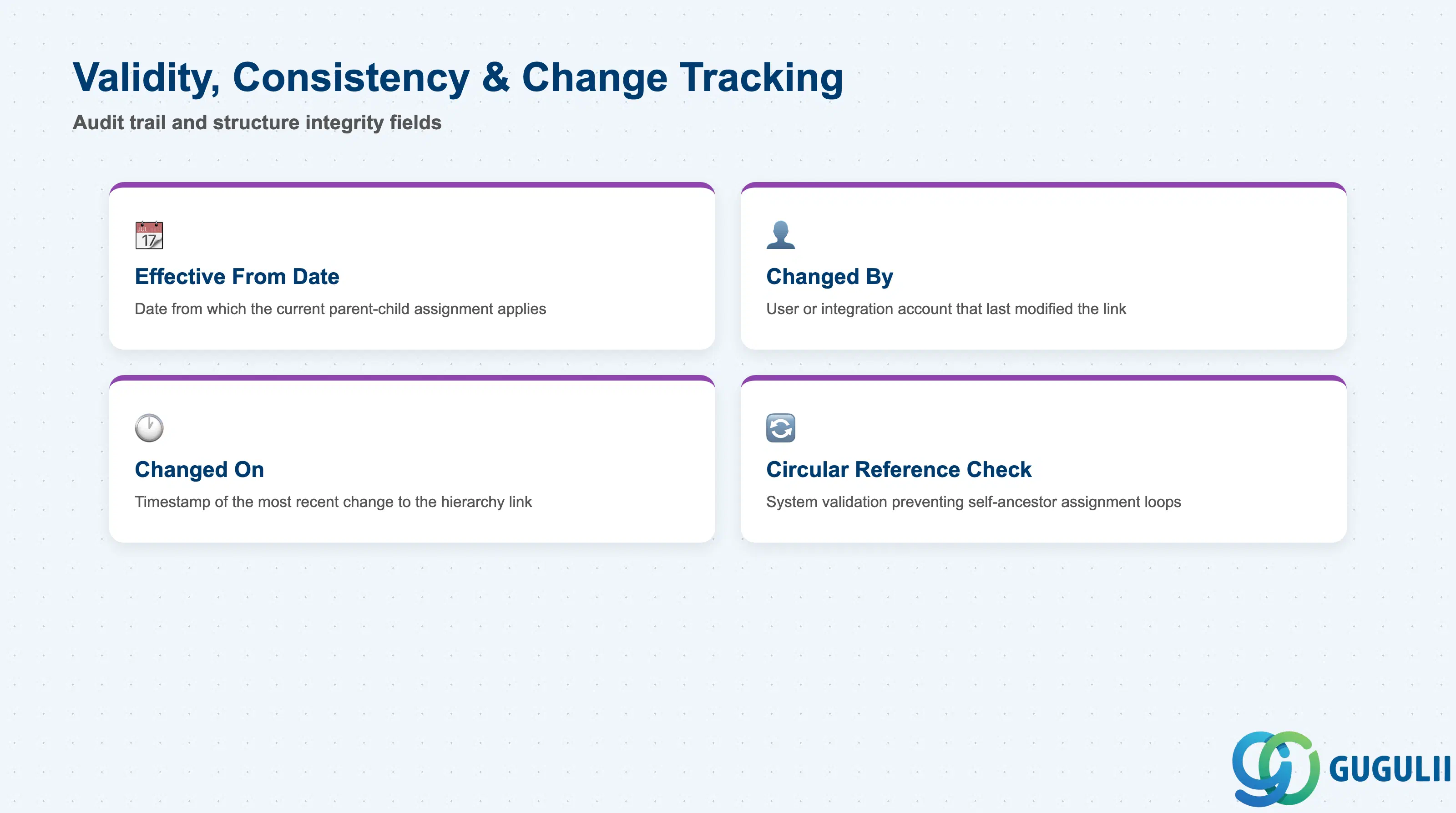
Because a hierarchy link changes the meaning of two existing Equipment records rather than creating new ones, keeping it consistent and auditable matters as much as the linkage itself.
| Field | Description | Practical Usage |
|---|---|---|
| Effective From Date | Date from which the current parent-child assignment applies | Relevant when a child Equipment is re-parented over its lifetime (e.g. a spare pump moved between installations) — keeps historical Service History attributable to the correct structure at the time it occurred. |
| Changed By | User or integration account that last modified the hierarchy link | Distinguishes a manual administrator correction from an automated change driven by an S/4HANA EAM structure sync — important when investigating an unexpected re-parenting after go-live. |
| Changed On | Timestamp of the most recent change to the link | Paired with Changed By for audit trail purposes, particularly in regulated environments where installation structure changes must be traceable. |
| Circular Reference Check | System validation preventing an Equipment record from being assigned as its own ancestor | Enforced automatically at save time — without it, a data entry error (e.g. accidentally reversing parent and child) could create an infinite loop that breaks tree rendering and rollup reporting. |
| ID | Category | Title |
|---|---|---|
| fsm-001 | Overview | What is SAP FSM? |
| ID | Category | Title |
|---|---|---|
| fsm-a01 | Overview | SAP FSM Master Data: Overview, Hierarchy & Relationships |
| fsm-a02-02 | Master Data | SAP FSM Contact |
| fsm-a02-03 | Master Data | SAP FSM Address |
| fsm-a03-01 | Master Data | SAP FSM Equipment |
| fsm-a03-02 | Master Data | SAP FSM Equipment Hierarchy 📍 |
| fsm-a03-03 | Master Data | SAP FSM Service History |
| fsm-a04-01 | Master Data | SAP FSM Skill |
| fsm-a04-02 | Master Data | SAP FSM Work Time Pattern |
| fsm-a04-03 | Master Data | SAP FSM Region |
| fsm-a04-04 | Master Data | SAP FSM Technician |
| fsm-a04-05 | Master Data | SAP FSM Crew |
| fsm-a04-06 | Master Data | SAP FSM Absence |
| fsm-a04-07 | Master Data | SAP FSM Skill Requirement |
| fsm-a05-02 | Master Data | SAP FSM Generic Tool |
| fsm-a05-03 | Master Data | SAP FSM Serialized Tool |
| fsm-a05-04 | Master Data | SAP FSM Warehouse |
| fsm-a05-05 | Master Data | SAP FSM Van Stock |
| fsm-a06-01 | Master Data | SAP FSM Partner Invitation |
| fsm-a06-02 | Master Data | SAP FSM Partner Registration |
| fsm-a06-03 | Master Data | SAP FSM Crowd Partner |
| fsm-a06-04 | Master Data | SAP FSM Partner Technician |
| ID | Category | Title |
|---|---|---|
| fsm-b01 | Overview | SAP FSM Transactions: Process Flow, Hierarchy & Relationships |