Title here
Summary here

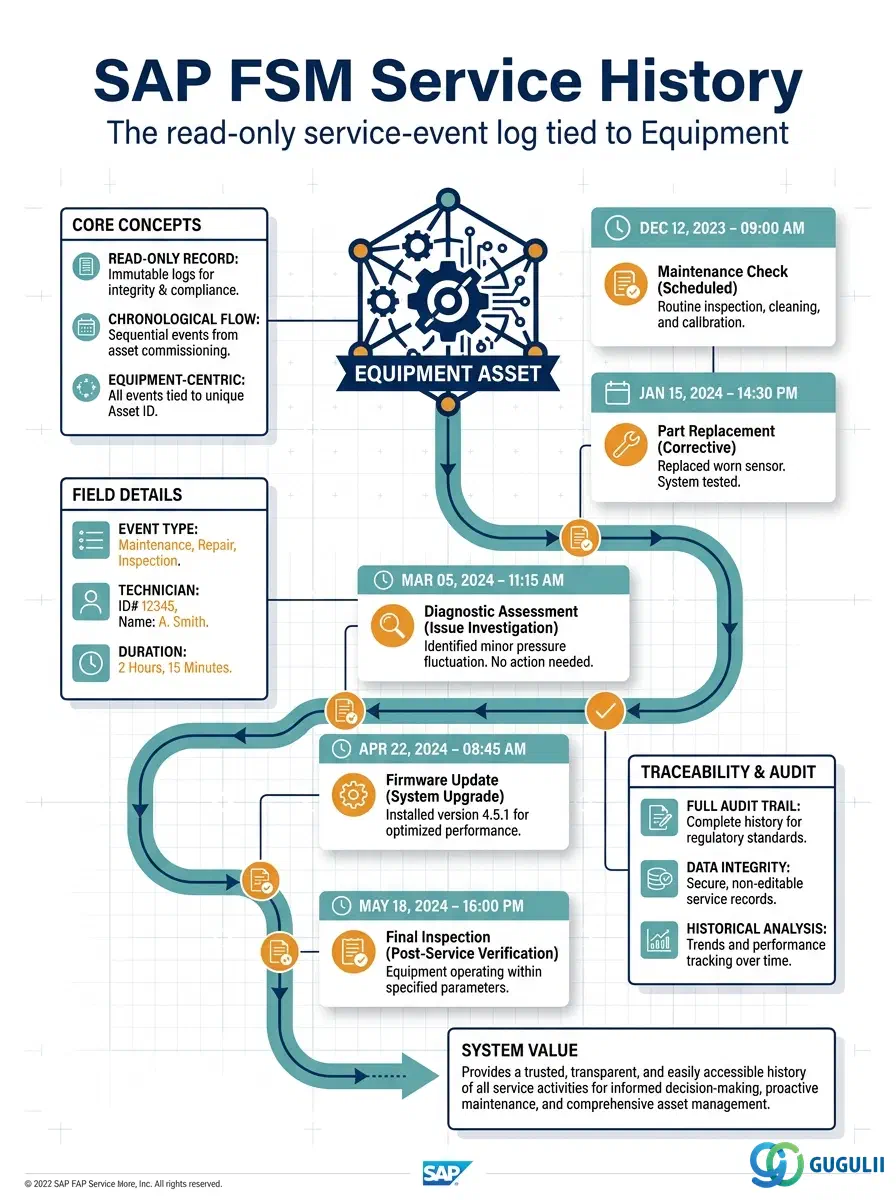
Service History is the read-only record of a completed service event tied to a specific Equipment (FSM-A03-01) — a log entry generated automatically the moment a linked Service Call or Activity reaches closed status, not created directly the way Equipment or Equipment Hierarchy records are. It closes out the Equipment Management domain (Zone B) by turning every past visit into a queryable trail: what happened, when, who performed it, and what it links back to for warranty, audit, and technician-preparation purposes. This article maps every field FSM surfaces on a Service History record, and how those fields connect back to Equipment, Equipment Hierarchy, the originating Service Call, and — where ERP Integration is active — the corresponding S/4HANA Service confirmation.
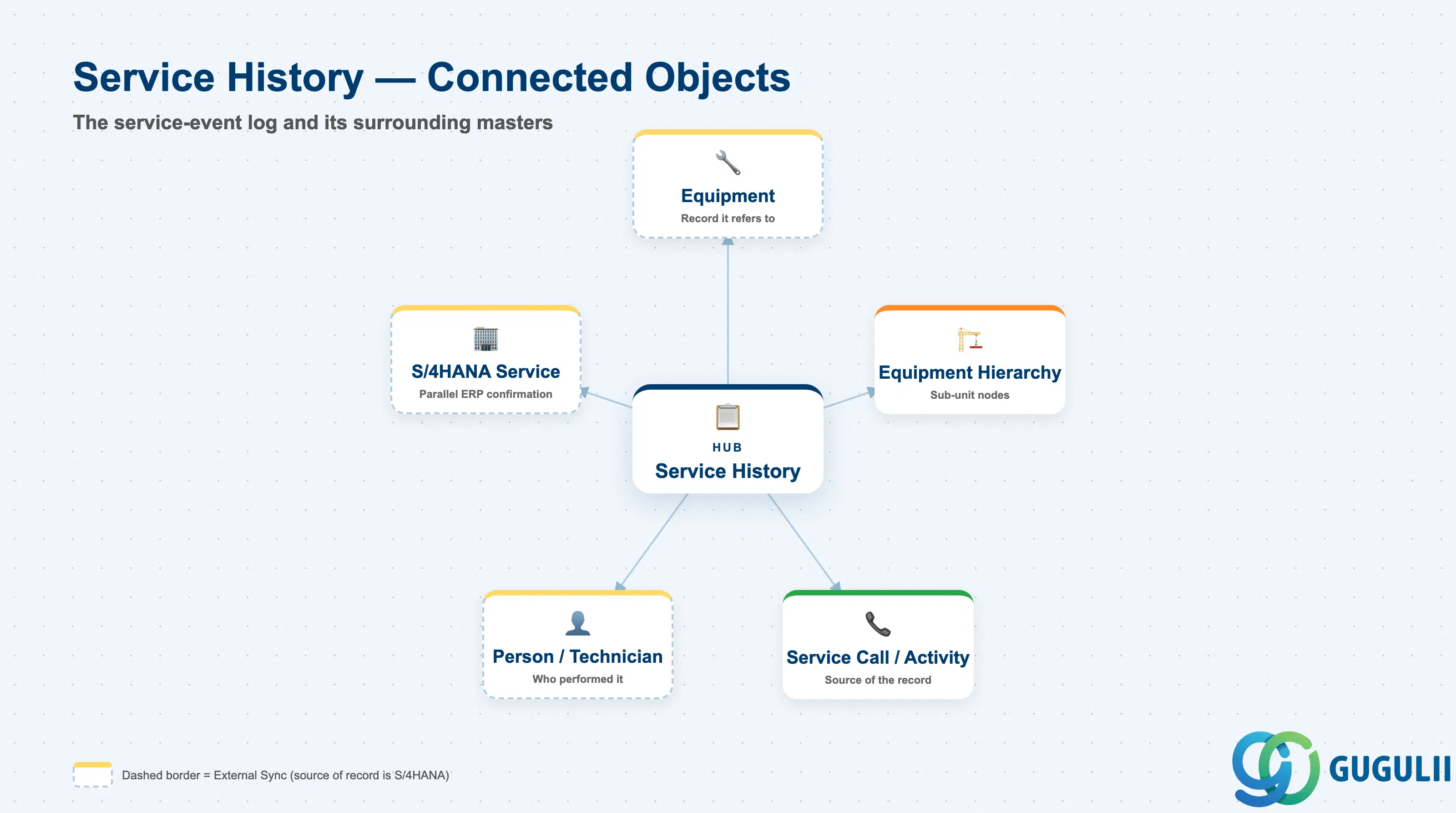
Service History represents a single completed service event against a serviceable asset — a snapshot of what was done, when, and by whom, kept for as long as the asset itself is tracked. It is not independently authored data like a customer or asset master; it is a derived, read-only reflection of a Service Call or Activity at the moment that work was closed.
| Aspect | Details |
|---|---|
| Role | Read-only historical log of a completed service event tied to a specific Equipment record; generated automatically when the underlying Service Call / Activity closes, never created directly |
| Modules using it | FSM (Equipment Management — the log lives against the FSM Equipment record and is the only place it is authored), S/4HANA Service (source of the parallel Service Order confirmation when the underlying Service Call originates from or settles through ERP Integration, FSM-B10), S/4HANA Enterprise Asset Management (a comparable equipment usage/notification history exists on the source-system Equipment master, but it is a separate object, not a replication target for FSM Service History) |
| Transactions | FSM Web UI “Manage Equipment” app — Service History tab (drill-down from the parent Equipment record); no dedicated ERP transaction, since Service History is FSM-native derived data rather than data synchronized in from S/4HANA |
| Key Tables | FSM: Service History is exposed as a read-only rollup on the Equipment business object (Core API / OData entity), sourced from closed Service Call / Activity records — FSM is a multi-tenant cloud solution and does not use classical ABAP tables. There is no direct source-system table equivalent; S/4HANA Service Order confirmation data feeds it indirectly, and only for ERP-Originated records (FSM-B10) |
| S/4HANA note | Unlike Equipment and Equipment Hierarchy, Service History is not synchronized in from S/4HANA — it is generated natively inside FSM whenever a Service Call / Activity linked to the Equipment reaches closed status. Where FSM-B10 ERP Integration is active, that same closed Activity is also what generates the corresponding S/4HANA Service Order confirmation; the two histories exist in parallel systems, one is not a copy of the other. |
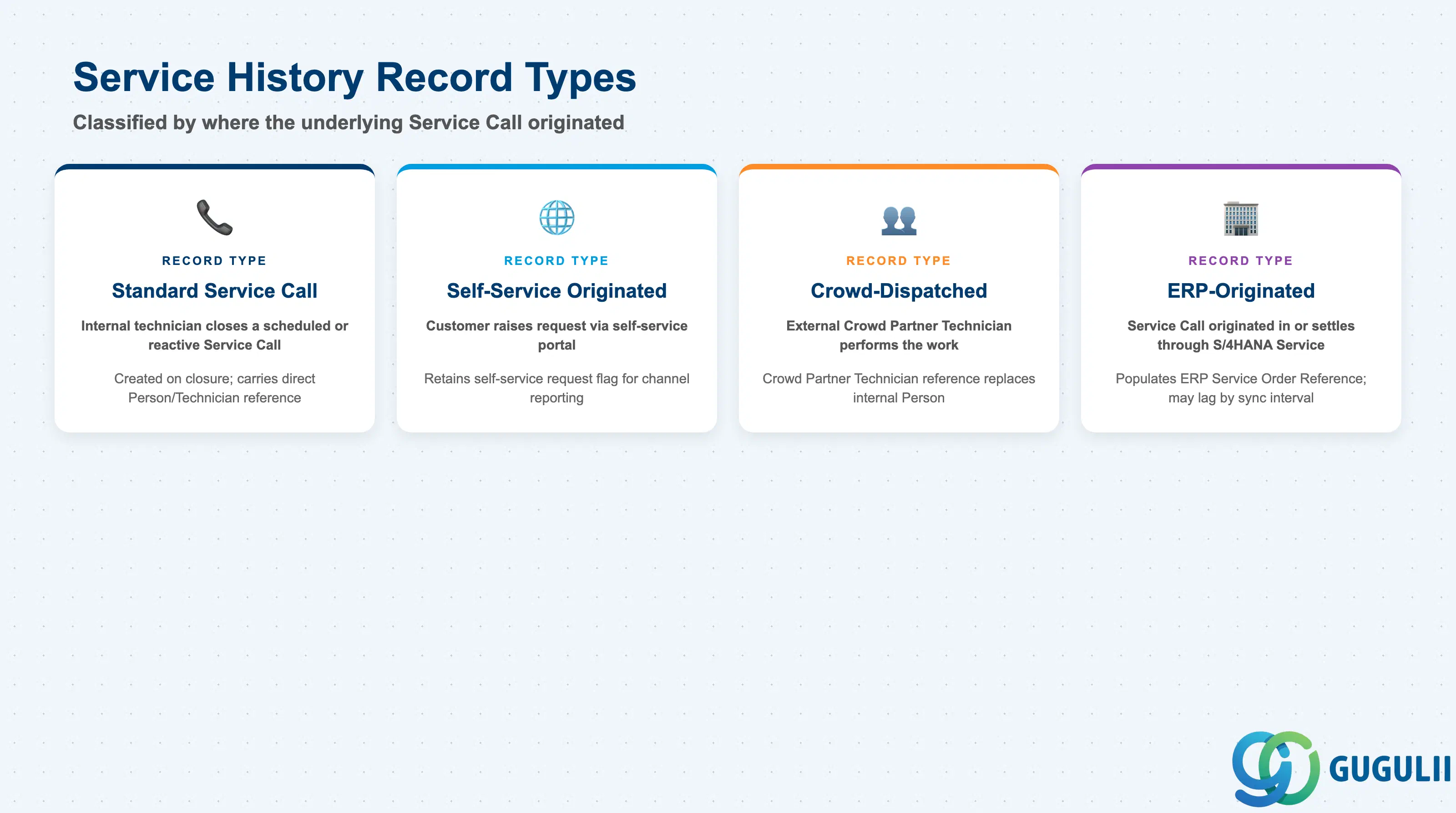
Service History has no independent lifecycle status of its own — it either exists (the underlying Activity has closed) or it does not yet exist (the Activity is still open). What does vary is where the underlying Service Call originated, and that origin shapes which reference fields get populated on the resulting record.
| Record Type | Origin | Use Case | Key Behavior |
|---|---|---|---|
| Standard Service Call | FSM-native Service Call (FSM-B03) | The most common origin — an internally dispatched technician closes a scheduled or reactive Service Call | Created automatically the moment the linked Service Call / Activity reaches closed status; carries a direct Person/Technician reference |
| Self-Service Originated | Customer Self-Service portal Service Request (FSM-B02) | Customer raises the request themselves via the self-service portal, often using the Equipment’s QR Code / Barcode ID | Same closure trigger as Standard, but the resulting record retains a flag/reference back to the originating self-service request for channel reporting |
| Crowd-Dispatched | Crowd Dispatching (FSM-B05) | An external Crowd Partner Technician, rather than an internal employee, performs the closed activity | Carries a Crowd Partner Technician (FSM-A06-04) reference in place of the internal Person/Technician reference |
| ERP-Originated | Service Call originated in, or settles through, S/4HANA Service (FSM-B10) | The service event is driven by or reconciled against an S/4HANA Service Order | Additionally populates the ERP Service Order Reference field (see 2.3); population can lag by the integration sync interval rather than appearing instantly at closure |
Design principle: Classify Service History by where the underlying Service Call originated, not by a status on Service History itself — the object has no status field of its own to maintain.
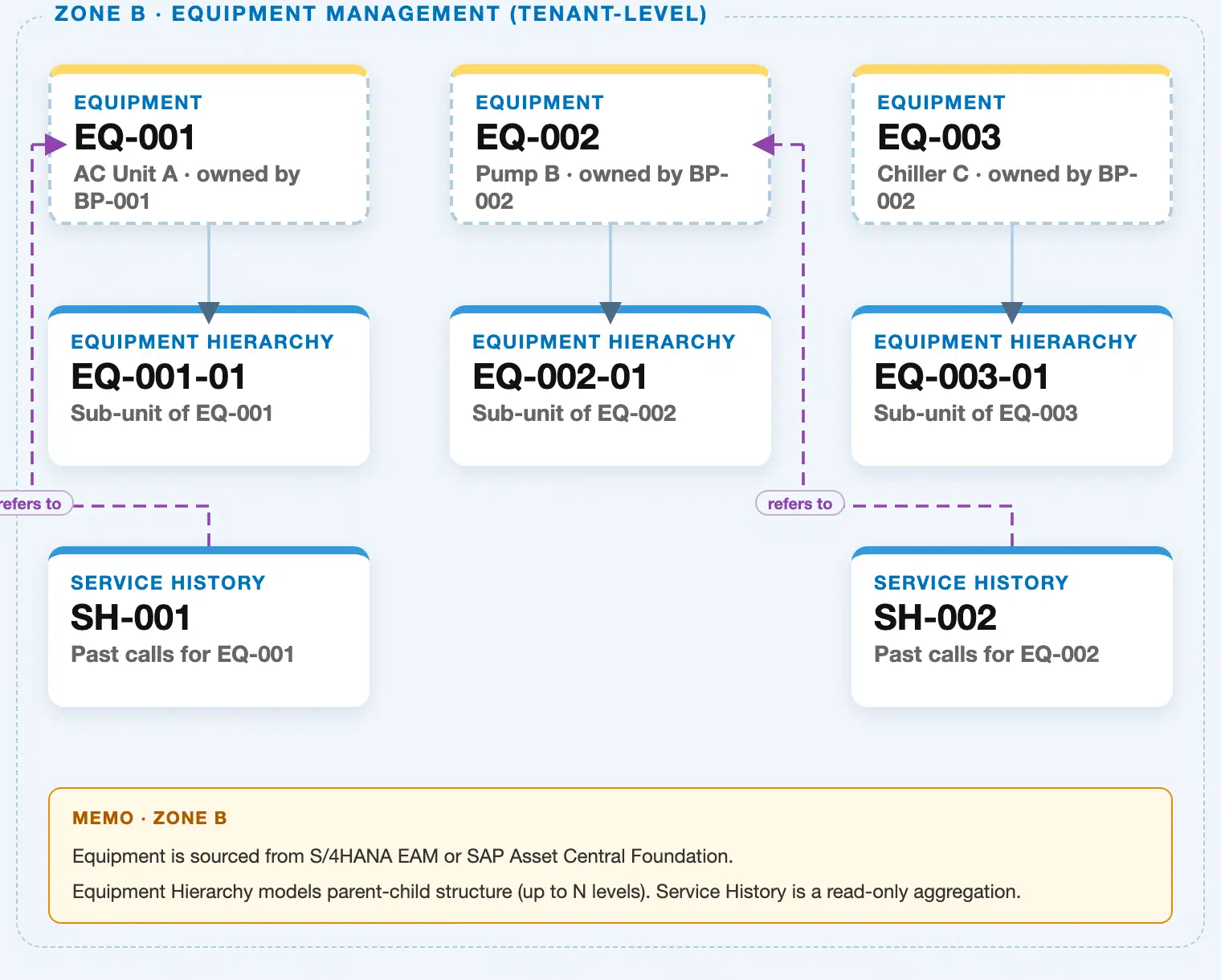
Data hierarchy with a concrete example (Zone B · Equipment Management — tenant-level; FSM has no Company Code / Plant scoping above Equipment)
Client (FSM Tenant)
   │
   ├── Equipment EQ-001 — AC Unit A (Serial SN-2024-001)
   │      ↗ references Business Partner BP-001 — ABC Corp (Zone A)
   │      ↗ references Address AD-A — 1-1 Marunouchi, Tokyo (Zone A)
   │      │
   │      └── Equipment Hierarchy EQ-001-01 — Sub-unit of EQ-001 (Hierarchy Level 2)
   │
   ├── Equipment EQ-002 — Pump B (Serial SN-2024-002)
   │      ↗ references Business Partner BP-002 — XYZ Ltd (Zone A)
   │      ↗ references Address AD-B — 2-2 Umeda, Osaka (Zone A)
   │      │
   │      └── Equipment Hierarchy EQ-002-01 — Sub-unit of EQ-002 (Hierarchy Level 2)
   │
   └── Equipment EQ-003 — Chiller C (Serial SN-2024-003)
          ↗ references Business Partner BP-002 — XYZ Ltd (Zone A)
          │
          └── Equipment Hierarchy EQ-003-01 — Sub-unit of EQ-003 (Hierarchy Level 2)

Service History (reference log — points back to whichever Equipment node was actually serviced, never nested under it):
   Service History SH-001 — Filter replacement, 2026-03-01 ── refers to ──▶ Equipment EQ-001
   Service History SH-002 — Seal leak repair, 2026-04-12 ── refers to ──▶ Equipment EQ-002
   Service History SH-003 — Annual inspection, 2026-05-20 ── refers to ──▶ Equipment Hierarchy EQ-003-01 (sub-unit of EQ-003)
          ↗ references Service Call SC-3007 (FSM-B03) and Technician T-014 — Jane Tanaka
Design principle: Service History is never rendered as a child node of Equipment or Equipment Hierarchy in the landscape — it is drawn as a reference log with an arrow pointing back to whichever Equipment node, top-level or hierarchy sub-unit, was actually serviced. It carries no Company Code / Plant scoping of its own; it simply inherits whichever tenant-level Equipment record it refers to.
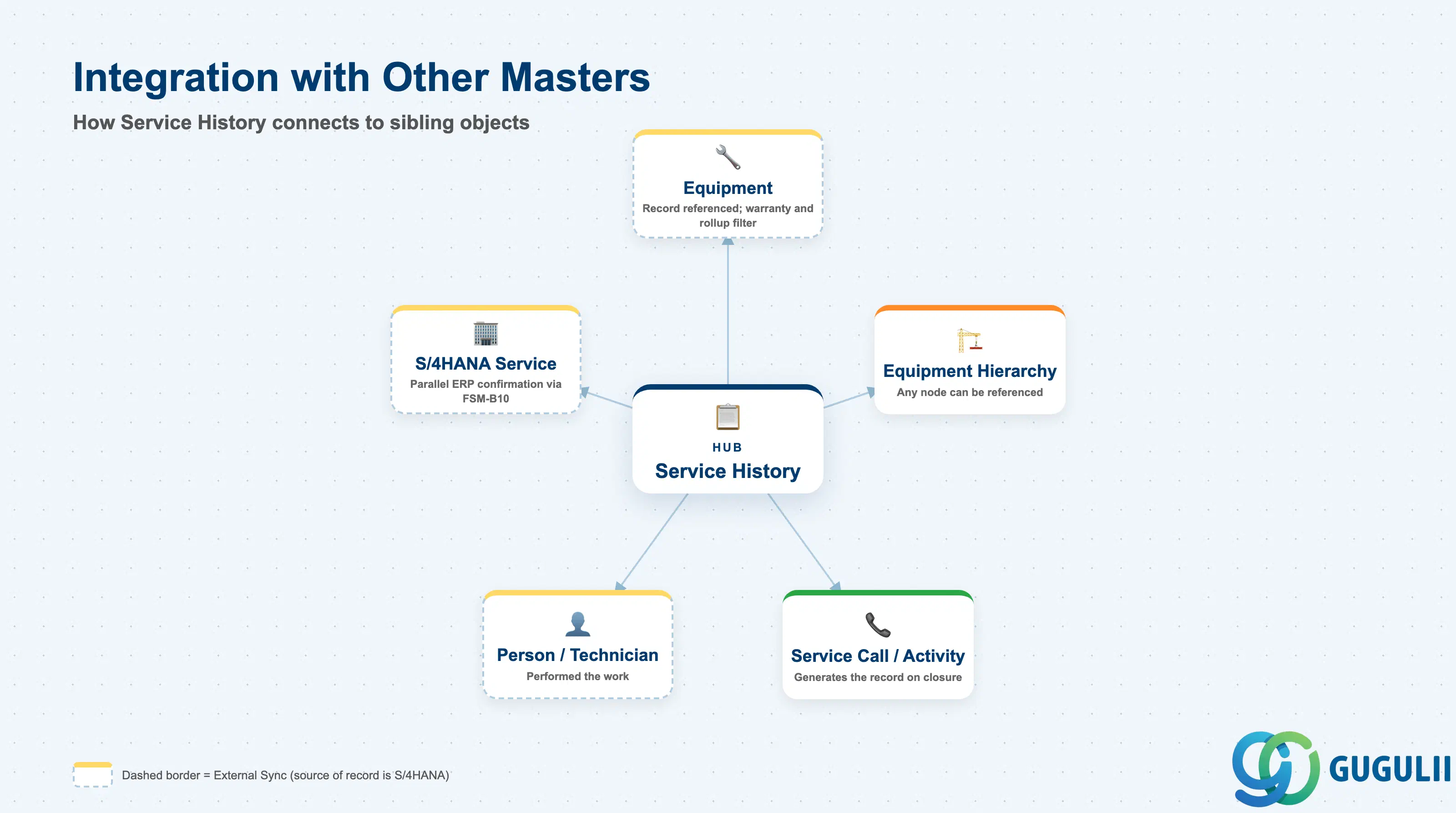
Service History has no meaning on its own — every one of its fields exists to point back at the Equipment that was serviced and the Service Call that generated the record.
| Object | Relationship | Practical Notes |
|---|---|---|
| Equipment | Every Service History record refers to exactly one Equipment record — the top-level asset or a specific Equipment Hierarchy sub-unit | This is the field every warranty and reporting query filters on; it also feeds the Last Service Date and Service History Count rollup fields shown on the Equipment record itself (FSM-A03-01, 2.4). |
| Equipment Hierarchy | Service History can point to any node in a multi-level installation, not only the top-level Equipment | A hierarchy-aware Service History view can aggregate across an entire subtree via the hierarchy’s Root Equipment reference, but individual Service History records are always attached to one specific node, never to the hierarchy link itself. |
| Service Call / Activity (FSM-B03) | Service History is generated automatically the moment the linked Service Call / Activity reaches closed status | Service History cannot be manually created ahead of an actual closed Call — if a record is missing, the underlying Activity has either not closed yet or was never linked to the correct Equipment. |
| Person / Technician (FSM-A04-04) | Records who performed the closed activity, or the Crowd Partner Technician (FSM-A06-04) for crowd-dispatched work | Used in technician performance reporting and gives a named contact when a customer disputes what was done during a visit. |
| S/4HANA Service (via FSM-B10) | ERP-Originated records carry a reference to the corresponding S/4HANA Service Order confirmation | The two histories run in parallel rather than one replicating the other — a persistently blank ERP reference on records that should be ERP-Originated is a common signal of a broken FSM-B10 sync. |
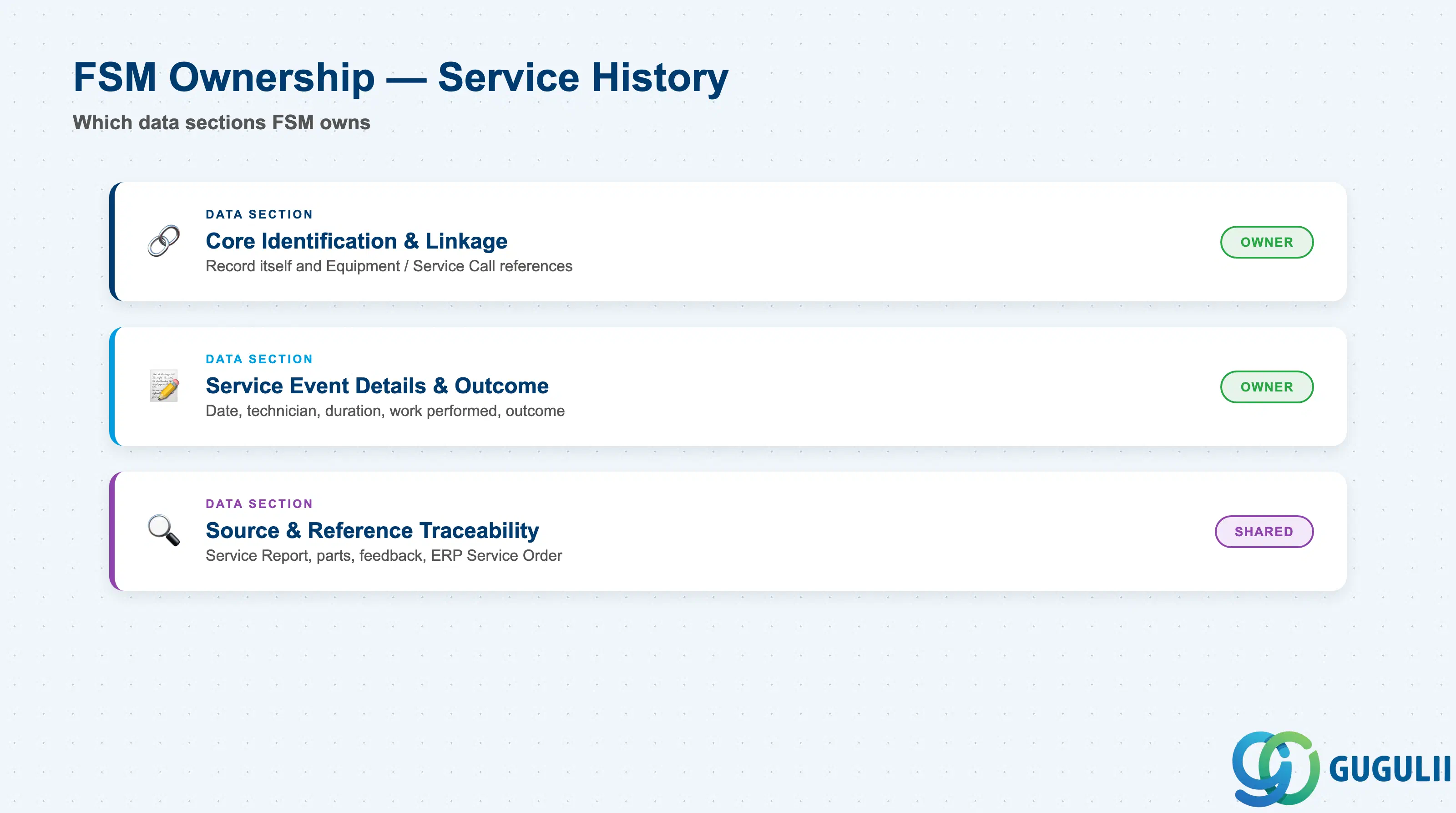
| Data Section | FSM Involvement | Notes |
|---|---|---|
| Core Identification & Linkage | ◎ Owner | The record itself and the Equipment / Service Call references that establish what it is and what it points to |
| Service Event Details & Outcome | ◎ Owner | What actually happened during the service event — date, technician, duration, work performed, outcome |
| Source & Reference Traceability | ○ Shared with S/4HANA Service (via FSM-B10) | Links to the Service Report, parts consumed, customer feedback, and — when ERP Integration is active — the corresponding S/4HANA Service Order confirmation |
Legend: ◎ = Owner / Critical, ○ = Direct involvement
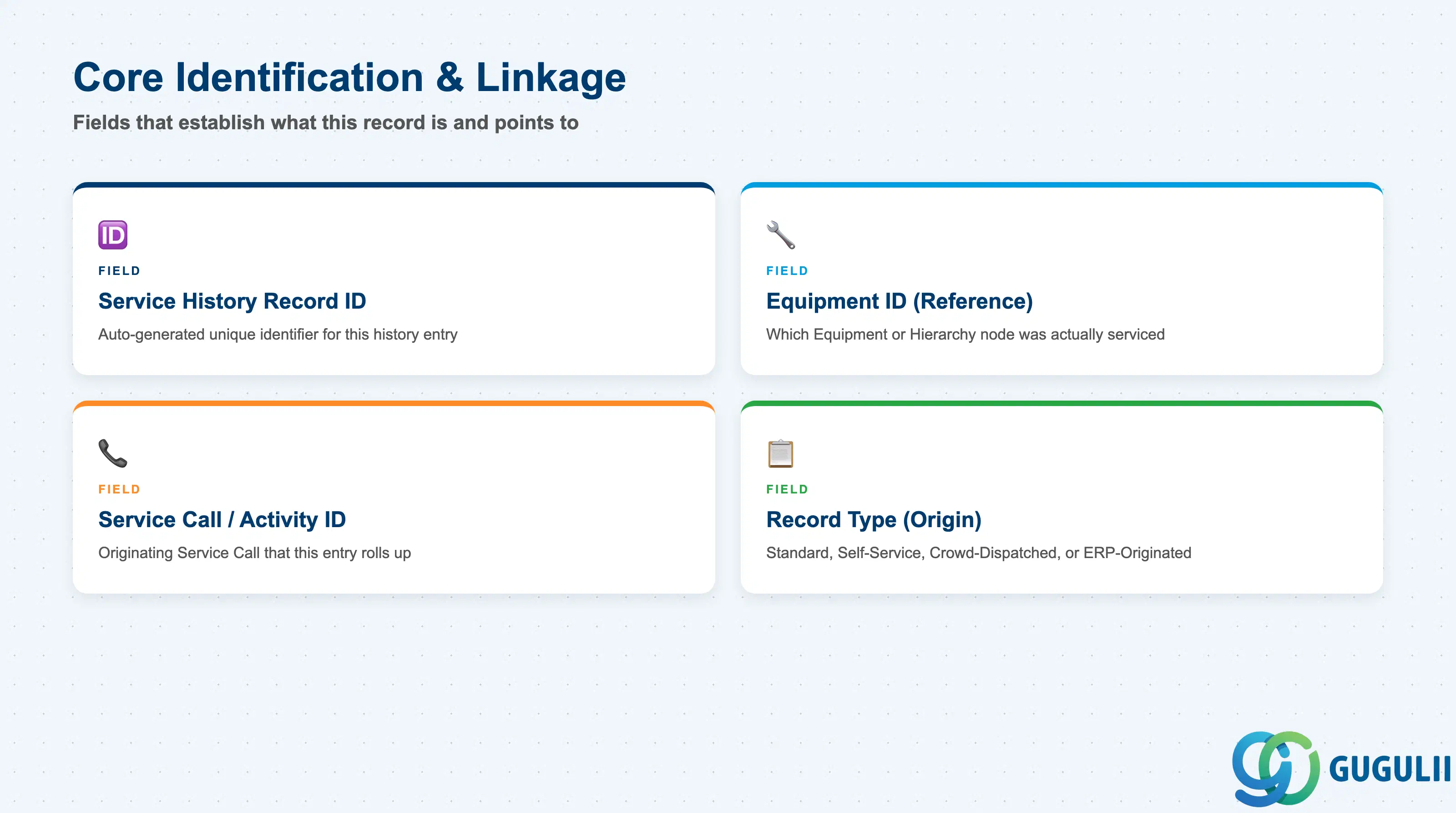
These fields establish which record this is and exactly what it points back to — Service History carries no editable content of its own beyond these references and the event metadata in 2.2.
| Field | Description | Practical Usage |
|---|---|---|
| Service History Record ID | FSM’s internal unique identifier for this history entry | Auto-generated and read-only; used for drill-down navigation from the Equipment record’s Service History tab. Never manually created — a missing ID for a closed Activity indicates a linkage problem, not a data-entry gap. |
| Equipment ID (Reference) | Reference to the Equipment or Equipment Hierarchy node the service event was performed against | Matches whichever node the underlying Service Call was actually raised against (see 1.3) — this is the field every rollup and warranty query filters on. |
| Service Call / Activity ID (Reference) | Reference to the originating Service Call / Activity (FSM-B03) that this entry rolls up | The authoritative source of truth for the event; Service History is a read-only reflection of that Activity at the moment of closure, not a separately maintained record. |
| Record Type (Origin) | Indicates which process created the underlying Service Call — Standard, Self-Service, Crowd-Dispatched, or ERP-Originated (see 1.2) | Used to filter warranty and audit reporting by channel, e.g. isolating self-service-originated visits for customer portal analytics or ERP-Originated visits for reconciliation checks. |
Prerequisite: A Service History record only exists once the linked Service Call / Activity has reached closed status — an open or in-progress Activity produces no Service History entry until it closes.
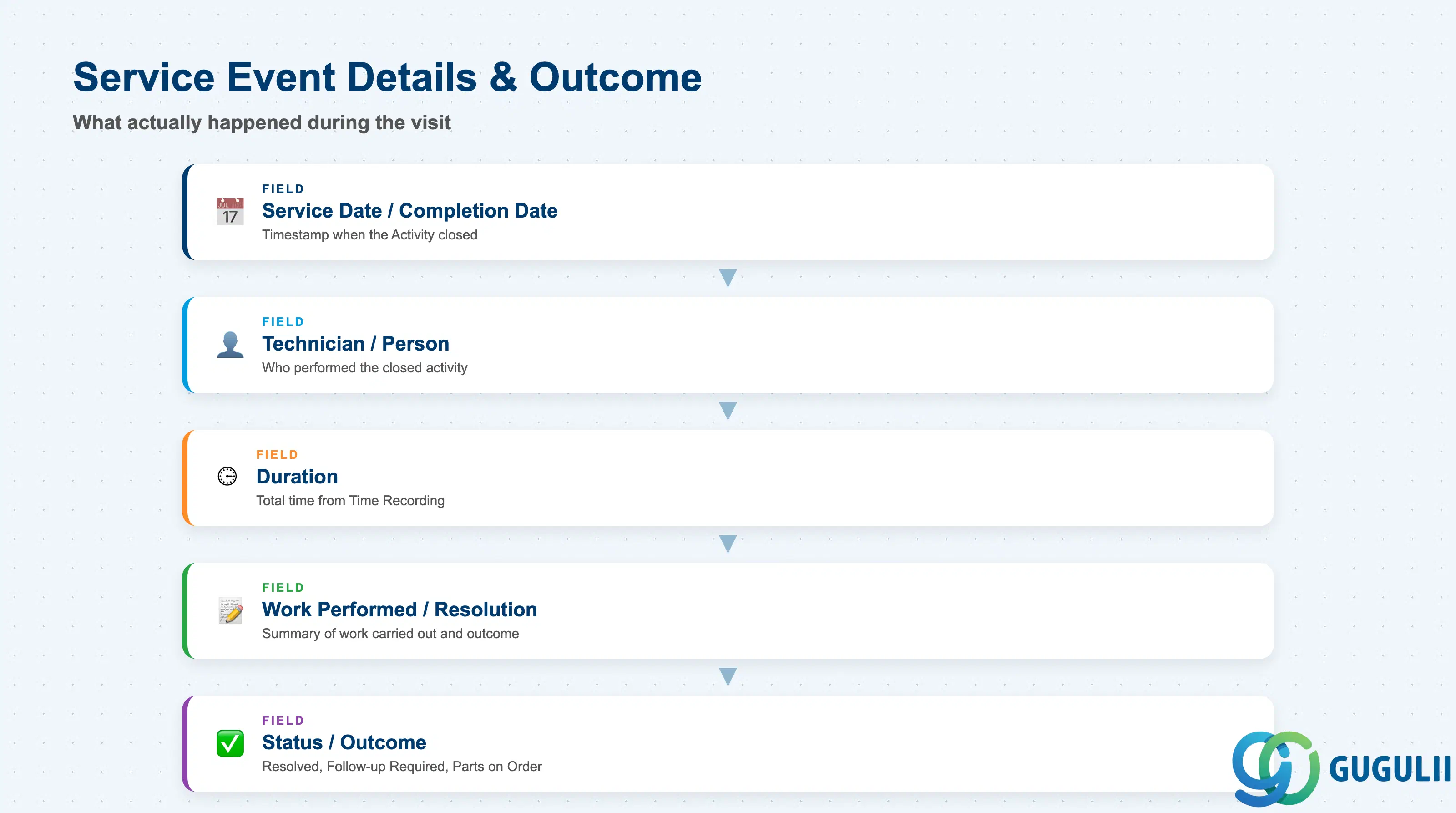
These fields carry the substance of what happened during the visit — the detail a technician preparing for a follow-up visit, or a manager reviewing an SLA dispute, actually needs to read.
| Field | Description | Practical Usage |
|---|---|---|
| Service Date / Completion Date | Date (and typically timestamp) the underlying Activity was closed | The primary date used for the Last Service Date rollup shown on the Equipment record (FSM-A03-01, 2.4) — never edited directly on Service History itself. |
| Technician / Person (Reference) | The Person/Technician (FSM-A04-04) who performed the closed activity, or the Crowd Partner Technician (FSM-A06-04) for crowd-dispatched work | Feeds technician performance reporting and gives a named point of contact if a customer later disputes the work performed. |
| Duration | Total time recorded against the Activity from Time Recording (FSM-B06) | Feeds contract SLA reporting and, where billable, the T&M Journal (FSM-B07); inconsistent duration entry at the technician level is a common downstream data-quality gap. |
| Work Performed / Resolution Summary | Free-text or structured summary of the work carried out and its outcome | Normally sourced from what the technician entered in the mobile app checklist and typically copied onto the Service Report — keep phrasing consistent, since this becomes the customer-facing record of the visit. |
| Status / Outcome | Final disposition of the service event — e.g. Resolved, Follow-up Required, Parts on Order | A Follow-up Required outcome is a common trigger for automatically raising a new, linked Service Call rather than leaving the site unresolved. |
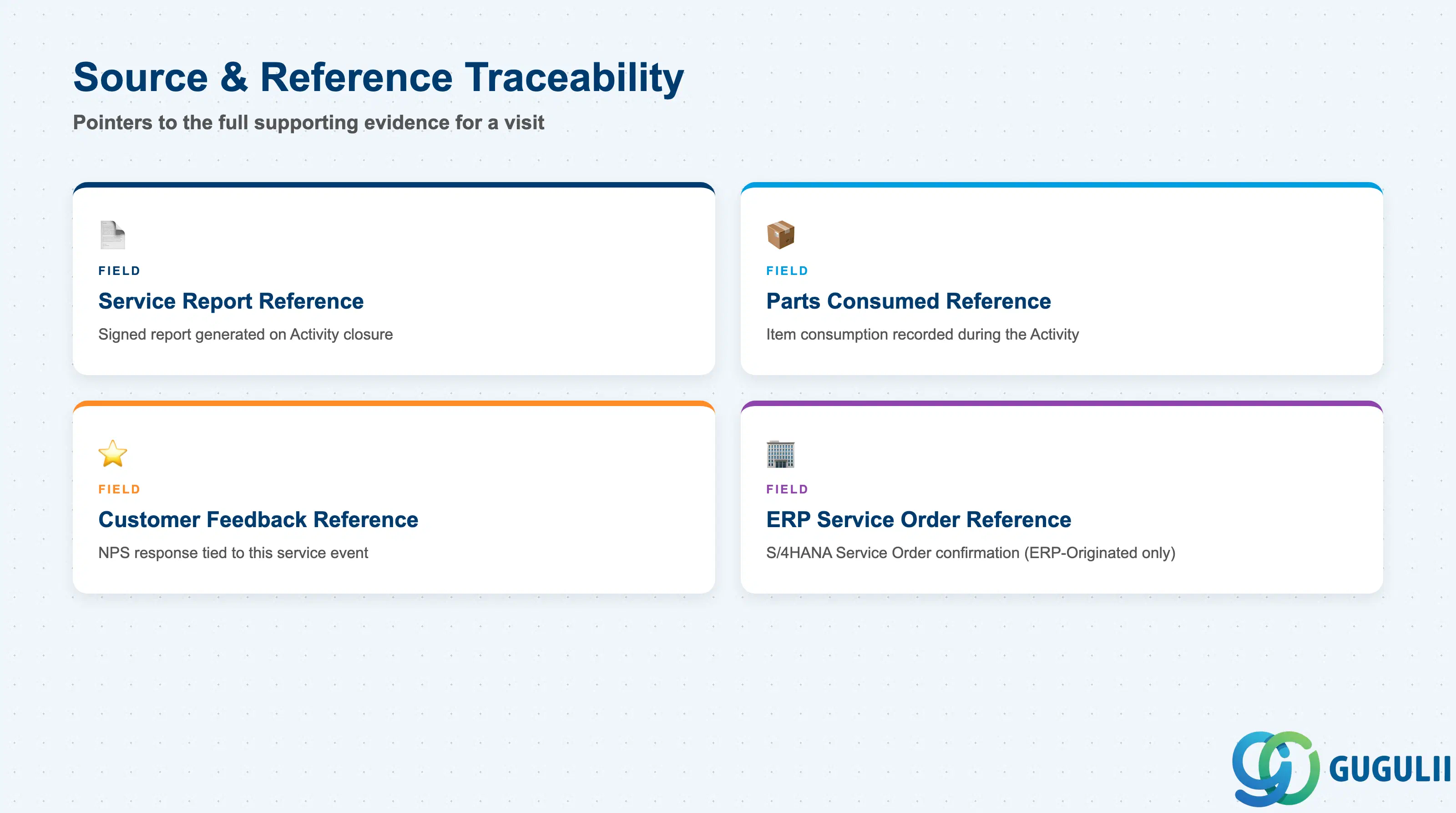
Beyond what happened, Service History also carries the pointers a consultant needs to pull the full supporting evidence for a given visit — the signed report, the parts consumed, the customer’s feedback, and, where relevant, the ERP-side confirmation.
| Field | Description | Practical Usage |
|---|---|---|
| Service Report Reference | Link to the Service Report (FSM-B08) generated when the Activity closed, including the customer signature if captured | The document most often pulled during a warranty dispute or SLA review — a missing reference here on an otherwise complete record is worth investigating. |
| Parts Consumed Reference | Link to the Item (FSM-A05-01) consumption recorded during the Activity | Supports warranty claims tied to a specific part batch and feeds Van Stock (FSM-A05-05) reconciliation after the visit. |
| Customer Feedback Reference | Link to the Customer Feedback / NPS response (FSM-B09) tied to this service event, if collected | Useful for correlating a specific service event with its satisfaction score rather than reading survey results in isolation. |
| ERP Service Order Reference (S/4HANA Service) | Reference to the corresponding S/4HANA Service Order confirmation when ERP Integration (FSM-B10) is active | Only populated for ERP-Originated records (see 2.1, Record Type) — a persistently blank value on records that should be ERP-Originated flags a broken FSM-B10 sync worth escalating. |
| ID | Category | Title |
|---|---|---|
| fsm-001 | Overview | What is SAP FSM? |
| ID | Category | Title |
|---|---|---|
| fsm-a01 | Overview | SAP FSM Master Data: Overview, Hierarchy & Relationships |
| fsm-a02-02 | Master Data | SAP FSM Contact |
| fsm-a02-03 | Master Data | SAP FSM Address |
| fsm-a03-01 | Master Data | SAP FSM Equipment |
| fsm-a03-02 | Master Data | SAP FSM Equipment Hierarchy |
| fsm-a03-03 | Master Data | SAP FSM Service History 📍 |
| fsm-a04-01 | Master Data | SAP FSM Skill |
| fsm-a04-02 | Master Data | SAP FSM Work Time Pattern |
| fsm-a04-03 | Master Data | SAP FSM Region |
| fsm-a04-04 | Master Data | SAP FSM Technician |
| fsm-a04-05 | Master Data | SAP FSM Crew |
| fsm-a04-06 | Master Data | SAP FSM Absence |
| fsm-a04-07 | Master Data | SAP FSM Skill Requirement |
| fsm-a05-02 | Master Data | SAP FSM Generic Tool |
| fsm-a05-03 | Master Data | SAP FSM Serialized Tool |
| fsm-a05-04 | Master Data | SAP FSM Warehouse |
| fsm-a05-05 | Master Data | SAP FSM Van Stock |
| fsm-a06-01 | Master Data | SAP FSM Partner Invitation |
| fsm-a06-02 | Master Data | SAP FSM Partner Registration |
| fsm-a06-03 | Master Data | SAP FSM Crowd Partner |
| fsm-a06-04 | Master Data | SAP FSM Partner Technician |
| ID | Category | Title |
|---|---|---|
| fsm-b01 | Overview | SAP FSM Transactions: Process Flow, Hierarchy & Relationships |
Zone crop source: 04-fsm-a01-master-landscape.png (mtime: Jul 15 11:04)