Title here
Summary here

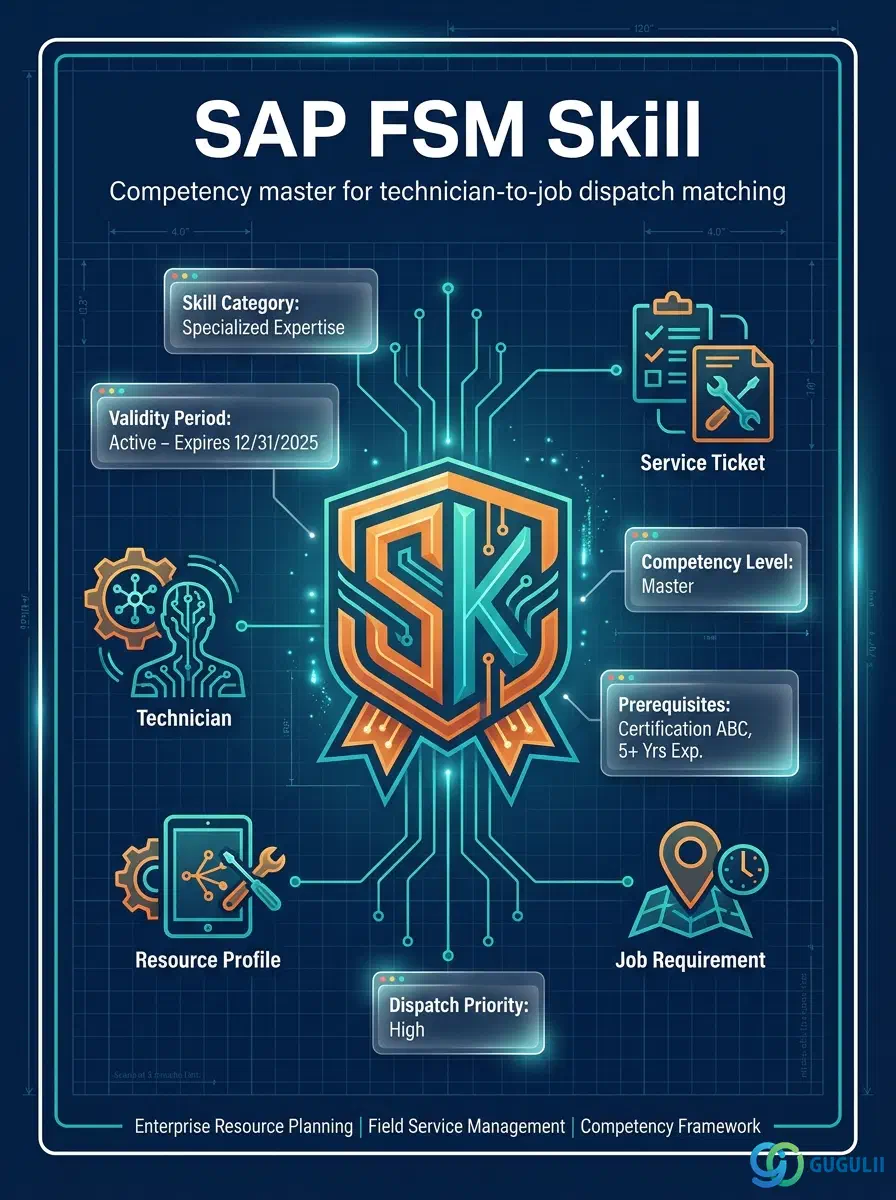
Skill is FSM’s master record for an individual technician competency or qualification — a welding certification, an electrical-work proficiency level, a product installation qualification, a spoken language. It is configured independently at the tenant level, then assigned to Person/Technician records (FSM-A04-04) to describe what each technician is actually qualified to do, and referenced by Skill Requirement (FSM-A04-07) records to state what a piece of Equipment or a Service Call demands. Skill is the first object in the Technician Management domain (Phase 3, Zone C) that this article opens, alongside Work Time Pattern, Region, Person/Technician, Crew, Absence, and Skill Requirement. This article maps every field FSM consultants configure on a Skill record, and how those fields connect to the Person/Technician and Skill Requirement masters around it.
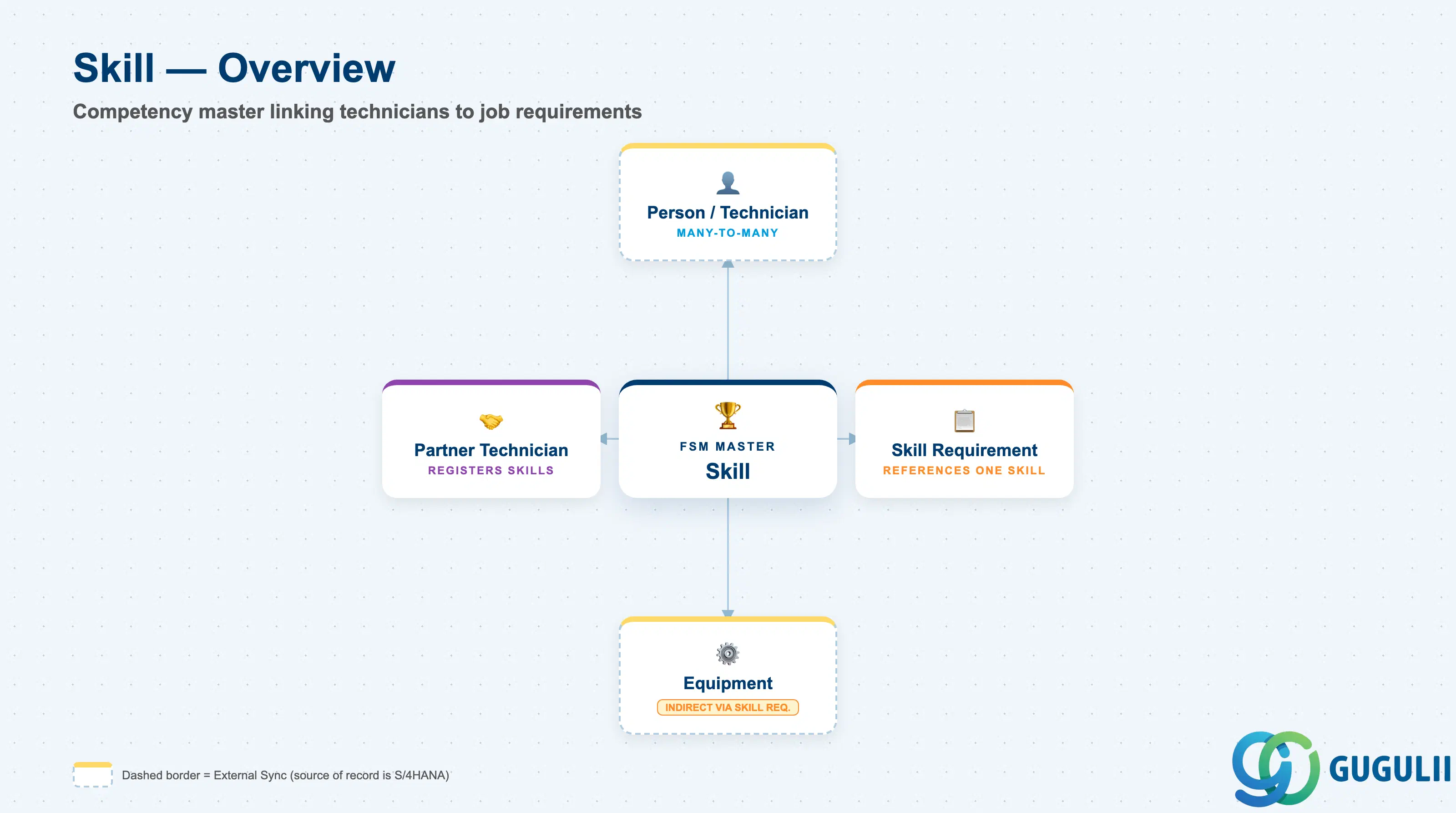
A Skill represents a single, named competency or qualification that can be held by a technician and demanded by a job. It is a deliberately small, flat master — it carries no organizational hierarchy of its own, and it means nothing in isolation: its entire purpose is to be assigned to technicians on one side and referenced by requirements on the other.
| Aspect | Details |
|---|---|
| Role | Master record of a technician competency/qualification; assigned to Person/Technician and referenced by Skill Requirement to drive dispatch-time technician matching |
| Modules using it | FSM (Technician Management — sole owner; Skill is FSM-native with no S/4HANA source master) |
| Transactions | FSM Web UI “Manage Skills” app (Setup/Admin area); Skill Category values are maintained in FSM configuration, not in the Skill record itself |
| Key Tables | FSM: Skill business object (Core API / OData entity) — FSM is a multi-tenant cloud solution and does not use classical ABAP tables; there is no S/4HANA table equivalent |
| S/4HANA note | Skill is not replicated in from S/4HANA — it is created and maintained natively in FSM. If an organization also maintains employee qualifications in S/4HANA HCM or SuccessFactors, the two catalogs must be kept consistent manually; there is no standard synchronization between them as of this writing |
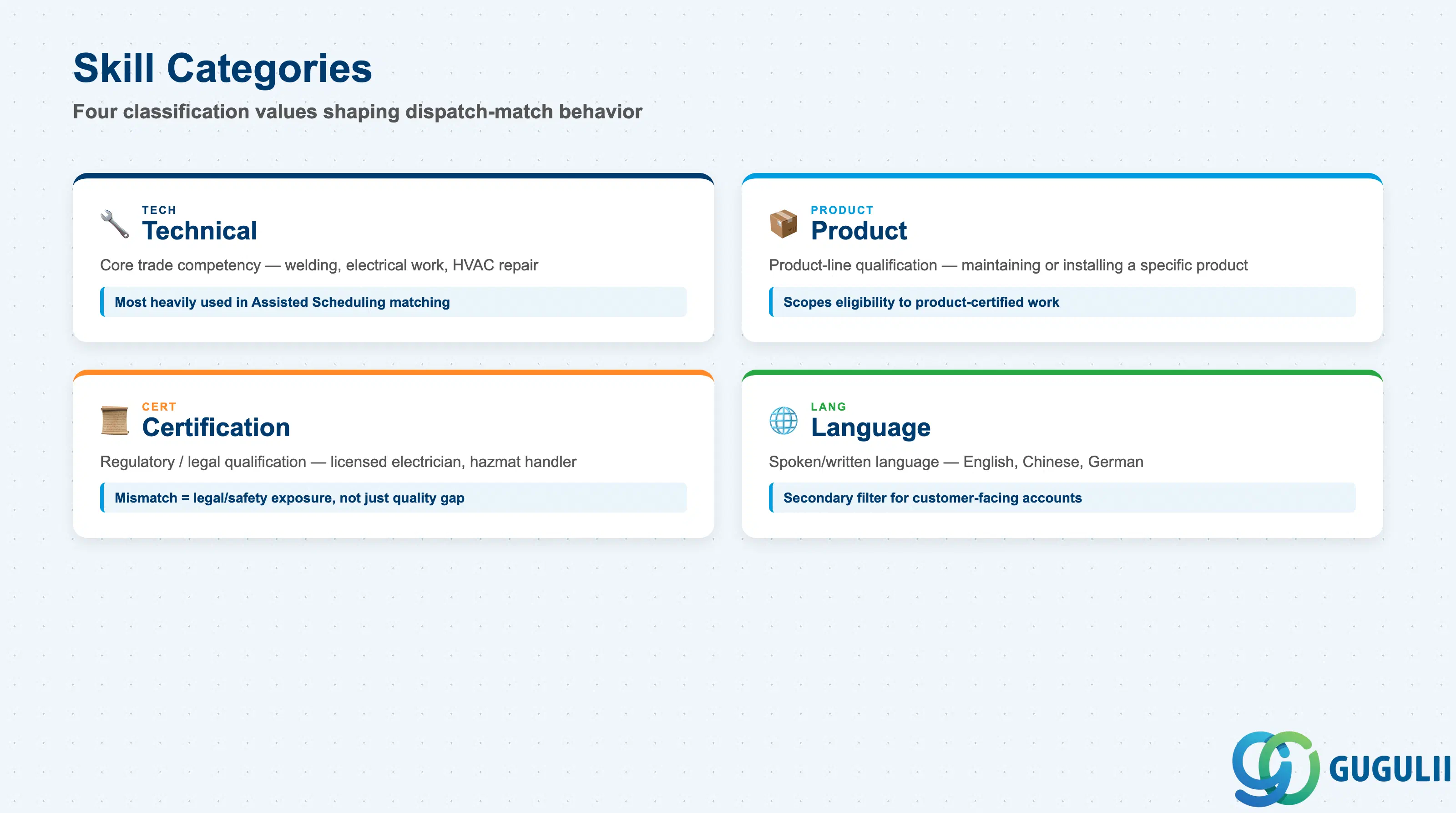
Skill Category is the one classification field carried directly on the Skill record, and it shapes how strictly a mismatch should be treated during dispatch. Getting the category wrong doesn’t just mis-file a Skill — it can quietly change how seriously an unmatched Skill Requirement is escalated.
| Category | Code | Use Case | Key Behavior |
|---|---|---|---|
| Technical | TECH | Core trade competency such as welding or electrical work | Directly matched against Skill Requirement on Equipment/Service Call records; the category consultants configure and use most heavily in Assisted Scheduling |
| Product | PRODUCT | Qualification tied to a specific product line, e.g. maintaining Product A or installing Product B | Scopes technician eligibility to product-specific service work; important when manufacturer warranty terms restrict service to product-certified technicians |
| Certification | CERT | Regulatory or legally required qualification, e.g. licensed electrician, hazardous-materials handler | Carries compliance weight beyond ordinary competency — dispatching an uncertified technician against a Certification-category requirement is a legal/safety exposure, not just a quality gap |
| Language | LANG | Spoken/written language competency, e.g. English, Chinese | Rarely drives hard dispatch filtering alone, but is commonly layered as a secondary Skill Requirement for customer-facing or multinational accounts |
Design principle: Skill Category is a classification field for filtering and reporting — it does not imply that one category outranks another, and Skill Requirement can reference a Skill from any category equally.
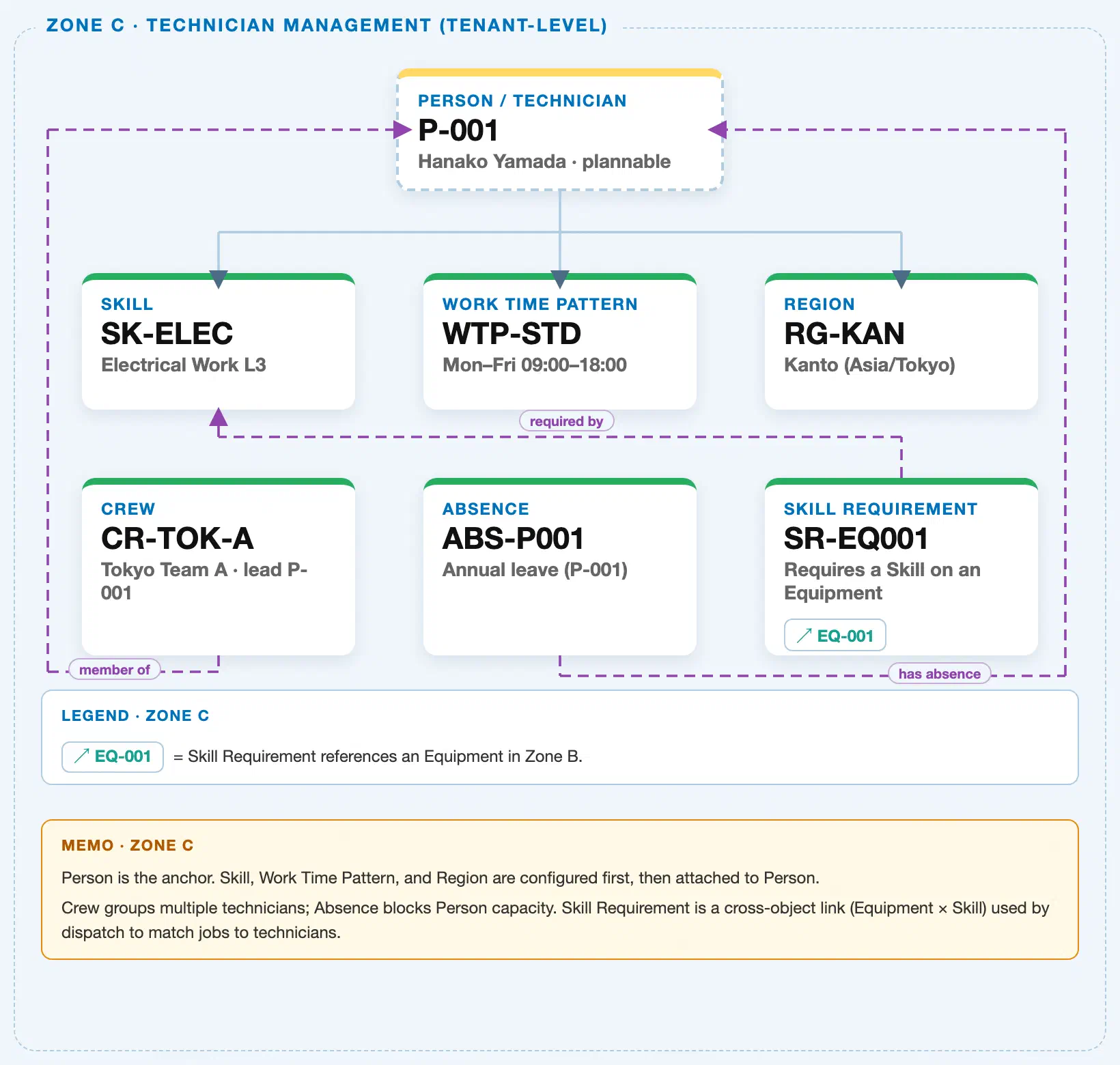
Data hierarchy with a concrete example (Zone C · Technician Management — tenant-level; FSM has no Company Code / Plant scoping above these objects)
Client (FSM Tenant)
   │
   ├── Skill SK-ELEC — Electrical Work L3              (configured independently; tenant-level catalog)
   ├── Work Time Pattern WTP-STD — Mon–Fri 09:00–18:00  (configured independently; tenant-level catalog)
   ├── Region RG-KAN — Kanto (Asia/Tokyo)                (configured independently; tenant-level catalog)
   │
   └── Person / Technician P-001 — Hanako Yamada (Plannable)
          ── assigned to ──▶ Skill SK-ELEC — Electrical Work L3
          ── assigned to ──▶ Work Time Pattern WTP-STD
          ── assigned to ──▶ Region RG-KAN

Crew CR-TOK-A — Tokyo Team A (reference — groups technicians, does not own Person):
   Crew CR-TOK-A ── led by ──▶ Person P-001

Absence ABS-P001 — Annual leave (reference — blocks capacity on the Person it targets):
   Absence ABS-P001 ── blocks ──▶ Person P-001

Skill Requirement SR-EQ001 — Requires a Skill on an Equipment (cross-object link; not nested under either side):
   Skill Requirement SR-EQ001 ── requires ──▶ Skill SK-ELEC
   Skill Requirement SR-EQ001 ── applies to ──▶ Equipment EQ-001 (Zone B)
Design principle: Skill, Work Time Pattern, and Region are independent tenant-level masters configured before Person/Technician — Person is assigned to them via reference, not the reverse, and none of the three own Person. Crew, Absence, and Skill Requirement are drawn as reference objects with an arrow back to the Person or Skill they target; none of them nest underneath the object they reference.
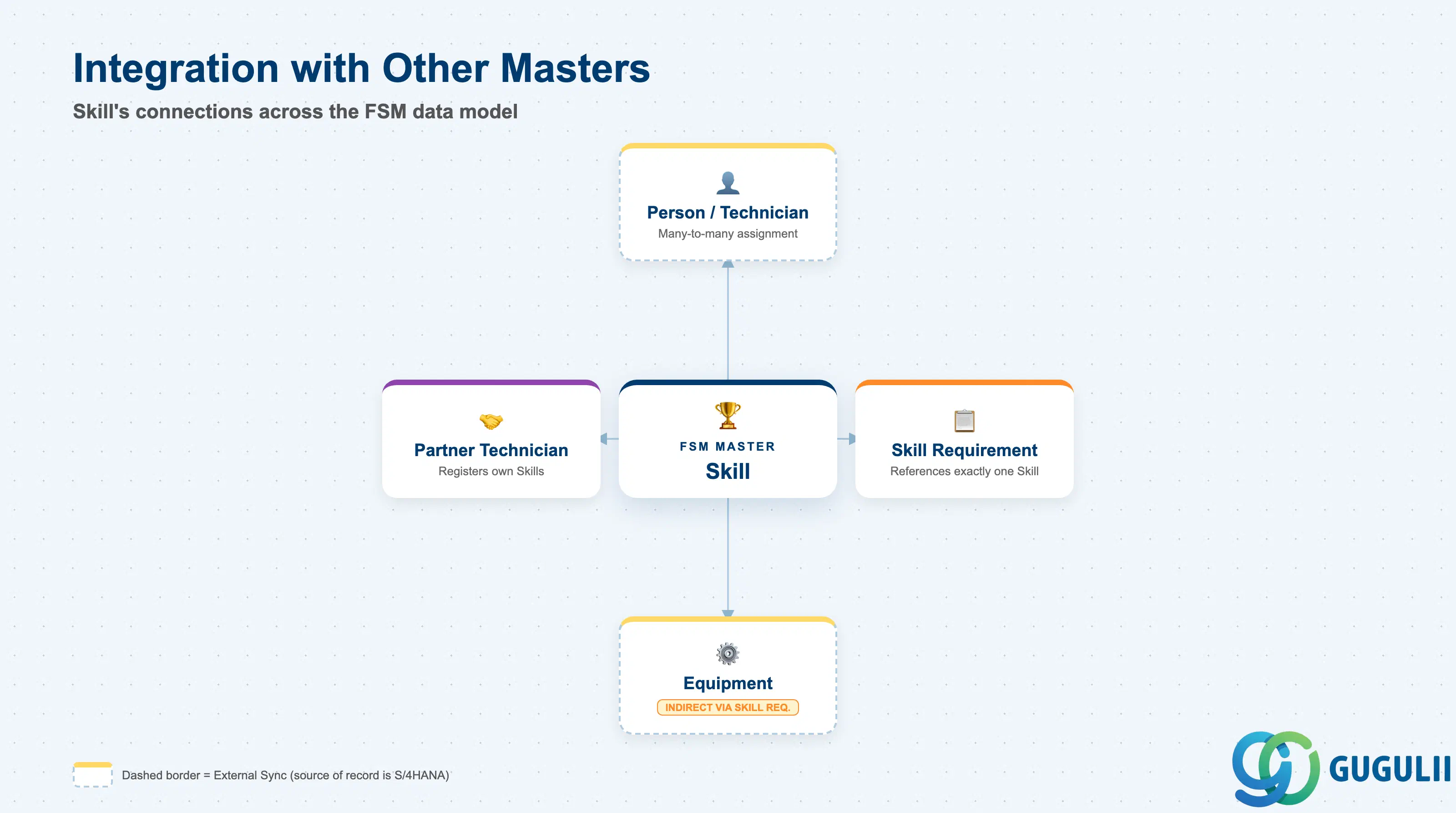
Skill does not stand alone. Every field on it exists so that a technician’s qualifications and a job’s requirements can be compared to each other.
| Object | Relationship | Practical Notes |
|---|---|---|
| Person / Technician (FSM-A04-04) | Many-to-many: a technician can hold multiple Skills, and a Skill can be held by many technicians | Assigned via the Manage Technician app; this assignment list is exactly what Assisted Scheduling checks when matching a job’s Skill Requirement against candidate technicians. |
| Skill Requirement (FSM-A04-07) | Skill Requirement references exactly one Skill to state what a job or piece of Equipment demands | The field every dispatch-matching query filters on. A Skill Category mismatch or a typo’d Skill reference here silently breaks matching for that requirement without raising an error. |
| Partner Technician (FSM-A06-04) | External Crowd/Partner technicians register their own Skills against the same tenant-level Skill catalog | Partner objects are FSM-native with no S/4HANA sync — inconsistent Skill naming or category use between internally-assigned and partner-registered Skills is a common cause of Crowd Dispatching (FSM-B05) silently missing eligible partners. |
| Equipment (FSM-A03-01) | Indirect: Skill is linked to Equipment only through the Skill Requirement cross-object link, never directly | Skill itself carries no Equipment reference. Any “which Equipment need this Skill” analysis must always go through Skill Requirement, not the Skill record. |
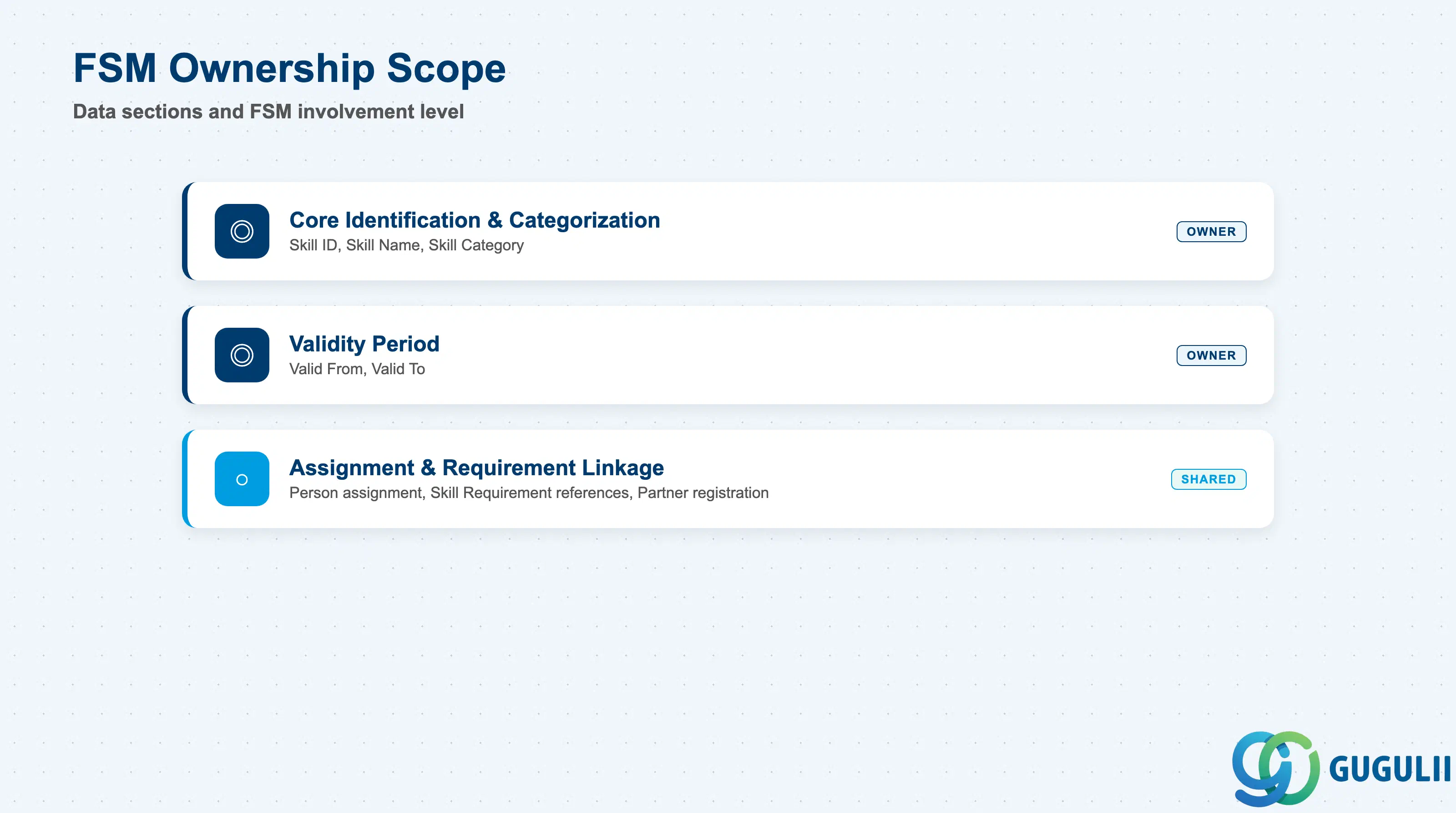
| Data Section | FSM Involvement | Notes |
|---|---|---|
| Core Identification & Categorization | ◎ Owner | Skill ID, Skill Name, Skill Category — the fields that define what this Skill actually is |
| Validity Period | ◎ Owner | Valid From / Valid To — controls whether the Skill is presented as available for new assignments |
| Assignment & Requirement Linkage | ○ Shared with Technician Management | How this Skill is picked up by Person/Technician assignment and referenced by Skill Requirement for dispatch matching |
Legend: ◎ = Owner / Critical, ○ = Direct involvement
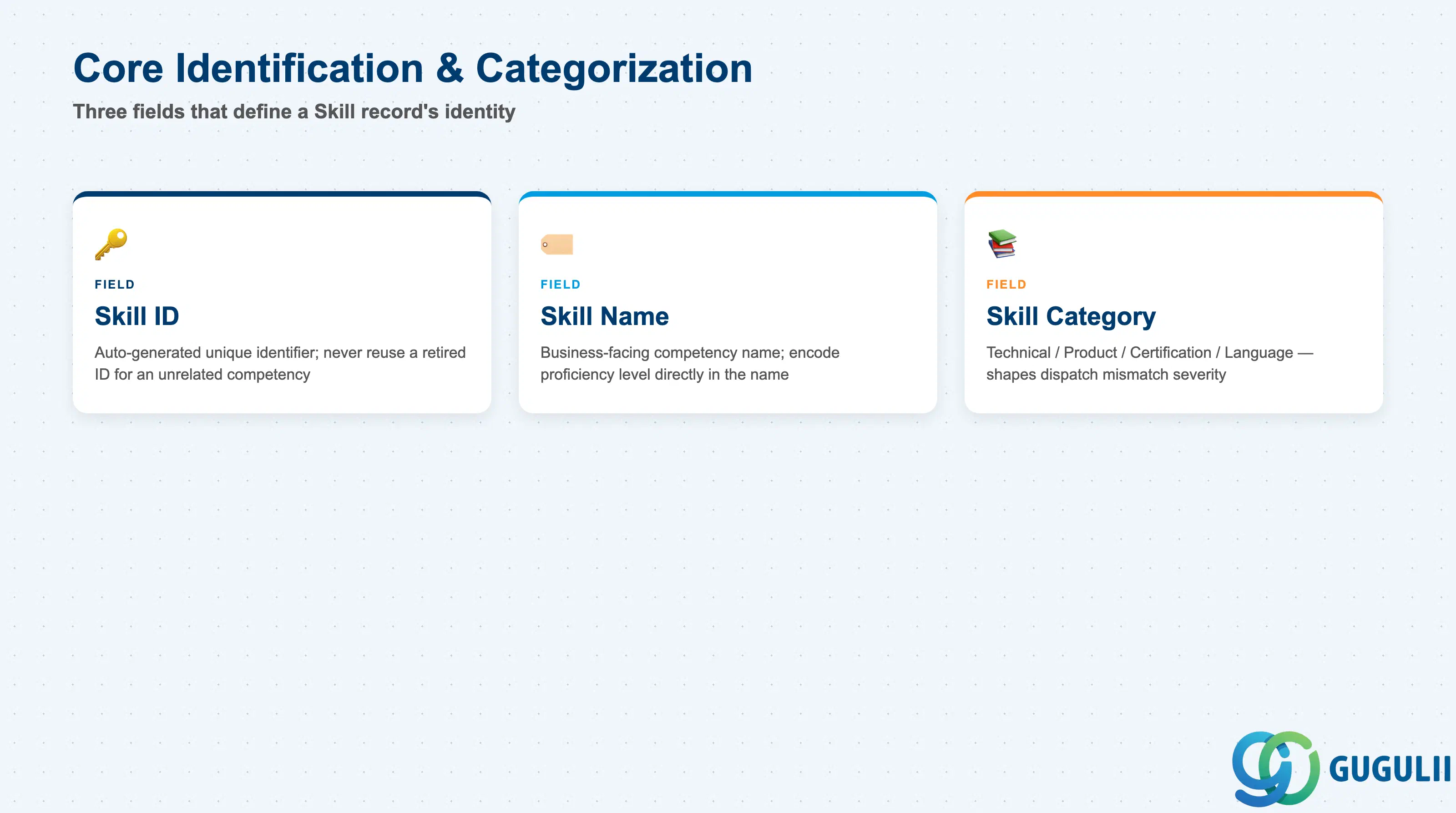
These three fields are the whole identity of a Skill record — FSM keeps this master deliberately lean, with no descriptive or hierarchy fields beyond them.
| Field | Description | Practical Usage |
|---|---|---|
| Skill ID | FSM’s internal unique identifier for the record | Auto-generated or entered at creation depending on tenant configuration; referenced by every Person/Technician assignment and every Skill Requirement that points to this Skill. Never reuse a retired Skill ID for an unrelated competency — Skill Requirement history depends on it staying unique. |
| Skill Name | Business-facing name of the competency | Displayed on the technician’s profile and in the dispatcher’s matching view. Keep names specific and, where proficiency matters, encode the level directly in the name (e.g. “Electrical Work L3”) since Skill carries no dedicated proficiency-level field of its own. |
| Skill Category | One of Technical / Product / Certification / Language (see 1.2) | Drives how strictly a mismatch on this Skill should be treated — Certification-category mismatches carry compliance weight and should never be soft-overridden by a dispatcher the way a Language-category mismatch reasonably could be. |
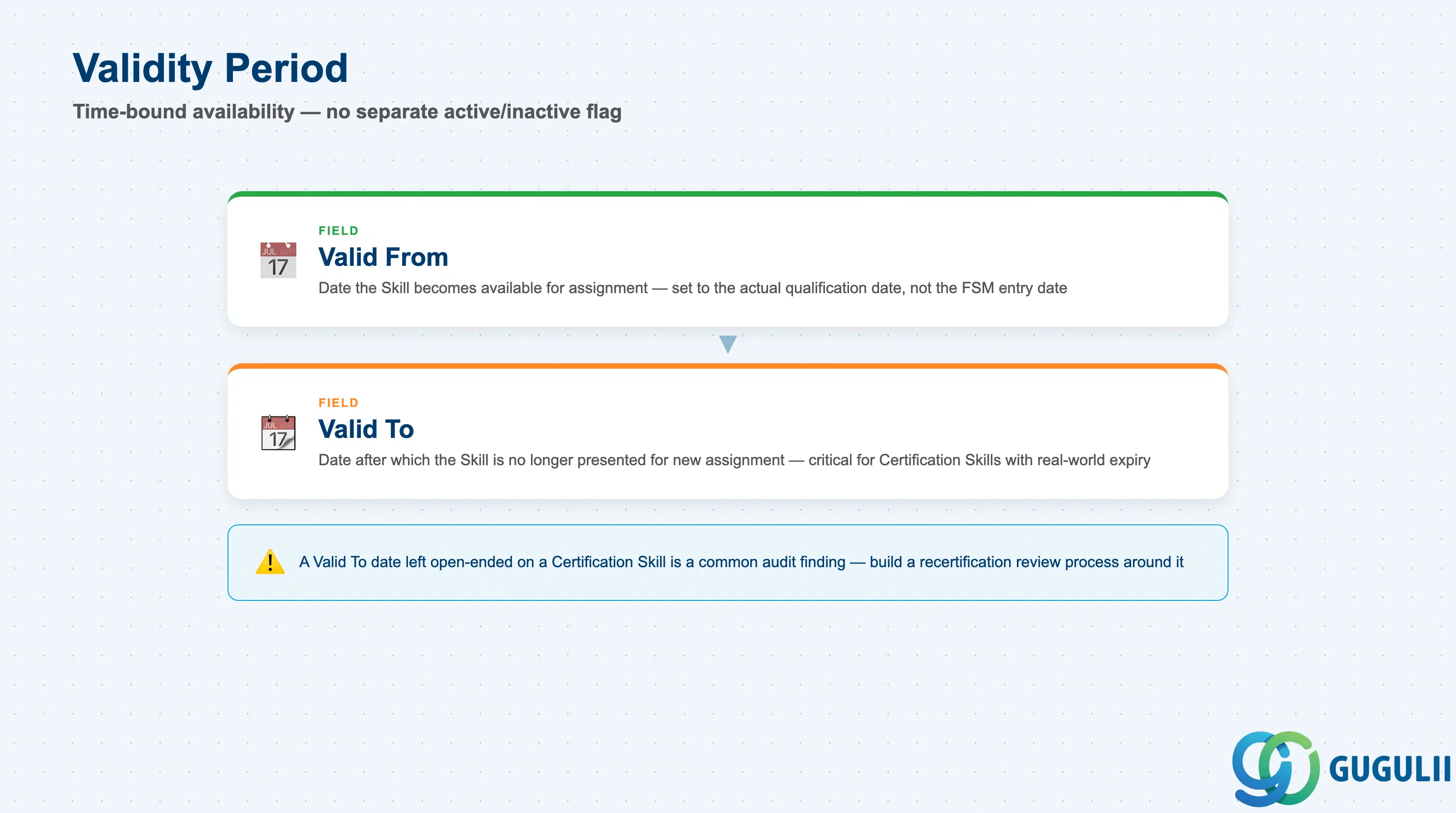
Skill is time-bound rather than status-bound — there is no separate Active/Inactive flag; validity is expressed entirely through this date range.
| Field | Description | Practical Usage |
|---|---|---|
| Valid From | Date from which the Skill becomes available for assignment | Set to the date the underlying qualification actually takes effect (e.g. certification issue date), not the date the record happens to be created in FSM — the two are easy to conflate during data load. |
| Valid To | Date after which the Skill is no longer presented as available for new assignment | Critical for Certification-category Skills tied to a real-world expiry (e.g. a license renewal cycle). A Valid To date left open-ended on a Certification Skill is a common audit finding — build a recertification review process around it rather than leaving it blank indefinitely. |
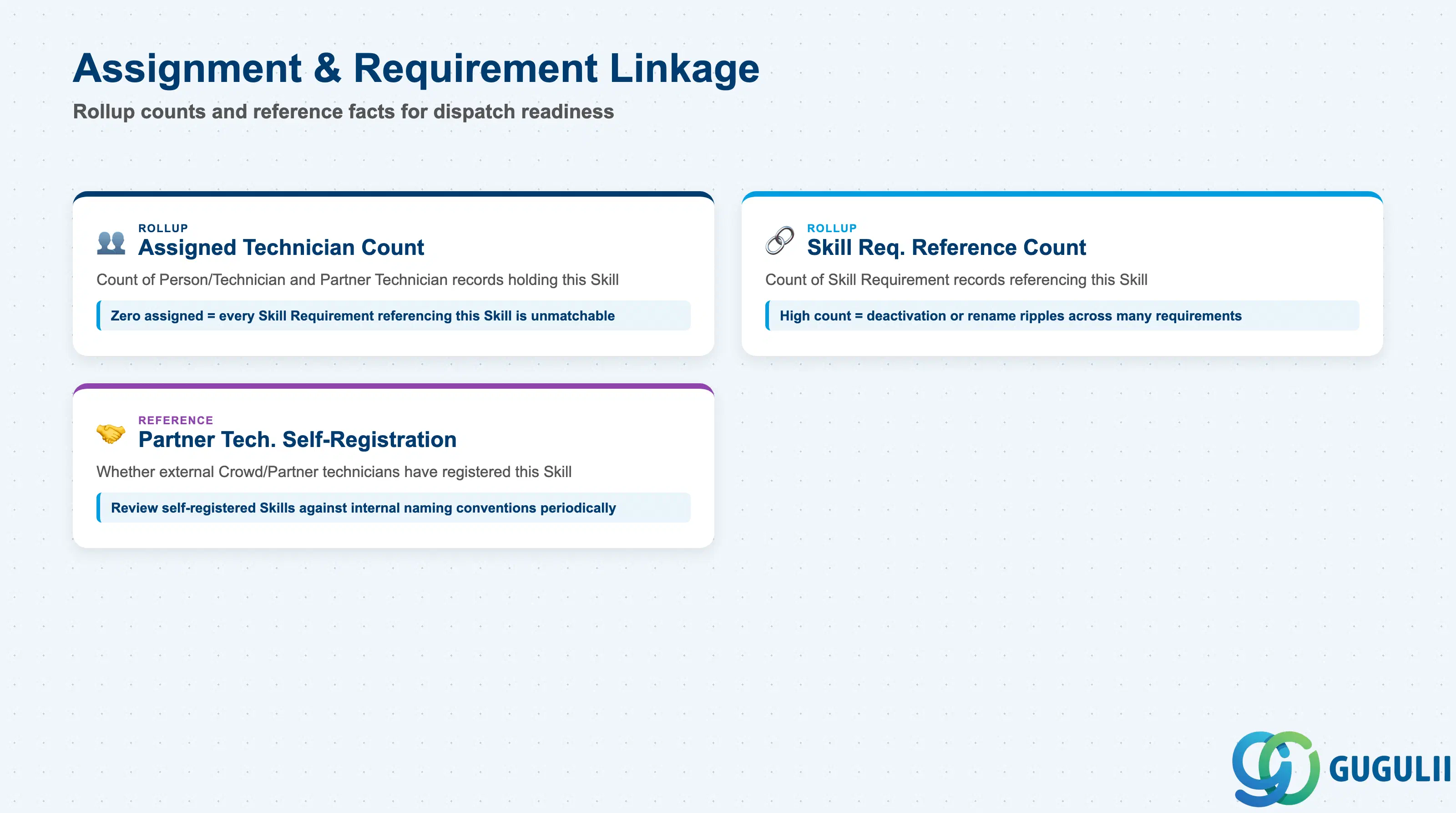
Skill has no meaning until it is picked up on one of two sides — held by a technician, or demanded by a requirement. These are the linkage facts consultants check most often when troubleshooting a dispatch-matching gap.
| Field | Description | Practical Usage |
|---|---|---|
| Assigned Technician Count (rollup) | Count of Person/Technician (and Partner Technician) records currently holding this Skill | A quick data-quality and coverage signal — a Skill with zero assigned technicians will make every Skill Requirement that references it unmatchable in Assisted Scheduling, silently. |
| Skill Requirement Reference Count (rollup) | Count of Skill Requirement records currently referencing this Skill | Surfaces before deactivating or renaming a Skill — a high count means the change will ripple across many Equipment/Service Call requirements, not just the one record being edited. |
| Partner Technician Self-Registration (reference) | Indicates whether external Crowd/Partner technicians have registered this Skill against themselves | Because Partner objects are FSM-native with no governance sync from S/4HANA, periodically review self-registered Skills against the same Skill Category conventions used internally, or Crowd Dispatching matching quality drifts over time. |
Prerequisite: A Skill Requirement referencing this Skill returns no eligible technician in Assisted Scheduling until at least one Person/Technician (FSM-A04-04) is actually assigned this Skill — creating the Skill record alone does not make any job dispatchable against it.
| ID | Category | Title |
|---|---|---|
| fsm-001 | Overview | What is SAP FSM? |
| ID | Category | Title |
|---|---|---|
| fsm-a01 | Overview | SAP FSM Master Data: Overview, Hierarchy & Relationships |
| fsm-a02-02 | Master Data | SAP FSM Contact |
| fsm-a02-03 | Master Data | SAP FSM Address |
| fsm-a03-01 | Master Data | SAP FSM Equipment |
| fsm-a03-02 | Master Data | SAP FSM Equipment Hierarchy |
| fsm-a03-03 | Master Data | SAP FSM Service History |
| fsm-a04-01 | Master Data | SAP FSM Skill 📍 |
| fsm-a04-02 | Master Data | SAP FSM Work Time Pattern |
| fsm-a04-03 | Master Data | SAP FSM Region |
| fsm-a04-04 | Master Data | SAP FSM Technician |
| fsm-a04-05 | Master Data | SAP FSM Crew |
| fsm-a04-06 | Master Data | SAP FSM Absence |
| fsm-a04-07 | Master Data | SAP FSM Skill Requirement |
| fsm-a05-02 | Master Data | SAP FSM Generic Tool |
| fsm-a05-03 | Master Data | SAP FSM Serialized Tool |
| fsm-a05-04 | Master Data | SAP FSM Warehouse |
| fsm-a05-05 | Master Data | SAP FSM Van Stock |
| fsm-a06-01 | Master Data | SAP FSM Partner Invitation |
| fsm-a06-02 | Master Data | SAP FSM Partner Registration |
| fsm-a06-03 | Master Data | SAP FSM Crowd Partner |
| fsm-a06-04 | Master Data | SAP FSM Partner Technician |
| ID | Category | Title |
|---|---|---|
| fsm-b01 | Overview | SAP FSM Transactions: Process Flow, Hierarchy & Relationships |
Zone crop source: 04-fsm-a01-master-landscape.png (mtime: Jul 15 11:04)