Title here
Summary here

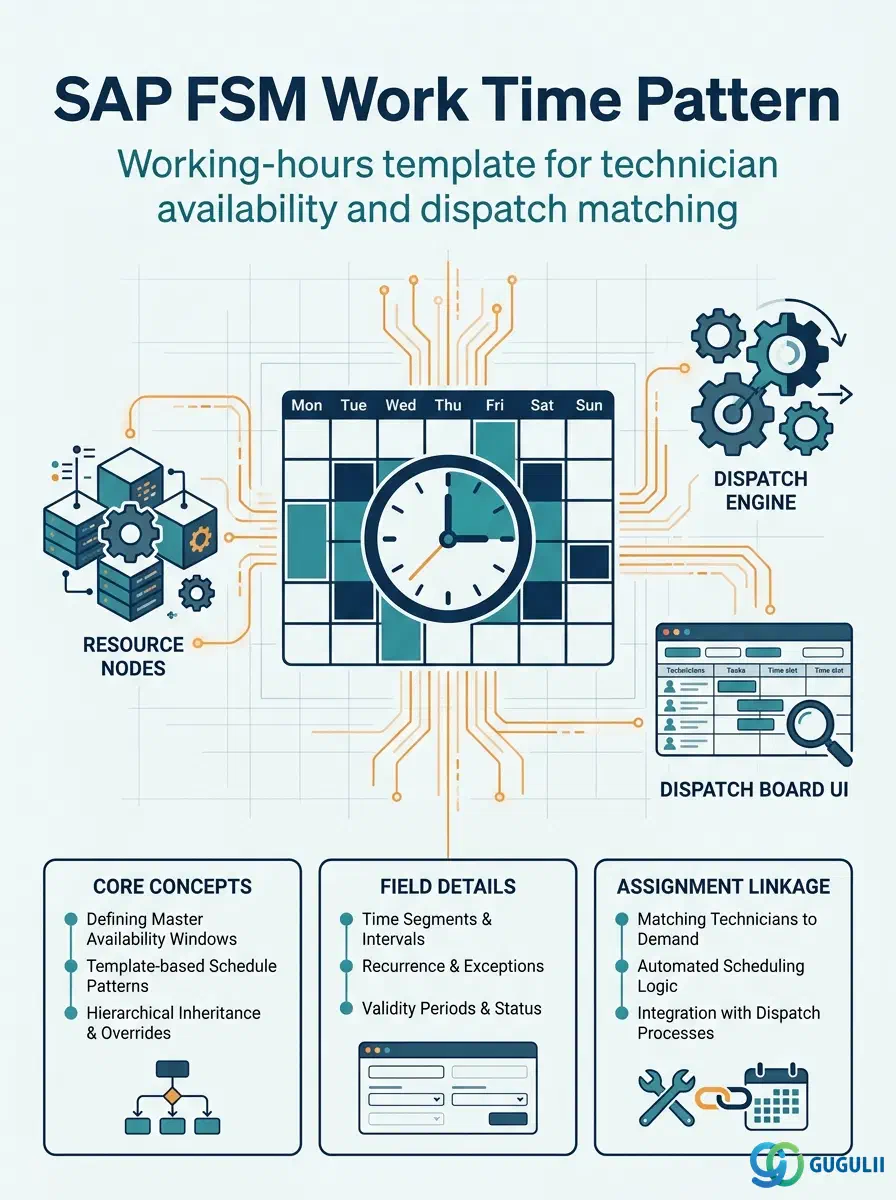
Work Time Pattern is FSM’s master record for a technician’s recurring weekly working-hours template — which days of the week a technician works, the start and end time of the working window on each of those days, and the break time deducted within it. It is configured independently at the tenant level, then assigned to Person/Technician records (FSM-A04-04) so that Planning Board, Assisted Scheduling, and Route Optimization all know which hours a given technician is actually available for dispatch. Work Time Pattern is the second object in the Technician Management domain (Phase 3, Zone C) covered in this series, alongside Skill (FSM-A04-01), Region, Person/Technician, Crew, Absence, and Skill Requirement. This article maps every field FSM consultants configure on a Work Time Pattern record, and how those fields connect to the Person/Technician master around it.
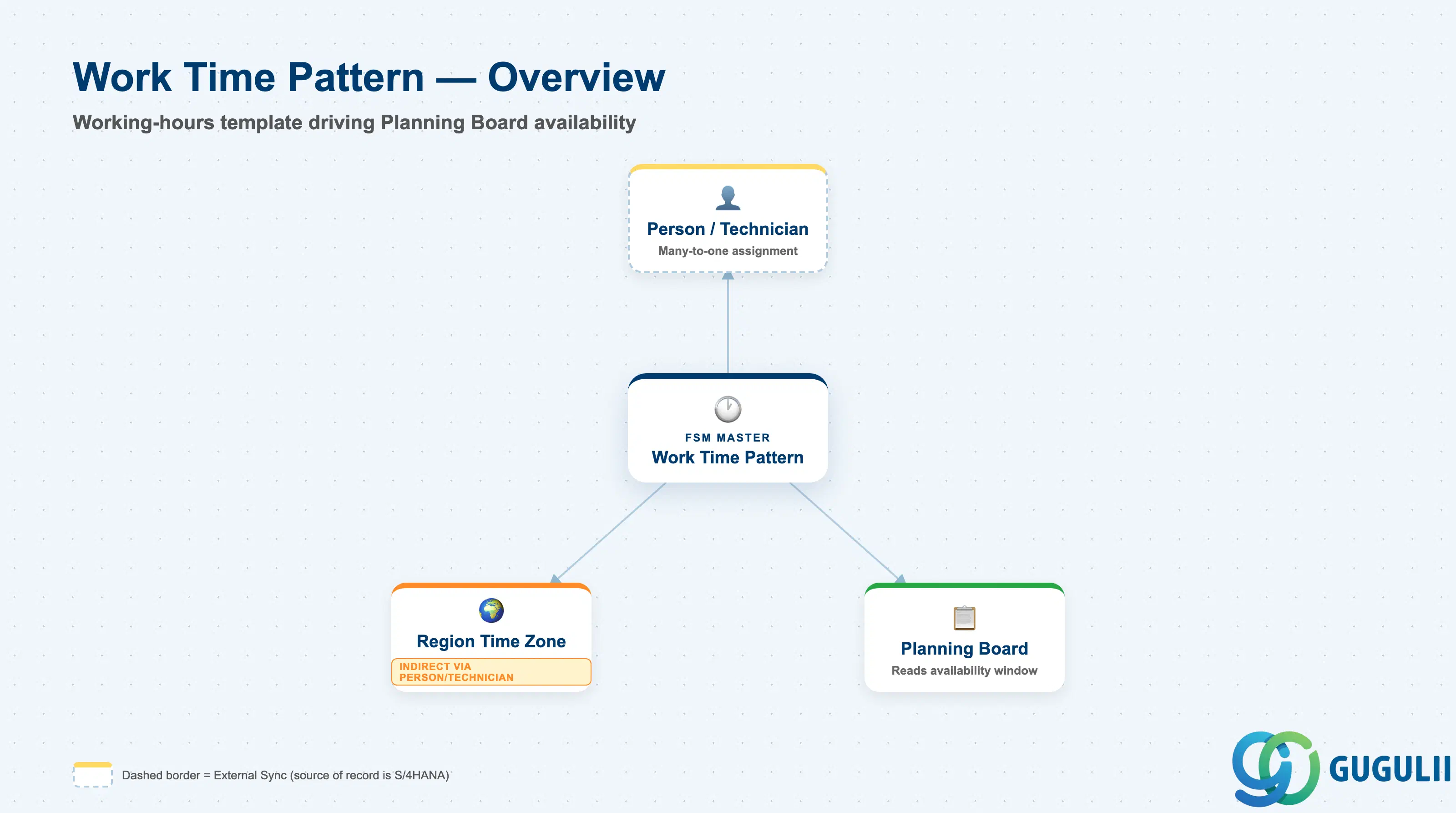
A Work Time Pattern represents a single, named recurring weekly schedule template — the working days, start/end times, and break time a technician is expected to be available. It is a deliberately small, flat master carrying no organizational hierarchy of its own, and it means nothing in isolation: its purpose is entirely to be assigned to one or more technicians so that scheduling tools have an availability window to check dispatch requests against.
| Aspect | Details |
|---|---|
| Role | Master record of a recurring weekly working-hours template; assigned to Person/Technician and read by Planning Board / Assisted Scheduling / Route Optimization to determine availability windows |
| Modules using it | FSM (Technician Management — sole owner; Work Time Pattern is FSM-native with no S/4HANA source master) |
| Transactions | FSM Web UI “Settings and Configuration” area (distinct from the “Master Data Management” app used for Skill and most other Technician Management masters) |
| Key Tables | FSM: Work Time Pattern business object (Core API / OData entity) — FSM is a multi-tenant cloud solution and does not use classical ABAP tables; there is no S/4HANA table equivalent |
| S/4HANA note | Work Time Pattern is not replicated in from S/4HANA — it is created and maintained natively in FSM. Unlike Skill, Region, and Person/Technician (all listed as required masters), Work Time Pattern is an optional master: organizations that do not need fine-grained working-hours management can dispatch technicians without assigning one, though Planning Board availability visualization then falls back to less precise defaults |
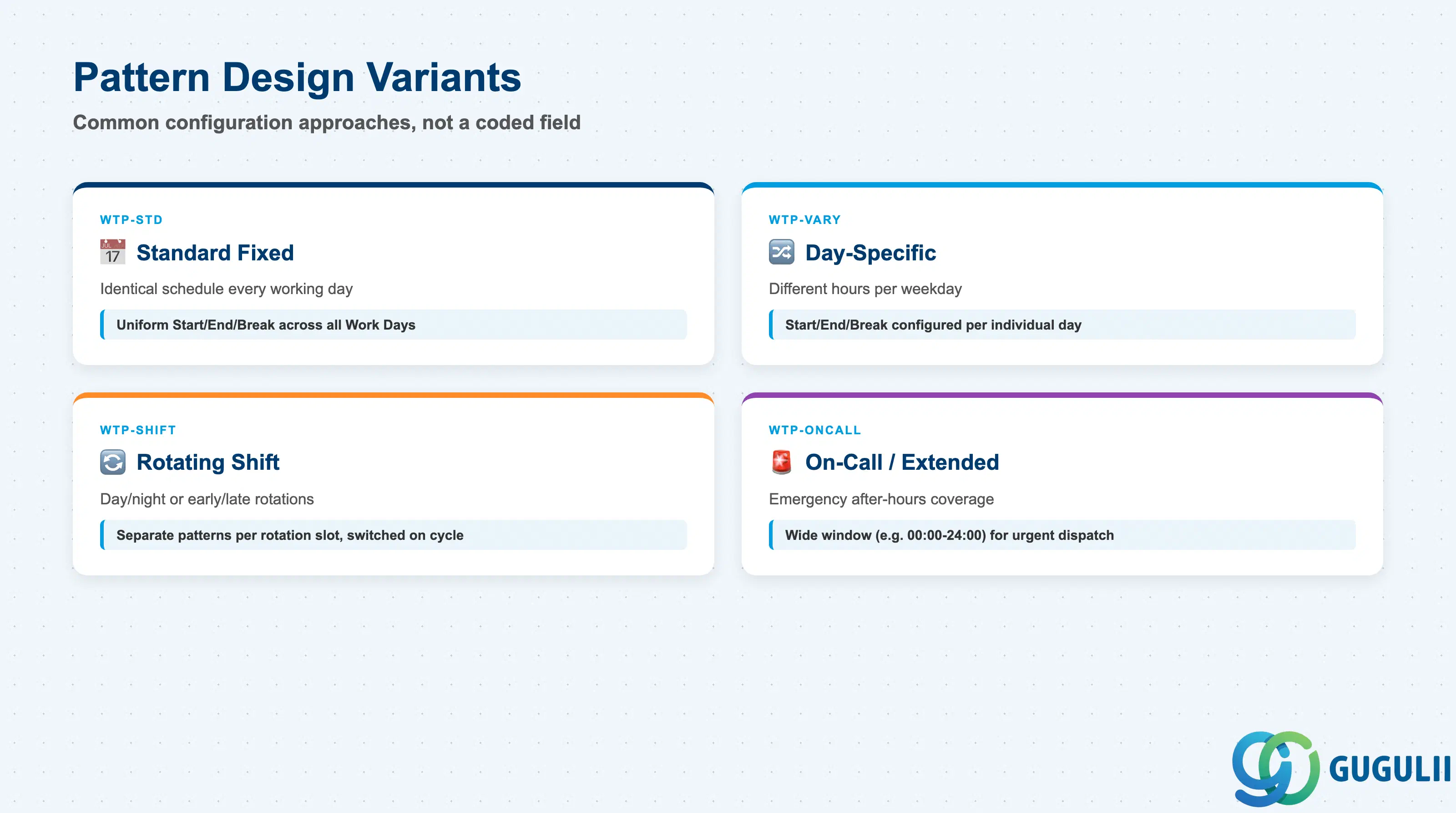
Work Time Pattern carries no separate classification field of its own — Pattern ID and Pattern Name are free-text, and Work Days/Start Time/End Time/Break Time are configured directly. What varies in practice is how consultants combine those same fields to model different real-world working arrangements. Getting this design choice wrong doesn’t corrupt any field — it just produces a Planning Board availability view that doesn’t match how the workforce actually works.
| Pattern Style | Example Pattern ID | Use Case | Key Behavior |
|---|---|---|---|
| Standard Fixed Pattern | WTP-STD | Office-hours field service, identical schedule every working day | One uniform Start Time / End Time / Break Time applied across all configured Work Days; simplest to maintain and the default for most internally-employed technicians |
| Day-Specific Pattern | WTP-VARY | Technician works shorter or different hours on specific weekdays (e.g., a half-day Friday) | Start Time / End Time / Break Time configured per individual Work Day rather than as one uniform block; more setup effort but matches real part-time or compressed-week arrangements |
| Rotating Shift Pattern | WTP-SHIFT | Extended-hours or 24/7 coverage requiring day/night or early/late rotations | A separate Work Time Pattern record is maintained per rotation slot and the technician’s assignment is switched between them on a recurring cycle; FSM does not auto-rotate this assignment, so it is operationally maintained |
| On-Call / Extended Pattern | WTP-ONCALL | Emergency or after-hours callout coverage layered on top of a technician’s normal schedule | Typically modeled as a wide working window (e.g., 00:00–24:00) assigned in parallel with, or temporarily in place of, the technician’s standard pattern to flag broader availability for urgent Service Calls |
Design principle: Work Time Pattern only defines the availability window Planning Board and Assisted Scheduling check against — it does not by itself guarantee capacity or qualification. Region and Skill still gate whether a technician is eligible for a specific job that happens to fall inside that window.
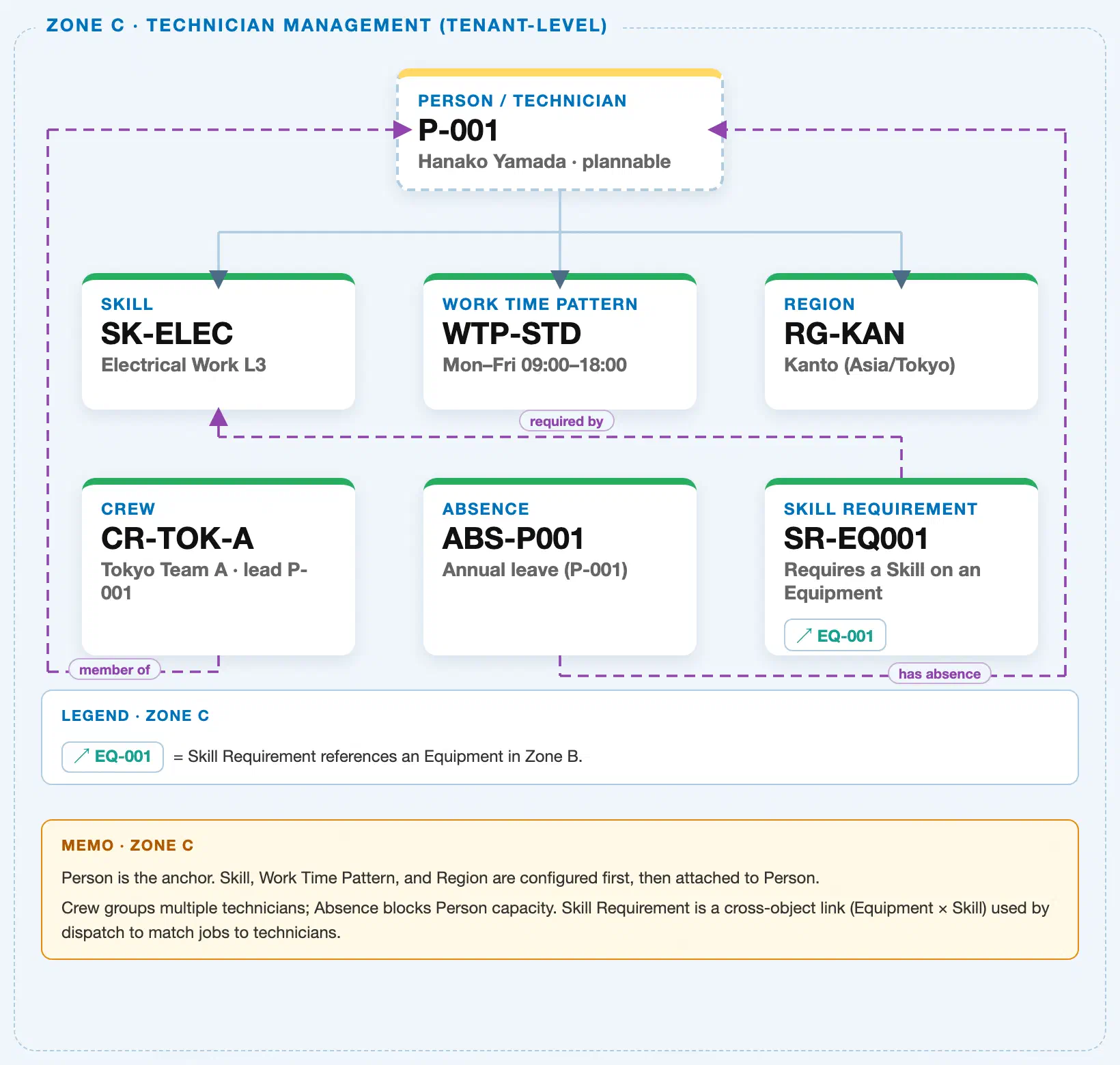
Data hierarchy with a concrete example (Zone C · Technician Management — tenant-level; FSM has no Company Code / Plant scoping above these objects)
Client (FSM Tenant)
   │
   ├── Skill SK-ELEC — Electrical Work L3               (configured independently; tenant-level catalog)
   ├── Work Time Pattern WTP-STD — Mon–Fri 09:00–18:00   (configured independently; tenant-level catalog)
   ├── Region RG-KAN — Kanto (Asia/Tokyo)                 (configured independently; tenant-level catalog)
   │
   └── Person / Technician P-001 — Hanako Yamada (Plannable)
          ── assigned to ──▶ Work Time Pattern WTP-STD
          ── assigned to ──▶ Skill SK-ELEC — Electrical Work L3
          ── assigned to ──▶ Region RG-KAN

Crew CR-TOK-A — Tokyo Team A (reference — groups technicians, does not own Person):
   Crew CR-TOK-A ── led by ──▶ Person P-001

Absence ABS-P001 — Annual leave (reference — blocks capacity within the Person's Work Time Pattern window):
   Absence ABS-P001 ── blocks ──▶ Person P-001

Skill Requirement SR-EQ001 — Requires a Skill on an Equipment (unrelated cross-object link, shown for zone completeness):
   Skill Requirement SR-EQ001 ── requires ──▶ Skill SK-ELEC
   Skill Requirement SR-EQ001 ── applies to ──▶ Equipment EQ-001 (Zone B)
Design principle: Work Time Pattern, Skill, and Region are independent tenant-level masters configured before Person/Technician — Person is assigned to Work Time Pattern via reference, not the reverse, and Work Time Pattern never owns Person. Its assignment sets the availability window Planning Board renders; Absence then subtracts from that same window on specific dates, rather than replacing it.
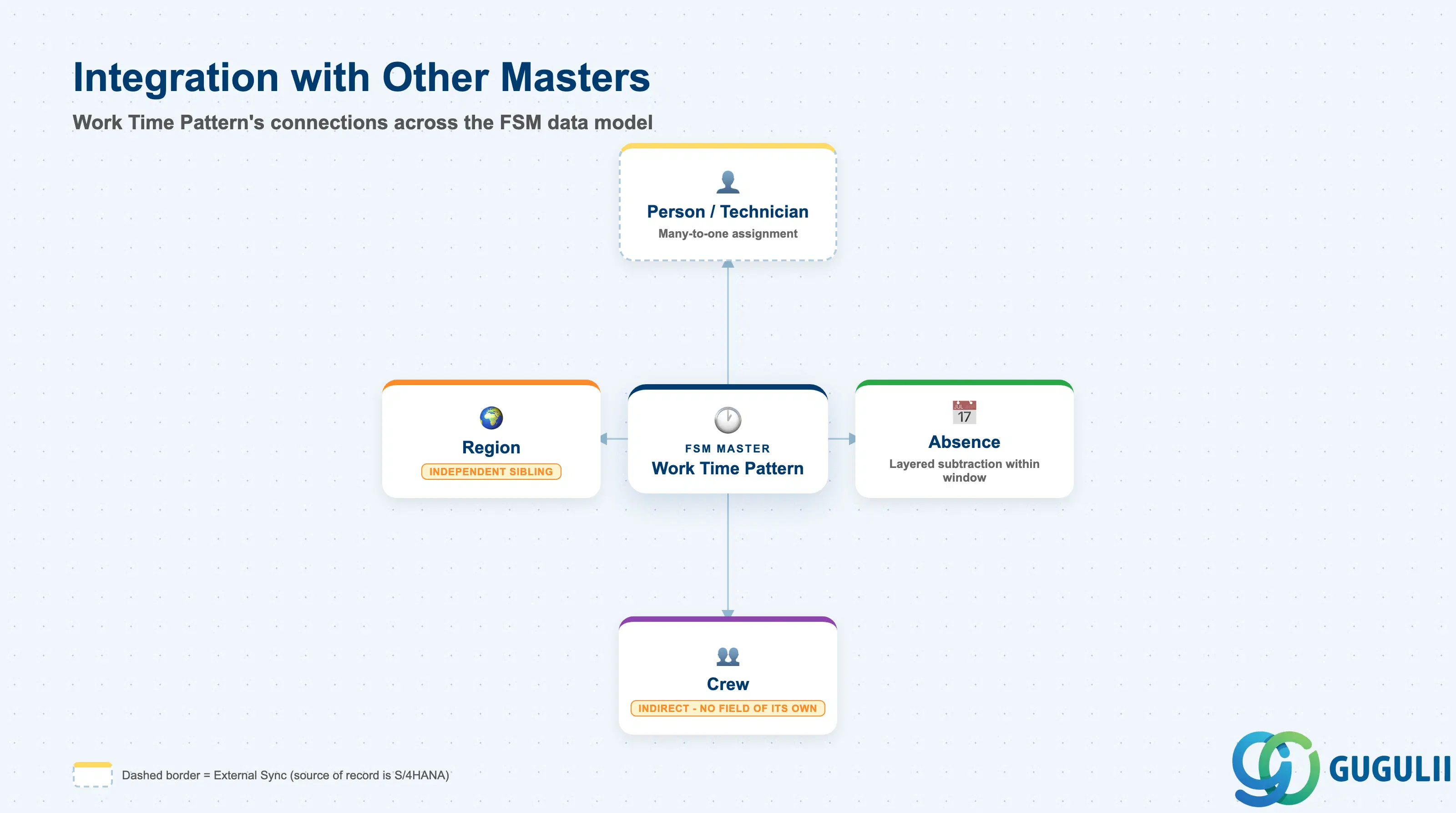
Work Time Pattern does not stand alone. Every field on it exists so that Planning Board and the scheduling engines can determine, second by second, whether a technician is inside or outside their working window.
| Object | Relationship | Practical Notes |
|---|---|---|
| Person / Technician (FSM-A04-04) | Many-to-one: many technicians can share the same Work Time Pattern, but each technician is assigned exactly one active pattern at a time | Assigned via the Manage Technician app; this single assignment is exactly what Planning Board reads to render the technician’s available slots for a given day. |
| Absence (FSM-A04-06) | Layered subtraction: Absence blocks capacity within a date range, on top of whatever Work Time Pattern already defines as the working window | The two together — not either alone — determine a technician’s actual dispatchable capacity on a given day; a pattern with no matching Absence record still shows the technician as fully available. |
| Crew (FSM-A04-05) | Indirect: Crew has no Work Time Pattern field of its own — a crew’s aggregate availability is simply the union of each individual member’s own assigned pattern | When crew-level capacity looks wrong on the Planning Board, check each member’s individual Work Time Pattern assignment rather than looking for a setting on the Crew record itself. |
| Region (FSM-A04-03) | Independent sibling: no direct field links Work Time Pattern to Region — both are configured independently and referenced separately by the same Person/Technician record | Work Time Pattern’s Start Time / End Time carry no Time Zone of their own; they are interpreted using the Time Zone carried on the technician’s assigned Region. Confirm the two stay consistent whenever a technician’s Region changes, since there is no automatic recalculation. |
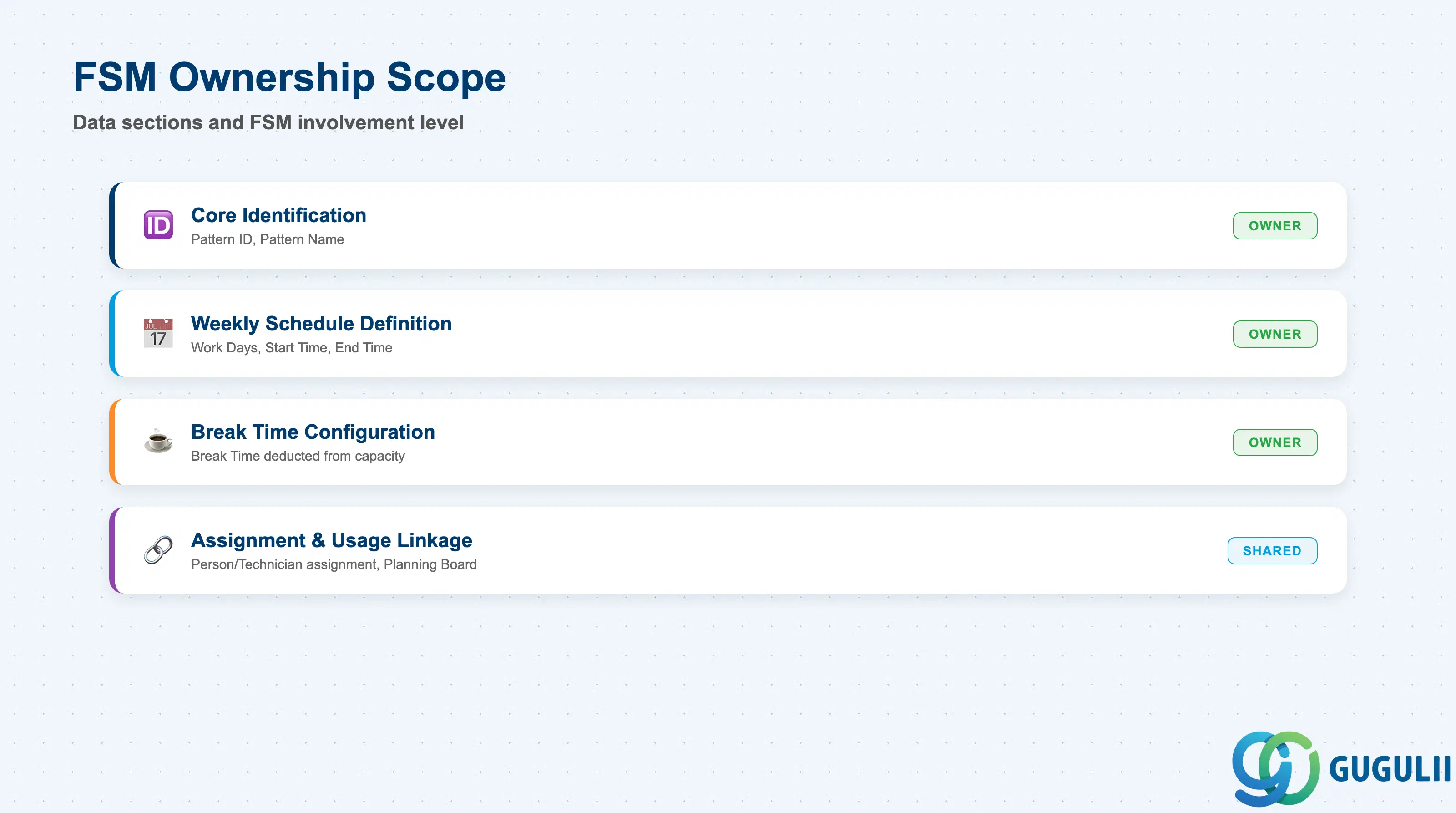
| Data Section | FSM Involvement | Notes |
|---|---|---|
| Core Identification | ◎ Owner | Pattern ID, Pattern Name — the fields that identify this specific working-hours template |
| Weekly Schedule Definition | ◎ Owner | Work Days, Start Time, End Time — the recurring weekly window Planning Board renders |
| Break Time Configuration | ◎ Owner | Break Time — deducted from the technician’s available capacity inside the working window |
| Assignment & Usage Linkage | ○ Shared with Technician Management | How a pattern is picked up by Person/Technician assignment and reflected on the Planning Board |
Legend: ◎ = Owner / Critical, ○ = Direct involvement
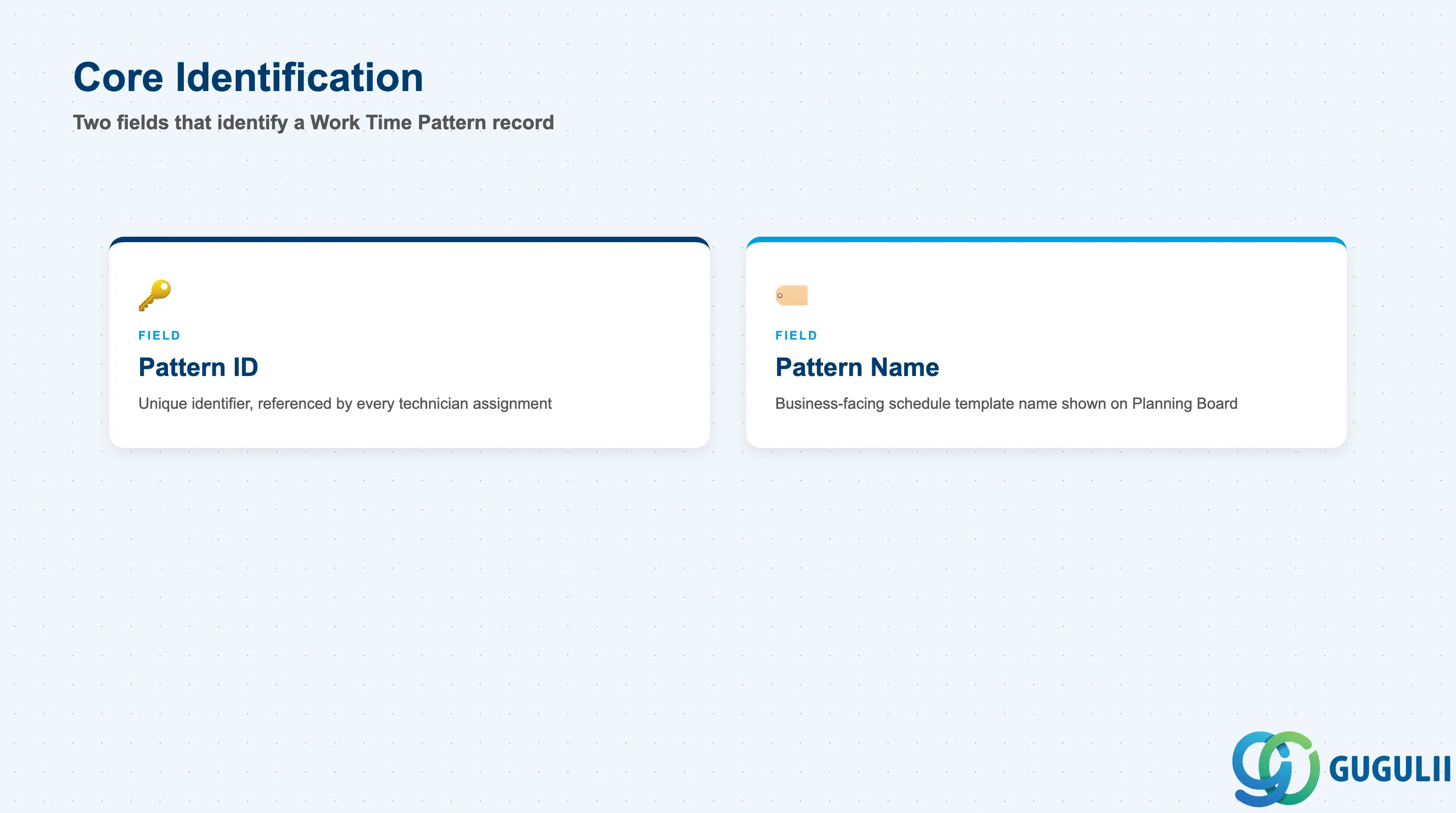
These two fields are the whole identity of a Work Time Pattern record — FSM keeps this master deliberately lean, with the actual schedule detail living in the fields covered in the next two sections.
| Field | Description | Practical Usage |
|---|---|---|
| Pattern ID | FSM’s internal unique identifier for the record | Auto-generated or entered at creation depending on tenant configuration; referenced by every Person/Technician assignment that uses this pattern. Never reuse a retired Pattern ID for an unrelated schedule — Planning Board history and audit trails depend on it staying unique. |
| Pattern Name | Business-facing name of the schedule template | Displayed on the technician’s profile and in the dispatcher’s Planning Board legend. Keep names descriptive of the actual hours or rotation encoded (e.g. “Mon-Fri 09:00-18:00” or “Night Shift Rotation A”) since the record carries no separate free-text description field. |
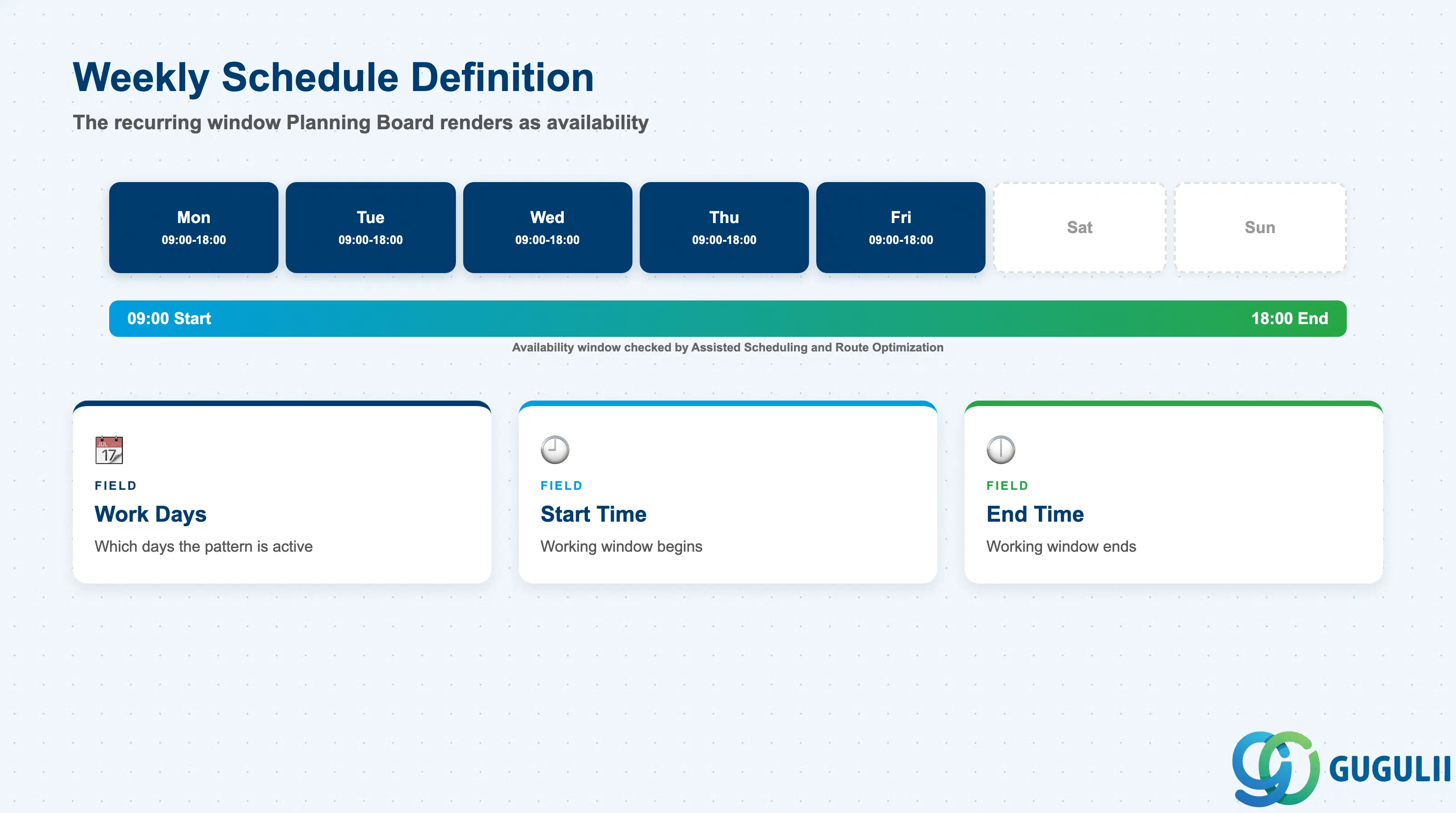
These three fields together define the recurring weekly window that Planning Board, Assisted Scheduling, and Route Optimization all check before offering a technician a Service Call slot.
| Field | Description | Practical Usage |
|---|---|---|
| Work Days | Which days of the week the pattern is active (e.g., Monday–Friday) | Defines the recurring cadence Planning Board renders as available slots. A day left unchecked is simply absent from the technician’s calendar, not flagged as “unavailable with reason” — pair with Absence (FSM-A04-06) when a normally active day needs to be blocked for one specific date instead. |
| Start Time | Time of day the working window begins on each active Work Day | Together with End Time, sets the raw availability window Assisted Scheduling and Route Optimization check before proposing a technician for a Service Call. |
| End Time | Time of day the working window ends on each active Work Day | A mismatch between a technician’s real shift and the assigned pattern’s Start Time / End Time is one of the most common root causes of dispatch conflicts flagged after go-live — verify this against actual employment contracts during data load, not just the pattern name. |
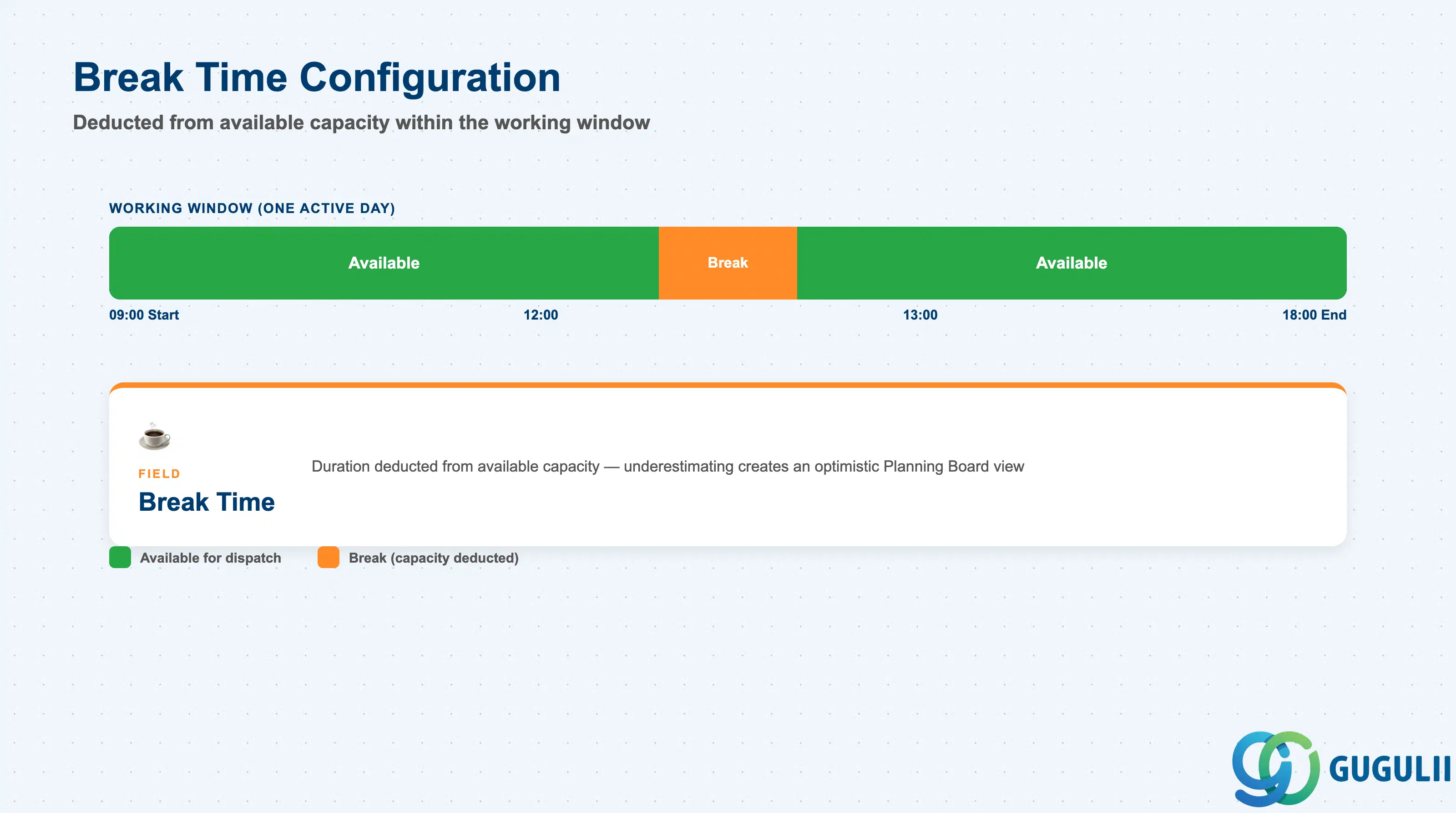
Break Time is the one field that reduces the working window defined in the previous section down to actual available capacity — it is easy to under-model during early data loads.
| Field | Description | Practical Usage |
|---|---|---|
| Break Time | Duration of the technician’s scheduled break within the Start Time–End Time window | Deducted from the technician’s available capacity for dispatch purposes; underestimating or omitting Break Time is a common cause of Planning Board capacity looking more optimistic than actual field productivity once the pattern goes live. |
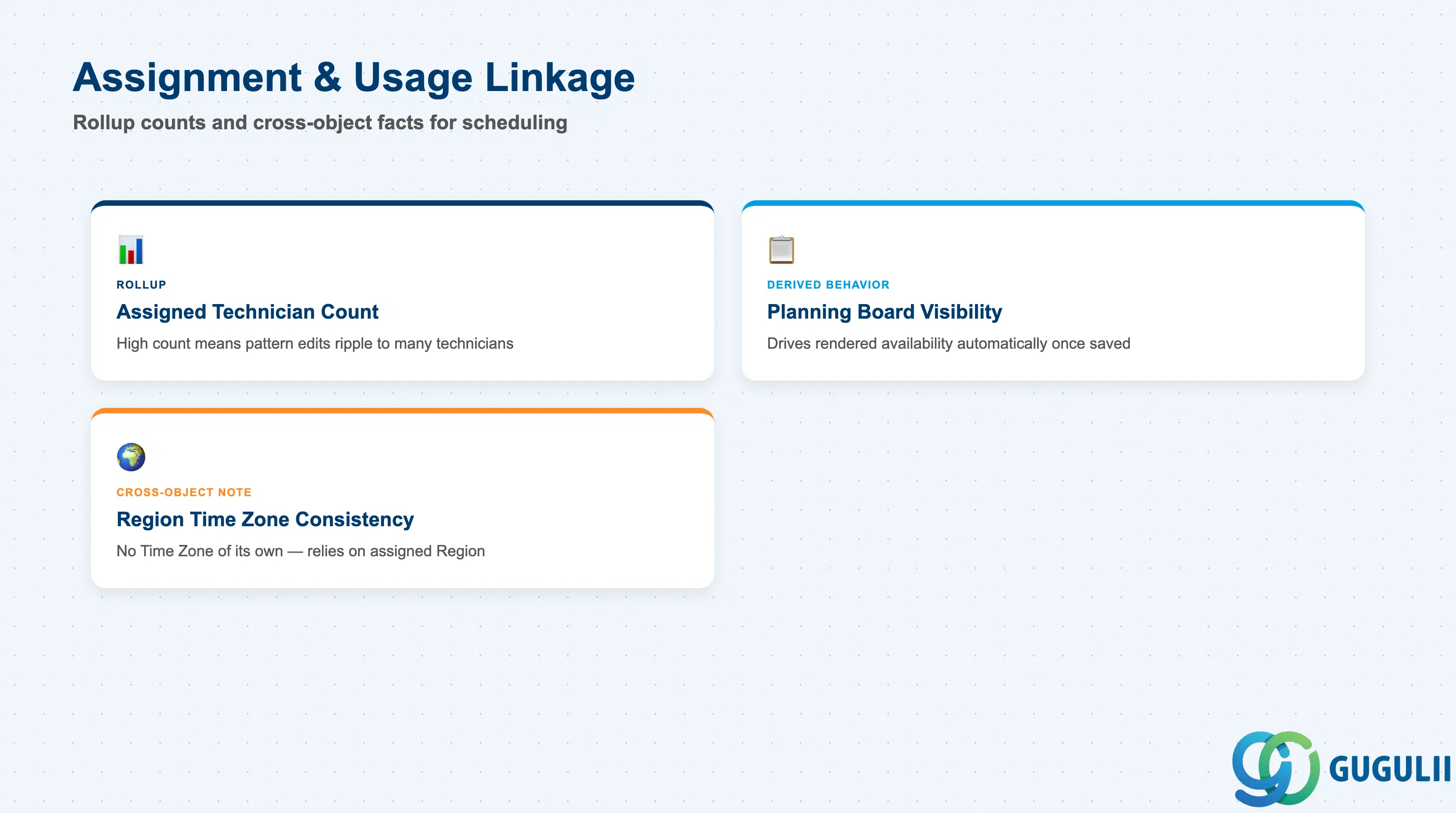
Work Time Pattern has no effect until it is picked up by at least one technician. These are the linkage facts consultants check most often when a Planning Board availability view looks wrong.
| Field | Description | Practical Usage |
|---|---|---|
| Assigned Technician Count (rollup) | Count of Person/Technician records currently referencing this pattern | A quick data-quality signal before editing a widely-shared pattern’s hours — a high count means the change ripples to every technician using it simultaneously, unlike editing one technician’s individual record. |
| Planning Board Visibility (derived behavior) | Whether the pattern’s Work Days / Start Time / End Time currently drive the technician’s rendered availability slots | FSM renders a technician’s available slots strictly from their currently assigned Work Time Pattern; a pattern change takes effect on the Planning Board display going forward automatically once saved, with no separate publish step. |
| Region Time Zone Consistency (cross-object note) | Whether the pattern’s Start Time / End Time still mean what was intended once interpreted in the technician’s currently assigned Region’s Time Zone | Work Time Pattern carries no Time Zone field of its own. When a technician’s Region (FSM-A04-03) changes — e.g., relocation to a different service area — confirm the pattern’s hours are re-checked against the new Region’s Time Zone, since there is no automatic recalculation. |
Prerequisite: A Work Time Pattern with zero Assigned Technician Count has no effect on scheduling — the pattern only becomes meaningful once referenced on at least one Person/Technician (FSM-A04-04) record.
| ID | Category | Title |
|---|---|---|
| fsm-001 | Overview | What is SAP FSM? |
| ID | Category | Title |
|---|---|---|
| fsm-a01 | Overview | SAP FSM Master Data: Overview, Hierarchy & Relationships |
| fsm-a02-02 | Master Data | SAP FSM Contact |
| fsm-a02-03 | Master Data | SAP FSM Address |
| fsm-a03-01 | Master Data | SAP FSM Equipment |
| fsm-a03-02 | Master Data | SAP FSM Equipment Hierarchy |
| fsm-a03-03 | Master Data | SAP FSM Service History |
| fsm-a04-01 | Master Data | SAP FSM Skill |
| fsm-a04-02 | Master Data | SAP FSM Work Time Pattern 📍 |
| fsm-a04-03 | Master Data | SAP FSM Region |
| fsm-a04-04 | Master Data | SAP FSM Technician |
| fsm-a04-05 | Master Data | SAP FSM Crew |
| fsm-a04-06 | Master Data | SAP FSM Absence |
| fsm-a04-07 | Master Data | SAP FSM Skill Requirement |
| fsm-a05-02 | Master Data | SAP FSM Generic Tool |
| fsm-a05-03 | Master Data | SAP FSM Serialized Tool |
| fsm-a05-04 | Master Data | SAP FSM Warehouse |
| fsm-a05-05 | Master Data | SAP FSM Van Stock |
| fsm-a06-01 | Master Data | SAP FSM Partner Invitation |
| fsm-a06-02 | Master Data | SAP FSM Partner Registration |
| fsm-a06-03 | Master Data | SAP FSM Crowd Partner |
| fsm-a06-04 | Master Data | SAP FSM Partner Technician |
| ID | Category | Title |
|---|---|---|
| fsm-b01 | Overview | SAP FSM Transactions: Process Flow, Hierarchy & Relationships |
Zone crop source: 04-fsm-a01-master-landscape.png (mtime: 2026-07-15 11:04)