Title here
Summary here

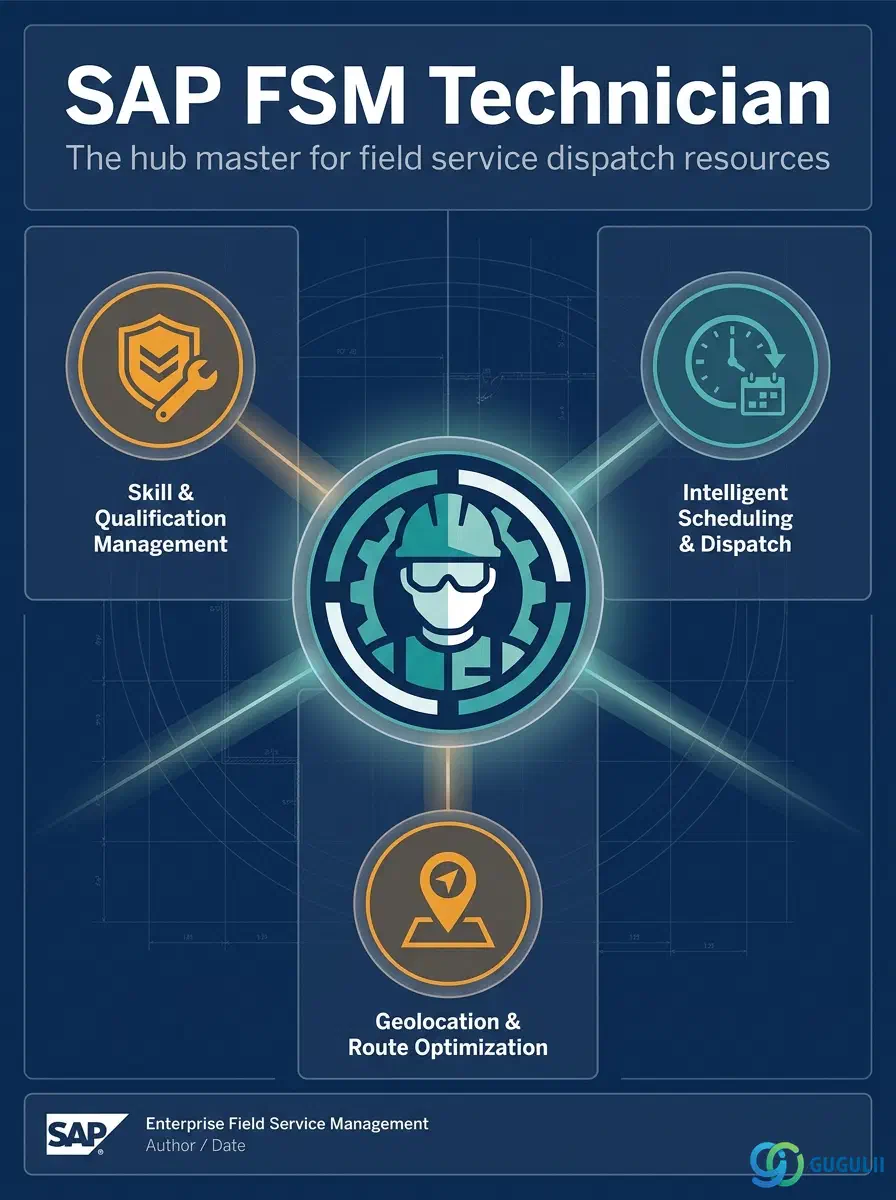
Person/Technician is FSM’s master record for an individual field service resource — a dispatchable technician with contact details, a Plannable flag, and references to the Skill, Work Time Pattern, and Region records that describe what that technician can do, when they work, and where they cover. It is the central object of the Technician Management domain (Phase 3, Zone C): Skill (FSM-A04-01), Work Time Pattern (FSM-A04-02), and Region (FSM-A04-03) are all configured independently first and then assigned to Person/Technician, while Crew (FSM-A04-05) and Absence (FSM-A04-06) both exist only in reference to a Person/Technician record. Person/Technician is listed as a required master alongside Business Partner, Skill, and Region — an FSM tenant with no Plannable technician record has nothing for Assisted Scheduling, Route Optimization, or the Planning Board to dispatch. This article maps every field FSM consultants configure on a Person/Technician record, and how those fields connect to the Skill, Work Time Pattern, Region, Crew, and Absence masters around it.
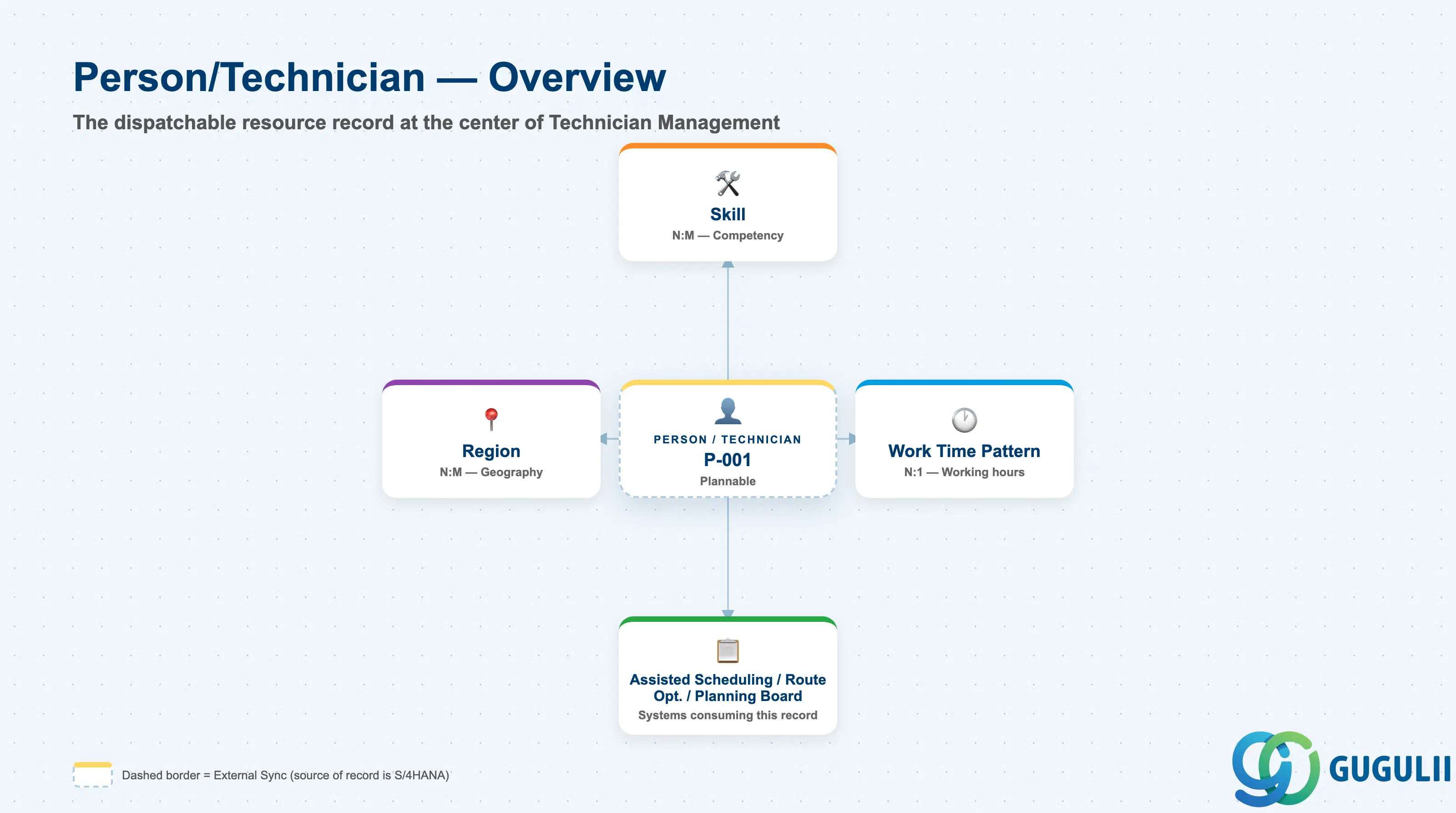
Person/Technician represents a single, individually identifiable field service resource — the record a dispatcher assigns to a Service Call and the record a technician logs into the mobile app with. Unlike Skill, Work Time Pattern, or Region, which are small, self-contained catalogs, Person/Technician is deliberately the richest record in Zone C, since it is the one place where competency (Skill), availability (Work Time Pattern), and geography (Region) all come together for a single dispatchable resource.
| Aspect | Details |
|---|---|
| Role | Master record of an individual field service technician; the hub object that Skill, Work Time Pattern, and Region are all assigned to, and that Crew and Absence both reference; the primary object Assisted Scheduling, Route Optimization, and the Planning Board read to dispatch work |
| Modules using it | FSM (Technician Management — sole owner; may be replicated in from S/4HANA the same direction as Business Partner and Equipment, or maintained natively in FSM) |
| Transactions | FSM Web UI “Manage Technician” app, part of the same “Master Data Management” area used for Skill, Region, Crew, and Absence |
| Key Tables | FSM: Person/Technician business object (Core API / OData entity) — FSM is a multi-tenant cloud solution and does not use classical ABAP tables; there is no S/4HANA table equivalent |
| S/4HANA note | Person/Technician can be replicated in from S/4HANA (S/4HANA→FSM direction), but is commonly maintained directly in FSM. It is listed as a required master alongside Business Partner, Skill, and Region — an FSM tenant cannot run Assisted Scheduling or populate the Planning Board without at least one Plannable Person/Technician record |
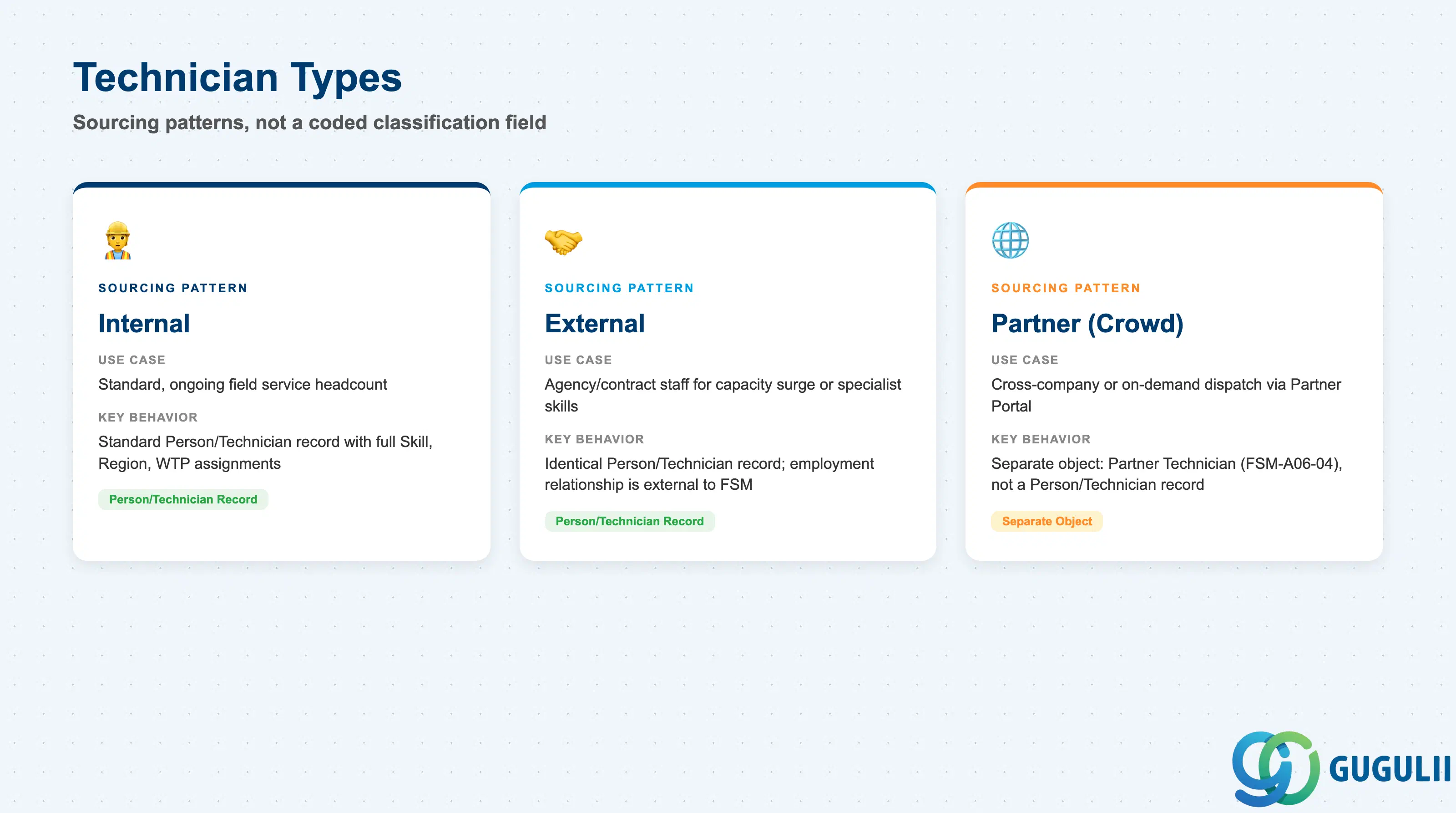
Person/Technician carries no single coded classification field of its own for how a technician is sourced — Person ID, Person Name, and the rest of the fields covered in Part 2 are identical regardless of employment relationship. What varies in practice is how the technician came to be onboarded, and — for one of the three patterns below — whether the resource is even modeled as a Person/Technician record at all.
| Technician Type | Sourcing Pattern | Use Case | Key Behavior |
|---|---|---|---|
| Internal | Directly-employed field service staff | Standard, ongoing field service headcount | Registered and dispatched entirely through the Person/Technician record and its Skill / Work Time Pattern / Region assignments; no distinction from External at the data-model level |
| External | Agency-supplied or fixed-term contract staff, onboarded as a regular Person/Technician record | Temporary capacity surge, seasonal demand, or a contracted specialist skill not held internally | Uses the identical Person/Technician record structure as Internal — Skill, Region, and Work Time Pattern assignment work the same way; only the underlying employment relationship differs, which FSM does not track as a field |
| Partner (Crowd-sourced) | Technician supplied by an external service partner through the Crowd Workforce channel | Cross-company or on-demand dispatch capacity beyond the organization’s own workforce | Modeled as a separate object, Partner Technician (FSM-A06-04), in the Partner Management domain — not as a Person/Technician record. Skill matching still applies conceptually, but scheduling flows through Crowd Dispatching (FSM-B05) rather than through this object’s Assisted Scheduling path |
Design principle: Internal and External technicians share one record structure and one set of Zone C assignments (Skill, Work Time Pattern, Region). Partner-sourced technicians are the exception — they are onboarded through the Partner Portal into a dedicated object rather than into Person/Technician, because they sit outside the organization’s own workforce data.
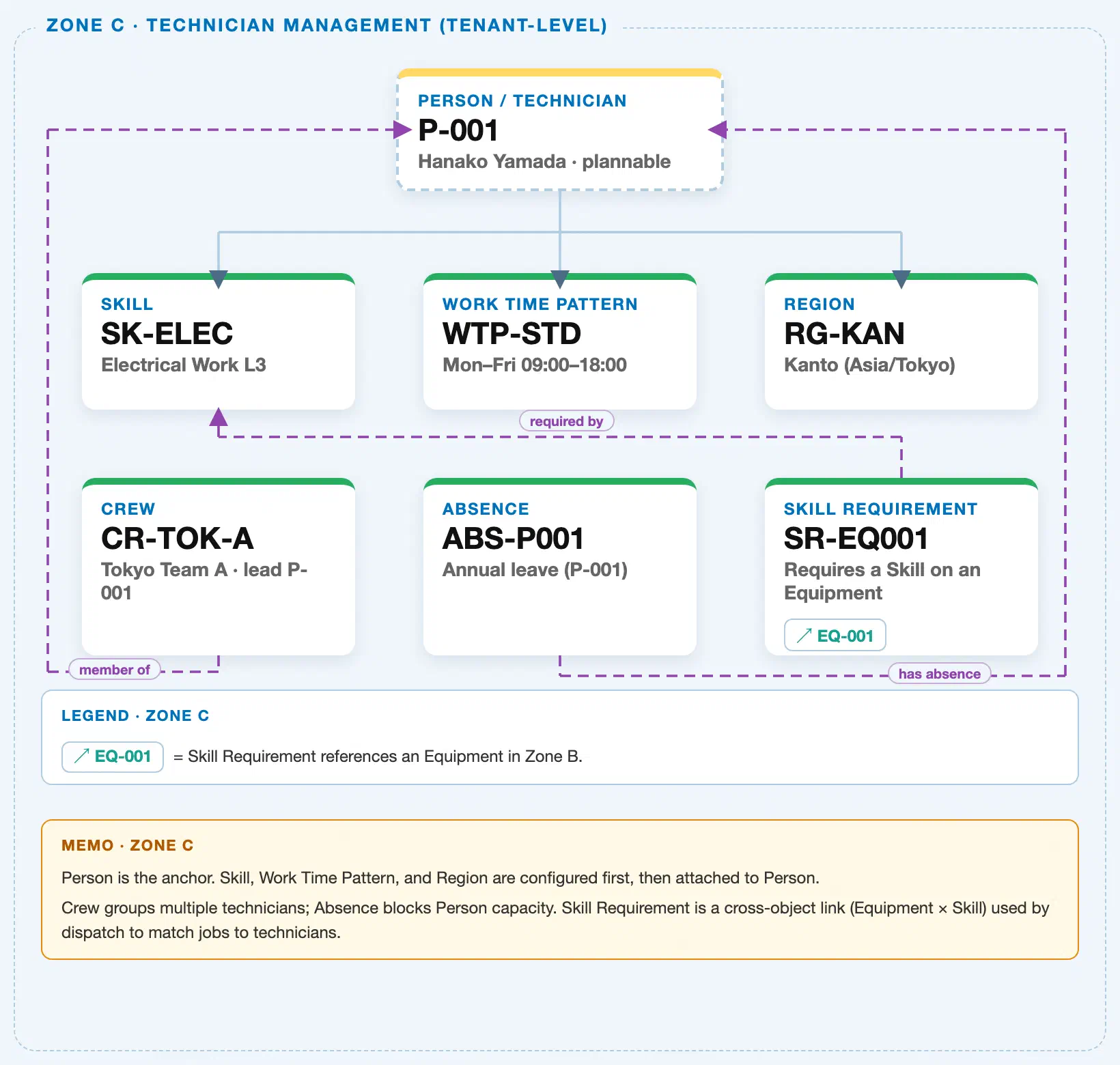
Data hierarchy with a concrete example (Zone C · Technician Management — tenant-level; FSM has no Company Code / Plant scoping above these objects)
Client (FSM Tenant)
   │
   ├── Skill SK-ELEC — Electrical Work L3                 (configured independently; tenant-level catalog)
   ├── Work Time Pattern WTP-STD — Mon–Fri 09:00–18:00     (configured independently; tenant-level catalog)
   ├── Region RG-KAN — Kanto (Asia/Tokyo)                   (configured independently; tenant-level catalog)
   │
   └── Person / Technician P-001 — Hanako Yamada (Plannable = Yes)
          ── assigned to ──▶ Skill SK-ELEC — Electrical Work L3            (N:M — a technician can hold more than one Skill)
          ── assigned to ──▶ Work Time Pattern WTP-STD                     (N:1 — many technicians may share one Pattern; exactly one active per technician)
          ── assigned to ──▶ Region RG-KAN — Kanto (Asia/Tokyo)            (N:M — a technician may cover more than one Region)
          │
          └── Absence ABS-P001 — Annual leave, 2024-08-10–2024-08-16      (1:N — true containment; an Absence record has no meaning without its Person)

Person / Technician P-001 ── leads ──▶ Crew CR-TOK-A — Tokyo Team A
   (Crew aggregates a lead plus multiple member technicians; it is a reference relationship, not single-owner containment)

Van Stock (Phase 4, Material & Tool Management, drawing from Warehouse WH-001) ── assigned to ──▶ Person / Technician P-001
   (forward cross-zone reference — Person/Technician is a prerequisite for Van Stock, not the reverse)

Skill Requirement SR-EQ001 — Requires a Skill on an Equipment (cross-zone; attaches to Equipment, NOT Person/Technician directly):
   Skill Requirement SR-EQ001 ── requires ──▶ Skill SK-ELEC
   Skill Requirement SR-EQ001 ── applies to ──▶ Equipment EQ-001 (Zone B)
   (Matched against Person/Technician P-001's own assigned Skills by Assisted Scheduling at dispatch time — a run-time comparison, not a stored field-level link)
Design principle: Person/Technician is Zone C’s hub — Skill, Work Time Pattern, and Region are independent tenant-level masters configured first, then assigned to Person/Technician rather than the reverse. Absence is true containment (an Absence record belongs to exactly one Person), while Crew is a reference relationship (a Crew aggregates a lead plus multiple member technicians, so no single Person record owns it outright). Skill Requirement attaches to Equipment, not to Person/Technician — Assisted Scheduling performs the Skill match at run time rather than through any stored field on either record. Unlike Equipment, Person/Technician carries no direct reference to Business Partner in the FSM data model.
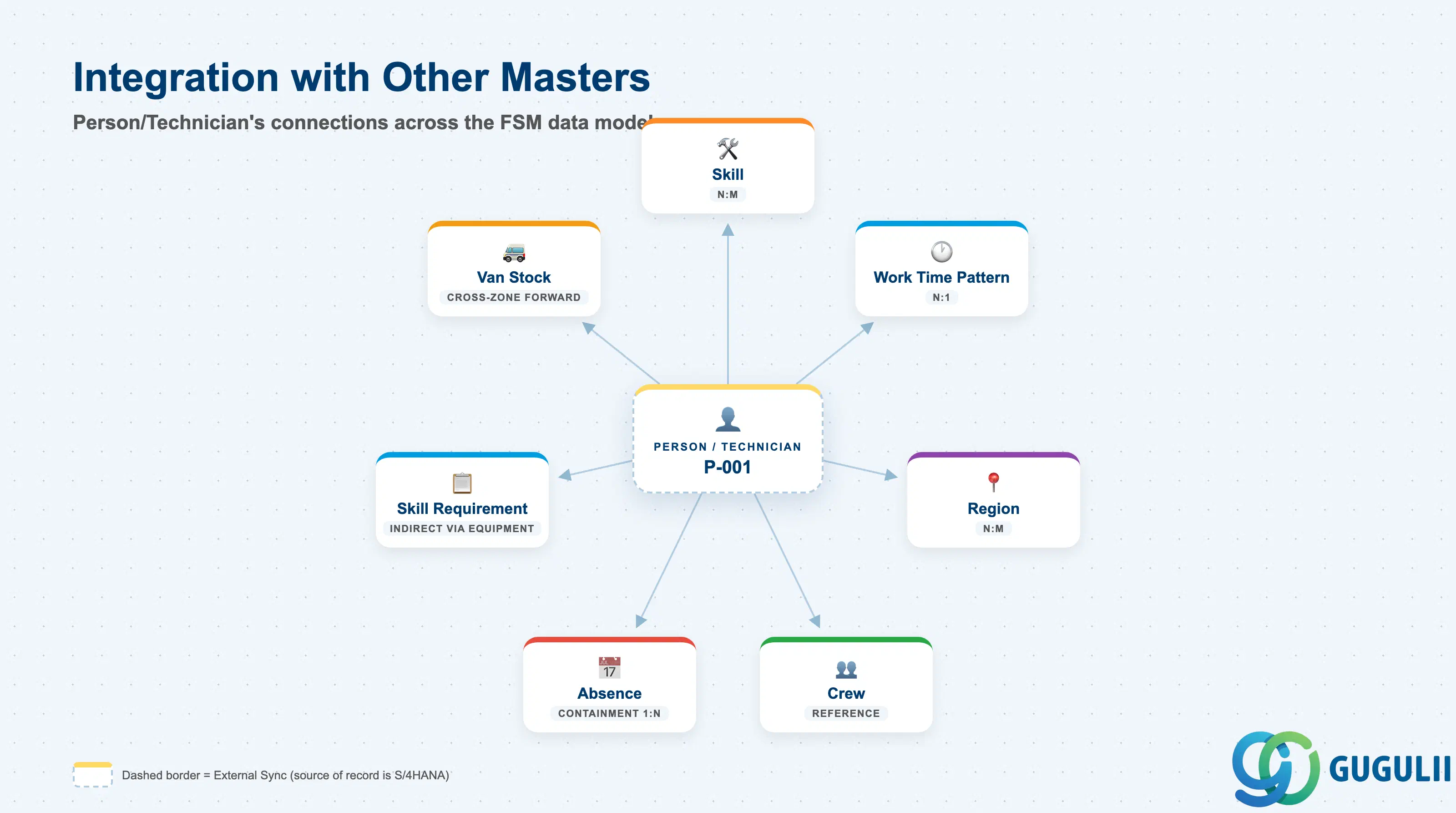
Person/Technician does not stand alone — it is the record every other Technician Management object either feeds into or reads back out of, and the one record Material & Tool Management (Van Stock) reaches forward into from the next Phase.
| Object | Relationship | Practical Notes |
|---|---|---|
| Skill (FSM-A04-01) | Many-to-many: a technician can hold more than one Skill, and a Skill can be held by many technicians | Assigned via the Manage Technician app; this is exactly the list Assisted Scheduling compares against a Service Call or Equipment’s Skill Requirement to build the candidate technician list. |
| Work Time Pattern (FSM-A04-02) | Many-to-one: many technicians can share the same Pattern, but each technician has exactly one active assignment at a time | Combined with the technician’s assigned Region’s Time Zone, this is what the Planning Board and Route Optimization use to compute real availability windows. |
| Region (FSM-A04-03) | Many-to-many: a technician can be assigned to more than one Region, and a Region can have many technicians assigned to it | This is exactly what Assisted Scheduling and Route Optimization read to narrow candidate technicians for a Service Call by geography. |
| Crew (FSM-A04-05) | Reference: a Person/Technician can lead one Crew and be a member of others; Crew aggregates a lead plus multiple member technicians | A Crew’s effective coverage and skill set is simply the union of its members’ own Region and Skill assignments — there is no separate coverage field stored on the Crew record itself. |
| Absence (FSM-A04-06) | One-to-many, true containment: one Person/Technician can have many Absence records, each belonging to exactly one Person | Registering an Absence blocks the technician’s capacity on the Planning Board for the recorded period and can trigger rescheduling of anything already assigned inside that window. |
| Skill Requirement (FSM-A04-07) | Indirect — Skill Requirement attaches to Equipment, not to Person/Technician | Assisted Scheduling matches the required Skill against each candidate technician’s own Skills list at run time; there is no stored field-level link between Person/Technician and Skill Requirement. |
| Van Stock (Phase 4, Material & Tool Management) | Forward cross-zone reference: Van Stock is assigned to a Person/Technician and draws from a Warehouse | Person/Technician is a prerequisite master for Van Stock — a technician must exist before mobile inventory can be assigned to them, but Person/Technician carries no field pointing back to any Van Stock record. |
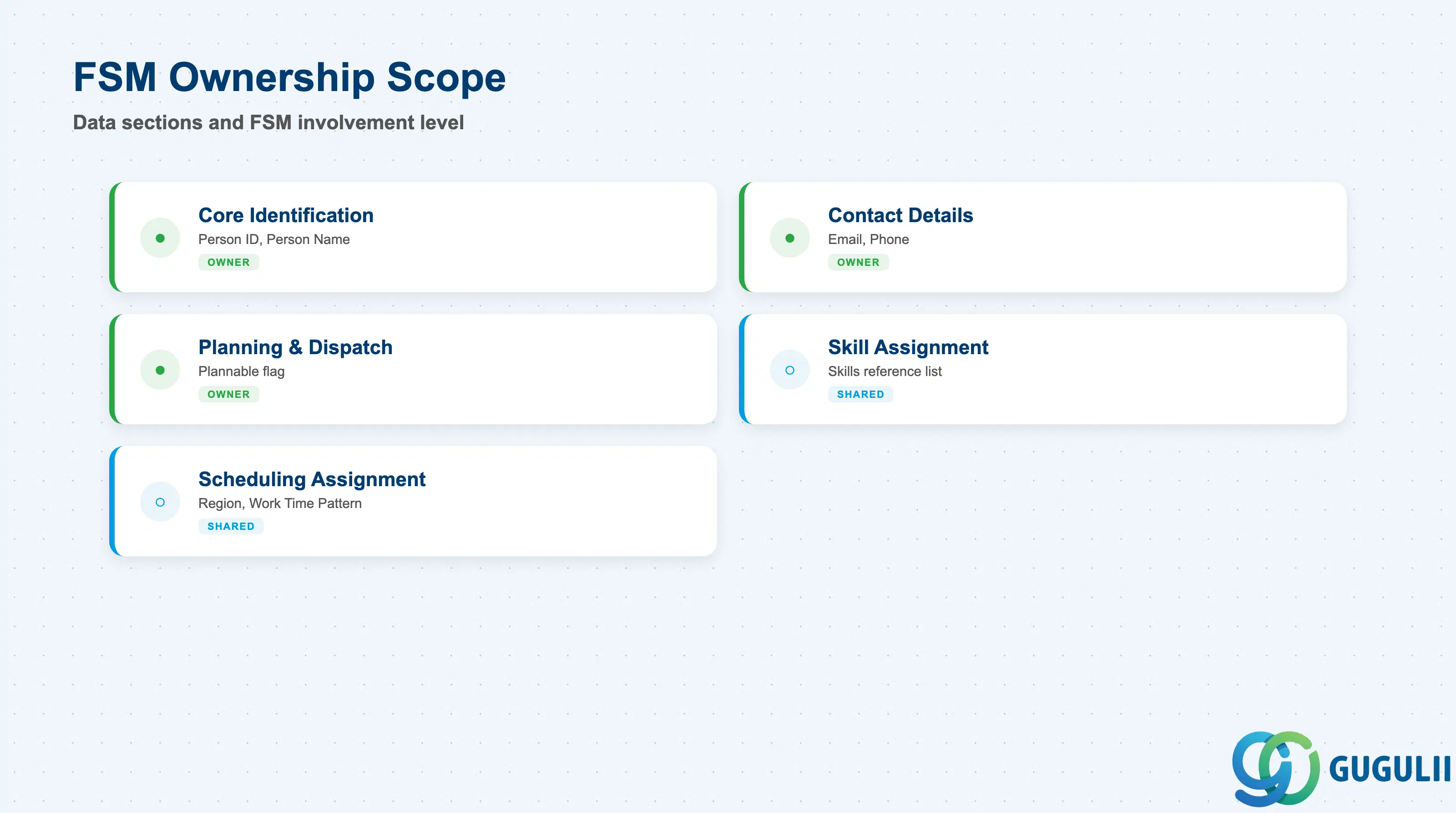
| Data Section | FSM Involvement | Notes |
|---|---|---|
| Core Identification | ◎ Owner | Person ID, Person Name — the fields that identify this specific technician |
| Contact Details | ◎ Owner | Email, Phone — used for mobile app access, notifications, and dispatcher contact |
| Planning & Dispatch Configuration | ◎ Owner | Plannable — the flag that controls Planning Board and Assisted Scheduling visibility |
| Skill Assignment | ○ Shared with Technician Management (Skill master) | The Skills reference list read by Assisted Scheduling for Skill Requirement matching |
| Scheduling Assignment | ○ Shared with Technician Management (Region, Work Time Pattern masters) | The Region and Work Time Pattern references read by the Planning Board and Route Optimization |
Legend: ◎ = Owner / Critical, ○ = Direct involvement
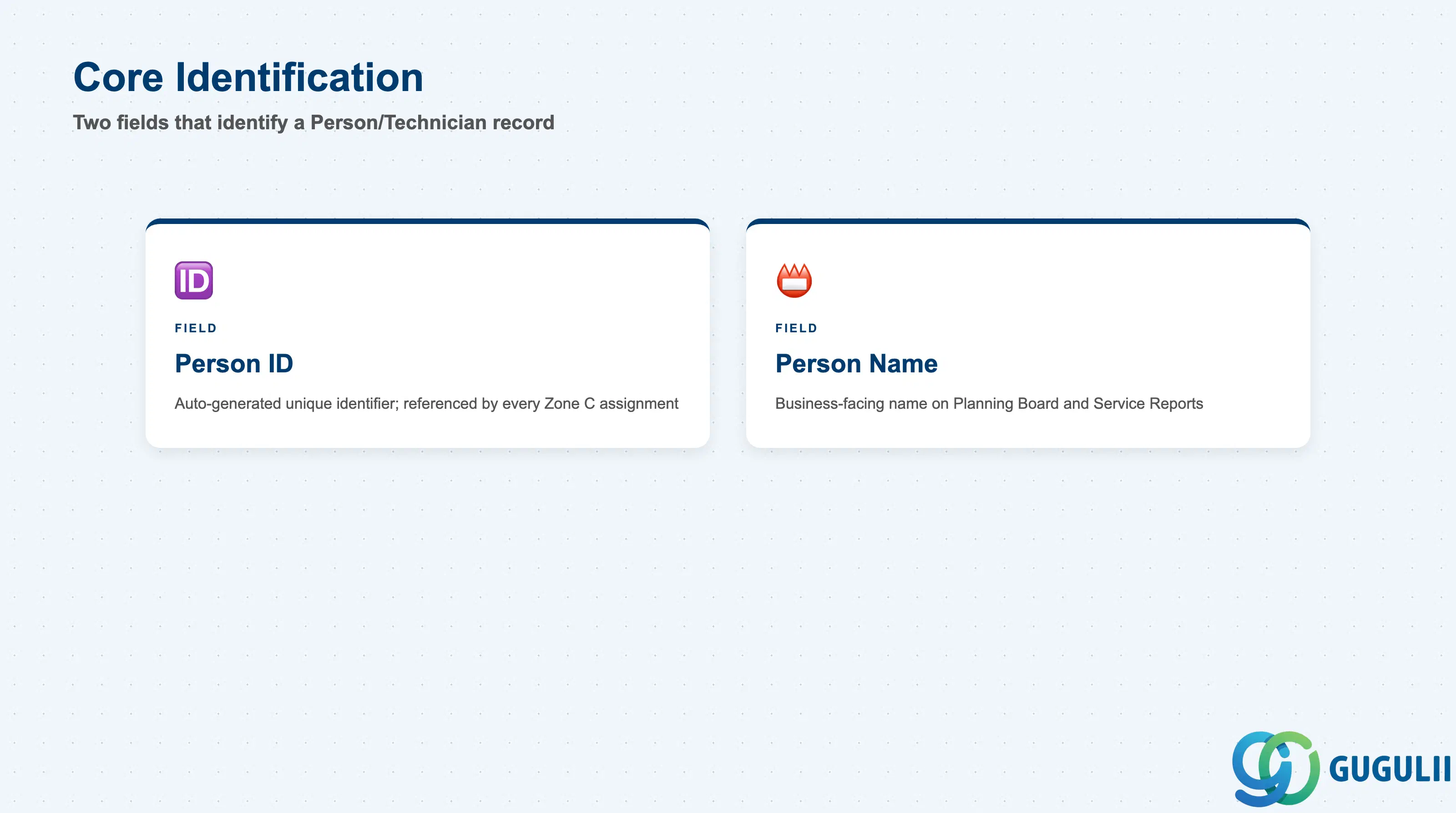
These two fields are what every other Zone C object — Skill assignment, Region assignment, Work Time Pattern assignment, Crew membership, Absence, and Van Stock — ultimately references back to.
| Field | Description | Practical Usage |
|---|---|---|
| Person ID | FSM’s internal unique identifier for the technician record | Auto-generated or entered at creation depending on tenant configuration; referenced by every Skill, Region, and Work Time Pattern assignment, every Crew membership, every Absence record, and every Van Stock line tied to this technician. Never reuse a retired Person ID for a different individual — Planning Board history and Service Report authorship both key off it. |
| Person Name | Business-facing name of the technician | Displayed throughout the Planning Board, Service Call assignment screens, and customer-facing Service Reports and signatures. Keep it consistent with how the name should appear on customer-facing documents, since FSM does not carry a separate display-name field. |
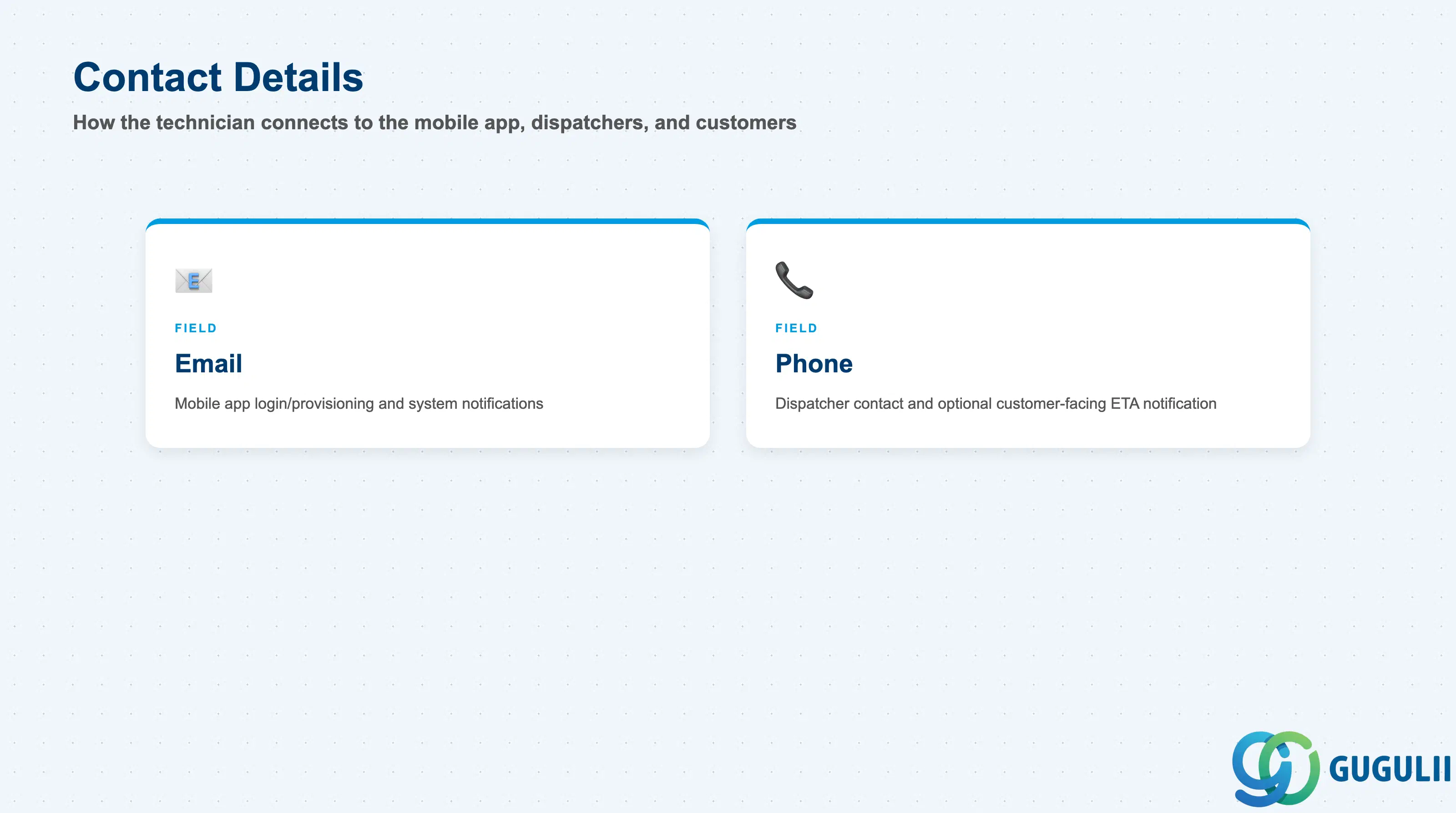
Both fields exist to connect the technician to the systems and people that need to reach them — the FSM mobile app on one side, and dispatchers and customers on the other.
| Field | Description | Practical Usage |
|---|---|---|
| Technician’s email address | Used for FSM mobile app account provisioning and login, plus system notifications such as new dispatch or schedule change. It typically doubles as the mobile login identifier, so it must stay unique across active technician accounts in most tenant configurations. | |
| Phone | Technician’s phone number | Displayed to dispatchers on the Planning Board for direct contact and, where configured, surfaced to the customer for the assigned technician’s ETA notification. Confirm local privacy and consent rules before exposing this field on any customer-facing screen. |
This single Boolean field is what turns a technician record from an administrative entry into an actual dispatchable resource.
| Field | Description | Practical Usage |
|---|---|---|
| Plannable | Boolean flag controlling whether the technician appears as an assignable resource | The single field that determines Planning Board visibility and eligibility for Assisted Scheduling and Route Optimization. A record with Plannable = No still exists for reporting and historical purposes but is invisible to dispatch. Toggle it off rather than deleting the record when a technician goes on long-term leave or moves out of field service, so Service Report and schedule history stay intact. |
This one field is what lets Assisted Scheduling treat a technician as qualified — or not — for a given piece of work.
| Field | Description | Practical Usage |
|---|---|---|
| Skills | List of Skill records assigned to this technician (N:M reference to the Skill master, FSM-A04-01) | This is the field Assisted Scheduling compares against a candidate Equipment or Service Call’s Skill Requirement (FSM-A04-07). An incomplete or stale Skills list is one of the most common causes of a genuinely qualified technician being silently excluded from the candidate list during automated matching — audit it whenever a certification lapses or is renewed. |
Together with Skills, these two references are what actually make a technician plannable in practice — Skills say what the technician can do, and this section says where and when.
| Field | Description | Practical Usage |
|---|---|---|
| Region | Reference to one or more Region records (N:M reference to Region, FSM-A04-03) | Defines the geography Assisted Scheduling and Route Optimization check when filtering candidate technicians for a Service Call. A technician covering two adjacent service areas needs both Regions assigned, or requests originating in the second area will never surface them as a candidate. |
| Work Time Pattern | Reference to the Work Time Pattern currently governing this technician’s working hours (N:1 reference to Work Time Pattern, FSM-A04-02 — many technicians may share one Pattern, but each technician has exactly one active assignment) | Together with the Time Zone carried on the technician’s assigned Region, this is what the Planning Board and Route Optimization use to compute real availability windows. Changing a technician’s Work Time Pattern takes effect from the change date forward and does not retroactively adjust already-confirmed schedule commitments. |
| ID | Category | Title |
|---|---|---|
| fsm-001 | Overview | What is SAP FSM? |
| ID | Category | Title |
|---|---|---|
| fsm-a01 | Overview | SAP FSM Master Data: Overview, Hierarchy & Relationships |
| fsm-a02-02 | Master Data | SAP FSM Contact |
| fsm-a02-03 | Master Data | SAP FSM Address |
| fsm-a03-01 | Master Data | SAP FSM Equipment |
| fsm-a03-02 | Master Data | SAP FSM Equipment Hierarchy |
| fsm-a03-03 | Master Data | SAP FSM Service History |
| fsm-a04-01 | Master Data | SAP FSM Skill |
| fsm-a04-02 | Master Data | SAP FSM Work Time Pattern |
| fsm-a04-03 | Master Data | SAP FSM Region |
| fsm-a04-04 | Master Data | SAP FSM Technician 📍 |
| fsm-a04-05 | Master Data | SAP FSM Crew |
| fsm-a04-06 | Master Data | SAP FSM Absence |
| fsm-a04-07 | Master Data | SAP FSM Skill Requirement |
| fsm-a05-02 | Master Data | SAP FSM Generic Tool |
| fsm-a05-03 | Master Data | SAP FSM Serialized Tool |
| fsm-a05-04 | Master Data | SAP FSM Warehouse |
| fsm-a05-05 | Master Data | SAP FSM Van Stock |
| fsm-a06-01 | Master Data | SAP FSM Partner Invitation |
| fsm-a06-02 | Master Data | SAP FSM Partner Registration |
| fsm-a06-03 | Master Data | SAP FSM Crowd Partner |
| fsm-a06-04 | Master Data | SAP FSM Partner Technician |
| ID | Category | Title |
|---|---|---|
| fsm-b01 | Overview | SAP FSM Transactions: Process Flow, Hierarchy & Relationships |
Zone crop source: 04-fsm-a01-master-landscape.png (mtime: 2026-07-15 11:04)