Title here
Summary here

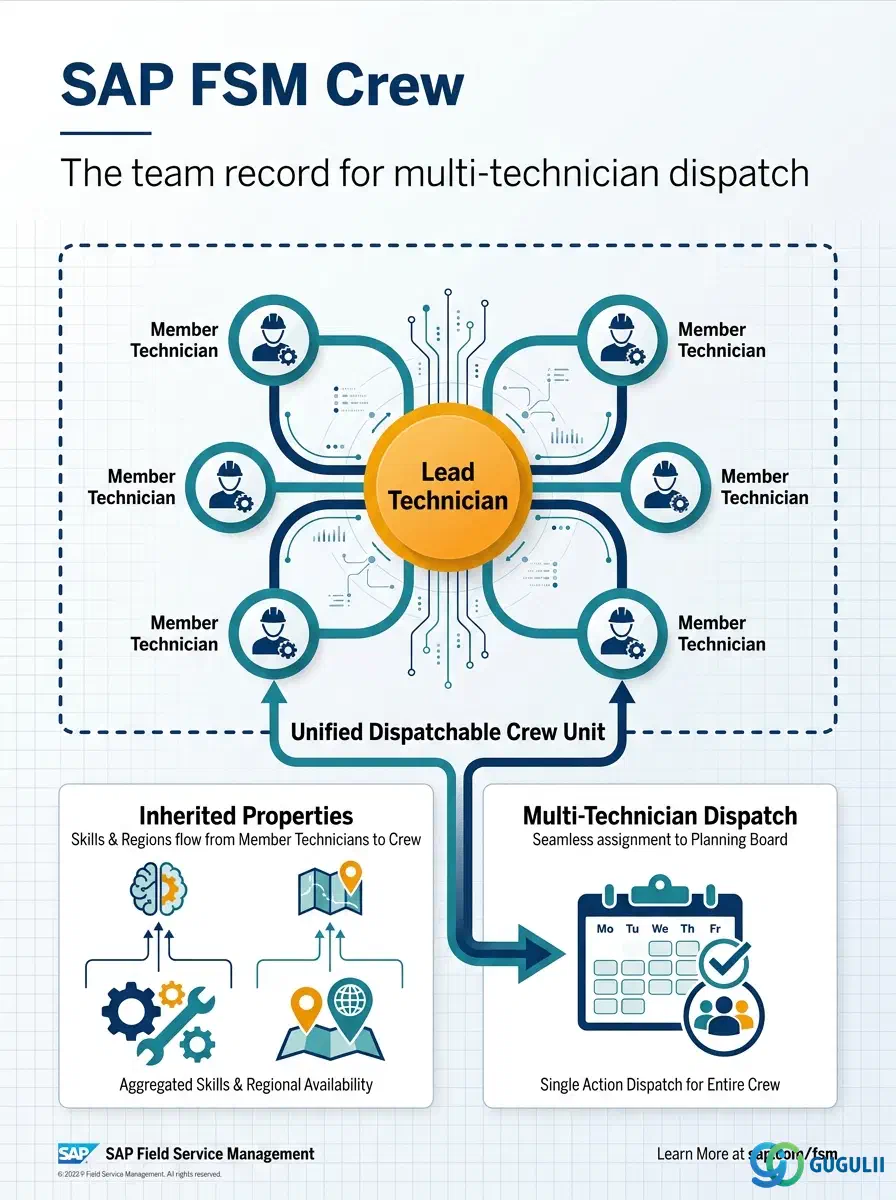
Crew is FSM’s optional master record for a dispatchable team — a lead technician plus one or more member technicians grouped together for jobs that genuinely require more than a single field service resource, such as an installation, a confined-space job, or any Service Call demanding several certified skills at once. Unlike Skill, Work Time Pattern, and Region, which are configured independently before being assigned, Crew has exactly one true prerequisite: Person/Technician (FSM-A04-04) records must already exist for both the Lead and every Member before a Crew can be created — Crew stores no fields of its own beyond identification and this Lead/Member reference list. Crew is flagged as an optional master, used only when the business actually dispatches work to teams rather than to individual technicians; a tenant that never assigns more than one technician to a Service Call has no need to configure it. Crew is the fifth object in the Technician Management domain (Phase 3, Zone C) covered in this series, alongside Skill (FSM-A04-01), Work Time Pattern (FSM-A04-02), Region (FSM-A04-03), Person/Technician (FSM-A04-04), and Absence (FSM-A04-06). This article maps every field FSM consultants configure on a Crew record, and how those fields connect back to the Person/Technician records that make up its Lead and Members.
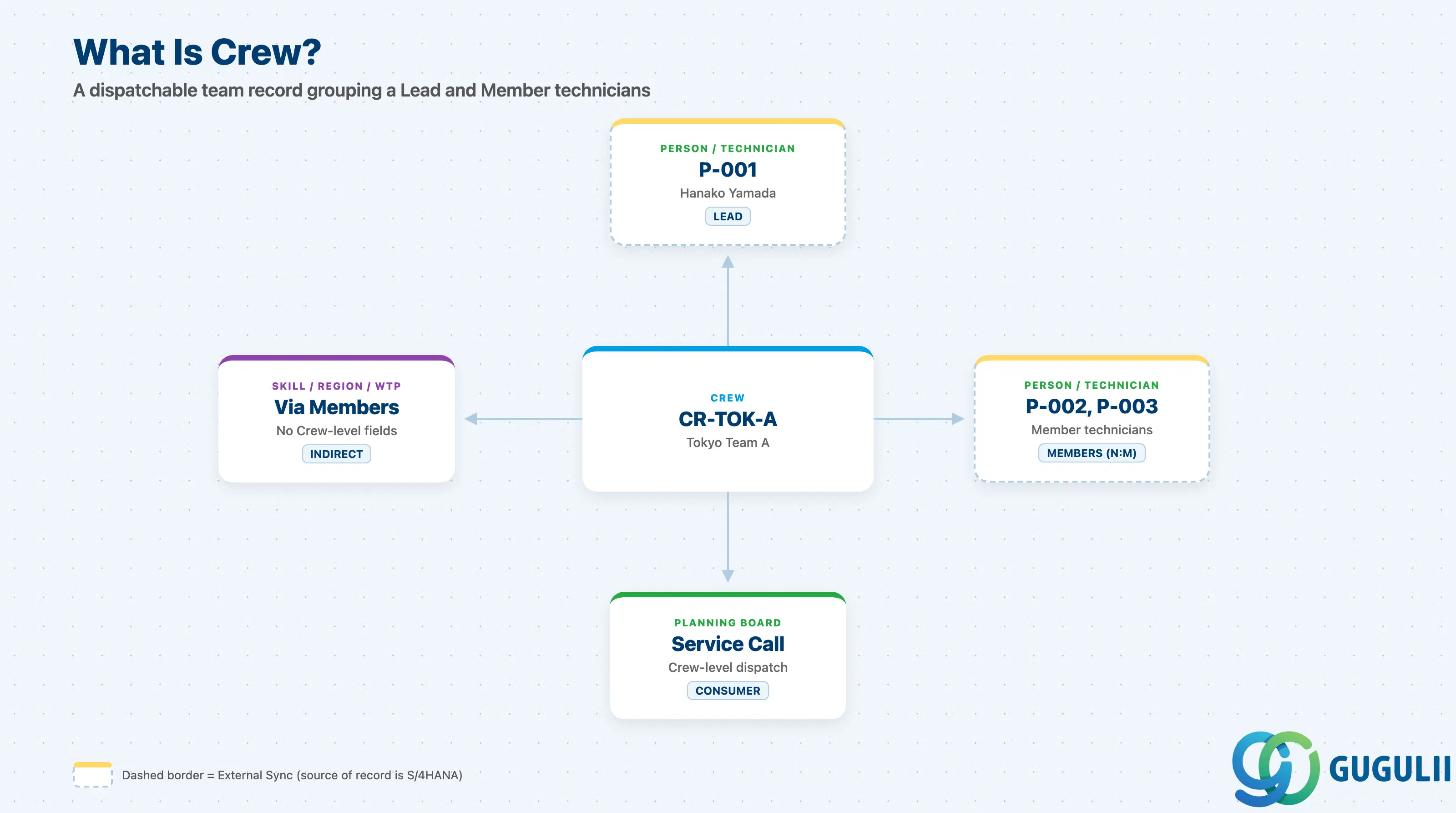
A Crew represents a single, named team of field service technicians — one designated Lead plus any number of Members, grouped together so a dispatcher can assign a whole team to a Service Call in one step rather than assigning each technician individually. It is a deliberately thin master: it carries no Skill, Region, or Work Time Pattern fields of its own, because every one of those properties already exists on the individual Person/Technician records that make up the team.
| Aspect | Details |
|---|---|
| Role | Master record grouping a Lead and Member technicians into a single dispatchable team; consumed by the Planning Board when a Service Call is assigned to a crew rather than an individual technician |
| Modules using it | FSM (Technician Management — sole owner; Crew is FSM-native with no S/4HANA source master) |
| Transactions | FSM Web UI “Master Data Management” app (same area used for Skill, Region, and Person/Technician) |
| Key Tables | FSM: Crew business object (Core API / OData entity) — FSM is a multi-tenant cloud solution and does not use classical ABAP tables; there is no S/4HANA table equivalent |
| S/4HANA note | Crew is not replicated in from S/4HANA — it is created and maintained natively in FSM. It is listed as an optional master, used only when the tenant genuinely performs team-based field work; tenants that always dispatch one technician per Service Call have no need to configure it |
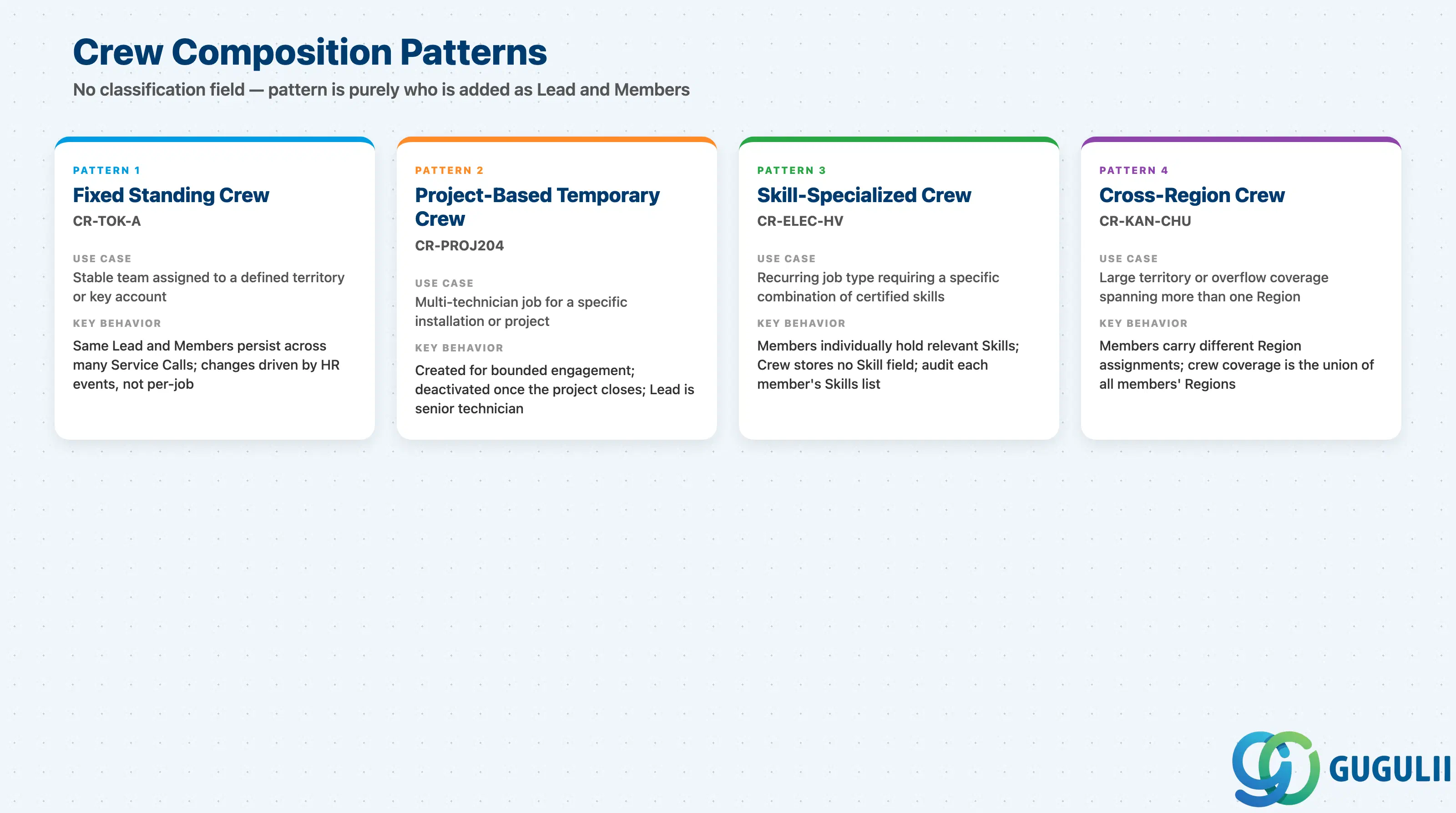
Crew carries no separate classification field of its own — Crew ID, Crew Name, Crew Lead, and Crew Members are the entire record, and any of the composition patterns below is expressed purely through who is added as Lead and Members. What varies in practice is why a team was formed and how long it is expected to persist, which shapes how often consultants expect its membership to change.
| Composition Pattern | Example Crew ID | Use Case | Key Behavior |
|---|---|---|---|
| Fixed Standing Crew | CR-TOK-A | Ongoing, stable team assigned to a defined territory or key account | Same Lead and Member set persists across many Service Calls; membership changes infrequently, driven by HR events such as transfer or leave rather than per-job composition |
| Project-Based Temporary Crew | CR-PROJ204 | Multi-technician job that exists only for the duration of a specific installation or project | Created for a bounded engagement and typically deactivated or repurposed once the project closes; the Lead is usually the project’s senior technician |
| Skill-Specialized Crew | CR-ELEC-HV | A recurring job type consistently requires the same combination of certified skills (e.g., high-voltage electrical plus confined-space) | Every Member individually holds the relevant Skill records; Crew itself stores no Skill field, so consultants must audit each member’s own Skills list to keep the crew’s effective coverage intact |
| Cross-Region Crew | CR-KAN-CHU | Large territory or overflow coverage spanning more than one Region | Members individually carry different Region assignments; the crew’s effective geographic coverage is the union of all members’ Regions, not a Region set on the Crew record itself |
Design principle: Crew has no dedicated classification field — composition pattern is purely an operational choice expressed through who is added as Lead and Members, never through a coded Crew Type value.
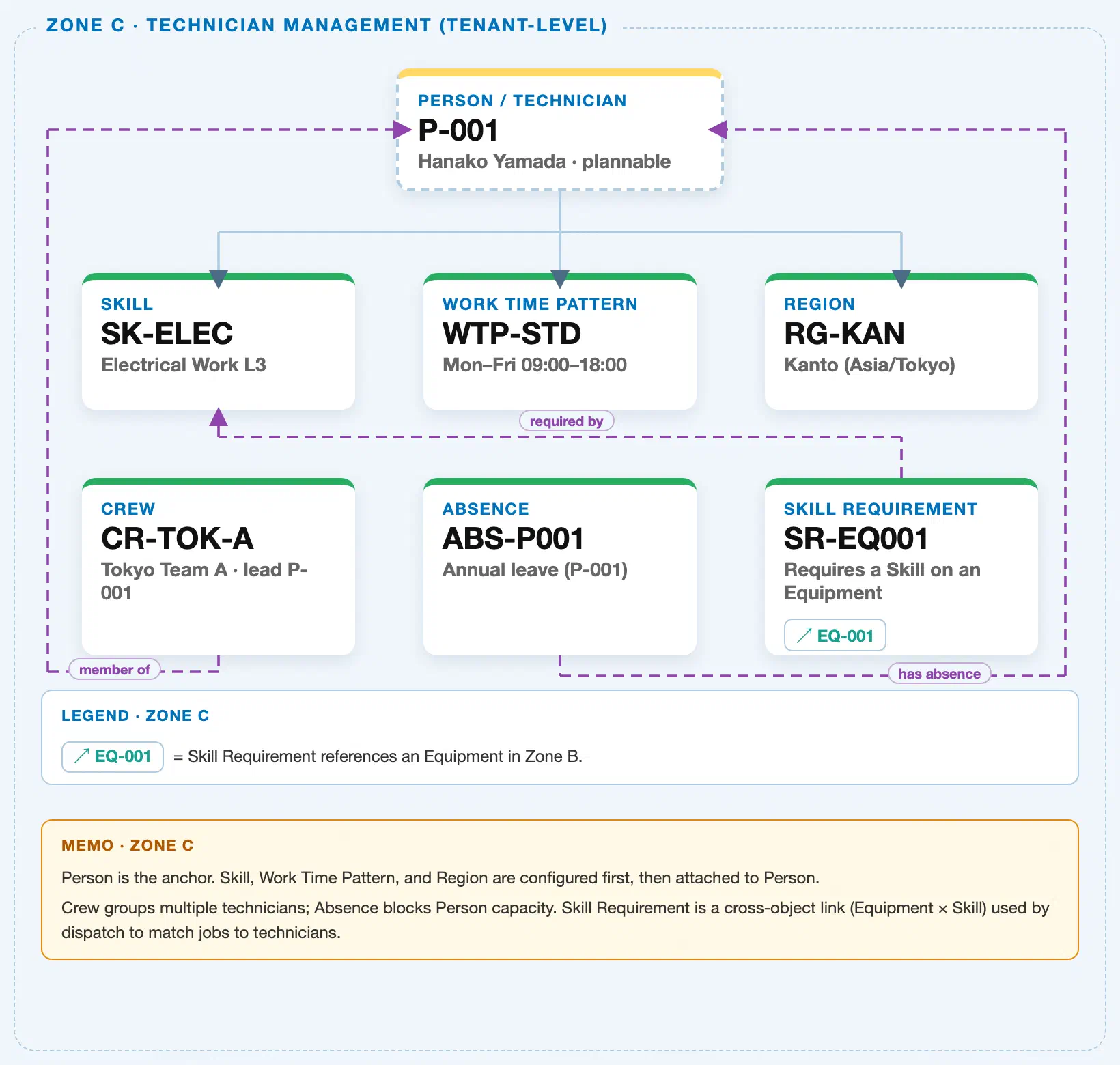
Data hierarchy with a concrete example (Zone C · Technician Management — tenant-level; FSM has no Company Code / Plant scoping above these objects)
Client (FSM Tenant)
   │
   ├── Skill SK-ELEC — Electrical Work L3                 (configured independently; tenant-level catalog)
   ├── Work Time Pattern WTP-STD — Mon–Fri 09:00–18:00     (configured independently; tenant-level catalog)
   ├── Region RG-KAN — Kanto (Asia/Tokyo)                   (configured independently; tenant-level catalog)
   │
   ├── Person / Technician P-001 — Hanako Yamada (Plannable = Yes)   (leads Crew CR-TOK-A)
   ├── Person / Technician P-002 — Kenji Sato    (Plannable = Yes)   (member of Crew CR-TOK-A)
   └── Person / Technician P-003 — Aoi Tanaka    (Plannable = Yes)   (member of Crew CR-TOK-A)

Crew CR-TOK-A — Tokyo Team A (reference — groups technicians, does not own any Person record):
   Crew CR-TOK-A ── led by ──▶ Person / Technician P-001 — Hanako Yamada      (exactly one Lead)
   Crew CR-TOK-A ── has member ──▶ Person / Technician P-002 — Kenji Sato      (N:M — a technician can belong to more than one Crew)
   Crew CR-TOK-A ── has member ──▶ Person / Technician P-003 — Aoi Tanaka      (N:M)
   (The Crew record itself owns only Crew ID, Crew Name, and this Lead/Member reference list — Skill, Region,
   and Work Time Pattern all remain properties of the individual Person/Technician records, never of the Crew.)

Absence ABS-P001 — Annual leave, 2024-08-10–2024-08-16 (reference; attaches to a Person, NOT to the Crew directly):
   Absence ABS-P001 ── blocks ──▶ Person / Technician P-001
   (Registering an Absence for the Lead or any Member blocks only that individual's own capacity — it does not
   deactivate the Crew record or block the remaining members from being dispatched.)

Skill Requirement SR-EQ001 — Requires a Skill on an Equipment (cross-zone; attaches to Equipment, NOT Crew):
   Skill Requirement SR-EQ001 ── requires ──▶ Skill SK-ELEC
   Skill Requirement SR-EQ001 ── applies to ──▶ Equipment EQ-001 (Zone B)
   (Matched against each individual Crew member's own assigned Skills by Assisted Scheduling at dispatch time —
   a per-Person run-time comparison, not a stored field on either Crew or Skill Requirement.)
Design principle: Crew is a reference relationship, not containment — the Lead and every Member are independent Person/Technician records configured first, and the Crew record itself stores only Crew ID, Crew Name, and the reference list pointing to them. Membership is N:M: the same technician can lead one Crew while being a plain Member of another, and can belong to more than one Crew depending on tenant configuration. Absence and Skill Requirement both attach to Person/Technician, not to Crew — the Crew record carries no separate Absence or Skill Requirement field of its own.
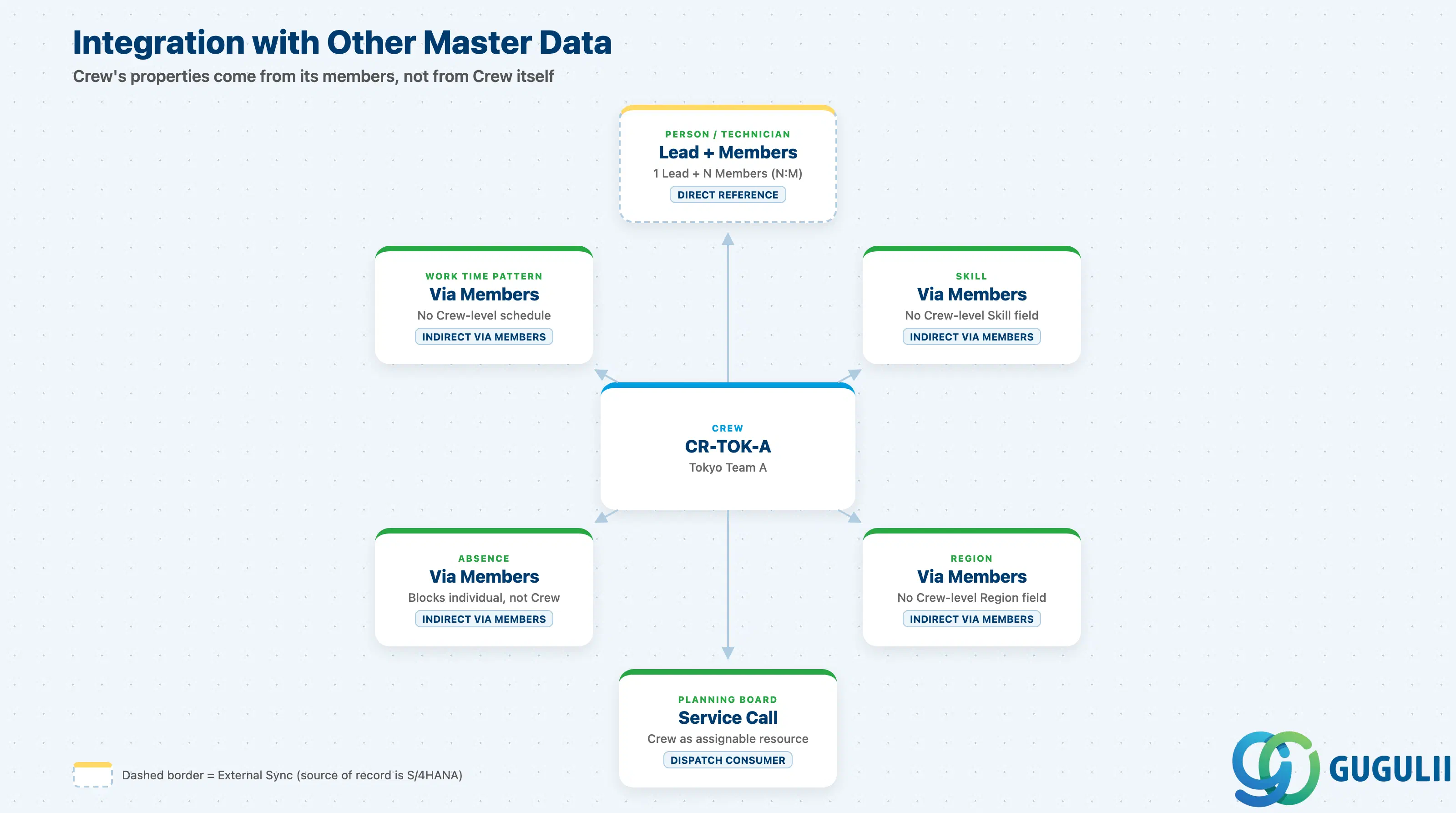
Crew does not stand alone. Nearly every property that matters about a Crew is actually a property of the individual Person/Technician records it references, not of the Crew record itself.
| Object | Relationship | Practical Notes |
|---|---|---|
| Person / Technician (FSM-A04-04) | Reference: exactly one Lead plus any number of Members, each an independent Person/Technician record (N:M — a technician can belong to more than one Crew) | Adding or removing a Member takes effect immediately for Planning Board crew assignment; a Crew left with no active Lead should not be treated as usable for dispatch until a new Lead is designated. |
| Skill (indirect, via members, FSM-A04-01) | Crew has no Skill field of its own | A crew’s effective skill coverage is simply the union of each individual member’s own assigned Skills; when a crew looks ineligible against a Skill Requirement, audit each member’s Skills list rather than looking for a coverage setting on the Crew record. |
| Region (indirect, via members, FSM-A04-03) | Crew has no Region field of its own | The crew’s effective geographic coverage is the union of all members’ own assigned Region(s); adding or removing a member can widen or narrow the crew’s dispatch-eligible geography without any change to the Crew record itself. |
| Work Time Pattern (indirect, via members, FSM-A04-02) | Crew has no schedule field of its own | The crew’s real availability for a given window depends on every required member’s individual Work Time Pattern lining up; there is no single “crew schedule” to check. |
| Absence (indirect, via members, FSM-A04-06) | Crew has no direct Absence link | Registering an Absence for the Lead or any Member reduces the crew’s available headcount for that period but does not deactivate the Crew record or remove the absent technician from the Members list. |
| Service Call / Planning Board (Transaction domain, FSM-B03/B04) | Crew can be selected as a single assignable resource for multi-technician work | Dispatch still resolves down to the underlying individual Person/Technician records for confirmation and mobile execution — assigning “the Crew” is a dispatcher-facing shortcut, not a separate execution object. |
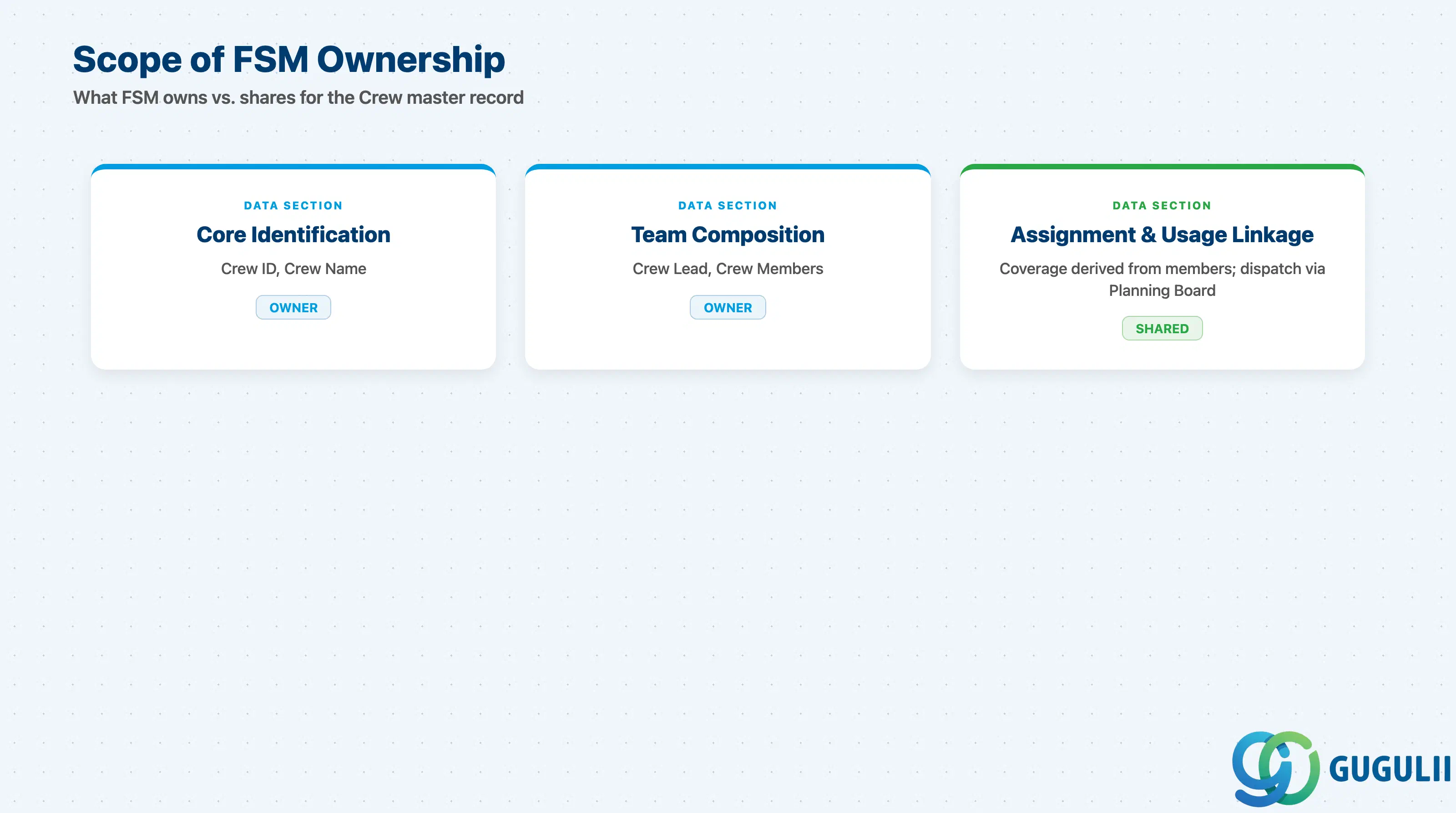
| Data Section | FSM Involvement | Notes |
|---|---|---|
| Core Identification | ◎ Owner | Crew ID, Crew Name — the fields that identify this specific team |
| Team Composition | ◎ Owner | Crew Lead, Crew Members — the reference list that defines who the team actually is |
| Assignment & Usage Linkage | ○ Shared with Technician Management (Skill, Region, Work Time Pattern, Absence via members) | How the crew’s effective skill and geographic coverage is derived from its members, and how it is picked up by Planning Board dispatch |
Legend: ◎ = Owner / Critical, ○ = Direct involvement
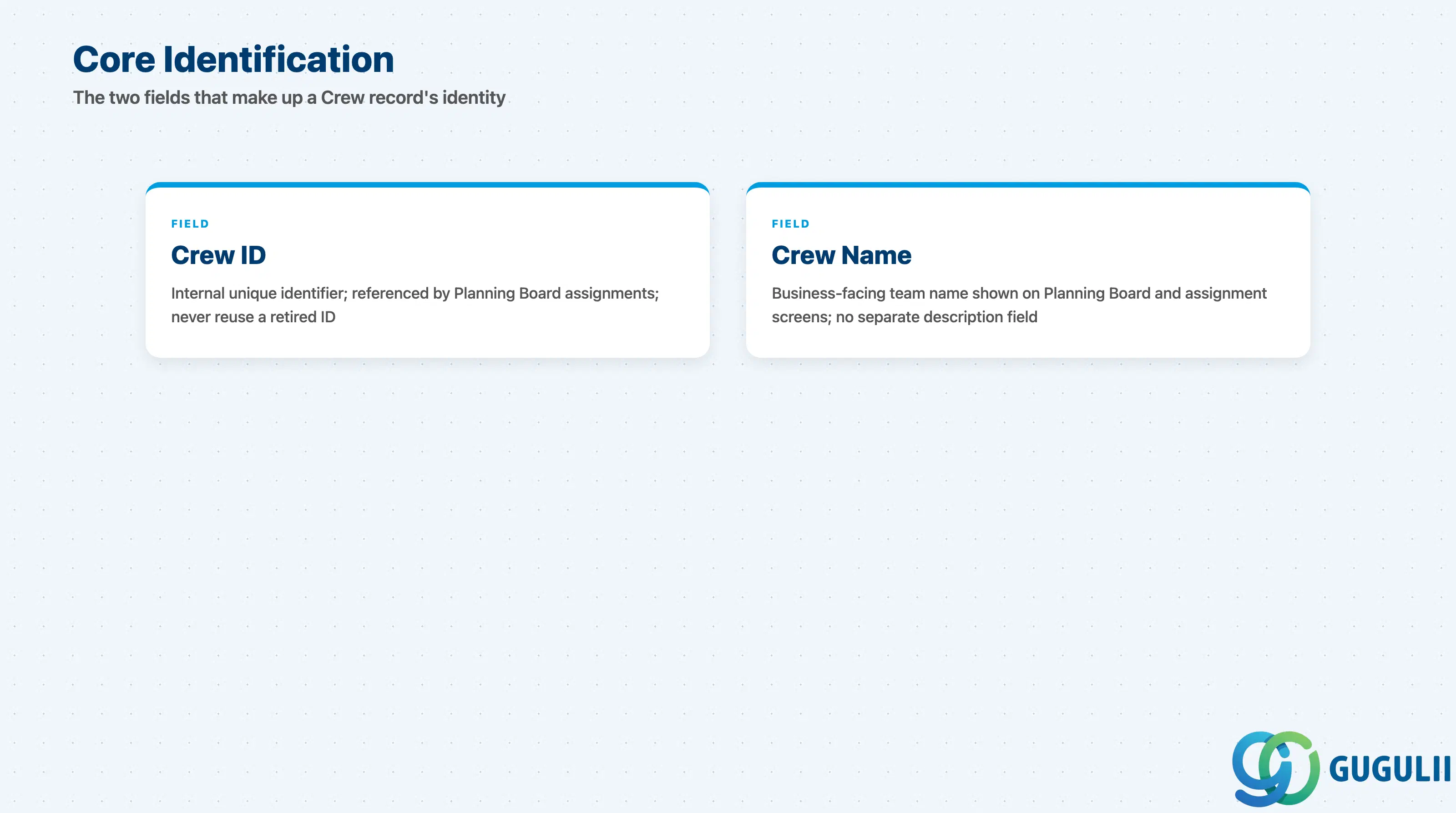
These two fields are the whole identity of a Crew record — FSM keeps this master deliberately lean, with the actual team composition living in the fields covered in the next section.
| Field | Description | Practical Usage |
|---|---|---|
| Crew ID | FSM’s internal unique identifier for the crew record | Auto-generated or entered at creation depending on tenant configuration; referenced by every Planning Board assignment made to the crew as a whole. Never reuse a retired Crew ID for an unrelated team — Planning Board history depends on it staying unique. |
| Crew Name | Business-facing name of the team | Displayed on the Planning Board and Service Call assignment screens whenever the crew is selected as a whole. Keep it descriptive of the team’s actual composition or coverage (e.g. “Tokyo Team A”) since the record carries no separate free-text description field. |
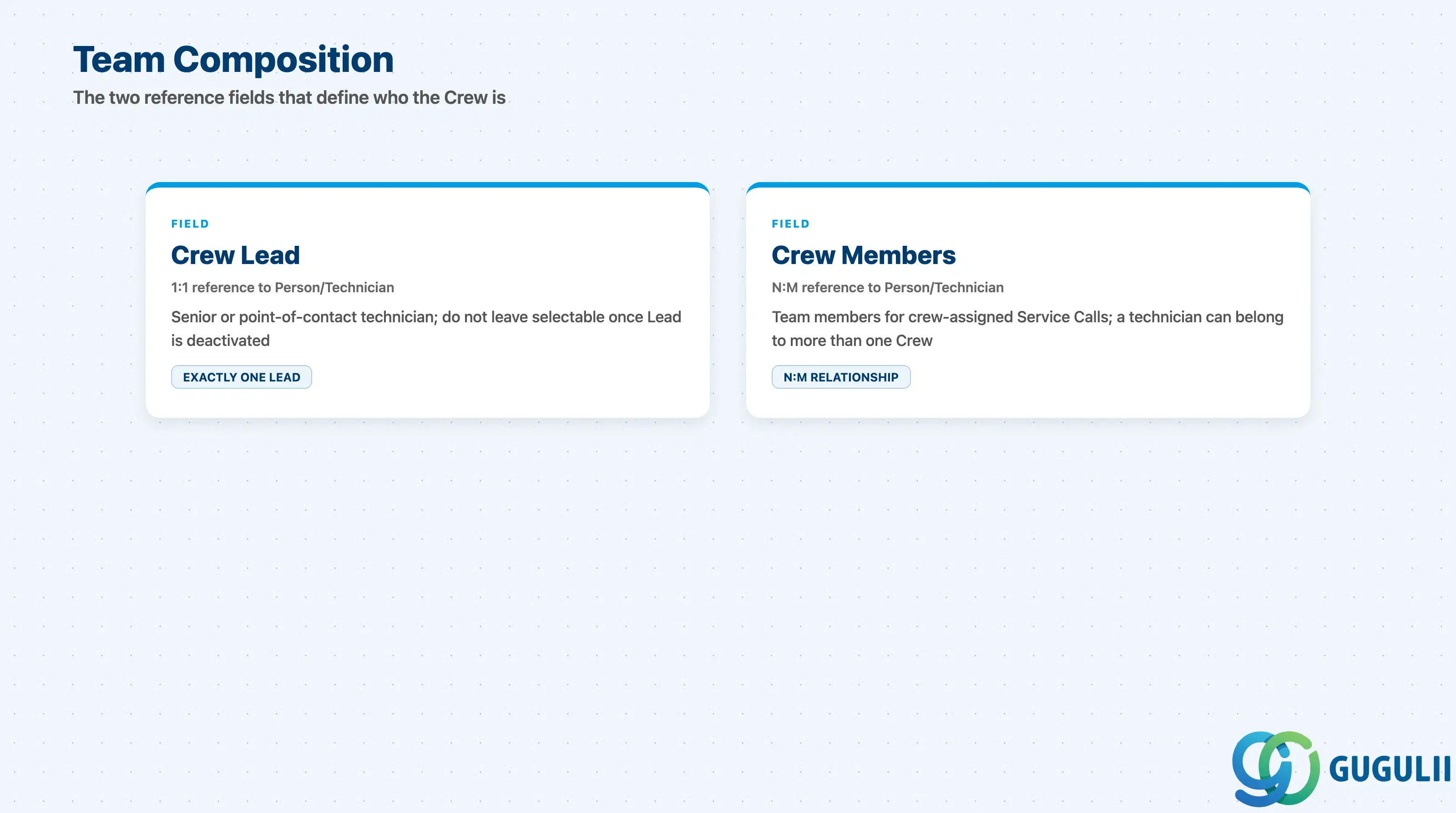
These two reference fields are the entire substance of a Crew — everything the team is capable of, and everywhere it can cover, traces back to exactly these two lists.
| Field | Description | Practical Usage |
|---|---|---|
| Crew Lead | Reference to exactly one Person/Technician record designated as the team’s lead (1:1 reference to Person/Technician, FSM-A04-04) | Typically the senior or point-of-contact technician for the team; some tenant configurations surface the Lead’s own name and contact details as the default point of contact when the crew is proposed for a Service Call. Do not leave a Crew selectable on the Planning Board once its Lead has been deactivated. |
| Crew Members | List of Person/Technician records added as team members (N:M reference to Person/Technician, FSM-A04-04 — a technician can belong to more than one Crew) | This list is who is expected to show up together for a crew-assigned Service Call. Because membership is N:M, check whether a technician is already committed to another Crew scheduled for overlapping work before adding them to a second team. |
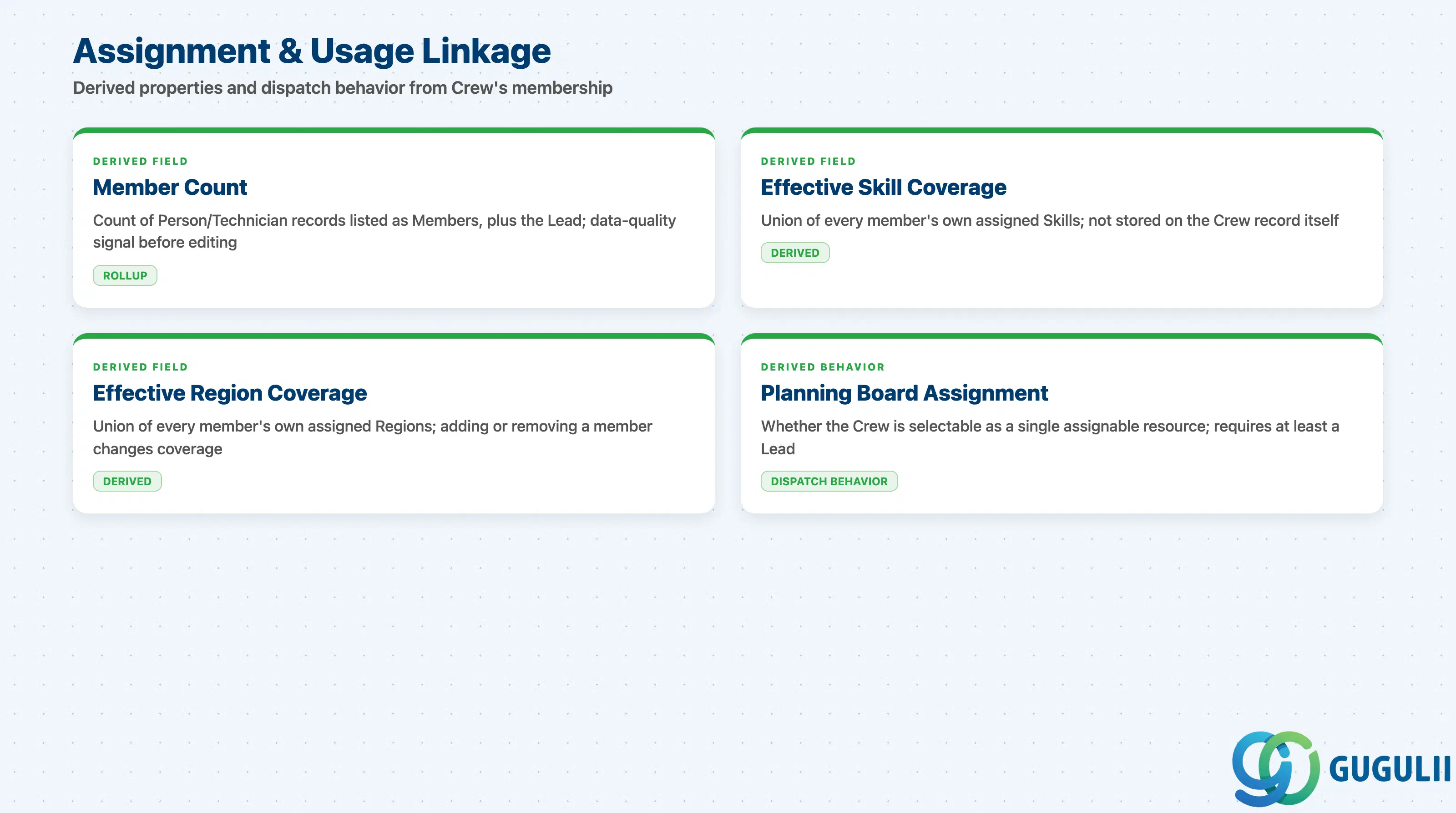
A Crew has no effect until it has a Lead, at least the beginnings of a Member list, and a dispatcher who selects it on the Planning Board. These are the linkage facts consultants check most often when a crew-level dispatch decision looks wrong.
| Field | Description | Practical Usage |
|---|---|---|
| Member Count (rollup) | Count of Person/Technician records currently listed as Crew Members, plus the Lead | A quick data-quality signal before editing a widely-used Crew’s membership — a larger crew means a schedule conflict for even one member has a bigger ripple effect on the team’s overall availability for a given window. |
| Effective Skill Coverage (derived) | The union of every member’s, including the Lead’s, own assigned Skills — not a field stored on the Crew record itself | When a crew looks ineligible for a Service Call carrying a specific Skill Requirement, audit each individual member’s Skills list rather than searching for a coverage setting on the Crew record. |
| Effective Region Coverage (derived) | The union of every member’s own assigned Region(s) — not a field stored on the Crew record itself | Adding a member who covers a Region the rest of the team doesn’t can unexpectedly widen the crew’s dispatch-eligible geography; removing that member narrows it back down just as silently. |
| Planning Board Crew Assignment (derived behavior) | Whether the Crew is currently selectable as a single assignable resource on the Planning Board | Available once at least a Lead is set; individual member Absence records still reduce the crew’s effective available headcount for the affected period without deactivating the Crew record itself. |
Prerequisite: A Crew with no Lead assigned should not be used for dispatch — most tenant configurations expect at least a Lead in place before the Crew appears as a selectable resource on the Planning Board.
| ID | Category | Title |
|---|---|---|
| fsm-001 | Overview | What is SAP FSM? |
| ID | Category | Title |
|---|---|---|
| fsm-a01 | Overview | SAP FSM Master Data: Overview, Hierarchy & Relationships |
| fsm-a02-02 | Master Data | SAP FSM Contact |
| fsm-a02-03 | Master Data | SAP FSM Address |
| fsm-a03-01 | Master Data | SAP FSM Equipment |
| fsm-a03-02 | Master Data | SAP FSM Equipment Hierarchy |
| fsm-a03-03 | Master Data | SAP FSM Service History |
| fsm-a04-01 | Master Data | SAP FSM Skill |
| fsm-a04-02 | Master Data | SAP FSM Work Time Pattern |
| fsm-a04-03 | Master Data | SAP FSM Region |
| fsm-a04-04 | Master Data | SAP FSM Technician |
| fsm-a04-05 | Master Data | SAP FSM Crew 📍 |
| fsm-a04-06 | Master Data | SAP FSM Absence |
| fsm-a04-07 | Master Data | SAP FSM Skill Requirement |
| fsm-a05-02 | Master Data | SAP FSM Generic Tool |
| fsm-a05-03 | Master Data | SAP FSM Serialized Tool |
| fsm-a05-04 | Master Data | SAP FSM Warehouse |
| fsm-a05-05 | Master Data | SAP FSM Van Stock |
| fsm-a06-01 | Master Data | SAP FSM Partner Invitation |
| fsm-a06-02 | Master Data | SAP FSM Partner Registration |
| fsm-a06-03 | Master Data | SAP FSM Crowd Partner |
| fsm-a06-04 | Master Data | SAP FSM Partner Technician |
| ID | Category | Title |
|---|---|---|
| fsm-b01 | Overview | SAP FSM Transactions: Process Flow, Hierarchy & Relationships |
Zone crop source: 04-fsm-a01-master-landscape.png (mtime: 2026-07-15 11:04:20, re-verified 2026-07-15 fix run)