Title here
Summary here

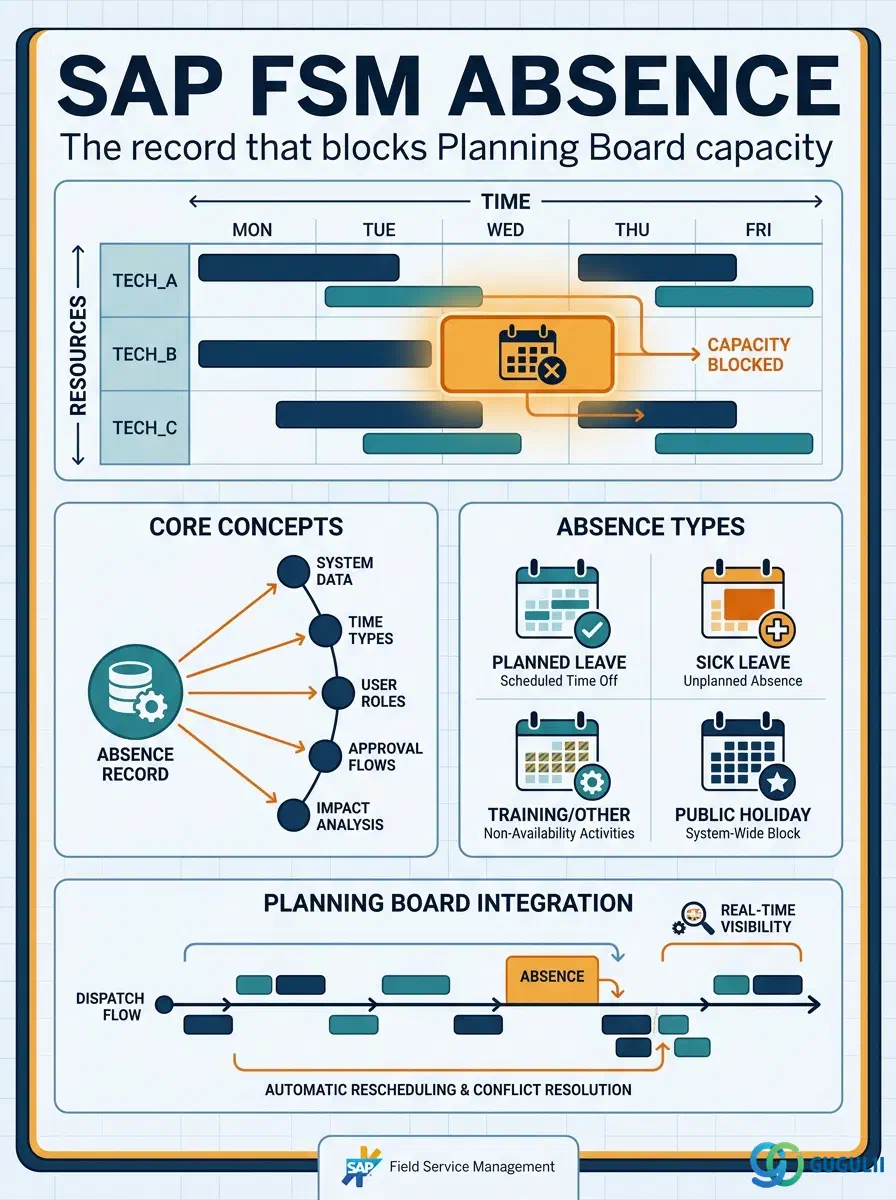
Absence is FSM’s master record for a single technician’s planned or unplanned unavailability window — a holiday, a sick day, a training course, or an emergency callout that removes the technician from the pool of dispatchable candidates for the recorded period. Like Crew, Absence has exactly one true prerequisite: a Person/Technician (FSM-A04-04) record must already exist before an Absence can be registered against it — Absence stores no fields of its own beyond identification, the affected Person, and the date window itself. Absence is flagged as an optional master, used only when the business actually manages leave and unavailability inside FSM rather than in a separate HR or scheduling tool; a tenant that assumes every registered technician is always available has no need to configure it. Absence is the sixth object in the Technician Management domain (Phase 3, Zone C) covered in this series, alongside Skill (FSM-A04-01), Work Time Pattern (FSM-A04-02), Region (FSM-A04-03), Person/Technician (FSM-A04-04), Crew (FSM-A04-05), and Skill Requirement (FSM-A04-07). This article maps every field FSM consultants configure on an Absence record, and how those fields connect back to the Person/Technician record they block and the Planning Board that reads them.
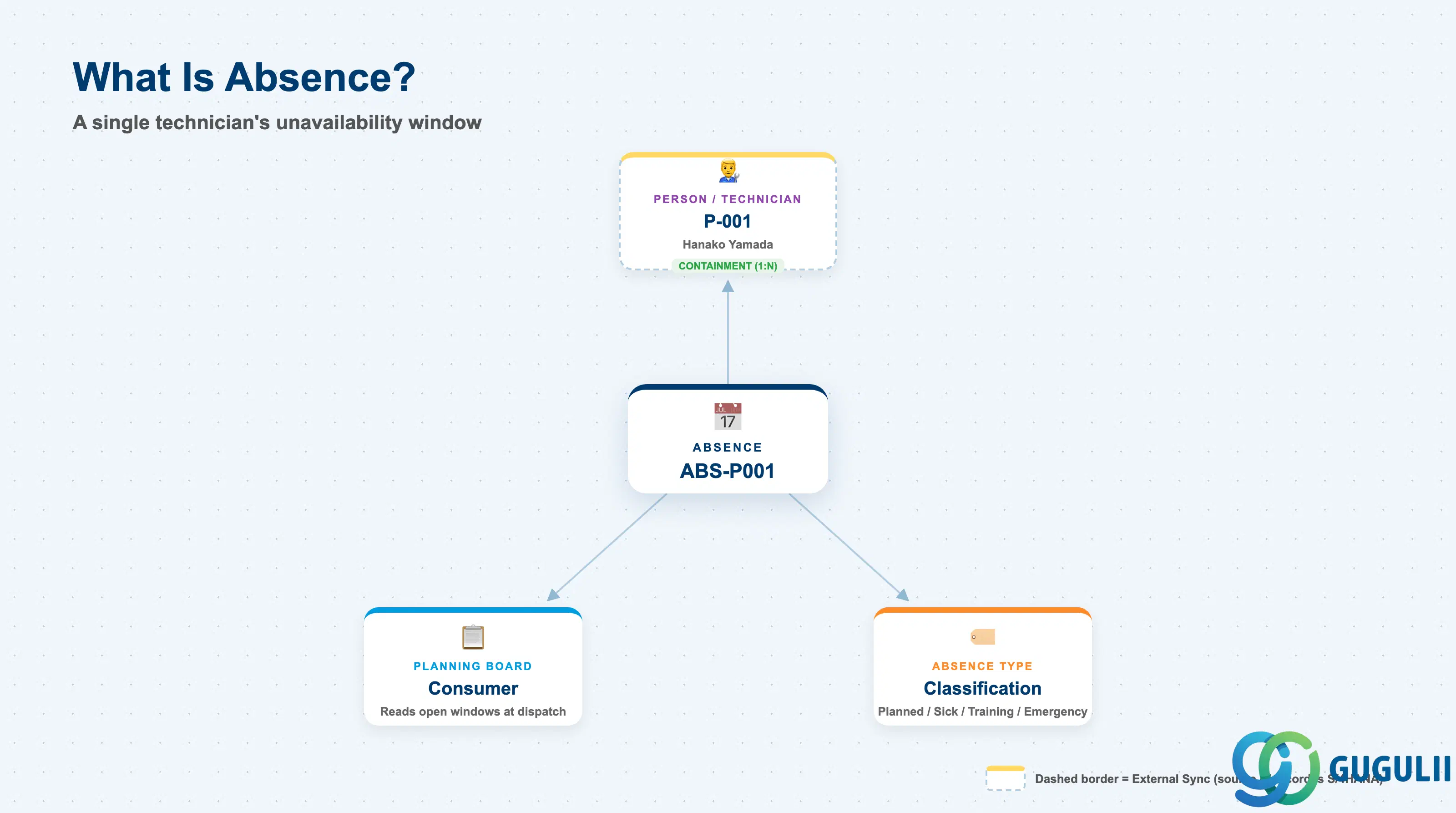
An Absence represents a single, dated window during which one named technician is unavailable for dispatch — registered once, by an administrator or the technician themselves, and read automatically by every subsequent scheduling decision that falls inside that window. It is a deliberately thin master: it carries no Skill, Region, or Work Time Pattern fields of its own, because those properties belong to the Person/Technician record the Absence is attached to, not to the Absence record itself.
| Aspect | Details |
|---|---|
| Role | Master record of a technician’s planned or unplanned unavailability window; consumed by the Planning Board and Assisted Scheduling to exclude that technician from dispatch for the recorded period, and capable of triggering rescheduling of anything already assigned inside it |
| Modules using it | FSM (Technician Management — sole owner; Absence is FSM-native with no S/4HANA source master) |
| Transactions | FSM Web UI “Master Data Management” app (same area used for Skill, Region, Person/Technician, and Crew) |
| Key Tables | FSM: Absence business object (Core API / OData entity) — FSM is a multi-tenant cloud solution and does not use classical ABAP tables; there is no S/4HANA table equivalent |
| S/4HANA note | Absence is not replicated in from S/4HANA — it is created and maintained natively in FSM. It is listed as an optional master, used only when the tenant manages leave and unavailability inside FSM itself; tenants that track absence exclusively in an external HR or scheduling system have no need to configure it |
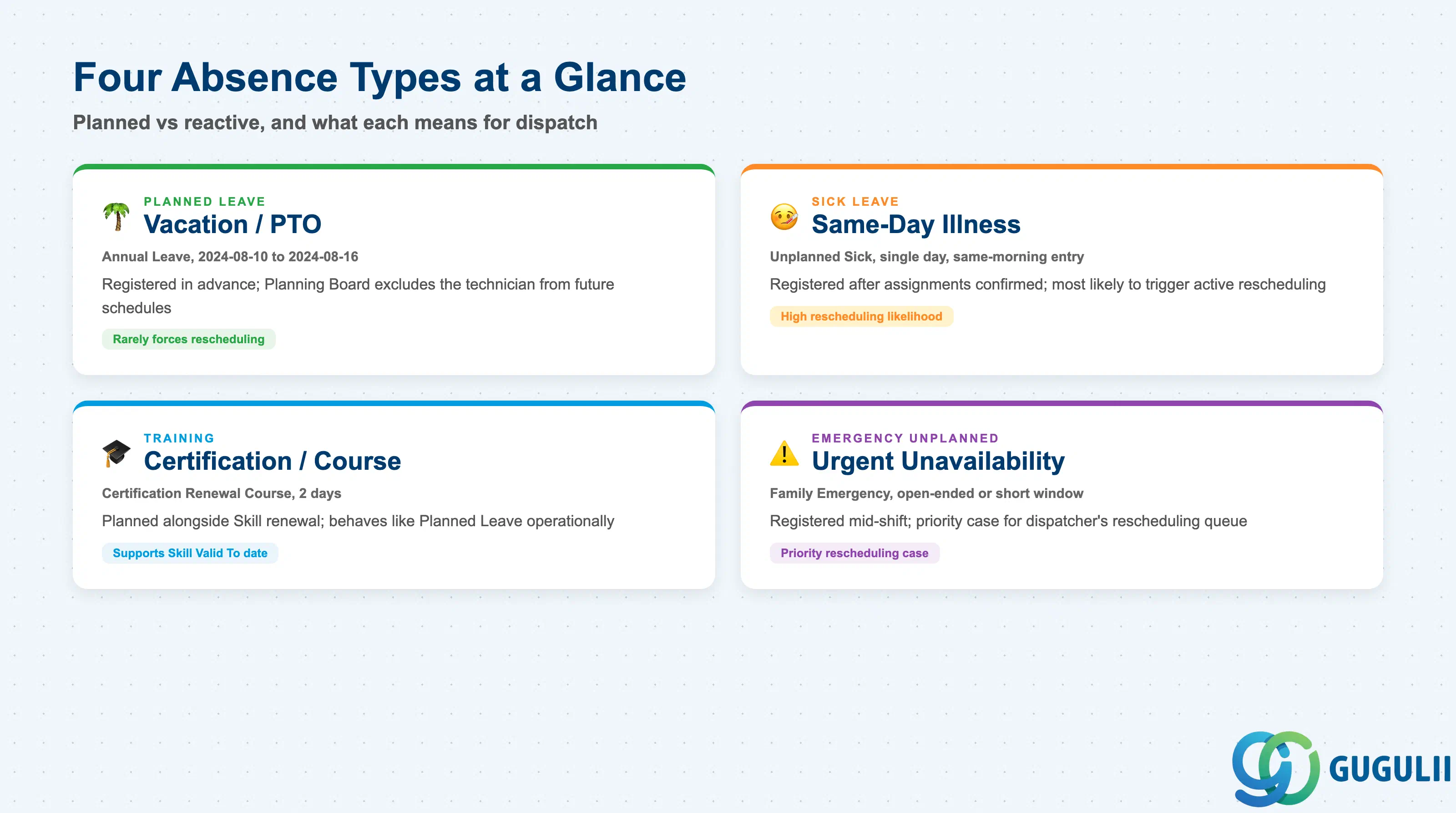
Absence carries a single Absence Type field, and getting this classification right matters because it is what a dispatcher or a rescheduling report reads to judge whether an overlapping Service Call was foreseeable weeks in advance or needs an urgent same-day reassignment.
| Absence Type | Example | Use Case | Key Behavior |
|---|---|---|---|
| Planned Leave | Annual Leave, 2024-08-10–2024-08-16 | Vacation or other leave requested and approved well ahead of the window | Registered far enough in advance that the Planning Board simply excludes the technician when building future schedules; rarely forces rescheduling of already-assigned work, since dispatchers avoid booking into a known future window |
| Sick Leave | Unplanned Sick, single day, entered same-morning | Illness reported the same day or with little advance notice | Frequently registered after Service Calls for that day are already confirmed, so it is the type most likely to trigger active rescheduling of the affected technician’s existing assignments |
| Training | Certification Renewal Course, 2 days | Mandatory or elective training that removes the technician from dispatch for a fixed, known duration | Usually planned alongside the Skill record it supports (e.g. a renewal ahead of a Skill’s Valid To date); scheduled with enough lead time that it behaves like Planned Leave operationally |
| Emergency Unplanned | Family Emergency, open-ended or short window | Any urgent, non-medical unavailability that cannot be scheduled in advance | Registered reactively, often mid-shift; the type most likely to leave a same-day Service Call without a covering technician, making it the priority case for a dispatcher’s rescheduling queue |
Design principle: Absence Type is a single classification field, not a workflow trigger — the type itself does not change how the Planning Board blocks capacity, but it is the field consultants and dispatchers rely on to distinguish foreseeable gaps from urgent same-day rescheduling work.
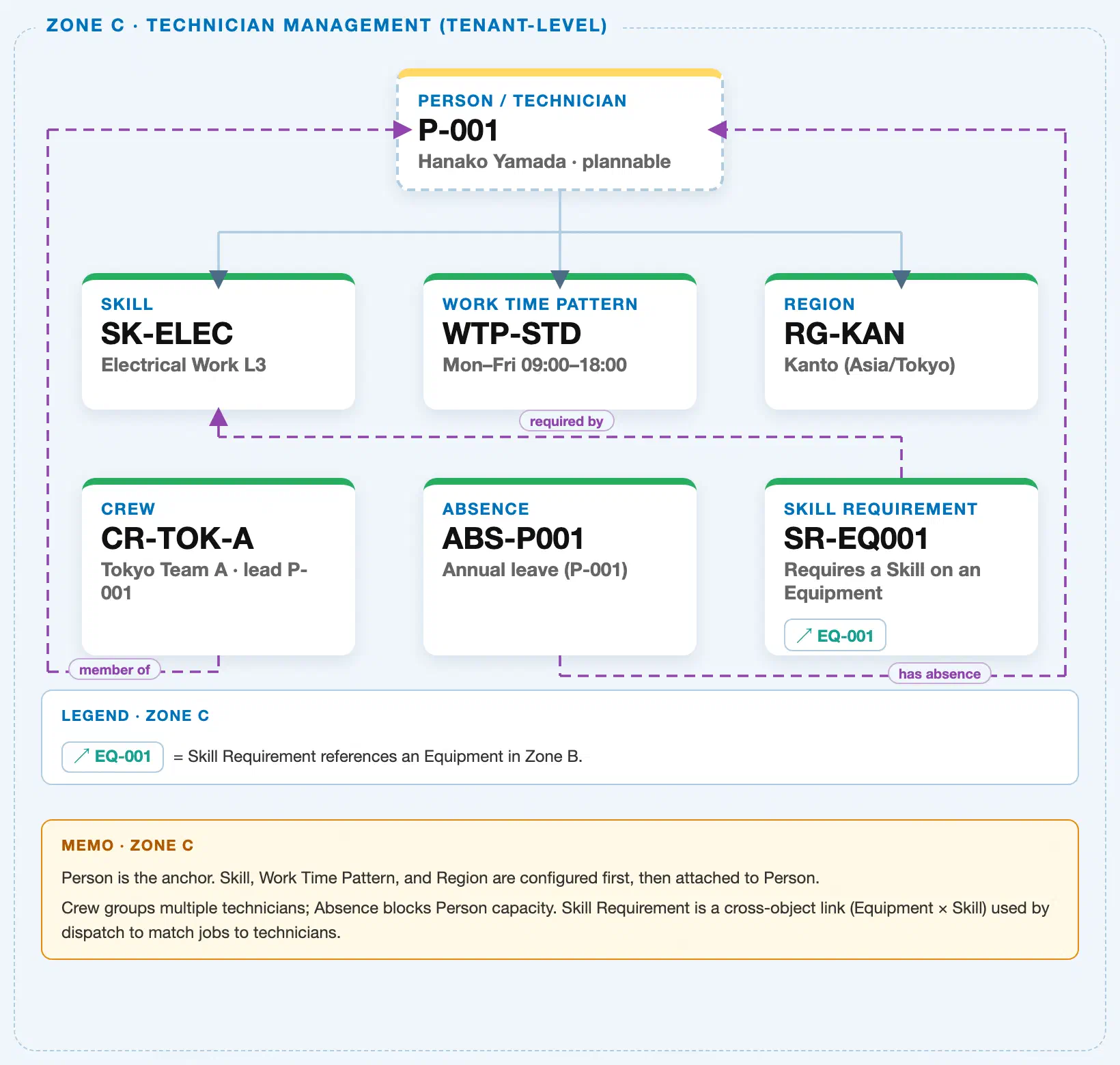
Data hierarchy with a concrete example (Zone C · Technician Management — tenant-level; FSM has no Company Code / Plant scoping above these objects)
Client (FSM Tenant)
   │
   ├── Skill SK-ELEC — Electrical Work L3                 (configured independently; tenant-level catalog)
   ├── Work Time Pattern WTP-STD — Mon–Fri 09:00–18:00     (configured independently; tenant-level catalog)
   ├── Region RG-KAN — Kanto (Asia/Tokyo)                   (configured independently; tenant-level catalog)
   │
   └── Person / Technician P-001 — Hanako Yamada (Plannable = Yes)
          │
          └── Absence ABS-P001 — Annual Leave, 2024-08-10–2024-08-16   (1:N — true containment; owned entirely by this Person, has no meaning without it)

Crew CR-TOK-A — Tokyo Team A (reference; Absence is NOT attached to the Crew record):
   Crew CR-TOK-A ── led by ──▶ Person / Technician P-001
   (An Absence registered against P-001 as Lead reduces the crew's available headcount for that period, but the
   Absence record itself remains attached only to P-001 — never to Crew CR-TOK-A.)

Planning Board / Assisted Scheduling (Transaction domain, FSM-B04):
   Planning Board ── reads ──▶ Absence ABS-P001
   (At dispatch time, an open Absence window for P-001 removes that technician from the pool of dispatch
   candidates for the overlapping period — a run-time exclusion check, not a stored flag on the Service Call
   or a change to the Person/Technician record's own Plannable field.)

Skill Requirement SR-EQ001 — Requires a Skill on an Equipment (cross-zone; unrelated to Absence):
   Skill Requirement SR-EQ001 ── requires ──▶ Skill SK-ELEC
   Skill Requirement SR-EQ001 ── applies to ──▶ Equipment EQ-001 (Zone B)
   (Shown here only to confirm Absence has no relationship to Skill Requirement — the two objects share a
   Zone but never reference one another.)
Design principle: Absence is true one-to-many containment, not a reference relationship — an Absence record belongs to exactly one Person/Technician and has no independent existence, unlike Crew, which references multiple Person/Technician records at once. Absence’s only real consumer is the Planning Board’s dispatch-time availability check; it carries no direct link to Crew, Skill, Region, Work Time Pattern, or Skill Requirement, and registering one never changes the Person/Technician record’s own Plannable flag.
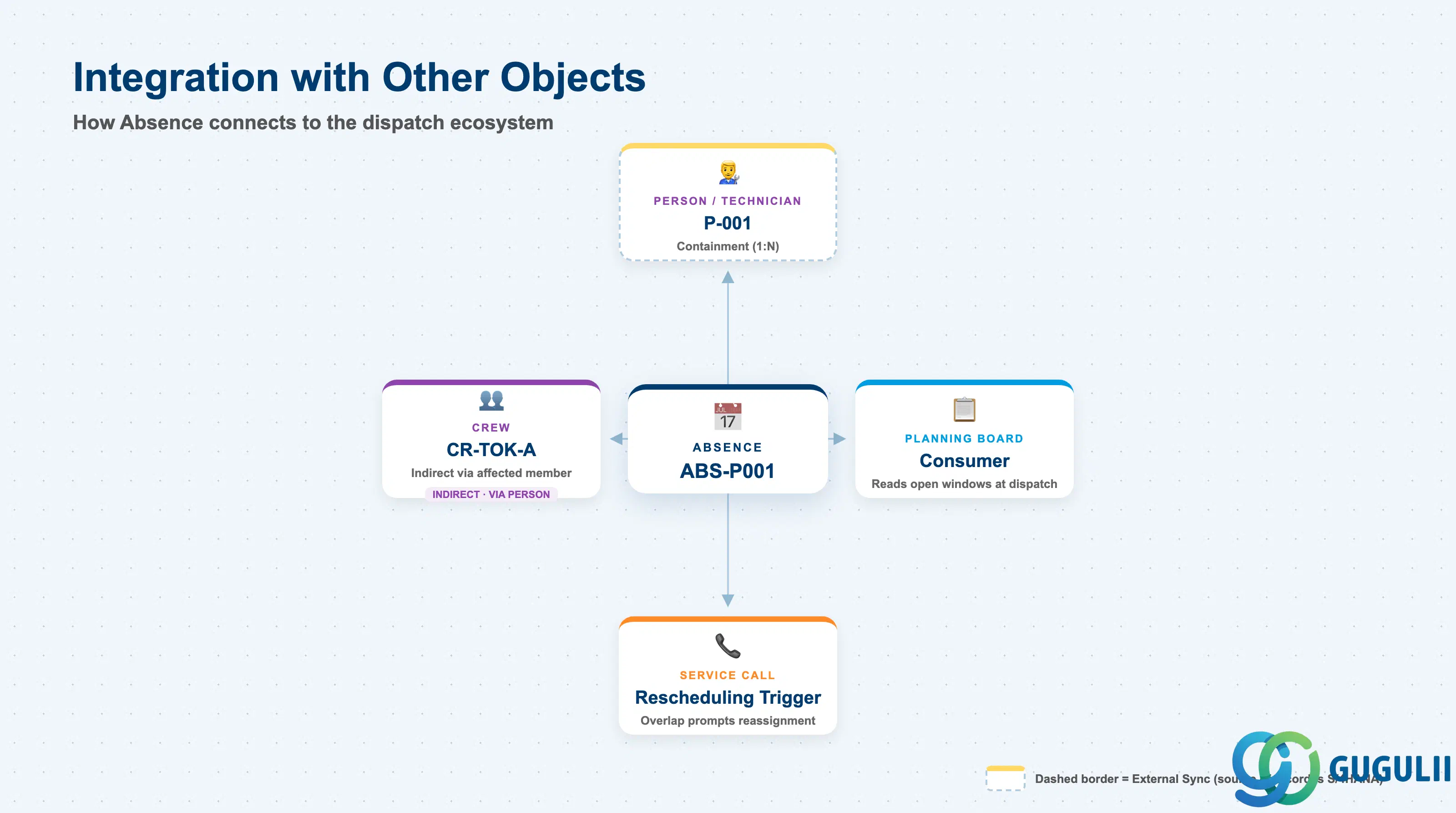
Absence does not stand alone. Every field on it exists to answer one question for the Planning Board: is this specific technician available during this specific window?
| Object | Relationship | Practical Notes |
|---|---|---|
| Person / Technician (FSM-A04-04) | Containment: exactly one Person/Technician owns each Absence record (1:N — a Person can have many Absence records over time, but each Absence belongs to exactly one Person) | The prerequisite that must exist before an Absence can be created at all; deleting or deactivating the underlying Person/Technician record should be reviewed against any still-open Absence entries first. |
| Crew (indirect, via members, FSM-A04-05) | Absence has no direct link to Crew | Registering an Absence for a Crew’s Lead or any Member reduces that crew’s available headcount for the affected period, but the Absence record itself remains attached only to the individual Person/Technician, never to the Crew. |
| Planning Board / Assisted Scheduling (Transaction domain, FSM-B04) | Consumer: reads open Absence windows to exclude the affected technician from the dispatch candidate pool | This is the entire operational purpose of Absence — without a consuming Planning Board read, the record would be informational only. The exclusion is a run-time check against the recorded date window, not a stored status on the Person/Technician record. |
| Service Call (Transaction domain, FSM-B03) | Trigger: a newly registered Absence that overlaps an already-confirmed assignment can prompt rescheduling of that Service Call | Consultants should treat same-day or short-notice Absence Types (Sick Leave, Emergency Unplanned) as the cases most likely to require this rescheduling step, since Planned Leave and Training are typically registered before conflicting work is confirmed. |
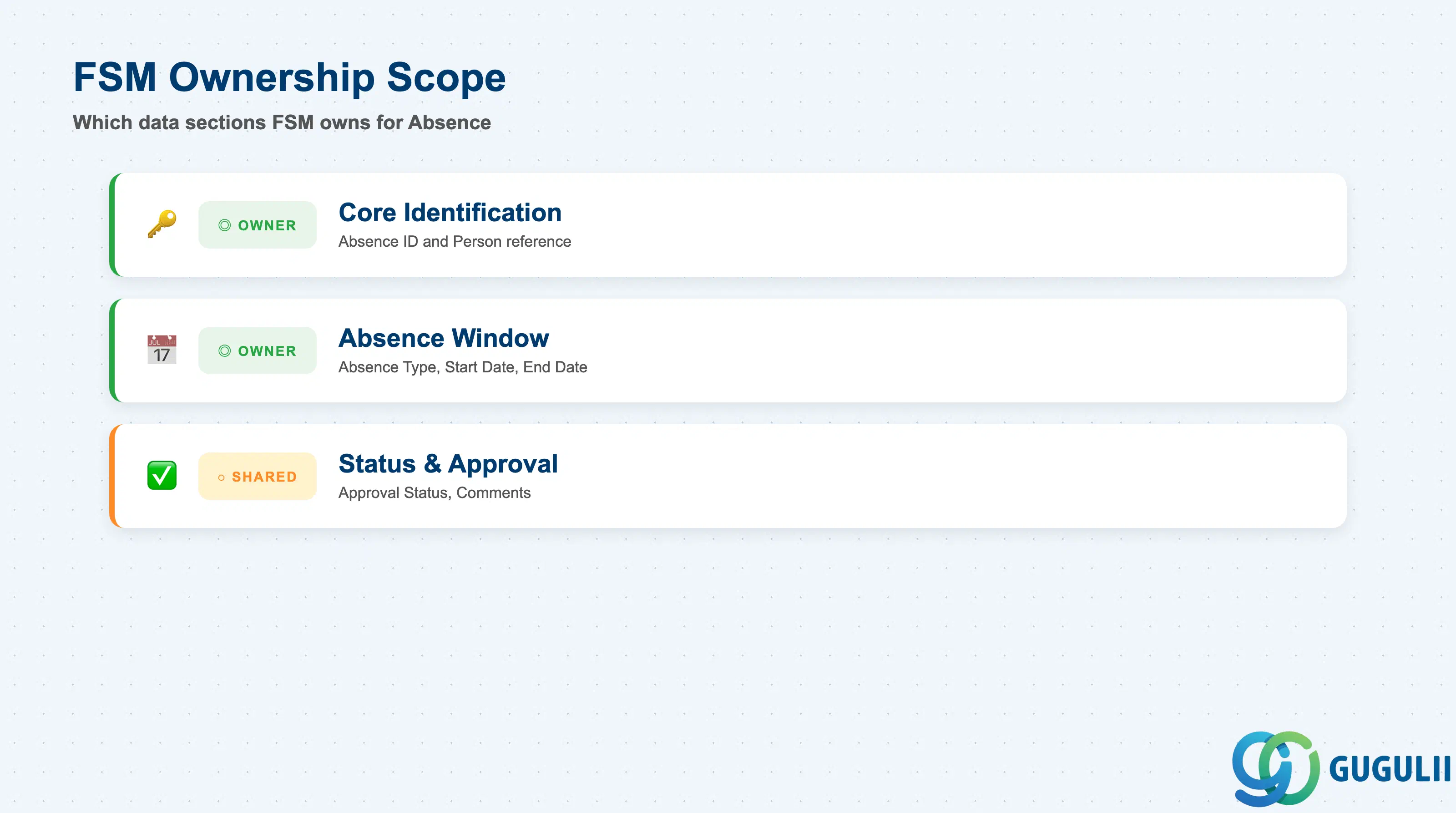
| Data Section | FSM Involvement | Notes |
|---|---|---|
| Core Identification | ◎ Owner | Absence ID, Person reference — the fields that identify which technician the absence belongs to |
| Absence Window | ◎ Owner | Absence Type, Start Date, End Date — the fields that define exactly when the technician is unavailable |
| Status & Approval | ○ Shared with Technician Management (Person/Technician availability outcome) | Approval Status and any comments — how a registered Absence moves from requested to the state the Planning Board actually acts on |
Legend: ◎ = Owner / Critical, ○ = Direct involvement
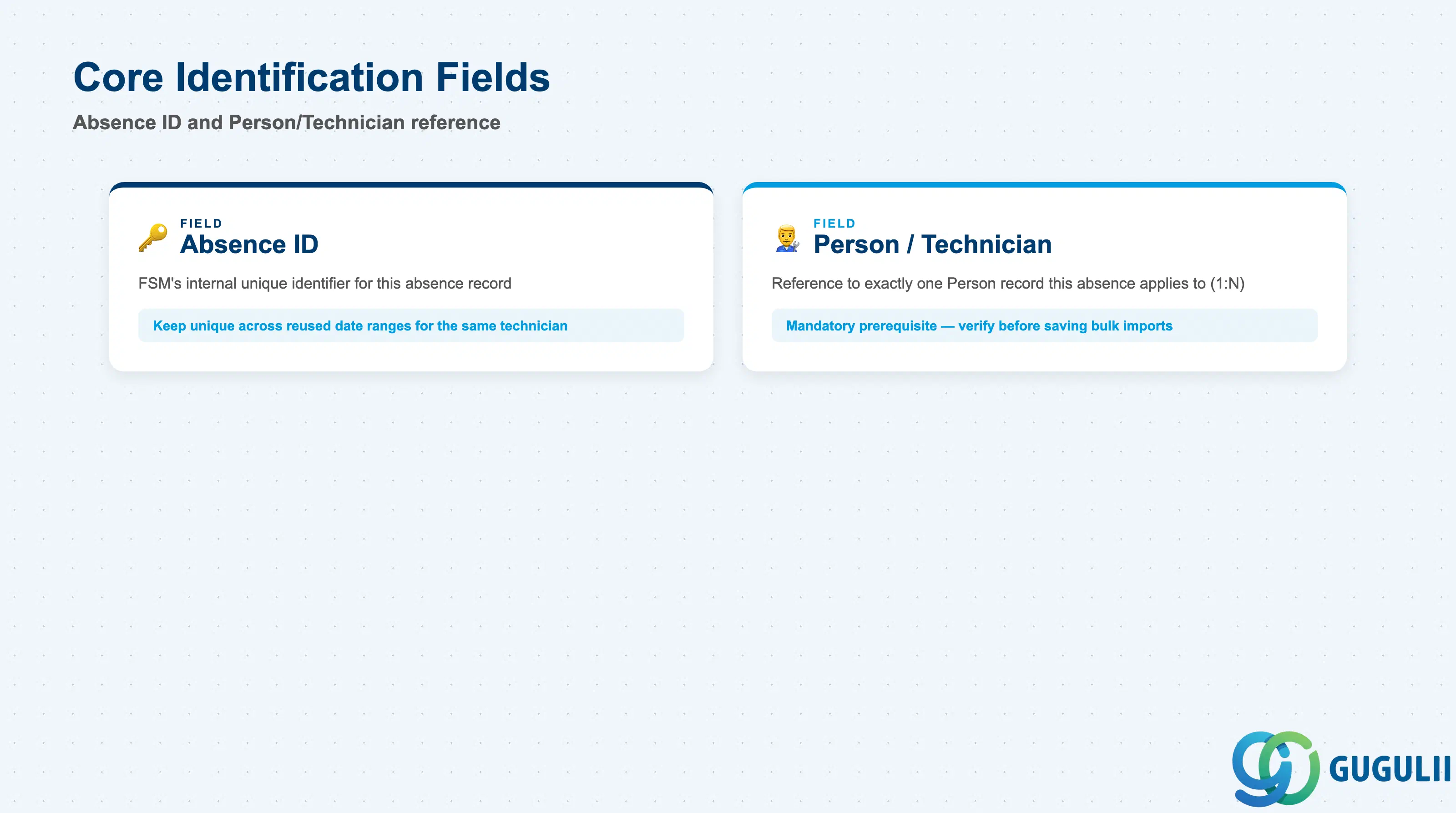
These two fields establish which technician an Absence record belongs to — every other field on the record only makes sense in relation to them.
| Field | Description | Practical Usage |
|---|---|---|
| Absence ID | FSM’s internal unique identifier for the absence record | Auto-generated or entered at creation depending on tenant configuration; referenced whenever the Planning Board evaluates a technician’s availability for a given period. Keep it unique per record even across reused date ranges for the same technician (e.g. recurring annual leave), since Planning Board history and rescheduling audit trails key off it. |
| Person / Technician | Reference to exactly one Person/Technician record this absence applies to (1:N — a Person can have many Absence records, but each Absence has exactly one Person) | The mandatory prerequisite field — an Absence cannot be created without first selecting an existing Person/Technician (FSM-A04-04). Double-check this reference before saving a bulk-imported absence file; assigning it to the wrong technician silently blocks the wrong person’s capacity. |
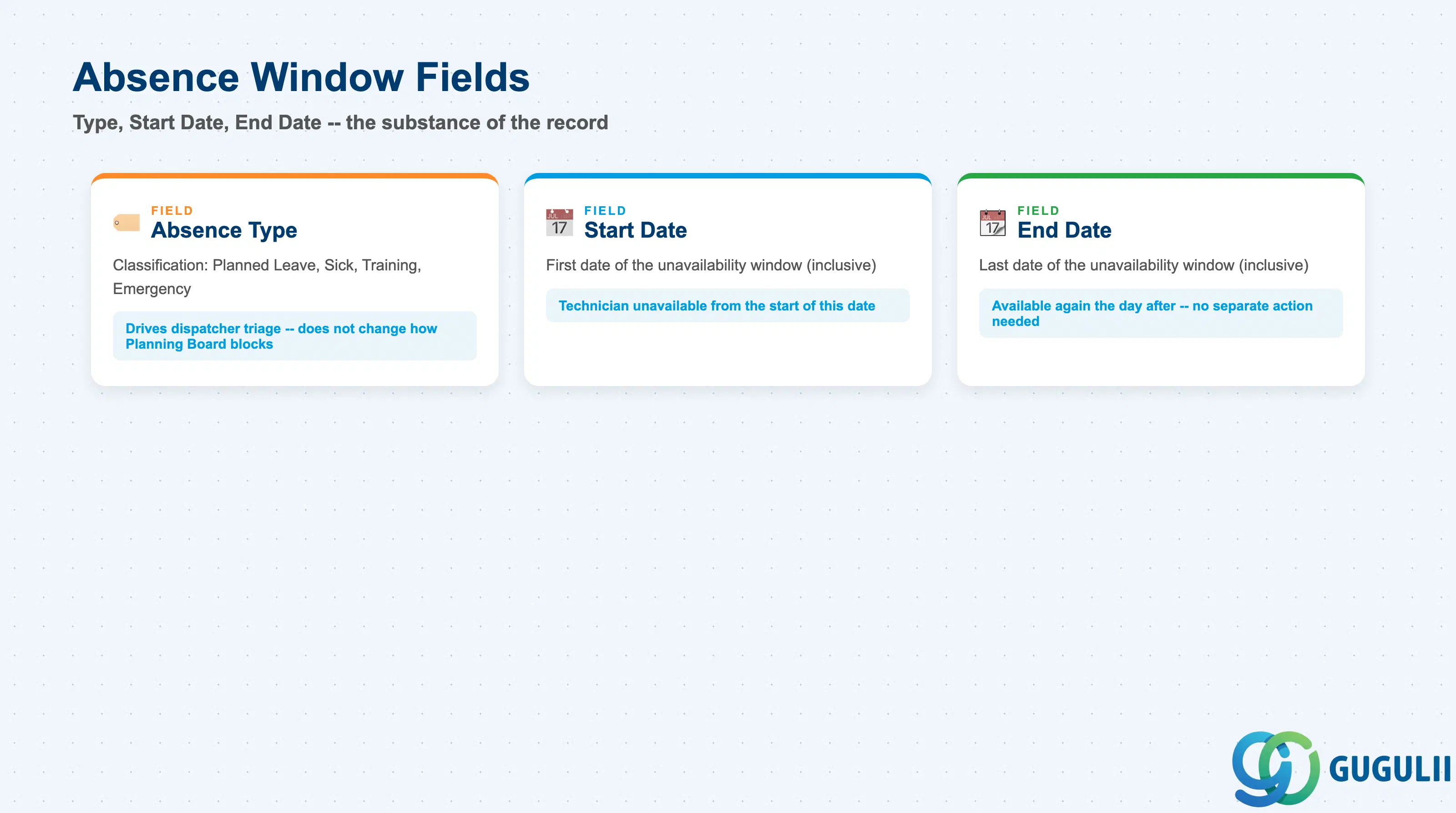
These three fields are the substance of an Absence — together they tell the Planning Board exactly what kind of unavailability this is and exactly which days it covers.
| Field | Description | Practical Usage |
|---|---|---|
| Absence Type | Classification of the absence (e.g. Planned Leave, Sick Leave, Training, Emergency Unplanned) | Used by dispatchers and reporting to distinguish foreseeable gaps from urgent same-day unavailability; see 1.2 for the full comparison. It does not itself change how the Planning Board blocks capacity — every Absence Type blocks the same way — but it drives which entries a dispatcher reviews first when triaging a rescheduling queue. |
| Start Date | First date of the unavailability window | Inclusive — the technician is treated as unavailable from the very start of this date. For a same-day Sick Leave entry, this is normally today’s date, entered retroactively at the start of the affected shift. |
| End Date | Last date of the unavailability window | Inclusive — the technician becomes available again the day after this date, without any separate action required. For open-ended Emergency Unplanned cases, set a provisional End Date and revise it once the actual return date is known, rather than leaving the field blank. |
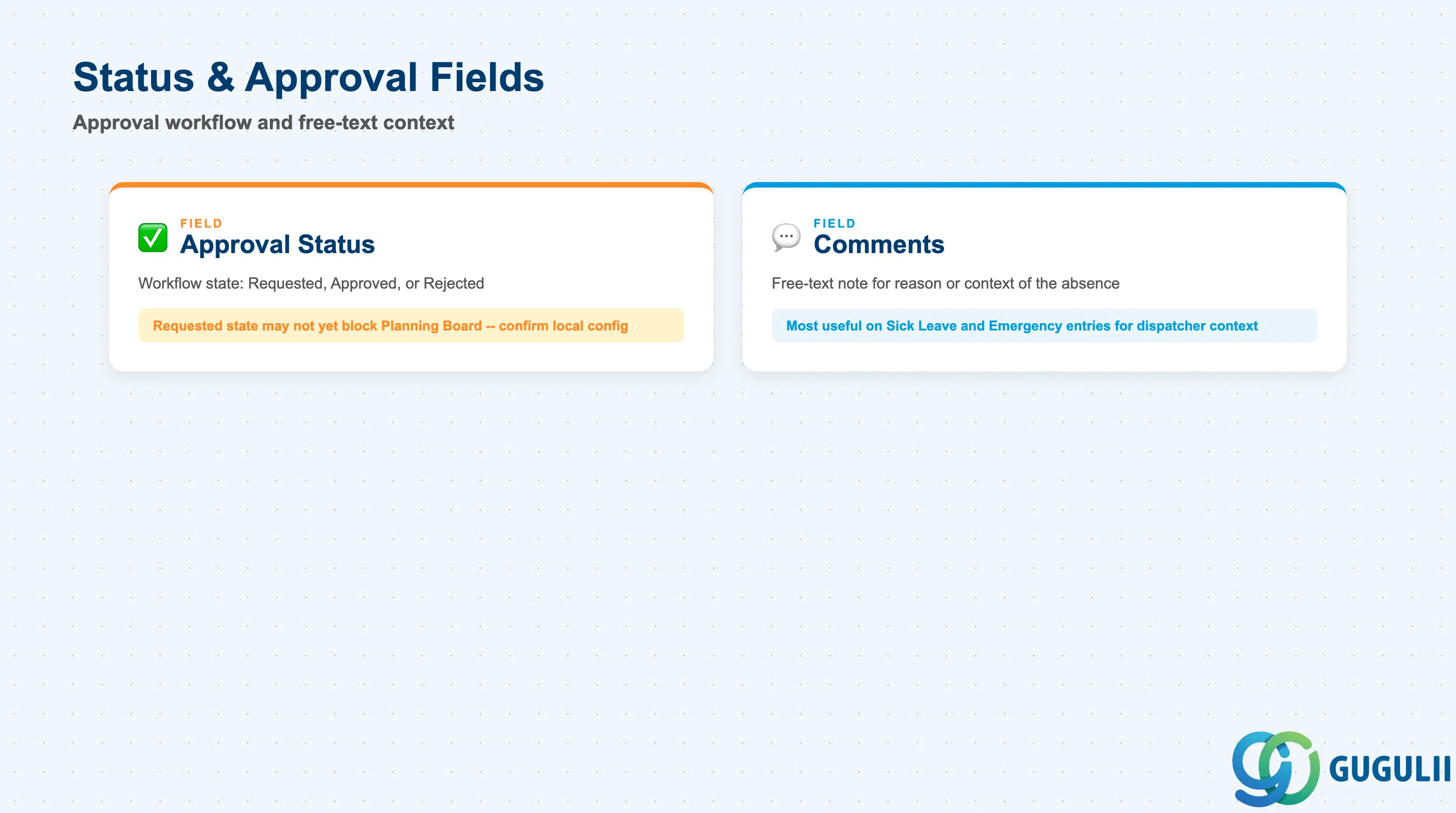
An Absence only reliably blocks Planning Board capacity once it has moved past a tenant’s approval step — these fields are what a dispatcher checks when a schedule gap looks unexplained.
| Field | Description | Practical Usage |
|---|---|---|
| Approval Status | Workflow state of the absence request (e.g. Requested, Approved, Rejected), where tenant configuration includes an approval step | In tenants that require sign-off, an Absence in Requested state may not yet be treated as a confirmed block by the Planning Board — confirm local configuration before assuming every registered Absence is already excluding the technician from dispatch. Rejected entries should be reviewed rather than deleted, to preserve the request history. |
| Comments | Free-text note explaining the reason or context for the absence | Most useful on Emergency Unplanned and Sick Leave entries, where the Absence Type alone doesn’t tell a dispatcher enough to judge urgency or expected duration. Keep entries free of any customer- or client-identifying detail, since this field is visible to anyone with Master Data Management access. |
Prerequisite: An Absence cannot be created until its Person/Technician (FSM-A04-04) record already exists — the same dependency pattern as Crew (FSM-A04-05).
| ID | Category | Title |
|---|---|---|
| fsm-001 | Overview | What is SAP FSM? |
| ID | Category | Title |
|---|---|---|
| fsm-a01 | Overview | SAP FSM Master Data: Overview, Hierarchy & Relationships |
| fsm-a02-02 | Master Data | SAP FSM Contact |
| fsm-a02-03 | Master Data | SAP FSM Address |
| fsm-a03-01 | Master Data | SAP FSM Equipment |
| fsm-a03-02 | Master Data | SAP FSM Equipment Hierarchy |
| fsm-a03-03 | Master Data | SAP FSM Service History |
| fsm-a04-01 | Master Data | SAP FSM Skill |
| fsm-a04-02 | Master Data | SAP FSM Work Time Pattern |
| fsm-a04-03 | Master Data | SAP FSM Region |
| fsm-a04-04 | Master Data | SAP FSM Technician |
| fsm-a04-05 | Master Data | SAP FSM Crew |
| fsm-a04-06 | Master Data | SAP FSM Absence 📍 |
| fsm-a04-07 | Master Data | SAP FSM Skill Requirement |
| fsm-a05-02 | Master Data | SAP FSM Generic Tool |
| fsm-a05-03 | Master Data | SAP FSM Serialized Tool |
| fsm-a05-04 | Master Data | SAP FSM Warehouse |
| fsm-a05-05 | Master Data | SAP FSM Van Stock |
| fsm-a06-01 | Master Data | SAP FSM Partner Invitation |
| fsm-a06-02 | Master Data | SAP FSM Partner Registration |
| fsm-a06-03 | Master Data | SAP FSM Crowd Partner |
| fsm-a06-04 | Master Data | SAP FSM Partner Technician |
| ID | Category | Title |
|---|---|---|
| fsm-b01 | Overview | SAP FSM Transactions: Process Flow, Hierarchy & Relationships |