Title here
Summary here

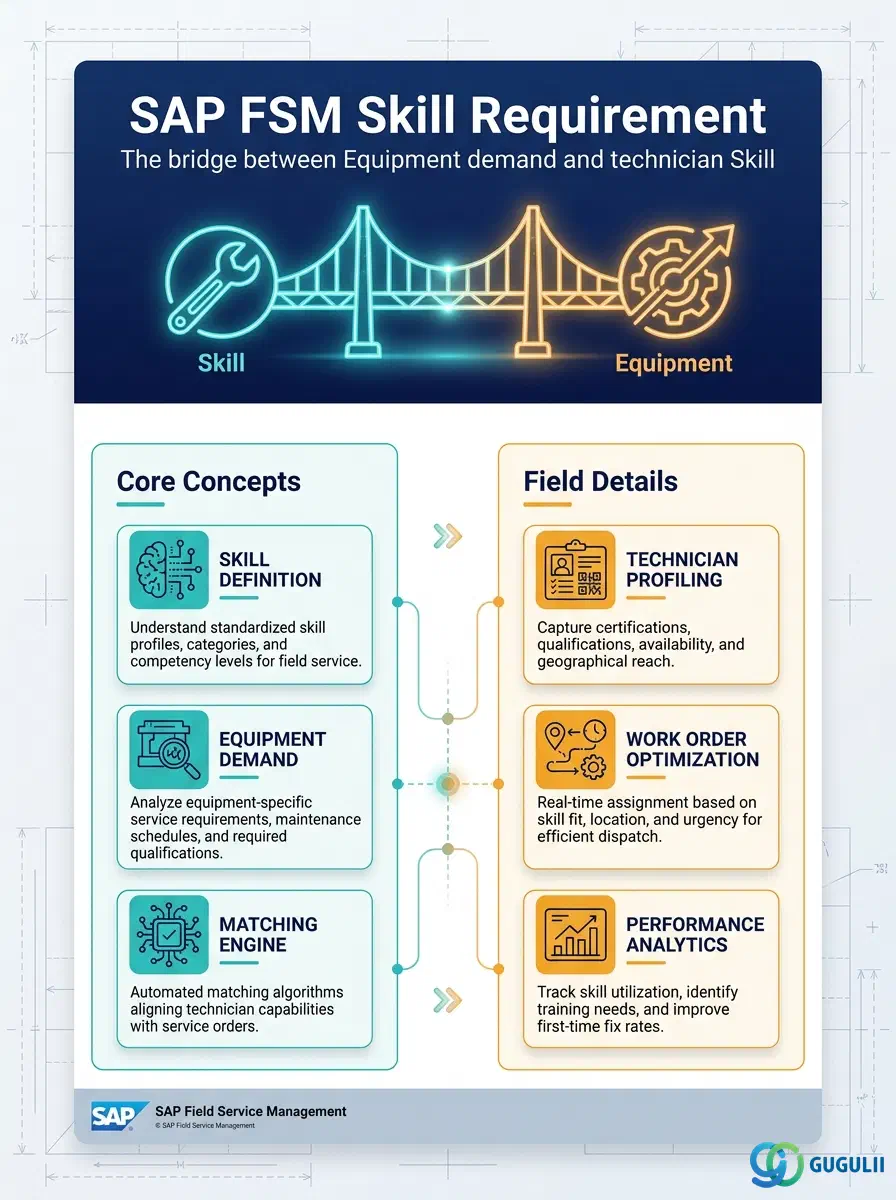
Skill Requirement is FSM’s cross-reference master that states what a specific piece of Equipment demands: which Skill (or Skills) a dispatched technician must hold to work on it. Unlike Crew or Absence, Skill Requirement is not owned by a single Person/Technician — it is a bridge record between two independent masters, Skill (FSM-A04-01) on the demand side and Equipment (FSM-A03-01) on the supply side, and it carries no meaning until both already exist. Once defined on an Equipment record, the requirement is inherited automatically by every Service Call raised against that Equipment, and it is exactly this inherited requirement that the Planning Board and Assisted Scheduling compare against a candidate technician’s own assigned Skills when suggesting or validating a dispatch. Skill Requirement is the seventh and final object in the Technician Management domain (Phase 3, Zone C) covered in this series, alongside Skill (FSM-A04-01), Work Time Pattern (FSM-A04-02), Region (FSM-A04-03), Person/Technician (FSM-A04-04), Crew (FSM-A04-05), and Absence (FSM-A04-06). This article maps every field FSM consultants configure on a Skill Requirement record, and how those fields connect Skill, Equipment, Service Call, and the Planning Board around it.
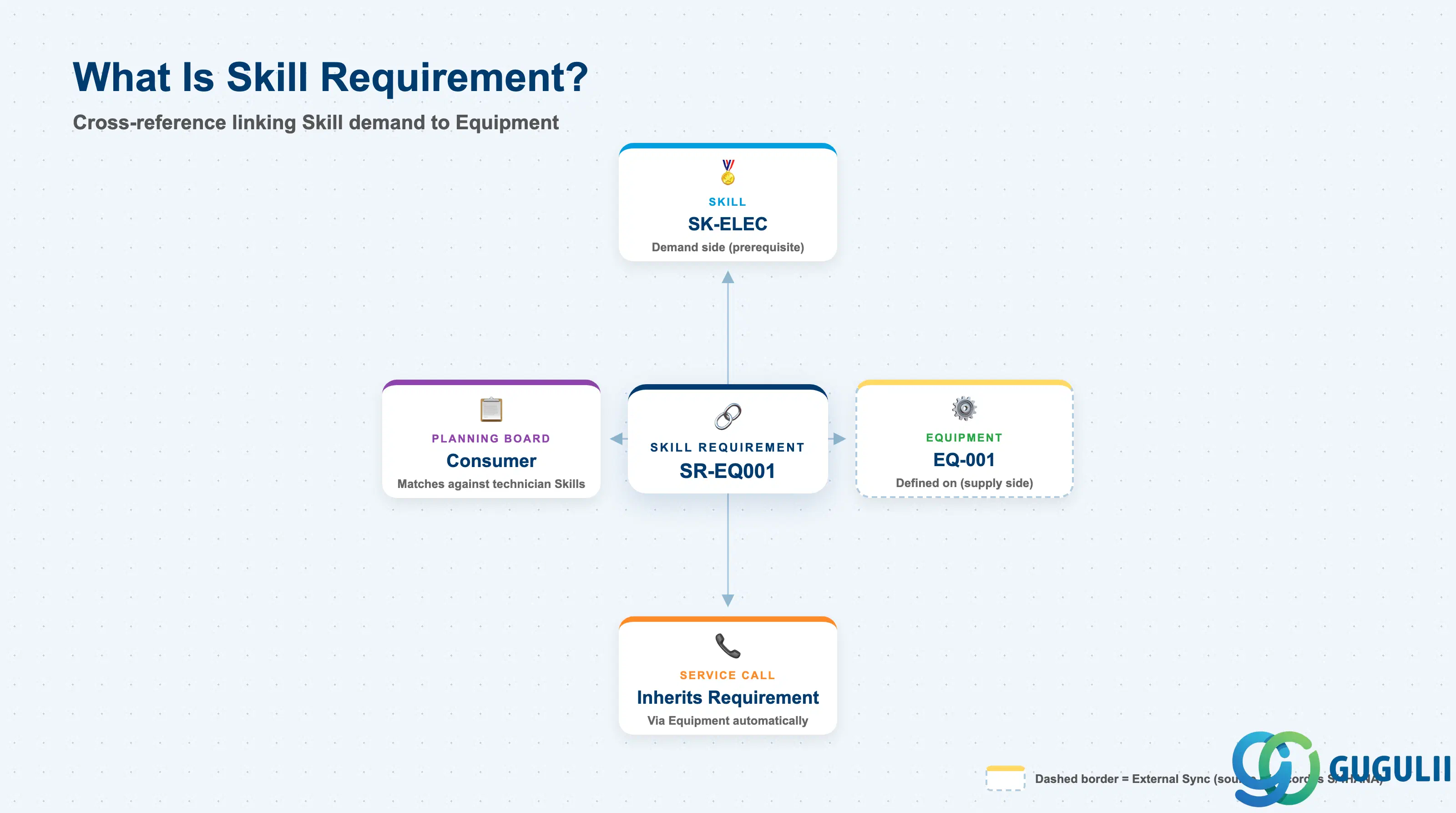
A Skill Requirement represents a single, named demand — “this Equipment needs a technician holding this Skill” — recorded once against an Equipment record and then read automatically every time a Service Call is opened against that Equipment or a dispatch decision is evaluated for it. It is a deliberately thin cross-reference: it carries no properties of the Skill or the Equipment it links, only the fact of the link itself plus the Mandatory/Preferred and quantity qualifiers layered on top.
| Aspect | Details |
|---|---|
| Role | Cross-reference master stating which Skill(s) an Equipment record demands; inherited by every Service Call raised against that Equipment and read by the Planning Board / Assisted Scheduling to match against a candidate technician’s assigned Skills |
| Modules using it | FSM (Technician Management — sole owner; Skill Requirement is FSM-native with no S/4HANA source master, though the Equipment record it is defined against may itself be replicated in from S/4HANA) |
| Transactions | FSM Web UI “Master Data Management” app — Skill Requirement is typically maintained from within the Equipment record’s own detail screen (“assign skill requirements”), not as a standalone list app |
| Key Tables | FSM: Skill Requirement business object (Core API / OData entity) — FSM is a multi-tenant cloud solution and does not use classical ABAP tables; there is no S/4HANA table equivalent |
| S/4HANA note | Skill Requirement is not replicated in from S/4HANA — it is created and maintained natively in FSM, layered on top of an Equipment record that may itself have been synchronized from an S/4HANA equipment master |
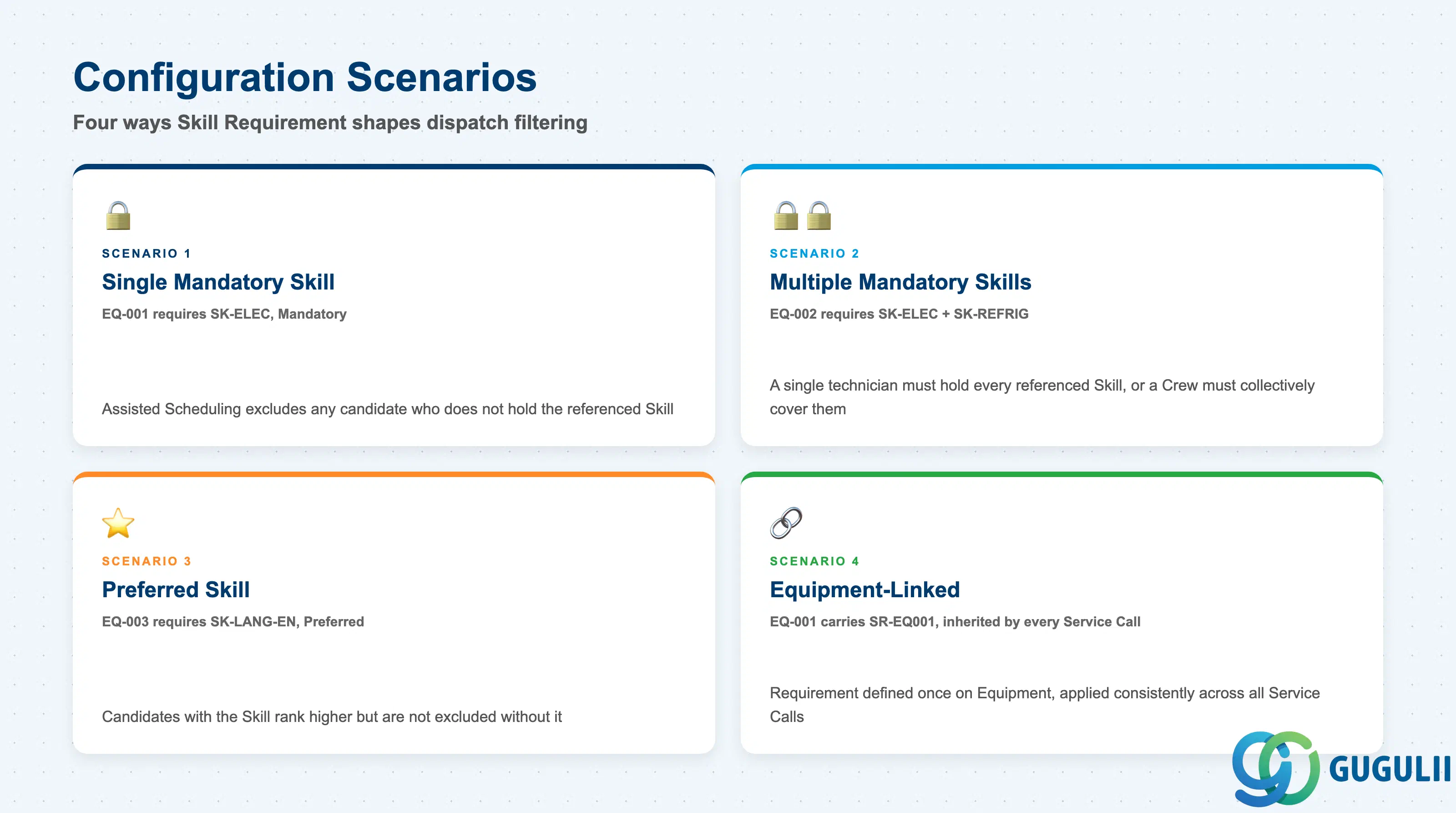
Skill Requirement’s Mandatory/Preferred distinction, and whether one or several Skills are attached to the same Equipment, shapes how strictly the Planning Board filters candidate technicians — getting this configuration wrong either silently excludes qualified technicians or lets under-qualified ones through unwarned.
| Scenario | Example | Use Case | Key Behavior |
|---|---|---|---|
| Single Mandatory Skill | Equipment EQ-001 requires Skill SK-ELEC (Electrical Work L3), Mandatory | The most common case — one specific competency is non-negotiable for anyone dispatched to this Equipment | Assisted Scheduling excludes any candidate technician who does not hold the referenced Skill; the Planning Board will not suggest them at all |
| Multiple Mandatory Skills | Equipment EQ-002 requires both SK-ELEC and SK-REFRIG, each Mandatory | Complex Equipment (e.g. a combined electrical and refrigeration system) where every requirement must be satisfied before dispatch | A single technician must hold every referenced Skill, or a Crew must collectively cover them; the requirement is not satisfied by holding only one of the two |
| Preferred-but-Not-Mandatory Skill | Equipment EQ-003 requires SK-LANG-EN, Preferred | A secondary competency (e.g. English-language ability for a multinational account) that improves the match but shouldn’t block dispatch | Assisted Scheduling ranks technicians holding the Preferred Skill higher in the candidate list, but does not exclude candidates who lack it — unlike a Mandatory requirement |
| Equipment-Linked Skill Requirement | Equipment EQ-001 (Rooftop AC Unit A) carries SR-EQ001, inherited by every Service Call raised against it | The standard FSM configuration pattern — the requirement is defined once on the Equipment master, not re-entered per Service Call | Any Service Call opened against EQ-001 automatically carries SR-EQ001’s requirement without further setup, keeping the requirement consistent across that Equipment’s entire service history |
Design principle: The Mandatory/Preferred flag, not the Skill itself, is what determines whether the Planning Board treats a missing competency as a hard exclusion or a soft ranking signal — the same Skill can be configured Mandatory on one Equipment record and Preferred on another.
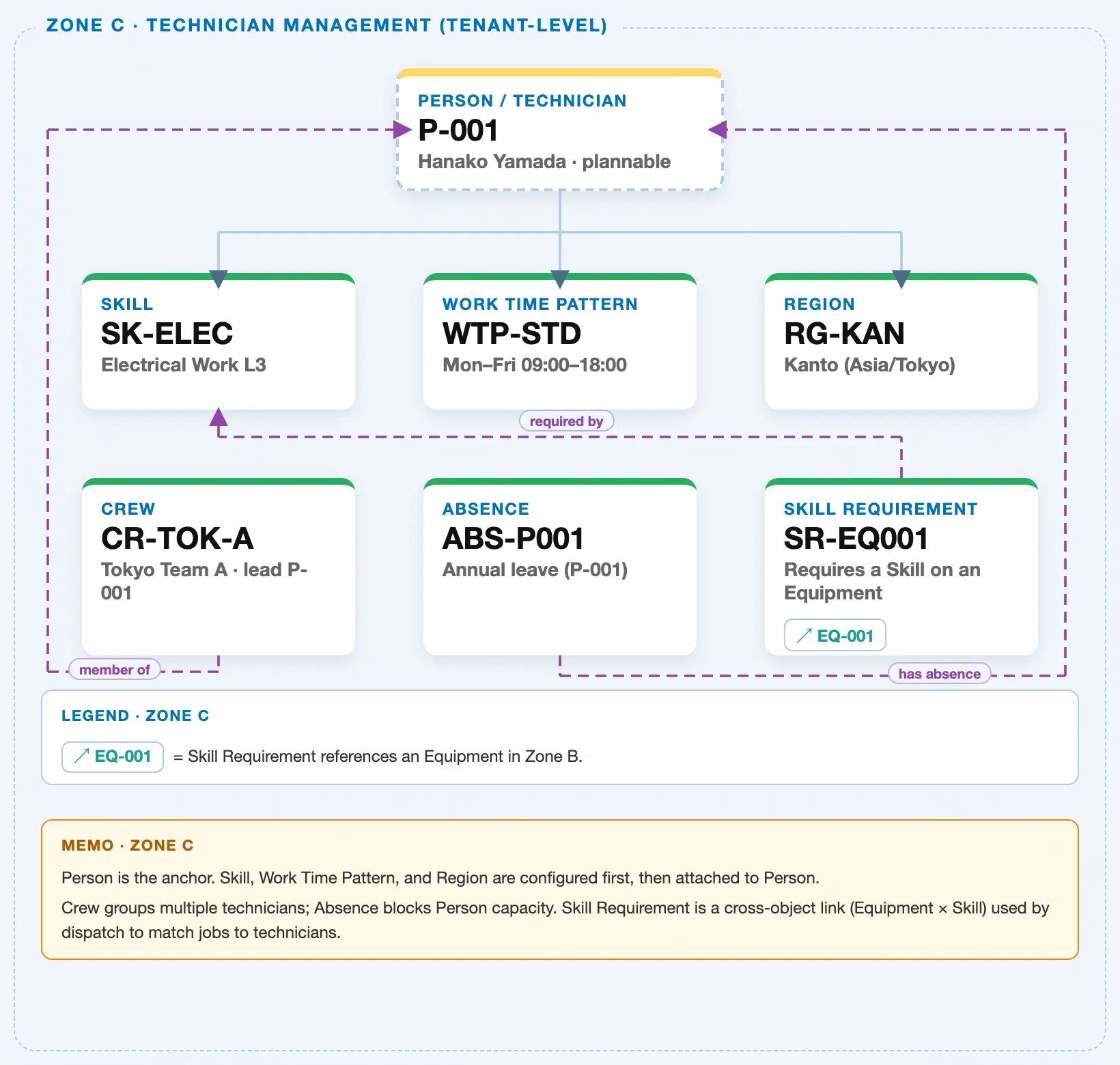
Data hierarchy with a concrete example (Zone C · Technician Management — tenant-level; FSM has no Company Code / Plant scoping above these objects)
Client (FSM Tenant)
   │
   ├── Skill SK-ELEC — Electrical Work L3                 (configured independently; tenant-level catalog)
   ├── Work Time Pattern WTP-STD — Mon–Fri 09:00–18:00     (configured independently; tenant-level catalog)
   ├── Region RG-KAN — Kanto (Asia/Tokyo)                   (configured independently; tenant-level catalog)
   │
   └── Person / Technician P-001 — Hanako Yamada (Plannable = Yes)
          ── assigned to ──▶ Skill SK-ELEC — Electrical Work L3

Equipment EQ-001 — Rooftop AC Unit A (Zone B; owned by Equipment Management, shown here only as the
demand side that Skill Requirement is defined against):
   Skill Requirement SR-EQ001 — Electrical Work L3, Mandatory   (cross-reference; not nested under either side)
      ── requires ──▶ Skill SK-ELEC — Electrical Work L3
      ── applies to ──▶ Equipment EQ-001 (Zone B; cross-zone chip)

Service Call (Transaction domain, FSM-B03) raised against Equipment EQ-001:
   Service Call ── inherits ──▶ Skill Requirement SR-EQ001
   (The requirement defined once on the Equipment record is carried automatically onto every Service Call
   raised against that Equipment — Skill Requirement is never re-entered per Service Call.)

Planning Board / Assisted Scheduling (Transaction domain, FSM-B04):
   Planning Board ── matches ──▶ Skill Requirement SR-EQ001 against Person/Technician P-001's Skill SK-ELEC
   (A candidate is only suggested/validated when the technician's own Skill assignment satisfies this
   requirement — the check runs against the Person/Technician assignment list from Skill, not against any
   field stored on Skill Requirement itself.)
Design principle: Skill Requirement is a pure cross-reference object, not a child of Skill or of Equipment — it references both from an independent record, is itself inherited (not re-created) by every Service Call raised against that Equipment, and is read, never written to, by the Planning Board’s matching logic at dispatch time.
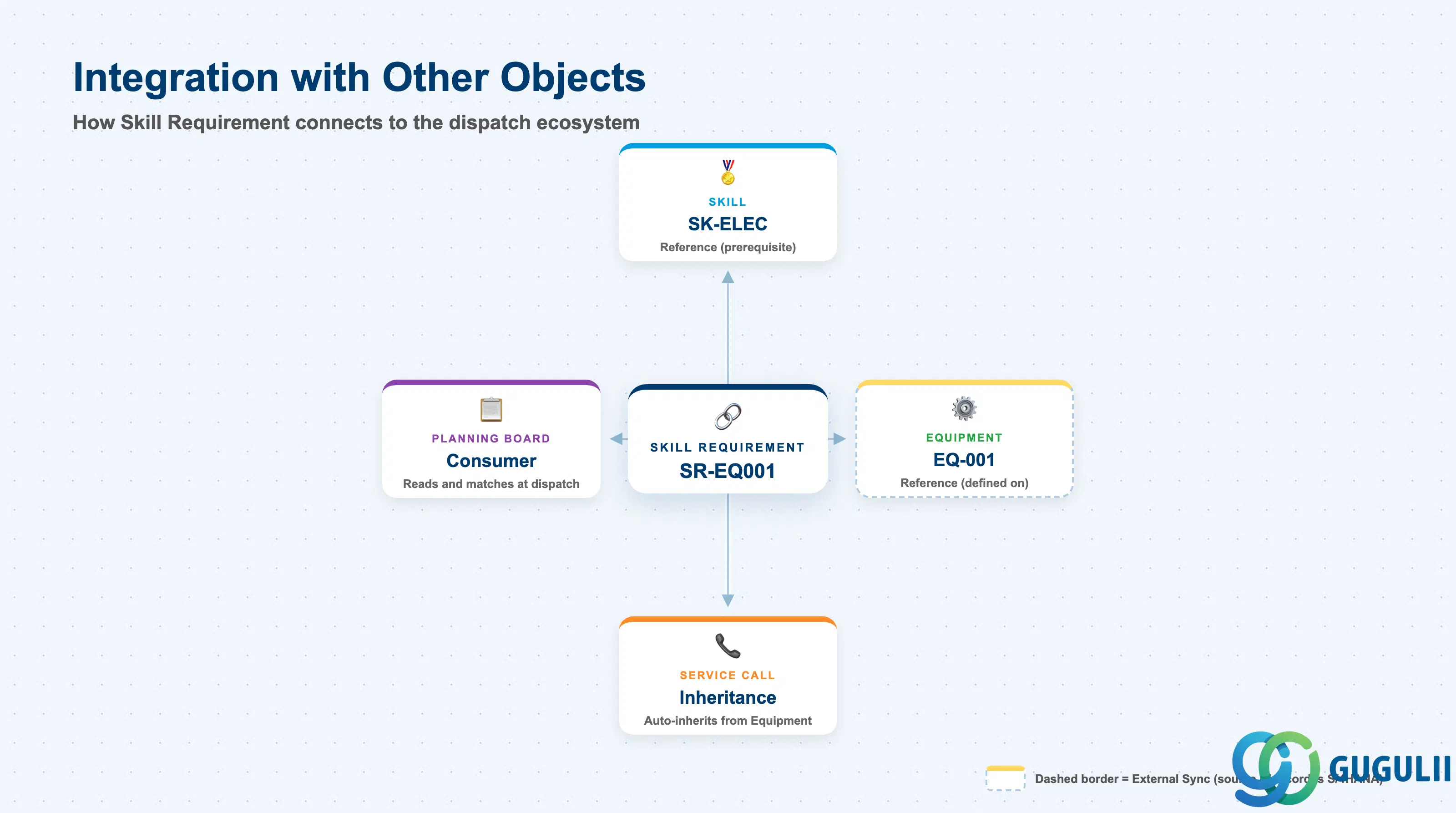
Skill Requirement does not stand alone. Every field on it exists to answer one question at dispatch time: does this candidate technician’s Skill assignment satisfy what this Equipment demands?
| Object | Relationship | Practical Notes |
|---|---|---|
| Skill (FSM-A04-01) | Reference: Skill Requirement references one or more existing Skill records to state the demand side | The prerequisite that must exist before a Skill Requirement can be created at all; a typo’d or retired Skill reference here silently breaks matching for that requirement without raising an error. |
| Equipment (FSM-A03-01) | Reference: Skill Requirement is defined against exactly one Equipment record, maintained from within that record’s own detail screen | Deleting or decommissioning an Equipment record should be reviewed against any Skill Requirements still defined on it, since the requirement has no independent existence once its Equipment is gone. |
| Service Call (Transaction domain, FSM-B03) | Inheritance: every Service Call raised against an Equipment automatically inherits that Equipment’s Skill Requirement(s) | Consultants should not expect (or configure) Skill Requirement per individual Service Call — it is a one-time setup on the Equipment that then applies consistently across that Equipment’s entire service history. |
| Planning Board / Assisted Scheduling (Transaction domain, FSM-B04) | Consumer: reads the inherited Skill Requirement and compares it against each candidate technician’s own Skill assignments (via Person/Technician, FSM-A04-04) | This is the entire operational purpose of Skill Requirement — without a consuming Planning Board read, the record would be informational only. Mandatory requirements filter candidates out; Preferred requirements only re-rank them. |
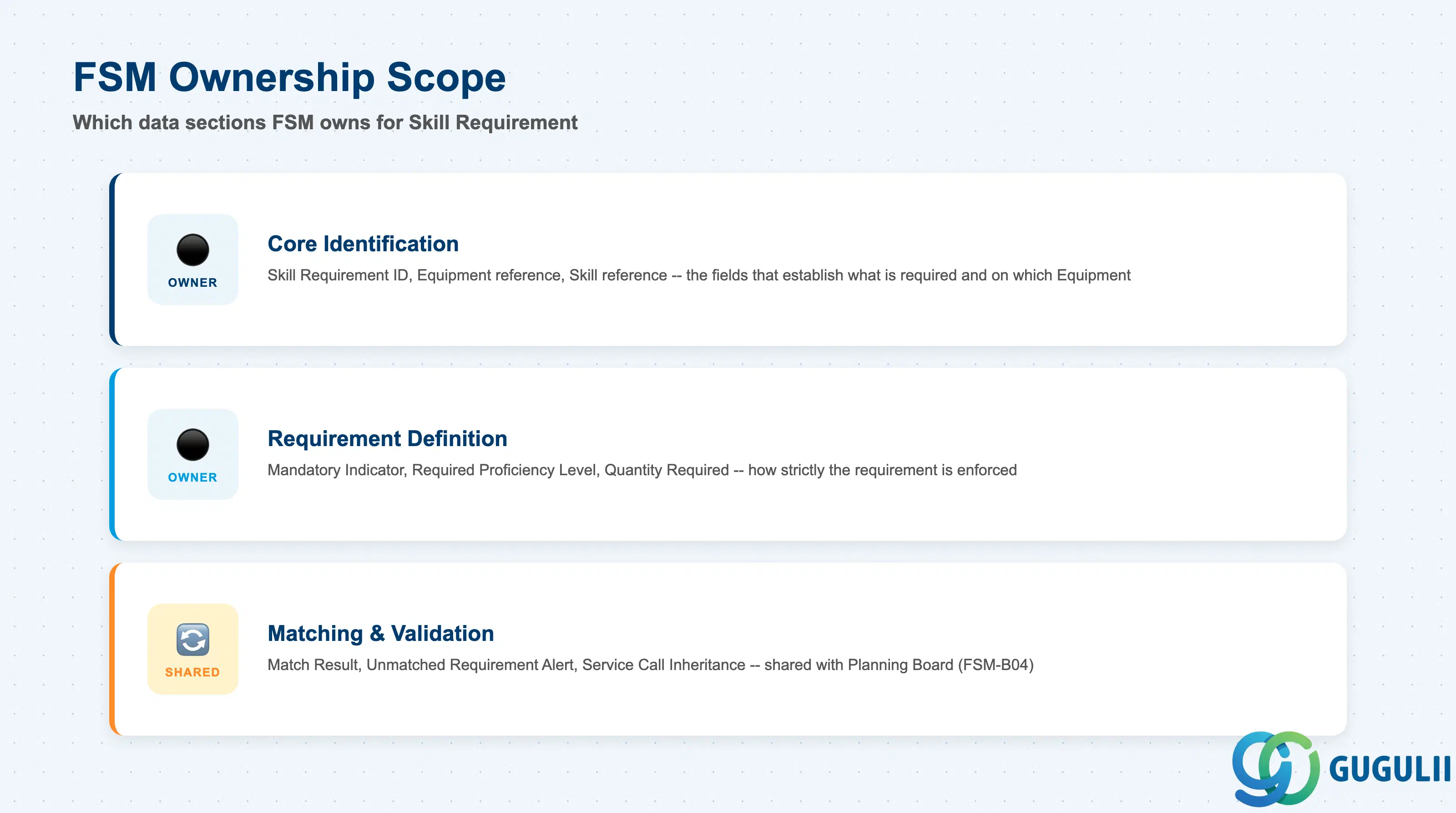
| Data Section | FSM Involvement | Notes |
|---|---|---|
| Core Identification | ◎ Owner | Skill Requirement ID, Equipment reference, Skill reference — the fields that establish what is required, and on which Equipment |
| Requirement Definition | ◎ Owner | Mandatory Indicator, Required Proficiency Level, Quantity Required — the fields that define how strictly the requirement is enforced |
| Matching & Validation Behavior | ○ Shared with Planning (FSM-B04) | Match Result, Unmatched Requirement Alert, Service Call Inheritance — how the requirement actually reaches a dispatch decision |
Legend: ◎ = Owner / Critical, ○ = Direct involvement
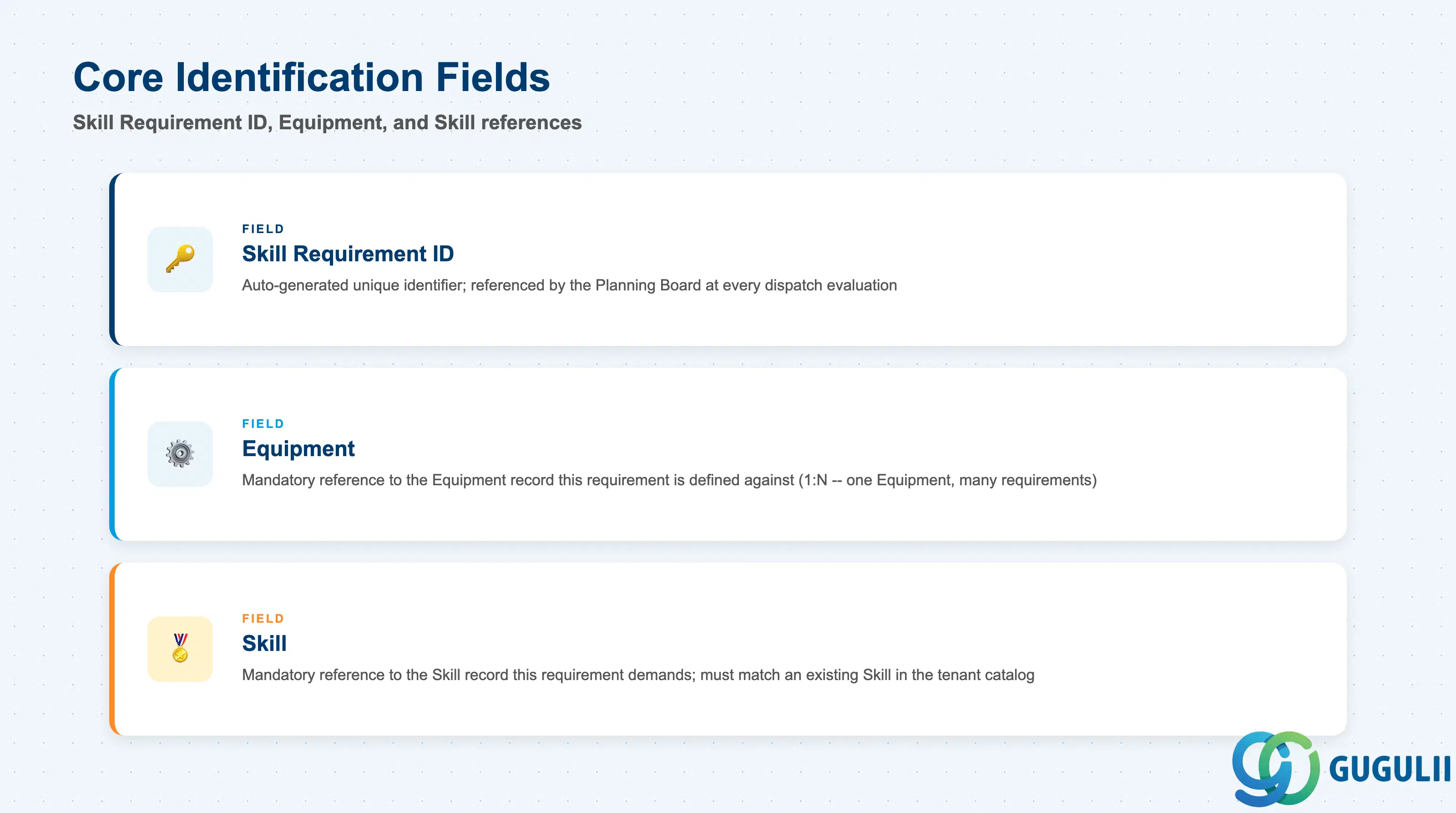
These three fields establish the whole cross-reference — which Equipment demands, and which Skill it demands — before any strictness or matching logic is layered on top.
| Field | Description | Practical Usage |
|---|---|---|
| Skill Requirement ID | FSM’s internal unique identifier for the requirement record | Auto-generated or entered at creation depending on tenant configuration; referenced by the Planning Board every time it evaluates dispatch eligibility for a Service Call raised against the linked Equipment. Never reuse a retired Skill Requirement ID for an unrelated demand — matching history and audit trails key off it. |
| Equipment | Reference to exactly one Equipment record this requirement is defined against (1:N — one Equipment can carry several Skill Requirements, but each Skill Requirement belongs to exactly one Equipment) | The mandatory prerequisite field alongside Skill — a Skill Requirement cannot be created without first selecting an existing Equipment (FSM-A03-01) record. Confirm this reference before saving a bulk-imported requirement file; attaching it to the wrong Equipment silently misconfigures dispatch matching for that asset. |
| Skill | Reference to exactly one Skill record this requirement demands (a single Equipment can carry multiple Skill Requirement records to demand multiple Skills — see 1.2, Multiple Mandatory Skills) | The other mandatory prerequisite field — must reference an existing Skill (FSM-A04-01). A Skill Category mismatch between what’s intended and what’s actually referenced is a common silent cause of Assisted Scheduling returning zero eligible candidates. |
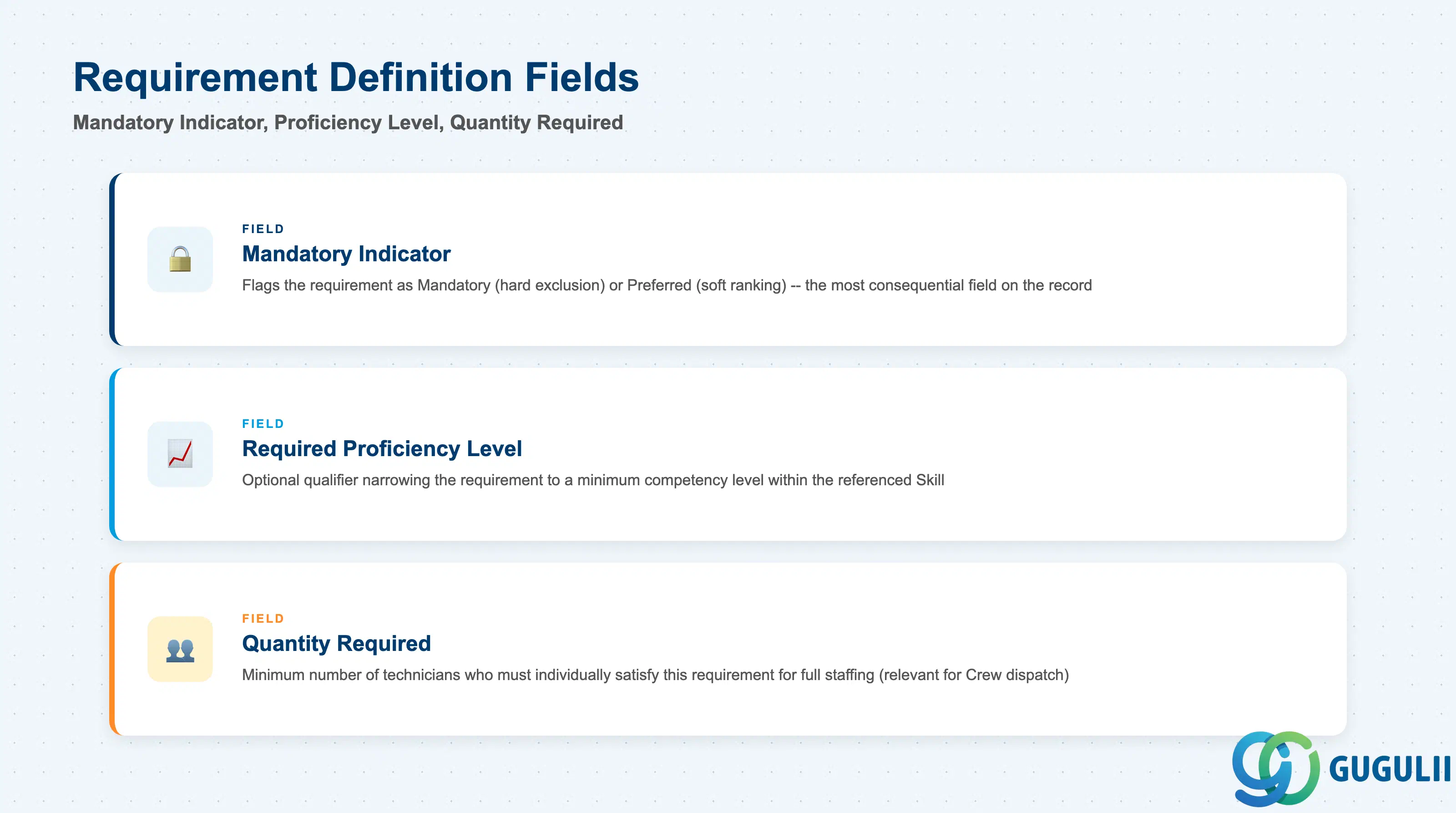
These fields determine how strictly the Planning Board enforces the requirement — the difference between a hard dispatch block and a soft ranking signal.
| Field | Description | Practical Usage |
|---|---|---|
| Mandatory Indicator | Flags the requirement as Mandatory or Preferred (see 1.2) | The single most consequential field on the record — Mandatory excludes non-matching candidates outright, while Preferred only re-ranks them. Review this flag whenever a technician expected to be dispatchable is unexpectedly filtered out; a Skill correctly set to Mandatory is the most common root cause. |
| Required Proficiency Level | Optional qualifier narrowing the requirement to a minimum competency level within the referenced Skill (typically expressed via the Skill’s own name, e.g. “Electrical Work L3”, since Skill carries no dedicated level field) | Because level is usually encoded in the Skill Name rather than a separate numeric field, consultants must keep Skill naming conventions disciplined tenant-wide — an inconsistently named Skill catalog makes level-based Skill Requirements unreliable to configure and to audit. |
| Quantity Required | Minimum number of technicians who must individually satisfy this requirement for the assignment to be considered fully staffed | Relevant mainly for Crew-based dispatch (FSM-A04-05), where a job needs more than one qualified technician on site simultaneously; a Quantity Required greater than one is not satisfied by a single technician holding the Skill, however senior. |
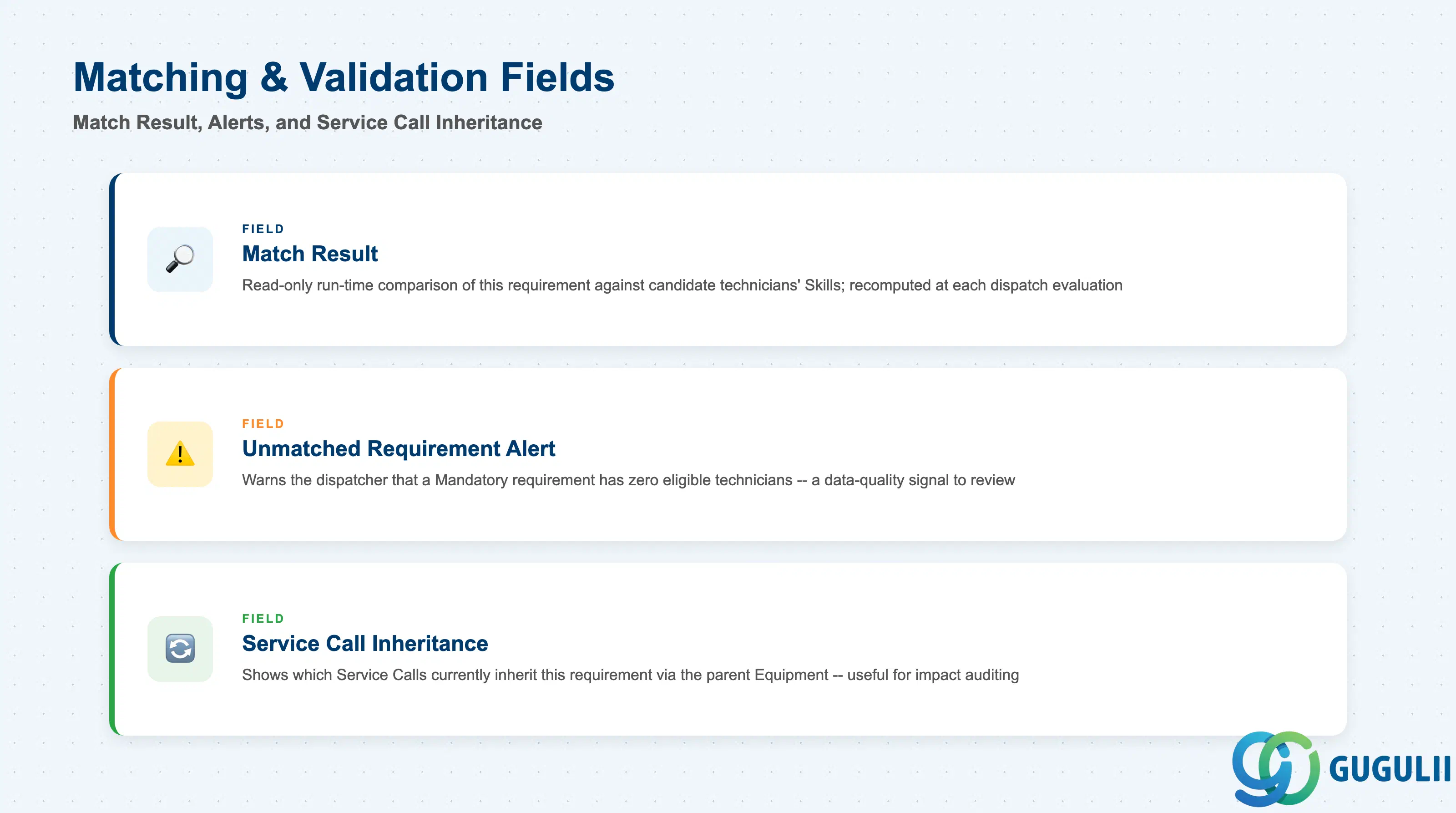
These fields and behaviors are what a dispatcher actually checks when a Service Call shows no eligible technician, or when an unexpected candidate is suggested.
| Field | Description | Practical Usage |
|---|---|---|
| Match Result (rollup, run-time) | Read-only outcome of comparing this Skill Requirement against the assigned Skills of candidate technicians for a given Service Call | Not stored on the record itself — recomputed each time the Planning Board evaluates dispatch eligibility. Treat a persistent “no match” result as a data-quality signal to check first (Skill reference correct? any technician actually assigned this Skill?) before assuming a genuine staffing shortage. |
| Unmatched Requirement Alert | Indicates to the dispatcher that a Mandatory Skill Requirement on the Service Call’s Equipment currently has zero eligible technicians | The earliest warning that a Skill catalog and technician-assignment gap exists; consultants should treat a recurring alert on the same Equipment as a prompt to review either the Mandatory flag (should it really be Mandatory?) or technician Skill coverage in that Region. |
| Service Call Inheritance (reference) | Confirms which Service Call(s) currently inherit this Skill Requirement via its parent Equipment | Useful when auditing the impact of editing or deactivating a Skill Requirement — a high inheritance count means the change ripples across every open and future Service Call against that Equipment, not just one isolated job. |
Prerequisite: A Skill Requirement cannot be created until both its Skill (FSM-A04-01) and Equipment (FSM-A03-01) records already exist — the record itself stores no properties beyond the cross-reference between them and the Mandatory/Preferred and quantity qualifiers layered on top.
Series note: Skill Requirement is the seventh and final object mapped in Zone C (Technician Management) — together with Skill, Work Time Pattern, Region, Person/Technician, Crew, and Absence, all tenant-level technician masters are now covered. This series continues next in Zone D (Material & Tool Management): Generic Tool (FSM-A05-02), Serialized Tool (FSM-A05-03), Warehouse (FSM-A05-04), and Van Stock (FSM-A05-05).
| ID | Category | Title |
|---|---|---|
| fsm-001 | Overview | What is SAP FSM? |
| ID | Category | Title |
|---|---|---|
| fsm-a01 | Overview | SAP FSM Master Data: Overview, Hierarchy & Relationships |
| fsm-a02-02 | Master Data | SAP FSM Contact |
| fsm-a02-03 | Master Data | SAP FSM Address |
| fsm-a03-01 | Master Data | SAP FSM Equipment |
| fsm-a03-02 | Master Data | SAP FSM Equipment Hierarchy |
| fsm-a03-03 | Master Data | SAP FSM Service History |
| fsm-a04-01 | Master Data | SAP FSM Skill |
| fsm-a04-02 | Master Data | SAP FSM Work Time Pattern |
| fsm-a04-03 | Master Data | SAP FSM Region |
| fsm-a04-04 | Master Data | SAP FSM Technician |
| fsm-a04-05 | Master Data | SAP FSM Crew |
| fsm-a04-06 | Master Data | SAP FSM Absence |
| fsm-a04-07 | Master Data | SAP FSM Skill Requirement 📍 |
| fsm-a05-02 | Master Data | SAP FSM Generic Tool |
| fsm-a05-03 | Master Data | SAP FSM Serialized Tool |
| fsm-a05-04 | Master Data | SAP FSM Warehouse |
| fsm-a05-05 | Master Data | SAP FSM Van Stock |
| fsm-a06-01 | Master Data | SAP FSM Partner Invitation |
| fsm-a06-02 | Master Data | SAP FSM Partner Registration |
| fsm-a06-03 | Master Data | SAP FSM Crowd Partner |
| fsm-a06-04 | Master Data | SAP FSM Partner Technician |
| ID | Category | Title |
|---|---|---|
| fsm-b01 | Overview | SAP FSM Transactions: Process Flow, Hierarchy & Relationships |