Title here
Summary here

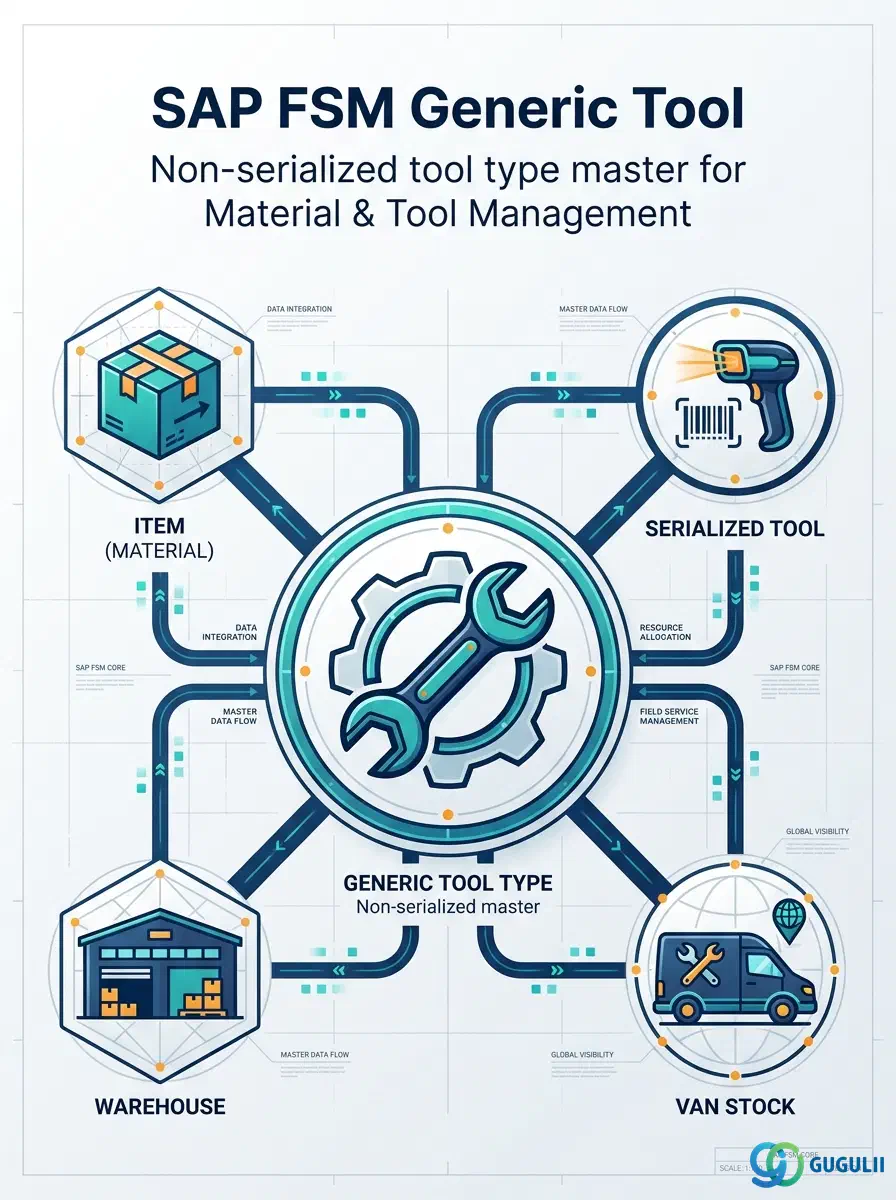
Generic Tool is FSM’s master record for a non-serialized tool type — a torque wrench, a ladder, a set of hand tools — tracked by category and quantity rather than by an individual serial number. It is defined against an existing Item record (Item Type = Tool) and can, when a specific physical unit needs to be traced individually, be specialized further into one or more Serialized Tool records; a Generic Tool with no serialized instances is simply tracked as pooled stock across Warehouse and Van Stock. Generic Tool is the first of four objects — Generic Tool, Serialized Tool (FSM-A05-03), Warehouse (FSM-A05-04), and Van Stock (FSM-A05-05) — that this series now covers in the Material & Tool Management domain (Phase 4, Zone D), following Item (FSM-A05-01), the material/spare-part master already established earlier in this phase that every Generic Tool record depends on. This article maps every field FSM consultants configure on a Generic Tool record, and how those fields connect Item, Serialized Tool, Warehouse, and Van Stock around it.
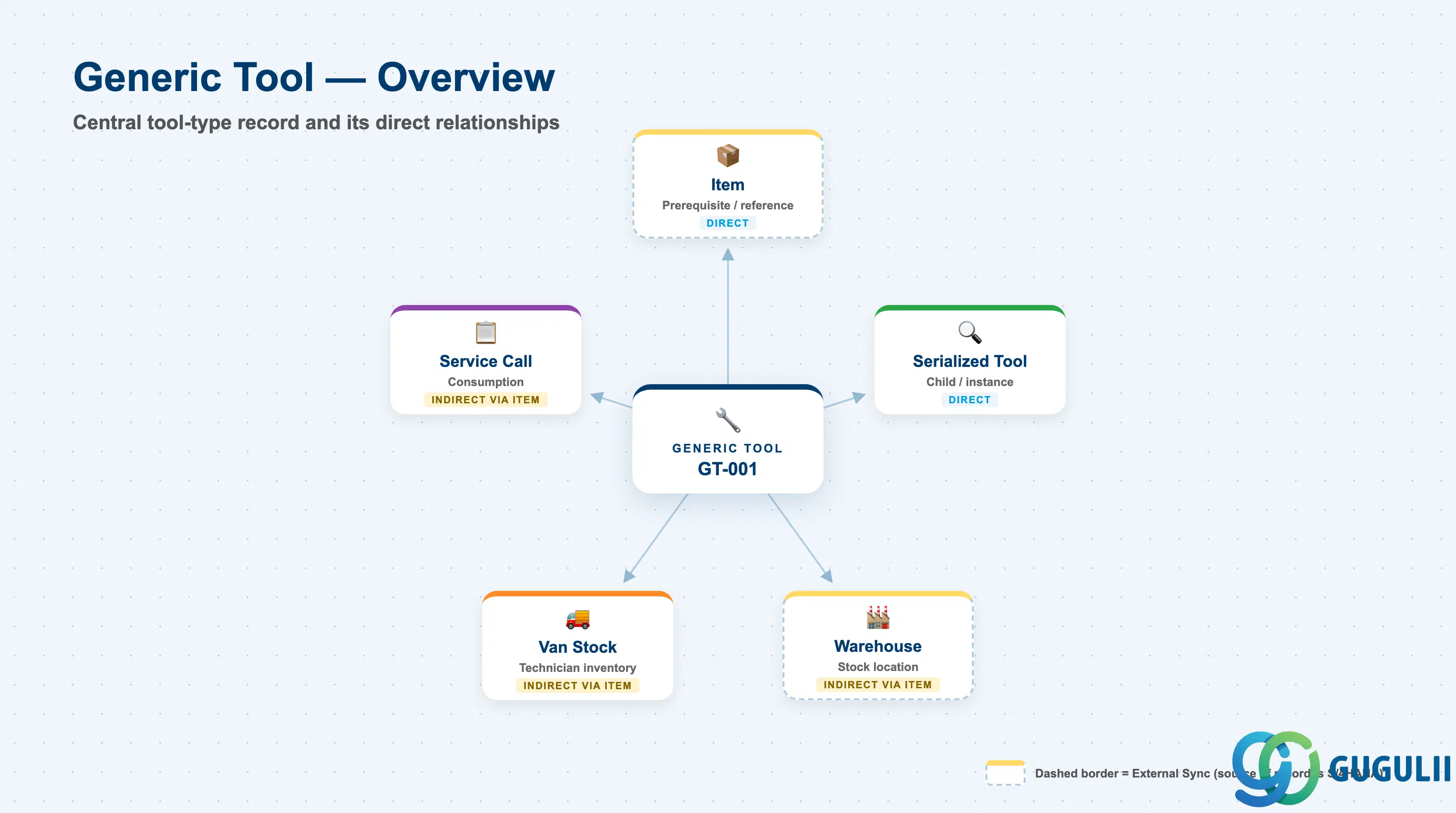
A Generic Tool represents a single, named tool type — not a specific physical object. It exists only as a specialization of an Item record already typed as Tool, and it means nothing about location or identity on its own: quantity and location are tracked separately through Warehouse and Van Stock, and individual traceability (serial number, current holder) is added only if and when a Serialized Tool record is created against it.
| Aspect | Details |
|---|---|
| Role | Master record of a non-serialized tool type, defined against an Item (Item Type = Tool); tracked by quantity rather than individual serial number, and optionally specialized into Serialized Tool instances when individual traceability is required |
| Modules using it | FSM (Material & Tool Management — sole owner; Generic Tool is FSM-native, layered on top of an Item record that is typically replicated in from S/4HANA MM) |
| Transactions | FSM Web UI “Master Data Management” app — Generic Tool is maintained as a tool-type record referencing an existing Item, in the same app used for most FSM master records |
| Key Tables | FSM: Generic Tool business object (Core API / OData entity) — FSM is a multi-tenant cloud solution and does not use classical ABAP tables; there is no S/4HANA table equivalent |
| S/4HANA note | Generic Tool itself is not replicated in from S/4HANA — it is created and maintained natively in FSM, but it must reference an Item record (Item Type = Tool) that is typically synchronized in from S/4HANA MM alongside Parts and Consumables |
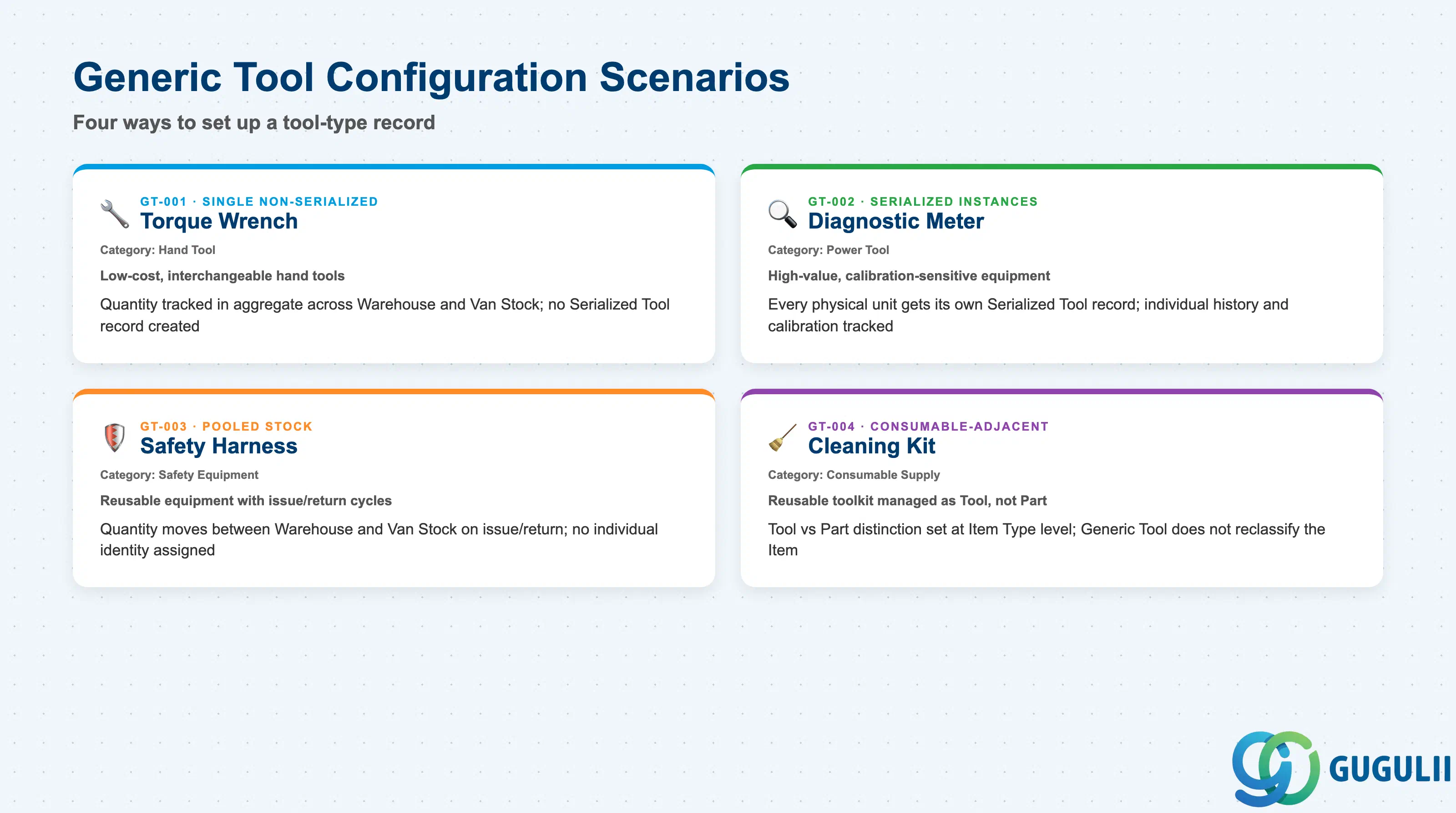
Whether a Generic Tool is left as pooled, quantity-tracked stock or specialized into individual Serialized Tool instances is a configuration decision, not a fixed property of the tool type — getting it wrong either creates unnecessary serial-tracking overhead for a commodity hand tool, or leaves a high-value, calibration-sensitive tool with no individual traceability at all.
| Scenario | Example | Use Case | Key Behavior |
|---|---|---|---|
| Single Non-Serialized Tool | Generic Tool GT-001 — Torque Wrench, Category “Hand Tool”, linked to an Item typed Tool | The common case for low-cost, interchangeable hand tools where no individual unit needs to be distinguished from another | Quantity is tracked in aggregate across Warehouse and Van Stock; no Serialized Tool record is ever created against this Generic Tool |
| Tool with Serialized Instances | Generic Tool GT-002 — Diagnostic Meter, Category “Power Tool” (illustrative), each physical unit tracked via Serialized Tool (FSM-A05-03) | High-value or calibration-sensitive equipment where a specific unit’s service history, current holder, or calibration date must be traced individually | Every physical unit gets its own Serialized Tool record referencing this Generic Tool as its type; the Generic Tool itself still carries no location or serial data — that lives on each Serialized Tool instance |
| Pooled Stock Tool | Generic Tool GT-003 — Safety Harness, Category “Safety Equipment” (illustrative) | Reusable equipment issued and returned repeatedly, where knowing “how many we have and where” matters more than which specific unit a technician is holding | Quantity moves between Warehouse and a technician’s Van Stock on issue/return; no individual identity is assigned or expected |
| Consumable-Adjacent Tool | Generic Tool GT-004 — Cleaning Kit, Category “Consumable Supply” (illustrative) | A reusable toolkit that physically resembles a consumable but is still managed as a Tool-type Item, not a Part or Consumable-type Item | Illustrates that the Tool vs. Part vs. Consumable distinction is set once, at the underlying Item’s Item Type field — Generic Tool itself does not re-classify or override what its referenced Item already is |
Design principle: The Category field on a Generic Tool is descriptive, not a strict, system-enforced type list — it is the presence or absence of a linked Serialized Tool record, not the Category text, that determines whether a given tool type is tracked individually or as pooled stock.
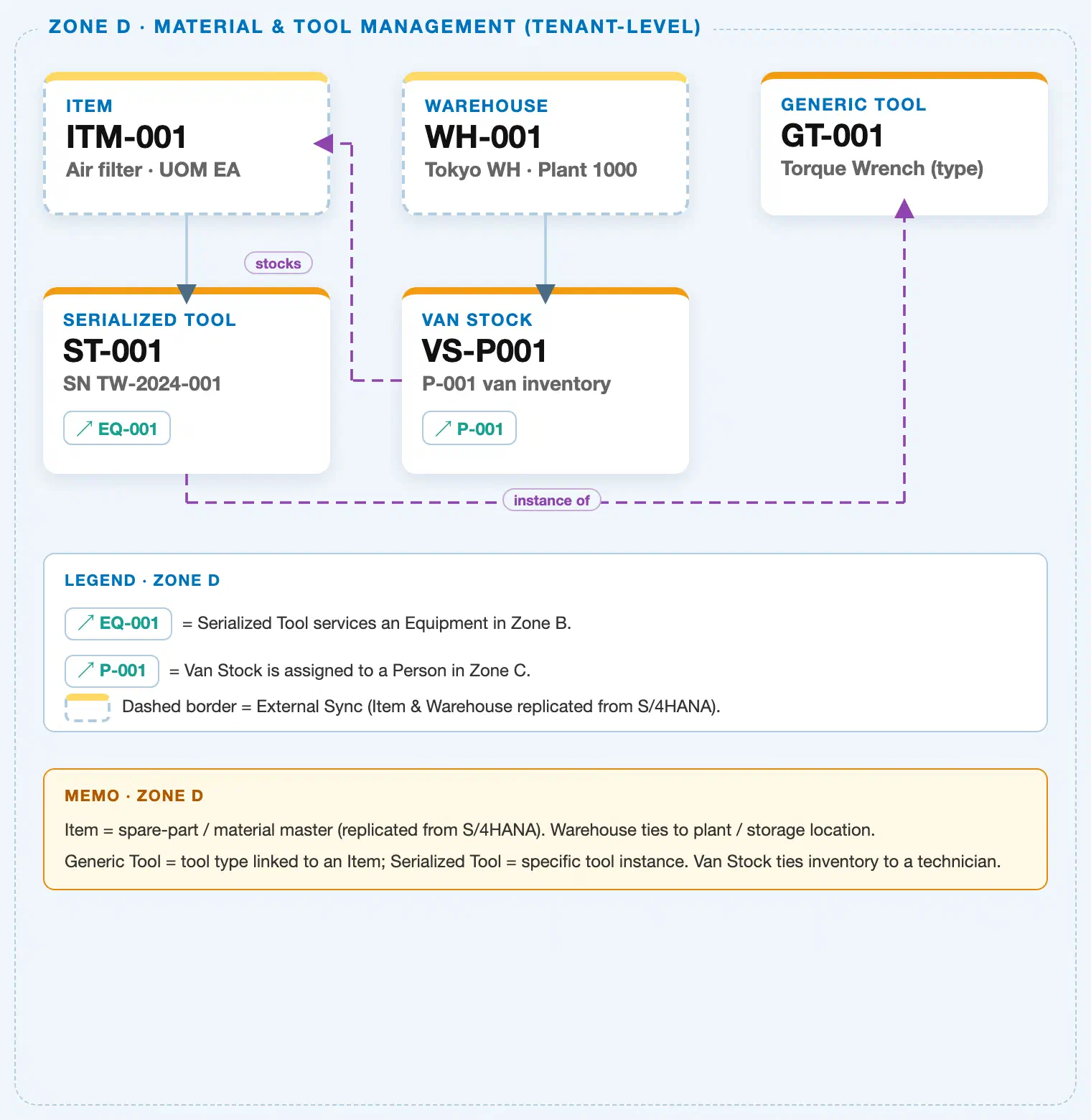
Data hierarchy with a concrete example (Zone D · Material & Tool Management — tenant-level; FSM has no Company Code / Plant scoping above these objects)
Client (FSM Tenant)
   │
   ├── Item ITM-001 — Air Filter, Item Type = Part            (S/4HANA→FSM sync; tenant-level catalog; shown
   │                                                            here as the representative Item/Warehouse/Van
   │                                                            Stock example elsewhere in this diagram)
   ├── Warehouse WH-001 — Tokyo Warehouse, Plant 1000          (S/4HANA→FSM sync; tenant-level catalog)
   │
   └── Generic Tool GT-001 — Torque Wrench (tool type record)
          ── references ──▶ Item (reference, Item Type = Tool — a distinct Tool-type Item record from
                              ITM-001 above, which illustrates a Part-type Item; not itself drawn as a separate
                              node in this shared Zone D crop)

Serialized Tool ST-001 — SN TW-2024-001 (individual physical instance; FSM-A05-03):
   Serialized Tool ST-001 ── instance of ──▶ Generic Tool GT-001
   Serialized Tool ST-001 ── services ──▶ Equipment EQ-001 (Zone B; cross-zone chip)

Van Stock VS-P001 — P-001's mobile inventory (FSM-A05-05):
   Van Stock VS-P001 ── stocks ──▶ Item ITM-001 (illustrative; a Van Stock line item can reference any Item,
   including a Part such as ITM-001, a Consumable, or the Tool-type Item a Generic Tool is defined against)
   Van Stock VS-P001 ── assigned to ──▶ Person/Technician P-001 (Zone C; cross-zone chip)
Design principle: Generic Tool is a specialization of Item, not a sibling master alongside it — it cannot exist without a referenced Item, but it adds no location or quantity fields of its own beyond what Item, Warehouse, and Van Stock already track. Serialized Tool is, in turn, an instance of Generic Tool, never of Item directly; the “instance of” step happens exactly once, at the Generic Tool layer.
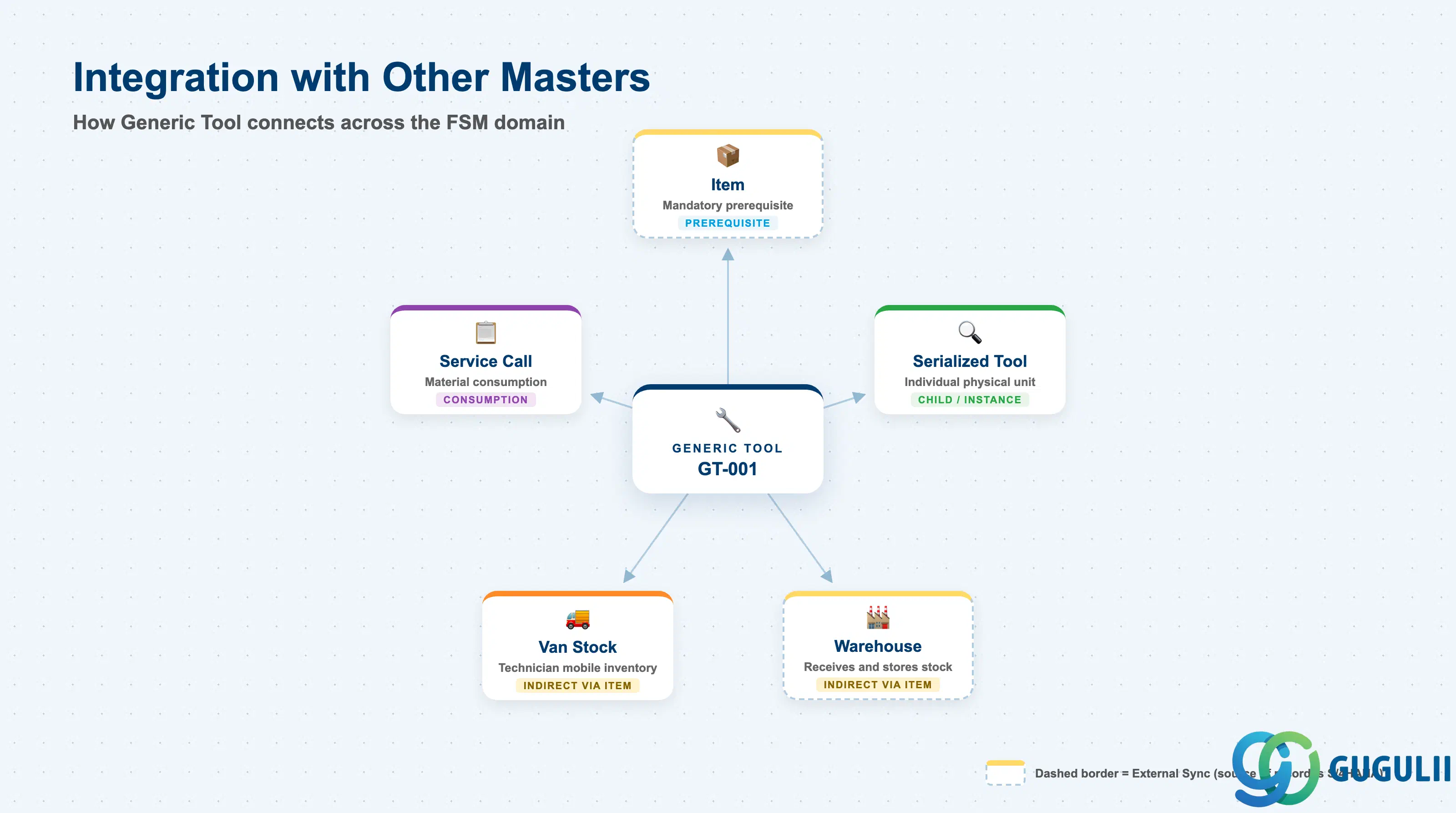
Generic Tool does not stand alone. Every field on it exists to answer one question: what type of tool is this, and does it need individual traceability or not?
| Object | Relationship | Practical Notes |
|---|---|---|
| Item (FSM-A05-01) | Prerequisite / reference: every Generic Tool record is defined against exactly one existing Item record, typed Tool | The mandatory prerequisite — a Generic Tool cannot be created before its referenced Item exists. Confirm the referenced Item’s Item Type is actually Tool before go-live; a Part or Consumable-type Item mistakenly linked here misclassifies the tool catalog without raising an error. |
| Serialized Tool (FSM-A05-03) | Child / instance: a Generic Tool type may have zero, one, or many Serialized Tool records tracking individually serial-numbered, traceable physical units | The decision point covered in 1.2 — leave a Generic Tool with no Serialized Tool instances for pooled, quantity-only tracking, or add instances the moment individual unit history or calibration needs to be traced. |
| Warehouse (FSM-A05-04) / Van Stock (FSM-A05-05) | Indirect, via Item: physical stock quantity of a Generic Tool’s underlying Item is held in Warehouse and issued into a technician’s Van Stock | Generic Tool itself carries no location or on-hand-quantity field — those figures live on the Item’s stock records in Warehouse and Van Stock, keyed off the same Item reference the Generic Tool points to. |
| Service Call (Transaction domain, FSM-B03) | Consumption: a technician’s Van Stock quantity of a Generic Tool’s referenced Item can be issued and consumed against a Service Call via Material Consumption | Relevant mainly for consumable-adjacent or wear-item tool types; non-consumed, reusable Generic Tools are typically issued and returned rather than consumed off Van Stock. |
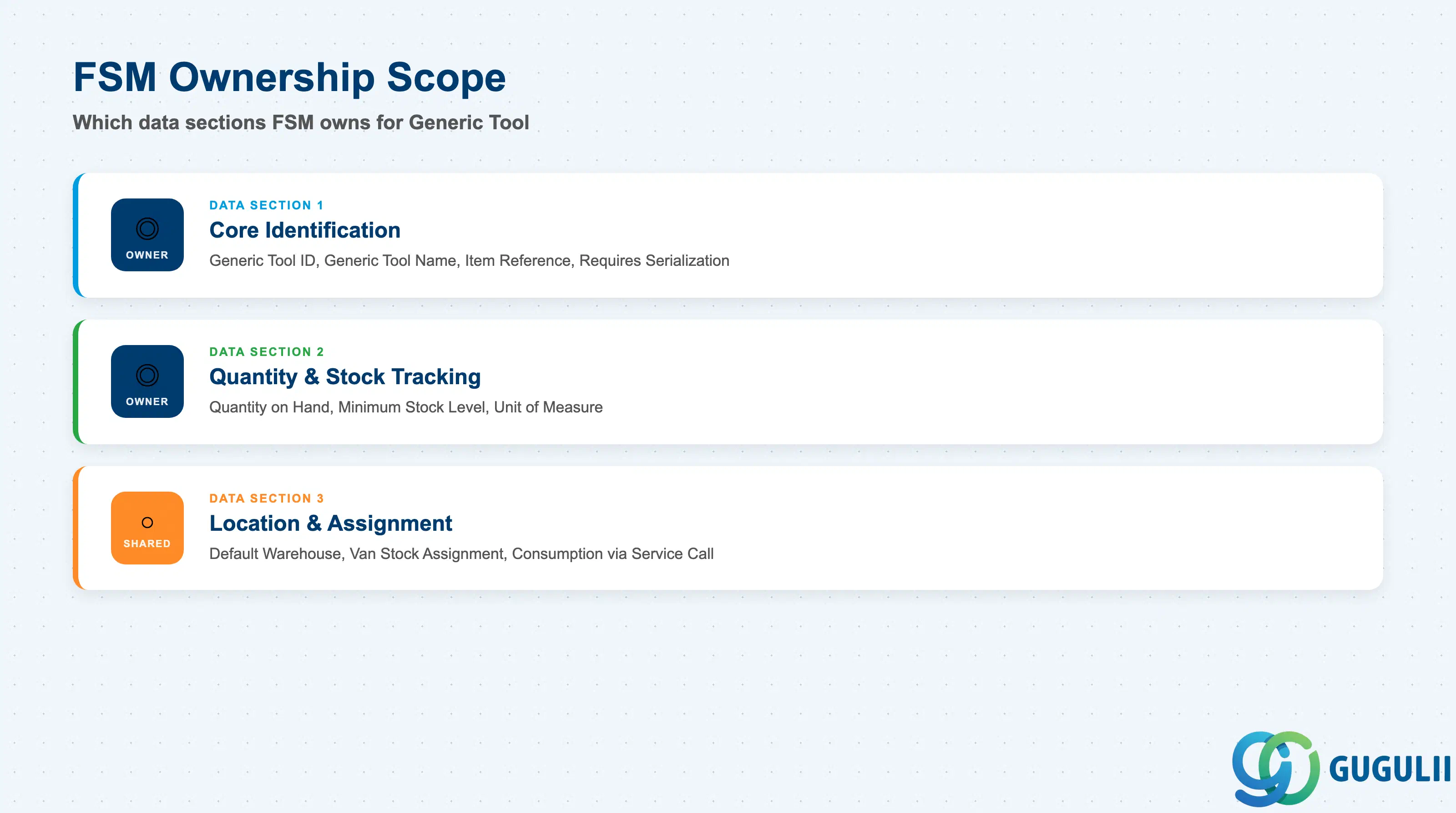
| Data Section | FSM Involvement | Notes |
|---|---|---|
| Core Identification | ◎ Owner | Generic Tool ID, Generic Tool Name, Item Reference, Requires Serialization — the fields that define what this tool type is and whether it demands individual tracking |
| Quantity & Stock Tracking | ◎ Owner | Quantity on Hand, Minimum Stock Level, Unit of Measure — the fields relevant only when this Generic Tool is left as pooled, non-serialized stock |
| Location & Assignment | ○ Shared with Warehouse / Van Stock (FSM-A05-04 / FSM-A05-05) | Default Warehouse, Van Stock Assignment, Consumption via Service Call — how this Generic Tool’s stock is actually located, issued, and drawn down |
Legend: ◎ = Owner / Critical, ○ = Direct involvement
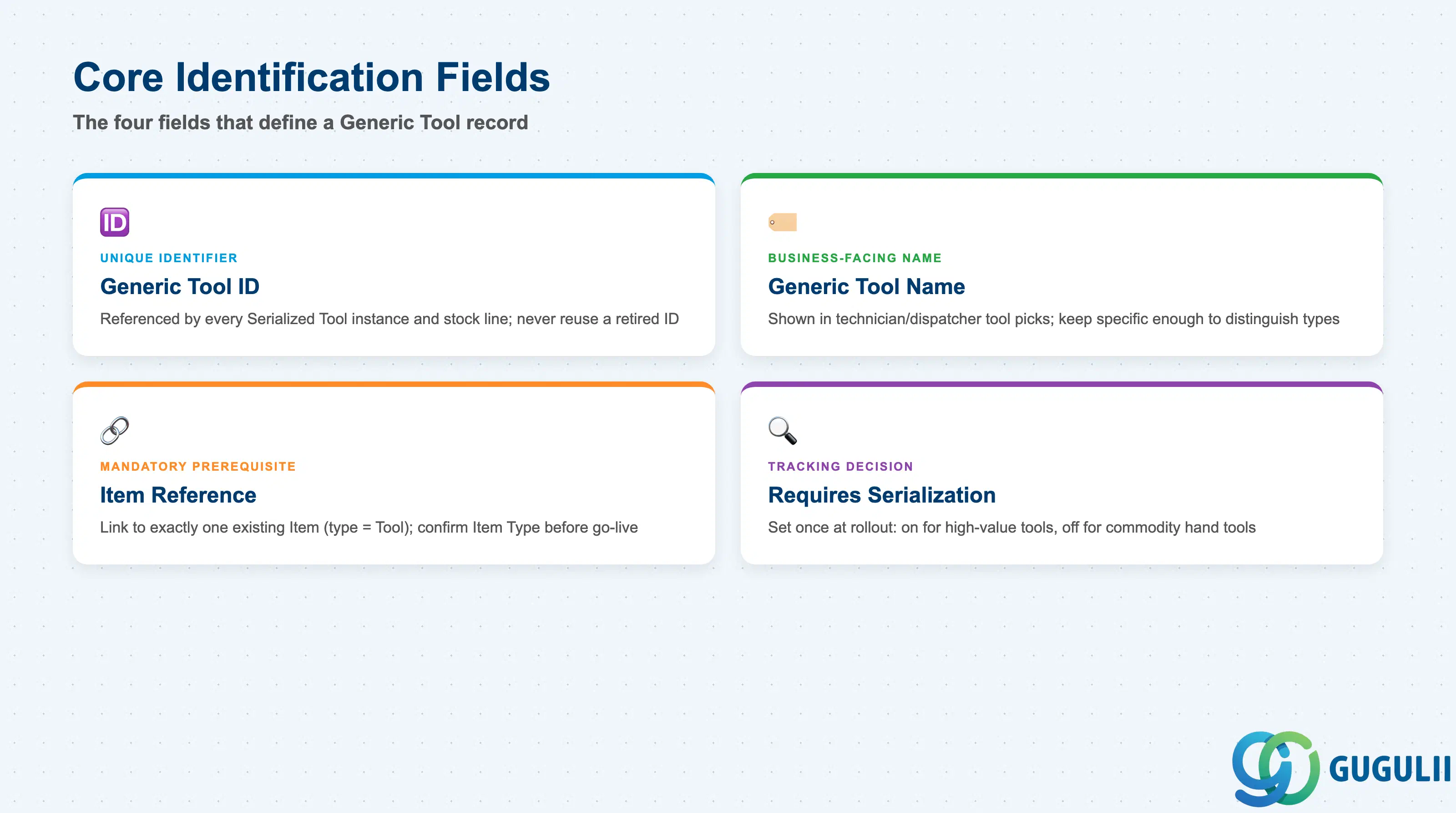
These four fields establish what a Generic Tool record actually is, before any quantity or location detail is layered on top.
| Field | Description | Practical Usage |
|---|---|---|
| Generic Tool ID | FSM’s internal unique identifier for the tool-type record | Referenced by every Serialized Tool instance created against this type and by every Warehouse/Van Stock stock line for its underlying Item. Never reuse a retired Generic Tool ID for an unrelated tool type — Serialized Tool history and stock records key off it. |
| Generic Tool Name | Business-facing name of the tool type (e.g. “Torque Wrench”) | Displayed wherever a technician or dispatcher picks a required tool for a Service Call. Keep names specific enough to distinguish similar tool types (e.g. “Torque Wrench — 10-50 Nm” vs. a generic “Torque Wrench”) since Generic Tool carries no dedicated specification field of its own. |
| Item Reference | Reference to exactly one existing Item (FSM-A05-01) record, typed Tool | The mandatory prerequisite field — a Generic Tool cannot be created without first selecting an existing, Tool-typed Item. Confirm this reference during bulk tool-catalog loads; attaching a Generic Tool to a Part or Consumable-type Item by mistake silently misclassifies the tool catalog. |
| Requires Serialization | Indicator of whether individual physical units of this Generic Tool type must be tracked as separate Serialized Tool (FSM-A05-03) records | The field consultants set once at rollout and rarely revisit — flip it on for high-value, calibration-sensitive, or asset-tracked tool types, and leave it off for commodity hand tools where only aggregate quantity matters. Changing it after Serialized Tool records already exist should be reviewed carefully rather than toggled casually. |
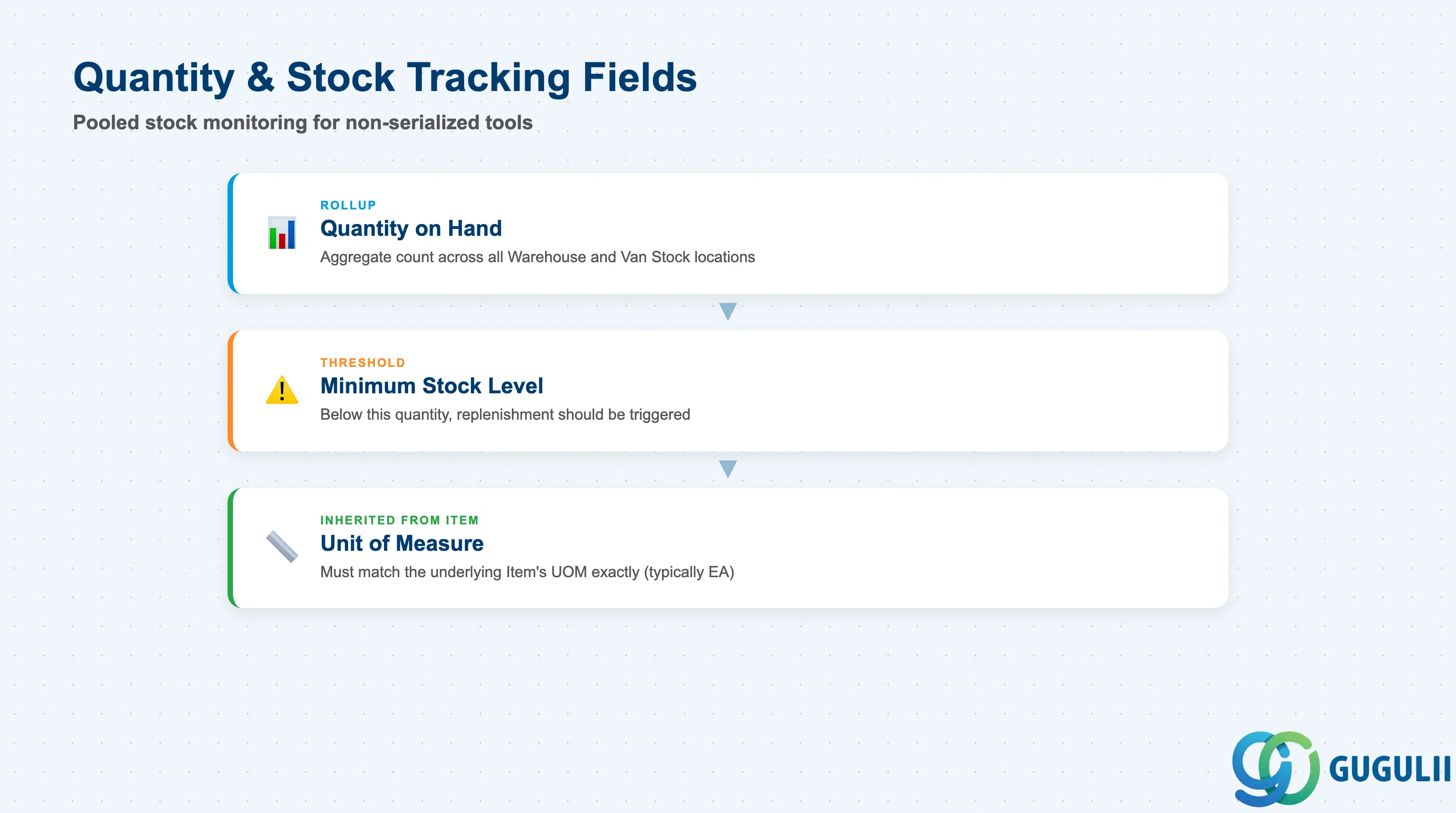
These fields apply specifically to a Generic Tool left as pooled, non-serialized stock (Requires Serialization = No, see 2.1) — once a tool type is fully serialized, quantity is tracked per Serialized Tool instance instead.
| Field | Description | Practical Usage |
|---|---|---|
| Quantity on Hand (rollup) | Aggregate count of this Generic Tool’s underlying Item currently held across all Warehouse and Van Stock locations | A quick coverage signal for pooled tool types — a Quantity on Hand of zero silently blocks any Service Call planning step that expects this tool to be available, without necessarily raising a hard error. |
| Minimum Stock Level | Threshold quantity below which replenishment of this Generic Tool’s underlying Item should be triggered | Set in coordination with the same replenishment planning used for the underlying Item’s Part/Consumable stock; a Minimum Stock Level left unset on a frequently-issued pooled tool is a common cause of avoidable “tool unavailable” delays at dispatch. |
| Unit of Measure (inherited from Item) | The UOM in which this Generic Tool’s quantity is counted (e.g. EA — each) | Almost always “each” for discrete tools, but consultants should confirm it matches the underlying Item’s UOM exactly — a mismatch between Generic Tool’s assumed UOM and the Item master’s actual UOM produces confusing stock-count displays on the Van Stock and Warehouse screens. |
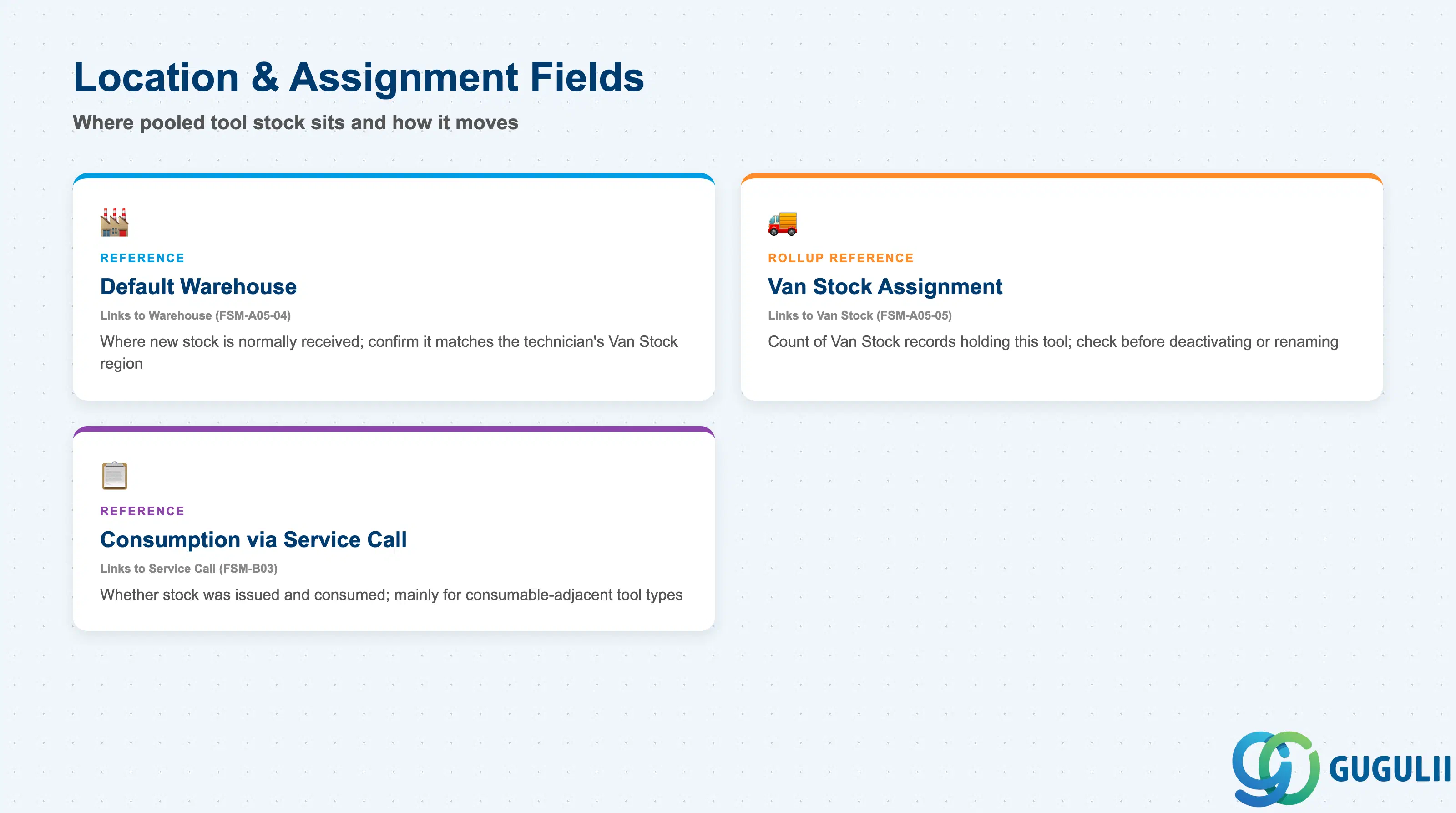
Generic Tool carries no location field of its own — these are the linkage facts consultants check when tracing where a pooled tool type’s stock actually sits and how it moves.
| Field | Description | Practical Usage |
|---|---|---|
| Default Warehouse (reference) | The Warehouse (FSM-A05-04) where new stock of this Generic Tool’s underlying Item is normally received and replenished | Useful for multi-warehouse tenants — confirm this default matches the Region a technician’s Van Stock typically draws from, or replenishment requests route to the wrong physical location. |
| Van Stock Assignment (rollup reference) | Count and list of Van Stock (FSM-A05-05) records currently holding quantity of this Generic Tool | Surfaces before deactivating or renaming a Generic Tool — a high assignment count means the change ripples across many technicians’ mobile inventories, not just one isolated record. |
| Consumption via Service Call (reference) | Indicates whether this Generic Tool’s underlying Item quantity has been issued and consumed against a Service Call through Material Consumption | Relevant mainly for consumable-adjacent tool types (see 1.2); a reusable, non-consumed Generic Tool is normally issued and later returned to Warehouse rather than permanently drawn down through this field. |
Prerequisite: A Generic Tool record cannot be created until its referenced Item (FSM-A05-01) already exists and is typed Tool — Generic Tool stores no properties beyond that reference, the Requires Serialization decision, and the pooled quantity/location facts layered on top of the Item’s own stock.
| ID | Category | Title |
|---|---|---|
| fsm-001 | Overview | What is SAP FSM? |
| ID | Category | Title |
|---|---|---|
| fsm-a01 | Overview | SAP FSM Master Data: Overview, Hierarchy & Relationships |
| fsm-a02-02 | Master Data | SAP FSM Contact |
| fsm-a02-03 | Master Data | SAP FSM Address |
| fsm-a03-01 | Master Data | SAP FSM Equipment |
| fsm-a03-02 | Master Data | SAP FSM Equipment Hierarchy |
| fsm-a03-03 | Master Data | SAP FSM Service History |
| fsm-a04-01 | Master Data | SAP FSM Skill |
| fsm-a04-02 | Master Data | SAP FSM Work Time Pattern |
| fsm-a04-03 | Master Data | SAP FSM Region |
| fsm-a04-04 | Master Data | SAP FSM Technician |
| fsm-a04-05 | Master Data | SAP FSM Crew |
| fsm-a04-06 | Master Data | SAP FSM Absence |
| fsm-a04-07 | Master Data | SAP FSM Skill Requirement |
| fsm-a05-02 | Master Data | SAP FSM Generic Tool 📍 |
| fsm-a05-03 | Master Data | SAP FSM Serialized Tool |
| fsm-a05-04 | Master Data | SAP FSM Warehouse |
| fsm-a05-05 | Master Data | SAP FSM Van Stock |
| fsm-a06-01 | Master Data | SAP FSM Partner Invitation |
| fsm-a06-02 | Master Data | SAP FSM Partner Registration |
| fsm-a06-03 | Master Data | SAP FSM Crowd Partner |
| fsm-a06-04 | Master Data | SAP FSM Partner Technician |
| ID | Category | Title |
|---|---|---|
| fsm-b01 | Overview | SAP FSM Transactions: Process Flow, Hierarchy & Relationships |